# Somnia Docs > Build markets onchain with Somnia: markets, oracle, agents, settlement and the network. Every page is also Markdown: append `.md` to its URL, or ask for `text/markdown`. Found something wrong, missing or confusing in these docs? Tell us: `POST /api/feedback` on this site with JSON `{"message": "…", "context": "what you were doing and what happened", "page": "…"}`, or a plain-text body. `GET /api/feedback` gives the JSON Schema. The team reads every one. --- # Introduction Section: Somnia Docs URL: / Description: Somnia is the decentralized platform for onchain finance: order books, matching, oracles, agents and settlement running onchain on a high-throughput EVM network. Somnia is a platform for building markets onchain. The order books, matching engine, oracle, agents and settlement all run as smart contracts on Somnia's EVM Layer 1, so a venue built on Somnia inherits the same liquidity, the same receipts and the same tooling as every other venue. These docs are written for coding agents as much as for people: the full corpus is at [llms-full.txt](https://new.docs.somnia.network/llms-full.txt), and each path below starts as a prompt to paste into your agent. To see the platform running first, open the [Somnia Explorer](https://new.explorer.somnia.network). ## Build a trading bot A bot streaming a live order book and placing orders on testnet, fills visible in the explorer. Paste into your agent: > Read https://new.docs.somnia.network/llms-full.txt, then build me a trading bot on Somnia testnet: pick a live market, stream its order book, place and cancel small post-only orders, and show my fills from the explorer API. Set up keys and testnet funds the way the docs describe, and ask me before anything touches mainnet. Start reading instead: [Somnia Markets](/markets/somnia-markets) and [Network info](/blockchain/network-info). ## Deploy your own market A market you defined, resolved by the Somnia Oracle, trading on an existing venue. Paste into your agent: > Read https://new.docs.somnia.network/llms-full.txt, then take me from an idea to a live market on Somnia testnet: the market definition, the Somnia Oracle question that resolves it, seed liquidity and settlement. Ask me for the market question before you start. Start reading instead: [Somnia Oracle](/data/somnia-oracle) and [Markets](/markets). ## Launch a venue A branded venue on testnet with its own markets and sponsored gas. Paste into your agent: > Read https://new.docs.somnia.network/llms-full.txt, then set up the Somnia Venue Kit in a new repository and take me to a branded venue on Somnia testnet with sponsored gas: the template, venue registration, markets and the go-live checklist. Start reading instead: [Venue Kit](/build/venue-kit) and [Somnia Explorer](/blockchain/explorer). ## Understand the network What Somnia is and how it works, for reading rather than pasting: [Concepts](/concepts), [how the chain works](/concepts/somnia-blockchain/overview), [tokenomics](/concepts/tokenomics/overview) and [network info](/blockchain/network-info). ## Participate Bring capital or infrastructure rather than code: [staking and delegation](/concepts/tokenomics/token-staking-and-delegation), [provide liquidity](/markets), [dedicated RPC](/blockchain/rpcs/dedicated-rpc) and [sustained-use gas discounts](/developer/deployment-and-production/sustained-use-gas-discounts). ## The platform The docs follow the sections of the Somnia Explorer's sidebar, one section each, with a page for every product in it: - **[Blockchain](/blockchain)**: the Global L1, regional subchains and their networks; the explorer, faucet, validators and RPCs; the bridge, accounts, reactivity and gas sponsorship. - **[Markets](/markets)**: venues, spot, perpetual and event markets on one onchain engine, and analysis of their liquidity and risk. - **[Data & Truth](/data)**: the oracle and price feeds. - **[Agents](/agents)**: Somnia Agents and its agent types: LLM inference, website parsing, JSON API requests and price oracles. - **[Settlement & Liquidity](/settlement)**: USDso, Somnia Lend and privacy. - **[Build](/build)**: the Somnia CLI, MCP server and Venue Kit, the APIs and SDKs, and the developer guide. - **[Prediction Markets](/prediction-markets)**: Prophecy Pulse. --- # Connect a wallet Section: Blockchain URL: /blockchain/connect-a-wallet Description: Add Somnia to an EVM wallet such as MetaMask. Somnia is EVM-compatible, so any EVM wallet works. Add the network once, then switch to it like any other chain. ## Add the network 1. Open your wallet's network settings and choose **Add a network manually**. 2. Enter the values for mainnet (or testnet) from [Network info](./network-info). 3. Save, then switch to **Somnia Mainnet** (or **Somnia Testnet**). | Field | Mainnet | Testnet | | --- | --- | --- | | Chain ID | `5031` | `50312` | | Currency symbol | SOMI | STT | | RPC URL | `https://api.infra.mainnet.somnia.network/` | `https://api.infra.testnet.somnia.network/` | | Explorer | `https://explorer.somnia.network` | `https://explorer.testnet.somnia.network` | ## Get testnet tokens Request STT from the [testnet faucet](https://explorer.testnet.somnia.network/faucet) to pay for gas while you build. ## Trade without a prompt per order Venues on Somnia can use session keys and smart accounts so users approve once and then act without a wallet prompt for each order. The [Somnia Explorer](./explorer) manages smart accounts, session keys and gas sponsorship. --- # Somnia Global L1 Section: Blockchain URL: /blockchain/global-l1 Description: The main Somnia chain: an EVM Layer 1 run by validators around the world. The Somnia Global L1 is an EVM Layer 1 run by validators around the world. Assets, accounts and settlement are anchored here and shared by every Regional Subchain. Every transaction is also checked by Cuthbert, a second implementation that each validator runs. | | | | --- | --- | | Chain ID (mainnet) | 5031 | | Chain ID (testnet) | 50312 | | Native token | SOMI (STT on testnet) | | Finality | Under 500 ms on mainnet | RPC URLs, faucets and contract addresses are in [Network info](/blockchain/network-info). --- # Blockchain Section: Blockchain URL: /blockchain Description: Somnia is an EVM-compatible chain: the Somnia Global L1, plus Regional Subchains placed in trading hubs. This section covers the networks, how they work, the explorer's pages for the chain and the protocols that span its networks. Somnia is made up of the Somnia Global L1 and Regional Subchains. The Global L1 is run by validators around the world, and holds the assets, accounts and settlement that every subchain shares. Regional Subchains are lower-latency chains with validators in specific trading hubs. | Network | Status | What it is | | --- | --- | --- | | [Somnia Global L1](./global-l1) | Live | The main chain, chain ID 5031 | | [Tokyo Subchain](./tokyo) | Live | A Regional Subchain with validators in Tokyo, chain ID 50321 | | [Somnia networks](./networks) | Live | Every network, with chain ID, currency, RPC and explorer | For chain IDs, RPC URLs and explorers, see [Somnia networks](/blockchain/networks) and [Network info](/blockchain/network-info); to add a network to your wallet, see [Connect a wallet](/blockchain/connect-a-wallet). The products of the chain itself, as the Somnia Explorer's Blockchain section lists them: | Product | Status | What it is | | --- | --- | --- | | [Somnia Explorer](./explorer) | Live | The chain and every product on it, live, with APIs for agents | | [Faucet](./faucet) | Live | Test STT for the testnets | | [Validators](./validators) | Live | This epoch's committee, every validator's stake and delegation | | [RPCs](./rpcs) | Live | The public HTTP and WebSocket endpoints; dedicated nodes coming soon | | [Somnia Bridge](./bridge) | Live | Moves tokens between Global and Tokyo | | [Somnia Accounts](./smart-accounts) | Live | Accounts at the same address on every Somnia network | | [Somnia Reactivity](/developer/reactivity) | Live | Contracts that react to events in the same block, no keepers | | [Somnia Gas Sponsorship](./gas-sponsorship) | Coming soon | Native gas sponsorship, so users trade without holding SOMI | ## How the chain works 1. **MultiStream consensus.** Every validator publishes its own data chain. A separate consensus chain, running modified PBFT, advances the heads of all data chains at once. 2. **Global ordering.** A deterministic pseudorandom ordering of the data chains produces a single ordered stream of transactions. 3. **Compiled execution.** EVM bytecode is compiled to native code. 4. **IceDB.** A purpose-built database with built-in snapshotting. 5. **Compression.** Streaming compression and BLS signature aggregation reduce bandwidth. 6. **Cuthbert.** Validators also run every transaction through Cuthbert, a separate, unoptimised implementation, and halt if the two disagree. ## Chain features - **EVM compatible.** Solidity contracts, standard wallets and existing tooling work unchanged. - **Finality.** Transactions are final in under 500 ms on mainnet. - **Gas price.** The base price is 6 gwei outside of congestion. At that price, a plain SOMI transfer (21,000 gas) costs 0.000126 SOMI. Transfers to contracts, and other calls, cost more, in proportion to the gas they use. - **Sustained-use discounts.** High-volume senders get automatic 70% or 90% base-fee discounts. - **Proof of stake.** Validators stake SOMI and can be slashed for malicious behaviour. - **ERC-4337 EntryPoint v0.7.** Deployed on mainnet, so gas can be sponsored through ERC-4337 paymasters. - **EIP-7702.** Externally owned accounts can delegate to smart-account code. ## Example `chain.ts` ```typescript import { defineChain } from "viem"; export const somnia = defineChain({ id: 5031, name: "Somnia Mainnet", nativeCurrency: { name: "Somnia", symbol: "SOMI", decimals: 18 }, rpcUrls: { default: { http: ["https://api.infra.mainnet.somnia.network"], webSocket: ["wss://api.infra.mainnet.somnia.network/ws"], }, }, blockExplorers: { default: { name: "Somnia Explorer", url: "https://explorer.somnia.network" }, }, }); ``` --- # Network info Section: Blockchain URL: /blockchain/network-info Description: Chain IDs, RPC endpoints and explorers for Somnia mainnet and testnet. ## Mainnet | Parameter | Value | | --- | --- | | Network name | Somnia Mainnet | | Chain ID | `5031` | | Currency | SOMI | | RPC | `https://api.infra.mainnet.somnia.network/` | | WebSocket | `wss://api.infra.mainnet.somnia.network/ws` | | Explorer | [explorer.somnia.network](https://explorer.somnia.network) | ## Testnet | Parameter | Value | | --- | --- | | Network name | Somnia Testnet | | Chain ID | `50312` | | Currency | STT | | RPC | `https://api.infra.testnet.somnia.network/` | | WebSocket | `wss://api.infra.testnet.somnia.network/ws` | | Explorer | [explorer.testnet.somnia.network](https://explorer.testnet.somnia.network) | | Faucet | [explorer.testnet.somnia.network/faucet](https://explorer.testnet.somnia.network/faucet) | ## Tokyo mainnet | Parameter | Value | | --- | --- | | Network name | Somnia Tokyo | | Chain ID | `50321` | | Currency | SOMI | | RPC | `https://api.tokyo.infra.mainnet.somnia.network` | | WebSocket | `wss://api.tokyo.infra.mainnet.somnia.network/ws` | | Explorer | [new.explorer.somnia.network/tokyo](https://new.explorer.somnia.network/tokyo) | `eth_getLogs` accepts at most 1,000 blocks per query on Tokyo mainnet. ## Tokyo testnet | Parameter | Value | | --- | --- | | Network name | Somnia Tokyo Testnet | | Chain ID | `50383` | | Currency | STT | | RPC | `https://api.hideki.infra.testnet.somnia.network/` | | WebSocket | `wss://api.hideki.infra.testnet.somnia.network/ws` | | Faucet | [explorer.testnet.somnia.network/tokyo/faucet](https://explorer.testnet.somnia.network/tokyo/faucet) | ## Regional subchains Regional subchains run validators in one financial centre for lower latency and connect back to Global. Tokyo is the first on mainnet, live since 29 October 2026. See [Tokyo Subchain](/blockchain/tokyo). ## From code ```ts import { defineChain } from "viem" export const somnia = defineChain({ id: 5031, name: "Somnia Mainnet", nativeCurrency: { name: "Somnia", symbol: "SOMI", decimals: 18 }, rpcUrls: { default: { http: ["https://api.infra.mainnet.somnia.network/"] } }, blockExplorers: { default: { name: "Somnia Explorer", url: "https://explorer.somnia.network" } }, }) ``` --- # Somnia networks Section: Blockchain URL: /blockchain/networks Description: Every Somnia network: the Global L1, each Regional Subchain and each testnet, with chain ID, currency, RPC and explorer. Somnia is the Global L1 plus Regional Subchains, each with a testnet. Every live network runs the same EVM, so contracts, wallets and tooling work on each of them unchanged. | Network | Kind | Region | Chain ID | Currency | RPC | Explorer | | --- | --- | --- | --- | --- | --- | --- | | Global | Global L1, mainnet | Worldwide | `5031` | SOMI | `https://api.infra.mainnet.somnia.network/` | [explorer.somnia.network](https://explorer.somnia.network) | | Tokyo | Regional Subchain, mainnet | Asia-Pacific, Tokyo | `50321` | SOMI | `https://api.tokyo.infra.mainnet.somnia.network` | [new.explorer.somnia.network/tokyo](https://new.explorer.somnia.network/tokyo) | | New York | Regional Subchain, mainnet | Americas, New York | Coming soon | SOMI | Coming soon | Coming soon | | Global testnet | Testnet | Worldwide | `50312` | STT | `https://api.infra.testnet.somnia.network/` | [explorer.testnet.somnia.network](https://explorer.testnet.somnia.network) | | Tokyo testnet | Testnet | Asia-Pacific, Tokyo | `50383` | STT | `https://api.hideki.infra.testnet.somnia.network/` | [explorer.testnet.somnia.network/tokyo](https://explorer.testnet.somnia.network/tokyo) | WebSocket endpoints for each network are in [Public RPCs](/blockchain/rpcs). Test STT for the two testnets comes from the faucets on the [Global testnet](https://explorer.testnet.somnia.network/faucet) and the [Tokyo testnet](https://explorer.testnet.somnia.network/tokyo/faucet). ## Global and Regional Subchains | | Global L1 | Regional Subchain | | --- | --- | --- | | Optimised for | Throughput, globally | Latency, in one region | | Finality | Under 500 ms on mainnet, under a second on testnet | 100 ms blocks, final on inclusion | | Validators | Distributed worldwide | Co-located in a financial centre | | Execution | EVM | EVM | | Contracts and tooling | Solidity, standard wallets | The same, with no changes | | Settlement | Native | Connected back to Global | Read more about the [Global L1](/blockchain/global-l1) and the [Tokyo Subchain](/blockchain/tokyo). Tokens move between Global and Tokyo over the [Somnia Bridge](/blockchain/bridge). --- # Tokyo Subchain Section: Blockchain URL: /blockchain/tokyo Description: A Regional Subchain with validators in Tokyo. Mainnet is live, chain ID 50321, and its testnet is chain ID 50383. The Tokyo Subchain is a Regional Subchain with validators colocated in Tokyo, near the matching engines of other trading venues. Assets and settlement stay connected to the Global L1. | | | | --- | --- | | Region | Asia-Pacific | | Chain ID | 50321 | | Currency | SOMI | | RPC | `https://api.tokyo.infra.mainnet.somnia.network` | | Block time | 100 ms, final on inclusion | | Chain ID (testnet) | 50383 | | Testnet RPC | `https://api.hideki.infra.testnet.somnia.network/` | | Status | Mainnet live since 29 October 2026 | `eth_getLogs` on the Tokyo mainnet RPC accepts at most 1,000 blocks per query, which is 100 seconds of chain at 100 ms blocks. Multicall3 is at its canonical address, `0xcA11bde05977b3631167028862bE2a173976CA11`. ## Bridged tokens SOMI and these tokens reach Tokyo mainnet over Hyperlane warp routes. Each address below is the token's warp router on Tokyo. SOMI's router is `0x1709C8635F838C50f80AF623AF365543B8cD927B` on both Global and Tokyo. | Token | Address on Tokyo | | --- | --- | | USDso | `0xcEa80aEb6ed4Ed526d71f34EfED047904C0e387a` | | WETH | `0xd2F22d1D7e3689c79FD8892EDaeb2BC1b5AaCDd8` | | WBTC | `0xF844a072282e2E715F84c971A5aCc4F8E40D8B91` | | USDC.e | `0xb8ceA44875c3D3b84804D6b025faEfBD2e8Fe3AE` | | USDT | `0xfA58446F441F2feae71272B088F10543e350Fd6e` | Tokens also move between the Global testnet and the Tokyo testnet over the [Somnia Bridge](/blockchain/bridge). See [Network info](/blockchain/network-info#tokyo-mainnet) for the full network details. --- # Network Info Section: Network Info URL: /developer/network-info > **Tip** > > **The Somnia Mainnet is LIVE** > **Note** > > **Developers who deploy Smart Contracts on Mainnet require Somnia Tokens, SOMI.** It is a real-world utility token that can be purchased on a list of CEXs and DEXs [here](../get-started/getting-started-for-mainnet#get-somi-tokens). > **Tip** > > **Developers who are deploying Smart Contracts and need Somnia Test Tokens (STT):**\ > \ > Please join the [Discord](https://discord.com/invite/somnia). Go to the `#dev-chat` channel, tag the Somnia DevRel, `@emreyeth` and request Test Tokens.\ > \ > You can also join the [Somnia Developer Telegram](https://t.me/+s_oRMnGpOyQ3ODQ0) or use [Faucet](https://explorer.testnet.somnia.network/faucet).\ > \ > You can also email `developers@somnia.foundation` with a brief description of what you are building and your GitHub profile. ## Network details
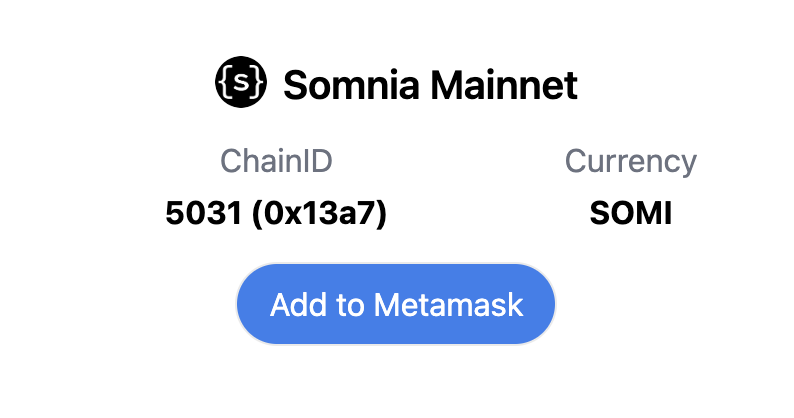
NetworkMainnetTestnet
Chain ID503150312
Block Explorerhttps://explorer.somnia.networkhttps://explorer.testnet.somnia.network/
SymbolSOMISTT
RPChttps://api.infra.mainnet.somnia.network/

wss://api.infra.mainnet.somnia.network/ws
https://api.infra.testnet.somnia.network/

wss://api.infra.testnet.somnia.network/ws
MultiCallV30x5e44F178E8cF9B2F5409B6f18ce936aB817C5a110x841b8199E6d3Db3C6f264f6C2bd8848b3cA64223
EntryPoint v0.70x0000000071727De22E5E9d8BAf0edAc6f37da032
Factory Address0x4be0ddfebca9a5a4a617dee4dece99e7c862dceb
Alternative Testnet Block Explorerhttps://somnia-testnet.socialscan.io/
Testnet Faucethttps://explorer.testnet.somnia.network/faucet
Stakely Mainnet Faucethttps://stakely.io/faucet/somnia-somi
CreateX0xD13C575ED5378fd18B100Bd87D5765d9A747358B0x535822d4b86b2372FBE4fd9d1468318F04A2A640
## RPC Providers
RPCs
Somniahttps://api.infra.mainnet.somnia.network
Public Nodehttps://somnia.publicnode.com
Stakelyhttps://somnia-json-rpc.stakely.io
Validation Cloudhttps://www.validationcloud.io/somnia
## Community * [Join us on Discord](https://discord.com/invite/Somnia) to chat with devs and raise issues * [Follow us on Twitter](https://twitter.com/Somnia_Network) for updates ## Solidity Resources * [Ethereum Developer ](https://learnweb3.io/degrees/ethereum-developer-degree/)by Learn Web3 * [Solidity by Example](https://solidity-by-example.org/) * [CryptoZombies](https://cryptozombies.io/en/course) * [Cookbook.dev](https://www.cookbook.dev/search?q=cookbook\&categories=Contracts\&sort=popular\&filter=\&page=1) * [Alchemy Unversity](https://www.alchemy.com/university/courses/solidity) ## Toolkit * [Hardhat Toolkit](https://hardhat.org/docs) - Solidity development framework paired with a JavaScript testing framework * [Foundry Toolkit](https://book.getfoundry.sh/) - Solidity framework for both development and testing. * [Remix](https://remix.ethereum.org/#lang=en\&optimize=false\&runs=200\&evmVersion=null) - Solidity IDE with interactive features --- # Network Overview (Mainnet / Testnet) Section: Network Info URL: /developer/network-info/network-overview-mainnet-testnet Somnia provides two distinct environments for developers and users: **Mainnet** and the **Global testnet**. Both serve different purposes in the ecosystem, and knowing when to use which is essential for building and deploying applications effectively. *** ### Somnia Mainnet The **Mainnet** is the official production blockchain of Somnia. All transactions on this chain are **final and irreversible** and require **SOMI tokens** as gas. #### Key Characteristics * Real-value environment secured by Somnia’s validator set. * Integrated with wallets, explorers, bridges, and infrastructure providers. * Permanent and immutable transaction history. * Designed for live dApps, end-users, and production-ready deployments. #### When to Use Mainnet * Deploying **audited and tested smart contracts**. * Running dApps with **real users and assets**. * Managing liquidity, staking, governance, or NFT projects. * Partner integrations requiring **security and finality**. #### Example `Deploy to Somnia Mainnet` ```bash # Deploying a contract to Somnia Mainnet npx hardhat run scripts/deploy.js --network somnia_mainnet ``` *** ### Somnia Global Testnet The **Testnet** is a sandbox environment that mirrors mainnet behavior but uses **STT test tokens** with no real-world value. It allows safe experimentation and rapid iteration without financial risk. #### Key Characteristics * Transactions use **STT tokens**, available via the faucet. * Close-to-mainnet parameters for realistic testing. * Safe for prototyping, debugging, and QA. * Commonly used in workshops, hackathons, and developer onboarding. #### When to Use Testnet * Learning how to connect and deploy on Somnia. * Prototyping features or building MVPs. * Debugging smart contracts or dApp flows. * Preparing for audits and production deployment. #### Example `Deploy to Somnia Global Testnet` ```bash # Deploying a contract to Somnia Testnet npx hardhat run scripts/deploy.js --network somnia_testnet ``` *** ### Quick Comparison | Feature | Mainnet (Production) | Global testnet | | ------------ | ------------------------------ | --------------------------- | | Currency | SOMI (real value) | STT (valueless, faucet) | | Purpose | Production deployments | Development & testing | | Transactions | Permanent and irreversible | Experimental and disposable | | Typical Use | Live dApps, DeFi, staking, NFT | Prototyping, QA, education | | Risk | Financial impact possible | No financial risk | *** ### Best Practices > **Note** > > * Start on Testnet: Validate contracts and flows on the Global testnet before mainnet. > * Audit before launch: Ensure contracts are reviewed and secure. > * Use separate configs: Keep `.env` files distinct for testnet and mainnet. > * Stay updated: Follow official announcements for upgrades and changes. > **Tip** > > Tip: Treat **Testnet** as your safe playground and **Mainnet** as your production stage. Every project should pass through Testnet before moving to Mainnet. --- # SOMI coin Section: Network Info URL: /developer/network-info/somi-coin SOMI is the native coin of the Somnia Network. It is a currency used to pay for transactions, similar to Ether (ETH) on Ethereum and other EVM networks. SOMI is denominated in Wei, the base unit and smallest value that can be expressed in the network. Below is a table showing different denomination and comparison to falimiar terms:
UnitWei ValueExpEthereum synonym
Somi (SOMI)1,000,000,000,000,000,0001e18Ether (ETH)
milliSomi1,000,000,000,000,000,1e15
microSomi1,000,000,000,0001e12
nanoSomi1,000,000,0001e9gWei
Wei11Wei
--- # Somnia Mainnet Releases Section: Network Info URL: /developer/network-info/somnia-mainnet-releases ### somnia-c2ebe4eae665079-release - Jig Hard Fork **Activated**: 6th August 2026, 11:00 UTC The Jig hard fork is a network upgrade that introduces: * **Sustained gas discounts:** rewards sustained usage with a discounted base gas price. See [Sustained Use Gas Discounts](../deployment-and-production/sustained-use-gas-discounts). * **Blake2f fix:** corrects an edge case in the Blake2f precompile * **`GASPRICE` semantics:** the `GASPRICE` opcode (`tx.gasprice`) now returns the price actually charged for the transaction - the sender's discounted base price plus their priority fee - rather than the block's base gas price. This applies to all transactions, calls and simulations, and makes `GASPRICE` sender-dependent. Contracts that use `tx.gasprice` for gas reimbursement or fee floors should review that logic. * **Block history:** gas limits reported for historical blocks are now capped consistently This release also improves RPC compatibility, consensus performance and stability: * \#1762 Implement eth\_sendRawTransactionSync * \#1751 Add accessList field in RPC responses * \#1734 Add `removed` field to eth\_getLogs log objects * \#1765 Harden RPC storage key-type validation * \#1742 Aggregate BLS public keys for message verification * \#1743 #1744 Parallelise and cache the PBFT leader's BLS verifications * \#1737 Parallelise backend validation by transaction * \#1749 Replace validator shards with a single MPMC queue * \#1724 Reduce storage database stalls when pruning * \#1730 Retire obsolete storage data types Reclaiming disk space: After upgrading, node operators can reclaim significant disk space (hundreds of gigabytes on long-running nodes) by deleting the storage data types retired in #1730. With the node **stopped**, run: ```bash somnia delete-obsolete-storage --storage-database-path ``` *** ### somnia-369f69e34c9778c-release - RPC compatibility **Released**: 3rd July 2026 This release is for RPC servers only and fixes compatibility issues: * \#1717 Report gas limits in line with wallets logic (namely Rabby) * \#1721 Better handle bursty loads of historical state requests *** ### somnia-f03d9d276649877-release - Bug fixes and stability > **Note** > > This release matches somnia-e07ba4d147406c9-release on the testnet. **Released:** 3rd June 2026 Improves system performance and stability, fixes minor bugs: * \#1695 Fix simulation override on an existing contract (eth\_call) * \#1686 Fixes for HSDB rollback * \#1459 Speed up Ice DB compaction * \#1685 Session transaction cancellation and timeout * \#1679 Force PBFT\_PERSISTENT\_STATE pruning * \#1678 Add metrics for reactivity *** ### somnia-f444d2cf8f428d6-release - Hotfix **Released:** 11th May 2026 A hotfix release addressing Cuthbert (shadow verification subsystem) issue that could result in false positive divergence when malicious transaction is executed. *** ### somnia-f6e406d2fb3ef90-release - Hotfix **Released:** 22nd April 2026 A hotfix release addressing RPC issues discovered after the Ingot hard fork. *** ### somnia-c1a0de06c6bcdae-release - Ingot Hard Fork **Activated:** 15th April 2026, 11:30 AM UTC The Ingot hard fork is a major network upgrade that introduces: * **Reactivity:** enables on-chain events * **Session transactions:** allows users to pre-authorize a sequence of transactions, reducing friction for interactive applications * **EIP-7702:** a standard that lets regular accounts temporarily act like smart contracts, enabling more flexible transaction flows * **Agentic L1:** expands Somnia to become a hyper-performant L1 for agents and applications *** ### somnia-0e939b9869cab33-release - Hotfix **Released:** 13th January 2026 A hotfix release addressing storage issues and improving storage efficency. *** ### somnia-3e094e96eab9d76-release - Genesis **Launched:** 1st September 2025 The first mainnet release of the Somnia blockchain - an ultra-high-speed EVM-compatible L1 built for scale. --- # Conclusion Section: Concepts URL: /concepts/conclusion We believe in the vision of a world computer. A world where computing is accessible and usable by anyone with an internet connection, where data is shared across a global network that enables composable and interoperable applications. Ethereum started this movement and has provided the backbone for finance. We want to carry that flag for all application classes that can scale and compete with the large-scale web2 market while giving users and builders freedom, ownership and agency. A free and open internet. --- # Introduction Section: Concepts URL: /concepts
_Disclaimer: This document is for informational purposes and does not constitute an offer to sell or solicitation to buy any tokens or to participate in any way in Somnia Network. The information provided is accurate to the best of Somnia Foundation’s knowledge as of August 22, 2025. However, future-looking statements involve uncertainties and actual outcomes may differ. Somnia Foundation undertakes to update the information herein as required by law or when materially necessary. Prospective and current participants and/or token holders should conduct their own research in addition to reviewing this disclosure. By participating in Somnia Network or holding SOMI tokens, you acknowledge and accept the risks outlined herein._ Somnia is a high-performance, cost-efficient EVM-compatible Layer 1 blockchain capable of processing over 1,000,000 transactions per second (TPS) with sub-second finality. It is suitable for serving millions of users and building real-time mass-consumer applications like games, social applications, metaverses, and more, all fully on-chain. The Somnia blockchain has achieved 1.05m TPS (ERC-20 swaps) running over 100 nodes distributed globally. During these benchmarks Somnia also achieved 50k uniswaps per second (across one pool) and 300k NFT mints per seconds (one NFT contract). These workloads we do not believe would be achievable by parallel EVM approaches. Somnia has four key innovations in blockchain architecture to achieve this performance level: * [Accelerated Sequential Execution](./somnia-blockchain/accelerated-sequential-execution) - through compiled EVM bytecode. * [IceDB](./somnia-blockchain/somnias-icedb) - a faster, more predictable database for storing blockchain state. * [MultiStream consensus](./somnia-blockchain/multistream-consensus) - a proof-of-stake, partially synchronous BFT protocol inspired by [Autobahn BFT](https://arxiv.org/pdf/2401.10369). * [Advanced compression techniques](./somnia-blockchain/advanced-compression-techniques) - to deal with increased node-to-node data traffic due to the throughput. Somnia is supported by [Improbable](https://www.improbable.io/) and [MSquared](https://msquared.io/). Improbable will develop some of the key technical components of Somnia, including the Blockchain, but the project will require a large and active community to fulfil its vision. The Somnia token SOMI is issued by the Somnia Token Co Ltd.
--- # Allocation and unlocks Section: Concepts URL: /concepts/tokenomics/allocation-and-unlocks ## Allocations
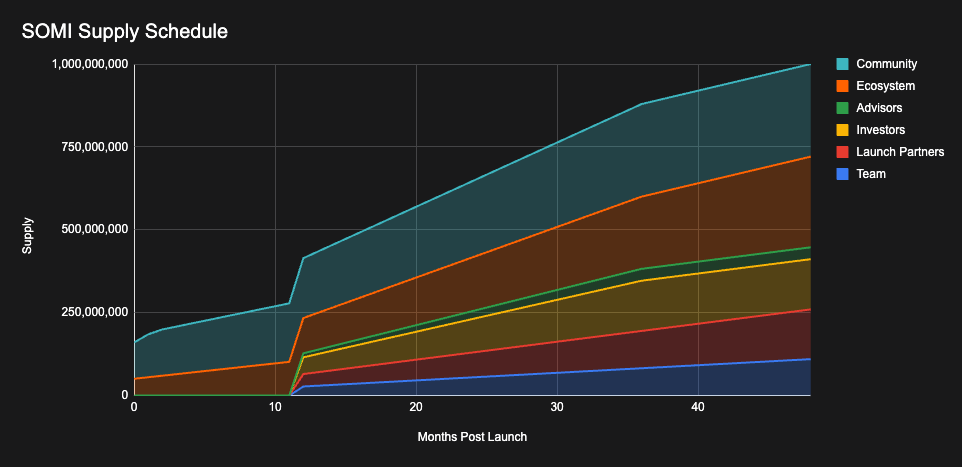
ALLOCATION% OF TOKENSNO. OF TOKENS% AT TGECLIFF (MNTHS)VESTING (MNTHS)
1. Team11%110,000,0000%12

48


2. Launch Partners15%150,000,0000%1248
2. Investors15.15%151,500,0000%1236
3. Advisors3.58%35,800,0000%1236
4. Ecosystem27.345%273,450,0005.075%048
5. Community27.925%279,250,00010.945%036
​TOTAL %100%1,000,000,00016.02%

* Team - Allocation to early team members and founders * Launch partners - Allocation to early contributors to the Somnia ecosystem * Investors - Allocation to seed investors * Advisors - Allocation to key Advisors for Somnia * Ecosystem - Allocation to be used to develop the Somnia ecosystem and fund the foundation * Community - Allocation for users who contributed to the Somnia ecosystem, validator rewards and liquidity. ## Unlock Schedule The SOMI token unlock schedule chart below illustrates the gradual release of tokens over a period of 48 months post-launch. The circulating supply is segmented into five categories, each contributing to the overall supply incrementally: Community (Light blue): The largest allocation, represented by the light area. This will be used for community initiatives, including liquidity and airdrops. This will have 10.945% unlocked a TGE then a increased unlock at M1 and M2, then monthly vesting linear for 36 months. Ecosystem (Orange): The ecosystem allocation, depicted in orange, reflects the gradual and consistent release of tokens intended to fuel ecosystem development and partnerships. This allocation has linear linear 48 months vesting. 5.075% will be unlocked at TGE Investors (Yellow): Represented by the yellow area, investor tokens start release at month 12 and vest monthly afterwards for 36 months. Advisors (Green): Key advisors to the project have a 12-month cliff with a 36-month linear vest. Launch Partners (Red): The red area illustrates the allocation for launch partners. This allocation has a 12-month cliff with a 48-month linear vest. These are allocated to early contributors to the Somnia ecosystem (eg Improbable). Team (Blue): The team allocation is shown in blue. This has a 12-month cliff with a 48-month linear vest. This gradual increase ensures alignment with the project's long-term goals and incentivizes sustained contribution. The chart demonstrates the planned and strategic distribution of SOMI tokens, ensuring balanced growth and support for various stakeholders in the ecosystem.
--- # Gas Fees Section: Concepts URL: /concepts/tokenomics/gas-fees Every transaction on Somnia pays a fee in SOMI (STT on testnet). Fees price the resources a transaction consumes, protect the network against spam, and reward the validators and delegators who secure it. Somnia's gas model is built on Ethereum's, and most EVM operations cost exactly the same amount of gas as they do on Ethereum. The differences follow from Somnia's architecture: * **State access is priced by its real latency.** Reading state that the network accessed recently is cheap. The rare read that has to go to disk costs 1,000,000 gas. For this reason, a transaction's gas limit should always account for the possibility of expensive disk reads. * **State growth is priced higher.** New accounts, new storage slots, event logs, calldata and deployed bytecode cost more than on Ethereum, because every node has to keep them. * **A few operations are repriced to match their real cost**, including `KECCAK256`, `ADDMOD`, `MULMOD`, `SELFBALANCE` and the precompiles. The complete list is in [Somnia Gas Differences To Ethereum](/developer/deployment-and-production/somnia-gas-differences-to-ethereum). ## Pricing model ``` fee = gas used × effective gas price effective gas price = base gas price × (1 − discount) + priority fee ``` | Term | Meaning | | -------------- | ----------------------------------------------------------------------------------------------------------------------------------------------------- | | Gas used | Intrinsic gas plus the gas of every operation the transaction executes. See [Gas used](#gas-used). | | Base gas price | A single network-wide price, never below 6 gwei. See [Base gas price](#base-gas-price). | | Discount | The sending account's sustained-use discount: 0% for most accounts, currently up to 90%. See [Sustained-use discounts](#sustained-use-discounts). | | Priority fee | Zero for ordinary transactions. Set by the subscriber for Reactivity handler executions. See [Priority fees](#priority-fees). | ## Gas used ### Intrinsic gas Intrinsic gas is charged before a transaction starts executing. | Component | Gas | | ---------------------------------------------------------- | ----------------------------------------------------------: | | Standard transaction | 21,000 | | Contract-creation transaction | 53,000 | | Calldata, per byte (zero and non-zero bytes cost the same) | 160 | | EIP-7702 authorization, per entry | 1,570,000 (400,000 is refunded if the account already exists) | ### Execution gas Execution gas is the sum of the gas of every operation the transaction executes. Most opcodes cost the same as on Ethereum, but Somnia replaces Ethereum's cold and warm access pricing (EIP-2929) and its state-creation costs with these charges: | Charge | Gas | | ------------------------------------------------------------------------- | ------------------------------------------: | | Reading a storage slot or account that is not in the recent-access cache | 1,000,000 | | Reading a storage slot or account that is in the recent-access cache | No extra charge | | Looking up state that does not exist | No charge, but 1,000,000 gas must remain | | Creating a storage slot (writing a non-zero value to an empty slot) | 200,000 | | Creating an account (for example, sending SOMI to a new address) | 400,000 | | Event log | 3,200 + 5,120 per topic + 160 per data byte | | Deployed contract bytecode, per byte | 3,125 | The recent-access cache holds the 128 million most recently accessed storage slots and the 32 million most recently accessed accounts across the whole network. Whether a read is cached depends on whether any transaction touched that value recently, so the same call can use different amounts of gas at different times. Storage is always permanent, and its price does not depend on how long the data is kept. Writing zero to an empty slot creates nothing and costs nothing extra. Transient storage (`TSTORE` and `TLOAD`, EIP-1153), which is cleared at the end of every transaction, costs 100 gas per operation, as on Ethereum. ### Examples At the 6 gwei base gas price, without a discount: | Transaction | Gas used | Fee | | ------------------------------------------------------- | ---------: | ------------: | | Send SOMI to an existing externally owned account (EOA) | 21,000 | 0.000126 SOMI | | Send SOMI to a new account | 421,000 | 0.002526 SOMI | | Each uncached state read | +1,000,000 | +0.006 SOMI | | Each new storage slot | +200,000 | +0.0012 SOMI | Sending SOMI to a contract also runs the contract's `receive` or `fallback` code, so it uses more gas. > **Warning** > > **Don't reuse Ethereum gas limits.** A single uncached read costs 1,000,000 gas, and any lookup of state that may not exist needs 1,000,000 gas remaining. A transaction that runs out of gas still pays for its entire gas limit. Use `eth_estimateGas`, which already includes a safety margin on Somnia RPC nodes. Unused gas is always refunded. ## Gas price ### Base gas price The network sets a single base gas price for everyone. It never falls below **6 gwei** (6 nanoSOMI, or 6 × 10⁻⁹ SOMI) per unit of gas, and it rises above that only through [congestion pricing](#congestion-pricing). `eth_gasPrice` and each block's `baseFeePerGas` report the current value. ### What you are charged You are always charged the current effective gas price, never your bid. The `gasPrice` (legacy transactions) or `maxFeePerGas` (EIP-1559 transactions) you sign is only a ceiling: * If the ceiling is below 6 gwei, the transaction is rejected. * If the ceiling is at least 6 gwei but below the current base gas price, the transaction waits in the mempool until the price falls. * While the transaction is pending, the sender's balance must cover `value + ceiling × gas limit`. * When the transaction executes, the sender pays `gas used × effective gas price`, and the unused gas is refunded. ### Congestion pricing Validators raise the base gas price when execution falls behind, as back-pressure against sustained overload: * Every 10 seconds, each validator votes for `6 gwei × 2^k`. Here `k` is the longest time any of the validator's last 32 blocks took to get through execution, including time spent queued behind earlier blocks, divided by 1.5 seconds and rounded down. `k` is capped at 10, so the highest possible vote is 6,144 gwei. * The network uses the stake-weighted median of the current committee's votes. A vote older than 30 minutes, or a missing vote, counts as 6 gwei, so the price only rises when validators holding a majority of the stake see the backlog. * The chain applies a new price at most once every 10 seconds. When execution catches up, the votes return straight to 6 gwei. There is no gradual step-down. * The base gas price can never exceed 100,000 gwei. The voting interval, the 32-block sample and the 1.5-second step are validator node defaults. In normal operation every vote is 6 gwei, and the base gas price stays at the floor. ### Sustained-use discounts Accounts that consistently use a lot of gas pay a lower base gas price. There is nothing to enable or claim. * **Per sender, measured in gas.** Usage is tracked for the account that pays: the transaction's `from` address, or the subscription owner for Reactivity handler executions. It is measured in gas used, not in number of transactions, and the gas used by the contracts you call counts towards your usage. * **Rolling window.** In every epoch (3,000 blocks, about 5 minutes), each account that used at least 10,000,000 gas in that epoch is recorded, up to the 1,000 heaviest accounts (100 on testnet). Your discount is based on your recorded gas over roughly the last 80 minutes (16 epochs). * **Timing.** A newly earned discount applies from the start of the next epoch. It lasts until your usage ages out of the window. * **Scope.** The discount applies to the base gas price only; priority fees are never discounted. It changes the price per unit of gas, never the amount of gas an operation uses. The current mainnet tiers are: | Gas used over the window | Discount | Base gas price at 6 gwei | Send SOMI to an existing EOA | | ------------------------ | -------: | -----------------------: | ---------------------------: | | Below 900,000,000 | 0% | 6 gwei | 0.000126 SOMI | | 900,000,000 or more | 70% | 1.8 gwei | 0.0000378 SOMI | | 4,000,000,000 or more | 90% | 0.6 gwei | 0.0000126 SOMI | Staying in the two tiers takes roughly 100 SOMI and 430 SOMI of gas per day, valued at the undiscounted price. On testnet, the tiers are 926,311,728 gas (70%) and 4,631,558,641 gas (90%). **Submit transactions at the full, undiscounted price.** Mempool admission and the pending-balance check use the ceiling you signed. The discount is applied only when the transaction executes, and it appears in the receipt's `effectiveGasPrice`. The tiers and recording limits are configured in the `GasDiscounts` contract and can change without a network upgrade. See [Sustained Use Gas Discounts](/developer/deployment-and-production/sustained-use-gas-discounts) for RPC behaviour and for how to read the live values. ## Priority fees * **Ordinary transactions:** there is no tipping. `maxPriorityFeePerGas` is accepted but ignored: it is not charged, and it does not affect inclusion or ordering. `eth_maxPriorityFeePerGas` returns 0. * **Reactivity subscriptions:** the `priorityFeePerGas` set on a subscription is paid on every handler execution, on top of the base gas price, and is never discounted. Queued handlers with a higher priority fee run first, and those with the lowest priority fee are dropped first if the queue is full. See [On-chain Reactivity](/developer/reactivity/reactivity-onchain). ## Fee distribution All fees paid during an epoch are collected by the `NodeCommittee` contract. At the end of every epoch (about every 5 minutes): 1. A share of the fees is burned by sending it to the zero address. The burn share is currently **5% on mainnet** and 50% on testnet. 2. The rest is distributed to the validators in that epoch's committee, in proportion to each validator's total stake (its own stake plus delegated stake). 3. Each validator shares its portion with its delegators according to its delegation rate. ``` validator portion = epoch fees × (1 − burn share) × validator stake ÷ committee stake delegator reward = validator portion × delegation rate × delegator stake ÷ validator's delegated stake ``` Validators outside the committee earn no fees for that epoch. Rewards accumulate in the staking contract until they are claimed; see [Token Staking and Delegation](./token-staking-and-delegation). The burn share is on-chain configuration. Mainnet reduced it from 50% to 5% on 2 July 2026. Burned SOMI is permanently removed from circulation. ## Network parameters | Parameter | Mainnet | Testnet | | ------------------------------ | --------------------------------------- | ---------------------------------------------- | | Chain ID | 5031 | 50312 | | Block time | \~100 ms | \~100 ms | | Epoch | 3,000 blocks (\~5 minutes) | 3,000 blocks (\~5 minutes) | | Minimum base gas price | 6 gwei | 6 gwei | | Maximum base gas price | 100,000 gwei | 100,000 gwei | | Base gas price update interval | 10 seconds | 10 seconds | | Burn share | 5% | 50% | | Discount tiers | 900M gas → 70%, 4B gas → 90% | 926,311,728 gas → 70%, 4,631,558,641 gas → 90% | | Discount recording | ≥ 10M gas per epoch, top 1,000 accounts | ≥ 10M gas per epoch, top 100 accounts | The burn share and the discount settings can change. To read the live values with [Foundry](https://book.getfoundry.sh/)'s `cast`: ```bash RPC=https://api.infra.mainnet.somnia.network GAS_DISCOUNTS=0x8dc59a5A096F9a62f9032A1e7945FbC9a44C6606 # Testnet: # RPC=https://api.infra.testnet.somnia.network # GAS_DISCOUNTS=0x75AFcd5146633234c906Aaa6032117c7b54fCdEa # Current base gas price, in wei cast gas-price --rpc-url $RPC # Burn share, in basis points (500 = 5%) cast call 0x7b8b1bb68c6f0e29f3addcb45a6c0bb8e8e331c7 "burnFeePercentage()(uint256)" --rpc-url $RPC # Discount tiers: (gas threshold, discount in basis points) cast call $GAS_DISCOUNTS "getTiers()((uint256,uint256)[])" --rpc-url $RPC ``` --- # Tokenomics Section: Concepts URL: /concepts/tokenomics - [Overview](./overview) - [Token Staking and Delegation](./token-staking-and-delegation) - [Gas Fees](./gas-fees) - [Allocation and unlocks](./allocation-and-unlocks) --- # Overview Section: Concepts URL: /concepts/tokenomics/overview The Somnia token (SOMI) is the Native token of the Somnia blockchain, with a fixed supply of 1,000,000,000 tokens. ## Token Utility SOMI is a delegated proof of stake token (dPoS) it is intended for: * Staking functions * Validator staking - To provide validator nodes for the Somnia blockchain, Tokens must be staked. * Delegated staking - Tokens can be delegated to Node Providers to cover their staking costs. * Payment methods * Gas Fees - To use the blockchain, gas fees will be paid in the SOMI token. * Governance: The Token will eventually be used to inform how decisions regarding the Network and its components are made. The details of this are to be determined. --- # Token Staking and Delegation Section: Concepts URL: /concepts/tokenomics/token-staking-and-delegation There are four main entities that play a part in the tokenomics of the Network: Application Owners, Validators, Content Creators and Token Holders. Validators are required to time-lock a fixed amount of Tokens at a designated blockchain address in order to secure their place on the Somnia Network/provide validator nodes as described in the Staking section below. Token Holders can choose to participate in staking, in order to receive rewards from the Fees. These rewards are only available to “staked” Tokens and not to Tokens generally held by Token Holders. This section explores the staking and delegation options under discussion with the Network. ## Staking: Validators * In the Somnia Blockchain, validators must stake Tokens to provide nodes for computation to the network. * Validators must provide a certain level of hardware in order to participate in the network. * The amount of Tokens required to provide a validation node is 5,000,000 SOMI Tokens. * They will be rewarded from gas fees. When Validators cover their staking requirement fully, they earn 100% of the rewards that their service generates. However, Validators can also choose to only partially cover their locking requirements. In this scenario, Validators can delegate the provision of the remaining Token requirement to third-party Token Holders. These third-party Token Holders will be given a percentage of the validator's rewards. This is set by the validator (the delegation rate). Validators can choose to delegate part of the Tokens they are required to fulfill their locking requirements into either the General Validator Pool, or into a Validator-Specific Pool. ### **Delegated Staking Specific Pool: Validators** * Validators can choose to enable the Tokens required to provide a specific Validator’s node to other Token Holders. * Token holders can choose to provide their Tokens to Validators in exchange for a percentage share of the validator's rewards. * The validator sets this percentage called the delegation rate. * When providing their Tokens to Validators, Token Holders must wait 28 days before unstaking, essentially locking their Tokens. * They can choose to emergency unstake at the cost of 50% of their staked Tokens. The forfeited Tokens will then flow back to the Treasury. ### **Delegated Staking General Pool: Validators** * Token Holders can choose to delegate to the general Validator pool. * This will allocate their Tokens to all validators currently offering delegated staking. * The Token Holders will receive a percentage of rewards across all Validators. * This spreads the risk of delegation at the cost of potentially less yield. * When staking in the general pool there is no locking period. * The general pool will cover understaked validators first.
**What if a validator can’t meet the minimum staking requirements?** In the event that a validator fails to meet the minimum staking requirements, a cooldown period will be provided to the validator to fulfil the staking obligations, typically lasting for one month. **What if a validator has more tokens staked than needed?** Through the general pool and the delegation mechanism, it is possible for a validator to overstake. This means that more Tokens are staked than are required to operate the validator being supplied to the network. In this case, it means there is no time lock to unlock such additional Tokens for that validator. Any user can instantly unlock until the required level of Tokens is reached. As a result of this, the reward split will be further diluted but at the benefit of increased liquidity. ## **Staking rewards** * Gas fees that are not burned are distributed to validators as rewards. The burn share is currently 5% on mainnet (50% on testnet), so validators receive 95% of all mainnet gas fees. See [Fee distribution](./gas-fees#fee-distribution). * Validators can offer to share these rewards with delegated stakers. * They do this by setting a delegation rate percentage * Example * Validator has a delegation rate of 80% * The validator gets 100 SOMI in rewards for the Epoch * You are delegating 1M out of the 5M tokens delegated to the validator. This means you have a staking ratio of 0.2 (20%) * The formula to calulate your rewards for the epoch is: $$ epoch rewards * delegation rate * staking ratio $$ so in this case: $$ 100 (epoch rewards) * 0.8 (delegation rate) * 0.2 (staking ratio) = 16 tokens $$
--- # Accelerated Sequential Execution Section: Concepts URL: /concepts/somnia-blockchain/accelerated-sequential-execution ## **The Problem With Parallel Execution** A large number of modern blockchains have attempted to scale their execution using parallelism. This means they execute transactions which are unrelated, on different cores. This can work well when the transactions in a block are unrelated, but breaks down when those transactions modify the same state. The reality, however, is that load spikes mostly happen when there is some event which has caused the spike. This implies a massive correlation between the transactions, which is not normally there in day to day execution. For example: One of Ethereum's biggest load spikes was the Otherside Otherdeed mint. When this happened, the vast majority of all transactions in each block were all modifying the same state ([as they were minting Otherdeeds](https://decrypt.co/99219/otherside-nft-mint-burned-more-157m-ethereum)). Parallel execution would not have worked here. A DEX will contain trading on many unrelated asset pairs throughout each day, but their real load spikes will come from volatility on a specific asset pair. These trades will all modify the same state, meaning parallel execution would not have helped.

Parallel works well for many individual apps or accounts, swapping tokens

When you have a hot path with many threads touching the same state parallel breaks down

In other words, **parallel execution breaks down exactly when you need it.** This observation is why Somnia has opted to make a single core go extremely fast **instead of relying on parallel execution.**
So, how does Somnia make a single core go this fast? ## **EVM Compilation** Somnia executes EVM transactions. It scales by reaching a very high single-core speed instead of attempting to parallelise over multiple cores. The EVM is a relatively simple stack-based architecture. Due to the implicit stack, stack-based bytecodes are often naturally smaller in size than register-based bytecodes, but they contain many redundant operations. There are broadly two ways to execute a VM's bytecode, interpreted or native (which itself can be split into JIT or AOT compilation). The former effectively simulates the VM itself in software, while the latter translates the bytecode to native instructions, which your CPU then executes directly. Ethereum and most EVM blockchains run an interpreted VM to execute EVM bytecode. This is often a relatively naive implementation which keeps its own stack, loops through each operation, and looks up the functionality of each operation in a lookup table. This is very slow compared to native execution. Further, Solidity and other Ethereum compilers often optimise for bytecode size over gas. For example, they will include code to generate large constants instead of including them inline. This ends up including a large amount of runtime computation that can actually be statically resolved at compile time. To exploit these redundancies, Somnia includes its own EVM compiler, which translates EVM bytecode to x86. This approaches near-native speed (native speed being the equivalent functionality handwritten in C++). In benchmarks, this can execute ERC-20 transfers in hundreds of nanoseconds, achieving millions of TPS on a single core. However, there is no free lunch as the compilation process is relatively expensive. For this reason, you would only do this on contracts that are called frequently, falling back to standard interpreted EVM on the rest. ## **Hardware Level Parallelism** As mentioned above, "parallel execution", attempting to run unrelated transactions on different cores, breaks down when you need it the most because it cannot handle correlated transactions, which are much more common during load spikes. This type of parallelism is also known as "software parallelism". For this reason, Somnia does not attempt to parallelise unrelated transactions. It does, however, enable the CPU to hardware parallelise each individual transaction. This harnesses the single core parallelism available in modern CPUs to speed up every individual transaction, meaning this technique also works for transactions which modify the same state, helping during the load spikes as well. So, what is hardware-level parallelism?

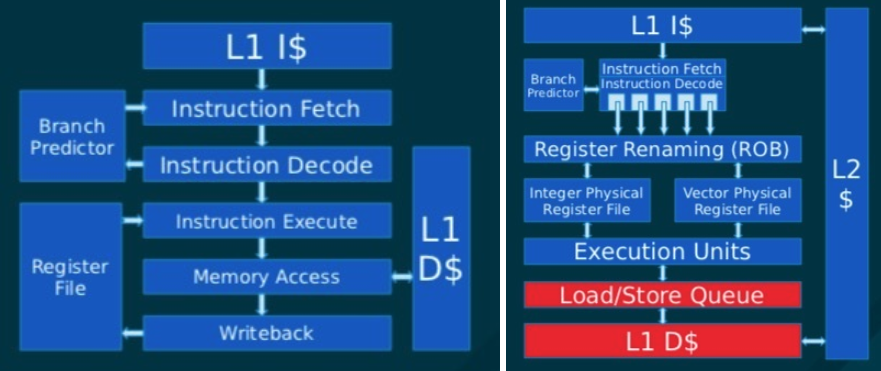
Diagram showing the difference between sequential execution (left) and hardware parralised execution (right)

Modern CPU cores give the appearance that they execute assembly instructions in order, implementing control flow primitives by jumping around the assembly. The reality is that they are actually executing these instructions completely out of order, and often in parallel with each other. For example, when reading a value from memory, the CPU will run ahead and work on future computation while waiting for the result. This is all completely invisible to the developer. This can cause massive speedups. Consider the case of an ERC-20 token swap. The program, at a high level, completes the following steps in the first half of it's execution: 1\. Hash the sender account. 2\. Lookup the sender balance using this hash. 3\. Hash the receiver account. 4\. Lookup the receiver balance using this hash. 5\. ... Let's say the speed to hash an account is 150ns, and the speed to lookup the sender balance is 100ns (a single RAM read). If the CPU ran these steps in serial, this would take 150 + 100 + 150 + 100 = 500ns. However, in practice, if these steps are compiled to native code, your CPU hardware would execute 1 and 2 completely in parallel to 3 and 4, causing the execution speed to be 250ns, double the speed. The problem is, interpreting the EVM stops your CPU core from executing assembly in parallel. To really harness the available silicon in your CPU, you need to execute native assembly. Somnia's compiler and database are built to enable hardware-level parallelism of smart contracts.


--- # Advanced Compression Techniques Section: Concepts URL: /concepts/somnia-blockchain/advanced-compression-techniques When you have a lot of transactions, a lot of data needs to go between nodes
Once you are getting to the world of 100,000’s or even millions of transactions per second you start creating a lot of data. A standard ERC-20 transfer is about 200 bytes when you consider all its parts. Now, imagine we are doing 1 million ERC-20 swaps per second. That’s 190 MBytes/s or 1.5 GBits/s. It's not going to pass over the public Internet, so you are either going to have a very centralised chain or limit your transaction rate. ## **Power law distribution**

Image showing distribution of the power law

However, there is a lot of redundant information in those bytes. The number of bits theoretically required to send a piece of information is the logarithm of its probability of occuring. In practice, the probability distribution of which account is making a transaction, or which contract is being executed, or the arguments to the method being called, is very sharp (often a power law). This means that a minority of those accounts or contracts are highly likely to occur in the data to be sent. For example, if a particular contract was being called by 10% of transactions, its address can be encoded in 3.3 bits. That is a 48x compression ratio on the uncompressed 20 byte address. ## **Streaming Compression** This leads to the question of how we can effectively compress the transaction data moving between nodes. There are broadly two forms of compression: * Block compression * Streaming compression Block compression is given a single block of data, and compresses in a way where the receiver only needs that block of data to decompress it. This is the typical form of compression, such as zip or tar files. It is very convenient because the compressor doesn't need to make assumptions about what other information the client has, or the order that information was sent. Streaming compression is able to assume that the sender and receiver both share an identical history of the data that was compressed and decompressed, and it uses this assumption to build a large amount of internal implicit information which never needs to be sent over the wire. It can say, "Use the address from 3.456 megabytes ago". For this reason, it achieves much better compression ratios than block compression. The downside, though, is that the sender and receiver must share an identical stream of data, and the 'implicit' data cannot be moved across machines or processes without using a lot of bandwidth, meaning the same process must compress the full stream of data (there are ways around this depending on the compression algorithm but it often requires a large amount of CPU time). This poses a problem for a blockchain, which typically has each block proposed by a different machine. It forces blockchains to use block-based compression, if anything, significantly impacting the compression ratios they can achieve. Somnia has a consensus and data availability algorithm designed to support streaming-based compression. Each validator is responsible for publishing their own stream of data to their own blockchain. These are the data chains introduced earlier in this section. The fact that data chains use the same process for publishing this stream unlocks the ability for streaming compression. ## **Hashes and Signatures** A lot of data in Ethereum transactions have a tight power law distribution, making them very compressible. There are, however two important exceptions: hashes and signatures. By definition, these completely change with a uniform distribution if any bit in the transaction is different, making them completely uncompressable (no two executed Ethereum transactions are identical due to nonces, which avoid replay attacks). Transaction hashes are easy: they are, again by definition, reproducible based on the transaction data itself, so they can simply not be sent (a receiving client is required to recalculate them anyway). Signatures are more challenging. They are required to be sent alongside each transaction. Due to them being uncompressable, this would heavily limit the compression ratios we are able to achieve on transaction data. However, we can aggregate signatures if we use the BLS signature scheme. BLS signatures can aggregate any number of BLS signatures into a single signature, effectively achieving a constant size for any number of transaction signatures. Somnia uses BLS signature aggregation for signature verification speed and, crucially, because it enables a far better compression ratio.

Image explaining BLS signature scheme

This aggregate cryptography is an optional mechanism to submit batches of transactions, where the cost to verify the signatures of all transactions in the batch is similar to the cost of verifying just one transaction. Using large batches this reduces the cost of signature verification by many orders of magnitude. ## **Bandwidth Symmetry** In a typical blockchain, one validator is responsible for proposing each block and therefore, publishing the transaction data for that 'slot' of time to all of its peers. If the blockchain throughput is X bytes per second, and there are B blocks per second and N peers, the leader must send N \* X / B bytes in 1 / B seconds, requiring an upload speed of N \* X bytes per second (some blockchains will fan out in a tree architecture, which still requires the branching factor multiplied by X ). In comparison, due to Somnia having all peers publish their own shard of data, each peer is responsible for publishing X / (N \* B) bytes in 1 / B seconds, requiring an upload speed of X bytes per second. They also need to download everybody else's data for each block, requiring a download of N \* (X / N) bytes per second, which is just X. Note that no less data is being sent overall, but the bandwidth profile has been amortised to be symmetrical across all peers at all times. No peer ever needs to upload at a faster rate than the bandwidth of the blockchain itself, but they need to do this constantly instead of only when they propose a block. This enables the overall blockchain throughput to reach much closer to the bandwidth of the peers themselves.
--- # Somnia Blockchain Section: Concepts URL: /concepts/somnia-blockchain - [Overview](./overview) - [MultiStream Consensus](./multistream-consensus) - [Accelerated Sequential Execution](./accelerated-sequential-execution) - [Somnia's IceDB](./somnias-icedb) - [Advanced Compression Techniques](./advanced-compression-techniques) - [Security](./security) - [Use Cases](./use-cases) - [On-Chain Reactivity](./on-chain-reactivity) --- # MultiStream Consensus Section: Concepts URL: /concepts/somnia-blockchain/multistream-consensus

Image showing conesus algorithm

In Somnia, every validator publishes their own blockchain, their data chain. This innovation was inspired by the 2024 whitepaper “[Autobahn: Seamless high speed BFT](https://arxiv.org/pdf/2401.10369)”. Every data chain is completely independent, and each block in a data chain contains a blob of bytes. Only the owning validator ever adds blocks to their data chain, and there are no safety mechanisms in place to avoid them forking their data chain or proposing invalid blocks. In other words, the data chains have no consensus mechanism at all. Somnia then includes a **consensus chain**, with each consensus block including the current head of every data chain. This chain uses a modified PBFT consensus algorithm and is a typical proof of stake consensus setup. The consensus chain, including the tip of each data chain, provides full security against validators forking their own data chain. Each consensus block then semantically includes all of the transactions in all of the data chains whose tip it advanced. A deterministic pseudorandom ordering of these data chains then provides a single globally ordered stream of bytes to be executed across all data chains. This setup completely decouples the production and distribution of new data (advancements of the data chains) with the consensus algorithm. It has a number of crucial benefits described below in the Advanced Compression Techniques section (e.g. streaming compression), which let this data frontend reach almost a gigabit per second of published transaction data.

--- # On-Chain Reactivity Section: Concepts URL: /concepts/somnia-blockchain/on-chain-reactivity ## The Missing Link Blockchains have historically had a major limitation: they are passive. They are excellent ledgers, but they are deaf and mute until a user kicks them into action with a transaction. A smart contract cannot "wake up" when a price changes, specific data shows up or when a specific event occurs. ## The Usability Imagine the world where you can instantly react to events happening on blockchain: * **DeFi**: Automated responses to price changes, liquidations, or interest accruals. For instance, a lending protocol might need to adjust collateral requirements instantly based on market volatility. * **Gaming**: Real-time updates for player achievements, in-game economies, or multiplayer interactions. Imagine a blockchain game where earning an NFT trophy automatically triggers rewards or level-ups without off-chain servers. * **Business Logic**: Supply chain tracking where an item's arrival (logged as an event) auto-initiates payments or audits. Or in insurance, a smart contract that pays out claims upon verified on-chain data like weather reports. ## The Setup The blockchain is ledger of transaction modifying the common state. Some of these transaction might emit a log, which is defined as an observable event: ```mermaid sequenceDiagram participant User participant Blockchain participant EventLog User->>Blockchain: Submit Transaction Blockchain->>EventLog: Event Emitted Note over EventLog: Observable Event ``` Traditionally the developer would need to create an infrastructure that constantly monitors the blockchain state and event through RPC calls. Then based on the logic the custom app would create a transaction and post it for the inclusion at the next available block: ```mermaid sequenceDiagram participant User participant Blockchain participant EventLog participant Monitor as Off-Chain Monitor participant Logic as Custom App Logic User->>Blockchain: Transaction Blockchain->>EventLog: Event Emitted loop Constant Polling Monitor->>Blockchain: RPC Call Blockchain-->>Monitor: Current State end Monitor->>Logic: Event Detected Logic->>Logic: Process Logic Logic->>Blockchain: Submit Reaction Tx Note over Monitor: ⚠️ Custom Infrastructure Note over Blockchain: Included in NEXT available block ``` As expected this created a large overhead for a typical development team. Additionally it did not meet the requirements of decentralisation, trustlessness, immediate reaction and reliable event handling. This is why we saw a plethora of services known as indexers or Web3 hooks: ```mermaid sequenceDiagram participant User participant Blockchain participant EventLog participant Indexer as Indexer Service participant Config as Custom Config/Logic User->>Blockchain: Transaction Blockchain->>EventLog: Event Emitted Indexer->>Blockchain: Monitor Events Blockchain-->>Indexer: Event Data Indexer->>Config: Trigger Hook Config->>Config: Execute Logic Config->>Blockchain: Submit Reaction Tx Note over Indexer: ⚠️ Centralized & Trusted Note over Blockchain: Included in NEXT available block ``` They alleviate a lot of issues related to the infrastructure, at the same time they add new issues related to the domain-specific configuration or language. Still the key requirements are still not met: * indexers are centralised and trustfull * the event handling trasaction can only be included in the next available block * it is not MEV-resistant * it's only as reliable as the indexer provider ## The Solution Enter **Somnia Native On-Chain Reactivity**. This isn't just an incremental improvement; it's a paradigm shift that enables real-time, trustless and decentralised reactions without relying on external systems: ```mermaid sequenceDiagram participant User participant Blockchain as Somnia Blockchain participant EventLog participant Handler as Event Handler User->>Blockchain: Transaction Blockchain->>EventLog: Event Emitted EventLog->>Handler: Trigger Handler Handler->>Handler: Execute Reaction Logic Note over Blockchain: ✅ Same block execution Note over Handler: ✅ Decentralized & trustless Note over Handler: ✅ MEV-resistant ``` ## The Benefits Once an event is defined, it's handling is happening automatically by blockchain nodes: * **Real-Time**: Reaction included in the same block. * **Decentralised**: As decentralised as the blockchain itself. * **Trustlessness**: No trusted party required. * **MEV**: Fully MEV-resistant due to deterministic inclusion of event handlers * **Developer-Friendly**: Familiar paradigms (e.g., subscriptions akin to event listeners in traditional programming) and interface reduce complexity. * **Cost Efficiency**: Optimized gas usage minimize expenses compared to infrastucture required for constant off-chain monitoring. * **Security and Resilience**: Backed by the blockchain itself. Reduces attack surfaces by eliminating external dependencies; nested events allow complex chains without intermediaries. * **Scalability**: Supports high-throughput apps, as seen in Somnia's 1M+ TPS capability, making it ideal for mass-adoption scenarios. *** ### Comparison Table | Aspect | Traditional RPC | Indexer/Hooks | Somnia Reactivity | | -------------------- | --------------- | ------------------- | ------------------- | | **Timing** | Next block | Next block | Same block | | **Decentralization** | Developer infra | Centralized service | Fully decentralized | | **Trust Model** | Self-hosted | Trusted third party | Trustless | | **MEV Resistance** | ❌ | ❌ | ✅ | | **Infrastructure** | High complexity | Medium complexity | Zero external infra | | **Reliability** | Self-managed | Service-dependent | Blockchain-native | --- # Overview Section: Concepts URL: /concepts/somnia-blockchain/overview The Somnia blockchain has many innovations that enable it to increase performance by several orders of magnitude compared to other EVM chains: * [MultiStream consensus](./multistream-consensus) - a proof-of-stake, partially synchronous BFT protocol inspired by [Autobahn BFT](https://arxiv.org/pdf/2401.10369). * Independent Data Chains - Each validator operates its own blockchain, or “data chain,” which allows for independent block production. This unique approach eliminates the need for a consensus mechanism within individual data chains, streamlining the data processing workflow. * Consensus Chain - A separate blockchain aggregates the heads of all data chains, employing a modified PBFT algorithm for proof of stake consensus. This structure decouples data production from the consensus process, significantly enhancing overall efficiency. * [Compiled Bytecode](./accelerated-sequential-execution) - By translating EVM bytecode to highly optimised native code, Somnia achieves execution speeds close to hand-written C++ contracts, facilitating the execution of millions of transactions per second on a single core. * [Faster and predictable database performance](./somnias-icedb) - Somnia has a custom database called IceDB. It employs performance reports for predictable read and write performance as well as a custom database architecture that enables average read/write operations 15-100 nanoseconds with built in snapshotting. * [Advanced Compression Techniques](./advanced-compression-techniques) - The Somnia data chain architecture is designed to enable streaming compression in order to maximise data throughput. Somnia combines this with [BLS signature](https://www.ietf.org/archive/id/draft-irtf-cfrg-bls-signature-05.html) aggregation in order to achieve extremely high compression ratios, allowing for massive transaction data throughput. This allows theoretical performance above other preported [“limits due to bandwidth”](https://revelointel.com/lightspeed-how-monad-is-superscaling-the-evm-with-keone-and-kevin-g/). --- # Security Section: Concepts URL: /concepts/somnia-blockchain/security ## **Decentralisation** Somnia philosophically believes in having sufficiently decentralised services, not maximally decentralised. What this means is that you have enough decentralisation of infrastructure to enable the good properties of decentralisation (increased security, censorship resistance, no single owner/counterparty) whilst not trading off to degrade performance significantly (all decentralisation will inherently decrease performance [see blockchain trilema](https://ieeexplore.ieee.org/abstract/document/10549891)). For Somnia, the main validators of the network will be targeting hardware specs between a Solana and Aptos node. This will allow a large group of participants to join the network but not have sub-par hardware and connectivity. This will ensure the high level of performance needed for real-time mass-consumer applications. There will initially be 100 globally distributed validator nodes. We expect this to grow as the network matures. We also incentivize decentralisation and global footprint for the chain through our tokenomics. ## Cuthbert Cuthbert is a separate implementation of Somnia's execution and database, using third party libraries wherever possible, and without any optimisations. Somnia validators automatically run every transaction through both Somnia and Cuthbert, and they will stop voting or executing if they ever detect a divergence between the two. This means that if the Somnia client has a bug or an issue in its execution or database, that bug would also have to be present in the separate Cuthbert implementation if this bug were to go undetected. Cuthbert will eventually be phased out of Somnia as the system becomes more mature. ## **Securing The Network** As stated in the introduction the network is secured by validators staking tokens to participate in the network. This is a PoS network similar to other major blockchain networks (e.g. ETH). Node providers are subject to slashing if they act maliciously against the network. This will be further explored in our tokenomics.
--- # Somnia's IceDB Section: Concepts URL: /concepts/somnia-blockchain/somnias-icedb Somnia also includes its own database called IceDB. It has three key properties: 1\. Deterministic performance 2\. In-memory cache with read promotions 3\. Built-in snapshotting ## **Deterministic Performance** Most blockchains use an embedded database like [LevelsDB](https://github.com/google/leveldb) or [RocksDB](https://rocksdb.org/). These databases are often optimised for write throughput and eventually flush all written data to disk to maintain a steady RAM load. This means that reads from these databases can hit RAM or many different places on disk. Depending on where the value is stored, the latency difference is enormous, differing by up to 1000x. So, how much gas should a user be charged for a read? Should we assume the worst-case scenario that every read hits disk multiple times? Or should we assume some amount will hit memory? The former drastically limits the speed of your blockchain, and the latter allows an attacker to critically slow down your chain. Could we time the read on each node and charge the user based on how long the request took? Unfortunately not, as this would not be deterministic across nodes (LevelsDB, RocksDB, etc., make no attempt to store data in deterministic places). Therefore, we can not change the gas based on this information. Somnia's IceDb has been built from the ground up to have fully deterministic performance. Every read and write to IceDb returns the result and a "performance report". This report details exactly how many cold cache lines were read from RAM, and exactly how many disk pages were read from the SSD. Due to this information being deterministic, we can charge the user based on the actual load they put on the system. Reads that accessed frequent data (and therefore hit RAM) use less gas, and we can then fit more into the block. ## **Improved read/write cache** As mentioned above, databases that persist to the disk often have an in-memory cache which attempts to store frequently accessed data in RAM, to serve frequent data with a much lower latency. Most databases tend to optimise for either read or write. With Somnia, we have created a cache that can do both. This enables the average read/writes of IceDB to be between 15-100 nanoseconds. ## **Built-in Snapshotting** Blockchains require all nodes to periodically agree on exactly which state is in the blockchain after a given block. Most blockchains use a data structure such as a Merkle tree to retrieve a single-state hash that encapsulates all of the data in the blockchain. Merkle trees allow this hash to be updated with every write with reasonable performance while allowing proofs of a particular piece of state to be generated for parties without access to the database. Most blockchains then store each node in this Merkle tree as standard keys into their database. This makes reads or writes from this tree very expensive, as every single node can result in massive latencies from these embedded databases. The reality, however, is the data structure that these databases use under the hood (a log structured merge tree) already lends itself to a tree formation, with vast sections stored immutably on disk. IceDB utilises this underlying immutable structure to support first class state snapshots, without needing the user space execution engine to store a Merkle tree using the databases' key value abstraction. This massively accelerates the performance of IceDB, and reduces the amount of overhead for each value.
--- # Use Cases Section: Concepts URL: /concepts/somnia-blockchain/use-cases ## **AI Agents - Deterministic AI, Natively On-Chain** Somnia enables AI agents that run as part of the network itself, letting smart contracts call language models, fetch external data, and execute decisions without depending on centralized providers. Because inference runs deterministically across validators, AI outputs reach consensus and become verifiable on-chain state. Making autonomous, trustworthy agents a native primitive rather than an off-chain dependency. ## **Gaming - Fully On-Chain, Forever Evolving Games** Somnia enables fully on-chain games where creators can easily build, modify, and extend games. Developers can create games that live forever on-chain, allowing players to own their in-game assets, modding systems, and worlds that grow continuously without centralized control. ## **SocialFi - True Ownership for Social Media Accounts** Somnia powers full on-chain social media platforms where users own their accounts and data. Creators aren’t locked into one platform and can freely port their content and followers between ecosystems, ensuring freedom and control. ## **Metaverse - Building Interoperable Virtual Socieities** Somnia is the backbone for metaverse applications where entire economies and ecosystems are built with on-chain ownership and logic. Developers can create worlds with seamless interoperability, allowing assets, avatars, and experiences to cross over between multiple virtual environments. ## **DeFi - Fully On-Chain Limit Order Books (LOBs)** Somnia’s performance enables fully on-chain limit order books (LOBs), offering price discovery and order matching similar to centralized exchanges but with full transparency and self-custody. This innovation brings more efficiency and fairness to decentralized finance (DeFi). ## **Real-Time Applications - Powering Real-Time, Large-Scale Applications** Somnia’s ultra-fast processing and sub-second finality are designed for real-time, mass-consumer applications. This goes beyond the categories above to places we have not imagined, Ultimately any web2 style application can now be built on web3 rails, offering the best of both worlds. We don’t even know all the possibilities yet and would love for builders to help us discover what is now possible when limits are removed.
--- # Audits Section: Concepts URL: /concepts/miscellaneous/audits dreamDEX Perps Audit Report [dreamDEX-Perps-Security-Audit-signed.pdf](/gitbook/concepts/aetherion-dreamdex-perps-security-audit-oct2026.pdf) Smart Contract Report [Hacken_Somnia_[SCA] Somnia _ Somnia-Contracts _ Aug2025_P-2025-1779_3_20250829 10_27 (1).pdf](/gitbook/concepts/hacken-somnia-sca-somnia-somnia-contracts-aug2025-p-2025-1779-3-20250829-10-27-1.pdf) L1 Audit Report [Hacken_Somnia_[L1] Somnia _ Somnia Network _ May2025_P-2025-1650_3_20250704 13_58 (3).pdf](/gitbook/concepts/hacken-somnia-l1-somnia-somnia-network-may2025-p-2025-1650-3-20250704-13-58-3.pdf) --- # Miscellaneous Section: Concepts URL: /concepts/miscellaneous - [LEGAL](./legal) - [Audits](./audits) --- # Airdrop Policy Section: Concepts URL: /concepts/miscellaneous/legal/airdrop-policy Somnia TokenCo Ltd. Last updated 2 November 2026 **Please read this Policy carefully. It requires disputes to be resolved by individual arbitration and waives your right to take part in class actions (clause 14).** ## 1. Introduction **1.1** This Policy sets out the terms on which the Company distributes Tokens to Participants by way of Airdrop. **1.2** Each Airdrop may be subject to Campaign Terms. If there is any conflict, this Policy prevails over the Campaign Terms unless they expressly state that they override a specified provision of this Policy, and this Policy prevails over the Terms of Service, in each case to the extent of the conflict. **1.3** By registering for, connecting a Wallet to, participating in or claiming Tokens in an Airdrop, you agree to be bound by this Policy, the applicable Campaign Terms and the Terms of Service. If you do not agree, you must not participate in any Airdrop. **1.4** Nothing in this Policy obliges the Company to conduct any Airdrop. Neither the publication of this Policy nor any campaign, quest, points programme or other activity relating to any Somnia product means that an Airdrop will take place or that any person will receive Tokens. ## 2. Definitions **2.1** In this Policy, the following terms have the meanings set out below. **"Affiliate"** means any person that directly or indirectly controls, is controlled by or is under common control with the Company. **"Airdrop"** means any distribution of Tokens by or on behalf of the Company to Participants, including any season, campaign or claim window announced by the Company. **"Applicable Law"** means all laws, regulations, rules and orders that apply to a person or to the relevant activity, including Sanctions. **"Campaign Terms"** means the eligibility criteria, allocation rules, Claim Period and any other terms published by or on behalf of the Company through the Official Channels for a particular Airdrop. **"Claim Period"** means the period within which Tokens allocated in an Airdrop must be claimed, as specified in the Campaign Terms. **"Company"** means Somnia TokenCo Ltd., a company incorporated in the British Virgin Islands and the issuer of the Tokens. **"Company Parties"** means the Company, its Affiliates and their respective directors, officers, employees and agents. **"Official Channels"** means the websites, documentation, social media accounts and other communication channels that the Company designates from time to time as its official channels. **"Participant"** or **"you"** means any person who registers for, connects a Wallet to, participates in or claims Tokens in an Airdrop. **"Policy"** means this Airdrop Policy, as amended from time to time. **"Prohibited Geography"** means any country, territory or region that is the subject of comprehensive or regional Sanctions, or that is designated as a state sponsor of terrorism by the United Nations, the European Union, the United Kingdom or the United States. **"Prohibited Person"** means any person who (a) is the subject of Sanctions or is named on any Sanctions-related or restricted-party list, including the Specially Designated Nationals and Blocked Persons List, the Denied Persons List and the Entity List, (b) is located, incorporated, organised or resident in a Prohibited Geography, (c) is owned or controlled by one or more persons described in (a) or (b), or (d) acts on behalf of any person described in (a) to (c). **"Restricted Jurisdiction"** means Iran, Cuba, North Korea, Myanmar (Burma), the Crimea, Donetsk, Luhansk, Kherson and Zaporizhzhia regions of Ukraine, the United States of America, the United Kingdom, any other country or region that is the subject of comprehensive country-wide or region-wide economic Sanctions by the United States, the United Kingdom, the European Union or the United Nations (including any that becomes subject to such Sanctions after the date of this Policy), any jurisdiction in which participation in an Airdrop or the distribution of Tokens would be unlawful or would require a licence, registration or other authorisation that the Company has not obtained, and any other jurisdiction specified in the Campaign Terms. **"Sanctions"** means any economic or financial sanctions, trade embargoes or export controls administered or enforced by the United Nations, the European Union, the United Kingdom (including HM Treasury's Office of Financial Sanctions Implementation) or the United States (including the Office of Foreign Assets Control and the Departments of State and Commerce). **"Terms of Service"** means the Somnia Terms of Service published at [https://new.somnia.network/terms-of-service](https://new.somnia.network/terms-of-service). **"Tokens"** means SOMI, the native token of the Somnia network. **"Wallet"** means a self-custodial, EVM-compatible digital asset wallet, or any other wallet or account specified in the Campaign Terms. ## 3. Eligibility **3.1** To be eligible to participate in an Airdrop, you must at all times (a) be at least 18 years of age, (b) not be a Prohibited Person, (c) not be resident, domiciled or located in a Restricted Jurisdiction, (d) hold a Wallet, (e) complete all verification steps required by the Company, and (f) comply with Applicable Law. **3.2** You must not use a virtual private network or any other means to circumvent the requirements of this clause 3. Any actual or attempted circumvention may result in your permanent disqualification at the Company's discretion. **3.3** If you participate on behalf of an entity, you represent that you are duly authorised to bind that entity to this Policy, and references to "you" include that entity. **3.4** You represent and warrant that all information you provide in connection with an Airdrop is true, accurate and complete, that you own or are authorised to control each Wallet you use, and that your participation does not breach Applicable Law. ## 4. Verification **4.1** The Company may require you to connect your Wallet and complete such verification steps as it considers appropriate, including to confirm that you are a genuine individual or entity and not a bot or automated account. Verification may include identity, anti-money laundering and sanctions screening, and may be carried out through third-party service providers, including blockchain analytics and proof-of-personhood providers. **4.2** The Company may request additional information from you at any time. If you do not complete verification to the Company's satisfaction, or the results of any screening are not satisfactory to the Company, the Company may, at its discretion, withhold your allocation or treat it as forfeited. ## 5. Allocation **5.1** The Company determines in its sole and absolute discretion whether a Participant is eligible for an Airdrop and the number of Tokens allocated to that Participant, including by reference to past contributions or any other criteria specified in the Campaign Terms. **5.2** No person is entitled to receive Tokens unless and until the Company has confirmed an allocation to that person. **5.3** The Company is not obliged to disclose its eligibility or allocation criteria before, during or after an Airdrop. You are responsible for confirming your own eligibility. **5.4** Any eligibility checker, snapshot, leaderboard, estimate or other indication of a possible allocation is provisional and does not create any entitlement. Points, badges, roles, quest completions and similar rewards in connection with any Somnia product or campaign, whether issued by the Company or a third party, have no monetary value, are not property, and do not by themselves entitle you to Tokens or to participate in any Airdrop, although the Company may take them into account in determining eligibility or allocation under the Campaign Terms. **5.5** The Company may exclude any person or category of persons from an Airdrop, including the Company Parties and their service providers. Allocated Tokens may be subject to vesting, lock-up or other unlock conditions specified in the Campaign Terms. ## 6. Claiming **6.1** Allocated Tokens must be claimed within the Claim Period. Any Tokens not claimed within the Claim Period are forfeited without compensation. **6.2** To claim Tokens, you must follow the claim process set out in the Campaign Terms and use only the Official Channels. The Company will never ask for your private keys or seed phrase, or for any payment to claim Tokens. **6.3** You are responsible for all gas fees and other transaction costs of claiming and managing Tokens, and must hold sufficient funds in your Wallet to cover them. **6.4** None of the Company Parties is responsible if you are unable to claim Tokens because of technical failures outside the Company's control, smart contract issues, insufficient funds for gas, Wallet incompatibility, loss of access to your Wallet or private keys, phishing or other fraudulent websites or communications, the acts or omissions of any third-party service provider (including any wallet provider, exchange or claim platform), or any other circumstance beyond the Company's reasonable control. **6.5** Where an Airdrop is distributed through a third-party platform, such as a digital asset exchange, that platform's terms also apply to your participation, and none of the Company Parties is responsible for that platform. **6.6** Allocations are personal to you. You must not sell, assign or otherwise transfer an allocation or any right to claim Tokens (including by transferring control of a Wallet), and you must not transfer any claimed Tokens to a Prohibited Person. ## 7. Prohibited conduct and disqualification **7.1** You must not, in connection with any Airdrop, (a) use bots, scripts or other automated or artificial means, (b) create or use multiple accounts or Wallets to increase an allocation, (c) engage in fraud, manipulation or abuse of any kind, (d) buy, sell, rent or share accounts, Wallets or allocations, (e) generate artificial or wash activity, or exploit any bug, error or vulnerability, to influence eligibility or allocation, or (f) breach this Policy, the Campaign Terms or the Terms of Service. **7.2** The Company may investigate any Participant or Wallet that appears to be involved in any conduct described in clause 7.1, and may, with or without notice, disqualify or block any Participant or Wallet that it considers ineligible or in breach of this Policy, and withhold or forfeit any related allocation. The Company's decision is final and binding. ## 8. Nature of the Tokens and risks **8.1** Tokens may have no monetary value. The Company makes no representation as to the present or future value, utility or liquidity of the Tokens, or that Tokens will be listed or remain available for trading on any platform. **8.2** Tokens are not intended to constitute securities or any other investment in any jurisdiction. This Policy is not a prospectus, offering document or solicitation, and has not been reviewed or approved by any regulatory authority. **8.3** No purchase or payment of any kind is required to participate in an Airdrop or to claim Tokens, other than network transaction fees payable to third parties. Tokens distributed in an Airdrop are not payment or compensation for any goods, services or work. **8.4** By participating in an Airdrop, you confirm that you understand and accept the risks of using blockchain networks and digital assets, including smart contract vulnerabilities, network failures and forks, loss of private keys, cyberattacks, price volatility and changes in Applicable Law. **8.5** None of the Company Parties provides legal, tax, financial or other professional advice, and no fiduciary relationship arises from any Airdrop. You participate at your own risk and should obtain independent professional advice. **8.6** You are solely responsible for any taxes, reporting obligations and other legal requirements arising in your jurisdiction from the receipt or holding of Tokens. ## 9. Changes to Airdrops and this Policy **9.1** The Company may cancel, suspend, modify or terminate any Airdrop at any time, with or without notice, including by changing eligibility criteria, allocation amounts and unlock conditions. No compensation is payable for any such change. **9.2** The Company may amend this Policy at any time by publishing an updated version with a revised "last updated" date. Your continued participation in an Airdrop after an amendment constitutes acceptance of the amended Policy, and you are responsible for reviewing this Policy regularly. ## 10. Disclaimer of warranties **10.1** Each Airdrop is provided on an "as is" and "as available" basis. To the fullest extent permitted by Applicable Law, the Company Parties disclaim all warranties, whether express, implied or statutory, including any warranty of merchantability, fitness for a particular purpose, title or non-infringement, and any warranty that an Airdrop will be uninterrupted, timely, secure or error-free. ## 11. Limitation of liability **11.1** To the fullest extent permitted by Applicable Law, none of the Company Parties is liable, whether in contract, tort (including negligence) or otherwise, for any loss or damage arising out of or in connection with any Airdrop or the receipt, holding or use of Tokens, including lost funds, breaches of third-party wallets, market fluctuations, technical errors or geo-blocking. **11.2** If, despite clause 11.1, any Company Party is found liable, none of the Company Parties is liable for any indirect, incidental, special or consequential loss or any loss of profit or opportunity, and the aggregate liability of all Company Parties arising out of or in connection with this Policy and all Airdrops will not exceed USD 100. **11.3** Nothing in this Policy limits or excludes any liability that cannot be limited or excluded under Applicable Law. ## 12. Indemnity **12.1** You will defend, indemnify and hold harmless each of the Company Parties from and against any claim, loss, liability, cost or expense, including reasonable legal fees, arising out of or in connection with your participation in any Airdrop, your breach of this Policy or your breach of Applicable Law or the rights of any third party. ## 13. Privacy **13.1** Personal data collected in connection with an Airdrop is processed in accordance with the Somnia Privacy Policy published at [https://new.somnia.network/privacy-policy](https://new.somnia.network/privacy-policy). This includes your Wallet address, on-chain activity and the results of any verification or screening, which the Company and its service providers may analyse to determine eligibility and prevent abuse. ## 14. Governing law and dispute resolution **14.1** This Policy, and any dispute or claim arising out of or in connection with it or any Airdrop, is governed by the laws of the British Virgin Islands. **14.2** Any such dispute or claim is to be finally resolved by individual arbitration administered by the BVI International Arbitration Centre in accordance with its arbitration rules. The seat of arbitration is the British Virgin Islands and the language of the arbitration is English. **14.3** You waive any right to bring, or to participate in, any class action, class arbitration or other representative proceeding against any of the Company Parties. ## 15. General **15.1** If any provision of this Policy is held to be invalid or unenforceable, that provision is to be enforced to the maximum extent permissible and the remaining provisions continue in full force and effect. **15.2** No failure or delay by the Company in exercising any right under this Policy operates as a waiver of that right. **15.3** The Company may assign or transfer any of its rights and obligations under this Policy to any Affiliate. You may not assign or transfer any of your rights or obligations under this Policy. **15.4** Questions about this Policy may be sent to legal@somnia.foundation. --- # LEGAL Section: Concepts URL: /concepts/miscellaneous/legal --- # LEGAL DISCLAIMER Section: Concepts URL: /concepts/miscellaneous/legal/legal-disclaimer This documentation is provided by Somnia and its affiliates for general technical information only. It does not constitute financial, investment, legal or tax advice, or an offer or solicitation to buy or sell any digital asset or to use any product or service. The software described here is open source and may be deployed and used by anyone, and venues and applications built on it are operated by their own operators under their own terms. Products and services offered by Somnia affiliates are provided by the relevant entity under its own terms and may not be available in all jurisdictions. Data, prices and oracle outputs are provided as is, without any warranty as to accuracy, completeness or availability. Features described as announced, coming soon or not yet live are forward-looking, may change or may not be released, and should not be relied upon. --- # Litepaper Section: Concepts URL: /concepts/litepaper - [Somnia-Mission](./somnia-mission) - [Problem](./problem) --- # Problem Section: Concepts URL: /concepts/litepaper/problem Web3 has created a new era of decentralised finance, democratising financial access. However, it has fallen short in generating mass consumer applications and remains largely centred around finance. We believe blockchain technology is a cornerstone for the future of new, open Internet applications. Today, there are limits to what you can build on-chain. Many factors constrain this, from the cost of running applications to the fundamental performance limitations of existing blockchains. We believe that new technologies can unlock a new class of real-time applications that normally must be built on Web2 foundations. Enabling these systems to be built on-chain will allow the free movement of businesses and users between online platforms, creating what we call a true virtual society. We are building Somnia, a fast and cost-effective EVM-based blockchain, to achieve this. Somnia is a layer-one blockchain with full EVM compatibility, capable of processing over 1,000,000 transactions per second with sub-second finality and low fees. This will unlock a new wave of on-chain applications. Initially, we are focusing on gaming, metaverse, and social experiences. The use cases will likely extend far beyond these sectors. We are not even 100% certain of what can be built with the technology we are creating. ## The Current State Although many blockchains support the EVM bytecode standard, they all leave much to be desired from a throughput perspective. Below are transactions per second (TPS) figures for a typical UniswapV3 transaction (Dex swaps per second (DPS)), which is 130k gas. As you can see, most chains offer up to \~200 DPS, or \~20M DPS per day. These numbers were taken from [this article](https://medium.com/dragonfly-research/the-amm-test-a-no-bs-look-at-l1-performance-4c8c2129d581): |


| Average DPS | Max DPS | Finality | | ----------- | ----------- | ------- | --------- | | ETH | 9.19 | 18.38 | 66s | | Polygon | 47.67 | 95.33 | Variable | | AVAX | 31.65 | 175.68 | 3.7s | | BNB | 194.6 | 194.6 | 75s | These are somewhat similar to real world observed numbers ([taken from Chaininspect](https://chainspect.app/dashboard)). Note that Uniswaps are a more complex user interaction and are composed of many transactions. Thus these numbers will be higher than above. | Name | Max Recorded TPS | Block Time | Time to finality | | --------- | ---------------- | ---------- | ---------------- | | Base | 293 | 2s | 16m | | BNB Chain | 1731 | 3s | 7.5s | | Polygon | 429 | 2.22s | 4m 16s | | Arbitrum | 944 | 0.25s | 16m | | Ethereum | 62.34 | 12.08 | 16m | | Optimism | 67.41 | 2s | 16m | | Avalanche | 92.74 | 2.03s | 0s | More recent benchmarks look as gas per second.
These numbers are taken from [this article](https://www.paradigm.xyz/2024/04/reth-perf). To translate this into DPS, it’s about 6.5 DPS for every 1mg/s. So even the fastest chain on this list has a theoretical limit of 650 DPS (about 3700 TPS). If you go outside of the EVM ecosystem, you can do a lot better. Note that this TPS is not the same as above, as the tests differ. |


| TPS | Finality | | ----------- | ------------------------------------------------------------------------------------------------------------------------------- | ------------------------------------------------------------------- | | Aptos | 30,000 ([cite](https://aptoslabs.medium.com/previewnet-ensuring-scalability-and-reliability-of-the-aptos-network-48f0d210e8fe)) | 0.9s ([cite](https://twitter.com/Aptos/status/1632801717937922052)) | | SUI | 11,000 – 297,000 ([cite](https://blog.sui.io/sui-performance-update/)) | 480m/s ([cite](https://blog.sui.io/sui-performance-update/)) | | Solana | 1608 ([cite](https://chainspect.app/dashboard)) | 12.8s ([cite](https://chainspect.app/dashboard)) | Aptos and SUI's real-world live tests have not hit these levels yet. These numbers are based on their benchmarks. The Solana numbers differ from those on the Solana webpage as we are using the real-world observed numbers. Using the same methodology as the article above, Solana’s numbers are significantly worse at 273.34 swaps per second. Despite this performance increase, we believe the EVM is important. There is already a rich ecosystem of developers and content around the EVM. Not being able to access that ecosystem seems like a missed opportunity. These chains had to make that tradeoff to create the needed performance. But what if we could have similar performance on the EVM? The bottlenecks we see today with approaches on blockchain implemented with the EVM today are: * **Execution speed** – The rate at which smart contract code can be executed, and block creation can occur. * **Storage** — Retrieval of storing historical data of a chain. Ethereum [EIP-4844](https://www.eip4844.com/) was a recent upgrade that significantly improved the cost of storage for ETH and other L2s. However, we still need improvements in reading and writing data to blockchains. * **Bandwidth** — The amount of bandwidth needed to send data between nodes on the network when running at high transaction levels.\
--- # Somnia-Mission Section: Concepts URL: /concepts/litepaper/somnia-mission To enable mass consumer real-time applications to be built at web2 scale with web3 properties, creating a more open, equitable internet. ### Key Objectives * Applications that can scale to web2 usage levels (millions of CCU, 100,000’s of transactions per second) * Open censorship-resistant systems accessible to anyone with access to the internet * No one counterparty controlling and hoarding value * Composable systems where value is shared among the participants * Free movement of people and assets between platforms so creators and users have freedom of choice A more open and equitable world. ### Core Principles #### On-Chain Experiences We are committed to building technology to make fully on-chain, real-time mass-scale applications possible and practical. We believe this is essential for creating a composable, open internet. #### Multiverse over Monolith We believe in a collection of applications, each with distinct, interconnected experiences, much like countries within a global community, sharing utilities that enhance mutual growth. #### Empowering Composability Central to our vision is the principle of composability—the ability for builders to build upon each other’s work, creating a culture of collaboration in which the collective output surpasses the sum of its parts. #### Builder Empowerment We will empower builders with the freedom to build sustainable models of engagement and ownership. This includes safeguarding the rights to digital assets and creating an environment where innovation is not stifled by platform constraints. #### Accessibility for All The promise of the virtual society is in its potential for universal access, removing barriers for content creation and participation. Leveling the playing field such that anyone with an internet connection can participate and succeed.
--- # Somnia Explorer Section: Somnia Explorer URL: /blockchain/explorer Description: Somnia Explorer shows the chain and every product on it, live: blocks, transactions, venues, markets, the oracle, agents and accounts. The Somnia CLI and the Somnia MCP server are coming soon. **One place to see everything on Somnia.** Somnia Explorer shows the chain and every product on it, live: blocks, transactions and addresses, venues and markets, oracle questions, agent requests and smart accounts. Everything it shows is also available to agents and scripts through its APIs. ## Live today - **The chain.** Blocks, transactions, addresses, tokens, verified contracts, validators and charts, for Global and the Tokyo subchain. - **Venues and markets.** Every venue and operator on Somnia Markets, and the spot, perpetual and event markets they trade. - **Oracle questions.** Ask the Somnia Oracle a question, track its resolution and read the receipts. - **Agents and LLM Inference.** Inspect every Somnia Agents request and its execution receipts. - **Smart accounts.** Look up a Somnia Account, who owns it and what it controls. - **APIs for agents.** Blockscout- and Etherscan-compatible APIs, JSON-RPC and contract verification, all without a key. See the Explorer's [llms.txt](https://new.explorer.somnia.network/llms.txt). ## Coming soon Each of these has a page in the Explorer, marked Coming soon, until it ships: the Venue Kit under Build, Gas Sponsorship under Blockchain. - **[Venue Kit](/build/venue-kit).** A venue template, venue commands and an agent skill, on the [Somnia CLI](/build/cli) and [MCP server](/build/mcp). - **[Gas Sponsorship](/blockchain/gas-sponsorship).** Native sponsorship, so users trade without holding SOMI. ## Open the explorer Somnia Explorer runs at [new.explorer.somnia.network](https://new.explorer.somnia.network). --- # Faucet Section: Faucet URL: /blockchain/faucet Description: Test STT for building on the Somnia testnets, from the faucet in the Somnia Explorer. Mainnet has no faucet. The faucet sends test STT, the Somnia testnets' native currency, so you can pay for gas while you build. It lives in the Somnia Explorer, one for each testnet: | Testnet | Chain ID | Faucet | | --- | --- | --- | | Global testnet | `50312` | [explorer.testnet.somnia.network/faucet](https://explorer.testnet.somnia.network/faucet) | | Tokyo testnet | `50383` | [explorer.testnet.somnia.network/tokyo/faucet](https://explorer.testnet.somnia.network/tokyo/faucet) | Mainnet has no faucet: SOMI is bought or bridged, and the explorer's mainnet `/faucet` sends you on to the testnet one. ## How it works 1. Open the faucet for the testnet you are building on and paste your address. 2. The faucet sends 1 STT to any address holding less than 1 STT. 3. One request per address an hour, and five from the same connection. Ask again later for more. STT has no value off the testnets. For the testnets' chain IDs, RPCs and explorers, see [Network info](/blockchain/network-info); to add a testnet to your wallet, see [Connect a wallet](/blockchain/connect-a-wallet). ## From a script The faucet is a form in the explorer, meant for a person. For funds in a script or a coding agent's flow, the Markets SDK docs explain [how to get testnet funds](/markets/somnia-markets/typescript/how-to/get-testnet-funds). --- # Validators Section: Validators URL: /blockchain/validators Description: The validators that run each Somnia network: this epoch's committee, their stake and how much of it is delegated, in the Somnia Explorer, and where to stake or delegate SOMI. Somnia is proof of stake. Validators stake SOMI, take turns in each epoch's committee, and can be slashed for malicious behaviour. SOMI holders who do not run a validator can delegate their stake to one and share its rewards. ## In the explorer The [Validators page](https://new.explorer.somnia.network/validators) in the Somnia Explorer shows, for the selected chain: - **This epoch's committee**, read from the chain's committee contract. - **Every named validator still staked**, with its stake and how much of that is delegated, read from the staking contract. - **The delegation rate**: the share of rewards on delegated stake that a validator pays to its delegators. The testnet explorer shows the same for the Global testnet at [explorer.testnet.somnia.network/validators](https://explorer.testnet.somnia.network/validators). ## Staking and delegating Stake and delegation are managed on the staking site: [staking.somnia.network](https://staking.somnia.network) for mainnet and [staking.testnet.somnia.network](https://staking.testnet.somnia.network) for the testnet. How staking, delegation, rewards and slashing work is in [Token staking and delegation](/concepts/tokenomics/token-staking-and-delegation). ## Running a validator Validator onboarding is run by the Somnia team. Node security guidance is in [Node infrastructure security](/developer/security/node-infra-security). --- # Somnia Dedicated RPC Section: RPCs URL: /blockchain/rpcs/dedicated-rpc Description: Coming soon. Coming soon. Until then, use the [public RPC endpoints](/blockchain/rpcs). --- # RPCs Section: RPCs URL: /blockchain/rpcs Description: The public HTTP and WebSocket RPC endpoints for every Somnia network, open to everyone, and dedicated nodes reserved for your traffic, coming soon. The public RPCs are open to everyone with no key. For nodes reserved for your own traffic, see [Somnia Dedicated RPC](/blockchain/rpcs/dedicated-rpc). | Network | Chain ID | HTTP | WebSocket | | --- | --- | --- | --- | | Global | `5031` | `https://api.infra.mainnet.somnia.network/` | `wss://api.infra.mainnet.somnia.network/ws` | | Tokyo | `50321` | `https://api.tokyo.infra.mainnet.somnia.network` | `wss://api.tokyo.infra.mainnet.somnia.network/ws` | | Global testnet | `50312` | `https://api.infra.testnet.somnia.network/` | `wss://api.infra.testnet.somnia.network/ws` | | Tokyo testnet | `50383` | `https://api.hideki.infra.testnet.somnia.network/` | `wss://api.hideki.infra.testnet.somnia.network/ws` | New York, the next Regional Subchain, has no public RPC yet. `eth_getLogs` accepts at most 1,000 blocks per query on Tokyo mainnet. ## From code ```ts import { createPublicClient, http, webSocket } from "viem" import { somnia } from "./chain" // defineChain({ id: 5031, ... }), see the Somnia Chain overview export const client = createPublicClient({ chain: somnia, transport: http("https://api.infra.mainnet.somnia.network/") }) export const live = createPublicClient({ chain: somnia, transport: webSocket("wss://api.infra.mainnet.somnia.network/ws") }) ``` --- # Somnia Bridge Section: Somnia Bridge URL: /blockchain/bridge Description: Moves SOMI, USDso, USDC.e, USDT, WBTC and WETH between Global and the Tokyo Subchain over Hyperlane warp routes, with a test lane between the two testnets. The Somnia Bridge runs over [Hyperlane](https://hyperlane.xyz) warp routes, with one lane per environment: Global ↔ Tokyo on mainnet, and Global testnet ↔ Tokyo testnet. To send a token, call `transferRemote` on that token's warp router on the source chain. The message is delivered to the token's router on the other chain. Live transfers, the router and token addresses and the liquidity on each side are on the [Bridge page in the Explorer](https://new.explorer.somnia.network/bridge), and for testnet on [explorer.testnet.somnia.network/bridge](https://explorer.testnet.somnia.network/bridge). ## Mainnet: Global ↔ Tokyo - **SOMI** is native on both chains. The receiving router pays it out of its own balance. - **USDso, USDC.e, USDT, WBTC and WETH** are locked as collateral on Global, and a synthetic is minted 1:1 on Tokyo with the same decimals. Sending back burns the synthetic and releases the collateral. - Each router has the same address on both chains. | Token | Router (Global and Tokyo) | Global (5031) | Tokyo (50321) | | --- | --- | --- | --- | | SOMI | `0x1709C8635F838C50f80AF623AF365543B8cD927B` | Native | Native | | USDso | `0xcEa80aEb6ed4Ed526d71f34EfED047904C0e387a` | Collateral (locked) | Synthetic (minted) | | USDC.e | `0xb8ceA44875c3D3b84804D6b025faEfBD2e8Fe3AE` | Collateral (locked) | Synthetic (minted) | | USDT | `0xfA58446F441F2feae71272B088F10543e350Fd6e` | Collateral (locked) | Synthetic (minted) | | WBTC | `0xF844a072282e2E715F84c971A5aCc4F8E40D8B91` | Collateral (locked) | Synthetic (minted) | | WETH | `0xd2F22d1D7e3689c79FD8892EDaeb2BC1b5AaCDd8` | Collateral (locked) | Synthetic (minted) | Two of three validators sign every message. Each chain can pause sends out of it and deliveries into it. The relayer pays delivery gas, so a transfer needs only the source chain's gas. ## Testnet: Global testnet ↔ Tokyo testnet > [!WARNING] > **A test lane.** One validator signs every message and the relayer pays delivery gas. - **STT** is native on both chains. The receiving router pays it out of its own balance. - **USDso, WBTC and WETH** are locked as collateral on the Global testnet, and a synthetic is minted 1:1 on the Tokyo testnet. | Token | Global testnet (50312) | Tokyo testnet (50383) | | --- | --- | --- | | STT | Native | Native | | USDso | Collateral (locked) | Synthetic (minted) | | WBTC | Collateral (locked) | Synthetic (minted) | | WETH | Collateral (locked) | Synthetic (minted) | --- # Using the explorer Section: Somnia Accounts URL: /blockchain/smart-accounts/explorer Description: Count and browse accounts, look up whose account an address is, and see an account's owners, modules, authorization and history in the Somnia Explorer. The Somnia Explorer shows Somnia Accounts at [explorer.somnia.network/smart-accounts](https://explorer.somnia.network/smart-accounts). Mainnet's explorer shows mainnet accounts (the factory is on Global); testnet's, at [explorer.testnet.somnia.network/smart-accounts](https://explorer.testnet.somnia.network/smart-accounts), shows testnet's, where the chain selector switches between Global testnet and Tokyo testnet. Every page reads the public index for the selected chain, so it can lag the chain by a few blocks; each panel says how fresh it is. | Page | Path | What it shows | | -------- | ------------------------------------------------------------------------------- | --------------------------------------------------------------------------------------------------------------------------- | | Accounts | [`/smart-accounts`](https://explorer.somnia.network/smart-accounts) | Account counts, the newest accounts, live activity, a lookup and the factory | | Address | `/smart-accounts/
` | Whose account an address is on each network, its owners, modules, authorization and history, or the accounts a key controls | ## Accounts [`/smart-accounts`](https://explorer.somnia.network/smart-accounts) opens with three figures for the selected network: - **Accounts:** how many the factory has created here, and the total across every network. - **Newest account:** when the latest was created, and the owner key it derives from. - **Index:** whether the index has caught up with the chain, or how many blocks behind it is. Below them: - **Whose account is this?** Paste any address: an account, an owner key or a session key. It opens that address's page. - **Accounts** lists the newest accounts, with the key each derives from, its index under that key, how many of its owners must sign, and when it was created. - **Activity** is every account's latest events: creations, executions and failed executions, owner and threshold changes, modules and guards, and funds received. Each says what it did in a line, such as the contract an execution called and the value it sent. - **Factory** shows `SomniaAccountFactory` on this network: its proxy, implementation, admin, the Safe singleton and fallback handler new accounts get, and when it last changed. The admin can upgrade the factory, but accounts it already created are untouched. The panel beside the code sample shows the same lookup from the SDK, with `listAccountsAt` and `getActivityPage`. ## Address `/smart-accounts/
` shows everything the index knows about one address, on every network it covers. The same address can be a deployed account on one network and empty on another, so when it is an account on more than one, buttons switch between them. For an **account**: - **Account on a network:** the key and index it derives from, how many owners must sign, executions (and how many failed), when it was last active and created, who paid for its creation, its Safe version and its guard, if any. - **Owners:** every current owner, and former ones, with when each was added. An owner can itself be an account. - **Modules:** any module enabled on the account. An enabled module can move anything in the account with no owner signing, so it is shown as part of who controls it. - **Authorization:** for an account created from one signature, what the owner key signed: who else it let in, the threshold, and until when the signature could be used. - **History:** the account's events, newest first, with who sent each one and its block. If the key the address derives from is no longer an owner, a warning says so. The address always derives from that key, but only the owners listed can move anything. For an **owner key** or any other address: - **Accounts it controls:** every account where it is an owner, on any network. - **Derived from it:** every account whose address derives from it, at each index. To check an address offline, derive it with `accountAddress` in the SDK. See [Find an account](./sdk/how-to/find-an-account). --- # Somnia Accounts Section: Somnia Accounts URL: /blockchain/smart-accounts Description: Smart accounts at an address that is yours before it exists: derived from the owner key alone, the same on every chain, and unchanged when every key around it is replaced. Somnia Accounts gives every user a smart account: a contract that holds their balances, controlled by keys they choose. The account's address is a pure function of the owner key, so it is known before anything is deployed, identical on every Somnia network, and unchanged when every key around it is replaced. A plain wallet key signs everything, so it has to be present for everything, and if it leaks, everything is gone. Somnia Accounts splits that job in two: - **The account** is a [Safe](https://safe.global) 1.5.0, unmodified, deployed by `SomniaAccountFactory`. It holds the balances. - **The owner key** is the user's wallet. It determines the address and makes one consent decision: who else may act. It signs, but never sends a transaction, so it never needs gas. - **The session key** is a second key the application holds, for example in the browser. It does the acting, unattended, and can be replaced at any time. The key you keep safe is used rarely, and the key used constantly is one you can throw away. > **The session key is a full co-owner, not a restricted one.** At a threshold of 1 it can do everything the owner key can, including removing the owner key. Limiting what a key may do needs a Safe module and guard, which Somnia Accounts does not ship yet. See [About the two-key model](./sdk/explanation/about-the-two-key-model). ## Why Somnia Accounts - **The address comes first.** Show a deposit address before the account exists. Deployment can happen later, paid for by anyone, and lands at the same address. - **One signature, every chain.** Creating accounts and granting a session key is one EIP-712 signature whose domain omits the chain id, so the same signature creates the account on every network. - **No wallet popups after the first.** Once a session key is an owner, the application acts with no prompt at all. - **Accounts can own accounts.** Sub-accounts are ordinary accounts owned by another account, so a user can keep separate balances (a trading desk, a vault) under one owner key. - **Sponsorable.** The owner key never pays gas. Creation is permissionless, so a relayer or the application can pay for it. - **No new trust.** Accounts are standard Safes. The factory only deploys them; it cannot touch an account once it exists. ## How an account is created 1. **Derive.** `accountAddress(chainId, owner, index)` computes the address offline. Index `0` is the main account; other indices are further accounts under the same owner key. 2. **Authorize.** The owner key signs one `AccountAuthorization`: the indices to create, the extra owners to add (the session key) and the threshold. The signature is valid for at most five hours. 3. **Create.** Anyone submits the signed authorization to `SomniaAccountFactory` on each network. Each call deploys the accounts and sets their owners in one transaction. An index that already exists is skipped. 4. **Act.** The session key sends transactions through the account. When the key that authorizes is also the key that pays, it needs no signature at all. ```ts import {accountAddress, getActivityPage, listAccountsAt} from "@somnia-chain/accounts-sdk"; // The address is known before anything is deployed, and is the same on every chain const account = accountAddress(50312, owner, 0n); // Whose account an address is, on each chain that has one const whose = await listAccountsAt(account); const history = await getActivityPage({account, limit: 25}); ``` ## Networks and contracts Somnia Accounts is live on Somnia Mainnet (`5031`), Somnia Testnet (`50312`), Tokyo Testnet (`50383`), and Tokyo Mainnet (`50321`). The contracts have the same addresses on each chain. | Contract | Address | | ---------------------- | -------------------------------------------- | | `SomniaAccountFactory` | `0xdb0BE5722dE0dCb80c58878A53A507232362b301` | | `Safe` 1.5.0 | `0x72Eca31Fa4cfec551d6C5b159152B11731186C0A` | | `SafeProxyFactory` | `0xAfa267D254E572E896C1f624b699Bcac9b511915` | | `MultiSendCallOnly` | `0xb4fBD4DB0490831B99Dda6761cD20393Fd9611AE` | Tokyo Mainnet shares the Somnia Mainnet indexer deployment. Indexed history becomes available after the Tokyo addition has deployed and caught up. Don't copy these into your code. The SDK exports every address, ABI and the derivation, so your application has a single source of truth. See [Addresses and chains](./sdk/reference/addresses-and-chains). The factory is upgradeable. Its admin can change the Safe that new accounts get, but accounts that already exist are untouched. ## The SDK [`@somnia-chain/accounts-sdk`](https://www.npmjs.com/package/@somnia-chain/accounts-sdk) is the one way in: ABIs, addresses, derivation, encoders and typed reads from the public index. It owns no client: every function takes the viem `Client` you already have and returns plans and calls as data, so it is safe to use from inside another SDK. ```sh npm install @somnia-chain/accounts-sdk viem ``` Whose account an address is, and anything shaped like history, can't be read from the chain alone. The SDK reads a public GraphQL index for that, with no credentials. You pass chain ids, never a URL. The [Somnia Markets](/markets/somnia-markets) SDK can trade through a Somnia Account, with a session key placing orders and no wallet prompt per trade. ## Next steps - [Create your first account](./sdk/tutorials/create-your-first-account): derive an address, create the account with one signature, then act with none. - [Act from a sub-account](./sdk/tutorials/act-from-a-sub-account): an account owned by an account. - [How-to guides](./sdk#do-a-task): sessions, sponsoring, browser wallets, the indexer and errors. - [Gas](./sdk/reference/gas): gas for these calls can't be estimated, and the failure is silent. Read this before your first transaction. - [Using the explorer](./explorer): the Smart Accounts pages in the Somnia Explorer. --- # Architecture Section: Somnia Accounts URL: /blockchain/smart-accounts/sdk/architecture How the package is put together: what each module owns, which direction the dependencies run, and where the seams are. For _why_ it is shaped this way, see [About data-first design](./explanation/about-data-first-design). ## The layers Dependencies run downward only. Nothing below reaches up. ``` ┌─────────────────────────────────────┐ vocabulary │ sub-accounts transfer health │ thin, named for what │ │ a caller is trying to do └─────────────────┬───────────────────┘ │ ┌─────────────────┴───────────────────┐ operations │ factory authorization execute │ plan → sign → send │ prepare submit │ └─────────────────┬───────────────────┘ │ ┌─────────────────┴───────────────────┐ primitives │ safe-tx signatures safe │ Safe's own formats │ address discovery revert │ └─────────────────┬───────────────────┘ │ ┌─────────────────┴───────────────────┐ facts │ contracts abi/generated errors │ no logic, no network │ call │ └─────────────────────────────────────┘ ``` ## What each module owns ### Facts | Module | Owns | | ---------------- | ---------------------------------------------------------------------------------------------------------------------------- | | `contracts.ts` | addresses, per chain and salt version. Reads `generated/deployments.ts`, which the build writes from the committed manifests | | `abi/generated/` | the ABIs, produced from `smart-contracts/out/` and gated by `mise run abis-check` | | `call.ts` | `Call`, and `SenderBoundCall` — the one call that is not submittable by anyone | | `errors.ts` | every failure, one class per branchable outcome, one shared base | `errors.ts` is deliberately one file. A consumer that cannot write `catch (e) { if (e instanceof SomniaAccountsError) … }` has to enumerate class names by hand and gets them wrong the first time we add one. ### Primitives | Module | Owns | | ---------------------- | ---------------------------------------------------------------------------------------------------------------- | | `address.ts` | the derivation: `CREATE3(factory, keccak256(abi.encode(accountId, index)))` | | `safe-tx.ts` | building a Safe transaction, its EIP-712 hash, `execTransaction` calldata, `MultiSendCallOnly` batching | | `signatures.ts` | packing the `signatures` blob — the three interlocking layout rules, plus the pre-validated fourth | | `safe.ts` | owner management calldata, and the linked-list arithmetic `prevOwner` hides | | `discovery.ts` | scanning by derivation, reading owner sets, walking the ownership graph up and down | | `revert.ts` | why a transaction reverted, by replaying it at the block it landed in | | `safe-errors.ts` | Safe's `GSxxx` codes as sentences, cross-checked against the vendored contracts | | `account-config.ts` | modules, guards, the fallback handler, the singleton — and offline address attribution | | `indexer.ts` | the indexed reads: reverse lookup, history and network feeds, the factory, freshness — chain ids in, never a URL | | `indexer-endpoints.ts` | the indexers we run, per chain, and the one process-wide override (`configureIndexer`) | ### Operations | Module | Owns | | ------------------ | ------------------------------------------------------------------------------------------------------ | | `factory.ts` | `createAccount`, the gas constants, reading the factory back | | `authorization.ts` | the chain-agnostic EIP-712 surface: one signature, every chain | | `execute.ts` | making an account act, including through a chain of accounts | | `prepare.ts` | the split between signing and paying, gas measurement, `signAndSubmit` | | `submit.ts` | getting signed bytes onto a chain: which RPC method, which fields, and that a receipt is not a success | | `wallet-signer.ts` | an EIP-1193 provider as a signer and a sender | ### Vocabulary | Module | Owns | | ------------------------------- | -------------------------------------------------------------------------------------------------------------------------------------- | | `sub-accounts.ts` | the sub-account words over the general functions. **Thin on purpose** — a sub-account is an ordinary account whose owner is an account | | `transfer.ts` | moving value, with the direction in the signature rather than in a comment | | `health.ts` / `health-reads.ts` | what is wrong with an account. Split so the evaluator is pure | ## The three seams **1. Plan / sign / send.** Every write is three decisions, and they are three values: ``` planExecution ──> ExecutionPlan ──> prepareExecution ──> Prepared ──> toCall(sig) ──> Call (pure) (pure) (data) ``` A caller can stop at any of them. The accounts SDK never has to be the thing that sends. **2. Read / judge.** `readHealthFacts` gathers, `evaluateHealth` decides, and the second is pure — so the conditions are testable without a chain and a UI can re-judge without re-reading. **3. Signer / sender.** Two arguments, because the four combinations are all real: owner EOA or session key, signing only or also paying. `execTransaction` checks signatures rather than `msg.sender`, which is what makes the split possible at all. ## Where state lives Nowhere in the package. What exists are **values the caller holds**: `ExecutionPlan`, `Prepared`, `SignedAccountAuthorization`. Each survives being written to a database and read back somewhere else, which is the test for whether it is a value or a session. ## Generated files, and their gates A generated file without a staleness gate will be stale. Every one here has one: | File | Generator | Gate | | ------------------------------ | ----------------------------------- | ------------------------------------ | | `src/abi/generated/` | `scripts/generate-abis.mjs` | `mise run abis-check` | | `src/generated/deployments.ts` | `scripts/generate-deployments.mjs` | regenerated during `build` | | `test/generated/doc-examples/` | `scripts/generate-doc-examples.mjs` | `pnpm docs:examples-check` | | `docs/api/` | `typedoc` | `pnpm docs:lint`, warnings as errors | `docs/api/` is the one that is not committed: it derives entirely from doc comments, so storing it would be a diff on every comment edit and a conflict on every branch. Regenerating it and failing on a warning catches the staleness that matters — a `{@link}` that resolves to nothing, a `@param` naming an argument that no longer exists. ## What the package refuses to contain - **A client.** See [About data-first design](./explanation/about-data-first-design). - **A hand-written ABI.** No `parseAbi([...])`, no pasted JSON. - **An address constant.** Every one comes from the manifests. - **A unit conversion.** Amounts are raw `bigint` in the token's own decimals. A protocol quantity that passes through a float has been rounded. - **A non-null assertion.** `present(value, "what should have been true")` raises `InvariantError`, which says the bug is ours. ## Verification | Command | What it proves | | ---------------------------- | ----------------------------------------------------------------------------------------------- | | `pnpm typecheck` | `src`, `test`, and every documentation example compile | | `pnpm test` | the unit suite, including the Safe error table against the vendored contracts | | `pnpm docs:lint` | the API reference builds with no unresolved reference | | `pnpm docs:examples-check` | the extracted examples match the documents | | `pnpm consumer:check` (root) | the **packed tarball** installs, imports under plain Node, and typechecks as a consumer sees it | The last one is the only check that sees what a consumer sees. Every other test resolves the SDK through a workspace symlink, which ignores `files`, `exports` and the shape of `dist` entirely — markets once shipped a release nobody could import for exactly that reason. ## Related - `RULES.md` in the repository — the normative catalog, with stable rule ids - `STANDARDS.md` — the reasoning behind it - `docs/contracts.md` — every deployed contract, per chain --- # About accounts owning accounts Section: Somnia Accounts URL: /blockchain/smart-accounts/sdk/explanation/about-accounts-owning-accounts Discussion. Why a sub-account is not a special case, how signing through one works, and why depth turns out to be cheap. ## It falls out of the factory taking an address `createAccount(accountId, index)` takes **any** address as `accountId`. Nothing says it has to be a key. Pass an account and you get an account whose only owner is that account — fully operable, proven on Somnia testnet to three levels, moved by a single EOA signature. So there is no "sub-account feature". There is a derivation that happens to accept an account, and `subAccountAddress` is `accountAddress` with vocabulary a reader already has. That matters for how you should read the API: anything that works on an account works on a sub-account, because they are the same thing. ## The trick: only the acting account has a nonce This is the whole reason depth is affordable. A parent does not execute anything. It **approves a hash**, through EIP-1271 — and an approval is a _message_, not a transaction. Messages have no nonce, no ordering, and no gas. So a three-level chain is one transaction, not three. The costs per level are one extra hash to compute and one extra signature wrapper to build. No extra transactions, no extra reads, and no ordering problem between levels. ## Hashes chain outward, signatures nest inward The two directions are opposites, and getting either backwards produces a signature that is well-formed, recovers to a real address, and is rejected as `GS026` — the least informative failure in the system. ``` m0 = safeTxHash(account, tx) what the acting account's owners must satisfy m1 = parentApprovalHash(parent1, m0) what parent1's owners must sign m2 = parentApprovalHash(parent2, m1) …and parent2's, and so on the key at the top signs the LAST one signatures = nestedSignature(parent1, nestedSignature(parent2, keySignature)) ``` Note the asymmetry: the hashes go _outward_ from the account, so the key signs `m2` — the outermost. The signature then nests back _inward_, so `parent1` — the nearest parent — ends up outermost in the blob. `ExecutionPlan.hashes` carries every digest in the chain rather than just the one to sign, because a mismatch at one level is otherwise indistinguishable from a wrong key. ## Why a parent's approval is not the child's hash A parent approving a hash does not sign that hash. It signs the hash wrapped in **its own** EIP-712 message envelope: ``` \x19\x01 || domainSeparator(parent) || keccak256(SAFE_MSG_TYPEHASH, keccak256(message)) ``` Each level therefore changes what the level above must sign. `parentApprovalHash` is that composition, computed offline because every input is known, and cross-checked against `CompatibilityFallbackHandler.getMessageHashForSafe`'s own answer by a live test. **A parent with no fallback handler cannot answer `isValidSignature` at all**, so nesting does not work on one. Our factory installs a handler at creation, so this holds for anything it made — but it is worth knowing if you ever point this SDK at a Safe from elsewhere. ## Nested consent is per chain, even though the inner digest may not be The account authorization's domain omits `chainId`, which is what makes one signature reach every network. But an account's _message_ envelope is Safe's, and Safe's domain has the chain id in it. So the moment consent passes through an account, it becomes per-chain again. `approvalHashes` takes a `chainId` for that reason even when the digest underneath it is chain-agnostic. One signature creating sub-accounts on three chains works because the _factory_ verifies it; a parent account approving something on three chains does not. ## Depth is bounded by gas, not by design `nestedSignature` takes any blob as the parent's signature — a key's 65 bytes, or another nested blob. There is no depth parameter and no maximum in the encoding. Each level adds an EIP-1271 staticcall at verification time, so gas is the only limit. `authorityPath` searches **breadth-first** so the shortest chain wins when an account is reachable more than one way, which is also the cheapest to execute. ## Above threshold one, depth is refused rather than half-supported `signExecutionWith` takes several signatures, and requires `through` to be empty. That is a real limit, not an oversight: at depth the thing being signed is a _parent's approval_, so N-of-M applies to the **parent's** owners and the blob has to be built inside the parent's EIP-1271 answer rather than at the level you are calling from. Threading that through would change what `ExecutionPlan.hashes` means. So it throws `InvalidInputError` and says why, instead of producing a blob the chain rejects for a reason the caller cannot see. ## Why the layout rules are a function and not documentation Packing the `signatures` blob is three interlocking rules, none of them guessable: 1. Every signer occupies **exactly 65 bytes** in the static part, whatever kind it is. 2. A contract signature puts the **contract's address in `r`**, an **offset in `s`**, and **`v = 0`**; the real signature is appended after the whole static part, length-prefixed. 3. Signers must be in **ascending address order** — Safe checks `currentOwner <= lastOwner`. And a fourth that costs nothing: an owner that sends the transaction itself is approved by doing so (`v = 1`). Get any of them wrong and the revert blames the signature rather than the layout. `packSignatures` sorts for you, computes offsets after the whole static part — which satisfies Safe's `GS021` guard by construction — and refuses a repeated address rather than letting it become `GS026`. ## Related - [Act from a sub-account](../tutorials/act-from-a-sub-account) - [About the two-key model](./about-the-two-key-model) - [How to move funds between accounts](../how-to/move-funds-between-accounts) --- # About data-first design Section: Somnia Accounts URL: /blockchain/smart-accounts/sdk/explanation/about-data-first-design Discussion. Why this package is a set of free functions instead of a client object, and what that buys the SDKs built on it. ## The shape There is no `new SomniaAccounts(...)`. Every function takes the viem `Client` you already have: ```ts import {ownersOf} from "@somnia-chain/accounts-sdk"; const set = await ownersOf(client, account); void set; ``` Nothing here holds a client, a transport, a socket, a cache, a subscription or a lifecycle. There is no `close()`, because there is nothing to close. ## Why, concretely **Because this package is a dependency of other SDKs.** That is not aspirational — it is what it is for, and it changes the calculus completely. A client-owning SDK inside another SDK means two transports to the same chain, two nonce sources, two reconnect policies and two cleanup responsibilities. The consuming SDK has its own opinions about all of those, usually better-instrumented ones: `@somnia-chain/markets-sdk` sends through Somnia's `realtime_sendRawTransaction`, which returns the receipt in the same round-trip. An accounts client that opened its own connection would be strictly worse at the one thing it was duplicating. So the division is: **this package produces plans and calls; the consumer puts them on the wire.** ## What that makes possible **Encoding without a network.** Every encoder is pure, so the whole write path is reachable offline — which is why `buildSafeTx` takes the nonce as an argument instead of reading it, and why `readSafeNonce` is a separate function you can skip when you are already tracking it. **Testing without a chain.** `evaluateHealth` is pure over facts gathered elsewhere, so every health condition is testable without an RPC. That separation is why the fact-gathering and the judging are two functions rather than one. **Substitution at every seam.** A relayer, a queue, a test double or another SDK's executor all fit, because what they receive is data. `Relay` is one method for exactly this reason: everything ends in a `Call`, and a `Call` is already _here are the bytes, send them however you like_. **No second source of truth.** ABIs are generated from the compiled contracts and gated by `abis-check`; addresses are baked from the deploy manifests at build time. A package that owned a runtime would be tempted to cache both. ## What it costs **More arguments.** `ownersOf(client, account)` instead of `accounts.ownersOf(account)`. Every call threads the client. **No shared cache.** Two calls that read the same thing read it twice. The SDK batches within a single function — `ownersOf` reads owners and threshold concurrently, scans run with bounded concurrency — but across calls, nothing remembers. Caching belongs to whoever owns the lifecycle, and that is deliberately not us. **Discovery is harder.** A client object is a menu; 113 free functions are not. That cost is real, and it is what this documentation is for — the API reference lists everything, and the guides exist because a list is not a menu. ## Where the line is drawn Some things do carry state, as **values** rather than as objects: - `Prepared` and `ExecutionPlan` are the middle of an operation, held by the caller. - `Prepared.toCall(signature)` is a closure over what was prepared — a function, not a session. - `SignedAccountAuthorization` carries its factory so a stored row is self-contained. The test is whether a value survives being written to a database and read back somewhere else. All of these do, which is why `serializeAccountAuthorization` exists: `bigint` does not survive `JSON.stringify`, and leaving every consumer to invent a representation guarantees two that disagree. ## The rule, as the repository states it > **ACC-ARCH-001 — The SDK is data-first and owns no runtime.** Which is enforced the way the rest of the rules are: by review, and by the fact that `check-packed-consumer.mjs` installs the tarball into a scratch project outside the workspace and imports it under plain Node. An accidental runtime dependency shows up there. ## Related - [How to drive this SDK from another SDK](../how-to/integrate-with-another-sdk) - [The call, and who may send it](../reference/the-call-and-who-may-send-it) - `RULES.md` in the repository — the normative catalog --- # About the two-key model Section: Somnia Accounts URL: /blockchain/smart-accounts/sdk/explanation/about-the-two-key-model Discussion, for reading away from the keyboard. Why an account has an owner key and a session key, what the arrangement buys, and what it costs. ## The problem it solves An application that trades, or does anything on a user's behalf more than once, has to choose between two bad options if the user's wallet is the account: - **Prompt for everything.** Correct, and unusable: a wallet dialog per order. - **Hold the user's key.** Usable, and unacceptable. A smart account splits the difference by making _authority_ something you can grant to a second key without giving away the first. ## The two roles | | Owner key | Session key | | ---------- | ----------------------------------------------------------------- | --------------------------- | | What it is | the user's wallet — external, or an embedded key | a key the application holds | | Its job | it **is** the account's `accountId`, so it determines the address | acts, unattended | | Signs | one consent decision | everything afterwards | | Sends | **never** | everything | | Needs gas | **no** | yes | The owner key never needing gas is not a convenience. `execTransaction` checks signatures, not `msg.sender`, so the submitter needs no authority at all — which means the account can be created and granted by a key that holds nothing, or by a sponsor. Proven on chain: the onboarding test submits from a throwaway key that owns nothing and asserts the owner key's transaction count is **unchanged**. ## The one prompt There is exactly one, and it is a real decision rather than a technical step: _this key may act for me_. It is worth presenting as one. Since `createAccountWithOwners`, that prompt covers **every chain at once**, because the authorization's EIP-712 domain omits `chainId`. Before that it was one prompt per network, and the reason was entirely in the grant: Safe's own domain contains the chain id, so the same consent decision was a different message on each one. ## What it costs: threshold 1 means total authority **The session key can do everything the owner can, including removing it.** This is the part to be honest about. There is no threshold that grants partial authority: - **Threshold 1, two owners** — either key acts alone. The session key is the account. - **Threshold 2, two owners** — the session key cannot act alone, which is exactly what it was added for. So the model does not restrict the key; it _isolates_ it. What bounds the damage is not the threshold, it is **what the account holds**. A session key on an account with a day's trading float is a bounded risk. The same key on an account holding everything is not. Constraining a key to particular actions needs a module and a module guard — a different mechanism, deliberately not part of this model yet. Anyone promising "a session key that can only trade" is describing that, not this. ## Why the address does not move The address derives from `keccak256(abi.encode(accountId, index))` under CREATE3. Owners are Safe state and are not in that derivation, so rotating every owner leaves the account exactly where it was — and, crucially, still **derivable** from the `accountId`. Compare a CREATE2 recipe, where the address depends on the original `setup()` calldata: rotate the owners and the address is no longer reproducible from a key you hold. The account still exists; you just cannot find it. That is the difference between recovery being possible and not. ## The states an account can be in `nextOnboardingStep` in the explorer models four, and the fourth is the interesting one: | State | Meaning | | ---------- | --------------------------------------------------- | | `create` | no code at the address | | `activate` | deployed, owner key is an owner, session key is not | | `ready` | both keys are owners | | `stranded` | deployed, and **neither** key is an owner | **`stranded` is reachable**, precisely because the address survives owner rotation. There is no step out of it. Health reports it; nothing can fix it. `activate` is the state the one-signature flow removes from the happy path — it is the gap where a user could be left needing a second prompt, and `createAccountWithOwners` has no moment between creating and granting. ## What the model deliberately does not do **It does not remove one gas balance per chain.** The signature costs nothing and reaches everywhere; the transactions still need a funded payer on each network, and that is the part that actually fails. A cross-chain flow has to report per chain and read the owner list back rather than trusting the call — an account someone else created first comes back deployed, with the granted key missing, and no error anywhere. **It does not authenticate creation.** `createAccount` is permissionless because the factory forces the owner from the salt, so a stranger deploying your account cannot inject an owner. The account comes out owned by that `accountId` alone. What this does mean is that account _existence_ is not a signal you control — if your rollout gates on "does this account have code", anyone who knows the user's login wallet can flip that gate. ## Related - [About accounts owning accounts](./about-accounts-owning-accounts) - [How to grant and revoke a session key](../how-to/grant-and-revoke-a-session-key) - [Account authorization](../reference/authorization) --- # Explanation Section: Somnia Accounts URL: /blockchain/smart-accounts/sdk/explanation - [About accounts owning accounts](./about-accounts-owning-accounts) - [About data-first design](./about-data-first-design) - [About the two-key model](./about-the-two-key-model) --- # How to act without a signature Section: Somnia Accounts URL: /blockchain/smart-accounts/sdk/how-to/act-without-a-signature This guide shows you how to make an account act when the key driving it also pays — the session-key path — so the write costs **no signature at all**. It assumes an account that already has that key as an owner at threshold 1. ## When it applies All three have to hold: 1. The sender is a **direct owner** of the account. 2. The account's **threshold is 1**. 3. `plan.through` is **empty** — nothing is borrowed. Safe's pre-validated signature is honoured when `msg.sender` is the owner. So a key that broadcasts its own transaction has already proved who it is, and the signature it was being asked for produced a value the contract discarded. ## Do it ```ts import { prevalidatedExecution, readExecutionPlan, submitCall, EXECUTION_GAS_FLOOR, } from "@somnia-chain/accounts-sdk"; const plan = await readExecutionPlan(client, {chainId: chain.id, account, calls}); const {hash} = await submitCall(client, { chain, sender, // the session key: it owns the account AND it pays call: prevalidatedExecution(plan, sender.address), gas: EXECUTION_GAS_FLOOR, }); void hash; ``` That is the whole change. No `prepareExecution`, no `signWith`, no wallet round-trip. ## What you just gave up **The call is valid from `sender.address` and no other address.** Sent by anyone else it reverts `GS025` — after the gas, with nothing in the receipt naming the sender. `submitCall` refuses a mismatch before broadcasting, and a relayer is refused outright because its address cannot be checked. So: **a sponsored write cannot use this path.** If the same code path sometimes pays for itself and sometimes hands off to a sponsor, branch: ```ts import { prepareExecution, prevalidatedExecution, signAndSubmit, submitCall, EXECUTION_GAS_FLOOR, } from "@somnia-chain/accounts-sdk"; async function run(sponsored: boolean): Promise { if (sponsored) { // A relayer pays, so the authority has to be in the bytes: sign it. await signAndSubmit(client, { prepared: prepareExecution(plan, signer.address), signer, sender: relay, chain, }); return; } await submitCall(client, { chain, sender, call: prevalidatedExecution(plan, sender.address), gas: EXECUTION_GAS_FLOOR, }); } void run; ``` ## Above threshold one The sender's half is still free; the other owners still sign. Pass a `"sender"` entry beside the real signatures: ```ts import {signExecutionWith, submitCall, EXECUTION_GAS_FLOOR} from "@somnia-chain/accounts-sdk"; const call = signExecutionWith(plan, [ {kind: "key", signer: owner, signature}, {kind: "sender", sender: sessionKey}, // pays, so it does not sign ]); await submitCall(client, {chain, sender, call, gas: EXECUTION_GAS_FLOOR}); ``` `packSignatures` sorts the entries for you — `checkNSignatures` walks the blob expecting ascending signer addresses, and a blob in the wrong order fails exactly like a forged one. **Only one entry may be a `"sender"`.** Only one address is `msg.sender`; `signExecutionWith` refuses two rather than guessing which one broadcasts. ## At depth, it does not apply `prevalidatedExecution` throws `InvalidInputError` when `plan.through` is non-empty, and that is not a limitation that can be lifted. At depth the acting account checks a **parent's EIP-1271 answer**, not `msg.sender` — there is no sender in that check for a pre-validated entry to stand in for. Sign the parent's approval instead; see [About accounts owning accounts](../explanation/about-accounts-owning-accounts). ## Related - [The call, and who may send it](../reference/the-call-and-who-may-send-it) - [How to grant and revoke a session key](./grant-and-revoke-a-session-key) - [How to sponsor a transaction](./sponsor-a-transaction) --- # How to check an account is healthy Section: Somnia Accounts URL: /blockchain/smart-accounts/sdk/how-to/check-an-account-is-healthy This guide shows you how to ask whether an account is configured the way it should be, and how to present the answer without overstating it. It assumes a read-only client. ## Two halves, on purpose `readHealthFacts` gathers facts off a chain. `evaluateHealth` judges them, and is **pure** — so the conditions are testable without a chain, and a UI can re-evaluate without re-reading. ```ts import {evaluateHealth, readHealthFacts} from "@somnia-chain/accounts-sdk"; const facts = await readHealthFacts(client, {account, chainId}); const report = evaluateHealth(facts); report.band; // "critical" | "high" | "medium" | "low" | "info" | null report.findings; // only the checks that found something report.inconclusive; // how many could not be evaluated ``` ## Read the band, not a score `band` is the **worst** finding's severity, or `null` when there are none. It is deliberately not an average: nine passes and one catastrophe average to green, and green is what a user acts on. A `critical` finding caps the band at critical no matter how much else passed. ## `inconclusive` is not a pass Every fact on `HealthFacts` can be `undefined`, meaning _the read did not answer_ — distinct from any particular value. A check over a fact that is missing comes back `inconclusive` rather than `ok`, and `report.inconclusive` counts them. **Show that number.** Folding it into the band would let an account with unreadable state present as healthy, which is the failure this shape exists to prevent. ```ts import {evaluateHealth, readHealthFacts} from "@somnia-chain/accounts-sdk"; const report = evaluateHealth(await readHealthFacts(client, {account, chainId})); if (report.band === null && report.inconclusive > 0) { // "Nothing wrong found, but N checks could not run" — NOT "healthy". } ``` ## Across chains The account has the same address on every chain and **different state behind it**, which is where most real findings come from: a grant that ran out of gas on one network. ```ts import {evaluateHealth, readHealthFacts} from "@somnia-chain/accounts-sdk"; const facts = await readHealthFacts(client, { account, chainId, // Compare against the other chains. Findings then include "this chain disagrees". across: [{client, chainId: 50312}], chainName: (id) => (id === 5031 ? "Somnia" : `chain ${id}`), }); void evaluateHealth(facts); ``` `chainName` is there so a finding reads as a sentence about a network rather than about a number. ## What the facts cover | Fact | Why it is checked | | ------------------------ | ------------------------------------------------------------------------------------------------------------------ | | `deployed` | code at the address on this chain | | `owners`, `threshold` | the authority, and whether it is the shape you intended | | `accountOwners` | which owners are themselves accounts | | `version` | the Safe version behind the proxy | | `modules`, `moreModules` | anything with module authority. `moreModules` means the list was a **prefix**, so "no modules" cannot be concluded | | `guard`, `moduleGuard` | policy contracts that can veto | | `fallbackHandler` | what answers `isValidSignature` — without one, EIP-1271 does not work at all | | `singleton` | the implementation in the proxy's slot 0 | | `expected` | what the factory installs **today**, to compare against | | derivation | the key and index the address was proven to come from | `moreModules` is the subtle one: a truncated list that read as complete would report "no modules" on an account that has one. `configOf` reads modules a page at a time — **ten by default** — and sets `moreModules` when the page came back full, so an account with more than ten needs another read before "these are its modules" is a true sentence. Pass `modulePageSize` to widen it. ## Assembling facts yourself If you already hold some of this — an owner set you read for another panel — skip the re-read: ```ts import {assembleHealthFacts, evaluateHealth} from "@somnia-chain/accounts-sdk"; // Every part is nameable, and `undefined` means "this was not read" rather than "nothing there" — // so a panel that already holds the owner set can judge on it without re-reading, and the checks // it could not run come back inconclusive instead of passing. const facts = assembleHealthFacts({ account, chainId, deployed: true, owners, config: undefined, expected: undefined, custody: undefined, setups: undefined, }); void evaluateHealth(facts); ``` ## Presenting the checks Each entry in `report.checks` is a `Check`: ```ts import {compareSeverity, type Check} from "@somnia-chain/accounts-sdk"; function render(checks: readonly Check[]) { // Worst first. Exported so a view does not restate the severity order. return [...checks] .sort((a, b) => compareSeverity(a.severity, b.severity)) .map((c) => ({ title: c.title, // names the CHECK — "Across chains" headline: c.headline, // names the ANSWER, and is the line to show when there is room for one status: c.status, // "ok" | "finding" | "inconclusive" severity: c.severity, // meaningful only on a finding; an `ok` check carries "info" })); } void render; ``` `title` and `headline` are deliberately separate. A card showing the title read "Across chains", which names the question rather than the answer — `headline` is the answer. `simpleMajority(owners)` is Safe's own definition, `floor(n/2) + 1`, exported because the even case is the one that gets guessed wrong: **2-of-4 is not a majority**, it is a tie either half can break. ## The stranded state An account whose owners are **all** rotated away is reachable, funded, and controlled by nobody you know. The address survives owner rotation, so this is a real state rather than a theoretical one, and there is no step out of it. Health reports it; nothing can fix it. ## Related - [How to find an account](./find-an-account) - [How to grant and revoke a session key](./grant-and-revoke-a-session-key) --- # How to create accounts on every chain with one signature Section: Somnia Accounts URL: /blockchain/smart-accounts/sdk/how-to/create-accounts-on-every-chain This guide shows you how to take **one** owner signature and use it to create accounts on every chain the factory is deployed on. It assumes you have the owner's wallet and a funded payer on each chain you want to reach. ## Why one signature is possible The naive flow costs one prompt per chain, and the cost is entirely in granting the session key: Safe's EIP-712 domain contains the chain id, so _this key may act for me_ is a different message on every network. `AccountAuthorization` is signed against a domain with **no `chainId`**, and `createAccountWithOwners` deploys the account and sets its owners in one transaction. So the consent decision is made once, and there is never a moment where the account exists without its session key. ## Do it ```ts import { buildAccountAuthorization, createAccountsGasLimit, prepareAccountCreation, signWith, submitCall, } from "@somnia-chain/accounts-sdk"; // 1. Build the message. `indices` is every account this signature should create. const authorization = buildAccountAuthorization({ chainId: 50312, // only used to find the factory, which is the same address everywhere accountId: owner, indices: [0n, 1n, 2n], // the main account and two sub-accounts additionalOwners: [sessionKey], now: BigInt(Math.floor(Date.now() / 1000)), }); // 2. One prompt. Only `accountId` can sign this. const creation = prepareAccountCreation({authorization, chainId: 50312}); const sig = await signWith(signer, creation); // 3. One call per chain, as data. Send each with its own funded payer. const gas = createAccountsGasLimit(authorization.indices.length); for (const perChain of creation.toCalls(sig, [5031, 50312, 50383])) { await submitCall(client, { chain, sender, call: perChain, gas, describe: "The create transaction", }); } ``` `toCalls` returns data rather than sending, because **each chain needs its own funded sender and a chain that fails is retried rather than rolling the others back.** ## Check the chain accepts a batch before you collect the signature **The factory is upgradeable, sits behind one proxy address on every chain, and the batch entry point did not always exist.** So "which version is live here" is per chain and changes at whatever pace a rollout takes. A client that assumes the new one collects a signature, sends it, and gets a **revert with no data in it** — after the person has already approved something. ```ts import {readFactoryImplementation, supportsBatchCreation} from "@somnia-chain/accounts-sdk"; if (!(await supportsBatchCreation(client, chainId))) { // This chain is on an older implementation: `createAccountWithOwners` is not there. Fall back // to create-then-grant (below), or skip the chain and say so. const impl = await readFactoryImplementation(client, chainId); console.warn(`chain ${chainId} factory is ${impl}, no batch authorization`); } ``` It is a `view` probe, so it costs one `eth_call` and no gas. **A read that did not answer is not an answer**: only a contract-level revert means "the old factory", while a timeout or a rate limit is rethrown — so a caller can say "could not check" rather than reporting a chain as un-upgraded because the RPC blinked. All three deployed chains accept batches today. Check anyway if you span chains you do not control the rollout of. ## Creating one account, without an authorization The two-step flow still exists and is still the right one when there is **no second key to grant** — a bot that owns its account outright, say. It is permissionless and needs no signature at all: ```ts import {createAccountCall, submitCall} from "@somnia-chain/accounts-sdk"; // The whole transaction, ready to send from any EOA that holds gas. const create = createAccountCall(chainId, owner, 0n); const {receipt} = await submitCall(client, { chain, sender, // anyone. The factory forces the owner from the salt, so a payer cannot inject one call: create, gas: create.gas, // carried on the call, because this limit cannot be estimated describe: "The create transaction", }); void receipt; ``` `createAccountCall` returns a `CreateAccountCall` — a `Call` that **carries its own `gas`**, because the limit it needs is not something a caller can derive. `encodeCreateAccount` gives you the calldata alone if you are assembling the transaction yourself. **Idempotent.** An account that already exists is returned rather than redeployed, so a racing sponsor and user do not make one of them fail. What this flow costs you is a second transaction _and_ a second signature per chain to grant the session key — which is the whole reason the authorization exists. ## Report per chain, and read the owners back The signature reaches everywhere. The transactions do not — they need gas on each network, and that is the part that actually fails. Worse: `createAccount` is permissionless, so **someone else may have created the account first**. It comes back deployed, with your session key missing, and no error anywhere. So do not trust the call: ```ts import {ownersOf} from "@somnia-chain/accounts-sdk"; const set = await ownersOf(client, account); const granted = set.owners.some((o) => o.address.toLowerCase() === sessionKey.toLowerCase()); if (!granted) { // The account exists but your key is not on it. Someone created it from the same accountId. // It is still owned by that accountId alone — no theft — but you need a grant transaction. } ``` ## Gas `createAccountsGasLimit(count)`, where `count` is **how many indices the authorization names**, including any that turn out to be taken already. A skip is cheap and nobody has to know offline which indices are free. Sending a batch with the single-account limit runs out partway through, and the failure is silent: the send succeeds, the hash is real, the receipt says nothing was created. Assert `receipt.status` — `submitCall` does. The block gas limit is a hard ceiling. A batch too large for one block has to be split into several calls, which the same signature covers. ## Windows The authorization is valid for 15 minutes by default (`DEFAULT_AUTHORIZATION_WINDOW`), and no chain accepts a window over 5 hours (`MAX_AUTHORIZATION_WINDOW`) measured from the **signed** `issuedAt`. An over-long window is therefore refused forever rather than merely early — `buildAccountAuthorization` refuses it offline so nobody signs a message that cannot work. If the fan-out may take longer than the window — a queue, a manual approval — widen `window` deliberately rather than re-prompting. ## Letting something else drain it The signature is a bearer credential for exactly what it says. Store it and let a worker do the sending: ```ts import { checkAccountAuthorization, factoryAddress, serializeAccountAuthorization, } from "@somnia-chain/accounts-sdk"; // The factory travels with the row, so the worker needs no manifest — and a row signed against a // different deployment cannot be silently replayed against this one. const signed = {factory: factoryAddress(chainId), authorization, signature}; const row = serializeAccountAuthorization(signed); // …later, in the worker, before spending anything: const problems = checkAccountAuthorization(signed, { now: BigInt(Math.floor(Date.now() / 1000)), chainId, }); void [row, problems]; ``` `bigint` does not survive `JSON.stringify`, which is why the serializers exist. ## Related - [Account authorization](../reference/authorization) — the message, field by field - [Gas](../reference/gas) - [How to sponsor a transaction](./sponsor-a-transaction) --- # How to find an account Section: Somnia Accounts URL: /blockchain/smart-accounts/sdk/how-to/find-an-account This guide shows you how to go from a key you hold to the accounts it controls, and from an account to who controls it. It assumes a read-only client; none of this needs a wallet. ## None of this needs the indexer Accounts are **derived**, not discovered. From a key and an index you compute the address offline, and `eth_getCode` tells you whether anything is there. So the answer to "what accounts does this key have" is a derivation plus a batch of reads — no indexer, no event history. What _is_ unreachable this way: whose account a bare address is, and history — when an account was created, who paid, what it did. Those reads exist too, and [How to use the indexer](./use-the-indexer) is their guide. ## From a key to its accounts ```ts import {accountsOf} from "@somnia-chain/accounts-sdk"; // Indices 0..maxIndex, which defaults to 19n — twenty addresses, twenty `eth_getCode` calls. const scan = await accountsOf(client, chainId, owner, {maxIndex: 19n}); for (const slot of scan.slots) { slot.index; slot.address; // derived, correct whether or not anything is deployed there slot.deployed; // true | false | undefined <- three states, see below } scan.requests; // how many reads this cost ``` **`maxIndex` is a scan bound, not a property of the factory.** The factory reserves nothing and counts nothing — index 7 is simply the eighth address that `accountId` may occupy — so a scan can always be wrong about "no more accounts". Say **"none in the first twenty"**, never "none". `describeCoverage(scan)` turns the scan into exactly that sentence, so a UI does not have to phrase it itself: ```ts import {accountsOf, describeCoverage} from "@somnia-chain/accounts-sdk"; const scan = await accountsOf(client, chainId, owner); console.log(`checked ${describeCoverage(scan)}`); // e.g. "indices 0 to 19" ``` **`deployed` has three values and they are all distinct product states.** | Value | Means | | ----------- | ----------------------------------------------------------------------------------------------------------- | | `true` | code is present | | `false` | the address is empty — **not an error.** The address is real and funds can arrive before the account exists | | `undefined` | the read did not answer. **Not an empty slot** | Rendering `undefined` as "nothing there" shows an existing, funded account as empty. That is the single most consequential mistake in this area, which is why the type makes you handle it. ## Specific indices, or a range ```ts import { accountsAt, accountsInRange, rangeIndices, MAX_SCAN_WIDTH, } from "@somnia-chain/accounts-sdk"; await accountsAt(client, chainId, owner, [0n, 5n, 12n]); await accountsInRange(client, chainId, owner, {from: 0n, count: 50n}); void [rangeIndices, MAX_SCAN_WIDTH]; ``` Capped at `MAX_SCAN_WIDTH` (`1000n`) per call, because each index is an `eth_getCode` and a range is a request count with a different name. `accountsInRange` with a typo'd width does not fail — it hangs, and rate-limits everything else your app is doing. Page instead. ## The first free index ```ts import {accountsOf, firstFreeIndex, nextFreeIndex} from "@somnia-chain/accounts-sdk"; const scan = await accountsOf(client, chainId, owner); const free = firstFreeIndex(scan); // from a scan you already have const next = await nextFreeIndex(client, chainId, owner); // reads for you void [free, next]; ``` `nextFreeIndex` throws rather than guessing when no read answered: "the first free index is 0" is indistinguishable from "I could not see anything", and one of those creates an account on top of another. ## A main account's sub-accounts The same three functions, named for the case you are in: ```ts import {subAccountsAt, subAccountsInRange, subAccountsOf} from "@somnia-chain/accounts-sdk"; const desks = await subAccountsOf(client, chainId, account); void [desks, subAccountsAt, subAccountsInRange]; ``` `subAccountsOf(client, chainId, main)` **is** `accountsOf(client, chainId, main)` — a sub-account is an ordinary account whose `accountId` happens to be an account. The alias exists so that having to already know that is not how you find out. Same `maxIndex` bound, same three-state `deployed`, same `describeCoverage`. Note that index `0` under a main account is a perfectly ordinary sub-account here; the "index 0 is the main account" convention applies to a _key's_ accounts, not to an account's. ## From an account to who controls it ```ts import {ownersOf} from "@somnia-chain/accounts-sdk"; const set = await ownersOf(client, account); set.threshold; for (const o of set.owners) { o.address; o.kind; // "key" | "account" | "unknown" } ``` **`kind` is answerable on chain and worth answering.** An owner with code that behaves like a Safe is an account — the sub-account model — and one without is a key. `unknown` means the code read failed, not that it is neither. An owner that has code but is not a Safe is reported as a key, deliberately: it cannot be signed through as a parent. ## Walking upward, and the whole tree ```ts import {accountTree, custodyChain} from "@somnia-chain/accounts-sdk"; // Upward: the chain of accounts between this one and the key at the top. const chainUp = await custodyChain(client, account); chainUp.complete; // false when a read on the way up failed — say so rather than implying a leaf // Downward: this account and its sub-accounts, recursively. const tree = await accountTree(client, chainId, account); void [chainUp, tree]; ``` Both report incompleteness explicitly. A tree that silently stops at a failed read looks exactly like a tree that ended. **`complete: false` means one of three things** — depth ran out, the request budget ran out, or a read did not answer — and it does not say which. Treat it as "there may be more", never as the full set. ### Every walk is budgeted, and the numbers differ per function The cost is multiplicative — each level multiplies the accounts to inspect — so these are bounded by a request budget as well as by depth. **The defaults are not the same, so do not carry one number across:** | Function | `maxDepth` | `maxRequests` | | --------------- | ---------- | ------------- | | `custodyChain` | `8` | `200` | | `accountTree` | `3` | `400` | | `authorityPath` | `4` | — | `accountTree`'s depth of `3` is the one most likely to surprise: a four-level tree comes back `complete: false` with the default. Raise it deliberately, and expect the request count to grow with it — `scan.requests` and the tree's own `requests` say what a call actually cost. `authorityPath` returning `null` therefore means **"no authority within four levels"**, not "no authority". Both are real answers; only one of them is what a UI should say. ## Which parents to sign through ```ts import {authorityPath} from "@somnia-chain/accounts-sdk"; // "I hold this key — what do I pass as `through`?" const path = await authorityPath(client, account, sessionKey); if (path === null) { // This key has no authority here, within the search depth. A real answer, not an error: // offering an execution guaranteed to revert is worse than saying so. } void path; ``` Breadth-first, so the **shortest** chain wins when an account is reachable more than one way — which is also the cheapest to execute, since every level adds a wrapper and an EIP-1271 call. ## Across chains ```ts import { scanAcrossChains, setupsAcrossChains, sharedSetup, deviatingSetups, } from "@somnia-chain/accounts-sdk"; const clients = [{client, chainId: 50312}]; const across = await scanAcrossChains(clients, owner); // Same address everywhere, but the owner sets can differ — a grant that failed on one chain. const setups = await setupsAcrossChains(clients, account); const common = sharedSetup(setups); // Which chains disagree with the one you treat as the reference. const odd = deviatingSetups(setups, 50312); void [across, common, odd]; ``` The address is identical on every chain; **the state behind it is not.** `deviatingSetups` is how you find the chain where the grant transaction ran out of gas. ## Configuration beyond owners ```ts import {configOf, attributeAddress} from "@somnia-chain/accounts-sdk"; const cfg = await configOf(client, account); // modules, guard, fallback handler, singleton const derivation = attributeAddress(chainId, account, [owner], {maxIndex: 8n}); // offline: is it ours? void [cfg, derivation]; ``` ## Related - [Account derivation](../reference/account-derivation) - [How to use the indexer](./use-the-indexer) — the reverse lookup, and history - [How to check an account is healthy](./check-an-account-is-healthy) - [About accounts owning accounts](../explanation/about-accounts-owning-accounts) --- # How to grant and revoke a session key Section: Somnia Accounts URL: /blockchain/smart-accounts/sdk/how-to/grant-and-revoke-a-session-key This guide shows you how to add a second key to an account so it can act unattended, and how to take it away again. It assumes a deployed account whose owner key you hold. ## What a grant actually is One `execTransaction` carrying `addOwnerWithThreshold(sessionKey, 1)`, signed by the owner. It is **the only consent decision in the whole model**, and it is worth presenting as one: _this key may act for me_. Everything else about the flow is mechanical. The owner key signs and **never sends** — `execTransaction` checks signatures, not `msg.sender`, so the submitter needs no authority at all and the owner key never needs gas. ## Grant ```ts import { addOwnerCall, prepareExecution, readExecutionPlan, signAndSubmit, } from "@somnia-chain/accounts-sdk"; const plan = await readExecutionPlan(client, { chainId: chain.id, account, calls: [addOwnerCall(account, sessionKey, 1n)], }); // The owner signs; the session key pays. Two roles, two arguments. const {hash} = await signAndSubmit(client, { prepared: prepareExecution(plan, owner), signer, // the owner's wallet sender, // whoever pays — the session key, or a sponsor chain, }); void hash; ``` `addOwnerCall` takes the **account** as its first argument, not an owner list. Safe's owner functions must be called on the account and nothing else, which is why every encoder here returns `{to, value, data}` rather than bare calldata. ## Threshold 1 with two owners means what it says **The session key can do everything the owner can, including removing it.** There is no threshold that grants partial authority: threshold 2 would mean the session key cannot act alone, which defeats the point of having one. Constraining a key to _some_ actions needs a module and a module guard. That is deliberately not part of this model yet. If you are granting a key, you are granting it the account. ## Revoke ```ts import {ownersOf, readExecutionPlan, removeOwnerCall} from "@somnia-chain/accounts-sdk"; // Safe stores owners as a linked list, so removal needs the PREVIOUS entry — pass the whole // list and the SDK finds it. const set = await ownersOf(client, account); const plan = await readExecutionPlan(client, { chainId: chain.id, account, calls: [ removeOwnerCall( account, set.owners.map((o) => o.address), sessionKey, 1n, ), ], }); void plan; ``` The list argument is there because getting the previous entry wrong is `GS026`, which means three different things. `prevOwner(owners, owner)` is the same lookup exposed on its own, and `SENTINEL_OWNERS` is the head of the list — the answer when the owner being removed is the first one. **Read the owner list immediately before building the call.** It is live state: if the session key rotated it since you last read, the position is stale and the transaction fails for a reason that looks like a signature problem. ## Rotate `swapOwnerCall` replaces an owner in one transaction, which is what recovery looks like: ```ts import {ownersOf, swapOwnerCall} from "@somnia-chain/accounts-sdk"; const set = await ownersOf(client, account); const rotate = swapOwnerCall( account, set.owners.map((o) => o.address), sessionKey, // out other, // in ); void rotate; ``` **The account's address does not move.** Owners are Safe state; the address is derived from the `accountId` and the index. So an account survives rotating every one of its owners and stays derivable afterwards — which is the property that makes recovery possible at all. ## Change the threshold ```ts import {changeThresholdCall} from "@somnia-chain/accounts-sdk"; const raise = changeThresholdCall(account, 2n); void raise; ``` **Read [How to act without a signature](./act-without-a-signature) before raising a threshold.** Above 1, a single key can no longer act alone — which is the point, and also means an unattended session key stops working unless every write collects the other owners' signatures too. `signExecutionWith` is what makes a 2-of-N account usable at all; without it the account is fine, its keys are fine, and every transaction it tries is refused as `GS026`. Lowering it back to 1 is the same call with `1n`. ## On a sub-account, owner management goes through the parent A sub-account's owner is an account, not a key, so its consent is a Safe transaction signed by _that_ account's owners. The SDK names those cases rather than making you assemble them: ```ts import {readAddSubAccountOwnerPlan, planRemoveSubAccountOwner} from "@somnia-chain/accounts-sdk"; // Reads the sub-account's nonce for you. const grant = await readAddSubAccountOwnerPlan(client, { chainId: chain.id, subAccount: other, mainAccount: account, // its owner, whose authority signs owner: sessionKey, threshold: 1n, }); void [grant, planRemoveSubAccountOwner]; ``` **Why these are Safe transactions and not factory calls:** Safe's owner functions are `authorized` — only the account itself may call them — so they go through the sub-account's own `execTransaction`, signed by its owner, which is the main account. `planAddSubAccountOwner` is the pure form when you already hold the nonce. Both take `through` for a sub-account further down than one level. ## Refusals you get offline `NotAnOwnerError` names the address and the owner list it was checked against, raised against the list you read rather than letting Safe answer `GS026` from inside a transaction you already paid for. ## Creating and granting in one step If the account does not exist yet, do not do this in two transactions. `createAccountWithOwners` deploys it and sets both owners at once, from one signature that works on every chain — see [How to create accounts on every chain](./create-accounts-on-every-chain). The two-step flow above is the right one only when the account is already deployed. ## Related - [How to act without a signature](./act-without-a-signature) — what the granted key can then do for free - [About the two-key model](../explanation/about-the-two-key-model) - [How to check an account is healthy](./check-an-account-is-healthy) --- # How to handle errors and reverts Section: Somnia Accounts URL: /blockchain/smart-accounts/sdk/how-to/handle-errors-and-reverts This guide shows you how to branch on what this SDK throws so a UI or a bot reacts correctly. The complete table of classes and fields is in [Errors](../reference/errors). ## Branch on the class, most specific first ```ts import { CannotPayError, InvalidInputError, RpcError, SomniaAccountsError, TransactionRevertedError, UnconfirmedSendError, WrongSenderError, signAndSubmit, } from "@somnia-chain/accounts-sdk"; try { await signAndSubmit(client, {prepared, signer, sender, chain}); } catch (e) { if (e instanceof UnconfirmedSendError) { // NOT a failure. Re-check `e.hash` before doing anything else. } else if (e instanceof TransactionRevertedError) { // Mined and reverted. Nothing changed. `e.reason` where it could be decoded. } else if (e instanceof CannotPayError) { // Top up `e.address`, then retry. } else if (e instanceof WrongSenderError) { // The call is only valid from `e.required`. A programming error, not a retry. } else if (e instanceof InvalidInputError) { // Fix the arguments. Do not retry. } else if (e instanceof RpcError) { // The request did not complete. Retry with backoff, or degrade. } else if (e instanceof SomniaAccountsError) { // Anything else of ours. } else { throw e; // not ours: a wallet, or a bug in your own code } } ``` **Message text is not stable. The fields are.** ## The one that is usually got wrong `UnconfirmedSendError` means **waiting stopped**, not that the transaction failed. The hash is real and the transaction may still land. Retrying on it sends a second transaction for work that may already have happened — a second account creation is harmless because creation is idempotent, but a second transfer is not. Treat it as _unknown_: re-check the hash, then decide. ```ts import {UnconfirmedSendError, submitCall} from "@somnia-chain/accounts-sdk"; import {getTransactionReceipt} from "viem/actions"; try { await submitCall(client, {chain, sender, call, gas: 2_000_000n}); } catch (e) { if (!(e instanceof UnconfirmedSendError)) throw e; // Ask the chain what actually happened before deciding to retry. const landed = await getTransactionReceipt(client, {hash: e.hash}).catch(() => null); if (landed?.status === "success") { // It worked. Do not send it again. } } ``` ## Why it reverted A receipt carries no revert data at any Safe version, so the reason comes from replaying the call at the block it landed in. `submitCall` and `signAndSubmit` do that for you and put the result on `TransactionRevertedError.reason`. It is **best-effort**: a node that cannot replay the block, or a revert with nothing decodable in it, leaves `reason` undefined. Render that case as "it reverted" rather than as an empty reason. ## Name your own protocol's reverts The SDK knows Solidity's built-in errors and ERC-20's. It cannot know yours: ```ts import {submitCall} from "@somnia-chain/accounts-sdk"; await submitCall(client, { chain, sender, call, gas: 2_000_000n, // Now a revert in your contracts is named instead of being an unknown selector. errors: [{type: "error", name: "PostOnlyWouldCross", inputs: []}], }); ``` ## Turn a Safe code into a sentence ```ts import {explainSafeError, isRetryable} from "@somnia-chain/accounts-sdk"; // All of these take the ERROR. They dig the code out themselves — you do not extract it first. function render(caught: unknown): string { const explained = explainSafeError(caught); if (explained === undefined) return "it reverted"; // no Safe code in there const again = isRetryable(caught) ? " Worth retrying." : ""; // When `readings` is present, `message` is only a SUMMARY — show the readings as the diagnosis // instead, and narrow them if your flow can rule some out. if (explained.readings !== undefined) { return explained.readings.map((r) => r.cause).join(" — or — ") + again; } return explained.message + again; } void render; ``` `GS026` alone means _invalid signature_ **or** _signers out of ascending order_ **or** _a repeated owner_ — three different bugs. The SDK sorts signature entries for you precisely because the code gives a caller nothing to distinguish them by. ## A receipt is not a success If you broadcast bytes yourself rather than through `submitCall`, **assert `receipt.status`.** An out-of-gas revert produces a real receipt with a real hash and an account that does not exist. On Somnia the gas floors are high enough that this is an ordinary outcome, not a theoretical one — see [Gas](../reference/gas). ## Related - [Errors](../reference/errors) - [Gas](../reference/gas) --- # How-to guides Section: Somnia Accounts URL: /blockchain/smart-accounts/sdk/how-to - [How to act without a signature](./act-without-a-signature) - [How to check an account is healthy](./check-an-account-is-healthy) - [How to create accounts on every chain with one signature](./create-accounts-on-every-chain) - [How to drive this SDK from another SDK](./integrate-with-another-sdk) - [How to find an account](./find-an-account) - [How to grant and revoke a session key](./grant-and-revoke-a-session-key) - [How to handle errors and reverts](./handle-errors-and-reverts) - [How to move funds between accounts](./move-funds-between-accounts) - [How to sign with a browser wallet](./sign-with-a-browser-wallet) - [How to sponsor a transaction](./sponsor-a-transaction) - [How to use the indexer](./use-the-indexer) --- # How to drive this SDK from another SDK Section: Somnia Accounts URL: /blockchain/smart-accounts/sdk/how-to/integrate-with-another-sdk This guide shows you how to put `@somnia-chain/accounts-sdk` behind your own SDK's write path, so your users act from a smart account instead of an EOA without your API growing a Safe in it. It assumes you already own a viem `Client`, a chain, and whatever decides who signs. The shape it builds towards is the one `@somnia-chain/markets-sdk` expects — an object that names a chain and an actor, turns a list of calls into a receipt, and hands back the receipt it already holds. If you are integrating somewhere else, the same three rules apply; only the interface name changes. ## The one thing to get right first **This package owns no runtime.** Nothing here holds a client, a transport, a socket, a cache or a lifecycle: every function takes the `Client` you already have. That is what makes it safe to depend on from inside another SDK — there is never a second transport, never a second nonce source, and never a cleanup you have to remember. The consequence for your adapter is that **the accounts SDK produces plans and calls, and your SDK puts them on the wire.** Resist the temptation to call `submitCall` from inside your executor: your SDK almost certainly has a faster or better-instrumented send (markets uses Somnia's `realtime_sendRawTransaction`, which returns the receipt in the same round-trip). Take the `Call` and send it yourself. ## Encode, don't send Every write in this SDK ends in a `Call` — `{to, value, data}` — and every encoder is pure. So the whole write path is reachable without touching the network: ```ts import {buildSafeTx, execTransactionCall, packSignatures} from "@somnia-chain/accounts-sdk"; // Pure: no client, no reads. The nonce is injected because YOU may already know it. const tx = buildSafeTx(chainId, calls, 4n); const outer = execTransactionCall( account, tx, packSignatures([{kind: "sender", sender: sessionKey}]), ); ``` `readSafeNonce` is the one read that path needs, and it is a separate function precisely so you can skip it when your SDK is already tracking the account's nonce. ## The adapter `planExecution` is the pure form and `readExecutionPlan` is the same thing with the nonce read for you. Either way you get an `ExecutionPlan`, and `signExecution(plan, signature)` turns one signature into the call to send: ```ts import { readExecutionPlan, prepareExecution, signAndSubmit, type Call, } from "@somnia-chain/accounts-sdk"; const executor = { chainId: chain.id, actor: account, // what the chain sees as msg.sender async execute(calls: readonly Call[]) { const plan = await readExecutionPlan(client, {chainId: chain.id, account, calls, through}); const {hash, receipt} = await signAndSubmit(client, { prepared: prepareExecution(plan, signer.address), signer, sender, // a relayer, or the signer itself when it can pay chain, }); return {hash, receipt}; }, }; void executor; ``` `through` is the part a generic Safe integration does not have: the chain of accounts between the signer and the account being acted on. Pass `[]` when the signer is a direct owner. Anything longer is an account owned by an account, which signs correctly at any depth — see [About accounts owning accounts](../explanation/about-accounts-owning-accounts). ## Take the free path when your actor pays If your executor's signer is also its sender — a session key that broadcasts its own transactions, which is the normal case for an unattended actor — **it should not be signing at all.** Safe honours a pre-validated signature when `msg.sender` is the owner, so the signature round-trip produces a value the contract discards: ```ts import {prevalidatedExecution, readExecutionPlan} from "@somnia-chain/accounts-sdk"; const plan = await readExecutionPlan(client, {chainId: chain.id, account, calls}); const call = prevalidatedExecution(plan, sender.address); // Now send `call` with YOUR send path. It is only valid from `sender.address`. ``` The result is a `SenderBoundCall`, and that restriction is the one thing about it you cannot ignore — see [The call, and who may send it](../reference/the-call-and-who-may-send-it). If your executor supports a sponsor or a relayer, that path needs a real signature instead. ## Resolve the batcher from the manifests, not from a constant Several calls become one transaction through `MultiSendCallOnly`, delegatecalled from the account. Take the address from here: ```ts import {contractAddress} from "@somnia-chain/accounts-sdk"; const batcher = contractAddress(chainId, "MultiSendCallOnly"); void batcher; ``` `buildSafeTx` already does this for you; reach for `contractAddress` only if you are assembling the batch yourself with `batchedSafeTx`. **`MultiSend` and `MultiSendCallOnly` take identical calldata and grant different authority**, and no type system distinguishes them. `MultiSend` permits a nested `delegatecall`, which means one entry in a batch can rewrite the account's own storage — its owners, its modules, its implementation. This SDK uses `MultiSendCallOnly` everywhere and names the distinction in `batchedSafeTx`'s own signature. If your integration takes a batcher address as configuration, this is the mistake worth a comment in your code. ## Do not hand-write the ABI The ABIs are generated from the compiled contracts and gated against drift by `mise run abis-check`. Import them instead of pasting a fragment: ```ts import {safeAbi, somniaAccountFactoryAbi} from "@somnia-chain/accounts-sdk"; void [safeAbi, somniaAccountFactoryAbi]; ``` They are `as const`, so viem infers argument and return types from them. A hand-written four-entry Safe ABI compiles, works, and then silently disagrees with the deployed contract after an upgrade — which is exactly the failure this package exists to prevent. ## Normalise the errors at your boundary Every failure this SDK raises extends `SomniaAccountsError`, with one class per branchable outcome and the values you branch on as readonly fields. If your SDK guarantees that nothing foreign leaks out of its own API — most do — map them once, at the seam: ```ts import { signAndSubmit, SomniaAccountsError, TransactionRevertedError, } from "@somnia-chain/accounts-sdk"; try { await signAndSubmit(client, {prepared, signer, sender, chain}); } catch (e) { if (e instanceof TransactionRevertedError) { // Mined and reverted. `e.reason` is the decoded revert where the replay could decode one. throw new Error(`the account refused it: ${e.reason ?? "no reason in the receipt"}`, { cause: e, }); } if (e instanceof SomniaAccountsError) { throw new Error(`accounts SDK: ${e.message}`, {cause: e}); } throw e; // not ours } ``` The full table is in [Errors](../reference/errors). Chain the original in `cause` rather than flattening it to a string: the leaf class is how a caller two levels up decides whether to retry. ## Gas is not estimable here, and that is not a style preference Safe's `setup` and `execTransaction` run nested, so EIP-150's 63/64 rule hands the inner frame a fraction of what _remains_ rather than everything left in the transaction. These calls need a floor of gas **remaining**; `eth_estimateGas` measures gas **spent**; and no multiplier on the latter reliably clears the former. Use the constants and `measureGas`, and if your SDK has a fixed-fee policy, make sure it can be overridden for these calls. [Gas](../reference/gas) has the numbers and the measurement behind them. ## What a Safe will do to your error reporting Two behaviours will otherwise reach your users as bugs in your SDK. **A Safe can swallow an inner revert.** The outer transaction mines with `status: "success"` while a failure event says the inner call did not run. Which path it takes depends on the gas fields, and `execTransactionCall` sets `safeTxGas` and `gasPrice` to zero — so a Gnosis Safe reverts the outer transaction instead of emitting `ExecutionFailure`, and the failure arrives as a reverted receipt. If you build the outer call yourself with non-zero gas fields, you are back on the swallowing path and have to inspect logs. **A receipt is not a success.** Assert `receipt.status` on every path. An out-of-gas revert produces a real receipt with a real hash and an account that does not exist; `submitCall` and `signAndSubmit` already do this, a hand-rolled send does not. ## Check the chain is actually covered A chain with no committed deployment throws `UnsupportedChainError` rather than returning `undefined`, because `undefined` at the point an address goes into a transaction becomes the zero address. If your SDK supports more chains than this one does — it probably does — decide what that means _before_ a user hits it: ```ts import {SUPPORTED_CHAIN_IDS} from "@somnia-chain/accounts-sdk"; const accountsAvailable = SUPPORTED_CHAIN_IDS.includes(chainId); void accountsAvailable; ``` [Addresses and chains](../reference/addresses-and-chains) lists the coverage. ## Next - [Act without a signature](./act-without-a-signature) — the pre-validated path in full - [Sponsor a transaction](./sponsor-a-transaction) — when a relayer pays - [About data-first design](../explanation/about-data-first-design) — why this package has no client --- # How to move funds between accounts Section: Somnia Accounts URL: /blockchain/smart-accounts/sdk/how-to/move-funds-between-accounts This guide shows you how to move native value and ERC-20 tokens out of one account into another, including out of a sub-account, which is the direction that needs more authority than it looks. ## The direction is in the signature **`from` is the account that executes.** So its balance moves, its nonce is used, and its authority chain is the one that has to be satisfied. Funding a sub-account and emptying it are the same call with the two addresses swapped — but they are **not** the same authority. A main account is usually reachable by a key directly; a sub-account is reached _through_ it. ## Down: main account to sub-account ```ts import {readTransferPlan} from "@somnia-chain/accounts-sdk"; const plan = await readTransferPlan(client, { chainId: chain.id, from: account, // the main account executes to: other, // the sub-account native: 10n ** 16n, tokens: [{token, amount}], }); void plan; ``` An ordinary execution: the key owns `from` directly, so `through` is empty. ## Up: sub-account back to the main account ```ts import {readTransferPlan} from "@somnia-chain/accounts-sdk"; const plan = await readTransferPlan(client, { chainId: chain.id, from: other, // the SUB-account executes to: account, native: 10n ** 16n, through: [account], // …and its authority comes through the main account }); void plan; ``` `through: [account]` is the whole difference. Leave it off and the plan is built for a signer that does not own `from`, which fails as `GS026` — a code that also means "wrong signature" and "signers out of order", so it tells you nothing about the real mistake. `authorityPath(client, from, signerAddress)` computes that list if you would rather not hardcode it. ## Then sign and send it A transfer plan is an ordinary `ExecutionPlan`, so everything from [How to act without a signature](./act-without-a-signature) and the executor guide applies: ```ts import {prepareExecution, signAndSubmit} from "@somnia-chain/accounts-sdk"; const {hash} = await signAndSubmit(client, { prepared: prepareExecution(plan, signer.address), signer, sender, chain, }); void hash; ``` ## Reading balances first ```ts import {readHoldings, readTokenInfo} from "@somnia-chain/accounts-sdk"; // Native plus whichever tokens you name — there is no token list on chain to enumerate. const holdings = await readHoldings(client, account, [token]); const info = await readTokenInfo(client, token); // symbol, decimals, for display void [holdings, info]; ``` **You have to name the tokens.** Nothing on chain enumerates what an address holds; an indexer or a curated list is the only way to discover them, and that is your application's decision rather than this SDK's. Omit `tokens` and you get the native balance only. **Both reads use `undefined` for "the read did not answer", and neither means zero.** ```ts import {readHoldings, readTokenInfo} from "@somnia-chain/accounts-sdk"; const holdings = await readHoldings(client, account, [token]); if (holdings.native === undefined) { // Ask again later. Rendering this as 0 is the one wrong answer that makes someone send twice. } const info = await readTokenInfo(client, token); if (info.decimals === undefined) { // DO NOT default to 18. A token that did not answer is not an 18-decimal token, and guessing // turns a display bug into an amount bug. } ``` `undefined` does not say _why_ — a node that is down, a token with no `balanceOf`, and a call that timed out all arrive as the same value. Distinguishing them needs a richer return type, which would be a breaking change to a read that is otherwise doing its job; it is tracked as `holdings-failure-detail` in the repository's `RULES.md`. ## Just the calls If you are batching a transfer into something larger: ```ts import {erc20TransferCall, nativeTransferCall, transferCalls} from "@somnia-chain/accounts-sdk"; const calls = transferCalls({to: other, native: 10n ** 16n, tokens: [{token, amount}]}); void [calls, erc20TransferCall, nativeTransferCall]; ``` `planTransfer` is the pure form of `readTransferPlan` when you already hold the nonce. ## Amounts are raw Every amount is in the token's own decimals — `bigint`, never a decimal number. This SDK does no unit conversion, because a protocol quantity that passes through a float is a protocol quantity that has been rounded. ## Related - [How to find an account](./find-an-account) - [About accounts owning accounts](../explanation/about-accounts-owning-accounts) --- # How to sign with a browser wallet Section: Somnia Accounts URL: /blockchain/smart-accounts/sdk/how-to/sign-with-a-browser-wallet This guide shows you how to use an injected wallet — MetaMask, Rabby, anything EIP-1193 — as a signer or a payer, and how to avoid the four failures every integration rediscovers. ## Wrap the provider ```ts import {walletSigner} from "@somnia-chain/accounts-sdk"; // `window.ethereum` is not in the DOM types; every app declares it, one way or another. const injected = (window as {ethereum?: unknown}).ethereum; const signer = walletSigner({ address: owner, getProvider: async () => injected as never, // `true` for a wallet the user brought. See below — this is the consequential field. external: true, }); void signer; ``` `getProvider` is called **per send rather than held**, because a provider bound to a stale session fails obscurely. ## `external` decides which RPC method is used, and the wrong one looks like your bug An **embedded key** can sign a whole transaction, so the caller broadcasts the raw bytes itself and the wallet's selected network never enters it. That is what keeps acting on a second chain to one prompt. An **injected wallet cannot**: `eth_signTransaction` is not a method MetaMask implements, and it answers `-32602 "Missing or invalid parameters"` — which reads as a bug in your app rather than a wrong call. This exact mistake shipped once: "Add this chain" failed for every wallet-only session while working perfectly whenever an embedded key happened to pay. **The SDK's own default is `false` — embedded** — because an embedded key is the one a caller is least likely to think about. So a user-brought wallet has to be marked `external: true` explicitly; leave it off and it gets asked for `eth_signTransaction`, which it does not implement. If you are wrapping wallets whose kind you cannot always tell, default your _own_ resolution to `true` and pass it down (`external: wallet.external ?? true`, which is what our explorer does). That is the conservative direction: an embedded key treated as external costs at most a less readable prompt, while the reverse costs a chain-switch dialog mid-flow — or, on a network the wallet has never seen, an add-chain one. It also affects **signing**, not only sending: an injected wallet validates `domain.chainId` against its selected network, so it is offered the digest first, while an embedded key renders anything and is offered typed data a person can actually read. ## Typed data or a digest depends on the payload, not the wallet `Prepared.chainBound` says whether the payload names a `chainId`, and `signWith` uses it: ```ts import {signWith} from "@somnia-chain/accounts-sdk"; // chainBound: true -> an injected wallet gets the DIGEST, because it would otherwise validate // `domain.chainId` against its selected network and demand a switch first. // chainBound: false -> it gets the typed data, so the person can read what they are approving. const sig = await signWith(signer, prepared); void sig; ``` Safe's domain contains the chain id, so anything signed for the account is `chainBound: true`. The account **authorization** is not — its domain omits `chainId` deliberately — so that one can be rendered. `signWith` falls back from typed data to the digest when a wallet refuses the domain, but **only on a refusal**. A wallet answering with nonsense is a `WalletResponseError`, not a reason to sign something else: papering over it would hand back a signature recovered against a different hash than the caller believes was signed. ## Sanitising what a wallet hands back ```ts import {sanitize, serializeTypedData} from "@somnia-chain/accounts-sdk"; // Some extensions inject values that break `JSON.stringify` on BigInt. const payload = serializeTypedData(prepared.typedData); void [payload, sanitize]; ``` These exist because every consumer otherwise rediscovers the same four things: stringified typed data, the reversed `eth_sign` parameter order, the BigInt corruption browser extensions inject, and a wallet answering with something that is not a signature. ## The SDK never signs It has no keys, no wallet and no session, and it should not. What it does own is **which shape a signature has to be in** for the contract to accept it — typed data or a digest signed as a message, Safe's `v + 4` marker distinguishing the second, a raw recovery id that must be lifted to 27/28 or `ECDSA` rejects an otherwise valid signature, and a wallet that refuses one method needing the other. So the contract is: you implement two methods against whatever wallet you have, and the SDK turns "here is a digest" into "here is a signature the contract will accept". `walletSigner` is that implementation for an EIP-1193 provider; a hardware wallet, a KMS or a remote signer is your own object satisfying `Signer`. ## Signing and paying are different decisions ```ts import {prepareExecution, signAndSubmit} from "@somnia-chain/accounts-sdk"; // The owner's injected wallet signs. The session key pays and broadcasts. The owner never // needs gas — `execTransaction` checks signatures, not `msg.sender`. const {hash} = await signAndSubmit(client, { prepared: prepareExecution(plan, owner), signer, sender, chain, }); void hash; ``` Give `signAndSubmit` a signer that cannot pay and no sender, and it raises `SenderRequiredError` rather than failing at broadcast against the wrong address. `canPay(signer)` is the type guard it uses. ## Never hand a wallet a nonce An injected wallet manages its own. **A nonce computed against a different node is how a transaction ends up stuck behind a gap nobody can see** — nothing fails, it just never mines, and every later transaction from that address queues behind it. `submitCall` handles this: an injected wallet goes through `eth_sendTransaction` with **neither a nonce nor a gas price**, because it fills both itself, while an embedded key — which signs a whole transaction — gets both read from the chain you are writing to. That is the other half of why `external` matters, and it is why you should not assemble the transaction yourself unless you are also taking over the nonce question. ## The network check `WrongNetworkError` carries `expected` and `actual`. It is thrown rather than silently reading the wrong chain, because a client pinned to mainnet answering questions about testnet is otherwise indistinguishable from a correct answer. ## Related - [Errors](../reference/errors) — `WalletResponseError` vs `RpcError` - [How to act without a signature](./act-without-a-signature) — when no prompt is needed at all --- # How to sponsor a transaction Section: Somnia Accounts URL: /blockchain/smart-accounts/sdk/how-to/sponsor-a-transaction This guide shows you how to have something other than the user pay: a relayer, a sponsor endpoint, a queue. It assumes you already build the call you want sent. ## The seam Everything this SDK builds ends in a `Call`, and a `Call` is already _here are the bytes, send them however you like_. So a sponsor is one method: ```ts import {submitCall, type Relay} from "@somnia-chain/accounts-sdk"; const sponsor: Relay = { async send(bytes, id, hints) { const response = await fetch("https://sponsor.example/send", { method: "POST", body: JSON.stringify({ to: bytes.to, data: bytes.data, chainId: id, // USE THIS. See below. gas: String(hints?.gas ?? 20_000_000n), }), }); const {hash} = (await response.json()) as {hash: `0x${string}`}; return hash; }, }; const {hash, receipt} = await submitCall(client, {chain, sender: sponsor, call, gas: 20_000_000n}); void [hash, receipt]; ``` A `Relay` has **no address, no provider and no network to check**, deliberately. It is asked to put bytes on a chain and to say which transaction that became. Everything after that — waiting, revert detection, the unconfirmed case — stays in the SDK, because those are wrong in the same three ways whoever broadcast. ## Your relayer must not wait for a receipt `send` returns as soon as it has a hash. A relayer that waits hides the distinction between **reverted** and **not confirmed yet**, and that distinction is the one the caller depends on: `TransactionRevertedError` means nothing changed, `UnconfirmedSendError` means it may still land. ## Use `hints.gas` The third argument carries what the SDK already worked out. A relayer that ignores it and picks something reasonable-looking — 2,500,000 is the natural guess — **silently fails every account creation**, and the receipt says out-of-gas rather than naming the cause. Safe's `setup` runs nested, so it needs a floor of gas _remaining_ while `eth_estimateGas` measures gas _spent_. Your relayer cannot re-derive this. If you must cap it, cap it above the floor. See [Gas](../reference/gas). The parameter is optional so an existing two-argument `send` still satisfies the interface — which means a relayer that ignores the hint compiles fine. ## What a sponsor should check before paying If your sponsor is an endpoint taking an authorization from a client, verify it before spending: ```ts import {checkAccountAuthorization, recoverAuthorizationSigner} from "@somnia-chain/accounts-sdk"; const signed = {factory: account, authorization, signature}; const problems = checkAccountAuthorization(signed, { now: BigInt(Math.floor(Date.now() / 1000)), chainId, }); if (problems.length > 0) throw new Error(`refusing to sponsor: ${problems.join(", ")}`); const who = await recoverAuthorizationSigner(signed); // …now decide whether `who` is someone you sponsor. void who; ``` **Both halves are required.** `checkAccountAuthorization` is every check that can be made offline — expiry, the window ceiling, the factory, the derivations — and an empty array **does not mean the signature is `accountId`'s**. There is deliberately no `signer` variant, because recovery is async and an EIP-1271 signer answers on chain. A sponsor that stops at `problems.length === 0` will pay for authorizations signed by anybody. Branch on `problem.kind` rather than stringifying: `notYetValid` is a _scheduled_ row worth surfacing — a signature nobody meant to schedule is the shape a phished authorization takes — while `window` is malformed and will never become valid. The full table is in [Account authorization](../reference/authorization). Run it **before every broadcast**, not once when the row arrives: a fan-out is N transactions over minutes against a deadline measured in minutes. ## A sponsor cannot send a pre-validated call `prevalidatedExecution` produces a call that is only valid from one address, and a relayer's address cannot be checked — so `submitCall` refuses it with `WrongSenderError` rather than letting it revert as `GS025` after the gas. **A sponsored write needs a real signature.** Use `prepareExecution` + `signAndSubmit`, or `signExecution`, and keep the pre-validated path for the case where the actor pays for itself. See [The call, and who may send it](../reference/the-call-and-who-may-send-it). ## Creation is permissionless, so sponsoring it is safe `createAccount` takes no owner list: the factory forces the owner from the salt. A sponsor paying for someone's account creation cannot end up owning it, and cannot inject an owner. That is why this is safe to expose as an unauthenticated endpoint if you want to — the worst case is paying for an account you did not mean to. Granting an owner is **not** permissionless, and needs the owner's signature. ## Related - [Gas](../reference/gas) - [Account authorization](../reference/authorization) - [Errors](../reference/errors) — `UnconfirmedSendError`, `CannotPayError` --- # How to use the indexer Section: Somnia Accounts URL: /blockchain/smart-accounts/sdk/how-to/use-the-indexer This guide shows you how to answer the two questions the chain provably cannot: whose account a bare address is, and what happened to an account. Everything else — deriving addresses, scanning a key's accounts, reading the current owner set — needs no indexer and lives in [How to find an account](./find-an-account). ## Why these reads exist at all The derivation does not invert. `keccak256(accountId, index)` turns an owner into addresses, never an address back into its owner, and there are no candidate owners to try. And history is out of reach over RPC on this chain: `eth_getLogs` caps at 999 blocks against ten blocks a second, so a month of history is ~26,000 sequential requests. The indexer watched it happen instead, and this module is the only way to reach what it saw — you never write GraphQL against it. ## No URLs: configure the chains once Tokyo mainnet (50321) shares the mainnet indexer URL with Somnia mainnet (5031). Indexed history becomes available after the mainnet Envio release containing Tokyo is deployed and caught up. The SDK knows the indexers we run, the same way it knows the contract addresses. You never pass a URL. Every read covers the chains you configure once at startup, and takes `{chainIds}` as a per-call override: ```ts import {configureIndexer, listAccountsAt} from "@somnia-chain/accounts-sdk"; // Once, at startup. Without it, reads cover every chain we index (`INDEXED_CHAIN_IDS`). configureIndexer({chainIds: [50312, 50383]}); const found = await listAccountsAt(account); // somnia-testnet and hideki const onMainnet = await listAccountsAt(account, {chainIds: [5031]}); // this call only void [found, onMainnet]; ``` Chains that share a deployment — somnia-testnet and hideki do — are one request. Chains on different deployments are one request each, merged. Either way every row carries its own `chainId`: our accounts are CREATE3 and share an address across chains, so the same address can be a different Safe on each. To point a chain somewhere else — a local stack, a preview deployment — replace its URL, once: ```ts import {configureIndexer, indexerUrl} from "@somnia-chain/accounts-sdk"; configureIndexer({urls: {50312: "http://localhost:8080/v1/graphql"}}); configureIndexer({urls: {50383: null}}); // no indexer for this chain: reads on it throw indexerUrl(50383); // null — check this before offering an indexed feature on a chain ``` **No indexer is a supported state, not a failure.** An app without one for a chain loses these answers and nothing else — the derivation path still works. Degrade the features that need history; do not error the ones that never did. That is how the explorer treats it. ## Whose account is this address ```ts import {listAccountsAt} from "@somnia-chain/accounts-sdk"; // One entry per chain that has seen the address, and an empty list when none has. The same // address can be a DIFFERENT Safe on each chain — different owners, different threshold — so // there is no single answer to collapse these into. for (const found of await listAccountsAt(account)) { found.chainId; // which chain this one is found.derivation.accountId; // whose account it is found.derivation.deployer; // who paid, which need not be the owner found.derivation.accountIdIsOwner; // and whether that key can still act on it } ``` **There is no branch, because every read here is about accounts `SomniaAccountFactory` made.** The index watches more than that — the Safes of other estates, deliberately, so a multisig control plane can read them — but this SDK is about _this_ system's accounts. Mixing a foreign Safe into an answer about them would hand every caller a distinction it never asked for, so `derivation` is always present and an address that is not one of ours simply does not come back. `derivation.accountIdIsOwner === false` is the row worth rendering: the address derives from `accountId` forever, but the Safe can remove that key like any other owner — and then the key that names the address can no longer move anything in it. ## A key's accounts, both meanings "Whose is it" has two directions that agree on day one and then drift apart: ```ts import {getAccountsPage} from "@somnia-chain/accounts-sdk"; // What the salt says: every account whose address derives from this key. const derived = await getAccountsPage({derivedFrom: owner}); // What the owner sets say: every account this key can currently act on. const controlled = await getAccountsPage({controlledBy: owner}); void [derived, controlled]; ``` They diverge the moment an owner is added or the original one removed — an owner added later is invisible to every derivation, and a removed `accountId` stays in the address forever. Ask the question you mean. `getAccountsPage({derivedFrom})` is also the sub-account tree: an account derived from another account's address is a sub-account, so passing an account here lists its children. ## Owner history `ownersOf` (RPC) answers who the owners are now. The index answers how it got that way: ```ts import {listOwners} from "@somnia-chain/accounts-sdk"; const history = await listOwners(account, {includeFormer: true}); for (const o of history) { o.active; // still an owner? o.addedAtBlock; o.removedAtBlock; // undefined while active } ``` ## The activity feed One page of everything that happened, newest first, with a cursor to continue from: ```ts import {getActivityPage} from "@somnia-chain/accounts-sdk"; let page = await getActivityPage({account, limit: 50}); for (const event of page.items) { event.kind; // "Executed", "OwnerAdded", "NativeReceived", … event.submitter; // the EOA that sent it — a relayed execution looks different here event.execution?.to; // what an execution actually did, when recoverable } // `nextCursor` is opaque and bound to this read: passing it to a read with another filter is // refused. `null` means the feed is drained. while (page.nextCursor !== null) { page = await getActivityPage({account, cursor: page.nextCursor}); } ``` Filter to the kinds you render, so a chatty account does not bury the page you wanted: ```ts import {getActivityPage} from "@somnia-chain/accounts-sdk"; const executions = await getActivityPage({account, kinds: ["Executed", "ExecutionFailed"]}); void executions; ``` `event.execution` deserves its two caveats. `content: "Unavailable"` means the parameters were not recoverable — a contract called the Safe rather than an EOA — which is reported rather than rendered as "it had no target". And `operation === 1` is a delegatecall: foreign code ran with the account's full authority, worth flagging wherever you show it. ## Everything at once: the network's feeds Leave out the subject and the same reads answer for every account our factory made — what a front page or a status screen lists: ```ts import {getAccountsPage, getActivityPage, listFactories} from "@somnia-chain/accounts-sdk"; const newest = await getAccountsPage({limit: 20}); // newest accounts, every configured chain const latest = await getActivityPage({limit: 20}); // the latest events, any account for (const factory of await listFactories()) { factory.accountCount; // exact — a counter the index keeps, not a scan } void [newest, latest]; ``` Across chains, pages merge by time and **each chain resumes from its own position** — block numbers mean nothing across chains, so one shared "before block N" would skip one chain and repeat another. ## Who controls an account, beyond its owners ```ts import {listAuthorizations, listModules} from "@somnia-chain/accounts-sdk"; // A module acts without any owner signature — part of who controls the account. const modules = await listModules(account, {includeFormer: true}); // The signed terms it was created from, when it was: who the signature let in beside the signer. for (const a of await listAuthorizations(account)) { a.additionalOwners; a.threshold; a.deadline; } void modules; ``` ## The factory's own history ```ts import {getFactoryHistoryPage} from "@somnia-chain/accounts-sdk"; // Upgrades, admin changes, a new Safe for new accounts — and `DomainChanged`, the moment every // unspent authorization stopped verifying. const history = await getFactoryHistoryPage({kinds: ["Upgraded", "OwnershipTransferred"]}); void history; ``` ## Say when the answer is old An owner set or a balance-shaped number drawn from a lagging index is a claim about who can move somebody's money, made from data that was true hours ago. Ask how far behind the index is before rendering anything that can go stale: ```ts import {getIndexerStatus} from "@somnia-chain/accounts-sdk"; // One status per chain, in the order configured. A chain its indexer does not actually serve // throws rather than being left out — a short list read as "everything is healthy" is how a whole // missing chain goes unnoticed. for (const status of await getIndexerStatus()) { status.chainId; status.behindBy; // chainHead - indexedBlock; 0n when caught up status.lagSeconds; // how old the newest indexed block is — "as of 4 seconds ago" status.ready; // false during a backfill: every count is a count so far if (status.behindBy > 500n) { // Hedge: "as of block N", not a confident number that stopped being true. // Chains lag independently — one being behind says nothing about the others. } } ``` ## When the indexer is busy, or was rebuilt Two failures are worth handling apart from "the read broke": ```ts import { FeedRestartRequiredError, getActivityPage, IndexerUnavailableError, } from "@somnia-chain/accounts-sdk"; try { await getActivityPage({account}); } catch (error) { if (error instanceof IndexerUnavailableError) { // Rate-limited or unreachable: not broken, not now. Wait, then ask again. error.retryAfterMs; // how long the indexer asked for, when it said } else if (error instanceof FeedRestartRequiredError) { // The index was rebuilt since this cursor was issued; its position may point at other rows. // Start the read again without a cursor. } } ``` `IndexerUnavailableError` is an `RpcError`, so code that already catches that keeps working. ## What no index can tell you These are properties of the chain and the deployed contracts, not gaps to wait out: - **Balances.** Outgoing native value is in no log, and value can arrive before an account exists. Balances are `eth_getBalance`; the feed's `NativeReceived` events are a lower bound on deliberate incoming transfers, never a total. - **When an authorization was signed.** Only bounded, never emitted: `issuedAt >= deadline - MAX_AUTHORIZATION_WINDOW`. - **Whether an approved hash is still standing.** Execution consumes an approval silently — the nonce the hash binds advances, nothing is emitted, and the storage entry is never cleared, so even the on-chain `approvedHashes` getter answers "approved" forever. Join `HashApproved` against the executions if you need the answer. ## Related - [How to find an account](./find-an-account) — the derivation path, which needs none of this - [How to check an account is healthy](./check-an-account-is-healthy) - `listAccountsAt`, `getActivityPage`, `getIndexerStatus` — the full signatures --- # Accounts SDK Section: Somnia Accounts URL: /blockchain/smart-accounts/sdk Description: The @somnia-chain/accounts-sdk documentation: tutorials, how-to guides, reference and explanation. This page is the map of the `@somnia-chain/accounts-sdk` documentation. The pages are grouped by what you need right now: to learn, to finish a task, to look something up, or to understand a design. **Every TypeScript example on every page is compiled against the published API, and the ones making a claim about a result are executed.** `scripts/generate-doc-examples.mjs` lifts each fenced `ts` block into a module that `pnpm typecheck` compiles; a block marked `` becomes a real test instead, where every `// => value` you see in the prose is an assertion. CI fails if a document drifts from either. That second tier exists because compiling is not the same as being true: a page once claimed a function returned `undefined` where it returns a value, and the example compiled perfectly. Anything chain-free that asserts a result is now checked against the implementation on every run. The tutorials need a funded testnet key; they are type-correct but have not been executed for you. ## Start here Two lessons take you from an empty directory to acting from a sub-account on Somnia testnet. Follow them in order. Each takes about 15 minutes. 1. [Create your first account](./tutorials/create-your-first-account). Derive an address offline, create the account and grant a session key with one signature, then act with no signature at all. 2. [Act from a sub-account](./tutorials/act-from-a-sub-account). An account owned by an account: create it, fund it, and sign through the parent to empty it. ## Do a task Goal-shaped guides for a developer who already knows what they want. - [Drive this SDK from another SDK](./how-to/integrate-with-another-sdk) — the executor adapter, and the five things to get right at that seam - [Create accounts on every chain](./how-to/create-accounts-on-every-chain) — one signature, all three networks - [Act without a signature](./how-to/act-without-a-signature) — the pre-validated path - [Grant and revoke a session key](./how-to/grant-and-revoke-a-session-key) - [Sponsor a transaction](./how-to/sponsor-a-transaction) — when a relayer pays - [Sign with a browser wallet](./how-to/sign-with-a-browser-wallet) - [Find an account](./how-to/find-an-account) — scanning, owner sets, the ownership graph - [Use the indexer](./how-to/use-the-indexer) — the reverse lookup, history, and saying when the answer is old - [Move funds between accounts](./how-to/move-funds-between-accounts) - [Check an account is healthy](./how-to/check-an-account-is-healthy) - [Handle errors and reverts](./how-to/handle-errors-and-reverts) ## Look something up Neutral descriptions of the machinery. Facts, defaults and constraints, without instruction. - [Addresses and chains](./reference/addresses-and-chains) — coverage, contract names, salt versions, and what an unsupported chain does - [Account derivation](./reference/account-derivation) — the formula, and what follows from it - [Account authorization](./reference/authorization) — the chain-agnostic EIP-712 surface, field by field - [Gas](./reference/gas) — the limits, the floors, and why estimation does not work here - [The call, and who may send it](./reference/the-call-and-who-may-send-it) — `Call` vs `SenderBoundCall` - [Safe transactions](./reference/safe-transactions) — `SafeTx`, batching, hashing, the outer transaction, and the ABIs - [Errors](./reference/errors) — every class, its fields, and Safe's own codes - The API reference lists every function, type and constant, generated from the source. Build it with `pnpm --filter @somnia-chain/accounts-sdk docs`; it lands in `docs/api/` and is not committed. ## Understand the design Discussion for reading away from the keyboard. - [About the two-key model](./explanation/about-the-two-key-model) — what the owner/session split buys, and the fact that threshold 1 grants total authority - [About accounts owning accounts](./explanation/about-accounts-owning-accounts) — why depth is cheap, and why only the acting account has a nonce - [About data-first design](./explanation/about-data-first-design) — why there is no client - [Architecture](./architecture) — module by module, the three seams, and every generated file's gate ## If you only read four things The failures that cost the most time, in the order you will hit them: 1. **Gas cannot be estimated here, and the failure is silent.** [Gas](./reference/gas). 2. **A receipt is not a success.** Assert `receipt.status`; `submitCall` does it for you. 3. **`deployed: undefined` is not `deployed: false`.** An unanswered read rendered as "nothing there" shows a funded account as empty. [How to find an account](./how-to/find-an-account). 4. **A pre-validated call is valid from one address only.** [The call, and who may send it](./reference/the-call-and-who-may-send-it). --- # Account derivation Section: Somnia Accounts URL: /blockchain/smart-accounts/sdk/reference/account-derivation How an account's address is computed, offline, before anything exists. ## The formula ``` salt = keccak256(abi.encode(accountId, index)) address = CREATE3(factory, salt) ``` `accountId` is any address. `index` is which account under it — **any `uint256`**, not a small counter: the factory reserves nothing and counts nothing, so index `2**256 - 1` is as valid as `0`. That is the whole input — no owner list, no bytecode, no nonce, no chain. The scan bounds elsewhere (`maxIndex`, `MAX_SCAN_WIDTH`) are limits on _how much you look_, not on what exists. Nothing on chain enumerates an `accountId`'s accounts, so if your application hands out indices from a sparse or hashed space, only you know where to look. ## What follows from it **The address is known before the account exists.** No RPC, no round-trip: it can be on screen before a single transaction, and funds can arrive at it beforehand. **The address is the same on every chain.** CREATE3 derives from the deployer and the salt, and the factory is at one address everywhere (see [Addresses and chains](./addresses-and-chains)). One key, one index, one address, all four networks. **The address survives owner rotation.** Owners are Safe state; the address is not derived from them. Rotate every owner and the account stays where it is — and stays _derivable_ from the `accountId`, which is what makes recovery possible at all. Under a CREATE2 recipe the address is only reproducible from the original `setup()` calldata, so an account whose owners were rotated is an account you can no longer find from a key you hold. **The owner cannot be injected.** `createAccount` takes no owner list: the factory forces the owner from the salt. So a third party cannot deploy your account with themselves as owner, which is why creation is safe to leave permissionless and why anyone may pay for it. ## Computing it ```ts import { accountAddress, accountSalt, predictAccountAddress, readAccountAddress, } from "@somnia-chain/accounts-sdk"; accountAddress(chainId, accountId, 0n); // offline; resolves the factory from the manifests accountSalt(accountId, 0n); // just the salt predictAccountAddress(await Promise.resolve(account), accountId, 0n); // against a factory you name await readAccountAddress(client, chainId, accountId, 0n); // what the deployed factory says ``` `accountAddress` is the one to reach for. `predictAccountAddress` exists for a caller that resolved the factory itself or is testing against a substitute; `readAccountAddress` exists to check the offline derivation against the chain, which is worth doing once in a test rather than on every render. `CREATE3_PROXY_INITCODE_HASH` is exported for a caller reimplementing the derivation in another language. The TypeScript derivation is pinned against values the contracts produced. The two properties the formula buys, as assertions rather than prose: ```ts import {accountAddress} from "@somnia-chain/accounts-sdk"; const KEY = "0x000000000000000000000000000000000000dEaD" as const; // The same on every chain, because CREATE3 derives from the deployer and the salt. accountAddress(5031, KEY, 0n); // => accountAddress(50312, KEY, 0n) accountAddress(50383, KEY, 0n); // => accountAddress(5031, KEY, 0n) // And a different index is a different account. accountAddress(50312, KEY, 1n) === accountAddress(50312, KEY, 0n); // => false ``` ## Index zero is the main account Index `0` is conventionally "the account for this key". Everything above it is a sub-account, and `subAccountAddress(chainId, mainAccount, index)` is the same function with the vocabulary of one: ```ts import {accountAddress, subAccountAddress} from "@somnia-chain/accounts-sdk"; const main = accountAddress(chainId, owner, 0n); const desk = subAccountAddress(chainId, main, 1n); // an account whose accountId is an account void [main, desk]; ``` A sub-account is not a different kind of thing. It is an ordinary account whose `accountId` happens to be an account rather than a key — see [About accounts owning accounts](../explanation/about-accounts-owning-accounts). ## Attributing an address you were given ```ts import {attributeAddress} from "@somnia-chain/accounts-sdk"; // Offline proof of which key and index produced an address — `undefined` when none of them did. const derivation = attributeAddress(chainId, account, [owner, sessionKey], {maxIndex: 8n}); if (derivation !== undefined) { derivation.accountId; // which candidate derivation.index; // and at which index } ``` Useful for "is this address one of ours" without trusting a label, and for showing a user _why_ an address is theirs. `maxIndex` defaults to `19n`, so the search covers the first twenty indices per candidate. A negative answer is therefore "not in the first twenty under any of these keys", not "not theirs" — widen it if your application hands out higher indices. ## Finding what exists Derivation tells you where an account _would_ be; `eth_getCode` tells you whether it is there. `accountsOf`, `accountsAt` and `accountsInRange` do both, and report three distinct states — present, absent, and **read did not answer** — because an unanswered read rendered as "nothing there" shows a funded account as empty. See [How to find an account](../how-to/find-an-account). Scans are capped at `MAX_SCAN_WIDTH` (`1000n`) indices per call: each index is an `eth_getCode`, so a range is a request count with a different name. `accountsInRange(0n, 2n ** 32n)` from a typo does not fail — it hangs, and rate-limits everything else the app is doing. ## Related - [Addresses and chains](./addresses-and-chains) - [How to create accounts on every chain](../how-to/create-accounts-on-every-chain) --- # Addresses and chains Section: Somnia Accounts URL: /blockchain/smart-accounts/sdk/reference/addresses-and-chains Where every address comes from, which chains are covered, and what happens on one that is not. ## The rule **No address is ever a constant in this package, and none should be one in yours.** `src/generated/deployments.ts` is written on every build from the committed deploy manifests under `smart-contracts/deployments`, so an address in your code is a second source of truth the moment it exists. ## Coverage | Chain | Id | Environment | Salt version | | -------------- | ------- | ---------------- | ------------ | | Somnia mainnet | `5031` | `somnia-mainnet` | `v1` | | Somnia testnet | `50312` | `somnia-testnet` | `v1` | | Hideki testnet | `50383` | `hideki-testnet` | `v1` | | Tokyo mainnet | `50321` | `tokyo-mainnet` | `v1` | **The factory is at the same address on all four**, and so is every other contract in the set. That is CREATE3: the address depends on the deployer and the salt, not on the chain or the bytecode. ```ts import {SUPPORTED_CHAIN_IDS} from "@somnia-chain/accounts-sdk"; SUPPORTED_CHAIN_IDS; // readonly number[], ascending ``` `SUPPORTED_CHAIN_IDS` is derived from the manifests, not typed out — so a new deployment appears here without anyone editing a list. **A chain absent from that table has no accounts.** If your application supports more chains than this — Somnia Elwood (`50313`) and a local fork (`31337`) are the common cases — decide what that means before a user reaches it. See _What an unsupported chain does_ below. ## Contract names `DeployedName` is a union of exactly what the manifests spell, so a typo is a compile error: | Name | What it is | | ------------------------------------------------ | -------------------------------------------------------------------------------- | | `SomniaAccountFactory` | the factory proxy — the address to call | | `SomniaAccountFactoryImpl`, `…ImplV2`, `…ImplV3` | implementations behind it | | `Safe` | the singleton accounts are proxies of | | `CompatibilityFallbackHandler` | what answers `isValidSignature` for an account | | `MultiSend` | batcher that permits a nested `delegatecall` — **not what this SDK uses** | | `MultiSendCallOnly` | batcher that does not. This is the one | | `SafeProxyFactory` | creates Safe proxies for direct Safe deployments | | `safeSingleton`, `fallbackHandler` | the factory's _configuration_, echoing `Safe` and `CompatibilityFallbackHandler` | | `factoryAdmin` | an EOA: who can upgrade the factory | | `protocolDeployer` | the pre-existing CREATE3 registry the rest derive from | The last three are not contracts this repo deploys. They are published because looking one of them up is exactly what an operator needs to do, and the alternative is a hardcoded constant elsewhere. ## Looking one up ```ts import { contractAddress, deploymentFor, deploymentsFor, factoryAddress, } from "@somnia-chain/accounts-sdk"; contractAddress(chainId, "MultiSendCallOnly"); // one address factoryAddress(chainId); // the factory, named because it is the one you want most deploymentFor(chainId); // the whole set for a chain deploymentsFor(chainId); // every committed set, when a chain has more than one salt version ``` ## What an unsupported chain does It **throws**, and that is deliberate: - `UnsupportedChainError` — nothing is committed for that chain id. - `MissingContractError` — the chain is covered but that manifest has no entry for that name. - `AmbiguousDeploymentError` — more than one salt version is committed and you did not say which. Pass `saltVersion`. None of them returns `undefined`, because `undefined` at the point an address goes into a transaction becomes the zero address — a call to nowhere that succeeds, costs gas, and does nothing. ```ts import { SUPPORTED_CHAIN_IDS, UnsupportedChainError, factoryAddress, } from "@somnia-chain/accounts-sdk"; // Ask first, in a UI that spans more chains than the factory does. if (!SUPPORTED_CHAIN_IDS.includes(chainId)) { // render "no accounts on this network" rather than a disabled button with no explanation } // Or catch, in a code path that should not have got here. try { factoryAddress(chainId); } catch (e) { if (e instanceof UnsupportedChainError) console.warn(`no factory on ${e.chainId}`); else throw e; } ``` ## Salt versions A chain can have more than one committed deployment — a `v2` salt produces a different factory address and therefore a different set of accounts. Every address function takes an optional `saltVersion` for that reason, and omitting it on a chain with several is `AmbiguousDeploymentError` rather than a silent pick. All four chains are on `v1` today, so the argument can be left off everywhere. ## The client's chain is checked `readAccountAddress` compares the client's chain against the one you asked about and throws `WrongNetworkError` (with `expected` and `actual`) rather than reading the wrong factory. A client pinned to mainnet answering questions about testnet is otherwise indistinguishable from a correct answer. ## Related - [Account derivation](./account-derivation) — how an address is computed from a key - [Errors](./errors) - `docs/contracts.md` in the repository — every address per chain, and the standing admin risk --- # Account authorization Section: Somnia Accounts URL: /blockchain/smart-accounts/sdk/reference/authorization The EIP-712 surface that creates accounts. Its domain deliberately omits `chainId`, which is the whole point: one signature reaches every chain. ## Why the domain has no chain id Creating an account and granting it a second owner used to cost **one owner signature per chain**, and the reason was entirely in the grant: Safe's EIP-712 domain contains the chain id, so the same consent decision is a different message on every network. Three chains today means three prompts on a first run. `AccountAuthorization` is signed against a domain of `{name, version, verifyingContract}` and nothing else. The factory is at the same address on every chain, so the signature verifies everywhere — and `createAccountWithOwners` both deploys and sets the owners in one transaction, so there is no moment in between where a second prompt could be needed. ## The message ```ts import type {AccountAuthorization} from "@somnia-chain/accounts-sdk"; function readIt(a: AccountAuthorization) { a.accountId; // the owner EOA the addresses derive from, and the address that signs a.indices; // which of that owner's accounts. One entry per account the signature creates a.accounts; // the addresses those indices derive to, same order — signed, and asserted on chain a.additionalOwners; // the owners granted alongside `accountId`. Never the complete set a.threshold; // the threshold the account is set up with a.issuedAt; // unix seconds, signed — so the window bounds the message, not its submission a.deadline; // unix seconds, the last moment it may be used on any chain } void readIt; ``` `accounts` is in the message **and** re-derived on chain against each index before anything is deployed. A signature cannot be replayed against a different set of addresses than the one its signer was shown. ## Windows | Constant | Value | Means | | ------------------------------ | --------- | ----------------------------------------------------- | | `DEFAULT_AUTHORIZATION_WINDOW` | `900n` | 15 minutes. What `buildAccountAuthorization` uses. | | `MAX_AUTHORIZATION_WINDOW` | `18_000n` | 5 hours. What every chain accepts, as a hard ceiling. | **The ceiling is measured from the signed `issuedAt`, not from submission.** So an over-long window is refused _forever_ rather than merely early — the factory will never accept it, on any chain, at any time. `buildAccountAuthorization` refuses it offline for that reason, before anyone is asked to sign a message that cannot work. A **forward-dated** `issuedAt` is a scheduled authorization rather than an invalid one: the contract refuses it until that moment arrives. Which is exactly why it is worth reading before signing. ```ts import { buildAccountAuthorization, DEFAULT_AUTHORIZATION_WINDOW, MAX_AUTHORIZATION_WINDOW, InvalidInputError, } from "@somnia-chain/accounts-sdk"; DEFAULT_AUTHORIZATION_WINDOW; // => 900n MAX_AUTHORIZATION_WINDOW; // => 18_000n const base = { chainId: 50312, accountId: "0x000000000000000000000000000000000000dEaD", additionalOwners: [], now: 1_700_000_000n, } as const; // Over the ceiling is refused offline, before anyone signs something no chain will accept. buildAccountAuthorization({...base, indices: [0n], window: MAX_AUTHORIZATION_WINDOW + 1n}); // => throws InvalidInputError // And naming no index at all is refused for the same reason — on chain it is `NoIndices`, // after the gas, after somebody approved a message authorising nothing. buildAccountAuthorization({...base, indices: []}); // => throws InvalidInputError ``` ## Building and signing one ```ts import { buildAccountAuthorization, prepareAccountCreation, signWith, } from "@somnia-chain/accounts-sdk"; const auth = buildAccountAuthorization({ chainId, // only used to find the factory — the same address on every chain accountId: owner, indices: [0n, 1n, 2n], // a main account and two sub-accounts, one signature additionalOwners: [sessionKey], threshold: 1n, // the default, and what a session key needs now: BigInt(Math.floor(Date.now() / 1000)), }); const creation = prepareAccountCreation({authorization: auth, chainId}); const sig = await signWith(signer, creation); void sig; ``` `prepareAccountCreation` sets `signer` to `authorization.accountId`, and **only that address can sign**: the factory recovers against exactly the address the accounts derive from. A session key cannot stand in, however convenient that would be — a new account has no session key yet, which is what the authorization is for. Who _sends_ it is open, and usually a relayer. ## Fanning it out ```ts import {createAccountWithOwnersCalls, prepareAccountCreation} from "@somnia-chain/accounts-sdk"; const creation = prepareAccountCreation({authorization, chainId}); // One signature, one call per chain. Returned as DATA rather than sent: each chain needs its own // funded sender, and a chain that fails is retried rather than rolling the others back. const perChain = creation.toCalls(signature, [5031, 50312, 50383]); void [perChain, createAccountWithOwnersCalls]; ``` **What this does not remove is one gas balance per chain.** The signature costs nothing and reaches everywhere; the transactions still need a funded payer on each network, and that is the part that actually fails. Report per chain, and read the owner list back rather than trusting the call — an account someone else created first comes back deployed, with the granted key missing and no error anywhere. ## Checking one before you trust it ```ts import {checkAccountAuthorization, recoverAuthorizationSigner} from "@somnia-chain/accounts-sdk"; // Offline. Returns the problems, so a broadcaster can refuse before spending gas. const problems = checkAccountAuthorization( {factory: account, authorization, signature}, {now: BigInt(Math.floor(Date.now() / 1000)), chainId}, ); for (const problem of problems) { problem.kind; // "expired" | "window" | "notYetValid" | "empty" | "length" | "derivation" | "factory" } ``` **An empty array means every _offline_ check passed. It does not mean the signature is `accountId`'s.** There is deliberately no `signer` problem variant: recovery is async, and an EIP-1271 signer answers on chain and may answer differently per chain and over time — a variant nothing produces would read as a check this function performs. So a sponsor that trusts `problems.length === 0` alone will pay for authorizations signed by anybody. `recoverAuthorizationSigner` is the second half, and both are needed. What `checkAccountAuthorization` covers, as a tagged union you can branch on: | `kind` | Means | Worth retrying? | | ------------- | ------------------------------------------------------------------------- | ---------------------------------------------------------------------------------- | | `expired` | the deadline has passed | only with a fresh signature | | `window` | the deadline sits further past `issuedAt` than any chain accepts | **never** — malformed, and the answer is the same today and in a year | | `notYetValid` | `issuedAt` has not arrived | yes, from `issuedAt` onwards | | `empty` | no indices at all; the contract's `NoIndices` | no | | `length` | `indices` and `accounts` differ in length; `ListLengthMismatch` | no — the message was built by hand rather than through `buildAccountAuthorization` | | `derivation` | a signed account address is not what its index derives to; `WrongAccount` | no | | `factory` | signed against a different factory | no | `notYetValid` is the one to surface rather than discard. **A signature nobody meant to schedule is the shape a phished authorization takes**, and it is a _scheduled_ row, not a dead one. `derivation` names the position and the index as well as the two addresses, because a batch has several and "one of them is wrong" is not something a caller can act on. **Run it before every broadcast, not once after signing.** A fan-out is N transactions over minutes against a deadline measured in minutes, and each of these failures costs a transaction that reverts after the gas is spent — while looking, from the outside, like the chain rejected a legitimate signature. ### Recovering the signer ```ts import {recoverAuthorizationSigner} from "@somnia-chain/accounts-sdk"; // Handles both shapes the factory accepts from an EOA: a plain EIP-712 signature, and the digest // signed as a message with `v + 4` — Safe's convention, and the escape hatch for a wallet that // refuses typed data whose domain it cannot validate. const who = await recoverAuthorizationSigner({factory: account, authorization, signature}); void who; ``` **Not for an EIP-1271 signer.** When `accountId` is itself an account there is nothing to recover — the parent answers `isValidSignature` on the chain being reached, and the answer can differ per chain and over time. It throws `InvalidInputError` on anything that is not 65 bytes, which is every case it cannot answer; ask the chain instead. ## Storing one ```ts import { deserializeAccountAuthorization, serializeAccountAuthorization, } from "@somnia-chain/accounts-sdk"; const row = serializeAccountAuthorization({factory: account, authorization, signature}); const back = deserializeAccountAuthorization(row); void back; ``` `bigint` does not survive `JSON.stringify`, so these exist rather than leaving every consumer to invent a representation that disagrees with the next one's. The serialized form carries the factory, so a stored row is self-contained: a broadcaster can verify and send it without resolving a manifest, and a row signed against a different deployment cannot be silently replayed against this one. ## The lower-level pieces | Function | For | | ------------------------------- | ------------------------------------------------------------- | | `accountAuthorizationTypedData` | the full EIP-712 payload | | `accountAuthorizationPayload` | the payload `prepareAccountCreation` signs | | `accountAuthorizationHash` | the digest, for a wallet that will not render typed data | | `authorizationDomain` | the domain, to show that it has no `chainId` | | `ACCOUNT_AUTHORIZATION_TYPES` | the type definitions | | `encodeCreateAccountWithOwners` | calldata only, for a caller assembling the transaction itself | ## Related - [How to create accounts on every chain](../how-to/create-accounts-on-every-chain) - [Gas](./gas) — `createAccountsGasLimit`, and why a batch needs its own limit --- # Errors Section: Somnia Accounts URL: /blockchain/smart-accounts/sdk/reference/errors Every failure this SDK raises, what it means, and what to branch on. ## The family All of them extend `SomniaAccountsError`, so one test tells you whether a failure was ours: ```ts import {SomniaAccountsError} from "@somnia-chain/accounts-sdk"; try { await Promise.resolve(); } catch (e) { if (e instanceof SomniaAccountsError) { // ours: `e.message` is built from typed fields, and `e.cause` has whatever caused it } else { throw e; // a wallet, a transport, or a bug in your own code } } ``` **Branch on the class and read the fields. Do not match on the message.** The fields are the API; the wording is not. Each class sets `name` to its own class name explicitly, so a minified bundle still logs a readable one. **Nothing raw escapes.** A wallet that answers badly is a `WalletResponseError`, a chain that does not answer is an `RpcError`, an argument refused offline is an `InvalidInputError` rather than a `RangeError`. Whatever caused a failure is chained in `cause`, never swallowed. ## The classes ### Your input | Class | Fields | Means | | ------------------- | ------ | -------------------------------------------------------------------------------------- | | `InvalidInputError` | — | An argument this SDK could refuse without a chain. Fix the call; do not retry. | | `InvariantError` | — | A condition the SDK believed could not happen. **The bug is ours** — please report it. | `present(value, "what should have been true")` is the invariant helper used instead of non-null assertions, and it raises `InvariantError`. ### Deployment and chains | Class | Fields | Means | | -------------------------- | ------------------------- | ----------------------------------------------------------------- | | `UnsupportedChainError` | `chainId` | Nothing is committed for that chain. | | `MissingContractError` | `chainId`, `contractName` | The chain is covered; that name is not in its manifest. | | `AmbiguousDeploymentError` | `chainId`, `saltVersions` | Several salt versions are committed. Pass `saltVersion`. | | `WrongNetworkError` | `expected`, `actual` | The client is pinned to a different chain than the call is about. | See [Addresses and chains](./addresses-and-chains) for why these throw rather than returning `undefined`. ### Authority | Class | Fields | Means | | ------------------ | ----------------------------- | -------------------------------------------------------------------------------------------------------------------------------------------------------------------------------------------------------------------- | | `WrongSignerError` | `required`, `offered` | A signature recovered to the wrong address. | | `WrongSenderError` | `required`, `offered \| null` | The call may only be **sent** by one address, and this is not it. `offered` is `null` for a relayer, whose address cannot be checked. | | `NotAnOwnerError` | `owner`, `owners` | An owner action named an address the account does not have as an owner. Raised offline against the owner list that was read, rather than letting Safe answer `GS026` from inside a transaction you already paid for. | `WrongSignerError` and `WrongSenderError` are deliberately distinct: one means nothing valid was signed, the other means the right call is in the wrong hands. See [The call, and who may send it](./the-call-and-who-may-send-it). ### Paying and sending | Class | Fields | Means | | -------------------------- | ------------------------------- | ---------------------------------------------------------------------------------------- | | `SenderRequiredError` | `signer` | That address can sign but cannot send. Pass a sender — a relayer, or a wallet that pays. | | `CannotPayError` | `address` | The sender's balance will not cover the transaction. | | `UnconfirmedSendError` | `hash` | **Waiting stopped. The transaction may still land.** Not a failure. | | `TransactionRevertedError` | `hash`, `blockNumber`, `reason` | Mined and reverted. Nothing changed. | `UnconfirmedSendError` is the one most likely to be mishandled. It does **not** mean the transaction failed — it means the SDK stopped waiting. Treat it as "unknown", not as "no": re-check the hash before retrying, or you will send a second transaction for work that already happened. ### The wallet | Class | Fields | Means | | ------------------------ | -------- | ------------------------------------------------------------------------------------------------------------------------------------------------------------------------------------- | | `WalletResponseError` | `method` | The wallet answered with something unusable — a malformed signature, a send that returned no hash, a recovery id out of range. The remedy is usually a different wallet, not a retry. | | `UnsupportedMethodError` | `method` | The wallet does not implement that RPC method. | | `RpcError` | — | The chain or transport did not answer. Retry with backoff. | The distinction between `WalletResponseError` and `RpcError` is **who misbehaved**: the wallet the user chose, or the node. ### The indexer | Class | Fields | Means | | -------------------------- | -------------- | ----------------------------------------------------------------------------------------------------------------------------------------- | | `IndexerUnavailableError` | `retryAfterMs` | Rate-limited, overloaded or unreachable. A subclass of `RpcError`. Wait `retryAfterMs` when given, then ask again. | | `FeedRestartRequiredError` | `chainId` | The index was rebuilt since the feed's cursor was issued. Continuing would skip or repeat rows, so start the read again without a cursor. | ## Why a transaction reverted A receipt carries no revert data at any Safe version, so the only route to a reason is replaying the call at the block it landed in. `submitCall` does that for you, and the decoded reason lands on `TransactionRevertedError.reason` — best-effort by construction: a node that cannot replay the block, or a revert with nothing decodable in it, leaves `reason` undefined. ```ts import {decodeRevertData, replayForRevert, revertReason} from "@somnia-chain/accounts-sdk"; // If you send the bytes yourself, this is the same path: replay the call at the block it // landed in. `to` is the account for an `execTransaction`, and `data` is the calldata that // reverted. `null` means nothing better than "it reverted" can be said. const reason = await revertReason(client, { to: account, data: call.data, blockNumber: receipt.blockNumber, from: sender.address, }); void [reason, decodeRevertData, replayForRevert]; ``` `revertReason` answers with a `DecodedRevert` or `null`: ```ts import type {DecodedRevert} from "@somnia-chain/accounts-sdk"; function render(decoded: DecodedRevert | null): string { // `null` is "nothing better than 'it reverted' can be said" — render that, not an empty reason. if (decoded === null) return "it reverted"; return decoded.reason; } void render; ``` You can pass your own protocol's error ABI to `submitCall` via `errors`, so a revert in _your_ contracts is named rather than reported as an unknown selector. The SDK knows Solidity's built-ins and ERC-20's; it cannot know yours. ## Safe's own codes Safe reverts with short codes — `GS020`, `GS025`, `GS026` — that mean several things each and explain none of them. ```ts import { explainSafeError, isRetryable, safeErrorCode, KNOWN_SAFE_ERRORS, } from "@somnia-chain/accounts-sdk"; // Pass the ERROR, not a code you extracted yourself — all three dig the code out for you. const caught: unknown = new Error("execution reverted: GS026"); const explained = explainSafeError(caught); // SafeError | undefined if (explained !== undefined) { explained.code; // "GS026" explained.message; // one sentence, for a person explained.retryable; // whether the same bytes might succeed later // Set when one code covers several distinct causes. **Present means "do not show `message` as // the diagnosis"** — it is a summary, and the readings are the actual possibilities. A UI that // has ruled some out should say the rest. explained.readings; // readonly {cause: string; retryable: boolean}[] | undefined } safeErrorCode(caught); // "GS026" | undefined, if you want only the code isRetryable(caught); // the `retryable` flag, or false when the code is unknown void KNOWN_SAFE_ERRORS; // the whole table ``` **`retryable` is load-bearing rather than informational.** It is the flag a submit path reads to decide whether to re-sign, and getting it wrong in the `true` direction produces an infinite loop of wallet prompts. `isRetryable` returns `false` for anything it cannot recognise, which is the safe direction. **Prefer `isRetryable(error)` over reading `retryable` yourself.** When `readings` is present it is the readings' flags that decide — `isRetryable` returns true if _any_ of them is retryable, where the top-level `retryable` is the summary. Reading the summary on a multi-cause code is the guard a consumer was missing once. The table tracks Safe 1.5.0, and a test cross-checks it against the vendored contracts so it cannot drift from what they actually emit — that check already caught a `GS013` entry Safe 1.5.0 cannot emit. The ones worth knowing by sight, with the table's own wording: | Code | The SDK's sentence | Also means, here | | ------- | -------------------------------------------------------- | --------------------------------------------------------------------------------------------------------- | | `GS020` | Signatures were missing entirely. | | | `GS021` | A signature was malformed. | | | `GS022` | A contract signature pointed outside the data given. | a hand-built nested blob with a wrong offset | | `GS025` | An owner approved a different transaction than this one. | **a pre-validated entry with neither `msg.sender` nor an `approveHash` behind it** — the usual cause here | | `GS026` | The signature was not accepted for this transaction. | not an owner, **or** signers out of ascending order, **or** a repeated owner | | `GS030` | Only the account itself may make this change. | an owner function called from outside `execTransaction` | | `GS031` | The account must be set up before this is allowed. | | `GS026` is why this module is not a `Record`: one code covers three situations whose correct responses differ in kind — "try again", "you cannot do this", and "sign again over fresh data". That is what `readings` carries, and `packSignatures` sorts for you precisely because the code gives a caller nothing to distinguish them by. ### An unrecognised code is still named `explainSafeError` returns `undefined` **only when there is no `GSxxx` code in the error at all.** A code it has no sentence for still comes back, through a fallback: ```ts import {explainSafeError, KNOWN_SAFE_ERRORS} from "@somnia-chain/accounts-sdk"; // A code with no sentence still comes back, named: explainSafeError(new Error("reverted: GS013")); // => {code: "GS013", message: "The account rejected the transaction (GS013).", retryable: false} // `undefined` means there was no GSxxx code in there at all: explainSafeError(new Error("something else entirely")); // => undefined // So THIS is how you ask whether the SDK understands a code: KNOWN_SAFE_ERRORS.includes("GS013"); // => false KNOWN_SAFE_ERRORS.includes("GS026"); // => true ``` Naming it beats passing viem's raw wall of text through, and `retryable: false` is the safe default: a retry loop on an unknown code is the failure mode that costs real money in wallet prompts. **So test `KNOWN_SAFE_ERRORS.includes(code)`, not `explained !== undefined`, when you want to know whether the SDK actually understands a code.** The presence of a `SafeError` is not the same as the presence of a diagnosis. ### `GS013` is the code to stop quoting **Safe 1.5.0 does not emit `GS013`**, and 1.5.0 is what our factory deploys. It is a 1.3/1.4 code, and the mechanism it described — a failed inner call reverting the whole `execTransaction` — is still entirely real, which is exactly why it is easy to keep quoting from memory. It is deliberately absent from the table, so `KNOWN_SAFE_ERRORS` does not contain it and the only thing you get back is the generic fallback above. A test reads Safe's own vendored source and fails if the table ever claims a code the contracts cannot emit — that check is what removed `GS013` in the first place. Do not branch on it. ## Related - [How to handle errors and reverts](../how-to/handle-errors-and-reverts) - [Gas](./gas) --- # Gas Section: Somnia Accounts URL: /blockchain/smart-accounts/sdk/reference/gas Limits, floors and the one measurement helper. This page is a reference: it states the numbers and where they came from, without telling you what to do. If you read nothing else: **gas for these calls cannot be estimated, and the failure when you try is silent.** The send succeeds, the hash is real, the receipt says failure, and nothing happened. ## Why `eth_estimateGas` does not work here Safe's `setup()` and `execTransaction()` run **nested** — inside the factory's frame, or inside the account's. EIP-150's 63/64 rule hands a nested call a fraction of the gas that _remains_ at that point, rather than everything left in the transaction. So these calls need a floor of gas **remaining**. `eth_estimateGas` measures gas **spent**. No multiplier on the latter reliably clears the former. The measured case, on Somnia testnet (50312): | Limit sent | Gas burnt | Outcome | | ---------- | --------- | ------------ | | 3,000,000 | 2,908,286 | **reverted** | | 20,000,000 | 2,774,511 | succeeded | The successful run spent _less_ than the failed one. An estimate taken from either tells you nothing about which limit works. **Sending a large limit costs nothing extra.** The chain refunds what is not burnt. What a large limit costs is the prefund the sender must hold while the transaction is in flight — and the block gas limit, which is a hard ceiling no matter who pays. ## Constants | Name | Value | What it is for | | -------------------------- | ------------- | ---------------------------------------------------- | | `CREATE_ACCOUNT_GAS_LIMIT` | `20_000_000n` | One account creation. About 4.9x the measured floor. | | `CREATE_ACCOUNT_GAS_STEP` | `4_200_000n` | What each account after the first adds. | | `EXECUTION_GAS_FLOOR` | `2_000_000n` | The least an `execTransaction` is sent with. | `CREATE_ACCOUNT_GAS_LIMIT` is the limit for **one** account. Bisected with `eth_call` against the live factory, the floors are: | call | floor | | ------------------------- | --------- | | `createAccount` | 3,668,090 | | `createAccountWithOwners` | 4,146,788 | The second was 4,115,905 before the batch implementation — `issuedAt` is one more word in the digest, so the floor moved up. `packages/sdk/test/gas-floor.live.test.ts` re-measures both on demand, which is the only thing that keeps these numbers honest. `CREATE_ACCOUNT_GAS_STEP` is derived from that same floor, rounded up. One more account costs about one account: the batch is a loop over independent CREATE3 deployments, each with its own nested `setup`, so the curve is a small fixed part plus one account's worth per index. `EXECUTION_GAS_FLOOR` exists because a nested execution pays for an EIP-1271 staticcall per level, and Safe re-reads storage that an estimate saw warm. On Somnia, where blocks are a second apart, the state an estimate measured against is routinely not the state it mines into. ## `createAccountsGasLimit(count)` The limit a `createAccountWithOwners` batch needs. ```ts import { createAccountsGasLimit, CREATE_ACCOUNT_GAS_LIMIT, CREATE_ACCOUNT_GAS_STEP, } from "@somnia-chain/accounts-sdk"; createAccountsGasLimit(1); // => 20_000_000n createAccountsGasLimit(4); // => CREATE_ACCOUNT_GAS_LIMIT + 3n * CREATE_ACCOUNT_GAS_STEP CREATE_ACCOUNT_GAS_LIMIT; // => 20_000_000n CREATE_ACCOUNT_GAS_STEP; // => 4_200_000n ``` `count` is **how many indices the authorization names**, including any index that turns out to be taken already. An account that already exists is skipped — a code-size check and an event — and four skips plus one create measure about the same as one create alone. So nobody has to know offline which indices are free. Throws `InvalidInputError` when `count` is not a positive integer. Zero is `NoIndices` on chain. A batch sent with the single-account limit runs out partway through, and that failure is the quiet kind: the send succeeds, the hash is real, and the receipt says nothing was created. ## `measureGas(client, {call, payer, floor})` An estimate, padded and floored. This is the same policy `signAndSubmit` applies internally, and it is exported because a copy of it drifts. ```ts import {measureGas} from "@somnia-chain/accounts-sdk"; const gas = await measureGas(client, {call, payer: sender.address, floor: prepared.gasFloor}); void gas; ``` - The estimate is padded by **a fifth** (`measured * 12n / 10n`). - If `floor` is given and the padded value is below it, `floor` wins. - **`payer` matters.** Estimating from an address that cannot afford the call fails with an insufficient-funds error that reads as though the call itself is broken. Omit `payer` for a relayer, which has no address to offer and is expected to have its own policy; the estimate is then taken with no `from`, padded and floored the same way. - An estimate that reverts is thrown, not padded. A revert at estimation time is a real failure and padding it would produce a number that reverts anyway. It is a function rather than a method on `Prepared` because a prepared call does not know who will pay for it — the sender is chosen at submit time — so `prepared.measureGas(client)` would have to estimate from nobody and quietly give a worse answer. ## `Prepared.gasFloor` and `Prepared.gas` Two different things, and the distinction is load-bearing: - **`gas`** replaces measurement entirely. The flow knows the limit. - **`gasFloor`** keeps measurement — so a large batch still gets what it needs — while refusing to go below a level the flow knows is unsafe. `prepareExecution` sets `gasFloor` to `EXECUTION_GAS_FLOOR`. `prepareAccountCreation` sets `gas`, because creation is the case where the measurement is known to be useless. ## Can the payer afford it ```ts import {canPayFor, pickPayer} from "@somnia-chain/accounts-sdk"; const {affordable, balance, required, gasPrice} = await canPayFor(client, { address: sender.address, gas: 20_000_000n, }); void [affordable, balance, required, gasPrice]; // `payer` is the first affordable candidate; `checked` carries EVERY candidate's numbers. const {payer, checked} = await pickPayer( client, [owner, sessionKey].map((address) => ({address})), { gas: 20_000_000n, }, ); for (const row of checked) { row.candidate; // the object you passed in, so you can carry your own fields through row.balance; row.required; } void payer; ``` `pickPayer` returns `payer: null` when none of them can, together with what each one was checked against — so a UI can say _which_ balance was short and by how much, rather than "insufficient funds". **It reads every candidate rather than stopping at the first success**, concurrently. That is deliberate: the answer a caller usually wants next is _why not_, and `checked` is what distinguishes "nobody can pay" from "nobody has been asked yet". Rendering those two the same way is how a UI tells someone their funded wallet is broke while the balance is still loading. `pickPayer` is generic over your own candidate type, so `checked[].candidate` hands back the object you passed in — attach a label or a wallet handle and it survives the round trip. **Both ask the chain for the gas price rather than assuming one**, and that is the difference between a usable check and a useless one. A constant has to be generous to be safe: an earlier version required twenty million gas at twenty gwei — 0.4 of the native token — to green-light a create that actually costs a small fraction of that, so someone holding a tenth of a token, which is plenty, was told no key could pay. `required` is therefore `gas × the live price` plus any `value`, not a fixed figure. `canPay(signer)` is unrelated to balances: it is a type guard for whether a `Signer` is also a wallet that can send, which is how `signAndSubmit` decides whether the signer can double as the sender. A signer that cannot raises `SenderRequiredError`. ## Relaying A relayer gets the limit as a hint, and **should use it**: ```ts import {submitCall, type Relay} from "@somnia-chain/accounts-sdk"; const sponsor: Relay = { async send(bytes, id, hints) { // `hints.gas` is what the SDK already worked out. A relayer that hardcodes something // reasonable-looking instead fails every account creation with an out-of-gas receipt. const response = await fetch("https://sponsor.example/send", { method: "POST", body: JSON.stringify({ to: bytes.to, data: bytes.data, chainId: id, gas: String(hints?.gas ?? 20_000_000n), }), }); const {hash} = (await response.json()) as {hash: `0x${string}`}; return hash; }, }; await submitCall(client, {chain, sender: sponsor, call, gas: 20_000_000n}); ``` The third argument is optional so a two-argument `send` still satisfies the interface — it just guesses, and 2,500,000 is a natural guess that silently fails every creation. ## Related - [How to sponsor a transaction](../how-to/sponsor-a-transaction) - [Errors](./errors) — `CannotPayError`, `UnconfirmedSendError`, `TransactionRevertedError` --- # Reference Section: Somnia Accounts URL: /blockchain/smart-accounts/sdk/reference - [Account authorization](./authorization) - [Account derivation](./account-derivation) - [Addresses and chains](./addresses-and-chains) - [Errors](./errors) - [Gas](./gas) - [Safe transactions](./safe-transactions) - [The call, and who may send it](./the-call-and-who-may-send-it) --- # Safe transactions Section: Somnia Accounts URL: /blockchain/smart-accounts/sdk/reference/safe-transactions The layer under `planExecution`: what a Safe transaction is, how it is hashed, how several calls become one, and the ABIs. Reach for this when you are assembling the outer transaction yourself rather than going through [an execution plan](../how-to/integrate-with-another-sdk). ## `SafeTx` What an account executes. One of these, signed by enough owners, becomes one `execTransaction`. ```ts import type {Address, Hex} from "viem"; import type {SafeOperationValue} from "@somnia-chain/accounts-sdk"; interface SafeTx { readonly to: Address; // where the ACCOUNT sends the call readonly value: bigint; // wei, paid out of the ACCOUNT's balance — not attached by the sender readonly data: Hex; readonly operation: SafeOperationValue; // Call, or DelegateCall for a batch readonly nonce: bigint; // the account's `nonce()` at signing time } void {} as unknown as SafeTx; ``` `value` comes out of the account, not the submitter's wallet. `execTransaction` is `payable`, but this SDK always sends zero value with it — the escrow is the account's own balance. ## `SafeOperation` ```ts import {SafeOperation} from "@somnia-chain/accounts-sdk"; SafeOperation.Call; // => 0 SafeOperation.DelegateCall; // => 1 ``` A batch is a `DelegateCall` to `MultiSendCallOnly`, which is what keeps the account as `msg.sender` for every inner call. **`MultiSendCallOnly`, never `MultiSend`** — see below. ## Building one ```ts import {batchedSafeTx, buildSafeTx, contractAddress} from "@somnia-chain/accounts-sdk"; // Chain-aware: resolves `MultiSendCallOnly` from the manifests. const tx = buildSafeTx(chainId, calls, 4n); // Pure: for a caller that resolved the batcher itself, or is testing against a substitute. const same = batchedSafeTx(contractAddress(chainId, "MultiSendCallOnly"), calls, 4n); void [tx, same]; ``` Both are **pure**. The nonce is a parameter rather than a read, because you may already be tracking it; `readSafeNonce(client, account)` is the one read, kept separate for that reason. A single call is sent as a `Call` operation; several are packed. `encodeMultiSendCalls(calls)` gives you the packed bytes alone. ### `MultiSend` versus `MultiSendCallOnly` **They take identical calldata and grant different authority, and no type system distinguishes them.** `MultiSend` permits a nested `delegatecall`, so one entry in a batch can rewrite the account's own storage — its owners, its modules, its implementation. `MultiSendCallOnly` cannot. This SDK uses `MultiSendCallOnly` everywhere, and `batchedSafeTx` names the distinction in its own signature. Both addresses are in the manifests because an operator needs to look either up; if your integration takes a batcher address as configuration, this is the mistake worth a comment. ## Hashing it ```ts import {safeTxHash, safeTxTypedData, SAFE_TX_TYPES} from "@somnia-chain/accounts-sdk"; const digest = safeTxHash(chainId, account, plan.tx); // what owners must satisfy const payload = safeTxTypedData(chainId, account, plan.tx); // the EIP-712 payload to render void [digest, payload, SAFE_TX_TYPES]; ``` **Safe's domain contains the chain id.** So a Safe transaction is always chain-bound: the same transaction is a different message on every network, and an injected wallet will validate `domain.chainId` against its selected network before signing. That is why `Prepared.chainBound` is `true` for everything signed _for_ an account, and why the account [authorization](./authorization) — whose domain omits `chainId` — is the one thing that reaches every chain from one signature. `safeTxGas`, `baseGas`, `gasPrice`, `gasToken` and `refundReceiver` are all part of what Safe hashes; this SDK sets them to zero and the zero address. That choice has a consequence worth knowing — see _Swallowed reverts_ below. ## The outer transaction ```ts import { encodeExecTransaction, execTransactionCall, packSignatures, } from "@somnia-chain/accounts-sdk"; const blob = packSignatures([{kind: "key", signer: owner, signature}]); const outer = execTransactionCall(account, plan.tx, blob); // {to, value, data} const bytes = encodeExecTransaction(plan.tx, blob); // calldata alone void [outer, bytes]; ``` `execTransactionCall` is the one to reach for, because **the target is the part that goes wrong**: these bytes sent anywhere but the acting account revert. `encodeExecTransaction` exists for a caller assembling the transaction itself. ### Swallowed reverts **A Safe can swallow an inner revert**: the outer transaction mines with `status: "success"` while a failure event says the inner call did not run. Which path it takes depends on the gas fields. Because `execTransactionCall` sets `safeTxGas` and `gasPrice` to zero — no gas accounting, no refund — a Safe **reverts the outer transaction** on an inner failure rather than emitting `ExecutionFailure`. So the failure arrives as a reverted receipt, which `submitCall` already turns into a `TransactionRevertedError`. On Safe 1.3/1.4 that revert carried the string `GS013`. **1.5.0 does not emit it** — and 1.5.0 is what our factory deploys — so do not branch on that code: the mechanism survived the version, the code did not. See [Errors](./errors). If you build the outer call yourself with non-zero gas fields, you are back on the swallowing path and have to inspect `receipt.logs` for `ExecutionFailure` and `ExecutionFromModuleFailure`. ## Signing through an account The lower-level pieces behind [nested execution](../explanation/about-accounts-owning-accounts), for a caller that needs the digests rather than the plan: | Function | What it is | | -------------------------------------------------- | ------------------------------------------------------------------------------------------------------------------------------ | | `safeDomainSeparator(chainId, safe)` | an account's EIP-712 domain separator, computed offline | | `safeMessageHash(chainId, safe, message)` | what an owner must sign for the account to accept a **message** — mirrors `CompatibilityFallbackHandler.getMessageHashForSafe` | | `parentApprovalHash(chainId, parent, childTxHash)` | the composition callers actually need: what a parent's owners sign so the parent approves a child's transaction | | `nestedSignature(parent, parentSignature)` | wrap a parent's signature so a child accepts it, as an EIP-1271 contract signature | | `nestThrough(signature, through)` | fold one key's signature back through a whole chain, nearest parent outermost | | `packSignatures(entries)` | the blob, sorted, with offsets computed after the whole static part | **A parent must have a fallback handler installed.** The EIP-1271 check reaches the account through it, and an account with no handler cannot answer `isValidSignature` at all. Our factory installs one at creation, so this holds for anything it made — worth knowing if you point this SDK at a Safe from elsewhere. ## Reading an account's nonce ```ts import {readSafeNonce} from "@somnia-chain/accounts-sdk"; const nonce = await readSafeNonce(client, account); void nonce; ``` **Only the acting account's nonce matters**, however deep the authority chain. A parent approves a message rather than executing a transaction, so it has no nonce that enters this. ## The ABIs Generated from the compiled contracts, committed, and gated by `mise run abis-check`. All `as const`, so viem infers argument and return types from them. | Export | Contract | | --------------------------------- | -------------------------------------------------------------- | | `safeAbi` | the account | | `somniaAccountFactoryAbi` | the factory | | `multiSendCallOnlyAbi` | the batcher this SDK uses | | `multiSendAbi` | the batcher it does not — present because operators look it up | | `compatibilityFallbackHandlerAbi` | what answers `isValidSignature` | | `erc20Abi` | the minimum for balances and transfers | **Never hand-write one.** No `parseAbi([...])`, no pasted JSON. A four-entry Safe ABI compiles, works, and then silently disagrees with the deployed contract after an upgrade — which is the failure this package exists to prevent. ## Storage slots ```ts import {SAFE_SLOTS, SENTINEL_MODULES, SENTINEL_OWNERS} from "@somnia-chain/accounts-sdk"; void [SAFE_SLOTS, SENTINEL_MODULES, SENTINEL_OWNERS]; ``` `SAFE_SLOTS` is what `configOf` reads directly out of storage — the singleton in slot 0, the guard, the module guard, the fallback handler — because Safe exposes no getter for some of them. The sentinels are the heads of Safe's two linked lists; `prevOwner` is the lookup that hides the owner one. ## Related - [The call, and who may send it](./the-call-and-who-may-send-it) - [Gas](./gas) - [About accounts owning accounts](../explanation/about-accounts-owning-accounts) --- # The call, and who may send it Section: Somnia Accounts URL: /blockchain/smart-accounts/sdk/reference/the-call-and-who-may-send-it Every write this SDK builds ends as a `Call`. Almost all of them may be broadcast by anybody. One kind may not, and nothing in the triple shows the difference — so this page states the rule. ## `Call` ```ts import type {Address, Hex} from "viem"; interface Call { readonly to: Address; readonly value: bigint; // wei; zero for everything in this SDK readonly data: Hex; } ``` Encoders return the whole triple rather than bare calldata, because **the target is the part that goes wrong.** Safe's owner functions must be called on the account and nothing else, and calldata alone leaves that to the caller to remember. A `Call` is data. Returning it rather than sending it is what lets a relayer, a queue, a test double or another SDK's send path take over — and it is why this package needs no runtime of its own. ## `SenderBoundCall` ```ts import type {Address} from "viem"; import type {Call} from "@somnia-chain/accounts-sdk"; interface SenderBoundCall extends Call { /** The only address that may broadcast this call. */ readonly sender: Address; } ``` Produced by `prevalidatedExecution`, and by `signExecutionWith` when one of the entries is a `"sender"` entry. **The authority lives in who broadcasts, not in the bytes.** A pre-validated signature carries the owner's address where a signature would go, and Safe honours it only when `msg.sender` is that owner. So the same bytes are a valid authorisation from one address and worthless from every other. Sent from the wrong address it reverts **`GS025`** — after the gas is spent, with nothing in the receipt naming the sender as the cause. ## Recovering the restriction `SenderBoundCall` is structurally a `Call`, so a value typed as `Call` does not show it. `isSenderBound` narrows: ```ts import { isSenderBound, prevalidatedSignature, type Call, type SenderBoundCall, } from "@somnia-chain/accounts-sdk"; const OWNER = "0x000000000000000000000000000000000000dEaD" as const; const plain: Call = {to: OWNER, value: 0n, data: "0x"}; const bound: SenderBoundCall = {to: OWNER, value: 0n, data: "0x", sender: OWNER}; // An ordinary call carries no sender, so anyone may broadcast it: isSenderBound(plain); // => false // One that names a sender is bound to it: isSenderBound(bound); // => true // And the pre-validated blob is 65 bytes: the address, a zero word, then v = 1. prevalidatedSignature(OWNER).length; // => 132 prevalidatedSignature(OWNER).slice(-2); // => "01" ``` `submitCall` applies this itself, before broadcasting, and throws `WrongSenderError` on a mismatch. ## What refuses what | Call | `PayingWallet` whose address matches | A different `PayingWallet` | A `Relay` | | ----------------- | ------------------------------------ | -------------------------- | ------------------ | | `Call` | sends | sends | sends | | `SenderBoundCall` | sends | `WrongSenderError` | `WrongSenderError` | **A relayer is refused even though it might be the right address.** A `Relay` has no address by design — it is asked to put bytes on a chain and to say which transaction that became — so the SDK cannot tell a sponsor that happens to be the owner from one that is not. Refusing is the honest answer; the alternative is a sponsored transaction that reverts for a reason nothing reports. If you genuinely hold a relayer that _is_ the owner, build the call yourself: ```ts import {execTransactionCall, prevalidatedSignature} from "@somnia-chain/accounts-sdk"; // Unbound by construction: you are asserting the sender, so you own the consequence. const unchecked = execTransactionCall(account, plan.tx, prevalidatedSignature(sessionKey)); void unchecked; ``` ## Matching is by value, not by spelling `prevalidatedExecution` checksums the address it stores, and `submitCall` checksums the wallet's before comparing. A wallet that reports a lowercase address still matches. ## Related - [How to act without a signature](../how-to/act-without-a-signature) - [Errors](./errors) — `WrongSenderError` vs `WrongSignerError` - [Gas](./gas) --- # Tutorial: act from a sub-account Section: Somnia Accounts URL: /blockchain/smart-accounts/sdk/tutorials/act-from-a-sub-account By the end of this you will have created an account owned by another account, funded it, and moved value back out of it — which needs a signature that travels through the parent. **You need:** the account from [Create your first account](./create-your-first-account), and a little more testnet STT. About 15 minutes. ## 1. A sub-account is not a special kind of account It is an ordinary account whose `accountId` happens to be an account rather than a key: ```ts import {accountAddress, subAccountAddress} from "@somnia-chain/accounts-sdk"; const main = accountAddress(50312, owner, 0n); // Same derivation. The `accountId` is just an account now. const desk = subAccountAddress(50312, main, 1n); console.log(`main ${main}`); console.log(`desk ${desk}`); ``` `subAccountAddress(chainId, main, i)` and `accountAddress(chainId, main, i)` are the same function. The two names exist because "a sub-account" is the vocabulary you think in, and having to already know that it is a derivation from the parent is a bad way to find out. ## 2. Create it — the parent authorises The parent account is the `accountId`, so the parent has to authorise the creation. It is an account rather than a key, so its consent is a Safe transaction signed by _its_ owners: ```ts import { createAccountsGasLimit, planSubAccountCreation, signSubAccountCreation, signWith, submitCall, } from "@somnia-chain/accounts-sdk"; const now = BigInt(Math.floor(Date.now() / 1000)); const creation = planSubAccountCreation({ chainId: 50312, mainAccount: account, index: 1n, additionalOwners: [sessionKey], // so the same key can act for the sub-account directly threshold: 1n, // no default: this is a decision, not a setting issuedAt: now, deadline: now + 900n, }); // `creation.hash` is what your key signs — NOT `creation.digest`, which is the factory's own // chain-agnostic digest and is not what anybody signs here. const sig = await signWith(signer, { typedData: creation.authorization, digest: creation.hash, chainBound: true, }); await submitCall(client, { chain, sender, call: signSubAccountCreation(creation, sig), gas: createAccountsGasLimit(1), describe: "The sub-account creation", }); console.log("sub-account at", creation.subAccount); ``` `prepareSubAccountCreation` is the same thing as a `Prepared`, if you would rather hand it to `signAndSubmit` than drive `signWith` and `submitCall` yourself. Two things to note. `threshold` has **no default**. Threshold 1 with two owners means the second key can do everything the main account can, including removing it — there is no owner configuration that grants partial authority. Making you pass it is the point. Granting `sessionKey` on the sub-account is the difference between one you can act as directly and one you must reach through the parent every time. Both work; the first is cheaper. ## 3. Fund it An ordinary transfer, executed by the main account: ```ts import {prepareExecution, readTransferPlan, signAndSubmit} from "@somnia-chain/accounts-sdk"; const funding = await readTransferPlan(client, { chainId: 50312, from: account, // the main account executes to: other, // the sub-account native: 10n ** 15n, }); await signAndSubmit(client, { prepared: prepareExecution(funding, signer.address), signer, sender, chain, }); ``` `through` is empty: the key owns the main account directly. ## 4. Move it back — this is the part that is different Now the **sub-account** has to execute, and the key does not own it directly. Its authority comes _through_ the parent: ```ts import {prepareExecution, readTransferPlan, signAndSubmit} from "@somnia-chain/accounts-sdk"; const back = await readTransferPlan(client, { chainId: 50312, from: other, // the SUB-account executes to: account, native: 10n ** 14n, through: [account], // <- its authority runs through the main account }); await signAndSubmit(client, { prepared: prepareExecution(back, signer.address), signer, sender, chain, }); ``` **Leave `through` off and it fails as `GS026`** — a code that also means "wrong signature" and "signers out of order", so it would tell you nothing about the actual mistake. ## 5. What `through` actually did Only the **acting** account has a nonce. A parent does not execute anything: it _approves a hash_ through EIP-1271, and an approval is a message rather than a transaction. So depth costs one extra hash and one extra signature wrapper per level — no extra transactions, no extra reads, and no ordering problem between levels. The hashes chain outward and the signature nests back inward: ``` m0 = safeTxHash(subAccount, tx) what the sub-account's owners must satisfy m1 = parentApprovalHash(main, m0) what the main account's owners must sign your key signs m1 signatures = nestedSignature(main, keySignature) ``` You can see both directions on the plan: ```ts import {readTransferPlan} from "@somnia-chain/accounts-sdk"; const p = await readTransferPlan(client, { chainId: 50312, from: other, to: account, native: 1n, through: [account], }); console.log(p.hashes); // [m0, m1] — innermost first console.log(p.hash); // m1: the ONE digest your key signs ``` `hashes` is carried in full because a mismatch at one level is otherwise indistinguishable from a wrong key. ## 6. Let the SDK work out the path Hardcoding `through` is fine when you know the shape. When you do not: ```ts import {authorityPath} from "@somnia-chain/accounts-sdk"; const path = await authorityPath(client, other, sessionKey); if (path === null) { console.log("this key has no authority over that account"); } else { console.log("sign through", path); // [] when it owns it directly } ``` Breadth-first, so the **shortest** path wins — which is also the cheapest, since every level adds a wrapper and an EIP-1271 staticcall. ## 7. See the whole shape ```ts import {accountTree, custodyChain} from "@somnia-chain/accounts-sdk"; const tree = await accountTree(client, 50312, account); // downward const up = await custodyChain(client, other); // upward, to the key at the top console.log(tree, up.complete); ``` Both say when they are **incomplete**, because a tree that silently stopped at a failed read looks exactly like a tree that ended. ## Why this is worth having Depth is cheap and unbounded — proven on Somnia testnet to three levels, moved by a single EOA signature. So "a desk per strategy, all under one key" costs derivation and nothing else: no extra keys to hold, no extra consent decisions, and every sub-account's address known offline before it exists. ## Next - [How to move funds between accounts](../how-to/move-funds-between-accounts) - [About accounts owning accounts](../explanation/about-accounts-owning-accounts) - [How to find an account](../how-to/find-an-account) --- # Tutorial: create your first account Section: Somnia Accounts URL: /blockchain/smart-accounts/sdk/tutorials/create-your-first-account By the end of this you will have derived an account address offline, created the account on Somnia testnet, granted a second key authority over it, and read the result back off the chain. **You need:** Node 22 or later, and a testnet key with a little STT from the [Somnia faucet](https://testnet.somnia.network/). About 15 minutes. Every code block on this page is compiled against the published API by this repository's CI. It has not been executed for you — the addresses and hashes you see will be your own. ## 1. Install ```sh mkdir first-account && cd first-account npm init -y && npm pkg set type=module npm add @somnia-chain/accounts-sdk viem ``` `viem` is a peer dependency: the SDK takes the client you already have rather than making one. ## 2. The address, before anything exists Create `derive.ts`: ```ts import {accountAddress} from "@somnia-chain/accounts-sdk"; import {privateKeyToAccount} from "viem/accounts"; const ownerKey = privateKeyToAccount(process.env.OWNER_KEY as `0x${string}`); const owner = ownerKey.address; // No client. No RPC. No account yet. const account = accountAddress(50312, owner, 0n); console.log(`owner ${owner}`); console.log(`account ${account}`); ``` `owner` and `account` carry through the rest of this tutorial. Run it with your key in the environment. **It printed an address without touching the network.** That address is a fact about the key, not about the chain: `keccak256(abi.encode(accountId, index))` as a CREATE3 salt under a factory that sits at the same address on Somnia mainnet, Somnia testnet and Hideki, plus Tokyo mainnet. So the same key gives you the same account address on all four, and funds can arrive there before the account exists. Change the `0n` to `1n` and you get a different address — that is a sub-account. Index `0` is conventionally _the_ account for a key. ## 3. Is it there? ```ts import {accountsOf} from "@somnia-chain/accounts-sdk"; import {createPublicClient, http} from "viem"; import {somniaTestnet} from "viem/chains"; const client = createPublicClient({chain: somniaTestnet, transport: http()}); const scan = await accountsOf(client, 50312, owner); for (const slot of scan.slots) { console.log(slot.index, slot.address, slot.deployed); } ``` `deployed` is `true`, `false`, or **`undefined`** — and the third is not the second. `false` means the address is empty; `undefined` means the read did not answer. Treating them alike is how a UI shows a funded account as empty. Right now everything should be `false`. ## 4. Create it, and grant a second key, with one signature You could create the account and then grant the key in two transactions. Do not: that leaves a window where the account exists without its second key, and it costs one signature _per chain_ because Safe's EIP-712 domain contains the chain id. Instead, sign one authorization whose domain has no chain id at all: ```ts import { buildAccountAuthorization, createAccountsGasLimit, prepareAccountCreation, signWith, submitCall, walletSigner, } from "@somnia-chain/accounts-sdk"; const authorization = buildAccountAuthorization({ chainId: 50312, // only used to find the factory accountId: owner, indices: [0n], // just the main account, for now additionalOwners: [sessionKey], // the key that will act unattended now: BigInt(Math.floor(Date.now() / 1000)), }); const creation = prepareAccountCreation({authorization, chainId: 50312}); const sig = await signWith(signer, creation); const {hash, receipt} = await submitCall(client, { chain, sender, // the session key pays; the owner key never needs gas call: creation.toCall(sig), gas: createAccountsGasLimit(1), describe: "The create transaction", }); console.log(receipt.status, hash); ``` Three things worth noticing: - **The owner key signed and paid nothing.** The session key sent the transaction. `execTransaction` and the factory both check signatures rather than `msg.sender`. - **The gas limit is a constant, not an estimate.** Safe's `setup()` runs nested, so it needs a floor of gas _remaining_ while `eth_estimateGas` measures gas _spent_. Sending 3,000,000 reverts after burning 2,908,286; sending 20,000,000 succeeds on 2,774,511. Unspent gas is refunded. - **`submitCall` asserted `receipt.status` for you.** An out-of-gas revert produces a real hash and no account, so a script that printed an address would prove nothing. ## 5. Read it back ```ts import {ownersOf} from "@somnia-chain/accounts-sdk"; const set = await ownersOf(client, account); console.log("threshold", set.threshold); for (const o of set.owners) console.log(o.kind, o.address); ``` You should see **two owners at threshold 1**: your owner key and your session key. `kind` is `"key"` for both — it would say `"account"` if an owner were itself a Safe, which is the sub-account model. **Threshold 1 with two owners means the session key can do everything the owner can, including removing it.** There is no threshold that grants partial authority. That is the trade you just made, deliberately: it is what lets the key act without prompting anybody. ## 6. Act, with no signature at all The session key owns the account _and_ pays for transactions. So it does not need to sign anything — Safe accepts a pre-validated signature when `msg.sender` is the owner: ```ts import { prevalidatedExecution, readExecutionPlan, submitCall, EXECUTION_GAS_FLOOR, nativeTransferCall, } from "@somnia-chain/accounts-sdk"; const plan = await readExecutionPlan(client, { chainId: 50312, account, calls: [nativeTransferCall(owner, 1n)], // send 1 wei back to yourself }); const {receipt} = await submitCall(client, { chain, sender, // the session key: owner AND payer call: prevalidatedExecution(plan, sender.address), gas: EXECUTION_GAS_FLOOR, }); console.log(receipt.status); ``` (The account needs a wei to send, so fund it first if this reverts.) No `signWith`. No prompt. No wallet round-trip. **The call that came back is valid from that address and no other** — sent by anyone else it is `GS025`, which is why it carries its sender and why `submitCall` checks it before broadcasting. ## What you built ``` owner key ──signs once──> authorization (no chainId in the domain) │ session key ──pays──────> createAccountWithOwners │ v account at a derived address owners [owner, session], threshold 1 │ session key ──sends, signs nothing──> every transaction after that ``` ## Next - [Act from a sub-account](./act-from-a-sub-account) — the same account, one level down - [How to create accounts on every chain](../how-to/create-accounts-on-every-chain) — reuse that one signature on mainnet and Hideki - [Gas](../reference/gas) — why the limits are constants --- # Tutorials Section: Somnia Accounts URL: /blockchain/smart-accounts/sdk/tutorials - [Tutorial: act from a sub-account](./act-from-a-sub-account) - [Tutorial: create your first account](./create-your-first-account) --- # Somnia Reactivity Section: Somnia Reactivity URL: /developer/reactivity Reactivity lets applications respond to on-chain events without running a polling loop. It's one of Somnia's standout features. Somnia provides reactivity in two complementary forms: * **[On-chain reactivity](./reactivity-onchain)** stores persistent event subscriptions in chain state and then executes contract handlers when matching events are committed. The reaction is part of chain execution. * **[Off-chain reactivity](./reactivity-offchain)** is a WebSocket feature served by the node API. A client subscribes once, receives pushed events, and can ask the node to run read-only simulations for each event so that derived state arrives in the same message — minimising latency. The reaction stays in the client. ## Which one to use Use on-chain reactivity when the reaction should be part of chain execution, i.e. a guaranteed, public effect. For example: automatic token rebalancing, scheduled settlement, or a callback that must fire even if the original owner is offline. Use off-chain reactivity when the reaction should stay in your app. For example: a UI that updates when an event lands, an indexer that writes to a database, or a bot that watches a pool. Off-chain subscriptions are more flexible and don't require spending SOMI. The two kinds of reactivity are independent. You can use both at once. --- # Off-chain Reactivity Section: Somnia Reactivity URL: /developer/reactivity/reactivity-offchain Off-chain reactivity works through a WebSocket subscription served by the node API. A client subscribes to matching logs and receives pushed events as they land in blocks. Each event notification can optionally include the results of read-only simulations run against the same block, so that an application can react to both the event and its derived state at once. There's no additional latency, and no risk of inconsistency. The subscription is served by the RPC node the client is connected to. It is not stored on chain, does not cost [SOMI](../network-info/somi-coin), and disappears when the client disconnects or unsubscribes. For reactions that are part of chain execution rather than client-side, see [on-chain reactivity](./reactivity-onchain). ## Example use cases * Drive a UI that updates the moment a token is transferred, without polling balances. * Pipe live swap and liquidity events into an indexer or analytics database. * Attach a `balanceOf` call to every matching Transfer log, so downstream consumers see both the event and the resulting balance atomically. * Build a bot that watches a DEX pool and only receives a message when the pool state has actually changed. ## Quick start 1. Open a WebSocket connection to a Somnia node's API endpoint. 2. Call [`eth_subscribe`](../json-rpc-api#eth_subscribe) using the method `somnia_watch` and a parameters object. The node returns a subscription ID. 3. Read pushed `eth_subscription` notifications on the same connection. The `result` field of each notification is the event payload. 4. To stop, call [`eth_unsubscribe`](../json-rpc-api#eth_unsubscribe) with the subscription ID, or simply close the connection. Minimal JSON-RPC sequence: ```json // -> request { "jsonrpc": "2.0", "id": 1, "method": "eth_subscribe", "params": [ "somnia_watch", { "eth_calls": [] } ] } // <- response { "jsonrpc": "2.0", "id": 1, "result": "0x1234..." } // <- notifications { "jsonrpc": "2.0", "method": "eth_subscription", "params": { "subscription": "0x1234...", "result": { "address": "0x...", "topics": ["0x...", ...], "data": "0x...", "simulationResults": [] } } } ``` ## Using from TypeScript TypeScript and JavaScript apps can use the [`@somnia-chain/reactivity`](https://www.npmjs.com/package/@somnia-chain/reactivity) package. It wraps the WebSocket protocol with Viem and manages subscription/unsubscription, so you don't have to drive `eth_subscribe` directly. (The same package can also create and manage [on-chain reactivity](./reactivity-onchain#typescript-package) subscriptions owned by an EOA.) ```bash npm install @somnia-chain/reactivity viem ``` ```typescript import { createPublicClient, defineChain, webSocket } from 'viem'; import { SDK } from '@somnia-chain/reactivity'; const chain = defineChain({ /* see viem docs */ }); const sdk = new SDK({ public: createPublicClient({ chain, transport: webSocket() }), }); const subscription = await sdk.watch({ eventContractSources: ['0x046EDe9564A72571df6F5e44d0405360c0f4dCab'], topicOverrides: ['0xddf252ad1be2c89b69c2b068fc378daa952ba7f163c4a11628f55a4df523b3ef'], ethCalls: [], onData: (data) => { const event = data.result; console.log(event); }, }); if (subscription instanceof Error) { throw subscription; } // later await subscription.unsubscribe(); ``` The SDK requires the public client to use a WebSocket transport. You don't need a wallet client — off-chain subscriptions don't sign anything. `sdk.subscribe` accepts a `WebsocketSubscriptionInitParams` object that maps to the [Request parameters](#request-parameters) below: | SDK field | RPC field | |---|---| | `eventContractSources` | `address` | | `topicOverrides` | `topics` | | `ethCalls` | `eth_calls` | | `context` | `context` | | `onlyPushChanges` | `push_changes_only` | | `onData` / `onError` | (callback hooks, no RPC equivalent) | For step-by-step walkthroughs, see the [Wildcard Off-Chain Reactivity Tutorial](./tutorials/wildcard-off-chain-reactivity-tutorial) and [Off-Chain Reactivity: Filtered Subscriptions tutorial](./tutorials/off-chain-reactivity-filtered-subscriptions-tutorial). ## Reference ### Subscription method `somnia_watch`. Subscribed via the standard `eth_subscribe` request over a WebSocket transport. Unsubscribed via `eth_unsubscribe`. ### Request parameters The parameters object follows [`eth_getLogs`](../json-rpc-api#eth_getlogs)-style filter conventions with additions for read-only simulation. | Field | Type | Purpose | |---|---|---| | `address` | `address` or `address[]` | Optional. Matches only logs emitted by one of these addresses. Omit or pass `null` for any address. | | `topics` | `(Hash \| Hash[] \| null)[]` | Optional. Positional topic filter. Entry `i` constrains topic `i` of the log. Each entry can be a single hash, an array of hashes (OR), or `null` (any). Omit for any topics. | | `eth_calls` | array | Required. A list of read-only calls the node runs for each matching log. Pass `[]` if you only want log notifications with no attached simulation. See [eth_calls](#eth_calls) below. | | `context` | `string` or `string[]` | Optional. Selectors that tell the node which fields of the matching log to append to each simulated call's calldata. See [context](#context) below. | | `push_changes_only` | `bool` | Optional, default false. If true, and `eth_calls` is non-empty, only events whose simulation results differ from the previous event are pushed. | #### eth_calls Each element is a tuple of `(callRequest, stateOverrides)`, mirroring [`eth_call`](../json-rpc-api#eth_call): * `callRequest` — an `eth_call`-style transaction request object (`to`, `data`, optional `from`, `gas`, etc.). * `stateOverrides` — an optional `eth_call`-style state override set, applied for the duration of the simulation. For every matching log the node executes each call as a read-only simulation against the end-of-transaction state. The raw returned bytes are included in `simulationResults`, in order. The same single-item-or-list shortcut used elsewhere in Ethereum JSON-RPC applies: you can pass just the call request to skip state overrides. #### context When `context` is non-empty, for each simulated call the node appends 32-byte chunks drawn from the matching log to the call's calldata, in the order given. This lets a single simulation template be parameterised by the log that triggered it. Valid selectors: | Selector | What is appended | |---|---| | `address` | The log's emitter address, left-padded to 32 bytes. | | `data` | The log's data bytes (not padded — appended verbatim). | | `topic1` | The log's first topic (`topics[0]`). | | `topic2` | The log's second topic (`topics[1]`). | | `topic3` | The log's third topic (`topics[2]`). | | `topic4` | The log's fourth topic (`topics[3]`). | Note that the 1-based names refer to position within the log, so `topic1` is the first topic (usually the event signature), not the second. Selectors that ask for a topic the log does not have are silently skipped. If `context` is empty or absent, the node runs each `eth_call` exactly as written. #### push_changes_only If true and `eth_calls` is non-empty, the node compares the new `simulationResults` against the previous *pushed* event on this subscription. If they are byte-identical, the new event is dropped. The comparison is strictly adjacent — not against any reference value — so a zero result will still be pushed whenever the prior push was non-zero. Use this to avoid re-notifying on a genuinely unchanged view (e.g. a wash transfer that returns a balance to its previous value), not to filter out uninteresting ones. `push_changes_only` has no effect when `eth_calls` is empty, since there is nothing to compare. ### Event payload Each pushed notification has a `result` field shaped as: | Field | Type | Meaning | |---|---|---| | `address` | `address` | The log's emitter. | | `topics` | `Hash[]` | The log's topics, up to four entries. | | `data` | `bytes` | The log's data payload. | | `simulationResults` | `bytes[]` | One entry per `eth_calls` entry, in order. Empty if no `eth_calls` were configured. Each entry is the raw returndata from the simulated call. | Topics and data are exactly as they appear in the committed block, so decoding follows the same rules as the event's Solidity definition. ### Filter matching semantics The `address` and `topics` fields follow the same rules as `eth_getLogs` and `eth_subscribe("logs", ...)`: * A log matches when its emitter matches the `address` filter (or `address` is omitted). * For each topic position, a filter entry of `null` or omitted matches anything, a single hash matches exactly, and an array of hashes matches any member (OR). * The subscription only considers logs from transactions that were included in a block. It does not see pending pool activity. ### Lifetime The subscription lives on the API connection that created it. If the connection closes (client disconnect, node restart, network blip) the subscription is gone and must be recreated. The node does not buffer missed events across disconnects. Subscriptions are not authenticated or owner-scoped in any way. Every client creates and sees only its own subscriptions. ### Historical data Off-chain reactivity only pushes events from the moment the subscription is created onwards. For historical event retrieval, use [`eth_getLogs`](../json-rpc-api#eth_getlogs) or another indexing solution. ## Minimal example Here's how to subscribe to all Wrapped SOMI transfer events on mainnet, checking the token balance of each recipient: ```bash wscat --connect wss://api.infra.mainnet.somnia.network/ws --wait 300 --execute ' { "jsonrpc": "2.0", "id": 1, "method": "eth_subscribe", "params": [ "somnia_watch", { "address": "0x046EDe9564A72571df6F5e44d0405360c0f4dCab", "topics": [ "0xddf252ad1be2c89b69c2b068fc378daa952ba7f163c4a11628f55a4df523b3ef" ], "eth_calls": [ { "to": "0x046EDe9564A72571df6F5e44d0405360c0f4dCab", "data": "0x70a08231" } ], "context": ["topic3"], "push_changes_only": false } ] }' ``` Walking through each field: * `address` — restricts matches to logs emitted by this specific ERC-20 token contract (see [Smart contracts](../smart-contracts) for the canonical mainnet address). * `topics` — the single entry is `keccak256("Transfer(address,address,uint256)")`, so that only ERC-20 Transfer logs match. The log's other two topics (`from` and `to`) are left unconstrained. * `eth_calls` — a single read-only call, back to the token contract. Its `data` is the 4-byte selector `keccak256("balanceOf(address)")`; the 32-byte recipient argument is not written inline, but supplied by `context` below. * `context` — the `topic3` selector instructs the node to append the log's third topic (the Transfer `to`, already left-padded to 32 bytes) to the simulated call's calldata. The result is a well-formed `balanceOf(recipient)` call, even though the subscription template is fixed. * `push_changes_only` — enabling this here would discard events when two successive recipients happened to have the same token balance — not very helpful. On running the command, you'll first receive the subscription ack: ```json {"jsonrpc":"2.0","id":1,"result":"0x..."} ``` And then one `eth_subscription` notification per WSOMI Transfer, as they happen: ```json {"jsonrpc":"2.0","method":"eth_subscription","params":{"subscription":"0x...","result":{"address":"0x046ede9564a72571df6f5e44d0405360c0f4dcab","topics":["0xddf252ad1be2c89b69c2b068fc378daa952ba7f163c4a11628f55a4df523b3ef","0x...","0x..."],"data":"0x...","simulationResults":["0x..."]}}} ``` Each `simulationResults[0]` is the recipient's WSOMI balance after the transfer, denoted in wei. Close the connection (Ctrl-C) to unsubscribe. --- # On-chain Reactivity Section: Somnia Reactivity URL: /developer/reactivity/reactivity-onchain On-chain reactivity lets a smart contract instantly react to events in the same block, without anyone sending an event handling transaction. A user creates a subscription through a call to a precompile, and the subscription persists in chain state. When an event log or system event matches the subscription's filter, validators include a synthetic transaction in the block that calls the subscription's handler contract. The creator of the subscription pays the gas. This is a powerful feature. As far as we know, no other EVM can do this, and when combined with Somnia's 100 ms blocks, on-chain reactivity enables a class of applications that other chains can only approximate with off-chain infrastructure. For client-side reactions to events, see [off-chain reactivity](./reactivity-offchain). ## Example use cases * Trigger a callback every time a specific ERC-20 Transfer event is emitted, regardless of who sent the transaction. * Run scheduled upkeep at every epoch boundary. * Move funds out of escrow at a predetermined time. * Build an automated liquidation bot as a contract rather than an off-chain service. * Forward DEX events to a settlement contract without the trader paying the forwarding cost. ## Quick start 1. Install the Solidity reactivity package (see [Solidity package](#solidity-package) below). ```bash npm install @somnia-chain/reactivity-contracts ``` 2. Write a handler contract. Inherit from `SomniaEventHandler` and override the protected `_onEvent` hook: ```solidity import { SomniaEventHandler } from "@somnia-chain/reactivity-contracts/contracts/SomniaEventHandler.sol"; contract MyHandler is SomniaEventHandler { function _onEvent( address emitter, bytes32[] calldata eventTopics, bytes calldata data ) internal override { // react to the event here } } ``` 3. Fill in a `SomniaExtensions.SubscriptionFilter` and a `SomniaExtensions.SubscriptionOptions`. See [Solidity package](#solidity-package) for the struct shapes, and [Filter semantics](#filter-semantics) for what the filter fields mean. 4. Deploy the contract, and ensure the contract account holds at least 32 [SOMI](../network-info/somi-coin) (see [Minimum balance](#minimum-balance)). 5. Create the subscription by calling `SomniaExtensions.subscribe(address(this), filter, options)`. The call returns the subscription ID, and the calling contract becomes the subscription owner. For one-shot subscriptions at a specific block, epoch, or timestamp, use `scheduleSubscriptionAtBlock` / `scheduleSubscriptionAtEpoch` / `scheduleSubscriptionAtTimestamp` instead. 6. The subscription runs until you remove it or the owner account runs out of SOMI (see [Automatic removal](#automatic-removal)). 7. Query subscriptions off-chain via the [`somnia_reactivityGetSubscriptionInfo`](#rpc-methods) or [`somnia_reactivityGetSubscriptions`](#rpc-methods) JSON-RPC methods, or on-chain via `SomniaExtensions.getSubscriptionInfo(id)`. 8. Remove the subscription by calling `SomniaExtensions.unsubscribe(id)` from the owning contract. These steps assume the contract itself is the subscription owner, which is what the `SomniaExtensions` library is designed for. To own the subscription directly from an EOA, see the [TypeScript package](#typescript-package), or for the raw ABI-level surface, see [Precompile](#precompile) and [`SubscriptionData`](#subscriptiondata) in the Reference section. ## How it works Subscriptions are created by calling the **Somnia reactivity precompile** at address `0x0100`. When a transaction is executed, every event log it emits is checked against all active subscriptions. Matching subscriptions are placed on a per-block priority queue, ordered by each subscription's `priorityFeePerGas`. After the block's user transactions have executed, the node drains the queue and executes each pending handler as a synthetic transaction. These reactive transactions appear in the block's reactivity output alongside the ordinary transactions. They are visible on the block explorer, have normal receipts, emit normal logs, and pay normal gas. Each reactive transaction has: * `from` equal to the subscription owner * `to` equal to the subscription's handler contract * `msg.sender` inside the call equal to `0x0100` * Calldata equal to `handlerFunctionSelector` followed by the ABI-encoded tuple `(address emitter, bytes32[] eventTopics, bytes data)` from the matching log * A block-unique nonce derived from the block number and position in the reactivity queue (so that reactive transactions don't conflict with the owner's regular nonces) If the handler reverts, runs out of gas, or the owner can't pay, the reactive transaction fails in the ordinary way. A failure doesn't itself remove the subscription, but see [Automatic removal](#automatic-removal) below. Logs emitted by reactive transactions are checked against subscriptions the same way as user transactions, and any matches are immediately added to the block's reactivity queue. Note that this means that *a subscription can provoke a recursive explosion*, unstoppably draining the owner's balance. ## Reference ### Precompile * Address: `0x0100` * Solidity constant: `SomniaExtensions.SOMNIA_REACTIVITY_PRECOMPILE_ADDRESS` The precompile exposes three functions. The function selectors are keccak256 of the signatures below. | Function | Signature | |---|---| | `subscribe` | `subscribe((bytes32[4],address,address,address,address,bytes4,uint64,uint64,uint64,bool,bool))` | | `unsubscribe` | `unsubscribe(uint256)` | | `getSubscriptionInfo` | `getSubscriptionInfo(uint256)` | Note that `subscribe` takes a single tuple parameter (the `SubscriptionData` struct), not eleven positional parameters — the outer parentheses are significant. ### `SubscriptionData` The tuple passed to `subscribe`, in order: | Field | Type | Purpose | |---|---|---| | `eventTopics` | `bytes32[4]` | Topic filters. A zero value means "match any". (See [Filter semantics](#filter-semantics).) | | `origin` | `address` | Matches logs from transactions sent by this address. Zero means "match any". | | `caller` | `address` | Reserved. Pass `0x0`. | | `emitter` | `address` | Matches logs emitted from this contract address. Zero means "match any". Set to `0x0100` to subscribe to system events (see [System events](#system-events)). | | `handlerContractAddress` | `address` | The contract called when a match occurs. Must be non-zero. | | `handlerFunctionSelector` | `bytes4` | The 4-byte function selector invoked on the handler contract. | | `priorityFeePerGas` | `uint64` | Tip to validators, in wei. Determines order in the reactivity queue (see [Limits](#limits)). | | `maxFeePerGas` | `uint64` | Maximum total fee per gas, in wei. If set to zero, the protocol chooses a maximum. | | `gasLimit` | `uint64` | Maximum gas the handler may consume per invocation. Must be non-zero, maximum of 200,000,000. | | `isGuaranteed` | `bool` | Reserved. Pass `false`. | | `isCoalesced` | `bool` | Reserved. Pass `false`. | ### Validation at subscription creation `subscribe` reverts if: * `handlerContractAddress` is zero. * None of `eventTopics[0..3]`, `origin`, or `emitter` are set. At least one filter is required — wildcard subscriptions that match every log on the chain are not allowed. * `gasLimit` is zero or above `max_reactivity_handler_gas_limit` (200 million gas). * `priorityFeePerGas` is above the gas price cap. * `priorityFeePerGas + baseFee` exceeds `maxFeePerGas`. * The owner does not hold at least 32 SOMI. If `maxFeePerGas` is passed as zero, the protocol replaces it with the maximum gas price before storing the subscription. Use this default with caution: if the gas price spikes, your subscription may become unprofitable to execute and fail to fire. ### Filter semantics A subscription matches an event log when every non-zero filter field equals the corresponding field on the log. Zero acts as a wildcard. The filter fields are: `origin`, `emitter` and `eventTopics`. Topic filters are positional: `eventTopics[0]` matches against the log's first topic (the event signature), `eventTopics[1]` against the second, and so on. At least one field must be a non-wildcard. An all-zero subscription is rejected at creation. There is no "OR" support on a single field — a filter value either matches a specific hash or matches everything. If you need disjunctive matching, create multiple subscriptions. ### System events Instead of an event log, you can subscribe to one of three system events, by setting the following fields in the subscription: | Event | `emitter` | `eventTopics[0]` | `eventTopics[1]` | When it fires | |---|---|---|---|---| | Block tick | `0x100` | `keccak256("BlockTick(uint64)")` | block number | Every block (i.e. ten times a second) if `eventTopics[1]` is zero, or otherwise that specific block | | Epoch tick | `0x100` | `keccak256("EpochTick(uint64,uint64)")` | epoch number| At the end of every epoch (i.e. every five minutes) if `eventTopics[1]` is zero, or otherwise at the end of that specific epoch | | Schedule | `0x100` | `keccak256("Schedule(uint256)")` | timestamp in milliseconds | Once, in the first block whose timestamp is ≥ `eventTopics[1]` | `Schedule`, block-specific `BlockTick`, and epoch-specific `EpochTick` are **one-shot**: the subscription is automatically removed after it fires. Every-block and every-epoch subscriptions are recurring. Scheduled timestamps must be strictly greater than the current block timestamp at the moment the subscription is created. ### Handler execution context Inside a handler invocation: * `msg.sender == 0x0100` * `tx.origin == subscription owner address` * `msg.value == 0` — reactive calls never carry value * Calldata is `handlerFunctionSelector ++ abi.encode(address emitter, bytes32[] eventTopics, bytes data)` where the arguments are from the log that matched The handler runs with the subscription's `gasLimit`. If it exceeds that limit the transaction reverts and the owner pays for the attempt. ### Minimum balance The subscription owner must hold at least **32 SOMI** at the moment `subscribe` is called. This is a sybil-resistance barrier against spammy subscription creation. The 32 SOMI is **not** an escrow and **not** consumed. It sits in the owner's regular balance. Gas for each handler invocation is paid from the owner's balance at the normal per-tx rate. Note that the 32 SOMI threshold is only enforced at creation. A subscription can continue to fire after its owner's balance has dropped below 32 SOMI, as long as the owner can still pay the gas for each individual handler invocation. See [Automatic removal](#automatic-removal) for what happens when the owner can't pay. ### Gas costs Creating a subscription (by calling `subscribe` on the reactivity precompile) costs `210,000` gas, charged to the transaction sender as usual. Handler invocations are charged to the subscription owner. The price per gas is the block's current gas price plus the subscription's `priorityFeePerGas`. The handler can consume at most the subscription's `gasLimit`. ### Limits There are per-block limits on total execution gas, reactivity-specific execution gas and the number of reactivity transactions. When any of these is hit, the remaining matches stay in the reactivity queue and are attempted again in the next block. Matches are sorted by `priorityFeePerGas`, so those that pay lower fees may be indefinitely deferred. There are also limits on the size of the reactivity queue itself. When these are hit, the lowest-priority matches are evicted. ### Automatic removal A subscription is removed automatically when: * It's a one-shot scheduled subscription and it has just fired. * It was evicted from a full reactivity queue and was also one-shot. * The owner's balance doesn't cover the subscription's `gasLimit` when it fires. i.e. It's less than `(execution price per gas + priorityFeePerGas) * gasLimit`. A subscription is **not** removed when: * The handler simply reverts. * The handler exceeds `gasLimit` during execution. * The owner's balance drops below 32 SOMI but is still enough to pay for individual handler invocations. * The handler execution is deferred due to queue limits or low priority fee. ### Emitted events `subscribe` and `unsubscribe` emit these logs from `0x0100`: * `SubscriptionCreated(uint256 id, address owner, SubscriptionData data)` — data is the full tuple, ABI-encoded inline. * `SubscriptionRemoved(uint256 id, address owner)` These are the logs you should filter against off-chain if you want to track subscription lifecycle. ### RPC methods The node exposes two reactivity-specific RPC methods: * **[`somnia_reactivityGetSubscriptionInfo`](../json-rpc-api#somnia_reactivitygetsubscriptioninfo)** — Takes a subscription ID (as a quantity string, e.g. `"23"` or `"0x15f019"`) and returns the details of the subscription. Can also take an array of such IDs. Response fields mirror `SubscriptionData` plus `id` and `owner`, with names in `snake_case` (`handler_contract_address`, `handler_function_selector`, `priority_fee_per_gas`, `max_fee_per_gas`, `gas_limit`). * **[`somnia_reactivityGetSubscriptions`](../json-rpc-api#somnia_reactivitygetsubscriptions)** — Takes an owner address, returns an array of subscription objects currently owned by that address. Each entry has the same shape as the `somnia_reactivityGetSubscriptionInfo` response. Both are `eth_call`-style JSON-RPC methods available on any Somnia node. ### Solidity package The [`@somnia-chain/reactivity-contracts`](https://www.npmjs.com/package/@somnia-chain/reactivity-contracts) npm package is the idiomatic Solidity wrapper around the precompile. Install it with `npm install @somnia-chain/reactivity-contracts` (or your toolchain's equivalent). It exposes four pieces: * `ISomniaReactivityPrecompile` — the typed interface for the precompile at `0x0100` — the `SubscriptionData` struct and the `BlockTick`, `EpochTick`, `Schedule` system-event signatures (so topic hashes are `.selector`), plus the raw `subscribe`/`unsubscribe`/ `getSubscriptionInfo` functions. * `ISomniaEventHandler` — the callback interface that `SomniaEventHandler` implements. Used as the canonical value for `handlerFunctionSelector` (`ISomniaEventHandler.onEvent.selector`). * `SomniaEventHandler` — an abstract base contract that implements the "only the precompile may call me" check and the ERC-165 plumbing, leaving you to override a protected `_onEvent`. * `SomniaExtensions` — the ergonomic helper library most user code will call into. Constants: | Constant | Value | |---|---| | `SOMNIA_REACTIVITY_PRECOMPILE_ADDRESS` | `0x0100` | | `SUBSCRIPTION_OWNER_MINIMUM_BALANCE` | `32 ether` | | `MINIMUM_BASE_FEE_PER_GAS` | `6 gwei` | | `MAXIMUM_HANDLER_GAS_LIMIT` | `200_000_000` | Helper structs: ```solidity struct SubscriptionFilter { bytes32[4] eventTopics; address origin; address emitter; } struct SubscriptionOptions { uint64 priorityFeePerGas; uint64 maxFeePerGas; uint64 gasLimit; } ``` Functions (all `internal`, i.e. called from a Solidity contract, not an EOA): | Function | Purpose | |---|---| | `subscribe(handler, filter, options)` | Create a subscription with the given filter. Checks `handler != 0`, at least one filter is set, `gasLimit` is within range, `maxFeePerGas` is consistent with `priorityFeePerGas + MINIMUM_BASE_FEE_PER_GAS`, and the caller's balance ≥ `SUBSCRIPTION_OWNER_MINIMUM_BALANCE` — reverts with a typed error if any fails. Hardcodes `handlerFunctionSelector = ISomniaEventHandler.onEvent.selector`. | | `scheduleSubscriptionAtTimestamp(handler, timestampMillis, options)` | One-shot Schedule subscription firing when the block timestamp (ms) first reaches `timestampMillis`. Reverts if the timestamp is in the past. | | `scheduleSubscriptionAtBlock(handler, blockNumber, options)` | One-shot BlockTick subscription firing on the specific block. Reverts if the block number is in the past. | | `scheduleSubscriptionAtEpoch(handler, epochNumber, options)` | One-shot EpochTick subscription firing at the end of the specific epoch. | | `unsubscribe(subscriptionId)` | Cancel a subscription owned by the caller. (Uses a low-level `.call` because a typed call would revert before reaching the precompile.) | | `getSubscriptionInfo(subscriptionId)` | Read a subscription's stored parameters and owner. | The `schedule*` helpers only cover **one-shot** subscriptions at a specific block/epoch/timestamp. For **recurring** every-block or every-epoch subscriptions, build a `SubscriptionFilter` with `eventTopics[1] = 0` and call `subscribe` directly — see the [Minimal example](#minimal-example). ### TypeScript package The [`@somnia-chain/reactivity`](https://www.npmjs.com/package/@somnia-chain/reactivity) package wraps the precompile with Viem for use from TypeScript scripts and Node.js services. It's intended for off-chain orchestration: creating a subscription owned by an externally-owned account, inspecting subscription state, or cancelling a subscription from a script. | Method | Purpose | |---|---| | `createSoliditySubscription(data)` | Broadcast a `subscribe` transaction with the given `SoliditySubscriptionData`. | | `cancelSoliditySubscription(id)` | Broadcast an `unsubscribe` transaction. | | `getSubscriptionInfo(id)` | Read a subscription via `eth_call`. | | `createOnchainBlockTickSubscription({ blockNumber?, ... })` | Convenience wrapper for `BlockTick` subscriptions. Omit `blockNumber` for a recurring every-block subscription; pass it for a one-shot subscription on a specific block. | | `scheduleOnchainCronJob({ timestampMs, ... })` | Convenience wrapper for one-shot `Schedule` subscriptions. | If the subscription is owned by a Solidity contract — the pattern shown in [Quick start](#quick-start) and [Minimal example](#minimal-example) — use `SomniaExtensions` from the contract directly. The TypeScript SDK is only useful when the subscription owner is an externally-owned account, or when you want to inspect or cancel a subscription from off-chain code. (The same package also drives [off-chain reactivity](./reactivity-offchain) over WebSocket.) ## Minimal example This contract subscribes itself to every block and counts them. It's built on the [`@somnia-chain/reactivity-contracts`](https://www.npmjs.com/package/@somnia-chain/reactivity-contracts) package (see [Solidity package](#solidity-package) above). ```solidity pragma solidity 0.8.30; import { SomniaEventHandler } from "@somnia-chain/reactivity-contracts/contracts/SomniaEventHandler.sol"; import { ISomniaReactivityPrecompile } from "@somnia-chain/reactivity-contracts/contracts/interfaces/ISomniaReactivityPrecompile.sol"; import { SomniaExtensions } from "@somnia-chain/reactivity-contracts/contracts/interfaces/SomniaExtensions.sol"; /// @notice Counts the blocks it has been invoked on, starting as soon as it /// is deployed. contract CounterHandler is SomniaEventHandler { uint256 public count; uint256 public subscriptionId; /// @dev The contract itself owns the subscription and pays gas for each /// invocation, so it must be funded with ≥ 32 SOMI at deploy time. constructor(uint64 gasLimit) payable { // The scheduleSubscriptionAt* helpers are all one-shot. For a // recurring every-block subscription, we build the BlockTick filter // ourselves with eventTopics[1] = 0 and call subscribe() directly. SomniaExtensions.SubscriptionFilter memory filter = SomniaExtensions.SubscriptionFilter({ eventTopics: [ ISomniaReactivityPrecompile.BlockTick.selector, bytes32(0), bytes32(0), bytes32(0) ], origin: address(0), emitter: SomniaExtensions.SOMNIA_REACTIVITY_PRECOMPILE_ADDRESS }); SomniaExtensions.SubscriptionOptions memory options = SomniaExtensions.SubscriptionOptions({ priorityFeePerGas: 1, maxFeePerGas: 0, gasLimit: gasLimit }); subscriptionId = SomniaExtensions.subscribe( address(this), filter, options ); } /// @dev Called by `SomniaEventHandler.onEvent` after it has verified the /// caller is the precompile. Arguments are the matching log's /// emitter, topics, and non-indexed data. function _onEvent( address /* emitter */, bytes32[] calldata /* eventTopics */, bytes calldata /* data */ ) internal override { count += 1; } function stop() external { SomniaExtensions.unsubscribe(subscriptionId); } } ``` Note that **the contract is the subscription owner**, not the deployer — the constructor calls `subscribe` from the contract's own address. If you don't call `stop()`, the subscription will keep running until the contract's balance can't cover `gasLimit`. ### Deploying and driving the example with Foundry Deploy the handler with [Foundry](../development-frameworks/deploy-with-foundry), funding the contract with 33 SOMI (just above the 32 SOMI minimum balance) and passing a 2,000,000 gas limit to the constructor: ```bash export RPC_URL= export PK= forge create \ --rpc-url "$RPC_URL" \ --private-key "$PK" \ --broadcast \ --value 33ether \ src/CounterHandler.sol:CounterHandler \ --constructor-args 2000000 ``` `forge create` prints the deployed address. Read the counter — it should be advancing once per block: ```bash export COUNTER=
cast call --rpc-url "$RPC_URL" "$COUNTER" 'count()(uint256)' cast call --rpc-url "$RPC_URL" "$COUNTER" 'subscriptionId()(uint256)' ``` Inspect the subscription itself through the precompile's RPC: ```bash SUB_ID=$(cast call --rpc-url "$RPC_URL" "$COUNTER" 'subscriptionId()(uint256)' \ | awk '{print $1}') cast rpc --rpc-url "$RPC_URL" \ somnia_reactivityGetSubscriptionInfo "$(cast to-hex "$SUB_ID")" ``` Stop the handler by calling `stop()`, which unsubscribes via the library: ```bash cast send --rpc-url "$RPC_URL" --private-key "$PK" "$COUNTER" 'stop()' ``` After that, `count()` stops advancing and `somnia_reactivityGetSubscriptionInfo` on the old ID returns an empty result. ## Development advice ### Designing * **Handlers are separate transactions, not callbacks.** A triggering transaction commits first; matching handlers are later executed as synthetic transactions, usually in the same block. * **System events are just synthetic logs.** `BlockTick`, `EpochTick` and `Schedule` come from fabricated `0x100` logs at block end. * **Avoid recursive explosions.** Make sure that your subscription's handler can't emit an event which re-triggers your subscription. ### Implementing * **Use a dedicated account as the subscription owner.** An ill-judged subscription can quietly drain an account. A *recursive* subscription, that reacts to its own handler, can do the same in moments. Consider limiting the blast radius by funding a dedicated account. * **Budget for gas reserves in subscription gas limits.** Somnia's storage operations require a `1,000,000` gas reserve in case execution requires a disk read or a new storage allocation. Neglecting this reserve is a common cause of out-of-gas errors. See [Somnia gas differences to Ethereum](../deployment-and-production/somnia-gas-differences-to-ethereum) for the table of costs. * **Recreate subscriptions after redeploying.** Subscriptions point at concrete contract addresses, so redeploying a handler requires creating a new subscription. ### Why isn't your handler getting invoked? Common problems: 1. **Subscription isn't active.** A subscription is automatically removed if the owner's balance can't cover `gasLimit` when it fires. Check `somnia_reactivityGetSubscriptions` or `somnia_reactivityGetSubscriptionInfo`. 1. Implementation of `SomniaEventHandler` interface is invalid. See [Solidity package](#solidity-package) for the expected shape. 1. **Logs aren't matching.** One gotcha: only successful transaction logs trigger reactivity. If a transaction reverts, its logs won't be matched against subscriptions. 1. **Subscription is pointing at wrong handler.** Subscriptions point at concrete contract addresses, so redeploying a handler requires creating a new subscription. 1. **`maxFeePerGas` is too low.** Note that `maxFeePerGas` and `priorityFeePerGas` are denominated in wei, but Somnia's minimum base fee is 6 [nanoSomi](../network-info/somi-coin), i.e. 6 gWei, i.e. 6,000,000,000 wei. A common mistake is to specify a fee in wei thinking that the unit is gWei. 1. **`priorityFeePerGas` is too low for the current queue pressure.** This is rare, but when reactivity execution hits its [limits](#limits), low-priority-fee matches are deferred or even evicted. A schedule that fires late or not at all can mean queue pressure rather than a bug. 1. **`gasLimit` is too low.** This is very common: Somnia operates on a different gas model to Ethereum, and some Somnia gas costs, measured in units of gas, are much higher than Ethereum's. Unlike the previous problems, this can be identified in the chain's history — see below. ### Debugging reactive transactions * **Reactive transactions can be recognised by their nonces.** They're legacy-typed (`type == 0x0`) and their nonces pack the block number in the high bytes and the queue position (0-indexed) in the low three bytes. E.g. the first reactive in block `0xabcdef` has nonce `0xabcdef000000`, the second `0xabcdef000001`, and so on. Wallets and explorers don't yet render this specially; the nonce pattern is the quickest way to spot reactive txs in `eth_getBlockByNumber(..., true)` output. * **Reactive transactions have hashes and receipts, but fake signatures.** They're encoded into history as legacy-style transactions with placeholder signature fields. They aren't actually signed by their owner. --- # Cron Subscriptions via SDK Section: Somnia Reactivity URL: /developer/reactivity/tutorials/cron-subscriptions-via-sdk Description: Create block-tick and scheduled subscriptions using SDK The `@somnia-chain/reactivity` TypeScript SDK can create on-chain subscriptions owned by an externally-owned account (EOA). This tutorial covers the two system event helpers: * `scheduleSubscriptionAtBlock` * `scheduleSubscriptionAtTimestamp` Use these helpers when a wallet or backend should own and pay for an on-chain callback, while a Solidity handler contract receives the reactive transaction. For the system-event reference, see [On-chain Reactivity](../reactivity-onchain#system-events). ## What the Helpers Create System events are synthetic logs emitted by the reactivity precompile at `0x0100`. | Helper | System event | Behavior | |---|---|---| | `scheduleSubscriptionAtBlock` | `BlockTick(uint64)` | Every block if `blockNumber` is omitted, or once at the specified block. | | `scheduleSubscriptionAtTimestamp` | `Schedule(uint256)` | Once, when block time first reaches the requested millisecond timestamp. | The handler contract must implement `onEvent(address,bytes32[],bytes)`. The usual way to do that is to inherit from `SomniaEventHandler`, as shown in the [Solidity on-chain tutorial](./solidity-on-chain-reactivity-tutorial). ## Prerequisites You'll need Node.js 20+. Install the SDK and Viem: ```bash npm install @somnia-chain/reactivity viem npm install --save-dev tsx typescript @types/node ``` To create a subscription, you'll need: * a deployed handler contract * an EOA funded with at least 32 SOMI ## Step 1: Prepare the SDK This example uses Somnia Testnet. For mainnet, use the mainnet chain ID, currency and RPC URL from [Network Info](../../network-info). ```typescript import { SDK } from '@somnia-chain/reactivity'; import { createPublicClient, createWalletClient, defineChain, http, } from 'viem'; import { privateKeyToAccount } from 'viem/accounts'; const somniaTestnet = defineChain({ id: 50312, name: 'Somnia Testnet', nativeCurrency: { decimals: 18, name: 'STT', symbol: 'STT', }, rpcUrls: { default: { http: ['https://api.infra.testnet.somnia.network'], }, }, }); const privateKey = process.env.PRIVATE_KEY as `0x${string}` | undefined; if (!privateKey) { throw new Error('Set PRIVATE_KEY=0x... before running this script'); } const account = privateKeyToAccount(privateKey); const publicClient = createPublicClient({ chain: somniaTestnet, transport: http(somniaTestnet.rpcUrls.default.http[0]), }); const walletClient = createWalletClient({ account, chain: somniaTestnet, transport: http(somniaTestnet.rpcUrls.default.http[0]), }); const sdk = new SDK({ public: publicClient, wallet: walletClient, }); ``` ## Step 2: Subscribe to Block Ticks Omit `blockNumber` for a recurring every-block subscription. Use this carefully: it can invoke your handler every block until the subscription is removed. See the on-chain Reactivity [development advice](../reactivity-onchain#development-advice) before using a recurring system-event subscription in production. ```typescript const handlerContractAddress = process.env.HANDLER_ADDRESS as `0x${string}`; const txHash = await sdk.scheduleSubscriptionAtBlock({ handlerContractAddress, priorityFeePerGas: 1n, maxFeePerGas: 0n, gasLimit: 2_000_000n, isGuaranteed: false, isCoalesced: false, }); if (txHash instanceof Error) { throw txHash; } console.log('Block tick subscription tx:', txHash); ``` Pass `blockNumber` for a one-shot subscription to a specific future block: ```typescript const currentBlock = await publicClient.getBlockNumber(); const handlerContractAddress = process.env.HANDLER_ADDRESS as `0x${string}`; const txHash = await sdk.scheduleSubscriptionAtBlock({ blockNumber: currentBlock + 20n, handlerContractAddress, priorityFeePerGas: 1n, maxFeePerGas: 0n, gasLimit: 2_000_000n, isGuaranteed: false, isCoalesced: false, }); if (txHash instanceof Error) { throw txHash; } ``` Internally, the SDK sets: * `emitter` to the reactivity precompile address * `eventTopics[0]` to the `BlockTick(uint64)` selector * `eventTopics[1]` to the block number, or zero for every block * `handlerFunctionSelector` to `ISomniaEventHandler.onEvent.selector` when you omit it ## Step 3: Schedule a One-Off Callback `scheduleSubscriptionAtTimestamp` creates a one-shot `Schedule(uint256)` subscription. The timestamp is an absolute Unix timestamp in milliseconds. ```typescript const timestampMs = Date.now() + 5 * 60 * 1000; const handlerContractAddress = process.env.HANDLER_ADDRESS as `0x${string}`; const txHash = await sdk.scheduleSubscriptionAtTimestamp({ timestampMs, handlerContractAddress, priorityFeePerGas: 1n, maxFeePerGas: 0n, gasLimit: 2_000_000n, isGuaranteed: false, isCoalesced: false, }); if (txHash instanceof Error) { throw txHash; } console.log('Scheduled callback tx:', txHash); ``` The SDK returns an `Error` when `timestampMs < Date.now() + 12_000`, so schedule at least 12 seconds ahead. It does not throw for that validation path, so always check `instanceof Error`. ## Full Script Save this as `cron.ts`: ```typescript import { SDK } from '@somnia-chain/reactivity'; import { createPublicClient, createWalletClient, defineChain, http, } from 'viem'; import { privateKeyToAccount } from 'viem/accounts'; const handlerContractAddress = process.argv[2] as `0x${string}`; const privateKey = process.env.PRIVATE_KEY as `0x${string}` | undefined; if (!handlerContractAddress) { throw new Error('Usage: npx tsx cron.ts '); } if (!privateKey) { throw new Error('Set PRIVATE_KEY=0x... before running this script'); } const somniaTestnet = defineChain({ id: 50312, name: 'Somnia Testnet', nativeCurrency: { decimals: 18, name: 'STT', symbol: 'STT', }, rpcUrls: { default: { http: ['https://api.infra.testnet.somnia.network'], }, }, }); const account = privateKeyToAccount(privateKey); const publicClient = createPublicClient({ chain: somniaTestnet, transport: http(somniaTestnet.rpcUrls.default.http[0]), }); const walletClient = createWalletClient({ account, chain: somniaTestnet, transport: http(somniaTestnet.rpcUrls.default.http[0]), }); const sdk = new SDK({ public: publicClient, wallet: walletClient, }); async function main() { const currentBlock = await publicClient.getBlockNumber(); const blockTickTx = await sdk.scheduleSubscriptionAtBlock({ blockNumber: currentBlock + 20n, handlerContractAddress, priorityFeePerGas: 1n, maxFeePerGas: 0n, gasLimit: 2_000_000n, isGuaranteed: false, isCoalesced: false, }); if (blockTickTx instanceof Error) { throw blockTickTx; } console.log('One-shot block tick subscription tx:', blockTickTx); // Wait for the first subscription to land before broadcasting the next one, // so the two writes don't race on the wallet's nonce. await publicClient.waitForTransactionReceipt({ hash: blockTickTx }); const scheduleTx = await sdk.scheduleSubscriptionAtTimestamp({ timestampMs: Date.now() + 5 * 60 * 1000, handlerContractAddress, priorityFeePerGas: 1n, maxFeePerGas: 0n, gasLimit: 2_000_000n, isGuaranteed: false, isCoalesced: false, }); if (scheduleTx instanceof Error) { throw scheduleTx; } console.log('Scheduled callback tx:', scheduleTx); } main().catch((error) => { console.error(error); process.exit(1); }); ``` Run it: ```bash PRIVATE_KEY=0x... npx tsx cron.ts ``` ## Cancel from TypeScript The SDK can also cancel subscriptions owned by the same wallet client. Pass the subscription ID, not the creation transaction hash: ```typescript const cancelTx = await sdk.cancelSoliditySubscription(subscriptionId); if (cancelTx instanceof Error) { throw cancelTx; } console.log('Cancelled subscription tx:', cancelTx); ``` ## Equivalent Solidity Helpers If a Solidity contract owns the subscription, prefer `SomniaExtensions` from inside that contract instead of the TypeScript SDK. The snippets below assume `options` is a `SomniaExtensions.SubscriptionOptions` value. One-shot block subscription: ```solidity // Any future block works. This example uses a small offset for easy testing. uint256 subscriptionId = SomniaExtensions.scheduleSubscriptionAtBlock( address(this), uint64(block.number + 20), options ); ``` One-shot timestamp subscription: ```solidity uint256 subscriptionId = SomniaExtensions.scheduleSubscriptionAtTimestamp( address(this), (block.timestamp + 5 minutes) * 1000, options ); ``` Recurring every-block subscription: ```solidity SomniaExtensions.SubscriptionFilter memory filter = SomniaExtensions.SubscriptionFilter({ eventTopics: [ ISomniaReactivityPrecompile.BlockTick.selector, bytes32(0), bytes32(0), bytes32(0) ], origin: address(0), emitter: SomniaExtensions.SOMNIA_REACTIVITY_PRECOMPILE_ADDRESS }); uint256 subscriptionId = SomniaExtensions.subscribe( address(this), filter, options ); ``` The `scheduleSubscriptionAt*` Solidity helpers are one-shot. For recurring every-block or every-epoch subscriptions, build the filter and call `SomniaExtensions.subscribe` directly. --- # Tutorials Section: Somnia Reactivity URL: /developer/reactivity/tutorials ## On-chain * [ERC-20 transfer subscription in Solidity](./solidity-on-chain-reactivity-tutorial) * [System event subscriptions via TypeScript SDK](./cron-subscriptions-via-sdk) ## Off-chain * [Wildcard subscription via TypeScript SDK](./wildcard-off-chain-reactivity-tutorial) * [ERC-20 transfer subscription via TypeScript SDK](./off-chain-reactivity-filtered-subscriptions-tutorial) --- # Off-Chain Reactivity: Filtered Subscriptions Tutorial Section: Somnia Reactivity URL: /developer/reactivity/tutorials/off-chain-reactivity-filtered-subscriptions-tutorial This tutorial shows how to narrow an off-chain Reactivity subscription to a specific contract and event. It subscribes to ERC-20 `Transfer` logs and asks the node to run `balanceOf(recipient)` for each matching log, so the pushed notification contains both the event and the recipient's post-transfer balance. For the lower-level protocol reference, see [Off-chain Reactivity](../reactivity-offchain). ## What You Will Build The script will: 1. Connect to a Somnia WebSocket RPC endpoint. 2. Subscribe to `Transfer(address,address,uint256)` logs from one ERC-20. 3. Use `context: "topic3"` to append the Transfer recipient to a `balanceOf` `ethCall`. 4. Decode both the event log and the returned balance. 5. Unsubscribe cleanly when the process exits. ## Prerequisites You'll need Node.js 20+. Install the SDK and Viem: ```bash npm install @somnia-chain/reactivity viem npm install --save-dev tsx typescript @types/node ``` ## Step 1: Set Up the SDK This example uses Somnia mainnet. To use testnet, replace the chain ID, native currency and RPC URLs with the testnet values from [Network Info](../../network-info). ```typescript import { SDK } from '@somnia-chain/reactivity'; import { createPublicClient, defineChain, webSocket } from 'viem'; const somniaMainnet = defineChain({ id: 5031, name: 'Somnia Mainnet', nativeCurrency: { decimals: 18, name: 'SOMI', symbol: 'SOMI', }, rpcUrls: { default: { http: ['https://api.infra.mainnet.somnia.network'], webSocket: ['wss://api.infra.mainnet.somnia.network/ws'], }, }, }); const publicClient = createPublicClient({ chain: somniaMainnet, transport: webSocket(somniaMainnet.rpcUrls.default.webSocket[0]), }); const sdk = new SDK({ public: publicClient }); ``` ## Step 2: Build the Filter and Read-Only Call The SDK fields map directly to the `somnia_watch` RPC parameters: | SDK field | RPC field | Meaning | |---|---|---| | `eventContractSources` | `address` | Emitters to watch. | | `topicOverrides` | `topics` | Positional topic filter. | | `ethCalls` | `eth_calls` | Read-only calls to run for each matching log. | | `context` | `context` | Log fields to append to each call's calldata. | | `onlyPushChanges` | `push_changes_only` | Drop events whose call results match the previous pushed event. | For ERC-20 `Transfer`, `topics[2]` is the recipient address. The off-chain Reactivity context selector is one-based, so `topic3` appends `topics[2]` to the call data. ```typescript import { toEventSelector, toFunctionSelector } from 'viem'; const tokenAddress = '0x046EDe9564A72571df6F5e44d0405360c0f4dCab'; const transferTopic = toEventSelector('Transfer(address,address,uint256)'); const balanceOfSelector = toFunctionSelector('balanceOf(address)'); const ethCall = { to: tokenAddress, data: balanceOfSelector, }; ``` `balanceOfSelector` contains only the 4-byte function selector. The node appends the recipient address from the log because the subscription uses `context: "topic3"`. ## Step 3: Subscribe ```typescript const subscription = await sdk.watch({ eventContractSources: [tokenAddress], topicOverrides: [transferTopic], ethCalls: [ethCall], context: 'topic3', onlyPushChanges: false, onData: (data) => { const event = data.result; console.log('Filtered notification:', event); }, onError: (error) => { console.error('Subscription error:', error); }, }); if (subscription instanceof Error) { throw subscription; } ``` `onlyPushChanges` compares the raw `simulationResults` with the previous pushed event on this subscription. It is useful when you care only about changed view results, but it is not a general event filter. For this recipient-balance example, leave it false unless you are comfortable dropping consecutive transfers whose recipients happen to have identical balances. ## Step 4: Decode the Event and Balance ```typescript import { decodeEventLog, decodeFunctionResult, erc20Abi } from 'viem'; function decodeTransferWithBalance(event: { topics: `0x${string}`[]; data: `0x${string}`; simulationResults: `0x${string}`[]; }) { const transfer = decodeEventLog({ abi: erc20Abi, topics: event.topics, data: event.data, }); const recipientBalance = decodeFunctionResult({ abi: erc20Abi, functionName: 'balanceOf', data: event.simulationResults[0], }); console.log('Transfer:', transfer.args); console.log('Recipient balance:', recipientBalance); } ``` Call `decodeTransferWithBalance(data.result)` from `onData`. ## Full Script Save this as `filtered.ts`: ```typescript import { SDK } from '@somnia-chain/reactivity'; import { createPublicClient, decodeEventLog, decodeFunctionResult, defineChain, erc20Abi, toEventSelector, toFunctionSelector, webSocket, } from 'viem'; const somniaMainnet = defineChain({ id: 5031, name: 'Somnia Mainnet', nativeCurrency: { decimals: 18, name: 'SOMI', symbol: 'SOMI', }, rpcUrls: { default: { http: ['https://api.infra.mainnet.somnia.network'], webSocket: ['wss://api.infra.mainnet.somnia.network/ws'], }, }, }); // Wrapped SOMI - see Troubleshooting below. const tokenAddress = '0x046EDe9564A72571df6F5e44d0405360c0f4dCab'; const transferTopic = toEventSelector('Transfer(address,address,uint256)'); const balanceOfSelector = toFunctionSelector('balanceOf(address)'); const publicClient = createPublicClient({ chain: somniaMainnet, transport: webSocket(somniaMainnet.rpcUrls.default.webSocket[0]), }); const sdk = new SDK({ public: publicClient }); async function main() { const subscription = await sdk.watch({ eventContractSources: [tokenAddress], topicOverrides: [transferTopic], ethCalls: [ { to: tokenAddress, data: balanceOfSelector, }, ], context: 'topic3', onlyPushChanges: false, onData: (data) => { const event = data.result; const transfer = decodeEventLog({ abi: erc20Abi, topics: event.topics, data: event.data, }); const recipientBalance = decodeFunctionResult({ abi: erc20Abi, functionName: 'balanceOf', data: event.simulationResults[0], }); console.log('Transfer:', transfer.args); console.log('Recipient balance:', recipientBalance); }, onError: (error) => { console.error('Subscription error:', error); }, }); if (subscription instanceof Error) { throw subscription; } console.log('Subscribed:', subscription.subscriptionId); process.on('SIGINT', async () => { await subscription.unsubscribe(); process.exit(0); }); } main().catch((error) => { console.error(error); process.exit(1); }); ``` Run it: ```bash npx tsx filtered.ts ``` ## Troubleshooting * Wrapped SOMI is not always actively transferred, so you may not see many events. You can pick another from [Smart contracts](../../smart-contracts) or from the recent transactions on the [block explorer](https://explorer.somnia.network). * If the subscription starts but decoding fails, confirm the ABI matches the event signature in `topicOverrides`. --- # Solidity On-Chain Reactivity Tutorial Section: Somnia Reactivity URL: /developer/reactivity/tutorials/solidity-on-chain-reactivity-tutorial Description: Create a contract-owned on-chain subscription that reacts to ERC-20 Transfer events This tutorial builds a Solidity handler contract that subscribes to ERC-20 `Transfer` events and counts them on-chain. The subscription is owned by the handler contract itself, so the contract pays gas for each reactive transaction. Use on-chain reactivity when the reaction should be part of chain execution. For client-side subscriptions over WebSocket, use [off-chain reactivity](../reactivity-offchain). ## How This Example Works The contract: 1. Inherits from `SomniaEventHandler`. 2. Builds a non-wildcard `SubscriptionFilter` for one token's `Transfer` logs. 3. Calls `SomniaExtensions.subscribe(address(this), filter, options)` from the constructor. 4. Receives matching callbacks through `_onEvent`. 5. Can unsubscribe later through `stop()`. On-chain wildcard subscriptions are not allowed. At least one of `eventTopics`, `origin`, or `emitter` must be set. ## Prerequisites You'll need: * Node.js 20+ * A Foundry project * A Somnia RPC endpoint (see [Network info](../../network-info)) * A deployer account with enough SOMI or STT to fund the handler contract with at least 32 native tokens, plus gas for deployment and callback execution * An ERC-20 token address to watch (see [Smart contracts](../../smart-contracts)) Install the Solidity package: ```bash npm install @somnia-chain/reactivity-contracts ``` ## Step 1: Write the Handler Create `src/TransferCounter.sol`: ```solidity // SPDX-License-Identifier: MIT pragma solidity 0.8.30; import { SomniaEventHandler } from "@somnia-chain/reactivity-contracts/contracts/SomniaEventHandler.sol"; import { SomniaExtensions } from "@somnia-chain/reactivity-contracts/contracts/interfaces/SomniaExtensions.sol"; contract TransferCounter is SomniaEventHandler { bytes32 private constant TRANSFER_TOPIC = keccak256("Transfer(address,address,uint256)"); event TransferObserved(address indexed from, address indexed to, uint256 value); address public immutable owner; address public immutable token; uint256 public subscriptionId; uint256 public transferCount; mapping(address recipient => uint256 totalReceived) public receivedBy; modifier onlyOwner() { require(msg.sender == owner, "Not owner"); _; } constructor(address token_, uint64 gasLimit) payable { require(token_ != address(0), "Token is zero address"); owner = msg.sender; token = token_; SomniaExtensions.SubscriptionFilter memory filter = SomniaExtensions.SubscriptionFilter({ eventTopics: [ TRANSFER_TOPIC, bytes32(0), bytes32(0), bytes32(0) ], origin: address(0), emitter: token_ }); SomniaExtensions.SubscriptionOptions memory options = SomniaExtensions.SubscriptionOptions({ priorityFeePerGas: 1, maxFeePerGas: 0, gasLimit: gasLimit }); subscriptionId = SomniaExtensions.subscribe( address(this), filter, options ); } function _onEvent( address emitter, bytes32[] calldata eventTopics, bytes calldata data ) internal override { require(emitter == token, "Unexpected emitter"); require(eventTopics.length >= 3, "Missing Transfer topics"); address from = address(uint160(uint256(eventTopics[1]))); address to = address(uint160(uint256(eventTopics[2]))); uint256 value = abi.decode(data, (uint256)); transferCount += 1; receivedBy[to] += value; emit TransferObserved(from, to, value); } function stop() external onlyOwner { require(subscriptionId != 0, "No active subscription"); SomniaExtensions.unsubscribe(subscriptionId); subscriptionId = 0; } receive() external payable {} } ``` `SomniaEventHandler` verifies that only the reactivity precompile can call the external `onEvent` entry point. Your contract only implements `_onEvent`. ## Step 2: Deploy and Fund the Handler The subscription owner must hold at least 32 SOMI when the subscription is created. Because this constructor creates the subscription, send the funding with the deploy transaction. ```bash export RPC_URL= export PK= export TOKEN= forge create \ --rpc-url "$RPC_URL" \ --private-key "$PK" \ --broadcast \ --value 33ether \ src/TransferCounter.sol:TransferCounter \ --constructor-args "$TOKEN" 2000000 ``` `2000000` is the handler gas limit. Increase it if your `_onEvent` logic does more work. Somnia storage operations can require more gas than the same pattern on Ethereum, so leave margin. See the on-chain Reactivity [development advice](../reactivity-onchain#development-advice) for more gas-limit guidance. ## Step 3: Inspect the Subscription Set the deployed address: ```bash export COUNTER=
``` Read the subscription ID: ```bash cast call --rpc-url "$RPC_URL" "$COUNTER" 'subscriptionId()(uint256)' ``` Fetch subscription details from the node: ```bash SUB_ID=$(cast call --rpc-url "$RPC_URL" "$COUNTER" 'subscriptionId()(uint256)' | awk '{print $1}') cast rpc --rpc-url "$RPC_URL" \ somnia_reactivityGetSubscriptionInfo "$(cast to-hex "$SUB_ID")" ``` You should see the `Transfer` event topic and the token address in the stored filter. ## Step 4: Trigger a Matching Transfer Send or otherwise trigger a transfer on the watched token: ```bash cast send --rpc-url "$RPC_URL" --private-key "$PK" \ "$TOKEN" 'transfer(address,uint256)' ``` After the transfer lands, the chain checks the log against active subscriptions. If it matches, validators include a synthetic transaction that calls the handler. Read the counter: ```bash cast call --rpc-url "$RPC_URL" "$COUNTER" 'transferCount()(uint256)' ``` Read the tracked amount for a recipient: ```bash cast call --rpc-url "$RPC_URL" "$COUNTER" \ 'receivedBy(address)(uint256)' ``` ## Step 5: Stop the Subscription When you no longer want the contract to react, unsubscribe: ```bash cast send --rpc-url "$RPC_URL" --private-key "$PK" \ "$COUNTER" 'stop()' ``` After `stop()` succeeds, the old subscription ID should return an empty result from `somnia_reactivityGetSubscriptionInfo`. ## Notes * The handler runs in a separate reactive transaction after the triggering transaction has executed. * `msg.sender` inside `onEvent` is the reactivity precompile at `0x0100`. * `tx.origin` inside the handler is the subscription owner. * The owner pays for every handler invocation. * `caller`, `isGuaranteed`, and `isCoalesced` are reserved fields on the raw precompile struct. `SomniaExtensions` sets them to their required defaults. * Avoid feedback loops where the handler emits an event that also matches its own subscription. See the on-chain Reactivity [development advice](../reactivity-onchain#development-advice) before subscribing to events your handler might emit. For the full API reference and failure modes, see [On-chain Reactivity](../reactivity-onchain). --- # Wildcard Off-Chain Reactivity Tutorial Section: Somnia Reactivity URL: /developer/reactivity/tutorials/wildcard-off-chain-reactivity-tutorial Description: Subscribe to all new logs over WebSocket and receive optional read-only call results with each event This tutorial shows how to create an off-chain Reactivity subscription from TypeScript using the `@somnia-chain/reactivity` SDK. A wildcard subscription omits both address and topic filters, so the node pushes every new log it sees on the WebSocket connection. Wildcard subscriptions are useful for quick testing and exploratory scripts. Production applications should usually add filters, as shown in the [filtered subscriptions tutorial](./off-chain-reactivity-filtered-subscriptions-tutorial). Off-chain subscriptions: * live only for the WebSocket connection that created them * are not stored on-chain * do not require a wallet client or gas * can include `ethCalls` whose raw return data is delivered with each event For the full protocol reference, see [Off-chain Reactivity](../reactivity-offchain). ## Prerequisites You'll need Node.js 20+. Install the SDK and Viem: ```bash npm install @somnia-chain/reactivity viem npm install --save-dev tsx typescript @types/node ``` ## Step 1: Define the Chain This example uses Somnia Testnet. You can switch to mainnet by changing the chain ID, native currency and RPC URLs to the mainnet values from [Network Info](../../network-info). ```typescript import { defineChain } from 'viem'; const somniaTestnet = defineChain({ id: 50312, name: 'Somnia Testnet', nativeCurrency: { decimals: 18, name: 'STT', symbol: 'STT', }, rpcUrls: { default: { http: ['https://api.infra.testnet.somnia.network'], webSocket: ['wss://api.infra.testnet.somnia.network/ws'], }, }, }); ``` ## Step 2: Create the SDK Off-chain reactivity requires a public client with a WebSocket transport. You do not need a wallet client because no transaction is signed. ```typescript import { SDK } from '@somnia-chain/reactivity'; import { createPublicClient, webSocket } from 'viem'; const publicClient = createPublicClient({ chain: somniaTestnet, transport: webSocket(somniaTestnet.rpcUrls.default.webSocket[0]), }); const sdk = new SDK({ public: publicClient }); ``` ## Step 3: Subscribe to All Logs Pass `ethCalls: []` when you only want log notifications. Omitting `eventContractSources` and `topicOverrides` makes the subscription wildcard. ```typescript const subscription = await sdk.subscribe({ ethCalls: [], onData: (data) => { const event = data.result; console.log('Emitter:', event.address); console.log('Topics:', event.topics); console.log('Data:', event.data); console.log('Simulation results:', event.simulationResults); }, onError: (error) => { console.error('Subscription error:', error); }, }); if (subscription instanceof Error) { throw subscription; } ``` Each notification's event payload contains: | Field | Meaning | |---|---| | `address` | Contract address that emitted the log. | | `topics` | Event topics, with the event signature at `topics[0]`. | | `data` | ABI-encoded non-indexed event data. | | `simulationResults` | Raw return data from configured `ethCalls`, in order. | ## Step 4: Decode a Known Event A wildcard subscription receives many different event types. Decode only logs whose signature matches the ABI you are using. This example recognises ERC-20 `Transfer` logs. ```typescript import { decodeEventLog, erc20Abi, toEventSelector, } from 'viem'; const transferTopic = toEventSelector('Transfer(address,address,uint256)'); function handleEvent(event: { address: `0x${string}`; topics: `0x${string}`[]; data: `0x${string}`; simulationResults: `0x${string}`[]; }) { if (event.topics[0] !== transferTopic) { return; } const decoded = decodeEventLog({ abi: erc20Abi, topics: event.topics, data: event.data, }); console.log('ERC-20 Transfer:', decoded.args); } ``` Then call `handleEvent(data.result)` inside `onData`. ## Full Script Save this as `main.ts`: ```typescript import { SDK } from '@somnia-chain/reactivity'; import { createPublicClient, decodeEventLog, defineChain, erc20Abi, toEventSelector, webSocket, } from 'viem'; const somniaTestnet = defineChain({ id: 50312, name: 'Somnia Testnet', nativeCurrency: { decimals: 18, name: 'STT', symbol: 'STT', }, rpcUrls: { default: { http: ['https://api.infra.testnet.somnia.network'], webSocket: ['wss://api.infra.testnet.somnia.network/ws'], }, }, }); const transferTopic = toEventSelector('Transfer(address,address,uint256)'); const publicClient = createPublicClient({ chain: somniaTestnet, transport: webSocket(somniaTestnet.rpcUrls.default.webSocket[0]), }); const sdk = new SDK({ public: publicClient }); async function main() { const subscription = await sdk.subscribe({ ethCalls: [], onData: (data) => { const event = data.result; console.log('Raw event:', event); if (event.topics[0] !== transferTopic) { return; } const decoded = decodeEventLog({ abi: erc20Abi, topics: event.topics, data: event.data, }); console.log('Decoded ERC-20 Transfer:', decoded.args); }, onError: (error) => { console.error('Subscription error:', error); }, }); if (subscription instanceof Error) { throw subscription; } console.log('Subscribed:', subscription.subscriptionId); process.on('SIGINT', async () => { await subscription.unsubscribe(); process.exit(0); }); } main().catch((error) => { console.error(error); process.exit(1); }); ``` Run it: ```bash npx tsx main.ts ``` ## Next Steps Add `eventContractSources` and `topicOverrides` once you know which contracts and events you want. Add `ethCalls` when you want the node to attach read-only simulation results to each pushed event. --- # Somnia Gas Sponsorship Section: Somnia Gas Sponsorship URL: /blockchain/gas-sponsorship Description: Coming soon: native gas sponsorship, built into the chain. A payer authorises the gas it covers, so an app or venue can let its users trade without holding SOMI. The sponsorship patterns, and what to use until it ships. > [!NOTE] > **Coming soon.** Native gas sponsorship isn't on mainnet or testnet yet. This page describes the patterns it is designed for. Until it ships, a sponsor can pay for a Somnia Account's transactions from its own address: see [Today](#today). Every transaction on Somnia pays gas in the network's native currency: SOMI on mainnet, STT on the testnets. Gas sponsorship lets someone other than the sender pay it: a venue, an app or a protocol authorises the gas it covers, and the chain charges that payer instead of the user. The user signs a plain transaction, the same one they would sign if they paid themselves. Nothing is wrapped, relayed or re-signed, and no extra contract sits between the user and the one they are calling. Because the sponsorship is native, the chain records who paid on every transaction. Transaction pages in the Somnia Explorer name the sponsor, and an address page shows what that address sponsored. ## Patterns Each pattern is a rule the payer sets onchain about which gas it will cover. They can be combined. ### Sponsor a contract The payer covers gas for any transaction to a contract it names: a venue sponsors its markets, a game sponsors its own contracts. A user's first action on the venue can be a trade, not a token purchase. - Scope by contract, or by contract and function, so the venue pays for orders and not for arbitrary calls. - Set a budget: a total in SOMI on mainnet or STT on a testnet, or a rate per hour or per day, after which the user pays as normal. - Top up or revoke at any time; the rule and its budget are state the payer controls. ### Sponsor a user The payer covers gas for transactions from addresses it names, wherever they go: an allow-list of users, or every account a venue has created for its users through [Somnia Accounts](/blockchain/smart-accounts). - Cap what each user may spend, and how often. - Pair with a session key, so the sponsored account acts without a wallet prompt and only within the session's limits. ### Sponsor an action The payer covers one transaction, or one kind of transaction, and nothing else: onboarding (creating a user's account, their first deposit), a free cancel, a claim. Creating a Somnia Account is permissionless and the sponsor cannot end up owning it, so this is safe to offer to anyone. ### Sponsor for a venue A protocol or a market maker covers gas for a venue's users on the markets it cares about, as a liquidity incentive: the venue keeps its own rules, and the extra payer adds a budget on top. Who paid is on each transaction, so the incentive is auditable. ## What a sponsor should check Whatever pays decides what it will pay for, before the gas is spent: - **Who is asking.** Verify the signature is from someone you sponsor, not just that it is valid. - **What they are doing.** Hold the call to the contracts and functions the rule names. - **How much.** Size the gas limit from what the call needs, not from a round guess, and keep a floor for calls that cannot be estimated. - **Budget.** Stop when the user's or the rule's allowance is spent. ## Today Until native sponsorship ships, a sponsor pays by sending the transaction from an address it funds. The [Somnia Accounts SDK](/blockchain/smart-accounts) builds a call as bytes and lets any relay send them, so a sponsor endpoint or queue can pay for a user's account creation or a signed action: see [How to sponsor a transaction](/blockchain/smart-accounts/sdk/how-to/sponsor-a-transaction) and [Gas](/blockchain/smart-accounts/sdk/reference/gas) for the limits those calls need. Its checks (who signed, what the authorisation allows, before every broadcast) are the same ones the patterns above rely on. Follow progress on the [Gas Sponsorship page](https://new.explorer.somnia.network/gas-sponsorship) in the Somnia Explorer. --- # Binary Event Contracts Section: Markets URL: /markets/event-contracts Description: Yes/no contracts on any outcome a public data source can confirm, settled in USDso. When a binary event market resolves, each winning contract pays 1 USDso and each losing contract pays nothing, so a contract's price reads as a probability. If the market is voided instead, every contract refunds 0.5 USDso. Each market trades on its own order book and resolves through the [Somnia Oracle](/data/somnia-oracle), which reads the market's named public data sources. ## How they work - A market can be built on any outcome a public data source can confirm. - Rolling interval markets, such as BTC and ETH up/down, open on a schedule. | | | | --- | --- | | Settlement | USDso | | Resolution | Somnia Oracle | --- # Somnia Markets Section: Markets URL: /markets Description: Onchain order books on Somnia: spot, perpetual and binary event markets on one matching engine. Somnia Markets runs order books as smart contracts on Somnia. Spot, perpetual and binary event markets share one matching engine, one settlement path and one indexer. | Product | Status | What it is | | --- | --- | --- | | [Spot](./spot) | Live | Central limit order books for tokens and RWAs | | [Perpetual Futures](./perpetuals) | Testnet | Perpetuals on crypto and RWAs, with onchain funding | | [Binary Event Contracts](./event-contracts) | Live | Yes/no contracts resolved by the Somnia Oracle | | [Liquidity Vaults](./vaults) | Coming soon | | To build on the markets, use the [Markets SDK](/markets/somnia-markets). As the Somnia Explorer's Markets section lists them: | Product | Status | What it is | | --- | --- | --- | | [Somnia Venues](./venues) | Live | Your markets under your brand, on the shared books | | [Somnia Markets](./somnia-markets) | Live | The contracts, the SDK and the indexer behind every market | | [Somnia Analysis](./analysis) | Live | The liquidity behind every book, and the risk each venue carries | ## From order to settlement Each step is a contract call or an onchain event. 1. **Deposit.** A trader funds an account, which can use session keys to trade without a wallet prompt per order. 2. **Place an order.** The order is sent to the market contract, from a venue front end or directly from code. 3. **Match.** The matching engine contract pairs orders by price-time priority, with deterministic ordering inside the block. 4. **Settle.** Balances move in the same state transition as the match. A fill is either complete or it didn't happen. 5. **Index.** The shared markets indexer records fills, order changes and candles, and serves them to venues and API clients over GraphQL. ## Fees Somnia Markets charges no protocol fee. Traders pay network gas, and venues can charge their own fees: - **Event markets.** Each venue sets its own fee parameters and fee recipient, and a market keeps the fee it was created with. - **Spot markets.** A venue earns a builder fee on an order it routes when the order carries its builder attribution, the trader has approved it as a builder, and the pool's fee cap allows it. See [Somnia Venues](/markets/venues) for how to set this up. --- # Perpetual Futures Section: Markets URL: /markets/perpetuals Description: Leveraged perpetuals on crypto and RWAs, with onchain funding Perpetual futures on crypto assets and real-world assets (RWAs) run on the same engine as spot. They are live on the Global testnet; mainnet is coming soon. Funding, the mark price and margin are computed onchain. ## How they work - Funding payments between longs and shorts are made onchain. - The mark price is an exponential moving average, published onchain. - Positions are cross-margined from one USDso collateral pool. - Liquidation runs in stages, ending in auto-deleveraging (ADL). | | | | --- | --- | | Underlyings | Crypto and RWAs | | Collateral | USDso, cross-margin | | Status | Global testnet; mainnet coming soon | --- # Spot Section: Markets URL: /markets/spot Description: Trade tokens and RWAs on fully onchain central limit order books Spot markets pair crypto assets and tokenized real-world assets (RWAs) against USDso on an onchain central limit order book. Orders rest in the book, match by price-time priority and settle against balances in the same block. ## Order types - Limit and market orders, with GTC, IOC, FOK and post-only - Stop-loss and take-profit, through an onchain stop registry - Amend, batch place and batch cancel - Operators and session keys can trade for a wallet without taking custody | | | | --- | --- | | Quote asset | USDso | | Live pairs | WETH, WBTC, SOMI, USDC.e | --- # Liquidity Vaults Section: Markets URL: /markets/vaults Description: Coming soon. Coming soon. --- # Somnia Venues Section: Somnia Venues URL: /markets/venues Description: A venue hosts your markets under your brand on Somnia's infrastructure: you choose the markets, the brand, the users and the fee, and Somnia Markets contracts run the order books, matching and settlement onchain. How to launch one today on the Markets SDK. **Launch your own venue. Set your own fees.** A venue hosts your markets under your brand, built on Somnia's infrastructure. You choose the markets, the brand, the users and the fee. Somnia Markets contracts run the order books, matching and settlement onchain, and oracle contracts supply the prices and outcomes markets settle against. A venue isn't a separate protocol: it is a branded venue that hosts its markets, built from the platform's products and registered under your operator in [Somnia Markets](/markets/somnia-markets). ## What you decide | | | | --- | --- | | **Markets** | Spot pairs, [binary event contracts](/markets/event-contracts) or both, on crypto, RWAs or any question with a public data source. [Perpetual futures](/markets/perpetuals) are live on testnet. | | **Fee** | The fee your venue charges on the activity it brings, paid to your address as each trade settles. Somnia's protocols charge nothing on top. | | **Brand and front end** | Your own interface, built on the Markets SDK and its GraphQL indexer. An open-source template is coming in the [Venue Kit](/build/venue-kit). | | **Users** | Open to everyone or limited to an allow-list. You can sponsor gas and use [session accounts](/blockchain/smart-accounts) so users trade without wallet prompts. | | **Liquidity** | Your markets trade on the shared books, so liquidity isn't split. Quote with your own desk, or use Somnia's market-making service. | | **Operations** | Every venue setting is a public transaction, and your venue's markets and trading are live in the [Somnia Explorer](/blockchain/explorer). | Want depth from the first trade? Somnia's market-making team can quote your markets from launch, alongside independent market makers and the shared books. Somnia's desk plays by the same rules as everyone else, quoting on the same public order books with no priority, so your users get a fair market. You stay in control of your venue, and we help you build liquidity as it grows. ## Launch a venue today Everything a venue needs already exists onchain, behind the [Markets SDK](/markets/somnia-markets/typescript). Build and test on the Global testnet first; the SDK docs explain [how to get testnet funds](/markets/somnia-markets/typescript/how-to/get-testnet-funds). 1. **Register as an operator.** `OperatorAdmin.registerOperator` makes your address an operator in MarketsCore, with a default fee recipient. 2. **Create a venue.** `OperatorAdmin.createVenue` registers a venue under your operator. Its market type is fixed when it's created, along with its first fee and policy. 3. **Set its fee.** On event (binary) markets, each venue has its own fee parameters and fee recipient, and a market keeps the fee it was created with. On spot markets, a venue can earn a builder fee on the orders it routes, when they carry its builder attribution, the trader has approved it as a builder, and the pool's fee cap allows it. 4. **Choose who creates markets.** The venue's policy, set when it's created, opens market creation to everyone or gates it. 5. **Build the front end** on the [Markets SDK](/markets/somnia-markets/typescript), which covers trading, accounts, prices and the GraphQL indexer. 6. **Watch it.** Every venue and operator, and what they've traded, is on the [Venues page](https://new.explorer.somnia.network/venues) in the Somnia Explorer. The SDK can also [check a venue's health](/markets/somnia-markets/typescript/how-to/check-venue-health). The contracts behind these calls, including how a market records the operator and venue it was created under, are in the [contracts reference](/markets/somnia-markets/contracts). ## Coming soon The [Venue Kit](/build/venue-kit) will wrap these steps in a front-end template, Somnia CLI commands and an agent skill, so you or a coding agent can scaffold, register and launch a venue in a few commands. The Somnia CLI and MCP server are coming too. --- # Raw smart-contract integration Section: Somnia Markets URL: /markets/somnia-markets/contracts Description: Integrate Somnia Markets straight against the contracts, from any language: pools, orders, events, settlement and the sharp edges. Somnia Markets runs three market families on one on-chain order-book engine: **spot** pairs (`SpotPool`), **binary markets** (`BinaryPool`), and **perps** (`PerpPool`). All three extend the same shared `OrderBook` core, so the placement surface, the order-lifecycle events, and the book-materialization technique are identical across every book; what differs per family is discovery, funding/escrow, and settlement. This guide is how to trade with nothing but an RPC node and the contract ABIs — any language, any stack. It covers the shared core first, then each family in turn, then [materializing a live local order book](#materialize-the-order-book-from-events) from the event stream. Pair it with [Market Making](./market-making) if you are building a quoting system. (Building a JS/TypeScript app instead? The [SDK](./typescript) wraps everything here.) What you need to start: contract addresses and signatures. Protocol contracts (the `BinaryMarketsModule` market registry, the `MarketsCore` control plane, the `OutcomeToken6909` singleton) are listed live per network on this explorer's [System page](https://explorer.somnia.network/markets/system); spot pairs and live binary markets are listed on the [markets page](https://explorer.somnia.network/markets); per-market binary addresses are read from the module's registry on-chain ([below](#binary-markets)). The complete Solidity interfaces — everything needed to generate ABIs — are in the [interface reference](#interface-reference) at the end of this guide. The RPC and indexer endpoints of each network, and the Hideki testnet deployment, are in [Networks](#networks). ## Networks Somnia Markets runs on four public networks. Each RPC serves HTTP and WebSocket requests, and each network has its own indexer. | Network | Chain id | HTTP RPC | WebSocket RPC | Indexer GraphQL | |---|---|---|---|---| | Somnia mainnet | `5031` | `https://api.infra.mainnet.somnia.network` | `wss://api.infra.mainnet.somnia.network/ws` | `https://prd.smk.somnia.host/v1/graphql` | | Shannon testnet | `50312` | `https://api.infra.testnet.somnia.network` | `wss://api.infra.testnet.somnia.network/ws` | `https://dev.smk.somnia.host/v1/graphql` | | Hideki testnet | `50383` | `https://api.hideki2.infra.testnet.somnia.network` | `wss://api.hideki2.infra.testnet.somnia.network/ws` | `https://hideki-dev.smk.somnia.host/v1/graphql` | | Somnia Tokyo | `50321` | `https://api.tokyo.infra.mainnet.somnia.network` | `wss://api.tokyo.infra.mainnet.somnia.network/ws` | `https://tokyo-prd.smk.somnia.host/v1/graphql` | These RPCs reject an `eth_getLogs` request whose `toBlock` is more than 1,000 blocks after its `fromBlock` (`block range exceeds 1000`). Page a log backfill in windows of at most 1,001 blocks. ### Hideki testnet Hideki runs spot, perp and binary markets. The chain was rebuilt on 2026-09-17 with the same chain id. An address from an older Hideki record belongs to the retired chain: on the current chain it can be empty or hold an unrelated contract. Use the addresses below. | Contract | Address | |---|---| | `PerpPoolFactory` | `0xE631fAEE547baeE07353E290f0562ea67d856560` | | `MarginBank` | `0x478769E1177C0773c43A593DCCc4Ad15F15F1394` | | `OperatorPermissionsRegistry` | `0x6B2FbfeD328FF5F20C0BE7D3C3437613aFFE8D3a` | | `SpotPoolRegistry` | `0xaC1d9439a6777Bf80D4302Aa08dF1bFc3334Ce9A` | | `BinaryMarketsModule` | `0x3ecC694Cef705358864a646142ac17A90E29e388` | | `MarketsCore` | `0x2802504314685D89bF6C992CA5a8e7cC78bc0294` | | `OutcomeToken6909` | `0xB52c5934113Af5c0Bb20eb3C72290C8215f755b9` | | USDso (18 decimals), the perp collateral and the spot quote token | `0xed7993A74dAe1e6656B704A424DcD8711aAf4F72` | | tUSDC (6 decimals), the binary collateral | `0x9E9492cC533E8696A3b6afC7df730800DF75148f` | Perp markets. Each one settles in USDso through the `MarginBank` above. `PerpPoolFactory.getPerpPools()` returns the same list. | Base | `PerpPool` | |---|---| | BTC | `0x4181dd08E73BbCdd1Ba3E615A18f6abD941b94C0` | | ETH | `0xD6Cb1DD58580B84D76068aC21594219ce03aeddf` | | SOL | `0xB483ec1fb34996638677c20ab087b16F1896FA53` | | HYPE | `0x63B47eD4A7DE0FdE659b0d82441dD74828b7297A` | | XRP | `0x7058579F3248559963f79AdB937c6De9f953E060` | | DOGE | `0xC410012e39765Cd5f772e84BAcB19554AEC040Df` | | BNB | `0x3D2A99fE1e2BdEaA25024515A2D2202DAF9531aD` | | ADA | `0x34fa62909f77699a7a6278D992F72Ff31c7a619D` | | SUI | `0x1Be21287cfB865a7c462Ff3c4f275E70BcccefE4` | | LINK | `0xf71b619450baFe953F47b9b556416A3A67b443b5` | | AVAX | `0xde9762B6b441133D1314C68864ae4e63A6eE45C7` | | XLM | `0x74b05B9B8c8F180b53b7891018F3B254B3E658C9` | | NEAR | `0x1cD15ae8bFf0FE0a7F49233BE8b90734775bA454` | | WLD | `0x0F464d57c1FD839E4d87A408BBcCDAb8f77E6394` | | TAO | `0xD9b6A347A3Ae9FD6BA21179D3343F2c8A922F697` | Spot pairs. Each one quotes in USDso and is registered in the `SpotPoolRegistry`. | Pair | `SpotPool` | Base token | |---|---|---| | STT / USDso | `0xbE6c45bF96E1B4e5Ec4655BdaE0F23C0410DB35d` | native STT, reported as `0x28f34DeFd2b4CB48d9eE6d89f2Be4Bc601694c00` | | WBTC / USDso | `0xD61bb202984E4c02DD6dbF51489A7ec6144e7AA0` | `0xE97673c634EF069Ecc0d95425Cc8e62F99D27E0E` (8 decimals) | | WETH / USDso | `0xFd87D984Bcdd276C3C411C2590acB6a7fF8aB4fF` | `0x56115cB05652Ac6117Caa1152B630986a51d36b5` (18 decimals) | | HBTT / USDso | `0x33a6ec4A0350dcDc6d91C7E475443779bC3f81A9` | `0x0528dD3beEf917DB06A5249C9Ea84b9D702B3A84` (18 decimals) | Tick, lot and minimum quantity differ by market. Read them from each pool (`getOrderBookParameters()` on a perp pool, `getPoolParams()` on a spot pool), and read the margin settings of a perp market with `getPerpPoolParameters()`. On 2026-10-02 every market above charged zero maker and taker fees. On 2026-10-02, `isPriceable()` on the Hideki perp markets switched between `true` and `false` from one call to the next, a few seconds apart. At a block where it is `false`, an order that increases a position reverts `AllSourcesUnavailable` (`0xc95fe237`). The same order succeeds at a block where it is `true`. Check `isPriceable()` before each quote. **Funding a Hideki account.** USDso on Hideki is the bridged form of Shannon USDso, and it cannot be minted directly (`mint` reverts). Send it from Shannon over the Hyperlane bridge, to any recipient address. Bridge STT for gas the same way. | Token | Shannon router | Hideki router | Sending from Shannon | |---|---|---|---| | USDso | `0x94E2E7f4B2B0a8E3032c7D3ff3c86790BB5979E6` | `0xed7993A74dAe1e6656B704A424DcD8711aAf4F72` (the token) | Approve the Shannon router for Shannon USDso (`0x9c32F3827A1a99f0cf9B213de8b53eC3d57bb171`), then call `transferRemote` with no value. | | STT | `0x67CD0778A719099DAF2D346aD0Db0d9E6FF6674C` | `0xB04373932bc05347757da6b8a226d7657584aB35` | Call `transferRemote` with `msg.value` equal to the amount. | Call `transferRemote(uint32 destination, bytes32 recipient, uint256 amount)` with destination `50383` and the recipient address left-padded to 32 bytes. `quoteGasPayment(50383)` returns `0` on both Shannon routers, so the call pays no bridge fee. Delivery is asynchronous. The [Bridge](./typescript/bridge) guide covers delivery times, the reverse direction, and the WBTC, WETH and HBTT routes. Shannon USDso can be minted by anyone with `mint(address to, uint256 amount)`. Hideki tUSDC has `faucet(uint256 amount)`, capped at 10,000 tUSDC per call. ## The shared order-book core Binary books take orders through `placeBinaryOrder` instead (see [the order kind](#one-book-two-outcomes-the-order-kind)). Spot and perp books expose the same placement entrypoint, covering all order types (GTC / `NormalOrder`, `FillOrKill`, `ImmediateOrCancel`, `PostOnly`): ```solidity function placeOrder( bool isBid, uint64 userData, uint256 price, uint256 quantity, uint64 expireTimestampNs, OrderType orderType, SelfMatchingOption selfMatchingOption, address builder, uint96 builderFeeBpsTimes1k ) external payable returns (bool success, OrderId id); ``` - **`expireTimestampNs` is mandatory and nanoseconds** — a future unix-ns timestamp (`now_seconds * 1e9 + lifetime_ns`); zero or past values are rejected. There is no "no expiry" sentinel. - **A rejected order reverts.** A single-order placement does not return `success == false`; it reverts with a typed error. A `PostOnly` that would cross reverts `PostOnlyWouldCross`. A `FillOrKill` that cannot fill in full reverts `FillOrKillNotFillable`. An IOC that fills nothing reverts `ImmediateOrCancelNoFill`. A self-match under `CancelTaker` reverts `SelfMatchCancelTaker`. An expiry in the past reverts `OrderAlreadyExpired`. Decode the revert data to choose a recovery. The batch calls handle a rejection differently (see [Batch writes](#batch-writes)). - **Quantize in integers.** `getOrderBookParameters()` returns `tickSize`, `lotSize`, and `minQuantity` in raw token units; off-grid values revert `InvalidPrice` / `InvalidQuantity`. - **`builder` / `builderFeeBpsTimes1k`** attribute the order to a routing/builder frontend and pay it a per-order fee (basis-points × 1000). Pass `(address(0), 0)` for none. A non-zero fee requires the order owner to have opted the builder in first — `approveBuilder(builder, maxFeeBpsTimes1k)` on the pool (0 revokes) — and is capped by the pool's `getMaxBuilderFeeBpsTimes1k()`; charges emit `BuilderFeeCharged`. Spot, binary and perp pools all accept builder values; an unapproved non-zero fee reverts `BuilderNotApproved` (spot), `BuilderFeeExceedsCap` (binary) or `BuilderFeeExceedsApproval` (perp). - `cancelOrder(id)` / `reduceOrder(id, newQty)` manage resting orders; both revert (rather than no-op) on already-terminal orders — check your local book or `getOrder(id)` first. `cancelExpiredOrders(ids)` and `sweepExpiredAtLevel(isBid, price, maxCount)` are permissionless cleanup — the SDK's `client.listSweepableOrders({ pool?, marketType? })` is the work-list for both, returning `orderId` / `isBid` / `price` per row. Note it is **not** `status: "Expired"`: that status means the order was already swept, whereas a keeper wants orders still `Open` whose expiry has passed. - `OrderId`s are unique **per pool** — always key by `(pool, orderId)`. Reading any book on demand, via `eth_call`: | View | Returns | |---|---| | `getBookLevels(isBid, numLevels)` | Aggregated `(price, quantity)` levels, best first | | `getAllOpenOrdersOffChain(isBid, maxCount, startCursor)` | Full `Order` structs, paginated (`msg.sender` must be `address(0)` — the `eth_call` default) | | `getOrder(orderId)` / `getOwnOpenOrders()` | Single order / caller's open ids | Polling these is fine for a dashboard; a trading system should take one snapshot and apply event deltas — see [materialization](#materialize-the-order-book-from-events). ### Batch writes A quoting loop often changes several orders at once. Spot and perp pools accept these changes in one transaction. Binary pools reject `placeOrders` and `amendOrders` with `UseBinaryPlacement`. - `placeOrders(requests)` places each request in array order and returns `(successes, ids)`, aligned with `requests`. A request that the book rejects when it lands (a PostOnly that would cross, a FillOrKill or IOC that cannot fill, a self-match under `CancelTaker`, or an expiry in the past) does not revert the call: its flag is `false`, its id is `0`, and the other requests still apply. Any other failure reverts the whole batch, for example an off-grid price (`InvalidPrice`) or a request that the owner cannot fund. - `cancelOrders(orderIds)` returns one flag per id. It returns `false` for an order that is no longer live, where `cancelOrder` reverts. - `reduceOrders(requests)` applies one `(orderId, newQuantityRemaining)` reduction per request. - `amendOrder(request)` re-quotes the resting order `oldOrderId` with the terms in `newOrder`, in one transaction. Use the id that it returns: it can be different from `oldOrderId`. A failed amendment reverts with an error that names the reason, for example `PostOnlyWouldCross` or `AmendOldOrderGone`. - `amendOrders(requests)` amends several orders in one transaction. Deployed pools do not all report a failed request in the same way. Some pools revert the whole batch: `AmendReplacementRejected(requestIndex, reason)` for a rejected replacement, or `AmendOldOrderGone` for an old order that is no longer live. Other pools return id `0` for that request and apply the other requests. Handle both results: catch the revert, and check every returned id. On every pool, a failure that is not a rejection, for example an off-grid price, reverts the whole batch. - An empty array reverts `EmptyBatch`. - The batch calls are not `payable`. A native-token amount that a batch order needs must already be in your vault balance on that pool (`depositNative`). ### Operator keys A market maker often holds funds in one key and signs orders with a second key. Spot and perp pools support this split through an operator registry. Binary pools do not (see [Market Making](./market-making)). 1. Read the registry address from the pool with `getOperatorPermissionsRegistry()`. 2. From the owner key, give the operator key the function selectors that it can call. `setOperatorApprovalForPool(pool, operator, selectors, true)` covers one pool. `setOperatorApprovalGlobal(operator, selectors, true)` covers every official pool. `setOperatorDenialForPool` removes one pool from a global grant. 3. From the operator key, call the `…For` entry points with the owner's address: `placeOrderFor(owner, …)`, `cancelOrderFor(owner, orderId)` and `reduceOrderFor(owner, orderId, newQuantityRemaining)`. The selector to grant is the selector of that function: `0x80054449` for `placeOrderFor`, `0xe37b444b` for `cancelOrderFor`, `0x364c2587` for `reduceOrderFor`. The batch and amend operator entry points use the same grants. `placeOrdersFor` needs the `placeOrderFor` grant, `cancelOrdersFor` needs the `cancelOrderFor` grant, and `reduceOrdersFor` needs the `reduceOrderFor` grant. `amendOrderFor` and `amendOrdersFor` need both the `placeOrderFor` and the `cancelOrderFor` grants. The order belongs to the owner, so its funds and its proceeds are the owner's. A call without a grant reverts `OnlyApprovedContracts`. Read a grant from the pool with `isOperatorAuthorized(owner, operator, selector)`. Two rules need care: - A global grant is broad. On the testnets it also covers every perp pool, so a global `placeOrderFor` grant lets the operator open leveraged positions for the owner. Grant per pool to keep an operator on one market. - On a perp pool, an order that the operator sends does not top up margin from the owner's wallet. Keep the owner's MarginBank balance funded (see [Perps](./typescript/perps)). ## Spot markets Each trading pair is its own `SpotPool` — live pairs are listed on the [markets page](https://explorer.somnia.network/markets). `getPoolParams()` returns everything static in one call: `(baseToken, quoteToken, makerFeeBpsTimes1k, takerFeeBpsTimes1k, tickSize, minQuantity, lotSize)`. A native-token side is reported as a sentinel token address (not `address(0)`) — resolve it from `getPoolParams` rather than assuming. Spot semantics are the conventional ones: `isBid = true` buys base with quote, a fill is a base ↔ quote swap at the **maker's** resting price, and `userData` is a free 64-bit tag echoed back on the order struct and its `OrderPlaced` event. Use it for strategy/generation ids. **Funding.** By default the pool **auto-pulls** the required input from your wallet at placement (ERC-20 `transferFrom` after a one-time approval, or `msg.value` on native pools) and **auto-delivers** proceeds back on fill, cancel, or expiry. Size the pull with `getAutoPullRequirement(owner, isBid, price, quantity, builderFeeBpsTimes1k)`. High-churn integrations should opt out with `setManualVaultMode(true)`: `deposit` once, quote against the vault balance with no per-order token transfers, `withdraw` when rebalancing — for a loop that places and cancels constantly the gas savings compound. **Mark price.** Spot pools push `MarkPriceUpdated(asset, markPrice, rawMidpoint)` whenever the book midpoint advances — an EMA-smoothed midpoint plus the raw `(bestBid + bestAsk) / 2`, an on-chain fair-price feed with no extra infrastructure. ## Binary markets ### Discover markets `BinaryMarketsModule` is the market registry (the `MarketsCore` control plane holds only operators, venues, and module bindings — no markets). Each market is a `MarketRecord` (read via `module.markets(marketId)`): | Field | Use | |---|---| | `pool` | The `BinaryPool` — the order book you trade on | | `market` | The `BinaryMarket` — lifecycle + resolution state | | `collateral` | The ERC-20 quoted against (one per market) | | `originOperatorId` / `originVenueId` | Origin attribution: the uint32 operator id + opaque bytes32 venue id the market was created under | | `yesId` / `noId` | ERC-6909 ids of the outcome positions on the shared `OutcomeToken6909` singleton | | `tradingStart` / `expiry` | Trading window (unix seconds) | Watch the module's `MarketCreated` event to discover new markets — **every** market fires it, whether created directly via `createMarket` or rolled by a venue's `MarketCreator` (venues run rolling series — hourly up/down and similar — that create markets continuously), and it is the only creation event carrying the `(operatorId, venueId)` origin. `marketId` is a module-scoped counter (`bytes32(++marketSeq)`) that doubles as the CREATE2 salt — unique by construction, not precomputable before the create tx. `module.marketIdByAddress(addr)` is the reverse lookup. Every market carries an immutable kind tag, `IMarket.marketType()`. This section describes **`BINARY_SINGLE_BOOK`** — the only kind live today. Future kinds (dual-book, multi-outcome) will carry different tags and different book semantics: branch on the tag, never on assumptions. Lifecycle: `Listed → Trading → Locked → (Settling) → Resolved | Voided` (`BinaryMarket.StatusChanged`, plus `Resolved` / `Voided`). Orders are only accepted while the market reports Trading — placement reverts `TradingNotActive` otherwise. Cancellation stays open through `Locked`; `redeem` opens at `Resolved` / `Voided`. ### One book, two outcomes: the order kind Each `BinaryPool` runs a **single** order book. Place an order with `placeBinaryOrder` and name its kind: | `OrderKind` | Value | Book side | Locks at placement | |---|---|---|---| | `BUY_YES` | `0` | bid | collateral | | `SELL_YES` | `1` | ask | YES tokens | | `BUY_NO` | `2` | ask | collateral | | `SELL_NO` | `3` | bid | NO tokens | A binary pool rejects `placeOrder`, `placeOrders`, `amendOrder` and `amendOrders` with `UseBinaryPlacement`. `userData` is the last argument of `placeBinaryOrder` and is a free 64-bit tag, as on spot: the pool stores it and does not read it. `placeBinaryOrder` takes no native value; a non-zero `msg.value` reverts `UnexpectedNativeDeposit`. The NO book is price-inverted so the base matcher can cross the two books without knowing about outcomes: a NO order is submitted at the YES-side complement, `price = oneCollateral − noPrice`, where `oneCollateral = 10 ** collateral.decimals()`. All prices must satisfy `0 < price < oneCollateral`, because a share can never be worth more than one collateral unit. A price at or above `oneCollateral` reverts `PriceOutOfBounds`, and a zero price reverts `InvalidPrice`. ### Escrow and funding Placement escrows worst-case value up front: - **BUY orders** (`BUY_YES`, `BUY_NO`) lock collateral (ceil-rounded `price × quantity` in the order's own frame). The pull is **vault-first**: free vault balance is consumed before `transferFrom` on your wallet — so `collateral.approve(pool, …)` once per pool. (There is no auto-pull/manual-vault toggle here; this is the only mode.) - **SELL orders** (`SELL_YES`, `SELL_NO`) lock the outcome tokens themselves, pulled from your ERC-6909 balance on the singleton — call `outcomeToken.setOperator(pool, true)` once; it covers every market, since ids are namespaced by pool. Money flows back through two channels worth knowing: - **Refunds land in your vault balance** — taker surplus (you locked at your limit price, filled at a better maker price) and cancel/reduce/expiry refunds credit the pool vault, not your wallet. Because placement is vault-first, a quoting loop recycles these automatically; `withdraw(collateral, amount)` only when rebalancing. Read it with `getWithdrawableBalance(owner, collateral)`. - **Fill proceeds deliver wallet-first with vault fallback** — if the wallet transfer fails the pool credits the vault and emits `PayoutFallbackToVault`. Inventory comes from complete sets: `module.mintCompleteSet(operatorId, venueId, marketId, amount)` turns `amount` collateral into `amount` YES + `amount` NO (`setOperator(module, true)` once for the merge/redeem directions; `operatorId`/`venueId` are routing attribution only — pass `0` / `bytes32(0)` for none); `mergeCompleteSet(operatorId, venueId, marketId, amount)` is the inverse; `redeem(operatorId, venueId, marketId, outcomeIdx, amount)` burns the winning side 1:1 after resolution (or either side at 1/2 on void). You can also call the pool's `mintSet` / `burnSet` / `redeem` directly. Note you often need **no inventory at all** to quote — see the fill paths below. On a **resolved** market (never a voided one), the pool skims the venue's frozen `settlementFeeBpsTimes1k` ONCE from the whole winning backing when the first winning redeem lands (emitting `SettlementFeeCharged(feeRecipient, winningBacking, fee)`); every winner then redeems for `1 − fee` per token. Per-fill maker/taker fees (`ProtocolFeeCharged`) and the per-order builder fee (`BuilderFeeCharged`) are the other two fee rails — all rates are frozen into the pool at creation from the origin venue's config and readable via `getBinaryPoolParams()`. ### The four fill paths Two opposite-kind orders crossing settle by one of four paths (dispatched on the unordered pair of order kinds): | Crossing pair | Path | Settlement | |---|---|---| | `BUY_YES × SELL_YES` | DIRECT_YES | YES ↔ collateral swap | | `SELL_NO × BUY_NO` | DIRECT_NO | NO ↔ collateral swap | | `BUY_YES × BUY_NO` | MINT_A_PAIR | Both pay collateral; pool mints a fresh pair, one side each (emits `SetMinted`) | | `SELL_YES × SELL_NO` | BURN_A_PAIR | Both escrows burned as a pair; each seller paid their share (emits `SetBurned`) | The fill price on `OrderFilled` is always the **maker's** resting price, in the YES frame; the NO-side display price is `oneCollateral − fillPrice`. There is no on-chain "fill kind" field — consumers derive it from the two orders' kinds — the SDK exports [`sideOfKind`](https://prd.smk.somnia.host/docs/typescript/api/index/functions/sideOfKind) (the YES/NO side of a resting order, from the pool's `BinaryOrderPlaced(orderId, kind)` event) and [`fillKind`](https://prd.smk.somnia.host/docs/typescript/api/index/functions/fillKind) for exactly this derivation. `getOrderInfo(orderId)` exposes the binary-side escrow state per order (`lockedCollateral` / `lockedOutcome`, kind). ## Perps `PerpPool` extends the same `OrderBook` core, so everything in [the shared core](#the-shared-order-book-core) and [materialization](#materialize-the-order-book-from-events) carries over unchanged. On top it adds margin accounting, funding, and liquidations — with `FundingUpdated` / `OpenInterestUpdated` events, and a dedicated `MakerOrderCancelledExceedsPosition` removal event (a maker order erased pre-fill because it would breach the owner's position limit — treat it as a removal in a book reducer). Perp markets are live on the Shannon and Hideki testnets (see [Perps](./typescript/perps)). [Batch writes](#batch-writes) and [operator keys](#operator-keys) work on perp pools as on spot pools, with the differences listed in those sections. **Discovery.** `PerpPoolFactory.getPerpPools()` lists the markets of a network. `getBaseTokenForPool(pool)` returns the base token of one, and `getPoolForBaseToken(baseToken)` is the reverse lookup. The factory is `0x516d2cb6de41bE98444e887793946E65989Ba07b` on Shannon; the Hideki factory and markets are in [Hideki testnet](#hideki-testnet). `getMarketStatus()` returns `0` (`Active`), `1` (`ReduceOnly`), `2` (`Settlement`) or `3` (`Delisted`). Only an `Active` market accepts an order that increases a position. `isPriceable()` is `false` while the market cannot read a usable mark price, so check it before quoting. Read the mark price with `getMarkPrice()` or the non-reverting `tryGetMarkPrice()`, and the oracle index price and its update time with `getIndexPrice()`. `getMaxRestingOrdersPerAccount()` is the most orders that one account can rest on the market (`0` means the pool applies its built-in default). **Prices and sizes.** A price is in collateral units (USDso, 18 decimals) per one whole base token. `getOneBase()` returns one whole base token in raw units, so the notional of an order is `price × quantity / getOneBase()`. **Margin.** A perp pool keeps collateral in its `marginBank()`. Approve the MarginBank to spend the collateral token. `deposit(amount)` and `withdraw(amount)` move margin, and `getAccountEquity(account)` reads an account's equity in the bank. An order that its owner places also tops up the margin it needs from the owner's wallet through the same allowance, so a deposit is optional. Without the allowance, and with no margin in the bank, the placement reverts in the token's `transferFrom`. An order that an operator places does not top up (see [Operator keys](#operator-keys)). ## Materialize the order book from events Every book mutation emits an event, so one pinned snapshot plus the log stream reproduces the full book — for **any** of the three families. This is exactly how the protocol's own indexer and the SDK's live watches work — the reducer below is the same one they run (see [Architecture](./typescript/architecture) for the SDK's implementation of it). ### Snapshot, then stream 1. Pin a block `N` (`eth_blockNumber`). 2. Snapshot both sides with `getAllOpenOrdersOffChain` **at block `N`** (pass the block tag explicitly so pagination pages are mutually consistent). Drop orders whose `expireTimestampNs` has already passed. 3. Stream the pool's logs from `N + 1` (`eth_subscribe("logs")` over WSS, or an `eth_getLogs` loop) and apply them strictly in `(blockNumber, logIndex)` order. ### The event reducer Keep a map `orderId → Order` plus per-side level aggregates: | Event | Action | |---|---| | `OrderPlaced(orderId, placedOrder)` | Cache the struct; do **not** insert. Fires for every accepted order — `placedOrder.quantityRemaining` is already the **post-match residual** (the matcher runs before the event), so zero remaining means it fully filled on entry. | | `OrderRested(orderId)` | Insert the cached order into the book. This is the **only** insert signal. | | `OrderFilled(takerId, makerId, qty, takerRem, makerRem, fillPrice)` | Patch the **maker**: remaining = `makerRem`, remove at zero. Ignore the taker leg — its state arrives on its own `OrderPlaced`/`OrderRested` later in the same tx. | | `OrderReduced(orderId, newQuantity)` | Set remaining = `newQuantity` (not a fill). | | `OrderCancelled(orderId)` / `OrderExpired(orderId)` | Remove (idempotently). | | `OrderCancelledSelfMatch(orderId)` | Remove — a same-owner resting maker erased by a `CancelMaker` self-match. | | `OrderCancelledPreFill(orderId)` | Remove — a resting maker pulled by a pre-fill guard before it could fill. The matching loop emits it for **every** pre-fill removal, so handling it covers every present and future guard. | Family extras, none of which mutate book state: spot pools also emit `MarkPriceUpdated` (fair-price telemetry); binary pools emit `SetMinted` / `SetBurned` / `Redeemed` / `SettlementFeeCharged` (outcome-supply / settlement telemetry — mint-a-pair and burn-a-pair fills emit the first two alongside `OrderFilled`) and `BinaryMarket.StatusChanged` (leaves Trading → no new fills, only cancels from here); perp pools add `MakerOrderCancelledExceedsPosition`, `MakerOrderCancelledNegativeEquity` and `MakerOrderCancelledStaleMark`, which **do** mutate the book — treat all three as removals. They are reason tags emitted alongside the base `OrderCancelledPreFill`, so a reducer that handles the base event alone already removes the order. Ordering inside a placement tx: settlement hooks and one `OrderFilled` per matched maker fire **first**, then the taker's `OrderPlaced` (already residual-adjusted), then `OrderRested` iff the residual rested. A reducer that only inserts on `OrderRested` handles this for free. ### The sharp edges - **Self-match removals have their own event.** With `SelfMatchingOption.CancelMaker`, the matcher erases the same-owner resting maker and emits `OrderCancelledSelfMatch(orderId)` (on every book — spot, binary, perp). Handle it as a removal or your reducer carries a phantom order whenever *any* trader self-crosses with `CancelMaker`. With `CancelTaker` the incoming order is rejected instead: a single-order placement reverts `SelfMatchCancelTaker`, and `placeOrders` returns `false` for that request. - **Expiry is lazy.** Matching walks past expired makers without cleanup; `OrderExpired` only fires later (owner's next placement, or the permissionless sweeps). Prune locally the moment `expireTimestampNs` passes — an expired order can never fill — and treat the eventual event as a no-op. - **Make removals idempotent.** Between local pruning and the several removal paths, "remove an already-absent order" must be a no-op. - **Stream gaps.** On WSS reconnect, backfill the missed range with `eth_getLogs` before resuming, in windows of at most 1,001 blocks (see [Networks](#networks)). Somnia blocks have instant BFT finality, so a delivered log is final and no reorg handling is needed; the SDK's own live tail does none. If you still want a guard, treat a parent-hash discontinuity as a reason to re-snapshot rather than to unwind. ## Track your own orders and fills Both order-id parameters on `OrderFilled` are indexed topics, so you can filter your fills by the ids your `placeOrder` or `placeBinaryOrder` calls returned (or `getOwnOpenOrders()` after a restart). Alert on `PayoutFallbackToVault` — a delivery to your wallet failed and the proceeds are parked in your vault balance. Reconcile funds with `getWithdrawableBalance(owner, token)` and, on binary markets, `outcomeToken.balanceOf(owner, yesId | noId)` for positions. ## Interface reference ABI-faithful excerpts of every function and event used in this guide, taken from the deployed contracts. Admin/venue-governance entrypoints are omitted; external interface types (`IERC20`, adapters) are shown as `address` — the ABI encoding is identical. ### Shared order-book core (every pool) ```solidity type OrderId is uint128; enum OrderType { NormalOrder, FillOrKill, ImmediateOrCancel, PostOnly } enum SelfMatchingOption { CancelTaker, CancelMaker } struct Order { OrderId orderId; bool isBid; address owner; uint64 userData; uint256 price; uint256 fullQuantity; uint256 quantityRemaining; uint64 expireTimestampNs; } struct OrderBookLevel { uint256 price; uint256 quantity; } struct OrderBookParameters { uint256 tickSize; // min price increment, raw quote/collateral units uint256 minQuantity; // min order quantity, raw base units uint256 lotSize; // min quantity increment, raw base units } interface IOrderBook { event OrderPlaced(OrderId indexed orderId, Order placedOrder); event OrderRested(OrderId indexed orderId); event OrderFilled( OrderId indexed takerOrderId, OrderId indexed makerOrderId, uint256 quantityFilled, uint256 takerRemainingQuantity, uint256 makerRemainingQuantity, uint256 fillPrice ); event OrderCancelled(OrderId indexed orderId); event OrderCancelledSelfMatch(OrderId indexed orderId); event OrderExpired(OrderId indexed orderId); event OrderReduced(OrderId indexed orderId, uint256 newQuantity); event OrderBookParametersUpdated(OrderBookParameters newParameters); function placeOrder( bool isBid, uint64 userData, uint256 price, uint256 quantity, uint64 expireTimestampNs, OrderType orderType, SelfMatchingOption selfMatchingOption, address builder, uint96 builderFeeBpsTimes1k ) external payable returns (bool success, OrderId id); function cancelOrder(OrderId orderId) external; function reduceOrder(OrderId orderId, uint256 newQuantityRemaining) external; function cancelExpiredOrders(OrderId[] calldata orderIds) external; function sweepExpiredAtLevel(bool isBid, uint256 price, uint256 maxCount) external returns (uint256 cleaned); function getOrder(OrderId orderId) external view returns (Order memory); function getOwnOpenOrders() external view returns (OrderId[] memory); function getBookLevels(bool isBid, uint64 numLevels) external view returns (OrderBookLevel[] memory); function getOrderBookParameters() external view returns (OrderBookParameters memory); // eth_call only — msg.sender must be address(0) function getAllOpenOrdersOffChain(bool isBid, uint256 maxCount, uint64 startCursor) external view returns (Order[] memory orders, bool hasMoreOrders, uint64 nextCursor); } // The per-user vault, inherited by every pool. interface IVault { function deposit(address token, uint256 amount) external; function depositNative() external payable; function withdraw(address token, uint256 amount) external; function getWithdrawableBalance(address owner, address token) external view returns (uint256); } // Rejections of a single-order placement (every pool). error OrderAlreadyExpired(); error SelfMatchCancelTaker(); error PostOnlyWouldCross(); error FillOrKillNotFillable(); error ImmediateOrCancelNoFill(); ``` ### Batch writes and operator entry points (spot and perp pools) ```solidity struct PlaceOrderRequest { bool isBid; uint64 userData; uint256 price; uint256 quantity; uint64 expireTimestampNs; OrderType orderType; SelfMatchingOption selfMatchingOption; address builder; uint96 builderFeeBpsTimes1k; } struct ReduceOrderRequest { OrderId orderId; uint256 newQuantityRemaining; } struct AmendOrderRequest { OrderId oldOrderId; bool alwaysPlace; PlaceOrderRequest newOrder; } // IOrderBook, continued. interface IOrderBook { // Batch writes and amend. None of them is payable. function placeOrders(PlaceOrderRequest[] calldata requests) external returns (bool[] memory successes, OrderId[] memory ids); function cancelOrders(OrderId[] calldata orderIds) external returns (bool[] memory cancelled); function reduceOrders(ReduceOrderRequest[] calldata requests) external; function amendOrder(AmendOrderRequest calldata request) external returns (OrderId newOrderId); function amendOrders(AmendOrderRequest[] calldata requests) external returns (OrderId[] memory newOrderIds); // Called by an operator key for `owner`. function placeOrderFor( address owner, bool isBid, uint64 userData, uint256 price, uint256 quantity, uint64 expireTimestampNs, OrderType orderType, SelfMatchingOption selfMatchingOption, address builder, uint96 builderFeeBpsTimes1k ) external payable returns (bool success, OrderId id); function cancelOrderFor(address owner, OrderId orderId) external; function reduceOrderFor(address owner, OrderId orderId, uint256 newQuantityRemaining) external; function placeOrdersFor(address owner, PlaceOrderRequest[] calldata requests) external returns (bool[] memory successes, OrderId[] memory ids); function cancelOrdersFor(address owner, OrderId[] calldata orderIds) external returns (bool[] memory cancelled); function reduceOrdersFor(address owner, ReduceOrderRequest[] calldata requests) external; function amendOrderFor(address owner, AmendOrderRequest calldata request) external returns (OrderId newOrderId); function amendOrdersFor(address owner, AmendOrderRequest[] calldata requests) external returns (OrderId[] memory newOrderIds); } // Declared on both ISpotPool and IPerpPool. interface ISpotPool { function getOperatorPermissionsRegistry() external view returns (address); function isOperatorAuthorized(address owner, address operator, bytes4 selector) external view returns (bool); } interface IOperatorPermissionsRegistry { function setOperatorApprovalForPool(address pool, address operator, bytes4[] calldata selectors, bool approved) external; function setOperatorApprovalGlobal(address operator, bytes4[] calldata selectors, bool approved) external; function setOperatorDenialForPool(address pool, address operator, bytes4[] calldata selectors, bool denied) external; function isApproved(address owner, address operator, bytes4 selector, address pool) external view returns (bool); } error EmptyBatch(); error AmendOldOrderGone(OrderId oldOrderId); error AmendReplacementRejected(uint256 requestIndex, uint8 reason); // on pools where amendOrders reverts the whole batch error OnlyApprovedContracts(); error UseBinaryPlacement(); // a binary pool, on placeOrder, placeOrders and amend ``` ### SpotPool additions ```solidity interface ISpotPool /* is IOrderBook, IVault */ { event MarkPriceUpdated(address indexed asset, uint256 markPrice, uint256 rawMidpoint); event ManualVaultModeUpdated(address indexed user, bool enabled); event PayoutFallbackToVault(address indexed owner, address indexed token, uint256 amount); function setManualVaultMode(bool enabled) external; function getPoolParams() external view returns ( address baseToken, address quoteToken, uint256 makerFeeBpsTimes1k, uint256 takerFeeBpsTimes1k, uint256 tickSize, uint256 minQuantity, uint256 lotSize ); function getManualVaultMode(address user) external view returns (bool enabled); function getAutoPullRequirement( address owner, bool isBid, uint256 price, uint256 quantity, uint96 builderFeeBpsTimes1k ) external view returns (address inputToken, uint256 requiredAmount, uint256 delta); function getMidpointEmaState() external view returns (uint256 emaValue, uint64 lastUpdateNs); } ``` ### BinaryPool additions ```solidity enum OrderKind { BUY_YES, SELL_YES, BUY_NO, SELL_NO } struct BinaryPoolOrderInfo { OrderId orderId; uint256 lockedCollateral; // BUY escrow (mutually exclusive with lockedOutcome) uint256 lockedOutcome; // SELL escrow uint8 outcomeIdx; // 0 = YES, 1 = NO bool isBuy; address builder; uint96 builderFeeBpsTimes1k; } struct BinaryPoolInfo { address collateralToken; address market; address outcomeToken; uint256 yesId; uint256 noId; uint256 oneCollateral; // 10 ** collateral.decimals() uint256 setBacking; address feeRecipient; uint256 makerFeeBpsTimes1k; uint256 takerFeeBpsTimes1k; uint256 maxBuilderFeeBpsTimes1k; uint256 settlementFeeBpsTimes1k; } interface IBinaryPool /* is IOrderBook, IVault */ { event BinaryOrderPlaced(OrderId indexed orderId, OrderKind kind); event SetMinted(address indexed payer, address indexed yesTo, address indexed noTo, uint256 amount); event SetBurned(address indexed holder, uint256 amount); event Redeemed( address indexed holder, address indexed to, uint8 outcomeIdx, uint256 amountBurned, uint256 collateralOut ); // Fee rail: per-fill protocol fees, per-order builder fees (opt-in via // approveBuilder), and the one-time settlement fee on the winning backing. event ProtocolFeeCharged( OrderId indexed orderId, address indexed recipient, address indexed token, uint256 amount, bool isTakerSide ); event BuilderApproved(address indexed user, address indexed builder, uint256 maxFeeBpsTimes1k); event BuilderFeeCharged(OrderId indexed orderId, address indexed builder, address indexed token, uint256 amount); event SettlementFeeCharged(address indexed feeRecipient, uint256 winningBacking, uint256 fee); event PayoutFallbackToVault(address indexed owner, address indexed token, uint256 amount); // The placement entrypoint for binary pools. `price` is the YES-side price // for every kind. A non-zero msg.value reverts UnexpectedNativeDeposit. function placeBinaryOrder( OrderKind kind, uint256 price, uint256 quantity, uint64 expireTimestampNs, OrderType orderType, SelfMatchingOption selfMatchingOption, address builder, uint96 builderFeeBpsTimes1k, uint64 userData ) external payable returns (bool success, OrderId id); function approveBuilder(address builder, uint256 maxFeeBpsTimes1k) external; function getMaxBuilderFeeBpsTimes1k() external view returns (uint256 maxFeeBpsTimes1k); function getBuilderApproval(address user, address builder) external view returns (uint256 maxFeeBpsTimes1k); function getEffectiveBuilderApproval(address user, address builder) external view returns (uint256 maxFeeBpsTimes1k); function mintSet(address yesTo, address noTo, uint256 amount) external; function burnSet(uint256 amount) external; function redeem(uint256 amount, uint8 outcomeIdx, address to) external returns (uint256 collateralOut); function collateralToken() external view returns (address); function outcomeToken() external view returns (address); function outcomeId(uint8 outcomeIdx) external view returns (uint256); function market() external view returns (address); function setBacking() external view returns (uint256); function getBinaryPoolParams() external view returns (BinaryPoolInfo memory info); function getOrderInfo(OrderId orderId) external view returns (BinaryPoolOrderInfo memory info); } error UseBinaryPlacement(); // placeOrder, placeOrders or amend on a binary pool error UnexpectedNativeDeposit(); // msg.value on placeBinaryOrder error PriceOutOfBounds(); // price at or above oneCollateral ``` ### BinaryMarketsModule (the market registry) ```solidity enum VoidPolicy { UNIFORM, AMM_SNAPSHOT } // AMM_SNAPSHOT is a dead legacy slot enum MarketType { BINARY_SINGLE_BOOK, BINARY_DUAL_BOOK, NATIVE_MULTI } interface IBinaryMarketsModule { event MarketCreated( bytes32 indexed marketId, address indexed market, address indexed pool, uint256 oracleQuestionId, uint32 operatorId, bytes32 venueId, address creator, address collateral, uint256 yesId, uint256 noId, uint8 outcomeSlotCount, MarketType marketType, uint64 tradingStart, uint64 expiry, VoidPolicy voidPolicy, string asset, uint256 strike, // 0 for reference-mode markets (no fixed strike) string question, bytes context ); function markets(bytes32 marketId) external view returns ( uint256 oracleQuestionId, uint8 outcomeSlotCount, VoidPolicy voidPolicy, address collateral, uint32 originOperatorId, bytes32 originVenueId, address oracleAdapter, address creator, address market, address pool, uint256 yesId, uint256 noId, uint64 tradingStart, uint64 expiry ); function marketIdByAddress(address market) external view returns (bytes32 marketId); // operatorId / venueId are routing attribution only (0 / bytes32(0) = none). function mintCompleteSet(uint32 operatorId, bytes32 venueId, bytes32 marketId, uint256 amount) external; function mergeCompleteSet(uint32 operatorId, bytes32 venueId, bytes32 marketId, uint256 amount) external; function redeem(uint32 operatorId, bytes32 venueId, bytes32 marketId, uint8 outcomeIdx, uint256 amount) external; } ``` ### BinaryMarket (lifecycle) and the outcome-token singleton ```solidity enum MarketStatus { Listed, Trading, Locked, Settling, Resolved, Voided } interface IBinaryMarket { event StatusChanged(MarketStatus indexed oldStatus, MarketStatus indexed newStatus); event Resolved(uint8 indexed winningOutcome); event Voided(); function marketType() external view returns (MarketType); function tradingActive() external view returns (bool); function isResolved() external view returns (bool); function isVoided() external view returns (bool); function winningOutcome() external view returns (uint8); } // ERC-6909 subset. One singleton for all markets; id = (uint160(pool) << 8) | outcomeIdx. interface IOutcomeToken6909 { event Transfer( address caller, address indexed sender, address indexed receiver, uint256 indexed id, uint256 amount ); function setOperator(address spender, bool approved) external returns (bool); function transferFrom(address from, address to, uint256 id, uint256 amount) external returns (bool); function balanceOf(address owner, uint256 id) external view returns (uint256); } ``` ### Perps (factory, pool additions, MarginBank) ```solidity interface IPerpPoolFactory { function getPerpPools() external view returns (address[] memory); function getBaseTokenForPool(address perpPool) external view returns (address); function getPoolForBaseToken(address baseToken) external view returns (address); } enum MarketStatus { Active, ReduceOnly, Settlement, Delisted } struct PerpPoolParameters { uint256 initialMarginBps; uint256 maintenanceMarginBps; uint256 closeOutMarginBps; uint256 maxOpenInterest; uint256 maxPositionSize; uint256 takerFeeBpsTimes1k; int256 makerFeeBpsTimes1k; uint256 insuranceFundShareBps; } interface IPerpPool /* is IOrderBook */ { function marginBank() external view returns (address); function getMarketStatus() external view returns (MarketStatus); function isPriceable() external view returns (bool); function getMarkPrice() external view returns (uint256); function tryGetMarkPrice() external view returns (bool ok, uint256 price); function getIndexPrice() external view returns (uint256 price, uint256 updatedAt); function getOneBase() external view returns (uint256); function getPerpPoolParameters() external view returns (PerpPoolParameters memory); function getMaxRestingOrdersPerAccount() external view returns (uint16); } interface IMarginBank { function deposit(uint256 amount) external; function withdraw(uint256 amount) external; function getAccountEquity(address account) external view returns (int256); } ``` ### Bridge routers and testnet tokens ```solidity // Hyperlane token router (the USDso and STT routers in Hideki testnet). interface ITokenRouter { function transferRemote(uint32 destination, bytes32 recipient, uint256 amount) external payable returns (bytes32 messageId); function quoteGasPayment(uint32 destination) external view returns (uint256); } interface IShannonUSDso { function mint(address to, uint256 amount) external; } interface ITestUSDC { function faucet(uint256 amount) external; // at most 10,000 tUSDC per call } ``` --- # Explorer lookups from the CLI and MCP Section: Somnia Markets URL: /markets/somnia-markets/explorer-api Description: Look up an address, transaction, block, token, event logs or search results on the Somnia Explorer from the somnia CLI, its MCP server, or the SDK. The Somnia Explorer serves a Blockscout-compatible REST API at `/api/v2`. The `somnia` CLI (`npx @somnia-chain/cli`), its MCP server (`somnia mcp`) and the SDK read six kinds of lookup from it: address, transaction, block, token, event logs and search. All three give the same answer: the Explorer's own JSON, with every field it sends, under Blockscout's names. Amounts are decimal strings in raw units (wei for the native token), so tools written for Blockscout read them unchanged. | Network | Explorer API | | --- | --- | | `--network mainnet` (the default) | `https://new.explorer.somnia.network/api/v2` | | `--network testnet` (Shannon) | `https://explorer.testnet.somnia.network/api/v2` | `--explorer-url ` points a command at another Explorer. `SOMNIA_NETWORK` sets the default network, as for every other command. ## Lookups | What | CLI command | MCP tool | Explorer API | | --- | --- | --- | --- | | Address: native balance, contract or account, verified, creator, token | `somnia explorer address
` | `explorer_address` | `GET /api/v2/addresses/{address}` | | Transaction: status, block, sender, recipient, value, fee, token transfers | `somnia explorer tx ` | `explorer_transaction` | `GET /api/v2/transactions/{hash}` | | Block by number or hash | `somnia explorer block ` | `explorer_block` | `GET /api/v2/blocks/{number or hash}` | | Token: name, symbol, type, decimals, supply, holders | `somnia explorer token
` | `explorer_token` | `GET /api/v2/tokens/{address}` | | Logs a transaction emitted | `somnia explorer logs --tx ` | `explorer_logs` (`tx`) | `GET /api/v2/transactions/{hash}/logs` | | Logs a contract emitted, newest first | `somnia explorer logs --address
` | `explorer_logs` (`address`) | `GET /api/v2/addresses/{address}/logs` | | Search for an address, hash, block number, token or contract name | `somnia explorer search ` | `explorer_search` | `GET /api/v2/search?q=` | ## CLI ```sh somnia explorer tx 0x0266cdc7da71f43ff77c52303df5ce5aec13bdb24977067a3d96d689f74e4833 somnia explorer address 0x28BEc7E30E6faee657a03e19Bf1128AaD7632A00 --json somnia explorer block 456746071 --network mainnet somnia explorer token 0x28BEc7E30E6faee657a03e19Bf1128AaD7632A00 somnia explorer logs --address 0x5E5205CF39E766118C01636bED000A54D93163E6 somnia explorer search USDC ``` At a terminal a command prints labelled fields. In a pipe, or with `--json`, it prints the Explorer's answer as JSON. A lookup by key that the Explorer has no record of (an unknown transaction, block or token) prints `error: the mainnet Explorer has no transaction 0x…` on stderr and exits 1. So does an Explorer that cannot answer; the error names the status and the Explorer's message. `explorer logs` prints `{ "items": [...], "nextPage": "..." }`. To read the next page, pass `nextPage` to `--page`. On the last page, `nextPage` is `null`: ```sh somnia explorer logs --address $CONTRACT --page 'block_number=456746252&index=14&items_count=50' ``` ## MCP `somnia mcp` serves the six lookups as read-only tools, next to its other read tools. A tool takes the arguments and flags of its command under the same names (`explorer_block` takes `block`; `explorer_logs` takes `tx` or `address`, and `page`), plus an optional `network`. Each result is the command's JSON followed by the command line that prints the same thing: ```sh claude mcp add somnia -- npx -y @somnia-chain/cli mcp claude mcp add somnia-testnet -- npx -y @somnia-chain/cli mcp --network testnet ``` `--network` and `--explorer-url` on `somnia mcp` set the defaults for calls that name no network. A call cannot set an endpoint URL. ## SDK The CLI reads through the Effect SDK's `Explorer` module (in `@somnia-chain/sdk/core`), which is not yet published to npm. Each lookup is an `Effect` that needs the `ExplorerApi` service, from `Explorer.layer({ url })` over an Effect `HttpClient`: | Method | Returns | | --- | --- | | `getAddressInfo(address)` | the address, or `null` | | `getTransaction(hash)` | the transaction, or `null` when the Explorer has none | | `getBlock(numberOrHash)` | the block, or `null` | | `getToken(address)` | the token, or `null` when the address is no token | | `getTransactionLogs(hash, { page })` | `{ items, nextPage }`, or `null` when the Explorer has no such transaction | | `getAddressLogs(address, { page })` | `{ items, nextPage }` | | `listSearchResults(query)` | the hits, each with its `type` | `explorerUrls` maps chain ids 5031 and 50312 to their Explorer. The decoded types keep every field of the answer and decode its amounts to `bigint`. A failure is one of three errors: `ExplorerInputError` (a malformed address, hash, block or empty query, refused before any request), `ExplorerRequestError` (no answer, or an error status; it has the `status` and the Explorer's message) and `ExplorerResponseError` (an answer of another shape). ## Limits on testnet The testnet Explorer has no token index yet. On testnet, `explorer token` answers that it knows no token, and `explorer search` by name fails with a 404. A search by address, hash or block number reads the chain and works on both networks. --- # Somnia Markets Section: Somnia Markets URL: /markets/somnia-markets Description: On-chain order books for spot, binary and perpetual markets on Somnia: one matching engine, settled and resolved on-chain, with a typed SDK. Somnia Markets is a decentralized information and trading protocol on [Somnia](https://somnia.network): one fully on-chain central limit order-book engine runs every market family — **spot** pairs, **binary** information markets, and **perps** — alongside a realtime on-chain index-price feed. Everything is on-chain and permissionless: order matching, escrow, settlement, market creation (per-venue), and resolution. The APIs below are conveniences over the same public contracts — nothing they do is privileged. **Spot markets** are plain base/quote order books (e.g. SOMI/USDC), each pool pushing a smoothed on-chain mark price straight from its own book. **Binary markets** are the information leg: a YES/NO question — such as an asset above a strike at expiry — whose outcome shares trade on the book at prices that *are* probabilities, so each book doubles as a live on-chain forecast. Shares are ERC-6909 positions backed 1:1 by collateral: a complete set (1 YES + 1 NO) always mints from and merges back to exactly one collateral unit, the winning side redeems 1:1 at resolution, and resolution itself is driven on-chain by the Prophecy oracle through Somnia's reactivity — no operator in the loop. Each market carries an on-chain kind tag (`marketType()`); future kinds (multi-outcome, dual-book) extend the same protocol. **Perps** are linear, collateral-settled perpetuals — cross-margin via the MarginBank, on-chain funding and liquidations — live on testnet. ## Ways to integrate **The TypeScript SDK — `@somnia-chain/markets-sdk`.** The fastest path for apps and bots in a JS runtime: realtime order books, trades, candles, and positions streamed with zero polling, plus a typed trader for placing orders, managing margin, and minting/redeeming outcome shares. Start with [The SDK](./typescript), then [The exchange API](./typescript/exchange); the per-family guides — [Spot markets](./typescript/spot), [Binary markets](./typescript/binary), [Perps](./typescript/perps) — cover what differs per kind, and [Architecture](./typescript/architecture) explains how it works under the hood. The generated [API reference](https://prd.smk.somnia.host/docs/typescript/api) lists every exported function, hook and type. **Raw smart contracts — no SDK.** Any language, any runtime, nothing but an RPC node and the ABIs: discover markets, place orders, and materialize a live local order book straight from contract events. [Raw Smart-Contract Integration](./contracts) is the end-to-end guide; [Market Making](./market-making) covers what is venue-specific for quoting operations — book encoding, escrow semantics, event caveats, market lifecycle. ## Going deeper - The [System page](https://explorer.somnia.network/markets/system) is the live deployment view: every protocol contract with its address, owner, and implementation, plus indexer health. - The API reference in the sidebar is generated from the SDK source (TypeDoc). - These docs are also served machine-readable at [`/llms.txt`](https://explorer.somnia.network/markets/llms.txt) and [`/llms-full.txt`](https://explorer.somnia.network/markets/llms-full.txt). --- # Market making on Somnia Markets Section: Somnia Markets URL: /markets/somnia-markets/market-making Description: What is different about quoting this venue: batching, operator keys, materializing the book from events, and the edge cases. What is different about quoting this venue. Somnia Markets runs **spot** order books, **binary** information markets, and **perps**, all on the same on-chain order-book engine; this guide covers quoting the **binary markets**. It assumes you already run market-making systems and skips the generalities — only the mechanics that will surprise you or cost you money if learned in production. Everything below is specific to binary markets (`marketType() == BINARY_SINGLE_BOOK`), which is every binary market live today; future kinds (multi-outcome, dual-book) carry a different `marketType()` and will not share these semantics — branch on the tag, never assume. Full contract mechanics are in [Raw Integration](./contracts); the SDK (`@somnia-chain/markets-sdk`) wraps all of it if you're in a JS runtime. If you quote spot or perps, read the [batch writes](./contracts#batch-writes) and [operator keys](./contracts#operator-keys) sections there. Binary pools reject batch placement and amend with `UseBinaryPlacement`, and they have no per-user operator keys. ## One book per binary market; the order kind selects the side, and NO is price-inverted Each binary market runs a **single** order book crossing all four order kinds. Place orders with `placeBinaryOrder` and name the kind explicitly; the generic `placeOrder` reverts `UseBinaryPlacement`. `userData` is a free tag that the pool does not read, so you can use it for quote generations. NO orders are submitted at the YES complement: `price = oneCollateral − noPrice`, with `oneCollateral = 10 ** collateral.decimals()`. All prices must sit strictly inside `(0, oneCollateral)`, tick/lot/min from `getOrderBookParameters()` at runtime. The kind matrix. Because of the inversion, a NO buy rests on the ask side: | `OrderKind` | Value | Book side | |---|---|---| | `BUY_YES` | `0` | bid | | `SELL_YES` | `1` | ask | | `BUY_NO` | `2` | ask | | `SELL_NO` | `3` | bid | ## You can quote two-sided with zero inventory A resting BUY_YES at *p* and BUY_NO at *1 − p* is a full two-sided quote: when either crosses an incoming opposite buyer the pool **mints a fresh pair** (`MINT_A_PAIR`) — collateral in, one side to each buyer, no inventory required. `SELL_YES × SELL_NO` burns a pair symmetrically. This changes the standard outcome-market bootstrap: you never need to pre-mint outcome tokens to open a market, and your quoting book can stay entirely collateral-denominated. Deliberate inventory moves go through `mintCompleteSet` / `mergeCompleteSet` (1 collateral ⇄ 1 YES + 1 NO, always), and `redeem` pays the winning side 1:1 at resolution, less the venue's frozen settlement fee if it configured one (0.5 each on void, never fee'd). Price the venue's fees into your spread: maker/taker rates are **per-venue** and frozen into the pool at market creation — read them once per market from `getBinaryPoolParams()` (`makerFeeBpsTimes1k` / `takerFeeBpsTimes1k` / `settlementFeeBpsTimes1k`; basis-points × 1000). The per-order builder fee only applies if you opt a builder in with `approveBuilder` — as an MM placing your own orders you simply pass `(address(0), 0)` and never pay it. ## Escrow: BUYs lock collateral, SELLs lock tokens, refunds recycle via the vault Placement escrows worst-case value up front: BUYs lock collateral (vault-balance-first, then wallet `transferFrom` — one approval per pool), SELLs lock the ERC-6909 outcome tokens themselves (one `setOperator(pool, true)` on the singleton covers every market). Two flows matter for float accounting: - **Taker surplus and cancel/reduce refunds credit your pool vault balance**, not your wallet — and since placement is vault-first, a quoting loop recycles them automatically. `withdraw` only when rebalancing across pools. - **Fill proceeds deliver wallet-first with vault fallback.** Alert on `PayoutFallbackToVault` or your reconciliation will drift. ## Expiry is mandatory — make it your dead man's switch Every order carries `expireTimestampNs` (future unix-ns; there is no "no expiry" sentinel). Set it just past your requote interval rather than far-future: a crashed or partitioned quoter's ladder then ages off the book on its own. Note expired orders are unfillable **immediately**, but the `OrderExpired` event is lazy (fires on later cleanup, not at expiry) — prune your own book model on the timestamp, not the event. ## Self-match: pick your side, and handle `OrderCancelledSelfMatch` With `SelfMatchingOption.CancelMaker`, the matcher erases your same-owner resting maker and emits `OrderCancelledSelfMatch(orderId)` — an event-materialized book (yours, and every other participant's) must treat it as a removal or it carries a phantom order afterward. With `CancelTaker` the incoming order is rejected instead: the placement reverts `SelfMatchCancelTaker`. Details in [the sharp edges](./contracts#the-sharp-edges). The protocol pulls your makers on other paths too. A pre-fill guard emits `OrderCancelledPreFill(orderId)` for every maker it removes before a fill. On a perp pool a reason tag rides alongside it — one of `MakerOrderCancelledExceedsPosition`, `MakerOrderCancelledNegativeEquity` or `MakerOrderCancelledStaleMark`. Treat all four as removals. Handling the base `OrderCancelledPreFill` alone covers every guard, present and future. ## Rejections revert A PostOnly that would cross reverts `PostOnlyWouldCross`. A FillOrKill that cannot fill in full reverts `FillOrKillNotFillable`. An IOC that fills nothing reverts `ImmediateOrCancelNoFill`. Binary pools have no batch placement, so every rejection reaches your loop as a revert. Decode the revert data to choose a recovery. `cancelOrder` / `reduceOrder` also revert on already-terminal orders. Check state before cancelling, or you burn a tx slot in your re-center path. ## Markets die on schedule — and respawn Every market has a hard `expiry`; venue rolling series (e.g. hourly up/down) spawn a successor each interval. Placement reverts `TradingNotActive` the moment the market leaves Trading; cancels keep working through `Locked`. Anything resting at lock is free option value to whoever knows the outcome first — pull quotes ahead of expiry, sweep after resolution (`redeem` winners — note a resolved market's winning payout is net of the venue's frozen settlement fee, if any — `mergeCompleteSet` balanced pairs), and watch `BinaryMarketsModule`'s `MarketCreated` to be resting in the successor the moment it opens. ## Infrastructure and latency The public Somnia RPC nodes — `https://api.infra.mainnet.somnia.network/` (mainnet) and `https://api.infra.testnet.somnia.network/` (testnet) — are hosted in **GCP `europe-west4` (Netherlands)** and have **no rate limit**: host your quoting infrastructure in or near that region and submit transactions / read state as fast as your strategy requires. There is no separate market-data service to rate-limit you on this venue — market data *is* the chain, materialized from the event stream ([Raw Integration](./contracts#materialize-the-order-book-from-events)). A 24/7 operation should keep backup RPCs configured (the authoritative provider list, including WSS endpoints, is at [Somnia network-info](https://docs.somnia.network/developer/network-info)), fail over on repeated errors, and backfill any missed log range before trusting its book model again. The public RPCs accept at most 1,001 blocks per `eth_getLogs` request. The Hideki testnet RPC is a separate deployment from the two above; its endpoints are in [Networks](./contracts#networks). ## No session keys — atomicity comes from owning a contract `BinaryPool` has no per-user operator approvals (the `*For` entrypoints are admin-allowlist only), so the operator/fund key split you may run elsewhere doesn't apply. The equivalent isolation *and* atomic multi-order operations come from making your own contract the order owner: it places a full ladder or cancel-and-replaces both sides in one all-or-nothing transaction, and the book never sees a half-updated ladder. --- # Smart accounts Section: Somnia Markets URL: /markets/somnia-markets/typescript/accounts The factory account model of [`@somnia-chain/accounts-sdk`](https://www.npmjs.com/package/@somnia-chain/accounts-sdk), reachable through this SDK alone. A smart account is a Gnosis-style safe the cross-chain factory deploys at the same address on every covered chain (Somnia mainnet 5031, Somnia Tokyo 50321, Somnia testnet 50312, Hideki testnet 50383); its address derives from `(accountId, index)` before anything is deployed, an account can own other accounts, and a session key added as an owner trades through it without signing. Three surfaces, one dependency: - **`client.createExecutor({ smartAccount, inner })`** — send trades AS an account. The [how-to guide](./how-to/trade-through-a-smart-account) covers it. - **`client.accounts`** — one chain: derive, discover, create, manage owners, move funds, check health. - **`exchange.accounts`** — every configured chain: the cross-chain scan, one-signature creation on all chains, and the multi-chain account the exchange trades through. A client used only for accounts needs no indexer: `indexerUrl` is optional, and every indexer read or live watch on such a client throws `NotConfiguredError` naming the field. ## From nothing to trading, in four calls These four calls act on one chain, so they name it. `exchange.client` is the same engine on a single-chain exchange, but it throws `InvalidInputError` once the exchange spans more than one — use `engineFor(chainId)` here. ```ts const client = exchange.engineFor(chainId); // The session key signs locally. It never leaves this process. const session = client.createExecutor({ privateKey: sessionKey }); // 1. One signature authorizes the account, with the session key as a second owner. const prepared = client.accounts.buildAccountAuthorization({ accountId: ownerAddress, indices: [0n], additionalOwners: [session.actor], }); const authSignature = await ownerWallet.signTypedData(prepared.typedData); // 2. Anyone funded sends the creation call. Here the session key sends it. const creation = client.accounts.buildCreateAccounts(prepared.authorization, authSignature); await session.execute([creation.call], { gas: creation.gas }); // 3. The account is the trader. The session key sends the account's transactions. It signs no Safe transaction. const account = client.createExecutor({ smartAccount: client.accounts.addressOf(ownerAddress, 0n), inner: session, }); const trader = client.createTrader({ executor: account }); // 4. Trade. await trader.placeOrder(params); ``` The authorization's EIP-712 domain deliberately omits the chain id, so the same signature settles on every covered chain — `exchange.accounts.buildCreateAccounts` fans it out into one creation call per covered configured chain. ### Keep the session key in the process The session key is an owner of an account that holds funds. Whoever holds the key can move those funds on every chain where the account exists. So: - **Sign locally.** Build the account's `inner` with `createExecutor({ privateKey })`, as above. Do not use `createExecutor({ sessionSeed })` for an owner: that executor sends the seed to the node on every write, and every RPC endpoint, proxy or request log on the way can read it. The SDK refuses such an executor as the `inner` of a smart account, with `InvalidInputError`. Keep node-side session sending for accounts that hold gas dust only. - **Hold a Somnia session seed?** `exchange.accounts.accountFor(accountId, index, { sessionSeed })` derives the seed's key and signs locally on every chain (see [Multi-chain](#multi-chain-the-facade-surface)). The session address stays the same. - **Use one sending mode per address.** Local sends and node-side session sends from the same address share one nonce space. If you mix them, the nonce sequence breaks. After an address signs locally, do not send from it through `createExecutor({ sessionSeed })` or `sendSessionTransaction`. ## Discovery: which accounts exist, who controls what ```ts const scan = await client.accounts.find(ownerAddress); // deployed / empty / unanswered, per index const owners = await client.accounts.ownersOf(accountAddr); // owners classified key vs account, plus threshold const custody = await client.accounts.custodyChain(accountAddr); // DOWN to the keys that ultimately control it const through = await client.accounts.authorityPath(accountAddr, signerAddress); // UP: the executor's `through`, or null ``` `authorityPath` answers the executor's one configuration question: "I hold this key — what do I pass as `through`?" `null` means the signer has no authority over the account, which is an answer, not an error. A scan can never prove absence — the index space is `uint256` and the factory counts nothing — so `find` reports exactly which indices it checked (`scan.indices`) and three states per slot: deployed, empty, unanswered. Render from those, never from a missing entry; `describeCoverage(scan)` (re-exported) turns the coverage into the honest sentence. ## Indexed reads: history, and whose account an address is Two questions have no chain read: whose account a bare address is, and what an account has done. The accounts indexer answers both. The accounts SDK knows where its indexers are, so these reads take no URL: ```ts const found = await client.accounts.getIndexedAccount(someAddress); // null when the factory made nothing there const children = await client.accounts.listDerivedAccounts(ownerAddress); // every index, every page const controlled = await client.accounts.listControlledAccounts(ownerAddress); // including accounts it was ADDED to const history = await client.accounts.listOwnerHistory(accountAddr, { includeFormer: true }); const page = await client.accounts.getActivityPage(accountAddr, { limit: 25 }); // { items, nextCursor } const more = page.nextCursor && (await client.accounts.getActivityPage(accountAddr, { cursor: page.nextCursor })); const status = await client.accounts.getIndexerStatus(); // behindBy, lagSeconds, ready: hedge anything stale const modules = await client.accounts.listModuleHistory(accountAddr, { includeFormer: true }); const terms = await client.accounts.getCreationAuthorization(accountAddr); // null for a plain createAccount ``` Pages are this SDK's own shape, the same as the fills feeds: `{ items, nextCursor }`, `null` when drained. The cursor is opaque and bound to the read and filter that issued it — passed to another read it is refused with `InvalidInputError`. The network as a whole, for a front page or an explorer: ```ts const newest = await client.accounts.getAccountsPage({ limit: 20 }); // every account the factory made, newest first const latest = await client.accounts.getNetworkActivityPage({ kinds: ["Executed"] }); // any account's history const factory = await client.accounts.getFactoryState(); // admin, implementation, exact accountCount const changes = await client.accounts.getFactoryHistoryPage(); // upgrades, admin changes, domain changes ``` `found.derivation` says whose account it is (`accountId`, `index`), who paid for it, and whether `accountId` is still an owner. Only accounts `SomniaAccountFactory` made come back: a Safe from another factory is `null` here. On `exchange.accounts` the same reads span every covered configured chain: `listIndexedAccounts`, `listDerivedAccounts`, `listControlledAccounts`, `listOwnerHistory`, `getActivityPage`, `listIndexerStatus`, `listModuleHistory`, `listCreationAuthorizations`, `listFactoryStates`, `getAccountsPage`, `getNetworkActivityPage` and `getFactoryHistoryPage`. Unlike the markets indexer, one accounts-indexer deployment serves an environment (Somnia testnet and Hideki share one) and every row names its `chainId`. The paged feeds merge chains by time, and each chain resumes from its own position. The same address can be a different account on each chain. The row types (`IndexedAccount`, `AccountEvent`, `IndexedOwner`, `IndexedModule`, `IndexedAuthorization`, `AccountFactoryState`, …) are the accounts SDK's data shapes, re-exported. The control types — pages, cursors, options and `AccountsIndexerStatus` — are this SDK's own, so a change in the accounts SDK's paging does not reach your code. To point a chain at another accounts indexer (a local stack), or to turn one off, call the accounts SDK's `configureIndexer({ urls })` once at startup. A chain with no accounts indexer is refused with `NotConfiguredError`; a failed request is `IndexerError`. ## Owner management and funds: the account administers itself Every write comes back as an `UnsignedCall` for an executor to send. Owner changes and transfers are calls the ACCOUNT executes, so they go through the account's own smart-account executor: ```ts const owners = await client.accounts.ownersOf(accountAddr); const add = client.accounts.buildAddOwner(accountAddr, newSessionKey, 1n); const move = client.accounts.buildTransfer({ to: mainAccount, tokens: [{ token: usd, amount: 1_000_000n }] }); await account.execute([add, ...move]); // one account transaction, batched by the accounts SDK ``` `buildSwapOwner` and `buildRemoveOwner` take the CURRENT owner list (from `ownersOf`) — Safe's owner list is linked, and the call names the predecessor. ## Sponsorship: sign now, send later When the signer and the payer are different processes — the user signs in the browser, your backend broadcasts and pays — the executor path does not fit (an executor signs AND sends). `buildExecution` splits them: ```ts const prepared = await client.accounts.buildExecution({ account: accountAddr, calls: client.accounts.buildTransfer({ to: recipient, native: amountWei }), signer: ownerAddress, }); const signature = await ownerWallet.signTypedData(prepared.typedData); const finished = prepared.toCall(signature); // hand this to your backend ``` `finished` is an `UnsignedCall` any funded key may broadcast (the signature carries the authority). Send it with at least `prepared.gasFloor` gas and assert the receipt's `status` yourself — a hand-rolled send has no writer to do it. `through` works here the same way it does on the executor. Two details for particular signers: pass `nonce` when you already know it — `nonce: 0n` prepares an undeployed account's FIRST action, signed before the account exists, with no read at all. And a signer that signs the `digest` via `personal_sign`/`eth_sign` instead of typed data must add `4` to the signature's final `v` byte — Safe's marker for an eth_sign signature; without it the recovered address is real and wrong. ## Health ```ts const report = await client.accounts.health(accountAddr); ``` Evaluates the account's setup against the factory's canonical shape — singleton, fallback handler, owners, threshold, modules — each finding with a severity. A finding is not necessarily a problem; it is a deviation worth a look. ## Multi-chain: the facade surface ```ts const everywhere = await exchange.accounts.scan(ownerAddress); // every covered configured chain at once const multi = exchange.accounts.accountFor(ownerAddress, 0n, { sessionSeed }); const spanning = new SomniaMarkets({ chains, account: multi }); // the exchange trades through it on every chain ``` `accountFor` builds the `{ address, executors }` account the exchange config takes: the derived address (identical on every covered chain) plus a smart-account executor per covered configured chain. On each chain a local signer drives the account. `accountFor` derives it from the seed's key (`sessionPrivateKey(seed)`) and binds it to that chain's nonce lane, so no request carries the seed. The same seed derives the same session address everywhere, so one key owns the account on every chain. A configured chain the accounts SDK does not cover gets no executor and is skipped, never silently substituted. Do not also send node-side from the seed you give to `accountFor` (`createExecutor({ sessionSeed })`, `sendSessionTransaction`): both modes share one nonce space. A per-chain factory in place of `{ sessionSeed }` must not return a `createExecutor({ sessionSeed })` executor either. `accountFor` refuses it with `InvalidInputError`. Funds reach a market's chain the same way trades do: `exchange.bridge` plans and executes Hyperlane transfers through the same per-chain executors, so a smart account's approval and bridge call land as one account transaction — see [Bridge](./bridge). ## Errors Everything here throws this SDK's own classes: an input the accounts SDK refuses (including a chain it has no deployment for) is `InvalidInputError`; a transport failure is `RpcError` with the original as `cause`. The indexed reads add `NotConfiguredError` (no accounts indexer for the chain), `IndexerError` (the request failed, the chain on it when there is one), `AccountsIndexerUnavailableError` (the accounts indexer is rate-limited or overloaded — wait `retryAfterMs` and retry; a subclass of `IndexerError`) and `AccountFeedRestartRequiredError` (the chain's accounts index was rebuilt under a feed cursor — restart without it). A revert while sending THROUGH an account surfaces as `ContractRevertError` tied to the account's `execTransaction`, with the actual cause named where a replay can decode it — the account's own `GS` code as a sentence, or the inner call's real revert, including this SDK's contract errors. ## What stays outside - Signature collection for accounts above threshold 1: a workflow, not an executor — the accounts SDK's `signExecutionWith` builds the call, a custom `Executor` sends it. - The accounts SDK's own submission helpers (`submitCall`, relaying) — this SDK's transport is the better send path, which is the accounts SDK's own recommendation. - Per-write payer choice: an executor's payer is fixed in its `inner`. A UI that picks the payer per write builds one executor per candidate and chooses by balance (`client.getNativeBalance`). --- # Architecture Section: Somnia Markets URL: /markets/somnia-markets/typescript/architecture The SDK connects a configured `SomniaMarkets` owner to the main indexer, chain RPC, and a separate price-feed service. This page explains where live state comes from and which resources each capability uses. Market watches hydrate indexed snapshots and then apply chain events locally. This keeps repeated store reads synchronous, while startup, recovery, historical reads, and price feeds still have network costs. Watches limit materialization work to the scopes the application uses. - [System overview](#system-overview) - [The client](#the-client) - [Watches: the snapshot seam + chain materialization](#watches) - [Event routing and the reducer](#event-routing-and-the-reducer) - [The local order book](#the-local-order-book) - [Connection lifecycle](#connection-lifecycle) - [The write path](#the-write-path) - [Choosing a read](#choosing-a-read) ## System overview The exchange owns its `SomniaMarketsClient`. The main Envio/Hasura indexer supplies historical reads and market/user snapshots over HTTP GraphQL. The engine's lazy chain WebSocket carries its chain reads, log/head subscriptions, backfills, and sends. Price feeds use a separate Hasura service over HTTP and one shared Hasura socket per client and endpoint. Watches that start together hydrate in batched snapshot requests. Their `PriceStore` is separate from the market `MaterializerStore`. A subscribed network tape owns another chain socket. These capabilities do not share one universal realtime connection. ```mermaid flowchart LR subgraph app["Your app"] hooks["React hooks
useLiveFills, useLiveBinaryOrderBook, …"] node["Node / server code
bots, scripts, RSC"] end subgraph client["the engine (exchange.client)"] direction TB query["query.ts
one-shot indexer reads
listMarkets · getCandles · getPortfolio ·
getFills · getMarketResolution · getRouterActions ·
listProtocolFees · getFundingPayments · …"] reads["reads.ts / system.ts
one-shot chain reads
getBinaryOrderBook · getMarketOnchain ·
getAccountHealth · getLiquidationPrice ·
getVaultBalance · getErc20Balance · …"] subgraph live["live watches"] tail["liveTail.ts
watch registry + ingestion
ref-counted scopes · subscribe ·
backfill · seam"] reducer["reducer.ts
event → state
mirror of the indexer handlers"] store["store.ts
MaterializerStore
markets · orders · fills ·
book levels · status
versioned, memoized selectors"] end prices["priceFeed/
HTTP reads + asset watches
separate PriceStore"] tape["networkTape.ts
caller-owned activity tape
separate chain socket"] trader["trade.ts
writes
sign local · fixed fees ·
sync send"] end subgraph backends["Backends"] indexer["Envio / Hasura indexer
HTTP GraphQL
history · aggregates ·
cold-start snapshot"] feed["Price-feed Hasura
HTTP + one shared WebSocket"] chain["Somnia chain
engine WebSocket + separate tape sockets
eth_subscribe logs+heads ·
eth_call · getLogs ·
eth_sendRawTransactionSync"] end hooks -- "useSyncExternalStore" --> store node -- "getLive* (sync)" --> store node -- "await client.*" --> query node -- "await client.*" --> reads node -- "createTrader(…)" --> trader query -- "POST /v1/graphql" --> indexer prices -- "hydrate/fetch HTTP + subscriptions" --> feed hooks -- "price selectors" --> prices tape -- "own logs + heads subscription" --> chain tail -- "cold scope hydration
(again after teardown)" --> indexer tail -- "watchEvent · watchBlocks ·
getLogs (seam backfill)" --> chain reads -- "eth_call (pipelined)" --> chain trader -- "eth_sendRawTransactionSync
(send + receipt, 1 RTT)" --> chain tail --> reducer --> store ``` Key properties: - **Scoped.** Live materialization is opt-in per market via ref-counted watches. Cost — snapshot size, subscription filter width, event volume, reducer work — scales with what you watch, not with the protocol. - **One engine per chain, one exchange per account.** The engine tier (`SomniaMarketsClient`) is bound to exactly one chain: one read socket, one indexer, one nonce lane. (A chain whose `send` and `session` endpoints have WebSocket URLs adds a socket for transaction sends and one for each session.) The exchange (`SomniaMarkets`) owns one engine per configured `ChainBinding`, merges reads across them, and routes each write to the chain its market lives on. A market is unique to one chain, so a symbol resolves to one `(chainId, market)` and every returned struct names its `chainId`. - **Isolation.** Every exchange owns its own config, stores, watches, and (lazily opened) sockets. Two exchanges never share state — per-request watches and parallel tests all just work. Two engines inside one exchange never share state either: each keeps its own nonce sequence and fee envelope. - **Shared engine chain transport.** Engine subscriptions, reads, backfills, and sends use its memoized chain transport. Parallel requests can overlap, but dependent reads, pagination, and cache misses still affect cost. Price watches and network tapes have separate sockets. - **Indexer startup dependency.** A new market or user scope needs indexed data to hydrate. After a successful market seam, chain events update that scope and chain backfill repairs reconnect gaps. A scope that was torn down needs hydration again. One-shot history and derived reads can continue to request the indexer while watches run. ## The client ```mermaid flowchart TB cc["new SomniaMarkets(config)"] --> ex["SomniaMarkets (exchange)"] -- ".client" --> pc["SomniaMarketsClient (engine)"] pc --> l1["live watches
watchMarket · watchMarkets · watchUser ·
getWatchStatus · stopLive · subscribeLive
getLiveStatus · getLiveMarkets · getLiveMarketByPool/ByAddress
getLiveFills · getLiveUserFills · getLiveUserOrders
getLiveBinaryOrderBook · getLiveSpotOrderBook"] pc --> l2["indexer reads (Promise, throw on failure)
listMarkets · getMarket · listBinaryMarkets · getBinaryMarket
getCandles · getFills · getMarketActivity · getOpenOrders · getOutcomeBalances
getPortfolio · getSpotPortfolio · getSpotStopOrders · getSyncStatus"] pc --> l3["chain reads (Promise)
getBinaryOrderBook · getSpotOrderBook · getMarketOnchain
getErc20Balance · getNativeBalance · getHeadBlock
getStopOrderSomiPayment · getSystemInfo"] pc --> l5["price feeds
fetchPrice · fetchPriceHistory · watchPrice
separate HTTP, Hasura sockets, and PriceStore"] pc --> l4["writes
createTrader({privateKey | account | walletClient | executor})
→ placeOrder · cancelOrder · placeSpotOrder ·
placeSpotStopOrder · mintSet · burnSet · redeem · …"] ``` The socket opens lazily on first chain I/O, so an indexer-only client (e.g. server-side GraphQL reads) never opens the engine chain socket. The mirror case holds too: `indexerUrl` is optional, so a chain-only client (smart accounts, executors, on-chain reads) constructs without one, and every indexer read or live watch on it throws `NotConfiguredError` naming the field. An individual chain read never makes an indexer request either way. ## Watches A market watch materializes its scope locally: it hydrates a consistent snapshot of that scope from Envio up to block X, then materializes X+1.. directly from chain logs. Scopes are ref-counted (two watchers of one pool share everything) and torn down after a short linger when the last handle stops. The seam is gap-free and double-count-free: ```mermaid sequenceDiagram autonumber participant App participant Tail as LiveTail (watch registry) participant Idx as Indexer (GraphQL) participant WS as Chain WebSocket participant Store as MaterializerStore App->>Tail: watchMarket(pool) Tail->>WS: eth_subscribe logs (+ pool) · newHeads Note over Tail,WS: the scope's logs BUFFER from this instant —
nothing past the head can be missed Tail->>Idx: scope snapshot (HTTP GraphQL) Note over Idx: the market row · recent fills ·
its full resting order set ·
chain_metadata.latest_processed_block = X Idx-->>Tail: rows consistent to block X Tail->>Store: mergeSnapshot (other scopes untouched) Tail->>WS: widen subscription (+ the market's
BinaryMarket address, now known) Tail->>WS: eth_getLogs [X+1 … head] for the scope WS-->>Tail: backfill logs Tail->>Store: decode → reduce → commit Tail->>Tail: replay the scope's buffered logs
(deduped by (block, logIndex)) Tail-->>App: watchMarket resolves — reads are live loop live — every block WS-->>Tail: pushed logs + head Tail->>Store: decode → reduce → commit (one notify per batch) Store-->>App: subscribers re-read (hooks re-render) end ``` `watchMarkets({ discover })` is the same seam with scope = every eligible market — SPOT, PERP, and BINARY markets that are not finalized, at most 500 per snapshot, with `allMarketsTruncated` set when more exist. When discovering, it also watches the creation-event sources: the MarketCreator factory AND the BinaryMarketsModule. `watchUser(user)` is snapshot-only (the account's past orders/fills — it opens no subscription of its own, and updates only from markets this client watches). Logs for a scope that is mid-hydration buffer in an inbox while other scopes keep applying live — one scope's seam never stalls another. Why this is safe on Somnia specifically: blocks have **instant BFT finality** — a delivered log is final, so there is no reorg handling. The dedupe set keyed by `(blockNumber, logIndex)` makes the buffer/backfill overlap harmless. Somnia logs carry no timestamp, so the `newHeads` stream doubles as the timestamp source (block number → timestamp map, pruned as the head advances). ## Event routing and the reducer One combined ABI (`liveEventsAbi`) decodes every watched log; the reducer routes by **event name + source address** and mutates the store exactly the way the Envio handlers mutate Postgres (`reducer.ts` mirrors `indexer/src/handlers/orderbook.ts` — keep them in lockstep): ```mermaid flowchart TB log["raw log from WS / backfill"] --> dec{"decodeEventLog
(liveEventsAbi)"} dec -- "source = a pool
(spot OR binary — byte-identical events)" --> ob["OrderBook events"] dec -- "source = a SpotPool" --> spot["spot-only events"] dec -- "source = MarketCreator /
BinaryMarketsModule" --> fac["MarketCreated"] dec -- "source = a BinaryMarket" --> bm["lifecycle events"] ob --> op["OrderPlaced → upsert order
(binary: side from isBid+userData, born Open;
spot: no side, born Closed)"] ob --> orst["OrderRested → rested=true
(spot: Closed → Open)"] ob --> ofill["OrderFilled → write LiveFill ·
patch maker order · bump market stats
(lastPrice, volumes, tradeCount)"] ob --> oc["OrderCancelled / OrderExpired /
OrderCancelledSelfMatch /
OrderReduced → patch order"] ob --> oip["OrderAmendedInPlace → overwrite price,
quantities, expiry, userData
(in-place pools; id kept)"] ob --> bk["SetMinted / SetBurned / Redeemed /
SettlementFeeCharged → market backing"] spot --> mp["MarkPriceUpdated → market.markPrice"] spot --> bp["OrderBookParametersUpdated →
tickSize · lotSize · minQuantity"] fac --> nm["build BinaryMarket row →
indexMarket → GROW the watch set →
catch-up getLogs for the creation range"] bm --> st["StatusChanged → status enum"] bm --> res["Resolved → status + winningOutcome"] bm --> vd["Voided → voided + status"] ``` Two ordering subtleties the reducer encodes: - **`OrderFilled` fires before the taker's `OrderPlaced`** in the same tx, so the taker is unknown at fill time. The fill stores `takerOrder_id` / `makerOrder_id` foreign keys; read-time selectors back-join owner + side from the order map (hydrated by the snapshot's open orders and live events). - **`MarketCreated` grows the discovery watch live.** Two creation events are watched. The `MarketCreator` factory rolls each series autonomously (a Somnia reactivity `Schedule` sub drains the due boundary's series in a gas-bounded loop, spilling to the next block when a batch is too large), emitting its 13-field `MarketCreated(marketId, market, pool, yesId, noId, collateral, asset, strike, tradingStart, expiry, oracleQuestionId, question, intervalSec)` — the trailing `intervalSec` is the series cadence (60 / 300 / 900 / 3600 / 14400 / 86400). The `BinaryMarketsModule` emits its own 20-field `MarketCreated` for EVERY market (rolled or created directly via `createMarket`) — the only creation event carrying the `(operatorId, venueId)` origin attribution — so module-created markets that never pass through a `MarketCreator` are discovered too. When an all-markets watch with `discover` is active, the tail re-subscribes with the new pool + market addresses and sweeps the creation range with a one-shot `getLogs`, so a market created seconds ago is fully tailed — the indexer is never asked again. ## The local order book The store _is_ the book. Every resting order is tracked through its lifecycle, so depth is an in-memory aggregation. Reading a hydrated book costs **zero round-trips** and reflects the events applied to that scope. Disconnection or recovery can leave it behind the head: ```mermaid flowchart LR subgraph store["MaterializerStore.orders"] o1["order: Open + rested
price 620000 · qty 50"] o2["order: Open + rested
price 620000 · qty 25"] o3["order: Open + rested
price 610000 · qty 10"] o4["order: Filled / Cancelled /
not rested → ignored"] end store --> agg["bookLevels(pool, depth)
group by (isBid, price) · sum qty ·
sort best-first · slice depth"] agg --> spotbook["getLiveSpotOrderBook
{ bids, asks }"] agg --> yes["YES-terms levels"] yes --> inv["toBinaryBook( )
NO side = 1 − yesPrice
(quantities carry over)"] inv --> binbook["getLiveBinaryOrderBook
{ yesBids, yesAsks, noBids, noAsks }"] ``` This matches the on-chain `getBookLevels` exactly because binary pools keep a _single_ book in YES terms — a NO order is expressed as `isBid`/`userData` with a YES-terms price, which is also how orders arrive in `OrderPlaced` events. The one-shot chain reads (`getBinaryOrderBook`/`getSpotOrderBook`) remain available as a separate source for callers that need a fresh node read. Stake and sell quotes also read a cached chain tick/lot grid and can resolve a missing pool through the main indexer; see [Read tiers](./reference/read-tiers). Completeness note: live-witnessed orders are always present; orders that rested _before_ the watch opened come from the scope snapshot's open-order set — and because snapshots are per-scope, that set is the market's whole resting book, not a global cap's share of it. ## Connection lifecycle The following state machine describes market live-tail subscriptions. It does not describe price feeds or network tapes. Main-indexer hydration uses HTTP. The live tail relies on pushed chain logs and heads, with chain backfill for recovery. The live tail checks stalled heads every 15 seconds. After a stall it can request the chain head and reconnect if the subscription missed progress or the probe fails. A subscribed network tape checks for stalls every 5 seconds and has its own chain socket and recovery. These timers add background work; the SDK does not guarantee zero polling. ```mermaid stateDiagram-v2 [*] --> idle idle --> hydrating: first watchMarket / watchMarkets hydrating --> live: scope snapshot + backfill + replay OK hydrating --> reconnect_wait: snapshot / backfill failed live --> hydrating: new watch opens (its scope only —
existing scopes keep streaming) live --> reconnect_wait: WS error or stalled-head probe detects failure reconnect_wait --> live: resubscribe + getLogs
[lastBlock+1 … head] — CHAIN ONLY,
the indexer is not consulted note right of reconnect_wait exponential backoff 500ms → 1s → 2s → 4s → 8s (cap) reset to 500ms once live end note live --> idle: last watch released
(after a ~30s linger) live --> live: blocks stream in ``` Reconnects never re-snapshot: the store already holds state to block L, so the seam is simply `getLogs [L+1, head]` deduped against what's processed — chain truth heals chain gaps. This recovery path does not request the main indexer. A new or fully released scope still needs hydration, and one-shot indexer reads remain independent. Price watches first hydrate over the price-feed HTTP endpoint, then subscribe on one shared Hasura socket per client and endpoint. Watches that start together hydrate in batched snapshot requests. They keep a separate store and connection status. A rejected subscription sets `getPriceStatus(asset)` to `error` and retains stale price values; it does not fail market watches. Price scopes also linger for about 30 seconds after the last handle stops. `exchange.close()` releases its watches and channels and stops the client's market and price live machinery. One-shot fetches remain usable. `exchange.unwatchMarket(symbol)` releases one market's watch and channels and keeps the exchange open. Its live-tail scope then lingers like any other. A network tape returned by `createNetworkTape` is caller-owned. Release each subscription with its returned unsubscribe function; the last release closes the tape socket. Its lifecycle is separate from the exchange watches. ## The write path The writer uses fixed gas limits. A sync send returns its receipt in one request. Fallback and wallet confirmations use heads plus a one-second idle probe, with a 60-second total deadline. Owner cancellation stops these waits. A missing receipt remains a hash-bearing unknown outcome; check the hash before retrying. ```mermaid sequenceDiagram autonumber participant Bot as Caller participant T as Trader (trade.ts) participant WS as Chain WebSocket rect rgb(235, 245, 235) Note over Bot,WS: LOCAL SIGNER (privateKey / account) — the fast path Bot->>T: placeOrder({pool, side, price, quantity}) Note over T: resolve funding requirements
uncached ERC-20 approvals may read + send;
native spot sells read the current vault shortfall Note over T: reconcile pending nonce;
serialize nonce consumption, signing,
and broadcast acceptance;
use fixed fees + fixed gas ceiling T->>WS: eth_sendRawTransactionSync(signedTx) Note over WS: node executes, blocks server-side
until the receipt exists WS-->>T: receipt WITH logs Note over T: decode OrderPlaced → orderId
decode OrderFilled → fills[] T-->>Bot: { hash, receipt, orderId, fills } end rect rgb(240, 240, 250) Note over Bot,WS: BROWSER SIGNER (injected walletClient) Bot->>T: placeOrder(…) T->>WS: eth_sendTransaction (wallet signs, fixed fees pinned) WS-->>T: tx hash T->>WS: getTransactionReceipt (immediate check) Note over T,WS: on miss: eth_subscribe newHeads —
re-check on each pushed head, first hit wins.
Idle probe after 1 s; total deadline 60 s.
Failure retains the transaction hash. WS-->>T: receipt T-->>Bot: { hash, receipt, orderId, fills } end ``` An uncached (token, spender) pair does one `allowance` read. A short allowance causes one `approve(maxUint256)` transaction and then enters the cache. An existing effectively unlimited allowance also enters the cache. A finite allowance remains uncached because an order can consume it. The next order then reads the pool requirement and allowance again. Before each local write, viem reconciles the node's pending nonce with its in-memory offset. The trader serializes local nonce consumption, signing, and broadcast acceptance. One failed write therefore cannot invalidate a concurrent write's nonce reservation. A signer or broadcast failure resets the manager only after every earlier local write has reached a terminal send result. Measured on Somnia testnet with the `sdk-e2e` write suite (`E2E_WRITE=1`, which writes a gitignored `latency-report.md`): `placeOrder` confirm p50 ≈ **503ms**, within ~25ms of the raw transport floor. ### Spot funding preconditions The approval cache records only effectively unlimited allowances. A finite allowance is never cached, so the next order reads it again after the current order may have consumed it. Spot orders ask the pool for its exact fee-aware funding requirement when an approval check is needed. A native-base sell does that read every time so it can send only the current vault shortfall. ## Choosing a read Read selection depends on both the source and its startup state. [Read tiers](./reference/read-tiers) contains the canonical Engine inventory, request costs, and method-specific exceptions. | You want | Use | Source and freshness | | --------------------------------------------------------- | ---------------------------------------------------------------- | ------------------------------------------------------------------------------------------------------------------- | | A book for frequent rendering | `getLiveBinaryOrderBook` / `getLiveSpotOrderBook` / hooks | Main-indexer hydration, then applied chain events. Synchronous after startup; inspect watch status during recovery. | | Live trade tape or user orders | `getLive*` / hooks | Market store. User hydration adds history; updates cover watched markets only. | | Market state from the node | `getMarketOnchain` | Chain RPC at the block served by the node. | | Candles, portfolios, historical fills, or market activity | `getCandles` / `getPortfolio` / `getFills` / `getMarketActivity` | Main indexer; delay is variable. | | A market list without watches | `listMarkets` / `listBinaryMarkets` | Main indexer; indexed rows can lag discovery. | | Raw balances or wiring | `getErc20Balance` / `getSystemInfo` | Chain RPC; composite reads may make multiple calls. | | Oracle price history or streaming prices | `fetchPriceHistory` / `watchPrice` / price hooks | Separate price-feed Hasura service and PriceStore; values can be stale during errors or disconnection. | Derived reads can combine sources. For example, Exchange `fetchTicker` uses cached market metadata, indexed candles, and best-effort perp chain state. Both the candle read and the perp read are contained, and `statsState` and `perpState` report which of them answered. Its timestamp is response time. Engine `getOpenPositionsWithPnL` and `getClaimable` use indexed inputs, so neither guarantees current chain state. Choose an action's inputs with these limits in mind. React's `useIndexerQuery` invokes a caller-supplied callback on mount, owner/dependency changes, and `refetch`. It does not poll or automatically refresh on live events. The callback chooses the source; the hook does not certify freshness. It passes an abort signal and ignores superseded results, while request cancellation depends on the callback forwarding the signal. --- # Binary markets Section: Somnia Markets URL: /markets/somnia-markets/typescript/binary A binary market is an order book over a YES/NO question ("Will BTC be above $95k at expiry?"). Each market has its own `BinaryMarket` contract (lifecycle, resolution) and uses a `BinaryPool` (the CLOB + escrow) that can host later markets. Its YES and NO outcome tokens are backed 1:1 by collateral. This guide covers reading and trading them; [pool recycling](./explanation/binary-pool-recycling) explains why the pool address does not identify one binary market. The shared client mechanics (watches, read tiers, signers) are in [the engine guide](./engine). ## The mental model - **Prices are YES probabilities.** Every price in the API is the YES price in raw collateral units per whole outcome token — `620000` with 6-decimal collateral means 0.62, i.e. a 62% implied probability. Convert with `probabilityToPrice` / `priceToProbability`, and `fromHuman` / `toHuman` at the UI edges, passing the selected market's `quoteDecimals`. On the active mainnet venue USDso has 18 decimals; on Shannon and Hideki tUSDC has 6. The NO side is always the complement: a NO at 0.38 _is_ a YES at 0.62. The pool keeps one book in YES terms. - **Four sides, one book.** `BinarySide` is `BUY_YES | SELL_YES | BUY_NO | SELL_NO`. Buys escrow collateral; sells escrow the outcome token you're selling. Opposite-side orders can match by _minting_ a fresh YES+NO pair from collateral (two buyers) or _burning_ one back to collateral (two sellers) — the `BinaryFillKind` on a fill tells you which. - **Lifecycle.** `Listed → Trading → Locked → Settling → Resolved | Voided → Finalized` (`BinaryMarketStatus`; `Finalized` once the settlement snapshot is swept and the pool released). Trading is only possible in `Trading`; after resolution the winning token redeems 1:1 for collateral, net of the venue's one-time settlement fee if it configured one. A voided market pays BOTH sides instead, from the payout vector it stored at void time, never fee'd — so redeeming one names the leg (see Complete sets and settlement). - **Markets roll themselves.** Each cadence (1m / 5m / 15m / 1h / 4h / 24h) is a _series_ that a `MarketCreator` contract advances autonomously — at every wall-clock boundary it creates the next `BinaryMarket`, uses a released `BinaryPool` when available or deploys a new one, and schedules the oracle question. Series markets are **reference-mode**: there is no fixed strike (the event's `strike` is always 0) — a market resolves YES iff its own oracle answer is at/above the previous boundary's _reference_ answer. Markets can also be created directly via `BinaryMarketsModule.createMarket` under an operator's venue (these can be bucket-mode, with a real strike). Discovery is event-driven either way: an all-markets watch with `discover` picks each new market up from the creation events (see below). You don't need to create markets — you watch, trade, and redeem them. ## The series, and how a market is born `MarketCreator` runs the whole protocol off **one** Somnia reactivity `Schedule` subscription (the precompile at `0x0100`). When it fires, a single callback drains that boundary's whole batch of due series in a **gas-bounded loop** — rolling series until the gas envelope runs low — then re-arms the `Schedule` sub for the next-earliest pending boundary. A batch too large for one callback (the 00:00-UTC collision, where every cadence lands at once) saves a resume index and arms a sub for the **next block** to finish the spill. Exactly one subscription is ever live. (Historical note: an earlier one-series-per-hop `RollNext` reentrancy chain was tried and removed — on live Somnia the self-emitted event wasn't re-queued after a heavy roll, so it stalled after one hop. The gas-bounded loop with next-block spill replaced it.) Each roll emits, from the `MarketCreator`: ``` MarketCreated( bytes32 marketId, address market, address pool, uint256 yesId, uint256 noId, address collateral, string asset, uint256 strike, // always 0 — series markets are reference-mode (no fixed strike) uint64 tradingStart, uint64 expiry, uint256 oracleQuestionId, string question, uint64 intervalSec // series cadence: 60 / 300 / 900 / 3600 / 14400 / 86400 ) ``` Every market — series-rolled or not — ALSO fires the `BinaryMarketsModule`'s own 20-field `MarketCreated`, the only creation event carrying the `(operatorId, venueId)` origin attribution. A discovery watch (`watchMarkets({ discover: true })`) listens to both, so module-created markets that never pass through a `MarketCreator` join the watch live too. - **Read cadence from `intervalSec`, and treat it as approximate.** A series' first market is a _bootstrap partial_ (trigger time → the next aligned boundary), so its window is shorter than the cadence. On the SDK's `BinaryMarket` type the cadence surfaces as `intervalSec?: string | null` (`null` when a market predates the field). For a `MarketCreator`-rolled market the indexer patches the exact cadence from `MarketCreator.MarketCreated.intervalSec`, so the field joins by equality. Module-created markets, and rows indexed before that patch existed, still carry the window-derived `expiry − tradingStart`, which a late roll shortens to 898s or 899s on a 15m series. `BinaryMarketFilter.intervalSec` bands the value (± `CADENCE_TOLERANCE_SEC`) and `snapToCadence` groups by the same rule, so both kinds of row match; use those rather than comparing the raw field. **Resolution is a separate loop.** `OracleCore` emits `AnswerPosted(uint256,uint8,string,int256,bool,uint8,uint256[])` when the oracle answers a question. `OracleHub` subscribes to that event on the `OracleCore` address and routes the answer through `BinaryMarketsModule`. The SDK sees a `Resolved` or `Voided` lifecycle event from the individual `BinaryMarket` — gate redemption on that, per the rule below. Permissionless `voidExpired()` can also emit `Voided` without an oracle answer. ### Event emitters For a raw log or Reactivity subscription, filter by the contract that **emits** the event. The module, settlement contract, market and pool are separate log sources. Use `config.addresses` for configured singletons on the selected chain, the selected market's `marketAddress` and `poolAddress` for clones, and `smart-contracts/deployments///addresses.json` for `OracleCore`. An existing receipt's `log.address` identifies its actual emitter. The SDK's `SOMNIA_TESTNET_ADDRESSES` and `SOMNIA_MAINNET_ADDRESSES` are generated from their respective deployment manifests. `marketCreator` names a configured creator; other venues can have their own creator, available as `creator` on the module's `MarketCreated` event. For historical `AnswerPosted` logs, select the OracleCore deployment that emitted those answers if the active core changed. | Event signature | Emitting contract | Filter address | | ------------------------------------------------------------------------ | ------------------------------------------------------------------------- | ------------------------------------------------ | | `MarketCreated` (series, 13 arguments) | `MarketCreator` on a series roll | Venue's `marketCreator` | | `MarketCreated` (module, 20 arguments) | `BinaryMarketsModule` on every creation, including a series roll | `binaryModule` | | `AnswerPosted(uint256,uint8,string,int256,bool,uint8,uint256[])` | `OracleCore`, **not** `OracleHub` | Matching manifest's `OracleCore.address` | | `Resolved(uint32,uint256[])` / `Voided()` | Individual `BinaryMarket` | Market's `marketAddress` | | `MarketFinalized(bytes32,address,uint256)` | `BinaryMarketsModule`; carries `marketId` | `binaryModule` | | `MarketFinalized(uint256,address,uint64,address,uint256,bool,uint256[])` | `BinarySettlement`; carries `netBacking` | `binarySettlement` | | `PoolFinalized(uint64,uint256)` | Individual `BinaryPool`; its backing was swept | Market's `poolAddress` and indexed `marketNonce` | | `PoolReleased(bytes32,address,address)` | `BinaryMarketsModule`; the pool can be reused | `binaryModule` | | `Redeemed(uint256,address,address,uint8,uint256,uint256)` | `BinarySettlement`; tokens burned; collateral paid or owed, possibly zero | `binarySettlement` | A series roll can produce both `MarketCreated` events for one market; deduplicate by `marketId`. Their canonical signatures for topic0 are: ```text MarketCreated(bytes32,address,address,uint256,uint256,address,string,uint256,uint64,uint64,uint256,string,uint64) MarketCreated(bytes32,address,address,uint256,uint32,bytes32,address,address,uint256,uint256,uint64,uint8,uint8,uint64,uint64,uint8,string,uint256,string,bytes) ``` A pool can serve later markets, so its address alone does not identify one market's `PoolFinalized`: match the selected market's `nonce` to the event's indexed `marketNonce` (topic1). The first `MarketFinalized` payload is `(marketId, pool, marketKey)`; the second is `(marketKey, pool, nonce, collateralToken, netBacking, voided, payoutNumerators)`. Their topic0 values differ. On Shannon, a subscriber for settlement `netBacking` must filter the settlement event at `SOMNIA_TESTNET_ADDRESSES.binarySettlement`, not the three-field module event at `SOMNIA_TESTNET_ADDRESSES.binaryModule`. The address is the settlement **proxy** (`0xbF4a49e0Dfd092e5FBE8E5761064C49533e6Ed23` in the Shannon `50312/testnet-development` manifest), not its implementation or the pool. See [Reactivity](./reactivity) for `watch` and `subscribe` filter fields. ### Oracle question links An `oracleQuestionId` is scoped to its oracle deployment. Choose the host from the **market's chain ID**, not from the numeric ID: | Market chain | Question page | | ----------------------- | ------------------------------------------------------------- | | Shannon testnet (50312) | `https://dev.oracle.somnia.host/questions/` | | Somnia mainnet (5031) | `https://prd.oracle.somnia.host/questions/` | For example, a Shannon market's ID belongs at `https://dev.oracle.somnia.host/questions/`; a mainnet ID belongs at the production host. The same number is not a cross-host key. These are oracle **question** pages; the `price-feed.*.oracle.somnia.host` endpoints in the [network reference](./reference/networks-and-endpoints) serve price-feed GraphQL instead. For another chain, verify its oracle host before constructing a link. ## Reading Watch the market, then read the live store — synchronous, zero round-trips, current to the last block: ```ts const watch = await client.watchMarket(market.poolAddress); const book = client.getLiveBinaryOrderBookByMarket(market.id, { depth: 11 }); // { yesBids, yesAsks, noBids, noAsks } — NO sides derived as 1 − yesPrice const tape = client.getLiveFills(market.poolAddress, { limit: 40 }); const live = client.getLiveMarketByPool(market.poolAddress); // status, lastPrice, volumes ``` The book read above uses `market.id` so a page for an older market shows an empty book after its pool is recycled. The live market read describes the pool's current occupant. The pool-keyed tape can include fills from successive markets on that address; it does not identify one market. For a chain snapshot, `getBinaryOrderBook(pool)` also reads the pool's current book without a market-id check. See [pool recycling](./explanation/binary-pool-recycling) before using a pool address to read positions or history. In React, mount `useWatchMarketResult(pool)` or another pool-keyed watch hook alongside `useLiveBinaryOrderBookByMarket(marketId)` when the selected market is not yet in the live store. The market-scoped hook can watch the pool itself only after the market is known; it keeps an older market's book empty after recycle. `useLiveBinaryOrderBook(pool)` and `useLiveMarketByPool(pool)` describe the current occupant. Pool-keyed `useLiveFills(pool)` and `useLiveUserOrders(pool, account)` can include activity from successive markets. Discovery and history come from the indexer tier: `listLiveBinaryMarkets()` / `listPastBinaryMarkets({ limit, offset })` for the market lists, `getCandles(pool, interval)` for charts, `getPortfolio(account)` (trades default to the last seven days — `tradesSince` echoes the bound; pass `since` to widen) for a wallet's positions + orders + trades in one round-trip. To start a selected binary book when the indexer is down, pass `chainSeedPools={[{ chainId, pool }]}` to `SomniaMarketsProvider`. Every pool-watching hook under that provider uses the same chain seed policy, even when a child hook mounts first. The provider reads the pool's current market binding from chain and requires `addresses.binaryModule` on that chain's client. Set this list before mounting the provider; remount to change it. Unlisted spot and funding pools retain their normal indexer seed. Read `usePoolSeedStatus(pool)` for that pool's `seedSource` and `fillsLoaded`: a chain-seeded book can be live while fill history remains unloaded. Discovery, candles, portfolio and other indexed history still need the indexer. `listLiveBinaryMarkets()` with no argument returns every live market; pass a filter to narrow (all fields optional, applied server-side): ```ts await client.listLiveBinaryMarkets(); // all live markets await client.listLiveBinaryMarkets({ operatorId: 1 }); // one operator's live board await client.listLiveBinaryMarkets({ venueId: "0x5bc0…", asset: "BTC", intervalSec: 900 }); await client.listLiveBinaryMarkets({ status: "Trading" }); // active only ``` (`operatorId` is the uint32 operator id; `venueId` is the venue's opaque bytes32 hex id — enumerate the pairs in play with `listBinaryVenueIds()`.) For the underlying-asset universe and board size, use `listBinaryAssets()` (the distinct assets with markets, e.g. `["BTC","ETH"]`) and `countBinaryMarkets({ operatorId?, venueId?, asset?, status?, phase? })` (the total behind a filtered board, for pagination headers; `phase` splits live from past, and omitting it counts both). The same filter carries `resolvedSince` and `voided`, so `countBinaryMarkets({ venueId, resolvedSince: now - 86_400 })` and the same call with `voided: true` are a venue's settlement count and void count over the trailing day — keyed on the terminal timestamp, so a void before expiry counts too. `getBinaryVolumeByAsset(assets, { since })` sums the lifetime quote volume of the markets that started trading at or after `since` and have at least one trade. It is not the volume traded within the window. The result is a `Map` keyed by the upper-cased asset, with exact `{ volume, decimals }` totals; an asset with no matching market has no entry. Each row carries `marketAddress`, `poolAddress`, `operatorId`, and `venueId`, so a multi-venue UI can group the live board by origin without any contract-level call — market discovery is the indexer's job, not the MarketCreator's. One correctness rule: **gate writes on the selected market's live or on-chain status, never indexer status**. `getMarketOnchain(marketId).status` is a market-scoped chain read; `marketId` is the selected market's bytes32 id. Use the status from `getLiveMarketByPool(pool)` only after checking that the live row's `id` matches the selected market id. The pool can host another market after recycling, and indexed status lags. ### An account's positions, complete and live `client.accountOutcomePositions` gives one account's complete event-contract positions on the client's chain: every YES and NO balance it holds, including markets it never traded through your app. On an exchange, use `exchange.engineFor(chainId).accountOutcomePositions`. ```ts const stop = client.accountOutcomePositions.subscribe(account, (view) => { if (view.status === "ready") render(view.data.positions); else if (view.status === "unavailable") renderUnknown(view.reason); }); ``` - `getSnapshot(account, { signal })` reads the view once. Concurrent snapshot callers for one account share a read with independent cancellation; a ready live view is reused without a request. `subscribe(account, onView)` keeps it current and returns a function that stops it. Subscriptions to one account share one reader. After the last unsubscribe, it remains active for 30 seconds so a returning subscriber can reuse it. Successful reads poll the account's version every 5 seconds and reread the guarded snapshot when it changes. Recoverable failed reads retry after 5, 10, 20, 40, then 60 seconds, capped at 60 seconds. An `unavailable` capability is checked every 5 minutes over HTTP; this view has no capability subscription, so deployment recovery can take that long to be detected. Recovery restores the 5-second cadence. Held data's clock-derived market status is checked every 5 seconds during backoff. `tooLarge` continues version polling without rereading unchanged oversized rows. `stopLive()` and owner cancellation end every reader immediately, including during reuse. Active subscribers receive `closed`, with no later view. `stopLive()` ends a snapshot read in flight with `IndexerUnavailableError` (`live-reset`); caller cancellation retains the caller's abort reason. - Each position has the market id, the side, the balance, the market's status and `claimable`: `unsettled` until the market is finalized, then `known` with the amount the balance redeems for, net of the settlement fee. A voided market pays its stored share for each side, which is not always a half. - **`unavailable` means unknown, not empty.** Until the indexer enables this view on a chain, every read there is `unavailable`. Do not render it as "no positions". `getPortfolio` is a partial fallback: it returns at most 200 balances and does not say when it cut the list. - `tooLarge` means the account holds more positions than a view can prove complete, or its response exceeds the indexer's byte limit. - A read that fails throws from `getSnapshot`. A live view reports it as `failed`, or as `stale` with the last complete data. A failed view's `retrying` field says whether another read is planned. A missing indexer endpoint is terminal (`retrying: false`); configure an endpoint on a new owner to recover. - Mark price and PnL are not in the view. Use `getOpenPositionsWithPnL` for those. ### History + attribution (indexer) Beyond the live board and portfolio, the indexer serves the fee, resolution, router, and vault-credit history the live tail doesn't materialize — all one-shot reads: ```ts // How a market resolves: lifecycle events + the oracle reference link + the // posted numeric oracle answer (joined by oracleQuestionId), in one round-trip. const { events, reference, oracleAnswer } = await client.getMarketResolution(marketId); // Router-level collateral flow for a wallet (redeem / mint / merge complete set), // attributed to the TRUE end user even through the native/Permit2 periphery. const actions = await client.getRouterActions(account, { market, limit: 50 }); // The per-fill fee streams behind getMarketFees' running total (all filter by // `payer` — the order owner who funded the fee — plus recipient/market/pool). const protoFees = await client.listProtocolFees({ market, payer }); const bldFees = await client.listBuilderFees({ builder }); const settleFees = await client.listSettlementFees({ market }); // Builder-approval directory (the indexed complement to the on-chain point read // getBuilderApproval) — every user→builder cap, filterable by user or builder. const approvals = await client.listBuilderApprovals({ user }); ``` **Vault credits.** A payout that can't be delivered to the wallet is credited to the owner's `ERC20Vault` balance instead. That history is append-only — `client.getVaultPayoutFallbacks(owner, { token })` lists the credit log for one owner, and `client.listVaultPayoutFallbacks({ pool, from, order: "asc" })` lists it across every owner (an operator's alert or reconciliation reads it that way). Each row carries the `pool` whose vault holds the credit — but the vault's own credit/debit is silent (no event), so the **live claimable balance is a chain read**: `client.getVaultBalance({ vault: pool, owner, token })` (`ERC20Vault.getWithdrawableBalance`). Withdraw with `trader.withdrawVault({ vault, token, amount })`. ## Trading ```ts const trader = client.createTrader({ privateKey }); // Node — or { walletClient } in the browser const decimals = market.quoteDecimals; // indexed binary market's collateral scale // Rest a limit order: buy 10 YES at 0.62. const { orderId, fills, receipt } = await trader.placeOrder({ pool: market.poolAddress, side: "BUY_YES", price: probabilityToPrice(0.62, decimals), // raw collateral units per whole token quantity: fromHuman(10, decimals), // raw outcome-token units }); if (fills.length) console.log("crossed immediately:", fills); else console.log("resting as order", orderId); await trader.cancelOrder({ pool: market.poolAddress, orderId }); ``` For a chain-only market read, use `client.getMarketOnchain(marketId)` and its `decimals` and `pool` fields. A binding without `indexerUrl` has no indexed `quoteDecimals`. You can omit `indexerUrl` for chain-only reads and writes; indexed discovery and history need an indexer. [Networks and endpoints](./reference/networks-and-endpoints) lists the hosted indexers. That read uses six decimals only if the token lacks the `decimals()` view; other read failures throw. Verify a non-standard token's scale before writing. The SDK helpers also default to six decimals if you omit their `decimals` argument. Every write **awaits its receipt** — there is no bare hash to babysit, and `placeOrder` resolves with the decoded `orderId` + `fills` from the same round-trip. The escrow token (collateral for buys, YES/NO for sells) is approved automatically on first use; pass `autoApprove: false` to manage approvals yourself. - **Market orders** are `orderType: ORDER_TYPE.MARKET` (an IOC) placed at a crossing price — cross the best opposite level ± slippage so it sweeps and the remainder cancels. `ORDER_TYPE` also has `FILL_OR_KILL` and `POST_ONLY`. - **Sides and prices:** all four `BinarySide`s take the YES-terms price. A `BUY_NO` at YES-price 0.62 escrows `quantity × (1 − 0.62)` collateral. - Token wiring resolves from the pool contract automatically (cached); pass `outcomeToken`/`yesId`/`noId`/`collateral` explicitly to skip even that one-time read. ### Stake-sized market orders ("bet $50 on Up") A stake-first UI usually asks for a **collateral stake**, not a share quantity. `quoteBinaryStake` is the inverse of `quoteBinaryOrder`: it walks the live asks cheapest-first, sizing the largest quantity whose escrow at the worst level touched stays within the stake — so the quoted shares and payout match what actually fills, not a top-of-book estimate. The protective limit is padded with a slippage cushion (default 3%, min 10 ticks) so the IOC still crosses a moving book, aligned to the pool's on-chain tick grid, and the quantity is lot-aligned with escrow re-fit under the stake — off-grid prices and non-lot quantities are the pool's two rejection reasons, handled for you: ```ts const quote = await client.quoteBinaryStake({ pool: market.poolAddress, side: "BUY_YES", // Up; "BUY_NO" for Down stake: fromHuman(50, market.quoteDecimals), // raw collateral — the max loss }); if (quote) { await trader.placeOrder({ pool: market.poolAddress, side: quote.side, price: quote.yesPrice, // protective limit, YES terms quantity: quote.quantity, // shares = payout if this side wins orderType: ORDER_TYPE.MARKET, }); } ``` `null` means nothing is fillable (empty book, or a stake too small for one lot) — disable the control rather than sending a doomed order. Unwind a position with the sell-side sibling, which cushions a floor below the best bid the same way: ```ts const sell = await client.quoteBinarySell({ pool: market.poolAddress, side: "SELL_YES", quantity: position.balance, // lot-aligned down automatically }); if (sell) { await trader.placeOrder({ pool: market.poolAddress, side: sell.side, price: sell.yesPrice, quantity: sell.quantity, orderType: ORDER_TYPE.MARKET, }); } ``` Unlike the buy side, a sell's `quantity` is your position, not a book-sized fit — on a thin book the IOC fills what rests within the cushion and cancels the rest. Compare `sell.fillableQuantity` (with `sell.estProceeds`, the collateral it would raise) against `sell.quantity` and warn before submitting when the unwind would be partial. Both quotes read the live book (needs an active watch) plus the pool's tick/lot grid via one cached `eth_call` (`getBinaryBookParams`). The pure kernels — `quoteBinaryStakeOverBook` / `quoteBinarySellOverBook` / `slippageForCrossing` — are exported for callers that already hold a book. ### Builder / routing fees (optional) A frontend that routes orders can attach itself to each order and charge a per-order fee — but only after the trader has opted it in on that pool: ```ts await trader.approveBuilder({ pool, builder, maxFeeBpsTimes1k: 5_000n }); // allow up to 5 bps; 0 revokes await trader.placeOrder({ pool, side: "BUY_YES", price, quantity, builder, // the routing/builder frontend builderFeeBpsTimes1k: 5_000n, // per-order fee, pool bps×1000 unit }); ``` A non-zero `builderFeeBpsTimes1k` without a prior approval reverts `BuilderFeeExceedsCap` on a BinaryPool (`BuilderNotApproved` on a SpotPool, `BuilderFeeExceedsApproval` on a PerpPool). The enforced ceiling is the trader's approval clamped by the pool's protocol-wide cap — read it with `trader.getEffectiveBuilderApproval({ pool, user, builder })` (the pool-wide cap alone is `trader.getMaxBuilderFeeBpsTimes1k(pool)`). On the exchange surface the same rides `createOrder`'s `params.builder` / `params.builderFeeBpsTimes1k`, on binary, spot and perp alike — each pool holds its own approval, so opt in once per pool. ### Complete sets and settlement ```ts const amount = fromHuman(10, market.quoteDecimals); // raw collateral and outcome units await trader.mintSet({ pool, amount }); // collateral → equal YES + NO await trader.burnSet({ pool, amount }); // YES + NO → collateral back await trader.redeem({ market: marketAddress, amount }); // winning token → collateral (post-resolution) // A VOIDED market has no winner — both legs pay — so name the leg yourself. // One entry per leg claims both in a single transaction: await trader.redeemMany({ entries: [ { marketId, outcomeIdx: 0, amount: yesAmount }, { marketId, outcomeIdx: 1, amount: noAmount }, ], }); ``` `mintSet`/`burnSet` are how you take (or unwind) a both-sides position without touching the book; `redeem` pays out after resolution (it looks up the winning outcome on-chain if you don't pass it). That lookup is **resolution-only**: a voided market has no winning outcome, so `redeem` throws unless you pass `outcomeIdx` — it will not guess a leg for you, because on a void both legs are redeemable and only you know which you hold. An unresolved market also throws; the SDK reads the payout vector only after confirming resolution. If the venue configured a settlement fee, the pool skims it ONCE from the whole winning backing at the first winning redeem (`SettlementFeeCharged`) and every winner redeems for `1 − fee` — voided markets refund both sides with no fee. Demo-stack extras: `faucet()` mints the test collateral; `resolve`/`voidMarket` drive the FakeOracle. #### Unified exchange redemption The exchange wrapper takes display units rather than raw token amounts. A settled market is no longer in `fetchMarkets()` — a series market resolves, finalizes and hands its pool to the next market — but `fetchBalance()` still reports a holding on it under the market's own symbol, and that symbol still resolves for `redeem`. Every pool-routed verb (`createOrder`, `mintSet`, `burnSet`, the book, tape and ticker reads and watches) refuses a settled market, because its pool now serves the successor. `createOrder`, `mintSet` and `burnSet` also read the pool's current market contract before funding or signing. A cached `Trading` row does not authorize a write after its pool has moved to a successor. An observed mismatch throws `InvalidInputError`; refresh with `loadMarkets(true)` and select the intended market again. A failed check throws its `RpcError` or `ContractRevertError` and sends nothing. The check uses one uncached pool read on the existing owner connection and needs no module address. Recycling after this preflight read can still race transaction execution. Historical `redeem` keeps using the original market id. On a resolved market, `redeem` selects the indexed winner: ```ts const bal = await exchange.fetchBalance(); const winningAmount = bal[`${symbol}#YES`]?.total ?? 0; if (winningAmount > 0) await exchange.redeem(symbol, winningAmount); ``` A voided market has no single winner. Pass the leg you hold and call once for each leg you want to redeem: ```ts await exchange.redeem(symbol, yesAmount, { outcomeIdx: 0 }); ``` The SDK rejects a malformed or impossible final payout vector. Only an absent vector on a legacy market uses the compatibility fallback. ### A maker loop, end to end ```ts const watch = await client.watchMarket(pool); const trader = client.createTrader({ privateKey }); client.subscribeLive(async () => { const book = client.getLiveBinaryOrderBook(pool, { depth: 1 }); // zero RTT const mine = client.getLiveUserOrders(pool, me, { limit: 50 }).filter((o) => o.status === "Open"); // zero RTT // decide → place/cancel; each write resolves after its receipt arrives }); ``` The live store is the only state a quoting loop needs: the book, your working orders, and fills all update the moment the chain emits them. Binary claimable reads inspect indexed outcome positions. `getClaimable(account)` returns a complete array only when the account has at most 200 nonzero positions. It throws `IncompletePortfolioError` for a larger wallet. Use `client.getClaimablePage(account, { limit: 200, offset: 0 })` for bounded pages, and follow `nextOffset` even when `claims` is empty. Losing and open positions still count toward that offset. Each page detects continuation with one extra position. Balance changes between pages can move rows; refresh indexed estimates and confirm chain balances before redeeming. `getPortfolio` accepts `positionsLimit` and `positionsOffset` for the same indexed position pages. Check `positionsTruncated` and follow `positionsNextOffset`. Other derived views that consume one portfolio page, including `fetchBalance` and `getOpenPositionsWithPnL`, still cover only that page's binary positions. --- # Bridge Section: Somnia Markets URL: /markets/somnia-markets/typescript/bridge Moving tokens between Somnia networks. A specialised chain is only useful if value can reach it — Somnia Tokyo and Hideki Testnet are the Tokyo networks built for traders, and this is how balances get there from Somnia. Two Hyperlane lanes carry them: Somnia Testnet ↔ Hideki Testnet, and Somnia mainnet ↔ Somnia Tokyo. ```ts import { BridgeToken, ChainId, createBridgeTransfer, sendBridgeStep } from "@somnia-chain/markets-sdk/chains"; ``` It lives in the [chains](./chains) module because that is what it is: verified static addresses, alongside the chain definitions and their Multicall3 entries. The registry and `createBridgeTransfer` are **pure** — no RPC, no client, no signer: `createBridgeTransfer` returns transaction data and you send it. `sendBridgeStep` is the one opt-in sender. > ⚠️ **The two lanes have different trust models.** Read `status` on the lane > before you move value. > > - **The testnet lane is a dev/test bridge.** One validator, a threshold-1 ISM, > EOA owners — one key is the entire bridge. `SOMNIA_TESTNET_BRIDGE.status` is > `"dev-test"` and it means it: **do not put real funds behind it.** > - **The mainnet lane carries real funds.** `SOMNIA_MAINNET_BRIDGE.status` is > `"production"`. A 2-of-3 validator multisig verifies every message, and each > chain has a pause. When this SDK version was written, one temporary deployer > EOA still owned the contracts and both pauses. The bridge Safes take over > later. ## What's live Two lanes, one per environment. No chain is on both lanes, so a chain id selects its lane: `getBridge(chainId)` returns it. ### The testnet lane `somniatestnet-hideki2testnet`, with five routes. [Full deployment record](https://github.com/somnia-chain/hyperlane-bridge-infra/blob/main/docs/deployments/somnia-testnet-hideki2-testnet.md): | Token | Somnia Testnet (50312) | Hideki2 Testnet (50383) | Decimals | | ------- | ---------------------- | ----------------------- | -------- | | `STT` | native | native | 18 | | `USDso` | collateral | synthetic | 18 | | `WBTC` | collateral | synthetic | **8** | | `WETH` | collateral | synthetic | 18 | | `HBTT` | collateral | synthetic | 18 | #### Which Hideki this is This section explains which chain the testnet lane reaches. Read it before you reconcile any address against the bridge-infra repo. `ChainId.hidekiTestnet` (50383) is **Hideki 2**. Hideki 2 is the 2026-09-17 regenesis of Hideki. The lane above is Hideki 2's lane. Hideki 1 still runs. It has its own lane. This SDK does not ship that lane. Both chains use chain id 50383. Both use Hyperlane domain 50383. They differ only in network id: 50000258 for Hideki 1, and 50000259 for Hideki 2. No signature, wallet or Hyperlane message tells them apart. Each lane has its own core contracts on Somnia Testnet. Each warp router binds to one mailbox when it is deployed. This binding keeps the two lanes apart. Two consequences follow. - **Every Hideki-side address on this lane equals Hideki 1's.** The same deployer replayed its nonce sequence onto Hideki 2. That chain restarted its nonces at genesis. A matching Hideki address therefore does not identify the lane. - **Each Somnia-side address belongs to one lane only.** These addresses identify the lane. In the bridge-infra repo, this lane is `registry-hideki2/`. It is not `registry/`. ### The mainnet lane `somniamainnet-hidekimainnet`, with six routes. The lane id and the route ids keep Somnia Tokyo's launch name, Hideki Mainnet, as the bridge-infra repo does. [Full deployment record](https://github.com/somnia-chain/hyperlane-bridge-infra/blob/main/docs/deployments/somnia-mainnet-hideki-mainnet.md): | Token | Somnia mainnet (5031) | Somnia Tokyo (50321) | Decimals | | -------- | --------------------- | -------------------- | -------- | | `SOMI` | native | native | 18 | | `USDso` | collateral | synthetic | 18 | | `WETH` | collateral | synthetic | 18 | | `WBTC` | collateral | synthetic | **8** | | `USDC.e` | collateral | synthetic | **6** | | `USDT` | collateral | synthetic | **6** | The `USDC.e` symbol has a dot, and a property name cannot have one. So the enum key is `BridgeToken.USDCe`, and its value is `"USDC.e"`. Two facts about this lane change how you read its data: - **Every core contract and every router has the same address on both chains.** The deployer started at nonce 0 on each chain. Select the chain by chain id, never by address. - **Each chain has two pauses.** The pausable hook (`pausableHook` in `getBridgeNetwork`) stops sends from its chain: `transferRemote` reverts while it is paused. The pausable ISM (`pausableIsm`) stops deliveries into its chain: messages wait, and the relayer delivers them after the unpause. Read `paused()` on either contract to tell a paused lane from a slow one. The testnet lane has no pause, so both fields are `null` there. ### What is not bridged The local chain is **not** bridged — `getBridgeNetwork` and `getBridge` return `null` for it, and `createBridgeTransfer` throws rather than inventing a route. Bridging is also **not transitive**, and it does not cross lanes: both chains must be members of the token's own route. USDso cannot go from Shannon to Somnia Tokyo, although both chains carry a USDso. ## The enumerations ```ts BridgeToken.WBTC; // "WBTC" — the bridge's own enum ChainId.hidekiTestnet; // 50383 — from the chains module: the chain id IS the value ``` Both are `const` objects with a matching type, not TS `enum`s — the pattern the rest of this SDK uses. You get `BridgeToken.WBTC` for the value and `BridgeToken` for the type, plain literals still assign, and nothing non-erasable is emitted. Networks are named by **`ChainId`**, which lives with the [chain definitions](./chains) rather than here — every Somnia network has a chain id; only some are bridged. Its keys are the definition export names, so `ChainId.hidekiTestnet === hidekiTestnet.id` by construction, and the id is the value because that is what wallets, manifests and viem speak — on both lanes the Hyperlane **domain id equals the chain id**, so one number identifies a network everywhere. ## Bridging ```ts const plan = createBridgeTransfer({ token: BridgeToken.WBTC, from: ChainId.somniaShannon, to: ChainId.hidekiTestnet, amount: 100_000_000n, // 1 WBTC — 8 decimals, not 18 recipient: account.address, }); if (plan.approveStep) await sendBridgeStep(client, plan.approveStep, { account }); const receipt = await sendBridgeStep(client, plan.bridgeStep, { account }); ``` Two fields are the whole plan: **`bridgeStep`** — the `transferRemote` call, always present — and **`approveStep`**, the ERC-20 approval a collateral route needs first, simply **absent** on native and synthetic routes. Branching on `plan.approveStep` narrows it, so no `!` is ever needed; its role is the field name, and `description` is the human label. **`sendBridgeStep(client, step, { account })`** is the sender: it signs locally (fixed fees, fixed gas ceiling, never estimated) and broadcasts via Somnia's `eth_sendRawTransactionSync`, which blocks server-side and returns the **receipt in the same call** — send + confirm in one round-trip, so the approve-then-bridge ordering above is safe by construction. It throws on a reverted receipt, and on a node without the method (anvil, stock geth) it falls back to `eth_sendRawTransaction` + a receipt wait. It needs a **local** signer (viem `privateKeyToAccount`, a session account); with a browser wallet, spread the step into `walletClient.sendTransaction({ ...plan.bridgeStep, account })` instead — extensions don't sign raw transactions. One consequence of fixed ceilings worth knowing: Somnia's mempool admits a transaction only when the balance covers `gas × maxFeePerGas` (0.6 STT or SOMI at the defaults) on top of its `value`, even though unused gas is never charged — fund small accounts for the envelope, not the expected fee. Each transaction is `{ chainId, to, data, value, description }` — everything you must send, nothing you must fill in. No `gas`, no `nonce`, no fees: those belong to the signer, and a builder guessing gas for a contract on another chain would be inventing numbers. `value` **is** ours, because it is protocol-semantic: | Route model | `value` | Approval | | ------------ | ---------------------------------------------- | ------------------------------------ | | `native` | **the amount** — the coin rides in `msg.value` | none | | `collateral` | `0n` | ERC-20 `approve` to the router | | `synthetic` | `0n` | none — the router burns your balance | Amounts are **bigint base units of the origin side's decimals**. Read them from `plan.origin.decimals` rather than assuming 18 — WBTC is 8 on both sides. **Browser wallets and JSON boundaries.** A viem wallet client takes a step as-is — including one on `custom(window.ethereum)`. For the raw `eth_sendTransaction` path, or to move a server-built plan across a JSON boundary (a step's `value` is a `bigint`, and `JSON.stringify` throws on bigints), `toEip1193Transaction(step, { from? })` returns the hex-quantified, JSON-safe request object — typed as viem's own `RpcTransactionRequest`. It deliberately drops `chainId`: an EIP-1193 wallet signs on its **active** chain, so switch with `wallet_switchEthereumChain` first. The [walkthrough](./chains-walkthrough) shows both paths end to end. ## Bridging through the exchange A multi-chain `SomniaMarkets` exposes the same planner as `exchange.bridge`, bound to its own chains and executors. Both ends must be configured chains, the origin legs go through the origin chain's executor (a [smart account](./accounts) packs the approval and the bridge call into one transaction, funded from the account itself), and delivery is observed on the destination engine's socket rather than polled. ```ts const plan = exchange.bridge.plan({ token: "USDso", from: L1, to: HIDEKI, amount: 100n * 10n ** 18n }); const result = await exchange.bridge.transfer( { token: "USDso", from: L1, to: HIDEKI, amount: 100n * 10n ** 18n }, { onStep: (s) => console.log(s.kind, s.status, s.hash) }, ); result.messageId; // the Hyperlane message id, from the origin receipt result.delivered; // true once the destination Mailbox processed that message ``` The SDK tracks one Hyperlane message per transfer. It reads the message id from the origin receipt: the origin Mailbox's `Dispatch` whose sender is the origin router, paired with the `DispatchId` after it. It then waits for the destination Mailbox's `ProcessId` for that id only. A delivery to the same recipient from another transfer does not end the wait. The wait first asks the destination Mailbox `delivered(messageId)`, so a message that landed before the wait started still counts. The wait times out 180 s after the origin transaction is mined by default (`deliveryTimeoutMs`). On a timeout, `exchange.bridge.transfer` resolves with `delivered: false` and the `messageId`. The transfer is not undone and can still land. Before you send again, call `delivered(messageId)` on the destination chain's Mailbox (`getBridgeNetwork(to).mailbox`). It is a view, `function delivered(bytes32 messageId) view returns (bool)`, that you can read with the engine's `getViemClient()`. A second transfer while the first is in flight moves the funds twice. When the wait fails after the origin transaction is mined, `exchange.bridge.transfer` throws `BridgeDeliveryUnknownError`. The wait fails when the destination watch fails, when the read of the delivery receipt fails, or when the delivery holds no payout from the router. The error carries the same `messageId`, `bridgeHash`, `from`, `to`, `token` and `amount` as a timeout, and `cause` holds the failure. The funds may be in flight, so check `delivered(messageId)` before you send again. The class extends `RpcError`, and `operation` is still `watch bridge delivery` or `waitForTransactionReceipt`, so an existing `RpcError` branch still catches it. One `RpcError` operation also means the origin leg was sent: `bridge message id`. The receipt holds no single dispatch to decode, so the SDK cannot name the message. Look up the origin transaction before you retry. `exchange.ensureFunds({ code, chainId, amount })` builds on it: check the account's balance of a currency on one chain and bridge the shortfall from the richest other configured chain on the same lane. `createOrder(…, { funding: "auto" })` bridges the same way for the order's collateral token. By default an order whose collateral is elsewhere throws `CollateralOnWrongChainError` carrying the plan instead. The route follows the collateral token's address in the bridge registry, not its symbol. A token the registry does not list gets no plan, even when its symbol is `USDso`. When the bridged message is not delivered in time, `ensureFunds` and `createOrder(…, { funding: "auto" })` throw `BridgeDeliveryTimeoutError` with `messageId`, `bridgeHash`, `from`, `to`, `token` and `amount`, and place no order. When the wait fails, they throw `BridgeDeliveryUnknownError` with the same fields. On one exchange, these calls run one at a time per account, chain and currency. The exchange keeps a leg as pending when its wait timed out or failed. When the next `ensureFunds` or auto-funded order for the same key finds a shortfall, it waits for that message first and sends no new leg for it. The pending leg lives in memory only. A new exchange instance, or another process, must check `delivered(messageId)` before it bridges again. A direct `exchange.bridge.transfer`, and an order with `funding: "explicit"` or `"skip"`, does not join this queue and does not check pending legs. ## Two failure modes worth preflighting **Native-route liquidity.** An `STT` or `SOMI` transfer is native on both sides, so delivery is paid out of the _destination router's own balance_ rather than by minting. If that balance is short, `process()` reverts and the transfer sits in escrow until someone refunds the router — not lost, but stuck. The destination side's `requiresDestinationLiquidity` flags it. `exchange.bridge.transfer`, `exchange.ensureFunds`, and `createOrder(…, { funding: "auto" })` read the destination router's balance before they send. When it is below the amount, they throw `BridgeLiquidityError` and send nothing. The check is a read, not a reservation: another transfer can still drain the router before delivery. When you send the planner's transactions yourself, check the balance before you offer the transfer: ```ts if (plan.destination.requiresDestinationLiquidity) { const liquidity = await destinationClient.getBalance({ address: plan.destination.router }); if (liquidity < plan.amount) throw new Error("destination router is short — transfer would stall"); } ``` At the last verification the Somnia-side router held **0 STT** and Hideki's held 100, so a _first_ Hideki → Somnia transfer stalls until seeded. Seeding is a plain native transfer to the router. The mainnet lane starts the same way. On 2026-10-30 the `SOMI` routers held only the drills' liquidity: about 2 SOMI on the Somnia Tokyo side, and almost none on the Somnia mainnet side. Until the routers are seeded, the SDK refuses a SOMI transfer above the destination router's balance. The deployment record plans to seed the Somnia Tokyo router from the Treasury after the bridge Safes take over. **The relayer is a liveness dependency.** No InterchainGasPaymaster is deployed on either lane, so `quoteGasPayment` is 0 on every router and the relayer pays delivery gas unmetered (`relayerPaysDestinationGas` on each lane). A sender attaches nothing for delivery — but if the relayer runs dry, transfers keep being accepted on the origin and stop being delivered. Should a gas quote ever be introduced, read it and pass it as `gasPayment`; it lands in `bridgeStep.value`. The mainnet relayer delivers only messages from that lane's routers. Delivery is asynchronous either way: `transferRemote` escrows and dispatches, and the far side is credited seconds later. The transaction you send does not wait for it. On the Hideki 2 lane, a 9-leg measurement on 2026-09-17 gave a median of 7.5 s in one direction and 8.7 s in the other. Most legs included a 5.1 s relayer retry. A single leg on 2026-09-23 took 3.0 s. On the mainnet lane, the drills of 2026-10-30 delivered each token leg 3–4 s after its dispatch was confirmed. The SDK's 180 s default delivery timeout is about 20 times the Hideki 2 median. **A paused mainnet lane.** A paused hook on the origin makes `transferRemote` revert, and `exchange.bridge.transfer` fails as for any reverted origin leg. No funds leave the origin. A paused ISM on the destination holds the message: the wait ends with `delivered: false`, and the relayer delivers the message after the unpause. Check `delivered(messageId)` instead of sending again. **A drained router shows up as a timeout.** The SDK refuses a native transfer when the destination router holds less than the amount. The check is a read, so another transfer can still drain the router before delivery. Then `process()` reverts on the destination, the message stays undelivered, and the wait ends with `delivered: false` (or `BridgeDeliveryTimeoutError` from `ensureFunds`). The message is delivered after someone seeds the router and the relayer retries. Check `delivered(messageId)` instead of sending again. ## Looking things up ```ts getBridgeToken(BridgeToken.USDso, ChainId.hidekiTestnet); // one side of one route, or null listBridgeTokens(ChainId.somniaShannon); // everything bridgeable from a network getBridgeNetwork(ChainId.somniaShannon); // mailbox / ISMs / hooks, or null listBridgeNetworks(); // the bridged networks, on both lanes getBridgeRoute(BridgeToken.WBTC, 50312, 50383); // the route, either order, or null getBridgeRouter(BridgeToken.STT, ChainId.somniaShannon); // just the router address getBridge(ChainId.somniaTokyo); // the lane a network is on: routes, trust model, docs listBridges(); // both lanes SOMNIA_TESTNET_BRIDGE; // the testnet lane SOMNIA_MAINNET_BRIDGE; // the mainnet lane ``` `SOMNIA_BRIDGE` is the deprecated name of `SOMNIA_TESTNET_BRIDGE`. It still names the testnet lane only. To find the lane of a chain, use `getBridge`. Lookups return `null` on a miss (the `get*` contract: a `get*` read answers with `null` for a real absence); `createBridgeTransfer` **throws**, because an unsupported triple is a programming error and its message names what would work. `warpRouterAbi` is exported too, for reading a router directly — `quoteGasPayment`, `routers`, `destinationGas`, `token`. ## How the values got here Every address, decimal and model in the registry was read off the **live chains**, not transcribed, on both lanes: every router has code, is wired to its chain's mailbox and ISM, and is mutually enrolled in both directions; the collateral routers' `token()` matches the canonical ERC-20; every ERC-20's name, symbol and decimals match the registry; `quoteGasPayment` is exactly 0 on every router that sends through the mailbox's default hook. Each mailbox names the registry's ISM and hooks, and on the mainnet lane the aggregation ISM and hook hold the registry's multisig, pausables and merkle tree hook. The `transferRemote` encoding was _simulated_ with `eth_call` — `value = amount` on each native route returns a real message id, while dropping the value, skipping the approval, or naming an unenrolled destination each revert. `test/bridge.test.ts` pins the calldata offline. `test/bridge.e2e.test.ts` re-runs the whole verification against all four chains on demand — nothing signed, nothing sent: ```sh SOMNIA_E2E_BRIDGE=1 pnpm test ``` Some live state is the operators' decision, not registry data, so the suite prints it and does not fail on it: a paused mainnet hook or ISM, and a router with a hook of its own. The operators brake deposits on a router with `setHook`, which points its sends at a contract that reverts them. A note on one client-side trap the registry exists to avoid: a **native** router answers `token()` with the _zero address_ rather than reverting, so code that probes `token()` to decide "collateral or native" silently gets `0x0…0`. Use `plan.origin.model` / `BridgeTokenDetails.model` instead. ## Adding a token or a lane Both are data. `hyperlane-bridge-infra` is the source of truth — a new route there becomes a new entry in `src/chains/bridge/registry.ts`, and the types already carry it: `destinations` is a list, each lane's `routes` is a list, `listBridges()` is a list, and every lookup is a filter. Adding a route needs no agent restart and no new core contracts; the validator and relayer are token-agnostic. A new lane is a new `BridgeDetails` in `listBridges()`. Keep the lanes disjoint: the per-chain lookups find one core deployment and one router per token for each chain. A chain on two lanes needs a lane key in those lookups first. --- # Chains walkthrough Section: Somnia Markets URL: /markets/somnia-markets/typescript/chains-walkthrough A hands-on tour of `@somnia-chain/markets-sdk/chains`, end to end: pick a network, stand up clients, send a transaction, bridge STT both ways, fund a Hideki session account from a Shannon wallet, and run the live test suite that proves all of it against the real networks. The reference guides are [CHAINS.md](./chains) (the network definitions) and [BRIDGE.md](./bridge) (the warp-route registry and its trust model) — this page is the "follow along in a terminal" version. **You need:** Node + pnpm, `viem` (a peer dependency of the SDK), and an account holding STT on the networks you target. Shannon STT comes from the Somnia testnet faucet or a funded team key; Hideki has no public faucet — use a funded key. Everything below runs on the two bridged testnets and costs fractions of a (test) token. ```ts import { somniaShannon, hidekiTestnet } from "@somnia-chain/markets-sdk/chains"; ``` The module is **pure data + pure functions** — importing it performs no RPC. The networks it ships: | Export | Chain id | Blocks | Bridged | | --------------- | -------- | ------ | --------------- | | `somniaMainnet` | `5031` | 100 ms | ✅ mainnet lane | | `somniaShannon` | `50312` | 100 ms | ✅ testnet lane | | `somniaTokyo` | `50321` | 100 ms | ✅ mainnet lane | | `hidekiTestnet` | `50383` | 100 ms | ✅ testnet lane | | `somniaLocal` | `31337` | — | — | This walkthrough sticks to the two bridged testnets: **Shannon** (`50312`, the general-purpose testnet) and **Hideki** (`50383`, the low-latency Tokyo testnet). The mainnet lane, Somnia mainnet ↔ Somnia Tokyo, takes the same calls with real funds; [BRIDGE.md](./bridge) describes it. ## 1. Create a client for different chains Every definition is a complete viem `Chain` — endpoints (HTTP _and_ WebSocket), block cadence, and Multicall3 where one actually exists. So a client is one call, and `http()` with no URL already means "the chain's default endpoint": ```ts import { createPublicClient, http, webSocket } from "viem"; import { somniaShannon, hidekiTestnet } from "@somnia-chain/markets-sdk/chains"; const shannon = createPublicClient({ chain: somniaShannon, transport: http() }); const hideki = createPublicClient({ chain: hidekiTestnet, transport: http() }); await shannon.getChainId(); // 50312 await hideki.getChainId(); // 50383 // The live tail and anything latency-sensitive should ride the WebSocket: const hidekiWs = createPublicClient({ chain: hidekiTestnet, transport: webSocket(), // hidekiTestnet.rpcUrls.default.webSocket[0] }); ``` When the chain id arrives as a plain `number` (a deployment manifest, a `NEXT_PUBLIC_CHAIN_ID` env), resolve it instead of switching on magic numbers: ```ts import { getSomniaChain, isSomniaChainId, somniaChains } from "@somnia-chain/markets-sdk/chains"; const chain = getSomniaChain(Number(process.env.CHAIN_ID)); // Chain | null if (!chain) throw new Error("not a Somnia network"); // somniaChains is the same table keyed by id — iterate it for a network switcher. // isSomniaChainId(id) narrows a number so somniaChains[id] indexes without a cast. ``` Two behaviors to know, both deliberate (details in [CHAINS.md](./chains)): - **Every bridged network batches.** Each one carries a `contracts.multicall3`. Mainnet and Shannon have their own deployments at two _different_ addresses, because the canonical `0xcA11bde0…` deployment can never land on those chains. Somnia Tokyo and Hideki Testnet have Multicall3 at the canonical `0xcA11bde0…` in their genesis. The local chain has none, and viem silently falls back to individual `eth_call`s there. Don't "fix" an absence by pasting the canonical multicall address into an extended definition — there is no code at it, and viem would route every batched read into a failure. - **`blockTime` is the ledger block time, and viem polls from it.** From viem 2.31, a client polls every `blockTime / 2` ms by default, but the interval is at least 500 ms and at most 4 s. `waitForTransactionReceipt` and the HTTP watchers use that interval. The four public networks have `100`, so a client polls every 500 ms. `somniaLocal` and a hand-rolled `defineChain` without `blockTime` poll every 4 s. Somnia Tokyo and Hideki Testnet commit transactions every 10 ms, but their RPC serves a block every 100 ms, so their `blockTime` is `100` too ([CHAINS.md](./chains#somnia-tokyo-and-hideki-testnet-block-time)). ## 2. Post a transaction A wallet client from a private key, a send, a receipt — the only chains-module-specific part is that the `Chain` object is the one import: ```ts import { createWalletClient, http, parseEther } from "viem"; import { privateKeyToAccount } from "viem/accounts"; import { somniaShannon } from "@somnia-chain/markets-sdk/chains"; const account = privateKeyToAccount(process.env.SOMNIA_TESTNET_PK as `0x${string}`); const wallet = createWalletClient({ account, chain: somniaShannon, transport: http() }); const hash = await wallet.sendTransaction({ to: "0x0000000000000000000000000000000000000001", value: parseEther("0.001"), }); const receipt = await shannon.waitForTransactionReceipt({ hash }); receipt.status; // "success" ``` The same code targets Hideki by swapping the chain and the key. Gas, nonce and fees are viem's job — the chain definitions carry everything viem needs to estimate them correctly per network. ## 3. Bridge STT both ways The bridge is the same import: a Hyperlane warp lane between Shannon and Hideki carrying `STT`, `USDso`, `WBTC`, `WETH`, `HBTT`. [`createBridgeTransfer`](./bridge#bridging) is pure — it returns the unsigned transactions; you sign and send them. > ⚠️ The testnet lane is a **dev/test** bridge — one validator, threshold-1 ISM. > Testnet value only. Shannon → Hideki, delivered and verified: ```ts import { BridgeToken, ChainId, createBridgeTransfer, sendBridgeStep } from "@somnia-chain/markets-sdk/chains"; import { parseEther } from "viem"; const amount = parseEther("0.05"); const plan = createBridgeTransfer({ token: BridgeToken.STT, from: ChainId.somniaShannon, // 50312 — the values ARE chain ids to: ChainId.hidekiTestnet, // 50383 amount, recipient: account.address, }); // STT is native on both sides → no approval, the amount rides in msg.value. // A collateral route (USDso/WBTC/WETH/HBTT leaving Shannon) needs an ERC-20 // approval first — plan.approveStep is present exactly when that's the case. // // sendBridgeStep signs locally (fixed fees, no estimation) and broadcasts via // eth_sendRawTransactionSync: the node blocks until the transaction // is executed and answers with the RECEIPT — send + confirm in one round-trip, // so each line below resolves confirmed. (No wallet client needed: the public // client is the wire, the account is the signer.) if (plan.approveStep) await sendBridgeStep(shannon, plan.approveStep, { account }); const receipt = await sendBridgeStep(shannon, plan.bridgeStep, { account }); receipt.status; // "success" — a reverted receipt throws instead ``` That receipt only proves **escrow + dispatch** on the origin. Delivery is asynchronous — the relayer credits the far side seconds later (on the Hideki 2 lane, a median of 7.5 s to 8.7 s per leg, measured 2026-09-17). Watch the destination: ```ts async function waitForDelivery(client, address, floor, timeoutMs = 180_000) { const deadline = Date.now() + timeoutMs; while (Date.now() < deadline) { const balance = await client.getBalance({ address }); // ERC-20 routes: readContract balanceOf if (balance >= floor) return balance; await new Promise((r) => setTimeout(r, 2_000)); } throw new Error("not delivered — is the relayer alive? is the destination router funded?"); } const before = await hideki.getBalance({ address: account.address }); // ... send the plan (previous snippet) ... await waitForDelivery(hideki, account.address, before + amount); ``` The reverse direction is the same call with `from`/`to` swapped and a Hideki-funded wallet — but preflight it, because **native-route delivery pays out of the destination router's own balance**: ```ts const back = createBridgeTransfer({ token: BridgeToken.STT, from: ChainId.hidekiTestnet, to: ChainId.somniaShannon, amount, recipient: account.address, }); if (back.destination.requiresDestinationLiquidity) { const liquidity = await shannon.getBalance({ address: back.destination.router }); if (liquidity < back.amount) { // Underfunded ≠ lost: the transfer would sit in escrow until the router is // seeded. Seeding is a plain native transfer to the router address — and // note the symmetry: every transfer OUT of a chain escrows on that chain's // router, which is exactly the balance a later reverse transfer draws on. throw new Error(`Shannon STT router holds ${liquidity} wei — seed it first`); } } ``` At the last live run the Shannon-side router held **0 STT**, so a first Hideki → Shannon transfer stalls until the router is seeded (or until an equal amount has been bridged Shannon → Hideki, which self-seeds it). Hideki's router held 100 STT. Mind the units: amounts are **bigint base units of the origin side's decimals** — read `plan.origin.decimals`, don't assume 18 (WBTC is 8 on both sides). Lookups (`getBridgeToken`, `getBridgeRoute`, …) return `null` on a miss; `createBridgeTransfer` **throws** on an unsupported triple, naming what would work. ### Signing in the user's browser Everything so far signed with a private key in Node. In a dapp the key lives in the user's wallet extension, and the order reverses: **connect first** — the sender (and usually the recipient) is the wallet's address, which you only know once it answers — _then_ build the plan, _then_ let the user confirm each step. Two distinct moments, worth keeping apart: 1. **The transaction is created** by `createBridgeTransfer` — a pure function that returns unsigned calldata. No RPC happens, nothing is sent, and there is nothing secret in the result. 2. **The transaction is signed** when a step is handed to the wallet — one prompt per step — and only then does anything reach the chain. The whole flow, self-contained: ```ts import { createPublicClient, createWalletClient, custom, http, parseEther } from "viem"; import { BridgeToken, ChainId, createBridgeTransfer, somniaShannon } from "@somnia-chain/markets-sdk/chains"; // 1. Connect — this is where the user's address comes from. const browser = createWalletClient({ chain: somniaShannon, transport: custom(window.ethereum) }); const [account] = await browser.requestAddresses(); // 2. Create the transaction(s): pure, unsigned, not yet sent anywhere. const plan = createBridgeTransfer({ token: BridgeToken.STT, from: ChainId.somniaShannon, to: ChainId.hidekiTestnet, amount: parseEther("0.05"), recipient: account, // the user's own address on the destination chain }); // 3. Sign + send — one wallet prompt per transaction; the wallet fills // gas/nonce/fees. The approval must land before the bridge call spends it. // (The sync path from §3 doesn't apply here: eth_sendRawTransactionSync // needs a locally-held key, and an extension won't sign raw transactions — // the wallet's own eth_sendTransaction is the browser's send path.) const shannon = createPublicClient({ chain: somniaShannon, transport: http() }); if (plan.approveStep) { const hash = await browser.sendTransaction({ ...plan.approveStep, account }); await shannon.waitForTransactionReceipt({ hash }); } const hash = await browser.sendTransaction({ ...plan.bridgeStep, account }); await shannon.waitForTransactionReceipt({ hash }); ``` Because step 2 is pure it can also run **server-side** (an API route, a server action): the browser sends the connected address up, the server builds the plan and returns the transactions. A `BridgeStep` doesn't cross that boundary as-is — its `value` is a `bigint`, and `JSON.stringify` throws on bigints — `toEip1193Transaction` is the JSON representation: the exact object `eth_sendTransaction` takes, every quantity hex-encoded. ```ts // On the server — build the plan for the address the browser sent: import { ChainId, createBridgeTransfer, toEip1193Transaction } from "@somnia-chain/markets-sdk/chains"; const plan = createBridgeTransfer({ token: BridgeToken.STT, from: ChainId.somniaShannon, to: ChainId.hidekiTestnet, amount: parseEther("0.05"), recipient: userAddress, }); return Response.json({ chainId: plan.bridgeStep.chainId, // the ORIGIN chain the wallet must be on approve: plan.approveStep && toEip1193Transaction(plan.approveStep, { from: userAddress }), bridge: toEip1193Transaction(plan.bridgeStep, { from: userAddress }), }); // bridge: {"from":"0x…","to":"0xB043…aB35","data":"0x81b4e8b4…","value":"0xb1a2bc2ec50000"} ``` ```ts // In the browser — no SDK import needed, the transactions are ready-made requests: import { numberToHex } from "viem"; const { chainId, approve, bridge } = await (await fetch("/api/bridge-plan")).json(); // ⚠️ eth_sendTransaction has NO chain field — an EIP-1193 wallet signs on its // ACTIVE chain. Switch to the origin chain first, or the transfer goes out on // whatever network the wallet happens to be on: await window.ethereum.request({ method: "wallet_switchEthereumChain", params: [{ chainId: numberToHex(chainId) }], }); if (approve) { // wait for this hash (public client / wallet UI) before submitting the bridge call await window.ethereum.request({ method: "eth_sendTransaction", params: [approve] }); } const hash = await window.ethereum.request({ method: "eth_sendTransaction", params: [bridge] }); ``` `toEip1193Transaction` deliberately drops `chainId` (see the warning above) and the `kind` / `description` tags (UI metadata — some wallets reject unknown keys), and pins `from` only when you pass it. Gas, nonce and fees stay with the wallet, same as everywhere else in this module. ## 4. Worked example: a Hideki session funded from Shannon Everything above, composed into the flow a trading UI actually runs: the user's wallet lives on Shannon, a disposable **session account** trades on Hideki, and the bridge is what moves gas and working capital between them. (Session accounts come from the [native module](./native) — a 32-byte seed the node can sign for, whose derivation is public, so the address is computable locally before any RPC. **The seed is a private key in another shape: store it like one.**) ```ts import { generatePrivateKey, privateKeyToAccount } from "viem/accounts"; import { sessionAddress, sessionPrivateKey } from "@somnia-chain/markets-sdk/native"; const seed = generatePrivateKey(); // any 32 random bytes, persisted like a secret const session = privateKeyToAccount(sessionPrivateKey(seed)); session.address === sessionAddress(seed); // true — the node derives the same address // The user's wallet signs on Shannon; the session signs on Hideki. const userAccount = privateKeyToAccount(process.env.SOMNIA_TESTNET_PK as `0x${string}`); const userWallet = createWalletClient({ account: userAccount, chain: somniaShannon, transport: http() }); const sessionWallet = createWalletClient({ account: session, chain: hidekiTestnet, transport: http() }); ``` **Fund it.** Two transfers out of the user's Shannon wallet: STT so the session can pay Hideki gas, and HBTT as working capital. HBTT is Hyperlane's open test token — anyone can `mint(address,uint256)` on Shannon, which is what makes this walkthrough self-service: ```ts import { parseAbi, parseEther, erc20Abi } from "viem"; const mintAbi = parseAbi(["function mint(address to, uint256 amount)"]); const hbtt = getBridgeToken(BridgeToken.HBTT, ChainId.somniaShannon)!; // Working capital exists first as the canonical ERC-20 on its home chain. await userWallet.writeContract({ address: hbtt.address!, abi: mintAbi, functionName: "mint", args: [userAccount.address, parseEther("10")], }); // Gas money: STT to the session (native route — §3, recipient swapped). // 1 STT, not a sliver: Somnia's mempool admits a transaction only when the // balance covers the full fee envelope (10M gas ceiling × 60 gwei = 0.6 STT), // even though unused gas is never charged. const gas = createBridgeTransfer({ token: BridgeToken.STT, from: ChainId.somniaShannon, to: ChainId.hidekiTestnet, amount: parseEther("1"), recipient: session.address, }); // Working capital: HBTT to the session (collateral route — approve, then bridge). const capital = createBridgeTransfer({ token: BridgeToken.HBTT, from: ChainId.somniaShannon, to: ChainId.hidekiTestnet, amount: parseEther("10"), recipient: session.address, }); // Each sendBridgeStep resolves once its transaction is CONFIRMED (§3), so the // approve-before-bridge ordering holds by construction. await sendBridgeStep(shannon, gas.bridgeStep, { account: userAccount }); // STT: native, no approval if (capital.approveStep) await sendBridgeStep(shannon, capital.approveStep, { account: userAccount }); await sendBridgeStep(shannon, capital.bridgeStep, { account: userAccount }); ``` Watch both deliveries land on Hideki — the STT with `getBalance` as in §3, the HBTT by polling the synthetic's `balanceOf` (delivery _mints_, so no destination liquidity is involved; remember the synthetic token **is** its router address): ```ts const hbttHideki = getBridgeToken(BridgeToken.HBTT, ChainId.hidekiTestnet)!; await hideki.readContract({ address: hbttHideki.address!, abi: erc20Abi, functionName: "balanceOf", args: [session.address], }); // 10000000000000000000n once the relayer delivers ``` **Spend as the session.** On Hideki it is just an account with a key — the bridged STT pays its gas, the synthetic HBTT is a plain ERC-20: ```ts await sessionWallet.writeContract({ address: hbttHideki.address!, abi: erc20Abi, functionName: "transfer", args: [friend, parseEther("4")], }); ``` **Send what's left home.** Synthetic → collateral needs **no approval** — the router burns the session's balance, and the Shannon router releases the collateral it escrowed on the way out: ```ts const home = createBridgeTransfer({ token: BridgeToken.HBTT, from: ChainId.hidekiTestnet, to: ChainId.somniaShannon, amount: parseEther("6"), recipient: userAccount.address, }); home.approveStep; // undefined — the bridge call alone, signed by the session await sendBridgeStep(hideki, home.bridgeStep, { account: session }); // Poll the canonical HBTT on Shannon for userAccount — it comes back +6. ``` The runnable version of this exact flow (delivery polling, shortfall-only minting, delta assertions) is the session round-trip test in `test/chains.live.e2e.test.ts` — see the next section. ## 5. Run the live test suites Two opt-in suites under `packages/sdk/test/` prove everything above against the real networks. Both skip silently unless their env var is set, so plain `pnpm test` / CI never touch the network. **Read-only** — verifies the registry against the live deployment and simulates the planner's calldata via `eth_call` state overrides. No key, no funds, nothing signed: ```sh cd packages/sdk SOMNIA_E2E_BRIDGE=1 pnpm test test/bridge.e2e.test.ts ``` **Live + signed** — `test/chains.live.e2e.test.ts` checks every chain definition against its endpoints (HTTP + WS chain ids, Multicall3, block cadence, explorer), then **spends**: it bridges ~0.05 STT in each direction with real keys, waits for the relayer to deliver, signs + revokes a real collateral-route approval, and runs the §4 session round-trip for real — derives a session, bridges STT and 10 freshly-minted HBTT to it, pays 4 HBTT to another Hideki wallet as the session, and bridges the remaining 6 home. Needs a funded key per network: ```sh cd packages/sdk SOMNIA_E2E_CHAINS_LIVE=1 \ SOMNIA_TESTNET_PK= \ HIDEKI_TESTNET_PK= \ pnpm test test/chains.live.e2e.test.ts ``` Keys are accepted with or without the `0x` prefix and are read from the environment only — never hardcode them. Budget ≥3 STT on Shannon and ≥1 STT on Hideki. Per run: the two accounts trade ~0.1 STT of bridged value (plus gas), 1 STT of gas money parks with the session account on Hideki (the seed is deterministic, so reruns reuse it), the Hideki account gains 4 HBTT, and the Shannon account nets +6 of the 10 HBTT it mints. If a delivery toward Shannon times out, check the STT router's balance on Shannon — a drained router is the expected failure mode, not a bug in the suite. ## 6. One exchange over both chains Everything above drives the two chains by hand: one client per chain, a plan, a sender. The exchange does the same as one object — configure both chains, and reads merge, writes route to the market's chain, and `exchange.bridge` / `exchange.ensureFunds` move collateral between them through the account's executors. See [EXCHANGE.md § One exchange, several chains](./exchange#one-exchange-several-chains) and [BRIDGE.md § Bridging through the exchange](./bridge#bridging-through-the-exchange). ## 7. Where to go next - [CHAINS.md](./chains) — the definitions in full: why absences are deliberate, parity with `viem/chains`, extending a definition with `defineChain`. - [BRIDGE.md](./bridge) — route models (native/collateral/synthetic), the relayer as a liveness dependency, how every registry value was verified. - Generated API reference: `pnpm docs` in `packages/sdk` writes it to `docs/api/` (gitignored). - The deployment records behind the registry, in hyperlane-bridge-infra: [the testnet lane](https://github.com/somnia-chain/hyperlane-bridge-infra/blob/main/docs/deployments/somnia-testnet-hideki2-testnet.md) and [the mainnet lane](https://github.com/somnia-chain/hyperlane-bridge-infra/blob/main/docs/deployments/somnia-mainnet-hideki-mainnet.md). --- # Chains Section: Somnia Markets URL: /markets/somnia-markets/typescript/chains Every Somnia network as a viem `Chain`, from one import — so nothing has to hand-roll a `defineChain({...})` or reach for `viem/chains` again. ```ts import { somniaShannon } from "@somnia-chain/markets-sdk/chains"; ``` `chain` is a required field of every exchange/client config (it signs writes and sizes viem's waiting heuristics), and `wsRpcUrl` is the transport the live tail runs on — both come straight off these objects. Moving tokens _between_ these networks is the [bridge](./bridge) — same module, same import. ## The networks | Export | Chain id | Native | Blocks | Multicall3 | Explorer | | --------------- | -------- | ------ | ------ | ---------- | -------------------------------------------------------------------------- | | `somniaMainnet` | `5031` | SOMI | 100 ms | ✅ | [explorer.somnia.network](https://explorer.somnia.network) | | `somniaShannon` | `50312` | STT | 100 ms | ✅ | [shannon-explorer.somnia.network](https://shannon-explorer.somnia.network) | | `somniaTokyo` | `50321` | SOMI | 100 ms | ✅ | — | | `hidekiTestnet` | `50383` | STT | 100 ms | ✅ | — | | `somniaLocal` | `31337` | STT | — | — | — | - **Shannon** (`somniaShannon`) is the public testnet and the default target for development. `https://dream-rpc.somnia.network` is an alias for the same network and is listed as a secondary endpoint. - **Somnia Tokyo** (`somniaTokyo`) is the Tokyo network on mainnet. It launched as Hideki Mainnet. Its native token is SOMI, the same coin as Somnia mainnet. Somnia mainnet and Somnia Tokyo are the two ends of the mainnet [bridge](./bridge) lane. Its definition also names `rpcUrls.send` and `rpcUrls.session`, which reach a validator directly. The SDK sends transactions and session calls there: see [Send and session endpoints](./reference/networks-and-endpoints#send-and-session-endpoints). - **Hideki Testnet** (`hidekiTestnet`) is the low-latency Tokyo testnet. If you are measuring latency, measure here. Somnia Tokyo and Hideki Testnet commit transactions every 10 ms and make a ledger block every 100 ms: see [Somnia Tokyo and Hideki Testnet block time](#somnia-tokyo-and-hideki-testnet-block-time). Its definition also names `rpcUrls.send` and `rpcUrls.session`, which reach a validator directly. The SDK sends transactions and session calls there: see [Send and session endpoints](./reference/networks-and-endpoints#send-and-session-endpoints). - **`somniaLocal`** is the anvil stack (`demo-clob.sh up`, `DEPLOY_ENV=local`). It deliberately presents as _Somnia_/_STT_ rather than _Foundry_/_Ether_: the agent-facing docs read the chain name and native symbol out of this object, and a local stack should still read as Somnia there. Every definition carries **both** transports — `rpcUrls.default.http` and `rpcUrls.default.webSocket` — so an exchange can be built from the chain alone: ```ts import { SomniaMarkets } from "@somnia-chain/markets-sdk"; import { hidekiTestnet as chain } from "@somnia-chain/markets-sdk/chains"; const exchange = new SomniaMarkets({ chain, wsRpcUrl: chain.rpcUrls.default.webSocket[0], indexerUrl: "/v1/graphql", }); ``` ## Somnia Tokyo and Hideki Testnet block time Somnia Tokyo and Hideki Testnet run the Kenneth consensus layer. Kenneth makes a PBFT block every 10 ms and commits each transaction in one of these blocks. Each chain makes a ledger block every 100 ms, as Somnia mainnet and Shannon do. So a transaction is committed before the ledger block that holds it exists. The RPC serves only ledger blocks. Block numbers, logs, receipts and the `latest` and `pending` tags all count ledger blocks. So `blockTime` is `100` in both definitions. Use 100 ms when you change a time into a number of blocks. The 10 ms sets how soon a transaction is committed, not how often a block appears in the RPC. Do not set `blockTime` to `10`. From viem 2.31, `blockTime` sets the default polling interval, and that interval is never shorter than 500 ms. So `10` does not make a client faster. But code that changes a time into a number of blocks gets a count that is 10 times too large. ## Absences are deliberate The local chain carries **no `contracts.multicall3`** — nothing is deployed there to point at. That is not an oversight to be filled in with the canonical `0xcA11bde05977b3631167028862bE2a173976CA11`: viem routes batched reads at whatever address it finds, so a Multicall3 entry with no code behind it turns every batched read into a failure. An absent field just makes viem fall back to individual `eth_call`s. In the same way, only mainnet and Shannon carry `blockExplorers`: no public explorer is known for Somnia Tokyo or Hideki Testnet. Each network's Multicall3 address is its own, so don't copy one to another: - Mainnet and Shannon have **their own** deployments at different addresses, `0x5e44…5a11` and `0x841b…4223`. The presigned "Nick's method" deployment can never land there: contract creation costs ~4,928 gas per deployed byte on Somnia, far over that transaction's fixed 500k limit, and its nonce-0 deployer has already been burned on these networks. - Somnia Tokyo and Hideki Testnet have Multicall3 at the **canonical** `0xcA11…CA11`, because each genesis puts it there. Somnia Tokyo has code there from block 0. Hideki Testnet has code from block 1, since its 2026-09-17 regenesis. The values here — ids, cadence, Multicall3 addresses — were verified against the live networks (`eth_chainId`, block-timestamp deltas over 10k blocks, and a real `getBlockNumber()` call on each Multicall3 candidate), not copied from a chain list. ## Resolving a chain id you were handed Deployment manifests (and `NEXT_PUBLIC_CHAIN_ID`-style env) carry a plain `number`. `getSomniaChain` bridges that to a `Chain`, returning `null` when the id isn't one of ours: ```ts import { getSomniaChain, defineChain } from "@somnia-chain/markets-sdk/chains"; const chain = getSomniaChain(deployment.chainId) ?? defineChain({ id: deployment.chainId, name: "Somnia", nativeCurrency: { name: "STT", symbol: "STT", decimals: 18 }, rpcUrls: { default: { http: [rpcUrl] } }, }); ``` `somniaChains` is the same table, keyed by id — iterate it to build a network switcher. `isSomniaChainId(id)` is the type guard that narrows a `number` to `ChainId`, enough to index it without a cast. When the id flows the other way — your code names the network — **`ChainId`** is the constant to reach for: `ChainId.somniaShannon` is `50312`, keyed by the same export names as the definitions (`ChainId.somniaShannon === somniaShannon.id` by construction). ## Extending one `defineChain` and the `Chain` type are re-exported here, so overriding an endpoint (a private node, a fork) needs no second import: ```ts import { defineChain, somniaShannon } from "@somnia-chain/markets-sdk/chains"; const forked = defineChain({ ...somniaShannon, id: 31_337, name: "Somnia Testnet (forked)", rpcUrls: { default: { http: ["http://127.0.0.1:8545"], webSocket: ["ws://127.0.0.1:8545"] } }, }); ``` ## Relationship to `viem/chains` viem ships two of these networks as `somnia` and `somniaTestnet`; our `somniaMainnet` and `somniaShannon` carry the same content under the names the runbooks use (a test asserts field-for-field parity), and the module adds the three networks viem cannot ship — Somnia Tokyo, Hideki Testnet and the local stack are ours, on our cadence. One import covers every target, and a new network lands when we bring it up rather than when viem next cuts a release. Each definition lives in its own file under `src/chains/definitions/`, written the way viem writes its own, so the two stay diffable. `src/chains/bridge/` sits alongside them with the warp-route registry — see the [bridge guide](./bridge). --- # Documentation map Section: Somnia Markets URL: /markets/somnia-markets/typescript/documentation-map This page is the map of the `@somnia-chain/markets-sdk` documentation. The pages are grouped by what you need right now: to learn, to finish a task, to look something up, or to understand a design. Every TypeScript example has a compile-checked counterpart that uses the public package entrypoints and real dependency types. The tutorials were run on the testnet. ## Start here Two lessons take a newcomer from an empty directory to a cancelled order on the Somnia testnet. Follow them in order. Each one takes about 15 minutes. 1. [Stream a live order book](./tutorials/stream-a-live-order-book). No wallet needed. Install the SDK, load the markets, read a book, and watch it change. 2. [Place and cancel your first order](./tutorials/place-and-cancel-your-first-order). Fund a testnet key, rest a limit order, see it in your open orders, and cancel it. ## Do a task Goal-shaped guides for a developer who already knows what they want. - [Configure the SDK for testnet, mainnet, or a local chain](./how-to/configure-for-a-network) - [Get testnet funds](./how-to/get-testnet-funds) - [Run a quoting loop](./how-to/run-a-quoting-loop): place, amend, and cancel orders from a bot - [Detect when an order fills](./how-to/detect-fills) - [Follow an account's open orders](./how-to/follow-an-account): one complete, live view of an account's orders and stops, its spot orders, its perp positions and its wallet balances - [Sign with a browser wallet](./how-to/sign-with-a-browser-wallet) - [Trade through a smart account](./how-to/trade-through-a-smart-account): the accounts SDK's factory accounts as first-class actors - [Use the React hooks](./how-to/use-the-react-hooks) - [Handle errors and reverts](./how-to/handle-errors) - [Debug what the SDK is doing](./how-to/debug-the-sdk) - [Check venue health](./how-to/check-venue-health): one `ok`, `degraded` or `down` verdict to switch to chain-only data in an outage ## Look something up Neutral descriptions of the machinery. Facts, defaults, and constraints, without instruction. - [Configuration](./reference/configuration): every field of `SomniaMarketsConfig`, with defaults - [Networks and endpoints](./reference/networks-and-endpoints): chain ids, RPC and indexer URLs, address constants - [Symbols](./reference/symbols): the symbol grammar and how raw references resolve - [Units and scales](./reference/units-and-scales): raw versus human values, decimals, basis points, ray, timestamps - [Read tiers](./reference/read-tiers): which methods read the live store, the chain, or the indexer - [Errors](./reference/errors): the SDK error classes and the contract error names they decode - The API reference, generated from the source, lists every method, hook, and type. On the docs site it sits in the sidebar under "TypeScript SDK". ## Understand the design Discussion for reading away from the keyboard. - [About the exchange instance](./explanation/about-the-exchange-instance): why one object owns the sockets, the store, and the signer - [About symbols and human units](./explanation/about-symbols-and-human-units): why the exchange API speaks in symbols and decimal numbers, and what that costs - [Binary pool recycling](./explanation/binary-pool-recycling): why one pool address can host successive markets and how to select safe reads - [Architecture](./architecture): the watch seam, event routing, the local order book, reconnects, and the write path ## Area guides One guide per market family or module. Each one covers reading, trading, and background for its area. - [The exchange API](./exchange), [Spot markets](./spot), [Binary markets](./binary), [Perps](./perps) - [Price feeds](./prices), [SomniaLend](./lend), [Smart accounts](./accounts) - [Chains](./chains), [Bridge](./bridge), [Chains walkthrough](./chains-walkthrough) - [Native RPC](./native), [Reactivity](./reactivity) - [The engine](./engine): the raw client behind the exchange --- # The engine (advanced) Section: Somnia Markets URL: /markets/somnia-markets/typescript/engine This guide tours the **engine tier** — the raw `SomniaMarketsClient`: bigint-exact, address-keyed. It is not a second entry point: you reach it through the exchange — ```ts const exchange = new SomniaMarkets({ indexerUrl, chain, wsRpcUrl }); const client = exchange.client; // the engine: exact raw-unit reads + watches const trader = exchange.trader; // the raw write tier (needs a signer) ``` Most applications stay on **[the exchange API](./exchange)** itself; the engine is the tier for exact escrow math, custom reads, and anything the exchange verbs don't cover. An engine is bound to ONE chain — one config, one socket, one watch/store, one nonce lane. **Multi-chain is one exchange over several engines**: configure `chains: [...]` and the exchange builds an engine per binding. `exchange.engineFor(chainId)` and `exchange.traderFor(chainId)` reach each chain's engine and raw write tier. On a multi-chain exchange, `exchange.client` and `exchange.trader` throw `InvalidInputError`, because they name no chain. Every `UnsignedCall` a build verb returns names its `chainId`, so a call is never sent on the wrong chain. **Who signs is pluggable.** `client.createTrader({ executor })` takes any `Executor`; `client.createExecutor(spec)` builds the built-ins — a private key or local account, a wallet client, a Somnia session seed, or a factory smart account from `@somnia-chain/accounts-sdk` (`{ smartAccount, inner }`). A smart account sends an approval and its order as one account transaction, with no batching configuration. `through` reaches an account owned by other accounts. The lifecycle around it is `client.accounts`; see [Smart accounts](./accounts). The writer decodes the order from the receipt the executor returns and never fetches it again; `decodePlaceOrder` / `decodeAmendOrder` / `decodeAmendOrders` are the same decoders, exported for a receipt you obtained yourself. **Retry rule for every executor.** When a send times out, its socket drops, or its receipt wait fails after the transaction left, the built-in executors throw `TransactionOutcomeUnknownError` with the transaction's `hash` (a session send has none). The transaction can still mine. Look up `hash`, or read the state the write changes, before you send the write again. A refusal the node answered stays a plain `RpcError` or `ContractRevertError`. A safe or smart-account executor passes the inner executor's error through, so `hash` is the outer transaction's hash. A custom executor gets the same pass-through from `asExecuteError`, but `asExecuteError` never creates this error: only the code that sent the transaction knows that it may have left. A custom executor that sends raw transactions constructs the error itself. Receipt confirmation checks immediately and on each head. If no read is active, it probes after one idle second. The total wait ends after 60 seconds, including a receipt request that never returns. This applies to local fallback sends, wallet sends and machinery writes. It does not change the sync-send fast path. `stopLive()` and exchange `close()` end confirmations from the old owner lifecycle. A configured abort signal ends them too. After broadcast, the error retains the hash and the abort reason in `cause`; before broadcast, cancellation sends nothing. Queued local machinery writes check the captured lifecycle before reading a nonce, signing or sending. They reject with the same abort reason as the canceled wait. A later write uses the fresh lifecycle after `stopLive()`. For market-kind specifics, see the [binary markets](./binary) and [spot](./spot) guides. ## The three read tiers Every read on the client belongs to one of three tiers. The `getLive*` prefix marks the first; for the other two the method's API reference names its source (`getMarket`, `getFills`, `getOpenOrders` are indexer reads; `getMarginAccount`, `getPerpState` are chain reads). The method name tells you which — and the tier tells you the freshness and the cost: | Tier | Methods look like | Backed by | Cost & freshness | | -------------- | --------------------------------------------- | ------------------------------------------------ | ------------------------------------------------------------ | | **Live store** | `getLive*` (synchronous) | in-memory materialization of **watched markets** | zero round-trips, current to the last block | | **Chain** | `get*Onchain`, `getBinaryOrderBook`, balances | `eth_call` over the socket | one round-trip, current to head | | **Indexer** | `list*`, `getCandles`, `getPortfolio`, … | GraphQL (HTTP) | one or bounded multiple round-trips; lags the chain slightly | Rule of thumb: **anything that gates an action reads the live store or the chain; the indexer is for history and aggregates.** Indexer reads throw on request failure — an empty result always means "no rows", never "it broke". ## Errors — branch on the type, never the message Every failure the SDK raises is a typed class exported from the barrel, all extending `SomniaMarketsError`. Catch the family, or branch on the member: ```ts import { ContractRevertError, IndexerError, IndexerWaitTimeoutError, NotConfiguredError, } from "@somnia-chain/markets-sdk"; try { await exchange.createOrder("BTC-95000-31DEC26/USDC#YES", "limit", "buy", 25, 0.62); } catch (e) { if (e instanceof ContractRevertError) { // The chain rejected it. `errorName` is the contract's OWN error. if (e.errorName === "ExpiredOrderMustBeCancelled") await cancelFirst(); else if (e.errorName === "InsufficientBalance") await topUp(); else throw e; } else if (e instanceof IndexerError) { retryLater(); // the read didn't complete — never "no rows" } else if (e instanceof NotConfiguredError) { throw new Error(`missing config: ${e.what}`); // a deploy/config bug, not runtime } else throw e; } ``` Handle an indexer wait separately so the timeout branch wraps the method that can actually raise it: ```ts const targetBlock = 1_234_567n; // the confirmed transaction's block try { await exchange.client.waitForIndexedBlock(exchange.client.config.chain.id, targetBlock); } catch (e) { if (e instanceof IndexerWaitTimeoutError) { retryLater(); // the indexer answered but has not processed targetBlock yet } else if (e instanceof IndexerError) { retryLater(); // the metadata read did not complete } else throw e; } ``` | Class | Means | Your move | | ------------------------------------- | ------------------------------------------------------------------------------------------- | ------------------------------------------------------- | | `InvalidInputError` | Bad argument, unknown symbol, wrong market kind (thrown before any I/O) | Fix the call | | `NotConfiguredError` | A needed address/URL was never passed (`what` names it) | Fix the config | | `NotSupportedError` | The call is valid, but this SDK version does not support it yet (`feature` names it) | Use a supported option, or upgrade the SDK | | `SignerRequiredError` | The method writes; this client has no signer | Construct with a signer | | `CollateralOnWrongChainError` | `chainId`, `code`, `needed`, `held`, `shortfall`, `elsewhere`, `plan?` | The order's collateral sits on another configured chain | | `BridgeLiquidityError` | A native route's destination router cannot pay out; nothing was sent | Wait for the router to be seeded / bridge less | | `BridgeDeliveryTimeoutError` | A bridge was sent but its message was not delivered in time; `messageId` names it | Check `delivered(messageId)` before sending again | | `BridgeDeliveryUnknownError` | A bridge was sent, but the wait for its delivery failed; `messageId` names it | Check `delivered(messageId)` before sending again | | `IndexerWaitTimeoutError` | The indexer stayed behind the requested block until the deadline | Wait longer / read chain | | `IndexerError` | An indexer read did not complete | Retry / degrade | | `IncompleteHistoryError` | Portfolio analytics could not read every indexed fill | Raise or omit `maxFillPages` / investigate a cycle | | `IncompletePortfolioError` | `getClaimable` observed more than 200 nonzero positions | Use `getClaimablePage` and follow `nextOffset` | | `IndexerUnavailableError` | The SDK refused the read locally — `reason` says which gate | Branch on `reason` (see its TSDoc) | | `AccountViewError` | The indexer's account-view answer is not one complete account — `reason` says why | Retry `snapshotUnstable`; retry the rest later | | `FillHistoryUnavailableError` | The indexer has no initialized fill-dataset generation | Deploy and reindex a compatible producer | | `PerpPositionChangesUnavailableError` | The indexer predates perp position changes | Show each fill's own side; reindex the indexer | | `FillHistoryRestartRequiredError` | A fill-page cursor belongs to another serving generation or predates generation binding | Discard pages; restart at page one | | `AccountsIndexerUnavailableError` | The accounts indexer is rate-limited or overloaded on a smart-account read — `retryAfterMs` | Wait `retryAfterMs` (or back off) and retry | | `AccountFeedRestartRequiredError` | A smart-account feed cursor predates a rebuild of that chain's accounts index (`chainId`) | Discard pages; restart without a cursor | | `RpcError` | A node request did not complete, or the node refused a transaction | Read: retry / switch RPC. Write: check the chain first | | `TransactionOutcomeUnknownError` | A signed write may have reached the node; its receipt was not observed (`hash`) | Look up `hash` before sending again | | `ContractRevertError` | The chain rejected the call — `errorName` + `args` | Branch on `errorName` | | `InvariantError` | The SDK contradicted an invariant established by its own control flow | Report the SDK defect | Three things worth knowing: - **Revert names come from the contracts.** The SDK bundles every custom error the protocol declares and decodes revert data against it, so a failed write reports `MarketNotSettled` rather than hex. When the data matches nothing known you still get a `ContractRevertError`, with the raw `reason`/`data` preserved. - **A mined-but-reverted transaction throws.** You don't need to check `receipt.status` yourself; the SDK replays the call to recover the reason first. - **`cause` is always chained.** The original viem/fetch error is there for logs. - **Never match on `error.message`** — messages are not a stable API. Branch on the class and its fields (`errorName`, `what`, `operation`). ## Watches — scoped, ref-counted live data Nothing is streamed by default. You open a **watch** on what you care about, and the client becomes a local indexer of exactly that scope: ```ts const watch = await client.watchMarket(pool); // one market: book, fills, orders, status const book = client.getLiveBinaryOrderBook(pool); // synchronous, zero round-trips, last-block fresh // ... trade against it ... watch.stop(); // release (ref-counted, brief linger) ``` - [`watchMarket(pool)`](https://prd.smk.somnia.host/docs/typescript/api/index/interfaces/SomniaMarketsClient#watchmarket) — hydrates a consistent snapshot of that market (its row, recent fills, full resting book) and streams its events from the chain WebSocket. Resolves once reads are live. This is the right default: cost scales with what you watch, not with the protocol. - [`watchMarkets({ discover? })`](https://prd.smk.somnia.host/docs/typescript/api/index/interfaces/SomniaMarketsClient#watchmarkets) — every SPOT and PERP market and every BINARY market that is not finalized, for list views and multi-market bots. One snapshot hydrates at most 500 of them, newest first; when more exist, `getLiveStatus().allMarketsTruncated` is `true`. Read a finalized BINARY market with `getBinaryMarket(id)`. `discover: true` also watches the creation events (the `MarketCreator` factory AND `BinaryMarketsModule.createMarket`) so newly created markets — rolling-series or module-created — join live. - [`watchUser(user)`](https://prd.smk.somnia.host/docs/typescript/api/index/interfaces/SomniaMarketsClient#watchuser) — hydrates one account's order/fill _history_ (live events are attributed to every account automatically within watched markets). - [`getWatchStatus(pool)`](https://prd.smk.somnia.host/docs/typescript/api/index/interfaces/SomniaMarketsClient#getwatchstatus) — `"unwatched" | "hydrating" | "live"`; this is how you distinguish "the book is empty" from "I'm not watching this pool". Watches are **ref-counted**: two watchers of the same pool share one snapshot and one subscription, and a released scope lingers ~30s before teardown so quick re-watches don't re-snapshot. If the socket drops, watches heal themselves — resubscribe with backoff, then backfill the missed blocks straight from chain (the indexer is only ever touched to hydrate a _new_ scope). While a market is watched, these answer synchronously with zero round-trips: [`getLiveBinaryOrderBook`](https://prd.smk.somnia.host/docs/typescript/api/index/interfaces/SomniaMarketsClient#getlivebinaryorderbook) / [`getLiveSpotOrderBook`](https://prd.smk.somnia.host/docs/typescript/api/index/interfaces/SomniaMarketsClient#getlivespotorderbook) (the resting book — **the one to render or quote against**), [`getLiveFills`](https://prd.smk.somnia.host/docs/typescript/api/index/interfaces/SomniaMarketsClient#getlivefills) (tape), [`getLiveUserFills`](https://prd.smk.somnia.host/docs/typescript/api/index/interfaces/SomniaMarketsClient#getliveuserfills) / [`getLiveUserOrders`](https://prd.smk.somnia.host/docs/typescript/api/index/interfaces/SomniaMarketsClient#getliveuserorders) (one account's activity), [`getLiveMarkets`](https://prd.smk.somnia.host/docs/typescript/api/index/interfaces/SomniaMarketsClient#getlivemarkets) / [`getLiveMarketByPool`](https://prd.smk.somnia.host/docs/typescript/api/index/interfaces/SomniaMarketsClient#getlivemarketbypool) / [`getLiveMarketByAddress`](https://prd.smk.somnia.host/docs/typescript/api/index/interfaces/SomniaMarketsClient#getlivemarketbyaddress) (market rows with live status + stats), and [`getLiveStatus`](https://prd.smk.somnia.host/docs/typescript/api/index/interfaces/SomniaMarketsClient#getlivestatus) (global health). Reactivity without React: [`subscribeLive`](https://prd.smk.somnia.host/docs/typescript/api/index/interfaces/SomniaMarketsClient#subscribelive) fires after every batch of changes — re-read whatever you need inside the callback: ```ts const watch = await client.watchMarket(pool); client.subscribeLive(() => { const { yesBids, yesAsks } = client.getLiveBinaryOrderBook(pool, { depth: 5 }); requote(yesBids, yesAsks); // runs within ms of the on-chain event }); ``` ## React Provide the client once; the hooks read it from context and **watch automatically** — rendering a market's book is what subscribes to it, and unmounting releases it: ```tsx import { SomniaMarketsProvider, useLiveBinaryOrderBook, useLiveFills, useWatchUser, } from "@somnia-chain/markets-sdk/react"; function App({ children }) { return {children}; } function Terminal({ pool, account }: { pool: string; account?: string }) { useWatchUser(account); // hydrate the user's history once const book = useLiveBinaryOrderBook(pool, 11); // auto-watches `pool` while mounted const tape = useLiveFills(pool, 40); // shares the same watch (ref-counted) // ... } ``` The live-store hooks: `useLiveBinaryOrderBook`, `useLiveBinaryOrderBookByMarket`, `useLiveSpotOrderBook`, `useLiveFills`, `useLiveUserFills`, `useLiveUserOrders`, `useLiveFundingUpdates`, `useLiveMarketByPool`, `useLiveMarketByAddress`, `useLiveMarkets`, `useLiveStatus`, `useIsTailing`, plus the explicit `useWatchMarket` / `useWatchUser` and `useSomniaMarketsClient`. The price (`useWatchPrice`, `useLivePrice`, `useLivePriceTicks`, `useLivePriceFeedInfo`), funding (`useFundingRateSeries`), lend (`useLendReserves`, `useLendAccount`) and directory (`useMarketCreators`, `useOracleAdapters`) hooks are listed in the API reference. Every pool-keyed data hook holds a ref-counted watch on its pool while mounted; `useWatchMarket` also returns the pool's `WatchStatus` for loading UI. For the **indexer** tier (history + directories, not the live store) there is a generic engine hook — `useIndexerQuery(fn, deps)` runs `fn(client)` on mount and whenever `deps` change, tracks `{ data, loading, error, refetch }`, and discards stale responses: ```tsx const { data: markets } = useIndexerQuery((c) => c.listBinaryMarkets({ limit: 20 }), []); ``` Concrete wrappers over the common reads: `usePortfolio`, `useMarkets`, `useCandles`, `useMarketFees`, `useOperators`. Separately, `useLiveMarkets` is the zero-round-trip live-store view of every watched market (pair it with a discovery watch), not an indexer fetch. ## Chain reads — head-fresh, no watch required One `eth_call` round-trip over the client's socket (concurrent calls pipeline): - [`getMarketOnchain`](https://prd.smk.somnia.host/docs/typescript/api/index/interfaces/SomniaMarketsClient#getmarketonchain) — a BinaryMarket's full wiring + state. **Authoritative for write eligibility** (status, resolution), and works before the indexer has ever seen the market. - [`getBinaryOrderBook`](https://prd.smk.somnia.host/docs/typescript/api/index/interfaces/SomniaMarketsClient#getbinaryorderbook) / [`getSpotOrderBook`](https://prd.smk.somnia.host/docs/typescript/api/index/interfaces/SomniaMarketsClient#getspotorderbook) — the book from the contract; the one-shot fallback (or checksum) for the live variants. - [`getErc20Balance`](https://prd.smk.somnia.host/docs/typescript/api/index/interfaces/SomniaMarketsClient#geterc20balance) / [`getNativeBalance`](https://prd.smk.somnia.host/docs/typescript/api/index/interfaces/SomniaMarketsClient#getnativebalance) — raw balances (use these, not indexer balances, to gate a write). - `getBalances(tokens, account)` — batch multi-token balance read (one round-trip for a whole wallet); `getOutcomeBalance({ outcomeToken, account, id })` — a single ERC-6909 outcome-id balance (the on-chain point read behind the indexer's `getOutcomeBalances`). - `getErc20Metadata(token)` / `getErc20Allowance(token, owner, spender)` — token name/symbol/decimals and a spender allowance (gate an `approve` on it). - `getContractMeta(address, { proxy })` — contract/proxy introspection; and `getMaxVenueFeeBps()` — the protocol's hard fee-rate cap (bps). - Perp margin health — `getMarginAccount` (now including `imReq`/`mmReq`/`cmReq`/ `marginStatus`), `getAccountHealth`, and `getLiquidationPrice` (all `MarginBank` reads); see [perps](./perps). - `getVaultBalance({ vault, owner, token })` — the LIVE claimable balance behind the append-only `getVaultPayoutFallbacks` credit log (vault credits emit no event, so the current balance must be read from chain). - [`getHeadBlock`](https://prd.smk.somnia.host/docs/typescript/api/index/interfaces/SomniaMarketsClient#getheadblock), [`getStopOrderSomiPayment`](https://prd.smk.somnia.host/docs/typescript/api/index/interfaces/SomniaMarketsClient#getstopordersomipayment), [`getSystemInfo`](https://prd.smk.somnia.host/docs/typescript/api/index/interfaces/SomniaMarketsClient#getsysteminfo). ## Indexer reads — history and aggregates These are the only methods that touch the indexer besides a watch's initial snapshot. Most point and list reads below make one GraphQL round-trip; `getTradeContext` makes two because its second query depends on the first query's fill. The Ops section identifies the other exception: `waitForIndexedBlock` repeats a metadata query until the indexer reaches the target block or the wait deadline expires. - Markets: [`listMarkets`](https://prd.smk.somnia.host/docs/typescript/api/index/interfaces/SomniaMarketsClient#listmarkets), [`getMarket`](https://prd.smk.somnia.host/docs/typescript/api/index/interfaces/SomniaMarketsClient#getmarket), and the binary-narrowed [`listBinaryMarkets`](https://prd.smk.somnia.host/docs/typescript/api/index/interfaces/SomniaMarketsClient#listbinarymarkets) / [`listLiveBinaryMarkets`](https://prd.smk.somnia.host/docs/typescript/api/index/interfaces/SomniaMarketsClient#listlivebinarymarkets) / [`listPastBinaryMarkets`](https://prd.smk.somnia.host/docs/typescript/api/index/interfaces/SomniaMarketsClient#listpastbinarymarkets) / [`getBinaryMarket`](https://prd.smk.somnia.host/docs/typescript/api/index/interfaces/SomniaMarketsClient#getbinarymarket). - History: [`getCandles`](https://prd.smk.somnia.host/docs/typescript/api/index/interfaces/SomniaMarketsClient#getcandles) (OHLCV, chart-ready), [`getFills`](https://prd.smk.somnia.host/docs/typescript/api/index/interfaces/SomniaMarketsClient#getfills)`(pool, { market })` (a pool's fills; pass `market` on binary to read one market's fills), and the account-scoped `getOrders(owner, opts)` (an owner's order history → `OrderRow[]`), `getUserFills(account, { market })` (an account's fills → `FillRow[]`; scope by `market` rather than `pool` on binary, where one pool is recycled across successive markets), and `getMarketStatusHistory(marketId)` (a market's lifecycle transitions). - Single-entity detail (the explorer's order/fill pages run on exactly these): [`getOrder`](https://prd.smk.somnia.host/docs/typescript/api/index/interfaces/SomniaMarketsClient#getorder)`(pool, orderId)` — one order with owner + full lifecycle attribution (`OrderDetail`; ids never reuse, so the pair is a permanent name), [`getFill`](https://prd.smk.somnia.host/docs/typescript/api/index/interfaces/SomniaMarketsClient#getfill)`(id)` — one fill by its `${block}_${logIndex}` id with both parties' order linkage (`FillDetail`), and [`getOrderFills`](https://prd.smk.somnia.host/docs/typescript/api/index/interfaces/SomniaMarketsClient#getorderfills)`(pool, orderId, { limit })` — every fill one known order participated in, either side, as a bounded whole-history lookup. It accepts only `limit` and does not take `sinceBlock`; resume a pool or account tape by passing `sinceBlock` to `getFills` or `getUserFills`. All three embed a `MarketRef` (symbols + decimals + routing identity) so a detail view renders from one read. - Every fill of one market kind in a BLOCK RANGE, across every pool of that kind: [`getFillsPage`](https://prd.smk.somnia.host/docs/typescript/api/index/interfaces/SomniaMarketsClient#getfillspage)`({ marketType, sinceBlock, toBlock })`. The read behind a published trade feed: it takes no pool, both bounds include their block, and rows arrive oldest first by `(blockNumber, logIndex)`, so successive ranges tile the chain exactly where a `since`/`until` window in seconds cannot. [`getLatestFillBlock`](https://prd.smk.somnia.host/docs/typescript/api/index/interfaces/SomniaMarketsClient#getlatestfillblock)`(marketType)` is the head marker to bound it with — read from the fill data, so it never names a block the range read cannot serve. - ONE transaction in full: [`getTransactionActivity`](https://prd.smk.somnia.host/docs/typescript/api/index/interfaces/SomniaMarketsClient#gettransactionactivity). The same event union as `getMarketActivity`, selected by transaction hash and ordered forwards, plus the orders placed, the fees paid and the markets touched. Empty for a hash that touched no protocol contract. - ONE trade IN CONTEXT: [`getTradeContext`](https://prd.smk.somnia.host/docs/typescript/api/index/interfaces/SomniaMarketsClient#gettradecontext). `getFill` above names one fill and its market in a single query; this adds the surrounding context — both orders resolved, the fees its transaction charged, and that transaction's other fills — in two GraphQL round-trips. Returns `null` for an unknown id. Use it behind a trade detail page that shows the counterparties; use `getFill` when rendering the trade alone. - One market's whole transaction history: [`getMarketActivity`](https://prd.smk.somnia.host/docs/typescript/api/index/interfaces/SomniaMarketsClient#getmarketactivity). It reads what `getFills` reads and four more streams — complete-set mints and merges, redemptions, oracle resolution, lifecycle transitions — and returns them interleaved by time as one discriminated union, in one round-trip. Use it for a market page's activity panel; use `getFills` when only trades matter. Every row names its transaction hash. A spot or perp market yields `TRADE` rows only, because the other four streams read binary-only entities. - Wallet views: [`getPortfolio`](https://prd.smk.somnia.host/docs/typescript/api/index/interfaces/SomniaMarketsClient#getportfolio) (binary positions + orders + trades in one round-trip), [`getSpotPortfolio`](https://prd.smk.somnia.host/docs/typescript/api/index/interfaces/SomniaMarketsClient#getspotportfolio), [`getSpotStopOrders`](https://prd.smk.somnia.host/docs/typescript/api/index/interfaces/SomniaMarketsClient#getspotstoporders), [`getOpenOrders`](https://prd.smk.somnia.host/docs/typescript/api/index/interfaces/SomniaMarketsClient#getopenorders), [`getOutcomeBalances`](https://prd.smk.somnia.host/docs/typescript/api/index/interfaces/SomniaMarketsClient#getoutcomebalances). - Control plane: [`listOperators`](https://prd.smk.somnia.host/docs/typescript/api/index/interfaces/SomniaMarketsClient#listoperators) / [`getOperator`](https://prd.smk.somnia.host/docs/typescript/api/index/interfaces/SomniaMarketsClient#getoperator) / [`listVenues`](https://prd.smk.somnia.host/docs/typescript/api/index/interfaces/SomniaMarketsClient#listvenues) / [`getVenue`](https://prd.smk.somnia.host/docs/typescript/api/index/interfaces/SomniaMarketsClient#getvenue) — the indexed MarketsCore operator/venue directory (venue ids are opaque bytes32; decode a BINARY_V1 venue's fee bytes with `decodeBinaryVenueFeeParams`). - Fee / resolution / router history (binary): `getMarketResolution`, `getRouterActions`, `listProtocolFees` / `listBuilderFees` / `listSettlementFees` (per-fill streams behind `getMarketFees`, filterable by `payer`), `listBuilderApprovals`, `getVaultPayoutFallbacks` — see [binary markets](./binary). - Perp account plane: `getFundingPayments`, `getMarginEvents`, `listLiquidations`, `listPerpPositionChanges`, `listPerpPositionChangesForFills`, `listFundingRateHistory`, `listFundingRateCandles`, `getOpenInterestHistory` — the append-only history the chain doesn't expose; see [perps](./perps). - Lookups + totals: `getMarketByPool` (resolve a market by pool address) and `listMarketsByPool(pool)` (every market the pool has HOSTED, newest first — a binary pool is recycled across successive markets, so this is its full history; also `getSeries(creator, seriesId)` for one rolling series' current spec, the single-row sibling of `listSeries`), `countOrders` / `countUserFills` (history-page totals), and the board totals `countMarkets` / `countBinaryMarkets` / `countVenues` / `countOperators` (each takes the same filter as its `list*` sibling — use for pagination headers). `CANDLE_INTERVALS` is the exported bucket list `getCandles` accepts. - One account's complete open orders and pending stops: `client.accountOrders.getSnapshot(account)`. It reads the indexer's account view as a guarded snapshot: two version reads bracket the row read, so the rows are complete at the version they name. When they cannot be, the result says why (`unavailable` or `tooLarge`); it is never an empty account. It sends four GraphQL requests, more when the account changes during the read, and one more for the stop pools whose type the client does not know yet. A perp LIMIT stop's limit price comes from the chain. `client.accountOrders.subscribe(account, onView)` keeps the same view live: it starts from that snapshot and applies the account's changes from the indexer's change stream, over one GraphQL WebSocket per client. Its stops also follow the stop registries' events over the chain socket, ahead of the indexer. See [Read tiers](./reference/read-tiers) and [Follow an account's open orders](./how-to/follow-an-account). - One account's open perp positions, resting perp orders and margin in one MarginBank: `client.accountPositions.getSnapshot(marginBank, account)`. It reads the chain, not the indexer: the MarginBank's own list of the account's pools, each position, its pool's price and health, the account's resting orders in those pools, and the account's collateral and health, all at one block. That is up to three Multicall3 calls, or one once a read has named the pools and orders, plus one order id call per pool, sent as the account. A figure the chain cannot give is `unknown`, never zero. `client.accountPositions.subscribe(marginBank, account, onView)` keeps it live. After the first read, the Somnia node pushes that same read (`somnia_watch`) when the MarginBank emits an event naming the account, when a pool amends one of its orders in place (`OrderAmendedInPlace`), and on every price write while the account holds positions, so marks and PnL follow the price. The price trigger needs `addresses.priceFeedScheduler`. A node that does not push leaves the SDK reading on the account's events and every 5 s. See [Follow an account's open orders](./how-to/follow-an-account). - One account's resting spot orders: `client.accountSpotOrders.getSnapshot(account)`. It reads the chain, not the indexer: every spot pool's own list of the account's orders, one call per pool sent as the account, then the orders' details in one Multicall3 call, all at one block. Which pools are spot pools comes from the indexer's market list. A pool that cannot be read is in `data.unreadPools`, with its error, and its orders are unknown, not absent; a read that can read no pool fails. `client.accountSpotOrders.subscribe(account, onView)` keeps it live: it follows every placement in the spot pools and the later events of the account's own orders over the chain socket, reads again the pool an event concerns, and reads every pool 30 s after it last read them all. See [Follow an account's open orders](./how-to/follow-an-account). - Several accounts' wallet balances: `client.accountBalances.getSnapshot(accounts, tokens)`. It reads the chain: each token's `balanceOf`, and the native balance for `"native"`, all at one block in one Multicall3 call. A balance the chain cannot give is `unknown`, never zero. `client.accountBalances.subscribe(accounts, tokens, onView)` repeats that read when one of the tokens emits a `Transfer` from or to one of the accounts, and every 10 s. See [Follow an account's open orders](./how-to/follow-an-account). - Ops: [`getSyncStatus`](https://prd.smk.somnia.host/docs/typescript/api/index/interfaces/SomniaMarketsClient#getsyncstatus) — how far behind the indexer itself is, and [`waitForIndexedBlock`](https://prd.smk.somnia.host/docs/typescript/api/index/interfaces/SomniaMarketsClient#waitforindexedblock) — poll until it has processed a block, so a write can be read back from the index rather than after a guessed delay. Each poll sends one GraphQL round-trip. Two of these have faster live twins a trading loop should prefer: `getOpenOrders` → `getLiveUserOrders`, `getFills` → `getLiveFills`. ## The network tape — every order on the network, live ```ts const tape = client.createNetworkTape(); const stop = tape.subscribe(() => { render(tape.bids, tape.fills, tape.asks, tape.getStatus()); }); // … stop() closes the socket when the last listener unsubscribes. ``` [`createNetworkTape`](https://prd.smk.somnia.host/docs/typescript/api/index/interfaces/SomniaMarketsClient#createnetworktape) returns a [`NetworkTape`](https://prd.smk.somnia.host/docs/typescript/api/index/classes/NetworkTape) — a network-WIDE order-flow firehose: one topics-only chain-log subscription that sees `OrderPlaced` / `OrderFilled` from **every** pool (including pools created after it starts), no indexer on the hot path. It is not the live tail: no books, no snapshots — three newest-first ring buffers (`bids` / `fills` / `asks`) plus a session `(pool, orderId) → owner` map that attributes fills (takers always resolve — their placement follows the fill in the same tx; makers resolve when quoted while the tape ran, else `null`). Rows carry RAW units; join to `listMarkets` for symbols/decimals. Nothing connects until the first `subscribe`, and reconnect/stall handling (Somnia's silently-dying WS subs) is built in. For enriching a tape row's transaction, [`getTransactionSummary`](https://prd.smk.somnia.host/docs/typescript/api/index/interfaces/SomniaMarketsClient#gettransactionsummary)`(hash)` is the chain-direct companion: sender, gas used/limit, effective gas price, fee paid, status. It resolves to null for a malformed hash and for a transaction the node reports as not found. A read that does not complete throws `RpcError`, so an outage stays distinct from a transaction that never landed. ## Writes — `createTrader` ```ts const trader = client.createTrader({ privateKey }); // or { walletClient } in the browser const { orderId, fills } = await trader.placeOrder({ pool, side: "BUY_YES", price, quantity }); ``` [`createTrader`](https://prd.smk.somnia.host/docs/typescript/api/index/interfaces/SomniaMarketsClient#createtrader) binds a signer to this client's chain, fees, and socket and returns a [`Trader`](https://prd.smk.somnia.host/docs/typescript/api/index/interfaces/Trader). The trader is **independent of the watches** — a pool's escrow tokens resolve from the pool contract itself (one cached read) when you don't pass them. With a local key the SDK signs locally with fixed fees and a fixed gas ceiling. Before each local send, it reconciles the pending nonce and serializes nonce consumption, signing, and broadcast acceptance. Some orders also need prerequisite funding reads or an approval transaction. `eth_sendRawTransactionSync` returns the mined receipt; every write resolves only once mined, with that receipt (and, for orders, the decoded `orderId` + `fills`). Market-kind specifics: [binary markets](./binary#trading), [spot](./spot#trading). Every write result also carries `executionTimeMicros` when the node reports it. It is the time in microseconds from the node receiving the send to its answer, and it covers mempool, finality and execution inside Somnia. The local-signer and session-key executors read it from the receipt that `eth_sendRawTransactionSync` and `somnia_sendSessionTransaction` return. It is absent on an older node, on the `eth_sendRawTransaction` fallback, and for a wallet-client send. A custom executor can set it on `Executed` to pass it on. For the MarketsCore control plane there is a second, low-frequency write tier: `client.createOperatorAdmin({ privateKey })` returns an `OperatorAdmin` with `registerOperator`, `updateOperator`, `createVenue` (venues are typed by a `bytes4` market-type id — `MARKET_TYPE_BINARY_V1` — and get a contract-generated `bytes32` venue id back), `updateVenue`, `setVenueEnabled`, and the two-step operator-ownership transfer. Build a BINARY_V1 venue's fee bytes with `client.encodeBinaryVenueFeeParams({...})`. ## Escape hatch [`getViemClient()`](https://prd.smk.somnia.host/docs/typescript/api/index/interfaces/SomniaMarketsClient#getviemclient) returns the underlying viem WebSocket client for any read the SDK doesn't cover — your own contracts, or plain calls like `getBalance` / `getCode` / `waitForTransactionReceipt`. Same socket, same pipelining: a client of your own would open a second connection, and one-socket-per-client is deliberate here. **It is undecorated, and that is the point.** Every read reachable from the client interface goes through a _wrapped_ viem client. Its `readContract`, `call`, `multicall`, and `getBlockNumber` methods rethrow as [typed SDK errors](https://prd.smk.somnia.host/docs/typescript/api/index/classes/ContractRevertError). A revert arrives decoded, as its Solidity name. The client this method hands you does **not** do that: reads keep viem's own error contract, so `e instanceof ContractFunctionRevertedError` and the rest of your existing viem error handling still work. Pick accordingly. For a _protocol_ contract, prefer the SDK's own methods — the decoding is the value, and on a contract the SDK doesn't bundle the decoder can only report `errorName: undefined` anyway. For anything else, this is the door. **It belongs to the current connection.** `stopLive()` and `close()` close the socket the client uses. After that, requests on a client you kept reject with viem's `SocketClosedError`; the client does not reconnect. Call `getViemClient()` again after `stopLive()` to get a client on the new connection. --- Next: [binary markets](./binary), [spot](./spot), [perps](./perps), and the [architecture guide](./architecture) for how the machine works inside. --- # The exchange API Section: Somnia Markets URL: /markets/somnia-markets/typescript/exchange The `SomniaMarkets` class is the SDK's primary surface: markets keyed by symbols, `fetch*`/`watch*`/`createOrder` verbs, human-unit structs — the idioms every exchange bot already speaks (if you've driven a venue through ccxt, nothing here will surprise you, down to the field names). Under the hood it runs on the native engine (scoped watches, local books, one-round-trip writes), so the `watch*` channels are zero-round-trip and `createOrder` confirms in a single round-trip. ```ts import { SomniaMarkets } from "@somnia-chain/markets-sdk"; const exchange = new SomniaMarkets({ indexerUrl, chain, wsRpcUrl, privateKey }); // Use `chains` to configure multiple chains. await exchange.loadMarkets(); const symbol = "BTC-95000-31DEC26/USDC#YES"; const book = await exchange.watchOrderBook(symbol, 10); // live, zero RTT const order = await exchange.createOrder(symbol, "limit", "buy", 10, 0.62); // … later: await exchange.cancelOrder(order.id, symbol); ``` The raw engine stays available at `exchange.client` on a single-chain exchange, and at `exchange.engineFor(chainId)` on any exchange — bigint-exact, address-keyed — for anything the exchange verbs don't cover; see [the engine guide](./engine). ## Symbols A **symbol names a market**; a **tradable symbol** names something you place orders on. For spot they coincide; for outcome markets each outcome is its own tradable: | Kind | Market symbol | Tradables | | -------------------- | ------------------------ | ------------------------ | | Spot | `SOMI/USDC` | `SOMI/USDC` | | Binary | `BTC-95000-31DEC26/USDC` | `…#YES`, `…#NO` | | Perp | `BTC/USDSO:USDSO` | `BTC/USDSO:USDSO` | | Categorical _(soon)_ | `US-ELECTION-28/USDC` | `…#TRUMP`, `…#NEWSOM`, … | Binary symbols are synthesized as `ASSET-STRIKE-DDMONYY/QUOTE` (quote = the collateral's ERC-20 symbol), with an `-HHMM` expiry component for intraday series markets (`ETH-171780-03JUL26-0930/TUSDC`); any residual collision gets a deterministic 4-hex market-id tiebreaker on the base side of the slash. Everything before `#` follows standard exchange symbol conventions; `#OUTCOME` is our extension (binary markets need one). **Any raw ref works wherever a symbol does** — a pool address, market id, or BinaryMarket address resolves to the same tradable (outcome markets default to `#YES`). Numbers are **human units in the tradable's own terms**: a `#NO` price of 0.38 _is_ the NO probability — the YES-terms complement, raw integers, and escrow math are all internal. Raw payloads ride on every struct's `info`. ## Verbs | Method | Backed by | Notes | | ---------------------------------------------------------------------------- | ---------------------------------------- | ----------------------------------------------------------------------------------------------------------------------------------------------------------------------------------------------------------------------------------------------------------------------------------------------------- | | `loadMarkets()` / `fetchMarkets()` | indexer (+ one-time `symbol()` reads) | builds the symbol registry; a failed registry read is contained and reported by `registryReadError`, not thrown | | `fetchOrderBook(symbol, limit?)` | chain | head-fresh one-shot | | `fetchTrades(symbol, since?, limit?)` | indexer | public tape | | `fetchOHLCV(symbol, "5m", since?, limit?)` | indexer | `1m 5m 15m 1h 4h 1d` | | `fetchOpenOrders(symbol?, limit?)` | indexer | authenticated; `limit` is per venue (default 200) | | `fetchMyTrades(symbol?, since?, limit?)` | indexer | authenticated; scoped + windowed at the query, newest-first across venues | | `fetchBalance()` | chain | wallet balances by currency code (incl. binary YES/NO ERC-6909 holdings, keyed by tradable symbol) | | `fetchStatus()` | local | watch/socket health | | `watchOrderBook(symbol, limit?)` | **local store** | zero RTT, current to last block | | `watchTrades(symbol)` · `watchOrders(symbol)` · `watchMyTrades(symbol)` | **local store** | streaming | | `createOrder(symbol, type, side, amount, price?, params?)` | chain write | 1-RTT confirm, fills decoded | | `cancelOrder(id, symbol)` | chain write | | | `mintSet` / `burnSet` / `redeem` `(symbol, amount)` | chain write | outcome markets only | | `fetchFundingRate(symbol)` | chain | perps: mark/index + funding rate | | `fetchPositions(symbols?)` | chain | perps: open MarginBank positions | | `depositMargin` / `withdrawMargin` `(symbol, amount)` | chain write | perps: cross-margin collateral | | `watchPrice(asset)` · `fetchPrice(asset)` | price feed | index price (EMA oracle) — see [Price feeds](./prices) | | `fetchPriceOHLCV(asset, "1m")` | price feed | index candles: `1m`/`1h`/`1d` | | `fetchTicker(symbol)` | indexer; best-effort chain read on perps | last, 24h change and volume; the two halves fail independently and each reports its own state. A failed candle read, or a market with `indexed: false`, gives `statsState: "unavailable"` with every 24h field absent. A failed `getPerpState` gives `perpState: "degraded"` with the 24h half intact | | `fetchOrders(symbol?, since?, limit?, { offset? })` | indexer | authenticated; order history as one offset-paged set | | `getOrderHistoryPage({ ref?, status?, limit?, offset? })` | indexer | authenticated; preferred indexed-history name; partial raw-row page with immutable identity and continuation | | `getOrdersPage({ ref?, status?, limit?, offset? })` | indexer | compatibility name for `getOrderHistoryPage` | | `fetchPortfolioAnalytics(timeframe, params?)` | indexer | authenticated; PnL, equity and holdings series | | `createStopOrder(symbol, type, side, amount, triggerPrice, price?, params?)` | chain write | spot only; see [Spot markets](./spot) | | `fetchOpenStopOrders(symbol?)` · `cancelStopOrder(id, symbol)` | indexer · chain write | spot stop orders | | `fetchFundingRateHistory(symbol, since?, limit?)` | indexer | perps: funding-rate history | | `setSigner({ privateKey \| account \| walletClient })` | local | bind or replace the signer after construction | | `priceToPrecision(ref, price)` · `amountToPrecision(ref, amount)` | local | snap a value down onto the market's tick or lot grid | | `market(ref)` | local | resolve any handle to its tradable | | `unwatchMarket(symbol)` | local | release one market's watch and channels; pending `watch*` calls on it reject with `AbortError` | | `close()` | local | release all watches, channels, and sockets; a Node script exits on its own afterwards | Still reserved: `watchPositions`, `setLeverage` (the raw `exchange.traderFor(chainId).setPerpLeverage` exists for the latter). For account fill history, `exchange.engineFor(chainId).getUserFillsPage` uses bounded opaque-cursor pages. Its `datasetGeneration` comes from the serving Fill database; continuation across a reindex or blue/green cutover throws a typed restart-required error when the replacement's hashed producer inputs differ. Handler changes that affect stored fills require a reindex; a code-only resume keeps the existing generation. See [Fill history pages and dataset restart](./reference/fill-history-pages) before retaining pages across requests. To keep a whole history current between reads, `getUserFillHistory` reads again only a recent window; see [Keep a held history current](./reference/fill-history-pages#keep-a-held-history-current). ### Paginated order identity `getOrderHistoryPage` reads one bounded page for the configured account. Use it when the caller must retain the chain, account, market, pool, and order id together. `getOrdersPage` remains available as a compatibility name. The default limit is 100 and the default offset is 0. A `status` filter runs in the indexer. A `ref` also scopes the query to its pool, then verifies each raw market id so a recycled binary pool cannot cross market lifetimes. `rowsRead` counts raw indexer rows. `nextOffset` advances after a full raw page, even when outcome filtering removes every display order or every identity is unresolved. The `unresolved` list keeps rows whose immutable market id is absent or inconsistent in the loaded registry. A null binary side remains on the YES book. A NO scope excludes that row. Every result has `coverage: "partial"` and `source: "indexer-offset"`. These are indexed mutable records. They are not an immutable lifecycle log or a current Open Orders snapshot. The indexer orders rows by placement time without a frozen revision or a unique tie-break. Concurrent inserts or status changes can make pages skip or repeat rows. A short page does not prove complete account state. The `status` option filters indexed history. `status: "Open"` cannot establish completeness, removals, continuity, or action freshness. Use a separately supported current-state flow when the caller needs the SDK's current open-order view. Each flow retains its documented freshness limits. ```ts let offset = 0; while (true) { const page = await exchange.getOrderHistoryPage({ limit: 100, offset }); for (const order of page.orders) console.log(order.identity, order.status); if (page.nextOffset === null) break; offset = page.nextOffset; } ``` ### Portfolio analytics fill pages Portfolio analytics needs the full indexed fill history to calculate PnL. `fetchPortfolioAnalytics` reads the account's indexed SPOT fill history through cursor pages of up to 999 rows. The indexer applies the SPOT filter, so binary and perp fills are not transferred. The method reads all configured chains at the same time, with one page in flight per chain. A short nonempty page triggers a one-row continuation probe, so a positive Hasura row cap smaller than 1,000 cannot silently end the traversal. It computes PnL only after the final page. Its default is an exhaustive traversal of the rows visible to the configured indexer role, including older fills that establish the cost basis for recent sells. The deployment must establish a row cap of at least one; a zero cap is indistinguishable from an empty history through the same role. Set `params.maxFillPages` to a positive safe integer to bound logical pages for one call. The budget counts pages across all chains. Each page may use two indexer requests when a continuation probe is needed. If more history remains, the method throws `IncompleteHistoryError` with `reason: "pageBudgetExceeded"` and `pagesRead` instead of returning plausible but incomplete PnL. A repeated cursor throws the same class with `reason: "cursorCycle"`. `IndexerError` still signals a failed indexer request. A failure on one chain rejects the call and stops the other chains at their next page. On a multi-chain exchange, the `IndexerError` carries the `chainId` that failed. Each call starts with a fresh first-page read; an earlier empty result is not cached and cannot hide a newly indexed fill. Cursor continuation assumes an unchanged indexer dataset during the call; it is not a reindex generation or chain-head completeness proof. ### The `watch*` idiom Each `await` resolves when the channel next changes; the first call resolves immediately after the (ref-counted) market watch hydrates: ```ts while (running) { const book = await exchange.watchOrderBook(symbol, 5); // resolves per change requote(book.bids[0], book.asks[0]); } ``` **"Did my resting order fill?"** — watch your orders and look for the status flip: ```ts const orders = await exchange.watchOrders(symbol); // resolves per change const mine = orders.find((o) => o.id === orderId); if (mine?.status === "closed") … // filled ``` ### `createOrder` params - `type: "limit" | "market"` — market orders compute a crossing limit from the best opposite level ± `params.slippage` (default 1% on this surface; the engine's `quoteBinaryStake` / `quoteBinarySell` helpers default to 3% with a 10-tick floor) and send IOC; they throw `InvalidInputError` if the opposite side is empty. When the chain rejects an order you get a `ContractRevertError` whose `errorName` is the contract's own error — see [ENGINE.md § Errors](./engine#errors--branch-on-the-type-never-the-message). - `params.timeInForce: "GTC" | "IOC" | "FOK" | "PO"` (or `postOnly: true`) — maps to the on-chain order types. - `params.builder` / `params.builderFeeBpsTimes1k` — attribute the order to a routing/builder frontend and pay it a per-order fee (pool bps×1000 unit). Requires a prior one-time `exchange.traderFor(chainId).approveBuilder({ pool, builder, maxFeeBpsTimes1k })` opt-in on the pool's chain (for example `exchange.traderFor(50383)` for a Hideki pool), else a non-zero fee reverts (`BuilderFeeExceedsCap` on binary, `BuilderNotApproved` on spot, `BuilderFeeExceedsApproval` on perp). Works on binary, spot and perp — but the approval is stored per pool, so opt in on each pool you attribute orders on. - `params.funding: "explicit" | "auto" | "skip"` — what to do when the order's collateral is not on the market's chain (a multi-chain exchange only; see below). `"explicit"` throws `CollateralOnWrongChainError` with a ready bridge plan and sends nothing; `"auto"` bridges the shortfall the way `exchange.ensureFunds` does, for the escrow token found by address, waits for delivery, then places; `"skip"` runs no balance check. The default is `"explicit"` once the exchange spans a second chain and `"skip"` on a single-chain exchange. - The returned order: `status: "open"` (rested), `"closed"` (fully filled in the same round-trip — `filled`/`remaining` say how much), or `"canceled"` (IOC remainder). `info` carries the receipt + raw fills, and `chainId` names the chain it was sent on. ## One exchange, several chains A market is unique to one chain, so a symbol names exactly one `(chainId, market)`. Configure every chain the account trades on and the exchange builds one engine per binding: reads merge, writes route to the market's chain, and every struct carries its `chainId`. Do not mix mainnet and testnet chains in one exchange. The example pairs the two testnets. ```ts import { SomniaMarkets, SOMNIA_HIDEKI_TESTNET_ADDRESSES, SOMNIA_TESTNET_ADDRESSES } from "@somnia-chain/markets-sdk"; import { hidekiTestnet, somniaShannon } from "@somnia-chain/markets-sdk/chains"; const exchange = new SomniaMarkets({ chains: [ { chain: somniaShannon, indexerUrl: "https://dev.smk.somnia.host/v1/graphql", addresses: SOMNIA_TESTNET_ADDRESSES, }, // Hideki has no hosted indexer. Indexed reads need an indexer you operate. { chain: hidekiTestnet, indexerUrl: hidekiIndexerUrl, addresses: SOMNIA_HIDEKI_TESTNET_ADDRESSES }, ], account: safeAccount, // one address on every chain, one executor per chain }); await exchange.loadMarkets(); const bal = await exchange.fetchBalance(); bal.USDso?.total; // summed across chains bal.USDso?.byChain[hidekiTestnet.id]?.total; const order = await exchange.createOrder("BTC/USDso:USDso", "limit", "buy", 1, 60_000); order.chainId; // the chain the market lives on ``` - The single-chain config is the one-element case and behaves exactly as before. - Each chain needs its own indexer. Two bindings that name one indexer URL, written with a different case or a trailing slash, also throw `InvalidInputError`. - Each engine checks its endpoints before it uses their data. Its first indexed read or hydration also reads the indexer's `chain_metadata`. The two requests go out together, and no row reaches the caller or the live store until the check passes: an indexer that does not index the binding's chain throws `NotConfiguredError`. On Hideki (50383), the first chain read first reads block 1: an RPC on the retired v1 genesis throws `NotConfiguredError`. - A bare pool address or market id that exists on two chains (the same CREATE2 pool on L1 and Hideki) is ambiguous: pass `{ chainId, id }` — a `ChainMarketRef` — wherever a symbol is accepted, and `{ chainId, pool, id }` to `cancelOrder`. - Live and history rows name their chain too. `LiveFill`, `LiveOrder`, `LiveFundingUpdate`, `LiquidationEvent` and `FundingPayment` carry `chainId`, the chain of the engine that produced the row. A fill id or an order id can repeat on two chains, so key merged rows on `(chainId, id)`. Price-feed rows are not in that set: a feed is configured separately from the chain, so one endpoint can serve two engines and a tick is not a per-chain row. - `exchange.client` and `exchange.trader` name no chain, so they throw `InvalidInputError` on an exchange with two or more chains. A pool address or market id can name a different market on each chain. Use `exchange.engineFor(chainId)` for raw reads and `exchange.traderFor(chainId)` for raw writes. - `exchange.watchUser()` hydrates the account's history on every chain behind one handle. The chains open at the same time. When one fails, the call stops every handle that opened and throws the error of the first failing chain in binding order. - Collateral must sit on the market's chain. `exchange.bridge` plans and executes transfers between the exchange's chains through the account's executors, and `exchange.ensureFunds({ code, chainId, amount })` is the helper behind `createOrder(…, { funding: "auto" })`. On a native route (STT), all three throw `BridgeLiquidityError` and send nothing when the destination router holds less than the amount. - A bridge waits for its own Hyperlane message on the destination, matched by message id. On the Hideki 2 lane the measured median is 7.5 s to 8.7 s per leg, and the default delivery timeout is 180 s. A router drained after the liquidity check stalls delivery until it is seeded again. On a timeout, `ensureFunds` and `createOrder(…, { funding: "auto" })` throw `BridgeDeliveryTimeoutError` with the `messageId` and place no order. When the wait fails, they throw `BridgeDeliveryUnknownError` with the same `messageId`. Check `delivered(messageId)` on the destination Mailbox before you bridge again. See [the bridge guide](./bridge#bridging-through-the-exchange). - On one exchange, `ensureFunds` and `createOrder(…, { funding: "auto" })` run one at a time per account, chain and currency. An auto-funded order keeps its place in that queue until it is sent. So two concurrent auto-funded orders bridge their combined shortfall once, and neither counts funds the other one needs. Each queued call can wait a full delivery timeout. A leg that timed out, or whose wait failed, stays pending on the exchange. When the next call for the same key finds a shortfall, it waits for that message and sends no new leg for it. `close()` ends the delivery waits of every call that started before it, as a timeout, and the leg stays pending. This state is in memory only. - The account: `{ address, executors: { [chainId]: Executor } }`. Build an executor with `engine.createExecutor(spec)` — a private key, a wallet, a Somnia session seed, or a smart account with the executor that sends its outer transaction. Any object implementing `Executor` works too, for example for a safe that the accounts factory did not deploy: the SDK decodes the order from the receipt it returns and never fetches it again. When the executor returns an inner failure as `failure` on a success-status receipt, Trader writes throw it. - A factory smart account from `@somnia-chain/accounts-sdk` is a first-class actor: `engine.createExecutor({ smartAccount, inner })` batches through the accounts SDK's own MultiSend batcher with no configuration, signs nothing when the inner actor is a direct owner at threshold 1, and reaches an account owned by other accounts through `through`. The whole lifecycle — derive, create on every chain with one signature, manage owners, move funds — is `client.accounts` and `exchange.accounts`; `exchange.accounts.accountFor(accountId, index, { sessionSeed })` builds the multi-chain account above in one call. It signs locally from the seed's key, so the seed never goes to a node. A `{ sessionSeed }` executor, which sends the seed to the node, is refused as an account's `inner`. See the [Smart accounts guide](./accounts) and [Trade through a smart account](./how-to/trade-through-a-smart-account). ### Reads across chains This section tells you what a read does when one chain of a multi-chain exchange fails, and how to read only the chains that answer. A single-chain exchange behaves as before. **Account reads fail closed.** `fetchBalance`, `fetchOpenOrders`, `fetchOrders`, `getOrdersPage`, `getOrderHistoryPage`, `fetchMyTrades`, `fetchPositions`, `fetchOpenStopOrders` and `watchUser` read every chain when you give no market and no chain. When one chain fails, the read throws. It does not return the rows of the other chains, because a merged result with one chain missing looks like "the account holds less". On an exchange with two or more chains, the thrown `IndexerError` or `RpcError` has `chainId` set to the chain that failed. The SDK sets this field on the original error. The class, the message and the `cause` do not change, so `instanceof` checks still work. A read scoped to one chain, by a market or by a chain filter, throws its error without `chainId`. **Read one chain with a chain filter.** Each of these reads accepts a `SomniaMarketsChainFilter` (`{ chainId }`): as the last argument, in `params` for `fetchOrders`, and in the options of `getOrdersPage` and `getOrderHistoryPage`. A filtered read calls only the engine of that chain. Use it to read each chain on its own and to show a failed chain as failed: ```ts const results = await Promise.allSettled(exchange.chainIds.map((chainId) => exchange.fetchBalance({ chainId }))); ``` - A `chainId` that the exchange does not span throws `NotConfiguredError`. - A market and a `chainId` on different chains throw `InvalidInputError`, with both chains in `chainIds`. - Before an account read, the exchange loads markets. That load reads only the chains that the read touches, so a filtered read never calls another chain. Of those chains, it reads a chain that no load has read yet. It also reads a chain whose last load failed, but at most once in 30 seconds after that chain's last load finished. Between those retries, the read uses the cached markets, and the failure accessors keep the recorded error and failing chain. A read that starts while a retry of its chain runs waits for that retry. A read can also wait while another market load runs, for example a read filtered to another chain on a new exchange. To avoid this, call `loadMarkets()` once before you read chains in parallel. **Chains with no indexer.** A chain bound with no `indexerUrl` (Hideki has no hosted indexer) keeps the parts of each read that come from the chain. `exchange.chainIdsWithoutIndexer` lists these chains, in binding order. | Read | On a chain with no `indexerUrl` | | ---------------------------------------------------------------------------------------------------------- | ---------------------------------------------------------------------------------------------------------------------------------------------- | | `fetchBalance` | ERC-20 and native balances. No binary outcome holdings, because holdings are indexer data | | `fetchOpenOrders` | Resting orders read from the chain, over the perp pools that `loadMarkets` found on that chain. These rows have no `txHash` and no `timestamp` | | `fetchPositions` | Complete. It needs no indexer | | `fetchOrders`, `getOrdersPage`, `getOrderHistoryPage`, `fetchMyTrades`, `fetchOpenStopOrders`, `watchUser` | The chain is skipped | - A skipped chain adds no rows. A missing chain in the result does not mean that the account has no orders or trades there. - A chain is skipped only when the read also spans a chain with an indexer. A read scoped to a chain with no indexer, or a read where no chain has an indexer, throws `NotConfiguredError`. It never returns a result that looks empty. **One pool's oracle does not fail `fetchPositions`.** `fetchPositions` reads the pool state (mark, index, funding) only for a pool where the account holds a position. When that read fails, for example because the pool's oracle reverts, the position still lists with `perpState: "degraded"`, and `markPrice` and `unrealizedPnl` are absent. The other positions are not affected. Branch on `perpState`, not on the absence of `markPrice`. `fetchPositions` returns its rows grouped by chain, in binding order. **Health and market loading report each chain.** These two surfaces keep answering when one chain fails: - `fetchDataStatus()` measures each chain on its own. `indexerByChain` holds every chain that was measured, and `null` there still means that the chain's metadata row is absent. `indexerErrorByChain` holds the original error of every chain that failed, and is present only when a chain failed. `indexer` (the primary chain) is absent when the primary chain failed. The call throws only when every chain fails. It then throws the primary chain's error, with `chainId` set on an exchange with two or more chains. - `loadMarkets()` does not throw on a failed registry read or a failed perp discovery. `registryReadErrorsByChain`, `perpDiscoveryErrorsByChain` and `perpDiscoveryPartialFailuresByChain` report the failures of each chain. `registryReadError`, `perpDiscoveryError` and `perpDiscoveryPartialFailure` still report one failure: the first failing chain, in the order of the `chains` config. - A bare `loadMarkets()` reads again each chain that failed on the last load. It also loads each chain that no load has read yet, for example after only reads filtered to another chain. The other chains keep their cached markets. A `NotConfiguredError` failure, for example the registry read of a chain with no indexer, is not retried. `loadMarkets(true)` reloads every chain. - A verb that loads markets for you, such as `fetchBalance`, `fetchMyTrades` or `fetchPositions`, retries a failed chain at most once in 30 seconds after that chain's last load finished. `loadMarkets()`, `fetchMarkets()`, `ensureFunds` and `loadMarkets(true)` retry at once. Between retries, the failure accessors stay populated with the error and the failing chain. - Symbols are unique across the loaded chains. When a chain loads later than the others, a symbol that it shares with a market on another chain changes on both chains. Call `loadMarkets()` before you keep symbols. ## Structs One set of shapes throughout: markets `{ id, symbol, type, base, quote, active, precision, limits, outcomes?, info }`; books as `[price, amount]` pairs, best first; orders `{ id, symbol, type?, side, price, amount, filled, remaining, status, timestamp, info }` (`type` is absent on orders read back from the indexer — the pools do not emit it); trades `{ id, symbol, price, amount, cost, side?, timestamp, info }`; balances `{ [code]: { free, used, total } }` (escrowed funds live in the pools, so wallet `free === total`); OHLCV rows `[ms, open, high, low, close, baseVolume]`. ## How each market kind maps - **Spot** — symbol is the tradable; `side` is base-buy/base-sell; done. - **Binary** — two tradables per market. The engine keeps one YES-terms book; the resolver presents each outcome's own view (prices, sides, candles all outcome-relative). `mintSet`/`burnSet`/`redeem` operate at market level. - **Perps** — `type: "swap"`, settle = quote (linear, collateral-settled); `createOrder` unchanged (margin locks from your MarginBank balance — `depositMargin` first); `fetchPositions`/`fetchFundingRate` read the MarginBank/pool live. - **Categorical / multi-outcome** _(teed up)_ — N tradables on one pool (outcome index = the order's `userData`, exactly as binary uses 0/1 today); same verbs, and cross-book complete-set fills will surface in `watchMyTrades` with a shared match id in `info`. The design intent: **the verbs never change again** — every future market kind is new data (a `type`, an `outcomes[]` list), not new API. --- # About symbols and human units Section: Somnia Markets URL: /markets/somnia-markets/typescript/explanation/about-symbols-and-human-units This page discusses two choices in the exchange API: markets are addressed by symbols such as `SOMI/USDso`, and quantities are decimal numbers rather than integers scaled by token decimals. Both choices trade exactness for familiarity, and the SDK keeps the exact values within reach. The grammar itself is in the [Symbols reference](../reference/symbols) and the scales in [Units and scales](../reference/units-and-scales). ## Why symbols Spot and perp markets use a pool address as their identity. A binary market has a stable `marketId` and a `BinaryMarket` contract address; its pool address can be [reused by later markets](./binary-pool-recycling). These identifiers are exact, but they mean little to a human reading a log line or a config file. Exchange tooling answered this question years ago: a market is `BASE/QUOTE`, a derivative carries its settlement currency after a colon, and a bot's configuration lists symbols. The exchange API adopts that grammar so that code written against ccxt-style venues transfers with little change. The design intent is that the verbs never change again: a new market kind is new data (a `type`, an `outcomes` list), not a new API. Binary markets have no precedent in that grammar. Each market has two things you can trade, YES and NO, and each needs its own price and its own side of the book. The SDK's answer is the `#OUTCOME` suffix: `BTC-95000-31DEC26/USDC#YES` and `…#NO` are two tradables on one market. A market symbol without a suffix resolves to YES, so callers who only think in YES terms can ignore the suffix entirely. The cost of synthesised symbols is that they are derived, not stored. Two markets can render the same symbol, for example two series markets with the same asset and expiry. The SDK breaks the tie deterministically with a four-hex-digit suffix from the market id. That keeps the mapping one-to-one, but it means a symbol can carry a suffix a human did not expect. For that reason every method also accepts the raw pool address or market id in place of a symbol. ## Why human units On chain, a quantity is an integer scaled by the token's decimals, and a binary price of 0.62 is `620000` when the collateral has six decimals. Correct code must carry the decimals with every number, and most bugs in trading code are decimals bugs. The exchange API takes and returns JavaScript numbers in the tradable's own terms: 10 shares at 0.62, 1 SOMI at 0.5 USDso. The SDK converts at the boundary using the decimals it already knows from the market row. The caller never sees a raw integer unless they ask for one. A NO price is the NO probability. The pool keeps a single book in YES terms, and a NO bid at 0.38 is a YES ask at 0.62 on chain. The SDK presents each outcome's own view (prices, sides, and candles are outcome-relative) and performs the complement internally. A caller who buys NO at 0.38 reasons about NO at 0.38. ## What it costs, and how the SDK pays A JavaScript number holds about 15 significant digits. An 18-decimal token amount does not fit. The conversion helper used for display, `toHuman`, is documented as lossy for that reason, and `toHumanString` exists for exact rendering. On the way in, `fromHuman` rounds a value with too many fraction digits rather than throwing. We judged that a computed mid price almost always has too many digits and that rejecting it would hurt more than rounding. A caller who needs exactness passes a string. The exchange structs that wrap a native row or result carry that payload under `info`. An order's `info` is the placement result with the receipt and the decoded fills in bigint. A market's `info` is the indexed row with `tickSize`, `lotSize`, and the token addresses. Aggregate and tuple results such as `UnifiedBalance`, `UnifiedBalances`, and `UnifiedOHLCV` do not have `info`. The engine at `exchange.client` preserves each backend's exact representation: chain reads and writes use bigint, while indexer and live-store numeric fields such as prices and quantities are decimal strings. The SDK aligns prices and quantities to the venue's tick and lot grids before it sends an order, and never against the caller. A buy price rounds down, a sell price rounds up, a quantity rounds down. The returned order echoes the aligned values. This is where the human-unit design most visibly diverges from what the caller typed. It is why the reference says to read `price` and `amount` back from the result rather than assuming the inputs. ## The alternative we did not take A `bigint`-only exchange API would be exact and would match the engine's chain boundary. We judged that it would also reproduce the decimals bugs it exists to remove: every caller would carry `baseDecimals` and `quoteDecimals` through their own code, and the ccxt idiom the API borrows would be lost. A decimal library would be exact and readable, but it would make the SDK impose a number type on every consumer. The chosen design keeps the surface familiar and keeps exactness one property access away. ## Where the protocol shows through Two conventions in the structs are protocol facts that the human-unit layer cannot hide, and the [Units and scales reference](../reference/units-and-scales#struct-conventions) records them. Wallet balances report `free === total`, because locked funds sit in the pool rather than the wallet. Orders read back from the indexer have no `type`, because the pools do not emit it. In both cases the SDK reports what it knows rather than guessing. --- # About the exchange instance Section: Somnia Markets URL: /markets/somnia-markets/typescript/explanation/about-the-exchange-instance This page discusses why the SDK has one constructible object, `SomniaMarkets`, and what that decision buys and costs. It covers ownership of connections, state, and signers. It does not cover the internals of the live watches; those are in [Architecture](../architecture). ## One root, no globals Many chain SDKs expose a set of free functions and a global configuration step: set the RPC once, then call anything from anywhere. This SDK does not. `new SomniaMarkets(config)` creates an instance, and every capability hangs off it: the exchange verbs, the engine at `exchange.client`, the trader at `exchange.trader`, the SomniaLend namespace at `exchange.client.lend`. Nothing that needs a connection is reachable without an instance. The root entry exports only the class, types, pure helpers, constants, and ABIs. The reason is isolation. An instance owns its configuration, its WebSocket, its live store, its watches, its approval cache, its signer, and its local-send queue. Two instances share none of those execution resources. Nonce state is one of them. Each engine owns one nonce lane, and a multi-chain exchange has one engine per chain. Two exchanges that sign with the same key on the same chain keep separate lanes and do not coordinate, so their concurrent writes can take the same nonce. Share one long-lived exchange per signing account per chain. A multi-chain bot configures one exchange with `chains`. Each chain has its own socket, nonce lane, and fee settings. A server reuses one long-lived exchange. An indexer-only request may use a short-lived instance because it never opens a socket. A test suite runs cases in parallel with one exchange each. With module-level state, each of those needs a workaround. The cost is one line of plumbing. A React app constructs the exchange once at module scope and passes `exchange.client` to the provider. A script constructs it at the top. There is no `configure()` call to forget and no hidden singleton to reason about. ## Sockets opened late Each configured chain has an engine with an indexer HTTP endpoint and a chain WebSocket. That socket carries log and head subscriptions, `eth_call` reads, and transaction sends. Reads on the same engine share its socket. A chain whose definition names a `send` endpoint with a WebSocket URL, such as Somnia Tokyo or Hideki Testnet, sends transactions on a second socket to that endpoint. With such a `session` endpoint, it sends each session's calls on a socket of their own. An endpoint without a WebSocket URL is used over HTTP instead. See [Send and session endpoints](../reference/networks-and-endpoints#send-and-session-endpoints). A configured price feed uses separate GraphQL HTTP and WebSocket connections. Node RPC sockets use the SDK-managed `ws` transport. Browser RPC sockets use native/global/isows selection. A root may select a standard constructor explicitly with `rpcWebSocketConstructor`; the choice is snapshotted at construction and forwarded to every chain engine. Implicit Node globals no longer select it. The constructor remains caller-owned, while each created socket belongs to one engine and must meet the prompt disposal contract. See [Configuration](../reference/configuration#rpc-constructor-selection) for selection and migration details. Price-feed sockets use the same selection and constructor, but each is a separate connection. Each chain socket opens on that engine's first chain operation. Each price-feed socket opens on its first price watch. Construction and indexer-only reads do not open these sockets. A missing `wsRpcUrl` or chain WebSocket endpoint raises `NotConfiguredError` on the first chain operation. `close()` releases owned connections across all engines; see Lifecycle below. You can think of the instance as a small local node for the markets you care about. It hydrates a snapshot of a market from the indexer once, then follows the chain itself. After that the indexer is only asked for history. ## The signer belongs to the instance A signer is part of the configuration: `privateKey`, `account`, or `walletClient` — or, at the engine tier, any `Executor` (`createTrader({ executor })`), which is how a smart account trades. The instance derives `walletAddress` from it and uses it for every authenticated verb, read or write. `fetchBalance` and `watchOrders` are authenticated reads: they answer for the signer's address without taking an address parameter. That mirrors how exchange APIs behave, and it is why `SignerRequiredError` is thrown by reads as well as writes. Browser apps rarely have a signer at boot. `setSigner()` exists for them: construct the exchange for public reads, bind the wallet when the user connects, and pass `{}` on disconnect. Watches and market data are unaffected by a signer change; only the trader is rebuilt. An alternative would have been per-call signers, as in `createOrder(symbol, …, { signer })`. That design keeps the instance stateless but pushes the approval cache to the caller, and the cache needs to be per-signer to be correct. Holding the signer in the instance keeps it correct by construction. The trade-off is that one instance trades as one account; an app that trades as several accounts constructs several instances or calls `setSigner` between them. ## Lifecycle `close()` releases the watches, the streaming channels, and every socket and timer the instance opened, including the WebSocket to the node. That includes a socket that is still connecting: `close()` ends its handshake, and nothing retries it afterwards. With the default managed Node transport, a script that has touched the chain exits on its own once `close()` returns. A supplied constructor must meet the same disposal obligation. If a custom member fails, cleanup continues across engines and `close()` rejects with the first semantic failure; it does not promise release of resources a violating implementation retains. The instance stays usable afterwards: a later read opens a new connection, and a later `close()` releases that one too. A viem client you took from `getViemClient()` belongs to the connection it came from. After `stopLive()` or `close()`, its requests reject with viem's `SocketClosedError`, so call `getViemClient()` again for a working one. `unwatchMarket(symbol)` releases one market and keeps the instance open. Use it when a consumer moves from one market to the next, for example in a rotating binary series. It stops that market's watch and drops its streaming channels. A pending `watch*` call on the market rejects with a `DOMException` named `AbortError`. The next `watch*` call on the market opens a fresh watch. The client keeps the market's live data for about 30 seconds after the release, then drops its orders and fills. Without this call, the instance holds every market it has watched until `close()`. Each instance owns its own socket, even when two instances use the same WebSocket URL. Closing one instance never affects another, and never affects a socket your own application opened through viem. Still prefer a long-lived instance over one per server request: each instance holds a socket, a market cache, and local order-book state. ## Where the design shows through - `exchange.client` is the engine, not a second client. It shares the store and the socket with the exchange, so a live book read through a hook and through `watchOrderBook` are the same data. - `exchange.client.getViemClient()` returns the underlying viem client for anything the SDK does not cover. It is deliberately undecorated: errors from it are viem's, not the SDK's, and it opens the socket if it is not open yet. --- # Why a binary pool can name more than one market Section: Somnia Markets URL: /markets/somnia-markets/typescript/explanation/binary-pool-recycling A binary market has a stable `marketId`. Its `BinaryPool` address hosts the order book and can be reused after that market is finalized and the pool is released. When the pool is recycled, it hosts a new market at the same address. Keep the `marketId` when you need to read one market across its full life. ## What changes when a pool is recycled The `BinaryMarketsModule` keeps a record for each `marketId`. That record retains the market contract, pool address, and its `yesId` and `noId`. Recycling changes the pool's current market and increases its market nonce. The new nonce gives the next market different outcome-token ids, even though the pool address is the same. An earlier market's module record and outcome-token ids remain tied to that earlier market. For example, market A and market B can both name pool P. After P is recycled from A to B, `getBinaryPoolParams()` on P reports B's `market`, `yesId`, and `noId`. It cannot identify A's outcome tokens. Read the module record through `client.getMarketOnchain(marketId)` when you need A's ids. ## Choose the read by the identity you hold | Read | What it describes | | ---------------------------------------------------------------------------- | ------------------------------------------------------------------------------------------------------------------------------------------------ | | Pool contract `getBinaryPoolParams()` | The pool's current market, outcome ids, and parameters at the read block. | | `client.getPoolMarketBinding(pool)` | The pool's current `marketId` from chain, with a block pin. | | `client.getBinaryOrderBook(pool)` | The pool's resting book at chain head or a requested block. It does not check a `marketId`; after recycle, it can return the next market's book. | | `client.getLiveBinaryOrderBook(pool)` and `client.getLiveMarketByPool(pool)` | The watched pool's locally materialized book and market binding, through the last applied events. They need a watch and can lag chain head. | | `client.getMarketByPool(pool)` | The newest indexed market row for that pool. It can lag the chain; `listMarketsByPool(pool)` returns indexed rows for earlier occupants too. | | `client.getBinaryMarket(marketId)` or `client.getMarketOnchain(marketId)` | One market by its stable id, from the indexer or chain respectively. | | `client.getLiveBinaryOrderBookByMarket(marketId)` | The watched book only while that market is the pool's current binding. It returns an empty book after the pool moves on. | | React `useLiveBinaryOrderBookByMarket(marketId)` | A selected market's live book. It watches the pool only after the market is known to the live store; mount a pool-keyed watch for a cold screen. | The market-scoped live book needs an active watch. Its empty result for an older market is a safeguard against showing the successor's orders; it is not a historical order book. Pool-keyed fill and user-order reads can span successive markets. The live fill tape has no market filter; for one wallet's indexed fills, `getUserFills(account, { market: marketId })` filters by market id. Pool-keyed candles also span successive markets. `getCandles(pool, interval, { market: marketId })` and `getMarketStats24h({ marketId })` read one market's candles. ## Read a selected market For a one-shot chain snapshot, read the pool binding and book at the same block. If the binding is absent or names another market, return no book instead of showing the successor's liquidity. Read the selected market's outcome-token ids from its own chain record; its YES balance remains meaningful after recycle. ```ts import type { SomniaMarkets } from "@somnia-chain/markets-sdk"; import type { Address, Hex } from "viem"; async function readBinaryMarket(exchange: SomniaMarkets, marketId: Hex, account: Address) { const client = exchange.client; const market = await client.getMarketOnchain(marketId); const binding = await client.getPoolMarketBinding(market.pool); const book = binding?.marketId.toLowerCase() === marketId.toLowerCase() ? await client.getBinaryOrderBook(market.pool, { blockNumber: binding.blockNumber, decimals: market.decimals, }) : null; const yesBalance = await client.getOutcomeBalance({ outcomeToken: market.outcomeToken, account, id: market.yesId, }); return { yesBalance, book }; } ``` For a continuously updated view, keep `watchMarket(market.pool)` active for the screen's lifetime and call `getLiveBinaryOrderBookByMarket(marketId)` on updates. That market-scoped read returns an empty book when the watched pool's current binding differs, or when the market is not yet known to the live store. In React, mount `useWatchMarketResult(market.pool)` or another pool-keyed watch hook alongside `useLiveBinaryOrderBookByMarket(marketId)` to seed a cold store. The market-scoped hook can watch the pool itself only after the market is known. Do not take `yesId` or `noId` from the recycled pool's current `getBinaryPoolParams()` to check an older market's balance. The shared outcome-token contract's `balanceOf(account, id)` reads exactly the id you give it. If a wallet owns A's YES tokens but you pass B's `yesId`, the result can be zero. That zero describes B's token balance, not A's position. --- # Explanation Section: Somnia Markets URL: /markets/somnia-markets/typescript/explanation - [About the exchange instance](./about-the-exchange-instance) - [About symbols and human units](./about-symbols-and-human-units) - [Why a binary pool can name more than one market](./binary-pool-recycling) --- # Check venue health Section: Somnia Markets URL: /markets/somnia-markets/typescript/how-to/check-venue-health This guide shows you how to ask one question before you show indexed data: does this venue serve trustworthy data now? Use the answer to switch your app to chain-only data during an indexer outage. It assumes a working `SomniaMarkets` configuration. ## Read the verdict `client.getVenueHealth()` returns a `status` of `"ok"`, `"degraded"` or `"down"`, a `reason` to show, and one check per configured subsystem. ```ts const health = await exchange.client.getVenueHealth(); if (health.status === "ok") { showIndexedViews(); } else { showBanner(health.reason); showChainOnlyViews(); } ``` [What still works when the main indexer is down](../reference/read-tiers#what-still-works-when-the-main-indexer-is-down) lists the chain reads to use in `showChainOnlyViews`. The call does not throw for a failed read. A failed read becomes a `"down"` or `"degraded"` check. The call rejects only when the exchange's `signal` aborts, `stopLive()` runs or the exchange closes. Each read gets 5 s, so the call resolves within about 5 s. Poll it every 15 s or more, not on each render. ## What each check grades A check runs only when its subsystem is configured. A subsystem that is not configured has no check. | Check | Runs when | `"degraded"` | `"down"` | | ----------- | ------------------------------------- | ---------------------------------------------------------------------- | ---------------------------------------------------------------------------------- | | `indexer` | `indexerUrl` is set | over 30 s of chain time behind the head, or the lag cannot be measured | over 120 s behind the head, no answer, no row for the chain, or no block processed | | `chain` | the chain has a WebSocket endpoint | never | no answer | | `priceFeed` | `addresses.priceFeedScheduler` is set | no price requested for over 10 s, or its state cannot be read | no price written for over 60 s, or never | The 120 s, 60 s and 10 s bounds are those of the production alerts `IndexerFreshnessHigh`, `PriceFeedStale` and `PriceFeedSchedulerStopped`. The indexer lag is measured against the chain head that the SDK reads, not against the head that the indexer reports, because the indexer's own head stops when the indexer stops. Price feed ages use the head's block time, so a wrong local clock does not change them. There is no check for market creation and resolution yet. ## Grade readings you already hold `assessVenueHealth(snapshot)` is the same verdict as a pure function. Use it when you already read the indexer, the chain or the price feed, for example on a server. ```ts import { assessVenueHealth } from "@somnia-chain/markets-sdk"; const chainId = exchange.client.config.chain.id; const indexer = await exchange.client.getIndexerFreshness(chainId).then( (value) => ({ ok: true as const, value }), (error: unknown) => ({ ok: false as const, reason: String(error) }), ); const health = assessVenueHealth({ nowMs: Date.now(), indexer }); console.log(health.status, health.reason); ``` Give a failed read as `{ ok: false, reason }`. Leave out a subsystem that the venue does not configure. ## Test the outage path Set `simulateIndexerOutage` on the client. See [Simulating an indexer outage](../reference/configuration#simulating-an-indexer-outage). With `"down"`, the indexer check is `"down"` at once. With `"slow"`, it is `"down"` after its 5 s limit. The chain and price feed checks are not affected. --- # Configure for a network Section: Somnia Markets URL: /markets/somnia-markets/typescript/how-to/configure-for-a-network This guide shows you how to build a `SomniaMarkets` instance for each network the SDK supports. It assumes you can install an npm package and write a TypeScript module. The field-by-field reference is [Configuration](../reference/configuration); the values are in [Networks and endpoints](../reference/networks-and-endpoints). ## Shannon testnet Use the testnet for development. Markets exist, bots trade on them, and funds are free. ```ts import { somniaTestnet } from "viem/chains"; import { SomniaMarkets, SOMNIA_TESTNET_ADDRESSES } from "@somnia-chain/markets-sdk"; const exchange = new SomniaMarkets({ indexerUrl: "https://dev.smk.somnia.host/v1/graphql", chain: somniaTestnet, wsRpcUrl: "wss://api.infra.testnet.somnia.network/ws", addresses: SOMNIA_TESTNET_ADDRESSES, }); ``` The viem chain definition does not carry a WebSocket URL. Set `wsRpcUrl` to the Somnia endpoint that the SDK must use for chain reads, writes, and watches. ## Mainnet Swap the three network-specific values. ```ts import { somnia } from "viem/chains"; import { SomniaMarkets, SOMNIA_MAINNET_ADDRESSES } from "@somnia-chain/markets-sdk"; const exchange = new SomniaMarkets({ indexerUrl: "https://prd.smk.somnia.host/v1/graphql", chain: somnia, wsRpcUrl: "wss://api.infra.mainnet.somnia.network/ws", addresses: SOMNIA_MAINNET_ADDRESSES, }); ``` ## Local anvil stack Start the stack from the repository root with `./demo-clob.sh up`. It deploys the contracts to anvil on chain id 31337, runs the indexer, and writes the address manifest. ```ts import { selectDeployment } from "@somnia-chain/deployments/local"; import { SomniaMarkets } from "@somnia-chain/markets-sdk"; import { defineChain } from "viem"; const somniaLocal = defineChain({ id: 31337, name: "Somnia Local", nativeCurrency: { name: "Somnia Test Token", symbol: "STT", decimals: 18 }, rpcUrls: { default: { http: ["http://127.0.0.1:8545"], webSocket: ["ws://127.0.0.1:8545"] } }, }); const deployment = selectDeployment("my-bot", "local"); // reads the anvil manifest const exchange = new SomniaMarkets({ indexerUrl: "http://localhost:8085/v1/graphql", chain: somniaLocal, wsRpcUrl: "ws://127.0.0.1:8545", addresses: deployment.addresses, }); ``` `@somnia-chain/deployments` is the workspace package that reads the manifests; it is available to packages inside the repository. Outside the repository, copy the addresses from `smart-contracts/deployments/31337/local/addresses.json` into an object instead. A restarted anvil is a new chain under the same id: redeploy and reindex, or the indexer rows point at contracts that no longer exist. ## Add a signer Pass one of three signer fields to unlock writes and the authenticated reads. Keep the key out of source control; read it from the environment. Validate the environment value before construction. The `privateKey` variable below must be a 32-byte, `0x`-prefixed hex string. The tutorial [Place and cancel your first order](../tutorials/place-and-cancel-your-first-order#create-the-exchange-with-a-signer) shows the guard. ```ts const exchange = new SomniaMarkets({ ...config, privateKey, }); ``` For a browser wallet, see [Sign with a browser wallet](./sign-with-a-browser-wallet). ## Add the price feed The price methods need a separate endpoint. On testnet: ```ts import { SOMNIA_TESTNET_PRICE_FEED } from "@somnia-chain/markets-sdk"; const exchange = new SomniaMarkets({ ...config, priceFeed: SOMNIA_TESTNET_PRICE_FEED }); ``` ## Run indexer-only No extra field is needed. The WebSocket opens on the first chain read, write, or watch, so an instance that only calls `listMarkets`, `getCandles`, or `getPortfolio` never opens one. This suits server-side rendering. The examples above set `wsRpcUrl` explicitly. The first chain touch throws `NotConfiguredError` when neither this field nor `chain.rpcUrls.default.webSocket[0]` is present. ## Cancel indexer reads from a request scope Pass an `AbortSignal` to stop in-flight indexer reads when the caller goes away, for example on a server per request. ```ts const controller = new AbortController(); const exchange = new SomniaMarkets({ ...config, signal: controller.signal }); // later, when the request is abandoned: controller.abort(); ``` An abort re-throws your own reason. Chain reads are not covered by the signal; they time out after 4 seconds on their own. ## Check the result `await exchange.fetchOrderBook(symbol)` proves the chain transport. `await exchange.fetchBalance()` proves the signer. Each one throws the class named in [Errors](../reference/errors) when its input is wrong. `loadMarkets()` does not prove the indexer URL, because it does not throw when the registry read fails. It contains that failure so an indexer outage still returns the perp markets the chain can enumerate. Check the accessor instead: ```ts await exchange.loadMarkets(); if (exchange.registryReadError) throw exchange.registryReadError; // the indexer URL is wrong or the indexer is down ``` --- # Debug the SDK Section: Somnia Markets URL: /markets/somnia-markets/typescript/how-to/debug-the-sdk This guide shows you how to see every trader call, the sign-and-send pipeline, and live-tail hydration as structured events, and how to capture them in tests. It assumes a working `SomniaMarkets` configuration. The SDK is silent by default. A `debug` sink in the configuration receives `DebugEvent` values: log lines, and span start, annotate, and end events with ids, parent ids, and durations. The sink owns filtering and formatting. ## Print an indented span tree `consoleDebugSink()` renders the stream to the console as a tree reconstructed from `parentId`. ```ts import { SomniaMarkets, consoleDebugSink } from "@somnia-chain/markets-sdk"; const exchange = new SomniaMarkets({ ...config, debug: consoleDebugSink() }); ``` A `createOrder` on a spot market printed these lines on the testnet: ```text [sdk] ▶ trader.placeSpotOrder { params: { pool: '0x259f…fff4', isBid: false, price: 459600000000000000n, … } } [sdk] ▶ trade.execute { functionName: 'placeOrder', address: '0x259f…fff4' } [sdk] ▶ trade.signCall [sdk] ◀ trade.signCall 224.2ms [sdk] ▶ trade.broadcast [sdk] ◀ trade.broadcast 948.4ms [sdk] · trade.execute { hash: '0xc164…b18a17' } [sdk] ◀ trade.execute 1173.2ms [sdk] ◀ trader.placeSpotOrder 1174.5ms ``` The trader span and the `trade.execute` span are both roots: a parent is only recorded where the SDK sets one explicitly, and `trade.signCall`, `trade.broadcast`, and `trade.confirm` are the spans that carry one. Pass `{ prefix }` to change the `[sdk]` label. A span that ended with an error prints through `console.warn`. ## Toggle it from your app The toggle belongs to the app, not the SDK. Two common shapes: ```ts // Browser: flip on from devtools with localStorage.setItem("sdk-debug", "1") and reload. const exchange = new SomniaMarkets({ ...config, debug: localStorage.getItem("sdk-debug") ? consoleDebugSink() : undefined, }); ``` ```ts // Node bot: JSON lines behind an environment variable. const exchange = new SomniaMarkets({ ...config, debug: process.env.SDK_DEBUG ? (e) => console.log(JSON.stringify(e, (_, v) => (typeof v === "bigint" ? v.toString() : v))) : undefined, }); ``` Events carry `bigint` values, so a plain `JSON.stringify` throws without the replacer. ## Capture events in a test `debugCollector()` returns a sink and typed filters over what it received. Each collector is independent, so parallel tests can each have their own. ```ts import { SomniaMarkets, debugCollector } from "@somnia-chain/markets-sdk"; const c = debugCollector(); const exchange = new SomniaMarkets({ ...config, debug: c.sink }); await exchange.trader.placeOrder(params); expect(c.starts("trade.execute").length).toBeGreaterThan(0); // 2 when a first order also sent an approve expect(c.ends("trade.execute").every((e) => e.error === undefined)).toBe(true); ``` `c.starts(name?)`, `c.ends(name?)`, `c.annotations(name?)`, and `c.logs(scope?)` filter `c.events`. ## Send spans to a tracer The span events map onto OpenTelemetry (`name`, `data` as attributes, `error` as status, `parentId` as parent). A sink that keeps a `Map` from span id to tracer span calls `startSpan` on `phase: "start"` and `end()` on `phase: "end"`; the tracer dependency stays in your app. ## What to look for | Symptom | Where it shows | | -------------------------------------- | --------------------------------------------------------------------------------------------------------------------------------------------------------------------------- | | A write is slow | `trade.execute` duration, split into `trade.signCall` and `trade.broadcast`; `trade.confirm` appears only on the external-wallet path, where the receipt is read separately | | A watch never goes live | The `liveTail.hydrate:` span ends with `error` set. In React, a `hooks` log line at level `warn` reads `watch failed for …` | | A first write does an extra round-trip | An `approve` transaction before the order: the allowance is cached per token and spender afterwards | The SDK swallows a sink that throws. A broken sink never breaks trading. --- # Detect when an order fills Section: Somnia Markets URL: /markets/somnia-markets/typescript/how-to/detect-fills This guide shows you how to learn that a resting order was filled, partially filled, or cancelled, with the least latency and without polling. It assumes a configured `SomniaMarkets` instance with a signer, and a market watch opened before the order was placed. ## Read the placement result first A `createOrder` that crosses the book fills in the same transaction. Its result already says so. ```ts const order = await exchange.createOrder("SOMI/USDso", "limit", "buy", 10, 0.116); if (order.status === "closed") { // fully filled in the placement transaction } else if (order.status === "open") { // resting: order.filled may still be > 0 for a partial fill } ``` `status` is `"closed"` when `remaining` is zero, `"open"` when a remainder rests, and `"canceled"` when an immediate-or-cancel or market order left an unfillable remainder. The raw fills are in `order.info.fills`. ## Wait for the status to flip `watchOrders(symbol)` returns your orders on the market from the live store. The first call returns the current list; each later call resolves when the list changes. Loop until your order is no longer open. ```ts let mine = order; while (mine.status === "open") { const orders = await exchange.watchOrders("SOMI/USDso"); mine = orders.find((o) => o.id === order.id) ?? mine; } console.log(mine.status, "filled", mine.filled, "of", mine.amount); ``` The list changes on every order event for your account on that market, including partial fills, so the loop also observes `filled` growing while `status` stays `"open"`. Open the market watch before placing. `watchOrderBook`, `watchTrades`, or `watchOrders` on the symbol all open it. The watch learns about an order placed after it opened from the chain event, in the block the order lands. It learns about an order placed before it opened from the indexer snapshot, which lags the chain by the indexing delay, typically a few seconds. ## Watch your trades `watchMyTrades(symbol)` returns your fills on the market, newest first, and resolves on each new one. Use it when you care about executions rather than order state, for example to update inventory. ```ts let seen = new Set(); while (true) { const trades = await exchange.watchMyTrades("SOMI/USDso", 20); for (const t of trades) { if (seen.has(t.id)) continue; seen.add(t.id); console.log(t.datetime, t.side, t.amount, "@", t.price, "cost", t.cost); } } ``` On spot and perp markets `side` is absent: the pools do not attribute a fill to a side in a way the SDK can map to you. Read `t.info.takerIsBid` and compare `t.info.maker` with your address instead. On binary markets `side` is your own side when the fill carries one. ## Use the engine for raw values `exchange.client.getLiveUserOrders(pool, owner)` and `getLiveUserFills(pool, owner)` are the synchronous views behind the two verbs. They return `LiveOrder` and `LiveFill` rows with exact raw values as decimal strings; wrap a value in `BigInt()` to compute with it. The API reference lists the fields. Subscribe to changes with `client.subscribeLive(listener)`. In React, `useLiveUserOrders` and `useLiveUserFills` re-render on the same changes. See [Use the React hooks](./use-the-react-hooks). ## Read your own writes at chain head When a write threw `RpcError` after sending, or when no watch is open, ask the pool directly. These reads answer from the contract in one round-trip and know only what is open now. ```ts const t = exchange.market("SOMI/USDso"); const owner = exchange.walletAddress; if (!owner) throw new Error("configure a signer before reading your open orders"); const openIds = await exchange.client.getOwnOpenOrdersOnchain(t.pool, owner); const stillOpen = openIds.some((id) => id.toString() === order.id); ``` `getOrderOnchain(pool, orderId)` returns one order's on-chain state. For history, including filled and cancelled orders, use the indexer reads `getOpenOrders`, `getOrders`, and `getOrderFills`; they lag the chain by the indexing delay. ## Read a maker order a fill already removed Decoding `OrderFilled` yourself gives you the fill's `fillPrice`, `quantityFilled` and `makerRemainingQuantity`, but names the maker only by id - and a fill removes the maker order in the same transaction, so at head it is gone. Pin the read one block earlier to recover the side the fill took: ```ts const maker = await exchange.client.getOrderOnchain(pool, makerOrderId, { blockNumber: fillBlock - 1n }); // `null` is an UNRESOLVED side, not a sell: an order placed and filled inside one // block has no state one block earlier, and its side is in that block's OrderPlaced. const takerBought = maker === null ? null : !maker.isBid; ``` What it answers, and what it does not: - The maker's identity - `isBid`, `owner`, `userData`, `expireTimestampNs` - cannot change under a given id, so the pinned read is exact for it, and no fill log carries it: `OrderFilled` names the maker by id alone. `OrderPlaced` carries it, but only a consumer that was already listening when the maker rested has that log, which is the case this read exists for. - **Not** the price. It is immutable too, but a fill executes at the maker's resting price and the book emits exactly that, so `OrderFilled.fillPrice` already is the maker's price. Reading for it is redundant work. - **Both** quantities are the values at the **block boundary**, not at your fill. `quantityRemaining` moves on every fill, and `reduceOrder` decrements `fullQuantity` and `quantityRemaining` together under the same id - so an earlier transaction in the fill's own block makes either value stale for your fill, and no block-level read can see between transactions. Take `quantityFilled` and `makerRemainingQuantity` from the event instead. Two edges answer plausibly rather than failing: - A **partial** fill leaves the maker order in place with a smaller `quantityRemaining`, so reading at the fill's own block succeeds with different numbers instead of returning `null`. - An order placed and filled inside **one** block does not exist at `fillBlock - 1n`. That read is `null`, and the placement is in the same block's `OrderPlaced`. A recent block answers against a full node. An older one needs archive state, so this suits a live tape rather than a backfill. ## Choose by need | Need | Use | Latency | | ----------------------------------------- | ------------------------------ | -------------- | | Did the placement itself fill | `createOrder` result | none | | Did a resting order change | `watchOrders` | next block | | What executed, for inventory | `watchMyTrades` | next block | | Is it still open, after a transport error | `getOwnOpenOrdersOnchain` | one round-trip | | Full history for a report | `getOrders`, `getOrderFills` | indexing delay | | Resume from where you stopped | `getUserFills({ sinceBlock })` | indexing delay | | Keep an account's whole history current | `getUserFillHistory` | indexing delay | | Every fill of a kind in a block range | `getFillsPage` | indexing delay | ## Resume from a block `getUserFills`, `getFills`, `countUserFills` and `getUserFillsPage` take `sinceBlock` and `toBlock`, the source block of the fill. Both bounds include their block. Pass one more than the last block you processed to avoid reading it again. Do not resume with the `since` timestamp: two blocks can carry the same second, so a seconds bound repeats rows or skips them. `getOrderFills(pool, orderId, { limit })` is different: it returns the bounded whole fill history for one known order, accepts only `limit`, and does not take `sinceBlock`. Use `getFills` to resume a pool tape or `getUserFills` to resume an account tape. ```ts const page = await exchange.client.getUserFills(owner, { sinceBlock: BigInt(lastProcessedBlock) + 1n }); ``` ## Walk the whole venue by block range `getUserFills` and `getFills` resume ONE account or ONE pool. A published feed needs every fill of a market kind, across every pool, in a range of blocks. `getFillsPage` answers that, and `getLatestFillBlock` says how far the fill data reaches. ```ts const head = await exchange.client.getLatestFillBlock("SPOT"); if (head === null) return; // nothing traded yet if (head.blockNumber <= BigInt(lastProcessedBlock)) return; // caught up: no new range let cursor: string | undefined; do { const page = await exchange.client.getFillsPage({ marketType: "SPOT", sinceBlock: BigInt(lastProcessedBlock) + 1n, toBlock: head.blockNumber, cursor, }); for (const fill of page.fills) console.log(fill.blockNumber, fill.logIndex, fill.quantity); cursor = page.nextCursor ?? undefined; } while (cursor !== undefined); ``` Both bounds include their block, and rows arrive oldest first by `(blockNumber, logIndex)`. That pair is a total order over the fill table, so `[a, b]` followed by `[b + 1, c]` reads every fill exactly once. Pages hold 500 rows by default. Drain a range until `nextCursor` is null; a null cursor means this read saw no further row IN THE RANGE, not that indexing is complete. Take the upper bound from `getLatestFillBlock` rather than from the chain head. It reads the fill data itself, so it never names a block the range read cannot yet serve. It returns `null` while no fill of that kind is indexed. The cursor binds the chain, the endpoint, the kind and both bounds. A cursor from one range is refused by another, so a range cannot be continued into a different one by accident. All amount fields on `FillRow` stay as raw decimal strings. Do not route a published feed through the human-unit market reads: those convert through `Number()`. ## Bounds on the order reads `getOrders` and `getOpenOrders` take `sinceBlock` as well, but it bounds the block the order was PLACED in. A later fill, reduction or cancellation of an older order does not select that order. An amend places a replacement under a new id, so the replacement is selected when its placement block meets the bound; the older order is not. For an order placed before the bound, a fill read recovers only its executions. It does not report a reduction or cancellation that produced no fill. Keep `watchOrders` active for those changes. After reconnecting, use `getOrder(pool, orderId)` to reconcile the indexed lifecycle of each known order, or use `getOrderOnchain(pool, orderId)` when only current active state is required. Wait for the indexer to reach the block first with `client.waitForIndexedBlock(chainId, block)`; it resolves when the indexer has processed it. --- # Follow an account's open orders Section: Somnia Markets URL: /markets/somnia-markets/typescript/how-to/follow-an-account This guide shows you how to show one account's complete open orders and pending stops, and how to keep them current. It also shows how to tell a complete view from an empty or out-of-date one. It uses `client.accountOrders`, which reads the indexer's account view. It assumes a configured `SomniaMarkets` instance with an absolute `indexerUrl`. ## Read the account once `getSnapshot(account)` reads the account at one version. Use it for a single read, for example on a server. ```ts const snapshot = await exchange.client.accountOrders.getSnapshot(account); switch (snapshot.status) { case "ready": console.log(snapshot.data.orders.length, "orders at block", snapshot.data.version.blockNumber); break; case "unavailable": console.log("no account view on this network:", snapshot.reason, snapshot.detail); break; case "tooLarge": console.log("more", snapshot.collection, "than a view holds:", snapshot.capacity); break; } ``` `unavailable` means that the indexer does not serve the view on this network. `tooLarge` means that the account holds more than a view can prove complete. Neither result is an empty account. For both, keep the order reads that you use today. `getSnapshot` throws when a read does not complete. `accountViewFailureReason(error)` gives the error's code, which is the same code that a failed live view carries. ## Follow the account live `subscribe(account, onView)` gives you a new complete view each time that the account changes. It returns the function that stops the view. ```ts const stop = exchange.client.accountOrders.subscribe(account, (view) => { switch (view.status) { case "loading": showLoading(); break; case "ready": case "stale": showOrders(view.data, view.status === "stale"); break; case "failed": showError(view.reason, view.retrying); break; case "unavailable": case "tooLarge": useOtherReads(); break; case "closed": break; } }); // When the screen closes: stop(); ``` The view starts as `loading`. It becomes `ready` when the SDK accepts the first snapshot. Then each change that the indexer publishes for the account gives a new `ready` view. Changes that arrive together give one view. When the live connection breaks, the view becomes `stale` and keeps its last complete data. The SDK then reads a new snapshot. A `failed` view has no data. The SDK tries again, unless `retrying` is `false`. The SDK also watches an `unavailable` or `tooLarge` view, and reads the account again when the result can change. The indexer's changes reach the view a few seconds after their block. The stops do not wait for them: the SDK also follows every stop registry's events over the chain socket, so a TP/SL the account creates, links, unlinks or cancels, or that fires, shows within a block or so. While the view holds such a change and the indexer's version is behind it, `data.sync.chainStopsBlock` names its block. A stop created on chain shows `pending` values until the SDK reads them. The open orders stay the indexer's; for spot orders and perp orders at chain speed, see [Follow the account's spot orders](#follow-the-accounts-spot-orders) and [Follow the account's perp positions](#follow-the-accounts-perp-positions). A view arrives one microtask after the SDK makes it, and never during the `subscribe` call. All listeners of one account share one session. When the last listener stops, the session stays for 30 seconds, so a screen that comes back uses it again. ## Tell complete from current A `ready` view is complete at `data.version`. It contains every open order and pending stop that the account had at that version, and nothing else. It does not tell you how far the indexer is behind the chain. - `data.version.blockNumber` is the block of the newest account change that the view contains. - `data.sync.caughtUp` is `false` when the SDK knows about a newer version that it did not apply yet. - `data.sync.chainStopsBlock` is set when a live view's stops hold changes from the chain that are newer than its version. A snapshot that `getSnapshot` reads has the indexer's stops at its version. When a live view of the account is `ready`, `getSnapshot` returns that view, its chain changes included. - A `stale` view shows the account as it was at `data.version`. Show it as out of date. - The view does not contain orders that expire before `data.expiryCutoffNs`. Expiry uses the clock of this machine. A live view removes an order when the order expires. ## Check what the view covers A missing order is absent only when the view covers the source of that order. `data.coverage` tells you what the view covers. ```ts function coversEventContracts(data: AccountOrdersData): boolean { return data.coverage.kind === "known" && data.coverage.families.includes("BINARY_ORDER"); } ``` `coverage.families` lists the source families that the view covers, for example `"SPOT_ORDER"` and `"PERP_STOP"`. `coverage.exclusions` lists the parts of those families that the producer leaves out. When `coverage.kind` is `"unknownManifest"`, this SDK version does not know the producer's manifest, so the view cannot tell you what it covers. ## Read the venue and limit price of a stop No indexer event carries the venue or the limit price of a stop, so the SDK reads them. In a live view, `venue` and `limitPrice` are `pending` until those reads finish, and a later view carries the values. A value that the SDK cannot read is `unknown` with a reason. It is never zero. When a read fails, a live view reads the value again up to three times, after a backoff. ```ts function limitPriceText(stop: AccountStop): string { switch (stop.limitPrice.status) { case "known": return stop.limitPrice.value.toString(); case "notApplicable": return "market"; case "pending": return "reading"; case "unknown": return `unknown (${stop.limitPrice.reason})`; } } ``` ## Set the WebSocket endpoint The live view uses the indexer's GraphQL WebSocket endpoint. The SDK makes it from an absolute `indexerUrl`: `https://dev.smk.somnia.host/v1/graphql` gives `wss://dev.smk.somnia.host/v1/graphql`. When `indexerUrl` is a relative path, set `indexerWsUrl`. ```ts const browserExchange = new SomniaMarkets({ chain: somniaTestnet, indexerUrl: "/api/indexer/v1/graphql", indexerWsUrl: "wss://dev.smk.somnia.host/v1/graphql", }); ``` Without a WebSocket endpoint, `subscribe` throws `NotConfiguredError`. The live view never sends `indexerHeaders`. ## Follow the account's perp positions `client.accountPositions` gives one account's open perp positions and its margin in one MarginBank. It reads the chain, not the indexer, so it works on every network today. Pass the MarginBank the perp market rows name. ```ts const stopPositions = exchange.client.accountPositions.subscribe(marginBank, account, (view) => { if (view.status !== "ready" && view.status !== "stale") return; for (const position of view.data.positions) { const pnl = position.marks.status === "known" ? position.marks.unrealizedPnl : null; showPosition(position.pool, position.size, pnl, view.status === "stale"); } }); // When the screen closes: stopPositions(); ``` Every view is read at one block, `data.blockNumber`. After the first read, the Somnia node pushes the same read to the SDK (`somnia_watch`), run at the block of each change: - when the MarginBank emits an event that names the account, such as a fill or a deposit; - on every price write while the account holds positions, because the marks, PnL and liquidation prices move with the price. - when a pool emits `OrderAmendedInPlace` for one of the account's resting orders, because an amendment that keeps its collateral reservation emits no MarginBank event. The price trigger needs the price feed's address in the configuration, `addresses.priceFeedScheduler`. The Shannon and Hideki address constants set it. Without it, the marks follow a read every 5 s. While the account holds positions and no push arrives for 5 s, the SDK reads the account itself. A node that does not push, such as a local node, leaves the SDK on its own reads: at once on the account's events, and every 5 s while it holds positions. A figure the chain cannot give is `unknown` with a reason, never zero. When a pool's price feed is stale, its position stays in the list with `marks.status` set to `"unknown"`. While any market the account holds cannot be priced, the account's health, and so every liquidation price, is unknown. The view also holds the account's resting perp orders, `data.orders`, read at the same block: every order in every pool the MarginBank lists, a pool with only orders included. Fills and cancels arrive in the push. A new order costs one full read, and whenever the orders change, the push opens again for them with one more read. The orders are `unknown` when one pool's could not be read, and the positions still stand. A pool keeps an order until it fills or someone cancels it, an expired one too, so compare `expireTimestampNs` with the time to tell an order that can still fill. Only the push watches `OrderAmendedInPlace`. On a node that does not push, an in-place amendment that leaves the collateral unchanged shows at the next 5 s read while the account holds positions. With only resting orders, it shows at the next account event. `getSnapshot(marginBank, account)` makes the same read once. When a live view of the account is `ready`, it returns that view without a read. A read that finishes after the live view has moved past it hands back the live view, so a snapshot is never older than what the view's listeners already have. `client.accountOrders`, `client.accountSpotOrders` and `client.accountBalances` follow the same rule. ## Follow the account's spot orders `client.accountSpotOrders` gives one account's resting spot orders. It reads the orders from chain and discovers pools through the configured indexer. On a client with a chain socket, order events trigger a read of the affected pool. ```ts const stopSpotOrders = exchange.client.accountSpotOrders.subscribe(account, (view) => { if (view.status !== "ready" && view.status !== "stale") return; for (const order of view.data.orders) { showOrder(order.pool, order.isBid, order.price, order.quantityRemaining, view.status === "stale"); } // A pool the SDK could not read: its orders are unknown, not absent. for (const { pool, error } of view.data.unreadPools) showUnreadPool(pool, error); }); // When the screen closes: stopSpotOrders(); ``` The chain keeps no list of the pools an account trades in, so the SDK asks every spot pool that the indexer's market list names. Each pool keeps its own list of the account's open orders: that is one call per pool, sent as the account, then one Multicall3 call for the orders' details. The first read, and `getSnapshot`, read every pool at one block, `data.blockNumber`. The orders a read found ride the next read's first round. After the first read, the SDK subscribes over the chain socket to two kinds of event, and when one of them concerns the account, it reads again at once the pool that emitted it: - every placement in every spot pool, because only the placement names its owner. The SDK keeps the account's own; - the later events of the account's own orders, which name only order ids: a fill, cancel, expiry, reduce or amend, including an in-place amend that keeps the order id. The node sends only these, for the ids the SDK names. So the socket carries the spot pools' placements and the account's own order events, not the rest of the order flow. When the account gains an order, the subscription opens again with its id, and the old one stays until the node confirms the new one. Past 1,000 orders the subscription follows every order event of the spot pools instead. The other pools keep their last read, because no event says they changed, so `data.blockNumber` is the newest block the view read. A read that lands before the block of the event that asked for it reads that pool again. The SDK also reads every pool once the node confirms a subscription, because a change before that reached neither, and 30 s after it last read them all, so a subscription that stops without an error costs at most that. A lost subscription gives `stale`, and the SDK subscribes again after a backoff and reads every pool once the node confirms it. A pool whose orders cannot be read is in `data.unreadPools`, with its error, and its orders are missing from `data.orders`: they are unknown, not absent. `data.complete` is `false`, and a live view reads that pool again after a backoff while the other pools stay live. A read that can read no pool, or not even the head, fails: `getSnapshot` throws, and a live view keeps its last data as `stale`. A pool keeps an order until it fills or someone cancels it, an expired one too, so compare `expireTimestampNs` with the time. Each full refresh discovers the pool list again. Discovery that fails or returns an unproven empty list does not erase known orders. `getSnapshot` throws an `IndexerError`; a live view keeps its orders and subscriptions as `stale`, with `data.complete` set to `false`. Check `data.complete` even when `data.unreadPools` is empty: discovery coverage can still be unknown. Pool-specific event reads keep updating known orders during discovery loss, but only successful full discovery can restore complete coverage. An empty indexer list alone does not prove that the chain has no spot pools. Discovery requests follow caller cancellation and the owner's live-read lifecycle. Resting perp orders are on `client.accountPositions`, in `data.orders`, and pending stops (TP/SL) are on `client.accountOrders`. ## Follow the account's wallet balances `client.accountBalances` gives the wallet balances of one or more accounts: an ERC-20 balance for each token address you pass, and the native balance for `"native"`. It reads the chain, not the indexer. ```ts const stopBalances = exchange.client.accountBalances.subscribe([account], [usdso, "native"], (view) => { if (view.status !== "ready" && view.status !== "stale") return; for (const entry of view.data.balances) { const value = entry.balance.status === "known" ? entry.balance.value : null; showBalance(entry.token, value, view.status === "stale"); } }); // When the screen closes: stopBalances(); ``` Every view is read at one block, `data.blockNumber`: in one Multicall3 call, or, on a chain without Multicall3, one call per balance at that block, the native balance through `eth_getBalance`. The SDK reads again at once when one of the tokens emits a `Transfer` from or to one of the accounts. It also reads again every 10 s, because a native balance changes with no event, for example when the account pays gas. Balances are raw base units; scale them with each token's decimals. A balance the chain cannot give is `unknown` with its error, never zero. `getSnapshot(accounts, tokens)` makes the same read once, for at most 1,000 balances. Concurrent snapshots and live listeners for the same account/token sets share work within one owner, regardless of order, duplicates, or use of `"native"` instead of `NATIVE_TOKEN_SENTINEL`. Each caller's view keeps its requested order, duplicates, and native-token labels. Canceling one `getSnapshot` caller with `{ signal }` does not cancel another caller of the shared read. A live session remains for 30 seconds after its last listener stops. `stopLive()` or owner cancellation ends it immediately, including during that reuse period. ## Stop every live view `exchange.client.stopLive()` ends every live view, of orders, spot orders, positions and balances, with a `closed` view, and closes the indexer WebSocket. After that, a new `subscribe` call starts a new session. An abort of the client's own `signal` ends them the same way, but for good: a later `subscribe` gets only a `closed` view, and a later `getSnapshot` rejects with the signal's reason. --- # Get testnet funds Section: Somnia Markets URL: /markets/somnia-markets/typescript/how-to/get-testnet-funds This guide shows you how to fund an account on the Shannon testnet for the three things trading needs: gas, spot and perp collateral, and binary collateral. It assumes you have a private key and know its address. ## Gas: STT Every transaction pays gas in STT. A write also needs the account to hold the SDK's gas ceiling times its fee ceiling on top of the transaction value: 0.6 STT at the defaults (see [Configuration](../reference/configuration#gas)). The chain refunds unused gas. Request STT from one of the faucets listed on the Somnia network page: the official faucet at `https://testnet.somnia.network/`, the Google Cloud faucet for Somnia Shannon, or the Stakely and Thirdweb faucets. Each faucet pays a fixed amount per request; repeat until the balance covers what you need. Some faucets require the requesting address to hold funds on another network first. If none works, ask in the `#dev-chat` channel of the Somnia Discord. Check the balance with a configured exchange: ```ts const balances = await exchange.fetchBalance(); console.log(balances.STT?.total); ``` `fetchBalance` needs a signer in the configuration. Without one, read `exchange.client.getNativeBalance(address)` instead; it returns wei as a `bigint`. ## Spot and perp collateral: USDso `USDso` is the quote token of the spot pairs and the settlement token of the perps. On Shannon it has a public `mint(address, uint256)` with 18 decimals. Mint it with viem: ```ts import { createWalletClient, http, parseUnits } from "viem"; import { privateKeyToAccount } from "viem/accounts"; const account = privateKeyToAccount(privateKey); const wallet = createWalletClient({ account, chain: exchange.client.config.chain, transport: http() }); const hash = await wallet.writeContract({ address: "0x9c32f3827a1a99f0cf9b213de8b53ec3d57bb171", // USDso on Shannon abi: [ { type: "function", name: "mint", stateMutability: "nonpayable", inputs: [ { name: "to", type: "address" }, { name: "amount", type: "uint256" }, ], outputs: [], }, ], functionName: "mint", args: [account.address, parseUnits("1000", 18)], gas: 500_000n, }); await exchange.client.getViemClient().waitForTransactionReceipt({ hash }); ``` The SDK does not wrap this call. USDso is a test token; the mainnet collateral has no mint. To sell SOMI on `SOMI/USDso`, no USDso is needed: the base of that pair is the native token, and a sell escrows STT. ## Binary collateral: tUSDC The binary markets on Shannon settle in `tUSDC`, a 6-decimal test token with a faucet. The SDK wraps it: ```ts await exchange.trader.faucet(); // mints 10,000 tUSDC to the signer ``` `faucet()` needs `addresses.collateral` (present in `SOMNIA_TESTNET_ADDRESSES`) and a signer. Pass `{ amount }` in raw units to mint less. The contract caps the amount per call; a larger request reverts with `FaucetCapExceeded`. ## Verify ```ts console.log(await exchange.fetchBalance()); ``` The result keys balances by currency code: `STT`, `USDso`, `tUSDC`, and one key per binary tradable you hold shares of, for example `BTC-0-04SEP26/tUSDC#YES`. ## Perps Perp orders draw margin from the MarginBank, not from the wallet. After minting USDso, deposit it: ```ts await exchange.depositMargin("BTC/USDso:USDso", 100); ``` See [Perps](../perps) for margin, leverage, and funding. --- # Handle errors and reverts Section: Somnia Markets URL: /markets/somnia-markets/typescript/how-to/handle-errors This guide shows you how to branch on the errors the SDK throws so a bot or a UI reacts correctly to a bad input, an outage, and a rejected transaction. It assumes you write `try`/`catch` in TypeScript. The complete list of classes and contract error names is in [Errors](../reference/errors). ## Branch on the class, not the message Every SDK error has a concrete class. Test with `instanceof`, most specific first, and keep a final `throw` for errors the SDK does not own. `InvariantError` is the class for an SDK defect; report it and rethrow it instead of using it for control flow. ```ts import { ContractRevertError, FillHistoryRestartRequiredError, FillHistoryUnavailableError, IndexerError, IndexerWaitTimeoutError, InvariantError, InvalidInputError, PerpPositionChangesUnavailableError, RpcError, SignerRequiredError, SomniaMarketsError, TransactionOutcomeUnknownError, } from "@somnia-chain/markets-sdk"; try { await exchange.createOrder("SOMI/USDso", "limit", "buy", 10, 0.11); } catch (e) { if (e instanceof TransactionOutcomeUnknownError) { // the order may be on chain: look up e.hash before placing it again } else if (e instanceof ContractRevertError) { // the chain rejected it: read e.errorName } else if (e instanceof InvalidInputError) { // the call is wrong: fix the arguments, do not retry } else if (e instanceof SignerRequiredError) { // configure a privateKey, account, or walletClient } else if (e instanceof FillHistoryRestartRequiredError) { // getUserFillsPage: discard accumulated pages and request page one without a cursor } else if (e instanceof FillHistoryUnavailableError) { // deploy and reindex a producer that initializes the fill dataset generation } else if (e instanceof PerpPositionChangesUnavailableError) { // listPerpPositionChangesForFills: show each fill's own side until the indexer is reindexed } else if (e instanceof RpcError || e instanceof IndexerError) { // the request did not complete: retry with backoff, or degrade } else if (e instanceof InvariantError) { console.error(e); // report the SDK defect throw e; } else if (e instanceof SomniaMarketsError) { // NotConfiguredError and anything else the SDK raised } else { throw e; // not ours: a wallet or an application bug } } ``` `IndexerWaitTimeoutError` comes from the indexer wait, not from the write. Wrap `waitForIndexedBlock` when you need to branch on that deadline: ```ts const targetBlock = 1_234_567n; // the confirmed transaction's block try { await exchange.client.waitForIndexedBlock(exchange.client.config.chain.id, targetBlock); } catch (e) { if (e instanceof IndexerWaitTimeoutError) { // the indexer answered but is still behind e.targetBlock } else if (e instanceof IndexerError) { // the metadata read did not complete: retry with backoff, or degrade } else { throw e; } } ``` Message text is not stable. `errorName`, `operation`, `what`, `cursorGeneration`, and `servingGeneration` are. ## Decide from a revert `ContractRevertError.errorName` is the contract's own error name when the revert data matched a known error. Branch on it with a fallback arm; `errorName` is `undefined` for a bare `require` string or unknown data. ```ts import { ContractRevertError } from "@somnia-chain/markets-sdk"; try { await exchange.trader.placeOrder(params); } catch (e) { if (!(e instanceof ContractRevertError)) throw e; switch (e.errorName) { case "ExpiredOrderMustBeCancelled": { // An expired maker sits in the way. Sweep the expired orders, then retry. const expired = await exchange.client.listSweepableOrders({ pool: params.pool }); await exchange.trader.cancelExpiredOrders({ pool: params.pool, orderIds: expired.map((o) => o.orderId) }); break; } case "InsufficientBalance": case "ERC20InsufficientBalance": // top up, then retry break; case "PostOnlyWouldCross": // re-quote one tick away break; case undefined: console.error("unrecognised revert", e.reason ?? e.data); break; default: throw e; } } ``` `e.args` holds the decoded arguments in order. `IncorrectSender(sender, expected)`, for example, is what a cancel of an already-cancelled order returns; `expected` is the zero address because the order no longer exists. ## Retry only what can succeed Retry a read that throws `RpcError` or `IndexerError` with backoff; the request never reached a conclusion. A write is different; see the next section. An `IndexerUnavailableError` is the SDK refusing locally. `breaker-open`, `breaker-trial`, and `queue-full` mean nothing was sent. `live-reset` can stop a retry backoff after an earlier attempt was sent. Branch on `reason` rather than waiting a fixed period, because `retryAfterMs` is meaningful only for `breaker-open`. Sleep `retryAfterMs` for `breaker-open`; retry shortly for `breaker-trial`, where a trial read is already deciding; back off on your own schedule for `queue-full`, since this client is saturated and retrying at once is just re-shed; and retry `live-reset` on the same client, which `stopLive()` leaves usable. Retrying sooner than the reason allows is what turns a slow indexer into an outage. An `IndexerWaitTimeoutError` means the indexer answered but did not reach `targetBlock` before the deadline: wait longer, or read the required state from chain. An `AccountViewError` means the indexer answered an account-view read, but not with one complete account. It never means an empty account. Retry `snapshotUnstable`: the account kept changing while it was read. Retry `invalidResponse` and `scopeMismatch` later; when they persist, the indexer serves broken data. An `IncompleteHistoryError` means portfolio analytics stopped before reading every indexed fill: raise or omit `maxFillPages` when `reason` is `pageBudgetExceeded`, and investigate the indexer when it is `cursorCycle`; it never means an empty portfolio. A `FillHistoryUnavailableError` means the producer has not initialized its fill-dataset generation: deploy and reindex a compatible producer before trying again. A `PerpPositionChangesUnavailableError` means the indexer predates perp position changes: show each fill's own side, and pair the fills again once the indexer is reindexed; retrying the same indexer fails the same way. A `FillHistoryRestartRequiredError` means a fill-page cursor belongs to a replaced serving dataset: discard the pages already read and restart from page one; retrying with the same cursor fails again. On the smart-account indexed reads, an `AccountsIndexerUnavailableError` means the accounts indexer is rate-limited or overloaded: wait `retryAfterMs` when it is set, otherwise back off, and retry. An `AccountFeedRestartRequiredError` means that chain's accounts index was rebuilt since the cursor was issued: discard the pages and read again without a cursor. Retry a `ContractRevertError` only after the state that caused it changes; the same call reverts the same way. Never retry `InvalidInputError`, `NotConfiguredError`, `NotSupportedError`, or `SignerRequiredError`; fix the code or the configuration. A `CollateralOnWrongChainError` means the collateral is on another configured chain: bridge the shortfall — the error carries a plan when a route exists — and retry once it lands. A `BridgeLiquidityError` means a native bridge route's destination router holds less than the amount, so the SDK sent nothing: retry after the router is seeded, bridge at most `available` with `exchange.bridge.transfer`, or fund the destination another way. A `BridgeDeliveryTimeoutError` means the bridge leg was sent, but its message was not delivered within the timeout. Do not bridge again at once, or the funds move twice. Call `delivered(messageId)` on the destination Mailbox. When it returns `false`, wait longer: the message can still land. A `BridgeDeliveryUnknownError` means the bridge leg was sent, but the wait for its delivery failed. It is a subclass of `RpcError`, so test for it first. Do not bridge again at once. Call `delivered(messageId)` on the destination Mailbox, as for a timeout. One plain `RpcError` operation also comes after the origin leg was sent: `bridge message id`. The funds may be in flight, so look up the origin transaction before you retry. For a binary wallet, `IncompletePortfolioError` means `getClaimable` observed more than 200 nonzero positions. The read returns no incomplete claim array. Use `getClaimablePage` and follow `nextOffset`, including when a page has no claims. Retrying the same unqualified call cannot recover omitted positions. ## Retry a write only after you know its outcome A write can fail after its signed transaction reached the node. The SDK then throws `TransactionOutcomeUnknownError`, a subclass of `RpcError`. The transaction can still mine, so sending the write again can place the order twice. Test for this class before `RpcError`. The error carries `chainId`, `operation` and `hash`. Look up `hash` before you send again: 1. Read the receipt for `hash`. If it exists, the transaction mined. Do not send it again. Its `status` tells you whether the write succeeded (`"success"`) or reverted (`"reverted"`). 2. If there is no receipt, or no `hash` (a session send gives none), read the state the write changes. For an order, read your open orders at chain head with `exchange.client.getOwnOpenOrdersOnchain(pool, owner)`; see [Detect when an order fills](./detect-fills). 3. Send again only when that state shows the write did not happen. ```ts import { TransactionOutcomeUnknownError } from "@somnia-chain/markets-sdk"; try { await exchange.trader.placeOrder(params); } catch (e) { if (!(e instanceof TransactionOutcomeUnknownError)) throw e; const viem = exchange.client.getViemClient(); const receipt = e.hash ? await viem.getTransactionReceipt({ hash: e.hash }).catch(() => null) : null; if (receipt === null) { // Unknown still: read your open orders at chain head before placing again. } } ``` From the local-signer and session-key executors, a plain `RpcError` from a write means the node refused the transaction or nothing was sent. Fix the cause (for example a stale nonce or an unfunded account), then send again. Other writes do not guarantee this. A wallet client can fail after it broadcast, and admin, lend and bridge writes do not make the distinction yet. After one of those throws `RpcError`, check the chain before you send again. ## Degrade an indexer read An indexer failure is never "no rows". Catch `IndexerError` deliberately when a page should render with stale or empty data rather than fail. ```ts import { IndexerError } from "@somnia-chain/markets-sdk"; const trades = await exchange .fetchTrades("SOMI/USDso", undefined, 50) .catch((e) => (e instanceof IndexerError ? [] : Promise.reject(e))); ``` Do not apply the same pattern to a chain read: a chain read throws only on real failure, and an empty fallback would hide it. ## Tell cancellation apart from failure When you pass `signal` in the configuration and abort it, in-flight indexer reads re-throw your abort reason, not an `IndexerError`. Check `e.name === "AbortError"` before the SDK classes. ## Decode a revert you sent yourself If you build a transaction with the exported ABIs and send it through your own client, `decodeRevert(caught)` turns the failure into a `ContractRevertError` with the same `errorName` decoding. It always returns an error and never throws. Call it only on failures you know are reverts; a transport error passed to it comes back without `errorName`. ```ts import { decodeRevert } from "@somnia-chain/markets-sdk"; try { await wallet.writeContract(request); } catch (caught) { const revert = decodeRevert(caught); console.error(revert.errorName ?? revert.reason); } ``` ## See the failure in context Pass a `debug` sink to see which span failed and with what arguments. See [Debug what the SDK is doing](./debug-the-sdk). --- # How-to guides Section: Somnia Markets URL: /markets/somnia-markets/typescript/how-to - [Configure for a network](./configure-for-a-network) - [Get testnet funds](./get-testnet-funds) - [Run a quoting loop](./run-a-quoting-loop) - [Detect when an order fills](./detect-fills) - [Follow an account's open orders](./follow-an-account) - [Sign with a browser wallet](./sign-with-a-browser-wallet) - [Trade through a smart account](./trade-through-a-smart-account) - [Use the React hooks](./use-the-react-hooks) - [Handle errors and reverts](./handle-errors) - [Debug the SDK](./debug-the-sdk) - [Check venue health](./check-venue-health) --- # Run a quoting loop Section: Somnia Markets URL: /markets/somnia-markets/typescript/how-to/run-a-quoting-loop This guide shows you how to keep a two-sided quote on a spot market from a Node bot: read the live book, place a bid and an ask, re-quote when the market moves, and cancel everything on exit. It assumes a configured `SomniaMarkets` instance with a `privateKey` and funds on the market (see [Get testnet funds](./get-testnet-funds)). The example quotes `SOMI/USDso` on the Shannon testnet. ## Open the watch before you quote `watchOrderBook` opens the market watch on its first call and returns the current book. Every later call resolves when the book changes. Open it once before the loop so your own orders show up in `watchOrders` the moment they land. ```ts const symbol = "SOMI/USDso"; await exchange.loadMarkets(); let book = await exchange.watchOrderBook(symbol, 1); ``` ## Quote around the mid Use the exchange verbs for a simple loop. `createOrder` aligns price and amount to the market's tick and lot grids and echoes the aligned values, so compute freely and read the result. ```ts import { ContractRevertError } from "@somnia-chain/markets-sdk"; const size = 5; // SOMI per side const spread = 0.002; // 0.2 % each side let bidId: string | undefined; let askId: string | undefined; let running = true; function isPostOnlyWouldCross(error: unknown) { return error instanceof ContractRevertError && error.errorName === "PostOnlyWouldCross"; } async function cancelIfResting(orderId: string) { try { await exchange.cancelOrder(orderId, symbol); } catch (error) { if (error instanceof ContractRevertError && error.errorName === "IncorrectSender") return; throw error; } } async function requote(book: Awaited>) { const bestBid = book.bids[0]?.[0]; const bestAsk = book.asks[0]?.[0]; if (bestBid === undefined || bestAsk === undefined) return; // one-sided book: skip this tick const mid = (bestBid + bestAsk) / 2; if (bidId) { const previousBidId = bidId; await cancelIfResting(previousBidId); if (bidId === previousBidId) bidId = undefined; } if (askId) { const previousAskId = askId; await cancelIfResting(previousAskId); if (askId === previousAskId) askId = undefined; } if (!running) return; let bid: Awaited>; try { bid = await exchange.createOrder(symbol, "limit", "buy", size, mid * (1 - spread), { postOnly: true }); } catch (error) { if (isPostOnlyWouldCross(error)) return; throw error; } bidId = bid.status === "open" ? bid.id : undefined; if (!running) return; try { const ask = await exchange.createOrder(symbol, "limit", "sell", size, mid * (1 + spread), { postOnly: true }); askId = ask.status === "open" ? ask.id : undefined; } catch (error) { const failures: unknown[] = [error]; const placedBidId = bidId; if (placedBidId) { try { await cancelIfResting(placedBidId); if (bidId === placedBidId) bidId = undefined; } catch (cancelError) { failures.push(cancelError); } } if (failures.length > 1) throw new AggregateError(failures, "ask placement and bid cleanup failed"); if (isPostOnlyWouldCross(error)) return; throw error; } } ``` `postOnly: true` makes the pool reject a quote that would cross instead of taking liquidity; the rejection arrives as `ContractRevertError` with `errorName` `PostOnlyWouldCross`. This loop waits for the next book change after that outcome. If the ask fails after the bid rests, it cancels the bid before it continues. If that cancellation also fails, the loop preserves both errors and the bid id for final cleanup. See [Handle errors and reverts](./handle-errors). ## Re-quote on change Each `await exchange.watchOrderBook(symbol, 1)` resolves on the next change of the book. On a busy market that is every block, so compare the top of book and skip unchanged ticks. ```ts let requestStop: (() => void) | undefined; const stop = new Promise((resolve) => { requestStop = () => resolve(null); }); process.once("SIGINT", () => { running = false; requestStop?.(); }); async function cleanupQuotes() { const failures: unknown[] = []; if (bidId) { const orderId = bidId; try { await cancelIfResting(orderId); if (bidId === orderId) bidId = undefined; } catch (error) { failures.push(error); } } if (askId) { const orderId = askId; try { await cancelIfResting(orderId); if (askId === orderId) askId = undefined; } catch (error) { failures.push(error); } } try { await exchange.close(); } catch (error) { failures.push(error); } if (failures.length > 0) throw new AggregateError(failures, "quote cleanup failed"); } let lastTop = `${book.bids[0]?.[0]}/${book.asks[0]?.[0]}`; const failures: unknown[] = []; try { if (running) await requote(book); while (running) { const nextBook = await Promise.race([exchange.watchOrderBook(symbol, 1), stop]); if (nextBook === null || !running) break; book = nextBook; const top = `${book.bids[0]?.[0]}/${book.asks[0]?.[0]}`; if (top === lastTop) continue; lastTop = top; await requote(book); } } catch (error) { failures.push(error); } try { await cleanupQuotes(); } catch (error) { failures.push(error); } if (failures.length > 0) throw new AggregateError(failures, "quoting loop stopped with errors"); ``` Each `createOrder` and `cancelOrder` awaits its receipt. A full re-quote sends two cancellation transactions and two placement transactions. The SDK can also perform prerequisite reads: in particular, every native-base sell reads the pool's current funding requirement and vault shortfall before it sends. ## Re-quote in one transaction For lower latency, move to the engine and use the batch writes. `amendOrders` re-prices several orders in one transaction. It works on spot and perp pools, not on binary pools. ```ts import { ORDER_TYPE, fromHuman, isSpotMarket } from "@somnia-chain/markets-sdk"; const t = exchange.market(symbol); if (!isSpotMarket(t.market)) throw new Error("spot only"); const { quoteDecimals, baseDecimals } = t.market; if (!bidId || !askId) throw new Error("place both quotes before amending them"); const bestBid = book.bids[0]?.[0]; const bestAsk = book.asks[0]?.[0]; if (bestBid === undefined || bestAsk === undefined) throw new Error("two-sided book required"); const mid = (bestBid + bestAsk) / 2; const newBid = exchange.priceToPrecision(symbol, mid * (1 - spread)); const newAsk = exchange.priceToPrecision(symbol, mid * (1 + spread)); const newSize = exchange.amountToPrecision(symbol, size); const result = await exchange.trader.amendOrders({ pool: t.pool, amendments: [ { oldOrderId: bidId, newOrder: { isBid: true, price: fromHuman(newBid, quoteDecimals), quantity: fromHuman(newSize, baseDecimals), orderType: ORDER_TYPE.POST_ONLY, }, }, { oldOrderId: askId, newOrder: { isBid: false, price: fromHuman(newAsk, quoteDecimals), quantity: fromHuman(newSize, baseDecimals), orderType: ORDER_TYPE.POST_ONLY, }, }, ], }); // 0n: the pool rejected that amendment and the order is off the book. [bidId, askId] = result.newOrderIds.map((id) => (id === 0n ? undefined : String(id))); ``` Prices and quantities are raw `bigint` here; `fromHuman` scales the aligned values by the market's decimals. `ORDER_TYPE.POST_ONLY` preserves the quoting behavior of `createOrder(..., { postOnly: true })`. An unaligned value reverts with `PriceNotAlignedToTickSize` or `QuantityNotAlignedToLotSize`. What a rejected amendment does depends on the pool version. An all-or-nothing pool reverts the whole batch, with `AmendReplacementRejected` or, when the old order is already gone, `AmendOldOrderGone`. Other pools apply the remaining amendments and return `0n` for the rejected one, which then holds no order, so that side has no quote until you place one again. Pass `alwaysPlace: true` on an amendment to place the new order even when its old one is gone. To place a ladder, use `placeSpotOrders`; to pull one, use `cancelOrders`. To pull every quote you hold on a pool without tracking the ids, use `cancelAllOrders(pool)`. It reads the resting ids and cancels them in one call, which is what a restarted bot needs. Pass `{ source: "live" }` to take the ids from the live tail instead, so the cancel is the only round trip; that needs an active watch on the pool. An expired order that still rests is invisible to the chain source — clear that residue with `cancelExpiredOrders`. The live source does see it, forwards its id, and the cancel lands: the pool gates a best-effort cancel on owner and id, not on expiry, so the order is removed and reported `cancelled: true`. Batches are not payable, so on a market whose base is the native token a batched sell needs a vault balance deposited beforehand with `trader.depositVaultNative`. [Spot markets](../spot) covers the batch parameters and the vault. ## Set an expiry so a crashed bot's quotes die On the engine every order takes `expireTimestampNs`. Set it a few minutes ahead so a crashed bot's quotes die on their own. Expiry is lazy: an expired order stays on the book until a cancel or a fill attempt touches it, and a fill attempt reverts with `ExpiredOrderMustBeCancelled`. When unset, a spot or perp order expires in about 50 years and a binary order at its market's expiry. ```ts const inFiveMinutes = BigInt(Date.now() + 5 * 60_000) * 1_000_000n; ``` ## Stop cleanly The handler is installed before the first quote. The loop quotes once from the book already returned by the initial watch, then waits for later changes. The handler resolves a pending book read and stops new placements. If a placement is already in flight, the loop waits for its receipt and records its order id before cleanup starts. Cleanup preserves each id until its cancellation succeeds. It attempts both sides even if one cancellation fails. It closes the exchange and then reports every loop or cleanup failure. `cancelIfResting` contains only `IncorrectSender`, which means the known order is no longer cancellable. ## Know what filled Track fills with `watchMyTrades` or `watchOrders` in a second loop. See [Detect when an order fills](./detect-fills). --- # Sign with a browser wallet Section: Somnia Markets URL: /markets/somnia-markets/typescript/how-to/sign-with-a-browser-wallet This guide shows you how to let a user trade through an injected wallet such as MetaMask instead of a private key held by your code. It assumes a React app with wagmi or another source of a viem `WalletClient`. For a Node process, use `privateKey` instead; see [Configure the SDK](./configure-for-a-network). ## Construct without a signer, bind on connect A browser app has no signer at boot. Construct the exchange for public reads, then bind the wallet when it connects and unbind it when it disconnects. ```tsx import { useEffect } from "react"; import { useWalletClient } from "wagmi"; import { exchange } from "./exchange.js"; // the module-scope SomniaMarkets instance export function SignerBinding() { const { data: walletClient } = useWalletClient(); useEffect(() => { exchange.setSigner(walletClient ? { walletClient } : {}); }, [walletClient]); return null; } ``` `setSigner` replaces the trader that every authenticated verb uses and updates `exchange.walletAddress`. Live watches and market data are unaffected. After binding, the exchange verbs work as they do with a private key: ```ts const order = await exchange.createOrder("SOMI/USDso", "limit", "buy", 10, 0.11); ``` ## What differs from a local key The wallet signs after a user prompt, sends through `eth_sendTransaction`, and the SDK reads the receipt on the next block heads instead of in one round-trip. The first order per token also prompts for an approval. Both paths resolve to the same result shape once the transaction is mined. The [Configuration reference](../reference/configuration#signer-paths) tabulates the differences. ## Make sure the wallet is on the right chain The SDK does not switch chains. Check `walletClient.chain?.id` against `exchange.client.config.chain.id` before a write, and ask the wallet to switch with wagmi's `useSwitchChain` when they differ. A write from the wrong chain is rejected by the wallet or the node, not by the SDK. ## Use the owner-derived trader with a wallet After `setSigner` binds the wallet, use the trader owned by the same exchange. It inherits the exchange's chain, read client, addresses, and lifecycle. ```ts await exchange.trader.faucet(); ``` ## Show the connected account's data `fetchBalance`, `fetchOpenOrders`, `watchOrders`, and `watchMyTrades` answer for `exchange.walletAddress`. In React, prefer the hooks with the account from wagmi's `useAccount`: `useWatchUser(address)` plus `useLiveUserOrders(pool, address)`. See [Use the React hooks](./use-the-react-hooks). ## Handle a rejected prompt A user who dismisses the wallet prompt produces an error from the wallet, not from the SDK. It does not extend `SomniaMarketsError`, so keep a final `throw` or a wallet-specific branch in your handler. See [Handle errors and reverts](./handle-errors). --- # Trade through a smart account Section: Somnia Markets URL: /markets/somnia-markets/typescript/how-to/trade-through-a-smart-account This guide shows you how to send writes through a smart account from [`@somnia-chain/accounts-sdk`](https://www.npmjs.com/package/@somnia-chain/accounts-sdk) — a Gnosis-style safe the cross-chain factory deploys at the same address on every chain — so the account, not your key, is the actor every pool sees. It assumes the account already exists and your actor is set up on it; creating accounts, adding a session key as an owner, and finding an account's address are `client.accounts` — the [Smart accounts guide](../accounts) walks the whole lifecycle. The smart-account executor described here covers the factory's accounts through the accounts SDK itself: batching without configuration, and accounts owned by other accounts, at any depth. An account that the factory did not deploy needs a custom `Executor`. ## The account is the trader Build the executor with the account's address and an inner executor that sends the outer transaction. The usual arrangement is a session key added as an owner of the account, so nothing signs — the account honours the sender's presence as its approval. The session key signs locally, with `{ privateKey }`. Do not use a `{ sessionSeed }` executor as `inner`: it sends the seed to the node on every write, and the seed would then control the account's funds. The SDK refuses it with `InvalidInputError`. Use one sending mode per address, because local and node-side sends share one nonce space: ```ts const session = client.createExecutor({ privateKey: sessionKey }); const account = client.createExecutor({ smartAccount: ACCOUNT, inner: session }); const trader = client.createTrader({ executor: account }); await trader.placeOrder(params); // approval + order in ONE account transaction, nothing signs ``` Two properties come with this shape: - **Batching needs no configuration.** Several calls (an approval and the order it enables) become one account transaction through the accounts SDK's own MultiSend batcher, resolved from its committed deployment manifests. - **The no-signature path reads no nonce.** The account checks the sender against its owner set, never a planned hash, so no nonce is fetched and no wallet is prompted. For this to hold, `inner`'s actor must be a **direct owner** of the account and the account's threshold must be **1**. Neither is checkable offline; a violation reverts at the account (`GS025` / `GS020`) and surfaces as a `ContractRevertError` tied to the account's `execTransaction`. Before the first write, the executor reads the account's code on the chain, once. An account that does not exist on that chain yet is refused with `InvalidInputError` before anything is signed or sent. Without this check, a call to the empty address would succeed and execute nothing. Create the account on the chain first (see the [Smart accounts guide](../accounts)). ## When something must sign Pass a `signer` when the sending actor's presence is not authority enough — the sender is a relayer or sponsor, or the signing owner is a different key than the one that sends: ```ts const account = client.createExecutor({ smartAccount: ACCOUNT, inner: session, signer: { address: ownerAddress, signTypedData: (typedData) => ownerAccount.signTypedData(typedData) }, }); ``` The signer is shown the account's own Safe transaction (EIP-712, chain-bound), signs once per write, and any funded inner actor may send the result. Each signed write signs the account's current nonce, so the engine runs signed writes through one account one at a time, including writes from two executors built for the same account. The queue belongs to one engine. Two processes that write through the same account (for example a backend and a browser) can still sign the same nonce, and the account then refuses the second write with `GS026`. ## An account owned by another account `through` names the parent accounts between the signer and the acting account, nearest first. The accounts SDK nests the signature through each parent's EIP-1271 envelope; depth is bounded by gas, not by the SDK: ```ts const child = client.createExecutor({ smartAccount: CHILD_ACCOUNT, inner: session, // its actor owns MAIN_ACCOUNT and signs through it through: [MAIN_ACCOUNT], }); ``` With `through` set, something always signs. When `signer` is omitted, the inner executor's own typed-data signing stands in — its actor must then own the outermost parent. At depth the signer is shown the outermost parent's `SafeMessage` envelope rather than the transaction itself; a wallet can only render the hash, because that is genuinely all there is at that level. ## What the executor covers, and what it does not - **Covered:** a direct owner at threshold 1 (pre-validated, nothing signs); any topology one owner signature settles, including nested accounts at any depth (signed). - **Not covered:** an account whose threshold is above 1. Collecting several owners' signatures is a workflow, not an executor — build the call with the accounts SDK's `signExecutionWith` and drive it through a custom `Executor`. - **Typed-data verbs:** the executor has no `signTypedData` — an account's "signature" is an on-chain arrangement, and `signRedeemAuth` recovers a key. Those verbs throw `SignerRequiredError`; create that trader with a key or wallet executor instead. ## Check the chain The accounts SDK carries its own deployments (Somnia mainnet 5031, Somnia Tokyo 50321, Somnia testnet 50312, Hideki testnet 50383 — the same addresses on each). A smart-account spec on any other chain is refused with `InvalidInputError` at `createExecutor`, before anything is signed or sent. --- # Use the React hooks Section: Somnia Markets URL: /markets/somnia-markets/typescript/how-to/use-the-react-hooks This guide shows you how to wire `@somnia-chain/markets-sdk/react` into a React app: provide the client once, render live data that updates itself, and fetch indexer data with your own query library. It assumes you know React hooks and context. The hook signatures are in the API reference under "React hooks". ## Provide the client once Construct one exchange at module scope and pass its engine, `exchange.client`, to the provider near the root. Every hook reads the client from context. ```tsx import type React from "react"; import { SomniaMarkets, SOMNIA_TESTNET_ADDRESSES } from "@somnia-chain/markets-sdk"; import { SomniaMarketsProvider } from "@somnia-chain/markets-sdk/react"; import { somniaTestnet } from "viem/chains"; export const exchange = new SomniaMarkets({ indexerUrl: "https://dev.smk.somnia.host/v1/graphql", chain: somniaTestnet, wsRpcUrl: "wss://api.infra.testnet.somnia.network/ws", addresses: SOMNIA_TESTNET_ADDRESSES, }); export function App({ children }: { children: React.ReactNode }) { return {children}; } ``` Do not construct the exchange inside a component. A new instance per render means a new socket and a new store per render. ## Render a live order book The pool-keyed `useLive*` hooks open the market watch while the component is mounted and re-render on every change. Ten components on one pool share one watch. ```tsx import { toHuman } from "@somnia-chain/markets-sdk"; import { useLiveSpotOrderBook, useWatchMarket } from "@somnia-chain/markets-sdk/react"; export function SpotBook({ pool, baseDecimals, quoteDecimals, }: { pool: string; baseDecimals: number; quoteDecimals: number; }) { const status = useWatchMarket(pool); // "unwatched" | "hydrating" | "live" const book = useLiveSpotOrderBook(pool, 10); if (status !== "live") return

loading…

; return ( {book.asks.map((l) => ( ))} {book.bids.map((l) => ( ))}
{toHuman(l.price, quoteDecimals)} {toHuman(l.quantity, baseDecimals)}
); } ``` Live values are raw `bigint`. Convert at the edge with `toHuman` and the market's decimals. Read the decimals off the market row, from `useMarkets` or from `exchange.markets[symbol].info`. Pass `undefined` as the pool to render nothing and open no watch, for example while a route parameter loads. The other `useLive*` hooks follow the same pattern; the API reference under "React hooks" lists them. ## Show your own orders and fills Combine `useWatchUser` with the user-scoped hooks. `useWatchUser` hydrates the account's order and fill history; the pool watch keeps it current. ```tsx import { useLiveUserOrders, useWatchUser } from "@somnia-chain/markets-sdk/react"; export function MyOrders({ pool, account }: { pool: string; account: string }) { useWatchUser(account); const orders = useLiveUserOrders(pool, account, 50); return (
    {orders.map((o) => (
  • {o.orderId} {o.status}
  • ))}
); } ``` ## Fetch indexer data with TanStack Query or SWR The SDK ships no cache wrapper. Every client read is a promise, which is a ready-made `queryFn`, and the root entry exports one key factory per read so your keys never drift. ```tsx import { useQuery } from "@tanstack/react-query"; import { candlesKey } from "@somnia-chain/markets-sdk"; import { useSomniaMarketsClient } from "@somnia-chain/markets-sdk/react"; export function useCandles1h(pool: string) { const client = useSomniaMarketsClient(); return useQuery({ queryKey: candlesKey(pool, 3600, { limit: 500 }), queryFn: () => client.getCandles(pool, 3600, { limit: 500 }), refetchInterval: 15_000, }); } ``` After a write, invalidate with the same factory, for example `queryClient.invalidateQueries({ queryKey: portfolioKey(account) })`, or everything SDK-shaped with the `QUERY_KEY_SCOPE` prefix. On a multi-chain exchange, the same account or pool can exist on each chain. Give each key the chain of its read as the last argument: ```tsx export function useCandles1hOn(pool: string, chainId: number) { const client = useSomniaMarketsClient(chainId); return useQuery({ queryKey: candlesKey(pool, 3600, { limit: 500 }, { chainId }), queryFn: () => client.getCandles(pool, 3600, { limit: 500 }), }); } ``` A key without `chainId` is the same key a single-chain app uses. A key with a `chainId` is that key plus a last `{ chainId }` element. So `invalidateQueries` with a key without a chain matches the entries of every chain, because TanStack Query matches by prefix. A key with a `chainId` does not match an entry stored without one, even on the primary chain. So on a multi-chain exchange, pass `chainId` on every key you read with. Do not wrap the `useLive*` hooks in a query cache. They already read a shared, push-fed store. ## Fetch indexer data without a query library `useIndexerQuery(fn, deps)` re-runs `fn` when `deps` change and keeps `data`, `loading`, `error`, and `refetch`. It discards a superseded result. It also passes an `AbortSignal` to `fn`, but current client read methods do not accept a per-request signal, so the example below does not cancel its HTTP request. ```tsx import { useIndexerQuery } from "@somnia-chain/markets-sdk/react"; export function useOpenOrders(owner: string | undefined) { return useIndexerQuery((client) => (owner ? client.getOpenOrders(owner) : Promise.resolve([])), [owner]); } ``` The built-in indexer hooks such as `usePortfolio` and `useCandles` return the same shape. ## Write from a component Hooks read; writes go through the exchange or a trader. With a browser wallet, bind it first as shown in [Sign with a browser wallet](./sign-with-a-browser-wallet), then call `exchange.createOrder(...)` from an event handler. The live hooks pick up the resulting order and fills without any refetch. ## Render prices `useWatchPrice(asset)` opens the price watch; `useLivePrice(asset)` returns the latest `LivePrice` or `null`. These hooks acquire current data only. Add `useLivePriceTicks(asset)` to acquire historical ticks and their live stream. All price hooks need `priceFeed` in the configuration. `useLivePriceFeedInfo` does not re-render as a price ages; drive an age display from your own timer. --- # TypeScript SDK Section: Somnia Markets URL: /markets/somnia-markets/typescript Description: @somnia-chain/markets-sdk: live order books, account views, trading and React hooks, for spot, binary and perp markets. The TypeScript SDK for building on **Somnia Markets** — read live market data and place trades on the on-chain order book from your own app. - **Live data, no wallet required.** Market watches stream chain events after hydration. Account views use event updates and SDK-managed polling. Check [read tiers](./reference/read-tiers) for each view's source and cadence. - **Trading with a signer.** Place and cancel orders, mint and redeem outcome shares, and more, through a typed trader bound to your wallet. - **Works anywhere, with first-class React.** Use plain async functions in any environment, or drop in the hooks for components that update themselves. ## Install ```sh pnpm add @somnia-chain/markets-sdk viem # npm / yarn / bun equivalents work too ``` `viem` is a peer dependency. `react` is an optional peer — only needed for the `@somnia-chain/markets-sdk/react` entry. The current package also ships `/chains`, `/reactivity`, and `/native`. These extra subpaths are existing migration debt against [SDK-API-002](https://github.com/somnia-chain/somnia-markets/blob/main/packages/sdk/RULES.md#sdk-api-002--the-package-has-two-approved-entrypoints). Their presence does not establish additional approved entrypoints. Canary builds of validated `main` commits can be published under the npm `canary` dist-tag. A canary is a test build, not a release. Pin its exact version, for example `pnpm add -E @somnia-chain/markets-sdk@canary`, and check its readiness for your environment. The [canary section of the release process](https://github.com/somnia-chain/somnia-markets/blob/main/packages/sdk/RELEASE_PROCESS.md#3a-canary-publication-from-main) describes versions, source identification and limits. > Versions up to 0.19.0 were published to GitHub Packages under the private > `@somnia-chain` scope; from 0.20.0 the package is public on npm — no > registry configuration or token needed. ## Create an exchange `new SomniaMarkets(config)` is the single entry point — the exchange owns everything: symbols, market data, watches, and writes. No global setup, no hidden singleton; each exchange is isolated. ```ts import { SomniaMarkets, SOMNIA_MAINNET_ADDRESSES } from "@somnia-chain/markets-sdk"; import { somniaMainnet } from "@somnia-chain/markets-sdk/chains"; // every Somnia network, incl. Shannon/Hideki/local const exchange = new SomniaMarkets({ indexerUrl: "https://prd.smk.somnia.host/v1/graphql", // the production indexer chain: somniaMainnet, wsRpcUrl: "wss://api.infra.mainnet.somnia.network/ws", addresses: SOMNIA_MAINNET_ADDRESSES, // baked-in per-chain constants (SOMNIA_TESTNET_ADDRESSES for testnet) privateKey, // optional — needed for createOrder & friends }); await exchange.loadMarkets(); const book = await exchange.watchOrderBook("BTC-95000-31DEC26/USDC#YES"); // live, zero RTT const order = await exchange.createOrder("BTC-95000-31DEC26/USDC#YES", "limit", "buy", 10, 0.62); ``` For testnet, swap all four: `https://dev.smk.somnia.host/v1/graphql`, `somniaShannon`, `wss://api.infra.testnet.somnia.network/ws`, and `SOMNIA_TESTNET_ADDRESSES`. The raw engine tier — bigint-exact, address-keyed — is reached _through_ the exchange (`exchange.client`, `exchange.trader`), never constructed separately. The WebSocket opens lazily on first chain I/O, so an indexer-only exchange (e.g. server-side GraphQL reads) never opens one. Nothing is shared between instances: per-request servers, parallel tests, a second account — just construct another. Two exchanges never share watch state or sockets. One exchange spans several chains, so a multi-chain bot needs only one — but `exchange.client` and `exchange.trader` name no chain, so on an exchange with more than one chain binding they throw `InvalidInputError`. Reach the raw tier per chain with `exchange.engineFor(chainId)` and `exchange.traderFor(chainId)`. Node RPC and price-feed sockets use an SDK-managed `ws` transport with owned disposal. Replacing a Node global no longer selects their implementation. Pass a conforming standard constructor as `rpcWebSocketConstructor` on `SomniaMarkets` when you need custom infrastructure. Browser default selection is unchanged. The constructor remains yours; every socket it creates belongs to that exchange and must promptly close connecting/open work without replacement dials. See [constructor selection and migration](./reference/configuration#rpc-constructor-selection). New to the SDK? The **[documentation map](https://prd.smk.somnia.host/docs/typescript)** groups every page by need: two tutorials that end with a cancelled order on testnet, goal-shaped how-to guides, reference tables for configuration, symbols, units, and errors, and explanations of the design. The area guides, in reading order: - **[The exchange API](https://prd.smk.somnia.host/docs/typescript/exchange)** — the `SomniaMarkets` class, the SDK's primary surface: symbols (`SOMI/USDC`, `BTC-95000-31DEC26/USDC#YES`), `fetch*`/`watch*`/`createOrder`, human-unit structs. Exchange-bot muscle memory (ccxt included) transfers directly — start here. - **[Spot markets](https://prd.smk.somnia.host/docs/typescript/spot-markets)** — base/quote books: ticks and lots, native-base escrow, market orders, and stop orders. - **[Binary markets](https://prd.smk.somnia.host/docs/typescript/binary)** — YES/NO information markets: probability prices, the four sides, mint/burn/redeem, and a maker loop. - **[Perps](https://prd.smk.somnia.host/docs/typescript/perps)** — live on testnet: cross-margin via the MarginBank, funding, positions, and how perps slot into the `marketType` union. - **[Price feeds](https://prd.smk.somnia.host/docs/typescript/prices)** — realtime BTC/ETH index prices from the on-chain EMA oracle: `watchPrice`/`getLivePrice`, one-shot history + candles, and the React hooks. - **[SomniaLend](https://prd.smk.somnia.host/docs/typescript/lend)** — the third-party money market wrapped as `client.lend`: supply idle collateral, borrow working capital, reserve rates as APYs. - **[Chains](https://prd.smk.somnia.host/docs/typescript/chains)** — every Somnia network as a viem `Chain` (mainnet, Shannon, Somnia Tokyo, Hideki Testnet, local anvil) from `@somnia-chain/markets-sdk/chains`, plus `getSomniaChain(id)`. - **[Bridge](https://prd.smk.somnia.host/docs/typescript/bridge)** — moving tokens between Somnia networks over the Hyperlane warp routes: the token/network enums, the per-network registry, and `createBridgeTransfer` → the unsigned transactions that do it. - **[Native RPC](https://prd.smk.somnia.host/docs/typescript/native)** — the `somnia_*` namespace wrapped as ordinary calls: the native ledger block, chain statistics, protocol parameters, reactivity subscription reads, and **session transactions** (the node holds the key, tracks the nonce, signs, and returns the receipt). - **[Reactivity](https://prd.smk.somnia.host/docs/typescript/reactivity)** — Somnia's event-driven primitive via `@somnia-chain/markets-sdk/reactivity` (a pointer at the upstream `@somnia-chain/reactivity` package): events pushed _with_ the state that goes with them, into TypeScript (`watch`) or into a Solidity handler (`subscribe`). - **[The engine (advanced)](https://prd.smk.somnia.host/docs/typescript/engine)** — the raw tier behind the exchange (`exchange.client` / `exchange.trader`, or `engineFor(chainId)` / `traderFor(chainId)` when it spans several chains): bigint-exact reads, ref-counted watches, React hook wiring, raw writes. - **[Architecture guide](https://prd.smk.somnia.host/docs/typescript/architecture)** — diagrams of the whole machine: the watch seam, event routing, the local order book, the reconnect lifecycle, and the one-round-trip write path. ### Three ways to read | How | What it is | Returns | | ------------------------------------------ | ---------------------------------------------------------------------- | ------------------- | | `client.list*` / `client.get*` | **One-shot** read (indexer GraphQL or on-chain) | a `Promise` | | `client.getLive*` + `client.subscribeLive` | **Synchronous** read off the live store (within a `watchMarket` scope) | a value, now | | `use*` hooks (`/react`) | React bindings over the live store (auto-watching) | re-render on change | So `client.getFills` fetches once; `client.getLiveFills` reads the live tape; `useLiveFills` re-renders a component as it updates. In React, provide the client once with `` (from `@somnia-chain/markets-sdk/react`) and the hooks read it from context. Markets come from one discriminated union — `Market = SpotMarket | PerpMarket | BinaryMarket`, keyed on `marketType` — via `client.listMarkets` / `client.getMarket`. Binary-only callers can use `client.listBinaryMarkets` / `client.getBinaryMarket`, the same query pre-narrowed to `BinaryMarket`. (Note: _binary_, not _clob_ — a spot market is an order book too, so "CLOB" was never the right label for the binary surface.) Money crosses the API as raw integers (bigint on writes, decimal strings from the indexer) scaled by token decimals. Convert at the edges with `fromHuman` (input) and `toHuman` / `toHumanString` (display); for binary prices, `probabilityToPrice` / `priceToProbability` map a YES price ↔ a 0–1 probability. ## What's included - **Entry point** — `new SomniaMarkets(config)` → the exchange (symbols, `fetch*`/`watch*`/`createOrder`, human-unit structs). Its engine tier — `exchange.client` (`SomniaMarketsClient`, bigint-exact reads + watches) and `exchange.trader` (raw writes), or `engineFor(chainId)` / `traderFor(chainId)` on a multi-chain exchange — is reached through it; `ClientConfig` - **React** — `SomniaMarketsProvider`, `useSomniaMarketsClient`, and the hooks `useWatchMarket`, `useWatchUser`, `useLiveStatus`, `useIsTailing`, `useLiveFills`, `useLiveUserFills`, `useLiveMarketByPool`, `useLiveMarketByAddress`, `useLiveUserOrders`, `useLiveBinaryOrderBook`, `useLiveSpotOrderBook`, … — the pool-keyed data hooks **watch automatically** while mounted; the indexer, price, funding, and lend hooks are listed in the API reference - **Client reads** — `client.listMarkets`/`getMarket` (the `Market` union), `listBinaryMarkets`/`getBinaryMarket`, `getCandles`, `getBinaryOrderBook`, `getOpenOrders`, `getPortfolio`, `getSyncStatus`, `getMarketOnchain`, `getSystemInfo`, … (indexer reads **throw** on failure — an empty result always means "no rows", never "request failed") - **Order state at chain head** — `getOrderOnchain(pool, orderId)`, `getOwnOpenOrdersOnchain(pool, owner)`, `getAllOpenOrdersOnchain(pool, { isBid })` answer from the pool contract, so an order is readable the moment its block lands. Use these to read your own writes; use the indexed `getOpenOrders` / `getOrders` for history — the chain surface only knows what is open **now**. `getOrderOnchain(pool, orderId, { blockNumber })` reads at the end of a past block instead, which is how a log consumer recovers the side and owner of a maker order the fill already removed; the fill's own numbers stay with the event, and an old block needs an archive node - **Live watches (no React)** — `client.watchMarket(pool)` / `watchMarkets({ discover })` / `watchUser(account)` → ref-counted handles; `getWatchStatus`, `subscribeLive`, `getLiveStatus`, `getLiveMarkets`, `getLiveMarketByPool`/`…ByAddress`, `getLiveFills`, `getLiveUserFills`, `getLiveUserOrders`, and the locally materialized resting books `getLiveBinaryOrderBook` (binary, 4-sided) / `getLiveSpotOrderBook` — synchronous, zero round-trips, scoped to what you watch. Every market kind streams; a discovery watch picks up new markets from the creation events (the MarketCreator's rolling series AND direct `BinaryMarketsModule.createMarket` markets); binary status/resolution stays current from chain events. - **Smart accounts** — the factory account model of [`@somnia-chain/accounts-sdk`](https://www.npmjs.com/package/@somnia-chain/accounts-sdk), through this SDK alone: `client.createExecutor({ smartAccount, inner })` sends writes AS an account (a session key that owns the account signs nothing, and an approval and its order land in ONE account transaction), `client.accounts` derives, discovers, creates and administers accounts (every write comes back as an unsigned call for any executor to send), and `exchange.accounts` spans the chains — one signature creates the account on every covered chain, and `accountFor` builds the multi-chain account the exchange trades through. See [docs/ACCOUNTS.md](./accounts) - **Trading** — `client.createTrader(...)` → `placeOrder`, `cancelOrder`, `approveBuilder` (opt a routing/builder frontend in for per-order builder fees), `placeSpotOrder`, `placeSpotStopOrder`, `mintSet`, `burnSet`, `redeem`, `faucet`, `resolve`, `voidMarket`. Each write **awaits its receipt** and resolves to `{ hash, receipt }` (`placeOrder` adds `orderId` + `fills`). With a `privateKey`/local `account` the SDK signs locally with **fixed fees** and a locally-tracked nonce, and sends via `eth_sendRawTransactionSync` — send + confirm in **one round-trip**, zero fee/nonce/gas estimation RPCs. In the browser, pass a `walletClient` (confirm rides the newHeads subscription). - **Contract ABIs** — the minimal ABI data the SDK itself encodes and decodes with, exported so a caller that builds a transaction or reads a receipt by hand uses the SAME signatures: the order-placement writes (`binaryPoolWriteAbi`, `spotPoolWriteAbi`, `perpPoolWriteAbi`, `orderBookBatchWriteAbi`), the funding writes (`erc20WriteAbi`, `erc20VaultWriteAbi`, `marginBankWriteAbi`), operator delegation (`operatorRegistryWriteAbi`), the spot stop-order lifecycle (`spotStopRegistryWriteAbi` + `spotStopRegistryEventsAbi` — created, triggered, cancelled, inert-cancelled), the shared order-book events (`orderBookEventsAbi`), and the binary module / settlement / ERC-6909 / OracleHub ABIs. Hand-copying a signature instead is how one drifts in silence - **Operator delegation** — `client.getOperatorPermissionsRegistry(pool)` names the registry a SpotPool actually gates operator calls through (`null` when the pool is unwired), so a caller can discover the address instead of configuring `addresses.operatorPermissionsRegistry`. Read a grant back with `client.isApprovedForPool` / `isGloballyApproved` (the raw slots) or `client.isOperatorAuthorized` (the pool's resolved answer) - **Types & helpers** — `Market`/`SpotMarket`/`BinaryMarket` (+ `isSpotMarket`/ `isBinaryMarket`), `LiveFill`, `LiveOrder`, `BinarySide`, `TailStatus`, `kindOf`, `fillKind`, `fromHuman`/`toHuman`, `DECIMALS`, … - **Chains** (`@somnia-chain/markets-sdk/chains`) — `somniaMainnet` (5031), `somniaShannon` (Shannon, 50312), `somniaTokyo` (50321), `hidekiTestnet` (50383) and `somniaLocal` (anvil, 31337) as viem `Chain`s, plus `somniaChains` / `getSomniaChain(id)` / `isSomniaChainId`. Nothing here imports chains from `viem/chains` any more - **Bridge** (same `/chains` entry) — the Hyperlane warp routes between Somnia networks as live-verified data (`BridgeToken`, `ChainId`, `SOMNIA_TESTNET_BRIDGE`, `SOMNIA_MAINNET_BRIDGE`, `getBridge`, `getBridgeToken`, `getBridgeNetwork`, …) plus `createBridgeTransfer(...)` → the ordered, tagged **unsigned transactions** (`approve` then `bridge`) that move a balance. The registry and planner are pure (no RPC, no signer); `sendBridgeStep` is the one opt-in sender. Two lanes: Somnia Testnet ↔ Hideki Testnet (⚠️ dev/test — not for real funds) and Somnia mainnet ↔ Somnia Tokyo (real funds, a 2-of-3 validator multisig) - **Native RPC** (`@somnia-chain/markets-sdk/native`) — `createNative(client)` wraps the node's `somnia_*` namespace, exactly the twelve methods in the [public JSON-RPC reference](https://docs.somnia.network/developer/json-rpc-api): `getBlock` (the native ledger block), `getStatistics`, `listPrivilegedReceipts`, `getNodePublicKeys`, the reactivity subscription reads, and `sendSessionTransaction` — plus `sessionAddress(seed)` / `sessionPrivateKey(seed)`, derived locally with no round-trip. Takes any EIP-1193 client, needs nothing else from the SDK - **Reactivity** (`@somnia-chain/markets-sdk/reactivity`) — a pointer at [`@somnia-chain/reactivity`](https://www.npmjs.com/package/@somnia-chain/reactivity) (optional peer dep, re-exported verbatim — no second copy of it here): `createReactivity(exchange.client)` (or `exchange.engineFor(chainId)` when the exchange spans several chains) → `watch` (a `somnia_watch` socket subscription that delivers each event _together with_ `eth_call` results from the same block), `subscribe` / `subscribeRaw` / `unsubscribe` (Solidity handler subscriptions via the precompile) and `scheduleSubscriptionAt{Timestamp,Block,Epoch}`, plus `unwrap()` to turn upstream's `Error`-returns into throws Every method, hook, and type is listed in the **API reference**. ## Using a query library (TanStack Query, SWR, …) The SDK deliberately ships no cache-library wrapper. Two rules cover the whole surface: - **Live hooks need no cache.** The `useLive*` hooks read a push-fed store that is shared within one owner — ref-counted watches and deduped hydration mean ten components on one pool cost one subscription. Wrapping them in a query cache would cache a value that is already live; don't. - **Async reads go in YOUR query library**, with an `exchange.client` method as the `queryFn` and the SDK's exported key factory as the `queryKey`. Every client read is a plain promise, which is already the ideal `queryFn`, and the key factories (`marketsKey`, `portfolioKey`, `candlesKey`, `syncStatusKey`, `marketOnchainKey`, …) are plain functions from the root entry — no query library is imported, so they work with any of them. Most client reads use `ClientConfig.signal` for cancellation. Account-view `getSnapshot` methods also accept a per-request `signal`; canceling one caller does not cancel other callers sharing its read. Check the method's options before forwarding a query library's signal. ```tsx import { useQuery } from "@tanstack/react-query"; import { candlesKey } from "@somnia-chain/markets-sdk"; const { data: candles } = useQuery({ queryKey: candlesKey(pool, 60, { limit: 500 }), queryFn: () => client.getCandles(pool, 60, { limit: 500 }), refetchInterval: 15_000, }); ``` After a write, invalidate by the same factory — `queryClient.invalidateQueries({ queryKey: portfolioKey(account) })` — or everything SDK-shaped at once with the `["somnia-markets"]` prefix (`QUERY_KEY_SCOPE`). Hand-written key strings drift; the factories are the one canonical spelling per read. On a multi-chain exchange, pass the read's chain as the last argument of every key, for example `candlesKey(pool, 60, { limit: 500 }, { chainId })`. A key without `chainId` is the single-chain key. As a prefix filter it also matches every chain's entry, but a chained key never matches an entry stored without a chain. Outside a query library, `useIndexerQuery(fn, deps)` remains the built-in option: it re-runs on dep changes, keeps `data`/`loading`/`error`, and aborts a superseded request via the `AbortSignal` it passes to `fn`. ## How the live feed works You get instant updates without running your own indexer — scoped to exactly the markets you watch. Opening a watch loads a consistent snapshot of that scope, then keeps it current by streaming its on-chain events over a WebSocket — so trades, orders, prices, and the resting order book update from the delivered events. If the connection drops, market watches reconnect with backoff and backfill missed blocks from chain. Account balances poll every 10 seconds. Account spot orders have a periodic chain-read backstop, and outcome positions poll the indexer's version every 5 seconds after successful reads. Perp-position views also use fallback reads when pushes stop. These timers belong to the owner. See [read tiers](./reference/read-tiers) for retry and cleanup behavior. ## Debugging The SDK is silent by default. To see what a client is doing — every trader call, the sign/broadcast pipeline, live-tail hydration and block application — pass a `debug` sink in the config. Events are structured data (`DebugEvent`: log lines plus span start/end pairs with ids, explicit `parentId` links, durations, and errors), so the sink owns all filtering and formatting. The toggle mechanism belongs to your app, not the SDK: The bundled `consoleDebugSink()` renders the stream as an indented span tree (reconstructed from `parentId`, so it stays correct under concurrency): ```text [sdk] ▶ trader.placeOrder { params: { pool: "0x…", side: "BUY_YES" } } [sdk] ▶ trade.execute { functionName: "placeBinaryOrder", … } [sdk] liveTail applying logs { received: 3, … } [sdk] ▶ trade.signCall [sdk] ◀ trade.signCall 2.1ms [sdk] · trade.execute { hash: "0x…" } [sdk] ◀ trade.execute 38.2ms [sdk] ◀ trader.placeOrder 41.0ms ``` ```ts import { consoleDebugSink } from "@somnia-chain/markets-sdk"; // Browser (explorer dev) — flip on from devtools with // localStorage.setItem("sdk-debug", "1") and reload: const exchange = new SomniaMarkets({ ...config, debug: localStorage.getItem("sdk-debug") ? consoleDebugSink() : undefined, }); // Node bot — JSON lines behind an env var: const exchange = new SomniaMarkets({ ...config, debug: process.env.SDK_DEBUG ? (e) => console.log(JSON.stringify(e, (_, v) => (typeof v === "bigint" ? v.toString() : v))) : undefined, }); ``` In tests, `debugCollector()` captures the stream with typed filters: ```ts import { debugCollector } from "@somnia-chain/markets-sdk"; const c = debugCollector(); const exchange = new SomniaMarkets({ ...config, debug: c.sink }); await exchange.trader.placeOrder(params); expect(c.starts("trade.execute")).toHaveLength(1); ``` Span events map 1:1 onto OpenTelemetry (`name` ↔ span name, `data` ↔ attributes, `error` ↔ status, `parentId` ↔ context link), so a real tracer is just a sink that keeps a `Map` — `phase: "start"` calls `tracer.startSpan(...)` (linking `parentId` via OTel context) and `phase: "end"` calls `span.end()`. The OTel dependency lives entirely in your app. ## Book provenance and live-tail integrity Book reads expose `blockNumber` so consumers can identify the data they hold. A native chain read pins both sides to one block. Supply `blockNumber` in the read options, or let the SDK select one head. Empty chain books retain that pin. Unified `fetchOrderBook` accepts `{ limit, blockNumber }` and preserves the pin in YES and NO views. A caller-built book can omit provenance. Live books expose a per-scope materialization watermark. It is the snapshot seam or highest applied event block for that scope. It is not the observed chain head. It does not prove that all events in that block arrived, or that an indexed seed equals chain state. The displayed live book also filters expiry using the local wall clock. Use a pinned chain read when an exact as-of chain snapshot is required. Historical and streaming unified trades expose their source `blockNumber` and `logIndex`, including NO views. Historical native fill rows retain decimal block strings. These fields are optional on `FillRow` and `UnifiedTrade` for compatibility with caller-built values. SDK reads populate them from the source. If a caller-built row omits either field, its unified trade keeps that field `undefined`; the SDK does not substitute block zero or log zero. A later log delivery checks any intervening range with chunked RPC log reads. Recovered events apply before the triggering later events. Head-only activity makes no default recovery reads. An empty probe is a quiet range; only a nonempty successful recovery increments `getLiveStatus().healedGaps`. Background failures are contained and visible in `getLiveStatus().failure`, with a semantic SDK error. The tail retains its range and retries with bounded reconnect backoff. It does not apply later batches across a failed recovery. This detects bounded block gaps. Adjacent delivered blocks can conceal a partially missing block. Missing terminal activity has no default trigger if no later log arrives. The SDK does not claim a gapless transport protocol. Optional owner `reconciliation` accepts a positive bigint `blockInterval` and integer `depth` from 1 to 100. It is off by default. At each eligible checkpoint, it recovers logs through a fixed target and compares native top levels against both chain sides pinned to that target. It filters local expiry using the target's chain timestamp. Head work coalesces while one comparison runs. Each checkpoint costs chunked log reads, a block header, and two contract reads per watched pool. `lastDivergence` retains the pool, block, depth, and differing raw levels even after a later match. Read failures remain distinct from empty or matching books. Reconciliation never replaces the event-derived order history with a top-N ladder. It does not repair historical seed rows. Owner cleanup stops pending work. The following example compares provenance labels. `config` selects the local or deployed environment, and `pool` is a pool in that environment. Choose a block that exists on that chain for the pinned read. The two labels describe different read contracts; equal labels alone do not prove equal books. ```ts const owner = new SomniaMarkets({ ...config, reconciliation: { blockInterval: 100n, depth: 10 }, }); try { const watch = await owner.client.watchMarket(pool); const live = owner.client.getLiveSpotOrderBook(pool); const pinned = await owner.client.getSpotOrderBook(pool, { blockNumber: 123n }); console.log({ delivered: live.blockNumber, pinned: pinned.blockNumber }); console.log(owner.client.getLiveStatus()); watch.stop(); } finally { await owner.close(); } ``` --- # SomniaLend Section: Somnia Markets URL: /markets/somnia-markets/typescript/lend SomniaLend is a third-party money market on Somnia mainnet and testnet (an Aave v3.0 fork — [docs.somnialend.finance](https://docs.somnialend.finance/)). The SDK wraps its deployed contracts behind the `client.lend` namespace, so trading capital can earn while idle: supply USDso between sessions, post it as collateral, borrow working capital against it. It lives on the master client as the `lend` namespace. Because SomniaLend is third-party, its addresses are not in the deployments manifests — wire them in config, with the published deployments available as constants: ```ts import { SOMNIA_MAINNET_LEND } from "@somnia-chain/markets-sdk"; const exchange = new SomniaMarkets({ ...config, addresses: { ...addresses, lend: SOMNIA_MAINNET_LEND }, }); const lend = exchange.client.lend; ``` `SOMNIA_MAINNET_LEND` (chain 5031) and `SOMNIA_TESTNET_LEND` (chain 50312) carry the two published deployments (Pool, PoolAddressesProvider, UiPoolDataProviderV3, WrappedTokenGatewayV3), verified against the on-chain contracts. Set one as `addresses.lend` and reach the surface through `client.lend`; that is the only entry point, so a lend read always rides the client's own chain transport. Everything else you need without the client comes from the root entry (`@somnia-chain/markets-sdk`): the types, both deployment constants, the ray-math helpers (`lendRayRateToApy`, `rayMul`, …) and the verified minimal ABIs. Targeting a different deployment means a **different client** — the addresses and the chain travel together, so `new SomniaMarkets({ chain, wsRpcUrl, addresses: { lend } })`. (A `createLend(client, addresses)` factory used to be exported; it took a whole client to use two of its members, and let one chain's addresses be grafted onto another chain's socket, which type-checked and silently read nothing.) ## Reads Two calls cover the whole surface — both are chain reads over the client's WebSocket, current to head, no indexer involvement (`useLendReserves` and `useLendAccount` in `@somnia-chain/markets-sdk/react` wrap them for components): ```ts const reserves = await lend.listReserves(); // every listed asset const account = await lend.getAccount(me); // health factor + positions ``` `listReserves` is one aggregated `eth_call` (UiPoolDataProviderV3): per reserve you get the config (LTV / liquidation threshold / caps / flags), live rates and indexes, available liquidity, total debt, and the oracle price. `getAccount` joins the Pool's risk aggregate (health factor, borrowing power) with every non-empty supplied/borrowed position. Units, in the SDK-wide convention (bigint raw units everywhere): - **Rates and indexes are ray (1e27).** Convert a rate for display with `lendRayRateToApy(r.liquidityRateRay)` — the per-second-compounded APY fraction Aave UIs show. - **`healthFactor` is a wad (1e18).** Below `1e18` the position is liquidatable; a debt-free account reports `maxUint256`. - **`*Base` aggregates** (`totalCollateralBase`, `availableBorrowsBase`, reserve prices) are denominated in the oracle base currency — USD with 8 decimals on this deployment (`baseCurrencyDecimals` rides along). - **`borrowCap` / `supplyCap` are whole tokens** (Aave convention), not raw units; `0` means uncapped. - Balances (`aTokenBalance`, `variableDebt`, `totalSupplied`, …) are raw underlying units, accrued to the read's timestamp with Aave's own interest math (linear for supply, compounded for debt) — they match what the Pool would settle, not the last stored checkpoint. ## Writes ```ts const lender = lend.createLender({ privateKey }); // or account / walletClient await lender.supply(usdso, 1_000n * 10n ** 18n); // auto-approves the Pool await lender.borrow(usdce, 500n * 10n ** 6n); // variable rate only await lender.repay(usdce, maxUint256); // maxUint256 = full debt await lender.withdraw(usdso, maxUint256); // maxUint256 = full balance await lender.setUseAsCollateral(usdso, true); ``` Same doctrine as the trader: writes resolve once mined (with the receipt), gas is a fixed generous ceiling, fees are the client's fixed EIP-1559 config, and ERC-20 pulls auto-approve `maxUint256` once per (token, spender) with an in-memory grant cache (`approve: false` opts out per call; `clearApprovalCache()` resets). Borrowing is variable-rate only — stable borrowing isn't surfaced. Native SOMI has gateway-routed siblings so you never touch WSOMI yourself: `supplyNative` / `withdrawNative` / `borrowNative` / `repayNative`. Two of them need a one-time grant the SDK also handles automatically: `withdrawNative` approves the gateway to pull your aWSOMI, and `borrowNative` delegates borrowing power on the WSOMI variable-debt token (`approveDelegation`). `repayNative` doesn't take `maxUint256` — overpay slightly instead; the gateway refunds the excess. ## Risk notes - A borrow that would push the health factor below 1 reverts; watch `getAccount(me).healthFactor` and size against `availableBorrowsBase`. - Liquidation pays the liquidator `liquidationBonusBps` out of your collateral — keep headroom, especially against WSOMI's price. - Reserve flags matter: `isFrozen` blocks new supplies/borrows, `isPaused` blocks everything; check them before sizing. - The SDK talks to SomniaLend's contracts as deployed — protocol risk (upgrades, oracle, listing params) is SomniaLend's admin surface, not this SDK's. See their [risks page](https://docs.somnialend.finance/risks). --- # Migrating Section: Somnia Markets URL: /markets/somnia-markets/typescript/migrating This guide explains breaking SDK changes and the required migration steps. Each entry lists affected consumers in this repository. The same steps apply to external consumers that use those features. Only breaking changes appear here. Everything else is in the [changelog](./release-notes). `0.31.0` was published to public npm on September 29, 2026. The `0.32.0` series is available as prereleases. A consumer moving from `0.30.0` to a `0.32.0` prerelease applies both sections below, in order. Check the target version in the [changelog](./release-notes); prereleases can add migrations before the plain `0.32.0` release. ## 0.30.0 → 0.31.0 This section has fifteen entries. Entries 1 to 12 cover the twelve breaking changesets queued for 0.31.0. Entries 13 and 14 cover two breaking changes that the 0.31.0 changelog did not mark as breaking. Entry 15 is a note, not a breaking change: it corrects earlier documentation about nonce handling. Three entries need attention even if your code compiles: - Registry read failures no longer throw from `loadMarkets()` (entry 5). - `getCandles` selects a field that does not exist on an indexer deployed before this release. **Reindex before you upgrade** (entry 8). - A `walletClient` adapter that implements only `writeContract` fails every write (entry 13). ### 1. Executor calls and wallet errors **Was:** `{ to, data, value, description }`. **Now:** `{ chainId, to, data, value, description, functionName? }`. Add the target `chainId` when you construct a call. SDK `build*` methods already set it. Built-in executors throw `InvalidInputError` before signing if the call names another chain. `functionName` is optional and supplies context for error messages. SDK-built calls include it. ```ts // before const call = { to: pool, data, value: 0n, description: "place" }; // after const call = { chainId: 50312, to: pool, data, value: 0n, description: "place" }; ``` **Affected:** custom relayers, bundlers, and fixtures that construct calls. The `call()` fixture in `packages/sdk/test/executor.test.ts` constructs these objects and already includes `chainId`. #### Wallet-client pre-send rejections **Was:** `"writeContract"`. **Now:** `"sendTransaction"`. The wallet executor sends an encoded transaction. Update checks for its operation name to `"sendTransaction"`. The error class and other fields are unchanged. **Affected:** code matching `err.operation === "writeContract"` for a wallet rejection. **No consumer in this repository branches on `RpcError.operation`.** ### 2. `BinaryMarket.strike` and `BinaryMarket.mode` are nullable **Was:** both always present. **Now:** both `| null`. Chain-seeded rows do not supply these fields. They can be `null` when you use `watchMarket(pool, { seed: "chain", marketId })`. Indexer rows still supply both. Check for `null` before use. The type change applies even if you do not use chain seeding. **Affected:** code reading `BinaryMarket.strike` or `.mode`. In this repository, the explorer uses them in `src/lib/seriesQueries.ts` and `src/components/clob/SeriesHistory.tsx`. ### 3. `FillRow` gains two required fields **Was:** no remainder fields. **Now:** `takerRemainingQuantity` and `makerRemainingQuantity`, both required. `getFills` and `getUserFills` return the quantities remaining after a fill. Add both fields to fixtures, mocks, or other code that constructs a `FillRow`. Code that only reads rows needs no change. **Affected:** in this repository, **the explorer** (`src/lib/orderFill.ts`) and **sdk-e2e** (`test/fills.test.ts`, `test/query.test.ts`). All of these read rows rather than build them, so they are affected only if they pin the row shape. ### 4. Failed reads throw instead of reporting absence Four reads now throw for transport failures instead of returning absent or zero values. Transport failures raise `RpcError`. Contract reverts raise `ContractRevertError` except for the documented capability checks below: - `getClosingPrice` — `null` means the pool does not declare `closingPrice()`. Catch errors to handle failed reads. - `tryGetPerpLeverageImSurcharge` — `null` only for a revert from the view itself. In a health sweep, catch per account and report that account as unknown rather than as having no surcharge. - `getSystemInfo` — configured contract read failures now throw instead of returning zero values. For pre-v2 modules without `settlement()`, the result uses the configured `binarySettlement` address, or `null` if none is configured. These fields are no longer nullable: `MarketCreatorInfo.owner`, `SystemInfo.oracle.owner`, `SystemInfo.oracle.binaryModule`, `SystemInfo.usdc.symbol`, and `SystemInfo.usdc.decimals`. Keep null checks on the `marketCreator`, `oracle`, and `usdc` objects: they remain `null` when their contracts are not configured. - `getTransactionSummary` — `null` only for a malformed hash, or a transaction the node reports as not found. To keep the previous best-effort behavior, add `.catch(() => null)` at the call site. `PriceFeedStatus` gains `"error"` for subscriptions the server rejects or terminates. Previously, the status stayed `"live"` with a stale price. Reads still return the last known values, so check the status before displaying them. Handle `"error"` in `getPriceStatus` and `useWatchPrice` consumers. The debug channel also emits a `warn`. Restart the watch to request a fresh snapshot. ### 5. Registry read failures use `registryReadError` **Was:** `loadMarkets()` threw when the registry read failed. **Now:** it reports the failure through `registryReadError`. This lets chain-based perp discovery continue when a factory is configured. Check the accessor after loading. Pass `true` to retry instead of using the cached registry. ```ts await exchange.loadMarkets(); if (exchange.registryReadError) { // Force a registry refresh. await exchange.loadMarkets(true); } if (exchange.registryReadError) throw new Error("market list may be short"); ``` Replace `try`/`catch` checks for registry outages with an accessor check. Without it, a failed registry read can look like a successful load. **Affected:** every `loadMarkets()` caller. In this repository: **market-taker** (`src/shared.ts`, called from `src/index.ts`) and **sdk-e2e** (`test/unified.test.ts`). For the four reads, any caller treating `null` or `0` as "failed" needs to catch instead. ### 6. Registry rows require `updatedAtBlock` **Was:** `IndexedOperator` and `IndexedVenue` had no block marker. **Now:** both require `updatedAtBlock: bigint`. Add this field to fixtures, mocks, or adapters that construct registry rows. Use `0n` in a fixture when its block number is irrelevant. The operator and venue list/get methods already supply it, so code that only reads rows needs no change. The marker tracks control-plane events, not trading rollups. Updates in the same block share a marker. A malformed wire value fails the whole read with `IndexerError`. **Affected:** code that constructs either row type. In this repository, `packages/sdk/test/registryRowUpdateBlock.test.ts` covers the field. Check external adapters and mocks for object literals missing it. ### 7. Fill reads gain a block range, and a cross-pool fill read **Was:** `getFills(pool, …)` read one pool and `getUserFills(account, …)` read one account across pools, both bounded by `since`/`until` in seconds. No read returned every fill of a market kind. **Now:** `client.getFillsPage({ marketType, sinceBlock, toBlock })` is that read — every fill of one kind in an inclusive block range, across every pool, oldest first by `(blockNumber, logIndex)`. It takes no pool, so a consumer never enumerates them. The existing reads gain the same bounds through `FillsOptions.sinceBlock` and `.toBlock`. Both block bounds include their block, and `(blockNumber, logIndex)` totally orders the fill table, so `[a, b]` followed by `[b + 1, c]` reads every fill exactly once. Prefer the block range whenever successive reads must tile the chain: several Somnia blocks share a timestamp, so a seconds window drops or repeats the fills in them at every seam. An inverted range now rejects with `InvalidInputError` rather than answering with no rows. `client.getLatestFillBlock(marketType)` names the newest block carrying an indexed fill of that kind. It reads the fill data rather than the indexer's processed-block watermark, so it never returns a block `getFillsPage` cannot yet serve. Page through `nextCursor`. A full page always returns one, because an indexer row limit can truncate a page silently, so a range ending exactly on a page boundary costs one empty final page. A cursor binds the chain, endpoint, kind and both bounds, and is refused by any other range. **Affected:** implementations of `SomniaMarketsClient` other than the SDK's own must add `getFillsPage` and `getLatestFillBlock`. Consumers that only call the client are unaffected; the seconds window still works. In this repository the interface is implemented only inside the SDK; `packages/sdk/test/fillBlockRange.test.ts` covers the new reads. ### 8. `Candle` gains a required `lastFillId` — reindex first **Was:** no fill-level watermark on a bucket. **Now:** `lastFillId`, the id of the newest fill folded into the bucket, in the same `${blockNumber}_${logIndex}` key space as a fill's own id. **This one has an operational prerequisite.** `getCandles` selects `lastFillId`, so it errors against an indexer whose schema predates the field. Deploy the matching `indexer/schema.graphql` and run a full reindex **before** upgrading the SDK. Constructing `Candle` values yourself? Add the field. Read-only consumers just receive it, and gain the watermark needed to reconcile an open OHLCV bucket against the chain without a second fills read. **Affected:** every `getCandles` caller operationally, through the reindex — that half applies whether or not you read the field. In this repository **the explorer** receives it and deliberately drops it: `src/lib/candleTip.ts` types its chart rows as `Omit`, because a display bucket is not a cursor and its fold does not maintain one. Worth copying if your own derived types would otherwise promise a watermark they do not keep accurate. ### 9. Order reads carry `userData`, and stricter input validation **Was:** order rows carried no correlation tag; invalid runtime inputs reached the indexer. **Now:** `getOpenOrders` and `getOrders` return each row's `userData` as a decimal string, and it is required on constructed `OpenOrder` and `OrderRow` values. `OrdersOptions.userData` filters on that tag, so a client correlates rows with the orders it sent instead of keeping its own map. `OrdersOptions.market`, `.pools` and `.markets` scope a read the way the fill scope already did; an empty array matches nothing, a list caps at 100 entries, and supplying a singular scope alongside a list intersects both. Reads now reject bad input before any network I/O, with `InvalidInputError`: an empty owner on `getOpenOrders`, `getOrders` and `countOrders`, an empty account on `getUserFills` and `countUserFills`, a malformed order id on `getOrderFills`, and, on fill reads, a market, markets or pool identifier that is empty or not a string. Code that relied on those calls answering with no rows now sees an error instead. `sinceBlock` also bounds order reads, where it bounds the **placement** block — it does not report a later amend, fill or cancel of an order placed before the bound. `client.waitForIndexedBlock(chainId, block, opts)` resolves once the indexer has processed a block, and rejects with the new `IndexerWaitTimeoutError` on deadline — a different decision from a failed read. **Affected:** code constructing `OpenOrder` or `OrderRow` values, chiefly fixtures and mocks; implementations of `SomniaMarketsClient` other than the SDK's own must add `waitForIndexedBlock`. In this repository **sdk-e2e** builds and asserts on order rows (`test/query.test.ts`, `test/lifecycle.test.ts`), and the explorer reads `userData` on `src/app/pool/[pool]/order/[orderId]/page.tsx`. None of the new filter columns is indexed — pair a tag or block bound with a pool scope and a status to keep the scan small. ### 10. `pnlEventsFor` rejects malformed rows **Was:** `id` was never read; ordering used the timestamp alone, so a malformed `id` was ignored and its row stayed wherever the input happened to put it. **Now:** `pnlEventsFor` reads each row's `id` to order events by chain position and throws `InvalidInputError` when it is not `${blockNumber}_${logIndex}`. The same check covers every number the fold reads — `FillRow.quantity`, `FillRow.fillPrice` and a router action's `amount`. These went through a bare `BigInt` before, which threw a native `SyntaxError` on a corrupt value: an error outside the documented union of this function and both client methods that wrap it. **Affected:** callers passing indexed data straight through are unaffected — rows from `getUserFills` and the router-action reads already carry well-formed ids. A caller assembling its own `FillRow` or `RouterActionRecord` values, **test fixtures especially**, must set `id` to `` `${blockNumber}_${logIndex}` `` and give `quantity`, `fillPrice` and `amount` as unsigned decimal strings. ### 11. A live price watch requires `priceFeed.quote` **Was:** `watchPrice` accepted a feed configured with a url alone. **Now:** it rejects with `NotConfiguredError` naming the key unless the feed pins a quote: `priceFeed: { url, quote: "USDC" }`. The tape below it now streams on a `requestId` cursor, and one upstream request prices every symbol in a tick — so that id is unique within a feed but not across a base spanning several quotes. Such a stream can carry two rows sharing an id, and a batch boundary between them would skip the second permanently. An unpinned base was already double-counting on this path; refusing it is the alternative to silently losing ticks. The one-shot reads — snapshot, history, candles, batch prices, feed catalog — are unaffected and still work without a quote. `SOMNIA_TESTNET_PRICE_FEED` and `SOMNIA_MAINNET_PRICE_FEED` already pin `USDC`, so configurations built from those constants need no change. Two smaller shifts on the same path: `PricePoint.raw.price` and `raw.ema` now report `"0"` for a tick the feed recorded with no price, where they previously reported `null` despite being typed as strings; and a subscription the server rejects is now surfaced instead of leaving the tape silent while the feed still reads as connected. **Affected:** `watchPrice` and `useWatchPrice` consumers whose feed carries no quote. In this repository **the explorer** already pins one (`src/lib/priceFeeds.ts`, overridable through `PRICE_FEED_QUOTE`), so it needs no change. ### 12. `hidekiTestnet` (50383) now means the v2 regenesis **Was:** the chain rebuilt before 2026-09-17, reached at `api.hideki.infra.testnet.somnia.network`. **Now:** the v2 regenesis — a different genesis, and the canonical Multicall3 at `0xcA11bde0…` that v2 predeploys at block 1. Both Hideki hosts, `api.hideki…` and `api.hideki2…`, serve v2. Since 2026-11-02, `hidekiTestnet` uses `api.hideki…` again. The chain id did not change, which is exactly the hazard. Hideki was rebuilt on the **same id** with fresh state and the deployer's nonces restarted, so an address is no longer a stable identifier across the two chains: most v1 addresses hold a _different_ contract on v2, while the whole binary/CLOB family (deployed via CREATE3) and the bridged USDso synthetic come back at the _same_ address. A stale cache does not fail loudly — it answers with the other chain's history. **To move to v2 (recommended):** take the new definition and discard every piece of Hideki state you hold — indexer databases, address caches, block-height watermarks, saved deployment manifests. Do not reconcile v1 addresses against v2 ones, and do not carry a v1 start block across: v1 is past 586M blocks while v2 is near 2.4M, so a v1 watermark parks you at a head v2 will not reach for a long time. **v1 is not reachable.** Neither public API host serves v1 now. An older SDK, or a chain defined on the `api.hideki…` host, reaches v2. The SDK reads block 1 before its first chain read and refuses an RPC that serves v1. **Tell the two apart by height, never by chain id** — nothing in a signature, a wallet or this definition distinguishes them. **Affected:** anything pinned to 50383. In this repository, the explorer's chain and address maps (`src/lib/chains.ts`, `src/lib/addresses.ts`) and the bridge lane, whose five Shannon-side collateral routers moved while the Hideki-side deployment came back at its v1 addresses. ### 13. A `walletClient` signer must implement `sendTransaction` **Was:** the SDK sent each write with `walletClient.writeContract`. **Now:** the wallet executor encodes each call and sends it with `walletClient.sendTransaction`. The SDK does not call `writeContract`. A viem or wagmi wallet client implements both methods, so it needs no change. An adapter object that implements only `account` and `writeContract` still compiles when it is typed as a `WalletClient`. At runtime every write through it fails with `RpcError`, `operation: "sendTransaction"`, and no order is placed. Entry 1 covers the changed `operation` string. Such an adapter usually routes writes to a Safe or a sponsor relay. Check the built-in before writing one: `client.createExecutor({ smartAccount, inner })` covers an account from the accounts factory — see [Trade through a smart account](./how-to/trade-through-a-smart-account). Hand-write an `Executor` only when the submit path is your own: a sponsor relay, a custom co-signer, or a safe that built-in does not cover. An executor receives the encoded calls, sends them, and returns the receipt. An account holds **one executor per chain**, keyed by chain id, so build one for every chain the exchange spans. `exchange.client` is the PRIMARY (first) chain's engine only; reach the others with `exchange.engineFor(chainId)`. Registering a single chain's executor leaves writes on every other chain throwing `NotConfiguredError`. ```ts // before: 0.30.0 sent every write through the adapter's writeContract exchange.setSigner({ walletClient: safeAdapter }); ``` ```ts // after: the adapter becomes an executor import { assertCallsOnChain, InvalidInputError, type Executed, type Executor } from "@somnia-chain/markets-sdk"; // One executor per chain: `exchange.client` is the primary chain's engine only. const makeExecutor = (chainId: number): Executor => { const viem = exchange.engineFor(chainId).getViemClient(); return { chainId, actor: safeAddress, async execute(calls) { // Refuse an empty list or a call for another chain, as the built-in executors do. assertCallsOnChain(chainId, calls); let executed: Executed | undefined; for (const call of calls) { const hash = await submitThroughSafe(chainId, call); // your existing Safe or relay submit executed = { hash, receipt: await viem.waitForTransactionReceipt({ hash }) }; // Stop at the first mined revert. The SDK decodes it from the receipt. // A Safe can also mine a successful receipt around a failed inner call. // Detect that from the Safe's own events and return it as `failure`. if (executed.receipt.status === "reverted") break; } if (executed === undefined) throw new InvalidInputError("execute needs at least one call"); return executed; }, }; }; // Every chain the exchange spans gets one, so no write lands on an unconfigured chain. const executors: Partial> = Object.fromEntries( exchange.chainIds.map((chainId) => [chainId, makeExecutor(chainId)]), ); exchange.setSigner({ account: { address: safeAddress, executors } }); ``` A Safe transaction whose inner call fails can still mine with `status: "success"`. The SDK then treats the write as successful, unless the executor sets `failure` on the result it returns. If your Safe path can swallow an inner revert, detect it and set `failure` to a `ContractRevertError`. See `Executed` in the API reference. The SDK reads allowances and operator grants for `actor`, so set it to the address that holds the funds. An executor without `signTypedData` cannot run verbs that sign typed data, such as `signRedeemAuth`. Those verbs throw `SignerRequiredError`. If the account is a factory account from `@somnia-chain/accounts-sdk`, `exchange.client.createExecutor({ smartAccount, inner })` builds the executor for you. See the [Smart accounts guide](./accounts). **Affected:** `walletClient` adapters that implement `writeContract` but not `sendTransaction`. The DreamDEX web app (dex-web) is affected: its Safe adapter implements only `account` and `writeContract`. In this repository, the explorer passes wagmi wallet clients, which implement `sendTransaction`, so it needs no change. ### 14. `Unified*` structs and `Tradable` carry a required `chainId` **Was:** these types had no chain field. **Now:** `chainId: number` is required on `UnifiedMarket`, `UnifiedOrderBook`, `UnifiedTrade`, `UnifiedOrder`, `UnifiedStopOrder`, `UnifiedTicker`, `UnifiedFundingRate`, `UnifiedPosition` and `Tradable`. Two more required fields arrive with it: `UnifiedBalance.byChain`, the balance per chain, and `UnifiedTicker.perpState`. The SDK sets these fields on every value it returns. Code that only reads the values needs no change. Code that constructs them must add the fields. This is mostly test fixtures, mocks, and adapters. A single-chain exchange sets `chainId` to its chain's id and reports one `byChain` entry. ```ts // before const market: UnifiedMarket = { ...marketFields }; const usdso: UnifiedBalance = { free: 10, used: 0, total: 10 }; ``` ```ts // after const market: UnifiedMarket = { ...marketFields, chainId: 50312 }; const usdso: UnifiedBalance = { free: 10, used: 0, total: 10, byChain: { 50312: { free: 10, used: 0, total: 10 } } }; ``` **Affected:** code that constructs these types. dex-web is affected: its `UnifiedMarket` test fixtures fail `tsc` until they add `chainId`. In this repository, market-taker and sdk-e2e only read `UnifiedMarket` values that the SDK returns, so they need no change. ### 15. Note: nonce lanes belong to the engine This entry is not a breaking change. It corrects earlier documentation and states the safe way to share a signing key. **Was:** each configured client owned one nonce lane. A 0.30.0 exchange had one client, so it had one lane. **Now:** each engine owns one nonce lane. A multi-chain exchange builds one engine per chain, so it has one lane per chain. A single-chain exchange still has one lane. Single-chain code sees no change. Earlier SDK documentation said that viem's nonce manager is process-wide. That was not true in 0.30.0, and it is not true now. Two exchanges never share nonce state, even when they sign with the same key on the same chain. If both write at the same time, they can take the same nonce, and the node rejects one of the transactions. Share one exchange per signing account per chain. ```ts // unsafe: two exchanges with one key on one chain, two nonce lanes const quoting = new SomniaMarkets({ ...config, privateKey }); const hedging = new SomniaMarkets({ ...config, privateKey }); ``` ```ts // safe: one exchange per signing account per chain, one nonce lane const exchange = new SomniaMarkets({ ...config, privateKey }); ``` **Affected:** code that constructs two exchanges that sign with one key on one chain and write at the same time. In this repository, sdk-e2e runs its test files one at a time so that its maker and taker keys never race on nonces (`sdk-e2e/vitest.config.ts`). ## 0.31.0 → 0.32.0 These entries group migrations recorded in the `0.32.0` prerelease history. They include type changes and behavior changes that still compile. Entry 3 has an operational step: deploy and reindex the indexer **before** you upgrade. The following index covers every `BREAKING` item in the `0.32.0` prerelease changelog sections. Several notes concern the same migration. | Breaking change | Migration entry | | ------------------------------------------------------------------------------------ | -------------------------------------------------- | | Hideki 2 bridge addresses and lane identifiers | 1 | | Optional ticker volumes | 2 | | Historical fill dataset generation | 3 | | Settled binary pool routing refusal | 4 | | Bounded live terminal-order history | 5 | | Required chain identifiers on live and historical rows | 6 | | Multi-chain client/trader accessors and `createReactivity` configuration | 7 | | Chain binding validation | 8 | | Bridge message tracking and typed delivery failures | 9 | | Unknown write outcomes | 10 | | Local signing for account session seeds | 11 | | Removed generic Safe executor | 12 | | Paged pool binding history | 13 | | Synchronous local-signer RPC rename | 14 | | Required equity, account-view, `perpAdlQueue`, fill-pairing and fill-history members | 15 | | Node RPC sockets, price-feed sockets and connecting-socket owner cleanup | 16 | | Required margin block provenance | 17 | | Per-chain failures and optional primary indexer health | 18 | | Position-lifetime realized PnL | 19 | | Ticker and perp-state programming errors | 20 | | Lifecycle-based all-market selection | 21 | | Latest-price and feed-info hooks no longer acquire tick history | [Price hooks](#price-hooks-acquire-data-on-demand) | The earlier migrations that need attention even if your code compiles include: - `getLiveUserOrders` no longer returns every terminal order (entry 5). - `exchange.client` and `exchange.trader` throw on a multi-chain exchange (entry 7). - A misconfigured chain binding now fails its first read (entry 8). - `ensureFunds` reports a delivery timeout and a native-route liquidity refusal with new error classes (entry 9). - A write whose outcome is unknown throws a new error class (entry 10). - A smart-account executor refuses a session-seed inner (entry 11). - A local-signer send failure names `eth_sendRawTransactionSync` as its `operation` (entry 14). ### 1. The bridge registry describes the Hideki 2 lane **Was:** `getBridgeNetwork(ChainId.somniaShannon)` returned the Somnia-side core addresses of the Hideki 1 lane. The lane id was `"somniatestnet-hidekitestnet"`. **Now:** it returns the Hideki 2 lane's `mailbox`, `interchainSecurityModule`, `merkleTreeHook`, `validatorAnnounce`, `interchainAccountRouter` and `proxyAdmin`. The lane id is `"somniatestnet-hideki2testnet"`. Every `route.id`, the Hideki network name (`"hideki2testnet"`) and both display names change with it. Routers, tokens and decimals do not change since 0.31.0 (entry 12 of the previous section covers the router move), so `createBridgeTransfer`, `sendBridgeStep` and `getBridgeToken` behave as before. Replace stored lane and route ids, and discard cached Somnia-side core addresses. Read both from the registry, so the next rename does not break your code. ```ts // before: a stored literal const wbtcRouteId = "WBTC/somniatestnet-hidekitestnet"; ``` ```ts // after: read ids and addresses from the registry import { BridgeToken, ChainId, getBridgeNetwork, SOMNIA_BRIDGE } from "@somnia-chain/markets-sdk/chains"; const wbtcRoute = SOMNIA_BRIDGE.routes.find((route) => route.token === BridgeToken.WBTC); wbtcRoute?.id; // "WBTC/somniatestnet-hideki2testnet" const mailbox = getBridgeNetwork(ChainId.somniaShannon)?.mailbox; // the Hideki 2 lane's mailbox ``` **Affected:** configuration, dashboards, analytics keys and fixtures that store lane or route ids, and monitoring that caches Somnia-side core addresses. No consumer in this repository stores these values. ### 2. `UnifiedTicker.baseVolume` and `quoteVolume` are optional **Was:** `fetchTicker` failed as a whole when its 24h candle read failed. Both volumes were always present. **Now:** `fetchTicker` contains an `IndexerError` from the candle read and still returns the perp fields. The new `statsState` field says whether the 24h fields were read: - `"ok"`: the volumes are present. A volume of `0` is a true zero. - `"unavailable"`: the candle read failed with an `IndexerError`, or the market is `indexed: false` and no candle read was sent. `open`, `high`, `low`, `change`, `percentage`, `statsAsOf`, `baseVolume` and `quoteVolume` are absent. Other errors still reject. The type does not narrow on `statsState`, so check the volume for `undefined` too. ```ts // before console.log(ticker.baseVolume.toFixed(2)); ``` ```ts // after if (ticker.statsState === "ok" && ticker.baseVolume !== undefined) { console.log(ticker.baseVolume.toFixed(2)); } else { console.log("24h volume unavailable"); } ``` **Affected:** `fetchTicker` callers that read the volumes, and code that constructs `UnifiedTicker` values, which must add `statsState`. dex-web is affected: its ticker hook shows the 24h volume. No consumer in this repository reads `UnifiedTicker`. ### 3. Historical fill pages need the `FillDataset` generation **Was:** `getUserFillsPage` read from any indexer, and its cursor did not name the dataset it came from. **Now:** each page reads the serving indexer's `FillDataset` generation. `UserFillsPage` gains a required `datasetGeneration`, and every cursor records it. `fetchPortfolioAnalytics` reads fill history through the same pages. - An indexer that does not serve the generation fails the read with `FillHistoryUnavailableError`. Deploy the matching indexer and reindex it before you upgrade the SDK. - A cursor from another generation fails with `FillHistoryRestartRequiredError`. A cursor that 0.30.0 produced has no generation and fails the same way. Discard every page you collected and start again at page one. ```ts import { FillHistoryRestartRequiredError, type FillRow } from "@somnia-chain/markets-sdk"; let fills: FillRow[] = []; let cursor: string | undefined; let restarted = false; for (;;) { try { const page = await exchange.client.getUserFillsPage(account, { limit: 100, cursor }); fills.push(...page.fills); if (page.nextCursor === null) break; cursor = page.nextCursor; } catch (error) { // Restart once. A second change means the indexer is still being replaced. if (!(error instanceof FillHistoryRestartRequiredError) || restarted) throw error; restarted = true; // The dataset changed under the cursor: the pages already read are stale. fills = []; cursor = undefined; } } ``` **Affected:** callers of `getUserFillsPage` and `fetchPortfolioAnalytics`, code that stores fill cursors, and code that constructs `UserFillsPage` values. Every indexer that serves these reads needs the reindex. No consumer in this repository calls either read. ### 4. Pool-routed verbs refuse a settled binary market **Was:** a verb given a settled binary market acted on that market's pool. A binary pool serves successive markets, so after settlement the pool serves the next market in the series. **Now:** `createOrder`, `mintSet`, `burnSet`, `fetchOrderBook`, `fetchTrades`, `fetchOHLCV`, `fetchTicker`, `watchOrderBook`, `watchTrades`, `watchOrders` and `watchMyTrades` throw `InvalidInputError` for a settled binary market. `redeem`, `fetchBalance` and the history reads still accept it. A caller that resolved a settled market by pool address must resolve it by market id, or by the symbol that `fetchBalance` reports for the holding, to call `redeem`. **Affected:** code that keeps a binary market's symbol or pool after the market settles. In this repository, market-taker selects active binary markets before it calls these verbs (`src/shared.ts`). ### 5. `getLiveUserOrders` keeps a bounded terminal history **Was:** `getLiveUserOrders` returned every order the live store had seen for the user, including every filled and cancelled one. **Now:** per pool, the live store keeps every open order, the orders that retained fills need, and up to 400 recent terminal orders that nothing else references. Older terminal orders drop out of the live read. **Affected:** code that reads order history from `getLiveUserOrders` or the `useLiveUserOrders` hook. Read older terminal orders with `getOrders`. In this repository, the explorer's order panels use the hook to show open orders only (`explorer/src/components/clob/UserPanel.tsx`, `explorer/src/components/spot/SpotTradePanel.tsx`), so they need no change. ### 6. Live and history rows carry a required `chainId` **Was:** these rows had no chain field. **Now:** `chainId: number` is required on `LiveFill`, `LiveOrder`, `LiveFundingUpdate`, `LiquidationEvent` and `FundingPayment`. It is the chain of the engine that built or read the row. Ids repeat across chains, so key rows merged from two engines on `(chainId, id)`. `PricePoint` does not change. The SDK sets the field on every row it returns. Code that only reads rows needs no change. Code that constructs them must add it: ```ts // before const fill: LiveFill = { ...fillFields }; ``` ```ts // after const fill: LiveFill = { ...fillFields, chainId: 50312 }; ``` **Affected:** code that constructs these types, mostly test fixtures and mocks. In this repository, the sdk-e2e order fixtures already set `chainId` (`sdk-e2e/test/expiry.unit.test.ts`). ### 7. `exchange.client` and `exchange.trader` throw on a multi-chain exchange **Was:** on an exchange with two or more chains, `exchange.client` and `exchange.trader` acted on the first chain. **Now:** both throw `InvalidInputError`. Its `chainIds` field lists the chains the exchange spans. A pool address or market id can name a different market on each chain, so a call without a chain could reach the wrong market. A single-chain exchange does not change. Name the chain instead: ```ts // before const viem = exchange.client.getViemClient(); const trader = exchange.trader; ``` ```ts // after const viem = exchange.engineFor(hidekiTestnet.id).getViemClient(); const trader = exchange.traderFor(hidekiTestnet.id); ``` Two related changes: - `createReactivity` now reads `config` as well as `getViemClient` from its first argument. An engine from the SDK has both. A hand-built `{ getViemClient }` object must add `config: { chain }`. - `createReactivity` throws `InvalidInputError` when the wallet's `chain` is set and is not the engine's chain. **Affected:** multi-chain exchanges that use `exchange.client` or `exchange.trader`, and code that passes a hand-built object to `createReactivity`. Every consumer in this repository builds a single-chain exchange, so none needs a change. ### 8. Chain bindings are checked against the chain they name **Was:** the SDK trusted each binding's endpoints. **Now:** a binding whose endpoints serve another chain fails on first use: - Construction throws `InvalidInputError` when two bindings name one indexer URL written two ways, for example with a different host case, a default port or a trailing slash. - The first indexed read of each engine reads the indexer's `chain_metadata`. When the indexer has no row for the bound chain, the read throws `NotConfiguredError`. So `getSyncStatus` and `getIndexerFreshness` for the client's own chain throw instead of returning `null` for a missing row. - On Hideki (50383), the first chain read on each connection reads block 1. An RPC on the retired Hideki v1 genesis throws `NotConfiguredError`. - `getIndexerFreshness` throws `NotConfiguredError` when the indexer is more than 10,000 blocks past the RPC head, instead of reporting lag 0. `waitForIndexedBlock` for the client's own chain rejects in the same case. **Affected:** code that treats a `null` from `getSyncStatus` or `getIndexerFreshness` as "not indexed yet", and deployments whose indexer or RPC URL points at another chain. Fix the configuration; the error's `what` names the chain, the URL and the chains the indexer reports. ### 9. The bridge waits for its own message, and its failures are typed **Was:** `exchange.bridge.transfer` ended its wait at any delivery to the recipient, including one from another transfer. On a delivery timeout, `ensureFunds` and `createOrder(…, { funding: "auto" })` threw `RpcError` with `operation: "ensureFunds"`. **Now:** the bridge waits for the Hyperlane message id of its own transfer. A delivery timeout throws `BridgeDeliveryTimeoutError`, which carries `messageId`, `bridgeHash`, `from`, `to`, `token` and `amount`. `ExchangeBridgeResult` gains a required `messageId`. The default `deliveryTimeoutMs` is 180 seconds instead of 120, counted from when the origin transaction is mined. A native route (STT) now reads the destination router's balance first. When the router holds less than the amount, `exchange.bridge.transfer`, `ensureFunds` and `createOrder(…, { funding: "auto" })` throw `BridgeLiquidityError` and send nothing. It carries `token`, `from`, `to`, `router`, `amount` and `available`. Before, the transfer was sent, the funds stayed in escrow on the origin, and the call waited out the delivery timeout. The two errors need different handling: a liquidity refusal is safe to retry once the router is funded, and a delivery timeout means a transfer is in flight. ```ts // before try { await exchange.ensureFunds({ code: "USDso", chainId: hidekiTestnet.id, amount }); } catch (error) { if (!(error instanceof RpcError) || error.operation !== "ensureFunds") throw error; console.log("bridge not delivered"); } ``` ```ts // after try { await exchange.ensureFunds({ code: "USDso", chainId: hidekiTestnet.id, amount }); } catch (error) { if (error instanceof BridgeLiquidityError) { // Nothing was sent. The destination router cannot pay out the amount yet. console.log("bridge refused", error.available); } else if (error instanceof BridgeDeliveryTimeoutError) { // The transfer may still arrive. Check delivered(messageId) on the // destination Mailbox before you bridge again from another exchange. console.log("bridge not delivered", error.messageId); } else { throw error; } } ``` **Affected:** code that catches the old `RpcError` or handles only a delivery timeout, and code that constructs `ExchangeBridgeResult` values, such as test mocks. No consumer in this repository calls the bridge. ### 10. A write with an unknown outcome throws `TransactionOutcomeUnknownError` **Was:** a write whose answer was lost threw a plain `RpcError`. **Now:** it throws `TransactionOutcomeUnknownError`. The built-in executors throw it when the sync send times out or its socket drops, when the receipt wait fails after the transaction was sent, and when a session send loses its answer. It carries `chainId`, `operation` and `hash`. `hash` is absent only for a session send. The transaction can still mine, so do not retry it blindly. The new class extends `RpcError`, so an `instanceof RpcError` check still catches it. Test for it first: ```ts try { await exchange.createOrder(symbol, "limit", "buy", 1, 0.5); } catch (error) { if (error instanceof TransactionOutcomeUnknownError) { // The write may still mine. Look up error.hash before you send it again. console.log("outcome unknown", error.hash); } else if (error instanceof RpcError) { console.log("rpc failure", error.operation); } else { throw error; } } ``` Code that tests `error.name === "RpcError"` no longer matches these failures. A failed receipt wait now reports `operation: "waitForTransactionReceipt"`. A session-key write with a gas limit of zero or less throws `InvalidInputError` before it is sent. **Affected:** write error handlers that retry on `RpcError`. No consumer in this repository retries writes on `RpcError`. ### 11. A session seed that controls an account signs locally **Was:** a session seed sent itself to the node with every write (`somnia_sendSessionTransaction`). Any RPC endpoint, proxy or request log on the way could read it. **Now:** `exchange.accounts.accountFor(accountId, index, { sessionSeed })` derives the key with `sessionPrivateKey(seed)` and signs locally. The session address does not change, so existing owner sets keep working. `createExecutor({ smartAccount, inner })` throws `InvalidInputError` when `inner` was built by `createExecutor({ sessionSeed })`. `accountFor` refuses a per-chain factory that returns such an executor in the same way. Let `exchange.accounts.accountFor` build the account. It derives the seed's key and gives the account a local-signing executor on every covered chain: ```ts // before const inner = client.createExecutor({ sessionSeed: seed }); const executor = client.createExecutor({ smartAccount: ACCOUNT, inner }); ``` ```ts // after const account = exchange.accounts.accountFor(owner, 0n, { sessionSeed: seed }); const executor = account.executors[hidekiTestnet.id]; ``` `owner` and `0n` are the account id and index the accounts factory derived `ACCOUNT` from, so `account.address` is `ACCOUNT`. Pass `account` itself as the `account` of a `SomniaMarkets` config to trade through it on every chain. `createExecutor({ sessionSeed })` stays available for a session account that holds gas dust only. Local and node-side sends from one seed share one nonce space: after a seed signs locally, do not also send from it through `createExecutor({ sessionSeed })` or `sendSessionTransaction`. **Affected:** code that builds a smart-account executor on a session-seed inner. No consumer in this repository does. ### 12. The generic Safe executor is removed **Was:** `createExecutor({ safe, inner, mode?, multiSend?, detectFailure? })` built an executor for a threshold-1 Gnosis safe, in `"owner"` or `"module"` mode. The root exported seven values and types for it: `safeExecAbi`, `preValidatedSignature`, `packMultiSend`, `PackMultiSendError`, `detectGnosisFailure`, `SafeFailureDetector` and `SafeExecutionMode`. **Now:** the `{ safe, inner }` spec and the seven exports are gone. A spec with a `safe` key no longer type-checks. At runtime, `createExecutor` refuses it with `InvalidInputError`. For an account that the accounts factory deployed, use the smart-account spec. It batches several calls into one account transaction without a `multiSend` address. Build `inner` with a local signer, not with `{ sessionSeed }`: ```ts // before const session = client.createExecutor({ privateKey: sessionKey }); const executor = client.createExecutor({ safe: account, inner: session, multiSend }); ``` ```ts // after const session = client.createExecutor({ privateKey: sessionKey }); const executor = client.createExecutor({ smartAccount: account, inner: session }); ``` For any other safe, write a custom `Executor` and pass it to `createTrader({ executor })`. Return an inner failure as `failure` on the result, and Trader writes throw it. For the pre-validated signature and the Safe ABI, use `prevalidatedSignature` and `safeAbi` from `@somnia-chain/accounts-sdk`. **Affected:** code that builds a `{ safe, inner }` executor or imports one of the seven exports. No consumer in this repository does. ### 13. `getPoolBindings` is renamed `listPoolBindings` and returns one page **Was:** `client.getPoolBindings(pool)` returned the whole binding history of a pool in one response. A recycled pool gains one binding for each market, so the response had no upper bound. **Now:** `client.listPoolBindings(pool, { limit, offset })` returns one page, newest nonce first. `limit` is 50 by default, from 1 to 1000. `offset` is 0 by default, from 0 to 2147483647. A bad `limit` or `offset` throws `InvalidInputError` before the request. The row type `PoolBindingRecord` does not change. Rename the call. A caller that only reads the current binding needs no other change: it is the first row. A caller that needs the whole history pages until a page is shorter than `limit`, and deduplicates on `id`. New bindings move older rows down between two requests. The TSDoc of `listPoolBindings` has a compile-checked example. **Affected:** code that calls `getPoolBindings`. No consumer in this repository does. ### 14. Local-signer sends use `eth_sendRawTransactionSync` **Was:** `"realtime_sendRawTransaction"`. **Now:** `"eth_sendRawTransactionSync"`. A local-signer write now sends through `eth_sendRawTransactionSync` (EIP-7966). It is the current name for Somnia's `realtime_sendRawTransaction`, and it also returns the receipt in one round-trip. When this send fails, the `operation` of the `RpcError` or `TransactionOutcomeUnknownError` names the new method. Update checks for the old name. A node that does not serve the method still gets `eth_sendRawTransaction` and a receipt wait. **Affected:** code matching `err.operation === "realtime_sendRawTransaction"`. **No consumer in this repository branches on `RpcError.operation`.** ### 15. Custom client implementations need the account capabilities The client interface now requires `accountOrders`, `accountSpotOrders`, `accountPositions`, `accountBalances`, and `accountOutcomePositions`. It also requires `getAccountEquity`, `listAccountEquities`, `perpAdlQueue`, `listPerpPositionChangesForFills`, and `getUserFillHistory`. On an indexer that predates position changes, `listPerpPositionChangesForFills` throws `PerpPositionChangesUnavailableError`. Existing callers of an SDK-created client need no construction change. If you implement or mock the whole `SomniaMarketsClient` interface, add those members with their declared types. Do not cast an incomplete object to the interface. A test that uses only a few members can type its double as a `Pick` of the interface instead. Application code reaches these capabilities through `exchange.client`, or `exchange.engineFor(chainId)` on a multi-chain exchange. The indexed account views distinguish `unavailable`, `tooLarge`, and failed reads from an empty account. Preserve those states in your double and UI. See [Follow an account](./how-to/follow-an-account) and [event-contract positions](./binary#an-accounts-positions-complete-and-live). **Affected:** custom client implementations and whole-interface test doubles. The repository's implementations expose these members in `createClient` and `clientConformance`; the account-view tests exercise the capability contracts. ### 16. Node sockets use explicit configuration and owner cleanup Node RPC and price-feed sockets now use the SDK-managed transport. Replacing `globalThis.WebSocket` no longer selects their implementation. Pass your standard constructor as `rpcWebSocketConstructor` on `SomniaMarkets` instead. The constructor must promptly dispose connecting and open sockets on `close()`. Browser default selection is unchanged. See the existing example in [constructor selection](./reference/configuration#rpc-constructor-selection). Each owner now has its own chain socket, even at the same URL. `stopLive()` and `close()` also close a socket that is still connecting. A viem client previously returned by `client.getViemClient()` remains tied to that closed connection. Its requests reject with viem's `SocketClosedError`. After `stopLive()`, obtain a new accessor result for further caller-owned viem work. After owner closure, construct a new owner. If you pin an older viem 2.x version, upgrade to at least `2.18.5`, the package's minimum peer version. **Affected:** Node applications replacing the global constructor, applications reusing a viem accessor across `stopLive()`, and consumers pinned below the minimum peer version. See `socketOwnership.test.ts` and `priceFeedConnect.test.ts` for constructor and cleanup evidence. ### 17. `MarginAccount` records its pinned block `MarginAccount` now requires `asOfBlock: bigint`. `client.getMarginAccount` populates it with the block shared by the account's reads. Callers that read the result need no change. If you construct a fixture or a stored domain value, add the block that its figures describe. Do not substitute the current head for figures read at a different block. **Affected:** hand-built `MarginAccount` values. The SDK's margin reader returns the field; `perpStateBlock.test.ts` covers the pinned result. ### 18. Multi-chain reads expose partial health and chain-specific failures `fetchDataStatus()` now resolves when at least one chain's measurement succeeds. It throws the primary chain's error when every measurement fails. `status.indexer` is `undefined` when the primary measurement fails; `null` still means its metadata row is absent after a successful binding check. Read failures from `indexerErrorByChain`, and successful measurements from `indexerByChain`. Do not treat a missing measurement as zero lag. ```ts async function reportIndexerStatus(exchange: SomniaMarkets, primaryChainId: number) { const status = await exchange.fetchDataStatus(); if (status.indexer === undefined) { console.error(status.indexerErrorByChain?.[primaryChainId]); } else if (status.indexer === null) { console.log("No metadata row"); } else { console.log(status.indexer); } } ``` Account reads accept a chain filter; see the signatures in [Multi-chain reads](./exchange#reads-across-chains). Use it when the screen needs only one chain. An unknown chain throws `NotConfiguredError`; a market on another chain than the filter throws `InvalidInputError`. SDK-owned `IndexerError` and `RpcError` values can carry the failed `chainId`. Other account reads still reject when a queried chain fails: the health method's partial-success policy does not apply to all reads. A binding without `indexerUrl` appears in `chainIdsWithoutIndexer`. `fetchBalance` reads its native/ERC-20 balances without binary holdings, and `fetchOpenOrders` reads resting orders from chain. Indexer-only account reads skip such bindings when another queried chain has an indexer; an indexer-only read scoped solely to one of them throws `NotConfiguredError`. `loadMarkets()` exposes `registryReadErrorsByChain`, `perpDiscoveryErrorsByChain`, and `perpDiscoveryPartialFailuresByChain`. The older singular accessors retain the first failure in binding order. A bare `loadMarkets()` retries failed chains except a `NotConfiguredError` failure. Verbs that load markets implicitly throttle failed-chain retries to 30 seconds. `fetchPositions` now groups rows by chain in binding order. Join by chain and market identity instead of array position. A failed pool-state read keeps the position with `perpState: "degraded"` and no `markPrice` or `unrealizedPnl`. A symbol shared by two chains can gain a chain suffix when the second chain loads later; resolve symbols again after registry changes. **Affected:** consumers assuming primary health always exists, position ordering matches cross-chain inputs, or missing marks mean zero. See `multichainDataStatus.test.ts`, `multichainFacade.test.ts`, and `multichainLoadMarkets.test.ts` for the per-chain result and error contracts. ### 19. Indexed realized PnL covers a position lifetime `IndexedPerpPosition.lastUpdateRealizedPnl` now holds price PnL accumulated since the position opened from flat or flipped side. It remains on the flat row after a full close and resets when that row reopens or flips. Fees and funding remain separate. The field name is retained for compatibility. If you need only the latest update's PnL, read `realizedPnl` from the newest row of `client.listPerpPositionChanges({ account, pool, limit: 1 })` instead. Both reads need an indexer reindexed with this change. An older indexer keeps the earlier last-update meaning and does not serve `PerpPositionChange`. **Affected:** analytics treating `lastUpdateRealizedPnl` as one fill's result. The perp position/history readers and indexer position handlers implement the new meaning; [Perps](./perps) explains the history surface. ### 20. Ticker and perp-state programming failures use `InvariantError` Unexpected SDK programming failures in `fetchTicker` and `getPerpState` now reject with `InvariantError`. The error retains the original failure in `cause`. Replace checks for a native programming-error class with checks for `InvariantError`, and inspect `cause` when reporting the defect. Existing SDK errors and caller cancellation retain their identity. Operational outages keep their tier states: a ticker can report unavailable statistics or degraded perp state. Those states do not certify an empty market or a zero mark. The ticker joins started tiers and rejects with the first observed fatal failure. See [Errors](./reference/errors) for the public error vocabulary. **Affected:** callers matching native programming-error identity or treating all rejected ticker reads as outages. Ticker and perp-state tests cover the normalization boundary. ### 21. Market watches select lifecycle and pending waits can reject `client.watchMarkets()` now selects all SPOT and PERP markets and BINARY markets that are not finalized. It no longer selects the newest markets regardless of lifecycle. Read a finalized binary market with `getBinaryMarket(id)`. `watchMarket(pool)` has no lifecycle filter, but the pool can have been recycled onto another market. One all-market snapshot still has a 500-market budget, newest eligible first. Check `getLiveStatus().allMarketsTruncated` while the all-market watch is active before treating its rows as every eligible market. Finalized binary markets also leave that snapshot's fill and open-order budgets. `exchange.unwatchMarket(ref)` now releases one market's watch channels while keeping the owner open. Pending `watchOrderBook`, `watchTrades`, `watchOrders`, and `watchMyTrades` waits on that market reject with a `DOMException` named `AbortError`, including during hydration. `close()` rejects pending market and price waits the same way. Handle this rejection when a watch loop releases its market or closes its owner. The engine's market scope can linger for 30 seconds after release; it then drops that market's retained orders and fills. **Affected:** consumers expecting finalized markets in the discovery watch or pending waits to remain unresolved after release. See `snapshotDocuments.test.ts` and `unwatchMarket.test.ts` for selection and release evidence. ## Price hooks acquire data on demand Latest-price and feed-info hooks now acquire only current data. `useWatchPrice` and `useWatchPriceResult` also skip the historical tape. Direct `client.watchPrice` and `client.watchPrices` calls keep their existing tape default. If you used a latest/info hook to populate a separate `getLivePriceTicks` read, mount `useLivePriceTicks` for that asset or acquire a direct watch. The last tick reader releases its tape after 30 seconds even while latest/info readers remain. See [Reading — live](./prices#reading--live) for demand, release and error semantics. **Affected:** Consumers that read ticks separately after mounting only a latest/info hook. The explorer price card already mounts `useLivePriceTicks`, so it needs no change. --- # Native RPC Section: Somnia Markets URL: /markets/somnia-markets/typescript/native Somnia's node serves a `somnia_*` namespace alongside the usual `eth_*`. It exposes things the Ethereum-compatible surface has no field for — the native ledger block, chain statistics, reactivity subscription reads — plus **session transactions**, where the node holds the key, tracks the nonce, signs, retries, and hands back the receipt, so a client can transact with no signer at all. This module wraps exactly the twelve methods in the [public JSON-RPC reference](https://docs.somnia.network/developer/json-rpc-api) (as ten TypeScript methods: the by-hash and by-number block and receipt reads, and the two `isReady` variants, fold together), and nothing else — see [Not wrapped](#not-wrapped). ```ts import { createPublicClient, http } from "viem"; import { somniaShannon } from "@somnia-chain/markets-sdk/chains"; import { createNative } from "@somnia-chain/markets-sdk/native"; const client = createPublicClient({ chain: somniaShannon, transport: http() }); const native = createNative(client); const block = await native.getBlock("latest"); console.log(block?.consensusBlock.proposerAddress, block?.executionBlock.executionGasUsed); ``` `createNative` takes anything with an EIP-1193 `.request` — a viem client, the markets client's (`createNative(exchange.client.getViemClient())`), or an injected wallet provider. It needs nothing else from the SDK. ## Why a wrapper Because these endpoints are easy to call wrong, and the node's reply when you do is a bare `-32602 invalid parameters` that tells you nothing. Two shapes surprise everyone, both confirmed against a live node: | You'd write | The node wants | | --------------------------------------- | ----------------------------------------------------------- | | `params: [1]` | `params: ["0x1"]` — block numbers are hex **strings** | | `params: [[1, 2]]` for subscription ids | `params: ["0x1", "0x2"]` — the ids **are** the params array | And what comes back is the node's C++ member names verbatim, with no case conversion — so blocks are `snake_case` (`consensus_block.block_number`) while statistics are `camelCase` (`numSuccessfulTransactions`), purely because that is how the two structs happen to be written. Quantities are hex strings. This module takes `bigint`s and tags, hex-encodes them correctly, and decodes the replies into one consistent camelCase surface with `bigint` quantities. Receipts go through viem's own `formatTransactionReceipt`, so a session receipt is the same `TransactionReceipt` the rest of your code already handles. A session receipt also carries `executionTimeMicros` (a `number`) when the node reports it: the node-side time from request to answer. The untouched wire shapes are exported as `Rpc*` types if you want them. ### Read the node's message, not viem's Somnia reports mempool rejections as JSON-RPC **`-32000`**, with the useful text in `message` and a `MempoolStatusCode` byte in `data`. viem maps `-32000` to its `InvalidInputRpcError`, whose display text is the generic **"Missing or invalid parameters."** So the obvious thing to log claims your parameters are wrong when the real problem is an unfunded account: ``` error.message "Missing or invalid parameters. Double check you have provided…" error.details "account does not exist" ← what the node actually said ``` `getSomniaRpcError` recovers it, and decodes the status byte: ```ts import { getSomniaRpcError, SomniaMempoolStatus } from "@somnia-chain/markets-sdk/native"; try { await native.sendSessionTransaction({ seed, gas: 21_000n, to, value }); } catch (error) { const rpc = getSomniaRpcError(error); console.error(rpc?.message); // "account does not exist" if (rpc?.mempoolStatus === SomniaMempoolStatus.nonceTooSmall) retryWithFreshNonce(); } ``` Branch on `mempoolStatus` rather than matching message text — `nonceTooSmall` is retryable, `insufficientBalance` needs funding, and `accountDoesNotExist` means the _sender_ has never existed, which is a third fix. The codes come from `MempoolStatusCode` in the node source, so the set is complete rather than the three we happened to trip over. **Nothing needs bypassing.** viem preserves the original: `BaseError`'s constructor inherits `details` from a `BaseError` cause, so the node's text propagates up the whole wrapper chain from the `RpcRequestError` that set it, and the raw `{ code, message, data }` object is still the innermost `cause`. `getSomniaRpcError` walks to it structurally — no `instanceof` against viem's classes, so it also works on an error from a plain `fetch`-based requester that never went through viem. This cost real time during live testing: a correctly-encoded session send read as a parameter error until the raw HTTP body showed `account does not exist`. ## Reads ```ts await native.isReady(); // false while syncing await native.getBlock("latest"); // tag, number, or 32-byte hash await native.getStatistics(blockNumber - 100n, "latest"); // aggregate activity await native.listPrivilegedReceipts("latest"); // protocol-issued txs (usually none) await native.listReactivitySubscriptionIds(owner); // → bigint[] await native.getReactivitySubscription(1n); // → one, or null await native.listReactivitySubscriptions([1n, 2n]); // → many, one round-trip await native.getNodePublicKeys(); // address + 2 keys + 2 proofs ``` `getBlock` and `listPrivilegedReceipts` accept a tag (`"latest"`, `"earliest"`, `"pending"`, `"safe"`, `"finalized"`), a block number, **or** a 32-byte hash — a 32-byte hex value dispatches to the by-hash RPC, anything shorter is a number. A **ledger block** is not the Ethereum block: it pairs the consensus half (proposer, timing, the data-chain blocks it commits) with the execution half (gas, receipts hash, state snapshot). Note `consensusBlock.timestamp` is unix **milliseconds** — Somnia blocks are ~100 ms apart, so seconds would be useless. `getNodePublicKeys` returns all five fields the node publishes: the address, the secp256k1 and BLS public keys, and the two proofs that bind them together (a BLS proof of possession and a proof of address). The proofs are what make the rest meaningful, so they are not dropped. ## Session transactions A session is a **32-byte seed**. The node turns it into a key pair, assigns the nonce, signs, submits, retries transient failures, and returns the receipt — one call instead of sign + send + poll. Useful when a client shouldn't hold a key at all: load generators, bots, game backends. ```ts import { createNative, sessionAddress } from "@somnia-chain/markets-sdk/native"; const seed = "0x…"; // 32 bytes, and a SECRET — see below // Where to send funds. Derived locally: no RPC, no node involved. const from = sessionAddress(seed); const receipt = await native.sendSessionTransaction({ seed, gas: 21_000n, // enough ONLY if `to` already exists — see gas, below to: recipient, value: parseEther("0.1"), }); console.log(receipt.status, receipt.transactionHash); ``` Six things to know before using it: - **The seed is a private key in another shape.** The derivation is public and deterministic — `sessionPrivateKey(seed)` computes the very key the node uses. Anyone who learns a seed can drain its account without touching the node. Guard it as a key. A failed call does not hand it back: `sendSessionTransaction` and `getSessionAddress` throw an `RpcError` instead of viem's error, whose message would print the request body — seed included. When the node answered, `cause` is its own `{ code, message, data? }` and `getSomniaRpcError` reads it as before; when the transport failed first, `cause` is `{ name, message, status? }` with the request text kept and the seed blanked out. - **Give a node-side session account gas dust only.** `sendSessionTransaction` puts the seed on the wire with every call, so any RPC endpoint, proxy or request log on the way can read it. Never make a node-side session address an owner of an account that holds funds. For that, sign locally: `createExecutor({ privateKey: sessionPrivateKey(seed) })`, or `exchange.accounts.accountFor(accountId, index, { sessionSeed })` across chains. The SDK refuses a `createExecutor({ sessionSeed })` executor as the `inner` of a smart account. - **Pre-fund the account.** Use `sessionAddress(seed)`; an unfunded session cannot pay gas. `native.getSessionAddress(seed)` asks the node the same question if you want confirmation (the two are asserted equal by the live test suite). Note the node rejects a send from an account that has never existed with `account does not exist` (mempool code `0x02`), not with an out-of-gas. - **Paying a brand-new address costs ~30× the Ethereum figure.** Somnia has to bring the account into existence, and `21_000` is not enough: the transaction **reverts with `status: "reverted"` having consumed the entire limit**, and the recipient is not credited. Measured on Hideki, first payment to a fresh address: | gas limit | outcome | gasUsed | | ---------- | -------------------------------- | ------------------- | | `21_000n` | reverted, recipient not credited | 21,000 (all of it) | | `100_000n` | reverted, recipient not credited | 100,000 (all of it) | | `700_000n` | success | 421,000 | `eth_estimateGas` quotes ~631,500 for such a transfer. A second payment to the same address costs the ordinary 21,000. Since the node does not estimate for you, budget by whether the recipient already exists — and treat a `reverted` receipt whose `gasUsed` equals the limit as "the limit was the problem". - **The nonce space is shared** with `eth_sendRawTransaction` from the same address. Sending both ways at once corrupts the sequence — pick one per account. An address that signs locally (through `accountFor` or `sessionPrivateKey`) must not also send here. - **It blocks until the receipt exists.** The node retries with backoff, so a call can take a while; give the transport a generous timeout. There is no fire-and-forget variant. Omit `to` to deploy a contract, with `data` as the init code. The send goes out with transport retries **disabled** (`retryCount: 0`). viem retries a failed request three times by default, and the node's failures (a node-side ceiling, a full mempool) look retryable — so a default retry could submit the same transfer again under a fresh nonce. One attempt; the node already retries internally where that is safe. A missing receipt **throws** rather than resolving to `null`: a receipt is the whole contract of the call. Sessions live in the serving node's memory: they are not shared between nodes, and are rebuilt from the seed after a restart. Nothing is persisted, and the derived key is never written to disk. A chain definition can name a `session` endpoint, as Somnia Tokyo and Hideki Testnet do. On such a chain, the SDK's own transport sends `sendSessionTransaction` and `getSessionAddress` there, on one WebSocket for each session. The socket's URL carries the session address as the `affinity` query parameter, in lowercase hex. The endpoint chooses the validator from that key, so all clients of one session reach one node and share its nonce sequence. This applies to a session executor (`createExecutor({ sessionSeed })`) and to `createNative(exchange.client.getViemClient())`. A `createNative` over your own viem client sends where that client sends. To reach the session endpoint from it, connect to the session URL with the same key: the `affinity` parameter on a WebSocket, or the `x-affinity-id` header on HTTP. See [Send and session endpoints](./reference/networks-and-endpoints#send-and-session-endpoints). ### Deriving locally ```ts sessionAddress(seed); // the address, offline sessionPrivateKey(seed); // the key itself — sign locally instead of trusting the node ``` The algorithm is `keccak256(seed ‖ uint64_le(i))` for `i = 0, 1, 2, …`, taking the first candidate inside `[1, n-1]`. In practice `i = 0` always wins: a keccak output falls outside the curve order with probability under 2^-128. This is pinned against the node for four different seeds in `test/native.e2e.test.ts` — if Somnia ever changed its derivation, every funded session address would move, and that test is what would catch it. ## Not wrapped The wrapped set is the [public JSON-RPC reference](https://docs.somnia.network/developer/json-rpc-api). A node build serves more than that, but an undocumented endpoint is not part of the contract — it can change shape or vanish between node versions, and one of them is outright hazardous. All of them stay reachable via `native.request(...)`, which is the point: stepping off the documented surface should be a decision, not an accident. **`somnia_getStorageDatabaseEntries` — undocumented and dangerous.** Its handler loops over the caller's key list with no cap on the number of keys and no bound on the size of each value returned, so one request can make a node dump unbounded data. **A 256-key request took the public Shannon testnet down on 2026-07-31** (discovered by this SDK's own live testing). It is also not what the name suggests to an Ethereum developer: keys are node-internal `StorageKeyType` discriminants — one byte, or one byte plus a 32-byte body, where byte 0 must be a member of that enum — not contract storage slots. For those, `eth_getStorageAt` is the method you want. A malformed key is an **error**, not a miss. **`somnia_getProtocolParameters` — undocumented.** The key set is node-version dependent and its values are plain JSON numbers rather than hex quantities, so wrapping it would mean publishing a shape that cannot be kept stable. Reach it with `native.request("somnia_getProtocolParameters", ["latest"])` if you need it; that is how the account-creation gas figure below was read. **Operator-only** (`kProtected` on the node) — a public endpoint answers `{ code: -1, message: "unauthorized" }`, which `isUnauthorized(error)` recognises **by message**, not by code. That matters: `-1` is the node's default error code, shared with `invalid range`, `could not load statistics` and `Block does not exist` (all confirmed live), so keying on the code would report a bad block range as an auth failure. The methods: `somnia_connectToPeer`, `somnia_dumpMemory`, `somnia_createTransactionLog`, `somnia_byteStringBenchmark`. If you _are_ the operator, reach them with `native.request("somnia_dumpMemory")`. **Validator plumbing** — `somnia_submitBatchedTransaction` and `somnia_submitMerkleBatchSignature` carry smash-encoded consensus structs a JS caller can't construct. Not exposed. **`eth_sendRawTransactionSync`** (EIP-7966; Somnia's older name for it is `realtime_sendRawTransaction`) is not a `somnia_*` method, and it is already the SDK's write path: a local-signer write sends through it and gets its receipt in one round-trip (see the [engine guide](./engine)). No need to call it yourself. ## Nodes that don't have these Every method here is node-version dependent, and a stock geth or a local anvil has none of them. Degrade instead of breaking: ```ts import { isMethodNotFound } from "@somnia-chain/markets-sdk/native"; const stats = await native.getStatistics("earliest", "latest").catch((e) => { if (isMethodNotFound(e)) return null; // not a Somnia node — hide the panel throw e; }); ``` Everything else throws: a failed read never resolves to `null`. `null` appears in exactly two places, both genuine by-id misses — an unknown block and an unknown subscription id. `isReady()` returns a boolean. `isReady({ withErrorCode: true })` calls the node's error-code variant, which **throws** on a not-ready node instead of returning `false` (that is the point of the variant — a health check keys on the error), so it never returns `false`. ## Where these come from The method list is `somnia/api/handlers/somnia_api_handlers.h` in [somnia-chain/somnia2](https://github.com/somnia-chain/somnia2), and session transactions are specified in its `docs/session_transactions.md`. Both were read — and then every endpoint was called against a live Shannon node, because the wire and the C++ types disagree in ways that matter (the field-name inconsistency above, and `token()`-style traps like a params array that is not what the signature suggests). `test/native.test.ts` pins the encodings offline against captured payloads; `test/native.e2e.test.ts` re-checks them against a real node: ```sh SOMNIA_E2E_NATIVE=1 pnpm test ``` --- # Perps Section: Somnia Markets URL: /markets/somnia-markets/typescript/perps Perps are live on testnet: `BTC/USDSO:USDSO` and `ETH/USDSO:USDSO`, backed by PerpPool CLOBs riding the same shared OrderBook core as spot and binary. ## The shape `Market` is a three-way discriminated union — `SpotMarket | PerpMarket | BinaryMarket`, keyed on `marketType` (guards: `isSpotMarket` / `isPerpMarket` / `isBinaryMarket`). A `PerpMarket` is a plain base/quote book plus perp state: `marginBank`, `initialMarginBps`, `fundingRate`, `cumulativeFundingPerUnit`, `indexPrice`, `openInterest`, `fundingWindowSec`, `fundingIntervalSec`. > **`fundingRate` is per CALCULATION WINDOW** (`fundingWindowSec`, 28800s / 8h on every > live pool) — not per settlement interval and not annualized. Each settlement accrues > `rate / n` where `n = fundingWindowSec / fundingIntervalSec`: **8** on every live pool > (3600s settlement). It has been **96** at a 300s cadence, and the same value means a 12x > different per-interval accrual across that boundary — which still reaches anyone reading > indexed history, so read `n` off each row rather than assuming it. Normalize with the > helpers > (`fundingRate8h`, `fundingRate1h`, `fundingRatePerInterval`, `annualizedFundingRate`), > never with a hardcoded denominator. > > `openInterest` replaced `longOpenInterest` + `shortOpenInterest`: the contract keeps ONE > counter because the short side is provably equal in a matched CLOB. The removed pair was > `null` on every row — the subscription feeding it was dead. - **Watches and live reads are unchanged.** Perp pools emit the same order events, so `watchMarket(pool)`, `getLiveSpotOrderBook`-style depth, `getLiveFills`, `getLiveUserOrders`, and the React hooks just work. Funding (`FundingUpdated`) and open interest (`OpenInterestUpdated`) stream into the perp market row live. - **Margin, not escrow.** Collateral (USDso) lives cross-margin in the MarginBank: `trader.depositMargin` / `withdrawMargin` move it; `trader.placePerpOrder` (or plain `createOrder` on a perp symbol) locks margin from that balance — no per-order token approval. - **Re-quoting a ladder? Amend it in one transaction.** `trader.amendOrders` re-prices N orders in one transaction (see SPOT.md for how each pool version applies it and what a `0n` id means). On a perp pool it needs no token fields at all — margin comes from the MarginBank, so there is no escrow to approve. - **Builder attribution.** `placePerpOrder` takes optional `builder` / `builderFeeBpsTimes1k` (alongside its existing `expireTimestampNs`), both defaulting to no attribution. A non-zero fee needs a prior `trader.approveBuilder({ pool, builder, maxFeeBpsTimes1k })` and must stay within `trader.getMaxBuilderFeeBpsTimes1k(pool)` — read it rather than assuming it, since it is owner-updatable on a PerpPool and the rail is off while it is 0. Perp pools implement the same builder calls as binary ones, but **the approval is per pool**: approving a builder on one pool grants nothing on another, and an unapproved placement reverts `BuilderFeeExceedsApproval` (a PerpPool has no separate "not approved" check — an absent approval is simply a zero cap). - **Positions are on-chain reads**, not indexed rows: `client.getPerpPosition({ marginBank, account, pool })` and `client.getMarginAccount(marginBank, account)` — or the unified `exchange.fetchPositions()`. Live pricing/funding comes from `client.getPerpState(pool)` / `exchange.fetchFundingRate(symbol)`. - **MONITORING a mark feed is a different read.** `client.getPerpFeedStatus(pool)` answers whether the mark is live and how much open interest rides on it. `getPerpState` batches with `allowFailure: false` and one of its legs is a bare `IOracle.getPrice()`, so a dead or rotated oracle rejects the whole read — losing the verdict in the one case it matters most. `getPerpFeedStatus` keeps the mark verdict and open interest as a pair no oracle can revert, and degrades the index timestamp to `undefined` instead. Use `getPerpState` when you want the full pricing and funding picture and a dead oracle should fail the call. - **…except when you want them all at once.** `client.listPerpPositions(account)` returns every pool's position in ONE indexer round-trip instead of a chain read per market — the right read for a positions _table_. It is a snapshot as of each row's `updatedAtBlock` and is **not marked to market**: unrealized PnL, liquidation price and margin health still need the chain reads above. Two things the shape will not let you get wrong, both documented on the type: `size` is **signed** (the entity stores magnitude and direction separately; they are folded back together here so a short can't read as a long), and the entry funding index is **absent by design** — it is not on the schema production serves, so it waits on the next reindex — and anything funding-sensitive belongs on `getPerpPosition`. Fully-closed positions are excluded unless you pass `includeFlat` — upserted rows are never deleted, so they linger at size 0 forever. - **Every account at once.** `client.getPerpPositionsPage({ pool, minSize, includeFlat, cursor })` reads all accounts' positions with `entryFundingIndex`. Each page is one request of up to 1000 rows in `id` order. Pass `nextCursor` back as `cursor` until it is `null`. - **Margin health is a chain read too.** `getMarginAccount` now also returns the requirements + status (`imReq` / `mmReq` / `cmReq` / `marginStatus`, from `MarginBank.getAccountHealth` + `getMarginStatus`); `client.getAccountHealth(marginBank, account)` is the lighter standalone read when only health matters, and `client.getLiquidationPrice({ marginBank, pool, account })` estimates the mark at which this pool's move alone would trip maintenance (null when flat). `MarginStatus` / `MARGIN_STATUS` / `AccountHealth` are exported; `exchange.fetchPositions()` now fills `UnifiedPosition.liquidationPrice`. - **Account equity for scoring is one read.** `client.getAccountEquity(account, { scope: "perps", marginBank })` returns `equity`, `lockedCollateral`, their sum `totalEquity` and the block they were read at. `equity` counts free collateral only, and a resting order moves collateral to `lockedCollateral`, so score on `totalEquity`. The read has no history: store a snapshot at the start and at the end of the period. A market with no fresh mark price makes the read throw. Pass `blockNumber` to read at a fixed block instead of the head. `client.listAccountEquities(accounts, params)` reads a cohort at one block in batched requests; an account that cannot be priced comes back as `{ priceable: false }` and does not fail the rest. The `"spot"` and `"overall"` scopes take no `marginBank` and throw `NotSupportedError`. The change between two snapshots includes money that moved in or out of the account. Remove those flows before you call the change a trading gain. Each snapshot carries `asOfBlock`, and the read at block `a` already includes every flow in block `a`, so the flows to remove are those in blocks `a + 1` to `b`, both included. When both snapshots were read at the same block, there are no flows between them: skip the reads, because `a + 1` to `a` is an inverted range and is rejected. Three indexed reads list the flows, and each takes the same inclusive `sinceBlock` / `toBlock`: | Read | Rows to count | Sign | | --------------------------- | --------------------------------------------- | ---- | | `getMarginEvents` | `Deposit`, `Credited` (voucher grant) | in | | `getMarginEvents` | `Withdraw`, `CreditReclaimed` (voucher sweep) | out | | `listPerpMarginPulls` | every row, `OwnWallet` and `Main` | in | | `listPerpMainFundingEvents` | `kind: "Returned"`: principal sent to a main | out | Leave out `Locked` / `Unlocked` (collateral moving between the account's free and order-locked balance) and the main-funding `Funded` and `Settled` rows: a `Funded` row is the same money as a `Main` pull, and a `Settled` row moved none. The procedure removes the money the account's owner moved in or out. Two other credits reach the balance without a trade by the account, and the procedure counts them as trading gain: builder fees that other traders pay to the account as a builder (`listPerpFees({ builder: account, kind: "BuilderFee" })`), and the insurance fund covering a liquidated account's negative balance (`listLiquidations` kind `BadDebtAbsorbed`, field `insuranceCovered`). A competition that must remove them reads those lists too. Neither takes a block range. A liquidation row carries its `blockNumber`, so keep the rows in `a + 1` to `b`. A fee row carries only a `timestamp`, so a builder fee close to either snapshot cannot be placed exactly. Everything else that changes equity (fills, fees, funding, liquidations) is trading. Page each read until a short page. The margin events come back in block, then log index order, and the two pull ledgers in block, then id order, so the reads are stable: run the procedure twice and it returns the same rows and the same net. Wait until the indexer has processed block `b` before you net, or the newest flows are missing: `client.waitForIndexedBlock(chainId, end.asOfBlock)` does that. ```ts const start = await client.getAccountEquity(account, { scope: "perps", marginBank }); // ... one week later const end = await client.getAccountEquity(account, { scope: "perps", marginBank }); // Flows in the end block are already in the end equity: read none until they are indexed. await client.waitForIndexedBlock(client.config.chain.id, end.asOfBlock); async function all(read: (page: { limit: number; offset: number }) => Promise): Promise { const rows: T[] = []; for (let offset = 0; ; offset += 200) { const page = await read({ limit: 200, offset }); rows.push(...page); if (page.length < 200) return rows; } } let flows = 0n; // Two reads at one block have no flows between them. if (end.asOfBlock > start.asOfBlock) { const range = { sinceBlock: start.asOfBlock + 1n, toBlock: end.asOfBlock }; const events = await all((page) => client.getMarginEvents(account, { kinds: ["Deposit", "Credited", "Withdraw", "CreditReclaimed"], ...range, ...page, }), ); const pulls = await all((page) => client.listPerpMarginPulls({ account, ...range, ...page })); const returned = await all((page) => client.listPerpMainFundingEvents({ account, kind: "Returned", ...range, ...page }), ); for (const e of events) flows += e.kind === "Deposit" || e.kind === "Credited" ? BigInt(e.amount) : -BigInt(e.amount); for (const p of pulls) flows += BigInt(p.amount); for (const r of returned) flows -= BigInt(r.amount ?? "0"); } const tradingGain = end.totalEquity - start.totalEquity - flows; ``` A competition decides for itself which of these flows disqualify an entrant. The voucher campaign below explains when an account can receive outside money. - **Liquidation price: both sides of the inequality move with the mark.** Liquidation begins where `equity == mmReq`, and `mmReq` is recomputed on the _current_ mark (`ceil(|size| × mark × mmBps / (oneBase × 10000))`), so it shrinks under a falling long and grows under a rising short. Solving `equity(p) == mmReq(p)` therefore carries a `10000 ∓ mmBps` factor: ```text long p = mark − (equity − mmReq) × oneBase × 10000 / (|size| × (10000 − mmBps)) short p = mark + (equity − mmReq) × oneBase × 10000 / (|size| × (10000 + mmBps)) ``` `perpLiquidationPrice(...)` is that solve, exported as a pure function — no client, no block — so you can re-run it against a live store or a hypothetical. Both `getLiquidationPrice` and `previewPerpLiquidationPrice` go through it, which is why they cannot disagree on identical inputs. It is a **single-market** solve: other markets' contributions are held at the value baked into `equity`/`mmReq`, so a correlated move across several markets liquidates sooner. - **Where would an order put my liquidation price?** `client.previewPerpLiquidationPrice({ pool, marginBank, account, isBid, quantity, price, asMaker? })` answers that for an order not yet placed, returning `currentLiquidationPrice` beside `projectedLiquidationPrice` so a form can show the move. It ports all four of `MarginBank.settleTrade`'s cases — open, increase (floored VWAP entry), reduce/close (realized PnL at the fill price, entry untouched), and flip (old side closed, remainder re-opened) — and charges the fill's fee, defaulting to the taker rate. A reduce moves the price _away_ from the mark and an add moves it _closer_, so the four cases are not interchangeable. Note what it deliberately does **not** do: it applies the whole quantity rather than splitting it against `getReducingCapacity` (that split governs the collateral _lock_, not the position), and it does not judge whether the order would be accepted — that is `previewPerpOrderMargin`'s job. An unpriceable market returns `{ priceable: false }` rather than reverting, so an order form can still render. - **How much can I actually place?** `client.getMaxPerpOrderSize({ pool, marginBank, account, isBid, price })` — what a **Max** button should call. The inverse of `previewPerpOrderMargin`, which the protocol does not offer. It does not re-derive the sizing rule; it **binary-searches the forward one**, so the two cannot disagree. That matters because a max computed by a second, subtly different rule reverts on placement — and the term such a rule most often drops is the adverse mark-to-entry reserve, which on a 10%-above-mark bid cuts the affordable size by roughly two thirds. `maxQuantity` is aligned **down** to the pool's lot grid. **Check `placeable`.** A size below the pool's `minQuantity` is a revert, not a small order. `limitedBy` names the binding gate — `"collateral"`, `"initialMargin"`, `"maxPositionSize"` or `"voucherBlocked"`. Market-wide `maxOpenInterest` is deliberately not modelled: it is enforced at fill against a total every other trader moves, so no client-side number can be right about it for long. Nor is book depth — this is a placement limit, not a liquidity one. Nor are the two non-margin gates that reject the whole order rather than shrinking it: a close-only market (`PerpPool.isRestricted()`) and isolated-margin confinement. **Pass `autoPull: true` when the transaction sender will be the order owner.** The pool tops the in-bank balance up from the owner's wallet before it locks (`_onOrderPlaced` → `MarginBank.quoteOrderTopUp` → `depositFor`), so an account with an empty bank and a funded, approved wallet goes from a max of `0n` to whatever the wallet funds. `msg.sender == order.owner` is the pool's entire gate, and only the caller knows who will send — hence opt-in. Leave it off for `placeOrderFor`, an operator grant or the stop registry, where no pull happens. With it on, `topUpRequired` is the wallet spend to show beside the size, and `limitedBy` gains `"walletBalance"` / `"walletAllowance"` — different shortfalls with different fixes, so don't collapse them. `"restricted"` and `"isolated"` name the two gates that reject the whole order rather than resizing it. **A linked child is funded by two wallets, and both count.** The pool spends the owner's own wallet first and takes the residual from the main it is linked to, so `autoPull` reads `MarginBank.quoteFundingPayer` and adds the main's `quoteWalletCapacity` as a second leg. That matters most for the account the rail exists for: an isolated sub-account is meant to hold nothing, and sized off its own wallet alone it reads as unable to place anything at all. `fundingPayer` names the main **eligible** to fund a shortfall, or is `null` when the account funds itself — unlinked, a main itself, or the rail dormant on this deployment. Eligibility is not a debit: it resolves for every linked account, including an order needing no top-up and one whose own wallet covers the whole pull. `ownWalletPull` and `mainWalletPull` split `topUpRequired` between the two wallets in the order the pool spends them, and **only `mainWalletPull > 0n` proves a second wallet actually moves** — that is the figure to show before the trader signs. Read `topUpRequired` as the total REQUESTED, not one wallet's spend. Showing it as the child's debit over-states it by exactly the main's leg. `limitedBy` gains `"mainWallet"`, reported ahead of the two `wallet*` values whenever a main is in play: at a main-funded ceiling the child's own capacity is fully consumed, so `"walletBalance"` would also be literally true and would send a trader to fund a sub-account that is empty by design. It names the **preferred** remedy, not the only one — the two capacities add, so raising the child's balance or allowance lifts the ceiling just as well. **A partial pull is not a rejection on this path.** The unlinked pool asks for a fixed `topUpRequired` and the token reverts if the wallet is short. Both linked legs are `min(...)`-sized and neither can revert, so the pool pulls what it can and the margin gates judge the result — and `topUpRequired` includes the fee headroom, which is a reserve rather than part of the lock. So capacities that cover the lock but not the headroom fund an order the chain accepts, and `walletCoversTopUp` is informational there rather than a gate: read a `false` as "the position may be born close to its own initial margin", not as "this will be rejected". One case withholds the main's leg entirely. `MarginBank.depositForFromMain` allows one payer at a time, so while the child still owes a **prior** payer the pull reverts `PriorFundingPayerOutstanding` — reachable in one ordinary sequence: funded by main A, unlink, re-link to main B. `mainFundingBlocked` reports it and `limitedBy` says `"mainFundingBlocked"`; the fix is neither wallet but `trader.repayPerpMainFunding` against the old claim. It costs one extra read for an unlinked account and four for a linked one. The main's capacity arrives as a single `min(balance, allowance)`, which is all the bank exposes for another wallet, so a main-side shortfall does not say which of the two bound; read the main's token balance and allowance directly if you need that. Note the max is the top of the **contiguous** placeable region. Auto-pull makes the initial-margin gate non-monotone in quantity — it reduces to `(equity − unlocked) + feeHeadroom ≥ imRequirement`, whose only size-dependent term grows — so an account whose existing positions sit below their own initial margin can be rejected at a middling size and accepted at a much larger one. `previewPerpOrderMargin` reports that faithfully; the max deliberately does not offer sizes out of the disconnected region, because a slider has to be placeable at every value below its maximum. - **What do I get if I close?** `client.previewPerpClosePnl({ pool, marginBank, account, quantity?, price?, asMaker? })` — backs a close modal. Omit `quantity` for the whole position; `price` defaults to the mark, which is the right estimate for a market close. Two things it gets right that a hand-derived figure usually does not, and **both are silent** — the close succeeds, the number shown was just wrong: 1. **The size is aligned down to the lot grid first.** "Close all" on a position that is not a lot multiple leaves a remainder open. A modal reporting the position as flat is wrong, and it reads as a bug in the close button. 2. **Funding settles on the whole position, not the closed share.** `settleTrade` calls `_settleFundingWithValues` _before_ it touches the position, and that uses the full `pos.size`. So a 10% close settles 100% of the accrued funding; pro-rating it — the intuitive move — under-states the cash impact by the other 90%. `netProceeds` is the number to show: `realizedPnl − fundingSettled − fee`, with `fundingSettled` positive when the account pays. `realizedPnl` **floors** toward −∞ (`_realizedPnlForClose`), which is the opposite of the truncation unrealized PnL uses — the same inputs give `-1` here and `0` from `getPerpPositionAnalytics`, and both are correct. `placeable` is the pool minimum and nothing else. A close is only purely reducing up to `_reducingCapacity` — `|size|` minus what is already resting on the reducing side — so closing out while a reduce order is down leaves an increasing remainder that locks collateral and must clear `meetsIMForOrder`. Read `previewPerpOrderMargin` beside this one on an account with resting orders. `fee` is the pool's own maker/taker rate; a builder fee attached at placement is charged on the same notional and lands on top. - **Closing when the book is thin.** A close sent with a fixed price band fills only what rests inside that band. `client.quotePerpClose` tells you how much that is before you send. It walks the opposite side of the live book in raw units: ```ts const q = await client.quotePerpClose({ pool, marginBank, account }); if (q.priceable && q.fillableSize < q.quantity) { // Only q.fillableSize fills within the pool's band. // q.bandToFillAll is the band that fills it all, or null if the book is too thin. // q.oppositeSideEmpty is true when nothing rests on the other side. } ``` Pass `bandBps` to quote the band you will send, for example `50n` for 0.5%. The default and the upper limit is the pool's own band (`getCircuitBreakerParameters().maxPriceMovementBps`), measured from the mark, or from the last good mark while the feed is stale. A limit close at `limitPrice` can rest its unfilled part without reverting `OrderPriceOutsideBand`. Pass `isBid` and `quantity` instead of `account` to quote a bare size. On the exchange surface, `exchange.quotePerpClose(symbol)` quotes the connected wallet's position. - **What is this position actually doing?** `client.getPerpPositionAnalytics({ marginBank, pool, account })` for one, `client.listPerpPositionAnalytics({ marginBank, account })` for a positions table. Two reads for one position, `1 + 2n` for the table, all pinned to one block. This is the split `getAccountHealth` cannot give you: it returns **one** equity figure for the whole account, with every market's PnL and funding already summed and netted together, so a two-position trader cannot see which position carries the loss and cannot see funding at all. Back apart: | Field | Means | | ------------------------------------------------------------ | --------------------------------------------------------------------------------------- | | `unrealizedPnl` | `(mark − entry) × size / oneBase` — price only, **excludes** funding | | `accruedFunding` | funding **owed** since entry; **positive means you pay** | | `equityContribution` | `unrealizedPnl − accruedFunding` — what this position adds to equity | | `notional` | `\|size\| × mark / oneBase` | | `initialMarginRequirement` | "position margin" — the only per-position margin the protocol defines | | `maintenanceMarginRequirement` / `closeOutMarginRequirement` | the liquidation and takeover thresholds' shares | | `returnOnMarginBps` | `equityContribution` over the initial requirement, **net of funding**; `null` when flat | A direct port of `MarginBank._computePositionMetrics` and `_marketHealthFromSnapshot`, which is what lets the rows re-sum to the bank's own equity to the wei — a test pins that. **The two roundings differ and are not interchangeable**: unrealized PnL truncates toward zero, while funding ceils toward +∞ so a payer never underpays. For a negative quotient that is the opposite of rounding the magnitude up. `accruedFunding` uses the pool's _projected_ cumulative index, so it includes intervals no one has settled yet — settlement is permissionless and lazy, and measuring against the settled index under-reports what the account already owes. An unpriceable market comes back as `{ priceable: false }` rather than throwing, so one dead feed costs one row rather than the page. `initialMarginRequirement` uses the market's IMF only: an account leverage setting raises the bar for a _new_ order but never appears in health, so use `previewPerpOrderMargin` for the order-gating figure. The pure core is exported as `perpPositionAnalytics(...)` — no client, no block. - **How levered am I?** `client.getPerpLeverage({ marginBank, pool, account })`. **The protocol has no leverage view to call** — `getMaxLeverage` / `getMaxLeverageLimit` / `getVoucherLeverageCap` are all _cap configuration_ and none of them measures a position — so this derives it from mark notional over equity, and returns every denominator rather than picking one: | Field | Means | | ---------------------- | ------------------------------------------------------------------------------------------------------- | | `positionLeverageBps` | this position's notional over account equity | | `accountLeverageBps` | **Σ** notional over account equity — the figure that governs risk under cross margin | | `marketMaxLeverageBps` | `10000² / effectiveImfBps` — the most this market will open at, at _live_ OI-scaled IMF | | `accountMaxLeverageX` | the account's own per-market cap, `0` when unset (what `setPerpLeverage` writes, finally readable) | | `protocolMaxLeverageX` | the ceiling that clamps it | | `creditFloor` | the account's credit-voucher floor; `0n` on an ordinary account, and the switch that arms the two below | | `voucherLeverageCapX` | what a voucher account is confined to when it **increases**; `0` is a block, not "uncapped" | | `voucherMarketAllowed` | whether this market is on the voucher allowlist | The ceilings are **not** collapsed into one number, and they do not compose by taking a minimum. A voucher cap _replaces_ an unset or looser `accountMaxLeverageX` before `protocolMaxLeverageX` clamps the result, and it applies only to a position increase — `MarginBank._meetsIM` gates the whole voucher branch on `additionalSize > 0`, so a voucher holder can always close out or place a stop, even on a market since removed from the allowlist. The load-bearing half is that a voucher turns an _unset_ account cap into an enforced one: `accountMaxLeverageX === 0` means "no cap" on an ordinary account and "confined to `voucherLeverageCapX`" on a voucher one. For whether a _specific_ order passes, use `previewPerpOrderMargin`, which applies all of it and reports `voucherBlocked`. Every ratio is **bps of 1x** (`10_000` = 1.00x, `200_000` = 20x), matching the protocol's own unit for every margin figure. Position and account leverage are `null` on non-positive equity — an account with no equity left is insolvent, not infinitely levered; read `marginStatus` for that. `accountNotional` costs two extra reads per _other_ active market (the MarginBank exposes no aggregate, and `imReq` can't be inverted because each market applies its own IMF), so a single-market account pays nothing extra. - **Liquidation-keeper reads — who holds, and what a bankrupt position is worth.** The MarginBank keeps a per-(pool, side) holder array, so a keeper can find every open position from head state alone — no off-chain indexer: ```ts const { holders, asOfBlock } = await client.getPerpSideHolders({ marginBank, pool, isLong: true }); const prices = await Promise.all( // Priced at the SNAPSHOT's block — at head, a holder that closed since // the enumeration would revert NoOpenPosition and reject the sweep. holders.map((h) => client.getBankruptcyPrice({ marginBank, account: h, pool }, { blockNumber: asOfBlock })), ); ``` `getPerpSideHolders` pages through the bank's bounded slice view (many holders per round-trip) with every page pinned to ONE block; feed `asOfBlock` into `getBankruptcyPrice`'s `blockNumber` option (and into the other side's call) to keep a sweep on one consistent snapshot. The other position/health reads answer at head only. `getBankruptcyPrice` is the **contract's own figure** — the price at which the position's allocated share of the account's equity is exhausted — and it is a different quantity from `getLiquidationPrice`, not a better version of it: `getLiquidationPrice` is the SDK's client-side estimate of where liquidation _triggers_ (use it for UI and monitoring), while `getBankruptcyPrice` is what the contract computes a bankrupt position to be worth (use it for anything that settles or bids — a keeper pays against this number, and a client-side estimate can drift from contract rounding). It reverts rather than returning a sentinel: `ContractRevertError` with `errorName: "NoOpenPosition"` when the account is flat in that pool (branch on `errorName`, never message text). - **The ADL queue — where a position stands if a liquidation reaches ADL.** Auto-deleveraging (ADL) is the last stage of a liquidation that the bidders and the insurance fund cannot cover. The engine closes profitable positions on the other side of the bankrupt's market, in the order that its ranker contract decides. `client.perpAdlQueue` reads that order for one side of one market at one block, and follows it as it changes: ```ts const stop = client.perpAdlQueue.subscribe({ marginBank, pool, isLong: true }, (view) => { if (view.status !== "ready" && view.status !== "stale") return; const { queue } = view.data; if (queue.regime !== "ranked") return; const candidates = queue.holders.filter((h) => h.eligibility === "candidate"); for (const h of candidates) console.log(h.account, `${h.adlRank}/${candidates.length}`, h.positionLeverageBps); }); ``` The read follows the engine. It reads the ranker and the scan cap from the engine at the pinned block. A side with more holders than the scan cap is walked in storage order, so the read returns `regime: "storageOrder"` and no order. A holder is a candidate when its position is in profit at the mark, its account is priceable, and its equity is positive. These are the rules of the engine's claw-back arm, which it takes when the bankrupt account's realized balance is negative. When the ranker reverts or returns a bad order, the engine uses holder-list order. The read gives that order and sets `orderSource` to `"rankerReverted"` or `"rankerInvalid"`. The live view reads the side again when the MarginBank reports a change that can move the queue: any trader's fill, close, liquidation, takeover, forced settlement, ADL or funding settlement on this market, and any account's deposit, withdrawal, credit, linked funding or close-out payment, your own included. It also reads every 30 s, which picks up what moves the order with no followed event: a price move, a holder's equity changing on another market, and order placement and cancellation. Each order locks or releases its margin, which moves the trader's equity and so its place, but the bank emits them several times a second, so they are not followed. `getSnapshot` reads once, unless a live view of the side is ready: then it returns that view. The queue is an estimate for an ADL on this market alone. A running ADL session continues from its own cursor and prices. One liquidation call shares its scan budget across the bankrupt account's markets. On the burn arm, when the bankrupt account's realized balance is not negative, the engine admits any position that is not at a loss at the bankruptcy price and does not check equity, so a holder with no equity that is not at a loss there is closed first. Do not tell a trader that a position cannot be auto-deleveraged. - **Protocol state — is the stack wired and solvent.** The plane below any one account or market, mirroring what the protocol repo's `perps:state` / `perps:health` ops tasks read: ```ts const cfg = await client.getPerpSystemConfig(marginBank); // the address book const fund = await client.getInsuranceFundState(cfg.insuranceFund); const eng = await client.getLiquidationEngineConfig(cfg.liquidationEngine); ``` `getPerpSystemConfig` is the entry point: every other contract in the plane is reachable from it, so nothing is hardcoded per chain, and it carries `fullyWired` — a single flag for "some part of this stack is half-configured", which is the state where liquidation and settlement degrade silently rather than reverting. Point the other two at the addresses it returns. `liquidationEngine` is the **proxy**: an implementation address answers with unset defaults (zero bidders, zero penalty), which reads as a configured-but-idle engine rather than the wrong address. `bidderCount === 0n` is itself operational — with no registered backstop bidders the takeover stage has nobody to take a position over, so the waterfall reaches ADL sooner than the configuration implies. For account-level health when a feed may be down: `tryGetPerpAccountEquity` returns `null` rather than reverting (null is "not computable", never "zero"), and `getPerpCollateralBasis` is a solvency floor that reads one storage pair and cannot revert at all. - **Take-profit / stop-loss listing.** `client.listPerpStopOrders({ account?, pool?, status? })`. The PerpStopOrderRegistry keeps pending orders in private storage behind no enumeration getter, so there is no chain read that answers "what stops do I have" — creation and triggering both work, but without this a trader cannot see, price or cancel what they created. It is indexed, and there is no chain fallback. One call covers every scope: `{ account }` for a trader's working stops (default status `PENDING`), `{ pool }` with no account for a market's whole pending book, and `status` for history. `account` is optional deliberately — a market-wide view of what will fire is a legitimate monitoring read. Read `dropReason` before calling a `TRIGGER_FAILED` order a failure: `ReduceOnly*` means the stop was overtaken by events (position already closed, flipped, or below the minimum), which is ordinary; only `PlacementFailed` is a rejection. SOMI is consumed on every fire either way. A listed row has no `limitPrice`. Fetch it for live stops with `client.getPerpStopOrders(refs)`. - **The registry may be holding SOMI for you.** Placing a perp stop pre-pays the trigger gas in SOMI. Cancelling refunds it by direct transfer — but when that transfer _fails_, the registry credits an unclaimed balance instead and emits `SomiRefundFailed`. That is the ordinary outcome for a contract owner with no payable receiver (most multisigs and smart accounts). A registry wind-down credits the same balance to **every** owner, EOAs included. ```ts const owed = await client.getUnclaimedPerpStopSomi({ registry: perp.stopRegistry, account }); if (owed > 0n) await trader.claimPerpStopSomi({ registry: perp.stopRegistry }); ``` Read before claiming — `claimSomi` reverts `NothingToClaim` on a zero balance, and the payout is a plain native transfer to the caller, so an owner that still cannot receive native reverts `WithdrawalFailed` and the balance stays put. Do not assume an EOA is owed nothing: the wind-down path reaches them too. Note the trigger path is the opposite of a refund — SOMI is consumed on every fire and never returned. - **Batching writes that have to be atomic.** One SDK write is one transaction, which is wrong for a flow that is only safe as one — an order with TP/SL attached (sent separately, the order can fill and sit with no stop on it), approve + deposit, withdraw + forward to the wallet. `trader.buildPlacePerpStopOrder`, `buildCancelPerpStopOrder(s)`, `buildDepositMargin` and `buildWithdrawMargin` take the same parameters as their sending twins and return the unsigned call (`{ to, data, value, description }`) for you to pack into one UserOp / Safe batch / multicall. Two gotchas. Approvals come back rather than going out — `operatorApproval` on a stop, `approval` on a deposit — and must execute **before** the call they enable; the perp stop's grant especially, because without it the trigger reverts and the prepaid SOMI is spent having placed nothing. And no ids come back, because you hold the receipt: read them with `decodePerpStopOrderIds(receipt.logs, registry)`. - **Where the registry address comes from.** Every stop write — `placePerpStopOrder`, `cancelPerpStopOrder`, `cancelPerpStopOrders` — takes the per-pool `PerpStopOrderRegistry` as a required `registry` argument. Read it off the market row: `stopRegistry` on `PerpMarket`, and on the market context attached to perp portfolio orders and fills. `null` there means the pool has no registry deployed, so TP/SL is unavailable on it — not that the address is elsewhere. `placePerpStopOrder` and `buildPlacePerpStopOrder` refuse a `registry` that the factory does not record for `pool`, and grant it `placeOrderFor` on that pool only. - **One call for a market header.** `exchange.fetchTicker(symbol)` on a perp now returns `markPrice`, `indexPrice`, `fundingRate`, `fundingTimestamp` and `openInterest` alongside the 24h high/low/volume it already computed from candles. Those five are chain state, not candle-derived, so before this a header needed a second read the consumer had to know to make. They are `undefined` on spot and binary, and no chain round-trip is spent on a non-perp. They also survive an indexer outage. The candle read is contained, so a failed one gives `statsState: "unavailable"` with the 24h fields absent while these five still answer. Read `statsState` before reading a 24h field. `fundingRate` is on the **same per-8h axis** as `fetchFundingRate` and `fetchFundingRateHistory` — deliberately, because a header on one basis beside a chart on another is a wrong number that looks right. It is not the per-settlement amount. For one settlement's charge, divide by `n = fundingWindowSec / fundingIntervalSec` (8 on every live pool) — and for a HISTORICAL row that caught up over several intervals, multiply that by the row's `intervalsAccrued`, since one settlement can charge more than one interval's worth. Both figures ride on `info.perp`. `markPrice` is omitted rather than reported as 0 when the feed is stale. - **Previewing an order before you send it.** `client.previewPerpOrderMargin({ pool, marginBank, account, isBid, quantity, price })` returns what the pool will actually lock and whether it will accept the order — the read behind an order form's "margin required" row and its submit gate. Do **not** reach for `quoteMeetsIMForOrder`: it runs with the order's base margin treated as already reserved (true on the real path, where `lockCollateral` runs first), so called cold it counts the order's margin nowhere and returns `true` for almost any size. `meetsPerpImForFill` does charge base margin, but neither models the lock's **adverse mark-to-entry reserve** — a buy above mark (or sell below) opens underwater by that gap and the pool reserves it on top of initial margin. That term is the usual reason a `notional × IMF`-sized "max" order gets rejected. Two gates are reported separately because they fail for different reasons and imply different fixes: `hasCollateralForLock` (can the lock be taken at all) versus `meetsInitialMargin` (does what remains still cover the requirement) — "deposit more" versus "close something". Only the _increasing_ leg locks. An order that nets against an existing position locks nothing up to `effectiveReducingCapacity`, which resting opposite-side orders have already partly spoken for. **Pass `autoPull: true` when the sender will be the order owner**, and both gates describe the balance the pool will have topped up to from the wallet rather than the one already in the bank. `topUpRequired` is then the wallet spend to show beside the margin figure, and `wallet` carries the balance and MarginBank allowance it was measured against. `feeHeadroom` appears either way: it is not charged and not part of `lockAmount`, only an auto-pull addend that keeps a fresh max-leverage position out of `MarginCall` at birth. A `topUpRequired` of `0n` means three different things — no pull needed, or one of the pool's declines: a purely reducing order, an account already in debt, or a voucher-blocked increase. Read it beside `unlockedCollateral`, not on its own. Every read is pinned to one block, so the result is a statement about that block; the adverse-gap term moves with the mark, so re-quote near send time for anything close to the edge. - **Market discovery is a chain read, and "deployed" is not "tradeable."** `client.listPerpPoolStatuses({ factory })` enumerates the `PerpPoolFactory` and returns every market with the **two independent gates** that decide tradeability — they fail for unrelated reasons and both must pass: 1. `restricted` — the market is close-only. Position-increasing orders revert `MarketRestricted`; closes, reduces and cancels still work. These stay listed on purpose (holders must still exit), and it is reversible. 2. `registered` — the MarginBank has activated the pool. Coming from the factory only proves a pool is _authentic_; `addPerpPool` is what makes it usable. An unregistered pool rejects every quote view and settlement callback while reading as an ordinary market from the factory. (`getPoolTier` is **not** a substitute — it is itself gated on registration.) `tradeable` folds both together, and `listTradeablePerpPools` filters to it. You do not pass a MarginBank: it is a per-network singleton in practice, but each pool names its own and that is the bank its settlement path uses, so it is read per pool and returned on every row — ready for the `getMarginAccount` / `getPerpPosition` reads that follow. Do **not** build a market list from the factory's raw pool list: it is the deployment history, so listing it unfiltered presents wound-down markets as tradeable. Testnet today has 10 pools, four of them restricted `SBTC*` arena markets. This is also more complete than the indexer, whose perp set comes from a curated manifest — a market deployed after that manifest was written is invisible there and present here. - **Per-market risk parameters are a chain read.** `client.getPerpRiskParams(pool)` returns the pool's frozen config — initial / **maintenance** / close-out margin in bps, the OI and position caps, and the maker/taker rates. `maintenanceMarginBps` is exposed nowhere else (the indexed market row carries only `initialMarginBps`), and without it a client can show the real liquidation price of an open position but not the **projected** one for an order it hasn't placed. This read never reverts, so maintenance margin stays available when the mark feed is down — exactly when you most want to explain a liquidation. - **Initial margin is not a constant.** `initialMarginBps` is only the FLOOR of the curve: with dynamic IMF enabled the pool scales it with open interest, and `client.getEffectiveImfBps(pool)` is the rate actually charged. Sizing an order off the static base under-margins it whenever OI has pushed the curve up, and the pool rejects an order the client believed fit. Maintenance margin deliberately does **not** scale — a liquidation threshold must not move under a position because the market's OI grew. - **One call for a health walk.** `client.getPerpHealthSnapshot(pool)` returns `oneBase`, mark, projected cumulative funding, the effective IMF and both thresholds together; the contract added it so a cross-margin walk reads a market once instead of five times. It returns a discriminated union — an unpriceable market arrives as `{ priceable: false }` rather than an all-zero struct, because a `maintenanceMarginBps` of `0` reads as "can never be liquidated". Narrow on `priceable` before touching a field. ## Linked wallets (isolated margin) Isolated margin on perps is one wallet per position. The MarginBank is cross-margin, so a single account's collateral backs every position it holds; the only way to give one position its own collateral bucket is to open it from its own wallet. `setIsolated` does not do this — it is single-market confinement, which caps how many markets one account may touch and changes no margin math. One wallet per position used to mean one treasury operation per position. The linked-wallet rail removes that. A wallet links to a **main** wallet, and from then on the child's position-increasing orders draw their margin shortfall from the main's wallet. One funded main serves every child linked to it. Two layers, and they answer different questions: - `LinkedWalletRegistry` is the **consent** graph. It records who is linked to whom and grants no authority over funds. - `MarginBank` is the **money** layer, and it is armed separately. Until the bank holds a registry address the rail is dormant and no child can draw on any main, whatever the registry says. ### Linking a sub-account A link takes a two-sided handshake and **both wallets sign**. The main offers, the child accepts, and no wallet can act for the other: ```ts // The MAIN offers. Its own deposit leaves the standing allowance the rail spends. await main.trader.depositMargin({ marginBank, amount: fromHuman(1000, 18) }); await main.trader.proposePerpWalletLink({ marginBank, child: childAddress }); // The CHILD accepts, with its own signer and its own transaction. await child.trader.acceptPerpWalletLink({ marginBank, main: mainAddress }); // The child's own placement now pulls the shortfall from the main's wallet. await child.trader.placePerpOrder({ pool, isBid: true, price, quantity }); ``` Pass `registry`, `marginBank` or `pool` to any of the four consent writes. Only `registry` skips a chain read: the bank names the registry it treats as authoritative, so the SDK reads it from the bank rather than a manifest, and a bank holding none throws `NotConfiguredError` rather than sending consent nowhere. That read is never cached, because the bank's owner can rotate the registry. ### How the funding actually happens There is no funding call, and this is the part that surprises people. The main supplies USDso and an ERC-20 allowance to the **MarginBank**, and then sends nothing. `PerpPool` performs the pull inside the child's own order placement: - The child's own wallet pays first, sized by `min(balance, allowance)`. - The main's wallet pays the residual, sized the same way. - The pool's entire gate is `msg.sender == order.owner`. An order routed through `placeOrderFor`, an operator grant, a router or the stop registry pulls **nothing**, from either wallet. So the child must send its own orders, and it needs native SOMI for gas. Revoking the main's allowance stops the funding without touching the link. Funding does not wait for link maturity: the rail reads the raw graph, and `maturesAt` gates ADL netting only. What a main funds is a **claim, not a gift**. The bank records the funded principal against the child, and the child's `withdraw` frees at most `balance - principal` — so a compromised child key can trade the money and lose it, but cannot take it out. The child's own money is the junior tranche: a loss eats it first, and a child that genuinely lost the principal owes nothing. ### One market per account: isolated mode A linked child is still an ordinary account: nothing stops it from trading several markets. Isolated mode is what keeps it to one. While it is on, the bank refuses the account a second market as long as it holds a position or a resting order in one. | Call | Signer | What it does | | -------------------------------------------------------- | ----------- | --------------------------------------------------- | | `trader.setPerpIsolated({ marginBank, enabled })` | the account | turns isolated mode on or off | | `client.getPerpIsolation({ marginBank, account, pool })` | none (read) | the flag, and whether the bank allows `pool` for it | Turn it on after the accept and before the first order. Enabling reverts `IsolatedSpansMultipleMarkets` when the account already spans two markets, and setting the value the account already has reverts `NoStateChange`. ### The main's allowance The bank pulls a child's shortfall from the main's wallet up to `min(balance, allowance)`, so the main's collateral allowance to the bank is the spending limit for all of its children together. `depositMargin` approves `maxUint256` as a side effect. To choose the limit, set it on its own: ```ts await main.trader.approvePerpMargin({ marginBank, amount: 1_000n * 10n ** 18n }); ``` The amount replaces the allowance; it does not add to it. `0n` revokes it. That stops every child from drawing on the main without an unlink, and it also stops the main's own orders from pulling from its wallet. A later `depositMargin` can undo the limit. When its `amount` exceeds the remaining allowance, its default `autoApprove` sets the allowance to `maxUint256` first. Deposit with `autoApprove: false` to keep the limit. That works only while the remaining allowance covers the deposit; otherwise the deposit reverts. To deposit more than the remaining allowance, let the default approval run, then set the limit again with `approvePerpMargin`. ### Getting the money back Read the outstanding claim with `client.getPerpMainFunding(marginBank, account)`. Two routes send it home, and they differ only in who signs: | Write | Signer | Use it when | | ------------------------------------------------- | --------- | ------------------------------------------- | | `trader.repayPerpMainFunding({ amount })` | the child | the child is finished and returns the money | | `trader.recallPerpMainFunding({ child, amount })` | the payer | the main pulls its capital back | Both pay the payer the bank snapshotted at funding time, not whoever is linked now, so an unlink or a re-link in between cannot misroute the money. Both **clamp** the amount to `min(amount, outstanding, present balance)`, so over-asking is safe and only a clamp that reaches zero reverts. Both recover principal and never winnings. `trader.unlinkPerpWallet({ counterparty })` dissolves the link from either end. It settles no money, so clear the claim first if the intent is to part cleanly. `PerpsUnlinkGuard` vetoes it while the leaver holds open positions and is at `PartialLiquidation` or worse; a healthy or flat wallet can always leave. ### Batching the two steps that need it Two steps have an ordering dependency inside one transaction, and each has a build-only twin for it: - `trader.buildAcceptPerpWalletLink` — accept, then open the isolated position, in one signature. - `trader.buildRepayPerpMainFunding` — repay, then withdraw the remainder. The withdrawal's own gate reads the claim the repayment clears, so it has to follow. Two setup writes also have a twin, so a new child's setup can share one transaction: `trader.buildSetPerpIsolated` (accept, then isolate) and `trader.buildApprovePerpMargin` (on the main). The other four writes are standalone administrative calls and have no twin. ### Which read answers which question The seven chain reads are live contract STATE — a value as of a block, which no log can reconstruct. The history is the opposite: the contracts expose no getter for any of it, so the events in the chain's logs are the only record, and the indexer is what makes them queryable. | Question | Read | Tier | | --------------------------------------------------- | -------------------------------------------------------- | ------- | | Is the rail on at all on this deployment? | `client.getPerpLinkedWalletRegistry(marginBank)` | chain | | Is a main eligible to fund this account, and which? | `client.quotePerpFundingPayer(marginBank, account)` | chain | | What is outstanding, and to whom? | `client.getPerpMainFunding(marginBank, account)` | chain | | What can a wallet actually contribute right now? | `client.getPerpWalletPullCapacity(marginBank, wallet)` | chain | | Is this account kept to one market? | `client.getPerpIsolation({ marginBank, account, pool })` | chain | | Who is in my group, and when did it mature? | `client.getPerpWalletLinkage(registry, wallet)` | chain | | Which children does this main have? | `client.listPerpLinkedChildren(registry, main)` | chain | | How many children may one main hold? | `client.getPerpMaxLinkedChildren(registry)` | chain | | How did it get to this state? | the three `list*` ledgers below | indexer | **Eligibility is not a prediction.** `quotePerpFundingPayer` takes no order and no sender, so it cannot say whether a given order will debit the main. Four things stop an eligible main from paying anything: the order needs no top-up, the child's own wallet covers the whole pull, the order is routed by someone other than its owner, or the main has no spendable capacity. Size the order with `client.previewPerpOrderMargin({ autoPull: true })` and read its `mainWalletPull` for the amount that would actually move. `quotePerpFundingPayer` returns a discriminated union rather than an address, because the contract's single zero collapses three situations a UI must not render alike. Narrow on `funded` first: ```ts const payer = await client.quotePerpFundingPayer(marginBank, account); if (payer.funded) { // A main is ELIGIBLE to cover what this account's own wallet cannot. Whether any // given order debits it is `previewPerpOrderMargin({ autoPull: true }).mainWalletPull`. console.log("eligible payer", payer.payer); } else if (payer.reason === "unlinked") { // The one case the user can fix, by linking. } else if (payer.reason === "dormant") { // The rail is off for everyone here. Linking would not help. } else { // "isMain" — linked, but funding flows main->child only. } ``` `getPerpMainFunding` reports the claim and the payer **snapshotted at funding time**, which is not necessarily whoever is linked now. When the two disagree, the snapshot is who gets repaid. It also carries `withdrawableFromPrincipal`, which is always `0n` — a field rather than prose because "why can I not withdraw my balance" is the commonest question this surface has to answer. ### Finding an incoming proposal The registry keeps pending proposals in a hashed map with **no getter**. So a child cannot discover from any chain read that a main has offered it a link, and `client.listPerpWalletLinkEvents` is the only evidence such an offer exists. That list yields **candidates, not accepts that will succeed**. `acceptLink` applies five live-state guards, and each is a current-state rather than an ever-happened question: 1. An offer stands only while the pair's newest row is the `Proposed` itself. Mind the direction: an unlink clears the pending proposal in **both** directions, so an `Unlinked` naming this wallet as the main can retire an offer it holds as the child. 2. The child must be free right now (`AlreadyLinked`). Accepting one main leaves the losing mains' proposals in storage, dead only while that link stands. 3. The main must not itself be a child right now (`CallerIsChild`). 4. The accepting wallet must not itself be a main (`CallerIsMain`). 5. The main must be under its child cap (`MaxChildrenReached`). All five are **derivable in principle** from a complete `Linked` / `Unlinked` replay — except the cap, whose value is owner-tunable and whose `MaxChildrenUpdated` event is deliberately not subscribed. In practice a paginated page of rows is not a complete replay, which is the real reason not to decide an accept off this list. So confirm on chain. `client.getPerpWalletLinkage(registry, wallet)` settles guards 2, 3 and 4 — read it on both parties, since `main` being non-zero means the wallet is already in a group. It does **not** carry the cap: that is `client.getPerpMaxLinkedChildren(registry)` against `client.listPerpLinkedChildren(registry, main)`. ### The two funding ledgers, which must not be summed Every proposal, link, pull, settle and return is indexed, because the chain keeps no history of any of it: ```ts const links = await client.listPerpWalletLinkEvents({ child: account }); // Proposed | ProposalCancelled | Linked | Unlinked const pulls = await client.listPerpMarginPulls({ account, source: "Main" }); // the POOL side — names the order const claims = await client.listPerpMainFundingEvents({ account }); // the BANK side — carries the running claim ``` **A MAIN-funded leg emits a row on each side for the same wei.** Adding `listPerpMarginPulls` to `listPerpMainFundingEvents` therefore double-counts every main-funded transfer. Read one or the other, never both as one total, and pick by the question: the pool side names the **order**, the bank side carries the **claim**. The overlap is exactly the main legs, and no more. So `PerpMainFundingEvent` is the main legs only, while `PerpMarginPull` is both. An own-wallet pull also has a bank-side twin. The bank's `DepositedFor` is a margin event with `kind: "DepositFor"`, and it carries the same amount as `PerpMarginPull(source: "OwnWallet")`. Do not add the two together. The pull names the order; the margin event does not. One placement can produce two `PerpMarginPull` rows — an `OwnWallet` leg and a `Main` leg, in that order — because the child's own wallet contributes what it can before the main is touched. Filter on `source: "Main"` to see only what a main actually paid for. On `PerpMainFundingEvent`, a `Settled` row moved no cash: it records the child's losses discharging part of the claim, so its `amount` is `null` while `outstandingPrincipal` still drops. Fold by `kind` rather than summing `amount`. ## Credit vouchers (house money) A credit voucher is a one-time grant of collateral into a new account's MarginBank balance. The grant is non-withdrawable. The account can trade with it and can withdraw profit above it. A `VoucherDistributor` holds the budget and the campaign rules, and the bank names the live distributor, so no deployment address is needed. | Question | Read | Tier | | ----------------------------------------- | ------------------------------------------------------- | ----- | | Is a campaign live, and what does it pay? | `client.getPerpVoucherCampaign(marginBank)` | chain | | Can this account claim now? If not, why? | `client.getPerpVoucherEligibility(marginBank, account)` | chain | | How much house money does it hold? | `client.getPerpVoucher(marginBank, account)` | chain | Check eligibility before you claim. A failed claim still mines and costs gas: ```ts const eligibility = await client.getPerpVoucherEligibility(marginBank, account); if (eligibility.eligible) { await trader.claimPerpVoucher({ marginBank }); } else { // "dormant" | "notStarted" | "ended" | "notFlat" | "mainFunded" | "alreadyClaimed" | "budgetExhausted" console.log("cannot claim:", eligibility.reason); } ``` Rules to know before you build on it: - **One claim per address, for the distributor's life.** A new campaign window does not reset it. - **The account must be flat to claim.** No positions and no resting perp orders. - **The grant confines position increases.** Only allowlisted markets, at no more than the voucher leverage cap, and the account cannot change its own leverage setting. `getPerpLeverage` and `previewPerpOrderMargin` already apply these rules. - **Own funds can mix in.** A voucher account can still deposit, and an order placed with an ERC-20 allowance to the bank can pull wallet collateral in. To keep an account on house money only, do not ask it for that allowance. - **The grant expires.** After `expiresAt`, anyone can sweep the remaining floor back to the distributor, but only while the account is flat. A sweep never forces a close. - **Each grant and each sweep is indexed.** A grant appears in `client.getMarginEvents` as `kind: "Credited"`, and a sweep as `kind: "CreditReclaimed"`, an outflow whose `granter` is the address that swept it. A sweep of an account with no positive balance left has `amount` 0. `trader.buildClaimPerpVoucher` returns the unsigned claim, so a claim and the first order can go out as one transaction. The claim must execute first. ## History (indexer) The CURRENT position/margin is the chain read above; the **append-only history** the chain doesn't expose is indexed (perp account plane), all one-shot indexer reads: ```ts const funding = await client.getFundingPayments(account, { pool, limit: 50 }); // signed funding paid/received const margin = await client.getMarginEvents(account, { limit: 50 }); // deposit/withdraw/lock/unlock/credit/reclaim const liqs = await client.listLiquidations({ party: account, pool }); // liquidation events involving this wallet const changes = await client.listPerpPositionChanges({ account, pool }); // every position update, with its realized PnL const fillChanges = await client.listPerpPositionChangesForFills(account, fills); // the update each of the account's fills made const rates = await client.listFundingRateHistory(pool, { from, to }); // per-pool funding-rate series const candles = await client.listFundingRateCandles(pool, 3600, { from, to }); // 1h/4h/1d rollups for charting const oi = await client.getOpenInterestHistory(pool); // per-pool open-interest series ``` ### Realized PnL per close This section explains how to read the result of one closed trade. The position row from `listPerpPositions` keeps only the latest state, so it cannot show one trade. `client.listPerpPositionChanges` returns one row for each `MarginBank.PositionUpdated`. MarginBank emits one for each order-book fill, for each auto-deleveraging or market wind-down leg, and for both sides of a liquidation takeover. So the history covers every way a position closes, also liquidations that leave no fill. - Each row has the signed size before and after, the size it closed, the entry price before and after, and the PnL of that update alone. All values are exact `bigint` raw units. - `kind` says what the update did: `OPEN`, `INCREASE`, `REDUCE`, `CLOSE` or `FLIP`. Pass `kinds: ["REDUCE", "CLOSE", "FLIP"]` to get only the updates that realized PnL. - One order that fills across several book levels makes several rows. Group the rows by `account`, `pool` and `orderId`, and sum their `realizedPnl` and `closedSize`. Do not group by `txHash` alone: one transaction can hold both parties' rows and several orders. Rows with no `orderId` (liquidation takeover, ADL, wind-down) are one close each. - A full close reports a zero entry price. `entryPriceBefore` keeps the entry that the close realized against, and `exitPrice` the price it closed at, also for a liquidation, ADL or wind-down close with no fill. - The PnL is price PnL only. Fees (`listPerpFees`) and funding (`getFundingPayments`) are separate records. To label a trade history, `client.listPerpPositionChangesForFills(account, fills)` pairs each of the account's fills with the update that fill made, so a row can say Open Long, Close Short or show a flip. Pass one page of the account's fills, at most 1,000. The result has one `PerpPositionChange` or `null` for each fill, in the same order. `null` means the fill is not the account's, is not a perp fill, or its update is not indexed yet. An indexer that predates position changes throws `PerpPositionChangesUnavailableError` instead: show each fill's own side until it is reindexed. `IndexedPerpPosition.lastUpdateRealizedPnl` is the running total of the same deltas for the current position. It restarts from zero when a flat position reopens or the position flips side. `listFundingRateHistory` / `getOpenInterestHistory` are the append-only counterparts to the overwrite-only `fundingRate` / `openInterest` fields on the perp `Market` row (which only carry the latest value). `getFundingRateHistory` is the deprecated alias of the first; it forwards verbatim. `listFundingRateHistory` sorts on `timestamp`, then `blockNumber`, then `id`, all in the direction of `order`. Rows that share a timestamp therefore come back in the same order on every read. Liquidation history is served by the `LiquidationEngine` subscription, which is live — the contract is deployed and indexed from block 436,735,800. There is no `MarginBank`-sourced fallback: `MarginBank.Liquidated` was deleted from the protocol, so the rows that claim used to describe cannot exist. Per-position detail comes from `LiquidationEngine.PositionLiquidated`, and the waterfall's other outcomes (ADL, takeover, close-out, the residual and declined-coverage markers) arrive as sibling rows sharing a `txHash` — read `kind` to tell them apart, and read the TSDoc on `badDebt` / `insuranceCovered` / `deficit` / `coverageDeclined` before aggregating any of them, because only the flows are summable. ### Reading a liquidation's stage `AccountLiquidated` rows carry `stageReached`. It tells you how far down the waterfall a liquidation went. The number needs a mapping, because the protocol enum is 0-indexed with six members while the published waterfall numbers its stages 1 to 6: | `stageReached` | Enum member | Published stage | | -------------- | ------------------- | ---------------------------------------------------------------------------------------------------------------------------------- | | 0 | `OrderCancellation` | before stage 3 — cancelling the account's resting orders alone restored health | | 1 | `CLOBPartial` | stage 3 | | 2 | `BidderTakeover` | stage 4 | | 3 | `InsuranceFund` | stage 5 | | 4 | `ADL` | stage 6 | | 5 | `Deferred` | not a stage — stage 3 hit its per-block rate limit, and stages 4 to 6 were not consulted. Ships dormant, so it does not appear yet | Published stages 1 (Healthy) and 2 (Margin Call) are account states, not actions. The engine cannot reach them, so no value maps to them. Two rules govern the number, and neither is visible in the value itself. **It names the deepest stage that acted, not the deepest stage consulted.** A stage that ran and moved nothing does not promote it. So a `BidderTakeover` (2) row sitting beside a `BadDebtAbsorbed` row is consistent. It means the insurance fund was asked and paid nothing. `BadDebtAbsorbed` fires on the request, not on the payment, so read `insuranceCovered` on that row to see whether the fund actually paid. A market the fund does not cover produces exactly this shape: the loss falls through as `ResidualBadDebt`. **`CLOBPartial` (1) is a fall-through marker.** It means stages 4 to 6 were consulted and none of them acted. It does not prove stage 3 filled anything. Against an empty book you get `CLOBPartial` with a `positionsProcessed` of 0, which means the account's orders were cancelled and no position was closed. Read `positionsProcessed` with it: ```ts const rows = await client.getLiquidations({ account }); const summary = rows.find((r) => r.kind === "AccountLiquidated"); // A real CLOB partial fill, not an empty-book no-op. const clobFilled = summary?.stageReached === 1 && Number(summary.positionsProcessed) > 0; ``` `counterparty` on a `BadDebtAbsorbed` row names the fund the engine asked. The address is recorded even when `insuranceCovered` is 0, so it does not mean the fund paid either. `marginStatusAfter` needs the same care. A flat account that still owes bad debt reports `CloseOut` (3) so the debt stays visible to monitoring. That is a terminal state, not an account that is still liquidatable. A `ResidualBadDebt` row in the same transaction identifies it. If you query the indexer's GraphQL directly rather than through the SDK, note that its own field descriptions still carry the older wording for `kind`, `counterparty` and `stageReached`. Correcting them changes the served schema and so needs a reindex; it is tracked separately. This section is the current reference. ## Watch the perp plane (liquidations + funding settlement) `watchMarket(pool)` gives a perp pool's book, funding RATE and open interest. `watchPerpMarkets()` gives the other half: the liquidation waterfall and per-account funding settlement, with the same snapshot-then-live guarantee. Neither implies the other, so a UI showing both opens both. ```ts const plane = await client.watchPerpMarkets(); const liqs = client.listLiveLiquidations({ party: account, limit: 50 }); const paid = client.listLiveFundingPayments({ account, limit: 50 }); const unsubscribe = client.subscribeLive(() => { // re-read; results are memoized per store version }); // Teardown: the listener and the watch are released separately. unsubscribe(); plane.stop(); ``` The rows are the SAME `LiquidationEvent` and `FundingPayment` types `listLiquidations` and `getFundingPayments` serve, in the same newest-first order, so the two merge without translation. The live window is hydrated from the newest indexed rows, so it OVERLAPS the newest indexed page: merge by `id`, never by concatenation, or legs and their amounts are counted twice. That order is a TOTAL key on all three paths — the live store, the hydration and the indexed reads: `(timestamp, blockNumber, id)` for liquidations, and `(timestamp, id)` for funding payments, which carry no block column. Every leg of one waterfall shares a timestamp, so the tie-break is what makes a `limit` boundary land on the same rows whichever path serves them. The last key is the row id and not the log index inside it, because the indexed reads can only order on a column that exists. React: ```tsx const status = useWatchPerpMarkets(); // "unwatched" | "hydrating" | "live" const liqs = useLiveLiquidations({ party: account }); const paid = useLiveFundingPayments({ account }); ``` The two read hooks acquire the plane themselves, so `useWatchPerpMarkets` is only needed for the status — or to pass `{ marginBank }`, which the read hooks have no way to supply: `useWatchPerpMarkets({ marginBank })`. Each of these hooks also takes `chainId` in its options. It reads that chain's engine on a multi-chain exchange. Without it, the hook reads the primary chain. ```tsx const liqsOnChain = useLiveLiquidations({ party: account, chainId }); ``` For error UI, use `useWatchPerpMarketsResult()`, which returns the typed acquisition result instead of only warning. Worth preferring on this feed: a plane that failed to start and a venue where nothing has been liquidated both render as an empty list, and only the result tells them apart. ### One scope for the whole venue There is no `watchPerpMarket(pool)`, and that is forced rather than chosen. MarginBank and LiquidationEngine are singletons, so the log subscription is one stream whatever you ask for. And the account-level waterfall legs (`AccountLiquidated`, `ResidualBadDebt`, `ResidualBackedByOpenPnl`, `CoverageDeclined`, ...) carry no pool at all, so a per-pool scope would either drop them or attach them to every pool. So filter at read time. A `pool` filter is honest but PARTIAL: it keeps only the per-position legs, exactly as the indexed read's nullable `pool` column does. Filter by `party` for every row involving one wallet. Use `account` when the wallet must be the liquidated side. For a `party` row, compare `row.account` with the wallet. If they differ, the wallet is `row.counterparty`; `size` and `price` describe the liquidated account's leg, not the wallet's leg. Read the `LiquidationEvent` field docs to interpret each kind before showing it in a wallet view. ### One liquidation is several rows Read `kind` first. The rows are stages of one mechanism sharing a `txHash`, not repetitions of one event. Seventeen kinds arrive here, and the SDK produces the same set the indexer does. Two of them key on a wallet you might not expect. `AutoDeleveraged` is keyed on the BANKRUPT account, so an account assigned in as the profitable counterparty has no row of its own — it appears in the `counterparty` column instead. The stage-4 flows (`PositionTransferred`, `CloseOutMarginSettled`) are keyed on `from`. Read either side with `client.listLiquidations({ party: account })`. Use `kind` to select one stage. A wallet view can select its position legs in one bounded read. `kinds: []` adds no filter. ```ts const positionLegs = await client.listLiquidations({ party: account, kinds: ["PositionLiquidated", "PositionTakenOver", "AutoDeleveraged"], }); ``` This selection omits `PositionTransferred`. MarginBank emits it as the settlement record for the same takeover as `PositionTakenOver`, so including both would count one takeover twice. Before aggregating anything, read the field TSDoc on `LiquidationEvent`. Only `insuranceCovered` and `coverageDeclined` are flows and safe to SUM. `badDebt` and `deficit` are LEVELS — overlapping per-stage views of one hole — so summing them double-counts, and `collateralAmount` is collateral that moved between accounts rather than a loss. Four columns the indexer keeps have no home on the published type (`blockVolume`, `volumeCap`, `keeperReward`, `panicCode`), because `getLiquidations` does not select them either. So `Throttled`, `KeeperReward` and `OrderPanicked` arrive as markers from both sources alike. ### What the watch costs One indexer request, at hydration. After that the plane is fed from chain logs only, and a socket drop is healed by resubscribe plus a chain backfill with no second indexer touch — the same contract `watchMarket` has. It also needs the plane's wiring. The MarginBank comes from an indexed perp market row, and `MarginBank.getSystemConfig()` reports the LiquidationEngine from there, so nothing is hardcoded per chain. Pass `watchPerpMarkets({ marginBank })` only for the case that cannot cover: an indexer with no perp rows at all, where there is nothing to ask. It is a FALLBACK, never an override: it is used when the indexer names no bank, including on a scope a read hook acquired a beat earlier with no hint to give, and it is ignored when the indexer named one. The hydrated rows are that bank's plane, so a hint that won would splice one venue's history onto another venue's stream. If that wiring read fails the watch is REFUSED rather than opened over the bank alone, which would stream funding settlements and silently no liquidations — indistinguishable from a venue with none. The rejection type is `SomniaMarketsClientWatchPerpMarketsError`. ## Watch from chain (event ABIs) Indexer history is one-shot and the chain reads are point-in-time. To see a perp event as it lands, decode the log yourself. The SDK publishes the event ABIs so your decoder uses the same signatures the SDK and the indexer use: | ABI | Contract | Scope | Carries | | ---------------------------- | ----------------- | -------------------- | ------------------------------------------------------------------------------------- | | `perpPoolEventsAbi` | PerpPool | one per market | funding rate, open interest, the maker pre-fill reason tags | | `marginBankEventsAbi` | MarginBank | singleton, all pools | positions, collateral flow, funding settlement, fees, the liquidation settlement legs | | `liquidationEngineEventsAbi` | LiquidationEngine | singleton, all pools | the liquidation waterfall stages and their costs | Both singletons serve every pool and every account, so a subscription is one stream. The pool and the account are indexed topics, not the log source. Get the addresses from the market row and the system config: ```ts import { getAbiItem } from "viem"; import { liquidationEngineEventsAbi, marginBankEventsAbi } from "@somnia-chain/markets-sdk"; const market = await client.getPerpMarket(perpMarketId); const { liquidationEngine } = await client.getPerpSystemConfig(market!.marginBank); const viem = client.getViemClient(); // shares the SDK's WebSocket // Per-wallet funding settlement. `payment` is signed: positive is what the // account PAYS. const unwatchFunding = viem.watchEvent({ address: market!.marginBank, event: getAbiItem({ abi: marginBankEventsAbi, name: "FundingSettled" }), args: { account }, onLogs: (logs) => { for (const log of logs) console.log(log.args.perpPool, log.args.payment); }, }); // Every liquidation on the venue. `PositionLiquidated` is pool-scoped, so filter // by pool here if you only want one market. const unwatchLiquidations = viem.watchEvent({ address: liquidationEngine, event: getAbiItem({ abi: liquidationEngineEventsAbi, name: "PositionLiquidated" }), onLogs: (logs) => { for (const log of logs) console.log(log.args.account, log.args.sizeDelta, log.args.markPrice); }, }); ``` Three things to know before you build on this. **The waterfall is split across both singletons.** LiquidationEngine emits the stages and their costs. MarginBank emits the settlement legs of the same liquidation — `AutoDeleveraged`, `PositionTransferred`, `CloseOutMarginSettled` and `BadDebtAbsorbed`. Subscribe both, or you see half of each event. **Account-level events carry no pool.** `AccountLiquidated`, `ResidualBadDebt`, `AdlPriceCapacityExhausted` and their siblings describe the account, not one market. A per-pool liquidation filter therefore drops them. Filter by pool only on the per-position events. **Not every field is summable.** `BadDebtAbsorbed` reports `badDebt` (the full negative balance, before coverage) beside `covered` (the wei the insurance fund moved). `ResidualBadDebt` reports the uncovered remainder of the same hole. Adding them counts one loss twice. The same applies to `collateralTransferred` on `PositionTransferred` and `amount` on `CloseOutMarginSettled`: both are flows between accounts, not losses. The signatures are pinned by topic0 against the compiled artifacts in `test/perpEventsAbi.test.ts`. A wrong signature is a different topic0, which means `watchEvent` filters on something no contract emits and your handler never fires, with no error to see. Use the published ABI rather than a copy. Note the SDK's own live tail does not subscribe either singleton yet, so `client.watchMarket(pool)` gives you funding-RATE updates (`FundingUpdated` on the pool) but not funding settlement, positions or liquidations. Those are the raw watch above until the tail covers them. ## Quick start ```ts const exchange = new SomniaMarkets({ chain, wsRpcUrl, indexerUrl, privateKey }); await exchange.loadMarkets(); await exchange.depositMargin("BTC/USDSO:USDSO", 1_000); // USDso → MarginBank await exchange.createOrder("BTC/USDSO:USDSO", "limit", "buy", 0.001, 62_000); const [pos] = await exchange.fetchPositions(); // long/short + uPnL const { fundingRate, markPrice } = await exchange.fetchFundingRate("BTC/USDSO:USDSO"); ``` ## One-shot reads (no watch) For a plain fetch without a live tail: ```ts const perps = await client.listPerpMarkets({ baseSymbol: "WBTC", limit: 20 }); const one = await client.getPerpMarket(perps[0].id); // null if not a perp const port = await client.getPerpPortfolio(account, { ordersLimit: 50, tradesLimit: 50, since }); const hist = await client.listPerpOrderHistory(account, { limit: 100 }); // FINISHED orders const state = await client.getPerpState(one!.poolAddress); // mark/index/funding/OI ``` `listPerpMarkets` takes a `PerpMarketFilter` (`baseSymbol` / `quoteSymbol`, all server-side); `getPerpPortfolio` takes the shared `PortfolioOptions` (`ordersLimit` / `tradesLimit` / `since`). Trades default to the **last seven days** — the result's `tradesSince` is the bound that was applied; pass `since` to widen it. Positions + collateral stay on-chain (`getPerpPosition` / `getMarginAccount`), not indexed rows. `getPerpPortfolio` returns **open** orders only, so `listPerpOrderHistory` is the other half — finished orders, most-recently-ended first. It excludes working orders by default and sorts by when each order _ended_ rather than when it was placed, so a long-resting order that just filled lands at the top of a history view instead of buried at its placement date. Pass `status` to narrow to particular outcomes. Sort axis is selectable — `orderBy: "ended"` (default) or `"placed"`. Watch `Closed`: it is terminal, not transitional. Every pool places an order as `Closed` and a following `OrderRested` promotes it to `Open`, so an IOC that partially filled without resting stays `Closed` forever — reading it as "still working" shows a finished order as live. ## Writing forward-compatible code ```ts const m = client.getLiveMarketByPool(pool); switch (m?.marketType) { case "BINARY": /* YES/NO book */ break; case "SPOT": /* base/quote book */ break; case "PERP": /* base/quote book + funding/positions */ break; } ``` Key on `marketType` (not on field presence), use the type guards, and read decimals off the market row rather than assuming. --- # Price feeds Section: Somnia Markets URL: /markets/somnia-markets/typescript/prices A realtime index price for an asset (BTC, ETH) from the **on-chain EMA price oracle** — streamed the same way the order books are: hydrate a snapshot to get roughly up to speed, then tail live. It's a _read-only_ feed (an index price, not a tradable market), so there are no orders here — just `watch`/`fetch`. The shared client mechanics (read tiers, the reactive store, React wiring) are in [the engine guide](./engine); how the number itself is produced — venue sourcing, weighted median, quantization, validator consensus, the EMA mark — is [Methodology](#methodology) at the bottom of this page. ## The mental model - **A separate service.** Prices come from a standalone EMA price-feed indexer (Hasura GraphQL), _not_ the markets indexer — its own endpoint, its own WebSocket. So price watches are independent of `watchMarket`: their own store, their own `subscribePrices` signal, their own health. - **One endpoint, every asset.** A single endpoint (`config.priceFeed`) serves every tracked asset (`"BTC"`, `"ETH"`, …); callers select an asset by symbol (case-insensitive). Discover what's tracked with `listPriceFeeds()`. With no `priceFeed` configured, the price methods throw with guidance. - **Snapshot, then live tail.** A watch first pulls an HTTP snapshot (current price and, when requested, recent ticks), then Hasura subscriptions stream updates. The two heal differently on a reconnect. The current price is a full-state subscription: every push carries the current row, so re-subscribing is all it needs. The tick tape is a stream cursored on `requestId` — it is seeded from the newest tick in the snapshot and advances on every push, so a reconnect resumes from the last tick delivered rather than replaying the window. Both are handled with backoff internally; neither is anything a caller has to drive. - **One socket and batched snapshots per client.** Every watched asset on one endpoint shares one Hasura socket in the client. Each asset keeps its own current-price subscription and, when requested, tape subscription and cursor. Watches that start in the same tick (for example `watchPrices`, or several hooks that mount together) share snapshot requests of up to 10 assets each, grouped by tape demand. Each tape reader receives up to 200 recent ticks; latest-only readers receive none. A failed snapshot request rejects only the watches it carried. Two clients never share a socket. - **Human numbers + exact raw.** Every price is a 1e18-scaled integer on the wire; the structs carry a display `number` (`price`, `ema`) _and_ the exact 1e18 string in `raw` — never round-trip money through the `number`. Timestamps are unix **seconds** (`blockTimestamp` is chain time, monotonic — use it as a series x-axis; `observedAt` is the oracle's own source time and can drift). ## Configuration ```ts import { SomniaMarkets, SOMNIA_TESTNET_PRICE_FEED } from "@somnia-chain/markets-sdk"; const exchange = new SomniaMarkets({ indexerUrl, chain, wsRpcUrl, priceFeed: SOMNIA_TESTNET_PRICE_FEED, // { url, quote } - the deployed dev feed, all assets // or your own: priceFeed: { url: "https://…/v1/graphql", quote: "USDC" } }); ``` `priceFeed` is `{ url, wsUrl?, quote? }`; `wsUrl` is derived from `url` (`http→ws`, `https→wss`) when omitted. Live subscriptions use the exchange's WebSocket selection: the SDK-managed `ws` transport on Node, the platform constructor in browsers, or `rpcWebSocketConstructor` when you set it. **`quote` is required to watch.** The feed indexes several quotes per base (`BTC/USDC`, `BTC/USDT`), so `base` alone is not a unique feed key. The tick tape streams on a `requestId` cursor, and one oracle request prices every symbol in the tick, so across quotes that cursor is not unique and a batch boundary between two rows sharing one would advance past the second and lose the tick. Rather than drop data quietly, `watchPrice`/`watchPrices` (and the price hooks) reject an unpinned feed with a `NotConfiguredError` naming `config.priceFeed.quote`. The one-shot reads (`fetchPrice`, `fetchPriceHistory`, `fetchPriceOHLCV`, `fetchPrices`, `listPriceFeeds`) still work unpinned, where matching every quote only double-counts a base (duplicate candle buckets, an arbitrary row per asset). Pin it anyway unless you want that. Both shipped constants are pinned to USDC, so anything built on `SOMNIA_TESTNET_PRICE_FEED` or `SOMNIA_MAINNET_PRICE_FEED` needs no change. ## Reading — live Direct `client.watchPrice` and `client.watchPrices` calls include the tick tape by default. Pass `{ ticks: false }` for current price and metadata only. Reads of the tick tape return an empty array until a tick reader acquires it. Latest/info React hooks (`useLivePrice`, `useLivePriceFeedInfo`, `useWatchPrice` and `useWatchPriceResult`) acquire no historical ticks or tape stream. `useLivePriceTicks` acquires the tape for its asset. Adding that reader hydrates only its asset. Removing its last reference releases the tape stream and cached ticks after 30 seconds, while latest/info readers continue. A remount during this linger reuses the tape and its cursor. Owner close releases everything immediately, including pending snapshots. Current-only and tape snapshots batch separately. A tape request failure does not reject a simultaneous current-only acquisition. A tape upgrade also keeps the current-price stream and its newer metadata intact. ```ts const watch = await client.watchPrice("BTC"); // snapshot + subscribe; ref-counted const now = client.getLivePrice("BTC"); // LivePrice | null — { price, ema, blockTimestamp, raw, … } const tape = client.getLivePriceTicks("BTC", { limit: 120 }); // recent ticks, newest first const info = client.getLivePriceFeedInfo("BTC"); // decimals, symbol, description, latest const state = client.getPriceStatus("BTC"); // "unwatched" | "hydrating" | "live" | "error" watch.stop(); // release (the last release ends this asset's subscriptions; the shared socket closes when no asset uses it) ``` **Batch variants** take/return arrays and are the ergonomic choice for a multi-asset ticker — one watch, one read: ```ts const handle = await client.watchPrices(["BTC", "ETH", "SOL"]); // snapshot + subscribe all; ref-counted const rows = client.getLivePrices(["BTC", "ETH", "SOL"]); // (LivePrice | null)[], index-aligned const status = client.getPriceStatus("BTC"); // "live" after snapshot/subscription setup handle.stop(); // release all in one call ``` Reads are synchronous, zero-round-trip, and current to the last pushed tick; subscribe to changes with `client.subscribePrices(listener)` (independent of the order-book `subscribeLive`). In React the hooks auto-watch while mounted: ```tsx import { useLivePrice, useLivePriceTicks, useWatchPrice } from "@somnia-chain/markets-sdk/react"; function Ticker() { const price = useLivePrice("BTC"); // updates the moment a tick lands const status = useWatchPrice("BTC"); // "hydrating" | "live" | "error" — render off this const ticks = useLivePriceTicks("BTC", 120); // for a sparkline if (status === "error") return price feed stopped; return {price ? `$${price.price.toLocaleString()}` : "…"}; } ``` ### The `"error"` state The status is `"error"` when the price-feed server rejected or terminated the asset's subscription. This happens on a validation failure after a schema change, or on a permission denial. The subscription will not heal by itself, so stop the watch and start a new one. Only the rejected asset enters `"error"`. Other assets on the shared socket keep streaming. A dropped connection is different: every asset on that socket becomes `stale` and heals on reconnect. A failed stream keeps its last values. If a tape fails while latest-only readers share the asset, the current-price stream continues. The default `getPriceStatus` and `getPriceHealth` report the tape error. Pass `{ ticks: false }` to either read for current-price state alone. `useWatchPrice` reads that state. With only default/direct readers, a rejection still stops both streams. Start a new tick reader to hydrate and subscribe the failed tape again. Each rejection is also emitted as a `warn` event on the client's debug channel with the server payload. ## Reading — one-shot No watch, one HTTP round-trip each — for history, charts, or a server render: ```ts const info = await client.fetchPriceFeedInfo("BTC"); // metadata + current price const price = await client.fetchPrice("BTC"); // LivePrice | null const history = await client.fetchPriceHistory("BTC", { limit: 500, from, to }); // ticks, newest first const candles = await client.fetchPriceCandles("BTC", "M1", { from, to }); // OHLC, oldest first ``` Candle resolutions are `"M1"` / `"H1"` / `"D1"` (60s / 3600s / 86400s). `count` on a candle is the number of oracle updates in the bucket (update density), **not** trade volume. Like every indexer read these **throw** on request failure — an empty result means "no rows", never "request failed". ## From the exchange The unified [`SomniaMarkets`](./exchange) surface exposes prices by asset (these don't need `loadMarkets` — a price feed isn't a symbol-keyed market): ```ts const px = await exchange.fetchPrice("BTC"); // { symbol, price, ema, timestamp, … } | null for await (const _ of forever) { const tick = await exchange.watchPrice("BTC"); // resolves on each new tick } const ohlcv = await exchange.fetchPriceOHLCV("BTC", "1m"); // [ms, o, h, l, c, count][] — "1m"/"1h"/"1d" ``` The native `LivePrice` (raw strings + block metadata) rides on each struct's `info`. ## Methodology Everything above is the read surface. This section is how the number itself is produced: exactly what is measured, what is discarded, how it is aggregated, how it is encoded, and what a consumer is guaranteed when it reads a cell. Every constant is the value in the shipped code (`impl v9`). **One-line version.** A weighted median across seven venue mids, quantized to nine significant figures, medianed again across three independent validators, packed with its own provenance into one 256-bit storage word — every second, paid for by the contract itself. | | | | -------------------- | --------------------------------------------------------------------------------------------------------------------------------- | | Cadence | 1 s | | Scale | 18 decimals | | Sources | 7 centralised exchanges, top-of-book mid | | On-chain aggregation | 3-validator subcommittee, 2-of-3 threshold | | Networks | Somnia mainnet (5031) `0x1998C88D54a240b8C671493f27f58eC416b81D7F` · testnet (50312) `0x7ccAE31E45693475be1e4BAa2360D6997eB2D32B` | ```mermaid flowchart TB V["7 venues
top-of-book mid"] --> G["4 freshness gates
+ per-symbol quorum floor"] G --> M["weighted median
over the fresh set"] M --> Q["quantize
30-bit mantissa + 5-bit exponent"] Q --> B["48-bit slot per symbol
packed blob"] B --> C["3 validators submit
independently"] C --> M2["second median
per symbol, on-chain"] M2 --> E["EMA mark
alpha = 0.125"] E --> S["one 256-bit cell
spot + mark + provenance"] S --> R["consumer read
pull, never reverts"] ``` --- ### 01 — Source: seven venue mids, streamed A Go process — the **price-oracle agent** — connects to seven centralised exchanges through a pruned fork of `ccxt`. It does not fetch on demand. One goroutine per venue runs continuously, writing the latest quote for every tracked pair into an in-memory store; a price request is a read of that store, so it answers in about a millisecond with zero network I/O on the request path. The quantity collected is the **top-of-book mid**, `(bid + ask) / 2`, spot markets only. Four venues stream over WebSocket; three fall back to bulk REST polling on a 1-second ticker. | Venue | Weight | Transport | Why | | ------- | ------ | --------- | ---------------------------------------------------------- | | binance | 3 | ws stream | | | okx | 2 | ws stream | | | bybit | 2 | rest poll | `wss` endpoint geoblocked from the runners' datacentre IPs | | kucoin | 1 | ws stream | | | kraken | 1 | ws stream | | | gateio | 1 | rest poll | stream unimplemented in the fork | | mexc | 1 | rest poll | stream connects, never delivers | Total weight **11**. Weights are static configuration — **not** measured volume or depth. They are placeholders intended to be tuned against real per-venue liquidity. Measured source freshness: 70–220 ms on the streaming venues, 225 ms–3.3 s on REST. > `internal/exchange/ccxt.go`, `oracle.json` · 61 tracked pairs · > `POLL_INTERVAL` 1 s · `PER_CALL_TIMEOUT` 8 s · reconnect backoff doubles to > 30 s, jittered ### 02 — Admission: four gates, then a quorum floor Staleness is the first and strictest gate. A quote that sat in the cache longer than three seconds is not aggregated — it is not even reported as a number. | Gate | When | Rule | Effect | | ----------- | ----------- | ------------------------------------------------------------------- | ------------------------------------ | | Book sanity | ingest | both sides present, `bid > 0`, `ask > 0`, not crossed (`ask ≥ bid`) | quote discarded, never cached | | Spread | ingest | `(ask − bid) / mid ≤ 0.02` | quote discarded, never cached | | Dwell | aggregation | `now − UpdatedAt > STALE_AFTER (3 s)` | exclude, `excludedReason: "stale"` | | Never seen | aggregation | configured exchange has never returned this pair | exclude, `excludedReason: "no-cell"` | The first two run in `midPrices` as each venue's ticker batch is reduced to a mid, so a bad book never reaches the store at all — there is no exclusion reason for it, and a venue that only ever produces bad books is indistinguishable from one that has never returned the pair. `"stale"` and `"no-cell"` are the only two exclusion reasons that exist. - **The spread bound is loose on purpose.** Liquid USDT pairs run around 1 bp, so 2% only catches a book wide enough to be a manipulation surface. - **Dwell is measured on the agent's own ingest clock** (`now − UpdatedAt`), not the exchange's timestamp, so it is immune to venue clock skew. The comparison is strictly greater: exactly 3.000 s still counts. **Then a per-symbol quorum floor.** With fewer than `minSources` fresh venues the agent refuses to publish. The default floor is **3**, with a per-token override table (`SOMI/USDC: 1`, because it does not list on three of these venues). Below the floor the symbol's slot is written as **all zeroes** — not a small number, not a stale number, nothing. > `internal/store/store.go:136,198` · `internal/server/handlers.go:98–112, 406–437` · `maxMidSpreadFrac = 0.02` · `STALE_AFTER = 3s` ### 03 — Aggregation: a weighted median, not an average Sort the fresh quotes by price. Walk the weights. The first price whose cumulative weight crosses half the total is the index. One venue can be the whole answer. All seven venues fresh, total weight 11, half is 5.5: | Venue | Price | Weight | Cumulative | | ----------- | -------------- | ------ | -------------------------- | | kraken | 107,373.90 | 1 | 1 | | mexc | 107,374.05 | 1 | 2 | | okx | 107,374.18 | 2 | 4 | | **binance** | **107,374.21** | **3** | **7** ← first to cross 5.5 | | bybit | 107,374.44 | 2 | 9 | | kucoin | 107,374.60 | 1 | 10 | | gateio | 107,375.02 | 1 | 11 | The index is **107,374.21**. Drop `binance` (stale) and the total falls to 8, half is 4, and `bybit` at 107,374.44 becomes the index — a 23-cent step with no bad data anywhere. There is **no outlier or deviation rejection anywhere in the agent**. Robustness comes entirely from the choice of median over mean. ### 04 — Quantization: nine significant figures in six bytes The float becomes an 18-decimal integer, then is re-encoded as a 30-bit mantissa and a 5-bit exponent. Everything past the ninth digit was never real. Two lossy steps, in order: 1. **Scale-up.** The price is a `float64` the whole way through the agent, so multiplying by `10^18` in a `big.Float` pinned at a 53-bit mantissa re-rounds rather than shifting exactly. This is why BTC arrives on-chain looking like `63420.750000000000327680` — that tail is `float64` residue, not market data. 2. **Wire encoding.** Pick the smallest exponent whose mantissa still fits 30 bits, rounding half up. One symbol's wire slot is exactly 48 bits and exactly full: | Field | Bits | Range | Example — BTC at 107,374.21 | | ------------- | ---- | -------------- | ----------------------------------------- | | `mantissa` | 30 | `0 … 2^30 − 1` | `107374210` | | `exp` | 5 | `0 … 31` | `15`, so the value is `107374210 × 10^15` | | `sourceAgeMs` | 13 | `0 … 8191` | `120` | ### 05 — Transport: the packed blob The contract calls `getPricesSlots(string[],uint8)` and gets back a single `bytes` value of **exactly** `6 × nActive` bytes — no ABI element padding at all. The symbol at active position `p` lives at bytes `[6p, 6p+6)`, big-endian. Slots straddle 32-byte word boundaries by design. - 30 active symbols → blob length must equal **180 bytes**, exactly. - A **whole-zero slot** means "this validator did not price this symbol". - A **nonzero slot with a zero mantissa** is malformed and is dropped the same way. - **Any other length drops the validator entirely** — a stale cell, never a wrong price. ### 06 — Consensus: three validators, then a second median Nobody trusts one agent. A subcommittee of three runs the same code in three sandboxes against three separate caches, and the contract medians them again. Each elected subcommittee member detects the request, runs the agent in its own Docker sandbox, and submits its own blob on-chain. Because the agent answers from a continuously-updated cache, the three answers are legitimately different — which is why the platform finalises on **Threshold** consensus (2-of-3), not Majority, which would require identical result hashes. | Live parameter | Value | Consequence | | ------------------ | ------------- | --------------------------------------------------------------- | | `subcommitteeSize` | 3 | three independent agent runs per tick | | `threshold` | 2 | two contributors is the ordinary steady state; one is reachable | | `consensusType` | 1 (Threshold) | non-identical results are expected, not a fault | | `timeout` | 15 s | must exceed 10 s — the runner cancels at `deadline − 10s` | | `decimals` | 18 | the scale the agent is asked to pre-apply | **Four gates on the response, before a single cell moves.** | Rejection | Reason code | Why | | ---------------------------------- | -------------------------- | ----------------------------------------------------------------------------------------------------------------------------------------------- | | not in the inflight ring | `not-inflight` | ring lookup and consume, so a duplicate callback is idempotent | | `status ≠ Success` | `AgentRequestFailed` | no cells written | | `block.timestamp − kickedAt > 3 s` | `stale-response` | the platform's timeout upkeep can deliver a quorum-met partial as `Success` hours late; ingesting it would sawtooth the feed and poison the EMA | | `symbolsVersion` moved | `symbols-version-mismatch` | responses carry no symbol identity, only array position — if the symbol list changed since the kick, position `i` may be a different asset | Any symbol-list mutation invalidates every inflight request; the next tick refills everything within one interval. **The second median — per validator, per symbol.** For each symbol the fill loop does one `calldataload` per validator, gates it, and medians the survivors. The gate is **per-validator**, which is the whole point: one garbage validator drops out instead of shifting the median. | Symbol | Validator A | Validator B | Validator C | Cell written | | ------------- | ----------- | ------------ | ----------- | ---------------------------------- | | BTC/USDC | 107,374.18 | 107,374.21 | 107,374.30 | 107,374.21 · vc 3 | | ETH/USDC | 3,142.07 | slot = 0 | 3,142.11 | 3,142.11 · vc 2 | | SOL/USDC | slot = 0 | mantissa = 0 | 184.62 | 184.62 · vc 1 | | FARTCOIN/USDC | slot = 0 | slot = 0 | slot = 0 | untouched — omitted from the batch | Insertion sort, then `values[n / 2]` — the **upper** middle on even counts, which at the ordinary 2-of-3 threshold means the higher of the two prices. On a 2-validator tick the median is not a blend; it is a pick. `vc` is `validatorCount`, the surviving contributor count, saturating at 7, with 0 meaning _unknown_ — never "none". ### 07 — Mark price: the same number, smoothed Mark is **not a different data source**. It is an EMA over the spot series, computed from the previous cell, and it costs no extra storage. Each tick the mark moves `emaAlpha = 0.125e18` — one eighth — of the way from the previous mark toward the new spot. At the 1 s cadence that is a smoothing horizon of τ ≈ 8 s. **Response to a genuine move.** After `n` ticks the fraction of a step captured is `1 − 0.875^n`. The conventional time constant τ is where that crosses 63%, and it lands exactly where `interval / alpha` predicts — 8 ticks: | Ticks | 1 | 2 | 4 | 6 | 8 (= τ) | 16 | 24 | | -------- | ----- | ----- | ----- | ----- | ------- | ----- | ----- | | Captured | 12.5% | 23.4% | 41.4% | 55.1% | 65.6% | 88.2% | 95.9% | **Alpha is per tick, not per second.** τ ≈ 8 s here, but τ ≈ 80 s in the DEX's oracles — same `emaAlpha = 0.125e18`, copied from their production values, but their cadence is 10 s. Rescale alpha if the cadence changes and the smoothing horizon should stay put. `emaAlpha = 1e18` disables smoothing entirely — mark becomes spot. ### 08 — Storage: everything in one slot Spot, mark, timestamp, source age and provenance share a single 256-bit word. One cold `SSTORE` per symbol per tick, one `SLOAD` to read all of it. | Field | Bits | Encoding, and what 0 means | | ------------- | ---- | ------------------------------------------------------------------------------------------------------------------------------------------------------------------------------------------- | | `price` | 86 | spot median at 18 dp. Ceiling ≈ 77 M per unit. | | `quality` | 14 | packed sub-fields, below | | `mark` | 86 | EMA mark; always between the previous mark and this spot | | _reserved_ | 14 | | | `updatedAtMs` | 42 | `block.timestamp × 1000` — second-granular, shared by every symbol written in the same tick. A `maxAgeMs` bound below the tick cadence is not meaningful. Good to year 2109. | | `sourceAgeMs` | 14 | a delta below `updatedAtMs`, not an absolute stamp — capped at 16.383 s. The top value is the sentinel and reads back as `0 = unknown`, never "current", so a real age clamps one below it. | The 14-bit `quality` field expands to: | Sub-field | Bits | Meaning | | -------------------- | ---- | --------------------------------------------------------------------------------------------------------------------------------------------------- | | `validatorCount` | 3 | contributors to the median, saturating at 7. `0 = unknown` (a cell written before the field shipped), never "none" — a written cell always had ≥ 1. | | `medianControlCount` | 3 | reserved. Always reads `0`. No room on the wire. Do not branch on it. | | `flags` | 2 | bit 0 `FLAG_MARK_RESYNCED`; bit 1 `FLAG_DEVIATION` reserved and never set. | | _reserved_ | 6 | | Removing a symbol deletes its cell. **Indices are append-only and never reused**, so an on-chain consumer can resolve index → symbol once off `SymbolAdded` and read by index forever — one `SLOAD` cheaper than the string-keyed path, with no risk that a removal elsewhere silently shifts the mapping. > `contracts/feed/lib/PriceCell.sol` · `lib/FeedHealth.sol` · > `lib/ActiveIndexSet.sol` ### 09 — Consumption: pull, and decide staleness yourself Reads never revert. Staleness is the caller's decision, always — the feed will not decide on your behalf what is too old. | Interface | Keyed by | Gives you | | --------------------- | ---------------- | ---------------------------------------------------- | | `IPriceFeed` | symbol string | spot, cell age, source age, tracked-symbol registry | | `IMarkPriceFeed` | symbol string | EMA mark (separate so `IPriceFeed`'s id never moved) | | `IIndexedPriceFeed` | stable `uint256` | the same data, one `SLOAD` cheaper | | `IQualifiedPriceFeed` | either | quorum, flags, feed liveness, and the safe reads | **Off-chain: one batched event, and history.** Each tick emits a single `PricesUpdated(requestId, updatedAtMs, indices[], prices[], marks[], sourceUpdatedAtsMs[], resyncedBits)` — one event for the whole batch, carrying only stable indices. An Envio + Hasura stack indexes it into `Feed` (latest per symbol, a Chainlink-ish `latestRoundData` analogue), `PricePoint` (the per-tick firehose), `Candle` (OHLC at M1 / H1 / D1) and `Symbol` (the index → pair registry). That GraphQL surface is what the price methods above read. > **GraphQL is for humans, not for settlement.** Testnet only, and observability > only. It lags the chain, can be resynced, and is not part of the support > contract. Never settle, liquidate, or price anything off it. **End-to-end latency.** | Leg | Time | | ---------------------------------------------------- | ----------- | | 1 — exchange → agent | ~0.1 s (ws) | | 2 + 4 + 5 — cache dwell + kick→response + cell write | ~0.8 s | | 6 — wait for your next read | 0–~1 s | Measured on testnet over 150 consecutive BTC/USDC ticks: cell cadence median 1 s (max 2 s), kick→cell median ~0.8 s ≈ 7 blocks at ~116 ms. A consumer acts on a price 1–2 s old; at the instant of the cell write it is ~0.9 s. The dominant and most actionable leg is kick→cell. REST-only venues are the other lever — they inflate leg 1 and can leave source age unmeasurable entirely. --- ### Sources Contracts and scheduler: - `smart-contracts/contracts/feed/PriceFeedScheduler.sol` - `smart-contracts/contracts/feed/lib/PriceCell.sol` - `smart-contracts/contracts/feed/lib/SlotResponse.sol` - `smart-contracts/contracts/feed/lib/FeedHealth.sol` - `smart-contracts/docs/price-feed-scheduler.md`, `price-feed-latency.md`, `price-feed-design-decisions.md` - `smart-contracts/script/config/feed-testnet-development.json` - `docs/price-feed-integration.md` - `price-feed/indexer/schema.graphql` Agent: - `somnia-agents/agents/price-oracle/internal/store/store.go` - `somnia-agents/agents/price-oracle/internal/server/handlers.go` - `somnia-agents/agents/price-oracle/internal/exchange/ccxt.go` - `somnia-agents/agents/price-oracle/oracle.json`, `agent.json` ## Delivery state and acquisition errors The price service is separate from the main indexer. Its results do not carry main-indexer watermarks. `hydrated` means the HTTP snapshot completed. `streaming` requires valid initial results from every acquired stream. Current-only health requires only current-price delivery. Empty arrays confirm delivery without creating a price. A connection acknowledgement alone does not establish streaming. `stale` means known delivery loss. It does not infer an expected oracle tick frequency. The asset retains its last values while reconnecting, and every acquired stream must deliver again before `streaming` returns. `error` means hydration failed or a subscription was rejected. Each asset reports its own state, so a healthy sibling cannot conceal a stale one. Existing `getPriceStatus` and `useWatchPrice` keep `unwatched | hydrating | live | error`. The legacy `live` state means snapshot/subscription setup succeeded; it does not confirm operation delivery. A disconnect does not change that legacy state. Opt into `client.getPriceHealth(asset)` or `client.listPriceHealth()` for the precise states above. They share the existing price watches and `subscribePrices` notifications. No extra socket opens. Automatic hooks continue reporting acquisition failures through the debug/console warning channel. Use `useWatchMarketResult`, `useWatchUserResult`, or `useWatchPriceResult` for typed inline acquisition UI. Effects ignore superseded failures and release handles acquired after unmount. --- # Reactivity Section: Somnia Markets URL: /markets/somnia-markets/typescript/reactivity Somnia pushes events to you **with the state that goes with them**. That is the whole idea: on any other EVM chain, reacting to an event is "see the log, then fetch the state" — two round trips, racing the next block. Here the notification carries the log _and_ the results of a fixed set of `eth_call`s executed at that same block. This module is a **pointer, not a port**. The implementation is [`@somnia-chain/reactivity`](https://github.com/somnia-chain/reactivity) — the upstream repo owns the protocol, the Solidity side (`SomniaEventHandler`, in `@somnia-chain/reactivity-contracts`) and the client. `@somnia-chain/markets-sdk/reactivity` re-exports that package verbatim and adds only the glue a markets consumer needs, so there is no second copy of the ABIs or the validation rules to drift out of step. ```ts import { createReactivity, unwrap } from "@somnia-chain/markets-sdk/reactivity"; ``` ## Install `@somnia-chain/reactivity` is an **optional peer dependency** — exactly like `react` is for the `/react` entry. Only callers of this subpath install it: ```sh pnpm add @somnia-chain/reactivity ``` Both `@somnia-chain/reactivity` and `@somnia-chain/markets-sdk` (from 0.20.0) are on the public npm registry; no `.npmrc` scope configuration is needed. ## What this entry adds | Export | Why it isn't upstream | | --------------------------------------- | ----------------------------------------------------------------------------------------------------------------------------------------------------------------------------------------------------- | | `createReactivity(client, { wallet? })` | builds the reactivity client from the markets client's viem client: reads and receipt waits reuse it; `watch` opens its own WebSocket from `chain.rpcUrls.default.webSocket[0]` | | `unwrap(result)` | upstream _returns_ `Error` objects; this SDK throws instead, so a failure stops the caller | | `SOMNIA_REACTIVITY_PRECOMPILE_ADDRESS` | not exposed by upstream's published build | | `DEFAULT_SUBSCRIPTION_OPTIONS` | the protocol's own `SomniaExtensions.DEFAULT_*` values: upstream ships them at runtime but omits them from its `.d.ts`, so they can't be re-exported with types (a test pins ours against upstream's) | | `isLocalPrecompileUnavailable(chainId)` | already lives in this package; the check to run before any Solidity subscription | Everything else — `Reactivity` / `SDK`, `SomniaReactivityPrecompileABI`, `SomniaEventHandlerABI` and every type — is upstream's, re-exported. A test asserts the re-exported classes are upstream's own identity, so this can never quietly become a fork. ## Two flavours - **WebSocket reactivity** (`watch`) — a TypeScript subscription over the socket (`somnia_watch`). Each matched log arrives with your `eth_call` results from the same block. Nothing on-chain, nothing to pay for, gone when you disconnect. - **Solidity reactivity** (`subscribe`) — a subscription registered _on-chain_ against the reactivity precompile, which makes validators call your handler contract's `onEvent(address,bytes32[],bytes)` when a matching log lands. Callbacks are paid out of the subscription owner's native balance (which must hold at least 32 SOMI/STT). This protocol already runs on the second one: `OracleHub` is the Solidity handler the precompile calls for `OracleCore.AnswerPosted`, and MarketCreator rolls are scheduled subscriptions. The admin `enableReactivity` and `setReactivityGasParams` methods configure these subscriptions. This module points the same primitive at _your_ contracts. ## Markets event emitters For `watch`, set `eventContractSources` to the emitter's address and `topicOverrides[0]` to the exact event's topic0. For an on-chain `subscribe`, set `filter.emitter` to that same address and `filter.eventTopics[0]` to the topic0 of the **exact** event signature. A handler or caller address is not automatically the log emitter. Use the SDK's matching-chain `config.addresses` for configured singletons and `smart-contracts/deployments///addresses.json` for `OracleCore.address`. An existing receipt's `log.address` identifies its actual emitter. The SDK's testnet and mainnet address presets come from those manifests; other venues can have different `MarketCreator` instances; the module's `MarketCreated` event carries the `creator`. Historical oracle answers may come from an older OracleCore deployment, so use the core that emitted those logs. | Event signature | Emitting contract | Filter address | | ------------------------------------------------------------------------ | ---------------------------------------------------------------- | ------------------------------------------------ | | `MarketCreated` (series, 13 arguments) | `MarketCreator` on a series roll | Venue's `marketCreator` | | `MarketCreated` (module, 20 arguments) | `BinaryMarketsModule` on every creation, including a series roll | `binaryModule` | | `AnswerPosted(uint256,uint8,string,int256,bool,uint8,uint256[])` | `OracleCore`, not the receiving `OracleHub` | Matching manifest's `OracleCore.address` | | `Resolved(uint32,uint256[])` / `Voided()` | Individual `BinaryMarket` | Market's `marketAddress` | | `MarketFinalized(bytes32,address,uint256)` | `BinaryMarketsModule`; carries `marketId` | `binaryModule` | | `MarketFinalized(uint256,address,uint64,address,uint256,bool,uint256[])` | `BinarySettlement`; carries `netBacking` | `binarySettlement` | | `PoolFinalized(uint64,uint256)` | Individual `BinaryPool`; carries `marketNonce` | Market's `poolAddress` and indexed `marketNonce` | | `PoolReleased(bytes32,address,address)` | `BinaryMarketsModule` | `binaryModule` | | `Redeemed(uint256,address,address,uint8,uint256,uint256)` | `BinarySettlement` | `binarySettlement` | A series roll can produce both `MarketCreated` events for one `marketId`. Their canonical signatures for topic0 are: ```text MarketCreated(bytes32,address,address,uint256,uint256,address,string,uint256,uint64,uint64,uint256,string,uint64) MarketCreated(bytes32,address,address,uint256,uint32,bytes32,address,address,uint256,uint256,uint64,uint8,uint8,uint64,uint64,uint8,string,uint256,string,bytes) ``` The pool can later serve another market; match `PoolFinalized` topic1 (`marketNonce`) to the selected market's `nonce`, as well as the pool address. For example, on Shannon (50312), a `watch` for settlement `netBacking` uses `eventContractSources: [SOMNIA_TESTNET_ADDRESSES.binarySettlement]`; an on-chain subscription uses `filter.emitter: SOMNIA_TESTNET_ADDRESSES.binarySettlement`. Both use the seven-field settlement `MarketFinalized` topic0 `0xb1884334e955f8d8727678d4fa52dd9fc7140ff5e4ad38d358453bd400ada178` (`topicOverrides[0]` or `filter.eventTopics[0]`). The three-field module event's topic0 is `0x8f396ac6cf2e01887362e2b39d8e56860042c604e5b1b481c87e6d9f90006e08`; filtering it at the settlement address silently matches nothing. The Shannon settlement proxy in `50312/testnet-development` is `0xbF4a49e0Dfd092e5FBE8E5761064C49533e6Ed23`. Use the installed SDK's matching-chain deployment addresses, not an implementation address or an address copied from another chain. Oracle question IDs are scoped to an oracle deployment. A Shannon market (50312) links its ID to `https://dev.oracle.somnia.host/questions/`. A mainnet market (5031) links its own ID to `https://prd.oracle.somnia.host/questions/`. The same number is not a cross-host key. These are question pages, not the `price-feed.*` GraphQL endpoints. Verify the host for any other chain before constructing a question link. ## Watching (TypeScript) `createReactivity` hands upstream the markets client's public client for reads and receipt waits; `watch` itself opens a second WebSocket to the same chain (see the note below): ```ts import { SomniaMarkets } from "@somnia-chain/markets-sdk"; import { createReactivity, unwrap } from "@somnia-chain/markets-sdk/reactivity"; import { somniaShannon } from "@somnia-chain/markets-sdk/chains"; const exchange = new SomniaMarkets({ chain: somniaShannon, wsRpcUrl, indexerUrl }); const reactivity = createReactivity(exchange.client); // Every Transfer on the collateral token, with the sender's new balance read // at the very same block — one notification, no follow-up call. const watch = unwrap( await reactivity.watch({ eventContractSources: [collateral], topicOverrides: [transferTopic], ethCalls: [{ to: collateral, data: balanceOfCalldata }], onData: (n: ReactivityNotification) => console.log(n.result.simulationResults), }), ); await watch.unsubscribe(); ``` > **Use a chain definition from [`/chains`](./chains).** Upstream's `watch` > opens its own socket with viem's `webSocket()` _without a URL_, so the endpoint > comes from `chain.rpcUrls.default.webSocket[0]`. viem's own `somniaTestnet` has > no WebSocket entry, so `watch` fails on it; every definition in > `@somnia-chain/markets-sdk/chains` carries one. Notes that matter in practice: - **Every filter is optional, and omitting one means "everything".** A bare `{ ethCalls: [], onData }` tails every event on the chain. - **`ethCalls` is the point.** Batch several reads into one call against Multicall3 where you can — the notification is only as fast as the calls it carries. `simulationResults` comes back in the order subscribed. - **`context`** splices event-sourced values into the `ethCalls` calldata (`topic1`…`topic4`, `data`, `address`), so one subscription can read state _about the thing that just happened_ rather than a fixed address. - **`onlyPushChanges`** suppresses notifications whose call results match the previous ones — a cheap way to watch for a _state_ change rather than an event. - **The payload is at `notification.result`** — `{ address, topics, data, simulationResults }`. Upstream's README and type docs say `notification.params.result`, one level deeper; that is stale, because viem's WebSocket transport unwraps the JSON-RPC envelope before calling `onData`. Type the callback with `ReactivityNotification` (upstream types it `any`) — the shape is asserted against a live node in `test/reactivity.e2e.test.ts`, which runs with `SOMNIA_E2E_WS` set. This is a different tool from `client.watchMarket`: the markets tail materializes the order book from indexed protocol events, while `watch` is a general-purpose log+state subscription for anything on the chain. ## Subscribing (Solidity) Deploy a handler extending `SomniaEventHandler` (from `@somnia-chain/reactivity-contracts`), then register it. The signer becomes the subscription **owner** and its balance funds every callback: ```ts import { createReactivity, unwrap, DEFAULT_SUBSCRIPTION_OPTIONS } from "@somnia-chain/markets-sdk/reactivity"; const reactivity = createReactivity(exchange.client, { wallet: walletClient }); const hash = unwrap( await reactivity.subscribe({ handlerContractAddress: handler, filter: { emitter: collateral, eventTopics: [transferTopic] }, options: DEFAULT_SUBSCRIPTION_OPTIONS, }), ); ``` Upstream validates the precompile's preconditions before spending gas — a non-zero handler, well-formed `bytes32` topics, at least one narrowing filter (a match-everything subscription is rejected), `0 < gasLimit <= 200_000_000`, `maxFeePerGas >= priorityFeePerGas + 6 gwei` (or `0` to skip that check), and the owner holding ≥ 32 SOMI/STT. Note that writes need a **wallet client**: pass one to `createReactivity`, or upstream's write silently resolves to `null`. Upstream sends each write on the wallet's chain, so the wallet must be on the engine's chain. When `wallet.chain` is set to another chain, `createReactivity` throws `InvalidInputError`. A wallet with no `chain` is not checked. On a multi-chain exchange, pass `exchange.engineFor(chainId)` instead of `exchange.client`. Cancel with `unsubscribe(subscriptionId)` (owner only), read one back with `getSubscriptionInfo(subscriptionId)`, and use `subscribeRaw` when you need the precompile's full struct including the protocol-reserved fields. ## Scheduling — cron, blocks, epochs The precompile emits its own system events (`Schedule`, `BlockTick`, `EpochTick`), so "call me later" is just a subscription to one of them with the tick as a topic filter: ```ts await reactivity.scheduleSubscriptionAtTimestamp({ timestampMs: Date.now() + 60_000, handlerContractAddress, options }); await reactivity.scheduleSubscriptionAtBlock({ blockNumber: head + 100n, handlerContractAddress, options }); await reactivity.scheduleSubscriptionAtEpoch({ epochNumber: 7n, handlerContractAddress, options }); ``` `scheduleSubscriptionAtBlock` with **no** `blockNumber` leaves the block topic a wildcard — a callback on _every_ block. Timestamps are unix **milliseconds** and must be at least a second out; a block must be past the head. ## Errors Upstream methods resolve to `T | Error` instead of throwing. Two ways to live with that, both fine: ```ts // 1. this SDK's contract — throw (recommended) const hash = unwrap(await reactivity.subscribe({ ... })); // 2. upstream's own idiom — check const result = await reactivity.subscribe({ ... }); if (result instanceof Error) throw result; ``` ## Local development The precompile does not exist on anvil or hardhat — check `isLocalPrecompileUnavailable(chainId)` before offering Solidity subscriptions in a UI, and note that it has no bytecode on _any_ chain, so `eth_getCode` can't probe for it. `somnia_watch` is a node feature too: a plain anvil node doesn't serve it. Test reactivity against Shannon (or Hideki). --- # Configuration Section: Somnia Markets URL: /markets/somnia-markets/typescript/reference/configuration This page lists every field a `SomniaMarkets` instance accepts, with its type, whether it is required, and its default. Engine fields form `ClientConfig`; signer fields and `rpcWebSocketConstructor` belong to the configured root. For the values to put in these fields on each network, see [Networks and endpoints](./networks-and-endpoints). ```ts import { SomniaMarkets } from "@somnia-chain/markets-sdk"; const exchange = new SomniaMarkets(config); // config: SomniaMarketsConfig ``` ## `SomniaMarketsConfig` `SomniaMarketsConfig` accepts one chain configuration or a `chains` list, plus the signer fields `privateKey`, `account`, and `walletClient`, and the optional root RPC constructor. | Field | Type | Required | Default | Description | | ------------------------- | ----------------------------------- | -------- | ---------------------------------------------- | ---------------------------------------------------------------------------------------------------------------------------------------------------------------------------------------------------------------------------------------------------------------------------------------------------------------------------------------------------------------------------------------------------------------------------------------------------------------------------------------------- | | `indexerUrl` | `string` | no | none | Envio/Hasura GraphQL endpoint over HTTP. A same-origin relative path is accepted in a browser. Omit for a chain-only client (smart accounts, executors, on-chain reads): every indexer read and live watch then throws `NotConfiguredError` naming this field. | | `indexerWsUrl` | `string` | no | `indexerUrl` with `http` replaced by `ws` | The indexer's GraphQL WebSocket endpoint, for live account views (`client.accountOrders.subscribe`). Set it when `indexerUrl` is a relative path, or when subscriptions are served from another address. Without it and without an absolute `indexerUrl`, `subscribe` throws `NotConfiguredError` naming this field. | | `chain` | `Chain` (viem) | yes | none | The chain the markets live on. | | `wsRpcUrl` | `string` | no | `chain.rpcUrls.default.webSocket[0]` | The WebSocket RPC endpoint, the main chain transport: subscriptions, reads, and writes use it. There is no HTTP fallback. Required when `chain` carries no WebSocket URL. While it is unset or equals the chain's default WebSocket URL, the chain's `send` and `session` endpoints take their methods; see [send and session endpoints](./networks-and-endpoints#send-and-session-endpoints). | | `rpcWebSocketConstructor` | `SomniaMarketsWebSocketConstructor` | no | managed `ws` on Node; native/isows in browsers | Standard RPC constructor selected once per exchange, shared as a class across its chain engines. Each engine owns a separate created socket. Also opens price-feed sockets; indexer HTTP reads do not use it. | | `indexerHeaders` | `Record` | no | none | Extra headers on every indexer request, for example a Hasura admin secret. Server-side only. | | `simulateIndexerOutage` | `"down" \| "slow"` | no | none | Makes the client act as if its indexer has an outage. Read once when the client is created. See [Simulating an indexer outage](#simulating-an-indexer-outage). | | `signal` | `AbortSignal` | no | none | Cancels in-flight indexer reads and receipt confirmations. Client-wide, not per read. An indexer abort rethrows the caller's reason, not an `IndexerError`. A local or wallet write canceled before broadcast rethrows that reason. After broadcast, canceled confirmation throws `TransactionOutcomeUnknownError` with the transaction hash and the reason in `cause`. Check that hash before retrying the write. Other chain reads have their own 4-second request timeout. | | `fees` | `FixedFees` | no | `DEFAULT_FEES` | Fixed EIP-1559 fees for SDK-signed writes. | | `addresses` | `SomniaMarketsAddresses` | no | `{}` | Protocol contract addresses. Every entry is optional. A method that needs a missing address throws `NotConfiguredError` when it is called. | | `priceFeed` | `PriceFeedConfig` | no | none | The realtime price-feed endpoint. Required only by the price methods that fetch or watch (`watchPrice`, `fetchPrice`, `fetchPriceOHLCV`, and the client's `fetchPrice*` and `listPriceFeeds`). Its `quote` is mandatory to watch: an unpinned feed rejects `watchPrice`/`watchPrices` with `NotConfiguredError` because the tick tape's cursor is unique only within one quote; the one-shot reads still work unpinned. The `getLivePrice*` reads return `null` or `[]` until a watch is open. | | `debug` | `(event: DebugEvent) => void` | no | none | Receives structured debug events. When unset the SDK emits nothing and does no debug-only work. | | `privateKey` | `` `0x${string}` `` | no | none | A local signing key. The SDK signs locally and confirms in one round-trip. | | `account` | `Account \| Address` | no | none | A viem account, or a plain address to trade as through `walletClient`. | | `walletClient` | `WalletClient` | no | none | An external signer, for example an injected browser wallet. | ### Counts and `indexerHeaders` This section describes how the count methods (`countMarkets`, `countOrders` and the others) pick a query. A count first asks Hasura for `_aggregate`. Only a privileged role, such as the one an admin secret in `indexerHeaders` selects, has that field. On the public role Hasura rejects the field, and the count scans at most 10,001 ids instead. The client remembers that rejection for five minutes. The memory is per client, endpoint, header set and table. In that window a count of the same table sends only the scan. The first counts of a table that run at the same time share one probe. Only Hasura's exact `field '
_aggregate' not found in type: 'query_root'` error is remembered. Any other failure still throws and is not remembered. `stopLive()` clears the memory. After a role gains or loses the field, counts use the new permission within five minutes, or at once after `stopLive()`. ### Simulating an indexer outage This section tells you how to test your app against an indexer outage. Set `simulateIndexerOutage`, and the client acts as if its indexer has an outage: - `"down"`: every indexer read fails at once, as for an HTTP 503. - `"slow"`: every indexer read waits 10 s and then fails, as for a database statement timeout. No indexer request reaches the network. The failures go through the SDK's real error handling, so your app gets the same errors as in a real outage. Reads throw `IndexerError`. After five failures (`indexerLimits.breakerThreshold`), reads fail at once with `IndexerUnavailableError` for 30 s (`indexerLimits.breakerCooldownMs`). Live watches cannot load their indexer snapshot, and live account views fail to connect. Chain reads, writes and the price feed keep working. [What still works when the main indexer is down](./read-tiers#what-still-works-when-the-main-indexer-is-down) lists what your app can still show. `client.getVenueHealth()` reports the indexer as `"down"` during a simulated outage. See [Check venue health](../how-to/check-venue-health). The client reads the option once, when it is created. To switch it, for example from a developer menu, create a new client. Leaving out `indexerUrl` is not the same test: that gives `NotConfiguredError`, a different error path from a real outage. For a configuration with `chains`, set the option on each chain binding so every engine receives it. For a single-chain configuration, set it at the root: ```ts // Set from a developer menu; the app creates a new exchange when it changes. const outage = localStorage.getItem("indexer-outage"); const simulateIndexerOutage = outage === "down" || outage === "slow" ? outage : undefined; let exchange: SomniaMarkets; if ("chains" in config) { exchange = new SomniaMarkets({ ...config, chains: config.chains.map((binding) => ({ ...binding, simulateIndexerOutage })), }); } else { exchange = new SomniaMarkets({ ...config, simulateIndexerOutage }); } ``` ### RPC constructor selection Node connections use the SDK-managed `ws` transport by default. Replacing `globalThis.WebSocket` or isows on Node does not select an RPC constructor. Price-feed sockets use the same selection and the same explicit constructor. Browsers retain their native/global/isows selection, including replacements installed before or after SDK import. An explicit `rpcWebSocketConstructor` selects the constructor on either platform, independent of import order. The selected constructor receives only standard WebSocket arguments. RPC construction calls `new Constructor(url)`. Price-feed construction calls `new Constructor(url, "graphql-transport-ws")`. A protocol is always the standard second string or string-array argument. The SDK retains the exact returned socket and does not mutate the caller's constructor or prototype. Constructor selection is lazy. Closing the owner during dependency loading prevents construction, and an indexer-only exchange makes no RPC dial. A supplied constructor is trusted infrastructure. Every created socket belongs to this exchange and must promptly dispose connecting and open work through `close()`, stop replacement dials and safely observe errors during retirement. Sharing a class between exchanges must not share its created sockets. A standard interface proves the calling convention, not physical disposal. Node 22's native WebSocket does not satisfy this custom disposal obligation; use the managed Node default or a conforming implementation. **Migrating a Node override** Replace global assignment with a per-owner input. `AppWebSocket` below is your application's conforming constructor; `config` is its existing exchange config. ```ts // Before globalThis.WebSocket = AppWebSocket; const exchange = new SomniaMarkets(config); ``` ```ts // After const exchange = new SomniaMarkets({ ...config, rpcWebSocketConstructor: AppWebSocket, }); ``` A compile-checked factory can make that ownership explicit: ```ts import { SomniaMarkets, type SomniaMarketsConfig, type SomniaMarketsWebSocketConstructor, } from "@somnia-chain/markets-sdk"; function createExchange(config: SomniaMarketsConfig, AppWebSocket: SomniaMarketsWebSocketConstructor) { return new SomniaMarkets({ ...config, rpcWebSocketConstructor: AppWebSocket }); } ``` Modeled operations preserve concrete SDK constructor/member failures by identity; other transport failures become `RpcError` with the original value as cause. Price watches follow the same rule when a price-feed socket cannot be selected or constructed: `watchPrice` and `watchPrices` reject with the constructor's SDK error, or with `RpcError` for any other thrown value. Root validation rejects a non-function input with `InvalidInputError`. Unexpected configuration-access failures become `InvariantError` with their original cause. `close()` and the engine's `stopLive()` finish remaining cleanup before reporting the first disposal failure. A disposal failure following an already delivered operation timeout does not replace that timeout; it is retained for owner cleanup. A constructor that violates the disposal obligation cannot receive a physical release guarantee from the SDK. Undecorated viem operations retain their platform operational contract after access. ### Signer resolution A method that writes, or reads data scoped to the caller, resolves the caller's address in this order: `walletClient.account.address`, then `account.address`, then `account` when it is a string, then the address derived from `privateKey`. When none is set, `walletAddress` is `undefined` and every authenticated method throws `SignerRequiredError`. `setSigner(signer)` replaces the signer after construction. Passing `{}` removes it. Live watches and market data are unaffected. ### Signer paths | Aspect | `privateKey` or a signing `account` | `walletClient` | | ------------ | ---------------------------------------------------------------------------------------------------------------------------------------- | ------------------------------------------------------------------------------------------------------------------------------------ | | Who signs | The SDK, locally | The wallet, after a user prompt | | Fees and gas | The fixed values from `fees` and the gas ceiling | The same fixed values, passed to the wallet as `maxFeePerGas`, `maxPriorityFeePerGas`, and `gas` | | Send path | `eth_sendRawTransactionSync`: send and receipt in one round-trip; falls back to `eth_sendRawTransaction` when the node does not serve it | `eth_sendTransaction` through the wallet; the receipt is read on heads and after 1 s idle, within a 60 s total confirmation deadline | | Reverts | Decoded by replaying the failed call at the receipt's block | Surfaced by the wallet's simulation before the prompt, with revert data | | Approvals | One `approve(maxUint256)` per token and spender, on the first order that needs it, cached for the trader's lifetime | The same, as a second wallet prompt | | Nonce | Tracked locally after one fetch; reset on a rejected send | Managed by the wallet | ### Lazy connections The viem chain WebSocket opens on the first chain read, write, or watch. An instance that only performs indexer reads never opens one. On a chain whose `send` endpoint has a WebSocket URL, a second chain socket opens on the first transaction send. On a chain whose `session` endpoint has one, a session socket opens on each session's first call. An endpoint without a WebSocket URL is used over HTTP and opens no socket. The price-feed WebSocket opens on the first `watchPrice`. `close()` stops the watches and channels and closes every socket the instance opened, both the price-feed WebSockets and the viem chain transport, so a Node process exits on its own afterwards. It also ends session calls in flight. Each instance owns its own chain socket, even when several use the same `wsRpcUrl`, so closing one never affects another. ## `FixedFees` | Field | Type | Description | | ---------------------- | -------- | ----------------------------------------------------------------------------------- | | `maxFeePerGas` | `bigint` | Fee ceiling in wei per gas. The unspent margin above base fee plus tip is refunded. | | `maxPriorityFeePerGas` | `bigint` | Tip in wei per gas. | `DEFAULT_FEES` is `{ maxFeePerGas: 60_000_000_000n, maxPriorityFeePerGas: 0n }`: a 60 gwei ceiling and no tip. ### Gas Every SDK-signed write uses a fixed gas ceiling of 10,000,000 gas. Gas is never estimated. Unused gas is not charged. The mempool accepts a transaction only when the account holds `gas × maxFeePerGas` on top of the transaction value: 0.6 STT or SOMI at the defaults. A lower-level write accepts a per-call `gas` override only when its public parameter type declares one. Unified exchange methods such as `createOrder` and `cancelOrder` do not expose that override. ## `SomniaMarketsAddresses` Every field is optional and typed `Address`, except `lend`. | Field | Used by | | ------------------------------------------------ | ----------------------------------------------------------------------------------------------------------------------------------------------------------------------------------------------------------------------------------------------------------------------------------------------------------------------- | | `collateral` | The venue's collateral ERC-20. `faucet()` mints it on test networks. | | `testUsdc` | Legacy alias for `collateral`. `collateral` takes precedence. | | `binaryModule` | Complete-set mint and redeem, market creation, hub-approval reads, system diagnostics. | | `marketCreator` | The live tail watches `MarketCreated` on it to discover new binary markets. | | `clobFactory` | System diagnostics fallback. | | `binaryPoolImpl`, `binaryPoolBeacon` | Surfaced to apps. Not read by the SDK. | | `binarySettlement` | `redeemDirect`, `claimOwed`, `getSettlement`. | | `operatorPermissionsRegistry` | Operator approval of a stop-order registry. Discoverable at runtime with `getOperatorPermissionsRegistry(pool)`. | | `marketsCore` | Operator and venue reads, `createOperatorAdmin`. | | `collateralRouter` | The native-token and Permit2 complete-set path (`mintSetNative`, `mintSetPermit2`, `redeemNative`). | | `marketCreatorFactory`, `marketCreatorFactoryV2` | `createMarketCreatorAdmin`. | | `oracleHub` | OracleHub reads and `createOracleHubAdmin`. | | `perpPoolFactory` | Perp discovery when the indexer has no perp rows. `loadMarkets` otherwise resolves the factory from `MarginBank.getSystemConfig()` on an indexed perp row, so this is needed only when there is no such row. Without it, discovery is SKIPPED and reports through `perpDiscoverySkipped`. When set it takes precedence. | | `priceFeedScheduler` | The Somnia price feed that the perp pools' oracles read. `accountPositions.subscribe` has the node push the account's state on its price writes. Without it, marks follow a read every 5 s. The Shannon and Hideki constants set it. | | `lend` | `LendAddresses` for the third-party SomniaLend deployment. Backs `client.lend`. | | `fakeOracle` | `resolve` and `voidMarket` on demo stacks. | | `oracleAdapterFactory`, `sharedOracleAdapter` | Deprecated. Kept so old configurations type-check. Not read. | `SOMNIA_MAINNET_ADDRESSES`, `SOMNIA_TESTNET_ADDRESSES` and `SOMNIA_HIDEKI_TESTNET_ADDRESSES`, exported from the root entry, hold the current deployments. `SOMNIA_MAINNET_LEND` and `SOMNIA_TESTNET_LEND` hold the SomniaLend addresses and are already included in the mainnet and testnet constants. Hideki has no SomniaLend deployment, so its preset omits `lend`. ## `PriceFeedConfig` | Field | Type | Required | Default | Description | | ------- | -------- | -------- | ---------------------------------- | ------------------------------------------------------------------------------------------------------------------------ | | `url` | `string` | yes | none | HTTP GraphQL endpoint of the price-feed indexer. One endpoint serves every asset. | | `wsUrl` | `string` | no | `url` with `http` replaced by `ws` | WebSocket GraphQL endpoint for live subscriptions. | | `quote` | `string` | no | none | Quote asset to pin every read to, case-insensitive. When unset, a base that trades against two quotes is double-counted. | `SOMNIA_TESTNET_PRICE_FEED` is `{ url: "https://price-feed.dev.oracle.somnia.host/v1/graphql", quote: "USDC" }`. `SOMNIA_MAINNET_PRICE_FEED` is `{ url: "https://price-feed.prd.oracle.somnia.host/v1/graphql", quote: "USDC" }`. `SOMNIA_TOKYO_PRICE_FEED` is `{ url: "https://price-feed.tokyo-prd.oracle.somnia.host/v1/graphql", quote: "USDC" }`. They index different chains; see [networks and endpoints](./networks-and-endpoints). ## Transport constants | Constant | Value | Where | | ------------------------------- | ---------------------------------- | --------------------------------------------------------------------------------------------------------------------------------------- | | Ordinary RPC operation | 9,000 ms cold total | 4 s handshake, 4 s response and 1 s liveness probe; zero retries. | | Heavy `eth_getLogs` operation | 35,000 ms cold total | 4 s handshake, 30 s response and 1 s probe. | | HTTP send or session request | 8,000 ms | A request to a chain's `send` or `session` endpoint when that entry has no WebSocket URL. Handshake included; zero retries. | | Session sockets | 16 per chain engine | One for each session. To open another, the engine closes the least recently used socket with no call in flight. | | Failed subscription observation | 30,000 ms lease; 64 IDs per socket | Separate from operation timeout; a late ID gets a bounded 4 s unsubscribe. Lease expiry, capacity or failed cleanup retires the socket. | | Indexer request timeout | 30,000 ms | Every indexer read. | | Default gas ceiling | 10,000,000 | Every SDK-signed write. Not exported. | | `DEFAULT_FEES.maxFeePerGas` | 60 gwei | Exported from the root entry. | | Reconnect backoff | 500 ms, doubling to an 8 s cap | Live watches after a socket error. | | Watch linger | about 30 s | Time a scope stays materialised after its last handle stops. | --- # Errors Section: Somnia Markets URL: /markets/somnia-markets/typescript/reference/errors This page lists the error classes the SDK throws, the fields each carries, and the contract error names the SDK decodes into `ContractRevertError`. For the decision logic that goes with them, see [Handle errors and reverts](../how-to/handle-errors). Every SDK error extends `SomniaMarketsError`, sets `name` to its class name, prefixes its message with `@somnia-chain/markets-sdk: `, and carries the underlying failure in `cause` when it wraps one. ## Classes All classes are exported from the root entry. `FillHistoryRestartRequiredError` is returned by `getUserFillsPage` when a continuation belongs to a replaced serving dataset or is a legacy cursor without a generation. Its readonly `cursorGeneration` and `servingGeneration` fields identify the mismatch; legacy cursors report `"legacy"` as `cursorGeneration`. Discard accumulated pages and [restart from page one](./fill-history-pages); retrying the old cursor cannot succeed. `getUserFillHistory` makes at most two attempts: its first read or refresh, then one full read when the first cannot stand. It throws this error when the dataset changes during that full read. Call it again. `FillHistoryUnavailableError` means the serving indexer has not initialized `FillDataset/current`. Deploy and reindex a compatible producer. Retrying the same deployment cannot make the contract appear. `PerpPositionChangesUnavailableError` means the serving indexer predates the `PerpPositionChange` table, so `listPerpPositionChangesForFills` has no position updates to pair fills with. Show each fill's own side until the indexer is reindexed by a compatible producer. Retrying the same deployment cannot make the table appear. | Class | Fields | Meaning | Retrying the same call | | ------------------------------------- | ----------------------------------------------------------------------------------------------------------------------- | ---------------------------------------------------------------------------------------------------------------------------------------------------------------------------------------------------------------------------------------------------------------------------------------------------------------------------------------------------------------------------------------------------------------------------------------------------------------------------------------------------------------------------------------------------------------------------------------------------------------------------------------------------------------------------------------------------------------------------------------------------------- | ----------------------------------------------------------------------------------------------------------------------------------------------------------------------------------------- | | `SomniaMarketsError` | none | Base class. | depends on the subclass | | `InvalidInputError` | `chainIds?: readonly number[]` | The call cannot proceed: unknown symbol or reference, unknown timeframe, a method used on the wrong market kind, an amount below one lot, a limit order without a price, a market order against an empty opposite side, a probability outside `[0, 1]`, or a non-finite amount. Most cases are local validation. The empty-book market-order case follows a chain book read and depends on current liquidity. `chainIds` is set when a call names no chain on a multi-chain exchange (`exchange.client`, `exchange.trader`) and when `createReactivity` gets a wallet on another chain. | fails again, except an empty-book market order may succeed after liquidity appears | | `NotConfiguredError` | `what: string` | The client lacks a URL or address the feature needs: `indexerUrl`, `wsRpcUrl`, `priceFeed`, or an entry of `addresses`. Thrown at the first call that needs it, never at construction — a client built without an indexer still serves every chain-backed capability (smart accounts, executors, on-chain reads) and refuses indexer reads and live watches by feature. | fails again | | `NotSupportedError` | `feature: string` | The call is valid, but this SDK version does not support it yet, for example the `"spot"` and `"overall"` scopes of `getAccountEquity`. Thrown before any network request. | fails again | | `SignerRequiredError` | `operation: string` | An authenticated method was called without a `privateKey`, `account`, `walletClient`, or `executor`. Authenticated methods include `fetchBalance`, `fetchOpenOrders`, `fetchOrders`, `fetchMyTrades`, `fetchPositions`, `watchOrders`, `watchMyTrades`, `exchange.trader`, and every write. | fails again | | `CollateralOnWrongChainError` | `chainId`, `code`, `needed`, `held`, `shortfall`, `elsewhere`, `plan?` | The order's collateral sits on another configured chain | Bridge the shortfall, then retry | | `BridgeLiquidityError` | `token`, `from`, `to`, `router`, `amount`, `available` | A native bridge route (STT) pays out of the destination router's own balance, and that balance is below the amount. `exchange.bridge.transfer`, `exchange.ensureFunds`, and `createOrder(…, { funding: "auto" })` read it first and send nothing. | Retry after seeding, bridge at most `available`, or fund another way | | `BridgeDeliveryTimeoutError` | `messageId`, `bridgeHash`, `from`, `to`, `token`, `amount` | `exchange.ensureFunds` or `createOrder(…, { funding: "auto" })` sent the bridge leg, but the destination Mailbox did not process its message within the delivery timeout. The funds are in flight. `exchange.bridge.transfer` resolves with `delivered: false` and the same `messageId` instead of throwing. | Call `delivered(messageId)` on the destination Mailbox before you bridge again | | `BridgeDeliveryUnknownError` | `messageId`, `bridgeHash`, `from`, `to`, `token`, `amount`, `operation` | `exchange.bridge.transfer`, `exchange.ensureFunds` or `createOrder(…, { funding: "auto" })` sent the bridge leg, and its origin transaction was mined, but the wait for delivery failed. `operation` is `watch bridge delivery` when the destination watch failed or the delivery holds no payout from the router, and `waitForTransactionReceipt` when the read of the delivery receipt failed. The funds may be in flight. `ensureFunds` keeps the leg pending, as on a timeout. A subclass of `RpcError`, so existing `instanceof RpcError` handling still catches it. | Call `delivered(messageId)` on the destination Mailbox before you bridge again | | `IndexerError` | `operation: string` | An indexer request did not complete: endpoint down, bad URL, HTTP error, GraphQL error, or the 30-second request timeout. Never means "no such row". | may succeed | | `IncompleteHistoryError` | `operation`, `reason`, `pagesRead`, `maxFillPages?` | Portfolio analytics could not traverse all indexed fills: the caller's page budget ended or the cursor cycled. No partial PnL is returned. | Increase or omit the budget; investigate a cursor cycle. | | `IncompletePortfolioError` | `account`, `limit`, `nextOffset` | `getClaimable` observed more nonzero positions than its complete-read budget. No incomplete claim array is returned. | Use `getClaimablePage` and follow its raw-position `nextOffset`. | | `IndexerUnavailableError` | `reason: IndexerRefusalReason`, `retryAfterMs: number`, `consecutiveFailures: number` | The SDK refused the read locally. `reason` says which gate refused: `breaker-open` (repeated endpoint failures — timeouts or HTTP 429/502/503/504 — opened the breaker), `breaker-trial` (the cooling period ended and another read is the trial), `queue-full` (this client already has `maxQueued` reads waiting), or `live-reset` (`stopLive()` reset live reads while it queued or backed off). For the first three, nothing reached the network; if a gate refuses a retry after an earlier attempt was sent, the read fails with that attempt's `IndexerError` instead. `retryAfterMs` is meaningful only for `breaker-open` and is `0` for the rest. A subclass of `IndexerError`, so existing `instanceof IndexerError` handling still catches it. | Branch on `reason`: sleep `retryAfterMs` for `breaker-open`, retry shortly for `breaker-trial`, back off on your own schedule for `queue-full`, and retry `live-reset` on the same client | | `AccountViewError` | `reason: AccountViewErrorReason`, `chainId: number`, `operation: string` | An account-view read (`client.accountOrders`, `client.accountOutcomePositions`) got an answer the SDK cannot accept as one complete account. `invalidResponse`: the data breaks the account-view contract. `scopeMismatch`: the data belongs to another account, chain or dataset. `snapshotUnstable`: the account changed during every read attempt. It never means an empty account. A subclass of `IndexerError`, so existing `instanceof IndexerError` handling still catches it. | `snapshotUnstable` can succeed at once. The other two succeed only after the indexer serves correct data | | `FillHistoryUnavailableError` | `operation: string` | The serving indexer has no initialized fill-dataset generation. | requires a compatible producer deployment and reindex | | `PerpPositionChangesUnavailableError` | `operation: string` | The serving indexer predates the `PerpPositionChange` table, so fills cannot be paired with their position updates. | fails the same way until a compatible producer reindexes the indexer | | `FillHistoryRestartRequiredError` | `cursorGeneration: string`, `servingGeneration: string` | A fill-page cursor belongs to a different serving generation or predates generation binding. | requires a fresh first page without the old cursor | | `AccountsIndexerUnavailableError` | `operation: string`, `retryAfterMs: number \| undefined`, `chainId?: number` | A smart-account indexed read (`client.accounts.*`, `exchange.accounts.*`) found the accounts indexer rate-limited, overloaded or unreachable. `retryAfterMs` is how long it asked to wait, when it said. A subclass of `IndexerError`. | Wait `retryAfterMs` (or back off) and retry | | `AccountFeedRestartRequiredError` | `chainId: number` | A smart-account feed cursor (`getActivityPage`, `getAccountsPage`, `getNetworkActivityPage`, `getFactoryHistoryPage`) was issued before that chain's accounts index was rebuilt; continuing would skip or repeat rows. | Discard the pages read; start the read again without a cursor | | `IndexerWaitTimeoutError` | `targetBlock: number`, `latestProcessedBlock: number \| null`, `timeoutMs: number`, `waitedMs: number`, `polls: number` | The indexer did not reach the requested block before the wait deadline. The fields report the target, last observed processed block (or `null`), deadline, elapsed time and metadata polls; unlike `IndexerError`, the indexer answered but remained behind. | Retry with a longer deadline or handle the lag before reading. | | `RpcError` | `operation: string` | A JSON-RPC or WebSocket request did not complete: connection refused, 4-second request timeout, dropped subscription, unsupported method. From a write, it can also mean that the node refused the transaction (nonce too low, insufficient funds). Only the local-signer and session-key executors guarantee that nothing was sent otherwise; see [Handle errors](../how-to/handle-errors). | a read may succeed; a write may succeed after you fix the refusal | | `TransactionOutcomeUnknownError` | `chainId: number`, `operation: string`, `hash?` | A write signed a transaction that may have reached the node, and the SDK did not observe its receipt: the sync send timed out or its socket dropped, the receipt wait failed, or a session send lost its answer. The transaction can still mine. `hash` is absent only for a session send. A subclass of `RpcError`, so existing `instanceof RpcError` handling still catches it. | do not retry blindly: look up `hash` (or read the state the write changes) first, because a retry can execute the write twice | | `ContractRevertError` | `errorName?`, `args?`, `reason?`, `data?`, `address?`, `functionName?` | The chain rejected the call. Thrown on send-time rejection, pre-send simulation, a mined receipt with failed status, and `eth_call` reads. | fails again unless state changes | | `InvariantError` | none | The SDK contradicted an invariant that its own control flow had established. It indicates an SDK defect, not invalid caller input. | not applicable; report the SDK defect | Errors from code the SDK calls but does not own can surface unchanged. This includes a `walletClient` supplied by the app and the client returned by `getViemClient()`. Debug sink failures are different: the SDK contains them so diagnostic code cannot break an operation. ### `ContractRevertError` fields | Field | Type | Present when | | -------------- | -------------------- | -------------------------------------------------------------- | | `errorName` | `string` | The revert data matched a custom error in `contractErrorsAbi`. | | `args` | `readonly unknown[]` | `errorName` is set. Positional decoded arguments. | | `reason` | `string` | The revert carried a `require` or `revert` string. | | `data` | `string` | The node returned revert data. | | `address` | `string` | The reverting contract is known. | | `functionName` | `string` | The called function is known. | A mined transaction with `status: "reverted"` carries no revert data. The SDK replays the call as `eth_call` at the receipt's block to recover `errorName` or `reason`. When the replay yields nothing, the error is still a `ContractRevertError` and its message ends with `(no revert data recoverable)`. `decodeRevert(caught)` is exported for callers who send transactions themselves. It walks the `cause` chain, decodes the first revert data it finds against `contractErrorsAbi`, and always returns a `ContractRevertError`. It does not check that the input is a revert: a transport error passed to it returns a `ContractRevertError` without `errorName`. ## Absence versus failure | Outcome | Indexer point read (`get*`) | Indexer list read (`list*`) | Chain read | Live-store read | | -------------- | --------------------------- | --------------------------- | ------------------------------------------------------------------ | ------------------------------ | | Row exists | the row | the rows | the value | the value | | No such row | `null` | `[]` | throws `ContractRevertError` or returns the contract's empty value | `[]`, `null`, or an empty book | | Request failed | throws `IndexerError` | throws `IndexerError` | throws `RpcError` or `ContractRevertError` | not applicable | ## Contract error names `contractErrorsAbi`, exported from the root entry, is the generated ABI of every custom error the protocol contracts declare. `ContractRevertError.errorName` is one of its names. The names the exchange API and the trader raise most often: | Area | Error names | | -------------------- | -------------------------------------------------------------------------------------------------------------------------------------------------------------------------------------------------------------------------------------------------------------------------- | | Order validation | `InvalidPrice`, `InvalidQuantity`, `PriceNotAlignedToTickSize`, `QuantityNotAlignedToLotSize`, `QuantityBelowMinimum`, `PriceOutOfBounds`, `PriceTooLarge`, `TooManyRestingOrders` | | Market state | `TradingNotActive`, `UseBinaryPlacement`, `MarketRestricted`, `MarketNotSettled`, `NotFinalized`, `StaleMarketId` | | Order lifecycle | `OrderDoesNotExist`, `IncorrectSender` (a cancel of an order the caller does not own, including an order already cancelled), `OrderAlreadyExpired`, `ExpiredOrderMustBeCancelled`, `NotExpired`, `OrderExpiryBeyondMarket` | | Time in force | `PostOnlyWouldCross`, `FillOrKillNotFillable`, `ImmediateOrCancelNoFill`, `SelfMatchCancelTaker` | | Amend and batch | `AmendOldOrderGone`, `AmendReplacementRejected`, `EmptyOrderBatch`, `BatchTooLarge`, `LengthMismatch` | | Funds | `InsufficientBalance`, `InsufficientVaultBalance`, `ExceedsWithdrawableBalance`, `ERC20InsufficientAllowance`, `ERC20InsufficientBalance`, `InvalidMsgValue`, `NativeAmountMismatch` | | Builder fees | `BuilderNotApproved`, `BuilderFeeExceedsApproval`, `BuilderFeeExceedsCap`, `InvalidBuilder` | | Binary settlement | `NothingToClaim`, `AlreadyClaimed`, `NothingOwed`, `AlreadyFinalized`, `OracleNotAnswered`, `QuestionNotFinal` | | Perps | `NoOpenPosition`, `InsufficientMargin`, `InsufficientMarginForOrder`, `InsufficientMarginAfterWithdrawal`, `MaxPositionSizeExceeded`, `OpenInterestCapExceeded`, `InvalidLeverage`, `MarkPriceUnavailable`, `OraclePriceStale`, `NotLiquidatable`, `PerpPoolNotRegistered` | | Stop orders | `InvalidTriggerPrice`, `LimitPriceIncompatibleWithTrigger`, `InsufficientSomiPayment`, `TriggerTooCloseToEma`, `RefundFailed` | | Operators and venues | `OperatorDisabled`, `OperatorNotActive`, `UnknownOperator`, `UnknownVenue`, `VenuePolicyDenied`, `InsufficientPermission`, `Unauthorized`, `NotOwner` | | Test collateral | `FaucetCapExceeded` | The full list is longer and changes with the contracts. Read it from `contractErrorsAbi` in the installed version. --- # Fill history pages Section: Somnia Markets URL: /markets/somnia-markets/typescript/reference/fill-history-pages `exchange.client.getUserFillsPage(account, options)` reads one bounded page from the configured Envio/Hasura indexer. `fills` retain the existing descending numeric `(timestamp, blockNumber, logIndex)` order. `nextCursor` is opaque and binds the chain, endpoint, normalized account, filters, sort position and `datasetGeneration`. A null cursor means this read observed no further row; it does not certify full historical coverage. Set `options.marketType` (`"SPOT"`, `"PERP"` or `"BINARY"`) to read one market kind. The indexer filters on the Fill's own `marketType` column. Omit it to read every kind. The kind is part of the cursor scope: a cursor from one kind, or from no kind, is invalid input for another. `datasetGeneration` comes from the `FillDataset/current` row in the same serving database as `Fill`. A preset block handler creates the row at the first indexed block, including on a database with no fills. The generation is a deterministic digest of the generated deployment config excluding RPC transport, entity schema, referenced ABIs, generated pool metadata, and production indexer source. Identical fresh replays keep the same generation; a fresh schema replay with changed hashed producer inputs rotates it. A code-only resume does not rewrite the row and is not a valid rollout for handler changes that affect stored fill data: those changes require a reindex. Blue and green slots have separate databases, so a same-hostname cutover can change the generation when their hashed producer inputs differ. All Hasura replicas for one slot read the same row. The SDK reads the row and page in one GraphQL request. If the row or field is absent, the page call fails with `FillHistoryUnavailableError` rather than returning an apparently valid page. Continuing a cursor from another generation throws `FillHistoryRestartRequiredError` with `cursorGeneration` and `servingGeneration`. Discard **every** accumulated page and request page one with the same scope and no cursor. A legacy cursor without a generation also requires a restart. A cursor from another account, chain, endpoint or filter scope is invalid input, even if its generation matches. New fills above an unchanged cursor still belong to a new page-one read. ```ts import { FillHistoryRestartRequiredError } from "@somnia-chain/markets-sdk"; try { const next = await exchange.client.getUserFillsPage(account, { limit: 100, cursor }); pages.push(next.fills); } catch (error) { if (!(error instanceof FillHistoryRestartRequiredError)) throw error; pages.length = 0; const first = await exchange.client.getUserFillsPage(account, { limit: 100 }); pages.push(first.fills); } ``` The generation is a dataset identity, not a completeness, freshness or chain-height watermark. The producer schema and SDK must be deployed together through a full standby reindex before this page API can serve that slot. Until then, absence of the generation is a closed failure; consumers must not infer a substitute from URL, block height or process startup. ## Keep a held history current A caller that holds an account's whole fill history between reads, such as a portfolio that polls, does not need to read all of it again each time. `exchange.client.getUserFillHistory(account, options)` takes the history the last call returned and brings it up to date. It reads with `getUserFillsPage`, so it adds no GraphQL document. The SDK keeps no state between calls: store the returned `history`, as it is or after a JSON round trip, and pass it back as `options.previous`. - **First read.** Without `previous`, the call pages back from the newest fill in pages of 999. It stops at the oldest fill or at `maxRows` (default 20,000). `truncated: true` means older fills exist that the history does not hold. The history is complete from its oldest held fill onwards. `maxRows` cuts by position, not by second, so other fills in that fill's second can be missing. - **Refresh.** With `previous`, the call reads again only the fills from `overlapSeconds` (default 60) before the newest held fill. Every request carries that `timestamp` floor. A refresh with nothing new is one page request and one small continuation probe, and one more request for each further 999 fills in the overlap. The overlap ends at the newest held fill, not at the current time, so an account with more than 999 fills in its overlap pays the extra requests on every call, also when nothing new arrives. Fills newer than the newest held fill go on top. The rest of what the call reads is the overlap, and it must match the held rows exactly. Older held rows are kept and are not read again. So do not edit a stored history: an edit to a row older than the overlap is not detected, and stays. When nothing changed, `history` is the `previous` object itself and `changed` is false. - **Indexer behind.** When the overlap lacks only the newest held fills, nothing newer is served, and every other held fill in the overlap still matches, the call drops those fills and does not read the whole history again. An indexer that is behind serves exactly that, for example after a cutover to a slot that is behind. The result is what the indexer serves, and `changed` is true. The dropped fills come back as new fills when the indexer catches up. A full read would differ only below the overlap, and the overlap check cannot see a reorg that deep anyway. - **Restart.** The call drops the held rows, reads the whole history again and returns `restarted: true`. `restartReason` says why. It is `"dataset"` when the serving `datasetGeneration` differs from the held one. It is `"overlap"` when the overlap does not match: a held fill there changed, a held fill is gone while an older held fill is still served, the newest held fills are gone while newer fills are served, a fill the history does not hold appears below the newest held one, or every fill of a truncated history is gone. It is `"previous"` for unusable state, below. The call makes at most two attempts: the first read or refresh, then one full read when the first cannot stand. A dataset change during that full read throws `FillHistoryRestartRequiredError`. Call again. - **Unusable state.** A `previous` for another account, chain, market kind or format version, or with rows out of order, repeated or without a usable position, is not an error. The call reads the whole history again and returns `restarted: true` and `restartReason: "previous"`. ```ts let held: UserFillHistory | null = null; // or the history you stored async function refresh(account: string): Promise { const read = await exchange.client.getUserFillHistory(account, { previous: held }); if (read.changed) held = read.history; // store it; it survives a JSON round trip } ``` A refresh is correct while the serving dataset and the call keep this contract: 1. Within one dataset generation, a fill row never changes after the indexer serves it, and fills appear in block order. The indexer fills in a fill's taker fields in the same transaction, and it commits whole blocks. The one exception is a chain reorg: the indexer rolls rows back in place under the same generation, so a fill can disappear or be replaced under the same id. 2. Every refresh reads again the fills from `overlapSeconds` before the newest held fill. When a held fill in that overlap changed, or a fill the history does not hold appears below its newest fill, the call reads the whole history again. When only the newest held fills are missing, the call drops them. 3. A new dataset generation means the call drops every held row and reads again. 4. The history says whether it stopped at `maxRows` (`truncated`). It is complete from its oldest held fill onwards. The SDK enforces rules 2 to 4. Rule 1 is the indexer's side. Because a fill never changes outside a reorg, the overlap is not there to pick up corrections. It is the reorg check. A reorg replaces the newest blocks, and the overlap always holds the newest held fill, so a reorg that reaches the account's held fills in the overlap changes what the check reads. Count the restarts with `restartReason: "overlap"`: outside a reorg, a changed fill or an unheld fill below the newest held one means the indexer broke rule 1. Three edge cases follow: - A reorg that forks more than `overlapSeconds` below the newest held fill is not detected when it serves the overlap again unchanged. The indexer team alerts on reorgs. - A serving indexer that falls behind drops the newest held fills from the history until it catches up. That costs a refresh, not a full read. - A larger `maxRows` on a truncated history does not load the older fills when the oldest held fill is below the overlap. When the oldest held fill is inside the overlap, the refresh reads past it, and the call reads the whole history again with `restartReason: "previous"`. Omit `previous` to read the older fills. --- # Reference Section: Somnia Markets URL: /markets/somnia-markets/typescript/reference - [Configuration](./configuration) - [Networks and endpoints](./networks-and-endpoints) - [Symbols](./symbols) - [Units and scales](./units-and-scales) - [Read tiers](./read-tiers) - [Fill history pages](./fill-history-pages) - [Errors](./errors) --- # Networks and endpoints Section: Somnia Markets URL: /markets/somnia-markets/typescript/reference/networks-and-endpoints This page lists the Somnia networks and the endpoint and address values that go into a [configuration](./configuration). The SDK accepts a viem `Chain`. The address constants come from the SDK root entry. The RPC endpoint chooses a server, not a shared socket. Each configured owner creates its own connection even when endpoint URLs match. Node uses a managed `ws` connection by default; browser defaults use native/global/isows selection. For an application-specific RPC constructor, pass `rpcWebSocketConstructor` to the root. Its [configuration contract](./configuration#rpc-constructor-selection) covers selection, ownership and migration from implicit Node globals. ## Chains Use the chain definitions that `@somnia-chain/markets-sdk/chains` exports. Each one carries its WebSocket URL, so `wsRpcUrl` is optional with them. Do not define these networks by hand: a hand-written definition keeps old endpoints when a network moves, as Hideki did at its 2026-09-17 regenesis. viem's own `somnia` and `somniaTestnet` describe the mainnet and Shannon networks but carry no WebSocket URL. If you use them, set `wsRpcUrl`. ```ts import { hidekiTestnet, somniaMainnet, somniaShannon } from "@somnia-chain/markets-sdk/chains"; ``` | SDK export | Chain id | Name | Native currency | Block time | HTTP RPC | WebSocket RPC | | --------------- | -------- | -------------- | --------------- | ---------- | ------------------------------------------------- | -------------------------------------------------- | | `somniaMainnet` | 5031 | Somnia | SOMI (18) | 100 ms | `https://api.infra.mainnet.somnia.network` | `wss://api.infra.mainnet.somnia.network/ws` | | `somniaShannon` | 50312 | Somnia Testnet | STT (18) | 100 ms | `https://api.infra.testnet.somnia.network` | `wss://api.infra.testnet.somnia.network/ws` | | `somniaTokyo` | 50321 | Somnia Tokyo | SOMI (18) | 100 ms | `https://api.tokyo.infra.mainnet.somnia.network` | `wss://api.tokyo.infra.mainnet.somnia.network/ws` | | `hidekiTestnet` | 50383 | Hideki Testnet | STT (18) | 100 ms | `https://api.hideki.infra.testnet.somnia.network` | `wss://api.hideki.infra.testnet.somnia.network/ws` | | `somniaLocal` | 31337 | Somnia Local | STT (18) | none | `http://127.0.0.1:8545` | `ws://127.0.0.1:8545` | Shannon also serves `https://dream-rpc.somnia.network` and `wss://dream-rpc.somnia.network/ws` as secondary RPC URLs for the same network. Hideki Testnet also serves `https://api.hideki2.infra.testnet.somnia.network` and `wss://api.hideki2.infra.testnet.somnia.network/ws` for the same network. Block time is the time between ledger blocks, the value of `blockTime`. Somnia Tokyo and Hideki Testnet also commit transactions in 10 ms consensus blocks, but the RPC serves only the ledger blocks. See [Somnia Tokyo and Hideki Testnet block time](../chains#somnia-tokyo-and-hideki-testnet-block-time). Block explorers: `https://explorer.somnia.network` (mainnet) and `https://shannon-explorer.somnia.network` (Shannon). Somnia Tokyo, Hideki Testnet, and local carry no explorer. Multicall3: mainnet `0x5e44F178E8cF9B2F5409B6f18ce936aB817C5a11`, Shannon `0x841b8199E6d3Db3C6f264f6C2bd8848b3cA64223`, and Somnia Tokyo and Hideki Testnet `0xcA11bde05977b3631167028862bE2a173976CA11` (the canonical address, which each genesis predeploys). Local carries none. Somnia Tokyo has five spot pools and sixteen perp markets, all quoted in USDso, and the binary-markets core. `SOMNIA_TOKYO_ADDRESSES` carries the binary-markets core, `perpPoolFactory`, `marginBank`, `priceFeedScheduler` and the shared operator permissions registry. Its indexer is `https://tokyo-prd.smk.somnia.host/v1/graphql`. Use its chain definition for chain reads and for the [bridge](../bridge) from Somnia mainnet. Somnia Tokyo launched as Hideki Mainnet. Its launch endpoints, `https://api.hideki.infra.mainnet.somnia.network` and `wss://api.hideki.infra.mainnet.somnia.network/ws`, serve the same chain and keep working. So do the launch names of its send and session hosts, `send.hideki.infra.mainnet.somnia.network` and `session.hideki.infra.mainnet.somnia.network`. ### Send and session endpoints A chain definition can name two send-only endpoints beside `rpcUrls.default`: `rpcUrls.send` and `rpcUrls.session`. Each one reaches a validator directly, with no RPC node in between. A validator keeps no history, so it cannot serve receipts, blocks, logs or state reads. The SDK therefore sends only the methods below to these endpoints, and reads from the default endpoint. In `@somnia-chain/markets-sdk/chains`, Somnia Tokyo and Hideki Testnet name them. The SDK treats the same entries in your own chain definition in the same way. The SDK sends `eth_sendRawTransaction`, `eth_sendRawTransactionSync` and `realtime_sendRawTransaction` to `send`, and `somnia_sendSessionTransaction` and `somnia_getSessionAddress` to `session`. | Network | Entry | URLs | | -------------- | --------- | ------------------------------------------------------------------------------------------------------------- | | Somnia Tokyo | `send` | `https://send.tokyo.infra.mainnet.somnia.network`, `wss://send.tokyo.infra.mainnet.somnia.network/ws` | | Somnia Tokyo | `session` | `https://session.tokyo.infra.mainnet.somnia.network`, `wss://session.tokyo.infra.mainnet.somnia.network/ws` | | Hideki Testnet | `send` | `https://send.hideki.infra.testnet.somnia.network`, `wss://send.hideki.infra.testnet.somnia.network/ws` | | Hideki Testnet | `session` | `https://session.hideki.infra.testnet.somnia.network`, `wss://session.hideki.infra.testnet.somnia.network/ws` | By default, the SDK sends over each entry's WebSocket URL. A socket stays open while it is idle, so after its first call, a call costs one round trip and no new handshake. A session usually sends many transactions, so the one handshake pays off quickly. The send socket opens on the first send. The session calls go out on one socket for each session. Its URL carries the session address as the `affinity` query parameter, in lowercase hex, as `somnia_getSessionAddress` returns it, for example `wss://session.hideki.infra.testnet.somnia.network/ws?affinity=0xd56d…cc51`. The endpoint chooses the validator from that key. Every client of one session therefore reaches the node that holds the session's nonce sequence. Another client that shares the session must send the same key: a checksummed address reaches another validator. A session socket opens on its session's first call. An instance keeps at most 16 session sockets. To open another, it closes the least recently used socket that has no call in flight. An entry without a WebSocket URL is used over its HTTP URL. There, a session call carries the key in the `x-affinity-id` header, which reaches the same validator as the `affinity` parameter. An HTTP request has an 8-second deadline and no retries. The SDK uses these endpoints only when `wsRpcUrl` is unset or equals the chain's default WebSocket URL. With any other `wsRpcUrl`, every request goes to that URL, so a fork or a private node never broadcasts to the public network. To read from your own node and still send to the validators, put your node in the chain's `rpcUrls.default` and keep the `send` and `session` entries. ## Somnia Markets deployments | Network | Indexer GraphQL | Address constant | | ----------------------- | ---------------------------------------------------------------------- | -------------------------------------------------------------------------- | | Mainnet (5031) | `https://prd.smk.somnia.host/v1/graphql` | `SOMNIA_MAINNET_ADDRESSES` | | Shannon testnet (50312) | `https://dev.smk.somnia.host/v1/graphql` | `SOMNIA_TESTNET_ADDRESSES` | | Hideki testnet (50383) | `https://hideki-dev.smk.somnia.host/v1/graphql` (development-grade) | `SOMNIA_HIDEKI_TESTNET_ADDRESSES` | | Somnia Tokyo (50321) | `https://tokyo-prd.smk.somnia.host/v1/graphql` | `SOMNIA_TOKYO_ADDRESSES` | | Local anvil (31337) | `http://localhost:8085/v1/graphql` when started with `demo-clob.sh up` | Resolved from the local manifest through `@somnia-chain/deployments/local` | The mainnet and Shannon testnet constants share the protocol contracts (`binaryModule`, `binaryPoolBeacon`, `binaryPoolImpl`, `marketsCore`, `oracleHub`, `binarySettlement`, `clobFactory`, `collateralRouter`, `marketCreatorFactory`) and differ in `collateral`, `marketCreator`, `lend`, `perpPoolFactory`, `marginBank`, and `priceFeedScheduler`. The Hideki preset omits `collateralRouter` and `lend`. Hideki has no wSTT, Permit2, or SomniaLend deployment, so the corresponding helpers report not-configured. The Hideki indexer is development-grade. It runs in the development environment and has no alerting, so a stall can go unnoticed. It indexes the Hideki binary, perp and spot markets, except the HBTT/USDso spot pool. Omit `indexerUrl` for chain-only reads and writes; supply one for indexed discovery and history. Indexed reads without a configured URL fail with `NotConfiguredError`; requests to an unreachable indexer fail with `IndexerError`. The Tokyo indexer is a production deployment. It indexes the five spot pools, the sixteen perp markets and the binary-markets core. Tokyo has no binary venue yet, so the indexer lists no binary markets there. The Shannon, Hideki and Tokyo presets set `perpPoolFactory` and a candidate `marginBank`. These values come from the canonical perp deployment records. With Multicall and a modern factory, discovery takes at most two serial rounds when every pool names the candidate bank. Each pool's own bank controls its registration gate. Unknown or different banks use authoritative fallback reads. `loadMarkets` therefore lists their perps from the chain, also when the binding has no `indexerUrl`. The mainnet preset has neither perp field because its deployment is deferred. | Field | Mainnet | Shannon | Hideki | | ------------------------- | -------------------------------------------- | ------------------------------------------------------------------------------ | ------------------------------------------------------------------------------ | | `collateral` / `testUsdc` | `0x00000022dA000002656c64D9eA6011ea952D008A` | `0x70a86D8842FB63C4Ad2b7cdddF530eBf1BB25d8E` (tUSDC, 6 decimals, has `faucet`) | `0x9E9492cC533E8696A3b6afC7df730800DF75148f` (tUSDC, 6 decimals, has `faucet`) | | `marketCreator` | `0xfad8eDa4d50e876ba548BeD191Df1e2Af26783dF` | `0xD584e651008538b5C6B1C777cD4fbD54cC19a291` | `0xAd890D6Ac3c659E1Ed0fA72Cf557DB4cA26bdAff` | | `lend` | `SOMNIA_MAINNET_LEND` | `SOMNIA_TESTNET_LEND` | not set | Addresses change with deployments. The constants in the installed SDK version are the source of truth; the values above are the ones current at the time of writing. ## Testnet tokens | Token | Address on Shannon | Decimals | Role | How to obtain | | ----- | -------------------------------------------- | -------- | --------------------------------------------------- | --------------------------------------------------------------------- | | STT | native | 18 | Gas, and the base of `SOMI/USDso` | Faucets listed in [Get testnet funds](../how-to/get-testnet-funds) | | USDso | `0x9c32f3827a1a99f0cf9b213de8b53ec3d57bb171` | 18 | Quote of the spot pairs and settlement of the perps | Public `mint(address,uint256)` | | tUSDC | `0x70a86D8842FB63C4Ad2b7cdddF530eBf1BB25d8E` | 6 | Collateral of the binary markets | `exchange.trader.faucet()` | Hideki has its own token addresses. Send USDso and STT to Hideki from Shannon through the [bridge](../bridge). USDso on Hideki cannot be minted. | Token | Address on Hideki | Decimals | Role | How to obtain | | ----- | -------------------------------------------- | -------- | --------------------------------------------------- | -------------------------------------------------------------------- | | STT | native | 18 | Gas, and the base of the native spot pair | Bridge from Shannon | | USDso | `0xed7993A74dAe1e6656B704A424DcD8711aAf4F72` | 18 | Quote of the spot pairs and settlement of the perps | Bridge from Shannon | | tUSDC | `0x9E9492cC533E8696A3b6afC7df730800DF75148f` | 6 | Collateral of the binary markets | `faucet(uint256 amount)` on the token, at most 10,000 tUSDC per call | ## Price feed | Network | Endpoint | Constant | | --------------- | -------------------------------------------------------------------------- | --------------------------- | | Somnia mainnet | `https://price-feed.prd.oracle.somnia.host/v1/graphql`, quote `USDC` | `SOMNIA_MAINNET_PRICE_FEED` | | Shannon testnet | `https://price-feed.dev.oracle.somnia.host/v1/graphql`, quote `USDC` | `SOMNIA_TESTNET_PRICE_FEED` | | Somnia Tokyo | `https://price-feed.tokyo-prd.oracle.somnia.host/v1/graphql`, quote `USDC` | `SOMNIA_TOKYO_PRICE_FEED` | These are separate deployments. Each one indexes the `PriceFeedScheduler` on its own chain. Use the feed that matches the chain the client runs on. A mainnet client that uses the testnet feed reads prices from chain 50312. Tokyo's scheduler has the same address as mainnet's, so only the endpoint tells the two feeds apart. The mainnet feed carries fewer symbols than the testnet feed. Code written for the testnet asset list can therefore fail on mainnet. Read the feed catalog to learn which bases exist. A base the feed does not carry returns no rows. It does not raise an error. The `PriceFeedScheduler` contract is at `0x7ccAE31E45693475be1e4BAa2360D6997eB2D32B` on Shannon, and at `0x1998C88D54a240b8C671493f27f58eC416b81D7F` on mainnet and on Hideki. It holds every price under a symbol name, and the perp pools' oracles read it. The Shannon and Hideki address constants set it as `priceFeedScheduler`. The mainnet constant does not, because mainnet has no perps manifest yet. ## Peer dependencies | Package | Range | Required | | -------------------------- | --------- | ----------------------------------------------- | | `viem` | `^2.18.5` | yes | | `react` | `>=18` | only for `@somnia-chain/markets-sdk/react` | | `@somnia-chain/reactivity` | `^0.2.1` | only for `@somnia-chain/markets-sdk/reactivity` | The package is published on the public npm registry from version 0.20.0. The chain transport uses the platform `WebSocket` where there is one, and the `ws` package on Node.js 20, which has none. --- # Read tiers Section: Somnia Markets URL: /markets/somnia-markets/typescript/reference/read-tiers This reference lists the sources used by SDK reads, watches, and status accessors. Use it to budget startup dependencies and requests, and to decide whether a value is fresh enough for your application. [Architecture](../architecture) explains transport ownership. ## The tiers | Tier | Source and freshness | Startup requirements | Cost | | --------------------------------------- | -------------------------------------------------------------------------------------------------------------------------------------------------------------------- | ------------------------------------------------------------------------------------------------------------------------------------------------------------------------------------------------------------------------------------------------------------------------------------------------------------------------------------------ | --------------------------------------------------------------------------------------------------------------------------------------------------------------------------------------------- | | Market live store | Main-indexer snapshot, or a chain seed on an opted-in watch, then applied chain events. Values reflect the last applied events, not a guarantee of the current head. | A market watch hydrates from the main indexer by default, and needs chain RPC for subscriptions and backfill. `watchMarket(pool, { seed: "chain", marketId })` seeds the book from the pool contract instead, so it starts with the main indexer unreachable. A user watch hydrates indexed history; live updates require watched markets. | Synchronous selectors make no requests. Cold hydration, backfill, ongoing subscriptions, and recovery have network cost. | | Chain | Chain RPC, normally over the owner's WebSocket. Reads reflect the blocks served by the node; a group of reads need not share one block. | A chain WebSocket endpoint and any method-specific contract addresses. | One or more RPC calls, sometimes cached or batched. Parallel calls do not guarantee one round-trip. | | Main indexer | Envio/Hasura GraphQL over HTTP. Values reflect indexed state and can lag the chain. | The main indexer endpoint; aggregate reads can require privileged headers. The live account view also needs the indexer's GraphQL WebSocket endpoint. | One or more HTTP requests, depending on pagination and composition. No fixed freshness delay is guaranteed. | | Price-feed indexer and live price store | Separate price-feed Hasura service. HTTP reads and subscription updates reflect its indexed prices, not direct chain prices. | Price-feed HTTP configuration; watches also need its Hasura WebSocket endpoint. | Fetches make HTTP requests. Watches hydrate over HTTP in batched snapshot requests and share one Hasura socket per client and endpoint. Store selectors are synchronous and make no requests. | `indexerUrl` is optional: a caller that only uses chain reads (smart accounts included) constructs without one, and the main-indexer methods below then throw `NotConfiguredError`. Configuring it does not mean that every method requests the main indexer. The chain socket opens lazily on chain I/O. Price-feed transport and failures are separate from the market store. A result can combine tiers with different timestamps. The SDK does not generally compare indexed state with the current chain head to certify freshness. Check the method-specific inputs below before treating a derived value as current. ## Return contract - An indexer point read resolves to `null` when the row does not exist and throws `IndexerError` when the request fails. - An indexer list read resolves to `[]` when there are no rows and throws `IndexerError` when the request fails. - A chain read throws on failure. It never returns `null` in place of a failure. - A live-store read returns empty data for a market with no active watch. `getWatchStatus(pool)` is `"unwatched"` in that state. - The live store keeps market rows in bounded memory. It always keeps a market that a pool is bound to or that a retained fill or order names. It keeps up to 500 other market rows (released or replaced markets) and evicts the earliest-discovered ones first. An evicted market is absent from `getLiveMarkets` and `getLiveMarketByAddress`, and a late settlement event for it does not change the live store. Read it from the indexer (`getMarket`, `getBinaryMarket`). - A chain-seeded watch loads no fill history, so `getLiveFills` can be empty while the book is complete. `getLiveStatus().fillsLoaded` separates the two states: `false` means the history was never loaded, `true` means there are genuinely no fills in the loaded range. A failed fill read sets `failure.operation` to `"fill-history"` and does not empty the book. - Orders a chain seed writes carry an empty `createdAt` and `txHash`: placement history is indexer-only and the seed does not invent it. `userOrders` sorts on `createdAt`, so seeded orders sort LAST behind any order carrying a real placement timestamp. A chain-seeded pool is not re-snapshotted while the watch lives, so they stay undated for the store's lifetime; read placement history from the indexer. - The market row a chain seed writes carries only what the module answers. Indexer-only fields — `question`, `asset`, `oracleQuestion`, `strike`/`mode`, `tradingStart`, `intervalSec`/`interval`, `createdAtTimestamp`/`createdAtBlock`, `createdByTx`, the volume counters, and the origin attribution — are empty, `null` or zero and STAY that way: a seeded pool is not re-hydrated by a later watch, and the row outlives `stop()` until cold-market eviction drops it. Read the indexer directly (`getBinaryMarket`) when those fields are needed. `strike`/`mode` are `null` rather than `"0"`/`"reference"`, because a strike of 0 is the protocol's sentinel for an up/down market and would mislabel a fixed-strike one. - A chain seed never blanks a row the indexer already supplied. Inside the cold-market allowance the row outlives `stop()`, so a pool watched from the indexer first and chain-seeded later keeps each indexer-only field listed above, while every field the module answers — `status`, `backing`, `nonce`, `finalized`, `voided`, `winningOutcome`, `collateral`, the decimals and the token ids — takes the fresher chain value. - `getLiveStatus()` reports `seedSource` (`"indexer"`, `"chain"`, or `null` before the first watch), `seedBlock`, and `seedTruncated` for the MOST RECENT seed only. With several watched pools those values cannot be attributed to a pool: a later seed overwrites them, and `fillsLoaded` turns true when any pool's fill lane lands. Read `getSeedStatus(pool)` for one pool's own four fields; it is `null` when that pool has no hydrated watch. The indexer snapshot applies a PER-SCOPE order budget that is SHARED across the scope's pools, not a per-pool floor, and it drops the oldest resting orders first. A chain seed has no such cap; `seedTruncated` is `true` only when the drain reaches its own page budget. - `watchMarkets` selects markets by lifecycle, not by age. It hydrates every SPOT and PERP market and every BINARY market that is not finalized. A finalized BINARY market is left out of the watch. Read it with `getBinaryMarket(id)`. `watchMarket(pool)` applies no lifecycle filter, but it hydrates the market the pool serves now, so it hydrates a finalized market only until the pool is recycled. One snapshot hydrates at most 500 eligible markets, newest first. When more eligible markets exist, `getLiveStatus().allMarketsTruncated` is `true` while the all-markets watch is active, and the oldest eligible markets are not watched. Only the all-markets watch writes that field, so a later pool or chain seed does not reset it. - A live price read keeps answering with its last values after the server rejects the asset's subscription. `getPriceStatus(asset)` is `"error"` in that state, and the rejection is also emitted as a `warn` event on the debug channel. ## Exchange API (`SomniaMarkets`) | Method | Tier | | ----------------------------------------------------------------------------------------------------------------------------------------------------------- | -------------------------------------------------------------------------------------------------------------------------------------------------------------------------------------------------------------------------------------------------------------------------------------------------------------------------------------------------------------------------------------------------------------------------------------------------------------------------------------------------------------------------------------------------------------------------------------------------------------------------------------------------------------------------------------------------------------------------------------------------------------------- | | `loadMarkets`, `fetchMarkets` | Indexer, plus chain reads for perp discovery and token symbols. Neither source's failure throws: the registry read reports through `registryReadError` and perp discovery through `perpDiscoveryError`, so one source being down still returns the other's markets. | | `fetchOrderBook` | Chain | | `fetchTrades`, `fetchOHLCV`, `fetchOpenOrders`, `fetchOrders`, `fetchMyTrades`, `fetchOpenStopOrders`, `fetchPortfolioAnalytics`, `fetchFundingRateHistory` | Indexer | | `fetchTicker` | Cached market metadata and main-indexer candles; on perps, also best-effort chain state. An EMPTY candle window falls `last` back to the cached market row, which stamps `lastSource` from that row's `lastTradeAt`; `lastSource` is absent only when `last` itself is absent or that timestamp is null. A candle request FAILURE is CONTAINED: `statsState` becomes `"unavailable"`, every 24h field is absent, and the call still resolves so the perp chain numbers survive. A market with `indexed: false` reports the same state and sends no candle request. `statsAsOf` carries the 24h window's own as-of; `timestamp` remains response time, not source freshness. A failed perp state read leaves candle-derived data and reports `perpState: "degraded"`. | | `fetchBalance` | Loads market/currency metadata through `loadMarkets`, then reads chain token/native balances and main-indexer binary holdings. Cost depends on currencies and metadata discovery. | | `fetchFundingRate` | Chain | | `fetchPositions` | Chain per position, but the call first awaits `loadMarkets`, so it depends on a loaded perp registry on the first call and on every call while the registry is empty. That registry is an INDEXER dependency only when no `addresses.perpPoolFactory` is configured: with one, `loadMarkets` discovers the perps from the factory on chain. Called with no refs, it returns positions only for the perps the registry loaded: a short perp set gives a silently short result, not an error. Explicit refs do not remove the dependency — `loadMarkets` is awaited either way — but they turn a silently short result into a loud `InvalidInputError` for a symbol the registry never loaded. | | `fetchPrice`, `fetchPriceOHLCV` | Separate price-feed Hasura HTTP | | `market`, `priceToPrecision`, `amountToPrecision` | Local | | `watchOrderBook`, `watchTrades`, `watchOrders`, `watchMyTrades` | Live store. The first call opens the market watch. | | `watchPrice` | Live price store. The first call opens the price watch. | A `watch*` call resolves with the current value on its first call and on every later call resolves when the channel's value changes. `unwatchMarket(symbol)` releases one market's watch and its channels. A pending `watch*` call on that market rejects with a `DOMException` named `AbortError`. The next `watch*` call opens a fresh watch. ## Engine (`SomniaMarketsClient`) The tables in this section are the canonical Engine inventory. Names refer to `exchange.client` (or `exchange.engineFor(chainId)` — `exchange.client` names no chain and throws `InvalidInputError` on an exchange spanning more than one), not similarly named Exchange methods. The inventory guard checks membership only; source and freshness claims require source review. Configuration, cleanup, escape hatches, and capability factories are outside this read inventory. ### Live store | Group | Methods | | --------------------------- | -------------------------------------------------------------------------------------------------------------------------------------------------------------------------------------------------------------------------------------------------------------------------------------------------------------------------------------------------------------------------------------------------- | | Market selectors and status | `getLiveMarkets`, `getLiveMarketByPool`, `getLiveMarketByAddress`, `getLiveFills`, `getLiveUserFills`, `getLiveUserOrders`, `getLiveFundingUpdates`, `getLiveBinaryOrderBook`, `getLiveBinaryOrderBookByMarket`, `getLiveSpotOrderBook`, `getLiveStatus`, `getSeedStatus`, `getWatchStatus`, `isTailing`, `subscribeLive`, `listLiveLiquidations`, `listLiveFundingPayments`, `getPerpPlaneStatus` | | Price feed | `getLivePrice`, `getLivePrices`, `getLivePriceTicks`, `getLivePriceFeedInfo`, `getPriceStatus`, `subscribePrices` | | Watches | `watchMarket`, `watchMarkets`, `watchUser`, `watchPrice`, `watchPrices`, `watchPerpMarkets` | `getLiveUserOrders` keeps every unexpired open order, up to 400 recent unreferenced terminal orders per pool, and terminal orders needed by retained fills. Use `getOrders` for older order history. On-chain expiry emits no event, so each chain head is the retention checkpoint for expired orders. At the first head whose timestamp is strictly after an `Open` order's expiry, that order counts toward the 400-row cap. It keeps status `Open`: the chain holds its escrow until a cancel or a sweep, so removal from the live store does not mean a refund. An active `watchUser` keeps every expired open order of its user, including orders placed after the watch started, until the watch is released. A later cancel or sweep event for a removed order changes nothing. Accepted indexed `Closed` orders count toward the cap at hydration. Live `Closed` orders wait for a later block from the same pool so a delayed same-block `OrderRested` can still make them open. ### Chain | Group | Methods | | ----------------------- | ---------------------------------------------------------------------------------------------------------------------------------------------------------------------------------------------------------------------------------------------------------------------------------------------------------------------------------------------------------------------------------------------------------------------------------------------------------------------------------------------------------------------------------------------------------------------------------------------------------------------------------------------------------------------------------------------------------------------------------------------------------------------------------------------------------------------------------------------------------------------------------------------------------------------------------------------------------------------------------------------------------------------------------------------------------------------------------------------------------------------------------------------------------------------------------------------------------- | | Books and orders | `getBinaryOrderBook`, `getSpotOrderBook`, `getOrderOnchain`, `getBookTopsOnchain`, `getOwnOpenOrdersOnchain`, `getOpenOrdersOnchain`, `getAllOpenOrdersOnchain` | | Markets and system | `getMarketOnchain`, `getPoolMarketBinding`, `getMarketIdOnchain`, `getContractMeta`, `getHeadBlock`, `getSystemInfo`, `getTransactionSummary`, `getPoolCreator`, `getFreePools`, `getOnchainResolutionPrice`, `getMaxVenueFeeBps`, `encodeBinaryVenueFeeParams` | | Balances and allowances | `getErc20Balance`, `getErc20Metadata`, `getErc20Allowance`, `getBalances`, `getNativeBalance`, `getOutcomeBalance`, `getVaultBalance`, `getOwnLockedBalance`, `getLockedTokenBreakdown` | | Operators and builders | `getOperatorPermissionsRegistry`, `isOperatorAuthorized`, `isGloballyApproved`, `isApprovedForPool`, `getMaxBuilderFeeBpsTimes1k`, `getBuilderApproval`, `getEffectiveBuilderApproval`, `getStopOrderSomiPayment`, `getPerpStopOrderSomiPayment`, `getPerpStopOrder`, `getPerpStopOrders`, `getUnclaimedPerpStopSomi`, `getManualVaultMode`, `getAutoPullRequirement`, `convertToQuoteAtPriceCeil` | | Perps | `getPerpState`, `getPerpFeedStatus`, `getPerpPosition`, `getMarginAccount`, `getAccountHealth`, `getAccountEquity`, `listAccountEquities`, `getLiquidationPrice`, `previewPerpLiquidationPrice`, `getPerpLeverage`, `getPerpPositionAnalytics`, `listPerpPositionAnalytics`, `getMaxPerpOrderSize`, `previewPerpOrderMargin`, `previewPerpClosePnl`, `quotePerpClose`, `getPerpSideHolders`, `getBankruptcyPrice`, `getPerpSystemConfig`, `getInsuranceFundState`, `getLiquidationEngineConfig`, `tryGetPerpAccountEquity`, `getPerpCollateralBasis`, `listPerpPoolStatuses`, `listTradeablePerpPools`, `isPerpPoolRegistered`, `getPerpRiskParams`, `getPerpHealthSnapshot`, `getEffectiveImfBps`, `getPerpMaxLeverage`, `getPerpLeverageImSurcharge`, `tryGetPerpLeverageImSurcharge`, `readPerpMarketFromChain`, `quotePerpFundingPayer`, `getPerpMainFunding`, `getPerpLinkedWalletRegistry`, `getPerpWalletPullCapacity`, `getPerpIsolation`, `getPerpWalletLinkage`, `listPerpLinkedChildren`, `getPerpMaxLinkedChildren`, `getPerpVoucherCampaign`, `getPerpVoucherEligibility`, `getPerpVoucher`, `getPerpFundingPremium`, `meetsPerpImForFill`, `quoteMeetsPerpImForOrder`, `quotePerpOrderTopUp` | | Oracle hub | `getSchedulingCost`, `earmarkedOf`, `creditOf`, `outstandingOf`, `withdrawableOf`, `payerCreditOf`, `payerOf`, `resolveReserve`, `quoteCreateMarketValue` | | SomniaLend | `client.lend.listReserves`, `client.lend.getAccount` | | Smart accounts | `client.accounts.find`, `client.accounts.nextFreeIndex`, `client.accounts.ownersOf`, `client.accounts.custodyChain`, `client.accounts.authorityPath`, `client.accounts.tree`, `client.accounts.holdings`, `client.accounts.health`, `client.accounts.buildExecution` | ### Indexer | Group | Methods | | ---------------------- | --------------------------------------------------------------------------------------------------------------------------------------------------------------------------------------------------------------------------------------------------------------------------------------------------------------------------------------------------------------------------------------------------------------------------------------------------------------------------------------------------------------------------------------------------------- | | Markets | `listMarkets`, `listRegistryMarkets`, `listRegistryMarketsChecked`, `countMarkets`, `countMarketsBounded`, `getMarket`, `getMarketByPool`, `listMarketsByPool`, `listBinaryMarkets`, `listLiveBinaryMarkets`, `listPastBinaryMarkets`, `getBinaryMarket`, `getBinaryMarketByAddress`, `listBinaryVenueIds`, `listBinaryAssets`, `getBinaryVolumeByAsset`, `countBinaryMarkets`, `countBinaryMarketsBounded`, `listSpotMarkets`, `getSpotMarket`, `listPerpMarkets`, `getPerpMarket`, `getMarketFees`, `getMarketStatusHistory` | | History | `getCandles`, `getFills`, `getFill`, `getUserFills`, `countUserFills`, `getOrderFills`, `getFillsForOrders`, `getOrder`, `getOrders`, `getOpenOrders`, `countOrders`, `getBookTops`, `listSweepableOrders`, `getMarketActivity`, `getTradeContext`, `getRouterActions`, [`getUserFillsPage`](./fill-history-pages), [`getUserFillHistory`](./fill-history-pages#keep-a-held-history-current), `getFillsPage`, `getLatestFillBlock`, `getLatestActiveBlock` | | Portfolios | `getPortfolio`, `getSpotPortfolio`, `getPerpPortfolio`, `getOutcomeBalances`, `getSpotStopOrders`, `listPerpStopOrders`, `listPerpOrderHistory`, `listPerpPositions`, `getPerpPositionsPage` | | Resolution | `getMarketResolution`, `listMarketResolutionEvents`, `listMarketReferenceLinks`, `getOpeningPrices`, `getResolutionPrices` | | Fees and perps history | `listProtocolFees`, `listBuilderFees`, `listSettlementFees`, `listBuilderApprovals`, `getVaultPayoutFallbacks`, `listVaultPayoutFallbacks`, `getFundingPayments`, `getMarginEvents`, `listLiquidations`, `getLiquidations`, `listFundingRateHistory`, `listFundingRateCandles`, `listPerpFees`, `getOpenInterestHistory`, `getFundingRateHistory`, `listPerpOrderRejections`, `listPerpPositionChanges`, `listPerpPositionChangesForFills`, `listPerpInsuranceFundEvents`, `listPerpWalletLinkEvents`, `listPerpMarginPulls`, `listPerpMainFundingEvents` | | Control plane | `listOperators`, `getOperator`, `countOperators`, `listVenues`, `getVenue`, `countVenues`, `listMarketCreators`, `getMarketCreator`, `listOracleAdapters`, `getOracleAdapter`, `listSeries`, `listSeriesLatestMarkets`, `getSeries`, `getOracleQuestion`, `listOracleQuestions`, `getOperatorHubAccount`, `listOperatorHubAccounts`, `listOracleBinds`, `listOracleCallbacks`, `getSyncStatus`, `getPool`, `listPoolBindings` | | Smart accounts | `client.accounts.getIndexedAccount`, `client.accounts.listDerivedAccounts`, `client.accounts.listControlledAccounts`, `client.accounts.listOwnerHistory`, `client.accounts.getActivityPage`, `client.accounts.getIndexerStatus`, `client.accounts.listModuleHistory`, `client.accounts.getCreationAuthorization`, `client.accounts.getFactoryState`, `client.accounts.getAccountsPage`, `client.accounts.getNetworkActivityPage`, `client.accounts.getFactoryHistoryPage` | ### Price-feed HTTP reads | Group | Methods | | -------------------------------- | ------------------------------------------------------------------- | | Current prices and feed metadata | `fetchPrice`, `fetchPrices`, `fetchPriceFeedInfo`, `listPriceFeeds` | | Price history | `fetchPriceHistory`, `fetchPriceCandles` | ### Mixed and derived reads | Inputs and behavior | Methods | | ----------------------------------------------------------------------------------------------------------------------------------------------------------------------------------------------------------------------------------------------------------------------------------------------------------------------------------------------------------------------------------------------------------------------------------------------------------------------------------------------------------------------------------------------------------------------------------------------------------------------------------------------------------------------------------------------------------------------------------------------------------------------------------------------- | --------------------------------------------- | | Main indexer plus a mandatory chain block timestamp lookup. The timestamp anchors indexed activity; it does not make indexed rows current. | `getBlockActivity`, `getAdjacentActiveBlocks` | | Main-indexer activity. Chain receipt and block lookups run only when no indexed event and no caller-supplied anchor place the transaction. Failure to obtain that anchor leaves the indexer order probe available. | `getTransactionActivity` | | Synchronous live binary book and stored market decimals. Needs a hydrated market watch for useful depth. | `quoteBinaryOrder` | | Live binary book plus cached chain tick/lot grid. A market-id target can add an indexer lookup when the store cannot resolve its pool. An empty live book is not replaced by an indexer book. | `quoteBinaryStake`, `quoteBinarySell` | | Chain grid read cached per pool for the client lifetime. Later administrative grid changes do not invalidate this cache. | `getBinaryBookParams` | | Chain closing-price view, including its capture state. | `getClosingPrice` | | Main-indexer candles; a market-id target also resolves its pool through the main indexer. | `getMarketStats24h` | | Main-indexer market metadata, fills, router actions, and outcome balances, plus chain book top for the mark clamp. Without configured chain access, uses indexed last price alone; an operational chain failure propagates. | `getBinaryPositionPnL` | | Main-indexer positions and market metadata, fills, and router actions, plus chain book tops for the mark, read at one pinned block. Without configured chain access, uses indexed last price alone; an operational chain failure propagates. This does not use the live book. | `getOpenPositionsWithPnL` | | Main-indexer positions and resolution data, plus indexed settlement fees for winning markets. This estimates claimable amounts from indexed state. | `getClaimable`, `getClaimablePage` | | Main-indexer account view of event-contract positions, as a guarded snapshot: two version reads bracket the row read, and the rows count only when the version did not move. Concurrent snapshot callers for one account share one read with independent cancellation, and a ready live view is reused without a request. The version certifies completeness, not freshness against the chain head. Until the indexer enables the view on a chain, the result is `unavailable`. | `client.accountOutcomePositions.getSnapshot` | | The same view, followed live: successful reads poll the account's version every 5 s and repeat the guarded snapshot when it moves. Recoverable failures retry after 5, 10, 20, 40, then 60 s, capped at 60 s. Unavailable capability rechecks use HTTP every 5 minutes, without the orders view's capability subscription. A missing indexer endpoint is terminal (`failed.retrying: false`). Recovery restores the 5 s cadence. Held data's clock-derived status updates are checked every 5 s during backoff. `tooLarge` watches the version without rereading unchanged oversized rows. The reader remains active for 30 s after the last unsubscribe; `stopLive()` or owner cancellation ends it immediately, including during reuse, and active subscribers receive a final `closed` view. | `client.accountOutcomePositions.subscribe` | | Independent RPC head, then main-indexer metadata plus processed-block time. Raw measurements, no SDK stale threshold. An indexer more than 10,000 blocks past the head follows an earlier genesis of the chain id, so the read throws. | `getIndexerFreshness` | | Main-indexer freshness, the RPC head and the price feed scheduler's `feedHealth()`, in parallel, each limited to 5 s. Graded `ok`, `degraded` or `down` against the production alert bounds; a failed read is part of the verdict, not an error. | `getVenueHealth` | | Main-indexer metadata, polled until the target block. For the client's own chain, one RPC head read when the wait would resolve; an indexer more than 10,000 blocks past that head rejects the wait. Without configured chain access, the head read is skipped. | `waitForIndexedBlock` | | One independent head for response-associated reads, using the same owner. | `createObservedReads` | | Per-asset price watch lifecycle, without I/O. | `getPriceHealth`, `listPriceHealth` | | Main-indexer account view, as a guarded snapshot: two version reads bracket the row read, and the rows count only when the version did not move. The version certifies completeness, not freshness against the chain head. Stop venues come from main-indexer market rows; a perp LIMIT stop's limit price comes from its chain registry at the head, so that read opens the chain socket when it is closed. It never sends `indexerHeaders`. | `client.accountOrders.getSnapshot` | | Main-indexer account view, followed live: one guarded snapshot, then the account's change stream over one indexer GraphQL WebSocket per client. After 10 s with no frame on that socket the client pings the indexer, and it closes the socket when nothing answers within 10 s more; the deployed indexers ping every 5 s, so the client normally sends none. Each batch of changes costs one HTTP read for its rows; batches that queue together share one. A new stop's venue and limit price are `pending` until the SDK reads them, as a snapshot does, and a failed read is tried again up to three times. The view keeps its last data as `stale` while it recovers, and never sends `indexerHeaders`. With a chain socket, the stops also follow the stop registries' events, ahead of the indexer: one `eth_subscribe("logs")` over every registry the main-indexer market list names (one request per market type at most once a minute, for the newest 1,000 markets of each), one `eth_getLogs` over at most 1,000 blocks each time it opens, and one block read per block of the account's stop changes. | `client.accountOrders.subscribe` | | Chain account view of perp positions: the MarginBank's own list of the account's pools, each position, its pool's price and health, the account's resting orders in those pools, and the account's margin, all at one pinned block, in up to three Multicall3 calls, or one when a previous read named the pools and orders. Each pool's order ids are one more call, sent as the account, because the pool answers for its caller. Position figures are the MarginBank's own math; liquidation prices are solved from the same block. No indexer. | `client.accountPositions.getSnapshot` | | Chain account view of perp positions, followed live: the same one-block read, pushed by the node (`somnia_watch` on the chain socket, one Multicall3 call per push) when the MarginBank emits an event naming the account in topic 1, 2 or 3 (one subscription each), when a pool emits `OrderAmendedInPlace` for one of the account's order ids (one subscription per pool), and on every price write of `addresses.priceFeedScheduler` while the account holds positions. The client reads for the first view, once each time the push opens, after a new pool or order or a failure, and every 5 s when pushes stop. A node that does not push leaves the client reading on the account's events (`eth_subscribe("logs")`) and every 5 s. A failed read keeps the last data as `stale`. | `client.accountPositions.subscribe` | | Chain wallet balances of several accounts: `balanceOf` for each token and Multicall3's `getEthBalance` for the native token, all at one pinned block in one Multicall3 call, or one call per balance without Multicall3. No indexer. | `client.accountBalances.getSnapshot` | | Chain wallet balances of several accounts, followed live: account/token sets share work within one owner regardless of order, duplicates, or native/sentinel labels; each caller retains its requested order and labels. The same one-block read is repeated at once when one of the tokens emits a `Transfer` from or to one of the accounts (two `eth_subscribe("logs")` on the chain socket, the accounts as sender and as receiver), and every 10 s, because a native balance changes with no event. A failed read keeps the last data as `stale`. | `client.accountBalances.subscribe` | | Chain account view of resting spot orders: every spot pool's own list of the account's order ids, one call per pool sent as the account, then the orders' details in one Multicall3 call (one call per order without Multicall3), all at one pinned block. Orders a previous read found ride the first round. Which pools are spot pools comes from the main indexer's market rows, discovered again on each full refresh; nothing about the account does. Failed or unproven empty discovery throws an IndexerError rather than asserting an empty account. A pool whose orders cannot be read is listed in `data.unreadPools` with its error, and its orders are unknown; a read that can read no pool fails. | `client.accountSpotOrders.getSnapshot` | | Chain account view of resting spot orders, followed live: the same read, of the one pool that emitted it, at once when a spot pool emits an order event that concerns the account. `eth_subscribe("logs")` on the chain socket: every spot pool's `OrderPlaced`, whose data names the owner, and the later events of the account's own order ids (a fill, as taker or maker, a cancel, expiry, reduce or amend, including in-place amendments); past 1,000 orders, every order event. Every pool once the node confirms a subscription, and 30 s after the last read of every pool. A pool that cannot be read is read again after a backoff; a read that can read no pool keeps the last data as `stale`. Failed or unproven empty discovery retains known orders and subscriptions with `data.complete: false`, even if no pool is unread. Pool-specific updates cannot restore complete coverage until full discovery recovers. | `client.accountSpotOrders.subscribe` | | Chain ADL queue of one side of one perp market: the MarginBank's wiring, the engine's ranker and scan cap, the pool's status and every holder's state, all at one pinned block, then the armed ranker's `rank()` over the holders the engine would consider, at that block. No indexer. | `client.perpAdlQueue.getSnapshot` | | Chain ADL queue of one side, followed live: the same one-block read, repeated at once when the MarginBank reports a change that can move the queue (three `eth_subscribe("logs")` on the chain socket: the bank's position, takeover, settlement and funding events that name the pool, and the events that change any account's balance: deposits, withdrawals, credits, linked funding and close-out payments. Order placement and cancellation are left out: they move equity too, but come several times a second), and every 30 s, for a subscription that stops without an error and for what moves the order with no followed event. A failed read keeps the last data as `stale`. | `client.perpAdlQueue.subscribe` | ### Watch startup and updates Engine watches return a handle with `stop()`. Repeated handles for the same scope share its work. The scope normally remains for about 30 seconds after the last handle stops, so a quick remount can reuse it. After teardown, a new watch hydrates again. Market watches hydrate a main-indexer snapshot before chain backfill and live updates. `watchUser` hydrates the account's indexed order/fill history. It opens no subscription of its own. Subsequent account updates come only from market scopes watched by this client; it is not an account-wide chain subscription. A live account view (`client.accountOrders.subscribe`) starts `loading`, reads a guarded snapshot as `getSnapshot` does, and goes `ready` when the snapshot is accepted. Then it follows the account's change stream from the snapshot's version. The indexer pushes subscription updates at its own interval, 5 s on the deployments measured, so a change can reach the view that long after the indexer processes its block. The stream replays nothing that a lost connection missed. When the connection breaks, or a batch does not follow the version the view holds, the view goes `stale` with its last data, and the SDK reads a new snapshot after a backoff. An `unavailable` or `tooLarge` view stays under watch: the SDK reads again when the capability or the account changes, when the earliest order expires, and every 5 minutes. Listeners of one account share one session, which remains for 30 seconds after the last listener stops. Price watches hydrate metadata and recent prices from the separate price-feed HTTP service. Each asset key owns a Hasura socket for its price and tick subscriptions. A resolved watch means its snapshot landed, not that the socket has connected. Check `getPriceStatus` for state. Rejected subscriptions report `error`, while synchronous price reads retain stale values. These failures do not change market-watch status. ## React hooks | Hook family | Tier | | --------------------------------------------------------------------------------------------------------------------------------------------- | ---------------------------------------------------------------------------------------------------------------------------------------------------- | | `useLive*`, `useWatchMarket`, `useWatchUser`, `useLiveStatus`, `usePoolSeedStatus`, `useIsTailing` | Live store. The pool-keyed hooks open the market watch while mounted; `usePoolSeedStatus(pool)` reads one pool's seed state without opening a watch. | | `useLivePrice`, `useLivePriceTicks`, `useLivePriceFeedInfo`, `useWatchPrice` | Live price store | | `usePortfolio`, `useMarkets`, `useCandles`, `useFundingRateSeries`, `useMarketFees`, `useOperators`, `useMarketCreators`, `useOracleAdapters` | Indexer | | `useLendReserves`, `useLendAccount` | Chain | `useIndexerQuery` runs the supplied callback on mount, owner or dependency changes, and explicit `refetch`. It does not poll or automatically refresh on live events. The callback determines its source and freshness. The hook passes an abort signal and fences superseded responses; cancellation reaches the request only if the callback forwards that signal to an operation that supports it. Automatic hooks preserve background acquisition semantics: failures use the configured debug/console warning channel and do not throw during render. This includes `useFundingRateSeries`; its `state.error` still contains history query failures. Opt into `useWatchMarketResult`, `useWatchUserResult`, or `useWatchPriceResult` for a typed acquisition error, which a component may explicitly throw into an ErrorBoundary. Missing-provider validation still throws `InvalidInputError`. `SomniaMarketsProvider` accepts `chainSeedPools`, a fixed list of `{ chainId, pool }` for binary pools that must cold-start from chain. Every pool-watching React hook shares this choice, so effect order cannot choose the indexer seed first. The provider reads the current market binding via chain before opening a selected watch; the selected client must configure `addresses.binaryModule`. Remount the provider to change the list. Other pools use the normal indexer seed. The pool-specific `usePoolSeedStatus(pool, { chainId? })` returns `null` until that pool has seeded, then exposes `seedSource`, `seedBlock`, `seedTruncated`, and `fillsLoaded`. A chain-seeded book can be available with `fillsLoaded: false`; indexed history and market discovery still require the indexer. ## Response-associated indexer observations `client.createObservedReads()` observes one independent RPC head. Its `read` and `batch` methods accept the operations in `ObservedReadOperation`. The roster includes every ordinary main-indexer domain read, including mixed-tier derived reads. It leaves out `getUserFillHistory`: its result keeps rows from earlier calls, so no response watermark of one call describes it. `getSyncStatus`, `waitForIndexedBlock` and `getIndexerFreshness` are source diagnostics, not row reads. Live-store reads, chain-only reads, write capabilities and the separate price service are excluded. The envelope keeps the domain value in `data`. `observation.latestProcessedBlock` is the minimum metadata watermark across successful contributing responses. Missing metadata in any response leaves it null. `startedAt`, `completedAt` and `responseCount` describe the observation span. The metadata is selected beside the rows in the same GraphQL request, without a separate metadata request. A rejected privileged aggregate attempt does not contribute; its successful fallback does. Observed portfolio reads refresh their scope inside the logical read so a cached pool set cannot hide an older contributing response. These are indexing watermarks. They do not claim each entity changed at that block, that the RPC itself is current, or that separate requests share an atomic historical snapshot. Keep an envelope with its value; later reads cannot update its observation. Create a new observed capability to refresh the shared head. Closing the owner cancels pending observations; a stopped capability cannot reopen transports. `fetchStatus()` remains a local-only three-field chain-tail snapshot. Opt into `fetchDataStatus()` to read RPC and the main indexer once. Its top-level `status` retains chain-tail meaning; `indexer` contains independent measurements and `prices` lists precise per-asset `health`. API-only monitors keep using `client.getSyncStatus(chainId)` with no RPC dependency. `client.waitForIndexedBlock(chainId, block)` polls the same metadata until the indexer has processed a block, so a caller can read its own write instead of guessing a delay. The concrete `exchange.client` exposes the additive `SomniaMarketsClientWithObservations` contract. `SomniaMarketsClient` includes `waitForIndexedBlock`, and order-list selections include `userData`. Custom `SomniaMarketsClient` implementations must provide the wait, and a serving indexer must expose `Order.userData`. Other ordinary reads retain their document selections and role permissions. Only observed reads select the response watermark. `stopLive()` invalidates observed capabilities and cancels pending indexed-block waits without aborting ordinary pending indexer reads; a later wait relinks to the replacement owner signal. Caller cancellation still reaches those reads. ### Consumer example Use the configured exchange in dreamDEX or another consumer. The downstream dreamDEX hook edit remains outside this repository. ```ts const observed = await exchange.client.createObservedReads(); const [markets, count] = await observed.batch([ { operation: "listMarkets", args: [{ limit: 20 }] }, { operation: "countMarkets", args: [] }, ]); console.log(markets.data, markets.observation.latestProcessedBlock); console.log(count.data, count.observation.independentHead.blockNumber); const freshness = await exchange.client.getIndexerFreshness(exchange.client.config.chain.id); console.log(freshness?.lagBlocks, freshness?.lagSeconds); ``` For a local end-to-end observation, start `./demo-clob.sh up`, construct the exchange with the local chain and deployment configuration used by the explorer, and run this example against `http://127.0.0.1:8085/v1/graphql` and `ws://127.0.0.1:8545`. Use chain id 31337. No production configuration or transaction is required. ## What still works when the main indexer is down This section tells you which SDK capabilities survive a main-indexer outage. Use it to plan degraded operation. It groups capabilities by what they need, not by method name. The tier tables above remain the per-method reference. Source-derived at `ebe97c4874b5394a3f9bc8cb2ccd9f46b1b1bda8`; no outage was induced. The scope is the main markets indexer. The price-feed service is a separate endpoint with its own configuration and its own failures, so a main-indexer outage does not stop `fetchPrice`, `fetchPriceOHLCV`, or the price watches. A chain RPC endpoint must still be reachable for everything in "Works on chain". To detect this case, read `client.getVenueHealth()`. See [Check venue health](../how-to/check-venue-health). To test your app against this case, set `simulateIndexerOutage` on the client. See [Simulating an indexer outage](./configuration#simulating-an-indexer-outage). ### Works on chain These reads need chain RPC only. They do not send a main-indexer request. One precondition applies to every UNIFIED verb below, the ones named `fetch*`. They take a symbol, and resolving a symbol reads the in-memory registry that `loadMarkets` fills from the indexer. So they answer during an outage only for markets loaded BEFORE it began; on a cold start they throw `InvalidInputError` for an unknown symbol. The Engine reads, which take a pool or market address, have no such precondition. | Capability | Methods | | -------------------------- | ------------------------------------------------------------------------------------------------------------------------------------------------------- | | Order books | `getBinaryOrderBook`, `getSpotOrderBook`, `getBookTopsOnchain`; `fetchOrderBook` too, but only for a symbol the registry already loaded | | Own orders on chain | `getOwnOpenOrdersOnchain` (ids), `getOpenOrdersOnchain` (full rows, several pools, one block), `getOrderOnchain` (one order), `getAllOpenOrdersOnchain` | | Perp positions and state | `getPerpPosition`, `getPerpState`, `getMarginAccount`, `getAccountHealth`, `getAccountEquity`, `listAccountEquities`, `getLiquidationPrice` | | Balances | `getErc20Balance`, `getNativeBalance`, `getBalances`, `getOutcomeBalance`, `getVaultBalance` | | Markets and system by id | `getMarketOnchain`, `getSystemInfo`, `getHeadBlock`, `getContractMeta`, `getPoolCreator` | | Pool to market binding | `getPoolMarketBinding`, `getMarketIdOnchain` | | Settlement and provenance | `getSettlement`, `poolCreator` | | Cancel every resting order | `cancelAllOrders` (default `source: "chain"`) | `cancelAllOrders` is the kill switch. Its default source reads the caller's resting order ids from the pool contract, so it works with the main indexer down. Two limits apply. The method belongs to `Trader` and acts on one pool, and the unified facade has no equivalent verb. The caller must therefore already hold the pool address: spot pool discovery by symbol is indexer-only, so a cold start during an outage cannot resolve one. ### Works from the live store while a watch is live A hydrated watch keeps answering from its store, because its updates arrive over chain subscriptions. - `getLive*` selectors, including `getLiveUserOrders`, `getLiveFills`, and the live order books. - `cancelAllOrders({ source: "live" })`. This mode throws `NotConfiguredError` unless the watch covering the pool is live. A watch that is still hydrating or is reconnecting is not live. A binary watch can also START with the main indexer down. Call `watchMarket(pool, { seed: "chain", marketId })`, which seeds the book from the pool contract. It covers one pool per call, so N pools need N calls. Read the `marketId` that call needs with `getPoolMarketBinding(pool)`, which is also chain-only, so the whole cold start needs no main-indexer request. The discover-all watch cannot start, because it has no binding list to seed from. ### Unavailable by design These capabilities are main-indexer reads. They throw `IndexerError` while it is unreachable. Absence of data is never substituted for the failure. - All history: candles, fills, fees, funding payments, liquidations, and market activity. - `getOpenOrders` and the other indexed order reads. - Portfolios and PnL: `getPortfolio`, `getSpotPortfolio`, `getPerpPortfolio`, `getBinaryPositionPnL`, `getOpenPositionsWithPnL`, `getClaimable`. - The discover-all watch, `watchMarkets`. - Every freshness surface: `getSyncStatus`, `getIndexerFreshness`, and `fetchDataStatus`. `fetchStatus()` is local and still answers. - On an exchange with two or more chains, `fetchDataStatus` resolves when some chains fail. It reports each failed chain's error in `indexerErrorByChain`, and it throws only when every chain fails. ### One whole-call failure One unified method fails completely, although part of its result comes from chain. Use the substitute instead. `fetchTicker` used to belong here. Its candle read is now contained, so the call resolves with `statsState: "unavailable"` and still reports the perp chain numbers. | Method | Why it fails | Substitute | | -------------- | ------------------------------------------------------- | ---------------------------------------------------------------------------------------- | | `fetchBalance` | `getPortfolio` runs inside `Promise.all` with no catch. | Use `getErc20Balance`, `getNativeBalance`, or `getBalances` for the chain-held balances. | --- # Symbols Section: Somnia Markets URL: /markets/somnia-markets/typescript/reference/symbols This page describes the symbol grammar of the exchange API (`SomniaMarkets`). A symbol names a market; a tradable symbol names something an order can be placed on. Every method that takes a symbol also takes a raw chain reference. ## Grammar | Market kind | Market symbol | Tradable symbols | Example | | ---------------------- | --------------------------- | ----------------- | ---------------------------- | | Spot | `BASE/QUOTE` | the market symbol | `SOMI/USDso` | | Perp | `BASE/QUOTE:SETTLE` | the market symbol | `BTC/USDso:USDso` | | Binary | `ASSET-STRIKE-EXPIRY/QUOTE` | `…#YES`, `…#NO` | `BTC-95000-31DEC26/USDC#YES` | | Categorical (reserved) | `NAME/QUOTE` | `…#OUTCOME` | `US-ELECTION-28/USDC#TRUMP` | The part before `#` follows the conventions of exchange tooling such as ccxt. The `#OUTCOME` suffix is specific to this SDK. `UnifiedMarket.type` is `"spot"`, `"swap"` (a linear perp), `"binary"`, or `"categorical"` (reserved). ## Synthesis rules The SDK synthesises symbols from the indexed market row. - Token codes are the ERC-20 `symbol()` values, stripped to `[A-Za-z0-9.]`. Case is preserved: `USDso` and `USDC.e` keep their casing. - `STRIKE` is the strike as a decimal string with trailing zeros removed. A series market with strike `0` renders `0`, for example `ETH-0-04SEP26/tUSDC`. - `EXPIRY` is `DDMONYY` in UTC, for example `31DEC26`. An expiry that is not at 00:00 UTC appends `-HHMM`, for example `03JUL26-0930`. - A collision between two markets appends `-XXXX` to the base side, where `XXXX` is the last four hexadecimal digits of the market id, upper-cased. ## Raw references Every exchange-API method accepts, in place of a symbol: | Reference | Format | Resolves to | | -------------------- | ------------------------------------- | ----------------------- | | Pool address | 40 hexadecimal digits with `0x` | The market on that pool | | Market id | 40 or 64 hexadecimal digits with `0x` | The market | | BinaryMarket address | 40 hexadecimal digits with `0x` | The binary market | A binary market addressed without an outcome resolves to outcome 0, `YES`. ## Resolution `exchange.market(ref)` returns a `Tradable`: | Field | Type | Description | | -------------- | --------------------- | ------------------------------------------------ | | `market` | `Market` | The native market row. Narrow on `marketType`. | | `marketSymbol` | `string` | The market symbol, without outcome suffix. | | `symbol` | `string` | The tradable symbol. | | `outcome` | `string \| undefined` | `"YES"` or `"NO"` on binary markets. | | `outcomeIndex` | `number \| undefined` | `0` for YES, `1` for NO. | | `pool` | `Address` | The pool that receives orders for this tradable. | `market(ref)` throws `InvalidInputError` when: - a chain reference is unknown, including before `loadMarkets()` has run: `unknown market ref … — call loadMarkets() first`; - a symbol is unknown, including before `loadMarkets()` has run: `unknown symbol … — call loadMarkets() first`; - an outcome suffix is given on a spot or perp market: `… is a SPOT market — it has no outcomes`; - the outcome does not exist: `… has no outcome "X" (has: YES, NO)`. `exchange.symbols` lists every tradable symbol. `exchange.markets` maps market symbols to `UnifiedMarket` rows. Both are populated by `loadMarkets()`. ## Prices and sides per tradable Numbers are expressed in the tradable's own terms. - Spot and perp: price is quote per base; `buy` buys the base. - Binary `#YES`: price is the YES probability in `(0, 1)`; `buy` buys YES shares. - Binary `#NO`: price is the NO probability, `1 − YES`; `buy` buys NO shares. The conversion to the pool's YES-terms book is internal. `mintSet`, `burnSet`, and `redeem` take the market symbol or either tradable; they act on the market. --- # Units and scales Section: Somnia Markets URL: /markets/somnia-markets/typescript/reference/units-and-scales This page lists every numeric convention the SDK uses, which surface uses it, and the helpers that convert between them. The exchange API (`SomniaMarkets`) speaks in human units. The engine (`SomniaMarketsClient`, the trader) and the indexer speak in raw integers. ## Amounts and prices | Convention | Type | Used by | Example | | --------------- | --------------------------------------------------------------------- | -------------------------------------------------------------------- | ---------------------------------- | | Human units | `number` | Every `SomniaMarkets` method and struct | `10` shares, price `0.62` | | Raw token units | `bigint` on writes and chain reads; decimal `string` on indexer reads | `SomniaMarketsClient`, `Trader`, `Market` rows, every `info` payload | `620000n` for 0.62 with 6 decimals | A raw amount is scaled by the token's decimals. The scale differs per market kind: | Market kind | Quantity scale | Price scale | | ----------- | ----------------------------------------- | ------------------------------------------------------------------------------------------- | | Spot | `baseDecimals` of the pair | `quoteDecimals` of the pair (quote per one base) | | Perp | `baseDecimals` | `quoteDecimals` | | Binary | the selected market's collateral decimals | the same collateral decimals; one whole collateral unit prices a YES share at probability 1 | `SpotMarket.baseDecimals` and `quoteDecimals` come from the indexed row. Spot markets are not assumed to have 6 decimals: `SOMI/USDso` has 18 and 18, `WBTC/USDso` has 8 and 18. Binary collateral depends on the venue. The current deployment records show: | Network | Active binary venue collateral | Decimals | `oneCollateral` | | --------------- | ------------------------------ | -------- | --------------- | | Mainnet (5031) | USDso | 18 | `10n ** 18n` | | Shannon (50312) | tUSDC | 6 | `10n ** 6n` | | Hideki (50383) | tUSDC | 6 | `10n ** 6n` | These are current presets, not a rule for every market. A retired mainnet venue used six-decimal USDC.e. Custom venues may choose another token. Read the selected binary market's `quoteDecimals` from its indexed row; `baseDecimals` matches it. If only the `marketId` is available, `(await client.getMarketOnchain(marketId)).decimals` reads the collateral token scale. This method falls back to `DECIMALS` (6) only when the token lacks the `decimals()` view; other read failures throw. Verify a non-standard token's scale before writing. A binding without `indexerUrl` has no indexed `quoteDecimals`. With a known `marketId`, `getMarketOnchain(marketId)` supplies both `decimals` and `pool` for the chain-only order path. Omit `indexerUrl` for chain-only reads and writes; indexed discovery and history need an indexer. [Networks and endpoints](./networks-and-endpoints) lists the hosted indexers. Set `oneCollateral = 10n ** BigInt(decimals)`. Use `probabilityToPrice(0.62, decimals)` for a YES price and `fromHuman(10, decimals)` for an outcome quantity. `mintSet` and `burnSet` amounts also use raw collateral units. ### Grids | Field | Meaning | | ------------- | ---------------------------------------------------------------------------------------------- | | `tickSize` | Raw price step. `UnifiedMarket.precision.price` is the number of decimal places that step has. | | `lotSize` | Raw quantity step. `UnifiedMarket.precision.amount` is its decimal places. | | `minQuantity` | Raw minimum order quantity. `UnifiedMarket.limits.amount.min` is its human value. | `createOrder` aligns price and quantity to these grids before sending. A buy price rounds down, a sell price rounds up, a quantity rounds down. `priceToPrecision` and `amountToPrecision` round down for both sides. ### Conversion helpers All helpers are exported from the root entry and default `decimals` to `DECIMALS` (6). Pass the selected market's decimals for binary writes and displays. The default is only correct for a six-decimal market. | Helper | Signature | Behaviour | | ---------------------------------- | ------------------------------------------------ | ------------------------------------------------------------------------------------------------------------------------------------------------------------------------------------------------------------------------------------------------------------------------------------ | | `fromHuman` | `(human: number \| string, decimals?) => bigint` | Converts a human value to raw. A `number` with more fraction digits than `decimals` is rounded half away from zero: `fromHuman(0.1234567, 6)` is `123457n`. A `string` with at most `decimals` fraction digits is parsed exactly. Throws `InvalidInputError` on a non-finite number. | | `toHuman` | `(raw: bigint \| string, decimals?) => number` | Converts raw to a `number`. Not exact past about 15 significant digits; suitable for display. | | `toHumanString` | `(raw: bigint \| string, decimals?) => string` | Converts raw to an exact decimal string. | | `probabilityToPrice` | `(p: number, decimals?) => bigint` | A YES probability in `[0, 1]` to a raw YES price. Throws `InvalidInputError` outside the range, including `NaN`. | | `priceToProbability` | `(raw: bigint \| string, decimals?) => number` | A raw YES price to a probability. | | `balanceFloor` | `(raw: bigint, decimals?) => number` | The largest human value that converts back to at most `raw` through `fromHuman`. Spending `balanceFloor(raw)` never exceeds `raw`. | | `floorRawBalance`, `ceilRawAmount` | `(raw, decimals, quantum)` | Quantum-aligned floor and ceiling. | ## Basis points | Unit | Scale | Used by | | --------------------- | ----------------------------- | ----------------------------------------------------------------------------------------------------------------------------- | | Basis points (bps) | 1 bps = 0.01 % | Venue fees: `getMaxVenueFeeBps`, `MarketFees`, `getMaxLeverage` limits, `cexRateBps` in portfolio analytics | | Basis points × 1000 | 1,000 = 1 bps | Builder fees: `builderFeeBpsTimes1k` on order placement, `maxFeeBpsTimes1k` on `approveBuilder`, `getMaxBuilderFeeBpsTimes1k` | | Leverage in bps of 1× | 10,000 = 1.00×, 200,000 = 20× | Perp leverage: `getPerpLeverage`, `setPerpLeverage`, `getPerpMaxLeverage` | `5_000n` as `maxFeeBpsTimes1k` allows up to 5 bps. ## Fixed-point rates | Unit | Scale | Used by | | ---------- | ---------------------------- | -------------------------------------------------------------------------------------------------------------------------------------------- | | Wad | 1e18 | SomniaLend health factor (`maxUint256` when the account has no debt); perp funding rates (`FUNDING_PRECISION`, `1_000_000_000_000_000_000n`) | | Ray | 1e27 | SomniaLend rates and indexes. `lendRayRateToApy(rateRay)` returns a `number` APY; `RAY` is `10n ** 27n`. | | Price feed | 1e18 (`PRICE_FEED_DECIMALS`) | Oracle index prices. `LivePrice.price` and `ema` are `number`; `raw` is the exact string. | A perp funding rate is a fraction per calculation window, 28,800 seconds (8 hours) on every live pool. `fundingRate8h`, `fundingRate1h`, `fundingRatePerInterval`, and `annualizedFundingRate` renormalise it. `UnifiedFundingRate.fundingRate` from `fetchFundingRate` is already per 8 hours as a `number`. ## Time | Unit | Used by | | ------------------------------ | ------------------------------------------------------------------------------------------------------------------------------------------------------------------------------------------------------------------------------------------------------------------------------------------------------------------------------------------------- | | Unix seconds, as `string` | Indexer rows: `createdAt`, `lastTradeAt`, `placedAtTimestamp`, candle `bucketStart` | | Unix seconds, as `number` | Client read inputs: `since` and `until` on fill, activity and portfolio reads; `from` and `to` on candle, price-feed, funding, position-change and vault-credit reads; `sinceTimestamp`, `resolvedSince`, `resolvedBefore`, `nowSec` and `asOfSec` options. A value above 253402300799 is a millisecond timestamp and throws `InvalidInputError`. | | Unix milliseconds, as `number` | Every `SomniaMarkets` struct (`timestamp`), `datetime` as ISO-8601; `since` parameters of `fetchTrades`, `fetchMyTrades`, `fetchOHLCV`; reactivity schedule timestamps | | Unix milliseconds, as `bigint` | Native `SomniaBlock` consensus timestamps | | Unix nanoseconds, as `bigint` | Order expiry: `expireTimestampNs` on `placeSpotOrder`, `placePerpOrder`, and the batch requests. The SDK default is about 50 years ahead. | Candle intervals: `CANDLE_INTERVALS` is `[60, 300, 900, 3600, 14400, 86400]` seconds. `TIMEFRAMES` maps the exchange strings `1m`, `5m`, `15m`, `1h`, `4h`, `1d` to those seconds. Price-feed candles use `1m`, `1h`, `1d` on the exchange and `M1`, `H1`, `D1` on the client. `UnifiedOHLCV` rows are `[ms, open, high, low, close, volume]`. On `fetchOHLCV` the last element is base volume. On `fetchPriceOHLCV` it is the number of oracle updates in the bucket, not volume. ## Struct conventions | Struct | Convention | | ----------------------- | -------------------------------------------------------------------------------------------------------------------------------------------------------------------------------------------------------------------------------------------------------------------------------------- | | `UnifiedBalance` | `free === total` and `used` is `0` for spot and binary holdings. Funds locked in a resting order live in the pool, not the wallet, and do not appear. Perp collateral is locked in the MarginBank and does not appear either; `client.getMarginAccount(marginBank, account)` reads it. | | `UnifiedOrder.type` | Present only on the order `createOrder` returns. Absent on orders read from the indexer (`fetchOrders`, `fetchOpenOrders`, `watchOrders`): the pools do not emit the order type. | | `UnifiedStopOrder.type` | Always present: the stop registry emits it. | | `UnifiedOrder.id` | The pool's order id as a decimal string; the transaction hash when nothing rested. | | `info` | Structs that wrap a native row or write result carry the raw payload under `info`. Aggregate and tuple results such as `UnifiedBalance`, `UnifiedBalances`, and `UnifiedOHLCV` do not. | ## Identifiers | Identifier | Format | | ---------------------------- | --------------------------------------------------------------------------------------------------------------------------------------------------------------------------------------------------------------------------------------------------------- | | Order id | Decimal string on the exchange API (`UnifiedOrder.id`), on live-store rows, and on indexer rows; `bigint` on trader results and chain reads such as `getOwnOpenOrdersOnchain`. When nothing rested, `UnifiedOrder.id` falls back to the transaction hash. | | Fill id | `${blockNumber}_${logIndex}` | | Trade id in `MarketActivity` | `TRADE:` followed by the fill id | | ERC-6909 outcome id | `(pool << 72) \| (nonce << 8) \| outcomeIndex`; `outcomeId`, `decodeOutcomeId`, `marketKey` encode and decode it | | Market type tag | `bytes4`; `MARKET_TYPE_BINARY_V1` is `0x06c65d9f` | ## Order enumerations | Constant | Values | | ------------------------------- | -------------------------------------------------------------------------------------------------------------------------------- | | `ORDER_TYPE` | `LIMIT: 0`, `FILL_OR_KILL: 1`, `MARKET: 2` (immediate-or-cancel), `POST_ONLY: 3` | | `SELF_MATCHING_OPTION` | `CANCEL_TAKER: 0` (SDK default), `CANCEL_MAKER: 1` | | `ORDER_KIND_SIDE` | `["BUY_YES", "SELL_YES", "BUY_NO", "SELL_NO"]`, indexed by the pool's `kind` | | `UnifiedOrderStatus` | `"open"`, `"closed"` (fully filled), `"canceled"` (explicit cancel, or an unfillable immediate-or-cancel remainder), `"expired"` | | `CreateOrderParams.timeInForce` | `"GTC"` (default), `"IOC"`, `"FOK"`, `"PO"` | --- # Release notes Section: Somnia Markets URL: /markets/somnia-markets/typescript/release-notes ## 0.32.1 ### Patch Changes - Live order books no longer fall behind the chain on busy pools. Before, the live tail made one missed-log check for each delivered block. A client far from the RPC then fell further behind every second while `getLiveStatus().wsConnected` stayed `true`. Now deliveries that arrive during a check share the next check. Each check also reads through the newest delivered block and applies what it finds with the delivered logs in chain order, so a log the subscription lost from a delivered block is applied in its correct place. When the RPC answers a check with an error, the tail retries it twice, after 250 ms and 500 ms, before it reconnects. This restores the 0.31.1 behavior. - Live order books recover missed events when the RPC node is behind the subscription. Gap checks keep unproven blocks open for the next read, so an earlier missed fill is not discarded after a later event arrives. - Live feeds now recover when the chain WebSocket still answers reads but stops pushing new blocks. Before, the live tail subscribed again on the same socket, so order books and other live data stayed frozen until the page or process restarted. Now, when the chain moves and no new block arrives, the tail closes that socket and subscribes on a new connection. This restores the 0.31.1 recovery behavior for this case. Sockets that close or stop answering already recovered in 0.32.0. ## 0.32.0 ### Minor Changes - BREAKING: Binary portfolios now expose position continuation fields. Add `positionsTruncated` and `positionsNextOffset` to caller-built portfolio fixtures. `getClaimable` rejects wallets with more than 200 nonzero positions instead of returning incomplete claims; use `client.getClaimablePage(account, { limit, offset })` and follow `nextOffset` to inspect larger wallets with bounded reads. - Smart accounts gain indexed reads, through the accounts indexer the accounts SDK knows (no URL to pass). `client.accounts` (this chain): `getIndexedAccount` (whose account an address is), `listDerivedAccounts`, `listControlledAccounts`, `listOwnerHistory`, `listModuleHistory`, `getCreationAuthorization`, `getActivityPage` (one account), `getNetworkActivityPage` (every account), `getAccountsPage` (every account the factory made, newest first), `getFactoryState`, `getFactoryHistoryPage` and `getIndexerStatus`. `exchange.accounts` (every covered chain): `listIndexedAccounts`, `listDerivedAccounts`, `listControlledAccounts`, `listOwnerHistory`, `listModuleHistory`, `listCreationAuthorizations`, `listFactoryStates`, `getActivityPage`, `getNetworkActivityPage`, `getAccountsPage`, `getFactoryHistoryPage` and `listIndexerStatus`. Feeds merge chains by time. Pages are this SDK's own `{ items, nextCursor }` with an opaque `cursor` option, as for fills; `AccountsIndexerStatus` (with `lagSeconds`, `observedAt`, `ready`) and the option types are this SDK's own too. The `list*` reads follow every page, so they never return a silently shortened list. Row types are the accounts SDK's data shapes, re-exported. New errors: `AccountsIndexerUnavailableError` (the accounts indexer is rate-limited or overloaded; `retryAfterMs`; a subclass of `IndexerError`) and `AccountFeedRestartRequiredError` (the accounts index was rebuilt under a feed cursor). A chain without an accounts indexer throws `NotConfiguredError`; a failed request throws `IndexerError`. Requires `@somnia-chain/accounts-sdk` 0.4.0. - Preserve binary payout vectors in live market watches so snapshot voids use their stored payout rates. Add settledPayoutNumerators and voidVectorSource to BinaryMarket, with consistent values in live and indexed reads. Keep resolution block and timestamp metadata in live updates. - BREAKING: `SomniaMarketsClient` has a new required method, `listPerpPositionChangesForFills`. It pairs each of an account's perp fills with the position update that fill made, so a trade history can say "Open Long", "Close Short" or show a flip instead of only buy or sell. Pass one page of the account's fills, at most 1,000. It returns a `PerpPositionChange` or `null` for each fill, in the same order. It makes one indexed request for every 100 transactions, plus one more for every further 1,000 updates they hold. `null` means the fill is not the account's, is not a perp fill, or its update is not indexed. An indexer that predates position changes makes it throw the new `PerpPositionChangesUnavailableError`: show each fill's own side until the indexer is reindexed. The package root exports `PerpPositionChangesUnavailableError` and `SomniaMarketsClientListPerpPositionChangesForFillsError`. Custom `SomniaMarketsClient` implementations must add the method. - BREAKING: `SomniaMarketsClient` has a new required method, `getUserFillHistory`. It keeps an account's whole fill history current for a caller that holds it between reads, such as a portfolio that polls, without reading all of it again. Pass the history the last call returned as `previous`. The call reads again only the fills from `overlapSeconds` (default 60) before the newest held fill, puts the new fills on top, and keeps the older held rows. When nothing changed, it returns `previous` itself with `changed: false`. That costs one page request and one small probe, and one more request for each further 999 fills in the overlap. A fill never changes once the indexer serves it, except in a chain reorg, so the overlap is a check: when a held fill in it changed, or a fill the history does not hold appears below its newest fill, the call reads the whole history again. When only the newest held fills are not served and nothing newer is, as from an indexer that is behind, the call drops them, and they come back when the indexer catches up. Newer fills while the newest held ones are gone mean a reorg, and the call reads the whole history again. Without `previous`, it reads the newest `maxRows` fills (default 20,000) and says `truncated: true` when older fills exist. A dataset change, or a `previous` for another account, chain, market kind or format, also makes it read the whole history again. Each full read again returns `restarted: true`, and `restartReason` says why: `"previous"`, `"dataset"` or `"overlap"`. The history is plain data that survives a JSON round trip, and the SDK keeps no state between calls. The package root exports `GetUserFillHistoryOptions`, `UserFillHistory`, `UserFillHistoryRead` and `SomniaMarketsClientGetUserFillHistoryError`. Custom `SomniaMarketsClient` implementations must add the method. ### Patch Changes - Receipt confirmation now probes idle head streams and stops after 60 seconds or owner cancellation. Unconfirmed broadcasts retain their transaction hash in `TransactionOutcomeUnknownError`, so callers can check the outcome before retrying. - Queued local lending and admin writes stop before nonce requests when their owner lifecycle ends. Canceled operations release the send lane so the same capability can write after `stopLive()` starts a fresh lifecycle. - Hideki venue 1 now creates its BTC and ETH 5-minute and 10-minute markets with the price-feed creator. The deployment manifest adds the price-feed oracle adapter and creator addresses for the Hideki testnet. - Preserve concurrent local-signer lending and admin transaction intents by sharing send ordering with the configured owner's Traders and executors. - Document receipt cancellation and transaction-hash checks in the client configuration reference. - Reject cached binary market orders, mints and burns when the pool already hosts a successor market. The preflight check runs before funding or signing and preserves historical redemption. - Restrict scoped open-order reads to the requested market and binary outcome before applying the row limit, so unrelated orders cannot hide existing quotes. - The contract-errors table now includes `SomiLock`'s custom errors, so the SDK decodes a reverted SomiLock call (for example `CooldownActive` or `NoWithdrawalRequest`) to its error name instead of raw revert data. - When upgrading from `0.31.0` to stable `0.32.0`, follow the complete `0.31.0 → 0.32.0` migration guide in `docs/MIGRATING.md`, included in the npm package. Read every `0.32.0` prerelease changelog section as well. This stable changelog section covers changes since the last prerelease; the earlier sections contain additional breaking changes and required migration steps. - Account views on Somnia Testnet now report known coverage. The SDK recognises the READY testnet orders manifest, which claims spot, perp and binary orders and stops, and lists its perp and binary exclusions, instead of reporting an unknown manifest. ## 0.32.0-rc.1791380050012 ### Minor Changes - Export the binary event ABIs from the package root: `binaryPoolEventsAbi`, `binaryMarketEventsAbi`, `binaryModuleEventsAbi`, `binarySettlementEventsAbi` and `marketCreatorEventsAbi`. A consumer that decodes binary market logs can now use the same signatures as the SDK and the indexer. - `listLiquidations`, `listLiveLiquidations`, and `useLiveLiquidations` accept `kinds` so a wallet can read several liquidation stages in one bounded request. - `listLiquidations`, `listLiveLiquidations`, and `useLiveLiquidations` accept `party` and `counterparty`. Use `party` to read liquidation rows where a wallet is on either side of a leg. The live read and hook also accept `kind` to select one stage. - Add a `kinds` filter to `client.getMarginEvents`, so one bounded query returns only the margin events of the kinds you name. `getMarginEvents(account, { kinds: ["Deposit", "Credited", "Withdraw"] })` returns the money that moved into or out of the account. A portfolio-return calculation needs only these three kinds, so it no longer has to page through every order lock and unlock. The indexer applies the filter, so `limit` counts only matching rows. Without `kinds`, the read returns every kind, as before. An empty `kinds` array matches nothing, as in `listPerpPositionChanges`. A value outside `MarginEventKind` throws `InvalidInputError` before the request is sent. The package root exports `MarginEventKind`, `GetMarginEventsOptions` and `SomniaMarketsClientGetMarginEventsError`. - BREAKING: once the indexer stores candles per market, `getCandles(pool, …)` on a recycled binary pool returns one row per market in a bucket that spans the recycle, so two rows can share a `bucketStart`. Rows in one bucket are ordered by their last fill, which is market order. To keep one row per bucket, pass the market: `getCandles(pool, interval, { market: marketId })`. `getCandles` accepts `market`, typed as the new `GetCandlesOptions`, and `candlesKey` and `useCandles` accept it too. An empty or non-string `market` throws `InvalidInputError`. `getMarketStats24h({ marketId })` reads only that market's candles. `getMarketStats24h({ pool })` reads every candle in the 24-hour window, however many markets the pool served. `fetchOHLCV` and `fetchTicker` read only the selected market's candles. - BREAKING: `SomniaMarketsClient` has a new required member, `perpAdlQueue`: one side of one perp market's auto-deleveraging (ADL) queue, read from the chain at one block, and followed live. - `getSnapshot({ marginBank, pool, isLong })` reads the side. `data.queue` with `regime: "ranked"` lists every holder on the side. Each holder has its `eligibility`, and each candidate has its `adlRank` in the order that the engine's armed ranker gives. The read follows the liquidation engine. It reads the ranker and the scan cap from the engine at the pinned block. A side with more holders than the scan cap is `regime: "storageOrder"`, and a side that would be ranked but has more than `PERP_ADL_QUEUE_MAX_HOLDERS` (500) holders is `regime: "tooManyHolders"`. A ranker that reverts or returns an unusable order gives holder-list order, and `orderSource` says so. Holder pages that do not add up throw `RpcError`. The read follows the engine's claw-back arm. On the burn arm, the engine admits a position that is not at a loss at the bankruptcy price, and does not check equity. While a live view of the side is `ready`, `getSnapshot` returns that view and reads nothing. - `subscribe(ref, onView)` keeps the view live. It reads again at once when the MarginBank reports a change that can move the queue: any trader's fill, close, liquidation, takeover, forced settlement, ADL or funding settlement on this market, and any account's deposit, withdrawal, credit, linked funding or close-out payment, your own included. It also reads every 30 s, so a subscription that stops without an error costs at most that. A price move, a holder's equity changing on another market, and order placement and cancellation show at the next read. Each order locks or releases its margin, which moves the trader's equity, but the bank emits them several times a second, so they are not followed. Views go `loading`, `ready`, `stale`, `failed` and `closed`, as the account views do, and a view is never older than the one before it. Listeners of the same side share one session, which stays 30 s after the last listener, and `stopLive()`, or an abort of the client's `signal`, ends every view with `closed`. Migration: callers need no change. If you implement `SomniaMarketsClient` yourself, or mock the whole interface, for example in a test double, add the member. - `getFills(pool, opts)` accepts `market` and `markets`, typed as the new `GetFillsOptions`. A binary pool serves successive markets, so the pool alone returns the fills of every market it has served. Pass `market` to read one market's fills. Each row's `kind` tells a direct trade from a complete-set mint or burn. ### Patch Changes - `listFundingRateHistory` now orders rows that share a timestamp by `blockNumber`, then by `id`, in the requested direction. Two reads of an unchanged table return the same sequence, and the indexer database can serve the read from its `(pool, timestamp)` index. - Update the mainnet operator 5 venue to its Safe-owned price-feed creator and adapter. Preserve the previous creator address for historical market replay. - When you upgrade from 0.31.0, read every 0.32.0 prerelease changelog section, including this one, together with the migration guide. The count of four in the note on migration facts predates this section. The migration guide now lists `perpAdlQueue` among the members that a custom client implementation or a whole-interface test double must add, and it no longer gives a fixed number of prerelease sections. - Update the testnet operator 2 venue to its Safe-owned price-feed creator and adapter. Preserve historical creator addresses for market replay. - Preserve owned socket failures for every caller of a shared block-number read. Each read view now receives the original SDK error, including frozen errors, so a joined read cannot turn a connection failure into absent position data. - Live account spot orders now refresh after in-place amendments. The view reads only the matching pool, catches up to the event block, and keeps its 30-second full refresh. - Account spot orders now report unproven empty pool discovery as an indexer error. Live views keep known orders and subscriptions with incomplete coverage until discovery recovers. - Outcome-position subscriptions reuse their reader for 30 seconds after the last unsubscribe. Failed reads use bounded backoff and report whether they retry. Unavailable capabilities recheck every five minutes. Snapshot callers share one read and reuse ready live views. Owner cleanup stops retained readers immediately. - Share balance reads and live subscriptions across equivalent account and token lists. Each caller keeps its requested order, duplicate entries, native-token labels, and independent cancellation. - Correct polling and publication descriptions, and expand migration guidance for client capabilities, socket ownership, multi-chain reads, margin provenance, realized PnL, ticker errors, and watch lifecycle. When upgrading from 0.31.0 to 0.32.0, read the “0.31.0 → 0.32.0” migration-guide section and all four 0.32.0 prerelease changelog sections. The stable section's new patch notes alone do not describe the full upgrade. The guide indexes every prerelease breaking item, including earlier migration repairs. - Update Somnia testnet deployment metadata to use the upgradeable feed market creator while retaining historical creator addresses. - Record the testnet price-feed adapter upgrade that restores concise market questions while preserving existing proxy addresses. - Fix limited pool candle reads to select the newest fills when markets share a bucket. Compare fill positions numerically, including when block numbers or log indexes cross a digit boundary. ## 0.32.0-rc.1791215018402 ### Minor Changes - Add `client.accountBalances`: several accounts' wallet balances, read from the chain at one block. - `getSnapshot(accounts, tokens)` reads every account's balance of every token: `balanceOf` for an ERC-20 address, and the native balance for `"native"` (exported as `NATIVE_BALANCE_TOKEN`) or the protocol's `NATIVE_TOKEN_SENTINEL`. It is one Multicall3 call at one block, or one call per balance at that block on a chain without Multicall3. One call reads at most `ACCOUNT_BALANCES_MAX` (1,000) balances. - Balances are raw base units, in the order given: accounts, each with its tokens. A balance the chain cannot give is `unknown` with its error, never zero, and does not fail the others. - `subscribe(accounts, tokens, onView)` keeps the view live. It reads again at once when one of the tokens emits a `Transfer` from or to one of the accounts, and every 10 s, because a native balance changes with no event. Views go `loading`, `ready`, `stale` (last data, while a read or the transfer subscription recovers), `failed` and `closed`, and a view is never older than the one before it. Listeners of the same accounts and tokens share one session, which stays 30 s after the last listener, and `stopLive()`, or an abort of the client's `signal`, ends every view with `closed`. After an abort, a later `subscribe` gets only `closed` and `getSnapshot` rejects with the signal's reason. While a live view is `ready`, `getSnapshot` returns it, and a read that finishes after the live view moved past it never returns the older block. - BREAKING: `SomniaMarketsClient` has two new required methods, `getAccountEquity` and `listAccountEquities`. `getAccountEquity` reads an account's live equity for one scope at one block. `getAccountEquity(account, { scope: "perps", marginBank })` returns `equity`, `lockedCollateral`, their sum `totalEquity` and `asOfBlock`. Pass `blockNumber` to read at a fixed block instead of the head. `client.listAccountEquities(accounts, params)` reads many accounts at one block in batched requests and reports an unpriceable account as `{ priceable: false }`. Score an account on `totalEquity`, because `equity` excludes the collateral locked behind resting orders. The `"spot"` and `"overall"` scopes throw the new `NotSupportedError`. Migration: callers need no change. If you implement `SomniaMarketsClient` yourself, or mock the whole interface, for example in a test double, add both methods. - `client.accountOrders.subscribe` takes stop changes from the chain, ahead of the indexer. - On a client with a chain socket, the live view follows every stop registry's events. A stop the account creates, links, unlinks or cancels, or that fires, shows within a block or so, on top of the indexer's view, instead of after the indexer's lag and its 5 s push. A stop created on chain is rowed as the indexer rows it: its terms from the creation, its time from its block, its transaction from the log, and its venue and limit price `pending` until the SDK reads them. - Once the indexer's version reaches a change's block, the stops are the indexer's again. Each subscription that opens reads the registries' logs since the indexer's processed height, up to 1,000 blocks back, so a change made before it opened, or while it was down, is not lost. While it is down, the stops follow the indexer. - New field `AccountViewSync.chainStopsBlock`: the newest block of a stop change a live view took from the chain, while its version is behind it, else `null`. A snapshot that `getSnapshot` reads has the indexer's stops, so it is `null` there. When a live view of the account is `ready`, `getSnapshot` returns that view as it is, chain changes included. - Open orders stay the indexer's. Spot orders and perp orders are live from the chain in `client.accountSpotOrders` and `client.accountPositions`. - Add `client.accountOrders.getSnapshot(account)`. It reads one account's complete open orders and pending stops from the indexer's account view, at one version the indexer certifies. - The result is `ready`, `unavailable` or `tooLarge`. `unavailable` means the indexer cannot serve an account view on the chain. `tooLarge` means the account holds more than a view can prove complete: more orders or stops than its capacity, or a response larger than the indexer's proven limit. Neither result is an empty account. Until the indexer enables account views on a chain, every read there returns `unavailable`. - Every number in a row is a `bigint`. A stop also carries its venue and the limit price of the order it places. A value the SDK cannot read is `unknown`, with the error that caused it, and never zero. - `data.coverage` names the source families the view covers, for example `SPOT_ORDER`, and what the indexer's manifest leaves out of them. Orders and stops outside them are unknown to the view, not absent. The view can hold event-contract orders while its manifest does not cover `BINARY_ORDER`: such an order is real, but a missing one proves nothing. - A failed read throws. The new `AccountViewError`, a subclass of `IndexerError`, means the indexer answered, but not with one complete account. `accountViewFailureReason(error)` maps every error the read throws to one failure code. - The package now depends on `zod` 4. The package root exports the zod schemas the view validates indexer rows with: `accountOrdersCapabilityWireSchema`, `accountOrdersGuardWireSchema`, `accountOrderRowWireSchema` and `accountStopRowWireSchema`. - The read never sends `indexerHeaders`. Concurrent calls for one account share one read. `stopLive()` ends a read in flight, which then throws `IndexerUnavailableError` with reason `live-reset`. - Add `client.accountOrders.subscribe(account, onView)`. It keeps one account's complete open orders and pending stops live: it reads a guarded snapshot, then applies the indexer's account change stream in block order. - `onView` receives every state of the view: `loading`, `ready`, `stale`, `failed`, `unavailable`, `tooLarge` and `closed`. Each `ready` view is complete at its version. Changes that arrive together give one view, and a view waits at most 250 ms for more. - When the live connection breaks, or a change fails its checks or cannot be applied in order, the view becomes `stale` with its last complete data, and the SDK reads a new snapshot after a backoff. A read that fails with no data gives `failed`, with the same failure codes as `accountViewFailureReason`. The SDK watches an `unavailable` or `tooLarge` view and reads the account again when the result can change. None of these states is an empty account. - The `venue` and `limitPrice` of a new stop are `pending` until the SDK reads them. A later view carries them. `AccountStopVenue` and `AccountStopLimitPrice` have a `pending` state for this, which only a live view uses. A value whose read fails is `unknown`, and the SDK reads it again up to three times, after a backoff. - All listeners of one account share one session, which stays for 30 s after the last listener stops. `stopLive()`, or an abort of the client's `signal`, ends every live view with `closed`. After an abort, a later `subscribe` gets only `closed` and `getSnapshot` rejects with the signal's reason. While a live view is `ready` and none of its values is `pending`, `getSnapshot` for the same account returns that view and sends no request, and a read that finishes after the live view moved past it never returns the older version. - The new config field `indexerWsUrl` sets the indexer's GraphQL WebSocket endpoint. By default the SDK uses the WebSocket form of an absolute `indexerUrl`. The live view never sends `indexerHeaders`. - New exported types: `AccountOrdersView` and its states `AccountOrdersLoading`, `AccountOrdersStale`, `AccountOrdersFailed` and `AccountOrdersClosed`, and also `AccountOrdersStaleReason`, `AccountOrdersViewError` and `AccountOrdersClientSubscribeError`. - BREAKING: `SomniaMarketsClient` has a new required member, `accountOutcomePositions`. Migration: callers need no change. If you implement `SomniaMarketsClient` yourself, or mock the whole interface, add the member. - Add `client.accountOutcomePositions`: one account's complete event-contract positions on a chain, read from the indexer's account view. - `getSnapshot(account, { signal })` reads the view once. `subscribe(account, onView)` keeps it current and returns a function that stops it. Subscriptions to one account share one reader, which stops with the last of them. `stopLive()` ends every live view with `closed`, and a read in flight with `IndexerUnavailableError` `live-reset`. - The result is `ready`, `unavailable` or `tooLarge`. `unavailable` means the indexer cannot serve the view on the chain. `tooLarge` means the account holds more positions than a view can prove complete, or its response exceeds the indexer's byte limit. Neither is an empty account. Until the indexer enables the view on a chain, every read there returns `unavailable`. - Each position carries the market id, the side, the balance, the market's status and `claimable`: `unsettled`, `known` with the amount net of the settlement fee, or `unknown`. Every amount, token id and block number is a `bigint`. - A read that fails throws `AccountViewError` when the indexer's answer is not one complete account, and `accountViewFailureReason(error)` maps every error it throws to one failure code. A live view reports a failure as `failed`, or as `stale` with the last complete data. - Add `client.accountPositions`: one account's open perp positions, resting perp orders and margin in one MarginBank, read from the chain at one block. - `getSnapshot(marginBank, account)` reads the MarginBank's own list of the account's pools, each position, its pool's price and health, and the account's collateral and health, all at one block. That is up to three Multicall3 calls, or one once a read has named the pools and orders, and one call per figure on a chain without Multicall3. It includes positions in unlisted and restricted pools, and positions the account did not open itself, such as an ADL. - Each position carries its signed size, entry price, leverage cap, its marked figures (mark price, notional, unrealized PnL, accrued funding, margin requirements, return on margin) and its liquidation price, solved from the same block. The margin carries collateral, health, withdrawable collateral, margin status and the leverage surcharge. - `data.orders` holds the account's resting orders in every pool the MarginBank lists, a pool with only orders included: id, pool, order id, side, price, full and remaining quantity, expiry and user data. The pool answers for its caller, so each pool's order ids are one call sent as the account. The orders are `unknown` when one pool's could not be read, and the positions still stand. A pool keeps an expired order until someone cancels it: compare `expireTimestampNs` with the time. - A figure the chain cannot give is `unknown` with a reason, never zero. A pool whose price feed is stale keeps its position, with its marked figures unknown. A failed account state or position read fails the whole read, so the list is never shorter than the account's. - `subscribe(marginBank, account, onView)` keeps the view live. After the first read, the Somnia node pushes the same read (`somnia_watch`) when the MarginBank emits an event naming the account, and on every price write while the account holds positions, so marks, PnL and liquidation prices follow the price. Fills and cancels of resting orders arrive in the push. A new order costs one full read, and whenever the orders change, the push opens again for them, with one read once the node confirms it. Until then the account's events make the client read, and a push the node does not confirm within 10 s opens again after a backoff. The price trigger needs `addresses.priceFeedScheduler`. While pushes arrive the client makes no reads; when they stop, it reads every 5 s while the account holds positions. A node that does not push, such as a local node, leaves the client reading on the account's events and every 5 s. Views go `loading`, `ready`, `stale` (last data, while a read or the event subscription recovers), `failed` and `closed`, and a view is never older than the one before it. Listeners of one account share one session, which stays 30 s after the last listener, and `stopLive()`, or an abort of the client's `signal`, ends every view with `closed`. After an abort, a later `subscribe` gets only `closed` and `getSnapshot` rejects with the signal's reason. While a live view is `ready`, `getSnapshot` returns it, and a read that finishes after the live view moved past it never returns the older block. - Add `client.accountSpotOrders`: one account's resting spot orders, read from the chain. - `getSnapshot(account)` asks every spot pool for the account's open orders, one call per pool sent as the account because the pool answers for its caller, then reads the orders' details in one Multicall3 call, all at one block. It includes orders in unlisted markets. The spot pools come from the indexer's market list, kept for a minute. A pool whose orders cannot be read is listed in `data.unreadPools` with its error, its orders are missing from `data.orders`, and `data.complete` is `false`: those orders are unknown, not absent. A read that can read no pool fails. A pool keeps an expired order until someone cancels it: compare `expireTimestampNs` with the time. - Each order carries its id, pool, order id, side, price, full and remaining quantity, expiry and user data. - `subscribe(account, onView)` keeps the view live. After the first read, the SDK subscribes over the chain socket to every placement in the spot pools, because only a placement names its owner, and to the later events of the account's own orders by id. When one concerns the account, it reads again at once the pool that emitted it: an order the account placed, or a fill, cancel, expiry, reduce or amend of one of its orders. The other pools keep their last read, so `data.blockNumber` is the newest block read. A read that lands before the event's block reads that pool again. It reads every pool once the node confirms the subscription, and 30 s after it last read them all. A pool that cannot be read is read again after a backoff while the other pools stay live. The subscription opens again with each new order's id; past 1,000 orders it follows every order event of the spot pools. Views go `loading`, `ready`, `stale` (last data, while a failed read or the event subscription recovers), `failed` and `closed`, and a view is never older than the one before it. Listeners of one account share one session, which stays 30 s after the last listener, and `stopLive()`, or an abort of the client's `signal`, ends every view with `closed`. After an abort, a later `subscribe` gets only `closed` and `getSnapshot` rejects with the signal's reason. While a live view is `ready`, `getSnapshot` returns it, and a read that finishes after the live view moved past it never returns the older block. - New exported types: `AccountSpotOrdersClient`, `AccountSpotOrder`, `AccountSpotOrdersData`, `AccountSpotUnreadPool`, `AccountSpotOrdersReadError`, `AccountSpotOrdersSnapshot`, `AccountSpotOrdersView` and its states, and the option and error types of both calls. - BREAKING: `SomniaMarketsClient` has four new required members, the account views: `accountOrders`, `accountSpotOrders`, `accountPositions` and `accountBalances`. Migration: callers need no change. If you implement `SomniaMarketsClient` yourself, or mock the whole interface, for example in a test double, add the four members. - Export SomniaMarketsClientGetCandlesError from the SDK root. The candle read reference describes its complete failure union, exact caller cancellation and validated response semantics. - BREAKING: Node RPC connections use the SDK-managed WebSocket transport instead of a replacement global WebSocket. Replace `globalThis.WebSocket = AppWebSocket; new SomniaMarkets(config)` with `new SomniaMarkets({ ...config, rpcWebSocketConstructor: AppWebSocket })` when your application needs a custom standard constructor with prompt owned disposal. Browser default selection is unchanged. - `SomniaMarkets` gains `unwatchMarket(ref)`. It releases one market's watch and streaming channels and keeps the exchange open. Before, the exchange held every watched market until `close()`, so a consumer that follows a rotating series kept every old market in memory and in each update. After the call, the next `watch*` call on the market opens a fresh watch. The client drops the market's orders and fills after its 30-second linger. A second call, or a call on a market that is not watched, does nothing. A pending `watchOrderBook`, `watchTrades`, `watchOrders` or `watchMyTrades` call on a released market now rejects with a `DOMException` named `AbortError`. This also applies to a call that is still hydrating the market. `close()` now does the same for every pending market and price wait. Before, `close()` left those promises pending forever, and a call that was still hydrating could open a new channel after `close()`. A loop that awaits a `watch*` call must handle this rejection when it releases or closes the exchange. - BREAKING: local-signer writes now send through `eth_sendRawTransactionSync`. Write results carry `executionTimeMicros` when the Somnia node reports it. `executionTimeMicros` is the node-side time in microseconds from receiving the send to answering. It covers mempool, finality and execution. It is absent on nodes that do not report it. `TxResult` gains an optional `executionTimeMicros?: number`. So does every trade result, such as `PlaceOrderResult`, `CancelOrdersResult` and the perp results. `Executed` gains the same field. A custom executor can set it on `Executed`, and the writer passes it through. The local-signer executor reads the field from the `eth_sendRawTransactionSync` receipt. The session-key executor reads it from the `somnia_sendSessionTransaction` receipt. `native.sendSessionTransaction` now returns a `SomniaTransactionReceipt`: a `TransactionReceipt` with the same optional field. The local-signer fast path covers trader, admin, lend and bridge writes. It now calls `eth_sendRawTransactionSync` (EIP-7966), the current name for Somnia's `realtime_sendRawTransaction`. It still returns the receipt in one round-trip. A node that does not serve the method gets `eth_sendRawTransaction` and a receipt wait, as before. An EIP-7966 error code `5` or `6` from this method is a refusal, because the node did not add the transaction to its mempool. Code `4` (Timeout) stays `TransactionOutcomeUnknownError`. Migration: a failed fast-path send now reports `operation: "eth_sendRawTransactionSync"` on its `RpcError` or `TransactionOutcomeUnknownError`. It no longer reports `"realtime_sendRawTransaction"`. Update checks for the old name. See the migration guide. - BREAKING: Latest-price and feed-info React hooks now acquire only current data. If you used one to populate a separate tick read, mount `useLivePriceTicks` or acquire a direct price watch. Direct price watches keep their tick tape by default and accept `ticks: false` to skip it. The last tick reader releases its tape after 30 seconds while current-price readers continue. - BREAKING: `MarginAccount` has a new required field `asOfBlock`, the block that `client.getMarginAccount` pinned its reads to. Migration: reads need no change. If you construct a `MarginAccount` yourself, for example in a test fixture, add `asOfBlock`. - BREAKING: on a multi-chain `SomniaMarkets`, reads now report failures per chain, and `ExchangeDataStatus.indexer` is optional. - Migration: `fetchDataStatus()` now resolves when some chains fail, and throws only when every chain fails. When the primary chain's measurement fails, `status.indexer` is absent (`undefined`). Read that chain's error from `status.indexerErrorByChain[primaryChainId]`. Code that reads `status.indexer` must handle `undefined`. `null` still means that the chain's metadata row is absent. - `fetchDataStatus()` adds `indexerErrorByChain`, keyed by chain id, with the original error of each chain that failed. It is present only when a chain failed. A failed chain has no key in `indexerByChain`. - `IndexerError` and `RpcError` add an optional `chainId`. An account read over two or more chains, or with no market and no chain filter, sets it on the original error to the chain that failed. `fetchDataStatus()` sets it when every chain fails. The class, message and `cause` do not change, so `instanceof` checks still work. Other errors keep their shape. - `fetchBalance`, `fetchOpenOrders`, `fetchMyTrades`, `fetchPositions`, `fetchOpenStopOrders` and `watchUser` accept a chain filter `{ chainId }` as their last argument. `fetchOrders` accepts `params.chainId`, and `getOrdersPage` and `getOrderHistoryPage` accept `options.chainId`. A filtered read calls only that chain, also when it loads markets on a new exchange. The filter type `SomniaMarketsChainFilter` is exported from the package root. A `chainId` the exchange does not span throws `NotConfiguredError`. A market on another chain than the filter throws `InvalidInputError`. - A chain bound with no `indexerUrl` no longer makes account reads throw. `fetchBalance` returns its ERC-20 and native balances without outcome holdings. `fetchOpenOrders` reads its resting orders from the chain. `fetchOrders`, `getOrdersPage`, `getOrderHistoryPage`, `fetchMyTrades`, `fetchOpenStopOrders` and `watchUser` skip it when the read also spans a chain with an indexer. This also applies to a single-chain exchange with no indexer: `fetchBalance` used to throw `NotConfiguredError` and now returns balances. The new `chainIdsWithoutIndexer` lists these chains. A read scoped to such a chain alone still throws `NotConfiguredError` when it needs the indexer. - `loadMarkets()` adds `registryReadErrorsByChain`, `perpDiscoveryErrorsByChain` and `perpDiscoveryPartialFailuresByChain`, keyed by chain id. `registryReadError`, `perpDiscoveryError` and `perpDiscoveryPartialFailure` still report the first failing chain, in the order of the `chains` config. A bare `loadMarkets()` no longer returns the cache when the last load failed: it reads the failed chains again, loads each chain that no load has read yet, and keeps the other chains' markets. A `NotConfiguredError` failure is not retried. - `fetchPositions` no longer throws when one pool's oracle reverts. It reads the pool state only for a held position. When that read fails, the position lists with the new `UnifiedPosition.perpState` set to `"degraded"`, and `markPrice` and `unrealizedPnl` are absent. `perpState` is `"ok"` on every other position. - `fetchOpenOrders` now reads its chains in parallel. The merged order is still the binding order. - `fetchPositions` now returns its rows grouped by chain, in binding order. The order of explicit markets on different chains can change. - A market symbol that two chains share can gain a chain suffix when the second chain loads later, for example after a chain-filtered read on a new exchange. The old symbol then throws `InvalidInputError`. - `listBinaryMarkets` takes `ListBinaryMarketsOptions`: the filter plus `limit` and `offset`. New filter fields `orderBy: "resolvedAt"` (earliest-settled first, ties broken by id) and `resolvedBefore` (exclusive upper bound on the terminal timestamp). Together with `resolvedSince` they page through settlements in the order they happened. - BREAKING: `client.getPoolBindings(pool)` is renamed `client.listPoolBindings(pool, options?)`, and it returns one page of a pool's binding history instead of the whole history. A recycled pool gains one binding for each market, so the old response had no upper bound. - Migration: rename the call. The first row is still the current binding, newest nonce first. To read more than 50 rows, pass `{ limit, offset }` and page until a page is shorter than `limit`. Deduplicate on `id`, because new bindings move older rows down between two requests. - `limit` is 50 by default and must be an integer from 1 to 1000. `offset` is 0 by default and must be a non-negative 32-bit integer (0 to 2147483647). A bad value throws `InvalidInputError` before the request. - The root exports the new `ListPoolBindingsOptions` and `SomniaMarketsClientListPoolBindingsError` types. `PoolBindingRecord` does not change. - Add perp credit-voucher support: read the live campaign, check whether an account can claim, read an account's house-money floor and expiry, and claim. `client.getPerpVoucherCampaign`, `client.getPerpVoucherEligibility` and `client.getPerpVoucher` are chain reads. They resolve the distributor from the MarginBank, so no deployment address is needed. `trader.claimPerpVoucher` sends the claim, and `trader.buildClaimPerpVoucher` returns it unsigned so a claim and a first order can go in one transaction. - Add optional `addresses.marginBank` to reduce modern perp discovery to two serial read rounds when the candidate matches each pool. Keep registration checks authoritative and fallback reads bounded at one block. - Expose protocol cancel reasons in paginated perpetual order history. - BREAKING: `IndexedPerpPosition.lastUpdateRealizedPnl` now holds the realized PnL since the position last opened from flat or flipped side. Before, it held the last update's PnL only, so a close that filled across several book levels reported only its last fill. The name is kept until the next breaking release. Migration: if you need the PnL of the latest update alone, read `realizedPnl` on the newest row from `client.listPerpPositionChanges({ account, pool, limit: 1 })`. Add `client.listPerpPositionChanges`: one row per perp position update, each with the realized PnL of that update alone, and with the price it closed at and the order behind it, so a closed trade's result can be read without replaying fills. Filter by `account`, `pool`, `txHash` and `kinds`, window by `from` and `to`, page with `limit` and `offset`. MarginBank emits one update per fill, per auto-deleveraging or market wind-down leg and per liquidation takeover side, so every way a position closes is covered. Both need an indexer that has reindexed with this release; an older one does not serve `PerpPositionChange`. - BREAKING: Price-feed connections on Node use the SDK-managed WebSocket transport instead of a replacement global WebSocket. `rpcWebSocketConstructor` now also opens price-feed sockets. Closing the exchange during a price-feed handshake no longer leaves a replacement connection open. When a price-feed socket cannot be created, `watchPrice` and `watchPrices` reject with the constructor's SDK error unchanged, or with `RpcError` for any other thrown value, as RPC reads do. To keep a custom constructor, replace `globalThis.WebSocket = AppWebSocket; new SomniaMarkets(config)` with `new SomniaMarkets({ ...config, rpcWebSocketConstructor: AppWebSocket })`. - Add `priceFeedScheduler` to `SomniaMarketsAddresses`: the Somnia price feed contract that the perp pools' oracles read. One contract holds every price under a symbol name, such as `ETH/USDC:PERP` for a perp's mark price. - `SOMNIA_TESTNET_ADDRESSES` sets it to `0x7ccAE31E45693475be1e4BAa2360D6997eB2D32B`, and `SOMNIA_HIDEKI_TESTNET_ADDRESSES` sets it to `0x1998C88D54a240b8C671493f27f58eC416b81D7F`. - `SOMNIA_MAINNET_ADDRESSES` does not set it, because mainnet has no perps yet. - `client.accountPositions.subscribe` uses it: the node pushes the account's positions on every price write. Without it, marks and PnL follow a read every 5 s. - BREAKING: `close()` and `stopLive()` now close a chain WebSocket that is still connecting, and each instance owns its own chain socket. Before, a socket that was still connecting when its owner closed could not be reached. viem then retried it for about ten seconds. A retry that connected stayed open with a keep-alive interval, which could keep a Node process running. The SDK now opens every chain socket itself. `close()` and `stopLive()` close it, and end a handshake that is still in progress. A socket that has died is replaced on the next request. Two instances on the same `wsRpcUrl` now open two sockets. Before, they shared one. The `viem` peer range is now `^2.18.5`. That is the first release that exports every viem API the SDK imports. The old range, `^2`, also allowed releases the SDK could not load. Migration: upgrade `viem` to 2.18.5 or later if you pin an older 2.x release. A viem client from `client.getViemClient()` now belongs to the connection it came from. After `stopLive()` or `close()`, its requests reject with viem's `SocketClosedError` instead of opening a new socket. Call `getViemClient()` again after `stopLive()` to get a working client. - `getUserFillsPage` accepts a new `marketType` option (`"SPOT"`, `"PERP"` or `"BINARY"`). The indexer filters on the fill's own market kind column. Omit the option to read every kind, as before. The kind is part of the cursor scope, so a cursor from one kind, or from no kind, is rejected by another. Cursors from pages without a kind stay valid. `fetchPortfolioAnalytics` now asks the indexer for SPOT fills only, so binary and perp fills are no longer transferred. On a multi-chain exchange it reads all chains at the same time, with one page in flight per chain. The results do not change. `maxFillPages` still counts pages across all chains. A failure on one chain rejects the call and stops the other chains at their next page; an `IndexerError` from a multi-chain read carries the failed `chainId`. - BREAKING: Ticker and perp-state SDK programming failures now reject with `InvariantError` and retain the exact original failure in `cause`. Replace native programming-error identity checks with an `InvariantError` check and inspect its `cause`. Already-typed SDK errors and caller cancellation reasons keep their exact identity. Tickers join both started tiers and reject with the first observed fatal failure; operational outages retain their documented tier states. - Export `SomniaMarketsFetchTickerError` from the SDK root. The public reference explains ticker failure containment, caller cancellation and the atomic or pinned perp-state read paths. - BREAKING: `watchMarkets()` now selects markets by lifecycle, not by age. It hydrates every SPOT and PERP market and every BINARY market that is not finalized. Before, it took the newest 500 markets, so finished binary markets pushed out older SPOT and PERP markets and unfinished binary markets that still receive events. A finalized BINARY market is no longer in the all-markets watch. Migration: read a finalized market with `getBinaryMarket(id)`. `watchMarket(pool)` applies no lifecycle filter, so it still hydrates a finalized market while its pool is not recycled onto a newer market. One snapshot still hydrates at most 500 eligible markets. When more eligible markets exist, the new `getLiveStatus().allMarketsTruncated` field is `true` while the all-markets watch is active, and the oldest eligible markets are not watched. Before, the cut was silent. The all-markets fill and open-order snapshot also skips finalized markets, so their rows no longer use the fill and order budgets. ### Patch Changes - `amendOrders` now returns the right id for each amendment when the pool rejects some of a batch and applies the rest. Before, every id after a rejected amendment was reported against the wrong amendment. Now `newOrderIds[i]` is `0n` exactly when amendment `i` placed nothing. That amendment holds no order, so place it again, unless it repeated an `oldOrderId` that an earlier amendment in the batch already amended. `amendOrders` and `amendOrder` also return the unchanged id on pools that amend an order in place. Pools that revert the whole batch on a rejection behave as before. - Live watches avoid repeated event-id scans on quiet heads. Certified closed blocks release replay state while unresolved blocks keep exact duplicate protection. - `listPerpPoolStatuses` now batches its per-pool reads. This also applies to `loadMarkets` perp discovery. Each per-pool stage reads the pool bank, the bank registration and, on a factory without status views, the base token and restriction. Each stage now sends one Multicall3 request per 100 pools. Before, it sent one request per pool. On a chain without Multicall3, the reads fall back to point reads with at most 8 in flight. The result shape is unchanged. Every read stays pinned to one block. A pool whose bank or registration read fails still keeps its own status, and other pools are not affected. With a configured `perpPoolFactory`, `loadMarkets` now starts the status read at the same time as the indexer registry read. A factory found through an indexed perp row still waits for that row. - Live order books now read only the target pool's orders. Before this change, each book derivation read every stored order in every watched pool. The cost of one pool's book no longer grows with the number of orders in other pools. Book contents do not change. - The live store now bounds expired open orders. On-chain expiry emits no event, so before this change an expired `Open` order stayed in the live store for the life of the watch. Each chain head is now the retention checkpoint. At the first head whose timestamp is strictly after an order's expiry, the order counts toward the per-pool cap of 400 history rows in `getLiveUserOrders`. A retained fill still keeps the order. An active `watchUser` keeps every expired open order of its user, including orders placed after the watch started, until the watch is released. The order keeps status `Open`, because the chain holds its escrow until a cancel or a sweep. A later cancel or sweep event for a removed order changes nothing. Book levels are unchanged: they already hid expired orders. - Verbs that load markets for you now retry a failed chain at most once in 30 seconds. This applies to `fetchBalance`, `fetchMyTrades`, `fetchPositions` and the chain read of `fetchOpenOrders`. Before, a persistent registry or perp discovery failure re-ran that chain's full registry sweep and perp discovery on every such verb. Between retries, these verbs use the cached markets, and the failure accessors keep the recorded error and failing chain. A bare `loadMarkets()`, `fetchMarkets()`, `ensureFunds` and `loadMarkets(true)` still retry at once. A load that starts while a retry of a chain it needs is running now waits for that retry and does not start a second one. - The live store now keeps market rows in bounded memory. Before this change, it kept every market row it saw for the whole session, so a recycled pool added one row per market. The store now always keeps a market that a pool is bound to or that a retained fill or order names. It keeps up to 500 other market rows and evicts the oldest ones first, with their address and settlement lookups and their book views. Settlement events now find their market by the settlement key, which is also how the indexer finds it. A delayed `Redeemed` or `MarketFinalized` event for a past market therefore never changes the pool's current market. An event for an evicted market does not change the live store; read that market from the indexer with `getMarket` or `getBinaryMarket`. - Live watches now keep a bounded cache of block timestamps. Before, a watched market with no events kept the timestamp of every new block. After about 130,000 blocks, the next watch failed with `Maximum call stack size exceeded`. The cache now keeps fewer than 512 recent blocks. A log from an older block reads its exact timestamp from the chain again. `stopLive()` and client disposal clear the cache. - Bound chain WebSocket connection, read and subscription waits. Replace silent connections so later reads can recover, while allowing slow log queries to complete. - A new client's first indexer read and first live hydration no longer wait for a separate request before they start. The client still checks once that its indexer serves the configured chain. That check now runs alongside the first request, and the client returns or stores no rows until it passes. An indexer for another chain still fails the read or watch with `NotConfiguredError`. A cold first read now takes about one request round trip instead of two. - Start the RPC head stream while all-market and perp-plane snapshots load. Preserve snapshot source authority and release the warmup stream when no source watch needs it. - The networks and endpoints reference now covers the Hideki testnet in its address and token tables. The address table gains a Hideki column. A new table lists the Hideki tokens and how to get them. The reference no longer says that the Hideki indexer skips the spot pools: it indexes them, except HBTT/USDso. - Cancel Node RPC connections without leaving an idle replacement connection after owner close or a handshake timeout. - Decode errors from price-feed market creation and resolution so failed transactions report the contract error name. - The live store no longer rescans every retained fill and order on each block once it holds more than 500 market rows. The cold-market check now runs only after something that can change its result: a new market row, a pool binding that is released or moved to another market, or a dropped fill or order that named a market other than its pool's current one. Blocks that change nothing else now cost the same with 700 market rows as with 400. Which market rows are kept is unchanged. - Live watches now group timestamp source checks by block to avoid repeated log-batch scans during recovery. Released or replaced watches still discard stale timestamp reads and events. - A chain head that changes no row no longer gives live readers new references. Before, each head cleared every live selector memo and rebuilt every watched book. `getLiveMarkets`, `getLiveFills`, `getLiveUserFills`, `getLiveUserOrders` and the live books then returned new references for the same rows, and each exchange `watchOrderBook` and `watchTrades` wait resolved with unchanged data. Now a head updates only the tail status. `subscribeLive` listeners still run on each head, and `getLiveStatus()` reports the new `headBlock`. A live book also keeps its reference when a new wall-clock second removes no expired order. It gets a new reference when its book block changes or an order expires. Other changes are as before: a row change, or a status change other than a head, still gives every live reader a new reference. - Malformed endpoint chain-binding responses now report typed indexer failures before a successful binding is cached. Reads preserve the invalid response evidence and can retry the binding after a corrected response. - Malformed GraphQL envelopes and indexing metadata now report typed indexer failures with the original response evidence. Ticker reads retain healthy chain values with unavailable statistics when these indexer responses fail validation. - `client.getTransactionActivity(txHash)` now reads the indexer first. It asks the chain for the transaction's receipt and block only when the indexer has no event for the hash and `opts.anchor` is unset. A transaction with indexed events now makes no RPC call, which removes two dependent chain reads from each such read. Results, the order-table fallback and errors do not change. - The live feed now applies amends on pools that amend an order in place. Such a pool emits only `OrderAmendedInPlace`: the order keeps its id, and no cancel or placement event follows. Before, `watchMarket` and `watchMarkets` kept each amended order at its old price and size until the next snapshot. Now the order takes the amended price, quantity, expiry and `userData` in the same block. Its `filledQuantity` reads 0 after the amend, because an amend resets the order's remaining quantity to its new full quantity. `liveEventsAbi` decodes the released five-field event; the six-field version that a pre-release build emitted on Hideki 2 is not applied. - `loadMarkets()` on a multi-chain `SomniaMarkets` now reads its chains at the same time. The first load takes as long as the slowest chain, not the sum of all chains. Market and symbol order does not change. `perpDiscoverySkipped` now judges each chain by its own registry read: a registry failure on one chain no longer hides the skip on another chain. - The 0.31.0 → 0.32.0 section of `docs/MIGRATING.md` now covers every breaking change in 0.32.0. It gains eight entries: the bounded terminal history of `getLiveUserOrders`, the required `chainId` on live and history rows, the multi-chain refusal of `exchange.client` and `exchange.trader`, chain binding checks, `BridgeDeliveryTimeoutError` and `BridgeLiquidityError`, `TransactionOutcomeUnknownError`, local signing for session seeds, and the removal of the generic Safe executor. The Safe entry was listed under "After 0.32.x" and now sits in the 0.32.0 section. Each new code example is compile-checked. This also corrects the 0.32.0-rc.1790343344035 release notes. The session-seed note says that `createExecutor({ safe, inner })` refuses an `inner` built by `createExecutor({ sessionSeed })`. The same release removes the `{ safe, inner }` spec, so only `createExecutor({ smartAccount, inner })` refuses it. - `getOrders` and `getOpenOrders` now sort by `placedAtTimestamp` descending, then by order `id` descending. Orders placed in the same block share a timestamp, so before this change a `limit`/`offset` page boundary inside that tie could repeat one order and skip another. Pages are now deterministic. Results are still newest first, and callers need no change. - Three account reads now send their independent requests at the same time. The results do not change. - `watchUser()` on a multi-chain `SomniaMarkets` opens the user watch on every chain at once. When a chain fails, the call waits for the other chains, stops every handle that opened, and throws the error of the first failing chain in binding order. - `fetchOpenOrders()` reads the binary, spot and perp portfolios of each indexed chain at once. The order of the result does not change. - `client.getClaimable()` reads the settlement fee of each unique winning market with at most eight reads in flight. After a fee read fails, no new fee read starts. - Balance reads start native and portfolio requests during market loading. Settled market lookups use bounded batches while preserving market identity, missing-row errors, and reload recovery. - Live watches now recover a long block gap faster. Before, seam and reconnect recovery read one 1,000-block chunk of logs, applied it, and only then read the next chunk. Now up to four chunk reads run at the same time. The chunks still apply in block order, and each source's coverage still moves only across applied chunks. If a chunk read fails, the earlier chunks stay applied, the later responses are dropped, and the retry starts at the failed chunk. Block timestamp reads for one batch are now limited to eight at a time. - Load markets sooner by preparing the owner connection during registry reads and overlapping independent token metadata, binary grids, and perp discovery. Keep complete results, contained failures, and cleanup across reloads. - Complete pending subscription cleanup through its owning socket close. Preserve failures delivered through the request callback, including other connections that share an endpoint. - Perp tickers start candle and chain reads together. The fixed chain-state aggregate cannot split, and fallback reads keep one block pin. - Include known MarginBank hints in the testnet and Hideki address presets so perp discovery can use its two-round path without manual address mapping. - Live books, fills, and funding views now preserve unchanged pool references when another pool updates. Pool-scoped fill and funding reads visit only that pool's rows, while order joins and expiry still refresh affected views. - Release live pool data through pool-local indexes so watch cleanup scales with the released rows. Preserve account history and data held by overlapping watches. - Keep price watches stopped when a configured warning callback closes their owner or releases their subscriptions. - Price watches now connect while snapshots load and retry stalled WebSocket handshakes. Shared asset streams keep their own cursors and close with their owner. - Live store retention now prunes only the pools that changed. Before this change, each changed block read and bucketed every stored fill, order and funding update in every watched pool. The cost of a block no longer grows with the rows held for other pools. A bucket at or under its cap is not sorted. The per-pool funding series cap of 500 rows now takes effect. Before this change, the cap removed no rows. - A released market watch now drops every live book view of its pool. Before this change, views from `getLiveBinaryOrderBookByMarket` stayed in memory after the watch released, with the book levels they were built from. A recycled pool serves many markets, so these views grew with each market. The purge now also finds views of past markets on the pool, and views whose market row is already gone. Views of other pools and account order history do not change. - `listRegistryMarkets` and `listRegistryMarketsChecked` now page by a cursor on creation time and id, not by row offset. Before, markets created in the same block could be skipped or returned twice across pages. The sweep now also keeps a binary market whose `finalized` flag is not set yet, the same as the all-markets watch. The sweep and the all-markets watch now ask the indexer for SPOT and PERP markets by name, which lets it use an index. - Counts on the public indexer role no longer repeat a failing `_aggregate` request. After Hasura rejects the `
_aggregate` field, the client remembers this for five minutes for that endpoint, header set and table, and sends only the bounded id scan. Counts that start at the same time share the first request. Privileged clients still get exact aggregate counts. Only Hasura's exact missing-field error is remembered: other failures still throw, and an error that only mentions "aggregate" and "not found" now throws instead of falling back. `stopLive()` clears the memory, so a permission change applies at once. - Restore the original short price-feed market question format without technical capture-window text. Resolution rules and numeric precision remain unchanged. - Pool-scoped order, stop-order, and portfolio reads now keep a classified pool's market type until cache eviction. They no longer read it again after 60 seconds. A multi-pool order read classifies its unknown pools in one batched request instead of one request per pool. A pool that has no market yet, a failed request, and a pool missing from a short response are not cached. The next read asks again. - Preserve two-round perp discovery while sharing bounded contract reads with account-equity snapshots. - Price watches in one client now share one price-feed WebSocket per endpoint. Before, each watched asset opened its own socket. Watches that start in the same tick now share snapshot requests of up to 10 assets. Before, each asset sent its own request. Each asset keeps its own 200-tick snapshot, stream cursor, health and cleanup. A rejected subscription puts only its own asset into `"error"`. A dropped connection makes every asset on that socket `stale` until it reconnects. A failed snapshot request rejects only the watches it carried. Closing the client cancels queued and in-flight snapshots. - Live price tick tapes now keep the same array reference until that asset receives new ticks. A tick for another asset, or a price-feed connection change, no longer makes `getLivePriceTicks` build a new array, so `useLivePriceTicks` no longer re-renders charts for unrelated assets. When an asset's price watch is released, the SDK now also frees every cached tick tape for that asset. Every reader of the same asset and limit now shares one tick tape array. The SDK freezes it, so sorting or reversing it in place throws a `TypeError`. Copy the array first, for example `[...ticks].reverse()`. - Ticker reads preserve custom caller abort reasons, including IndexerError instances. Malformed indexer candle responses now report a typed failure, so healthy perp chain numbers remain available with unavailable statistics. - Preserve the original cause when ticker or perp-state programming failures cannot be classified safely. Such failures reject with `InvariantError` after started ticker work settles. Typed SDK errors and caller cancellation reasons retain their identity. - Preserve the caller's exact ticker cancellation reason, including NaN and signed zero, while waiting for already-started chain reads. - Resolve upgradeable price-feed market creators from deployment manifests while preserving existing market reads and event formats. - Resolve price-feed adapter proxy addresses from deployment manifests while retaining compatibility with earlier direct deployments. ## 0.32.0-rc.1790343344035 ### Minor Changes - BREAKING: the exchange bridge now waits for its own Hyperlane message, and a delivery timeout in `ensureFunds` is a typed error. `exchange.bridge.transfer` reads the message id from the origin receipt and resolves only when the destination Mailbox processes that id. Before, any `ReceivedTransferRemote` to the recipient ended the wait, including a delivery from another transfer. - `ExchangeBridgeResult` has a new required field, `messageId`. Code that builds this type, such as a test mock, must add it. - `exchange.ensureFunds` and `createOrder(…, { funding: "auto" })` throw the new `BridgeDeliveryTimeoutError` on a delivery timeout, with `messageId`, `bridgeHash`, `from`, `to`, `token`, and `amount`. Before, they threw `RpcError` with `operation: "ensureFunds"`. Replace a check for that `RpcError` with `instanceof BridgeDeliveryTimeoutError`, and call `delivered(messageId)` on the destination Mailbox before you bridge again. - `exchange.bridge.transfer` still resolves with `delivered: false` on a timeout, and now carries `messageId`. - The default `deliveryTimeoutMs` is 180 s instead of 120 s. It is counted from when the origin transaction is mined. - A mined origin receipt without exactly one Mailbox dispatch from the origin router to the destination throws `RpcError` with `operation: "bridge message id"`. - A native bridge route (STT) is now refused before anything is sent when the destination router cannot pay out. `exchange.bridge.transfer`, `exchange.ensureFunds`, and `createOrder(…, { funding: "auto" })` read the destination router's balance first. When it is below the amount, they throw the new `BridgeLiquidityError` with `token`, `from`, `to`, `router`, `amount`, and `available`. Before, the SDK sent the transfer, the funds stayed in escrow on the origin, and the call waited out the delivery timeout. `ExchangeBridgeTransferError` is the new exported union of the errors `exchange.bridge.transfer` can throw. A failed native balance read now throws `RpcError` with `operation: "getBalance"` instead of a raw viem error. - Query-key factories and five React hooks now respect the chain on a multi-chain exchange. - Every query-key factory except `syncStatusKey` takes an optional trailing `{ chainId }` (`QueryKeyChainOptions`). A key with a chain ends in a `{ chainId }` element. A key without one is unchanged, so existing caches keep their entries. On a multi-chain exchange, pass `chainId` on every key. - `useWatchPerpMarkets`, `useWatchPerpMarketsResult`, `useLiveLiquidations` and `useLiveFundingPayments` take `chainId` in their options object (`UseWatchPerpMarketsOptions`, `UseLiveLiquidationsOptions`, `UseLiveFundingPaymentsOptions`). Before, they always read the primary chain. - `useFundingRateSeries(pool, interval, window, { chainId })` now reads the series and the indexer sync status from that chain's engine. Before, it read them from the primary chain and used `chainId` only for its live updates. - BREAKING: live and history rows now name their chain in a required `chainId: number` field. - `LiveFill`, `LiveOrder`, `LiveFundingUpdate`, `LiquidationEvent` and `FundingPayment` carry `chainId`. It is the chain of the engine that built or read the row. These rows come from one chain's events or from its indexer, so their ids repeat across chains: key rows merged from two engines on `(chainId, id)`. - Every row source sets it: live events, the chain seed, the indexer snapshot, the perp plane, and the indexed reads `getFundingPayments`, `listLiquidations` and `getLiquidations`. - `PricePoint` is unchanged. A price feed is configured independently of the chain (`config.priceFeed`), and one feed endpoint can serve clients on two chains, so a tick is not a per-chain row. - Market rows from a chain seed or from a live `MarketCreated` now set the optional `Market.chainId` too, as indexer rows already did. - Migration: code that only reads these rows needs no change. Code that builds one of these objects, such as a test fixture or a mock, must add `chainId`. - BREAKING (multi-chain exchanges only): `exchange.client` and `exchange.trader` now throw `InvalidInputError` on an exchange with two or more chains. They name no chain, and a pool address or market id can name a different market on each chain. Before, they acted on the first chain without an error. Replace `exchange.client` with `exchange.engineFor(chainId)` and `exchange.trader` with the new public `exchange.traderFor(chainId)`. The error's `chainIds` field lists the chains the exchange spans. A single-chain exchange is unchanged. `traderFor(chainId)` writes through `account.executors[chainId]` when the signer is a `SomniaMarketsAccount`. `setSigner` now validates the new signer before it replaces the old one. After a throw, the previous signer stays bound. `createReactivity` now throws `InvalidInputError` when the wallet's `chain` is set and is not the engine's chain. A wallet with no `chain` is not checked. BREAKING (type only): `createReactivity` now reads `config` as well as `getViemClient` from its first argument. An engine from the SDK already has both. A hand-built `{ getViemClient }` object must add `config: { chain }`. - BREAKING: the generic Safe executor, `createExecutor({ safe, inner })`, is removed. It covered a threshold-1 Gnosis safe in owner or module mode, beside the smart-account executor that covers the accounts factory's safes. Two executors for one kind of account taught two paths, and no consumer used the generic one. - The `{ safe, inner, mode?, multiSend?, detectFailure? }` spec is gone. A spec with a `safe` key no longer type-checks, and `createExecutor` refuses it at runtime with `InvalidInputError`. - The root no longer exports `safeExecAbi`, `preValidatedSignature`, `packMultiSend`, `detectGnosisFailure`, `SafeExecutionMode`, `SafeFailureDetector` or `PackMultiSendError`. - This supersedes the session-seed note in the same release, which says `createExecutor({ safe, inner })` refuses an `inner` built by `createExecutor({ sessionSeed })`. That spec no longer exists; the refusal now applies to `createExecutor({ smartAccount, inner })` only. How to migrate: - For an account that the accounts factory deployed, use `createExecutor({ smartAccount, inner })`. It batches without a `multiSend` address. Build `inner` with `createExecutor({ privateKey })`. - For any other safe, write a custom `Executor` and pass it to `createTrader({ executor })`. `prevalidatedSignature` and `safeAbi` come from `@somnia-chain/accounts-sdk`. - BREAKING: `SomniaMarkets` now checks that each chain binding's endpoints serve the bound chain. - Construction throws `InvalidInputError` when two bindings name one indexer URL written two ways, for example with a different host case, a default port or a trailing slash. - The first indexed read of each engine, of any kind, first reads the indexer's `chain_metadata` once. When the indexer has no row for the bound chain, the read throws `NotConfiguredError`, and `what` names the chain, the URL and the chains the indexer reports. So `getSyncStatus` and `getIndexerFreshness` for the client's own chain throw instead of returning `null` for a missing row. - On Hideki (50383), the first chain read or session send on each connection first reads block 1. An RPC on the retired Hideki v1 genesis throws `NotConfiguredError`. - `getIndexerFreshness` throws `NotConfiguredError` when the indexer is more than 10,000 blocks past the RPC head, instead of reporting lag 0. `waitForIndexedBlock` for the client's own chain reads the RPC head once when it would resolve, and rejects with `NotConfiguredError` in the same case. A client with no chain endpoint skips that read. - A binding refusal on a write path crosses as the `NotConfiguredError` itself. The session executor previously read any non-node failure as "the transaction may have been sent" and reported `TransactionOutcomeUnknownError`; a check that refuses the endpoint never sends, so there is no hash to look up. - BREAKING: a session seed that controls an account now signs locally. The seed no longer goes to a node. `exchange.accounts.accountFor(accountId, index, { sessionSeed })` sent the raw seed to each chain's node (`somnia_sendSessionTransaction`) with every write. The seed is a private key in another form, and the session address is an owner of the account that holds the funds. Any RPC endpoint, proxy or request log on the way could read it. - `accountFor(..., { sessionSeed })` now derives the key with `sessionPrivateKey(seed)` and signs locally on each chain, on that engine's nonce lane. No request carries the seed. The session address does not change, so existing owner sets keep working. - `createExecutor({ smartAccount, inner })` and `createExecutor({ safe, inner })` throw `InvalidInputError` when `inner` was built by `createExecutor({ sessionSeed })`. `accountFor` refuses a per-chain factory that returns such an executor in the same way. - `createExecutor({ sessionSeed })` stays available for session accounts that hold gas dust only. How to migrate: - Build an account's inner with `createExecutor({ privateKey })`. For a Somnia session seed, the key is `sessionPrivateKey(seed)`, imported from `@somnia-chain/markets-sdk/native`. Across chains, `accountFor(accountId, index, { sessionSeed })` does this for you. - Do not mix local and node-side sends from the same seed. Both modes share one nonce space. After a seed signs locally, do not also send from it through `createExecutor({ sessionSeed })` or `sendSessionTransaction`. - BREAKING: a write whose signed transaction may have reached the node, and whose receipt was not observed, now throws the new `TransactionOutcomeUnknownError` instead of a plain `RpcError`. The built-in executors throw it when the realtime send times out or its socket drops, when the receipt wait fails after the transaction was sent, and when a session send loses its answer. It carries `chainId`, `operation` and `hash` (absent only for a session send). The transaction can still mine, so look up `hash` before you send the write again. A refusal the node answered stays a plain `RpcError` or `ContractRevertError`; a refusal is recognised by the mempool status byte the node puts in the error's `data`, since it reports every mempool verdict — including its own send timeout — as JSON-RPC `-32000`. Migration: test for `TransactionOutcomeUnknownError` before `RpcError` in every write's error handler, and do not retry it blindly. It extends `RpcError`, so an existing `instanceof RpcError` arm still catches it. Code that tests `err.name === "RpcError"` no longer matches these failures. A failed receipt wait now reports `operation: "waitForTransactionReceipt"`. After a lost realtime answer, the SDK reads the transaction by hash once. When it has mined, the write now resolves with its receipt instead of throwing. A session-key write with a gas limit of zero or less now throws `InvalidInputError` before it is sent. ### Patch Changes - The multi-chain collateral pre-check in `createOrder` now finds the collateral token by address, not by currency code. The check reads the balance of the exact token the order escrows. It finds the bridge route by that token's address in the bridge registry. A token the registry does not list has no route, even when its symbol matches a bridge token, so `CollateralOnWrongChainError` carries no plan and an empty `elsewhere`. A registry token under another market label, for example `bUSDso`, now gets its route. `elsewhere` now lists only the other chains the registry lists that token on. `ensureFunds` still takes a currency code. It resolves the code on the target chain to the native coin, then to the bridge registry's token for that code, then to a listed market's token, and continues by that token's address. When no token on the chain carries the code, `ensureFunds` now throws `InvalidInputError` for a positive amount. `CollateralOnWrongChainError.token` is now always lowercased, so it no longer differs in casing between the `ensureFunds` and `createOrder` entry points. - `exchange.ensureFunds` and `createOrder(…, { funding: "auto" })` no longer bridge the same shortfall twice. On one exchange, calls for the same account, chain and currency run one at a time, and an auto-funded order keeps its place in that queue until it is sent. Two concurrent auto-funded orders now bridge their combined shortfall once. Each queued call can wait a full delivery timeout. - A leg that timed out stays pending on the exchange. When the next `ensureFunds` or auto-funded order for the same account, chain and currency finds a shortfall, it waits for that message and sends no new leg for it. When the balance already covers the amount, it does not wait. The pending leg is in memory only, so a new exchange instance must still check `delivered(messageId)` before it bridges again. - `exchange.close()` now ends the delivery waits of every `bridge.transfer`, `ensureFunds` and auto-funded order that started before it. `bridge.transfer` resolves with `delivered: false`, and `ensureFunds` throws `BridgeDeliveryTimeoutError`. The leg stays pending. - Avoid scanning and sorting unrelated live orders on every user-order read. - Complete the migration guide from 0.30.0 to 0.32.0 in `docs/MIGRATING.md`. The guide now says that 0.31.0 was not published, so a consumer on 0.30.0 applies both of its sections. The 0.30.0 → 0.31.0 section gains three entries: the wallet executor's `sendTransaction`, the required `chainId` on `Unified*` values and `Tradable`, and per-engine nonce lanes. A new 0.31.0 → 0.32.0 section covers the four breaking changes in 0.32.0. Each code example in the guide is compile-checked. The guide also documents three points that earlier release notes stated incorrectly. The notes themselves are published and are not edited here: - `indexerUrl` is optional on every chain, including Hideki. A client used only for chain reads and writes needs none. - A `walletClient` signer must implement `sendTransaction`. The SDK does not call `writeContract`. An adapter that implements only `writeContract` fails every write with `RpcError`. - `UnifiedTicker.statsState` does not narrow `baseVolume` or `quoteVolume`. Check the volume for `undefined` too. Other documentation fixes: the two-chain example in `docs/EXCHANGE.md` imported `hidekiMainnet`, which does not exist, and now pairs `somniaShannon` with `hidekiTestnet`. `docs/reference/networks-and-endpoints.md` names the chain exports of `@somnia-chain/markets-sdk/chains`. `docs/explanation/about-the-exchange-instance.md` describes per-engine nonce lanes. - `SOMNIA_TESTNET_ADDRESSES` and `SOMNIA_HIDEKI_TESTNET_ADDRESSES` now set `perpPoolFactory`. A binding that uses either preset lists its perps from the chain, also when it has no `indexerUrl`. Before this change, a Shannon or Hideki binding without an indexer listed no perps. `SOMNIA_MAINNET_ADDRESSES` does not set `perpPoolFactory`. A configured `perpPoolFactory` takes precedence over the factory that the margin bank reports. At release, each preset value matched the factory that its bank reports. To use the bank's factory instead, remove `perpPoolFactory` from the addresses you pass. The networks and endpoints reference now lists the Hideki indexer, `https://hideki-dev.smk.somnia.host/v1/graphql`. It is development-grade and does not index the Hideki spot pools yet. - The smart-account executor (`createExecutor({ smartAccount, inner })`) now refuses an account that does not exist on the chain, and runs signed writes through one account one at a time. Before its first write, the executor reads the account's code once. An account with no code on the chain raises `InvalidInputError` before anything is signed or sent. Before this change, a write to such an account succeeded and executed nothing. A failed code read raises `RpcError`. Successful checks are cached. This is a new chain read on the path with no `signer` and no `through`, which read nothing before. On a client with no chain transport, that write now throws `NotConfiguredError` instead of sending. With a `signer` or `through`, the engine now runs one write at a time per account, including writes from two executors built for the same account. Before this change, two concurrent writes could sign the same account nonce. The account then refused the second write with `GS026`. The queue belongs to one engine: two processes that write through one account can still sign the same nonce. - The multi-chain collateral pre-check in `createOrder` now sizes a spot order by the pool's `getAutoPullRequirement`, the same number the pool pulls. The check now counts the pool's fee headroom and the account's pool vault balance. A spot order that the vault covers places with no wallet read and no `CollateralOnWrongChainError`. A wallet that holds only the principal on a fee-bearing pool now gets a typed shortfall before anything is sent, instead of a revert. A native-base sell is sized the same way. Under the pool's manual vault mode, a vault shortfall throws `CollateralOnWrongChainError` with no bridge plan, also under `funding: "auto"`, because the pool does not pull from the wallet. ## 0.32.0-rc.1790260897085 ### Minor Changes - `BinaryMarketFilter` gains two facets for counting settlements inside a window, and the binary count helpers no longer require a lifecycle phase. - `voided?: boolean` narrows to markets that settled by void (`true`) or to every other market (`false`). It reads the explicit `voided` flag every void path writes, not the event-derived `status`. - `resolvedSince?: number | bigint` is an inclusive lower bound, in unix seconds, on the market's terminal timestamp. It takes a `bigint` from a chain read or an indexed row as well as a `number` from the clock, and sends either as an exact decimal string. It implies `resolved: true`: a market with no terminal event never matches. - `countBinaryMarkets` and `countBinaryMarketsBounded` take `BinaryMarketCountOptions`, on which `phase` is now optional. Omitted, the count spans live and past markets alike. Existing calls that pass `phase` behave exactly as before. Together they give a venue's settlement count and void count over a trailing window in two server-side counts: `countBinaryMarkets({ venueId, resolvedSince })` and the same call with `voided: true`. Both are keyed on the terminal timestamp rather than on `expiry`, so a market voided before it expired is counted, which a `phase: "past"` count would miss. - BREAKING: `getLiveUserOrders` now keeps up to 400 recent unreferenced terminal orders per pool, along with every open order and orders needed by retained fills. Use `getOrders` for older terminal history. - Add `client.listVaultPayoutFallbacks(options)`: the vault-credit fallback log across every owner, filtered by `owner`, `token` and/or `pool`, windowed with `from`/`to`, ordered `asc` or `desc`, paginated. Each `VaultPayoutFallback` row now also carries `pool`, the pool whose vault holds the credit, so the live claimable amount can be read with `client.getVaultBalance` without a second lookup. `getVaultPayoutFallbacks` is unchanged apart from the new field. - Add `listMarketResolutionEvents` and `listMarketReferenceLinks` — cross-market sweeps over resolution health, where `getMarketResolution` reports one market. `listMarketResolutionEvents` filters on `market`, `kinds` (a new `MarketResolutionKind` union, matched exactly) and `sinceTimestamp`, so a caller watching for `"Skipped"` / `"Failed"` pays for its window instead of over-fetching. `listMarketReferenceLinks` filters on `pending` and `market`, and returns oldest first so the longest-stuck market heads the list. `MarketReferenceLink` now also carries `blockNumber` and `timestamp`; while `pending` is true, that timestamp is when the market went pending, which is the age of the stall. ## 0.32.0-rc.1790179106799 ### Minor Changes - Portfolio analytics now reads cursor-paged fill history and supports an optional page budget that rejects incomplete PnL. A short nonempty page uses one additional indexer request to check for continuation under a positive role row cap. - BREAKING: the bridge registry now describes the **Hideki 2** Hyperlane lane. Six Somnia-side core addresses change. The lane's public string identifiers change with them. **What was wrong.** Somnia Testnet (50312) hosts two independent Hyperlane deployments. One serves the Hideki 1 lane. The other serves the Hideki 2 lane. This separation is structural. Both Hideki chains use chain id 50383 and Hyperlane domain 50383. Lane isolation therefore rests on two things: each lane has its own core contracts, and each warp router binds to one mailbox. `ChainId.hidekiTestnet` has meant Hideki 2 since the 2026-09-17 regenesis. The Somnia-side routers moved to Hideki 2 at that time. The Somnia-side core block did not. It kept the Hideki 1 lane's contracts. `getBridgeNetwork(ChainId.somniaShannon)` therefore returned a mailbox, ISM, merkle hook, validator announce, ICA router and proxy admin from a different bridge than the routers beside them. `createBridgeTransfer` and `sendBridgeStep` were not affected. They use the router addresses, which were already correct. Only `getBridgeNetwork` and `listBridgeNetworks` exposed the wrong values. An explorer link, an ISM trust-model check or a monitoring probe reads those. | `getBridgeNetwork(ChainId.somniaShannon)` | was (Hideki 1 lane) | now (Hideki 2 lane) | | --- | --- | --- | | `mailbox` | `0x46bA2807…e0A9` | `0xF805734a…54f9` | | `interchainSecurityModule` | `0xa831F40f…1B6c` | `0x99e1D7E9…d843` | | `merkleTreeHook` | `0xD7C2E95c…332D` | `0x64aa1c6a…D50C` | | `validatorAnnounce` | `0xB0834b2d…F44e` | `0x81b741D6…1033` | | `interchainAccountRouter` | `0x1384Ed70…22eF` | `0x2fbF56e1…2E19` | | `proxyAdmin` | `0x735653D2…D775` | `0x79f22212…1FaE` | **Why this release is breaking.** The lane now uses the names the `hyperlane-bridge-infra` repo uses. A consumer can store or compare these values. - `SOMNIA_BRIDGE.id`: `"somniatestnet-hidekitestnet"` becomes `"somniatestnet-hideki2testnet"`. - Every `route.id`: `"WBTC/somniatestnet-hidekitestnet"` becomes `"WBTC/somniatestnet-hideki2testnet"`. - `getBridgeNetwork(ChainId.hidekiTestnet).network`: `"hidekitestnet"` becomes `"hideki2testnet"`. - `getBridgeNetwork(ChainId.hidekiTestnet).displayName`: `"Hideki Testnet"` becomes `"Hideki2 Testnet"`. - `SOMNIA_BRIDGE.displayName`: `"Somnia Testnet ↔ Hideki Testnet"` becomes `"Somnia Testnet ↔ Hideki2 Testnet"`. - `SOMNIA_BRIDGE.docs` points to the Hideki 2 deployment record. **How to migrate.** - **Stored lane ids or route ids.** Update them to the `hideki2testnet` spelling. Config files, dashboards, analytics keys and test fixtures hold these. Compare against `SOMNIA_BRIDGE.id` or `route.id` instead of a literal if you want this to survive the next rename. - **Cached Somnia-side core addresses.** Discard them. Read them again from `getBridgeNetwork`. A cached Hideki 1 mailbox does not fail loudly. It describes a live bridge. That bridge is not the one your routers use. - **Display strings.** `displayName` is presentation text. Pin your own string if you need a stable one. - **Nothing to do** if you call only `createBridgeTransfer`, `sendBridgeStep` or `getBridgeToken`. No router, token or decimal value changed. **Chain definitions do not change.** `hidekiTestnet` and `ChainId.hidekiTestnet` keep their names. Both still resolve to 50383. Only the bridge lane's identifiers move. This release adds no second chain export, because `somniaChains`, `ChainId` and the deployment manifests are keyed by chain id, and both Hideki chains use 50383. **One trap is now documented.** Every Hideki-side address on this lane equals Hideki 1's. The same deployer replayed its nonce sequence onto Hideki 2, and that chain restarted its nonces at genesis. The ISM is derived by CREATE2 from the factory and the shared validator set. A matching Hideki address therefore does not identify the lane. Only the Somnia-side addresses do. The registry header states this. **How this was verified.** Every value was read from the live chains on 2026-09-21. `test/bridge.e2e.test.ts` (`SOMNIA_E2E_BRIDGE=1`) now pins all six core addresses to the lane. It checks that each address holds code. It checks that every warp router binds to the registry's mailbox. It then checks that the mailbox's `defaultIsm`, `defaultHook` and ERC-1967 admin slot agree with the registry, and that `validatorAnnounce.mailbox()` and `interchainAccountRouter.mailbox()` return that same mailbox. It also checks the ISM is a 1-of-1 message-id multisig on the advertised validator. That test fails against the pre-fix registry. It passed before this change only because CI does not set the flag. A live STT round trip from Somnia to Hideki 2 and back delivered in 3.8 s and 3.0 s, and router liquidity returned to its starting values. - BREAKING: `UnifiedTicker.baseVolume` and `quoteVolume` are now optional, and `fetchTicker` no longer fails whole when the candle read fails. `fetchTicker` opened with `getCandles`, an indexer read, and did not contain it. An indexer outage threw before the perp enrichment ran, so a perp trader lost mark price, index price, funding rate, next funding time and open interest — five chain reads that would have worked — to a candle outage. Those numbers decide liquidation risk. The candle read is now contained the way the perp read already was. A new `statsState` field says which state the 24h half is in: - `"ok"` — the window was read. The volumes are present, and they are `0` when the window held no fills. That zero is a true value, unchanged from before. - `"unavailable"` — the candle request failed with an `IndexerError`, or the market is `indexed: false` and no request was sent. Then `open`, `high`, `low`, `change`, `percentage`, `statsAsOf`, `baseVolume` and `quoteVolume` are all absent, the call still resolves, and the perp block still runs. The containment is narrow. Only `IndexerError` is caught; every other error propagates. Migration: `baseVolume` and `quoteVolume` are now `number | undefined`. Read `statsState` before reading them. ```ts // Before console.log(ticker.baseVolume.toFixed(2)); // After if (ticker.statsState === "ok") console.log(ticker.baseVolume.toFixed(2)); else console.log("24h volume unavailable"); ``` The dreamDEX web ticker hook (`web/hooks/use-tickers.ts`) polls `fetchTicker` every 10 seconds and shows the 24h volume. It is the known consumer to update: it gains the outage-resilient perp header, and it must handle an absent volume. - BREAKING: Historical fill pages now require an indexer that serves the `FillDataset` generation. Deploy and reindex the producer before upgrading the SDK; handle `FillHistoryUnavailableError` as a producer rollout failure, and discard accumulated pages and start at page one on `FillHistoryRestartRequiredError`. - Add `SOMNIA_HIDEKI_TESTNET_ADDRESSES` for chain 50383 from the deployment manifest. The preset omits `collateralRouter` and `lend` because Hideki has neither deployment. Their helpers report not-configured. Hideki has no hosted indexer. Supply a consumer-operated `indexerUrl`, which the SDK requires even for chain reads and writes. The mainnet and Shannon presets are unchanged. - Bound how hard one client pushes its indexer. Every indexer read now passes three gates owned by the configured client: a cap on requests in flight, a circuit breaker fed by consecutive endpoint failures, and a jittered backoff schedule. Configure them with the new `ClientConfig.indexerLimits`; the defaults in `DEFAULT_INDEXER_LIMITS` are conservative and only ever reduce load. The gates exist because a slow API used to become a retry storm. A client that retried a 30-second timeout on a fixed 3-second interval added a query to the server instead of replacing one, because nothing cancels an abandoned query. Once every client was doing that, the load sustained itself after the original slow query stopped mattering. What each gate does: - **In-flight cap** (`maxInFlight`, default 12). Further reads queue inside the client, where they hold no indexer connection, and start as earlier reads settle. A queued read still honours its caller's abort signal. The queue is bounded too (`maxQueued`, default 100): past it a read is refused rather than parked, so a client whose arrivals outrun the cap sheds load instead of growing a backlog. - **Circuit breaker** (`breakerThreshold`, default 5 consecutive endpoint failures; `breakerCooldownMs`, default 30 s). While it is open the client sends nothing and fails at once with the new `IndexerUnavailableError`. After the cooling period one trial read decides whether to close the breaker. Only timeouts and the 429/502/503/504 family count: a GraphQL validation error proves the endpoint is alive and resets the count. - **Backoff schedule** (`baseDelayMs`, `maxDelayMs`, `maxAttempts`). The new `nextBackoffDelayMs` helper returns exponential backoff with full jitter, so clients that retry together do not come back together. The caller passes the random draw (`Math.random()`), so it is pure and a polling loop outside the SDK can pace itself on the same schedule. `IndexerUnavailableError` extends `IndexerError`, so existing `instanceof IndexerError` handling keeps working unchanged and every documented error union stays true. For `breaker-open`, `breaker-trial`, and `queue-full`, catch the narrower type to distinguish “we did not send” from “the indexer did not answer”. A `live-reset` can instead end a retry backoff after an earlier attempt was sent. Its `reason` says which gate refused, because the four cases want different things and only one of them is a fixed wait: | `reason` | Your move | | --- | --- | | `breaker-open` | Sleep `retryAfterMs`, then retry | | `breaker-trial` | Retry shortly; the trial read decides | | `queue-full` | Back off on your own schedule, or send less | | `live-reset` | Retry on the same client; `stopLive()` leaves it usable | `SomniaMarkets.close()` stops each engine before it awaits cached watches, so a hydration still queued for a slot is refused rather than waited on; shutdown no longer stretches to the queue ahead of it. `retryAfterMs` is meaningful only for `breaker-open`, and is `0` elsewhere — there the wait is the caller's own backoff, not a period the SDK knows. The boundary itself does not retry. `maxAttempts` defaults to 1, so this cannot multiply retries a caller already performs. Raise it only when nothing above the SDK retries. When a gate refuses a retry after an earlier attempt reached the endpoint, the read fails with that attempt's `IndexerError`, not an `IndexerUnavailableError`: a gate refusal always means nothing was sent. Breaker and cap state belong to the client that owns them. Two clients built against the same endpoint keep separate counters, so one client's outage never fails another client's reads. `stopLive()` closes the client's gate. A read already on the wire still runs to completion, but one waiting for an in-flight slot is rejected with `IndexerUnavailableError` — the client that would have admitted it is gone. Only a caller that exceeds `maxInFlight` concurrent reads can observe this, and the rejection is an `IndexerError`, which every indexer read could already throw. The gates cover live-tail hydration as well as ordinary reads, so a watch cannot add ungoverned indexer load. A limit that would make the governor unusable is rejected with `InvalidInputError` when the client is built: a count that is not a whole number of at least 1, a delay of `0` or less, or any non-finite value. `nextBackoffDelayMs` rejects the same inputs directly, since a zero, negative or `NaN` bound yields a delay every timer fires immediately. `DEFAULT_INDEXER_LIMITS` is frozen, so one consumer cannot retune every client in the process. - Add `client.getOpenOrdersOnchain(pools, owner, opts?)`, which lists an owner's full resting orders from chain at one pinned block, and give `getOwnOpenOrdersOnchain` a `blockNumber` option. `getOpenOrders` is the read a bot uses to list its own resting orders, and it is an indexer read. During an outage it throws, and the dangerous consumer pattern is to wrap it in a catch that returns an empty list: the bot then believes it has nothing resting, so it skips its cancel or quotes again on top of its own live orders. The SDK threw correctly, but offered no equally convenient chain read to point that consumer at. The chain already had every field. What a consumer could not do was join the two existing reads at one block, because `getOwnOpenOrdersOnchain` took no `blockNumber`, and a consumer-side join also cost one un-batched call per order. The new read does the join in two stages at one block: one direct id read per pool, then one batched `getOrder` for every id. The id read is never routed through Multicall3 — the pool's view answers for `msg.sender`, so through an aggregator it would return that contract's empty order set, which is silently wrong rather than a revert. Limits, stated in the TSDoc: the caller supplies the pool list, because resolving pools by symbol is itself an indexer read; rows carry `isBid` and no YES/NO side, which is not derivable on a binary pool; there is no market, symbol or history. `getOpenOrders` is unchanged and does not fall back to chain. - Add `client.getSeedStatus(pool)`, which reports one watched pool's own seed status. `getLiveStatus()` carries one set of seed fields for the whole tail, and each seed overwrites the last. With several watched pools neither flag could be trusted: pool B's seed wrote `seedTruncated: false` over pool A's `true`, and `fillsLoaded` turned `true` as soon as any pool's fill lane landed, even when another pool's lane had failed. Both flags exist to prevent a silent wrong answer, and both were silent again the moment a second pool was watched. `seedTruncated` says a book is short at its deep end. `fillsLoaded: false` says a tape was never loaded, which is a different state from a tape that is genuinely empty (SDK-IO-002). `getSeedStatus(pool)` returns `{ seedSource, seedBlock, seedTruncated, fillsLoaded }` for that pool, or `null` when the pool has no hydrated watch. An entry is written at every site that hydrates a pool: the scoped indexer snapshot, the chain seed, the discover-all snapshot, the fill lane, and a pool discovered live through `MarketCreated`. That last one takes no seed at all — it is born inside the stream — and is recorded as complete from its creation block. A released watch drops its entry, and `stopLive` clears them all, so `null` always means what the accessor says it means. The global fields stay as they are and are now documented as LATEST SEED rather than an aggregate. Deriving them from the per-pool values would have changed what existing single-pool consumers read. N pools is N `watchMarket` calls, which already worked and is now tested and documented as the supported route. The TSDoc gives the read cost: `2 × maxPages` contract reads per pool in the worst case, 80 at the defaults, plus one module read for the market row. - Add `exchange.perpDiscoverySkipped`, which reports that `loadMarkets` did not look for perp pools at all. `loadMarkets` finds the PerpPoolFactory either from a configured `addresses.perpPoolFactory`, or from the `marginBank` of an indexed perp row. With neither — a reachable indexer carrying no perp rows, and no configured address — discovery returned an empty perp set and every error accessor stayed `null`. Nothing failed, so nothing was reported, and a consumer could not tell "this venue has no perps" from "the SDK had no way to look". The new accessor is `{ reason: "no-factory-route" } | null`. It is a separate accessor rather than a variant of `perpDiscoveryError`, because that one is typed `SomniaMarketsError | null` and means something failed. The value resets on every load. It reports "the SDK had no way to look", so it is not set when a read failed. A failed registry read leaves it `null`, because an empty row set is then a symptom of that failure and `registryReadError` already names it. For one engine it is likewise never set together with `perpDiscoveryError`. On a multi-chain exchange both CAN be non-null at once, each reporting a different chain. It is informational, not an alert. A non-null value is normal and permanent on a venue with no perps plane, which is Somnia mainnet today and any local anvil deployment. The TSDoc says so. `config.ts` and `docs/reference/configuration.md` no longer describe `perpPoolFactory` as normally unnecessary without naming this consequence. - Add `client.getPoolMarketBinding(pool)`, which reads from chain alone which market a binary pool currently hosts. The chain seed, `watchMarket(pool, { seed: "chain", marketId })`, needs the pool's current `marketId`. The ordinary source of that binding is the indexer, which is the service that is unreachable when a chain seed is needed. This read closes that gap: the pool names its market and the module maps that address to its id, so a caller can cold-start a live book with no indexer request. Both chain reads are made at one block, and the result carries it. The read resolves to `null` only when the pool's market does not belong to the module; a failed read throws. It verifies the pair before returning it, so a module record that disagrees with the pool throws instead of yielding a binding that would filter a book on the wrong market. `client.getMarketIdOnchain(marketAddress)` is the same reverse lookup for a caller who holds only the market address, such as a market page whose route carries the contract address. The indexer answers that question through `getBinaryMarketByAddress`; this read survives an outage. A chain-seeded `watchMarket` now also rejects a `marketId` that is not the pool's current one. It checks both ways an id can be wrong: the module records that market on a different pool, or the id names a PREVIOUS generation of this same pool. A pool address is stable across recycles, so only the market nonce separates the generations — this is the module's own staleness test. Either mistake previously painted a book that could never advance, with nothing to say so. - Add provider-level chain seeding for selected binary pools and a React hook for each pool's seed status. Pool-watching hooks share the provider policy, so a binary book can start from chain while the indexer is unavailable regardless of hook mount order. - The unified exchange identifies binary rows by market id, not by pool. A binary pool is recycled across successive markets, so `fetchMyTrades`, `fetchOrders`, `fetchOpenOrders` and `fetchBalance` used to label rows from an earlier market with the symbol of the market currently on the pool, and a ref-scoped `fetchMyTrades` or `fetchOrders` on a binary market returned every market that ever used its pool. Rows now resolve and scope by market id. `fetchTrades` is scoped the same way, so the public tape of a live binary market no longer includes the fills of earlier markets on its pool. A settled binary market a wallet still holds a position, a fill or an order in stays resolvable: `fetchBalance` reports the holding under that market's own symbol and `redeem` accepts the symbol, while `fetchMarkets()` keeps listing only tradable markets. A position on a market the indexer cannot name now makes `fetchBalance` throw `IndexerError` instead of silently omitting the key. BREAKING: pool-routed verbs (`createOrder`, `mintSet`, `burnSet`, `fetchOrderBook`, `fetchTrades`, `fetchOHLCV`, `fetchTicker`, `watchOrderBook`, `watchTrades`, `watchOrders`, `watchMyTrades`) throw `InvalidInputError` on a settled binary market, because its pool now serves the next market in the series. Redeem, balances and history remain available. A caller that resolved a settled market by pool address should resolve it by market id or by its symbol from `fetchBalance`. ### Patch Changes - Document market-specific binary collateral decimals and use them in SDK order examples. - Document binary event emitters and chain-specific oracle question links. - Explain that binary pool addresses can host successive markets, and show market-scoped book and outcome-balance reads. - Clarify that Hideki requires a consumer-operated `indexerUrl`, including for clients used only for chain reads and writes. No hosted indexer is provided. Unreachable indexer requests fail with `IndexerError`. - Correct the `UnifiedTicker.lastSource` documentation and the read-tiers reference. `lastSource` is present on both paths that produce a `last`, not only on the candle path. The cached fallback stamps the market row's `lastTradeAt`, so the field is absent only when `last` is absent or that timestamp is null. The previous text described absence as the ordinary stale signal, which understated how narrow that case is. The `read-tiers.md` reference gains the same correction, a corrected `getOpenPositionsWithPnL` row, separate rows for `fetchPositions` and `fetchFundingRate`, and a new section that lists what still works during a main-indexer outage. - Refresh the revert-decoding table (`contractErrorsAbi`) against the current perps contracts. Adds the thirteen market wind-down errors a caller can now hit — `MarketSettled`, `SettlementAlreadyScheduled`, `DelistEscrowActive`, `MarketNotEmpty`, `SettlementParametersNotConfigured` and the rest — which previously reached callers as opaque hex. It also drops twelve signatures no deployed contract can throw: eleven belong to the oracle-adapter surface removed by the Oracle v2 redeploy, and the last corrects `NotExpired(uint64)` to the `NotExpired()` the protocol actually declares. - Document where a stop order's limit price is available. Perp stop rows from `listPerpStopOrders` don't include `limitPrice`; fetch it for live stops with `getPerpStopOrders`. A spot LIMIT stop's limit price can't be read back after placement, so `getSpotStopOrders` and `fetchOpenStopOrders` leave it out. Treat a missing limit price as unknown, never as zero. Documentation only; no behaviour changes. - Count reads now send fixed, named GraphQL documents. The count methods (`countMarkets`, `countBinaryMarkets`, their `Bounded` variants, `countOrders`, `countUserFills`, `countOperators` and `countVenues`) no longer build their query text at call time. Each counted entity has one document for the `_aggregate` count and one for the bounded row-count fallback. A Hasura query allowlist can therefore list every query that the SDK sends. The method signatures, the `{ count, truncated }` result, the 10,000-row fallback cap and the fallback on roles without `_aggregate` do not change. When a count read fails, `IndexerError.operation` now names the entity's own document, such as `MarketCount` or `OrderCountFallback`. Before, it was the shared `Count` or `CountFallback` for an indexer failure, and `aggregateCount` for a response that did not contain the counted field. Update any code that compares `operation` with the old names. ## 0.31.0 ### Minor Changes - Add an ordered batched read for known perpetual stop orders. The read pins every Multicall3 chunk or fallback point read to one block, and preserves known absence and per-order contract or transport failures without discarding neighboring results. - `BinaryMarketFilter` gains `resolved?: boolean` — narrow a binary-market list to markets with an indexed terminal event (`true`) or without one (`false`). Omitted, it does not constrain. It applies wherever the filter does: `listBinaryMarkets`, `listLiveBinaryMarkets`, `listPastBinaryMarkets`, `countBinaryMarkets`. It is a filter on `resolvedAtTimestamp`, not on `status`, and the distinction is the reason it exists. `status` is derived from lifecycle EVENTS, and the timestamp-implicit Listed → Trading → Settling transitions emit none: a market whose oracle never answers stays indexed as `"Trading"` for as long as it is stuck. Selecting unanswered markets by status therefore returns nothing in exactly the case a caller wants them — the query succeeds and the problem is invisible. Every terminal path (resolve or void, on the module event or the market contract's own) stamps `resolvedAtTimestamp`, so its absence is the durable "still waiting". `listPastBinaryMarkets({ resolved: false })` is the pair that names a stuck market: expired, and with no indexed terminal event yet. Note this says nothing about WHEN an unanswered market became late. The protocol's deadline is `expiry + settlementWindow`, and `settlementWindow` is frozen on each BinaryMarket clone at construction — read it from the market's own address, not from the creator's current series configuration, which a later `registerSeries` can change under markets that were already minted. - Books now carry block provenance, and unified trades expose their source block and log position. Chain book reads pin both sides to one block. Live tails recover intervening log ranges and expose failures in status. Optional reconciliation compares native levels at fixed chain checkpoints without replacing order history. Fill and trade provenance fields are optional for caller-built values. SDK reads populate them from the source. Native historical fill blocks use decimal strings; unified trade blocks use bigint. Missing caller provenance remains undefined. - BREAKING: Fill reads gain an inclusive block range, and a new read returns every fill of one market kind in that range across every pool. Custom `SomniaMarketsClient` implementations must add `getFillsPage` and `getLatestFillBlock`. `client.getFillsPage({ marketType, sinceBlock, toBlock })` returns the fills of one market kind in an inclusive block range, across every pool of that kind, oldest first by `(blockNumber, logIndex)`. This is the read behind a published trade feed: it takes no pool, so a consumer never enumerates them. Pages hold 500 rows by default and continue through `nextCursor`. The cursor binds the chain, the endpoint, the kind and both bounds, so a cursor from one range is refused by another. A full page always returns a cursor, because an indexer row limit truncates a page silently; a range that ends exactly on a page boundary therefore costs one empty final page. Prefer the block range to the `since`/`until` window in seconds whenever successive reads must tile the chain exactly. Several Somnia blocks can share a timestamp, so a seconds window drops or repeats the fills in them at every seam. Both block bounds include their block, and `(blockNumber, logIndex)` is a total order over the fill table, so `[a, b]` followed by `[b + 1, c]` reads every fill once. `client.getLatestFillBlock(marketType)` returns the newest block carrying an indexed fill of that kind, with the block timestamp, or `null` when none is indexed. It reads the fill data rather than the indexer's processed-block watermark, so it never names a block `getFillsPage` cannot yet serve. `FillsOptions.toBlock` bounds `getFills`, `getUserFills`, `countUserFills` and `getUserFillsPage` from above, alongside `sinceBlock`. Both bounds are inclusive and merge into one comparison. An inverted range rejects with `InvalidInputError` instead of answering with no rows. `Fill` rows now carry the market kind, and the indexer indexes `(marketType, blockNumber, logIndex)`, so the range read is one index seek and its rows arrive already ordered. Every amount field on `FillRow` stays as a raw decimal string. - Add `trader.cancelAllOrders(pool)`, a kill switch that pulls every resting order the signer holds on one pool. It reads the resting ids and cancels them in one call, so a bot that holds no local ids — after a restart, or after a send with an unknown outcome — does not have to chain a read and a cancel itself. The default source is one chain read. Pass `{ source: "live" }` to take the ids from the live tail instead, which makes the cancel the only round trip; that source needs an active market watch on the pool and throws `NotConfiguredError` without one, because an unwatched tail cannot tell an empty book from an unseen one. An empty book is a success: the result is then `{ sent: false, orderIds: [], outcomes: [] }` and no transaction goes out. Branch on `sent`; a sent result carries the same per-id `outcomes` as `cancelOrders`. The two sources differ on an expired order that still rests. The pool's own open-orders view hides it from the chain source, so the default source leaves it on the book — use `cancelExpiredOrders` for that residue. The live source still lists it and forwards its id, and the cancel goes through: the pool gates a best-effort cancel on owner and id rather than on expiry, so the order is removed and reported `cancelled: true` (its removal emits `OrderExpired`). Add `trader.buildCancelOrders` and `trader.buildReduceOrders`, which return the unsigned call instead of sending it, so a batch cancel or reduce can ride in the same transaction as other writes. Both encode through the same path as the sending verbs, so the calldata cannot differ. - BREAKING: `Candle` gains a required `lastFillId` field and `getCandles` now selects it. `lastFillId` is the id (`${blockNumber}_${logIndex}`, same key space as a fill's id) of the newest fill folded into the bucket — the exact fill-level watermark a live consumer needs to reconcile an open OHLCV bucket against the chain without a separate fills read. Migration: - Reindex first. `getCandles` selects `lastFillId`, so it errors against an indexer whose schema predates the field. Deploy the matching `indexer/schema.graphql` and run a full reindex before upgrading the SDK. - Constructing `Candle` values? Add `lastFillId` (a `${blockNumber}_${logIndex}` string). Read-only consumers just receive the new field. - BREAKING: `BinaryMarket.strike` and `BinaryMarket.mode` are now nullable. A chain-seeded row cannot know either, and reporting a guessed `"0"`/`"reference"` would mislabel a fixed-strike market as up/down. Narrow both before use; a row read from the indexer always carries them. A market watch can now start without the indexer. `watchMarket(pool, { seed: "chain", marketId })` seeds the book from the pool contract at one pinned block, so a trading view paints while the indexer is unreachable. The option is opt-in: a `watchMarket(pool)` call with no options keeps the indexer snapshot and the existing meaning of `snapshotBlock`. Supply the market id the pool currently serves, because pools are recycled across markets and book reads filter on it. The seed reads that market's row from the BinaryMarketsModule alongside the book, so a chain-seeded watch needs `addresses.binaryModule` configured and covers exactly one pool. The row is what every later order and fill event attributes through. It carries what the module answers — collateral, decimals, nonce and lifecycle state — while indexer-only fields (the question text, the creation history, the traded volume and the origin attribution) stay empty. These do NOT fill in later: a pool that has been seeded is not re-hydrated, and the row survives `stop()`, so the seeded row persists for the store's lifetime. Read the indexer directly when the prose is needed. A chain seed never blanks a richer row. If the same pool was watched from the indexer before, that row's indexer-only fields survive the seed field by field, while every field the module answers is replaced by the fresher chain read. `BinaryMarket.strike` and `BinaryMarket.mode` are now `string | null` and `BinaryResolutionMode | null`. A chain-seeded row carries null for both, because the pool contract answers neither and a strike of `0` is the protocol's sentinel for reference (up/down) mode — writing it would permanently mislabel a fixed-strike market. `boundaryPrice` returns `null` for such a row, which every surface already renders the same way it renders an unposted opening answer. An indexer-sourced row is unchanged and always carries both. Seeded orders likewise carry an empty `createdAt`/`txHash`, so they sort last in `userOrders` until a snapshot dates them. `getLiveStatus()` reports four new fields. `seedSource` says whether the book came from the indexer or the chain, and is `null` before the first watch. `seedBlock` is the block the seed was consistent to. `seedTruncated` is true only when a chain seed reaches its own page budget and read a shallow book. `fillsLoaded` says whether fill history was loaded, which a chain seed does not load: `getLiveFills` returning an empty array now means "never loaded" when `fillsLoaded` is false, and "no fills in the loaded range" when it is true. A failed fill read reports `failure.operation` as `"fill-history"` and leaves the chain-seeded book intact. `getAllOpenOrdersOnchain` accepts `blockNumber`, so a multi-page snapshot of one side can pin every page to one block. - Add `client.getBookTopsOnchain(markets, opts?)` and give `fetchTicker` provenance fields. `getBookTopsOnchain` reads the top of book for many markets from pool state, at one pinned block. It is the chain-sourced sibling of `getBookTops`, which keeps its signature and its indexed source. Use the new read where a quote must not lag behind the indexer, such as a market board or a mark for open positions. Pass the market rows a view already holds; each supplies its own `poolAddress`. The result carries the block every top was read at, plus a map keyed by lowercased market id. A market with an empty book is absent, the same contract the indexed read documents, so the two are comparable key for key. Where the chain declares a Multicall3 the reads collapse into one aggregate call; elsewhere they fan out at two reads per market, so keep the market set to what a view shows. `UnifiedTicker` gains three fields. `lastSource` carries the time of the trade behind `last`, and its absence now means `last` fell back to cached market metadata that can be stale. `statsAsOf` carries the 24h statistics' own as-of, derived from the candle window rather than the response time; `timestamp` is unchanged and remains the time the snapshot was assembled. `perpState` reports one of `"not-applicable"`, `"ok"`, or `"degraded"`, so a missing `markPrice` on a perp whose chain read failed is no longer indistinguishable from a spot market. The perp enrichment still degrades to the 24h statistics rather than failing the whole call. `getOpenPositionsWithPnL` now marks positions from the chain-sourced tops. It previously marked from indexed tops while `getBinaryPositionPnL` marked from chain, so the same position could report two different `unrealizedPnl` values when the indexer lagged. A client configured without chain access still marks on last price, as before. - Retain collateral balance read failures by chain in `CollateralOnWrongChainError.readErrors` and its aggregate cause. Inspect `exchange.collateralReadErrors` after a successful funding operation to detect an incomplete sweep. Sort `unread` in the error constructor, including for directly constructed errors. - Add `CollateralOnWrongChainError.unread` to list chains whose balance read failed. The error message also names these chains, so callers can distinguish failed reads from zero balances. `elsewhere` keeps successfully read balances. `unread` is empty when all reads succeed. - BREAKING: `FillRow` gains two required fields, `takerRemainingQuantity` and `makerRemainingQuantity`. `getFills` and `getUserFills` now return the post-fill remainders — the two raw-unit amounts the `OrderFilled` event carries. A caller can now tell how much of each order was left after a fill directly from the tape, without a second read and without keeping a running total. `getFill`, `getOrderFills` and `getTradeContext` already selected them, so every fill read is now consistent. Migration: code that READS a fill row needs no change. Code that CONSTRUCTS one — a test fixture, a mock, or a synthetic row passed to `pnlEventsFor` or `binaryFillsFor` — must add the two fields. Both are decimal strings in raw base/outcome units, and `"0"` means the fill completed that side's order. - Populate the Hideki (50383) deployment manifest with the live CLOB family, deployed at the same CREATE3 addresses as testnet and mainnet. The `hideki-testnet` deployment resolves real addresses instead of the sentinel-zero template; the CollateralRouter stays absent on Hideki (no wSTT/Permit2 there), so router-dependent helpers keep reporting not-configured on that chain. - BREAKING: `hidekiTestnet` (50383) now points at the **v2 regenesis**, a different genesis reached through different endpoints. Chain id `50383` has changed meaning: anything you cached, indexed or hard-coded against Hideki before 2026-09-17 describes a chain this definition no longer reaches. **Why it is breaking even though the id is unchanged.** Hideki was rebuilt on 2026-09-17 on the SAME chain id with fresh state, and the deployer's nonces restarted at genesis. So an address is no longer a stable identifier across the two chains: most v1 addresses hold a *different* contract on v2, while a few — the whole binary/CLOB family, because it is deployed via CREATE3, and the bridged USDso synthetic — come back at the *same* address. That mixture is the hazard. A stale cache does not fail loudly; it silently answers with the other chain's history. **Migration.** - **To move to v2 (recommended):** take the new definition and **discard every piece of Hideki state you hold** — indexer databases, address caches, block-height watermarks, saved deployment manifests. Do not reconcile v1 addresses against v2 ones, and do not carry a v1 start block across: v1 is past 586M blocks while v2 is near 2.4M, so a v1 watermark parks you at a head v2 will not reach for a long time. - **To stay on v1:** pin `@somnia-chain/markets-sdk` to the previous minor, or construct the chain yourself with viem's `defineChain` using the v1 host `api.hideki.infra.testnet.somnia.network` and Multicall3 `0x540B091b608f54E603c5dC19F6b2d955e1d2D131`. Note v1's `/ws` already answers 502, so a websocket consumer is already broken there. - **Tell the two apart by height, never by chain id** — nothing in a signature, a wallet or this definition distinguishes them. **What changed in the definition.** The `api.hideki2…` HTTP and websocket endpoints, and the **canonical** Multicall3 at `0xcA11bde0…`, which v2 predeploys at block 1 — the reverse of v1, where the canonical route was unreachable and the bridge infra deployed the same runtime at `0x540B091b…` (which holds no code on v2). `net_version` moved `50000258` → `50000259` and still is not the chain id. **The bridge lane was redeployed with it.** All five **Shannon-side collateral routers** moved (STT, USDso, WBTC, WETH, HBTT); everything on the Hideki side — every synthetic and the whole core deployment (mailbox, ISM, merkle hook, validator announce, ICA router, proxy admin) — came back at its v1 address, because the same deployer replayed its sequence onto a chain whose nonces had restarted. All ten routers were re-read on chain and enroll their counterpart in both directions. Relayer delivery on v2 is not yet proven. **Scope.** This injects the **perps** plane only. The binary/CLOB family was the other half of the problem when this branch was cut — every one of its addresses was codeless on v2 — and that is now **resolved on `main` by TRAD-363**, which replayed the CREATE3 salt generations so the family came back at the same shared addresses; nothing here overlaps it. Spot is the remaining gap and it is a gap in coverage, not a stale record: dreamDEX spot **is** live on v2 as of 2026-09-18, but `spot-tokens.hideki-testnet-development.json` is still the empty sentinel it has always been, so those markets are simply not indexed yet. That is left for the plane's owners rather than guessed at here. - Add `getOrderHistoryPage` as the preferred name for paginated indexed order history while retaining `getOrdersPage` as a compatibility name. - Add opt-in indexer freshness and response-associated read observations through `client.getIndexerFreshness()` and `client.createObservedReads()`. The existing `getSyncStatus()` remains metadata-only and `fetchStatus()` remains local-only; `fetchDataStatus()` combines independent data-source measurements. Add precise per-asset delivery health through `getPriceHealth()` and `listPriceHealth()`, alongside unchanged legacy price status. Add `useWatchMarketResult`, `useWatchUserResult`, and `useWatchPriceResult` for typed acquisition errors while existing hooks retain their background warning behavior. - `listLiquidations` returns liquidation events with an optional `kind` filter, applied server-side. It replaces `getLiquidations`, which returned an array under a `get*` name. The old name forwards the filters verbatim and is deprecated, the same one-release compatibility path `getFundingRateHistory` took. Liquidation rows now come back in a stable total order: `timestamp`, then `blockNumber`, then the `id` primary key. Previously the query sorted by `timestamp` alone. Every row a block emits carries that block's timestamp, so ties had no defined order between requests and an `offset` page boundary landing inside one block could skip a row or repeat it — silently, in the skip case, and even against a table nobody was writing to. This fixes the tie ordering. It does not make offset paging snapshot-consistent: these are live rows, so an event indexed ahead of your offset still repeats a row and a reorg that removes one still skips a row. Paging the read is approximate; narrow with `account`, `pool` and `kind` when it must not be. This changes the order of rows that tie, so a caller that depended on the previous arbitrary tie order sees a different sequence. No row is added or removed. `LiquidationEvent` rows are stages of one mechanism, not repetitions of one event. A single cascade therefore emits many rows. Without the filter, a page can be consumed entirely by one account's summary and per-position legs, and a caller looking for a different kind concludes there were none. `kind` is matched exactly, in the schema's own casing. It is typed as `LiquidationKind`, a new exported union over the `LIQUIDATION_KIND` values. A misspelling is now a compile error rather than a silently empty page. `LiquidationEvent.kind` stays a `string`: a row carries whatever the deployed indexer wrote, which can outrun a pinned SDK. The exported `isLiquidationKind` guard bridges the two — narrow a row's kind to switch on it, or to pass it back into the filter. `getPerpFeedStatus` reads whether a perp pool's mark feed is live and how much open interest is riding on it. Prefer it to `getPerpState` for MONITORING a feed. `getPerpState` batches with `allowFailure: false` and one of its legs is a bare `IOracle.getPrice()`, so a dead or rotated oracle rejects the whole read — losing the mark verdict in the one case it matters most. `getPerpFeedStatus` reads the mark verdict and the open interest as a required pair that no oracle can revert, and takes the index timestamp best effort: a reverting index leg leaves `indexUpdatedAt` undefined instead of failing the call. It returns `PerpFeedStatus` and throws `SomniaMarketsClientGetPerpFeedStatusError`. Read `getPerpState` instead when you want the full pricing and funding picture and a dead oracle is a legitimate reason to fail. `listRegistryMarketsChecked` is `listRegistryMarkets` with the rows the SDK could not parse counted, as `{ markets, dropped }`. A malformed row is dropped rather than failing the page, so the plain read's length cannot tell "no markets" from "markets this SDK could not parse". `dropped > 0` says the registry holds markets the sweep did not return. Use it wherever absence from the sweep is treated as proof - a monitor publishing coverage over it, say. It returns `RegistrySweep` and throws `SomniaMarketsClientListRegistryMarketsCheckedError`. The two new options (`kind`, and `offset` on the new name) are additive. The ordering change is not: it is the one thing in this release an existing `getLiquidations` caller can observe, and only for rows that share a timestamp. - BREAKING: Order and fill reads gain the filters a client needs to find its own work, and the client can wait for the indexer to catch up. Consumers that construct `OpenOrder` or `OrderRow` values must add `userData`. Custom `SomniaMarketsClient` implementations must add `waitForIndexedBlock`. `getOpenOrders` and `getOrders` now return each row's `userData`, the opaque uint64 tag the placement carried, as a decimal string. `OrdersOptions.userData` filters on it, so a client correlates rows with the orders it sent instead of keeping its own map. `OrdersOptions.market`, `OrdersOptions.pools` and `OrdersOptions.markets` scope one read to a market, or to several venues or markets at once, so the order scope now mirrors the fill scope in both forms. An empty array matches nothing. Supplying a singular scope with a list intersects both constraints. A list is capped at 100 entries to bound the generated GraphQL predicate; pool entries also require classification reads. Fill `market`, `markets` and `pool` identifiers must be non-empty strings. Invalid runtime values now reject with `InvalidInputError` instead of reaching the indexer or leaking a JavaScript type error. `getOpenOrders`, `getOrders` and `countOrders` now require a non-empty owner string before normalization. `getUserFills` and `countUserFills` require a non-empty account string. `getOrderFills` also requires a non-negative bigint or canonical unsigned decimal order id. Invalid runtime inputs reject with `InvalidInputError` before network I/O. `SomniaMarketsClientGetOrderFillsError` exports the complete `InvalidInputError | IndexerError` contract for the one-order fill lookup. `sinceBlock` bounds order and fill reads by block. On fills it bounds `Fill.blockNumber`, which is the exact resume point after processing up to a known block; a bound in seconds cannot be exact, because blocks share timestamps. On orders it bounds the PLACEMENT block. It does not report a later amend, fill or cancel of an order placed before the bound. `client.waitForIndexedBlock(chainId, block, opts)` resolves once the indexer has processed a block, reporting the wait and the lag it started from. It rejects with the new `IndexerWaitTimeoutError` when the deadline passes, which is a different decision from a failed read. The wait ends when the client's configured signal, its own `signal`, or the owning client's live-read lifecycle closes. A later wait relinks to the replacement owner signal. Indexer request deadlines remain enforced while a successful HTTP response body is being parsed. Caller cancellation still keeps its exact reason; an SDK-owned deadline rejects with `IndexerError`. None of these columns is indexed. Pair a tag or block bound with a pool scope and a status to keep the scan small. - Write the perp linked-wallet rail, not just read it: `proposePerpWalletLink` / `acceptPerpWalletLink` / `cancelPerpWalletLinkProposal` / `unlinkPerpWallet` for the two-sided consent handshake, and `repayPerpMainFunding` / `recallPerpMainFunding` for both routes home. Isolated margin on perps is one wallet per position, and linking a sub-account was previously reachable only through raw viem. - Size a linked child's perp order off both funding wallets, the way the pool funds it. `previewPerpOrderMargin` and `getMaxPerpOrderSize` under `autoPull` now resolve the funding payer and add the main's wallet capacity as a second leg, judge a partial pull by the margin gates rather than requiring full top-up coverage, and withhold the main's leg while the child still owes a prior payer. New `fundingPayer`, `mainWalletCapacity`, `ownWalletPull`, `mainWalletPull` and `mainFundingBlocked` fields, plus `"mainWallet"` and `"mainFundingBlocked"` on `limitedBy`. `topUpRequired` is the total requested, not one wallet's debit. - Add a watchable perp plane, so liquidations and funding settlement can be streamed. `client.watchPerpMarkets()` hydrates the recent liquidation waterfall legs and per-account funding settlements from the indexer once, backfills the seam from chain, then streams both from MarginBank and LiquidationEngine — the same snapshot-then-live guarantee `watchMarket` gives a book, and a reconnect heals from chain with no second indexer touch. Read them with `listLiveLiquidations` / `listLiveFundingPayments`, or the `useLiveLiquidations` / `useLiveFundingPayments` / `useWatchPerpMarkets` hooks. Rows are the same `LiquidationEvent` and `FundingPayment` types the one-shot reads serve, in the same order, so a live page and a paged history merge by `id`. They overlap, because the live window is hydrated from the newest indexed rows. All seventeen waterfall kinds are produced. One scope covers the whole venue rather than one per pool: both sources are singletons, and the account-level legs carry no pool, so filtering is at read time. `getPerpPlaneStatus()` reports the watch state, and `TailStatus.watchCount` now counts the plane as one scope so a plane-only session no longer reports itself idle while streaming. On a deployment with no plane — no perp market indexed, or a MarginBank naming no liquidation engine — the scope registers, answers empty and reports `"live"` rather than waiting forever on a stream that has no source. The indexed `getFundingPayments` now orders by `(timestamp, id)` rather than by timestamp alone, matching what `listLiquidations` already does for liquidations with `(timestamp, blockNumber, id)`. Settlements share a block timestamp, so without a tie-break which rows a `limit` kept at a page boundary was undefined and the live and indexed halves of the same feed could disagree about which rows exist. The live store and the plane hydration sort on each row type's own total key, so all three paths page identically. React: `useWatchPerpMarkets(opts?)` takes one options object (`enabled`, `marginBank`), the two read hooks take the same options object as their client members, and `useWatchPerpMarketsResult` exposes the typed acquisition failure that the warning-only hooks otherwise turn into an empty feed. `TailStatus.watchCount` also counts a discovery-only `watchAllMarkets(true)` as one scope, and a socket drop on such a session is now healed: the reconnect guard and its recovery set were built from pools alone, so a venue with no market yet held the factory socket, reported an idle tail, and never backfilled a `MarketCreated` missed during the outage. A released all-markets watch now stays counted and healed through its release linger too. A block whose only logs are ones the tail does not fold (such as MarginBank's `PositionUpdated` or `FeeCharged`) no longer wakes store subscribers. After `stopLive()` the plane's last rows stay readable, like every other live read; `getPerpPlaneStatus()` then reports `"unwatched"`. - `getPerpPositionAnalytics` and `listPerpPositionAnalytics` now return the position's signed `size` on an unpriceable row, alongside `pool` and `asOfBlock`. Only the pool's price read fails in that case; the MarginBank position read succeeds at the same block, so the size was already known and was being discarded. A caller could not tell a position nobody can price from no position at all, and the bank's `activePerpPools` list covers pools the account has orders in as well as pools it holds a position in — so an order-only pool with a stale mark feed arrived indistinguishable from a real position and rendered as an empty row. Filter on `size !== 0n` to drop those. - `getOrderOnchain` accepts a trailing options object with `blockNumber`, so an order can be read as of the end of a past block rather than only at head. `SomniaMarketsClientGetOrderOnchainError` is exported alongside it. This recovers a maker order a fill already removed. A fill deletes its maker order in the same transaction, and `OrderFilled` names the maker only by id, so at head that order is gone; `fill.blockNumber - 1n` is the last height holding it. What comes back exactly is the maker's identity - `isBid`, `owner`, `userData`, `expireTimestampNs` - which no fill log carries and a consumer cannot otherwise resolve for an order that rested before its process started. Everything else is already in the event: `fillPrice` (a fill executes at the maker's resting price, so this IS the maker's price), `quantityFilled` and `makerRemainingQuantity`. Both quantities are block-level, not per-fill. A block read cannot see between transactions, and an earlier transaction in the fill's own block can move either one: a fill lowers `quantityRemaining`, and `reduceOrder` lowers `fullQuantity` and `quantityRemaining` together under the same id. Two cases answer plausibly rather than failing, so both are documented on the option: a partial fill leaves the maker order in place with a smaller `quantityRemaining`, so a read at the fill's own block succeeds with different numbers; and an order placed and filled inside one block is absent one block earlier, where the placement is in that same block's `OrderPlaced`. A pinned read far behind head needs a node with archive state, so this suits a live tape rather than a backfill. A negative block is rejected with `InvalidInputError`. - `getVaultBalance` accepts an optional `blockNumber`, so a vault balance can be read as of a past block rather than only at head. A caller answering one request from several reads needs them all at one height. The withdrawable balance is contract state behind an append-only payout history, so no indexed entity reconstructs it at a past height, and serving this half at head mixed heights inside one response. A pinned read far behind head needs a node with archive state; a recent block answers against a full node. - BREAKING — `pnlEventsFor` now rejects rows carrying a malformed number `pnlEventsFor` reads each row's `id` for the first time, to order events by chain position, and throws `InvalidInputError` when it cannot: an `id` that is not `${blockNumber}_${logIndex}`. Previously `id` was not read at all and ordering used the timestamp alone, so a malformed `id` was simply ignored, leaving that row wherever the input happened to put it. It now has to be well-formed, because a row that cannot be placed in chain order cannot be folded into an average-cost roll without silently changing the result. The same check now covers every number the fold reads: `FillRow.quantity`, `FillRow.fillPrice`, and a router action's `amount`. These went through a bare `BigInt` before, which threw a native `SyntaxError` on `"abc"` — an error outside the documented error union of this function and of both client methods that wrap it, so a corrupt row escaped as something no consumer was told to catch. **Migration:** rows from `getUserFills` and the router-action reads already carry well-formed ids, so callers passing indexed data through are unaffected. A caller assembling its own `FillRow`/`RouterActionRecord` values — test fixtures especially — must set `id` to `` `${blockNumber}_${logIndex}` ``, and must give `quantity`, `fillPrice` and `amount` as unsigned decimal strings. EVERY one of those positions is now checked the same way: a sign (`"+1"`, `"-1"`), an `0x`/`0o`/`0b` prefix (`"0x10"`), surrounding whitespace (`" 7 "`), or an empty string is REJECTED rather than coerced. `BigInt` accepted all of them, so a fixture that happened to use any of those forms parsed before and throws now — normalize those fields to plain decimal digits. `timestamp` is no longer read at all, so its value cannot affect the fold. The new `PnlEventsForError` export names the error union. `getBinaryPositionPnL` and `getOpenPositionsWithPnL` fetch their own rows, so the same failure means the INDEXED data is corrupt rather than that the call was wrong. Those two report it as `IndexerError` — the retry-or-escalate path — with the parse failure on `cause`. A consumer catching `InvalidInputError` around either method to surface "bad arguments" must add an `IndexerError` arm. `SomniaMarketsClientGetBinaryPositionPnLError` is now exported and names that method's full error union. ### Fixed — same-second PnL events are folded in chain order `pnlEventsFor` ordered events by their unix-second timestamp alone. Fills are fetched newest-first and the sort is stable, so two events sharing a second stayed in reverse chain order: a buy and a sell in the same second were folded sell-first, the sale was clamped against a leg the buy had not yet opened, and the realized profit disappeared. Events are now ordered by the (block, log) position their ids already encode, as exact integers, and by nothing else. The timestamp is metadata rather than a chain position: leading with it lets a wrong one override the position it disagrees with, and it can never break a tie the position cannot, since a chain's timestamps are monotonic in block height. Figures change only where that ordering actually mattered: an account with two events whose result depends on which came first — a buy and a sell of the same outcome, or a mint and a sell of what it created. Two buys, or events on independent legs, or input that already happened to be oldest-first, are unaffected. ### Fixed — closing an outcome leg now releases all of its cost basis `computePositionPnL` released cost basis through a rounded average cost, so closing a leg completely could leave a sliver of cost behind on a leg that held nothing. A leg of 7 raw outcome-token units costing 5 raw collateral units has an average that does not divide evenly, and a full sale released only 4 of those 5 units. Two consequences, both small per trade and neither self-correcting: - The realized PnL of that sale was overstated by the unreleased remainder. - The remainder stayed on the leg after its quantity reached zero. Because average cost is total cost divided by quantity, anything bought on that leg afterwards inherited the leftover, so its average cost read high for the rest of the position's life. A sale that takes a leg's whole quantity now releases the leg's whole remaining cost, leaving it genuinely empty. Partial sales are unchanged and still release cost proportionally through the floored average. The size of a single correction scales with the position: the released cost was short by up to one raw unit per whole outcome token on the leg. A five-token close was off by units, a five-thousand-token close by thousands of them - a few thousandths of a collateral unit at six decimals - and a five-million-token close by around five whole units. Corrections accumulate across repeated full closes of the same outcome, so an account that has opened and closed a leg many times sees the largest movement, and any figure cached from a previous version may differ by that accumulated drift. - BREAKING: a live price watch now requires `priceFeed.quote`. Without it `watchPrice` rejects with a `NotConfiguredError` naming the key. To migrate, pin the feed to one quote - `priceFeed: { url, quote: "USDC" }`, which is what `SOMNIA_TESTNET_PRICE_FEED` and `SOMNIA_MAINNET_PRICE_FEED` already do, so configurations built from those constants need no change. The one-shot reads (snapshot, history, candles, batch prices, feed catalog) are unaffected and still work without a quote. The reason is the tick tape below: it now streams on a `requestId` cursor, and one upstream request prices every symbol in a tick, so that id is unique within a single feed but not across a base that spans several quotes. Such a stream can carry two rows sharing an id, and a batch boundary falling between them would skip the second permanently. An unpinned base was already double-counting on this path; refusing it is the alternative to silently losing ticks. The live price tape now streams only the ticks recorded since the last one delivered. It subscribed with a fixed window and re-sent that whole window on every push, so a watcher paid for one hundred rows to learn about one new tick. The tape is now a Hasura stream cursored on `requestId`, seeded from the newest tick in the hydration snapshot and advanced on every push, so a reconnect resumes exactly where it stopped with no gap and no re-delivery. The current price feed is unchanged: it is full-state, and re-subscribing is all it needs. The cursor is carried as an exact decimal string and compared as a `bigint`. A `requestId` past 2^53 would otherwise round when it went through a JavaScript number, and a cursor that rounds up skips the tick it lands past. A row whose `requestId` is unusable can no longer corrupt the cursor; it is ignored, and the rest of the batch still advances it. `PricePoint.raw.price` and `PricePoint.raw.ema` now report `"0"` for a tick the feed recorded with no price, matching the `price` and `ema` numbers beside them. They previously reported `null` despite being typed as strings. A price subscription the server rejects is now reported instead of passing unnoticed. Only a dropped socket was surfaced before, so a rejected subscription left the tape silent while the feed still read as connected. Rows arriving from the feed are checked against the fields the parsers actually read. A row short of the selection set, or carrying a non-string where a price belongs, is skipped rather than parsed into a malformed tick. - Two new root exports align a raw on-chain value onto a venue's grid: `snapRawToGrid(raw, step, direction)` and `roundPriceToTick(price, tickSize, direction)`. Both take and return `bigint`. They serve the engine path. A caller who holds raw values and calls `Trader.placeOrder` directly had no exported helper for this, so each one re-derived tick and lot rounding by hand. The unified facade already snaps for itself, so `exchange.createOrder` callers do not need these. `direction` is `"down"` or `"up"` and belongs to the value, not to the order side. A resting limit rounds toward the caller. A crossing limit rounds away so it still sweeps the levels it was priced against. Pass the direction you mean. Use `roundPriceToTick` for a price. It never returns `0`, which is the one price the pool always rejects: a positive price below one tick comes back as one whole tick. `snapRawToGrid` floors a quantity to `0` instead, because an empty size is a real answer the caller must branch on. Both throw `InvalidInputError` on a non-positive step. Neither checks `minQuantity`, which the pool tests before lot alignment. - BREAKING: four reads no longer report a failed read as an absent or a zero value. A read that did not complete now throws `RpcError`. Each read keeps its own documented `null` for a real absence, and that meaning is now narrow and stated per read below. - `getClosingPrice` returns `null` only for a pool that does not declare `closingPrice()`. A transport failure throws `RpcError`. A revert that names an error or a reason throws `ContractRevertError`. Migration: keep treating `null` as "this pool predates the capture surface", and handle a thrown error as a failed read. - `tryGetPerpLeverageImSurcharge` returns `null` only for a revert from the view itself, which is the case it is named for. A read that never reached the chain throws, and so does a `marginBank` address that does not declare the view. Migration: in a health sweep, catch the error per account if the sweep must continue, and report that account as unknown rather than as having no surcharge. - `getSystemInfo` throws when any configured contract read fails. The one exception is `settlement()`: a pre-v2 module does not declare that view, so its absence still reports `settlement: null` and the configured fallback. It no longer resolves with `marketCount: 0n`, `operatorId: 0`, and a zero `venueId`, which a dashboard could not tell apart from a freshly deployed creator. Five leaf fields are no longer nullable: `MarketCreatorInfo.owner`, `SystemInfo.oracle.owner`, `SystemInfo.oracle.binaryModule`, `SystemInfo.usdc.symbol`, and `SystemInfo.usdc.decimals`. Migration: handle a thrown error where the call is made. Keep the checks on the `marketCreator`, `oracle`, and `usdc` objects themselves, because each is still `null` when its contract is not configured; only the checks on the five leaf fields inside them can go. - `getTransactionSummary` returns `null` for a malformed hash and for a transaction the node reports as not found. A read that did not complete throws. Migration: if the previous best-effort behavior is what you want, add `.catch(() => null)` at the call site. `PriceFeedStatus` gains an `"error"` member. It means the price-feed server rejected or terminated that asset's subscription. This was previously dropped in silence: the status stayed `"live"` while the price froze. Reads keep answering with the last values they hold, so check the status before rendering a price. The rejection is also emitted as a `warn` event on the client's debug channel. The subscription is torn down, so stopping the watch and starting a new one re-subscribes from a fresh snapshot. Migration: handle `"error"` wherever you switch on `getPriceStatus` or `useWatchPrice`. - BREAKING: `loadMarkets()` no longer throws when the market registry read fails. It contains that failure and reports it through the new `registryReadError` accessor. An unreadable indexer used to end the whole load. That also ended perp discovery, which reads the PerpPoolFactory and needs no indexer once a factory is configured. An empty indexer was worse: it returned an empty market list that no caller could tell apart from a venue with no markets. Both cases are now answerable. `registryReadError` is `null` when the read completed and holds the typed error when it did not — in practice an `IndexerError` carrying `operation` and `detail`, with the underlying failure in `cause`. So `registryReadError === null` together with an empty `symbols` is the unambiguous "this venue has no markets". The value is cleared on every load that runs, so it always describes the last one. Retry with `loadMarkets(true)`, because a bare `loadMarkets()` early-returns the cached registry. Migration: replace a `try`/`catch` around `loadMarkets()` with a `registryReadError` check after it. ```ts await exchange.loadMarkets(); if (exchange.registryReadError) throw exchange.registryReadError; ``` Discovery coverage per market kind is now stated on `loadMarkets`. Perp is chain-complete and survives an empty or unreachable indexer, but with no indexed perp row the factory is found only from a configured `addresses.perpPoolFactory`. Binary and spot still come from the indexer in this method; new binary markets are discovered from the chain by `watchMarkets({ discover: true })`. - BREAKING: `IndexedOperator` and `IndexedVenue` gain a required `updatedAtBlock` field. Reading rows is unaffected — `listOperators`, `getOperator`, `listVenues` and `getVenue` simply return more than before. But if you CONSTRUCT either type anywhere (a test fixture, a mock, an adapter that builds rows by hand), that object literal no longer compiles: ``` error TS2741: Property 'updatedAtBlock' is missing in type '{ … }' but required in type 'IndexedOperator'. ``` To migrate, add the field to each literal you own. It is a `bigint`, so `updatedAtBlock: 0n` is enough where the value is not meaningful to your test. Reach for it when you need to tell two writes apart. Somnia blocks are ~100ms, so roughly ten consecutive blocks carry the same `updatedAtTimestamp` — a value that changes and changes back inside one second leaves the timestamp unmoved. The block number moves whenever a tracked write lands in a later block, so it is the field to difference against when "was this row written?" matters more than "when, roughly?". **It tracks CONTROL-PLANE writes, not every write to the row.** The indexer stamps it on the registry events and deliberately not on denormalized rollups, so market counts, cumulative volume and collected fees rewrite the row with this field unchanged. Without that exclusion ordinary trading would move it constantly. The consequence for you: an unmoved `updatedAtBlock` means no tracked control-plane event landed, NOT that the row was never written. **The two rows move on different events, and the sets are not the same.** `IndexedOperator.updatedAtBlock` moves on `OperatorRegistered`, `OperatorUpdated`, `OperatorEnabledChanged`, the three ownership-transfer events, and `VenueCreated` — that last one because creating a venue bumps the parent operator's `venueCount`. `IndexedVenue.updatedAtBlock` moves on `VenueCreated`, `VenueUpdated` and `VenueEnabledChanged`, and on no operator event at all: an ownership transfer leaves every venue marker where it was. Do not difference a venue marker expecting to see one. **It distinguishes updates across blocks, and nothing narrower.** It is not a write counter and does not identify a write: two updates in the SAME block carry the same number, so differencing this field sees them as one. If you must not miss a write within a single block, read the events rather than this column. It is typed `bigint`, not the raw decimal string its neighbouring columns use, because a block number is a protocol integer and `SDK-TYPE-007` requires those to be exact at the boundary — the generated wire string is now mapped to `bigint` behind the four reads above rather than handed through. The strings beside it predate that seam and are unchanged. A row whose `updatedAtBlock` is not an unsigned decimal integer now fails those four reads with `IndexerError`, naming the GraphQL document, rather than escaping the SDK as a native `SyntaxError` a caller narrowing on `IndexerError` could not catch. The shape is checked before conversion rather than relying on `BigInt` to throw, because `BigInt` accepts more than the wire format allows: `""` and whitespace become `0n`, `"0x10"` becomes 16, and a leading minus is taken as a sign. Those are the malformed values likeliest to arrive, and every one of them would otherwise have surfaced as a plausible block number. **This rejects the whole read, not the row.** A single malformed `updatedAtBlock` fails `listOperators` / `getOperator` / `listVenues` / `getVenue` outright; there is no partial result that skips the bad row. - BREAKING: `UnsignedCall` now carries `chainId` (and `functionName`). Pluggable transaction signing: the executor seam. Migration: every `build*` verb already stamps it, so a consumer that only READS unsigned calls changes nothing. Code that CONSTRUCTS an `UnsignedCall` itself (a custom relayer or bundler feeding calls to an executor, a test fixture pinning the shape) must add `chainId: `; every built-in executor refuses a call without a matching one. `functionName` is optional on a hand-built call (it only feeds error messages) and is set on every call the SDK builds. `createTrader({ executor })` takes any `Executor` — who signs and sends, separated from what the write is. The built-ins come from `client.createExecutor(spec)`: a private key or local account, a wallet client, a Somnia session seed, or a safe driven by any inner executor (with optional `MultiSend` batching, so an approval and the order it enables land in one safe transaction). Any object implementing `Executor` works too. - The writer hands an executor one or more `UnsignedCall`s and decodes the result from the receipt the executor returns; it never fetches a receipt it already has. A safe's swallowed revert surfaces as `ContractRevertError`, exactly like a reverted receipt. - An approval or operator grant a write needs rides in the SAME executor call as the write (one safe transaction through MultiSend; one transaction each, in order, for an executor that cannot batch — which stops at the first revert and never sends the calls behind it). - Whatever a custom executor or signer throws crosses the boundary as an SDK error with the original as `cause`; a local signer's own failure now surfaces as `RpcError` rather than raw. - `UnsignedCall` now carries `chainId`. Every built-in executor refuses a call for another chain with `InvalidInputError` before anything is signed (`assertCallsOnChain` is exported for custom executors). - `decodePlaceOrder`, `decodeAmendOrder` and `decodeAmendOrders` are exported pure functions over a receipt, byte-for-byte what the sending verbs produce. - `Trader.executor` names who sends. Verbs that sign rather than send (`signRedeemAuth`) need an executor with `signTypedData`; a safe or a session key has none and those verbs throw `SignerRequiredError`. - Existing callers change nothing, with one observable exception: a `walletClient` trader's pre-send rejection now reports `RpcError.operation === "sendTransaction"` (the wallet executor sends the encoded call) where the removed path reported `"writeContract"`. Code branching on that field updates the string. `privateKey` / `account` / `walletClient` otherwise build the matching built-in executor on the engine's own nonce lane and send ordering. - One exchange over every chain the account trades on — Somnia L1 and Hideki — with a safe as a first-class trader `SomniaMarkets` accepts `chains: [...]` and builds one engine per chain. Reads merge across chains, writes route to the chain a market lives on, and every struct names its `chainId`. The single-chain config is the one-element case and behaves as before. ```ts const exchange = new SomniaMarkets({ chains: [l1, hideki], account: safeAccount }); const bal = await exchange.fetchBalance(); // bal.USDso.total, bal.USDso.byChain[id] await exchange.createOrder("BTC/USDso:USDso", "limit", "buy", 1, 60_000); // routed ``` - **Chain-qualified identity.** `Market`, `Tradable`, every `Unified*` struct and every `UnsignedCall` carry `chainId`. `ChainMarketRef` / `ChainOrderRef` (`{ chainId, id }`) are accepted wherever a bare id is; a bare id that two chains know throws `InvalidInputError` instead of guessing. Symbols stay chain-free and unique across the union. - **The account.** `account: { address, executors: { [chainId]: Executor } }` — one address on every chain (the safe factory guarantees it), one executor per chain, built with `engine.createExecutor(spec)` (the executor seam shipped separately). - **Collateral placement.** A market's collateral must sit on its chain. On a multi-chain exchange `createOrder` checks the escrow balance there and throws `CollateralOnWrongChainError` — chain, token, shortfall, where the funds are, and a ready bridge plan — unless `{ funding: "auto" }` (bridge, wait, place) or `{ funding: "skip" }`. `exchange.bridge` plans and executes transfers between the exchange's chains through the account's executors; `exchange.ensureFunds` is the helper behind auto-funding. - **Portfolio netting.** `netInternalTransfers` drops bridge legs between the exchange's own chains from a funding list; `fetchPortfolioAnalytics` applies it, so a rebalance never reads as a withdrawal plus a deposit. - **React.** ``; every hook takes a trailing `{ chainId }`. - **Per-engine nonce lanes.** Each engine owns a nonce manager; the module-level fallback is gone. - Smart accounts, end to end: the factory account model of `@somnia-chain/accounts-sdk` (new runtime dependency) is reachable through this SDK alone — sending trades AS an account, and the whole account lifecycle around it. - **The executor.** `client.createExecutor({ smartAccount, inner, through?, signer? })` builds an executor whose actor is a factory account, including an account owned by other accounts. The accounts SDK builds the safe transaction (batching through its own MultiSend batcher from committed manifests — no `multiSend` knob); the `inner` executor sends the outer transaction, so writes keep the engine's realtime send, nonce lane and retry stance. With no `signer` and no `through`, nothing signs and nothing is read (the pre-validated path — the session-key arrangement); a `signer` or a `through` chain of parents switches to one owner signature the accounts SDK nests level by level, at any depth. An explicit `gas` below the accounts SDK's execution floor (2,000,000) is raised to it. - **`client.accounts`** — the one-chain capability: `addressOf`, `find`, `nextFreeIndex`, `ownersOf`, `custodyChain`, `authorityPath` (yields the executor's `through`), `tree`, `holdings`, `health`, and the build verbs `buildCreateAccount`, `buildAccountAuthorization` + `buildCreateAccounts` (one signature, every covered chain), `buildAddOwner` / `buildSwapOwner` / `buildRemoveOwner` / `buildChangeThreshold`, `buildTransfer`. Reads ride the client's own chain transport; every write returns `UnsignedCall`s for any executor to send — owner management and transfers through the account's own smart-account executor, so the account administers itself. - **`exchange.accounts`** — the multi-chain surface: `scan` across every covered configured chain, `buildCreateAccounts` fanning one signed authorization out into one creation call per chain, and `accountFor(accountId, index, { sessionSeed })` building the `SomniaMarketsAccount` the exchange trades through — one line from seed to tradable multi-chain account. - **Named failures.** A revert while sending through an account is attributed to the account's own `execTransaction`, and a best-effort replay names the actual cause: the account's `GS` code as a sentence (via the accounts SDK's catalogue), or — accounts being Safe 1.5.0, which propagates inner revert data — the inner call's real revert, including this SDK's own contract errors. - **Refusals before anything signs**: a chain the accounts SDK has no deployment for (5031 / 50312 / 50383 are covered), an `inner` on another chain, a `through` chain with no way to sign — all `InvalidInputError` at construction. - **Sign now, send later.** `client.accounts.buildExecution({ account, calls, signer, through? })` prepares an execution whose signer is not the sender: the owner signs the returned payload, and `toCall(signature)` is a finished call ANY funded key may broadcast (send it with at least `gasFloor` gas) — the sponsorship flow, without importing the accounts SDK. Pass `nonce` when it is already known (`0n` prepares an undeployed account's first action, read-free). - **`indexerUrl` is now optional.** A chain-only client (smart accounts, executors, on-chain reads) constructs without one; every indexer read and live watch on such a client throws `NotConfiguredError` naming `config.indexerUrl`. Nothing changes for clients that pass it. - New root exports: `SmartAccountsClient`, `ExchangeSmartAccounts`, `SmartAccountSigner`, `SmartAccountInner`, `PreparedAccountAuthorization`, `AccountAuthorizationTypedData`, `UnsignedAccountCreation`, the read/build error unions, the pure `describeCoverage` helper, and the accounts-SDK result types the members hand back. New docs: `docs/ACCOUNTS.md` and `docs/how-to/trade-through-a-smart-account.md`. - `listSeriesLatestMarkets` returns the most recent market of every rolling series that has rolled at least once - one row per series, joined server-side. A series row says how often it should roll; a market row says when it was created but not which series it belongs to. This read is the join between them: the question "when did each series last roll", answered server-side rather than by fetching every market and grouping client-side. It is PAGINATED, like every list in this SDK — one request per page of at most `limit` rows (default 100), not one request for all series however many there are. A caller with more series than a page must cursor through with `offset` until a short page comes back. It takes `ListSeriesLatestMarketsOptions` (`limit`, `offset`), returns `SeriesLatestMarket` rows (`series`, `market`, `createdAtTimestamp`) and throws `SomniaMarketsClientListSeriesLatestMarketsError`. A series that has never rolled has no row. Absence means "no market yet", not "stalled"; nothing indexed says when a first roll is due, so a caller should report such a series as unjudged rather than anchor on its registration time. - Add partial offset pagination for authenticated unified order history. Each row now carries immutable market and owner identity, while unresolved rows remain observable. ### Patch Changes - `getBookTops` is documented as covering every market kind, not only binary. A spot or perp pool address and a binary market id are both valid, and may be mixed in one call. - The multi-chain collateral pre-check now requires what the pool will lock `createOrder` on a multi-chain exchange checks the escrow balance on the market's chain before it sends anything. That check sized a binary buy as the human `amount × price`, a float, with no builder-fee headroom. An order with a `builderFeeBpsTimes1k` could pass the check with exactly the principal and then revert at the pool. The check now uses the same integer commitment the writer and `BinaryPool` use: ceil principal plus the builder fee's ceil-rounded headroom, so `CollateralOnWrongChainError.needed` is the amount the pool pulls. A spot buy's principal is sized by integer math too. - ### Fixed — a complete set now records the collateral it actually cost `computePositionPnL` priced each leg of a complete-set mint or merge at half a collateral unit per token, then multiplied back out. That representation loses the cost in two ways. On a **zero-decimal collateral** one whole unit is `1`, so half of it floors to `0` and the entire set was recorded as costing nothing. Every later sale of those tokens then realized pure profit, and the position's cost basis read zero for its whole life. On any collateral, an **odd raw quantity** floored a unit away on each leg: seven raw units booked three and three against a set that cost seven. Both legs now split the set's own aggregate quantity, with the odd unit going to the NO leg, so the two shares always sum to exactly what the set cost. A mint followed by a merge of the same amount nets to precisely zero. Releasing cost on a **partial** sale had the same defect from the other direction: it scaled a per-unit average through one whole collateral unit, which rounds to zero whenever a leg's cost is smaller than its quantity. A leg of five tokens costing two released nothing at all when four were sold, reporting the whole proceeds as profit and stranding the cost on the one token left. Partial releases now take the aggregate ratio directly. That is more exact rather than merely equivalent: the per-unit form rounds twice, so it differs at ordinary decimals as well, by up to one raw unit per whole token released. A **partial** merge is also credited correctly now. Where a merge names more tokens than the position holds, the proceeds split the quantity actually released rather than pro-rating the event's own half, which floored on each leg independently: merging seven against a position of six credited two plus three for six whole pairs and reported a loss of one unit that never happened. The reported **cost basis of an open position** had the same defect in the other direction: it scaled the held balance through a rounded per-unit average, which is zero whenever a leg's cost is smaller than its quantity. A zero-decimal position of five tokens costing two therefore reported no cost basis at all, even once the fold recorded it correctly. It is now taken from the aggregate. That also removes a rounding loss at ordinary decimals: a leg holding three raw units costing two reported a basis of one. A **partial** merge after an odd mint is exact now too. Because an odd amount splits unevenly between the legs, releasing each one's cost independently floored twice and lost a unit: minting five and merging four released three against four of proceeds, inventing a unit of profit and stranding a unit of basis on the set still held. The two legs are settled together when they are a genuine pair, so the cost released always matches what was merged. A zero-quantity merge event no longer throws when the account holds an open leg. It is treated as the no-op it is, as it was before complete sets were split per leg. Figures for accounts that minted or merged complete sets will move, and the moves compound across a position's history rather than being bounded per action. On a six-decimal collateral each partial release was short by up to one raw unit per whole token it released: a leg minted at 10,000,001 raw units and then sold down by 10,000,000 released 4,999,990 where it should have released 4,999,999, so realized PnL moves by nine units on that one sale. Repeated partial sales and merges accumulate. On a zero-decimal collateral the previous cost basis was absent entirely, so realized PnL for those markets was overstated by the full cost of every set. - Document the built-in Safe executor's supported accounts: a direct owner of a threshold-1 safe or an enabled module. Nested Safes are supported when their address has the required authorization. Module mode does not depend on the threshold. Other authorization schemes need a custom `Executor`. The SDK does not check the owner set or threshold. - Wait for complete market watch initialization before resolving concurrent callers. Failed initialization now releases unused subscriptions and allows a fresh retry while preserving separately watched markets. - `useFundingRateSeries` now waits for the indexer before it re-reads a new funding settlement. A settlement reaches the live tail as soon as its block is confirmed, which is before the indexer has processed that block. The hook previously re-read the rollups immediately, so the response could still be the old series and nothing retried until the next settlement. The hook now reads the indexer sync status about once a second until the processed block reaches the settlement's block, then re-reads the rollups once. The wait is bounded at 4 seconds. At the bound the hook re-reads the rollups anyway. The wait stops on unmount and on a pool change. It survives a `from`/`to` window roll and then re-reads the rolled window. A sync-status failure stops the wait and appears on the new optional `catchUpError` field of `IndexerQueryState`, typed `IndexerError | InvalidInputError`; the hook never treats a failed read as coverage. - Re-pin the Hideki (50383) deployment manifest to the hideki2 regenesis (2026-09-17): the chain was rebuilt on the same chain id with fresh state, and the CLOB family was redeployed at the SAME shared CREATE3 addresses, so no resolved address changes — only the deployment's `startBlock` moves (566759489 → 840122) and venue 1 carries fresh MarketCreatorV2/policy/TestUSDC instances. Consumers that scan from `startBlock` must pick up the new floor; the old one predates the regenesis and does not exist on the new chain. - Liquidation history documents how to read `stageReached`, and corrects two claims about `BadDebtAbsorbed`. `stageReached` is a 0-indexed enum, while the published waterfall numbers its stages 1 to 6, so the two need a mapping table; `LiquidationEvent` and the perps guide now carry it. The number names the deepest stage that acted, not the deepest consulted, and `CLOBPartial` is a fall-through marker that does not prove stage 3 filled anything — read `positionsProcessed` with it. `BadDebtAbsorbed` fires when the engine asks the insurance fund to cover, not when the fund pays, and its `counterparty` names the fund that was asked; both are recorded even when `insuranceCovered` is 0. Documentation only; no runtime behaviour changes. - Fix wrong decimal scale on binary markets the live tail discovers itself. A market built from a `MarketCreated` event was stamped with the 6-decimal fallback regardless of its collateral, so on a venue settling in an 18-decimal token every derived quote amount on that market — cumulative quote volume, per-fill quote value, and anything formatted from `quoteDecimals` — was off by a factor of 10^12 until an indexer snapshot happened to overwrite the row. Discovered markets now carry their collateral's real `decimals()`, matching what the indexer stores for the same event. - Derive a live order book once per block instead of once per depth. Reading the same pool at two depths, as a trading page does when it shows a mid price and an order book together, now costs one pass over the resting orders. The full sorted ladder is computed once and each depth is a slice of it. Repeated status updates that change nothing no longer discard the derived books. Book contents are unchanged, and an expired order still leaves the book without a removal event. A book read keeps returning the same value until something it depends on moves, which now includes the one-second expiry cutoff as well as new blocks, so a level that expires is dropped without waiting for the next block. Watching a second pool now always publishes that pool's rows, even while a connection failure is pending and even when the new pool shares the first one's indexer snapshot block. - Fix `close()` and `stopLive()` leaving the chain WebSocket and a background timer running. Both now release every socket and timer the instance opened, so a Node script that has touched the chain exits on its own — the `process.exit(0)` the guides used to require is no longer needed. The instance stays usable afterwards: a later read reopens a connection, and a later `close()` releases that one too. Instances configured with the same `wsRpcUrl` share one chain socket, which closes when the last of them closes. A socket your own application already had open on that URL is left untouched. - Document the linked-wallet funding rail in the perps guide: what isolated margin on perps actually is, how a child's order draws on its main's wallet, which read answers which question, why a pending link proposal is only visible in the indexed log, and why the two funding ledgers must not be summed together. - Read each cross-margin account view from one chain block so its balances, health, and status describe the same state. - Check that the safe and any required MultiSend address have code before sending. Missing code raises `InvalidInputError` before signing. Failed reads raise `RpcError`; existing SDK errors pass through. Successful checks are cached. Single calls do not use or check MultiSend. - Preserve `NotConfiguredError` from Safe code checks through Trader writes. Include it in the executor error contract and document the missing-transport condition. - The package now carries its documentation, and the README links to pages a reader can open. The source repository is private, so every relative link out of the README resolved to a 404 for anyone outside the organisation, and npm derived the package homepage from that same private repository. - The tarball now contains the 32 hand-written guides under `docs/`. They are the only copy a consumer can read offline. The generated API reference stays out, so the tarball has the same contents whether or not TypeDoc has run. - The 13 documentation links in the README are now absolute URLs on the public documentation site. Each one was requested and returns 200. - `homepage` now points at the public documentation site instead of the private repository. - The publish gate now fails if the documentation is absent from the packed artifact, or if the generated API reference leaks into it. - Clarify SDK read sources, startup dependencies, freshness, and transport costs. Complete the Engine read inventory and explain separate price-feed connections and mixed-source reads. - `Order.cancelReason` is documented as `SelfMatch` on every pool type, not perps only. Spot and binary pools now tag their `OrderCancelledSelfMatch` removals the same way perps always did, so a spot order the protocol pulled during matching is distinguishable from one its owner cancelled. On spot this also covers the removals the indexer RECONSTRUCTS for blocks that predate the pool emitting the event at all (DEX-1236). Before the fix those makers stayed `Open` in the index forever — 673 of them on mainnet USDC.e/USDso, locking that book at 1.0000. Reconstructed and reported removals carry the same status and the same reason on purpose: on chain they are the same removal, only one of them reported itself. - ### Fixed — baked testnet venue-2 creator/policy reconciled with chain truth The testnet manifest carried a stale `marketCreator` (`0x138CfA6b…`) and `marketCreatorPolicy` (`0x191BBBDc…`) for venue 2. Ground truth on-chain (TRAD-223, re-verified): `MarketsCore.getVenue(2, 0x679795a0…)` returns policy `0xa24822b8d4adCC770c8B071e0Dc8e19c39991204`, which authorizes only creator `0x94D963B6670AB96E78C8d0C46ca35D196d606EFE`. The baked `SOMNIA_TESTNET_ADDRESSES` bundle now carries those live values. Mainnet is unaffected. ## 0.30.0 ### Minor Changes - Three new client reads answer block-scoped questions: `getBlockActivity` returns what one block traded grouped by market, `getLatestActiveBlock` names the newest block with markets activity, and `getAdjacentActiveBlocks` names the closest such block on either side. All three anchor on the indexed timestamp columns rather than a block column, none of which the indexer schema indexes. `getTransactionActivity` takes an optional `anchor` (the transaction's block and timestamp). Supplying it skips the `Order.placedTxHash` probe, which is not index-served and ran past the gateway timeout — so a transaction that produced no event, meaning one that only placed or cancelled orders, could not be read at all. - New `SOMNIA_MAINNET_PRICE_FEED` constant. It is the mainnet price feed, `https://price-feed.prd.oracle.somnia.host/v1/graphql`, pinned to the `USDC` quote. The SDK previously exported one price feed, `SOMNIA_TESTNET_PRICE_FEED`. A mainnet consumer had to write the endpoint by hand. The two feeds are separate deployments. Each one indexes the `PriceFeedScheduler` on its own chain. Use the feed that matches the chain the client runs on. The mainnet feed carries fewer symbols than the testnet feed. Code written for the testnet asset list can therefore fail on mainnet. Read the feed catalog to learn which bases exist. A base the feed does not carry returns no rows. It does not raise an error. Existing callers keep their behaviour. `SOMNIA_TESTNET_PRICE_FEED` is unchanged and remains correct for a testnet client. - Publish the perp event ABIs, so a consumer can decode perp logs from chain. `perpPoolEventsAbi` is now root-exported, and `marginBankEventsAbi` and `liquidationEngineEventsAbi` are new (18 and 13 events). Before this, `perpPoolWriteAbi` and `marginBankWriteAbi` exported no events and there was no MarginBank or LiquidationEngine event ABI at all, so funding settlement, positions, collateral flow and the liquidation waterfall were undecodable without a hand-copied ABI. Every signature is pinned by topic0 against the compiled artifacts. `docs/PERPS.md` has a new "Watch from chain" section. - Add `client.getPerpFundingPremium(pool)`, which reads the premium the next funding settlement will charge. Use `timeWeightedPremium` to project a funding rate. Do not use `lastObservedPremium` for that: the contract getter behind it kept its signature and changed its meaning, and it is now only the standing instantaneous sample. Check `armed` before calling the figure a time-weighted average, because a market that has not settled since the upgrade is still charging a point sample. This read is deliberately separate from `getPerpState`, whose batch would fail as a whole against a pool too old to serve these getters. Correct the funding documentation for the reworked premium and catch-up horizon. `FundingRateUpdate.intervalsAccrued` is no longer `min(intervalsSettled, n)`. A settlement now charges at most one interval, however long the gap, and the excess is forgiven. Compare `intervalsAccrued` against `intervalsSettled` to see whether anything was forgiven; `intervalsSettled` alone does not tell you. `intervalsPerWindow` is the per-interval divisor only. On a historical row that caught up over several intervals, one settlement's charge is `fundingRate * intervalsAccrued / n` rather than `fundingRate / n`. The premium driving the rate is the time-weighted impact-price premium, not a book midpoint, so `emaPremium` can be non-zero on a one-sided book. - Read the three perp ledgers the reindex made available: `listPerpInsuranceFundEvents` (the InsuranceFund's tier ledger behind `getInsuranceFundState`), `listPerpWalletLinkEvents` / `listPerpMarginPulls` / `listPerpMainFundingEvents` (the linked-wallet rail's consent graph and both funding sides), and `listPerpOrderRejections` (orders refused inside a batch placement). Two aggregation hazards are documented on the types: the insurance ledger's `amount` must be folded by `kind` rather than summed, and the two funding sides record the same wei — summing them double-counts every transfer. - `listPerpStopOrders` now returns `siblingOrderId` (the live OCO partner), `intent` and `cancelReason`, so a stops table no longer needs a chain read per row to show pairing or intent. `cancelReason` separates the three routes to `CANCELLED`, which refund differently: `"Owner"` returns the SOMI in the same transaction, while `"LinkedFill"` and `"Inert"` only credit `unclaimedSomi` for `claimSomi()`. - ### BREAKING — the portfolio trades legs default to the last seven days `getSpotPortfolio`, `getPerpPortfolio` and `getPortfolio` now apply `since = now − 7 days` to their trades leg unless the caller passes `since`. A caller that passed no `since` and expected the whole history gets the last week. Each result gains a required `tradesSince` (unix seconds): the bound that was applied, so a UI can label the list and a caller can page further back. **Migration.** To keep the previous unbounded read, pass `since: 0` (or the earliest time you need). Hand-built `Portfolio` / `SpotPortfolio` / `PerpPortfolio` values (fixtures, adapters) need a `tradesSince` field. A UI that renders `trades` should read `tradesSince` and say so when the list is empty — "no trades since " is true where "no trades yet" is not. Why a window: the type scope below is fast when a wallet's fills are dense in the requested type and slow when they are sparse — a spot market-maker asking for its binary fills walks every fill it has rejecting each. Measured on the development indexer for such a wallet: 24.8 s unbounded, 208 ms with a seven-day bound. A window is the only shape that is fast for every wallet without a schema change. Treat it as the SDK's standing position on wallet-scoped trade history, not as a stopgap: the composite indexes that would let it be dropped are a separate ticket, and removing a default later would be a second breaking change. ### Fixed — type- and pool-scoped reads no longer filter through the `market` relationship Every read that scoped `Fill`, `Order` or `StopOrder` by market type or by pool did so with `market: { marketType: { _eq } }` or `market: { poolAddress: { _eq } }`. Hasura compiles a relationship predicate to a correlated `EXISTS` on `Market` per candidate row, which stops Postgres using the `maker` / `taker` / `owner` indexes. Measured on the development indexer for one wallet's fills at `limit: 50`: `stream timeout` with the predicate, 102 ms without it. Three such reads every five seconds per open wallet page saturated the shared one-vCPU database and stalled ingestion on both indexer slots. These reads now scope on the direct, indexed columns instead: `pool` on `Fill`, `market_id` on `Order` and `StopOrder`. A market type resolves to its set of pools — `_in` for SPOT and PERP, whose `Market.id` is the pool address; `_nin` over spot ∪ perp for BINARY, whose pools are recycled across thousands of markets. A spot or perp pool is its own market id — a direct `_eq`, no query. A single **binary** pool keeps the `market: { poolAddress }` relationship form: a recycled pool has hosted ~2,000 markets, so an `_in` of its ids would be the worse shape, and every Order read that takes a pool also carries `owner`, which bounds that one EXISTS to the wallet's rows — no worse than before. Pool and type compose in one place (`marketScope`). The two type sets are memoized per indexer URL for a minute, so the extra hop is paid once, not once per poll. Affected: `getSpotPortfolio`, `getPerpPortfolio`, `getPortfolio`, `getOpenOrders`, `getOrders`, `countOrders`, `getSpotStopOrders`, `listPerpStopOrders`, `listPerpOrderHistory`, `listSweepableOrders`. Rows returned are unchanged for every read except the three portfolio trades legs, where the new default window applies. `getSpotStopOrders` in particular keeps returning every pending stop a wallet holds, spot or perp, as it did. - BREAKING for constructors — `PortfolioAnalytics` gains a required `holdings` series: what the traded book is worth over time The result's `equity` field is cumulative window PnL. It starts at zero, it is signed, and it is not the account's value. Consumers read the name and plotted it as a level, so a losing window drew a spot wallet below zero. `holdings` is the level that name promised. Each sample sums `qty × mark` over the open positions, on the same grid as `equity`, so a chart can draw both against one x axis: ```ts const p = await exchange.fetchPortfolioAnalytics("7d"); p.holdings.at(-1); // what the traded book is worth now p.equity.at(-1); // what it gained over the window ``` The first point is the carried-in book valued at the window start, not zero. The series sums signed position value. Every book the fold keeps today is long-only, so today the value cannot go below zero — but do not lock a chart axis to that, because a signed book marks negative and the perp plane is committed to joining this fold. The marks are the caller's and are not validated, so a negative price carries through as it already does for the PnL figures. A position the sample cannot price is left OUT of the value rather than valued at zero, and `HoldingsPoint.unpricedMarkets` counts what was left out. A market with no candle sample and no last price has no mark, and standing a zero in its place would drop a held position out of the level with nothing to say it had. Check the count before presenting a sample as the whole book. **Migration.** Reading the result needs no change: every existing field keeps its name, its meaning and its value. Anything that CONSTRUCTS a `PortfolioAnalytics` — a hand-written response fixture, a test mock, an adapter building the object for an HTTP layer — must add `holdings: HoldingsPoint[]` or it stops compiling. `HoldingsPoint` is exported from the package root. An adapter that forwards both series also serves roughly twice the series payload. The series measures the TRADED BOOK, not the wallet. A token that arrived without a fill — bridged in, transferred in, minted — is not in the book, so it is not in this value. Idle quote balance is not a position, so it is not included either. Funding events refine the capital base only, so a deposit inside the window does not step the curve. Read balances from the chain when you need what the wallet itself is worth. - BREAKING: `redeem` no longer guesses a leg before resolution, and unified leg selection now uses an options object `trader.redeem({ market, amount })` previously derived the winning leg as the argmax of the market's payout vector. A void pays BOTH legs, so that argmax was meaningless: it returned leg 0 on the uniform `[D/2, D/2]` vector, and the higher-priced leg on a `CLOB_SNAPSHOT` `[p, D−p]` one. A holder of only the NO leg got a confusing `InsufficientBalance` revert. A holder of both legs — what one `mintSet` call produces — redeemed YES, received half, and never attempted NO, with no error and a successful transaction. The collateral was stranded, not destroyed: it stays claimable from `BinarySettlement` with an explicit leg. The auto-lookup is now resolution-only. It checks the market's terminal state before reading the immutable payout vector. On a voided market `redeem` throws `InvalidInputError` naming both legs and pointing at `redeemMany`; on an unresolved market it asks the caller to wait for settlement. Resolved markets are unchanged: `[D,0]` still resolves to YES and `[0,D]` to NO. `exchange.redeem(ref, amount)` gains an optional trailing `RedeemOptions` bag, so a NO-holder can claim through the unified API instead of hitting a dead end. Existing two-argument calls behave as before. Migration: replace `exchange.redeem(ref, amount, outcomeIdx)` with `exchange.redeem(ref, amount, { outcomeIdx })`. If the market may be voided, pass the leg you hold. To claim both legs, use `redeemMany` with one entry per leg — they settle in one transaction. - Restore concurrent market-discovery coordination and stable user-fill pagination after their review withdrawal. Paginated fill reads include configured indexer headers, and indexer response-body cancellation preserves the caller's reason. This restoration supersedes the earlier withdrawal note. Dataset-reset coordination remains required for persisted fill cursors. - Add bounded user-fill pages with stable numeric continuation. Cursors preserve account and filter scope while newer fills arrive. Existing reads remain unchanged. Reindex, repair and endpoint cutover still require callers to discard cached pages and cursors. - Reject partially present void payout vectors, floor each raw payout leg from its stored numerator, and verify omitted unified redemption legs against on-chain terminal state. ### Patch Changes - Approval documentation now distinguishes cached unlimited allowances from finite allowances that each order must check again. - Traders from one configured client now coordinate local sends for each account. A failed signer cannot reset a nonce that another trader is still broadcasting. - Share concurrent initial market discovery within each exchange. Explicit registry reloads run in order, including after a failed read, so an older discovery cannot overwrite newer market metadata. - Withdraw the unreleased stable user-fill pagination API and concurrent market-discovery coordination pending maintainer review. This withdrawal supersedes the queued release notes announcing those additions; existing offset-based fill reads and the previous discovery behavior remain available. - Documentation: a documentation map plus tutorials, how-to guides, reference pages, and explanations organised by reader need. Two tutorials take a newcomer from an empty directory to a cancelled order on the Shannon testnet. Eight how-to guides cover network configuration, testnet funds, a quoting loop, fill detection, browser-wallet signing, the React hooks, error handling, and debugging. Six reference pages list configuration fields and defaults, networks and endpoints, the symbol grammar, units and scales, read tiers, and the error classes with the contract error names they decode. Every TypeScript example has a compile-checked public-import counterpart, and the tutorials were executed against the testnet. Corrections to the existing guides, verified against the source: the reactivity guide no longer claims the package is on GitHub Packages; the binary guide's cadence list, lifecycle (`Finalized`), `intervalSec` provenance, and builder-fee revert names are corrected; the exchange guide's verb table gains the ten verbs it omitted and notes that `close()` leaves the WebSocket open; the engine guide's API links now target the docs site; `isTailing()` is no longer presented as the price-feed status; the bridge guide names `sendBridgeStep` as its one sender; and the two `errors` TSDoc examples now match the real signatures of `createOrder` and `cancelExpiredOrders`. - Forward configured indexer headers to paginated user fill reads and preserve the caller's cancellation reason when an indexer response body is interrupted. - `/native`: a rejected `sendSessionTransaction` or `getSessionAddress` no longer carries the session seed in its error. viem builds a request failure's `message` and `cause` from the request body, so a mempool rejection or a transport error used to print the seed — a private key in another shape — in every log line that showed `error.message`. Both calls now throw `RpcError`. When the node answered, `cause` is its own `{ code, message, data? }` and `getSomniaRpcError` / `mempoolStatus` keep working on it; when the transport failed first, `cause` is `{ name, message, status? }` with the seed blanked out of the request text. `isMethodNotFound` also stops matching the node's genuine `account does not exist` and `Block does not exist` failures, which the documented degrade-to-`null` idiom used to swallow. - A live-tailed client no longer re-fetches every block it has already been handed. The tail took its chain head from viem's `watchBlocks`, which answers a pushed `newHeads` frame by issuing an `eth_getBlockByNumber` for the very block the frame already carried - nothing new, at double the per-block RPC cost. It now reads the height and timestamp straight off the pushed frame over the same socket. A frame is read only when both the height and the timestamp arrive as hex quantities; if either is missing, is not hex, or is the empty quantity `"0x"`, the frame is skipped whole rather than half-read. A skipped frame still counts as proof the stream is alive, so the heads watchdog behaves as before and the next head restores the timestamp. - Operational failures are no longer converted into success, zero, or a caller error at seven sites. Admin writes through `OperatorAdmin`, `GovernanceAdmin`, `MarketCreatorAdmin`, `OracleHubAdmin` and the lend `Lender` now throw `ContractRevertError` on a mined-but-reverted receipt (with the contract's error name when a replay at the receipt's block recovers it) instead of resolving as if confirmed, or misreporting the revert as `RpcError("no event")`. `SomniaMarkets.fetchBalance` throws when a balance read fails instead of reporting `0` or omitting the key. `getBinaryPositionPnL` falls back to `lastPrice` only when no chain client is configured, not when the book read fails. `cachedErc20Decimals` (and every read built on it) returns the fallback only for a token without `decimals()`, not on an RPC failure. `createStopOrder` surfaces a failed mark read as the indexer's error instead of `InvalidInputError("pass triggerDirection")`. `depositVaultNative` no longer broadcasts when its preflight read failed. The receipt wait used by external-signer and fallback confirms rejects after three consecutive receipt-read failures instead of pending forever; "receipt not found yet" still waits. - Decode three perps reverts that previously surfaced as opaque hex — `InvalidFundingCapDivergenceMargin`, `InvalidPremiumImpactNotional` and `InvalidLinkedWalletRegistry`, all added by the 2026-08-31 testnet upgrade. - `createOrder` and `createStopOrder` never send a larger quantity than requested. Quantities are truncated to the base token precision before applying the lot-size floor. `amountToPrecision` now truncates the decimal text instead of its binary floating-point expansion. Exact inputs such as `1.2` therefore remain exact for a `0.1` lot size. Local writes now serialize nonce consumption, signing, and broadcast acceptance. A signer or broadcast failure can reset nonce tracking without invalidating another in-flight write. - Live-tailed clients now receive binary settlement finalization. The SDK declared `MarketFinalized` with a stale trailing argument, so its topic0 did not match the emitted event and `liveTail` discarded every settlement finalize — leaving `netBacking` null for the settled lifetime of every binary market. Indexer-backed reads were never affected. - ### Fixed — a hydrated fill now names its taker A watch scope hydrated from a snapshot reported no taker on any of its fills. `taker`, `takerSide` and `kind` were missing from the snapshot's fill selection set and hardcoded `undefined` when the rows were parsed, on a comment claiming the indexer does not carry them. It does: they are real columns, stamped by the indexer's `PendingTakerFill` bridge once the taker's placement event lands. On a market-scoped watch this was permanent, not a live-tail race. The client-side back-join recovers taker fields from the local order map, but that scope hydrates resting orders only — and a taker order that filled completely is `Filled`, never `Open`, so it never enters the map to be joined against. Every market order and every IOC was affected, and a freshly loaded binary trade tape showed no taker side on any row it hydrated. `taker`, `takerSide` and `kind` now come through from the indexer, so: - A binary fill reports its taker's address, its four-way `BUY_YES`/`SELL_YES`/ `BUY_NO`/`SELL_NO` taker side, and its `DIRECT_YES`/`DIRECT_NO`/`MINT_A_PAIR`/ `BURN_A_PAIR` kind — the vocabulary `takerIsBid` cannot express, being one boolean covering two sides at a time and carrying no kind at all. - A spot or perp fill reports its taker. `takerSide` and `kind` stay undefined there, which is correct rather than a regression: outcome side is a binary-only concept and every spot and perp adapter leaves it unset. - A row the bridge has not stamped yet still reads `undefined`, and the existing back-join still fills in whatever is missing when the rows are selected. No type changed: the live-fill shape already declared all three as optional, and the user-scoped path already resolved them through the back-join. This closes the SDK half deferred by the binary trade tape's taker-colour fix. - Native-base spot sells now send the pool's exact vault shortfall as `msg.value`. This includes fee headroom and prevents `InvalidMsgValue` reverts on fee-bearing pools. Spot approval checks now use the pool's worst-case reserve. An allowance that covers only the principal is increased before the pull. Binary buy commitments now use the collateral token's exact scale. They also include the builder-fee headroom that the pool locks. - ### Fixed — a voided market now values against the payout vector it actually stored `estPayoutFor`, `computePositionPnL` and `computeBinaryPnl` returned a hardcoded half for every voided binary market. A void pays whatever payout vector the market stored. Under the `UNIFORM` void policy that vector is `[D/2, D/2]`, so the half was right. Under `CLOB_SNAPSHOT` a void that captures a two-sided close stores `[p, D−p]` at the closing YES price, and there the half was wrong on both legs: at a 0.80 close the YES leg was understated by 37.5% and the NO leg overstated by 150%. `estPayoutFor` quoted a claim settlement would not pay. All three now read `payoutNumerators` / `payoutDenominator`, which the indexer already carries and the market selection set already requested: - `estPayoutFor` returns `amount × payoutNumerators[outcomeIdx] / payoutDenominator` on a void. A void is never fee-charged, so no settlement fee applies on that branch. - `computePositionPnL` and `computeBinaryPnl` mark each leg from the same vector. `computePositionPnL` derives the NO leg by subtraction, as it already does while trading, so both legs still sum to exactly one collateral unit. - `ClaimableInput` accepts optional `payoutNumerators` and `payoutDenominator`, and `PortfolioMarket` carries them, so `getClaimable` and `getOpenPositionsWithPnL` value a void from the vector too. The payout comes from the vector and never from `voidPolicy`. A `CLOB_SNAPSHOT` market stores the uniform vector on every fallback — no capture-capable pool, a reverting `closingPrice()`, a one-sided or empty book, any overflow guard — so reading the policy instead of the vector would misreport exactly those markets. When a legacy voided market has no stored vector, all three keep returning the half, unchanged from previous behaviour. A present but invalid vector now raises `InvalidInputError` instead of silently turning corrupt indexer data into a plausible payout. The vector arrives from the indexer rather than the chain, so it is validated before use — as a whole vector, not one leg at a time. It must have both legs, both parseable and positive, a positive denominator, and a sum equal to that denominator. This is the shape `BinaryMarket` writes for a void: uniform or `[p, D−p]`, with `p` clamped to `[1, D−1]`. Rejecting any other present vector keeps corrupt data distinct from the legacy no-vector fallback. - Clarify voided-market rounding: `computePositionPnL` calculates each leg as `floor(oneCollateral * payoutNumerators[outcomeIdx] / payoutDenominator)`. It does not derive the voided NO mark by subtraction. Independent rounding can leave the two marks below one collateral unit in total. This supersedes the earlier queued payout-vector note's claim that the voided marks always sum to exactly one collateral unit; the implementation already follows settlement's independent rounding. ## 0.29.0 ### Minor Changes - ### Added — a market's whole history, one transaction, and one trade The tape and the fills list were the only ways in. A market page could show trades and nothing else; a transaction or a single fill had no read at all. - **`getMarketActivity(market, opts)` — one market's whole transaction history.** The mints, merges, redemptions, oracle resolutions and lifecycle transitions a market accumulates were all indexed and reachable only one entity at a time, in five different shapes. This returns them interleaved by time as one discriminated union on `kind` (`MarketActivity`), newest first, in a single round-trip. Every row carries its `txHash`, so a caller can follow any row to the chain. Select the streams with `kinds`, page backwards with `until`, and pass `pool` to let the fill read use its `(pool, timestamp)` index. A spot or perp market returns `TRADE` rows only — the other four streams read binary-only entities, so asking for them there is empty rather than an error. Pair it with `getLiveFills` for zero-latency trades: a trade's id is `TRADE:` followed by the fill id on both paths, so the two merge on `id` — but merge FIELD BY FIELD, preferring whichever source has a value. Neither is a superset of the other: the tail leaves `taker`/`takerSide` undefined on the fills it hydrates, and the indexer's `takerIsBid` is null until its taker bridge lands. Cache identity comes from the new `marketActivityKey`. **Known limit:** `until` has one-second resolution and is inclusive, so the boundary second is re-read between pages and a second holding `limit` or more rows cannot be paged past. A composite `(timestamp, blockNumber, logIndex)` cursor is the fix; it needs `logIndex` on the three non-fill streams, which this release adds to the indexer schema but which reaches a deployment only after a reindex. - **`getTransactionActivity(txHash)` — everything the protocol did in one transaction.** The transaction-scoped counterpart: the same `MarketActivity` union with the same row ids, but selected by transaction and returned in LOG order, plus the orders the transaction placed, the fees it paid and the market rows its events touched. One oracle callback settles every market on a question, so this is how a caller sees that a single transaction resolved four markets at once. A hash the indexer has nothing for returns empty collections and a null `blockNumber` rather than throwing — including a transaction that only rested a limit order, which emits no event and is anchored on the order table instead. New public types `TransactionActivity`, `TransactionActivityOptions` and `TransactionOrder`, and the `transactionActivityKey` cache key. - **`getTradeContext(id)` — one trade in full, for a trade detail view.** Returns the fill (with its block position), the market it executed in, BOTH sides' orders, the protocol and builder fees its transaction charged, and the other fills that transaction produced — enough to answer why a trade priced where it did. `null` for an unknown id, which is a stale link rather than a failure. New public types `TradeContext` and `FillOrder`, and the `tradeContextKey` cache key. Both transaction-scoped reads used to scan `Fill` to select by hash. The indexer schema now carries `@index` on `Fill.txHash`, so that scan goes away once a reindex has run. - ### Added — single-entity detail reads, a transaction summary, and the network tape The indexer surface was list-shaped throughout: orders, fills and markets could be enumerated, but nothing addressed ONE of them. An explorer drilling into a row had no read to call. - **`getOrder(pool, orderId)`, `getFill(id)`, `getOrderFills(pool, orderId)`** — the three reads a detail view runs on. Order ids never repeat (a monotonic per-pool counter), so `(pool, orderId)` names one order permanently; a fill is named by its `${blockNumber}_${logIndex}` id. All three embed a `MarketRef` (symbols, decimals, routing identity) so a page renders from one read instead of a second lookup per row. `null` for an unindexed id — a just-executed fill can lag by a beat, which is a stale link rather than a failure. The embedded market is `marketRef`, not `market`: `FillRow.market` is already the bytes32 marketId string, and GraphQL will not select a relationship alongside an alias of the same name. - **`listMarketsByPool(pool)`** — every market a pool has hosted, newest first. A binary pool is recycled across successive markets, so this is its full history rather than the one market `getMarketByPool` resolves. Plus **`getSeries(creator, seriesId)`**, the single-row sibling of `listSeries`. - **`getTransactionSummary(hash)`** — sender, gas used and limit, effective gas price, fee paid, status. Chain-direct rather than indexed, so it answers for any hash the node still has; `null` for an unknown one, never a throw. - **`createNetworkTape()`** — a network-wide order-flow firehose. One topics-only chain-log subscription sees `OrderPlaced` / `OrderFilled` from every pool, including pools created after it starts, with no indexer on the hot path. Not the live tail: no books and no snapshots, just three newest-first ring buffers (`bids` / `fills` / `asks`) plus a session `(pool, orderId) → owner` map that attributes fills. Takers always resolve; makers resolve when they were quoted while the tape ran. Rows carry RAW units — join to `listMarkets` for symbols and decimals. Nothing connects until the first `subscribe`, and reconnect plus stall detection for Somnia's silently-dying subscriptions is built in. The indexer also materializes the Market→Series edge from `MarketCreator.SeriesRolled` (`Market.series` / `Market.seriesKey`), replacing a heuristic join on asset + venue + cadence. That reaches a deployment only after a reindex, and the SDK does not read the field yet. - ### Added — read a pool's operator permissions registry from your own call `spotPoolOperatorRegistryReadAbi` is now exported from the package root. It is the ABI fragment for `getOperatorPermissionsRegistry()`, the view that tells you WHICH `OperatorPermissionsRegistry` a SpotPool consults when it gates `placeOrderFor`, `cancelOrderFor` and `reduceOrderFor`. `client.getOperatorPermissionsRegistry(pool)` already answered that question and still does. Reach for the fragment instead when the method does not fit: - **Multicall composition.** The method issues its own `readContract`, so it cannot be batched into a caller-built multicall. With the fragment the registry read joins the same batch as the rest of your pool reads. - **No instantiated client on that code path.** The method resolves a chain client lazily and needs one; the fragment is a static value and needs nothing. Previously the only route was a hand-copied fragment, since the `exports` map has no wildcard and no deep import could reach it — which is how a signature drifts in silence. ```ts import { spotPoolOperatorRegistryReadAbi } from "@somnia-chain/markets-sdk"; // `allowFailure: false` so a failed read throws instead of yielding a // `{ status, result }` wrapper. With the default (`true`) each element is that // wrapper, and comparing it to an address silently reports every pool as wired. const [registry] = await publicClient.multicall({ allowFailure: false, contracts: [{ address: pool, abi: spotPoolOperatorRegistryReadAbi, functionName: "getOperatorPermissionsRegistry" }], }); const wired = registry.toLowerCase() !== "0x0000000000000000000000000000000000000000"; ``` Two differences from the method, both of which matter for an authorization check: - **`address(0)` reaches you raw.** The method returns `null` for an unwired pool; a direct read returns the zero address, which is truthy. Compare it yourself, as above — such a pool denies every operator call, so a grant written anywhere will not make `placeOrderFor` succeed. The SDK's own grant reads and writes reject a zero registry with `NotConfiguredError` rather than acting on it. - **Read per pool.** Two pools on one deployment may name different registries, and the pool is the authority: a grant written to any other registry is inert. Do not cache one answer for all pools. The other read-side ABIs stay internal. - ### Added — a portfolio says when its trade history is incomplete `Portfolio`, `SpotPortfolio` and `PerpPortfolio` gain a `tradesTruncated` boolean. The three portfolio reads cap `trades` at 50 by default and page newest-first, so the cap drops the OLDEST fills. The returned shape carried no sign of this. A caller that folds `trades` into Net PnL, win rate, volume or a trade count got a total over the recent slice only, and read it as the whole history. This is the same signal `FundingRateSeries.truncated` already gives the funding chart. `tradesTruncated` is `trades.length >= tradesLimit`. A full page means older fills exist and were not returned. An empty page is not truncated, and neither is `tradesLimit: 0`, which asks for no trades at all. The default cap is unchanged, and raising `tradesLimit` moves the cap rather than removing it, so check the flag instead of assuming a large limit is enough. ### Changed (breaking) — perp markets are discovered from the chain, not only the indexer `loadMarkets()` now unions the indexer's perp rows with the PerpPoolFactory's and derives `active` from the live tradeability gates, so a close-only market no longer reads as tradeable. New `perpStatus` / `perpDiscoveryError` surface. **Breaking:** `indexed` is a required property on `UnifiedMarket`, so code that CONSTRUCTS one (fixtures, adapters) must set it; reading is unaffected. ### Added — the spot stop-order lifecycle is decodable, and the write ABIs are importable Protocol signatures were being hand-copied into consumer repositories, because this package held them and did not publish them. A transcription drifts in silence: it decodes nothing, or decodes wrong, and the failure looks like a missing trigger rather than an error. - **`spotStopRegistryEventsAbi` now carries the whole pending-order lifecycle.** It held `PendingOrderCreated` alone. It gains `PendingOrderTriggered(uint128 indexed pendingOrderId, bool success, uint128 indexed spotOrderId)`, `PendingOrderCancelled(uint128 indexed orderId)` and `InertOrderCancelled(uint128 indexed orderId, address indexed owner, uint256 somiCredited)` — so a consumer can decode a stop order firing, being cancelled by its owner, or being swept as inert, from a receipt. A new test checks every fragment's topic0 and argument shape against the compiled artifact `indexer/abis/SpotStopOrderRegistry.json`. That artifact carries no `PROVENANCE.json` entry, so the guard proves SDK-vs-artifact agreement, not SDK-vs-deployed-bytecode. Do not reuse the perp registry's shapes: its `PendingOrderTriggered` carries a drop reason the spot one does not have, and the test pins that divergence. - **`client.getOperatorPermissionsRegistry(pool)`** — the registry a SpotPool gates its operator calls through, at chain head, or `null` when the pool is unwired and denies every operator call. This is discovery for a caller who has not configured `addresses.operatorPermissionsRegistry`. The grant writes and the two grant reads need that address and otherwise throw `NotConfiguredError`, and no deployment manifest carries the key yet. A configured address still wins where it is used: this adds a path, it does not redirect one. - **Seven ABIs on the root barrel** — `erc20WriteAbi`, `erc20VaultWriteAbi`, `orderBookBatchWriteAbi`, `marginBankWriteAbi`, `spotStopRegistryWriteAbi`, `spotStopRegistryEventsAbi` and `operatorRegistryWriteAbi`. Token approvals, vault funding, batch order management, perp collateral, the stop-order lifecycle, and operator delegation are now encodable by hand from published surface. ```ts import { spotStopRegistryEventsAbi } from "@somnia-chain/markets-sdk"; import { decodeEventLog } from "viem"; for (const log of receipt.logs) { if (log.address.toLowerCase() !== registry.toLowerCase()) continue; const event = decodeEventLog({ abi: spotStopRegistryEventsAbi, ...log }); if (event.eventName === "PendingOrderTriggered") render(event.args); } ``` The read-side ABIs stay internal. A root export is permanent public surface, so the set is limited to what consumers have needed. ### Added — every placement path honours `selfMatchingOption` - **`selfMatchingOption` is now a caller input on all four placement paths**, so `CANCEL_MAKER` is reachable without leaving the SDK. It was pinned to `0` (`CANCEL_TAKER`) in each encoder, on a parameter the pools have always taken: `placeSpotOrder` / `buildPlaceSpotOrder` (`PlaceSpotOrderParams`), `placeSpotOrders` (`SpotOrderRequest`, per request), `placePerpOrder` / `buildPlacePerpOrder` (`PlacePerpOrderParams`), and `placeOrder` / `buildPlaceOrder` (`PlaceOrderParams`). `amendOrder` and `amendOrders` already took it, so every placement and amend verb now shares one vocabulary — the exported `SELF_MATCHING_OPTION`. Omitting the field encodes `CANCEL_TAKER`, exactly as before, so no existing call changes behaviour. Note that this default is the SDK's own: the pool reads the value out of every order request and has no default to fall back on. ```ts await trader.placeSpotOrder({ ...order, selfMatchingOption: SELF_MATCHING_OPTION.CANCEL_MAKER, // drop MY resting order }); ``` - **`userData` is settable on single spot placement** (`PlaceSpotOrderParams`), which the batch request shape already allowed. The single verb pinned the tag to `0`, so the same order encoded differently depending on which verb placed it. - **`placeSpotOrders` forwards each request's `builder` and `builderFeeBpsTimes1k`** instead of zeroing them. Choosing the batch verb silently dropped the routing attribution that `placeSpotOrder` honours. ### Added — a both-leg binary position can finally show either row - **`BinaryPositionPnL.outcomes`** — the same position split into its YES and NO books, as `{ yes, no }` of the new exported `BinaryOutcomePositionPnL` (`balance`, `costBasis`, `avgCost`, `markPrice`, `markValue`, `unrealizedPnl`, `realizedPnl`, all RAW). `OpenPositionPnL` extends `BinaryPositionPnL`, so `getBinaryPositionPnL` and `getOpenPositionsWithPnL` both carry it with no extra request. Every money field on the result is blended across both outcomes, which is unusable for a wallet holding both. Buy 10 YES at `0.20` and 10 NO at `0.80`, mark YES at `0.40`: the legs are `+2.00` and `-2.00` and the blended `unrealizedPnl` is `0.00`. Neither position row could show that zero as its own PnL, and consumers were falling back to local math for both-leg wallets. The fold already kept the two books separately in bigint space, mints and merges included — it computed each leg and then summed the values away. This publishes them. ```ts const [row] = await client.getOpenPositionsWithPnL(account); for (const leg of [row.outcomes.yes, row.outcomes.no]) { if (leg.balance > 0n) render(leg); // per-outcome, not blended } ``` Legs sum EXACTLY to the totals: `costBasis`, `markValue`, `unrealizedPnl` and `realizedPnl` are stored per leg and added up, so integer division cannot make a published leg disagree with the published total. `avgCost` and `markPrice` are per-token rates and do not sum — though while trading the two marks add up to one whole collateral unit. ### Added — the linked-wallet funding rail, and the margin surcharge that explains a refused order - **`getPerpLeverageImSurcharge(marginBank, account)`** and **`tryGetPerpLeverageImSurcharge`** — the EXTRA initial margin an account's own leverage settings demand, summed over every market where it both holds a position and has set a stricter-than-market cap. This closes a real gap rather than refining an existing read. `quotePerpOrderTopUp` funds ONE order and measures the account's *unlocked* balance, while the admission gate measures whole-account *equity* — so an order can be fully funded on its own market and still be refused `InsufficientMarginForOrder` because of an override on a different one. Nothing in the SDK could name that amount. Note the magnitude before dismissing it: the order lock reserves only the market's margin factor, so a 5x setting on a 2%-IMF market needs 20% of notional, not 2%. The strict read reverts when a market that is both positioned and overridden is unpriceable; the `try` variant reports that as `null`, never `0n` — zero would under-state the requirement, which is the direction that produces an order the bank then refuses. - **The linked-wallet read surface** — `quotePerpFundingPayer`, `getPerpMainFunding`, `getPerpWalletPullCapacity`, `getPerpLinkedWalletRegistry`, `getPerpWalletLinkage`, `listPerpLinkedChildren`, `getPerpMaxLinkedChildren`. A linked child's position-increasing order draws its shortfall from its MAIN's wallet, and none of that was readable from the SDK. **`quotePerpFundingPayer` returns a discriminated union, not an address**, because the contract's single zero collapses three situations a UI must not render alike: the rail is `dormant` (the bank holds no registry, so the feature is off for everyone and linking would not help), the wallet is `unlinked` (the one case the user can fix), or the wallet `isMain` (linked, but funding flows main→child only). The arming check runs first and short-circuits, so a deployment with the rail off costs one read and cannot report a misleading "unlinked". **`getPerpMainFunding().payer` is the payer snapshotted at funding time**, not whoever is linked now. Both routes home settle against it, so an unlink or re-link between the pull and the repayment cannot misroute the money — read it rather than `mainOf` when the question is "who gets it back". `principal` is what the child may trade but not withdraw (`withdraw` frees at most `balance - principal`), and it is not a segregated bucket: the claim clamps to `min(principal, balance)` at flat moments, so the child's own contribution is the junior tranche and a loss eats it first. **`getPerpWalletLinkage` derives `isChild` / `isMain`** because the raw encoding is a trap — a main resolves to ITSELF in `mainOf`, so the natural test `main !== zero` is true for mains and children alike. `maturesAt` gates ADL netting only; the funding rail reads the raw graph, so a link can be fundable and not yet mature. All chain tier. The rail's five events are live on chain but not yet subscribed, so HISTORY is not available — these answer "what is true right now". Writes (`proposeLink` / `acceptLink` / `repayFunding` / `recallFromChild`) are deliberately not in this release. ### Added — a count can now say whether it is the whole truth - **`client.countMarketsBounded` / `client.countBinaryMarketsBounded`** — return `CountResult` (`{ count, truncated }`) instead of a bare number. `truncated: true` means `count` is a LOWER BOUND (10,000 rows): render it as "10,000+", and do not gate pagination on `rows.length < count`, which goes false while rows remain. Without the server-only `_aggregate` header every count falls back to a bounded row scan that returned *the rows it fetched* — so a scan that filled its cap reported exactly `10000`, indistinguishable from a real total. The fallback now requests `cap + 1` and reads the extra row as the signal; the probe row is never counted. `Fill` and `Order` are already past the cap in production and `Market` crosses it during 2026. The six bare-number count helpers are unchanged, and each now documents the bound on its client declaration — past the cap they return a lower bound as if it were exact. `countOperators`/`countVenues` get no variant: those tables are orders of magnitude below the cap. `countOrders`/`countUserFills` have none yet, and `Order`/`Fill` are both already past it — copy `countMarketsBounded` when a caller needs the signal. ### Added — a binary market's resolution mode, served - **`BinaryMarket.mode`** — `"reference"` (an up/down market whose threshold is another question's answer) or `"fixed"` (a threshold set at creation). Derived from `strike`, so it costs no extra query, and stamped on the live-tail path too — a market built from logs before the indexer has it reports the same mode it will report after. Exported as `BinaryResolutionMode`, with `binaryResolutionMode(strike)` as the one place that reading happens — both construction paths call it, so they cannot drift. Consumers previously inferred this from a LOOKUP MISS — "no opening answer, so it must be fixed-strike" — which conflates "no reference question" with "the reference question has not been answered yet". That reads as working code until an oracle is slow. - **`boundaryPrice(market, openingPrices)`** — the level a market's outcome is measured against, taken from whichever source `mode` names, with `posted` saying which. Only a posted answer has an "answered at" instant, so only it may be labelled as one; returning that alongside the value keeps a label and the number it labels derived from one decision. Returns the raw oracle value — scale stays the caller's to apply. ### Changed - **`BinaryMarketFilter.intervalSec` now matches a BAND, not an exact value.** A rolled market's indexed `intervalSec` is `expiry − tradingStart`, and trading routinely opens a second or two late, so one 15m series is indexed at 898s and 899s as well as 900s. The filter matched exactly, so it returned a fraction of a cadence and called it the whole thing — 5m was missing a quarter of its own markets. `listBinaryMarkets`, `listLiveBinaryMarkets`, `listPastBinaryMarkets` and `countBinaryMarkets` all inherit this, so **row counts change** for any caller passing `intervalSec`. The band is `± CADENCE_TOLERANCE_SEC` (5s); rungs are far enough apart that bands never overlap. A caller that genuinely wants one exact window should filter the returned rows itself. - **A non-finite or non-positive `intervalSec` now THROWS `RangeError`** rather than silently matching nothing. Previously `{ intervalSec: 0 }` sent `_eq: "0"` and `{ intervalSec: NaN }` sent `_eq: "NaN"`, both yielding `[]`. A filter that silently matches nothing reads as an empty result set rather than as the caller error it is, so it is rejected at the boundary. Callers parsing user input (a URL param, a form field) should validate first — the same way `operatorId` is already expected to be a positive integer. - **`marketIntervalLabel` snaps to the cadence ladder**, so `BinaryMarket.interval` and the labels stamped on trade-history and portfolio rows now read `"1m"` where they read `"56s"`, `"15m"` where they read `"898s"`. A window matching no rung is unchanged. ### Added - `BaseMarket.createdAtBlock` — the block a market was created in, the counterpart to `resolvedAtBlock`. A market is bracketed by two reads of an off-chain feed and only a block identifies which print each one saw: a `"fixed"`-mode market's `strike` is the feed's spot at `createdAtBlock`, and that print lands before `tradingStart` far more often than on it, so `createdAtTimestamp` cannot find it. **The field is required**, so any code constructing a `Market` by hand must supply it; it is non-null on the wire, so every indexed market carries one. - `getResolutionPrices(marketIds)` — batch settlement prices, the counterpart to `getOpeningPrices`. Joins each market's OWN `oracleQuestionId`, so fixed-strike markets (which have no reference question) are covered. **Read its note on scale before consuming it**: the value is a raw integer and the indexer does not carry the answer's decimals. - `getOnchainResolutionPrice(marketId)` and the `OnchainResolutionPrice` type — a chain fallback for a settled market whose answer the indexer never saw, because its oracle adapter is not the one the indexer ingests. Resolves the market's bound adapter through the module, so it works for any adapter, and carries its own `decimals` (adapters differ: 18 on the price-feed adapter, 2 on OracleHub). Returns null while the question is not final; a failed read throws rather than reporting absence. - `CADENCE_LADDER_SEC`, `CADENCE_TOLERANCE_SEC`, `snapToCadence` and `cadenceBandSec` — the SDK-canonical cadence rules, so grouping and filtering read one source instead of each re-deriving a tolerance. See the note on `CADENCE_LADDER_SEC`: these exist only because the markets indexer derives `intervalSec` from a market's own window instead of reading the exact value `MarketCreator.MarketCreated` already emits. ### Breaking — the MWRR capital base is deposited capital `mwrr.return` previously divided the window's gain by net trade flow: the carried-in position's value, plus buys, minus the full proceeds of sells. Net trade flow is not capital the account put in, so the figure overstated the return for an account trading a small part of its balance. An account that funded 10,000 USD, traded 500 USD and gained 50 USD reported 10 percent instead of 0.5 percent. Supply the new `funding` events to measure against real deposited capital; without them the base remains a trades-only proxy, and `mwrr.capitalBasis` now says which one produced the number. `mwrr.depositedUsd` keeps its name and its meaning of net capital, with one correction: a sell now returns only the capital it matched against a tracked position. Proceeds of tokens the account never bought on the venue no longer reduce the base, so an account selling externally-sourced tokens reads zero rather than a negative base — and receives a return where it previously received none. Returns computed from funding events are time-weighted (Modified Dietz): each deposit or withdrawal counts for the fraction of the window it was invested, so capital that arrived late no longer claims a whole window's return. Trade flows are deliberately not weighted. A trade moves capital that is already in the account, and weighting a sale as capital returned and a later repurchase as capital re-deployed would collapse the base for an account that merely rearranged what it held. A return can exceed 100 percent in either direction on the funding basis, because capital deployed for a few hours of a window earns or loses at a large period rate. That is what a money-weighted rate states. Read the new `weightedCapitalUsd` to see how much capital the figure is measured against before presenting it as a headline. Every account's reported return changes. Read `mwrr.capitalBasis` to detect which definition a build implements, rather than inferring it from the package version. ### Fixed - **Binary PnL no longer folds a recycled pool's PREVIOUS markets into the current market's cost basis.** A binary pool is reused by successive markets, and the PnL reads keyed a wallet's fills by pool address, so an earlier market's fills landed on whichever market held that pool next. `getBinaryPositionPnL` and `getOpenPositionsWithPnL` could both report a wrong `avgCost`, `costBasis`, `unrealizedPnl` and `realizedPnl`. They now key by the stable `market_id` that `FillRow.market` has carried since 0.28.0. **Reported money values change** for any wallet that traded more than one market on the same pool; spot and perp are unaffected, since their market id IS the pool address. - `getOpenPositionsWithPnL` now asks the indexer only for the fills and router actions of the markets it is folding. Both reads are capped at 1000 rows and the cap drops the OLDEST rows first — the buys and mints that establish the cost basis — so a wallet with a long cross-market history could be priced off a partial book. ### Fixed — portfolio analytics reject a non-finite sampling bound `computePortfolioAnalytics` sampled its equity curve until the sample time reached `asOf`. A non-finite `asOf`, or a window start derived from a non-finite event timestamp, left that comparison false forever while every iteration appended another point, so the call exhausted memory instead of reporting a bad argument. The fold now validates `asOf`, every event timestamp, and the derived window and bucket bounds before it sorts, allocates, or samples. An invalid value throws `InvalidInputError` naming the field. Nothing is substituted and no event is dropped: an invalid time is the caller's to fix, and guessing one would misplace money on the curve. The new `ComputePortfolioAnalyticsError` type states the errors the function can throw. `fetchPortfolioAnalytics` now skips a fill whose indexed timestamp is unusable — nullish, blank, or non-numeric — the same way it already skips a fill whose direction it cannot determine. The check runs before the market is recorded and before a candle range is derived, so one unusable row cannot move an `all`-window start. Blank strings matter here specifically: `Number("")` is zero, which would have placed a fill in 1970 rather than failing. A finite bound is not automatically a sampleable one. A fixed timeframe subtracts a constant, so its span is its own definition, but the `all` timeframe opens at the earliest event — one funding event dated far enough in the past asked the fold for millions of points and exhausted the heap. The fold now rejects a span above 100,000 sample points, naming the implied count. That is roughly 11 years of hourly buckets or 270 years of daily ones, so a real portfolio never meets it: a twenty-year history samples about 7,300 points and is unaffected. The sampling loop itself stays uncapped. Capping it would turn a loud failure into silently truncated financial output; refusing an impossible span is the loud version. ### Added - `getUserFills` / `countUserFills` take `market` (one bytes32 market id) and `markets` (several) alongside the existing `pool`, as the exported `FillsScope`. `getRouterActions` takes `markets` as `RouterActionsOptions`. The predicates run at the indexer, so a `limit` applies to the rows you asked for. Prefer `market` over `pool` on binary: a pool selects every market that ever used it. ### Added — closing-price snapshot voids (TRAD-106) Venue-selectable void payouts: a `CLOB_SNAPSHOT` venue's markets pay `[p, D−p]` at their closing YES price when they void, instead of the uniform 0.50 refund. - **Venue params v3**: `BinaryVenueParams` gains optional `voidPolicy` (`"UNIFORM"` default | `"CLOB_SNAPSHOT"`; exported as `VenueVoidPolicy`). `encodeBinaryVenueFeeParams` encodes v3 through the module's on-chain encoder; `decodeBinaryVenueFeeParams` (and the BINARY_V1 plugin codec) dual-decodes — legacy 192-byte v2 payloads stay valid with an implied `UNIFORM`. - **`trader.captureClose({ pool, maxSteps? })`** — the permissionless closing-price capture that lifts the pool's closing-book lock. Sweep keepers: a `CloseNotCaptured` revert on a post-expiry cancel/sweep means "capture first, then retry"; after a normal resolution the lock lifts by itself and capture is never needed. - **Reads**: `client.getClosingPrice(pool)` (returns `ClosingPriceState` or `null` on pre-capture pools — the selector doubles as the capability probe), `closingTop` in the pool read ABI, and `voidPolicy` on `getMarketOnchain` (null on pre-policy clones) + the indexed `BinaryMarket` row. - **Errors**: the contract-error table now decodes the capture surface (`CloseNotCaptured`, `CloseAlreadyCaptured`, `CaptureTooEarly`, `CaptureStepsExhausted`, `InvalidVenueVoidPolicy`, `InvalidVoidPolicy`). ### Added — dead-oracle recovery without `cast send` `Trader` gains the two entry points the recovery path was missing, so the whole chain is SDK-callable (`syncSettlement` / `finalizeMarket` / `releasePool` were already there): ```ts // 1. Always try the real answer first — voiding pays 1/N, resolution pays winners. await exchange.trader.pokeOracle({ oracleQuestionId }); // 2. Only once expiry + settlementWindow has lapsed: await exchange.trader.voidExpired({ marketId }); await exchange.trader.syncSettlement({ marketId }); // void bypasses the module await exchange.trader.finalizeMarket({ marketId }); await exchange.trader.releasePool({ marketId }); ``` - `pokeOracle` is keyed by **oracle question**, not market: the module fans out to every market bound to that question and resolves the ones whose adapter answers. A success is not "all bound markets resolved". `OracleNotAnswered` (none answered) and `UnknownOracleQuestion` (nothing bound) arrive as `ContractRevertError`, so a keeper loop can branch on `errorName`. - `voidExpired` writes to the market contract, bypassing the module — hence the `syncSettlement` follow-up to release the hub earmark. Before sending, it reads the market's state and throws `InvalidInputError` naming the exact unix second the window lapses, because the on-chain `SettlementWindowOpen` revert carries no timestamp. The gate is compared against the chain's `block.timestamp` (what the contract itself uses), not the local clock. Pass `skipPreflight: true` to send blind. OPERATOR-GUIDE §5's recovery runbook now shows these calls instead of `cast send`. ### Added — funding-aware capital base `mwrr` carries two new fields. `weightedCapitalUsd` is the Modified Dietz denominator. `capitalBasis` names the definition that produced the figures: `"funding"` when external capital movements bearing on the window were supplied, `"trades"` for the fallback proxy that cannot see capital which never passed through a trade. `fetchPortfolioAnalytics` accepts a `funding` option, and the new `PortfolioFundingEvent` type describes a deposit or withdrawal. Funding events refine the capital base only — they never enter the equity curve, profit and loss, or volume. They are caller-supplied, because the indexer has no wallet token-transfer entity and the public RPC caps log queries at 1,000 blocks. Source them from application records, bridge history, or a private RPC scan, and exclude transfers whose counterparty is a venue contract or the same capital is counted twice. `PortfolioFlowEvent` is now a union of `PortfolioTradeEvent` and `PortfolioFundingEvent`. Code that constructs trade events with an explicit `kind: "trade"` is unaffected. ### Fixed — `balanceFloor` proves its guarantee against the write path's conversion `balanceFloor` returns the largest number that does not exceed a raw balance, so a caller can size a "max" order without it reverting for insufficient funds. It verified that by round-tripping its candidate through `candidate.toFixed(decimals)`, which is not the conversion a write performs. A number-to-raw conversion prefers the shortest string that round-trips to the same double, so `1.001` converts as `"1.001"`, while `(1.001).toFixed(18)` is the smaller `"1.000999999999999890"`. Checking the smaller value passed candidates that the write path then converted to more raw units than the wallet held. Over a deterministic sweep of 4,004 balances around a lot boundary at 18 decimals, 407 results converted above the balance and 110 still exceeded it after the venue's lot floor, by up to 110 wei. Six-decimal balances were unaffected, so this reached only 18-decimal venues — currently the only mainnet precision. The check now uses the same conversion as the write path. Results move by at most a few hundred wei, and after the venue's lot floor the placeable maximum is unchanged for every balance in that sweep, so no caller loses usable size. `floorRawBalance` inherits the fix on its fallback path. `ceilRawAmount` was never affected: it returns `bigint` and never round-trips through a double. - Read one account's stored perp leverage cap in a single call: `getPerpMaxLeverage`. `MarginBank.getMaxLeverage(account, pool)` is one storage read, but the only published route to it was `getPerpLeverage`, which walks the whole account and throws when any market the account is active in has a stale mark. A per-position badge or leverage dialog can now read the cap alone — it survives dead feeds on other markets, accepts `opts.blockNumber` for pinned rows, and returns `0` unchanged when no cap is set (that means "no account cap", not zero leverage). - Report a perp pool's aggregator oracle address on `getPerpState`. `PerpStateOnchain` gains an `oracle` field, read from the pool's own `oracle()` view. A consumer building a perp market description from `getPerpState` no longer has to omit the oracle or keep a parity read of its own against the pool. The read joins the existing pinned multicall, so it costs no extra round trip on that path and one parallel read on the `ChainDoesNotSupportContract` fan-out. - ### Added — name a revert from your own call `decodeRevert`, `contractErrorsAbi` and the `RevertContext` type are now exported from the package root. The SDK could already name a protocol revert: `decodeRevert` turns whatever a node threw into a `ContractRevertError` carrying the Solidity error name, decoding against `contractErrorsAbi` (500 custom-error entries). Neither symbol was on the barrel, and the `exports` map has no wildcard, so a deep import could not reach them either. A consumer holding revert data from its own call had no path to a name and had to hand-copy error fragments — which is how a signature drifts in silence. `ContractRevertError` alone is not a substitute: it is a passive holder that decodes nothing, so constructing one from raw revert data yields `errorName: undefined`. ```ts import { decodeRevert } from "@somnia-chain/markets-sdk"; try { await publicClient.simulateContract(request); } catch (caught) { const err = decodeRevert(caught, { address: pool, functionName: "placeOrder" }); console.log(err.errorName); // e.g. "InvalidTriggerPrice", not opaque hex } ``` `contractErrorsAbi` is a generated artifact (`pnpm errors:gen`, verified in CI by `pnpm errors:check`). Publishing it freezes that artifact as public API deliberately: the point is that a consumer's copy stops drifting when ours is regenerated. Both values are pure over caller-held data — no transport, no client, no owner — so they sit at the root under `SDK-API-003` alongside the other ABI data. `toSdkError` and `isRevert` remain internal; ask if you need them. - ### Breaking — `UnifiedOrder.type` may be `undefined` `fetchOrders`, `fetchOpenOrders` and `watchOrders` now omit `type` instead of reporting `"limit"`. That `"limit"` was never a read value. The pools do not emit the order type — `OrderPlaced` carries a `placedOrder` struct with no order-type member, and binary pools emit only the YES/NO side — so the indexer has nothing to store and the SDK had nothing to read. Four read paths wrote the literal anyway, which made **every market order the SDK returned claim to be a limit order**, with no field a consumer could check to tell the difference. Omitting it is the honest answer: absent means unknown, where before a wrong value was indistinguishable from a right one. The field is still present wherever the value is genuinely known: - `createOrder()` echoes the caller's own argument. - `fetchOpenStopOrders()` reads it from the registry row — `PendingOrderCreated` does carry `orderType`. - `UnifiedStopOrder.type` is unchanged and still required. ```diff - if (order.type === "limit") { /* true for every order, including market ones */ } + if (order.type === "limit") { /* now only where the type is actually known */ } ``` If you branch on `order.type` from a read path, that branch was reading a fabricated value. Handle `undefined` explicitly; the honest source for how an order was placed is your own `createOrder` result. Populating it on read paths needs the pools to emit the order type, which is a contract change. - BREAKING — a binary market that has never traded reports NO mark, instead of a mark of zero `computePositionPnL` and `computeBinaryPnl` valued an unpriced market at a YES price of zero. A binary market has no price until its first trade: the indexer creates the row with no `lastPrice`, and only a fill writes one. `markYesPrice` reports that correctly as `null`. Both PnL folds discarded the `null` and put a confident `0` in its place. The NO leg is derived as the complement of the YES mark. A YES mark of zero is therefore a NO mark of the FULL collateral unit. On a 10.00 basis, a wallet holding only NO read as a 5.00 gain, and a wallet holding only YES read as a 5.00 total loss. A wallet holding both legs cancelled to 0.00, which hid the fault in the blended total while both legs stayed wrong. Minting a complete set is the ordinary way to take a position in a market that has not traded, so this state is reachable. The unknown price now travels as `null` rather than a number: - `BinaryOutcomePositionPnL.markPrice`, `.markValue` and `.unrealizedPnl` are `bigint | null`. - `BinaryPositionPnL.markValue` and `.unrealizedPnl` are `bigint | null`. - `BinaryOutcomePnl.mark`, `.value` and `.unrealized` are `number | null`. - `BinaryPnl.unrealized` and `.total` are `number | null`. **Migration.** Handle `null` on those fields before you display or total them. `null` means the market has no price to mark against — show it as unknown, and do not treat it as zero. Every field that does not depend on a mark keeps its old type and value: `balance`, `costBasis`, `avgCost` and `realizedPnl` stay exact. Nothing else changes. A market with a last trade or a resting quote marks as before. A resolved market still marks the winner at one whole collateral unit and the loser at zero, and a voided market still marks both legs at half, because a settlement payout needs no price. While a market is unresolved and priced, its two legs still sum to exactly one collateral unit. ### Patch Changes - Document `StaleMark` in the `Order.cancelReason` vocabulary. The indexer writes five cancel reasons but both published vocabularies listed four, so the served GraphQL description and the SDK contract told a consumer that a value it can actually receive does not exist. No behaviour or type change: `cancelReason` remains an open `string | null`. - ### Fixed — pre-fill maker cancellations now leave the live order book Deployed perp pools cancel resting maker orders before any fill — negative equity, stale mark, exceeds position, self-match — and the SDK's live tail dropped those events undecoded. The cancelled order stayed `Open` in the local store, so the order book kept counting its quantity at a price level the chain had already cleared: phantom depth in every rendered book and market-maker view, for the whole life of the watch. `OrderCancelledPreFill` (the base event for every pre-fill removal) and the perp reason tags `MakerOrderCancelledNegativeEquity` and `MakerOrderCancelledStaleMark` are now declared and terminate the order; `MakerOrderCancelledExceedsPosition` and `OrderCancelledSelfMatch` were already declared and are now covered by tests. Termination only — no store shape change and no new fields. - Account-scoped fill reads match indexed columns instead of joining through the taker's order Three reads found the fills an account participated in by OR-ing a predicate on the taker ORDER's `owner` alongside the denormalized columns: `getUserFills`/`countUserFills`, the binary `getPortfolio`, and the user snapshot the live store hydrates from. That arm is a relationship predicate, and Hasura compiles it to a correlated `EXISTS` subquery. Postgres cannot combine such a subquery with a bitmap OR over the `maker` and `taker` indexes: the plan walks the `timestamp` index backwards testing each row, and every row it walks past costs a lookup into `Order`. The penalty therefore falls hardest on ordinary wallets, which are sparse in a table that market makers fill. A busy maker reaches `limit` in a few rows and barely notices; a wallet with a handful of fills scans a long way and pays the subquery the whole way down. On the development indexer, four real single-fill wallets took 2.78s, 4.50s, 8.75s and 10.93s to sweep their tape, against 0.04s, 0.41s, 0.26s and 0.27s once the arm was gone. The arm found nothing the other two missed. `backfillTakerFills` in the indexer stamps the taker address from `OrderPlaced` for SPOT, PERP and binary alike, and the taker's order is placed in the same transaction as the fill it crosses — a resting order occupies the maker seat by definition — so no committed row can lack it. `takerOrder: Order!` is non-null in the schema for the same reason. The docblock that defended the arm described binary as leaving `taker` null; that stopped being true when binary side attribution moved to `BinaryOrderPlaced`. Reads that page a wallet's whole tape gain the most, because they pay the penalty once per page. The three also compound: a trader portfolio sweeps its fill tape, reads its binary positions and hydrates its snapshot, so one light wallet paid the scan three times over. Measured together on the development indexer, one page of each took 13.89s before and 0.27s after. No signature, option or row shape changes, and the rows returned are the same rows. `takerOrder { owner side }` is still SELECTED: `side` is what makes a binary row mappable when the fill's own `takerSide` copy is still lagging, and selecting a non-null relationship is an ordinary join rather than a filter. The invariant holds structurally: the indexer writes `Fill.taker` and `Order.owner` from the same local in the same handler, so the two cannot disagree — delegated and operator-placed orders included. `sdk-e2e` also asserts it against a live indexer, though that suite is hand-run rather than a CI gate. ## 0.28.1 (2026-08-21) A single fix on top of 0.28.0. ### Fixed — five perp names the client-scoped move left unreachable 0.28.0 internalized the connection-bound free functions, but five names left the root barrel without arriving on `SomniaMarketsClient`. They were reachable by no route at all: absent from the root, absent from the client, and not deep-importable, since the package publishes only `.` and `./react`. Each is now where the client-scoped rule puts it. Two are connection-bound, so they are client members: | Name | Use | |---|---| | `getPerpStopOrder` | `exchange.client.getPerpStopOrder({ registry, orderId })` | | `getPerpStopOrderSomiPayment` | `exchange.client.getPerpStopOrderSomiPayment(registry)` | `listPerpStopOrders` did become a client member in 0.28.0, so listing was unaffected. But `getPerpStopOrder` is the only way to read a LIMIT stop's `limitPrice`, its linked `siblingOrderId` and its `intent`: no event carries them, so `PerpStopOrder` cannot, and nothing off-chain could tell an opening bracket from a reduce-only stop. Three are pure functions — sync, no client, no `Writer` — so they are client-independent utilities and are exported from the root again: - `perpLiquidationPrice` - `perpOrderMarginQuote` - `perpPositionAnalytics` Their input and output types were never removed (`PerpLiquidationPriceInputs`, `PerpPositionAnalyticsInputs`, `PerpPositionMetrics`, `PerpOrderMarginQuote`, `PerpOrderMarginQuoteInputs`), nor was `PerpStopOrderOnChain`, whose only producer is `getPerpStopOrder`. No migration is needed for 0.28.0 code: every name above was unreachable, so nothing can depend on its old shape. The roster in `test/rootExports.test.ts` now covers all five, so the same gap fails CI instead of shipping. ## 0.28.0 (2026-08-20) The API is now client-scoped — the one breaking item — and the published package can be imported again. The write path aligns prices and amounts to the venue's own tick and lot grids, and gains build-only order verbs (unsigned calldata) plus single and batch order amendment. Reads gain the stable market id on order and fill rows and the liquidation-keeper views. ### Breaking — client-scoped entrypoints (53 free functions + the `./lend` subpath removed) Anything that uses a connection (indexer reads, chain reads) is now reachable ONLY through the client facade — the root barrel no longer exports free-function duplicates of `SomniaMarketsClient` members. The migration is mechanical: drop the trailing `indexerUrl`/`client` argument and call the same name on `exchange.client` (every removed function already existed as a same-named member; none changed behavior). Types, pure kernels, constants, and ABIs stay importable from the root. `./react` is untouched. The `@somnia-chain/markets-sdk/lend` entrypoint is REMOVED for the same reason: the lend entry is client-scoped (`client.lend`). Its standalone surface moved to the root — change `from "@somnia-chain/markets-sdk/lend"` to `from "@somnia-chain/markets-sdk"` for the lend types (`LendReserve`, `LendAccount`, …), the `SOMNIA_MAINNET_LEND` / `SOMNIA_TESTNET_LEND` deployment constants, the ray-math helpers (`lendRayRateToApy`, `rayMul`, `accrueLinear`, `accrueCompounded`, `RAY`), and the lend ABIs. `createLendWithDeps` is no longer public — the client builds the lend entry itself. ```ts // before import { getBookTops } from "@somnia-chain/markets-sdk"; const tops = await getBookTops(marketIds, indexerUrl); // after const tops = await exchange.client.getBookTops(marketIds); ``` | Removed root export | Use instead | |---|---| | `countOrders` | `exchange.client.countOrders(…)` | | `countUserFills` | `exchange.client.countUserFills(…)` | | `creditOf` | `exchange.client.creditOf(…)` | | `earmarkedOf` | `exchange.client.earmarkedOf(…)` | | `getAccountHealth` | `exchange.client.getAccountHealth(…)` | | `getAllOpenOrdersOnchain` | `exchange.client.getAllOpenOrdersOnchain(…)` | | `getBinaryBookParams` | `exchange.client.getBinaryBookParams(…)` | | `getBookTops` | `exchange.client.getBookTops(…)` | | `getFreePools` | `exchange.client.getFreePools(…)` | | `getFundingPayments` | `exchange.client.getFundingPayments(…)` | | `getFundingRateHistory` | `exchange.client.getFundingRateHistory(…)` | | `getLiquidationPrice` | `exchange.client.getLiquidationPrice(…)` | | `getLiquidations` | `exchange.client.getLiquidations(…)` | | `getMarginEvents` | `exchange.client.getMarginEvents(…)` | | `getMarketByPool` | `exchange.client.getMarketByPool(…)` | | `getMarketCreator` | `exchange.client.getMarketCreator(…)` | | `getMarketResolution` | `exchange.client.getMarketResolution(…)` | | `getOpenInterestHistory` | `exchange.client.getOpenInterestHistory(…)` | | `getOpeningPrices` | `exchange.client.getOpeningPrices(…)` | | `getOperatorHubAccount` | `exchange.client.getOperatorHubAccount(…)` | | `getOracleAdapter` | `exchange.client.getOracleAdapter(…)` | | `getOracleQuestion` | `exchange.client.getOracleQuestion(…)` | | `getOrderOnchain` | `exchange.client.getOrderOnchain(…)` | | `getOwnOpenOrdersOnchain` | `exchange.client.getOwnOpenOrdersOnchain(…)` | | `getPool` | `exchange.client.getPool(…)` | | `getPoolBindings` | `exchange.client.getPoolBindings(…)` | | `getPoolCreator` | `exchange.client.getPoolCreator(…)` | | `getRouterActions` | `exchange.client.getRouterActions(…)` | | `getSchedulingCost` | `exchange.client.getSchedulingCost(…)` | | `getVaultBalance` | `exchange.client.getVaultBalance(…)` | | `getVaultPayoutFallbacks` | `exchange.client.getVaultPayoutFallbacks(…)` | | `listBuilderApprovals` | `exchange.client.listBuilderApprovals(…)` | | `listBuilderFees` | `exchange.client.listBuilderFees(…)` | | `listFundingRateCandles` | `exchange.client.listFundingRateCandles(…)` | | `listFundingRateHistory` | `exchange.client.listFundingRateHistory(…)` | | `listMarketCreators` | `exchange.client.listMarketCreators(…)` | | `listOperatorHubAccounts` | `exchange.client.listOperatorHubAccounts(…)` | | `listOracleAdapters` | `exchange.client.listOracleAdapters(…)` | | `listOracleBinds` | `exchange.client.listOracleBinds(…)` | | `listOracleCallbacks` | `exchange.client.listOracleCallbacks(…)` | | `listOracleQuestions` | `exchange.client.listOracleQuestions(…)` | | `listPerpFees` | `exchange.client.listPerpFees(…)` | | `listPerpOrderHistory` | `exchange.client.listPerpOrderHistory(…)` | | `listPerpPositions` | `exchange.client.listPerpPositions(…)` | | `listPerpStopOrders` | `exchange.client.listPerpStopOrders(…)` | | `listProtocolFees` | `exchange.client.listProtocolFees(…)` | | `listSeries` | `exchange.client.listSeries(…)` | | `listSettlementFees` | `exchange.client.listSettlementFees(…)` | | `listSweepableOrders` | `exchange.client.listSweepableOrders(…)` | | `outstandingOf` | `exchange.client.outstandingOf(…)` | | `quoteCreateMarketValue` | `exchange.client.quoteCreateMarketValue(…)` | | `resolveReserve` | `exchange.client.resolveReserve(…)` | | `withdrawableOf` | `exchange.client.withdrawableOf(…)` | | `createLendWithDeps` (from `/lend`) | `exchange.client.lend` (built by the client) | | any other `/lend` import | same name, `from "@somnia-chain/markets-sdk"` | ### Fixed — a scoped or windowed `fetchMyTrades` returns the rows it was asked for `fetchMyTrades` read a wallet's history through three venue portfolio functions and called all three with no options, so the indexer capped fills at 50 per venue BEFORE any scoping happened and `since`/`limit`/`ref` were applied afterwards in memory. The visible symptom was not truncation. A market-scoped call returned an EMPTY list over fills that exist: if a wallet's fills on the asked-for market were older than its 50 newest fills overall, the query never returned them and there was nothing left to filter. `since` failed the same way — "my trades since last week" returned whichever of the newest 50 fell in last week, a smaller and different set. It now reads the unified fill tape (`getUserFills`), so the scope, the window and the limit are applied by the indexer. `limit` counts rows the caller receives: unresolvable rows are skipped and the read pages until the limit is satisfied or the tape is exhausted. Two behavioural changes worth knowing: - **Ordering.** An unscoped call now returns rows newest-first across all venues. It previously returned them grouped binary → spot → perp, so "the newest 50 trades" was a venue-ordered window rather than the newest 50. - **`UnifiedTrade.info`** is now the `FillRow` the tape returned, where it was previously a venue portfolio trade row. It remains typed `unknown` and documented as the native fill row. `since` stays in MILLISECONDS on this surface, matching `UnifiedTrade.timestamp`; the conversion to the indexer's unix seconds happens internally. ### Added — `fetchOpenOrders` accepts a row limit It took only `(ref?)`, so a caller could not raise the 200-per-venue default. It now takes `(ref?, limit?)` and forwards it to the query. The limit is per venue, not a merged total — an unscoped call reads all three. Note the spot portfolio query binds one limit variable to both its open orders and its pending stop orders; that coupling is now documented on the verb. ### Added — the stable market id on order and fill reads Every row of `getOrders`, `getOpenOrders`, `listSweepableOrders`, `getFills` and `getUserFills` now carries **`market`** — the bytes32 market id, the stable identity of the market the row belongs to. A pool address is not a market identity: on binary event contracts one pool is recycled by successive markets, so the same pool names a different market depending on when the order was placed. Pass the id straight to `client.getMarket(id)`; no new API. Order rows additionally carry **`marketInfo`** (`asset`, `question`, `expiry`, `tradingStart`, `quoteDecimals`, `intervalSec`, plus the derived `interval` label), so a history view can label rows without a second round-trip. ### Fixed — the published package can be imported Every release from 0.20.0 through 0.27.0 shipped a `dist` in which no relative import specifier carried a file extension. Node's ESM resolver requires them, so `import "@somnia-chain/markets-sdk"` threw `ERR_MODULE_NOT_FOUND` before any user code ran, on every declared subpath. `./chains` failed differently, with `ERR_UNSUPPORTED_DIR_IMPORT`, because two specifiers named a directory. This was not limited to plain Node. webpack — and therefore Next.js — failed too, with "resolved as fully specified" errors; a consumer could only compile by setting `resolve.fullySpecified: false`. esbuild, Rollup, Vite and `tsx` worked only by legacy extension guessing. There was no CommonJS fallback, and `src` in the tarball was unreachable behind a strict `exports` map. The package now compiles with `moduleResolution: "nodenext"`, so every relative specifier carries its extension and the compiler rejects the form that caused this. The public API, the exports map and the module format are unchanged — imports that used to throw now resolve. Nothing caught this for seven releases because vitest and `sdk-e2e` consume the SDK through the workspace `exports` block pointing at `src/*.ts`, so the test surface never loaded `dist`. Publishing is now gated on `scripts/publish-import-gate.mjs`, which packs the tarball, installs it into a bare `{"type":"module"}` project with no bundler, and imports every subpath the published exports map declares. ### Fixed — the write path now applies the venue's tick and lot grids `createOrder` converted the caller's price to raw units and sent it without ever snapping it to the market's tick grid — it never called `priceToPrecision`. So the pool rejected the order with `InvalidPrice` even when nothing had been lost in conversion: `createOrder(sym, "limit", "buy", 1, 0.25)` on a market with a `0.1` tick sent an off-tick price, and `0.25` is exactly representable as a double. Market orders were worse, because the caller never supplies the price. The protective limit was `best * (1 ± slippage)` computed in float and sent unaligned. Its binary clamp also bounded at `1 / 10 ** decimals` — one *wei*, not one tick — so on any venue whose tick exceeds a single raw unit the clamp's own bound was a value the pool rejects. `createOrder`, `createStopOrder` and the computed crossing price now align in bigint space against the same grid the precision helpers read. Aligning a value that is already on the grid returns it unchanged, so a caller who pre-snaps with `priceToPrecision` / `amountToPrecision` sees no behavioural change at all. **Direction is side-aware, and never moves a value against the caller.** A buy price rounds down, a sell price rounds up, and a quantity always rounds down — so an order is never larger, nor worse priced, than what was asked for. Rounding a sell price down (which is what `priceToPrecision` does, for either side) would be a real loss, so the write path and that helper can now differ by one tick on a sell; the helper's own spec pins its floor-only behaviour and is left alone. The one exception is a protective limit the SDK computes for a market order: that rounds *away* from the caller, so the cushion survives alignment and the order still crosses the level it was priced against. This matches how the stake and sell quote builders in `derivedReads` have always done it. Two visible consequences: - `UnifiedOrder.price` / `.amount` (and the stop-order equivalents) report what was actually placed, which may differ from the arguments by up to one tick or lot. `remaining` and `status` are derived from the placed amount, so an order that aligned down no longer reports a remainder that does not exist. - A quantity below one whole lot now throws `InvalidInputError` naming the market's minimum, instead of sending a zero-quantity order. Not breaking: every affected call previously either reverted on-chain or was already being pre-aligned by the caller to the same value. ### Fixed — a float price could not be placed on an 18-decimal venue `fromHuman` formatted numbers with `toFixed(decimals)`, which prints the float's binary expansion rather than the number the caller typed: at 18 decimals `(0.05).toFixed(18)` is `"0.050000000000000003"`. Three wei is enough to miss the live binary venue's 1e15 tick, so the pool rejected the order with `InvalidPrice`. Measured against the mainnet USDso venue: of fifteen ordinary probabilities only 0.25, 0.5 and 0.75 could be placed, the ones binary floating point represents exactly. A 6-decimal venue never shows it, so testnet stayed clean. Numbers now convert through their shortest round-tripping form (`String(n)`, i.e. `"0.05"`) whenever it fits the token's scale. `toFixed` still covers what it was there for: exponent notation and mantissas longer than `decimals` (which it rounds to scale, now stated in `fromHuman`'s docs rather than left implicit). The string path is unchanged. The same defect had been hand-rolled at two more sites, both fixed here so the write path has one definition of "the value the caller typed": - `Structs.toRaw`, which `createOrder` uses via `toNativePrice` — so the ccxt-shaped surface was broken too, and a fix to `fromHuman` alone would have left it that way. - `exchange.priceToPrecision` / `amountToPrecision`, the helpers a caller is told to use to AVOID off-tick values. They aligned to the grid in float space and then re-printed with `toFixed`, putting the expansion back — off-tick 16 times out of 19 on the live venue's ladder. Alignment now happens in bigint space, the only space the grid is defined in. Note that this fixes conversion, not arithmetic done before it: a caller who computes `3 * 0.05` still hands over `0.15000000000000002`, a genuinely different number. Snapping a computed price onto the venue's grid is `priceToPrecision`'s job. `priceToPrecision` keeps treating a value a hair BELOW a grid point as sitting on it, which the old float path did with a `+1e-9` nudge. A book mid like `(0.001 + 0.009) / 2` is `0.004999999999999999`, and flooring that would quote a whole tick away from what the caller asked for. The tolerance is now relative (one part in `2 ** 52`, the double's own resolution) rather than a fixed `1e-9`, so it scales with the price instead of being meaningless at 1e6 and overwhelming at 1e-9. `amountToPrecision` deliberately does NOT get that nudge — it snaps strictly down. An amount is usually bounded by something the caller cannot exceed (a wallet balance, a budget), and because the tolerance is relative it grows with magnitude: a balance one wei under a lot boundary would be rounded past it, producing the "insufficient balance" revert that `balanceFloor` / `floorRawBalance` exist to prevent. A price has no such ceiling. `Structs.snapToGrid` takes a `strict` option for callers in the first category, and under it the conversion INTO raw units truncates past `decimals` rather than rounding to scale — otherwise an over-precise number arrives already inflated and the floor starts from the wrong value (`amountToPrecision(0.1234567)` on a 6-decimal base returned `0.123457`, above the caller's own number). `fromHuman` and `probabilityToPrice` now reject non-finite numbers with `InvalidInputError` instead of letting viem's `InvalidDecimalNumberError` escape. `probabilityToPrice(NaN)` previously slipped past its own range check, since `NaN < 0` and `NaN > 1` are both false. ### Fixed — raw → human scaling no longer divides floats `Structs.toHumanNum` scaled with `Number(raw) / 10 ** decimals`. The division is a float operation, so it could land a few wei off the value it was handed: `19000000000000000000000` came back as `19000.000000000004`, which is not on a 1e15 grid. That silently undid the bigint alignment `priceToPrecision` had just performed — about a quarter of ordinary prices above ~1000 were returned OFF the grid they had been snapped onto, and `createOrder` re-converts that number before sending it, so the result was `InvalidPrice` again. Spot and perp prices live at exactly those magnitudes; the binary probabilities under 1 that the rest of this entry is about never showed it. It now scales through the exact decimal string, like `toHumanString` already did. The result is still a `number`, so it is still display-grade past ~15 significant digits — but it is the closest double to the true value rather than the closest double to a lossy quotient. This affects every `toHumanNum` caller, and only ever in the direction of accuracy: the two differ solely where the division was wrong. ### Fixed — `getPerpState` reads every field at ONE block `getPerpState` fanned out with `Promise.all` over nine independent `readContract` calls, so its values could come from different blocks. A mark price from block N beside a funding rate from block N+2 describes a market state that never existed — and a price bar rendering the pair presents it as if it did. Every read is now pinned to a single block number. The pin, not the multicall, is what provides the guarantee: viem splits a batch into several `eth_call`s once the calldata exceeds `batchSize`, and those can straddle blocks. Where the client's chain declares a Multicall3 — `viem/chains`' `somnia` and `somniaTestnet` both do — the nine reads also batch into one `aggregate3`, so the call costs two round-trips instead of nine. A chain built with a bare `defineChain` declares no contracts, so it keeps the fan-out and costs one MORE round-trip than before (the block pin). Correctness is identical either way. No API change — `PerpStateOnchain` and the `getPerpState(pool)` signature are unchanged. `tryGetMarkPrice` is still the mark read, so a stale feed still returns `markPriceOk: false` rather than throwing. `withTypedReadErrors` now also wraps `multicall`. Viem binds `client.multicall` to the raw client, so the existing `readContract` wrapper never fired for batched reads — without this, a revert read through multicall escaped as a bare viem error while the identical read through `readContract` threw a typed SDK error. ### Added — caller-set expiry and builder attribution on spot and perp orders `placeSpotOrder` and `placePerpOrder` now accept the expiry and builder fields the binary `placeOrder` already threaded. They were hardcoded before, so a caller could not set a spot order's expiry at all and could not attribute a spot or perp order to a builder: ```ts await exchange.trader.placeSpotOrder({ pool, isBid: true, price, quantity, baseDecimals, quoteToken, baseToken, expireTimestampNs: 1_800_000_000_000_000_000n, // was pinned to ~50y (GTC) builder: "0xYourFrontend", // was pinned to the zero address builderFeeBpsTimes1k: 25_000n, // was pinned to 0 }); ``` - `PlaceSpotOrderParams` gains `expireTimestampNs`, `builder`, and `builderFeeBpsTimes1k`. `PlacePerpOrderParams` gains the two builder fields (it already had `expireTimestampNs`). - Every field is optional and defaults to the value that was hardcoded before (`farFutureNs()`, the zero address, `0n`), so existing callers are unaffected. - A nonzero builder fee still requires a prior `Trader.approveBuilder` on that pool — the approval is stored **per pool**. See `docs/SPOT.md` and `docs/PERPS.md` for the fee ceiling and the two spot-expiry traps (a past expiry places nothing silently; an expired order does not auto-return its escrow). ### Fixed — `SomniaMarkets.createOrder` dropped builder attribution on spot and perp `createOrder` accepted `builder` / `builderFeeBpsTimes1k` but only forwarded them on binary markets. A spot or perp order placed through the unified surface rested with the zero-address builder: the call reported success, and no fee was attributed. Both fields now reach all three branches, and they are no longer documented as "BINARY only". ### Added — liquidation-keeper reads: `getPerpSideHolders` + `getBankruptcyPrice` The two MarginBank views the agreed permissionless liquidation-keeper design consumes, from head state alone — no off-chain indexer: - **`getPerpSideHolders({ marginBank, pool, isLong }, opts?)`** — every account holding an open position on one side of one perp market. Pages through the bank's bounded slice view (`getSideHoldersPaginated`; many holders per round-trip, never one call per holder) with every page pinned to ONE block — `opts.blockNumber`, or the head sampled once — and returns `{ holders, asOfBlock }`. Feed `asOfBlock` into `getBankruptcyPrice`'s `blockNumber` option (and the other side's call) so a sweep describes one consistent state. - **`getBankruptcyPrice({ marginBank, account, pool }, { blockNumber? })`** — the bank's OWN price at which the position's allocated equity is exhausted, verbatim. A different quantity from the client-side `getLiquidationPrice` estimate (where liquidation *triggers*): keepers settle and bid against this one. Reverts arrive **named** — `ContractRevertError` with `errorName: "NoOpenPosition"` when the account is flat in that pool (and `"AdlZeroNotional"` in the dust degenerate) — even though the generated error table does not cover MarginBank yet: the module fills the name in from the ABI-declared selectors, and the seam is a structural no-op once the table grows to cover the submodule's perp contracts. New exports: `PerpSideHolders`, `PerpSideHoldersRef`, `GetPerpSideHoldersOptions` (types only — the reads live on the client, deliberately not as standalone connection-bound exports, matching the client-scoped API direction). ### Added — build-only order placement (unsigned calldata) `trader.buildPlaceOrder`, `buildPlaceSpotOrder`, and `buildPlacePerpOrder` take the same parameters as their sending twins but hand back the unsigned call instead of signing and broadcasting it: ```ts const { order, approval } = await trader.buildPlaceOrder({ pool, side: "BUY_YES", price, quantity }); if (approval) await walletClient.sendTransaction({ ...approval, account }); // `order` is {to, data, value} — pre-sign it, batch it, relay it, or simulate it. ``` For pre-signing an ERC-4337 UserOp off the form input, batching a placement into a multicall, handing it to a relayer, or simulating it. Ordinary "place this now" stays on `placeOrder`. The approval is **returned, not sent** — `placeOrder` approves as a side effect, which a build-only verb cannot do. Send `approval` first when it is present. It is absent when nothing needs approving (a native-base spot sell, every perp placement). Also newly exported from the root, so a caller can encode a placement by hand: `ORDER_KIND`, `binaryPoolWriteAbi`, `spotPoolWriteAbi`, `perpPoolWriteAbi`, and the `UnsignedCall` / `UnsignedOrder` types. (A returned `approval` is a standard ERC-20 `approve` or ERC-6909 `setOperator` — decode it with viem's own `erc20Abi` or the already-exported `erc6909Abi`.) ### Added — `ceilRawAmount` The SDK could round an amount DOWN in a controlled way but not UP. Flooring exists because a "max" one ULP above the wallet is an insufficient-balance revert; a **minimum** has the mirror failure, rejected as under the minimum. - **`ceilRawAmount(raw, decimals, quantum)`** — `raw` rounded UP to a whole multiple of `quantum`. The mirror of `floorRawBalance`, for sizing minimums. It returns a `bigint` rather than a `number` like the floors do: a lot boundary such as `0.1` at 18 decimals has no exact `double`, and the nearest one sits below the minimum. Convert at the edge with `Number(formatUnits(...))` if you need a number. ### Fixed — stop-order and SpotPool reverts have names instead of hex A failed `placeSpotStopOrder` or `cancelStopOrder` reported opaque hex. The generated revert-decoding table was extracted from this repo's Foundry artifacts only, and forge emits artifacts for just the DEX contracts our own contracts import — so `SpotStopOrderRegistry` and `SpotPool`, which nothing here imports, had no artifacts and no decodable errors at all. `Trader`'s docs promised `errorName` would carry the protocol's own error; for those paths it never could. `errors:gen` now builds the DEX submodule as its own forge project and merges its artifacts, so what the SDK can name no longer depends on what this repo happens to reference. Newly decodable: - **All 28 `ISpotStopOrderRegistry` errors** — including `InsufficientVaultBalance`, `InsufficientSomiPayment`, `NoActiveSubscription`, `LimitPriceIncompatibleWithTrigger` and `ExceedsWithdrawableBalance`. - **The `ISpotPool`-only errors** — `OrderIdMismatch` (cancelling an order that already filled) and the builder-code family (`BuilderNotApproved`, `BuilderFeeExceedsApproval`, `BuilderCodesNotSupported`). - **The parameterless `QuantityBelowMinimum()`** the registry declares, alongside the CLOB's existing `QuantityBelowMinimum(uint256,uint256)`. Different selectors, so both entries are needed; only the two-argument one was present before. `errors:check` is unchanged and still hermetic — it recomputes the stamp from this repo's files plus the submodule's pinned commit, with neither forge nor a submodule checkout, so CI needs no access to the private DEX clone. Only `errors:gen` now requires the submodule checked out, and it fails loudly rather than quietly writing a smaller table. ### Added — `trader.amendOrders`, cancel and replace N orders atomically Amending a quote one order at a time costs two transactions per rung and leaves the book briefly one-sided. `amendOrders` does the whole set in a single transaction: every old order is cancelled and its replacement placed, or the batch reverts and nothing moves. `alwaysPlace` handles the race where an order you meant to amend has already filled or been cancelled by the time the tx lands. False (the default, and the industry-standard posture) reverts `AmendOldOrderGone`; true skips the cancel leg and places the replacement anyway. It only tolerates a *gone* order — someone else's live order still reverts `IncorrectSender`. `newOrderIds` comes back index-aligned with the submitted amendments. The pool returns those ids on-chain, but a mined receipt exposes only logs, so they are reconstructed from `OrderPlaced` — which fires for every accepted order, including one that fills completely without ever resting. A rejected replacement reverts `AmendReplacementRejected(requestIndex, reason)`, which names both the rung and the `OrderRejectionReason` — the signal to branch on. Note the cancel-all-first phase shields replacements from the orders they replace but **not from each other**: a new bid crossing a new ask self-matches and, being all-or-nothing, takes the whole re-ladder with it. Unlike `placeSpotOrder`, this does not auto-approve escrow. On an auto-pull pool the cancel leg returns freed tokens to the wallet and the place leg pulls them back, so a trader whose first call is `amendOrders` needs an allowance already in place. **SpotPool and PerpPool only.** A BinaryPool reverts `UseBinaryPlacement` for the whole transaction: binary placement carries the YES/NO kind through a transient slot that only `placeBinaryOrder` sets, and there is no batch binary entry. ### Added — `trader.amendOrder`, the single-order re-quote The batch `amendOrders` landed without its singular sibling, so re-quoting ONE order meant either a two-transaction cancel-then-place (which opens a gap on the book — the thing amend exists to prevent) or a one-element batch with a worse error surface. `amendOrder({ pool, oldOrderId, alwaysPlace?, newOrder })` calls the pool's own `amendOrder`, so a rejected replacement raises its landing-time reason directly (`PostOnlyWouldCross`, `SelfMatchCancelTaker`, `ImmediateOrCancelNoFill`, `FillOrKillNotFillable`, `OrderAlreadyExpired`). The batch wraps the same failure as `AmendReplacementRejected(requestIndex, reason)`, which for a single order is an index the caller already knew and a reason they then have to unwrap. Everything else matches the batch verb: `alwaysPlace` defaults to false and reverts `AmendOldOrderGone` on a vanished order (true opts into an upsert, and never tolerates an ownership failure); the replacement gets a NEW id and loses queue priority — use `reduceOrder` to shrink in place; and the call is non-payable, so native replacements need a manual-vault balance rather than auto-pull. ### Added — claim the SOMI a perp stop registry owes you `trader.claimPerpStopSomi` and `client.getUnclaimedPerpStopSomi` — the registry holds SOMI for an account in two cases, and neither was reachable from the SDK: a cancel whose direct refund transfer failed (a contract owner with no payable receiver), and an operator winding a registry down, which credits **every** owner including EOAs. Read the balance first; the claim reverts `NothingToClaim` on zero. Deliberately not wrapped: `withdrawSomi` is owner-only and cannot touch unclaimed balances, and `poke()` — permissionless, but the caller subsidises every eligible trigger, the `somiPaid` is consumed rather than reimbursed, and below the gas reserve it breaks out and the transaction succeeds having done nothing. ### Changed — faster log decoding on the live tail and the write path `decodeEventLog` memoizes nothing: for every log it walks the ABI deriving each candidate selector, and a log the ABI does NOT carry costs a full scan plus a thrown error that the caller immediately swallows. Foreign logs are the common case — any ERC-20 `Transfer` from a token touched in the same transaction lands in the same receipt — and the live tail decodes every block. A topic0 membership check now runs first. Against `liveEventsAbi` (29 events) an unmatched log cost 223 µs and now costs 0.054 µs; on a realistic block carrying four pool events among forty foreign logs, decoding went from **9.00 ms to 0.10 ms**. Internal only — no API change, and the decoded type is unchanged: the full ABI still does the decoding, so the discriminated union callers rely on is intact. ### Added — `useIndexerQuery` aborts superseded requests + exported query-key factories `useIndexerQuery` now creates an `AbortController` per run, hands its signal to the fetch function (the `fn` signature widened to `(client, signal)`, an additive change), and aborts on dependency change, refetch and unmount — a late settle from a superseded run never reaches state, even when `fn` ignores the signal. The root entry also exports query-key factories for callers wiring client reads into their own query library: `marketsKey`, `portfolioKey`, `candlesKey`, `marketFeesKey`, `operatorsKey`, `marketCreatorsKey`, `oracleAdaptersKey`, `syncStatusKey`, `maxVenueFeeBpsKey` and `marketOnchainKey`. Plain functions, no query-library dependency, returning JSON-serializable, case-folded, scope-prefixed arrays. Client reads themselves still take no per-call `AbortSignal` — cancellation remains client-scoped via `ClientConfig.signal`; the hook's signal benefits fetch functions that do their own fetching. ## 0.27.0 (2026-08-14) The first release since 0.25.0. Three new entry points (`/chains`, `/reactivity`, `/native`), the perp trading surface filled in end to end, and batch order writes. One breaking item — the `somnia-dex-protocol` re-pin. ### Breaking - **`somnia-dex-protocol` re-pinned to `main` (DEX-1761).** Reinstall to pick up the corrected revert ABI. Four order rejections that used to be silent — post-only would cross, self-match cancel, IOC no-fill, already-expired — are now named reverts. ### Added — new entry points - **`/chains`** — every Somnia network as a viem `Chain` (mainnet, Shannon, Elwood, Hideki, local). The only place chain definitions live. - **`/chains` bridge** — the Hyperlane warp-route registry plus `createBridgeTransfer` / `sendBridgeStep`. Pure: no client, no RPC. - **`/reactivity`** — the upstream `@somnia-chain/reactivity` package re-exported, as an optional peer dependency. - **`/native`** — the node's `somnia_*` namespace: native ledger blocks, statistics, node public keys, reactivity subscription reads and session transactions. ### Added — perps - **Per-position analytics.** Unrealised PnL, accrued funding, position margin and return on margin, instead of account-level equity that folded them together and exposed neither. - **Leverage and a projected liquidation price.** `getPerpLeverage`, plus `previewPerpLiquidationPrice` for an order not yet placed. - **Max order size.** `getMaxPerpOrderSize` — what a Max button should call. It binary-searches the pool's own sizing rule rather than keeping a second copy, so the size it returns cannot be one the pool then rejects. - **Close preview.** `previewPerpClosePnl` for a full or partial close. Handles the two subtleties: size snaps down to a lot multiple before anything realises, and a close settles funding on the whole position rather than the closed share. - **Auto-pull.** Placement can now fund itself from the wallet, so opening a position is one transaction rather than approve + deposit + place. Both order-form previews take an `autoPull` flag, and `quotePerpOrderTopUp` exposes the bank's own sizing. See `docs/PERPS.md` — the flag is opt-in because the pool gates it on `msg.sender == order.owner`, so it must stay off for `placeOrderFor` and operator-grant flows. - **Stop orders (DEX-2154).** `placePerpStopOrder` with linked one-cancels-other TP/SL pairs and opening triggers, plus `listPerpStopOrders` / `getPerpStopOrder`. - **Build-only writes.** `buildPlacePerpStopOrder`, `buildCancelPerpStopOrder(s)`, `buildDepositMargin` and `buildWithdrawMargin` return the unsigned call instead of broadcasting it, so writes that are only safe together — an order with TP/SL attached, approve + deposit, withdraw + forward — fit in one UserOp, Safe batch or multicall. Approvals come back rather than going out and must execute first; ids come from your own receipt via `decodePerpStopOrderIds`. See `docs/PERPS.md`. - **Funding-rate series (DEX-2025).** `buildFundingRateSeries` and the matching React hook, for a chart — poll plus live nudge. ### Added — everything else - **Batch order writes (MAR2-95).** `placeSpotOrders` / `cancelOrders` / `reduceOrders` — a ladder in one transaction instead of a loop of single sends. - **Operator grants (TRAD-140).** Grant/revoke writes plus registry approval views. - **Dead-oracle recovery.** The two entry points the recovery path was missing, so it no longer needs `cast send`. - **Vault funding.** Deposits, and the auto-pull opt-out. - **SpotPool funding + lock reads** are public. ### Fixed - **Short-side liquidation price.** `getLiquidationPrice` reported the liquidation further away than it actually is on shorts. No call-site change, but the numbers move. - **CLOB reverts are named** rather than surfacing opaque hex. - **Perp reverts are named too.** A failed `PerpPool` / `MarginBank` / `PerpStopOrderRegistry` call now reports `ContractRevertError.errorName` — `InsufficientCollateral`, `MarketRestricted`, `InsufficientSomiPayment` — across 122 error names, so an app no longer needs a hand-copied list that goes stale. - **`stopRegistry` reaches perp market rows.** Every perp stop write takes the per-pool registry as a required argument, and the SDK gave no way to find that address. ### Changed - **`AsyncCache` (MAR2-80)** for promise-memoizing maps. ### Perp stop orders — linked (OCO) TP/SL and opening triggers `placePerpStopOrder` is now the single create entry point for perp stops, and it covers three registry functions that a caller no longer has to choose between: - **A linked (OCO) pair** — pass `pair` with the second leg. Both are created and linked atomically, at twice the SOMI (one payment funds one trigger). When one leg triggers **and fills**, the registry cancels the other and credits its SOMI back. Legs are routed by operator, not by argument order, so it does not matter which you pass first. The result carries `pairedStopOrderId` alongside `stopOrderId`, caller's own leg first. - **An opening (non-reduce-only) trigger** — pass `intent: "opening"` for a stop-entry or breakout, gated on initial margin at creation so an order that could never margin itself is refused rather than burning its SOMI at trigger. - **Unchanged by default.** A call passing neither `intent` nor `pair` still routes to `createPendingOrder` and produces byte-identical calldata to before. Also **`linkPerpStopOrders`** (pair two stops that already exist, moving no SOMI), **`cancelPerpStopOrders`** (batch teardown in one transaction with a single refund — the way to close a pair), and **`getPerpStopOrder`** (read one stop straight from the registry). That last one closes a gap this SDK previously recorded as permanent: a LIMIT stop's `limitPrice` never leaves calldata and private storage, so nothing off-chain could show the limit a trader chose. It also answers during an indexer outage, and is currently the only way to read a pair's `siblingOrderId` and an order's `intent`. Cancelling one leg of a pair yourself cancels **one order** — the other stays armed and becomes unlinked. That is the registry's behaviour, not a limitation here. `getPerpStopOrder().intent` is `null`, not `"reduceOnly"`, when the registry reports an intent this SDK version does not know. The registry appends to its enums (`DropReason` just gained `NoFill`), and defaulting an unrecognized member to reduce-only would assert that an order cannot increase a position when a newer member might let it. `listPerpStopOrders` decodes the new `NoFill` drop reason, and now breaks a `createdAt` tie with `id` so its `offset` paging cannot repeat or lose a row — two stops created in the same block share a timestamp, which left the boundary between two pages undefined. The listing does **not** yet carry pairing, intent, or a cancellation cause. Those are new indexer columns behind a from-scratch reindex, and selecting a column the deployed Hasura does not serve is a validation error rather than a null — it would take the whole read down for every caller. They arrive in a follow-up release once that reindex has cut over. ## 0.25.0 (2026-08-07) `getOpenPositionsWithPnL(account)` — reliable avg-cost PnL for ALL of an account's open binary positions in one batched call. ### Added - `client.getOpenPositionsWithPnL(account)` → `OpenPositionPnL[]`: each open position's market joined with its `costBasis` / `avgCost` / `markValue` / `unrealizedPnl` / `realizedPnl`, computed identically to `getBinaryPositionPnL` (weighted-average cost from the account's own fills, marked to the book-clamped price) but for every open market at once, in a bounded number of indexer round-trips (fills + router actions + top-of-book batched) instead of a per-position loop. Prefer this over deriving PnL from book stats. - Exported the pure `computeOpenPositionsPnL` fold + the `OpenPositionPnL` type. Additive; no breaking changes. ## 0.24.0 (2026-08-07) The perp read surface, in one release: discovery, positions, orders, risk, margin preview and protocol state. Plus order state at chain head for every market type. **Requires a reindex from scratch.** The perp stop registries are newly subscribed, so their history only exists after a full re-run. ### Breaking — `SpotStopOrder.spotOrderId` is now `placedOrderId` The field is the id of the order the stop PLACED when it triggered, and both the spot and perp registries now record it. Rename at the call site; type and meaning are unchanged. The chain event keeps its own name — this is the SDK/entity field only. ### Added — perp market discovery `listPerpPoolStatuses({ factory })`, `listTradeablePerpPools(…)`, `isPerpPoolRegistered(…)`. An on-chain source of truth, so a market deployed after the indexer's curated manifest is still visible. **"Deployed" is not "tradeable"** — two independent gates: `restricted` (close-only; position-increasing orders revert, and it is reversible) and `registered` (the MarginBank has activated the pool). `tradeable` folds both. `getPoolTier` is not a substitute — it is itself gated on registration. Do not build a market list from the factory's raw pool list; that is deployment history and lists wound-down markets as tradeable. Each row carries its pool's own `marginBank`, ready for the reads that follow. Feature-detected by ERC-165 on `IPerpPoolFactoryMarketStatus` (`0xa874fb70`, exported) with a per-pool fallback; on a chain old enough to need that fallback, `registered`/`tradeable` come back `null` rather than guessed, and `listTradeablePerpPools` throws instead of returning a short list that looks authoritative. Only a missing-selector revert is treated this way — an RPC failure still propagates. ### Added — `listPerpPositions` `listPerpPositions(account, opts?)` returns every pool's position from the indexer, replacing a chain-read-per-market fan-out. Additive; `getPerpPosition` remains the authority for a single pool. Three fields are translated at this boundary because the raw shape would produce plausible wrong numbers: `size` is **signed** (folded from the entity's absolute size + `isLong`), `entryPriceX18` is exported as `avgEntryPrice` (the column name is a misnomer — the value is raw quote units per whole base, not 1e18-scaled), and `realizedPnl` is exported as `lastUpdateRealizedPnl` (most recent update only, not cumulative, not summable). Fully-closed positions are excluded by default (`includeFlat: true` returns them). Nothing is marked to market — unrealized PnL, liquidation price and margin health remain chain reads. ### Added — `listPerpOrderHistory` `getPerpPortfolio` hard-filters `status = "Open"`, so finished perp orders were unreadable. This is the other half, most-recently-**ended** first — a long-resting order that just filled belongs at the top of a history view, not at its placement date. Note `Closed` is terminal, not transitional: an IOC that partially filled without resting stays `Closed` forever. ### Added — perp stop orders are listable `listPerpStopOrders` over the indexed `PerpStopOrderRegistry` set. The registry keeps pending orders in private storage with no getter, so before this there was no read — chain or otherwise — answering "what stops do I have"; a trader could create stops but not see or cancel them. `builderFeeBpsTimes1k` is captured now precisely because it cannot be captured later: the registry deletes a pending order on every fire, so `PendingOrderCreated` is the only record the fee ever existed. One field stays out of reach — a LIMIT stop's `limitPrice` never leaves calldata and private storage. ### Added — per-market risk parameters `getPerpRiskParams(pool)`, `getPerpHealthSnapshot(pool)`, `getEffectiveImfBps(pool)`. `maintenanceMarginBps` was exposed nowhere, so a projected liquidation price for an unplaced order was impossible. **Initial margin is not a constant; maintenance margin is.** `initialMarginBps` is the floor of the curve — with dynamic IMF the pool scales it with open interest, and `effectiveImfBps` is what an order is actually charged. Sizing off the static base under-margins whenever OI has pushed the curve up. Maintenance margin deliberately does not scale. On testnet today both are 500 bps (dynamic IMF off), which is why the distinction is documented rather than left to be discovered. `getPerpHealthSnapshot` returns a discriminated union: an unpriceable market surfaces as `{ priceable: false }` rather than an all-zero snapshot, where a `maintenanceMarginBps` of `0` would read as "can never be liquidated". ### Added — `previewPerpOrderMargin` Predicts what a perp order will lock and whether the pool will accept it, before sending. The two contract probes are also exposed verbatim: `quoteMeetsPerpImForOrder`, `meetsPerpImForFill`. **`quoteMeetsIMForOrder` looks like the pre-trade check and is not.** It runs with `baseImReserved = true`, mirroring the check that happens *after* `lockCollateral` has already reserved the order's base margin — so called cold it collapses to "does existing equity cover existing positions" and returned `true` for 10^18 base units against a live testnet account. It cannot gate an order form. The preview instead ports `PerpPool._computeLockAmount` and the `MarginBank` gate it feeds: the reducing/increasing split, **the adverse mark-to-entry reserve** (the usual reason a naively-sized "max" order is rejected, and a term a `notional × IMF` estimate misses entirely), the OI-scaled effective IMF, the per-market leverage cap, and the credit-voucher floor. Two gates are reported separately because they fail for different reasons: `hasCollateralForLock` means "deposit more", `meetsInitialMargin` means "close something". Every read is pinned to one block and `asOfBlock` is returned — composed across blocks these values tear. A purely reducing order trips neither gate, so a close is reported as accepted even from an account below initial margin. Not modelled: tick/lot quantization, position/OI caps, market restriction, the resting-order cap, isolated margin — all reject independently of margin. Verified against a live testnet account to the unit: the computed boundary is accepted at `q` and rejected at `q + 1`, matching the chain's own `meetsIMForFill`. ### Added — perp protocol state `getPerpSystemConfig`, `getInsuranceFundState`, `getLiquidationEngineConfig`, `tryGetPerpAccountEquity`, `getPerpCollateralBasis`. `getPerpSystemConfig` is the entry point — every other contract in the plane is reachable from it, as the bank's own view of them, so nothing is hardcoded per chain. Its `fullyWired` flag covers the factory, liquidation engine and insurance fund but **not** `feeRecipient`, so a go-live check must look at that separately. Insurance-fund tiers are indexed `0..maxTiers` **inclusive** — `maxTiers` is the maximum index, not a count, so the fund has `maxTiers + 1` buckets. `totalBalance` is deliberately not described as absorbable bad debt: it includes tier 0, which never absorbs anything. `liquidationEngine` is the proxy, and that distinction bites — an implementation address answers with unset defaults (zero bidders, zero penalty), which looks like a configured-but-idle engine rather than the wrong address; the returned `marginBank` is the cross-check. `bidderCount === 0n` is an operational signal: with no stage-4 backstop bidders the waterfall reaches ADL sooner than the configuration implies. `tryGetPerpAccountEquity` returns `null` where `getAccountHealth` would revert. Null is "not computable right now", never "zero equity" — the two mean opposite things. `getPerpCollateralBasis` is the complement: one storage pair, no oracle, cannot revert. ### Added — perp fields on `fetchTicker` `UnifiedTicker` gains `markPrice`, `indexPrice`, `fundingRate`, `fundingTimestamp` and `openInterest`, populated on perp symbols and `undefined` elsewhere, so one call answers a market header. A non-perp spends no chain round-trip. `fundingRate` is on the **same per-8h axis** as `fetchFundingRate` — a header reading one basis beside a chart reading another is a wrong number that looks right. It is not the per-settlement amount. `markPrice` is omitted rather than reported when the feed is stale: the contract's `0` sentinel reads as a real price, and an unguarded `markPrice - entryPrice` becomes a 100% loss on every open position. ### Added — order state at chain head `getOrderOnchain`, `getOwnOpenOrdersOnchain`, `getAllOpenOrdersOnchain` — so a caller can read its own writes instead of waiting for the indexer. All three work for binary, spot and perp pools; fields are raw `bigint` units. `getOrderOnchain` returns `null` for any id the pool has no **active** order for (unknown, filled, cancelled, or replaced by `reduceOrder`) — chain head knows what is open now, the indexed `getOrders` keeps the history. `getOwnOpenOrdersOnchain` takes the owner explicitly and needs no signer. `getAllOpenOrdersOnchain` never forwards a configured signer — the pool accepts that view only from the zero address — and surfaces the contract's own pagination as-is. ### Added — `listSweepableOrders` `listSweepableOrders({ pool?, marketType?, owner?, asOfSec? })` returns orders past expiry that are **still resting**, across the whole book — the work-list for a permissionless sweep. Each row carries `orderId` for `cancelExpiredOrders` and `isBid` + `price` for `sweepExpiredAtLevel`. **Deliberately not `status: "Expired"`.** That status is written when the chain emits `OrderExpired` — i.e. once an order has already been swept. A keeper needs the opposite: still `Open`, already past expiry. The cutoff is scaled to nanoseconds; comparing against unix seconds would make every order look unexpired by a factor of a billion. GTC excludes itself (written as now + 50 years). Longest-overdue first. ### Fixed — binary precision comes from the pool, not a one-token guess `amountToPrecision` returned `0` for any binary amount below a whole token. Binary rows arrive from the indexer with `tickSize` / `lotSize` / `minQuantity` undefined, so the helper fell back to a one-whole-token lot — while every deployed venue enforces a 0.001-token lot: ```ts // BEFORE — 0.005 outcome tokens, on a venue whose lot is 0.001 exchange.amountToPrecision("BTC-UP/USDC#YES", 0.005); // 0 ✗ // AFTER exchange.amountToPrecision("BTC-UP/USDC#YES", 0.005); // 0.005 ``` `loadMarkets()` now reads each distinct binary pool's `getOrderBookParameters` (pipelined, cached per pool, re-read on `loadMarkets(true)`), feeding `amountToPrecision`, `priceToPrecision` and `UnifiedMarket.limits.amount`. If a pool's parameters cannot be read the helpers throw `InvalidInputError` for that market rather than quantizing against the fallback — callers that treated `0` as "too small to trade" should catch it. Spot and perp precision is unchanged. ### Fixed — the baked mainnet `marketCreator` pointed at a retired venue `SOMNIA_MAINNET_ADDRESSES.marketCreator` was `0xfc4Ecc01…` (venue 3, `status: "retired"`); the active venue 5 creator is `0xfe81C4e8…`. The venue-5 recovery changed `venues.json` without rerunning `pnpm gen:addresses`, so the stale value shipped in 0.21.0–0.23.0. Mainnet consumers using the baked addresses were filtering the realtime tail (`liveTail`) on a dead contract's events. Testnet was unaffected. ## 0.23.0 (2026-08-06) Perp data corrections (open interest, mark staleness, liquidation accounting), funding-rate series reads, vault funding writes, and a type-tightening sweep across the client surface. ### Breaking — perp open interest is ONE counter `PerpMarket.longOpenInterest` / `shortOpenInterest` and the same pair on `PerpStateOnchain` and `OpenInterestSnapshot` are replaced by a single `openInterest`. Not a simplification — a correction. The contract emits `OpenInterestUpdated(uint256)` and exposes `getOpenInterest() -> uint256`, because in a matched CLOB the short side is provably equal. The two-field form never matched the deployed ABI, so the indexed pair was null on every row (its subscription's `topic0` could not match) and the chain read **threw on every call**. ```diff - const oi = BigInt(m.longOpenInterest ?? 0) + BigInt(m.shortOpenInterest ?? 0) + const oi = BigInt(m.openInterest ?? 0) ``` ### Breaking — `UnifiedFundingRate.markPrice` may be `undefined` `fetchFundingRate()` now reports `undefined` rather than a number when the pool's mark feed is stale. The pool signals staleness with a **0 price word** (`tryGetMarkPrice` returns `(ok, price)`; the event uses a 0 sentinel). That was being converted straight to a number, putting a mark of `0` on the wire as though it were a real price — and downstream, an unguarded `markPrice - entryPrice` reads as a 100% loss on every open position. `info.markPriceOk` carries the flag if you want to distinguish "stale" from "not a perp". For marking a position rather than reporting a reading, `perpMarkForPnl(state)` falls back to the index price and tells you which it used. ### Breaking — `LiquidationEvent.badDebt` is narrower, and there are three new columns `badDebt` used to receive five different quantities while being documented as "safe to SUM". It now carries **only** the uncovered, insolvent hole (`ResidualBadDebt`, `AdlPriceCapacityExhausted`). Alongside it: | column | source | aggregation | |---|---|---| | `badDebt` | `ResidualBadDebt`, `AdlPriceCapacityExhausted` | a LEVEL — never SUM | | `insuranceCovered` | `BadDebtAbsorbed.covered` | a FLOW — SUM is exact | | `deficit` | `BadDebtAbsorbed.badDebt`, `ResidualBackedByOpenPnl` | a LEVEL — never SUM | | `coverageDeclined` | `CoverageDeclinedByEquityCap` | a FLOW — SUM is exact | If you were summing `badDebt` for a bad-debt figure, that total was double-counting: the gross hole and its uncovered remainder both landed there, as did a PnL-backed hole that is explicitly *not* bad debt and a coverage amount the equity cap deliberately deferred. The correct point-in-time figure is the sum of the **latest** `badDebt` row per account — a residual is a state sample, so successive liquidations on one account re-report the same hole. `BadDebtAbsorbed.covered` and `absorbedBy` are now exposed at all (they were being dropped); `absorbedBy` arrives on `counterparty`. ### Changed — `getFundingRateHistory` → `listFundingRateHistory` Renamed for the `get*` = value-or-null / `list*` = array convention in CONVENTIONS.md. The old name forwards verbatim for one release cycle and is marked `@deprecated`. New in the same read: `order: "asc" | "desc"`. The default `"desc"` returns the newest page, so `from` is a window bound; pass `"asc"` to make it a forward **cursor**. `fetchFundingRateHistory(symbol, since, limit)` now ascends whenever `since` is given, which is what makes the ccxt pagination idiom (`since = last.timestamp + 1`) terminate instead of re-reading the tail. ### Added — funding as a series `listFundingRateCandles(pool, intervalSeconds, opts)` serves 1h / 4h / 1d rollups for ranges the raw series is too dense for, plus `densifyFundingBuckets` to fill the grid slots a sparse query legitimately omits. Rollup buckets are **absent** where no settlement's span reached them and **revised** when a catch-up settlement reaches backwards; both are properties of lazy settlement, and the TSDoc on each says so. Funding-rate normalization helpers (`fundingRate8h`, `fundingRatePerInterval`, `annualizedFundingRate`, `realizedFundingPerBase`, …) are exported. A perp funding rate is per **calculation window** (28800s), not per interval and not annual, and `fundingWindowSec / fundingIntervalSec` is 96 on testnet against an expected 8 on mainnet — so the same rate value means a 12× different per-interval accrual. Normalize with the row's own `fundingWindowSec`; a hardcoded denominator produces a plausible-looking wrong chart rather than an error. ### Breaking — market addresses and hashes are `Address` / `Hex`, not `string` Every address and hash on `Market` (and its `SpotMarket` / `PerpMarket` / `BinaryMarket` variants) is now typed with viem's `Address` or `Hex` instead of `string`: - **`Address`** — `poolAddress`, `baseToken`, `quoteToken`, `stopRegistry`, `marginBank`, `marketAddress`, `collateral`, `creator` - **`Hex`** — `marketId`, `createdByTx`, `venueId`, `context` The live-book types follow for the same reason — a field fed from a typed source but declared `string` widens it straight back and keeps the casts this change exists to remove: - `Tradable.pool` (always `market.poolAddress`) - `LiveFill.pool` / `.maker` / `.taker`, `LiveOrder.pool` / `.owner` - `DecodedEvent.address` (viem already types the log source; the SDK was casting the type away and then widening it with `.toLowerCase()`) **Lookup-key parameters stay `string`** and are not part of this change: `getLiveFills(pool, …)`, `getLiveMarketByPool(pool)`, `getLiveSpotOrderBook(pool, …)` and the other live reads take a pool address as a map KEY, which they lowercase before lookup. Tightening those would break callers holding a plain string for no safety gain — the value is being matched, not carried. ```ts // BEFORE — cast at every use await client.getBinaryOrderBook(market.poolAddress as `0x${string}`); await client.getMarketOnchain(market.marketAddress as Address); // AFTER — the type is already right await client.getBinaryOrderBook(market.poolAddress); await client.getMarketOnchain(market.marketAddress); ``` Most code needs no change at all. Existing `as Address` casts keep compiling (now no-ops), and reading a field into a `string` still works, because `Address` *is* a `0x`-prefixed string. What breaks is only the reverse direction — assigning a plain `string` INTO one of these fields, e.g. building a `Market`-shaped object from untyped data: ```ts const m: SpotMarket = { ...rest, poolAddress: someString }; // now an error const m: SpotMarket = { ...rest, poolAddress: someString as Address }; // fix ``` Values are unchanged: still lowercase, exactly as the indexer stores them. viem's `getAddress` is deliberately not used — it returns EIP-55 checksummed addresses, and the SDK's own store keys its pool/market lookup maps on the lowercase form. `Address` is a template-literal type that lowercase satisfies, so nothing is normalized at runtime and there is no per-row cost. Not retyped, because they only look hex-ish: `yesTokenId`, `noTokenId`, `strike` and `nonce` are **decimal** uint256 strings, and `id` is a bytes32 for binary markets but a pool address for spot/perp. ### Breaking — the viem escape hatch is explicit, and undecorated `SomniaMarketsClient.publicClient` is replaced by `getViemClient()`. The property was typed `PublicClient` and named `publicClient`, but it was the client the SDK had **decorated** — `readContract` / `call` rethrow as typed SDK errors. So a consumer reading their **own** contract through it lost viem's error types silently: `catch (e) { if (e instanceof ContractFunctionRevertedError) … }` simply stopped matching, no error, no warning. Worse on a foreign contract, where the decoder can't match the selector and produces a `ContractRevertError` with `errorName: undefined` — viem's typed error traded for nothing. `getViemClient()` returns the **undecorated** client, over the same WebSocket (no second connection). Reads through it keep viem's error contract. Everything reachable from the client interface still uses the decorated one, so protocol reverts arrive decoded as before. ```diff - await client.publicClient.getBalance({ address }) + await client.getViemClient().getBalance({ address }) ``` A method rather than a property, so reaching outside the SDK's error contract is a visible act — and because the call opens the socket, which a field read hid. ### Breaking — `createLend` is no longer exported `client.lend` (backed by `config.addresses.lend`) is the only entry to the lend surface. The factory took a whole `SomniaMarketsClient` to use two of its members, and let one chain's addresses be grafted onto another chain's socket — `createLend(mainnetClient, SOMNIA_TESTNET_LEND)` type-checked and silently read nothing, which the `*_MAINNET_*` / `*_TESTNET_*` constants make an easy mistake. A different deployment means a different client: ```diff - const lend = createLend(exchange.client, SOMNIA_MAINNET_LEND); + const exchange = new SomniaMarkets({ chain, wsRpcUrl, addresses: { lend: SOMNIA_MAINNET_LEND } }); + const lend = exchange.client.lend; ``` `@somnia-chain/markets-sdk/lend` still publishes the types, `SomniaLendClient`, both deployment constants, the ray-math helpers and the ABIs — only the factory is gone. ### Breaking — three-identifier reads take one params object Six methods keyed on three positional identifiers. All the perp/vault fields are `Address`, so any two swapped still compiled — and two siblings even ordered the **same** triple differently (`getPerpPosition(marginBank, account, pool)` vs `getLiquidationPrice(marginBank, pool, account)`), making the silent swap the easy mistake rather than the freak one. Each now takes a single object; the field names carry the order. On `SomniaMarketsClient`: ```diff - client.getPerpPosition(marginBank, account, pool) - client.getLiquidationPrice(marginBank, pool, account) + client.getPerpPosition({ marginBank, account, pool }) // PerpPositionRef + client.getLiquidationPrice({ marginBank, account, pool }) // PerpPositionRef (same shape, same order) - client.getVaultBalance(vault, owner, token) + client.getVaultBalance({ vault, owner, token }) // GetVaultBalanceParams - client.getOutcomeBalance(outcomeToken, account, id) + client.getOutcomeBalance({ outcomeToken, account, id }) // GetOutcomeBalanceParams - client.getBuilderApproval(pool, user, builder) - client.getEffectiveBuilderApproval(pool, user, builder) + client.getBuilderApproval({ pool, user, builder }) // BuilderApprovalRef + client.getEffectiveBuilderApproval({ pool, user, builder }) // BuilderApprovalRef ``` `Trader.getBuilderApproval` / `Trader.getEffectiveBuilderApproval` change the same way. The param types are exported from the package root. ### Changed — input/config failures throw the typed classes everywhere The last ten `throw new Error(...)` sites in the SDK now throw the documented classes — `InvalidInputError` (stop-order validation, the `quote*` methods' `{pool | marketId}` target), `NotConfiguredError` (missing `config.addresses.lend` entries), `ContractRevertError` (a lend write mined but reverted), and `RpcError` (`createStopOrder` receipt missing `PendingOrderCreated`). Messages are unchanged; only the classes (and their fields) are new. Code that caught plain `Error` still works — every class extends it. ## 0.22.0 (2026-08-05) `getPortfolio` now carries the binary contract's series cadence on every active position and open order, so a Positions / Trade History row can show whether a contract is a 15m / 1h / 4h / 24h event. ### Added - `PortfolioMarket.intervalSec` (raw seconds) + `PortfolioMarket.interval` (the derived `"15m"`/`"1h"`/… label), populated on `portfolio.positions[].market` and `portfolio.openOrders[].market`. `portfolio.trades[].market.interval` and `BinaryMarket.interval` already carried it — this closes the gap on active positions/orders. Additive; no breaking changes. ## 0.21.0 (2026-08-05) The typed error tier, and indexer reads regenerated from the schema the indexer actually serves. ### Added — the typed error tier Every SDK failure now has a class: `SomniaMarketsError` and its six subclasses (`InvalidInputError`, `NotConfiguredError`, `SignerRequiredError`, `IndexerError`, `RpcError`, `ContractRevertError`), exported from the package root. `ContractRevertError` decodes revert data against the protocol's custom errors (the generated `contractErrorsAbi`, kept current by the offline `errors:check` CI gate), so a failed call can report its Solidity error name. Pure addition in this release — the SDK's own call sites adopt the classes in the follow-up refactor; nothing thrown today changes class. Indexer reads are now typed against the GraphQL schema the indexer actually serves, instead of hand-written types kept in sync by memory. Internal change — the exported type surface, its TSDoc, and every method signature are unchanged apart from the nullability corrections below. ### Notes — why the indexer types are generated Queries were template strings with self-declared result types, so both halves could drift silently: a query could select a field Hasura no longer had (throws on every call), and a type could promise a field the wire never carried (`tsc` green, consumer reads `undefined`). `0.16.0` shipped both at once. A committed snapshot of the served schema now drives generation, so a renamed, removed, or retyped field fails `pnpm gql:codegen` / `pnpm typecheck` in the same PR that changes the schema. Public types stay hand-written; the mapping between wire and public is compiler-checked. ### Breaking — types corrected to match what the indexer actually returns Each of these promised non-null on a column the indexer genuinely leaves unset: `indexer/schema.graphql` declares them nullable, and the handlers carry `prior?.` forward, so an event arriving before the row's creation event leaves them empty. - `IndexerSyncStatus.numEventsProcessed` → `number | null` - `IndexedOracleAdapter.createdAtTimestamp` → `string | null` - `IndexedMarketCreator.createdAtTimestamp` / `.factory` → nullable; `.createdAtBlock` → `number | null` - `IndexedSeries.createdAtTimestamp` / `.updatedAtTimestamp` → `string | null` Migration: handle `null` where you read these (usually `?? "—"` at the render site). If you formatted them as timestamps, you were rendering January 1970 for the absent case. ### Notes - `schema:pull` now refuses to run against a Hasura that has not finished being configured. envio creates relationships ~25s after it starts tracking tables, and a snapshot pulled in that window is silently missing every relationship field — which then validates cleanly against every offline check. ## 0.20.0 (2026-08-04) **First public npm release.** The package now publishes to the public npm registry (`registry.npmjs.org`) — install is just `pnpm add @somnia-chain/markets-sdk viem`, no GitHub Packages registry config or token. Versions ≤ 0.19.0 remain on GitHub Packages. ### Breaking — token symbols preserve case - **Token symbols preserve case.** `sanitizePart` and `loadMarkets` no longer uppercase ERC-20 `symbol()` reads. Venue token symbols are mixed-case identities (`USDso`, `USDC.e`) and consumers key on them verbatim, so forcing uppercase was silently breaking lookups. If you persisted symbol strings from an earlier SDK version (e.g. `"SOMI/USDSO"`), they will no longer match the registry (`"SOMI/USDso"`) — re-derive stored symbols from `loadMarkets()` after upgrading. Symbols that were already all-uppercase are unaffected. ### Added — baked-in per-chain addresses New `SOMNIA_TESTNET_ADDRESSES` / `SOMNIA_MAINNET_ADDRESSES` constants — the full `SomniaMarketsAddresses` map per chain (including the SomniaLend wiring), generated from the canonical deployment manifests at release time (`pnpm gen:addresses` → `src/addresses.ts`). External consumers get a zero-setup `config.addresses` without the monorepo's private deployments hub. ### Added — book-clamped PnL marks PnL helpers used to mark unresolved positions to `lastPrice` alone. On a one-sided book that freezes the mark at a stale print — we saw a deep-ITM position showing +7.4% uPnL when it was really down 60%, because the losing side's makers had pulled their quotes and only a far-side bid remained. - **`markYesPrice(top, lastPrice)`** (new, exported): returns the two-sided mid, or the last trade clamped into the surviving side's bound. A resting quote beyond the last print is live, executable information and supersedes it; a last print inside the bound still wins (so a bid-ask spread doesn't flash as a loss right after a taker clears the top of the book). - `computePositionPnL` and `computeBinaryPnl` accept an optional **`opts.bookTop`** (`YesBookTop`, best YES bid/ask) and mark with the clamped price. Omit it and behaviour is unchanged (mark to `lastPrice`). - `client.getBinaryPositionPnL` now fetches top-of-book alongside the indexer fan-out (one extra `eth_call`) and passes it through. An indexer-only client or a failed read falls back to `lastPrice` alone — no breaking change for existing callers. - `BinaryPnl` legs (now named **`BinaryOutcomePnl`**) additionally report **`avgCost`**, **`mark`**, and **`value`**, so a per-leg positions UI can render entry/mark/value/uPnL% straight from the SDK instead of hand-rolling the fold. - **`binaryFillsFromPortfolio(trades, decimals)`** (new): derive `BinaryPnlFill`s from one market's slice of `getPortfolio().trades`, which already carries the account's own side per fill. - The unified `markYesPrice` replaces the simpler mid-or-last version that shipped unreleased with the presentation tier. Same name, now `(top: YesBookTop, lastPrice)` with the one-sided clamp, exported from the barrel. `midYesPrice` (odds display) is unchanged. ### Added — the unified presentation tier A unified exchange facade (`SomniaMarkets`) for presentation apps — the surface a frontend needs to render tickers, order books, and account state without reaching into the low-level client. - **`fetchTicker`**: ticker snapshots (last price, bid/ask, 24h volume). - **`fetchOrders`**: open and historical orders with a unified shape. - **Stop orders**: place and track stop orders through the same facade. - **Portfolio analytics**: `getPortfolio()` returns trades and positions with enough context to compute per-market PnL without extra calls. - **`takerIsBid`** on live fills: know which side of the book a fill took liquidity from. - **`txHash`** on `UnifiedTrade` and `UnifiedOrder`: link trades and orders back to their on-chain transaction. ### Added — stake-sized binary quotes - **`quoteBinaryStake`**: get a buy quote sized by stake (the amount you want to spend) rather than by quantity. - **`quoteBinarySell`**: get a sell quote that walks the crossable bids — like the buy side walks the asks — so a thin book surfaces as a partial unwind up front instead of a silent IOC cancel. - `BinarySellQuote` gains **`fillableQuantity`** and **`estProceeds`**: see how much of your position the book can actually absorb and what you'd get for it before you submit. ## 0.19.0 (2026-08-03) **Market timeframe served with markets & trade history** — the series cadence a binary market trades on (15m / 1h / 4h / 24h) is now a ready-to-render label on every market AND every trade-history row, so consumers stop re-deriving `expiry − tradingStart` and hand-formatting it. ### Added - **`BinaryMarket.interval`** — a new derived field on every market the SDK returns (all list + point reads flow through it): the timeframe label (`"15m"` / `"1h"` / `"4h"` / `"24h"`), computed from `intervalSec` (falling back to `expiry − tradingStart`). The label uses the largest unit up to hours that divides the cadence cleanly, so a 10-minute market reads `"10m"`. `null` on SPOT/PERP. - **Trade history carries the market's timeframe.** `FillRow` (from `getFills` / `getUserFills`) gains a joined **`market`** context — `{ asset, intervalSec, interval, tradingStart, expiry }` (new `FillMarketContext` type) — so a trade row can show which timeframe the order was for without a second query. `PortfolioTrade.market` (from `getPortfolio`) likewise gains `intervalSec`, `interval`, `tradingStart`, `expiry`. - **New canonical cadence helpers** (exported from the barrel): `resolveIntervalSec`, `snapIntervalSec`, `formatIntervalLabel`, `marketIntervalLabel`, and the `IntervalSource` type — the single `intervalSec → "15m"` mapping the explorer and other UIs now share instead of each re-implementing it. ## 0.18.0 (2026-08-03) **SomniaLend integration** — the SDK now wraps the third-party SomniaLend money market (an Aave v3.0 fork on Somnia mainnet 5031 + testnet 50312) so trading capital can earn while idle: supply USDso between sessions, post collateral, borrow working capital against it. ### Added - **New `client.lend` namespace** on `SomniaMarketsClient`: `lend.listReserves()` (every listed asset — config, caps, live ray rates, indexes, liquidity, oracle price, one aggregated eth_call), `lend.getAccount(address)` (health factor, borrowing power, and every non-empty position, balances accrued to head with Aave's own interest math), and `lend.createLender(signer)` — the write surface (`supply` / `withdraw` / `borrow` / `repay` / `setUseAsCollateral` plus native-SOMI gateway variants `supplyNative` / `withdrawNative` / `borrowNative` / `repayNative`). Auto-approval follows the trader doctrine (one allowance read, `maxUint256` grant, in-memory cache); `borrowNative` additionally auto-delegates credit on the WSOMI variable-debt token. Variable rate only. - **New subpath entry `@somnia-chain/markets-sdk/lend`** — the same module standalone: `createLend(client, addresses)`, all types, the ray-math helpers (`lendRayRateToApy`, `rayMul`, `accrueLinear`, `accrueCompounded`, `RAY`), and the verified minimal ABIs. - **`addresses.lend?: LendAddresses`** on `ClientConfig` wires the deployment; the published addresses ship as `SOMNIA_MAINNET_LEND` / `SOMNIA_TESTNET_LEND` (NOT in the deployments manifests — SomniaLend is third-party; the testnet addresses are undocumented upstream, extracted from the official app's testnet mode and verified on-chain). Lend methods throw a clear error when the address they need is unset. - **React**: `useLendReserves()` / `useLendAccount(address)` in `@somnia-chain/markets-sdk/react`. - Docs: `docs/LEND.md` guide; ABI shapes pinned against the verified deployed contracts (UiPoolDataProviderV3's v3.0 54-field reserve tuple — do not hand-edit). ## 0.17.0 (2026-07-29) Two related price-feed changes: reads are pinned to a **quote asset**, and the feed's **freshness surface** becomes readable. ### Changed — quote pinning The feed publishes more than one pair per base — `BTC/USDC` and `BTC/USDT` both carry `base: "BTC"` — so `base` alone stopped being a unique feed key and every read matched two rows. The oracle has migrated to USDC: the USDC rows are live, the USDT rows froze on 2026-07-21, and they have since drifted ~5% apart. `Feed(where: {base})` returned both and the SDK took `[0]`, so the current price was a coin-flip between a live value and a week-stale one. - `PriceFeedConfig` gains an optional **`quote`** (case-insensitive, e.g. `"USDC"`). When set, every read — snapshot, feed info, history, candles, the catalog, and both live subscriptions — adds a `quote: {_eq}` clause, so a base resolves to exactly one feed. `$quote` is passed as a GraphQL variable, never interpolated. - `SOMNIA_TESTNET_PRICE_FEED` is now pinned to **`quote: "USDC"`**. - Leaving `quote` unset preserves the old unfiltered behaviour (correct only where each base has a single quote). Beyond the wrong current price, an unpinned multi-quote base merged two series into one candle response, producing duplicate `bucketStart` values — a hard error in charting libraries that require strictly ascending, unique timestamps (observed at `H1` and `D1`; `M1` windows are currently short enough to miss it). **Behaviour change:** an unfiltered `listPriceFeeds()` against the testnet feed no longer returns bases that lack a USDC pair — today that is `BCH` (USDT-only), so the catalog goes 31 → 30 rows. Pass `quote: undefined` to opt out. ### Added — freshness The SDK previously selected no timestamp beyond the block, so a consumer could not distinguish a 1-second-old price from a day-old one — and since a stalled feed simply stops pushing, a live subscription looks identical to a healthy one. On 2026-07-28 `SOMI/USDC` was 26.8h stale while every consumer reported it live. - `PriceFeedInfo` gains **`updatedAtMs`** (when the oracle last wrote the feed), **`sourceUpdatedAtMs`** (when the underlying market data was timestamped), and **`resynced`**. All unix **milliseconds**, null when unknown. - New **`useLivePriceFeedInfo(asset)`** hook — `getLivePriceFeedInfo` already existed on the client but had no reactive React binding. Comparing the two timestamps separates the two distinct failures: a large `updatedAtMs - sourceUpdatedAtMs` gap means the oracle is still writing but with stale source data, whereas a growing `updatedAtMs` age means it stopped writing. Both fields ride the shared selection set, so they populate from the snapshot **and** the live `Feed` subscription. Note that neither re-renders as a price ages: age must be computed against a local clock on a timer, because a stalled asset delivers no event to react to. ## 0.16.0 (2026-07-24) `listBuilderApprovals` / `BuilderApproval` reconciled with the indexer entity, plus follow-ups from the docs pass. ### Breaking — `listBuilderApprovals` matches the indexer entity The old query selected `pool` and `updatedAt` and ordered by `updatedAt`, none of which exist on the `BuilderApproval` entity — every call threw `field 'updatedAt' not found in type: 'BuilderApproval_order_by'` against a live indexer. - `BuilderApproval.updatedAt` → **`timestamp`** (unix seconds of the last `BuilderApproved` upsert; also the sort key, newest first). - New fields mirroring the entity: **`market`** (market id), **`blockNumber`**, **`txHash`**. `pool` is kept, now joined via the market row. - Migration: `approval.updatedAt` → `approval.timestamp`; everything else is additive. ### Changed — follow-ups from the docs pass - **`exchange.fetchStatus()` gains `"connecting"`** (union widening): a watch whose WS handshake hasn't delivered a head yet reports `"connecting"` instead of a false `"error"` — `"error"` now means a previously-live socket was LOST. Callers switching exhaustively on `status` must handle the new member. - `claimableFrom` now enforces the lowercased `pool` its result type documents (previously true only via the indexer wiring). - Docs: `RegisterSeriesParams.asset` / `SeriesOnchain.asset` corrected to a plain display ticker (`"BTC"`, not `"BTC/USDT"`) per the MarketCreator natspec — it must match the source exchanges' spot listing for candle sources; `binaryPoolImpl` doc no longer claims it is unread (the explorer renders it). - Dead code: unused `PortfolioTrade` import (exchange.ts) and unused `resolved` local (derivedReads.ts) removed. ## 0.15.0 (2026-07-21) A1 — resolution surplus refunded to the reserve-PAYER (the market creator) instead of the operator, and the autonomous MarketCreator self-reclaims its own surplus. Additive to the 0.14.0 OracleHub surface (no breaking changes). ### Added — OracleHub payer credit - **ABI** (`machineryAbi.ts`): `payerCreditOf(address)`, `payerOf(bytes32)`, `withdrawMyCredit(uint256,address)`; events `PayerSurplusCredited(address indexed payer, bytes32 indexed marketId, uint256)` + `PayerCreditWithdrawn(address indexed payer, address indexed to, uint256)`. - **Reads**: `client.payerCreditOf(payer)`, `client.payerOf(marketId)`. - **Write**: `createOracleHubAdmin().withdrawMyCredit({ amountWei, to })` — msg.sender-gated (the connected signer draws only its own accrued payer surplus). `WithdrawMyCreditParams`. ### Added — MarketCreator self-reclaim + migration - **ABI**: `reclaimOracleCredit()`, `armFirstRoll(uint32,uint256)`, plus reads `firstRollArmed`/`latestExpiryBySeriesId`/`armedBoundary`/`marketCount` and `withdrawNative`/`cancelSubscription`. - **Admin**: `createMarketCreatorAdmin().reclaimOracleCredit({ creator })` (manual sweep of the leftover surplus; runs automatically each roll cycle on-chain) and `.armFirstRoll({ creator, seriesId, firesAtSec })` (deferred first roll for a seamless MarketCreator migration — start the new creator exactly at the old market's expiry). `ReclaimOracleCreditParams` / `ArmFirstRollParams`. ## 0.14.0 (2026-07-20) Oracle v2 + Settlement v3 for the binary CLOB, plus the operator "market machinery" management layer. This entry consolidates ALL work since 0.13.0 — the branch-internal 0.15–0.18.x iterations (escrow → prepaid → earmark) were never released, so only the final state is described here. BREAKING for the OracleHub surface and the binary settlement/resolution reads. ### Breaking — Oracle v2: earmark-at-creation resolution funding - Funding is now EARMARK-AT-CREATION: the per-market resolution reserve is attached to the market-creation value and LOCKED per-market at `onBind` (never withdrawable while the market is live). At resolution the exact metered gas cost is charged against the earmark and the surplus (`reserve − charged`) is credited to the operator's WITHDRAWABLE credit. No prepaid pool, no per-bind escrow. Bounded-drain resolution (batched callback + self-armed `Schedule` continuation) + content-addressed question dedup. - **OracleHub ABI** (`machineryAbi.ts`): `earmarkedOf`/`creditOf`/`outstandingOf`/ `withdrawableOf(uint32)`, `resolveReserve()`, `reservedFor(bytes32)`, `operatorOf(bytes32)`, `marketsForQuestion`, `pendingResolves`, `continuationSubId`, `setDrainParams`. `withdraw(uint32,uint256,address)` is credit-only. The prepaid/escrow surface is removed. - **Events**: `ReserveEarmarked`, `SurplusCredited`, `CreditWithdrawn`, `MarketBound`, `MarketResolveCharged`, `AnswerDelivered`, `CallbackAccounted`, `DrainContinuation` (indexed-ness byte-for-byte with `OracleHub.sol`). - **`quoteCreateMarketValue(def)` = `getSchedulingCost(def) + resolveReserve()`** (both attached to the create; excess refunded). - **`syncSettlement(marketId)`** (module write): permissionless earmark reconcile for a market voided via `BinaryMarket.voidExpired()` (which bypasses the module, so the hub's earmark release never fires). Idempotent; reverts `MarketNotSettled` while still live. - **Indexer reads** (`query.ts`, matching `indexer/schema.graphql`): `OperatorHubAccountRecord` (`earmarked`/`credit`/`outstanding`), `getOperatorHubAccount`/`listOperatorHubAccounts`; reshaped `OracleBindRecord`/`OracleCallbackRecord`. `preflight.ts` gates on the full create value. Client surface (`oracleHub.ts`/`createClient.ts`/`somniaMarketsClient.ts`) follows. ### Breaking — Settlement v3: payout vectors - Binary markets settle to a payout VECTOR (`payoutNumerators`, denominator 10_000_000); redemption pays `amount × num[idx] / D` — one formula for win / loss / void (a losing redeem pays 0 without reverting). Reusable pools + a permanent `BinarySettlement` singleton. - **`getSettlement`** (`readsAbi.ts`) returns `(…, uint256[] payoutNumerators)` — removed the `uint8 winningOutcome` slot. `SettlementRecord` exposes `payoutNumerators` + a derived `winningOutcome`. - **`winningOutcome()` was REMOVED from BinaryMarket** — the SDK derives the winner as the argmax of `payoutNumerators` in `getMarketOnchain`, the `redeem()` auto-winner lookup, and the `Resolved(uint32 payoutDenominator, uint256[] payoutNumerators)` live-tail decode. ### Added — the operator "market machinery" management layer - Machinery admins (same signer doctrine as `createOperatorAdmin`): `createOracleAdapterAdmin` (create/fund/enableReactivity/gas params + adapter status), `createGovernanceAdmin` (`setAdapterApproved`, module-owner gating), `createMarketCreatorAdmin` (create/fund/registerSeries/updateSeries/triggerRoll/gas params + creator & series reads). - Indexer machinery reads (`listMarketCreators`/`getMarketCreator`/`listOracleAdapters`/ `getOracleAdapter`/`listSeries` + `Indexed*` mirrors), the `MarketTypePlugin` registry (fee-codec + machinery step descriptor keyed off the bytes4 `marketType`), and per-step preflight validators. - Deployments hub + SDK config gain `marketCreatorFactory`/`oracleAdapterFactory`/ `sharedOracleAdapter` (all optional, degrade cleanly when unset). ## 0.13.0 (2026-07-18) Settlement-extraction v2 — the binary release. A BinaryPool is no longer the permanent redemption custodian: on finalize its backing + resolution snapshot sweep to the ONE `BinarySettlement` singleton (the redemption home, forever), and the pool is recycled onto the next market — the same pool address serves SUCCESSIVE markets. This release also lands the full trader write surface, the pool-reuse / binding reads, the recycle-safe live order book, and the derived analytics bundle a frontend needs for a full-lifecycle up/down prediction-market product. Requires a v2 deployment (BinarySettlement + v2 pool impl + v2 OutcomeToken6909) and the WS5 indexer schema. Supersedes the 0.12.x binary surface; carries all of `main` through 0.12.3 (price-feed `PriceFeedScheduler` realignment + `PricePoint.requestId`). ### Breaking - **Outcome-id encoding changed** — v2 wedges the pool's per-market `nonce` between the pool address and the outcome index: `id = (uint160(pool) << 72) | (nonce << 8) | idx`; `marketKey = id >> 8 = (pool << 64) | nonce` keys settlement records. The old `outcomeIdFor(pool, idx)` (`pool << 8 | idx`) is REMOVED — use the new exported helpers `outcomeId(pool, nonce, idx)` / `decodeOutcomeId(id)` / `marketKey(outcomeId)` from the package root. Any cached v1 ids are invalid. - **`kindOf(isBid, userData)` is REMOVED** — v2 stopped encoding the YES/NO side in `userData` (it is opaque market-maker bookkeeping now, forwarded verbatim). The side comes from the pool's new `BinaryOrderPlaced(orderId, kind)` event; map the enum with the new `sideOfKind(kind)` / `ORDER_KIND_SIDE`. Never decode `userData`. - **`getMarketOnchain(marketId)` replaces `getMarketOnchain(marketAddress)`** — market identity is the module's bytes32 `marketId` (pools/market contracts are recycled/per-market). Resolves through `BinaryMarketsModule.markets(marketId)`; requires `addresses.binaryModule`. A 20-byte address argument throws loudly. The result gains `marketAddress` / `nonce` / `finalized`, and `backing` falls back to the settlement record's NET backing once finalized (the pool-side `market.backing()` reads 0 from then on). - **`Trader.redeem` routes through the module, keyed by `marketId`** — `RedeemParams.marketId` (bytes32) is required; `market` (address) is now only an optional lookup aid for `outcomeIdx`/`outcomeToken`. The module pulls the winning tokens under an ERC-6909 operator grant to the MODULE (auto-approved), finalizes-if-needed, and redeems via settlement. The v1 pool `redeem` no longer exists on-chain. - **Pool write ABI**: `placeOrder` → `placeBinaryOrder(kind, price, quantity, expireTimestampNs, orderType, selfMatchingOption, builder, builderFeeBpsTimes1k, userData)` (+`placeBinaryOrderFor`). The generic `placeOrder`/`placeOrderFor`/`amendOrder` REVERT (`UseBinaryPlacement`) on binary pools. `redeem` is gone from `binaryPoolWriteAbi`. - **Order expiry must satisfy `0 < expireNs ≤ pool.marketExpiryNs`** — the pool rejects never-expiring / beyond-market orders (`OrderExpiryBeyondMarket`). `Trader.placeOrder` now DEFAULTS the expiry to the market's expiry (one `marketExpiryNs` read) instead of ~50y; an explicit `expireTimestampNs` is forwarded verbatim (no silent clamping). - **Live-tail events**: the pool `Redeemed` / `SettlementFeeCharged` events no longer exist (redemption + the one-time fee skim live on the settlement singleton). New events consumed: pool `BinaryOrderPlaced` / `PoolFinalized` / `PoolRecycled`; module `MarketFinalized` / `PoolReleased`; settlement `MarketFinalized` / `SettlementFeeCharged` / `Redeemed` / `PayoutOwed` / `OwedClaimed`. The module `MarketCreated` gained a `nonce` field. - **Pool address is a TIME-VARYING market binding** — never key a market by pool address. `getMarketByPool` now returns the pool's NEWEST (current) market and documents the caveat; `BinaryMarket` rows expose `nonce` for disambiguation. ### Added **Settlement + redemption** - **Trader methods**: `redeemDirect({ outcomeId, amount, to? })` (settlement redemption by raw id), `claimOwed({ token })` (push-fallback pull), `finalizeMarket({ marketId })` + `releasePool({ marketId })` (permissionless keeper entries), `getSettlement(marketId)` → `SettlementRecord | null`. - **`trader.signRedeemAuth(params)` + `trader.redeemFor(params)`** — the relayed (gasless) redeem pair. `signRedeemAuth` has the position OWNER sign an EIP-712 `RedeemAuthorization` over the module's `REDEEM_AUTH_TYPEHASH` in the `SomniaMarkets`/`1` domain (`verifyingContract` = the `binaryModule`); no tx is sent. A relayer then submits it via `redeemFor` — they pay the gas, the module pins the payout to `owner` (never the relayer). New types `RedeemAuthorization`, `SignRedeemAuthParams`, `RedeemForParams`. - **Config**: `addresses.binarySettlement` (and `@somnia-chain/deployments` maps the manifest's `BinarySettlement` proxy key onto it). **Pool reuse / bindings** - **`client.getPoolBindings(pool)` → `PoolBindingRecord[]`** — a pool's full pool→market binding history from the indexer (WS5 `PoolBinding`; newest nonce first; `toBlock === null` marks the current binding; `closedBy` is `"Released" | "Rotated"`). - **`client.getPool(address)` → `IndexedPool | null`** — the indexer's per-pool aggregate (creator, collateral, `currentMarketId`, `currentNonce`, `generationCount`). - **`client.getPoolCreator(pool)` / `client.getFreePools(creator, collateral)`** — the chain reads previously only reachable through the signer-bearing trader, now on the unsigned client tier (an unconnected explorer can render them). Standalone `getPoolCreator` / `getFreePools` are exported from the package root too; the Trader methods (`poolCreator(pool)`, `getFreePools(creator, collateral)`) remain. Pool "sponsor" is uniformly "creator" across the SDK, matching the on-chain `poolCreator()` view and the indexer `Pool.creator` field. - **`"Finalized"` in `BinaryMarketStatus`** — the indexer's `ClobMarketStatus` terminal state (set when the market's backing + resolution sweep to the BinarySettlement singleton; supersedes Resolved/Voided). Flows through every `status` filter (`listBinaryMarkets` / `listLiveBinaryMarkets` / `listPastBinaryMarkets` / `countBinaryMarkets`). The live-tail reducer now also sets it on the module/settlement `MarketFinalized` events. The on-chain `BINARY_MARKET_STATUS` index map is deliberately unchanged (no on-chain enum member exists). **Trader writes** - **`trader.reduceOrder(params)`** — shrink a resting order's remaining quantity IN PLACE, keeping its price-time queue priority (unlike an amend, which re-queues at the back). Works on spot AND binary pools — `BinaryPool` implements the `_onOrderReduced` → `_refundPartial` hook, so the freed escrow returns to the owner. New `ReduceOrderParams`; new `reduceOrder` entry on `binaryPoolWriteAbi`. - **`trader.cancelExpiredOrders(params)` / `trader.sweepExpiredAtLevel(params)`** — the permissionless keeper drains for the resting book (inherited from the OrderBook base, callable by anyone on a binary pool). `cancelExpiredOrders` cleans an explicit list of expired ids; `sweepExpiredAtLevel` walks one price level from the best order cleaning up to `maxCount`. Each returns locked escrow to the order owner (best-effort — non-expired / stale entries are skipped on-chain). New `CancelExpiredOrdersParams`, `SweepExpiredAtLevelParams`; new `cancelExpiredOrders` / `sweepExpiredAtLevel` entries on `binaryPoolWriteAbi`. - **`PlaceOrderParams.userData?: bigint`** — opaque MM bookkeeping tag, default `0n`, forwarded verbatim (the SDK never sets or interprets it). **Live order book (recycle-safe)** - **`store.bookLevels(pool)` filters by the pool's CURRENT `market_id`, structurally.** A `BinaryPool` is recycled across markets (one pool serves successive markets, never concurrently). The live book now requires `o.market_id` to equal the pool's current binding (`marketByPool(pool)?.id`), and returns an EMPTY book when the pool has no current binding — the exclusion of a prior market's orders is now structural, not reliant on expiry timing. - **`client.getLiveBinaryOrderBookByMarket(marketId, { depth? })`** + the **`useLiveBinaryOrderBookByMarket`** hook — resolve a binary book by `marketId` rather than pool address. If `marketId` is no longer the pool's current binding (stale/ended), returns an EMPTY book so a stale page can't render the successor market's orders. Backed by the new `store.bookLevelsByMarket`. **Reads & analytics (derived; no new indexer field)** - **`client.quoteBinaryOrder({ pool | marketId, side, quantity, depth? })`** — a market-order preview over the live book (`{ avgPrice, cost, filledQuantity, wouldRest, levelsConsumed, slippageVsMid }`). BUY consumes asks, SELL consumes bids, respecting the YES/NO price inversion. Also exported as the kernel `quoteBinaryOrderOverBook`. New type `BinaryOrderQuote`. - **`client.getMarketStats24h({ pool | marketId })`** — trailing-24h `{ volume24h, trades24h, priceChange24h, high24h, low24h, openPrice24h }` summed from 1h candle buckets. Kernel `marketStats24hFromCandles`; new type `MarketStats24h`. - **`BinaryMarketFilter.orderBy`** (`"newest" | "closingSoon" | "volume" | "tradeCount"`) threaded into `listBinaryMarkets` + `listLiveBinaryMarkets` as the Hasura `order_by` (server-side). `listBinaryMarkets` still defaults to newest, `listLiveBinaryMarkets` to closingSoon; an explicit `orderBy` overrides. New type `BinaryMarketOrderBy`. - **`client.getBinaryPositionPnL(account, marketId)`** — avg-cost position PnL (`{ balanceYes, balanceNo, costBasis, avgCost, markValue, unrealizedPnl, realizedPnl }`, RAW units) reconstructed from the account's order-book fills folded with complete-set mints/merges, marked to `lastPrice` (or the settlement payout once resolved). Kernels `pnlEventsFor` + `computePositionPnL`; new types `BinaryPositionPnL`, `PnLEvent`. - **`client.getClaimable(account)`** — redeemable positions across settled (resolved/voided) markets, each shaped to feed `trader.redeemMany({ entries })`: `{ marketId, pool, outcomeIdx, amount, estPayout, status }`. Winner payout skims the settlement fee; voided pays half both sides; losers omitted. Kernels `claimableFrom` + `estPayoutFor`; new types `ClaimablePosition`, `ClaimableInput`. - `RouterActionRecord` now surfaces the existing indexer `amount` field (each outcome's set size) so mint/merge cost basis folds in; `PortfolioMarket` now carries `id` (the bytes32 marketId). - **`getMarketResolution`** now returns **`openingAnswer`** (the reference-question oracle answer — a reference-mode market's OPENING price) and **`closingAnswer`** (its own resolution answer — the CLOSING price) alongside the outcome. `oracleAnswer` is kept as a deprecated alias of `closingAnswer`. Requires the deployment manifest to record `OracleCore` (its `AnswerPosted.numericValue` is the price) — the deploy script now writes it. - **`client.getOpeningPrices(marketIds)`** — batch opening (reference) prices for many markets in one pair of round-trips (map `marketId → raw numericValue`), for list views that show each up/down market's opening price without an N+1 fan-out. **Id helpers, ABIs, rows, live tail** - **Id helpers** (single source of truth, exported): `outcomeId(pool, nonce, idx)`, `decodeOutcomeId(id)`, `marketKey(outcomeId)`, types `DecodedOutcomeId` / `OutcomeIdx`. - **ABIs**: `binarySettlementAbi` (redeem / finalizeAndRedeem / finalize / claimOwed / getSettlement / isFinalized / owed / isPoolApproved / poolRegistrar / outcomeToken), `binaryModuleWriteAbi` / `binaryModuleReadAbi` (module redeem rails + finalizeMarket / releasePool + settlement / poolCreator / getFreePools / freePoolCount / marketNonce / markets), pool v2 reads on `binaryPoolReadAbi` (marketNonce / settlement / finalized / booksEmpty / marketExpiryNs / setBacking / getBinaryPoolParams), event ABIs `binaryPoolEventsAbi` / `binarySettlementEventsAbi`. - **`BinaryMarket` rows**: `nonce` / `finalized` / `netBacking` (WS5 indexer schema). `MarketOnchain`: `marketAddress` / `nonce` / `finalized`. - **Live tail**: watches the module + settlement whenever any market is watched; reducer implements the v2 binding model (`MarketCreated` opens/re-points a pool→market binding, `PoolReleased` closes it — order events attribute via the pool's CURRENT binding), takes sides from `BinaryOrderPlaced`, zeroes pool backing on `PoolFinalized`, and tracks the settlement-side `netBacking` via the settlement `MarketFinalized` / `Redeemed`. ### Migration 1. Regenerate/refresh the deployment manifest (v2 deploy adds `BinarySettlement`); `addresses.binarySettlement` flows through `@somnia-chain/deployments` automatically. 2. Replace `outcomeIdFor(pool, idx)` with `outcomeId(pool, nonce, idx)` — get the nonce from `BinaryMarket.nonce`, `MarketOnchain.nonce`, or `pool.marketNonce()`. Purge any cached v1 ids. 3. Replace `kindOf(isBid, userData)` with `sideOfKind(kind)` joined from `BinaryOrderPlaced` (indexer rows keep serving `side` precomputed). 4. `client.getMarketOnchain(...)`: pass the bytes32 `marketId` (from `listBinaryMarkets` / `BinaryMarket.marketId`), not the market address. 5. `trader.redeem(...)`: pass `marketId` (+ optionally `outcomeIdx` to skip a read). Native redemption (`redeemNative`) and complete-set methods are unchanged. 6. Market makers: tag orders with `userData` freely — it round-trips verbatim and appears on indexed orders; it no longer selects the book side. ## 0.12.3 (2026-07-17) Re-add `PricePoint.requestId` — the on-chain feed re-added `requestId` to `PriceUpdated` (as an indexed arg) and the indexer now exposes it again, so the SDK surfaces it once more. Additive; the field 0.12.2 dropped is back. ### Added - `PricePoint.requestId` (decimal string) — the Somnia-Agents batch request that produced a tick. One request prices every symbol in the tick, so all of a tick's rows share the same `requestId` (group by it for a whole batch / join to agent provenance). Read via `getPriceHistory` / the live tick tape. ## 0.12.2 (2026-07-17) Price-feed schema realignment — the price feed is now the on-chain `PriceFeedScheduler` (spot index + EMA mark) rather than the per-asset EMA oracles. The `Feed` / `PricePoint` / `Candle` reads and the live tail target the scheduler's fields. Requires the price-feed indexer at the PriceFeedScheduler schema (a full reindex — already live on dev). ### Changed - Price-feed GraphQL reads map the feed's new server fields onto the SDK's stable shape: `price` ← `spot` (median spot index), `ema` ← `mark` (the EMA-smoothed perpetual mark), `emaClose` ← `markClose`. The public `LivePrice` / `PricePoint` / `PriceCandle` field names are unchanged, so consumers need no code changes. ### Removed - `PricePoint.requestId` — the scheduler batches every symbol into one agent request, so there is no per-tick request id. ## 0.12.1 (2026-07-16) Docs-only release — no API, ABI, or behavior change. ### Docs - Completed guide coverage for 20 previously reference-only client methods: the batch price reads (`watchPrices` / `getLivePrices` / `fetchPrices`) + `isTailing` (PRICES), spot discovery (`listSpotMarkets` / `getSpotMarket`, SPOT), binary discovery (`listBinaryAssets` / `countBinaryMarkets`, BINARY), and the cross-cutting reads (`getBalances`, `getOutcomeBalance`, `getErc20Metadata`, `getErc20Allowance`, `getContractMeta`, `getMaxVenueFeeBps`, `getOrders`, `getUserFills`, `getMarketStatusHistory`, `countMarkets` / `countVenues` / `countOperators`, ENGINE). Every public method was already in the generated API reference; these are the narrative-guide additions. - Fixed three broken `{@link}` cross-references in TSDoc (`binaryFillsFor`, `computeBinaryPnl`, `listBuilderApprovals`) that rendered as dead links in the API reference. ## 0.12.0 (2026-07-16) Coverage-gaps wave — close the read/write/hook gaps against the coverage-gaps indexer schema (new perp-account, fee-stream, resolution, router, and vault-credit entities). Requires an indexer at that schema (a full reindex). ### Added - **Router action history** — `getRouterActions(account, opts?)` → `RouterActionRecord[]` (redeem / mint / merge, from the indexer `RouterActionRecord`). - **Resolution visibility** — `getMarketResolution(marketId)` → `{ events, reference, oracleAnswer }` joining `MarketResolutionEvent` / `MarketReferenceLink` / `OracleAnswer` (by `oracleQuestionId`). - **Fee-record streams** — `listProtocolFees` / `listBuilderFees` / `listSettlementFees` (the per-fill streams behind `getMarketFees`' running total; support a `payer` filter). - **Builder-approval directory** — `listBuilderApprovals({ user?, builder?, … })` → `BuilderApproval[]`, complementing the on-chain point read `getBuilderApproval`. `ApproveBuilderParams` is now exported. - **Markets-by-creator** — `BinaryMarketFilter.creator` (applied across `listBinaryMarkets` / `listLiveBinaryMarkets` / `listPastBinaryMarkets` / `countBinaryMarkets`). - **Vault credits** — `getVaultPayoutFallbacks(owner, opts?)` (append-only credit history), `client.getVaultBalance(vault, owner, token)` (live claimable, `ERC20Vault.getWithdrawableBalance`), and `trader.withdrawVault({ vault, token, amount })` (`ERC20Vault.withdraw`). - **Perp margin health + liquidation price** — `getMarginAccount` now also returns `imReq`/`mmReq`/`cmReq`/`marginStatus` (from `MarginBank.getAccountHealth` / `getMarginStatus`); new `client.getAccountHealth(marginBank, account)` and `client.getLiquidationPrice(marginBank, pool, account)`. `MarginStatus` / `MARGIN_STATUS` / `AccountHealth` are exported. The unified `fetchPositions` now populates `UnifiedPosition.liquidationPrice`. - **Perp/funding history reads** — `getFundingPayments`, `getMarginEvents`, `getLiquidations`, `getFundingRateHistory`, `getOpenInterestHistory` (the indexer's perp-account + funding/OI history). - **Lookups + pagination totals** — `getMarketByPool(pool)` (resolve a market by pool address), and `countOrders(owner, opts?)` / `countUserFills(account, opts?)` (history-page totals via the `_aggregate` fallback helper, now extended to `Order`/`Fill`). - **Unified balances** — `fetchBalance` now includes binary YES/NO ERC-6909 holdings (keyed by tradable symbol). - **Pure helpers + constants** — `CANDLE_INTERVALS` (in lockstep with `indexer/src/intervals.ts`), and `computeBinaryPnl(fills, balances, market)` / `binaryFillsFor(account, fills)` (avg-cost basis, no indexer/chain dependency). - **React hooks** (`@somnia-chain/markets-sdk/react`) — a generic `useIndexerQuery(fn, deps)` plus `usePortfolio`, `useMarkets`, `useCandles`, `useMarketFees`, `useOperators`, and the live-store `useLiveMarkets`. ## 0.11.1 (2026-07-16) ### Fixed - Count helpers (`countMarkets`/`countBinaryMarkets`/`countOperators`/`countVenues`) now fall back to a bounded row count when Hasura `_aggregate` is not exposed to the requesting role (public role, no admin-secret header) instead of throwing `field 'X_aggregate' not found`. The fast aggregate path still runs when the privileged header is present. Real query/network errors still surface. ## 0.11.0 (2026-07-16) Operator/venue + fee refactor follow-up — resync the SDK to the post-refactor contracts, deployment hub, and indexer schema. ### Added - **Per-venue collateral.** `SomniaMarketsAddresses` gains `collateral` (the per-venue collateral ERC-20). `testUsdc` remains as a legacy/fallback alias. `getSystemInfo`, `trader.faucet`, and collateral reads now resolve `collateral ?? testUsdc`, so hub-fed testnet clients (where the protocol `addresses.json` no longer carries TestUSDC) work correctly. - **Settlement-fee backing.** The live tail now consumes `SettlementFeeCharged(address indexed feeRecipient, uint256 winningBacking, uint256 fee)` and debits the market's `backing` running total, so the tail tracks on-chain `setBacking` after settlement instead of overstating it by the fee. - **Module-created market discovery.** `watchAllMarkets({ discover: true })` now also discovers markets created via `BinaryMarketsModule.createMarket` (the 19-field module `MarketCreated`), not just the `MarketCreator` rolling series. ### Fixed - `getSystemInfo.binaryMarketImpl` no longer falls back to the (different) `binaryPoolImpl` address when the live factory read fails. ### Notes - Addresses are provided entirely by `@somnia-chain/deployments` (the single source of truth). `SomniaMarketsAddresses` now carries `marketsCore` and `collateralRouter` first-class, so consumers feed the hub map straight into `new SomniaMarkets({ addresses })` with no hand-mapping. --- # Spot markets Section: Somnia Markets URL: /markets/somnia-markets/typescript/spot A spot market is a plain base/quote order book on a `SpotPool` (e.g. SOMI/USDC) — same OrderBook core as the binary pools, so the live machinery is identical; only the semantics differ. This guide covers reading and trading spot; the shared client mechanics (watches, read tiers, signers) are in [the engine guide](./engine). ## The mental model - **Prices are quote-per-base.** Raw quote units per whole base token, scaled by the market's own `quoteDecimals`/`baseDecimals` (spot markets are NOT assumed 6dp — read the decimals off the `SpotMarket` row). - **Two sides.** `isBid: true` buys base (escrows quote); `false` sells base (escrows base — or sends native SOMI as `msg.value` when `baseIsNative`). ERC-20 approval checks use `requiredAmount`, which is the pool's worst-case reserve including fee headroom. A native sell sends `delta`, which subtracts the owner's current vault balance from that reserve. Sending only the bare quantity can revert with `InvalidMsgValue` on a fee-bearing pool. - **Book constraints.** Orders must respect the pool's `tickSize`, `lotSize`, and `minQuantity` (all on the `SpotMarket` row, kept live by the watch). - **Mark price.** Pools publish a smoothed `markPrice` (streamed live via `MarkPriceUpdated`) — it's what stop orders trigger on, distinct from `lastPrice` (last fill). ## Reading Discover markets first (indexer tier) — `listSpotMarkets` returns the board and `getSpotMarket` resolves one by id; both yield the `SpotMarket` rows the live reads key off: ```ts const markets = await client.listSpotMarkets({ limit: 50 }); // SpotMarket[]; filterable (base/quote/…) const spot = await client.getSpotMarket(id); // SpotMarket | null ``` ```ts const watch = await client.watchMarket(spot.poolAddress); const book = client.getLiveSpotOrderBook(spot.poolAddress, { depth: 11 }); // { bids, asks }, best first const tape = client.getLiveFills(spot.poolAddress, { limit: 40 }); const live = client.getLiveMarketByPool(spot.poolAddress); // markPrice, tick/lot, stats ``` React: `useLiveSpotOrderBook(pool)`, `useLiveFills(pool)`, `useLiveMarketByPool(pool)` — all auto-watch while mounted. History and wallet views come from the indexer tier: `getCandles(pool, interval)`, `getSpotPortfolio(account)` (open orders + pending stops + the last seven days of trades by default — `tradesSince` says which; pass `since` to widen), and `getSpotStopOrders(account, { pool })`. Holdings are plain balances — read them on-chain with `getErc20Balance` / `getNativeBalance`, not from the indexer. ## Trading ```ts const trader = client.createTrader({ privateKey }); // Rest a limit bid: buy 5 base at 1.25 quote. const { orderId, fills } = await trader.placeSpotOrder({ pool: spot.poolAddress, isBid: true, price: parseUnits("1.25", spot.quoteDecimals), quantity: parseUnits("5", spot.baseDecimals), quoteToken: spot.quoteToken, baseToken: spot.baseToken, baseIsNative: spot.baseIsNative, }); await trader.cancelOrder({ pool: spot.poolAddress, orderId }); // same core as binary ``` ### Per-order fields: expiry, attribution, self-match, user data `placeSpotOrder` takes these per-order fields as optional inputs. Each one has an SDK default that keeps today's behaviour, so an existing call is unaffected: ```ts await trader.placeSpotOrder({ ...order, expireTimestampNs: BigInt(Date.now() + 86_400_000) * 1_000_000n, // default: ~50y (GTC) builder: "0xYourFrontend", // default: the zero address (no attribution) builderFeeBpsTimes1k: 25_000n, // default: 0 selfMatchingOption: SELF_MATCHING_OPTION.CANCEL_MAKER, // default: CANCEL_TAKER userData: 7n, // default: 0 — an opaque tag, never interpreted }); ``` `placeSpotOrders`, `placeOrder` (binary), `placePerpOrder`, `amendOrder` and `amendOrders` take the same `selfMatchingOption`, and the batch verbs take it per request. **Self-match.** A pool matches your incoming order against your own resting order, and `selfMatchingOption` says which side loses. `CANCEL_TAKER` (0) drops the rest of the incoming order and leaves the resting one on the book; `CANCEL_MAKER` (1) cancels the whole resting order and lets the incoming one continue. **The 0 is the SDK's default, not the pool's** — the pool reads the value out of every order request and has no default of its own, so a raw integration must pass it. Reach for `CANCEL_MAKER` when the new quote matters more than the old one, such as re-pricing a ladder into your own resting rungs; keep `CANCEL_TAKER` when a self-cross means you made a mistake and want the order rejected. In a batch a `CANCEL_TAKER` self-match is one of the benign non-placements: the rung reports `outcomes[i].success === false` rather than taking the batch down. **The ceiling.** A non-zero `builderFeeBpsTimes1k` must stay within `trader.getMaxBuilderFeeBpsTimes1k(pool)`. Read that cap rather than assuming it: it is owner-updatable on a SpotPool, and while it is 0 the pool rejects builder codes outright, so the rail is off on that venue. **The approval.** A non-zero fee also needs a prior `trader.approveBuilder({ pool, builder, maxFeeBpsTimes1k })`. Spot pools implement the same builder calls as binary ones, but **the approval is stored per pool** — approving a builder on one pool grants nothing on another, and an unapproved placement reverts `BuilderNotApproved`. > **A past expiry reverts.** A placement whose `expireTimestampNs` is already > behind the chain clock fails with `OrderAlreadyExpired`. Earlier protocol > versions accepted it silently — the pool skipped the placement and returned no > order id, so the transaction still succeeded — but it now rejects outright. > The batch verb differs: `placeSpotOrders` rejects the offending request on its > own rather than taking the whole batch down, so there you check > `outcomes[i].success` — an already-expired expiry is one of the benign > non-placements it reports. > **Expiry does not refund by itself.** When a spot order lapses its escrow > stays locked in the pool until someone sweeps it — > `trader.cancelExpiredOrders({ pool, orderIds })` reclaims it, and is callable > by anyone, not only the owner. Set an expiry deliberately. Escrow is approved automatically (quote on buys, base on non-native sells; native-base sells pay via `msg.value` instead). A **market order** is `orderType: ORDER_TYPE.MARKET` with a crossing price — take the live book's best opposite level ± slippage, tick-aligned, so it sweeps and the remainder cancels: ```ts const best = client.getLiveSpotOrderBook(pool, { depth: 1 }); // zero RTT, last-block fresh const crossing = (best.asks[0].price * 10100n) / 10000n; // +1% slippage bound ``` ### Amending a quote set Re-pricing a ladder one order at a time costs two transactions per rung and leaves the book briefly one-sided. `amendOrders` re-prices the whole ladder in a single transaction: ```ts const { newOrderIds } = await trader.amendOrders({ pool: spot.poolAddress, amendments: [ { oldOrderId: bid1, newOrder: { isBid: true, price: newBid1, quantity: qty } }, { oldOrderId: bid2, newOrder: { isBid: true, price: newBid2, quantity: qty }, alwaysPlace: true }, ], }); ``` `newOrderIds` is index-aligned with `amendments`. What an amend does depends on the pool version: - **Cancel-then-place pool:** every old order is cancelled before any replacement is placed, and each replacement gets a new id at the back of its queue. An all-or-nothing version reverts the whole batch at the first replacement it will not honour, so the book never sees a partial re-quote. A per-rung version applies the other amendments and leaves the rejected one without an order. - **In-place pool:** each order is amended in one pass and keeps its id. It keeps its queue place when its price is unchanged and its quantity is not raised. A rejected amendment is left without an order. A per-rung or in-place pool logs each rejection as `AmendRejected(owner, oldOrderId, reason, requestIndex)`, and that amendment reads `0n` in `newOrderIds`: it holds no order, so place it again. The one exception is an amendment that repeats an `oldOrderId` an earlier amendment in the batch already landed on; that order is live under the earlier amendment's id. Check every id for `0n` before writing them back over your ladder. `alwaysPlace` handles the race where the order you meant to amend already filled or was cancelled. False (the default) reverts the batch with `AmendOldOrderGone` on an all-or-nothing pool and skips that amendment (`0n`) on the others; true places the replacement anyway (an in-place pool places it as post-only with `CANCEL_TAKER`, whatever `newOrder` asks). It never tolerates an ownership failure — a live order owned by someone else still reverts. For ONE order, use `amendOrder` rather than a one-element batch: ```ts const { newOrderId } = await trader.amendOrder({ pool: spot.poolAddress, oldOrderId: bid1, newOrder: { isBid: true, price: newBid1, quantity: qty }, }); ``` The difference is the error you get back. The singular raises the replacement's own landing-time reason — `PostOnlyWouldCross`, `FillOrKillNotFillable` and friends — where an all-or-nothing batch wraps it as `AmendReplacementRejected(requestIndex, reason)` and the other batches return only a `0n` id. Everything else matches: same `alwaysPlace` race rule (the singular always reverts `AmendOldOrderGone`), same queue rule, same non-payable funding constraint. To shrink an order **without** losing queue priority on any pool, use `reduceOrder`. Three things to know before re-laddering with it: - **Replacements are not shielded from each other.** On a cancel-then-place pool, cancelling all the old orders first protects a replacement from the order it replaces — but not from the _other_ replacements in the same batch. If a new bid crosses a new ask, `CANCEL_TAKER` (the SDK's default when you omit `selfMatchingOption`) rejects it. An all-or-nothing pool then reverts the whole re-ladder; a per-rung pool leaves that rung empty. An in-place pool rejects an amendment whose new price would cross the book, including your own orders. Keep the new set uncrossed. - **The failure names the rung.** An all-or-nothing pool reverts `AmendReplacementRejected(requestIndex, reason)`; a per-rung pool logs `AmendRejected(owner, oldOrderId, reason, requestIndex)` and returns `0n` at that index; an in-place pool does the same. `requestIndex` is the position in your `amendments` array and `reason` is the pool's `uint8` rejection code (the SDK does not export a name table for it). `AmendOldOrderGone` is a different, earlier failure from the cancel leg. - **Approve the escrow first.** Unlike `placeSpotOrder`, `amendOrders` does not auto-approve. On an auto-pull pool the cancel leg returns the freed tokens to your wallet and the place leg pulls them back, which needs an allowance — so a trader whose _first_ call is `amendOrders` hits `ERC20InsufficientAllowance`. Place once (or approve manually) before amending. **Not for BinaryPools** — amend places, and binary pools reject generic placement with `UseBinaryPlacement`. Spot and perp only. Note that error is what you hit on a _live_ binary market; a locked one reverts `TradingNotActive` and a malformed replacement reverts on validation first, so don't branch on `UseBinaryPlacement` alone to detect the wrong pool kind. ### Batches — place a ladder, pull a ladder Market making means many orders at once. `placeSpotOrders`, `cancelOrders` and `reduceOrders` each do a whole ladder in ONE transaction instead of a loop of sends: ```ts // Place a three-rung sell ladder. const placed = await trader.placeSpotOrders({ pool: spot.poolAddress, quoteToken: spot.quoteToken, baseToken: spot.baseToken, orders: [1.01, 1.02, 1.03].map((p) => ({ isBid: false, price: parseUnits(String(p), spot.quoteDecimals), quantity: parseUnits("1", spot.baseDecimals), })), }); // outcomes is index-aligned with `orders`; a rung that did not place is // success:false (e.g. a PostOnly that would have crossed), NOT an error. const ids = placed.outcomes.flatMap((o) => (o.success ? [o.orderId!] : [])); // Pull what is left. Best-effort: an id that filled meanwhile is skipped, so // the other rungs still come off the book. const pulled = await trader.cancelOrders({ pool: spot.poolAddress, orderIds: ids }); const skipped = pulled.outcomes.filter((o) => !o.cancelled).map((o) => o.orderId); ``` Three things to know before using them: - **They are non-payable.** Unlike `placeSpotOrder`, a batch sends no `msg.value`, so a **native-base sell** funds from the pool's vault balance — pre-deposit native to the vault first. ERC-20 auto-pull works normally, and the batch approves each escrow token once for the whole batch's total. - **`placeSpotOrders` is spot-only.** Binary pools reject generic placement with `UseBinaryPlacement` (the YES/NO kind must be explicit) — use `placeOrder` there. `cancelOrders` and `reduceOrders` are inherited from the shared order book, so they work on binary pools too. - **Cancel is best-effort, reduce is atomic.** A stale id in `cancelOrders` is skipped; a single invalid reduction in `reduceOrders` reverts the whole batch. A cancel `false` says the id emitted no event — it does not say _why_, so a benign fill race and a wrong id look the same. - **Every per-order field is per rung.** `orderType`, `expireTimestampNs`, `selfMatchingOption`, `userData`, `builder` and `builderFeeBpsTimes1k` are read off each request, so a ladder can attribute one rung to a builder and leave the next unattributed. A rung that omits a field gets the same default the single verb applies. - **Tag rungs with `userData` if exact attribution matters.** Outcomes are matched to requests on every field the `OrderPlaced` event echoes (side, price, quantity, userData, expiry). Two byte-identical adjacent rungs with different outcomes are indistinguishable from logs — the earlier index gets the credit; a distinct `userData` per rung removes the ambiguity. - **Read the tag back from the indexer.** `getOpenOrders` and `getOrders` return each row's `userData`, and `OrdersOptions.userData` filters on it, so a client can ask for the orders it tagged instead of keeping its own id map. The column is not indexed: pair the tag with `pool`/`pools` and a status to keep the scan small. ### Stop orders Spot pools with a `stopRegistry` support stop-loss / take-profit orders that rest OFF the book and fire when the **mark price** crosses the trigger: ```ts await trader.placeSpotStopOrder({ registry: spot.stopRegistry, pool: spot.poolAddress, isBid: false, // sell when the market drops… quantity: parseUnits("5", spot.baseDecimals), triggerPrice: parseUnits("1.10", spot.quoteDecimals), triggerOperator: 1, // 1 = LTE (mark ≤ trigger), 0 = GTE stopOrderType: 1, // 1 = MARKET at trigger, 0 = LIMIT (needs limitPrice) quoteToken: spot.quoteToken, baseToken: spot.baseToken, baseIsNative: spot.baseIsNative, }); await trader.cancelStopOrder({ registry: spot.stopRegistry, orderId }); ``` Under the hood the first stop order on each pool performs a one-time operator approval for that pool only (so the registry may place the triggered order for you), refuses a `registry` that is bound to a different pool, funds the trigger gas with a small SOMI payment (`msg.value`, refunded on cancel), and ensures the pool can pull the escrow at trigger time — including pre-loading the pool vault for native-base sells. The SDK handles all of it; list pending stops with `getSpotStopOrders(account, { pool })` and stream their market context via the watch. A listed spot stop has no limit price: a LIMIT stop's limit price can't be read back after placement. Show it as unknown, never as zero, and keep the value you submitted if you need to display it. --- # Tutorials Section: Somnia Markets URL: /markets/somnia-markets/typescript/tutorials - [Stream a live order book](./stream-a-live-order-book) - [Place and cancel your first order](./place-and-cancel-your-first-order) --- # Place and cancel your first order Section: Somnia Markets URL: /markets/somnia-markets/typescript/tutorials/place-and-cancel-your-first-order In this tutorial we place a real limit order on the Somnia testnet, watch it appear in our open orders, and cancel it. At the end you will have sent two transactions through the SDK and seen how a resting order shows up in the live data. The order tries to sell 1 SOMI at four times the current price. We submit it as post-only, so the pool either rests it on the book or rejects it; nothing is bought or sold. Your balance still changes temporarily while a resting order reserves its funding requirement, and permanently by the testnet gas you spend. ## Before you start You need: - The project from [Stream a live order book](./stream-a-live-order-book). We add one file to it. - A private key, including its `0x` prefix, for an account on the Somnia testnet that holds at least 2 STT. The testnet is called Shannon; it is the `somniaTestnet` chain we already import from viem. Create a fresh key for this tutorial and never use a key that holds real funds. [Get testnet funds](../how-to/get-testnet-funds) lists the faucets. Why 2 STT: the pool's required reserve includes the 1 SOMI quantity and any configured fee headroom. A native sell sends only the part not already credited to your pool vault. The transaction also needs room under the SDK's gas ceiling; unused gas is not charged. Put the key in your shell for this session. Replace the value with your own key. ```sh export SOMNIA_PRIVATE_KEY=0x… ``` We run the file twice in this tutorial: once after step 1, to check the key, and once after step 5, to place and cancel the order. Steps 2 to 4 only add code. ## 1. Create the exchange with a signer Create `trade.ts` next to `watch.ts`: ```ts import { isHex } from "viem"; import { somniaTestnet } from "viem/chains"; import { SomniaMarkets, SOMNIA_TESTNET_ADDRESSES } from "@somnia-chain/markets-sdk"; const privateKey = process.env.SOMNIA_PRIVATE_KEY; if (!privateKey || !isHex(privateKey, { strict: true }) || privateKey.length !== 66) { throw new Error("set SOMNIA_PRIVATE_KEY to a 32-byte 0x-prefixed key"); } const exchange = new SomniaMarkets({ indexerUrl: "https://dev.smk.somnia.host/v1/graphql", chain: somniaTestnet, wsRpcUrl: "wss://api.infra.testnet.somnia.network/ws", addresses: SOMNIA_TESTNET_ADDRESSES, privateKey, }); await exchange.loadMarkets(); console.log("trading as", exchange.walletAddress); const before = await exchange.fetchBalance(); console.log("STT before:", before.STT?.total); await exchange.close(); ``` The one new field is `privateKey`. With it, the SDK signs transactions locally and every authenticated method knows whose data to return. The closing `close()` is the same ending as `watch.ts`. Run it: ```sh npx tsx trade.ts ``` You should see your own address and your STT balance: ```text trading as 0x0a9753f040E0cC077eB514c207F8ba2c14230b42 STT before: 19997.22114964 ``` Notice that `fetchBalance` took no address. It answers for the signer. If the balance is below 2, stop here and fund the account before you continue. ## 2. Open the live watch Replace the closing `close()` line of `trade.ts` with this: ```ts const book = await exchange.watchOrderBook("SOMI/USDso", 1); const bestAsk = book.asks[0]?.[0]; if (bestAsk === undefined) throw new Error("the ask side is empty right now; run again in a moment"); console.log("best ask:", bestAsk); ``` We open the live watch before placing the order. From now on the SDK keeps a local copy of this market current from the chain's events, so our own order will appear in that copy in the block it lands. No need to run yet; step 3 uses `bestAsk`. ## 3. Place the order Append: ```ts const order = await exchange.createOrder("SOMI/USDso", "limit", "sell", 1, bestAsk * 4, { postOnly: true }); console.log("placed:", order.id, order.status, `${order.amount} @ ${order.price}`); ``` The first five arguments are the symbol, the order type, the side, the amount in SOMI, and the price in USDso per SOMI. `{ postOnly: true }` guarantees the order cannot take liquidity. Four times the best ask should rest far above the market, but the book can move before the transaction lands. If that makes the order cross, `createOrder` throws a `ContractRevertError` named `PostOnlyWouldCross`; run the script again so step 2 reads a fresh book. `createOrder` resolves only after the transaction is mined; there is nothing to wait for afterwards. ## 4. See the order in your open orders Append: ```ts let orders = await exchange.watchOrders("SOMI/USDso"); while (!orders.some((o) => o.id === order.id)) orders = await exchange.watchOrders("SOMI/USDso"); console.log("in my open orders:", orders.find((o) => o.id === order.id)?.status); const during = await exchange.fetchBalance(); console.log("STT while resting:", during.STT?.total); ``` `watchOrders` returns your orders on this market from the local copy the watch keeps current, with no request to a server. Its first call returns what the copy holds now, and each later call resolves when the copy changes. The `while` loop covers the moment between the transaction being mined and its event reaching the copy, which is usually zero calls. ## 5. Cancel the order Append: ```ts const cancel = await exchange.cancelOrder(order.id, "SOMI/USDso"); console.log("cancel:", cancel.status); const after = await exchange.watchOrders("SOMI/USDso"); console.log("after cancel:", after.find((o) => o.id === order.id)?.status); const final = await exchange.fetchBalance(); console.log("STT after:", final.STT?.total); await exchange.close(); ``` Run the file. It takes a few seconds longer than the first run, because two transactions are mined. The output should look like this, with your own address, order id, price, and balances: ```text trading as 0x0a9753f040E0cC077eB514c207F8ba2c14230b42 STT before: 19997.… best ask: 0.1147 placed: 793209995169529057822 open 1 @ 0.4588 in my open orders: open STT while resting: 19996.… cancel: canceled after cancel: canceled STT after: 19997.… ``` Notice five things. - `status` is `open` after placement: the order rests on the book. The `id` is the pool's order id, a long decimal string. - The price prints as `0.4588`, four times `0.1147` rounded onto the market's allowed price steps, in the direction that favours you. - `STT while resting` is below `STT before`. The pool reserves enough for the 1 SOMI sale and its configured fee headroom, less any native balance you already had in the pool vault, and gas was paid. SOMI is the market's name for the chain's native token, which the testnet calls STT. - The second `watchOrders` call returned the same order with status `canceled`. The local copy saw the cancel event and updated. - `STT after` is `STT before` minus the gas for two transactions. The unused reserve came back; the exact difference depends on current gas fees and the pool's fee settings. `close()` releases everything the instance opened, including the WebSocket to the node, so the script ends on its own. ## If a run stops halfway A run that fails after `placed:` leaves that order resting with 1 STT locked. Cancel it by id with a one-line script, replacing the id with the one the run printed: ```ts await exchange.cancelOrder("793209995169529057822", "SOMI/USDso"); ``` Use the same construction lines as `trade.ts` above it, and the same two closing lines below it. Cancelling an order that is already gone throws a `ContractRevertError` named `IncorrectSender`; that means there is nothing left to cancel. ## What you can do now You can place a limit order on any spot market the SDK lists, read it back from the live data, and cancel it. The same `createOrder` call with `"buy"` and a price above the best ask fills immediately and returns `status: "closed"` with the fills in `order.info`. To run this as a bot, continue with [Run a quoting loop](../how-to/run-a-quoting-loop). To learn when a resting order fills, read [Detect when an order fills](../how-to/detect-fills). To see what the SDK did during each step, add a debug sink as shown in [Debug what the SDK is doing](../how-to/debug-the-sdk). --- # Stream a live order book Section: Somnia Markets URL: /markets/somnia-markets/typescript/tutorials/stream-a-live-order-book In this tutorial we install the SDK in an empty project, load the markets on the Somnia testnet, and read an order book and the latest trades. Then we follow the top of the book live for thirty seconds. At the end you will have a running script that prints a line each time the best bid or ask on `SOMI/USDso` changes. No wallet and no funds are needed. Everything in this tutorial reads public data. ## Before you start You need: - Node.js 22 or newer. Check with `node --version`. - npm, which ships with Node.js. - An empty directory to work in. - A network connection to the Somnia testnet endpoints. We run TypeScript directly with `tsx`, so there is no build step. ## 1. Create the project In your empty directory, run these three commands: ```sh npm init -y npm pkg set type=module npm install @somnia-chain/markets-sdk@0.29.0 viem@2.55.10 tsx@4.23.1 ``` The first creates `package.json`. The second lets Node.js load our files as ES modules, which the SDK requires. The third installs the versions used to verify this tutorial: SDK 0.29.0, viem 2.55.10, and tsx 4.23.1. `tsx` runs TypeScript files directly but does not check types, so no `tsconfig.json` is needed. Your editor may underline `process.env` in the next tutorial because Node's type definitions are not installed; the scripts still run. You should see npm report the added packages, and a `node_modules` directory should exist. ## 2. Create the exchange and load the markets Create a file named `watch.ts` with this content: ```ts import { SomniaMarkets, SOMNIA_TESTNET_ADDRESSES } from "@somnia-chain/markets-sdk"; import { somniaTestnet } from "viem/chains"; const exchange = new SomniaMarkets({ indexerUrl: "https://dev.smk.somnia.host/v1/graphql", chain: somniaTestnet, wsRpcUrl: "wss://api.infra.testnet.somnia.network/ws", addresses: SOMNIA_TESTNET_ADDRESSES, }); const markets = await exchange.loadMarkets(); const spot = Object.values(markets).filter((m) => m.type === "spot"); console.log( `${exchange.symbols.length} symbols, ${spot.length} spot markets:`, spot.map((m) => m.symbol), ); await exchange.close(); ``` `SomniaMarkets` is the SDK's single entry point. The three fields point it at the testnet: the indexer URL for history, the chain definition, and the deployed contract addresses. `loadMarkets` fetches every market and builds the symbol table. Run it: ```sh npx tsx watch.ts ``` You should see one line naming the spot markets. The counts change as markets are created and expire; the three spot symbols are stable: ```text 597 symbols, 3 spot markets: [ 'WBTC/USDso', 'SOMI/USDso', 'WETH/USDso' ] ``` Notice that most symbols are binary markets, short-lived questions about BTC and ETH prices. We work with the spot market `SOMI/USDso`. SOMI is the market's name for the chain's native token, which the testnet calls STT. USDso is a test stablecoin. ## 3. Read the order book and the last trades Replace the `await exchange.close();` line with this, so the new code runs before the exchange closes: ```ts const book = await exchange.fetchOrderBook("SOMI/USDso", 3); console.log("bids", book.bids); console.log("asks", book.asks); const trades = await exchange.fetchTrades("SOMI/USDso", undefined, 3); for (const t of trades) console.log(t.datetime, t.side, t.amount, "@", t.price); await exchange.close(); ``` The middle argument of `fetchTrades` is a `since` timestamp we do not need. Run the file again. You should see three levels per side and three trades: ```text 597 symbols, 3 spot markets: [ 'WBTC/USDso', 'SOMI/USDso', 'WETH/USDso' ] bids [ [ 0.1153, 445 ], [ 0.1152, 1222 ], [ 0.1151, 752 ] ] asks [ [ 0.1154, 530 ], [ 0.1155, 1378 ], [ 0.1156, 1810.46 ] ] 2026-09-03T21:40:52.000Z sell 25 @ 0.1153 2026-09-03T21:40:43.000Z sell 25 @ 0.1153 2026-09-03T21:40:33.000Z sell 25 @ 0.1153 ``` Notice the shapes. A book level is a `[price, amount]` pair in plain numbers: 445 SOMI bid at 0.1153 USDso each. Trades come newest first with an ISO timestamp. `fetchOrderBook` read the pool contract on the chain; `fetchTrades` read the indexer. Both are one-shot reads. Notice also the timestamps: on the testnet a market-making bot trades this market every few seconds. That activity is what we watch next. ## 4. Follow the top of the book live Replace the `await exchange.close();` line again, this time with a loop: ```ts // Follow the book for 30 seconds. Print a line whenever the best bid or ask changes. const stop = new Promise((resolve) => setTimeout(() => resolve(null), 30_000)); let last = ""; while (true) { const live = await Promise.race([exchange.watchOrderBook("SOMI/USDso", 1), stop]); if (!live) break; const top = `bid ${live.bids[0]?.[0]} × ${live.bids[0]?.[1]} / ask ${live.asks[0]?.[0]} × ${live.asks[0]?.[1]}`; if (top !== last) console.log(new Date().toISOString(), top); last = top; } await exchange.close(); console.log("done"); ``` `watchOrderBook` is different from `fetchOrderBook`. The first call opens a live watch on the market, and every later call resolves the next time the book changes, with no request to any server. [Read tiers](../reference/read-tiers) describes how the watch works. The `Promise.race` against a 30-second timer is only there to end the tutorial. `close()` releases the watch and the WebSocket to the node, so the script prints `done` and exits. Run the file one more time. The first live line prints at once. After that, a line appears only when the best level changes; the testnet bot usually moves it every few seconds, so expect several lines in thirty seconds. On a quiet market you see one live line and then `done`. This run looked like this: ```text 597 symbols, 3 spot markets: [ 'WBTC/USDso', 'SOMI/USDso', 'WETH/USDso' ] bids [ [ 0.1153, 445 ], [ 0.1152, 1222 ], [ 0.1151, 752 ] ] asks [ [ 0.1154, 530 ], [ 0.1155, 1378 ], [ 0.1156, 1810.46 ] ] 2026-09-03T21:40:52.000Z sell 25 @ 0.1153 2026-09-03T21:40:43.000Z sell 25 @ 0.1153 2026-09-03T21:40:33.000Z sell 25 @ 0.1153 2026-09-03T21:41:03.545Z bid 0.1153 × 445 / ask 0.1154 × 1165.4 2026-09-03T21:41:03.974Z bid 0.1153 × 420 / ask 0.1154 × 1165.4 2026-09-03T21:41:10.083Z bid 0.1153 × 420 / ask 0.1154 × 635.4 2026-09-03T21:41:10.084Z bid 0.1152 × 470.5 / ask 0.1154 × 635.4 2026-09-03T21:41:13.866Z bid 0.1152 × 1010.1 / ask 0.1154 × 1164.9 2026-09-03T21:41:22.768Z bid 0.1152 × 985.1 / ask 0.1154 × 1164.9 2026-09-03T21:41:30.078Z bid 0.1152 × 470.5 / ask 0.1153 × 529.5 done ``` Notice that in this run the bid size dropped by 25 a few seconds in: a trade of the same size as the ones from step 3, seen from the chain event rather than from the indexer. Two lines can carry almost the same timestamp when one block moves more than one level. Notice too that the book copy changes more often than its top. The `if (top !== last)` check keeps the output to what changed at the best level. ## What you can do now You can create an exchange for the Somnia testnet, load its markets, and read any spot market's book and trades on demand. You can open a live watch and react each time the book changes, without a polling loop. The same `fetchOrderBook`, `fetchTrades`, and `watchOrderBook` calls work on every symbol `loadMarkets` returned, including the binary markets. Next, [Place and cancel your first order](./place-and-cancel-your-first-order) adds a signer to this project and puts an order on this book. To see which reads are live, on-chain, or indexed, read [Read tiers](../reference/read-tiers). --- # Somnia Analysis Section: Somnia Analysis URL: /markets/analysis Description: Analysis for markets on Somnia, in the Somnia Explorer: the liquidity behind every book, measured from chain events, and the risk each venue carries, starting with dreamDEX perps. Somnia Analysis is the Somnia Explorer's view of how the markets are doing, measured from what is onchain rather than reported by a venue. It has two pages. ## Liquidity [Liquidity](https://new.explorer.somnia.network/liquidity) reports every spot and perpetual market active in the last seven days, from Somnia's market reports. Binary event markets emit no depth events, so they are left out. - **Uptime.** The share of the window in which the book was quoted two-sided within a band of the mid price. - **Depth and spread.** What was resting near the mid, and how wide the book was. - **Fills and volume.** Trades and quote volume over the window. The page covers the chains the warehouse indexes. The same figures per market are what a venue's health check in the Markets SDK reads: see [Check venue health](/markets/somnia-markets/typescript/how-to/check-venue-health). ## Risk [Risk](https://new.explorer.somnia.network/risk) is a risk dashboard for perpetual venues, starting with dreamDEX perps: - Insurance fund coverage under stress. - Open interest against its caps. - Oracle and USDso peg health. - Where liquidations cluster. The dashboard is served into the explorer from its own repository, `somnia-chain/dreamdex-perps-risk-dashboard`. ## Related - [Perpetual Futures](/markets/perpetuals): how funding, mark price and margin work. - [Somnia Price Feeds](/data/price-feeds): the index and mark prices the risk figures use. - [USDso](/settlement/usdso): the settlement stablecoin whose peg the dashboard watches. --- # Data & Truth Section: Data & Truth URL: /data Description: Prices, real-world outcomes and typed data streams, delivered onchain with provenance. Prices, real-world outcomes and typed data streams, delivered onchain with provenance. | Product | Status | What it does | | --- | --- | --- | | [Somnia Oracle](./somnia-oracle) | Live | Resolve any real-world question onchain, with receipts | | [Somnia Price Feeds](./price-feeds) | Live | Index, mark and oracle prices for markets and lending | | [Somnia Data Streams](/developer/data-streams) | Legacy | Publish and subscribe to typed onchain data, no Solidity needed | --- # Asking questions Section: Somnia Oracle URL: /data/somnia-oracle/asking-questions Description: Write questions that resolve cleanly: question text, resolution time, answer types, agreement rules, costs and why questions void. A question is a `QuestionDefinition`: the question text, the sources that answer it, the set of valid answers, when to resolve, and how much agreement is needed. This page covers how to fill each part in so the question resolves the way you expect. For the call itself, see [From Solidity](./from-solidity). | Field | Type | What it is | | --- | --- | --- | | `questionText` | `string` | The question, in plain language. Must not be empty. | | `sources` | `QuestionSource[]` | 1 to 20 sources. Each one is one vote. See [Sources](./sources). | | `validAnswers` | `ValidAnswers` | The outcomes the question can resolve to: discrete labels or numeric intervals. | | `resolutionTime` | `uint256` | Unix seconds. Sources are read at this time, not at submission. | | `minAgreement` | `uint256` | How many sources must produce a usable result. From 1 up to the number of sources. | | `subcommitteeSize` | `uint256` | Agents queried per Website or JSON source. At least 3. | | `subcommitteeThreshold` | `uint256` | How many of those agents must agree for the source to count. At least 2, at most `subcommitteeSize`. | ## Ask about a moment, not a period The oracle reads every source once, at `resolutionTime`. It does not watch a value over time. So: - "What is the price of BTC in USD at 2026-12-01 00:00 UTC?" resolves: it is one reading at one instant. - "Did Arsenal beat Chelsea on 2026-11-14?" resolves: the final result is fixed by `resolutionTime`. - "Did BTC trade above $120,000 at any point in November?" does not resolve as written. Reduce it to one reading first, such as an API that reports the month's high, or a contract that tracks it. Pick sources that still show the answer at `resolutionTime`. A live ticker shows the price when it is read; a historical endpoint with the timestamp in its URL, such as a one-minute candle, always shows the price at that minute. ## Write the question text `questionText` is the prompt the Website agents answer, and the term they search with when a source asks them to search. JSON and Contract sources ignore it, but the moderation and naming committees and the [Caliber rating](./ratings) all read it, so write it for every source. - **Name the instant and the time zone.** "at 2026-12-01 00:00 UTC", not "on December 1st". - **Name the unit.** "in USD", "in degrees Celsius", "in millimetres". - **Name the exact thing.** "the closing price of AAPL on NASDAQ", not "Apple's stock". - **Say what counts.** "including extra time", "as first published", "the official result". - **Avoid judgement words** such as "significant", "popular" or "likely". Agents can only report what the page says. ## Pick the resolution time Set `resolutionTime` after the answer is published, with some margin: after the final whistle, after the data release, after the candle closes. If the answer isn't on the page yet, the agents can't find it. A `resolutionTime` in the past is accepted; the question fires about a second after submission. When many questions share the same second, the trigger can move a few seconds later. ## Answer types `validAnswers.answerType` is `0` for Numeric or `1` for Discrete. Fill in only the fields for your type; the other list must be empty. ```solidity struct ValidAnswers { AnswerType answerType; // 0 = NumericAnswer, 1 = DiscreteAnswer string[] discreteOutcomes; // Discrete only Interval[] numericIntervals; // Numeric only: { int256 low; int256 high; } uint64 numericDecimals; // Numeric only, at most 18; 0 for Discrete } ``` ### Discrete List 1 to 64 labels in `discreteOutcomes`, for example `["Yes", "No"]` or `["Home", "Draw", "Away"]`. The answer's `outcomeIdx` is the index of the winning label. - Website agents are given the list and must pick one of the labels. - JSON and Contract sources must return a string that matches a label **exactly**, byte for byte. `"yes"` does not match `"Yes"`. - A source that returns anything else doesn't count. - The winner is the label with the most votes, as long as it has at least `minAgreement` votes and no other label ties it. A tie voids the question. ### Numeric List 1 to 64 intervals in `numericIntervals`. Each is an inclusive `[low, high]` range of `int256` values, with `low <= high`, and no two ranges may overlap. The answer's `outcomeIdx` is the index of the interval that contains the result, and `numericValue` holds the result itself. - `numericDecimals` is the fixed-point scale of the bounds and the result. At `numericDecimals = 2`, the bound `10050` means 100.50. - Each source declares its own `decimals`, and the oracle rescales its value to `numericDecimals` before aggregating. Scaling down truncates toward zero. - The result is the **median** of the values from every usable source. With an even count, it is the mean of the middle two. - For open-ended ranges, use `type(int256).min` as the lowest bound or `type(int256).max` as the highest. - If the median falls outside every interval, the question voids with `NoBucketMatch`. Cover the whole range you expect, and make adjacent intervals meet: at `numericDecimals = 0`, `[0, 99999]` and `[100000, max]` leave no gap. `getOutcomeLabels(questionId)` renders the intervals as text: `"<= X"` and `">= X"` for open-ended ranges, the bare value for a single-value range, and `"low - high"` otherwise, with `numericDecimals` applied. ## Agreement Agreement works at two levels. **Within a source.** Each Website or JSON source is answered by a subcommittee of `subcommitteeSize` agents. The source counts only if at least `subcommitteeThreshold` of them succeed: for numbers the source's value is the median of their answers, and for labels at least that many must return the same label. The protocol minimum is a subcommittee of 3 with a threshold of 2 (read `minSubcommitteeSize()` and `minSubcommitteeThreshold()` on `OracleCore`); the maximum size is 32. Contract sources are a single deterministic read with no subcommittee. **Across sources.** `minAgreement` is how many sources must produce a usable result, from 1 up to the number of sources. Below it, the question voids with `InsufficientSources`. For discrete questions, the winning label also needs at least `minAgreement` votes. A good default is three independent sources with `minAgreement` of 2: one broken page or API can't void the question, and one wrong source can't decide it. ## Why questions void A voided question has `voided = true` and `outcomeIdx = 255` on its `Answer`. The `AnswerPosted` event carries the reason. | Reason | What happened | | --- | --- | | `InsufficientSources` | Fewer than `minAgreement` sources produced a usable result. The usual causes are an unreachable URL, a JSON path that doesn't match the response, or a page that doesn't show the answer. | | `NoBucketMatch` | The numeric median fell outside every interval. | | `NoDiscreteWinner` | Labels tied, or the leading label had fewer than `minAgreement` votes. | | `Expired` | Nobody resolved the question within the void timeout after `resolutionTime`, and someone called `voidExpired`. | | `Administrative` | The protocol owner force-voided the question. | To find out why a source failed, open the question in the [Somnia Explorer](./explorer#question-detail). Each agent request links to every validator's receipt, which records each step (fetch, extract, respond) and any error. ## Costs You pay the whole fee in the native token (SOMI on mainnet, STT on testnet) with `submitQuestion`. Ask the contract for the live quote with `getSubmissionCost(def)` and send at least that much. Any excess is refunded in the same transaction. The fee has these parts. The figures are the current mainnet and testnet settings, with a 3-agent subcommittee: | Part | Charged | Current cost | | --- | --- | --- | | Moderation | Always | 0.24 | | Display name | Always | 0.24 | | Website source | Per source | 0.33 (agent platform deposit + 3 × 0.10) | | JSON source | Per source | 0.12 (agent platform deposit + 3 × 0.03) | | Contract source | Per source | 0 | | Reactivity trigger | Always | 5,000,000 gas × (basefee + 10 gwei) × 1.2, about 0.096 at a 6 gwei basefee | So a question with one JSON source costs about 0.70, one Website source about 0.91, and three JSON sources about 0.94. Larger subcommittees cost more per source. The reactivity part follows the basefee at submission, so quote close to when you submit. The fee isn't refunded if the question voids. ## Timing and stuck questions Contract-only questions resolve in the same transaction as the trigger. Questions with Website or JSON sources resolve once every subcommittee has answered, usually within seconds to a few minutes. Agent requests time out after about 10 minutes, and a timed-out source counts as failed. If the Reactivity trigger is ever missed, the question stays Scheduled. Anyone can fix that: - `triggerMissedSchedule(questionId)` on `OracleCore`, once `resolutionTime` has passed, dispatches the question as the trigger would have. - `voidExpired(questionId)` on `OracleCore` voids a question that is still unresolved one hour (`voidTimeout()`) after `resolutionTime`, so no question stays open forever. The [Status page](./explorer#status) lists questions whose trigger has failed. ## Moderation and display names When you submit, a moderation committee returns an advisory `Accepted` or `Rejected` verdict, and a naming committee writes a short display name. Neither affects resolution: a rejected question still resolves. Consumers decide whether to honour the verdict. Read them with `getModerationVerdict(questionId)` and `getName(questionId)` on the entry point. ## Metadata `submitQuestion(def, metadata)` takes an extra `bytes` argument for your own data, such as a category tag or an image hash. The oracle stores and emits it but never reads it, and it adds nothing to the fee. Read it back with `getQuestionMetadata(questionId)`. --- # Using the explorer Section: Somnia Oracle URL: /data/somnia-oracle/explorer Description: Browse questions, answers, sources and receipts, start a question from a template, and check oracle health in the Somnia Explorer. The Somnia Explorer shows Somnia Oracle activity at [explorer.somnia.network/oracle](https://explorer.somnia.network/oracle). Mainnet's explorer shows mainnet questions; testnet's, at [explorer.testnet.somnia.network/oracle](https://explorer.testnet.somnia.network/oracle), shows testnet's. The chain selector picks a chain within the network. Every page shows data for the selected chain where an oracle indexer runs for it; Tokyo testnet has none yet, so its pages show a notice instead. To submit a question, connect a browser wallet with the button in the top bar. | Page | Path | What it shows | | --- | --- | --- | | Questions | [`/oracle`](https://explorer.somnia.network/oracle) | Upcoming and past questions, with search and filters | | Question | `/oracle/questions/` | One question's definition, timeline, per-source results, agent receipts and answer | | Templates | [`/oracle/templates`](https://explorer.somnia.network/oracle/templates) | Ready-made questions to configure and schedule | | Schedule | [`/oracle/schedule`](https://explorer.somnia.network/oracle/schedule) | A form to build and submit any question from your wallet | | Sources | [`/oracle/sources`](https://explorer.somnia.network/oracle/sources) | Every source, its usage and success rate, grouped by who serves it | | Source | `/oracle/sources/` | One source's decoded params, recent reads and the questions using it | | Status | [`/oracle/status`](https://explorer.somnia.network/oracle/status) | Protocol throughput, stuck questions, indexer sync and contract balances | ## Questions [`/oracle`](https://explorer.somnia.network/oracle) opens with network-wide counts: questions, upcoming, resolved, voided and distinct sources. Below them: - **Upcoming** lists open questions by resolution time, soonest first. **Past** lists resolved and voided questions, most recent first. - **Asked by me** shows only the connected wallet's questions. - Search matches display names and question text. You can also filter to Numeric or Discrete questions. Each card shows the question's status, answer type and [Caliber rating](./ratings), when it resolves or resolved, its outcomes with the winner highlighted, its creator and how many sources it reads. A **Stuck** badge means its resolution trigger failed; see [Status](#status). Select a card to open the question. ## Question detail `/oracle/questions/` shows everything about one question: - **The question:** its display name, full text, creator, answer type and Caliber rating, plus the advisory moderation verdict. - **Valid answers:** the discrete labels, or the numeric intervals drawn on a scale, with the winning outcome marked. - **Timeline:** submitted, scheduled, dispatched and resolved, with the transaction for each step. - **Configuration:** `minAgreement`, subcommittee size and threshold, and the fee paid. - **Sources:** each source's decoded params and what it returned for this question: the value or label, or why it failed. Sources that contributed to the answer are marked. - **Agents:** every agent request the question made. Each links to the request's page in the [Somnia Agents](https://explorer.somnia.network/agents) section and to every validator's receipt, the step-by-step log of what each agent fetched and returned. This is where to look when a question voids. - **Answer:** the outcome and value, or the void reason. From a question you can copy it into the Schedule form as a new question, to ask the same thing at another time. ## Templates [`/oracle/templates`](https://explorer.somnia.network/oracle/templates) offers ready-made questions in categories such as crypto, FX, stocks, social, sport, macro, markets, weather and energy. Pick one, fill in its few inputs (a token and a time, a team and a date), and preview the exact question it will schedule, sources and all. Continue to open the Schedule form with everything filled in. Templates use sources known to resolve well, with timestamps baked into the URLs where the source allows, so they tend to rate highly. ## Schedule [`/oracle/schedule`](https://explorer.somnia.network/oracle/schedule) builds any question by hand: the question text, the answer type with its labels or intervals, up to 20 Website, JSON or Contract sources, the resolution time and the agreement rules. Guided JSON sources cover common APIs, so you don't have to write URLs and paths yourself. The form previews what each source returns now, checks the definition against the protocol's rules, and shows the live fee from `getSubmissionCost`. Submitting sends `submitQuestion` from your wallet with that fee. See [Asking questions](./asking-questions) for how to fill each field in. ## Sources [`/oracle/sources`](https://explorer.somnia.network/oracle/sources) lists every source the oracle has seen. Sources are content-addressed, so the same URL, path or contract call across many questions is one row, with its usage count and success rate. You can filter by type and search, or browse by authority: the site, API or contract that serves the data. `/oracle/sources/` shows one source's decoded params, what it fetches, its recent agent requests, contract reads and per-question answers, and every question that uses it. Use it to check a source's track record before relying on it. See [Sources](./sources) for the encodings. ## Status [`/oracle/status`](https://explorer.somnia.network/oracle/status) shows the oracle's health, refreshed every 10 seconds: - **Protocol:** total, in-flight, resolved and voided questions, the resolution rate (resolved out of resolved plus voided) and the median time from a question falling due to its answer landing. - **In-flight pipeline:** how many questions are submitted, scheduled and awaiting answers. - **Stuck questions:** open questions whose Reactivity trigger failed. Anyone can call `triggerMissedSchedule` on `OracleCore` to dispatch them, or `voidExpired` an hour after their resolution time. See [Timing and stuck questions](./asking-questions#timing-and-stuck-questions). - **Indexer:** the last block the oracle indexer has processed against the chain head, the lag in blocks and the events processed. Every other page reads from this indexer, so a large lag means they are behind the chain. - **Contracts:** the native-token balance of `OracleCore`, `OracleEntryPoint` and the two registries, each linked to the explorer. `OracleCore` pays for Reactivity callbacks and must stay above its reactivity floor (32 SOMI on mainnet, 32 STT on testnet); below it, scheduled questions can fail to dispatch. The page warns when it is within 10% of the floor and flags it below. --- # From Solidity Section: Somnia Oracle URL: /data/somnia-oracle/from-solidity Description: Submit questions and consume answers from a contract, or from TypeScript with viem, using the OracleEntryPoint interface. Everything goes through one contract, `OracleEntryPoint`, at `0x5D7AA25129FD7a3712fd11e4FaEeE9034c2aC2AB` on both mainnet and testnet. You submit a question with the fee, keep the `questionId` it returns, and read the answer once the question has resolved. There is no callback: answers are pulled. ## The interface Copy these types and this interface into your project. The types match `OracleTypes.sol`, including the order of enum values and struct fields, which the ABI depends on. The interface is the subset of `IOracleEntryPoint` most integrations need. ```solidity // SPDX-License-Identifier: MIT pragma solidity ^0.8.20; enum AnswerType { NumericAnswer, DiscreteAnswer } enum QuestionSourceType { Website, JSON, Contract } enum QuestionStatus { None, Scheduled, AwaitingAnswer, Resolved, Voided } struct Interval { int256 low; int256 high; } struct ValidAnswers { AnswerType answerType; string[] discreteOutcomes; Interval[] numericIntervals; uint64 numericDecimals; } struct QuestionSource { QuestionSourceType sourceType; bytes params; } struct QuestionDefinition { string questionText; QuestionSource[] sources; ValidAnswers validAnswers; uint256 resolutionTime; uint256 minAgreement; uint256 subcommitteeSize; uint256 subcommitteeThreshold; } struct Answer { uint64 timestamp; bool voided; uint8 outcomeIdx; int256 numericValue; uint256[] receiptIds; } interface IOracleEntryPoint { event QuestionSubmitted(uint256 indexed questionId, address indexed creator); function submitQuestion(QuestionDefinition calldata def) external payable returns (uint256 questionId); function getSubmissionCost(QuestionDefinition calldata def) external view returns (uint256); function getStatus(uint256 questionId) external view returns (QuestionStatus); function getAnswer(uint256 questionId) external view returns (Answer memory); function getOutcome(uint256 questionId) external view returns (uint8 outcomeIdx, string memory label, int256 numericValue, uint256 timestamp); function getOutcomeLabels(uint256 questionId) external view returns (string[] memory); } ``` The full interface also has `submitQuestion(def, metadata)`, `getQuestionSources`, `getQuestionMetadata`, `getName`, `getModerationStatus`, `getModerationVerdict`, `getNameStatus` and `getOutcomeLabel`. See [Asking questions](./asking-questions) for what each field of `QuestionDefinition` means. ## Submit from a contract This contract asks whether it rained in London on a given day, then settles on the answer: ```solidity // SPDX-License-Identifier: MIT pragma solidity ^0.8.20; import "./IOracleEntryPoint.sol"; contract RainBet { IOracleEntryPoint public constant ORACLE = IOracleEntryPoint(0x5D7AA25129FD7a3712fd11e4FaEeE9034c2aC2AB); uint256 public questionId; bool public settled; bool public rained; /// The entry point refunds overpayment to msg.sender, which is this contract. receive() external payable {} function ask(string calldata date, uint256 resolutionTime) external payable { require(questionId == 0, "already asked"); QuestionSource[] memory sources = new QuestionSource[](1); sources[0] = QuestionSource({ sourceType: QuestionSourceType.Website, params: abi.encode("https://www.timeanddate.com/weather/uk/london/historic", false, uint8(0)) }); string[] memory outcomes = new string[](2); outcomes[0] = "Yes"; outcomes[1] = "No"; QuestionDefinition memory def = QuestionDefinition({ questionText: string.concat("Did it rain in London, UK on ", date, "?"), sources: sources, validAnswers: ValidAnswers({ answerType: AnswerType.DiscreteAnswer, discreteOutcomes: outcomes, numericIntervals: new Interval[](0), numericDecimals: 0 }), resolutionTime: resolutionTime, minAgreement: 1, subcommitteeSize: 3, subcommitteeThreshold: 2 }); uint256 cost = ORACLE.getSubmissionCost(def); require(msg.value >= cost, "send at least the submission cost"); questionId = ORACLE.submitQuestion{ value: msg.value }(def); } function settle() external { require(!settled, "settled"); QuestionStatus status = ORACLE.getStatus(questionId); require(status == QuestionStatus.Resolved || status == QuestionStatus.Voided, "not final yet"); Answer memory answer = ORACLE.getAnswer(questionId); settled = true; if (answer.voided) { return; // refund both sides, ask again, etc. } rained = answer.outcomeIdx == 0; // index into discreteOutcomes: 0 = "Yes" } } ``` Things to get right: - **Pay at least `getSubmissionCost(def)`.** Less reverts with `IncorrectMsgValue`. The reactivity part of the fee follows the basefee, so sending a little extra is safer; the excess comes back. - **Accept refunds.** The entry point sends any excess back to `msg.sender` in the same transaction, and reverts with `RefundFailed` if that transfer fails. A contract that submits needs a `receive` function, or must send exactly the cost. - **Set a generous gas limit.** Submitting writes the question and subscribes to Reactivity, which takes a lot of gas: recent mainnet submissions with three to six sources used 19 to 24 million gas. Gas estimation can come in low, so set an explicit limit with headroom, such as 30,000,000. You pay only for the gas used. - **Invalid definitions revert the whole call**, with errors such as `InvalidAgreement`, `TooManySources`, `OverlappingIntervals`, `DuplicateSource` or `EmptyQuestionText`, and no fee is taken. ## Read the answer | Function | Returns | Reverts | | --- | --- | --- | | `getStatus(questionId)` | `0` None, `1` Scheduled, `2` AwaitingAnswer, `3` Resolved, `4` Voided | `QuestionNotFound` for an unknown ID | | `getAnswer(questionId)` | The `Answer` struct | Until the question is Resolved or Voided | | `getOutcome(questionId)` | `(outcomeIdx, label, numericValue, timestamp)` | Until Resolved, and always for a voided question | | `getOutcomeLabels(questionId)` | Every outcome's label, in index order | Never, for a known question | The `Answer` fields: - `voided`: true if the question voided. `outcomeIdx` is then `255`. - `outcomeIdx`: the index of the winning label (Discrete) or interval (Numeric). - `numericValue`: for Numeric, the aggregated median at `numericDecimals` scale; `0` for Discrete. - `timestamp`: when the answer was posted. - `receiptIds`: one per source, in source order. For Website and JSON sources it is the receipt ID of a successful agent response; `0` for contract sources and for sources with no successful response. ## Consuming answers Because answers are pulled, a contract that depends on one checks the status before reading, as `settle()` does above. Typical patterns: - **Settle on demand.** Anyone calls a `settle` function after `resolutionTime`; it reverts until `getStatus` is 3 or 4. - **Handle voids.** Decide up front what a void means for your contract: refund, ask again, or fall back to a default. A void is a final state, so a contract that only handles Resolved can get stuck. - **Check the type of answer.** For Numeric questions, compare `numericValue` yourself if you need more precision than the interval gives. Off chain, or with [Somnia Reactivity](/agents/reactivity) on chain, you can react to the answer instead of polling. `OracleCore` (not the entry point) emits both events in the same transaction: ```solidity // Full answer, with the void reason. Its shape may grow in future versions. event AnswerPosted( uint256 indexed questionId, uint8 outcomeIdx, string outcomeLabel, int256 numericValue, bool voided, VoidReason reason, uint256[] receiptIds ); // Minimal notification whose signature never changes. Subscribe to it, then call getAnswer. event AnswerFinalized(uint256 indexed questionId); ``` `VoidReason` is `None`, `InsufficientSources`, `NumericOverflow`, `NoBucketMatch`, `NoDiscreteWinner`, `Administrative` or `Expired`, in that order (`0` to `6`). See [Why questions void](./asking-questions#why-questions-void). ## From TypeScript with viem viem's human-readable ABI understands the structs, so the ABI fits in a few lines: ```ts import { createPublicClient, createWalletClient, custom, encodeAbiParameters, http, parseAbi, parseEventLogs } from "viem" import { somnia } from "viem/chains" const ENTRY_POINT = "0x5D7AA25129FD7a3712fd11e4FaEeE9034c2aC2AB" const oracleAbi = parseAbi([ "struct Interval { int256 low; int256 high; }", "struct ValidAnswers { uint8 answerType; string[] discreteOutcomes; Interval[] numericIntervals; uint64 numericDecimals; }", "struct QuestionSource { uint8 sourceType; bytes params; }", "struct QuestionDefinition { string questionText; QuestionSource[] sources; ValidAnswers validAnswers; uint256 resolutionTime; uint256 minAgreement; uint256 subcommitteeSize; uint256 subcommitteeThreshold; }", "struct Answer { uint64 timestamp; bool voided; uint8 outcomeIdx; int256 numericValue; uint256[] receiptIds; }", "function getSubmissionCost(QuestionDefinition def) view returns (uint256)", "function submitQuestion(QuestionDefinition def) payable returns (uint256 questionId)", "function getStatus(uint256 questionId) view returns (uint8)", "function getAnswer(uint256 questionId) view returns (Answer)", "function getOutcomeLabels(uint256 questionId) view returns (string[])", "event QuestionSubmitted(uint256 indexed questionId, address indexed creator)", ]) const publicClient = createPublicClient({ chain: somnia, transport: http() }) const walletClient = createWalletClient({ chain: somnia, transport: custom(window.ethereum!) }) // Will BTC close above $100,000 in the 00:00 UTC minute on 1 December 2026? const at = 1796083200 // 2026-12-01T00:00:00Z const def = { questionText: "What is the BTC/USDT price at 2026-12-01 00:00 UTC?", sources: [ { sourceType: 1, // JSON params: encodeAbiParameters( [{ type: "string" }, { type: "string" }, { type: "uint8" }], [ `https://data-api.binance.vision/api/v3/klines?symbol=BTCUSDT&interval=1m&startTime=${at * 1000}&endTime=${at * 1000 + 59_999}&limit=1`, "[0][4]", 2, // keep cents: 97123.45 becomes 9712345 ], ), }, ], validAnswers: { answerType: 0, // Numeric discreteOutcomes: [], numericIntervals: [ { low: -(2n ** 255n), high: 10_000_000n }, // "<= 100000.00" { low: 10_000_001n, high: 2n ** 255n - 1n }, // ">= 100000.01" ], numericDecimals: 2n, }, resolutionTime: BigInt(at + 120), // two minutes after the candle closes minAgreement: 1n, subcommitteeSize: 3n, subcommitteeThreshold: 2n, } const cost = await publicClient.readContract({ address: ENTRY_POINT, abi: oracleAbi, functionName: "getSubmissionCost", args: [def], }) const [account] = await walletClient.requestAddresses() const hash = await walletClient.writeContract({ account, address: ENTRY_POINT, abi: oracleAbi, functionName: "submitQuestion", args: [def], value: (cost * 11n) / 10n, // 10% headroom; the excess is refunded gas: 30_000_000n, }) const receipt = await publicClient.waitForTransactionReceipt({ hash }) const [submitted] = parseEventLogs({ abi: oracleAbi, eventName: "QuestionSubmitted", logs: receipt.logs }) const questionId = submitted.args.questionId // Later, once the question has resolved: const status = await publicClient.readContract({ address: ENTRY_POINT, abi: oracleAbi, functionName: "getStatus", args: [questionId] }) if (status === 3 || status === 4) { const answer = await publicClient.readContract({ address: ENTRY_POINT, abi: oracleAbi, functionName: "getAnswer", args: [questionId] }) const labels = await publicClient.readContract({ address: ENTRY_POINT, abi: oracleAbi, functionName: "getOutcomeLabels", args: [questionId] }) console.log(answer.voided ? "voided" : `${labels[answer.outcomeIdx]} (${answer.numericValue})`) } ``` For testnet, use `somniaTestnet` from `viem/chains`. The entry point address is the same. ## From the command line with cast Reads work with Foundry's `cast`: ```bash EP=0x5D7AA25129FD7a3712fd11e4FaEeE9034c2aC2AB RPC=https://api.infra.mainnet.somnia.network cast call $EP "getStatus(uint256)(uint8)" 72711 --rpc-url $RPC cast call $EP "getAnswer(uint256)((uint64,bool,uint8,int256,uint256[]))" 72711 --rpc-url $RPC cast call $EP "getOutcomeLabels(uint256)(string[])" 72711 --rpc-url $RPC ``` ## Without a contract To see what a question looks like before writing code, start from a template in the [Somnia Explorer](./explorer#templates) and submit it from your wallet. Any question can then be read from your contract by its ID. --- # Somnia Oracle Section: Somnia Oracle URL: /data/somnia-oracle Description: Resolve real-world questions onchain. Committees of Somnia Agents read the sources a question names and publish one immutable answer, with receipts, in minutes. Somnia Oracle resolves questions about the real world onchain. You submit a question, the sources that answer it and the time it should resolve. At that time, committees of [Somnia Agents](/agents/somnia-agents) read each website and API, contract sources are read directly, and the oracle aggregates the results into a single answer that any contract can read. It is a general-purpose question oracle, not a price feed. Prices are one kind of question it answers, alongside sports results, elections, economic releases, weather, social metrics and anything else a public source reports. ## Why Somnia Oracle - **Minutes, not days.** Agents answer at resolution time and aggregation happens onchain. There is no human arbitration round and no dispute window. - **Auditable.** Every answer carries a receipt for each source that was read, and each agent's step-by-step execution log is public. - **Any question with a public answer.** Discrete outcomes (a fixed list of labels) and numeric intervals cover far more than prices. - **No keepers.** [Somnia Reactivity](/agents/reactivity) triggers resolution onchain, so there is no off-chain bot that must stay online. If a trigger is ever missed, anyone can fire it. - **Pay per question.** Fees are paid in the native token with the submission. There are no subscriptions or ERC-20 approvals. ## How a question resolves 1. **Submit.** You call `submitQuestion` on the `OracleEntryPoint` with a `QuestionDefinition` and the fee. The definition holds the question text, 1 to 20 sources, the valid answers, the resolution time and the agreement rules. The call returns the `questionId`. 2. **Moderate and name.** In the same transaction, a moderation committee reviews the question and a naming committee writes a short display name. Both are advisory: a `Rejected` verdict does not stop the question resolving. 3. **Wait.** OracleCore subscribes to Somnia Reactivity for the question's `resolutionTime`. 4. **Dispatch.** At `resolutionTime`, Reactivity wakes OracleCore. Each Website and JSON source goes to its own agent subcommittee (3 agents by default, 2 of which must agree). Contract sources are read with a `staticcall` in the same transaction. 5. **Aggregate.** When every source has reported, OracleCore takes the **median** across sources for numeric questions or the **majority** label for discrete ones, and posts one immutable `Answer`. If too few sources agree, the question is **voided** with a reason instead. 6. **Read.** Contracts pull the answer with `getAnswer(questionId)`. Off-chain consumers can watch the `AnswerPosted` or `AnswerFinalized` events. Answers are terminal. Once posted, an answer can never change. Consumers that need a dispute process, such as prediction markets, build it on top. ## Networks and contracts The oracle runs on Somnia Mainnet and Somnia Testnet, at the same addresses on both. | Property | Mainnet | Testnet | | --- | --- | --- | | Chain ID | `5031` | `50312` | | RPC URL | `https://api.infra.mainnet.somnia.network` | `https://api.infra.testnet.somnia.network` | | Currency | SOMI | STT | | `OracleEntryPoint` | `0x5D7AA25129FD7a3712fd11e4FaEeE9034c2aC2AB` | `0x5D7AA25129FD7a3712fd11e4FaEeE9034c2aC2AB` | | `OracleCore` | `0x463711Ab0C84Bdf9faf1925162885ACA74ed95a9` | `0x463711Ab0C84Bdf9faf1925162885ACA74ed95a9` | | `QuestionModerationRegistry` | `0xd60777eC9fd3e1B1C2af5964127CC01Beb8E16Ac` | `0xd60777eC9fd3e1B1C2af5964127CC01Beb8E16Ac` | | `QuestionNameRegistry` | `0xBe8a94Ca55cF8d4B2fbF1E66fe86c65238c78382` | `0xBe8a94Ca55cF8d4B2fbF1E66fe86c65238c78382` | | Indexer (GraphQL) | `https://prd.oracle.somnia.host/v1/graphql` | `https://dev.oracle.somnia.host/v1/graphql` | `OracleEntryPoint` is the only contract you need to call. It takes submissions, splits the fee between the other three contracts, and routes every read to the right `OracleCore`. All four contracts are UUPS proxies, so these addresses stay fixed across upgrades. The indexer is a public GraphQL endpoint over every question, source, agent request and answer. It needs no key. ## Explore questions The [Somnia Explorer](https://explorer.somnia.network/oracle) shows every question, its sources, each agent's response and the final answer. You can also start a question from a template there and submit it from your wallet. Mainnet's explorer shows mainnet questions and testnet's ([explorer.testnet.somnia.network/oracle](https://explorer.testnet.somnia.network/oracle)) shows testnet's; the chain selector picks a chain within the network. See [Using the explorer](./explorer) for a tour. ## Next steps - [Asking questions](./asking-questions): write questions that resolve cleanly, pick an answer type and set the agreement rules. - [From Solidity](./from-solidity): submit a question and consume its answer from a contract, or from TypeScript with viem. - [Sources](./sources): the three source types and how to encode each one. - [Ratings](./ratings): Caliber's quality grade for every question. - [Using the explorer](./explorer): the oracle pages in the Somnia Explorer. --- # Ratings Section: Somnia Oracle URL: /data/somnia-oracle/ratings Description: Caliber grades every question from AAA to C on how likely it is to resolve cleanly. Read ratings over GraphQL, REST or as an embeddable badge. Every question gets a quality rating from Caliber, Somnia Oracle's rating engine: a **band** from `AAA` to `C`, a **score** from 0 to 100, and a breakdown by criterion. A rating measures how well the question is defined: whether its sources are reachable and relevant, whether they agree, and whether the question text is precise. It predicts how cleanly the question will resolve, not what the answer will be. Ratings are advisory. They never block or change resolution. Venues and apps use them to decide which questions to list or trust. ## Bands | Band | Score | Meaning | | --- | --- | --- | | `AAA` | 90 to 100 | Exceptional definition quality; highly reliable and unambiguous. | | `AA` | 80 to 89 | Very strong; minor weaknesses. | | `A` | 70 to 79 | Strong; some limitations. | | `BBB` | 60 to 69 | Adequate; moderate ambiguity or risk. | | `BB` | 50 to 59 | Speculative; notable weaknesses. | | `B` | 35 to 49 | Weak; high risk of poor resolution. | | `CCC` | 20 to 34 | Very weak; high likelihood of problematic resolution. | | `CC` | 10 to 19 | Highly unreliable; severe structural issues. | | `C` | 0 to 9 | Structurally broken or guaranteed to fail resolution. | ## Criteria Two criteria are **gates**. If either fails, the score is 0, whatever else is true: - **Source reachability:** can an agent reach every source? - **Source blocklisted:** is any source on a blocklist? The rest are **scored** and weighted into the final score: | Criterion | Weight | Question it asks | | --- | --- | --- | | Source count | 23.33% | Are there enough sources to resolve fairly? One source scores 20%; five or more score 100%. | | Source agreement | 23.33% | Do enough of the sources agree? | | Source relevancy | 23.34% | Are the sources likely to contain the information the question asks for? | | Source history | 10% | Have these sources been used in earlier questions that resolved successfully? | | Prompt subjectivity | 10% | How precise, specific and unambiguous is the question text? | | Temporal soundness | 10% | For a time-based question, does the source encode the moment being asked about? | Each criterion in a rating carries a status, a one-line summary and the evidence behind it, such as which URLs were checked and what they returned. The quickest ways to a higher grade are more independent sources, sources with the timestamp in the URL, and question text that names the exact instant, unit and thing being measured. See [Asking questions](./asking-questions). ## When ratings appear New questions are rated shortly after they are indexed, usually within seconds to a couple of minutes. Until then the rating is `null`: show it as "unrated", not as an error. A rating is fixed for a given algorithm version (`rating_version`). When the algorithm changes, questions are re-rated under the new version. Treat `(question_id, rating_version)` as the cache key and `rated_at` as freshness. ## Reading ratings Ratings are public; no key is needed. The origins are: | Network | Origin | | --- | --- | | Mainnet | `https://prd.oracle.somnia.host` | | Testnet | `https://dev.oracle.somnia.host` | ### GraphQL `POST {origin}/v1/graphql`. The rating is a nested field on a question: ```graphql { Question_by_pk(id: "72000") { displayName rating { rating # band, e.g. "AA" final_score # e.g. "82.00" rating_version criteria # [{ key, name, status, summary, evidence, ... }] rated_at } } } ``` You can't filter, sort or subscribe through the nested `rating` field. For lists, query the ratings table directly and join on `question_id`: ```graphql { caliber_question_rating(where: { rating: { _eq: "AAA" } }, order_by: { rated_at: desc }, limit: 20) { question_id rating final_score rating_version rated_at } } ``` ### REST | Endpoint | Returns | | --- | --- | | `GET {origin}/api/caliber/{questionId}` | The band, score, definition and criteria, with badge and detail URLs | | `GET {origin}/api/caliber/{questionId}/badge` | An SVG badge you can embed with `` | | `GET {origin}/api/caliber/latest` | The most recent ratings with their questions, paginated with `limit` and `cursor` | ```bash curl https://prd.oracle.somnia.host/api/caliber/72000 # {"status":"ok","result":{"id":"72000","rating":"AAA","score":100,...}} ``` An unrated question returns a status other than `ok`. ## In the Somnia Explorer The [Somnia Explorer](./explorer) shows each question's band on its card in the question list and on its detail page. --- # Sources Section: Somnia Oracle URL: /data/somnia-oracle/sources Description: The three source types, Website, JSON and Contract, what each one returns and how to encode its params. A source is where the oracle looks for the answer. Each question has 1 to 20 of them, in any mix of three types, and each source is one vote. ```solidity struct QuestionSource { QuestionSourceType sourceType; // 0 = Website, 1 = JSON, 2 = Contract bytes params; // abi.encode(...) of the fields for that type } ``` | Type | `sourceType` | Read by | `params` | | --- | --- | --- | --- | | Website | `0` | An agent subcommittee that reads the page with an LLM | `abi.encode(string url, bool websiteSearch, uint8 decimals)` | | JSON | `1` | An agent subcommittee that fetches the API and follows a path | `abi.encode(string url, string jsonQuery, uint8 decimals)` | | Contract | `2` | OracleCore, with a `staticcall` at resolution time | `abi.encode(address target, string signature, bytes args, uint8 decimals)` | Every type carries `decimals`: the scale the source's value is expressed at. The oracle rescales each value from the source's `decimals` to the question's `numericDecimals` before aggregating. Discrete questions ignore it; pass `0`. ## Website A Website source sends the question to the [LLM Parse Website](/agents/somnia-agents/base-agents/llm-parse-website) agent. Each agent fetches the page, converts it to text and extracts the answer to `questionText`. | Field | Meaning | | --- | --- | | `url` | The page to read, or a domain to search when `websiteSearch` is true. | | `websiteSearch` | `false`: read `url` directly. `true`: search `url`'s domain using the question text and read the page it finds. Use it when you know the site but not the page, for example `espn.com`. | | `decimals` | The scale of the extracted number. | - **Discrete:** agents are given the outcome labels and must pick one. - **Numeric:** agents return a whole, non-negative number. If you need fractions, ask for a whole-number unit in the question text ("in US cents") and set `decimals` to match (`2`). - Agents only answer when they are at least 70% confident; below that, the agent counts as failed. ```solidity bytes memory params = abi.encode("https://www.bbc.com/sport/football/teams/arsenal", false, uint8(0)); ``` ## JSON A JSON source sends the URL and a path to the [JSON API Request](/agents/somnia-agents/base-agents/json-api-request) agent. Each agent fetches the URL and returns the value at the path. There is no LLM involved, so results are exact. | Field | Meaning | | --- | --- | | `url` | A JSON endpoint the agents can fetch, with no API key. | | `jsonQuery` | A plain dot path into the response: `data.price`, `rates.EUR`, `data[0].intensity.actual`, or `[0][4]` into nested arrays. **It is not JSONPath:** a `$.` prefix fails. | | `decimals` | For numeric questions, the agent multiplies the value by 10^`decimals`, so `97123.45` at `decimals = 2` becomes `9712345`. Numbers sent as strings, such as `"97123.45"`, work too. | - **Discrete:** the value at the path is read as a string and must equal one of the labels exactly. - **Numeric:** negative values are supported. ```solidity // Binance's one-minute BTC/USDT candle starting at 2026-12-01 00:00 UTC; [0][4] is its close price. bytes memory params = abi.encode( "https://data-api.binance.vision/api/v3/klines?symbol=BTCUSDT&interval=1m&startTime=1796083200000&endTime=1796083259999&limit=1", "[0][4]", uint8(2) ); ``` Prefer endpoints with the time baked into the URL, like the candle above, over live tickers. They return the same answer whenever they're read, which helps agents agree and keeps the question auditable afterwards. ## Contract A Contract source calls a view function on any contract on the same chain, at the moment the question resolves. No agents are involved, so it costs nothing extra and is trusted as-is. | Field | Meaning | | --- | --- | | `target` | The contract to call. | | `signature` | The canonical function signature, such as `"latestAnswer()"` or `"balanceOf(address)"`. Must not be empty. The selector is `bytes4(keccak256(signature))`. | | `args` | The ABI-encoded arguments, without the selector. Empty bytes for no arguments. | | `decimals` | The scale of the returned number. For an 8-decimal price feed, `8`. | How the return value is read: - **Numeric:** the first 32-byte word, as an `int256`. Functions that return `uint256` or `int256` work. For a function that returns a tuple, the first field is used: Chainlink's `latestRoundData()` would give the round ID, so call `latestAnswer()` instead. - **Discrete:** the return data must be a single ABI-encoded `string` that equals one of the labels. - A revert, empty return data or a value of implausible magnitude counts as a failed source. The call gets a gas limit of 200,000. ```solidity bytes memory params = abi.encode( address(0x1234567890123456789012345678901234567890), // your token "balanceOf(address)", abi.encode(address(0xAbCdEf0123456789aBcDeF0123456789AbCdEf01)), // the holder uint8(18) ); ``` ## Encoding with viem The same encodings in TypeScript: ```ts import { encodeAbiParameters, encodeFunctionData, parseAbi } from "viem" const website = encodeAbiParameters( [{ type: "string" }, { type: "bool" }, { type: "uint8" }], ["espn.com", true, 0], ) const json = encodeAbiParameters( [{ type: "string" }, { type: "string" }, { type: "uint8" }], ["https://api.frankfurter.dev/v1/2026-12-01?base=USD&symbols=EUR", "rates.EUR", 4], ) // args are the encoded arguments only: encodeFunctionData's output without its 4-byte selector. const call = encodeFunctionData({ abi: parseAbi(["function balanceOf(address) view returns (uint256)"]), args: ["0xAbCdEf0123456789aBcDeF0123456789AbCdEf01"], }) const contract = encodeAbiParameters( [{ type: "address" }, { type: "string" }, { type: "bytes" }, { type: "uint8" }], ["0x1234567890123456789012345678901234567890", "balanceOf(address)", `0x${call.slice(10)}`, 18], ) ``` ## Sources are shared A source's ID is its content hash: `uint256(keccak256(abi.encode(sourceType, params)))`. The same URL, path and decimals used by many questions is one source, with one usage and reliability record. The Sources page in the [Somnia Explorer](./explorer#sources) shows that record. Each question still sends its own agent requests; results are never reused between questions. The same source can't appear twice in one question, so one read can't be counted as two votes. --- # Somnia Price Feeds Section: Somnia Price Feeds URL: /data/price-feeds Description: A push-based crypto price feed on Somnia. Agent subcommittees price every tracked pair across exchanges about once a second and write the median onchain, as a spot and a mark price that any contract reads for free. **Spot and mark prices onchain, about once a second, free to read.** Somnia Price Feeds is a push-based crypto price feed. A self-re-arming onchain schedule ticks roughly once a second. Each tick sends a request to a [Somnia Agents](/agents/somnia-agents) subcommittee that prices every tracked pair across exchanges, and the median is written back into contract storage. Consumers read those cells: there is no subscription to buy, no fee per read and no callback. Two prices are published for each pair: | | What it is | Use it for | | --- | --- | --- | | **spot** | The median index price across venues, recomputed every tick | Settlement, display | | **mark** | An EMA over the spot series, which damps single-tick spikes | Liquidation, margin | The onchain feed is the supported surface. An [indexer](/data/price-feeds/reference#historical-data) also serves the history for charts and monitoring, but nothing that moves value should read from it. ## Addresses `PriceFeedScheduler` is a UUPS proxy. Its address stays fixed across upgrades, so bind to the proxy, never to an implementation. | Network | Chain ID | `PriceFeedScheduler` | | --- | --- | --- | | Somnia Mainnet | `5031` | `0x1998C88D54a240b8C671493f27f58eC416b81D7F` | | Somnia Testnet | `50312` | `0x7ccAE31E45693475be1e4BAa2360D6997eB2D32B` | ## Conventions - **Prices** are unsigned and scaled by `10 ** decimals()`, which is `18` on both networks today. Read `decimals()` once rather than hardcoding it. - **Timestamps** are Unix **milliseconds**, not seconds. A cell's timestamp is `block.timestamp * 1000`, so it is second-granular and shared by every pair written in the same tick. `sourceUpdatedAtMs` carries millisecond precision. - **Cadence.** Ticks fire on a fixed grid, just after each whole second. A tick delivered very late skips one grid point rather than firing twice back to back. - **Pairs** are ccxt-style strings, such as `"BTC/USDC"`. - **Reads never revert on stale or missing data.** A pair that is untracked, removed or not yet written returns zero. You decide what is too old: the feed never invents a value. The `*OrRevert` helpers revert on **your** bound, not the feed's. ## Read a price safely `latest()` returns `(price, updatedAtMs)` and never reverts, so a consumer that forgets to check both fields will trade on a zero or an hour-old price. Use the one-call safe form instead: ```solidity // Copy IQualifiedPriceFeed into your project, or declare just the functions you call: // the feed publishes no ABI package today. import {IQualifiedPriceFeed} from "./IQualifiedPriceFeed.sol"; contract Consumer { IQualifiedPriceFeed constant FEED = IQualifiedPriceFeed(0x1998C88D54a240b8C671493f27f58eC416b81D7F); uint256 constant MAX_AGE_MS = 5_000; // 5 missed ticks tolerated function settle() external view returns (uint256 btc) { // Reverts NoPrice() if never written, StalePrice(ageMs, maxAgeMs) if too old. btc = FEED.latestOrRevert("BTC/USDC", MAX_AGE_MS); } } ``` Set `maxAgeMs` by what a stale price would cost you. Settlement and liquidation want single-digit seconds at a one-second cadence; display can be generous. A bound below the tick cadence means nothing, because cell timestamps are second-granular. ## Next steps - [Reading prices](/data/price-feeds/reading-prices): the four read interfaces, the quality fields and the mark hazard. - [Feed liveness](/data/price-feeds/liveness): tell a dead feed from one unpriced pair. - [Pairs and events](/data/price-feeds/pairs-and-events): the tracked pairs, the events and how to request a new pair. - [Reference](/data/price-feeds/reference): every call and what it returns, and the historical-data indexer. Somnia Price Feeds is built on [Somnia Agents](/agents/somnia-agents) and [Somnia Reactivity](/developer/reactivity), the same pieces as the [Somnia Oracle](/data/somnia-oracle). Third-party feeds from Stork, DIA and Protofire also run on Somnia Mainnet: see [Oracles](/developer/deployment-and-production/ecosystem/ecosystem-tools/oracles). --- # Feed liveness Section: Somnia Price Feeds URL: /data/price-feeds/liveness Description: Tell a dead feed from a single unpriced pair with feedHealth and livenessStatus, and why subscriptionArmed is not a heartbeat. A stale cell has several possible causes, and each needs a different response. `feedHealth()` separates them, and `livenessStatus(maxTickAgeMs)` reduces them to one value for a circuit breaker: | Status | Meaning | Response | | --- | --- | --- | | `Unknown` | The feed hasn't ticked since this implementation was deployed | Treat as no signal | | `Healthy` | The heartbeat is alive and data is landing | Individual cells may still be stale: check those separately | | `GlobalStale` | Ticks fire and burn gas, but nothing lands: the agents or the platform are failing | Void everything | | `ChainDead` | The heartbeat itself is old: the schedule has stopped | Void everything, and alert an operator | Pass a small multiple of the cadence as `maxTickAgeMs`: 3 to 5 seconds at a one-second cadence. **The key distinction:** `livenessStatus` reports *global* liveness only. A `Healthy` feed with one old cell means **that pair** is unpriced: its venues are down, it fell below the agent's minimum number of sources, or it was delisted. Void that pair; the rest of the feed is fine. > [!WARNING] > **Don't use `subscriptionArmed` as a heartbeat.** Most ways the schedule can stop are silent. The precompile unsubscribes itself when the base fee rises above the schedule's `maxFeePerGas`. A scheduled call can be evicted from a full Reactivity queue. An out-of-gas in the callback can leave too little gas to schedule the next tick. No event fires and no state changes, and `subscriptionArmed` keeps returning `true` for a subscription the precompile has already forgotten. `lastTickMs` is the field nothing else can stand in for. A consumer that trusts `subscriptionArmed` is worse off than one that ignores it. `feedHealth()` also returns `lastFailureCode`, which helps diagnose a stall: | Code | Meaning | | --- | --- | | `1` | The request reverted on the platform | | `2` | The request was skipped: the balance is below the deposit and subscription floor | | `3` | A callback arrived for a request that wasn't in flight | | `4` | The response was older than the freshness budget | | `5` | The pair set changed while the request was in flight | | `6` | The request finalised as something other than Success | | `7` | The response decoded but priced no pair | --- # Pairs and events Section: Somnia Price Feeds URL: /data/price-feeds/pairs-and-events Description: Which pairs Somnia Price Feeds tracks, the events it emits each tick, and how to request a new pair. ## Tracked pairs Read the live set from the contract: `symbols()` for the list of pairs, `activeIndices()` with `symbolOf(index)` for the indexed form, and `isTracked(pair)` for a single check. The current sets, as an indication only: | Network | Pairs (as of 10 Aug 2026; read the contract, this list drifts) | | --- | --- | | Mainnet | 10 pairs: `BTC/USDC`, `ETH/USDC`, `SOL/USDC`, `SOMI/USDC`, `HYPE/USDC`, `XRP/USDC`, `DOGE/USDC`, `BNB/USDC`, `ADA/USDC`, `SUI/USDC` | | Testnet | 28 pairs: the mainnet ten plus `LINK/USDC`, `AVAX/USDC`, `XLM/USDC`, `NEAR/USDC`, `ZEC/USDC`, `WLD/USDC`, `TAO/USDC`, `FIL/USDC`, `AAVE/USDC`, `LTC/USDC`, `ENA/USDC`, `UNI/USDC`, `ONDO/USDC`, `PEPE/USDC`, `XMR/USDC`, `PUMP/USDC`, `ASTER/USDC`, `BCH/USDT` | Changes emit `SymbolAdded(index, symbol)` and `SymbolRemoved(index, symbol)`. A removal retires its index rather than reusing it, so a cached `index → pair` mapping never shifts. The one case that **does** invalidate your cache is `setSymbols`, which replaces the whole set: every pair is retired and added again under a *new* index, even one that appears in both lists. It emits `SymbolsReplaced(newCount)` alongside the events for each pair. If you cache indices, watch for it and resolve them again. ## Events | Event | When | | --- | --- | | `PricesUpdated(requestId, updatedAtMs, indices[], prices[], marks[], sourceUpdatedAtsMs[], resyncedBits)` | Once per tick: **one batched log covering every pair written** | | `SymbolAdded(index, symbol)` / `SymbolRemoved(index, symbol)` | A pair is added or removed | | `SymbolsReplaced(newCount)` | The whole set is replaced | The `PricesUpdated` arrays line up by position. **Only pairs priced in this tick appear**: a tracked pair the agents left unpriced is simply missing, and its absence is the signal that it went unpriced. Bit `p` of `resyncedBits` is set when the mark of `indices[p]` resynced. `sourceUpdatedAtsMs` here is at full precision, taken before the onchain age cap, so offchain consumers get exact market ages. Other events, such as `AgentRequestKicked`, `SubscriptionScheduled`, `SubscriptionChainBroken` and `AgentResponseDropped`, are for operators and are not part of what consumers can rely on. ## Requesting a new pair Adding a pair is an owner-only onchain call made by the protocol multisig, so you can't add one yourself. Ask in the `#dev-chat` channel of the [Somnia Discord](https://discord.com/invite/somnia) with: 1. **The pair**, ccxt-style, with the quote asset you want (`SOL/USDC`, not `SOL`). Ask for `USDC` unless you need another quote: every mainnet pair is quoted in `USDC`, and testnet has a single exception, `BCH/USDT`. 2. **The venues** you consider authoritative, and any you want excluded. 3. **What you're building**: settlement, liquidation or display. This sets how much thin-book behaviour matters for the pair. 4. **The network**: mainnet, testnet or both. What to expect: - **A liquidity check.** A pair with thin or single-venue depth is often priced by one exchange alone, and may go unpriced when too few of its venues are fresh. That is checked on the agents' receipts before listing, and you'll be told rather than given a pair that voids your protocol. - **A running cost.** Every pair raises the gas the feed burns continuously. The protocol pays it, not you per read, and it is the main limit on how many pairs the feed tracks. - **Your integration must handle the addition.** A new pair gets a new stable index at the end; existing indices don't change. - **It lands in one tick.** The addition is a single transaction, with no agent release, no redeploy and no downtime. The batch in flight at that moment is discarded, so you may see one skipped tick across *all* pairs; the next tick prices the new pair with everything else. Existing cells are untouched. --- # Reading prices Section: Somnia Price Feeds URL: /data/price-feeds/reading-prices Description: The four read interfaces of Somnia Price Feeds, what each quality field means, and the one case a fresh timestamp does not cover. ## The four read interfaces The feed is split into four interfaces, so each one's ERC-165 id stays stable as the feed grows. The same proxy implements all four. | Interface | Keyed by | Gives you | | --- | --- | --- | | `IPriceFeed` | Pair string | Spot price, cell age, source age, the tracked-pair registry | | `IMarkPriceFeed` | Pair string | EMA mark price | | `IIndexedPriceFeed` | Stable `uint256` index | The same data, one SLOAD cheaper | | `IQualifiedPriceFeed` | Either | Quality flags, validator count, feed liveness, safe reads | **Which to use.** If you read onchain every block, use the **indexed** path: resolve `index → pair` once from the `SymbolAdded` event, then read by index from then on. Indices are append-only and never reused, so a removal elsewhere can't shift your mapping. If you read occasionally or offchain, the string-keyed path is simpler and costs one extra SLOAD. Whichever you pick, prefer `latestOrRevert` and `latestByIndexOrRevert` over the raw `latest` (see [Read a price safely](/data/price-feeds#read-a-price-safely)). Every call and its return values are in the [reference](/data/price-feeds/reference). If you liquidate on `mark`, require *both* mark and spot to be fresh, and also reject a mark that diverges from spot by more than your own bound (see [the mark hazard](#the-mark-hazard)). ## Quality fields `latestWithQuality(pair)` and `latestByIndexWithQuality(index)` return everything the feed knows about one cell in a single SLOAD. They cost no more than the plain read, because the extra fields live in bits the price lanes don't use: ``` (price, markPrice, updatedAtMs, sourceUpdatedAtMs, validatorCount, medianControlCount, flags) ``` **`sourceUpdatedAtMs`** is the data's age: when the agent took in the quotes behind the price (the median across validators). `updatedAtMs` is when the cell was written. It is the **agent's ingest time, not the exchange's own timestamp**. It is computed as the request's start time minus the agent's reported age, so it errs old and never exceeds `updatedAtMs`. Consecutive ticks step about a second apart, at millisecond precision. **Zero means unknown, never "fresh".** It also reads zero when the age exceeds the onchain cap of about 16.4 seconds. **`validatorCount`** is how many validators' responses went into the median, saturating at 7. The platform finalises on a 2-of-3 threshold, so **two is the normal steady state and one is possible**: at one, a single validator set the price alone. **Zero means unknown**, not "none": cells written before this field shipped carry no count. **`medianControlCount`** is the minimum number of venues whose combined weight controlled the cross-venue median. It counts control, not venues: the agent takes a weighted median, so one venue holding more than half the total weight decides the price outright, even when several venues were fresh. The weights are fixed per-exchange constants in the agent's config, a hand-set proxy for reliability and liquidity, not a measure of book depth at tick time. > [!WARNING] > **`medianControlCount` always reads `0`. Don't gate on it.** It returns `0` ("unknown") for every pair on every network, and there is no date for that to change: carrying the count onchain would widen the response, and those bytes are paid for on every tick. The field stays on the ABI, so reviving it won't break your integration. If it is ever populated, read it this way: - **Zero means unknown**, never "no venues". Don't branch on `0`. - **Don't write a `>= 3` gate.** Control counts are much smaller than venue counts: with the live weights, the three heaviest venues all fresh is control `2`, and all seven is `3`. A `>= 3` gate leaves pairs unpriced almost always, which on a one-second feed means voiding constantly. **`1` is the signal to act on**: one exchange decided this price, and no other fresh venue could have moved it. **`flags`** is a bitfield covering *both* published prices; each bit belongs to one of them. Ignore bits you don't recognise, so new flags stay additive. | Bit | Constant | Price | Set today? | Meaning | | --- | --- | --- | --- | --- | | 0 | `FLAG_MARK_RESYNCED` (`1`) | mark | Yes | This tick's mark was written **equal to spot** instead of blended: there was no earlier mark, or it was older than `emaMaxAgeMs`. A resynced mark is *fresher* than a blended one. | | 1 | `FLAG_DEVIATION` (`2`) | spot | **No, reserved** | For a future per-tick deviation flag on spot. It will only ever be a flag, never a rejection: rejecting a large move would freeze the feed during exactly the crash you need it for. | `FLAG_MARK_RESYNCED` is computed onchain, but it is **rare by design**. At a one-second cadence with `emaMaxAgeMs` at five minutes, a pair resyncs only when it is first added or after a gap of several minutes in its own pricing. A long run of `flags == 0` is the healthy case, not a dead field. ## The mark hazard `updatedAtMs` describes the *cell*, not whether the mark has caught up. After a gap shorter than `emaMaxAgeMs`, the mark resumes blending from its value before the gap, and takes roughly `1e18 / emaAlpha` ticks to converge again. During that time it carries a fresh `updatedAtMs` and *no* `FLAG_MARK_RESYNCED`. No flag covers this. Detect it yourself with a divergence bound: reject a mark that differs from spot by more than you are willing to accept. The smoothing parameters are readable as `emaAlpha()` and `emaMaxAgeMs()`. --- # Reference Section: Somnia Price Feeds URL: /data/price-feeds/reference Description: Every Somnia Price Feeds read, what it returns, and the GraphQL indexer for historical prices. Every read below is a `view` on the one proxy address. Prices are scaled by `decimals` (18), timestamps are Unix **milliseconds**, and **nothing reverts** except the `*OrRevert` helpers: an untracked, removed or never-written pair or index returns zero in every position. ## Spot, by pair: `IPriceFeed` | Call | Returns | | --- | --- | | `latest(string symbol)` | `(uint256 price, uint256 updatedAtMs)` | | `latestWithSource(string symbol)` | `(uint256 price, uint256 updatedAtMs, uint256 sourceUpdatedAtMs)` | | `latestBatch(string[] symbols)` | `(uint256[] prices, uint256[] updatedAtsMs)`, in the input's order | | `latestBatchWithSource(string[] symbols)` | `(uint256[] prices, uint256[] updatedAtsMs, uint256[] sourceUpdatedAtsMs)` | | `symbols()` | `string[]`: the current pairs, in the order they were added | | `isTracked(string symbol)` | `bool` | ## Mark, by pair: `IMarkPriceFeed` | Call | Returns | | --- | --- | | `latestMark(string symbol)` | `(uint256 markPrice, uint256 updatedAtMs)`; `updatedAtMs` always matches the spot cell | | `latestMarkBatch(string[] symbols)` | `(uint256[] markPrices, uint256[] updatedAtsMs)` | ## By stable index: `IIndexedPriceFeed` One SLOAD cheaper. Resolve `index → pair` once from `SymbolAdded`. | Call | Returns | | --- | --- | | `latestByIndex(uint256 index)` | `(uint256 price, uint256 updatedAtMs)` | | `latestByIndexWithSource(uint256 index)` | `(uint256 price, uint256 updatedAtMs, uint256 sourceUpdatedAtMs)` | | `latestMarkByIndex(uint256 index)` | `(uint256 markPrice, uint256 updatedAtMs)` | | `latestBatchByIndex(uint256[] indices)` | `(uint256[] prices, uint256[] updatedAtsMs)` | | `latestMarkBatchByIndex(uint256[] indices)` | `(uint256[] markPrices, uint256[] updatedAtsMs)` | | `symbolOf(uint256 index)` | `(string symbol, bool active)`; `active` is `false` once removed | | `activeIndices()` | `uint256[]`: the live set, in the order sent to the agents each tick | ## Safe reads, quality and liveness: `IQualifiedPriceFeed` | Call | Returns | | --- | --- | | `latestOrRevert(string symbol, uint256 maxAgeMs)` | `uint256 price`; **reverts** `NoPrice()` or `StalePrice(ageMs, maxAgeMs)` | | `latestByIndexOrRevert(uint256 index, uint256 maxAgeMs)` | `uint256 price`, with the same reverts | | `latestMarkOrRevert(string symbol, uint256 maxAgeMs)` | `uint256 markPrice`, with the same reverts | | `latestWithQuality(string symbol)` | `(uint256 price, uint256 markPrice, uint256 updatedAtMs, uint256 sourceUpdatedAtMs, uint256 validatorCount, uint256 medianControlCount, uint256 flags)` | | `latestByIndexWithQuality(uint256 index)` | The same seven values | | `feedHealth()` | `(uint256 lastTickMs, uint256 lastKickMs, uint256 lastIngestMs, uint256 lastFailureMs, uint8 lastFailureCode, bool subscriptionArmed, uint256 balance)` | | `livenessStatus(uint256 maxTickAgeMs)` | `(Liveness status, uint256 lastTickMs, uint256 lastIngestMs)`; `status` is `0 Unknown`, `1 Healthy`, `2 GlobalStale` or `3 ChainDead` | | `FLAG_MARK_RESYNCED()` / `FLAG_DEVIATION()` | `uint256` bit masks (`1` and `2`) | ## Configuration (on the scheduler) | Call | Returns | | --- | --- | | `decimals()` | `uint8`: the price scale exponent (18) | | `emaAlpha()` | `uint256`: the mark's smoothing, in 1e18 fixed point | | `emaMaxAgeMs()` | `uint64`: how old a mark can be before the next one resyncs to spot | | `symbolsVersion()` | `uint64`: increases with every change to the pair set | | `intervalMs()` | `uint64`: the tick period in milliseconds (0 when the schedule isn't running) | | `phaseCount()` | `uint64`: 1 while the schedule runs, 0 when it doesn't | ## What comes back ```bash cast call 0x1998C88D54a240b8C671493f27f58eC416b81D7F \ 'latestWithQuality(string)(uint256,uint256,uint256,uint256,uint256,uint256,uint256)' \ "BTC/USDC" --rpc-url https://api.infra.mainnet.somnia.network ``` ``` 64984750000000000000000 price → 64,984.75 USDC (÷ 1e18) 64985417937502157000642 markPrice → 64,985.42 USDC 1786359310000 updatedAtMs → when the cell was written (always ...000) 1786359308831 sourceUpdatedAtMs → the agent took in the data 1.17 s before the write 3 validatorCount → three validators backed this median 0 medianControlCount → unknown (not "no venues") 0 flags → no mark resync this tick ``` Divide by `10 ** decimals()` for a human-readable price. In Solidity, keep the fixed point and scale at the last step; never go through a float. The typed equivalent is one line: ```solidity uint256 btc = FEED.latestOrRevert("BTC/USDC", 5_000); // 64984750000000000000000 ``` ## Historical data An indexer serves the feed's history over GraphQL, for charts, backtests and monitoring: | Network | Endpoint | | --- | --- | | Mainnet | `https://price-feed.prd.oracle.somnia.host/v1/graphql` | | Testnet | `https://price-feed.dev.oracle.somnia.host/v1/graphql` | > [!WARNING] > **For observation only.** Don't settle, liquidate or price anything from GraphQL: it lags the chain, can be resynced, and isn't part of what the feed guarantees. Anything that moves value reads the feed onchain. | Entity | One row per | | --- | --- | | `Feed` | Pair: its latest state, like Chainlink's `latestRoundData` | | `PricePoint` | Tick and pair: every price written | | `Candle` | Pair and period: OHLC at `M1`, `H1` and `D1` | | `Symbol` | Index: the index → pair registry | --- # Somnia Data Streams Section: Somnia Data Streams URL: /developer/data-streams > [!WARNING] > `@somnia-chain/streams` is deprecated. For new apps, use [Somnia Reactivity](/developer/reactivity). Read, write, and react to structured data or events broadcast on-chain. With a sharp focus on reusability and composability, applications can interoperate and coalesce around commonly agreed-upon data structures that are built around the native reactivity offered by the protocol suite. --- # Quickstart Section: Somnia Data Streams URL: /developer/data-streams/quickstart Description: Example pseudo code for publishing data associated with a schema (public or private) > [!WARNING] > `@somnia-chain/streams` is deprecated. For new apps, use [Somnia Reactivity](/developer/reactivity). ## Pre-requisites A typescript environment with [`viem`](https://viem.sh/) and [`@somnia-chain/streams`](https://www.npmjs.com/package/@somnia-chain/streams) installed ## Steps ### 1. Define your schema as a string and plug it into the schema encoder ```typescript import { SDK, zeroBytes32, SchemaEncoder } from "@somnia-chain/streams" const gpsSchema = `uint64 timestamp, int32 latitude, int32 longitude, int32 altitude, uint32 accuracy, bytes32 entityId, uint256 nonce` const schemaEncoder = new SchemaEncoder(gpsSchema) ``` `schemaEncoder` can now be used to encode data for broadcast and also decode data when reading it from Somnia Data Stream SDK. ### 2. Compute your unique schema identifier from the schema
const sdk = new SDK({
    public: getPublicClient(),
    wallet: getWalletClient(),
})
const schemaId = await sdk.streams.computeSchemaId(gpsSchema)
console.log(`Schema ID ${schemaId}`)
All data broadcast with the Somnia Data Stream SDK write mechanism must be linked to a schema ID so that we know how to decode the data on read. ### 3. Encode the data you want to store that is compatible with the schema ```typescript const encodedData: Hex = schemaEncoder.encodeData([ { name: "timestamp", value: Date.now().toString(), type: "uint64" }, { name: "latitude", value: "51509865", type: "int32" }, { name: "longitude", value: "-0118092", type: "int32" }, { name: "altitude", value: "0", type: "int32" }, { name: "accuracy", value: "0", type: "uint32" }, { name: "entityId", value: zeroBytes32, type: "bytes32" }, // object providing GPS data { name: "nonce", value: "0", type: "uint256" }, ]) ``` The value returned is a raw hex encoded bytes value that can be broadcast on-chain via the Somnia Data Stream SDK. ### 4. Publish data (with our without a public schema) ```typescript const publishTxHash = await sdk.streams.set([{ id: toHex("london", { size: 32 }), schemaId: computedGpsSchemaId, data: encodedData, }]) ``` `set` has the following parameter `dataStreams` which is a list of data points being written to chain\ \ `dataStreams` has the `DataStream[]` type: ```typescript type Hex = `0x{string}` type DataStream = { id: Hex // Unique data key for the publisher schemaId: Hex // Computed from the raw schema string data: Hex // From step 3, raw bytes data formated as a hex string } ``` ### 5. Direct data read without reactivity ```typescript const data = await sdk.streams.getByKey( computedGpsSchemaId, publisherWalletAddress, dataKey ) ``` This last step shows how you request data from Somnia data streams filtering on: 1. Schema ID 2. Address of the account that wrote the data to chain 1. This could be an EOA or another smart contract The response from `getByKey` will be the data published but decoded for the specified schema. Note: where the schema ID is associated with a public data schema that has been registered on-chain, the SDK will automatically decode the raw data published on-chain and return that decoded data removing the need for the decoder. If the schema is not public, the schema decoder will be required outside of the SDK and you will instead get raw bytes from the chain. Example: ```typescript if (data) { schemaEncoder.decode(data) } ``` Further filters can be applied client side to the data in order to filter for specifics within the data. GitBook also allows you to set up a bi-directional sync with an existing repository on GitHub or GitLab. Setting up Git Sync allows you and your team to write content in GitBook or in code, and never have to worry about your content becoming out of sync. --- # SDK Methods Guide Section: Somnia Data Streams URL: /developer/data-streams/sdk-methods-guide Description: Detailed SDK interface handbook for interacting with the Somnia Data Streams protocol via the typescript SDK > [!WARNING] > `@somnia-chain/streams` is deprecated. For new apps, use [Somnia Reactivity](/developer/reactivity). Somnia Data Streams is the on-chain data streaming protocol that powers real-time, composable applications on the Somnia Network. It is available as an SDK Package [@somnia-chain/streams](https://www.npmjs.com/package/@somnia-chain/streams). This SDK exposes all the core functionality developers need to write, read, subscribe to, and manage Data Streams and events directly from their dApps. Before using the Data Streams SDK, ensure you have a working Node.js or Next.js environment (Node 18+ recommended). You’ll need access to a Somnia RPC endpoint (Testnet or Mainnet) and a wallet private key for publishing data. ### Installation ```bash npm i @somnia-chain/streams viem dotenv ``` The SDK depends on [viem](https://viem.sh/) for blockchain interactions. ### Project Setup Create a `.env.local` or `.env` file in your project root: ```bash RPC_URL=https://dream-rpc.somnia.network PRIVATE_KEY=your_private_key_here ``` ⚠️ Never expose private keys in client-side code. Keep writes (publishing data) in server routes or backend environments. ### Basic Initialization You’ll typically use two clients: * A public client for reading and subscribing * A wallet client for writing to the Somnia chain ```typescript import { SDK } from '@somnia-chain/streams' import { createPublicClient, createWalletClient, http } from 'viem' import { privateKeyToAccount } from 'viem/accounts' import { somniaTestnet } from 'viem/chains' const rpcUrl = process.env.RPC_URL! const account = privateKeyToAccount(process.env.PRIVATE_KEY as `0x${string}`) const sdk = new SDK({ public: createPublicClient({ chain: somniaTestnet, transport: http(rpcUrl) }), wallet: createWalletClient({ chain: somniaTestnet, account, transport: http(rpcUrl) }) }) ``` ### Somnia Data Streams Data Streams in Somnia represent structured, verifiable data channels. Every piece of data conforms to a schema that defines its structure (e.g. `timestamp`, `content`, `sender`), and publishers can emit this data either as on-chain transactions or off-chain event notifications. The SDK follows a simple pattern: ```typescript const sdk = new SDK({ public: getPublicClient(), // for reading and subscriptions wallet: getWalletClient() // for writing }) ``` You’ll interact primarily through the `sdk.streams` interface. ### Core Methods Overview ### Write #### `set(d: DataStream[]): Promise` **Description** Publishes one or more data streams to the Somnia blockchain. Each stream must specify a `schema ID`, a `unique ID`, and the `encoded payload`. **Use Case** When you want to store data on-chain in a standardized format (e.g., chat messages, sensor telemetry, or leaderboard updates). **Example** ```typescript const tx = await sdk.streams.set([ { id: dataId, schemaId, data } ]) console.log('Data published with tx hash:', tx) ``` Always register your schema before calling `set()` ; otherwise, the transaction will revert. #### `emitEvents(e: EventStream[]): Promise` **Description** Emits a registered Streams event without persisting new data. This is used for off-chain reactivity, triggering listeners subscribed via WebSocket. **Example** ```typescript await sdk.streams.emitEvents([ { id: 'ChatMessage', argumentTopics: [topic], data: '0x' // optional encoded payload } ]) ``` Common Use includes notifying subscribers when something happens, e.g., “new message sent” or “order filled”. #### `setAndEmitEvents(d: DataStream[], e: EventStream[]): Promise` **Description** Performs an atomic on-chain operation that both writes data and emits a corresponding event. This ensures your data and notifications are always in sync. **Example** ```typescript await sdk.streams.setAndEmitEvents( [{ id: dataId, schemaId, data }], [{ id: 'ChatMessage', argumentTopics: [topic], data: '0x' }] ) ``` It is ideal for chat apps, game updates, or IoT streams — where data must be recorded and instantly broadcast. ### Manage #### `registerDataSchemas(registrations: DataSchemaRegistration[], ignoreRegisteredSchemas?: boolean): Promise` **Description** Registers a new data schema on-chain. Schemas define the structure of your Streams data, like a table schema in a database. The optional `ignoreRegisteredSchemas` parameter allows skipping registration if the schema is already registered. **Example** ```typescript await sdk.streams.registerDataSchemas([ { schemaName: "chat", schema: 'uint64 timestamp, string message, address sender', parentSchemaId: zeroBytes32 // root schema } ], true) // Optionally ignore if already registered ``` Register before writing any new data type. If you modify the schema structure later, register it again as a new schema version. #### `registerEventSchemas(ids: string[], schemas: EventSchema[]): Promise` **Description** Registers event definitions that can later be emitted or subscribed to. **Example** ```typescript await sdk.streams.registerEventSchemas( ['ChatMessage'], [{ params: [{ name: 'roomId', paramType: 'bytes32', isIndexed: true }], eventTopic: 'ChatMessage(bytes32 indexed roomId)' }] ) ``` Use before calling `emitEvents()` or `subscribe()` for a specific event. #### `manageEventEmittersForRegisteredStreamsEvent(streamsEventId: string, emitter: Address, isEmitter: boolean): Promise` **Description** Grants or revokes permission for an address to emit a specific event. **Example** ```typescript await sdk.streams.manageEventEmittersForRegisteredStreamsEvent( 'ChatMessage', '0x1234abcd...', true // allow this address to emit ) ``` Used for access control in multi-publisher systems. ### Read #### `getByKey(schemaId: SchemaID, publisher: Address, key: Hex): Promise` **Description** Retrieves data stored under a schema by its unique ID. **Example** ```typescript const msg = await sdk.streams.getByKey(schemaId, publisher, dataId) console.log('Data:', msg) ``` An example includes fetching a specific record, e.g., “fetch message by message ID”. #### `getAtIndex(schemaId: SchemaID, publisher: Address, idx: bigint): Promise` **Description** Fetches the record at a given index (0-based). **Example** ```typescript const record = await sdk.streams.getAtIndex(schemaId, publisher, 0n) ``` It is useful for sequential datasets like logs or telemetry streams. #### `getBetweenRange(schemaId: SchemaID, publisher: Address, startIndex: bigint, endIndex: bigint): Promise` **Description** Fetches records within a specified index range (0-based, inclusive start, exclusive end). **Use Case** Retrieving a batch of historical data, such as paginated logs or time-series entries. **Example** ```typescript const records = await sdk.streams.getBetweenRange(schemaId, publisher, 0n, 10n) console.log('Records in range:', records) ``` #### `getAllPublisherDataForSchema(schemaReference: SchemaReference, publisher: Address): Promise` **Description** Retrieves all data published by a specific address under a given schema. **Use Case** Fetching complete datasets for analysis or synchronization. **Example** ```typescript const allData = await sdk.streams.getAllPublisherDataForSchema(schemaReference, publisher) console.log('All publisher data:', allData) ``` #### `getLastPublishedDataForSchema(schemaId: SchemaID, publisher: Address): Promise` **Description** Retrieves the most recently published data under a schema by a publisher. **Use Case** Getting the latest update, such as the most recent sensor reading or message. **Example** ```typescript const latest = await sdk.streams.getLastPublishedDataForSchema(schemaId, publisher) console.log('Latest data:', latest) ``` #### `totalPublisherDataForSchema(schemaId: SchemaID, publisher: Address): Promise` **Description** Returns how many records a publisher has stored under a schema. **Example** ```typescript const total = await sdk.streams.totalPublisherDataForSchema(schemaId, publisher) console.log(`Total entries: ${total}`) ``` #### `isDataSchemaRegistered(schemaId: SchemaID): Promise` **Description** Checks if a schema exists on-chain. **Example** ```typescript const exists = await sdk.streams.isDataSchemaRegistered(schemaId) if (!exists) console.log('Schema not found') ``` #### `parentSchemaId(schemaId: SchemaID): Promise` **Description** Finds the parent schema of a given schema, if one exists. **Example** ```typescript const parent = await sdk.streams.parentSchemaId(schemaId) console.log('Parent Schema ID:', parent) ``` #### `schemaIdToId(schemaId: SchemaID): Promise` **Description** Converts a schema ID (Hex) to its corresponding string identifier. **Use Case** Mapping hashed IDs back to human-readable names for display or logging. **Example** ```typescript const id = await sdk.streams.schemaIdToId(schemaId) console.log('Schema ID string:', id) ``` #### `idToSchemaId(id: string): Promise` **Description** Converts a string identifier to its corresponding schema ID (Hex). **Use Case** Looking up hashed IDs from known names for queries. **Example** ```typescript const schemaId = await sdk.streams.idToSchemaId('chat') console.log('Schema ID:', schemaId) ``` #### `getAllSchemas(): Promise` **Description** Retrieves a list of all registered schema identifiers. **Use Case** Discovering available schemas in the protocol. **Example** ```typescript const schemas = await sdk.streams.getAllSchemas() console.log('All schemas:', schemas) ``` #### `getEventSchemasById(ids: string[]): Promise` **Description** Fetches event schema details for given identifiers. **Use Case** Inspecting registered event structures before subscribing or emitting. **Example** ```typescript const eventSchemas = await sdk.streams.getEventSchemasById(['ChatMessage']) console.log('Event schemas:', eventSchemas) ``` #### `computeSchemaId(schema: string): Promise` **Description** Computes the deterministic `schemaId` without registering it. **Example** ```typescript const schemaId = await sdk.streams.computeSchemaId('uint64 timestamp, string content') ``` #### `getSchemaFromSchemaId(schemaId: SchemaID): Promise<{ baseSchema: string, finalSchema: string, schemaId: Hex } | Error | null>` **Description** Request a schema given the schema id used for data publishing and let the SDK take care of schema extensions. **Use Case** Retrieving schema details, including the base schema and the final extended schema, for a given schema ID. **Example** ```typescript const schemaInfo = await sdk.streams.getSchemaFromSchemaId(schemaId) console.log('Schema info:', schemaInfo) ``` ### Helpers #### `deserialiseRawData(rawData: Hex[], parentSchemaId: Hex, schemaLookup: { schema: string; schemaId: Hex; } | null): Promise` **Description** Deserializes raw data using the provided schema information. **Use Case** Decoding fetched raw bytes into structured objects for application use. **Example** ```typescript const decoded = await sdk.streams.deserialiseRawData(rawData, parentSchemaId, schemaLookup) console.log('Decoded data:', decoded) ``` ### Subscribe #### `subscribe(initParams: SubscriptionInitParams): Promise<{ subscriptionId: string, unsubscribe: () => void } | undefined>` **Description** Creates a real-time WebSocket subscription to a Streams event. Whenever the specified event fires, the SDK calls your `onData` callback — optionally including enriched data from on-chain calls. **Parameters** * `ethCalls`: Fixed set of ETH calls that must be executed before onData callback is triggered. Multicall3 is recommended. Can be an empty array. * `context`: Event sourced selectors to be added to the data field of ETH calls, possible values: topic0, topic1, topic2, topic3, topic4, data and address. * `onData`: Callback for a successful reactivity notification. * `onError`: Callback for a failed attempt. * `eventContractSource`: Optional but is the contract event source (any on Somnia) that will be emitting the logs specified by topicOverrides. * `topicOverrides`: Optional but this argument is a filter applied to the subscription. Up to 4 bytes32 event topics can be supplied. By not defining, this is the equivalent of a wildcard subscription to all event topics * `onlyPushChanges`: Whether the data should be pushed to the subscriber only if eth\_call results are different from the previous. **Example** ```typescript // Wildcard subscription to all events emitted by all contracts await sdk.streams.subscribe({ ethCalls: [], // No view calls onData: (data) => {} }) ``` **With `ethCalls`** ```typescript import { toEventSelector } from "viem" const transferSelector = toEventSelector({ name: 'Transfer', type: 'event', inputs: [ { type: 'address', indexed: true, name: 'from' }, { type: 'address', indexed: true, name: 'to' }, { type: 'uint256', indexed: false, name: 'value' } ] }) await sdk.streams.subscribe({ topicOverrides: [ transferSelector, // Topic 0 (Transfer event) ], ethCalls: [{ to: '0xERC20Address', data: encodeFunctionData({ abi: erc20Abi, functionName: 'balanceOf', args: ['0xUserAddress'] }) }], onData: (data) => console.log('Trade + balance data:', data) }) ``` Useful for off-chain reactivity: real-time dashboards, chat updates, live feeds, or notifications. **Notes** * Requires `createPublicClient({ transport: webSocket() })` * Use `setAndEmitEvents()` on the publisher side to trigger matching subscriptions. ### Protocol #### `getSomniaDataStreamsProtocolInfo(): Promise` **Description** Retrieves information about the Somnia Data Streams protocol. **Use Case** Fetching protocol-level details, such as version or configuration. **Example** ```typescript const info = await sdk.streams.getSomniaDataStreamsProtocolInfo() console.log('Protocol info:', info) ``` ### Key Types Reference | Type | Description | | ------------------------ | -------------------------------------------------------------------------------------------------------- | | `DataStream` | `{ id: Hex, schemaId: Hex, data: Hex }` – Used with `set()` or `setAndEmitEvents()` . | | `EventStream` | `{ id: string, argumentTopics: Hex[], data: Hex }` – Used with `emitEvents()` and `setAndEmitEvents()` . | | `DataSchemaRegistration` | `{ schemaName: string, schema: string, parentSchemaId: Hex }` – For `registerDataSchemas()` . | | `EventSchema` | `{ params: EventParameter[], eventTopic: string }` – For `registerEventSchemas()` . | | `EthCall` | `{ to: Address, data: Hex }` – Defines on-chain calls for event enrichment. | ### Developer Tips * Always compute your schema ID locally before deploying: `await sdk.streams.computeSchemaId(schema)`. * For chat-like or telemetry apps, pair `setAndEmitEvents()` (write) with `subscribe()` (read). * Use `zeroBytes32` for base schemas that don’t extend others. * All write methods return transaction hashes, use `waitForTransactionReceipt()` to confirm. * Data Streams focus on persistent, schema-based storage, while Event Streams enable reactive notifications; use them together for comprehensive applications. --- # What is Somnia Data Streams? Section: Somnia Data Streams URL: /developer/data-streams/what-is-somnia-data-streams > [!WARNING] > `@somnia-chain/streams` is deprecated. For new apps, use [Somnia Reactivity](/developer/reactivity). Somnia Data Streams is a structured data layer for EVM chains. Somnia Data streams enable developers to build applications that both emit EVM event logs and write data to the Somnia chain without Solidity. This means developers do not need to know Solidity to build applications using Somnia Data Streams. Somnia Data streams allow parsing schema data into contract storage, where developers define a schema (a typed, ordered layout of fields), then publish and subscribe to data that conforms to that schema. Think of reading data from Streams as an emitted event, but with an SDK: publishers write strongly-typed records; subscribers read them by schema and publisher, and decode to rich objects. *** ## Why Streams? Traditional approaches each have trade-offs: * Contract events are great for signaling, but untyped at the app level (you still write your own ABI and decoders across projects). Events are also hard to stitch into reusable data models.
* Custom contract storage is powerful but heavyweight, and you maintain the whole schema logic, CRUD, indexing patterns, and migrations.
* Off-chain DB and proofs are flexible but brittle; either centralized or require extra machinery.
* Oracles are useful for external data, but not a generic modeling layer for app-originated data.
Streams solves this by standardizing: 1. Schemas (the “data ABI”)
2. Publish/Subscribe primitives (SDK, not boilerplate contracts)
3. Deterministic IDs (schemaId, dataId) and provenance (publisher address)
This results in interoperable, verifiable, composable data with minimal app code. *** ## When to Use Streams Use Streams when you need: * Typed, shareable data across apps (chat messages, GPS, player stats, telemetry) * Multiple publishers writing the same kind of record * A standard decode flow with minimal custom indexing * You need instant push to clients (Streams also works well with polling; you can add WS if desired) Avoid Streams if: * You need complex transactional logic/state machines tightly bound to contract invariants (build a contract) * You must store large blobs (store off-chain, publish references/URIs in Streams) *** ## Definition of Terms * **Schema**: a canonical string describing fields in order, e.g.\ uint64 timestamp, bytes32 roomId, string content, string senderName, address sender\ The exact string determines a schemaId (hash).
* **Publisher**: The signer that writes data. EOA or Smart Contract that writes data under a schema. Readers trust provenance by address.
* **Subscriber**: reader that fetches all records for a (schemaId, publisher) pair.
* **Data ID (dataId)**: developer-chosen 32-byte key per record (helps with lookups, dedup, pagination). Pick dataIds with predictable structure to enable point lookups or pagination seeds. E.g: * Game: toHex('matchId-index', { size: 32 }) * Chat: toHex('room-timestamp', { size: 32 }) * GPS: toHex('device-epoch', { size: 32 })
* **Encoder**: converts typed values ⇄ bytes according to the schema.
* **schemaId**: computed from the schema string. Treat it like a contract address for data shape. #### Data flow ```markup +-------------+ publishData(payload) +--------------------+ | Publisher | --------------------------------> | Somnia Streams L1 | | (wallet) | | (on-chain data) | +-------------+ +--------------------+ ^ | | getAllPublisherDataForSchema | v +-------------+ +-----------+ | Subscriber | <------------------------------------ | Reader | | (frontend) | | (SDK) | +-------------+ +-----------+ ``` You can have multiple publishers writing under the same schema; subscribers can aggregate them if desired. *** ## The Schema: Your “Data ABI” A schema is a compact, ordered list of typed fields. The exact string determines the computed `schemaId` Even whitespace and order matter. Design guidance * Put stable fields first (e.g., timestamp, entityId, type). * Prefer fixed-width ints (e.g., uint64 for timestamps). * Use bytes32 for keys/IDs (room, device, etc.). * Use string for human-readable info (names, messages), but keep it short for gas efficiency.
*** ### Data Writing Patterns * Single Publisher\ One server wallet publishes; User Interaces can read the schema using `getByKey` , `getAtIndex` , `getAllPublisherDataForSchema`.
* Multi-Publisher \ Many devices publish under a shared schema. Your API aggregates across a list of publisher addresses.
* Derived Views\ Build REST endpoints that query Streams and derive higher-level views (e.g., “latest per room”). *** ## Quickstart in 5 Minutes You’ll register a schema, publish one message, and read it back — just to feel the flow. ### Install ```bash npm i @somnia-chain/streams viem ``` ### Set up Env ```markup RPC_URL=https://dream-rpc.somnia.network PRIVATE_KEY=0xYOUR_FUNDED_PRIVATE_KEY ``` ### Define Chain ```typescript // lib/chain.ts import { defineChain } from 'viem' export const somniaTestnet = defineChain({ id: 50312, name: 'Somnia Testnet', network: 'somnia-testnet', nativeCurrency: { name: 'STT', symbol: 'STT', decimals: 18 }, rpcUrls: { default: { http: ['https://dream-rpc.somnia.network'] }, public: { http: ['https://dream-rpc.somnia.network'] } }, } as const) ``` ### Define Client ```typescript // lib/clients.ts import { createPublicClient, createWalletClient, http } from 'viem' import { privateKeyToAccount } from 'viem/accounts' import { somniaTestnet } from './chain' const RPC = process.env.RPC_URL as string const PK = process.env.PRIVATE_KEY as `0x${string}` export const publicClient = createPublicClient({ chain: somniaTestnet, transport: http(RPC) }) export const walletClient = createWalletClient({ account: privateKeyToAccount(PK), chain: somniaTestnet, transport: http(RPC) }) ``` ### Schema ```typescript // lib/schema.ts export const chatSchema = 'uint64 timestamp, bytes32 roomId, string content, string senderName, address sender' ``` #### Register Schema (optional but recommended)
scripts/register.ts ```typescript import 'dotenv/config' import { SDK, zeroBytes32 } from '@somnia-chain/streams' import { publicClient, walletClient } from '../lib/clients' import { chatSchema } from '../lib/schema' import { waitForTransactionReceipt } from 'viem/actions' async function main() { const sdk = new SDK({ public: publicClient, wallet: walletClient }) const id = await sdk.streams.computeSchemaId(chatSchema) const exists = await sdk.streams.isDataSchemaRegistered(id) if (!exists) { const tx = await sdk.streams.registerDataSchemas([ { schemaName: 'chat', schema: chatSchema, parentSchemaId: zeroBytes32 } ]) if (tx instanceof Error) throw tx await waitForTransactionReceipt(publicClient, { hash: tx }) } console.log('schemaId:', id) } main() ```
### Publish (Write) ```typescript // scripts/publish-one.ts import 'dotenv/config' import { SDK, SchemaEncoder } from '@somnia-chain/streams' import { publicClient, walletClient } from '../lib/clients' import { chatSchema } from '../lib/schema' import { toHex, type Hex } from 'viem' import { waitForTransactionReceipt } from 'viem/actions' async function main() { const sdk = new SDK({ public: publicClient, wallet: walletClient }) const schemaId = await sdk.streams.computeSchemaId(chatSchema) const enc = new SchemaEncoder(chatSchema) const payload: Hex = enc.encodeData([ { name: 'timestamp', value: Date.now().toString(), type: 'uint64' }, { name: 'roomId', value: toHex('general', { size: 32 }), type: 'bytes32' }, { name: 'content', value: 'Hello Somnia!', type: 'string' }, { name: 'senderName', value: 'Alice', type: 'string' }, { name: 'sender', value: walletClient.account!.address, type: 'address' }, ]) const dataId = toHex(`general-${Date.now()}`, { size: 32 }) const tx = await sdk.streams.set([ { id: dataId, schemaId, data: payload } ]) if (tx instanceof Error) throw tx await waitForTransactionReceipt(publicClient, { hash: tx }) return { txHash: tx } } main() ``` ### Read Data ```typescript // scripts/read-all.ts import 'dotenv/config' import { SDK } from '@somnia-chain/streams' import { publicClient } from '../lib/clients' import { chatSchema } from '../lib/schema' import { toHex } from 'viem' type Field = { name: string; type: string; value: any } const val = (f: Field) => f?.value?.value ?? f?.value async function main() { const sdk = new SDK({ public: publicClient }) const schemaId = await sdk.streams.computeSchemaId(chatSchema) const publisher = process.env.PUBLISHER as `0x${string}` || '0xYOUR_PUBLISHER_ADDR' const rows = (await sdk.streams.getAllPublisherDataForSchema(schemaId, publisher)) as Field[][] const want = toHex('general', { size: 32 }).toLowerCase() for (const r of rows || []) { const ts = Number(val(r[0])) const ms = String(ts).length <= 10 ? ts * 1000 : ts if (String(val(r[1])).toLowerCase() !== want) continue console.log({ time: new Date(ms).toLocaleString(), content: String(val(r[2])), senderName: String(val(r[3])), sender: String(val(r[4])), }) } } main() ``` That’s your first end-to-end loop. *** ## FAQs Q: Do I need to register a schema?\ A: Registration is optional but recommended. You can publish to an unregistered schema (readers just need the exact string to decode). Registration helps discoverability and tooling. Q: Can I change a schema later?\ A: Changing order or types yields a new schemaId. Plan for versioning (run v1 + v2 together). Q: How do I page data?\ A: Use structured dataIds, or build a thin index off-chain that records block numbers / tx hashes per record. Q: How does Streams differ from subgraphs?\ A: Streams defines how you write/read structured records with an SDK. Subgraphs (or other indexers) sit on top to query across many publishers, paginate, and filter efficiently. Q: How do I handle large payloads?\ A: Store the payload elsewhere (IPFS, Arweave, S3) and put the URI + hash in Streams. Optionally encrypt off-chain. --- # Build a Minimal On-Chain Chat App Section: Somnia Data Streams URL: /developer/data-streams/tutorials/build-a-minimal-on-chain-chat-app > [!WARNING] > `@somnia-chain/streams` is deprecated. For new apps, use [Somnia Reactivity](/developer/reactivity). In this Tutorial, you’ll build a tiny chat app where messages are published on-chain using the Somnia Data Streams SDK and then read back using a Subscriber pattern (fixed schema ID and publisher). The User Interface updates with simple polling and does not rely on WebSocket. We will build a Next.js project using app router and Typescript, and create a simple chat schema for messages. Using Somnia Data Streams, we will create a publisher API that writes to the Somnia chain and create a Subscriber API that reads from the Somnia chain by `schemaId` and publisher. The User Interface will poll new messages every few seconds. ## Prerequisites * Node.js 20+ * A funded Somnia Testnet wallet. Kindly get some from the [Faucet](https://explorer.testnet.somnia.network/faucet) * Basic familiarity with TypeScript and Next.js ## Project Setup Create the app by creating a directory where the app will live ```bash npx create-next-app@latest somnia-chat --ts --app --no-tailwind cd somnia-chat ``` Install the [Somnia Streams](https://www.npmjs.com/package/@somnia-chain/streams) and ViemJS dependencies ```bash npm i @somnia-chain/streams viem ``` Somnia Data Streams is a Typescript SDK with methods that power off-chain reactivity. The application requires the ViemJS `provider` and `wallet` methods to enable queries over `https` embedded in the Somnia Data Streams SDK. `viem` is a web3 library for the JS/TS ecosystem that simplifies reading and writing data from the Somnia chain. Importantly, it detaches wallets (and sensitive info) from the SDS SDK\ Set up the TypeScript environment by running the command: ```bash npm i -D @types/node ``` Next.js provides a simple, full-stack environment. ## Configure environment variables Create `.env.local` file. ```markup RPC_URL=https://dream-rpc.somnia.network PRIVATE_KEY=0xYOUR_FUNDED_PRIVATE_KEY CHAT_PUBLISHER=0xYOUR_WALLET_ADDRESS ``` The `RPC_URL` establishes the connection to Somnia Testnet, and the `PRIVATE_KEY` is used to sign and publish transactions. Note that it is kept server-side only. `CHAT_PUBLISHER` define what the Subscriber reads. > **Important** > > Never expose PRIVATE\_KEY to the browser. Keep all publishing code in API routes or server code only.\ > \ > NOTE: You can connect a Privy Wallet (or equivalent) to the SDK, avoiding the need entirely for private keys ## Chain Configuration Create a `lib` folder and define the Somnia Testnet chain. This tells `viem` which chain we’re on, so clients know the RPC and formatting rules. `src/lib/chain.ts` ```typescript import { defineChain } from 'viem' export const somniaTestnet = defineChain({ id: 50312, name: 'Somnia Testnet', network: 'somnia-testnet', nativeCurrency: { name: 'STT', symbol: 'STT', decimals: 18 }, rpcUrls: { default: { http: ['https://dream-rpc.somnia.network'], webSocket: ['wss://dream-rpc.somnia.network/ws'] }, public: { http: ['https://dream-rpc.somnia.network'], webSocket: ['wss://dream-rpc.somnia.network/ws'] }, }, } as const) ``` ## SDK Clients Create public and wallet clients. Public client read-only RPC calls, and the Wallet client publishes transactions signed with your server wallet. We intentionally don’t set up WebSocket clients since we’re using polling for the User Interface. Create a file `clients` `src/lib/clients.ts` ```typescript import { createPublicClient, createWalletClient, http } from 'viem' import { privateKeyToAccount, type PrivateKeyAccount } from 'viem/accounts' import { somniaTestnet } from './chain' export function getPublicHttpClient() { return createPublicClient({ chain: somniaTestnet, transport: http(RPC_URL), }) } export function getWalletClient() { return createWalletClient({ account: privateKeyToAccount(need('PRIVATE_KEY') as `0x${string}`), chain: somniaTestnet, transport: http(RPC_URL), }) } export const publisherAddress = () => getAccount().address ``` ## Schema Chat schema is the structure of each message. This ordered list of typed fields defines how messages are encoded/decoded on-chain. Create a file `chatSchema` `src/lib/chatSchema.ts` ```typescript export const chatSchema = 'uint64 timestamp, bytes32 roomId, string content, string senderName, address sender' ``` ## Chat Service We’ll build `chatService.ts` in small pieces so it’s easy to follow. ### Imports and helpers ```typescript import { SDK, SchemaEncoder, zeroBytes32 } from '@somnia-chain/streams' import { getPublicHttpClient, getWalletClient, publisherAddress } from './clients' import { waitForTransactionReceipt } from 'viem/actions' import { toHex, type Hex } from 'viem' import { chatSchema } from './chatSchema' const encoder = new SchemaEncoder(chatSchema) const sdk = new SDK({ public: getPublicHttpClient(), wallet: getWalletClient(), }) ``` `SchemaEncoder` handles encoding/decoding for the exact schema string. `getSdk(true)` attaches the wallet client for publishing; read-only otherwise. `assertHex` ensures transaction hashes are hex strings. ### Ensure the schema is registered ```typescript // Register schema const schemaId = await sdk.streams.computeSchemaId(chatSchema) const isRegistered = await sdk.streams.isDataSchemaRegistered(schemaId) if (!isRegistered) { const ignoreAlreadyRegistered = true const txHash = await sdk.streams.registerDataSchemas( [{ schemaName: 'chat', schema: chatSchema, parentSchemaId: zeroBytes32 }], ignoreAlreadyRegistered ) if (!txHash) throw new Error('Failed to register schema') await waitForTransactionReceipt(getPublicHttpClient(), { hash: txHash }) } ``` If this schema wasn’t registered yet, we register it once. It’s safe to call this before sending the first message. ### Publish a message ```typescript const now = Date.now().toString() const roomId = toHex(room, { size: 32 }) const data: Hex = encoder.encodeData([ { name: 'timestamp', value: now, type: 'uint64' }, { name: 'roomId', value: roomId, type: 'bytes32' }, { name: 'content', value: content, type: 'string' }, { name: 'senderName', value: senderName, type: 'string' }, { name: 'sender', value: getWalletClient().account.address, type: 'address' }, ]) const dataId = toHex(`${room}-${now}`, { size: 32 }) const tx = await sdk.streams.set([{ id: dataId, schemaId, data }]) if (!tx) throw new Error('Failed to publish chat message') await waitForTransactionReceipt(getPublicHttpClient(), { hash: tx }) return { txHash: tx } ``` * We encode fields in the exact order specified in the schema. * `setAndEmitEvents` writes the encoded payload. The `sendMessage` function publishes a structured chat message to **Somnia Data Streams** while simultaneously emitting an event that can be captured in real time by subscribers. It creates a schema encoder for the chat message structure, encodes the message data, and prepares event topics for the `ChatMessage` event. Then, with a single `setAndEmitEvents()` transaction, it both stores the message and emits an event on-chain. Once the transaction is confirmed, the function returns the transaction hash, confirming the message was successfully written to the network. Complete code below:
chatService.ts ```typescript // src/lib/chatService.ts import { SDK, SchemaEncoder, zeroBytes32 } from '@somnia-chain/streams' import { getPublicHttpClient, getWalletClient } from './clients' import { waitForTransactionReceipt } from 'viem/actions' import { toHex, type Hex } from 'viem' import { chatSchema } from './chatSchema' const encoder = new SchemaEncoder(chatSchema) export async function sendMessage(room: string, content: string, senderName: string) { const sdk = new SDK({ public: getPublicHttpClient(), wallet: getWalletClient(), }) // Compute or register schema const schemaId = await sdk.streams.computeSchemaId(chatSchema) const isRegistered = await sdk.streams.isDataSchemaRegistered(schemaId) if (!isRegistered) { const ignoreAlreadyRegistered = true const txHash = await sdk.streams.registerDataSchemas( [{ id: 'chat', schema: chatSchema, parentSchemaId: zeroBytes32 }], ignoreAlreadyRegistered ) if (!txHash) throw new Error('Failed to register schema') await waitForTransactionReceipt(getPublicHttpClient(), { hash: txHash }) } const now = Date.now().toString() const roomId = toHex(room, { size: 32 }) const data: Hex = encoder.encodeData([ { name: 'timestamp', value: now, type: 'uint64' }, { name: 'roomId', value: roomId, type: 'bytes32' }, { name: 'content', value: content, type: 'string' }, { name: 'senderName', value: senderName, type: 'string' }, { name: 'sender', value: getWalletClient().account.address, type: 'address' }, ]) const dataId = toHex(`${room}-${now}`, { size: 32 }) const tx = await sdk.streams.set([{ id: dataId, schemaId, data }]) if (!tx) throw new Error('Failed to publish chat message') await waitForTransactionReceipt(getPublicHttpClient(), { hash: tx }) return { txHash: tx } } ```
### Read Messages Create a `chatMessages.ts` file to write the script for reading messages. * `getAllPublisherDataForSchema` reads all publisher data for your (schemaId, publisher). The `fetchChatMessages` function connects to the **Somnia Data Streams SDK** using a public client and derives the schema ID from the local chat schema. It then retrieves all data entries published by the specified wallet for that schema, decodes them into readable message objects, and filters them by room if a name is provided. Each message is timestamped, ordered chronologically, and limited to a given count before being returned. The result is a clean, decoded list of on-chain messages. Complete code below:
chatMessages.ts ```typescript 'use client' import { useEffect, useState, useCallback, useRef } from 'react' import { SDK } from '@somnia-chain/streams' import { getPublicHttpClient } from './clients' import { chatSchema } from './chatSchema' import { toHex, type Hex } from 'viem' // Helper to unwrap field values const val = (f: any) => f?.value?.value ?? f?.value // Message type export type ChatMsg = { timestamp: number roomId: `0x${string}` content: string senderName: string sender: `0x${string}` } /** * Fetch chat messages from Somnia Streams (read-only, auto-refresh, cumulative) */ export function useChatMessages( roomName?: string, limit = 100, refreshMs = 5000 ) { const [messages, setMessages] = useState([]) const [loading, setLoading] = useState(true) const [error, setError] = useState(null) const timerRef = useRef(null) const loadMessages = useCallback(async () => { try { const sdk = new SDK({ public: getPublicHttpClient() }) // Compute schema ID from the chat schema const schemaId = await sdk.streams.computeSchemaId(chatSchema) const publisher = process.env.NEXT_PUBLIC_PUBLISHER_ADDRESS ?? '0x0000000000000000000000000000000000000000' // Fetch all publisher data for schema const resp = await sdk.streams.getAllPublisherDataForSchema(schemaId, publisher) // Ensure array structure (each row corresponds to an array of fields) const rows: any[][] = Array.isArray(resp) ? (resp as any[][]) : [] if (!rows.length) { setMessages([]) setLoading(false) return } // Convert room name to bytes32 for filtering (if applicable) const want = roomName ? toHex(roomName, { size: 32 }).toLowerCase() : null const parsed: ChatMsg[] = [] for (const row of rows) { if (!Array.isArray(row) || row.length < 5) continue const ts = Number(val(row[0])) const ms = String(ts).length <= 10 ? ts * 1000 : ts // handle seconds vs ms const rid = String(val(row[1])) as `0x${string}` // Skip messages from other rooms if filtered if (want && rid.toLowerCase() !== want) continue parsed.push({ timestamp: ms, roomId: rid, content: String(val(row[2]) ?? ''), senderName: String(val(row[3]) ?? ''), sender: (String(val(row[4])) as `0x${string}`) ?? '0x0000000000000000000000000000000000000000', }) } // Sort by timestamp (ascending) parsed.sort((a, b) => a.timestamp - b.timestamp) // Deduplicate and limit setMessages((prev) => { const combined = [...prev, ...parsed] const unique = combined.filter( (msg, index, self) => index === self.findIndex( (m) => m.timestamp === msg.timestamp && m.sender === msg.sender && m.content === msg.content ) ) return unique.slice(-limit) }) setError(null) } catch (err: any) { console.error('❌ Failed to load chat messages:', err) setError(err.message || 'Failed to load messages') } finally { setLoading(false) } }, [roomName, limit]) // Initial load + polling useEffect(() => { setLoading(true) loadMessages() timerRef.current = setInterval(loadMessages, refreshMs) return () => timerRef.current && clearInterval(timerRef.current) }, [loadMessages, refreshMs]) return { messages, loading, error, reload: loadMessages } } ```
## API Routes To parse the data to the NextJS UI, we will create API route files that will enable us to call `sendMessage` and `fetchChatMessages` functions ### Write Messages Endpoint `src/app/api/send/route.ts` ```typescript import { NextResponse } from 'next/server' import { sendMessage } from '@/lib/chatService' export async function POST(req: Request) { try { const { room, content, senderName } = await req.json() if (!room || !content) throw new Error('Missing fields') const { txHash } = await sendMessage(room, content, senderName) return NextResponse.json({ success: true, txHash }) } catch (e: any) { console.error(e) return NextResponse.json({ error: e.message || 'Failed to send' }, { status: 500 }) } } ``` Publishes messages with the server wallet. We validate the input and return the tx hash. ## Frontend Update `src/app/page.tsx` Connect the Somnia Data Streams logic to a simple frontend. Fetch messages stored on-chain, display them in real time, and send new ones. #### Component Setup ```tsx use client' import { useState } from 'react' import { useChatMessages } from '@/lib/chatMessages' export default function Page() { const [room, setRoom] = useState('general') const [content, setContent] = useState('') const [senderName, setSenderName] = useState('Victory') const [error, setError] = useState(null) const { messages, loading, error: fetchError, reload, } = useChatMessages(room, 200) // --- Send new message via API route --- async function send() { try { if (!content.trim()) { setError('Message content cannot be empty') return } const res = await fetch('/api/send', { method: 'POST', headers: { 'content-type': 'application/json' }, body: JSON.stringify({ room, content, senderName }), }) const data = await res.json() if (!res.ok) throw new Error(data?.error || 'Failed to send message') setContent('') setError(null) reload() // refresh after sending } catch (e: any) { console.error('❌ Send message failed:', e) setError(e?.message || 'Failed to send message') } } ``` * `room`, `content`, and `senderName` store user input. * `useChatMessages(room, 200)` reads the latest 200 messages from Somnia Data Streams using a **read-only SDK instance**.\ The hook automatically polls for new messages every few seconds. * The `send()` function publishes a new message by calling the `/api/send` endpoint, which writes on-chain using `sdk.streams.setAndEmitEvents()`.\ After a message is successfully sent, the input clears and `reload()` is called to refresh the messages list. The hook handles loading and error states internally, while the component keeps a separate `error` state for send failures. #### UI Rendering ```tsx return (

💬 Somnia Streams Chat (read-only)

setRoom(e.target.value)} placeholder="room" /> setSenderName(e.target.value)} placeholder="name" />
setContent(e.target.value)} placeholder="Type a message" />
{(error || fetchError) && (
Error: {error || fetchError}
)} {loading ? (

Loading messages...

) : !messages.length ? (

No messages yet.

) : (
    {messages.map((m, i) => (
  • {new Date(m.timestamp).toLocaleTimeString()} {m.senderName || m.sender}: {m.content}
  • ))}
)}
) } ``` * The top input fields let users change the chat room or display name, and manually refresh messages if needed. * The second input and **Send** button allow posting new messages. * Error messages appear in red if either sending or fetching fails. * Below, the app dynamically renders one of three states: * “Loading messages…” while fetching. * “No messages yet.” if the room is empty. * A chat list showing messages with timestamps, names, and content. Each message represents **on-chain data** fetched via Somnia Data Streams, fully verified, timestamped, and appended as part of the schema structure. We clear the input and trigger a delayed refresh so the message appears soon after mining. #### How It Works This component bridges the Somnia SDK’s on-chain capabilities with React’s reactive rendering model.\ Whenever the user sends a message, the SDK publishes it to Somnia Data Streams via the backend `/api/send` route.\ Meanwhile, `useChatMessages` polls the blockchain for updates, decoding structured data stored by the same schema.\ As a result, each message displayed in the chat window is **a verifiable blockchain record**, yet the experience feels as fluid and fast as a typical Web2 chat. ```markup +-----------+ +--------------------+ +---------------------+ | User UI | ---> | Next.js API /send | ---> | Somnia Data Streams | +-----------+ +--------------------+ +---------------------+ ^ | | | v | | +------------------+ | | | Blockchain | | | | (Transaction) | | | +------------------+ | | | | |<----------------------| | | Poll via SDK or Subscribe (useChatMessages) | +---------------------------------------------------+ ``` Complete code below:
page.tsx ```typescript 'use client' import { useState } from 'react' import { useChatMessages } from '@/lib/chatMessages' export default function Page() { const [room, setRoom] = useState('general') const [content, setContent] = useState('') const [senderName, setSenderName] = useState('Victory') const [error, setError] = useState(null) const { messages, loading, error: fetchError, reload, } = useChatMessages(room, 200) // --- Send new message via API route --- async function send() { try { if (!content.trim()) { setError('Message content cannot be empty') return } const res = await fetch('/api/send', { method: 'POST', headers: { 'content-type': 'application/json' }, body: JSON.stringify({ room, content, senderName }), }) const data = await res.json() if (!res.ok) throw new Error(data?.error || 'Failed to send message') setContent('') setError(null) reload() // refresh after sending } catch (e: any) { console.error('❌ Send message failed:', e) setError(e?.message || 'Failed to send message') } } // --- Render UI --- return (

💬 Somnia Data Streams Chat

Messages are stored onchain and read using Somnia Data Streams.

{/* Room + Name inputs */}
setRoom(e.target.value)} placeholder="room name" style={{ flex: 1, padding: 6 }} /> setSenderName(e.target.value)} placeholder="your name" style={{ flex: 1, padding: 6 }} />
{/* Message input */}
setContent(e.target.value)} placeholder="Type your message..." />
{/* Error messages */} {(error || fetchError) && (
Error: {error || fetchError}
)} {/* Message list */} {loading ? (

Loading messages...

) : !messages.length ? (

No messages yet.

) : (
    {messages.map((m, i) => (
  • {new Date(m.timestamp).toLocaleTimeString()} {' '} {m.senderName || m.sender}: {m.content}
  • ))}
)}
) } ```
## Run the App Run the program using the command: ```bash npm run dev ``` Your app will be LIVE at [http://localhost:3000](http://localhost:3000) in your browser > **Tip** > > Tip > > Open two browser windows to simulate two users watching the same room. Both will see new messages as the poller fetches fresh data.
## Codebase [https://github.com/emmaodia/somnia-streams-chat-demo](https://github.com/emmaodia/somnia-streams-chat-demo) --- # Build a Realtime On-Chain Game Section: Somnia Data Streams URL: /developer/data-streams/tutorials/build-a-realtime-on-chain-game Description: Build a Tap-to-Play Onchain Game > [!WARNING] > `@somnia-chain/streams` is deprecated. For new apps, use [Somnia Reactivity](/developer/reactivity). This tutorial shows how to build a Tap-to-Play Onchain Game using Somnia Data Streams, where every player’s tap is written directly to the blockchain and the leaderboard updates in realtime. Each tap is stored onchain as a structured data record following a schema.\ The game uses MetaMask for wallet identity and Somnia Streams SDK to: * Store tap events onchain using `sdk.streams.set()` * Retrieve and rank all players from onchain data By the end of this guide, you’ll have:\ \- A working Next.js app\ \- Onchain data storage using Somnia Data Streams\ \- A live leaderboard that reads blockchain state\ \- MetaMask integration for identity and transaction signing *** ## Prerequisites * Node.js 20+ * A funded Somnia Testnet wallet. Kindly get some from the [Faucet](https://explorer.testnet.somnia.network/faucet) * Basic familiarity with TypeScript and Next.js *** ## Project Setup Initialize a new Next.js app and install dependencies. Create the app by creating a directory where the app will live ```bash npx create-next-app@latest somnia-chat --ts --app --no-tailwind cd somnia-chat ``` Install the [Somnia Streams](https://www.npmjs.com/package/@somnia-chain/streams) and ViemJS dependencies ```bash npm i @somnia-chain/streams viem ``` Create a .env.local file for storing secrets and environmental variables ```bash NEXT_PUBLIC_PUBLISHER_ADDRESS=0xb6e4fa6ff2873480590c68D9Aa991e5BB14Dbf03 NEXT_PUBLIC_RPC_URL=https://dream-rpc.somnia.network ``` > **Important** > > Never expose PRIVATE\_KEY to the browser. Keep all publishing code in API routes or server code only. NOTE: You can connect a Privy Wallet (or equivalent) to the SDK, avoiding the need entirely for private keys. *** ## Define Tap Schema Create a file `lib/schema.ts`: ```typescript // lib/schema.ts export const tapSchema = 'uint64 timestamp, address player' ``` This schema defines the structure of each tap event: * `timestamp`: when the tap occurred * `player`: who tapped (wallet address) * A `nonce` will be added when the schema is deployed to ensures each record is unique The Schema ID will be automatically computed by the SDK from this schema. *** ## Setup Clients Create `lib/serverClient.ts` for server-side reads: ```typescript // lib/serverClient.ts import { createPublicClient, http } from 'viem' import { somniaTestnet } from 'viem/chains' export function getServerPublicClient() { return createPublicClient({ chain: somniaTestnet, transport: http(process.env.RPC_URL || 'https://dream-rpc.somnia.network'), }) } ``` Create `lib/clients.ts` for client-side access: ```typescript // lib/clients.ts 'use client' import { createPublicClient, http } from 'viem' import { somniaTestnet } from 'viem/chains' export function getPublicHttpClient() { return createPublicClient({ chain: somniaTestnet, transport: http(process.env.NEXT_PUBLIC_RPC_URL || 'https://dream-rpc.somnia.network'), }) } ``` *** ## Writing Tap Data Onchain Each tap is recorded onchain with the `sdk.streams.set()` method. In this section, we’ll walk through how each part of the `sendTap()` logic works from wallet connection to writing structured schema data onchain. *** ### **Set up state variables** We’ll start by tracking a number of states, such as: * the connected wallet address * the wallet client (MetaMask connection) * and a few helper states for loading, cooldowns, and errors. ```tsx const [address, setAddress] = useState('') const [walletClient, setWalletClient] = useState(null) const [cooldownMs, setCooldownMs] = useState(0) const [pending, setPending] = useState(false) const [error, setError] = useState('') ``` These ensure that you can access the connected wallet address (`address`) and track transaction state (`pending`). It also prevents spam taps with a 1-second cooldown (`cooldownMs`) *** ### **Connect MetaMask** We use the browser’s `window.ethereum` API to connect to MetaMask.\ Once connected, we create a **wallet client** that Somnia’s SDK can use for signing transactions. ```tsx async function connectWallet() { if (typeof window !== "undefined" && window.ethereum !== undefined) try { await window.ethereum.request({ method: "eth_requestAccounts" }); const walletClient = createWalletClient({ chain: somniaDream, transport: custom(window.ethereum), }); const [account] = await walletClient.getAddresses(); setWalletClient(walletClient) setAddress(account) } catch (e: any) { setError(e?.message || String(e)) } setWalletClient(wallet) } ``` `createWalletClient` from Viem wraps MetaMask into a signer object that the Somnia SDK can use.\ This is how the UI and the blockchain are bridged securely. *** ### **Initialize the SDK** The **Somnia Data Streams SDK** provides methods to compute schema IDs, encode structured data, and publish to the blockchain. We initialize it with both the **public client** (for chain access) and the **wallet client** (for signing transactions). ```tsx const sdk = new SDK({ public: getPublicHttpClient(), wallet: walletClient, }) ``` This gives you full read/write access to the Somnia Streams contract on Somnia Testnet. *** ### **Compute the Schema ID** Schemas define how the onchain data is structured. In this case, the tap schema looks like this: ```ts tapSchema = 'uint64 timestamp, address player' ``` Before writing data, we must compute its **unique Schema ID**: ```tsx const schemaId = await sdk.streams.computeSchemaId(tapSchema) ``` This produces a deterministic ID derived from the schema text, ensuring that any app using the same schema can read or decode your data. *** ### **Register the Schema** ```typescript // Register schema const schemaId = await sdk.streams.computeSchemaId(chatSchema) const isRegistered = await sdk.streams.isDataSchemaRegistered(schemaId) if (!isRegistered) { const ignoreAlreadyRegistered = true const txHash = await sdk.streams.registerDataSchemas( [{ schemaName: 'tap', schema: tapSchema, parentSchemaId: zeroBytes32 }], ignoreAlreadyRegistered ) if (!txHash) throw new Error('Failed to register schema') await waitForTransactionReceipt(getPublicHttpClient(), { hash: txHash }) } ``` If this schema wasn’t registered yet, we register it once. It’s safe to call this before sending the first message. ### **Encode the Data** Somnia Streams stores structured data using its `SchemaEncoder` class. We create an encoder and provide each field according to the schema definition. ```tsx const encoder = new SchemaEncoder(tapSchema) const now = BigInt(Date.now()) const data = encoder.encodeData([ { name: 'timestamp', value: now, type: 'uint64' }, { name: 'player', value: address, type: 'address' }, ]) ``` This converts your JavaScript values into the precise binary format that can be stored onchain and later decoded. *** ### **Generate a Unique Data ID** Each record needs a **unique identifier** within the schema. We use the `keccak256` hash of the player’s address and timestamp to ensure that it is packed into 32 bits of data. ```tsx const id = keccak256(toHex(`${address}-${Number(nonce)}`)) ``` This ensures no two taps collide, even if the same player taps rapidly. *** ### **Store the Tap Onchain** Finally, we push the structured data to the blockchain using: ```tsx await sdk.streams.set([{ id, schemaId, data }]) ``` The `set()` method writes one or more records (called _Data Streams_) to the chain.\ Each record is cryptographically signed by the player’s wallet, and gets stored on Somnia’s decentralized data infrastructure. It can also be retrieved instantly using the same schema *** ### **Manage Cooldowns and Feedback** After the tap is sent, we apply a 1-second cooldown to avoid flooding transactions and reset the pending state. ```tsx setCooldownMs(1000) setPending(false) ``` This gives players a smooth UX while maintaining blockchain transaction integrity. *** #### Putting It All Together Here’s the complete `sendTap()` method with all steps combined: ```tsx async function sendTap() { if (!walletClient || !address) return setPending(true) const sdk = new SDK({ public: getPublicHttpClient(), wallet: walletClient }) const schemaId = await sdk.streams.computeSchemaId(tapSchema) const encoder = new SchemaEncoder(tapSchema) const now = BigInt(Date.now()) const data = encoder.encodeData([ { name: 'timestamp', value: now, type: 'uint64' }, { name: 'player', value: address, type: 'address' }, ]) const id = keccak256(toHex(`${address}-${Number(now)}`)) await sdk.streams.set([{ id, schemaId, data }]) setCooldownMs(1000) setPending(false) } ``` ### Complete \`page.tsx\` Code
page.tsx ```typescript 'use client' import { useState, useEffect, useRef } from 'react' import { SDK, SchemaEncoder } from '@somnia-chain/streams' import { getPublicHttpClient } from '@/lib/clients' import { tapSchema } from '@/lib/schema' import { keccak256, toHex, createWalletClient, custom } from 'viem' import { somniaTestnet } from 'viem/chains' export default function Page() { const [address, setAddress] = useState('') const [walletClient, setWalletClient] = useState(null) const [leaderboard, setLeaderboard] = useState<{ address: string; count: number }[]>([]) const [cooldownMs, setCooldownMs] = useState(0) const [pending, setPending] = useState(false) const [error, setError] = useState('') const lastNonce = useRef(0) async function connectWallet() { const accounts = await window.ethereum.request({ method: 'eth_requestAccounts' }) const wallet = createWalletClient({ chain: somniaTestnet, transport: custom(window.ethereum), }) setAddress(accounts[0]) setWalletClient(wallet) } async function sendTap() { if (!walletClient || !address) return setPending(true) const sdk = new SDK({ public: getPublicHttpClient(), wallet: walletClient }) const schemaId = await sdk.streams.computeSchemaId(tapSchema) const encoder = new SchemaEncoder(tapSchema) const now = BigInt(Date.now()) const data = encoder.encodeData([ { name: 'timestamp', value: now, type: 'uint64' }, { name: 'player', value: address, type: 'address' }, { name: 'nonce', value: BigInt(lastNonce.current++), type: 'uint256' }, ]) const id = keccak256(toHex(`${address}-${Number(now)}`)) await sdk.streams.set([{ id, schemaId, data }]) setCooldownMs(1000) setPending(false) } return (

🚀 Somnia Tap Game

{!address ? ( ) : (

Connected: {address.slice(0, 6)}...{address.slice(-4)}

)} {error &&

{error}

}
) } function Leaderboard({ leaderboard }: { leaderboard: { address: string; count: number }[] }) { if (!leaderboard.length) return

No taps yet

return (
    {leaderboard.map((p, i) => (
  1. #{i + 1} {p.address} — {p.count} taps
  2. ))}
) } ```
*** ## Reading Leaderboard Data Onchain The leaderboard is calculated server-side by reading all tap data stored onchain. Create a `lib/store.ts` file and add the following code: ```typescript lib/store.ts import { SDK } from '@somnia-chain/streams' import { getServerPublicClient } from './serverClient' import { tapSchema } from './schema' const publisher = process.env.NEXT_PUBLIC_PUBLISHER_ADDRESS || '0x0000000000000000000000000000000000000000' const val = (f: any) => f?.value?.value ?? f?.value export async function getLeaderboard() { const sdk = new SDK({ public: getServerPublicClient() }) const schemaId = await sdk.streams.computeSchemaId(tapSchema) const rows = await sdk.streams.getAllPublisherDataForSchema(schemaId, publisher) if (!Array.isArray(rows)) return [] const counts = new Map() for (const row of rows) { const player = String(val(row[1]) ?? '').toLowerCase() if (!player.startsWith('0x')) continue counts.set(player, (counts.get(player) || 0) + 1) } return Array.from(counts.entries()) .map(([address, count]) => ({ address, count })) .sort((a, b) => b.count - a.count) } ``` The leaderboard logic begins inside the `getLeaderboard()` function, where we use the **SDK** to read structured tap data directly from the blockchain. First, the function initializes the SDK with a **server-compatible public client**, which allows read-only access to the chain without a connected wallet. The next step computes the `schemaId` by passing our `tapSchema` to `sdk.streams.computeSchemaId()`. This produces a deterministic identifier that ensures we’re always referencing the correct data structure. Once the `schemaId` is known, the core operation happens through `sdk.streams.getAllPublisherDataForSchema(schemaId, publisher)`. This method queries the blockchain for all records written by the specified publisher under that schema. Each returned record is an array of fields that align with the schema’s definition, in this case `[timestamp, player]`. The helper function `val()` is then used to unwrap nested field values (`f?.value?.value`) from the SDK’s response format, giving us clean, readable values. `getAllPublisherDataForSchema` acts like a decentralized “SELECT \* FROM” query, fetching all onchain data tied to a schema and publisher, while the rest of the function transforms that raw blockchain data into a structured leaderboard the app can display.
*** Creat a api route to retrieve Leaderboard score. Create the file `app/api/leaderboard/route.ts` ```typescript import { NextResponse } from 'next/server' import { getLeaderboard } from '@/lib/store' export async function GET() { const leaderboard = await getLeaderboard() return NextResponse.json({ leaderboard }) } ``` This endpoint imports the `getLeaderboard()` function from `lib/store.ts`, which handles the heavy lifting of querying Somnia Data Streams, and then exposes that onchain data as a clean, JSON-formatted response for your application. The client simply fetches the leaderboard via `/api/leaderboard`.
The page.tsx fetches /api/leaderboard every few seconds to stay updated. *** Every tap executes a real blockchain transaction: | Field | Description | | --------- | ---------------------------- | | timestamp | Time of the tap | | player | Wallet address of the player | When the `set()` call succeeds, Somnia Data Streams stores the record and indexes it under your publisher’s address. Any application (including yours) can then read this data and build dashboards, analytics, or game leaderboards. *** ## Run the App ```bash npm run dev ``` Open[ http://localhost:3000](http://localhost:3000) and connect your MetaMask wallet. Click 🖱️ Tap to send onchain transactions, and watch your leaderboard update live. *** ## Conclusion You’ve built a fully onchain game where player interactions are stored via Somnia Data Streams and leaderboard rankings are derived from immutable blockchain data. MetaMask provides secure, user-friendly authentication. This same pattern powers realtime Web3 experiences, from social apps to competitive games, using Somnia’s high-performance onchain data infrastructure. --- # Build Your First Schema Section: Somnia Data Streams URL: /developer/data-streams/tutorials/build-your-first-schema > [!WARNING] > `@somnia-chain/streams` is deprecated. For new apps, use [Somnia Reactivity](/developer/reactivity). Before you can publish or read structured data on the Somnia Network using Somnia Data Streams, you must first define a Schema.\ A schema acts as the blueprint or data contract between your publisher and all subscribers who wish to interpret your data correctly. In the Somnia Data Streams system, every schema is expressed as a canonical string. A strict, ordered list of fields with Solidity compatible types. \ For example, a chat application schema: ```solidity uint64 timestamp, bytes32 roomId, string content, string senderName, address sender ``` This simple definition: * Establishes how data should be encoded and decoded on-chain. * Produces a unique schemaId derived from its exact string representation. * Enables multiple publishers and readers to exchange data consistently, without needing to redeploy contracts or agree on custom ABIs. Each schema you define becomes a typed, reusable data model, similar to a table definition in a database or an ABI for events, but far simpler. Once created, schemas can be: * Reused across many applications. * Extended to create hierarchical data definitions (e.g., “GPS coordinates” → “Vehicle telemetry”). * Versioned by creating new schemas when structure changes occur.
This tutorial will walk you through building, registering, and validating your first schema step by step. ## Prerequisites Before continuing, ensure you have the following: 1. Node.js 20+ 2. TypeScript configured in your project 3. `.env.local` file for environment variables Add your credentials to .env.local: ```markup RPC_URL=https://dream-rpc.somnia.network PRIVATE_KEY=0xYOUR_FUNDED_PRIVATE_KEY ``` 4. A Funded Testnet Account. You’ll need an address with test tokens on the Somnia Testnet to register schemas or publish data.
> **Important** > > NOTE: The Private Key is only required if connecting a Private Key via a Viem wallet account.\ > \ > Important: Never expose your private key to a client-side environment. Keep it in server scripts or backend environments only. *** ## What You’ll Build In this tutorial, you will: * Create a canonical schema string (your “data ABI”) * Compute the schema ID * Register your schema on-chain (idempotently) * Validate your schema with a simple encode/decode test
We’ll use a chat message schema as a running example: ```solidity uint64 timestamp, bytes32 roomId, string content, string senderName, address sender ``` This schema represents a single chat message, which can be used later to build a full on-chain chat application. *** ## Project Setup ### Install dependencies ```bash npm i @somnia-chain/streams viem npm i -D @types/node ``` ### Define Chain configuration ```typescript // src/lib/chain.ts import { defineChain } from 'viem' export const somniaTestnet = defineChain({ id: 50312, name: 'Somnia Testnet', network: 'somnia-testnet', nativeCurrency: { name: 'STT', symbol: 'STT', decimals: 18 }, rpcUrls: { default: { http: ['https://dream-rpc.somnia.network'] }, public: { http: ['https://dream-rpc.somnia.network'] }, }, }) ``` ### Set up your clients ```typescript // src/lib/clients.ts import { createPublicClient, createWalletClient, http } from 'viem' import { privateKeyToAccount } from 'viem/accounts' import { somniaTestnet } from './chain' function need(key: 'RPC_URL' | 'PRIVATE_KEY') { const v = process.env[key] if (!v) throw new Error(`Missing ${key} in .env.local`) return v } export const publicClient = createPublicClient({ chain: somniaTestnet, transport: http(need('RPC_URL')), }) export const walletClient = createWalletClient({ account: privateKeyToAccount(need('PRIVATE_KEY') as `0x${string}`), chain: somniaTestnet, transport: http(need('RPC_URL')), }) ``` *** ## Define the Schema String ```typescript // src/lib/chatSchema.ts export const chatSchema = 'uint64 timestamp, bytes32 roomId, string content, string senderName, address sender' ``` Field order matters, and ensure to always use Solidity-compatible types. It is important to keep the `string` fields short to minimize gas. Note that changing type or order creates a new schema ID.
*** ## Compute the schemaId ```typescript // scripts/compute-schema-id.ts import 'dotenv/config' import { SDK } from '@somnia-chain/streams' import { publicClient } from '../src/lib/clients' import { chatSchema } from '../src/lib/chatSchema' async function main() { const sdk = new SDK({ public: publicClient }) const id = await sdk.streams.computeSchemaId(chatSchema) console.log('Schema ID:', id) } main().catch((e) => { console.error(e) process.exit(1) }) ``` The SDK computes a unique hash of the schema string. This `schemaId` is your permanent identifier. Anyone using the same schema string will derive the same ID _\[confirm with Vincent for correctness]_.
*** ## Register the Schema Registration makes your schema discoverable and reusable by others. _\[confirm with Vincent for correctness]_. ```typescript // scripts/register-schema.ts import 'dotenv/config' import { SDK, zeroBytes32 } from '@somnia-chain/streams' import { publicClient, walletClient } from '../src/lib/clients' import { chatSchema } from '../src/lib/chatSchema' import { waitForTransactionReceipt } from 'viem/actions' async function main() { const sdk = new SDK({ public: publicClient, wallet: walletClient }) const id = await sdk.streams.computeSchemaId(chatSchema) const isRegistered = await sdk.streams.isSchemaRegistered(id) if (isRegistered) { console.log('Schema already registered.') return } const txHash = await sdk.streams.registerDataSchemas({ schemaName: "chat", schema: chatSchema }) console.log('Register tx:', txHash) const receipt = await waitForTransactionReceipt(publicClient, { hash: txHash }) console.log('Registered in block:', receipt.blockNumber) } main().catch((e) => { console.error(e) process.exit(1) }) ``` `isSchemaRegistered()` checks chain state. `registerSchema()` publishes the schema definition to Streams. Thus, the transaction is idempotent, meaning that it is safe to re-run. *** ## Encode and Decode a Sample Payload Test your schema locally before publishing any data. ```typescript // scripts/encode-decode.ts import 'dotenv/config' import { SchemaEncoder } from '@somnia-chain/streams' import { toHex, type Hex } from 'viem' import { chatSchema } from '../src/lib/chatSchema' const encoder = new SchemaEncoder(chatSchema) const encodedData: Hex = encoder.encodeData([ { name: 'timestamp', value: Date.now().toString(), type: 'uint64' }, { name: 'roomId', value: toHex('general', { size: 32 }), type: 'bytes32' }, { name: 'content', value: 'Hello Somnia!', type: 'string' }, { name: 'senderName', value: 'Victory', type: 'string' }, { name: 'sender', value: '0x0000000000000000000000000000000000000001', type: 'address' }, ]) console.log('Encoded:', encodedData) console.log('Decoded:', encoder.decodeData(encodedData)) ``` `encodeData()` serializes the payload according to the schema definition. `decodeData()` restores readable field values from the encoded hex. This step ensures your schema fields align correctly. *** ## Conclusion You’ve just built and registered your first schema on Somnia Data Streams. Your schema now acts as a public data contract between any publisher and subscriber that wants to communicate using this structure.
--- # “Hello World” App Section: Somnia Data Streams URL: /developer/data-streams/tutorials/hello-world-app Description: Build a Hello World program to understand Somnia Data Streams. > [!WARNING] > `@somnia-chain/streams` is deprecated. For new apps, use [Somnia Reactivity](/developer/reactivity). If you’ve ever wanted to see your data travel onchain in real time, this is the simplest way to begin. In this guide, we’ll build and run a Hello World Publisher and Subscriber using the Somnia Data Streams SDK. It demonstrates how to define a schema, publish onchain data, and read it in real time. Somnia Data Streams enables developers to store, retrieve, and react to real-time blockchain data without needing to build indexers or manually poll the chain. Each app works around three key ideas: 1. Schemas – define the data format. 2. Data IDs – uniquely identify each record. 3. Publishers – wallet addresses that own and post data. Your app can write (“publish”) data using one account, and another app (or user) can “subscribe” to read or monitor that data stream. This “Hello World” project demonstrates exactly how that works. ## Prerequisites Before you begin: * Node.js 20+ * A Somnia Testnet wallet with STT test tokens * `.env` file containing your wallet credentials ## Project Setup Create a Project Directory and install dependencies [@somnia-chain/streams](https://www.npmjs.com/package/@somnia-chain/streams) and [viem](https://viem.sh/): ```bash npm i @somnia-chain/streams viem dotenv ``` Now create a .env file to hold your test wallet’s private key: ```bash PRIVATE_KEY=0xYOUR_PRIVATE_KEY PUBLIC_KEY=0xYOUR_PUBLIC_ADDRESS ``` ## Project Overview The project contains four files: | File | Description | | -------------- | --------------------------------------------------- | | publisher.js | Sends “Hello World” messages to Somnia Data Streams | | subscriber.js | Reads and displays those messages | | dream-chain.js | Configures the Somnia Dream testnet connection | | package.json | Handles dependencies and npm scripts | ## Network Configuration The file `dream-chain.js` defines the blockchain network connection. ```javascript const { defineChain } = require("viem"); const dreamChain = defineChain({ id: 50312, name: "Somnia Dream", network: "somnia-dream", nativeCurrency: { name: "STT", symbol: "STT", decimals: 18 }, rpcUrls: { default: { http: ["https://dream-rpc.somnia.network"] }, }, }); module.exports = { dreamChain }; ``` This allows both publisher and subscriber scripts to easily reference the same testnet environment. ## Hello World Publisher The publisher connects to the blockchain, registers a schema if necessary, and sends a “Hello World” message every few seconds. ```javascript const { SDK, SchemaEncoder, zeroBytes32 } = require("@somnia-chain/streams") const { createPublicClient, http, createWalletClient, toHex } = require("viem") const { privateKeyToAccount } = require("viem/accounts") const { waitForTransactionReceipt } = require("viem/actions") const { dreamChain } = require("./dream-chain") require("dotenv").config() async function main() { const publicClient = createPublicClient({ chain: dreamChain, transport: http() }) const walletClient = createWalletClient({ account: privateKeyToAccount(process.env.PRIVATE_KEY), chain: dreamChain, transport: http(), }) const sdk = new SDK({ public: publicClient, wallet: walletClient }) // 1️⃣ Define schema const helloSchema = `string message, uint256 timestamp, address sender` const schemaId = await sdk.streams.computeSchemaId(helloSchema) console.log("Schema ID:", schemaId) // 2️⃣ Safer schema registration const ignoreAlreadyRegistered = true try { const txHash = await sdk.streams.registerDataSchemas( [ { schemaName: 'hello_world', schema: helloSchema, parentSchemaId: zeroBytes32 }, ], ignoreAlreadyRegistered ) if (txHash) { await waitForTransactionReceipt(publicClient, { hash: txHash }) console.log(`✅ Schema registered or confirmed, Tx: ${txHash}`) } else { console.log('ℹ️ Schema already registered — no action required.') } } catch (err) { // fallback: if the SDK doesn’t support the flag yet if (String(err).includes('SchemaAlreadyRegistered')) { console.log('⚠️ Schema already registered. Continuing...') } else { throw err } } // 3️⃣ Publish messages const encoder = new SchemaEncoder(helloSchema) let count = 0 setInterval(async () => { count++ const data = encoder.encodeData([ { name: 'message', value: `Hello World #${count}`, type: 'string' }, { name: 'timestamp', value: BigInt(Math.floor(Date.now() / 1000)), type: 'uint256' }, { name: 'sender', value: walletClient.account.address, type: 'address' }, ]) const dataStreams = [{ id: toHex(`hello-${count}`, { size: 32 }), schemaId, data }] const tx = await sdk.streams.set(dataStreams) console.log(`✅ Published: Hello World #${count} (Tx: ${tx})`) }, 3000) } main() ``` This function connects to Somnia Dream Testnet using your wallet and computes the schema ID for the message structure. It then registers the schema if not already registered.\ The \`encodeData\` method encodes each message as a structured data packet, and it then publishes data to the chain using sdk.streams.set(). Each transaction is a verifiable, timestamped on-chain record. *** ## Hello World Subscriber The subscriber listens for any messages published under the same schema and publisher address.\ It uses a simple polling mechanism, executed every 3 seconds, to fetch and decode updates. ```javascript const { SDK, SchemaEncoder } = require("@somnia-chain/streams"); const { createPublicClient, http } = require("viem"); const { dreamChain } = require("./dream-chain"); require('dotenv').config(); async function main() { const publisherWallet = process.env.PUBLISHER_WALLET; const publicClient = createPublicClient({ chain: dreamChain, transport: http() }); const sdk = new SDK({ public: publicClient }); const helloSchema = `string message, uint256 timestamp, address sender`; const schemaId = await sdk.streams.computeSchemaId(helloSchema); const schemaEncoder = new SchemaEncoder(helloSchema); const result = new Set(); setInterval(async () => { const allData = await sdk.streams.getAllPublisherDataForSchema(schemaId, publisherWallet); for (const dataItem of allData) { const fields = dataItem.data ?? dataItem; let message = "", timestamp = "", sender = ""; for (const field of fields) { const val = field.value?.value ?? field.value; if (field.name === "message") message = val; if (field.name === "timestamp") timestamp = val.toString(); if (field.name === "sender") sender = val; } const id = `${timestamp}-${message}`; if (!result.has(id)) { result.add(id); console.log(`🆕 ${message} from ${sender} at ${new Date(Number(timestamp) * 1000).toLocaleTimeString()}`); } } }, 3000); } main(); ``` This function computes the same Schema ID used by the publisher. It polls the blockchain for all messages from that publisher and decodes data according to the schema fields. Then, it displays any new messages with timestamps and sender addresses. *** ## Run the App Run both scripts in separate terminals: ```bash npm run publisher ``` and then ```bash npm run subscriber ``` You’ll see Publisher Output: ```bash Schema ID: 0x27c30fa6547c34518f2de6a268b29ac3b54e51c98f8d0ef6018bbec9153e9742 ⚠️ Schema already registered. Continuing... ✅ Published: Hello World #1 (Tx: 0xf21ad71a6c7aa54c171ad38b79ef417e8488fd750ce00c1357918b7c7fa5c951) ✅ Published: Hello World #2 (Tx: 0xe999b0381ba9d937d85eb558fefe214fa4e572767c4e698c6e31588ff0e68f0a) ``` Subscriber Output ```bash 🆕 Hello World #2 from 0xb6e4fa6ff2873480590c68D9Aa991e5BB14Dbf03 at 2:24:04 PM 🆕 Hello World #3 from 0xb6e4fa6ff2873480590c68D9Aa991e5BB14Dbf03 at 2:24:07 PM ``` Congratulations 🎉 You’ve just published and read blockchain data using Somnia Data Streams! This is the foundation for real-time decentralized apps, chat apps, dashboards, IoT feeds, leaderboards, and more. *** ## Conclusion You’ve just learned how to: * Define and compute a schema and schema ID * Register it on the Somnia Testnet * Publish and subscribe to on-chain structured data * Decode and render blockchain messages in real time This simple 'Hello World' app is your first step toward building real-time, decentralized applications on Somnia. --- # Tutorials Section: Somnia Data Streams URL: /developer/data-streams/tutorials > [!WARNING] > `@somnia-chain/streams` is deprecated. For new apps, use [Somnia Reactivity](/developer/reactivity). --- # Integrate Chainlink Oracles Section: Somnia Data Streams URL: /developer/data-streams/tutorials/integrate-chainlink-oracles > [!WARNING] > `@somnia-chain/streams` is deprecated. For new apps, use [Somnia Reactivity](/developer/reactivity). Somnia Data Streams provides a powerful, on-chain, and composable storage layer. [Chainlink Oracles](https://docs.chain.link/data-feeds/price-feeds/addresses?page=1\&testnetPage=1\&networkType=testnet\&search=\&testnetSearch=) provide secure, reliable, and decentralized external data feeds. When you combine them, you unlock a powerful new capability: **creating historical, queryable, on-chain data streams from real-world data.** Chainlink Price Feeds are designed to provide the _latest_ price of an asset. They are not designed to provide a queryable history. You cannot easily ask a Price Feed, "What was the price of ETH 48 hours ago?" By integrating Chainlink with Somnia Streams, you can build a "snapshot bot" that reads from Chainlink at regular intervals and appends the price to a Somnia Data Stream. This creates a permanent, verifiable, and historical on-chain feed that any other DApp or user can read and trust. ## **Objectives & Deliverable** * **Objective:** Fetch off-chain data (a price feed) with Chainlink and store it historically via Somnia Streams. * **Key Takeaway:** Combining external "truth" sources with Somnia's composable storage to create new, valuable on-chain data products. * **Deliverable:** A hybrid "Snapshot Bot" that reads from Chainlink on the Sepolia testnet and publishes to a historical price feed on the Somnia Testnet. ## What You'll Build 1. **A New Schema:** A `priceFeedSchema` to store price data. 2. **A Chainlink Reader:** A script using `viem` to read the `latestRoundData` from Chainlink's ETH/USD feed on the Sepolia testnet. 3. **A Snapshot Bot:** A script that reads from Chainlink (Sepolia) and writes to Somnia Data Streams (Somnia Testnet). 4. **A History Reader:** A script to read our new historical price feed from Somnia Data Streams. This tutorial demonstrates a true hybrid-chain application. ## Prerequisites * Node.js 20+. * `@somnia-chain/streams`, `viem`, and `dotenv` installed. * A wallet with Somnia Testnet tokens (for publishing) and Sepolia testnet ETH (for gas, though we are only reading, so a public RPC is fine). ## **Environment Setup** Create a `.env` file. You will need RPC URLs for **both** chains and a private key for the Somnia Testnet (to pay for publishing). ```bash # .env RPC_URL_SOMNIA=[https://dream-rpc.somnia.network] RPC_URL_SEPOLIA=[https://sepolia.drpc.org] PRIVATE_KEY_SOMNIA=0xYOUR_SOMNIA_PRIVATE_KEY ``` ## Project Setup Set up your project with `viem` and the Streams SDK. ```bash npm i @somnia-chain/streams viem dotenv npm i -D @types/node typescript ts-node ``` ## **Chain Configuration** We need to define both chains we are interacting with. **`src/lib/chain.ts`** ```typescript import { defineChain } from 'viem' import { sepolia as sepoliaBase } from 'viem/chains' // 1. Somnia Testnet export const somniaTestnet = defineChain({ id: 50312, name: 'Somnia Testnet', network: 'somnia-testnet', nativeCurrency: { name: 'STT', symbol: 'STT', decimals: 18 }, rpcUrls: { default: { http: [process.env.RPC_URL_SOMNIA || ''] }, public: { http: [process.env.RPC_URL_SOMNIA || ''] }, }, } as const) // 2. Sepolia Testnet (for Chainlink) export const sepolia = sepoliaBase ``` ## **Client Configuration** We will create two separate clients: * A **Somnia SDK client** (with a wallet) to _write_ data. * A **Sepolia Public Client** (read-only) to _read_ from Chainlink. **`src/lib/clients.ts`** ```typescript import 'dotenv/config' import { createPublicClient, createWalletClient, http } from 'viem' import { privateKeyToAccount } from 'viem/accounts' import { SDK } from '@somnia-chain/streams' import { somniaTestnet, sepolia } from './chain' function getEnv(key: string): string { const value = process.env[key] if (!value) throw new Error(`Missing environment variable: ${key}`) return value } // === Client 1: Somnia SDK (Read/Write) === const somniaWalletClient = createWalletClient({ account: privateKeyToAccount(getEnv('PRIVATE_KEY_SOMNIA') as `0x${string}`), chain: somniaTestnet, transport: http(getEnv('RPC_URL_SOMNIA')), }) const somniaPublicClient = createPublicClient({ chain: somniaTestnet, transport: http(getEnv('RPC_URL_SOMNIA')), }) export const somniaSdk = new SDK({ public: somniaPublicClient, wallet: somniaWalletClient, }) // === Client 2: Sepolia Public Client (Read-Only) === export const sepoliaPublicClient = createPublicClient({ chain: sepolia, transport: http(getEnv('RPC_URL_SEPOLIA')), }) ``` ## Define the Price Feed Schema Our schema will store the core data from Chainlink's feed. **`src/lib/schema.ts`** ```typescript // This schema will store historical price snapshots export const priceFeedSchema = 'uint64 timestamp, int256 price, uint80 roundId, string pair' ``` * `timestamp`: The `updatedAt` time from Chainlink. * `price`: The `answer` (e.g., ETH price). * `roundId`: The Chainlink round ID, to prevent duplicates. * `pair`: A string to identify the feed (e.g., "ETH/USD"). ## Create the Chainlink Reader Let's create a dedicated file to handle fetching data from Chainlink. We will use the `ETH/USD` feed on Sepolia. **`src/lib/chainlinkReader.ts`** ```typescript import { parseAbi, Address } from 'viem' import { sepoliaPublicClient } from './clients' // Chainlink ETH/USD Feed on Sepolia Testnet const CHAINLINK_FEED_ADDRESS: Address = '0x694AA1769357215DE4FAC081bf1f309aDC325306' // Minimal ABI for AggregatorV3Interface const CHAINLINK_ABI = parseAbi([ 'function latestRoundData() external view returns (uint80 roundId, int256 answer, uint256 startedAt, uint256 updatedAt, uint80 answeredInRound)', 'function decimals() external view returns (uint8)', ]) export interface PriceData { roundId: bigint price: bigint timestamp: bigint decimals: number } /** * Fetches the latest price data from the Chainlink ETH/USD feed on Sepolia. */ export async function fetchLatestPrice(): Promise { console.log('Fetching latest price from Chainlink on Sepolia...') try { const [roundData, decimals] = await Promise.all([ sepoliaPublicClient.readContract({ address: CHAINLINK_FEED_ADDRESS, abi: CHAINLINK_ABI, functionName: 'latestRoundData', }), sepoliaPublicClient.readContract({ address: CHAINLINK_FEED_ADDRESS, abi: CHAINLINK_ABI, functionName: 'decimals', }) ]) const [roundId, answer, , updatedAt] = roundData console.log(`Chainlink data received: Round ${roundId}, Price ${answer}`) return { roundId, price: answer, timestamp: updatedAt, decimals, } } catch (error: any) { console.error(`Failed to read from Chainlink: ${error.message}`) throw error } } ``` ## Build the Snapshot Bot (The Hybrid App) This is the core of our project. This script will: 1. Fetch the latest price from Chainlink (using our module). 2. Encode this data using our `priceFeedSchema`. 3. Publish the data to Somnia Data Streams. **`src/scripts/snapshotBot.ts`**
import 'dotenv/config'
import { somniaSdk } from '../lib/clients'
import { priceFeedSchema } from '../lib/schema'
import { fetchLatestPrice } from '../lib/chainlinkReader'
import { SchemaEncoder, zeroBytes32 } from '@somnia-chain/streams'
import { toHex, Hex } from 'viem'
import { waitForTransactionReceipt } from 'viem/actions'

const PAIR_NAME = "ETH/USD"

async function main() {
  console.log('--- Starting Snapshot Bot ---')
  
  // 1. Initialize SDK and Encoder
  const sdk = somniaSdk
  const encoder = new SchemaEncoder(priceFeedSchema)
  const publisherAddress = sdk.wallet.account?.address
  if (!publisherAddress) throw new Error('Wallet client not initialized.')

  // 2. Compute Schema ID and Register (idempotent)
  const schemaId = await sdk.streams.computeSchemaId(priceFeedSchema)
  if (!schemaId) throw new Error('Could not compute schemaId')
  
  const ignoreAlreadyRegisteredSchemas = true
  const regTx = await sdk.streams.registerDataSchemas([
        { id: 'price-feed-v1', schema: priceFeedSchema }
    ], ignoreAlreadyRegisteredSchemas)
    if (!regTx) throw new Error('Failed to register schema')
    await waitForTransactionReceipt(sdk.public, { hash: regTx })

  // 3. Fetch data from Chainlink
  const priceData = await fetchLatestPrice()

  // 4. Encode data for Somnia Streams
  const encodedData: Hex = encoder.encodeData([
    { name: 'timestamp', value: priceData.timestamp.toString(), type: 'uint64' },
    { name: 'price', value: priceData.price.toString(), type: 'int256' },
    { name: 'roundId', value: priceData.roundId.toString(), type: 'uint80' },
    { name: 'pair', value: PAIR_NAME, type: 'string' },
  ])

  // 5. Create a unique Data ID (using the roundId to prevent duplicates)
  const dataId = toHex(`price-${PAIR_NAME}-${priceData.roundId}`, { size: 32 })

  // 6. Publish to Somnia Data Streams
  console.log(`Publishing price data to Somnia Streams...`)
  const txHash = await sdk.streams.set([
    { id: dataId, schemaId, data: encodedData }
  ])

  if (!txHash) throw new Error('Failed to publish to Streams')
  
  await waitForTransactionReceipt(sdk.public, { hash: txHash })
  
  console.log('\n--- Snapshot Complete! ---')
  console.log(`  Publisher: ${publisherAddress}`)
  console.log(`  Schema ID: ${schemaId}`)
  console.log(`  Data ID: ${dataId}`)
  console.log(`  Tx Hash: ${txHash}`)
}

main().catch((e) => {
  console.error(e)
  process.exit(1)
})
**To run your bot:** Add a script to `package.json`: `"snapshot": "ts-node src/scripts/snapshotBot.ts"` Run it: `npm run snapshot` You can run this script multiple times. It will only add new data if Chainlink's `roundId` has changed. ## Read Your Historical Price Feed Now for the payoff. Let's create a script that reads our new on-chain history from Somnia Streams. **`src/scripts/readHistory.ts`** ```typescript import 'dotenv/config' import { somniaSdk } from '../lib/clients' import { priceFeedSchema } from '../lib/schema' import { SchemaDecodedItem } from '@somnia-chain/streams' // Helper to decode the SDK's output interface PriceRecord { timestamp: number price: bigint roundId: bigint pair: string } function decodePriceRecord(row: SchemaDecodedItem[]): PriceRecord { const val = (field: any) => field?.value?.value ?? field?.value ?? '' return { timestamp: Number(val(row[0])), price: BigInt(val(row[1])), roundId: BigInt(val(row[2])), pair: String(val(row[3])), } } async function main() { console.log('--- Reading Historical Price Feed from Somnia Streams ---') const sdk = somniaSdk // Use the *publisher address* from your .env file const publisherAddress = sdk.wallet.account?.address if (!publisherAddress) throw new Error('Wallet client not initialized.') const schemaId = await sdk.streams.computeSchemaId(priceFeedSchema) if (!schemaId) throw new Error('Could not compute schemaId') console.log(`Reading all data for publisher: ${publisherAddress}`) console.log(`Schema: ${schemaId}\n`) // Fetch all data for this schema and publisher const data = await sdk.streams.getAllPublisherDataForSchema(schemaId, publisherAddress) if (!data || data.length === 0) { console.log('No price history found. Run the snapshot bot first.') return } const records = (data as SchemaDecodedItem[][]).map(decodePriceRecord) // Sort by timestamp records.sort((a, b) => a.timestamp - b.timestamp) console.log(`Found ${records.length} historical price points:\n`) records.forEach(record => { // We assume the decimals are 8 for this ETH/USD feed const priceFloat = Number(record.price) / 10**8 console.log( `[${new Date(record.timestamp * 1000).toISOString()}] ${record.pair} - $${priceFloat.toFixed(2)} (Round: ${record.roundId})` ) }) } main().catch((e) => { console.error(e) process.exit(1) }) ``` **To read the history:** Add to `package.json`: `"history": "ts-node src/scripts/readHistory.ts"` Run it: `npm run history` **Expected Output:** ```bash --- Reading Historical Price Feed from Somnia Streams --- ... Found 3 historical price points: [2025-11-06T14:30:00.000Z] ETH/USD - $3344.50 (Round: 110...) [2025-11-06T14:35:00.000Z] ETH/USD - $3362.12 (Round: 111...) [2025-11-06T14:40:00.000Z] ETH/USD - $3343.90 (Round: 112...) ``` ## Conclusion: Key Takeaways You have successfully built a hybrid, cross-chain application. * You combined an **external "truth source"** (Chainlink) with Somnia's **composable storage layer** (Somnia Data Streams). * You created a new, valuable, on-chain data product: a **historical, queryable price feed** that any dApp on Somnia can now read from and trust. * You demonstrated the power of the `publisher` address as a verifiable source. Any dApp can now consume your feed, knowing it was published by _your_ trusted bot. This pattern can be extended to any external data source: weather, sports results, IoT data, and more. You can run the `snapshotBot.ts` script as a cron job or serverless function to create a truly autonomous, on-chain oracle. --- # READ Stream Data from a UI (Next.js Example) Section: Somnia Data Streams URL: /developer/data-streams/tutorials/read-stream-data-from-a-ui-next.js-example > [!WARNING] > `@somnia-chain/streams` is deprecated. For new apps, use [Somnia Reactivity](/developer/reactivity). In this guide, you’ll learn how to read data published to Somnia Data Streams directly from a Next.js frontend, the same way you’d use readContract with Viem. We’ll build a simple HelloWorld schema and use it to demonstrate all the READ methods in the Somnia Data Streams SDK, from fetching the latest message to retrieving complete datasets or schema metadata. *** ## Prerequisites Before we begin, make sure you have: ```bash npm i @somnia-chain/streams viem ``` Also ensure: * Node.js 20+ * A Somnia Testnet wallet with STT test tokens * `.env` file containing your wallet credentials: * A working Next.js app (npx create-next-app somnia-streams-read) * Access to a publisher address and schema ID (or one you’ve created earlier) *** ## Set up the SDK and Client We’ll initialize the SDK using Viem’s createPublicClient to communicate with Somnia’s blockchain. ```typescript // lib/store.ts import { SDK } from '@somnia-chain/streams' import { createPublicClient, http } from 'viem' import { somniaTestnet } from 'viem/chains' const publicClient = createPublicClient({ chain: somniaTestnet, transport: http(), }) export const sdk = new SDK(publicClient) ``` This sets up the data-reading connection between your frontend and the Somnia testnet. Think of it as the Streams version of [readContract()](https://viem.sh/docs/contract/readContract#readcontract); it lets you pull structured data (not just variables) directly from the blockchain. *** ## Define Schema and Publisher A schema describes the structure of data stored in Streams, just like how a smart contract defines the structure of state variables. ```typescript // lib/schema.ts export const helloWorldSchema = 'uint64 timestamp, string message' export const schemaId = '0xabc123...' // Example Schema ID export const publisher = '0xF9D3...E5aC' // Example Publisher Address ``` If you don’t have the schema ID handy, you can generate it from its definition: ```typescript const computedId = await sdk.streams.computeSchemaId(helloWorldSchema) console.log('Computed Schema ID:', computedId) ``` This ensures that you’re referencing the same schema ID under which the data was published. *** ## Fetch Latest “Hello World” Message This is the most common use case: getting the most recent data point. For example, displaying the latest sensor reading or chat message. ```typescript // lib/read.ts import { sdk } from './store' import { schemaId, publisher } from './schema' export async function getLatestMessage() { const latest = await sdk.streams.getLastPublishedDataForSchema(schemaId, publisher) console.log('Latest data:', latest) return latest } ``` This method retrieves the newest record from that schema-publisher combination. It’s useful when: * You’re showing a live dashboard * You need real-time data polling * You want to auto-refresh a view (e.g., “Last Updated at…”) *** ## Fetch by Key (e.g., message ID) Each record can have a unique key, such as a message ID, sensor UUID, or user reference. When you know that key, you can fetch the exact record. ```typescript export async function getMessageById(messageKey: `0x${string}`) { const msg = await sdk.streams.getByKey(schemaId, publisher, messageKey) console.log('Message by key:', msg) return msg } ``` When to use: * Fetching a message by its ID (e.g., “message #45a1”) * Retrieving a transaction or sensor entry when you know its hash * Building a detail view (e.g., /message/\[id] route in Next.js) Think of it like calling readContract for one item by ID. *** ## Fetch by Index (Sequential Logs) In sequential datasets such as logs, chat history, and telemetry, each record is indexed numerically.\ You can fetch a specific record by its position: ```typescript export async function getMessageAtIndex(index: bigint) { const record = await sdk.streams.getAtIndex(schemaId, publisher, index) console.log(`Record at index ${index}:`, record) return record } ``` When to use: * When looping through entries in order (0, 1, 2, ...) * To replay logs sequentially * To test pagination logic Example: getAtIndex(schemaId, publisher, 0n) retrieves the very first message. *** ## Fetch a Range of Records (Paginated View) You can fetch multiple entries at once using index ranges.\ This is perfect for pagination or time-series queries. ```typescript export async function getMessagesInRange(start: bigint, end: bigint) { const records = await sdk.streams.getBetweenRange(schemaId, publisher, start, end) console.log('Records in range:', records) return records } ``` Example Use Cases: * Displaying the last 10 chat messages: getBetweenRange(schemaId, publisher, 0n, 10n) * Loading older telemetry data * Implementing infinite scroll > **Note** > > Tip: Treat start and end like array indices (inclusive start, exclusive end).\ > `start` is inclusive and `end` is exclusive. *** ## Fetch All Publisher Data for a Schema If you want to retrieve all content a publisher has ever posted to a given schema, use this. ```typescript export async function getAllPublisherData() { const allData = await sdk.streams.getAllPublisherDataForSchema(schemaId, publisher) console.log('All publisher data:', allData) return allData } ``` When to use: * Generating analytics or trend charts * Migrating or syncing full datasets * Debugging data integrity or history
You can think of this as: “Give me the entire dataset under this schema from this publisher.” It’s the Streams equivalent of querying all events from a contract. > **Note** > > This should be used for small data sets. For larger, paginated reading, `getBetweenRange` is recommended not to overwhelm the node returning the data. *** ## Count Total Entries Sometimes, you just want to know how many entries exist. ```typescript export async function getTotalEntries() { const total = await sdk.streams.totalPublisherDataForSchema(schemaId, publisher) console.log(`Total entries: ${total}`) return Number(total) } ``` When to use: * To know the total record count for pagination * To display dataset stats (“42 entries recorded”) * To monitor the growth of a stream This helps determine boundaries for getBetweenRange() or detect when new data arrives. *** ## Inspect Schema Metadata Schemas define structure, and sometimes you’ll want to validate or inspect them before reading data. First, check that a schema exists when publishing a new schema: ```typescript const ignoreAlreadyRegistered = true try { const txHash = await sdk.streams.registerDataSchemas( [ { schemaName: 'hello_world', schema: helloSchema, parentSchemaId: zeroBytes32 }, ], ignoreAlreadyRegistered ) if (txHash) { await waitForTransactionReceipt(publicClient, { hash: txHash }) console.log(`Schema registered or confirmed, Tx: ${txHash}`) } else { console.log('Schema already registered — no action required.') } } catch (err) { // fallback: if the SDK doesn’t support the flag yet if (String(err).includes('SchemaAlreadyRegistered')) { console.log('Schema already registered. Continuing...') } else { throw err } } ``` This is critical to ensure your app doesn’t attempt to query a non-existent or unregistered schema — useful for user-facing dashboards. *** ## Retrieve Full Schema Information ```typescript const schemaInfo = await sdk.streams.getSchemaFromSchemaId(schemaId) console.log('Schema Info:', schemaInfo) ``` This method retrieves both the base schema and its extended structure, if any.\ It automatically resolves inherited schemas, so you get the full picture of what fields exist. Example output: ```json { baseSchema: 'uint64 timestamp, string message', finalSchema: 'uint64 timestamp, string message', schemaId: '0xabc123...' } ``` This is important when you’re visualizing or decoding raw stream data, you can use the schema structure to parse fields correctly (timestamp, string, address, etc.). *** ## Example Next.js App Now let’s render our fetched data in the UI. ### Project Setup ```bash npx create-next-app somnia-streams-reader --typescript cd somnia-streams-reader npm install @somnia-chain/streams viem npm install -D tailwindcss postcss autoprefixer npx tailwindcss init -p ``` *** ### Folder Structure ``` somnia-streams-reader/ ├── app/ │ ├── api/ │ │ └── latest/route.ts │ ├── page.tsx │ ├── layout.tsx │ └── globals.css ├── components/ │ ├── StreamViewer.tsx │ └── SchemaInfo.tsx ├── lib/ │ ├── store.ts │ ├── schema.ts │ └── read.ts ├── tailwind.config.js └── package.json ``` *** ### lib/store.ts Sets up the Somnia SDK and connects to the testnet. ```ts import { SDK } from "@somnia-chain/streams" import { createPublicClient, http } from "viem" import { somniaTestnet } from "viem/chains" const publicClient = createPublicClient({ chain: somniaTestnet, transport: http(), }) export const sdk = new SDK(publicClient) ``` *** ### lib/schema.ts Defines your schema and publisher. ```ts export const helloWorldSchema = "uint64 timestamp, string message" export const schemaId = "0xabc123..." // replace with actual schemaId export const publisher = "0xF9D3...E5aC" // replace with actual publisher ``` If you don’t know your schema ID yet, you can compute it later using: ```ts const computed = await sdk.streams.computeSchemaId(helloWorldSchema) console.log("Schema ID:", computed) ``` *** ### lib/read.ts Implements read helpers for your API and UI. ```ts import { sdk } from "./store" import { schemaId, publisher } from "./schema" export async function getLatestMessage() { return await sdk.streams.getLastPublishedDataForSchema(schemaId, publisher) } export async function getMessagesInRange(start: bigint, end: bigint) { return await sdk.streams.getBetweenRange(schemaId, publisher, start, end) } export async function getSchemaInfo() { return await sdk.streams.getSchemaFromSchemaId(schemaId) } ``` *** ### app/api/latest/route.ts A serverless route to fetch the latest message (you can add more routes for range or schema info). ```ts import { NextResponse } from "next/server" import { getLatestMessage } from "@/lib/read" export async function GET() { const data = await getLatestMessage() return NextResponse.json({ data }) } ``` *** ### components/StreamViewer.tsx A live component with interactive buttons for fetching data.
StreamViewer.tsx ```tsx "use client" import { useState } from "react" export default function StreamViewer() { const [data, setData] = useState(null) const [loading, setLoading] = useState(false) const fetchLatest = async () => { setLoading(true) try { const res = await fetch("/api/latest") const { data } = await res.json() setData(data) } catch (err) { console.error(err) } finally { setLoading(false) } } return (

HelloWorld Stream Reader

{data && (
          {JSON.stringify(data, null, 2)}
        
)}
) } ```
*** ### components/SchemaInfo.tsx Displays the schema metadata. ```tsx "use client" import { useState } from "react" export default function SchemaInfo() { const [info, setInfo] = useState(null) const fetchInfo = async () => { const res = await fetch("/api/latest") // just for demo; replace with /api/schema if separate route const { data } = await res.json() setInfo(data) } return (

Schema Information

{info && (
          {JSON.stringify(info, null, 2)}
        
)}
) } ``` *** ### app/page.tsx Main dashboard combining both components. ```tsx import StreamViewer from "@/components/StreamViewer" import SchemaInfo from "@/components/SchemaInfo" export default function Home() { return (

🛰️ Somnia Data Streams Reader

) } ``` *** ### app/layout.tsx Wraps the layout globally. ```tsx import "./globals.css" export const metadata = { title: "Somnia Streams Reader", description: "Read on-chain data from Somnia Data Streams", } export default function RootLayout({ children, }: { children: React.ReactNode }) { return ( {children} ) } ``` *** ### Run the App ```bash npm run dev ``` Visit http://localhost:3000 to open your dashboard.\ You’ll see a **“Fetch Latest Message”** button that retrieves data via `/api/latest` and a **Schema Info** section (ready to expand) *** ## Summary Table | Method | Purpose | Example | | ----------------------------- | -------------------------------- | -------------------------------------------------- | | getByKey | Fetch a record by unique ID | getByKey(schemaId, publisher, dataId) | | getAtIndex | Fetch record at position | getAtIndex(schemaId, publisher, 0n) | | getBetweenRange | Retrieve records in range | getBetweenRange(schemaId, publisher, 0n, 10n) | | getAllPublisherDataForSchema | Fetch all data by publisher | getAllPublisherDataForSchema(schemaRef, publisher) | | getLastPublishedDataForSchema | Latest record only | getLastPublishedDataForSchema(schemaId, publisher) | | totalPublisherDataForSchema | Count of entries | totalPublisherDataForSchema(schemaId, publisher) | | isDataSchemaRegistered | Check if schema exists | isDataSchemaRegistered(schemaId) | | schemaIdToId / idToSchemaId | Convert between Hex and readable | Useful for UI & schema mapping | | getSchemaFromSchemaId | Inspect full schema definition | Retrieves base + extended schema |
--- # Streams Case Study: Formula 1 Section: Somnia Data Streams URL: /developer/data-streams/tutorials/streams-case-study-formula-1 Description: Streaming data from OpenF1 on-chain and building reactive applications > [!WARNING] > `@somnia-chain/streams` is deprecated. For new apps, use [Somnia Reactivity](/developer/reactivity). ### Schemas Driver schema ``` uint32 number, string name, string abbreviation, string teamName, string teamColor ``` Cartesian 3D coordinates schema ``` int256 x, int256 y, int256 z ``` The driver schema can extend the cartesian coordinates since the 3D coordinates will be used widely for other applications. Again this promotes re-usability of schemas. ### Schema registration and re-use ```javascript const { SDK, zeroBytes32, SchemaEncoder } = require("@somnia-chain/streams"); const { createPublicClient, http, createWalletClient, toHex, defineChain, } = require("viem"); const { privateKeyToAccount } = require("viem/accounts"); const dreamChain = defineChain({ id: 50312, name: "Somnia Testnet", network: "testnet", nativeCurrency: { decimals: 18, name: "STT", symbol: "STT", }, rpcUrls: { default: { http: [ "https://dream-rpc.somnia.network", ], }, public: { http: [ "https://dream-rpc.somnia.network", ], }, }, }) async function main() { // Connect to the blockchain to read data with the public client const publicClient = createPublicClient({ chain: dreamChain, transport: http(), }) const walletClient = createWalletClient({ account: privateKeyToAccount(process.env.PRIVATE_KEY), chain: dreamChain, transport: http(), }) // Connect to the SDK const sdk = new SDK({ public: publicClient, wallet: walletClient, }) // Setup the schemas const coordinatesSchema = `int256 x, int256 y, int256 z` const driverSchema = `uint32 number, string name, string abbreviation, string teamName, string teamColor` // Derive Etherbase schema metadata const coordinatesSchemaId = await sdk.streams.computeSchemaId( coordinatesSchema ) if (!coordinatesSchemaId) { throw new Error("Unable to compute the schema ID for the coordinates schema") } const driverSchemaId = await sdk.streams.computeSchemaId( driverSchema ) if (!driverSchemaId) { throw new Error("Unable to compute the schema ID for the driver schema") } const extendedSchema = `${driverSchema}, ${coordinatesSchema}` console.log("Schemas in use", { coordinatesSchemaId, driverSchemaId, coordinatesSchema, driverSchema, extendedSchema }) const isCoordinatesSchemaRegistered = await sdk.streams.isDataSchemaRegistered(coordinatesSchemaId) if (!isCoordinatesSchemaRegistered) { // We want to publish the driver schema but we need to publish the coordinates schema first before it can be extended const registerCoordinatesSchemaTxHash = await sdk.streams.registerDataSchemas([ { schemaName: "coords", schema: coordinatesSchema } ]) if (!registerCoordinatesSchemaTxHash) { throw new Error("Failed to register coordinates schema") } console.log("Registered coordinates schema on-chain", { registerCoordinatesSchemaTxHash }) await publicClient.waitForTransactionReceipt({ hash: registerCoordinatesSchemaTxHash }) } const isDriverSchemaRegistered = await sdk.streams.isDataSchemaRegistered(driverSchemaId) if (!isDriverSchemaRegistered) { // Now, publish the driver schema but extend the coordinates schema! const registerDriverSchemaTxHash = sdk.streams.registerDataSchemas([ { schemaName: "driver", schema: driverSchema, parentSchemaId: coordinatesSchemaId } ]) if (!registerDriverSchemaTxHash) { throw new Error("Failed to register schema on-chain") } console.log("Registered driver schema on-chain", { registerDriverSchemaTxHash, }) await publicClient.waitForTransactionReceipt({ hash: registerDriverSchemaTxHash }) } // Publish some data!! const schemaEncoder = new SchemaEncoder(extendedSchema) const encodedData = schemaEncoder.encodeData([ { name: "number", value: "44", type: "uint32" }, { name: "name", value: "Lewis Hamilton", type: "string" }, { name: "abbreviation", value: "HAM", type: "string" }, { name: "teamName", value: "Ferrari", type: "string" }, { name: "teamColor", value: "#F91536", type: "string" }, { name: "x", value: "-1513", type: "int256" }, { name: "y", value: "0", type: "int256" }, { name: "z", value: "955", type: "int256" }, ]) console.log("encodedData", encodedData) const dataStreams = [{ // Data id: DRIVER number - index will be a helpful lookup later and references ./data/f1-coordinates.js Cube 4 coordinates (driver 44) - F1 telemetry data id: toHex(`44-0`, { size: 32 }), schemaId: driverSchemaId, data: encodedData }] const publishTxHash = await sdk.streams.set(dataStreams) console.log("\nPublish Tx Hash", publishTxHash) } ``` --- # The DApp Publisher Proxy Pattern Section: Somnia Data Streams URL: /developer/data-streams/tutorials/the-dapp-publisher-proxy-pattern > [!WARNING] > `@somnia-chain/streams` is deprecated. For new apps, use [Somnia Reactivity](/developer/reactivity). In the "[Working with Multiple Publishers](/developer/data-streams/tutorials/working-with-multiple-publishers-in-a-shared-stream)" tutorial, you learned the standard pattern for building an aggregator: 1. Maintain a list of all known publisher addresses. 2. Loop through this list. 3. Call `sdk.streams.getAllPublisherDataForSchema()` for each address. 4. Merge and sort the results on the client side. This pattern is simple and effective for a known, manageable number of publishers (e.g., 50 IoT sensors from a single company). **But what happens at a massive scale?** ## The Problem: The 10,000-Publisher Scenario Imagine you are building a popular on-chain game. You have a `leaderboardSchema` and 10,000 players actively publishing their scores. If you use the standard aggregator pattern, your "global leaderboard" DApp would need to: 1. Somehow find all 10,000 player addresses. 2. Perform **10,000 separate read calls** (`getAllPublisherDataForSchema`) to the Somnia RPC node. This is not scalable, fast, or efficient. It creates an enormous (and slow) data-fetching burden on your application. ## The Solution: The DApp Publisher Proxy This is an advanced architecture that inverts the model to solve the read-scalability problem. Instead of having 10,000 publishers write to Streams _directly_, they all write to **your DApp's smart contract**, which then publishes to Streams on their behalf. **The Flow:** 1. **User (Publisher):** Calls a function on your DApp's contract (e.g., `myGame.submitScore(100)`). The `msg.sender` is the user's address. 2. **DApp Contract (The Proxy):** Internally, your `submitScore` function: * Adds the user's address (`msg.sender`) _into the data payload_ to preserve provenance. * Calls `somniaStreams.esstores(...)` using its _own_ contract address. 3. **Somnia Data Streams:** Records the data. To the Streams contract, the **only publisher** is your DApp Contract's address. The Result: Your global leaderboard aggregator now only needs to make one single read call to fetch all 10,000 players' data: `sdk.streams.getAllPublisherDataForSchema(schemaId, YOUR_DAPP_CONTRACT_ADDRESS)` This is massively scalable and efficient for read-heavy applications. ## Tutorial: Building a `GameLeaderboard` Proxy Let's build a conceptual example of this pattern. ## What You'll Build 1. **A new Schema** that _includes_ the original publisher's address. 2. **A `GameLeaderboard.sol`** smart contract that acts as the proxy. 3. **A Client Script** that writes to the _proxy contract_ instead of Streams. 4. **A new Aggregator** that reads from the _proxy contract's_ address. ## The Schema (Solving for Provenance) Since the `msg.sender` to the Streams contract will always be our _proxy contract_, we lose the built-in provenance. We must re-create it by adding the original player's address to the schema itself. **`src/lib/schema.ts`** ```typescript // Schema: 'uint64 timestamp, address player, uint256 score' export const leaderboardSchema = 'uint64 timestamp, address player, uint256 score' ``` ## The Proxy Smart Contract (Solidity) This is a new smart contract you would write and deploy for your DApp. It acts as the gatekeeper. > **Note** > > **SDK set() vs. Contract esstores()**\ > This example uses the low-level contract function esstores().\ > When you use sdk.streams.set() in your client-side code, the SDK is calling the esstores() function on the Somnia Streams contract "under the hood."\ > This proxy contract is simply calling that same function directly. **`src/contracts/GameLeaderboard.sol`** ```solidity // SPDX-License-Identifier: MIT pragma solidity ^0.8.20; // A simplified interface for the Somnia Streams contract interface IStreams { struct DataStream { bytes32 id; bytes32 schemaId; bytes data; } // This is the correct low-level function name function esstores(DataStream[] calldata streams) external; } /** * @title GameLeaderboard * This contract is a DApp Publisher Proxy. * Users call submitScore() here. * This contract then calls somniaStreams.esstores() as a single publisher. */ contract GameLeaderboard { IStreams public immutable somniaStreams; bytes32 public immutable leaderboardSchemaId; event ScoreSubmitted(address indexed player, uint256 score); /** * @param _streamsAddress The deployed address of the Somnia Streams contract * (e.g., 0x6AB397FF662e42312c003175DCD76EfF69D048Fc on Somnia Testnet). * @param _schemaId The pre-computed schemaId for 'uint64 timestamp, address player, uint256 score'. */ constructor(address _streamsAddress, bytes32 _schemaId) { somniaStreams = IStreams(_streamsAddress); leaderboardSchemaId = _schemaId; } /** * @notice Players call this function to submit their score. * @param score The player's score. */ function submitScore(uint256 score) external { // 1. Get the original publisher's address address player = msg.sender; uint64 timestamp = uint64(block.timestamp); // 2. Encode the data payload to match the schema // Schema: 'uint64 timestamp, address player, uint256 score' bytes memory data = abi.encode(timestamp, player, score); // 3. Create a unique dataId (e.g., hash of player and time) bytes32 dataId = keccak256(abi.encodePacked(player, timestamp)); // 4. Prepare the DataStream struct IStreams.DataStream[] memory d = new IStreams.DataStream[](1); d[0] = IStreams.DataStream({ id: dataId, schemaId: leaderboardSchemaId, data: data }); // 5. Call Somnia Streams. The `msg.sender` for this call // is THIS contract (GameLeaderboard). somniaStreams.esstores(d); // 6. Emit a DApp-specific event for good measure emit ScoreSubmitted(player, score); } } ``` ## The Client Script (Publishing to the Proxy) The client-side logic changes. The user no longer needs the Streams SDK to publish, but rather a way to call your DApp's `submitScore` function. **`src/scripts/publishScore.ts`** ```typescript import 'dotenv/config' import { createWalletClient, http, createPublicClient, parseAbi } from 'viem' import { privateKeyToAccount } from 'viem/accounts' import { somniaTestnet } from '../lib/chain' // From previous tutorials import { waitForTransactionReceipt } from 'viem/actions' // --- DApp Contract Setup --- // This is the address you get after deploying GameLeaderboard.sol const DAPP_CONTRACT_ADDRESS = '0x...' // Your deployed GameLeaderboard contract address // A minimal ABI for our GameLeaderboard contract const DAPP_ABI = parseAbi([ 'function submitScore(uint256 score) external', ]) // --- --- --- function getEnv(key: string): string { const value = process.env[key] if (!value) throw new Error(`Missing environment variable: ${key}`) return value } // We can use any publisher wallet const walletClient = createWalletClient({ account: privateKeyToAccount(getEnv('PUBLISHER_1_PK') as `0x${string}`), chain: somniaTestnet, transport: http(getEnv('RPC_URL')), }) const publicClient = createPublicClient({ chain: somniaTestnet, transport: http(getEnv('RPC_URL')), }) async function main() { const newScore = Math.floor(Math.random() * 10000) console.log(`Player ${walletClient.account.address} submitting score: ${newScore}...`) try { const { request } = await publicClient.simulateContract({ account: walletClient.account, address: DAPP_CONTRACT_ADDRESS, abi: DAPP_ABI, functionName: 'submitScore', args: [BigInt(newScore)], }) const txHash = await walletClient.writeContract(request) console.log(`Transaction sent, hash: ${txHash}`) await waitForTransactionReceipt(publicClient, { hash: txHash }) console.log('Score submitted successfully!') } catch (e: any) { console.error(`Failed to submit score: ${e.message}`) } } main().catch(console.error) ``` ## The Aggregator Script (Simple, Scalable Reads) This is the pay-off. The aggregator script is now _dramatically_ simpler and more scalable. It only needs to know the single DApp contract address. **`src/scripts/readLeaderboard.ts`** ```typescript import 'dotenv/config' import { SDK, SchemaDecodedItem } from '@somnia-chain/streams' import { createPublicClient, http } from 'viem' import { somniaTestnet } from '../lib/chain' import { leaderboardSchema } from '../libL/schema' // Our new schema // --- DApp Contract Setup --- const DAPP_CONTRACT_ADDRESS = '0x...' // Your deployed GameLeaderboard contract address // --- --- --- function getEnv(key: string): string { const value = process.env[key] if (!value) throw new Error(`Missing environment variable: ${key}`) return value } const publicClient = createPublicClient({ chain: somniaTestnet, transport: http(getEnv('RPC_URL')), }) // Helper to decode the leaderboard data interface ScoreRecord { timestamp: number player: `0x${string}` score: bigint } function decodeScoreRecord(row: SchemaDecodedItem[]): ScoreRecord { const val = (field: any) => field?.value?.value ?? field?.value ?? '' return { timestamp: Number(val(row[0])), player: val(row[1]) as `0x${string}`, score: BigInt(val(row[2])), } } async function main() { // The aggregator only needs a public client const sdk = new SDK({ public: publicClient }) const schemaId = await sdk.streams.computeSchemaId(leaderboardSchema) if (!schemaId) throw new Error('Could not compute schemaId') console.log('--- Global Leaderboard Aggregator ---') console.log(`Reading all data from proxy: ${DAPP_CONTRACT_ADDRESS}\n`) // 1. Make ONE call to get all data for the DApp const data = await sdk.streams.getAllPublisherDataForSchema( schemaId, DAPP_CONTRACT_ADDRESS ) if (!data || data.length === 0) { console.log('No scores found.') return } // 2. Decode and sort the records const allScores = (data as SchemaDecodedItem[][]).map(decodeScoreRecord) allScores.sort((a, b) => (b.score > a.score ? 1 : -1)) // Sort descending by score // 3. Display the leaderboard console.log(`Total scores found: ${allScores.length}\n`) allScores.forEach((record, index) => { console.log( `#${index + 1}: Player ${record.player} - Score: ${record.score} (at ${new Date(record.timestamp).toISOString()})` ) }) } main().catch(console.error) ``` ## Trade-Offs & Considerations This pattern is powerful, but it's important to understand the trade-offs. | **Feature** | **Standard Pattern (Multi-Publisher)** | **Proxy Pattern (Single Publisher)** | | ---------------------- | ----------------------------------------------------- | ---------------------------------------------------------------------------------- | | **Read Scalability** | **Low.** Requires N read calls (N = # of publishers). | **High.** Requires 1 read call, regardless of publisher count. | | **Publisher Gas Cost** | **Low.** 1 transaction (`streams.set`). | **High.** 1 transaction + 1 internal transaction. User pays more gas. | | **Provenance** | **Automatic & Implicit.** `msg.sender` is the user. | **Manual.** Must be built into the schema (`address player`). | | **Complexity** | **Simple.** Requires only the SDK. | **Complex.** Requires writing, deploying, and maintaining a custom smart contract. | #### Conclusion The **DApp Publisher Proxy** is an advanced but essential pattern for any Somnia Data Streams application that needs to scale to thousands or millions of publishers (e.t., games, social media, large IoT networks). It simplifies the data aggregation logic from **`N+1`** read calls down to **`1`**, at the cost of higher gas fees for publishers and increased development complexity. For most DApps, we recommend starting with the simpler "Multi-Publisher Aggregator" pattern. When your application's read performance becomes a bottleneck due to a high number of publishers, you can evolve to this proxy pattern to achieve massive read scalability. --- # Working with Multiple Publishers in a Shared Stream Section: Somnia Data Streams URL: /developer/data-streams/tutorials/working-with-multiple-publishers-in-a-shared-stream > [!WARNING] > `@somnia-chain/streams` is deprecated. For new apps, use [Somnia Reactivity](/developer/reactivity). The core architecture of Somnia Data Streams decouples data schemas from publishers. This allows multiple different accounts (or devices) to publish data using the **same schema**. The data conforms to the same data structure, regardless of who published it. This model is perfect for multi-source data scenarios, such as: * **Multi-User Chat:** Multiple users sending messages under the same `chatMessage` schema. * **IoT (Internet of Things):** Hundreds of sensors submitting data under the same `telemetry` schema. * **Gaming:** All players in a game publishing their positions and scores under the same `playerUpdate` schema. In this tutorial, we will demonstrate how to build an "aggregator" application that collects and merges data from two different "devices" (two separate wallet accounts) publishing to the same "telemetry" schema. ## Prerequisites * Node.js 20+ * `@somnia-chain/streams` and `viem` libraries installed * An `RPC_URL` for access to the Somnia Testnet * **Two (2)** funded Somnia Testnet wallets for publishing data. ## What You’ll Build In this tutorial, we will build two main components: 1. A **Publisher Script** that simulates two different wallets sending data to the same telemetry schema. 2. An **Aggregator Script** that fetches _all_ data from a specified list of publishers, merges them into a single list, and sorts them by timestamp. ## Project Setup Create a new directory for your application and install the necessary packages. ```bash mkdir somnia-aggregator cd somnia-aggregator npm init -y npm i @somnia-chain/streams viem dotenv npm i -D @types/node typescript ts-node ``` Create a `tsconfig.json` file in your project root: ```json { "compilerOptions": { "target": "ES2020", "module": "commonjs", "strict": true, "esModuleInterop": true, "skipLibCheck": true, "forceConsistentCasingInFileNames": true, "outDir": "./dist" }, "include": ["src/**/*"] } ``` ## Configure Environment Variables Create a `.env` file in your project root. For this tutorial, we will need **two** different private keys. ```bash # .env RPC_URL=https://dream-rpc.somnia.network/ # Simulates two different devices/publishers PUBLISHER_1_PK=0xPUBLISHER_ONE_PRIVATE_KEY PUBLISHER_2_PK=0xPUBLISHER_TWO_PRIVATE_KEY ``` > **Note** > > **IMPORTANT:** Never expose private keys in client-side (browser) code or public repositories. The scripts in this tutorial are intended to be run server-side. ## Chain and Client Configuration Create a folder named `src/lib` and set up your `chain.ts` and `clients.ts` files. **`src/lib/chain.ts`** ```typescript import { defineChain } from 'viem' export const somniaTestnet = defineChain({ id: 50312, name: 'Somnia Testnet', network: 'somnia-testnet', nativeCurrency: { name: 'STT', symbol: 'STT', decimals: 18 }, rpcUrls: { default: { http: ['[https://dream-rpc.somnia.network]'] }, public: { http: ['[https://dream-rpc.somnia.network]'] }, }, } as const) ``` **`src/lib/clients.ts`** ```typescript import 'dotenv/config' import { createPublicClient, createWalletClient, http, PublicClient } from 'viem' import { privateKeyToAccount, PrivateKeyAccount } from 'viem/accounts' import { somniaTestnet } from './chain' function getEnv(key: string): string { const value = process.env[key] if (!value) { throw new Error(`Missing environment variable: ${key}`) } return value } // A single Public Client for read operations export const publicClient: PublicClient = createPublicClient({ chain: somniaTestnet, transport: http(getEnv('RPC_URL')), }) // Two different Wallet Clients for simulation export const walletClient1 = createWalletClient({ account: privateKeyToAccount(getEnv('PUBLISHER_1_PK') as `0x${string}`), chain: somniaTestnet, transport: http(getEnv('RPC_URL')), }) export const walletClient2 = createWalletClient({ account: privateKeyToAccount(getEnv('PUBLISHER_2_PK') as `0x${string}`), chain: somniaTestnet, transport: http(getEnv('RPC_URL')), }) ``` ## Define the Shared Schema Let's define the common schema that all publishers will use. **`src/lib/schema.ts`** ```typescript // This schema will be used by multiple devices export const telemetrySchema = 'uint64 timestamp, string deviceId, int32 x, int32 y, uint32 speed' ``` ## Create the Publisher Script Now, let's create a script that simulates how two different publishers will send data to this schema. This script will take which publisher to use as a command-line argument. **`src/scripts/publishData.ts`** ```typescript import 'dotenv/config' import { SDK, SchemaEncoder, zeroBytes32 } from '@somnia-chain/streams' import { publicClient, walletClient1, walletClient2 } from '../lib/clients' import { telemetrySchema } from '../lib/schema' import { toHex, Hex, WalletClient } from 'viem' import { waitForTransactionReceipt } from 'viem/actions' // Select which publisher to use async function getPublisher(): Promise<{ client: WalletClient, deviceId: string }> { const arg = process.argv[2] // 'p1' or 'p2' if (arg === 'p2') { console.log('Using Publisher 2 (Device B)') return { client: walletClient2, deviceId: 'device-b-002' } } console.log('Using Publisher 1 (Device A)') return { client: walletClient1, deviceId: 'device-a-001' } } // Helper function to encode the data function encodeTelemetry(encoder: SchemaEncoder, deviceId: string): Hex { const now = Date.now().toString() return encoder.encodeData([ { name: "timestamp", value: now, type: "uint64" }, { name: "deviceId", value: deviceId, type: "string" }, { name: "x", value: Math.floor(Math.random() * 1000).toString(), type: "int32" }, { name: "y", value: Math.floor(Math.random() * 1000).toString(), type: "int32" }, { name: "speed", value: Math.floor(Math.random() * 120).toString(), type: "uint32" }, ]) } async function main() { const { client, deviceId } = await getPublisher() const publisherAddress = client.account.address console.log(`Publisher Address: ${publisherAddress}`) const sdk = new SDK({ public: publicClient, wallet: client }) const encoder = new SchemaEncoder(telemetrySchema) // 1. Compute the Schema ID const schemaId = await sdk.streams.computeSchemaId(telemetrySchema) if (!schemaId) throw new Error('Could not compute schemaId') console.log(`Schema ID: ${schemaId}`) // 2. Register Schema (Updated for new API) console.log('Registering schema (if not already registered)...') const ignoreAlreadyRegisteredSchemas = true const regTx = await sdk.streams.registerDataSchemas([ { schemaName: 'telemetry', // Updated: 'id' is now 'schemaName' schema: telemetrySchema, parentSchemaId: zeroBytes32 } ], ignoreAlreadyRegisteredSchemas) if (regTx) { console.log('Schema registration transaction sent:', regTx) await waitForTransactionReceipt(publicClient, { hash: regTx }) console.log('Schema registered successfully!') } else { console.log('Schema was already registered. No transaction sent.') } // 3. Encode the data const encodedData = encodeTelemetry(encoder, deviceId) // 4. Publish the data // We make the dataId unique with a timestamp and device ID const dataId = toHex(`${deviceId}-${Date.now()}`, { size: 32 }) const txHash = await sdk.streams.set([ { id: dataId, schemaId, data: encodedData } ]) if (!txHash) throw new Error('Failed to publish data') console.log(`Publishing data... Tx: ${txHash}`) await waitForTransactionReceipt(publicClient, { hash: txHash }) console.log('Data published successfully!') } main().catch((e) => { console.error(e) process.exit(1) }) ``` **To run this script:** Add the following scripts to your `package.json` file: ```json "scripts": { "publish:p1": "ts-node src/scripts/publishData.ts p1", "publish:p2": "ts-node src/scripts/publishData.ts p2" } ``` Now, open two different terminals and send data from each: ```bash # Terminal 1 npm run publish:p1 # Terminal 2 npm run publish:p2 ``` Repeat this a few times to build up a dataset from both publishers. ## Create the Aggregator Script Now that we have published our data, we can write the "aggregator" script that collects, merges, and sorts all data from these two (or more) publishers. **`src/scripts/aggregateData.ts`** ```typescript import 'dotenv/config' import { SDK, SchemaDecodedItem } from '@somnia-chain/streams' import { publicClient, walletClient1, walletClient2 } from '../lib/clients' import { telemetrySchema } from '../lib/schema' import { Address } from 'viem' // LIST OF PUBLISHERS TO TRACK // You could also fetch this list dynamically (e.g., from a contract or database). const TRACKED_PUBLISHERS: Address[] = [ walletClient1.account.address, walletClient2.account.address, ] // Helper function to convert SDK data into a cleaner object // (Similar to the 'val' function in the Minimal On-Chain Chat App Tutorial) function decodeTelemetryRecord(row: SchemaDecodedItem[]): TelemetryRecord { const val = (field: any) => field?.value?.value ?? field?.value ?? '' return { timestamp: Number(val(row[0])), deviceId: String(val(row[1])), x: Number(val(row[2])), y: Number(val(row[3])), speed: Number(val(row[4])), } } // Type definition for our data interface TelemetryRecord { timestamp: number deviceId: string x: number y: number speed: number publisher?: Address // We will add this field later } async function main() { // The aggregator doesn't need to write data, so it only uses the publicClient const sdk = new SDK({ public: publicClient }) const schemaId = await sdk.streams.computeSchemaId(telemetrySchema) if (!schemaId) throw new Error('Could not compute schemaId') console.log(`Aggregator started. Tracking ${TRACKED_PUBLISHERS.length} publishers...`) console.log(`Schema ID: ${schemaId}\n`) const allRecords: TelemetryRecord[] = [] // 1. Loop through each publisher for (const publisherAddress of TRACKED_PUBLISHERS) { console.log(`--- Fetching data for ${publisherAddress} ---`) // 2. Fetch all data for the publisher based on the schema // Note: The SDK automatically decodes the data if the schema is registered const data = await sdk.streams.getAllPublisherDataForSchema(schemaId, publisherAddress) if (!data || data.length === 0) { console.log('No data found for this publisher.\n') continue } // 3. Transform the data and add the 'publisher' field const records: TelemetryRecord[] = (data as SchemaDecodedItem[][]).map(row => ({ ...decodeTelemetryRecord(row), publisher: publisherAddress // To know where the data came from })) console.log(`Found ${records.length} records.`) // 4. Add all records to the main list allRecords.push(...records) } // 5. Sort all data by timestamp console.log('\n--- Aggregation Complete ---') console.log(`Total records fetched: ${allRecords.length}`) allRecords.sort((a, b) => a.timestamp - b.timestamp) // 6. Display the result console.log('\n--- Combined and Sorted Telemetry Log ---') allRecords.forEach(record => { console.log( `[${new Date(record.timestamp).toISOString()}] [${record.publisher}] - Device: ${record.deviceId}, Speed: ${record.speed}` ) }) } main().catch((e) => { console.error(e) process.exit(1) }) ``` **To run this script:** Add the script to your `package.json` file: ```json "scripts": { "publish:p1": "ts-node src/scripts/publishData.ts p1", "publish:p2": "ts-node src/scripts/publishData.ts p2", "aggregate": "ts-node src/scripts/aggregateData.ts" } ``` And run it: ```bash npm run aggregate ``` ## Conclusion In this tutorial, you learned how to manage a multi-publisher architecture with Somnia Data Streams. * **Publisher Side:** The logic remained unchanged. Each publisher independently published its data using its wallet and the `sdk.streams.set()` method. * **Aggregator Side:** This is where the main logic came in. 1. We maintained a list of publishers we were interested in. 2. We fetched the data for each publisher separately using the `getAllPublisherDataForSchema` method. 3. We combined the incoming data into a single array (`allRecords.push(...)`). 4. Finally, we sorted all the data on the client-side to display them in a meaningful order (e.g., by timestamp). This pattern can be scaled to support any number of publishers and provides a robust foundation for building decentralized, multi-source applications. --- # Data Provenance and Verification in Streams Section: Somnia Data Streams URL: /developer/data-streams/concepts/data-provenance-and-verification-in-streams > [!WARNING] > `@somnia-chain/streams` is deprecated. For new apps, use [Somnia Reactivity](/developer/reactivity). When consuming data from any source, especially in a decentralized environment, the most critical question is: **"Can I trust this data?"** This question is not just about the data's content, but its _origin_. How do you know that data claiming to be from a trusted oracle, a specific device, or another user _actually_ came from them and not from an imposter? This is the challenge of **Data Provenance**. In Somnia Data Streams, provenance is not an optional feature or a "best practice". It is a fundamental, cryptographic guarantee built into the core smart contract. This article explains how Streams ensures authenticity via publisher signatures and how you can verify data origin. ## The Cryptographic Guarantee: `msg.sender` as Provenance The trust layer of Somnia Streams is elegantly simple. It does not rely on complex off-chain signature checking or data fields like `senderName`. Instead, it leverages the most basic and secure primitive of the EVM: `msg.sender`. All data published to Streams is stored in the core `Streams` smart contract. The data storage mapping has a specific structure: #### **Conceptual Contract Storage** ```solidity // mapping: schemaId => publisherAddress => dataId => data mapping(bytes32 => mapping(address => mapping(bytes32 => bytes))) public dsstore; ``` When a publisher calls `sdk.streams.set(...)` or `sdk.streams.setAndEmitEvents(...)`, their wallet signs a transaction. The `Streams` smart contract receives this transaction and identifies the signer's address via the `msg.sender` variable. The contract then stores the data _at the `msg.sender`'s address_ within the schema's mapping. **This is the cryptographic guarantee.** It is **impossible** for `0xPublisher_A` to send a transaction that writes data into the slot for `0xPublisher_B`. They cannot fake their `msg.sender`. The data is automatically and immutably tied to the address of the account that paid the gas to publish it. * An attacker **cannot** write data as if it came from a trusted oracle. * A user **cannot** send a chat message pretending to be another user. * Data integrity is linked directly to wallet security. ## Verification Is Implicit in the Read Operation Because the `publisher` address is a fundamental key in the storage mapping, you don't need to perform complex "verification" steps. **Verification is implicit in the read operation.** When you use the SDK to read data, you must specify which publisher you are interested in: * `sdk.streams.getByKey(schemaId, publisher, key)` * `sdk.streams.getAllPublisherDataForSchema(schemaId, publisher)` When you call `getAllPublisherDataForSchema(schemaId, '0xTRUSTED_ORACLE_ADDRESS')`, you are not _filtering_ data. You are asking the smart contract to retrieve data from the specific storage slot that _only_ `0xTRUSTED_ORACLE_ADDRESS` could have written to. If an imposter (`0xIMPOSTER_ADDRESS`) publishes data using the same `schemaId`, their data is stored in a completely different location (`dsstore[schemaId]['0xIMPOSTER_ADDRESS']`). It will never be returned when you query for the trusted address. ## Deliverable: Building a Verification Script Let's build a utility to prove this concept. **Scenario:** We have a shared `oraclePrice` schema. Two different, trusted oracles (`0xOracle_A` and `0xOracle_B`) publish prices to it. We will build a script that verifies the origin of data and proves that an `imposter` cannot pollute their feeds. ### **Project Setup** We will use the same project setup as the "[Multi-Publisher Aggregator](/developer/data-streams/tutorials/working-with-multiple-publishers-in-a-shared-stream)" tutorial. You will need a `.env` file with at least one private key to act as a publisher, and we will simulate the other addresses. [**`src/lib/clients.ts`**](/developer/data-streams/tutorials/working-with-multiple-publishers-in-a-shared-stream#chain-and-client-configuration) (No changes needed from the previous tutorial. We just need `publicClient`.) **`src/lib/schema.ts`** ```typescript export const oraclePriceSchema = 'uint256 price, uint64 timestamp' ``` ### **The Verification Script** This script will not publish data. We will assume our two trusted oracles (`PUBLISHER_1_PK` and `PUBLISHER_2_PK` from the previous tutorial) have already published data using the `oraclePriceSchema`. Our script will: 1. Define a list of `TRUSTED_ORACLES`. 2. Define an `IMPOSTER_ORACLE` (a random address that has _not_ published). 3. Create a `verifyPublisher` function that fetches data _only_ for a specific publisher address. 4. Run verification for all addresses and show that data is only returned for the correct publishers. **`src/scripts/verifyOrigin.ts`** ```typescript import 'dotenv/config' import { SDK, SchemaDecodedItem } from '@somnia-chain/streams' import { publicClient } from '../lib/clients' // Assuming you have clients.ts from previous tutorial import { oraclePriceSchema } from '../lib/schema' import { Address, createWalletClient, http } from 'viem' import { privateKeyToAccount } from 'viem/accounts' // --- Setup: Define our trusted and untrusted addresses --- function getEnv(key: string): string { const value = process.env[key] if (!value) throw new Error(`Missing environment variable: ${key}`) return value } // These are the addresses we trust for this schema. // We get them from our .env file for this example. const TRUSTED_ORACLES: Address[] = [ privateKeyToAccount(getEnv('PUBLISHER_1_PK') as `0x${string}`).address, privateKeyToAccount(getEnv('PUBLISHER_2_PK') as `0x${string}`).address, ] // This is a random, untrusted address. const IMPOSTER_ORACLE: Address = '0x1234567890123456789012345678901234567890' // --- Helper Functions --- // Helper to decode the oracle data function decodePriceRecord(row: SchemaDecodedItem[]): { price: bigint, timestamp: number } { const val = (field: any) => field?.value?.value ?? field?.value ?? '' return { price: BigInt(val(row[0])), timestamp: Number(val(r[1])), } } /** * Verification Utility * Fetches data for a *single* publisher to verify its origin. */ async function verifyPublisher(sdk: SDK, schemaId: `0x${string}`, publisherAddress: Address) { console.log(`\n--- Verifying Publisher: ${publisherAddress} ---`) try { const data = await sdk.streams.getAllPublisherDataForSchema(schemaId, publisherAddress) if (!data || data.length === 0) { console.log('[VERIFIED] No data found for this publisher.') return } const records = (data as SchemaDecodedItem[][]).map(decodePriceRecord) console.log(`[VERIFIED] Found ${records.length} record(s) cryptographically signed by this publisher:`) records.forEach(record => { console.log(` - Price: ${record.price}, Time: ${new Date(record.timestamp).toISOString()}`) }) } catch (error: any) { console.error(`Error during verification: ${error.message}`) } } // --- Main Execution --- async function main() { const sdk = new SDK({ public: publicClient }) const schemaId = await sdk.streams.computeSchemaId(oraclePriceSchema) if (!schemaId) throw new Error('Could not compute schemaId') console.log('Starting Data Provenance Verification...') console.log(`Schema: oraclePriceSchema (${schemaId})`) // 1. Verify our trusted oracles for (const oracleAddress of TRUSTED_ORACLES) { await verifyPublisher(sdk, schemaId, oracleAddress) } // 2. Verify the imposter // This will securely return NO data, even if the imposter // published data to the same schemaId under their *own* address. await verifyPublisher(sdk, schemaId, IMPOSTER_ORACLE) } main().catch((e) => { console.error(e) process.exit(1) }) ``` ### **Expected Output** To run this, first publish some data (using the script from the previous tutorial, but adapted for `oraclePriceSchema`) from both `PUBLISHER_1_PK` and `PUBLISHER_2_PK`. Then, run the verification script. ```bash # Add to package.json "verify": "ts-node src/scripts/verifyOrigin.ts" # Run it npm run verify ``` You will see an output similar to this: ```bash Starting Data Provenance Verification... Schema: oraclePriceSchema (0x...) --- Verifying Publisher: 0xPublisher1Address... --- [VERIFIED] Found 2 record(s) cryptographically signed by this publisher: - Price: 3200, Time: 2025-10-31T12:30:00.000Z - Price: 3201, Time: 2025-10-31T12:31:00.000Z --- Verifying Publisher: 0xPublisher2Address... --- [VERIFIED] Found 1 record(s) cryptographically signed by this publisher: - Price: 3199, Time: 2025-10-31T12:30:30.000Z --- Verifying Publisher: 0x1234567890123456789012345678901234567890 --- [VERIFIED] No data found for this publisher. ``` ## Conclusion: Key Takeaways * **Provenance is Built-In:** Data provenance in Somnia Streams is not an optional feature; it is a core cryptographic guarantee of the `Streams` smart contract, enforced by `msg.sender`. * **Verification is Implicit:** You verify data origin every time you perform a read operation with `getAllPublisherDataForSchema` or `getByKey`. The `publisher` address acts as the ultimate verification key. * **Trust Layer:** This architecture creates a robust trust layer. Your application logic can be certain that any data returned for a specific publisher was, without question, signed and submitted by that publisher's wallet. --- # Extending and composing data schemas Section: Somnia Data Streams URL: /developer/data-streams/concepts/extending-and-composing-data-schemas Description: The best blockchain primitives are composable and schemas are no exception. Promoting re-use is a priority > [!WARNING] > `@somnia-chain/streams` is deprecated. For new apps, use [Somnia Reactivity](/developer/reactivity). New schemas can extend other schemas by setting a parent schema ID. Remember, you can take any raw schema string and compute a schema ID from it. When registering a new schema that builds upon and extends another, you would specify the raw schema string for the new schema as well as specifying the optional parent schema ID. The parent schema ID will be critical later for deserialising data written to chain. \ \ For schemas that do not extend other schemas (when nothing is available), then one does not need to specify a parent schema ID or can optionally specify the zero value for the bytes32 solidity type.\ \ For maximum composability, all schemas should be public. ### Extension in practice (Example 1)
import { SDK } from "@somnia-chain/streams"
const sdk = new SDK({
    public: getPublicClient(),
    wallet: getWalletClient(),
})

// The parent schema here will be the GPS schema from the quick start guide
const gpsSchema = `uint64 timestamp, int32 latitude, int32 longitude, int32 altitude, uint32 accuracy, bytes32 entityId, uint256 nonce`
const parentSchemaId = await sdk.streams.computeSchemaId(gpsSchema)

// Lets extend the gps schema and add F1 data since every car will have a gps position
const formulaOneSchema = `uint256 driverNumber`

// We can also extend the gps schema for FR data i.e. aircraft identifier
const flightRadarSchema = `bytes32 ICAO24`

await sdk.streams.registerDataSchemas([
    { schemaName: "gps", schema: gpsSchema },
    { schemaName: "f1", schema: formulaOneSchema, parentSchemaId }, // F1 extends GPS
    { schemaName: "FR", schema: flightRadarSchema, parentSchemaId },// FR extends GPS
])
The typescript code shows how two new schemas re-use the GPS schema in order to append an additional field ### Extension in practice (Example 2) Versioned schemas ```typescript import { SDK } from "@somnia-chain/streams" const sdk = new SDK({ public: getPublicClient(), wallet: getWalletClient(), }) const versionSchema = `uint16 version` const parentSchemaId = await sdk.streams.computeSchemaId(versionSchema) // Now lets register a person schema with expectation there will be many versions of the person schema const personSchema = `uint8 age` await sdk.streams.registerDataSchemas([ { schemaName: "version", schema: versionSchema }, { schemaName: "person", schema: personSchema, parentSchemaId } ]) ``` Client's that are reading data associated with the derived schemas, use the SDK to get the fully decoded data since data is retrieved by schema ID (See `getByKey` from the quick start guide). Essentially the SDK does a number of the following pseudo steps: 1. Fetch schema and recursively fetch parent schema until the end of the chain is reached 2. Join all schemas together seperated by comma 3. Spin up the decoder and pass through the raw data stored on-chain 4. Return the decoded data to the caller --- # Concepts Section: Somnia Data Streams URL: /developer/data-streams/concepts > [!WARNING] > `@somnia-chain/streams` is deprecated. For new apps, use [Somnia Reactivity](/developer/reactivity). --- # Intersection with Somnia Reactivity Section: Somnia Data Streams URL: /developer/data-streams/concepts/intersection-with-somnia-reactivity Description: How to build applications that react to data being streamed to the Somnia chain by creating subscriptions > [!WARNING] > `@somnia-chain/streams` is deprecated. For new apps, use [Somnia Reactivity](/developer/reactivity). ## Reactivity background For detailed information about reactivity please visit the Reactivity docs:
Reactivity#welcome-to-the-somnia-reactivity-docs
## Writing data, events and reacting When an ERC20 transfer takes place, balance state is updated and an event is emitted. The ERC20 transfer scenario is very common in smart contracts i.e. publishing state and emitting an event (also known as a log). Somnia Data Streams offers you the tooling to do this without the requirements of having to write your own custom Solidity contract. It also allows you to take advantage of existing schemas for publishing data yielding composibility benefits for applications.\ \ Example: ```typescript import { SDK } from "@somnia-chain/streams" import { zeroAddress, erc721Abi } from "viem" // Use WebSocket transport in the public client for subscription tasks // For the SDK instance that executes transactions, stick with htttp const sdk = new SDK({ public: getPublicClient(), wallet: getWalletClient(), }) // Encode view function calls to be executed when an event takes place const ethCalls = [{ to: "0x23B66B772AE29708a884cca2f9dec0e0c278bA2c", data: encodeFunctionData({ abi: erc721Abi, functionName: "balanceOf", args: ["0x3dC360e0389683cA0341a11Fc3bC26252b5AF9bA"] }) }] // Start a subsciption const subscription = await sdk.streams.subscribe({ ethCalls, onData: (data) => { const decodedLog = decodeEventLog({ abi: fireworkABI, topics: data.result.topics, data: data.result.data, }); const decodedFunctionResult = decodeFunctionResult({ abi: erc721Abi, functionName: 'balanceOf', data: data.result.simulationResults[0], }); console.log("Decoded event", decodedLog); console.log("Decoded function call result", decodedFunctionResult); } }) // Write data and emit events that will trigger the above callback! const dataStreams = [{ id, schemaId: driverSchemaId, data: encodedData }] const eventStreams = [{ id: somniaStreamsEventId, argumentTopics, data }] const setAndEmitEventsTxHash = await sdk.streams.setAndEmitEvents( dataStreams, eventStreams ) ``` Writing data and emitting events will trigger a call back to subscribers that care about a specified event emitted from the Somnia Data Streams protocol (or any contract for that matter) without having the need to poll the chain. It follows the observer pattern meaning push rather than pull which is always a more efficient paradigm. --- # Somnia Data vs Event Streams Section: Somnia Data Streams URL: /developer/data-streams/concepts/somnia-data-vs-event-streams Description: Serving different purposes, data and event streams can be used independently or together > [!WARNING] > `@somnia-chain/streams` is deprecated. For new apps, use [Somnia Reactivity](/developer/reactivity). ### tl;dr * Data Streams: Raw bytes calldata written to chain with contextual information on how to parse the data using a public or private `data schema` * Event Streams: [EVM logs](https://docs.chainstack.com/docs/ethereum-logs-tutorial-series-logs-and-filters) emitted by the Somnia Streams protocol. Protocol users register and `event schema` that can be referenced they want to emit an event that others can `subscribe` to with Somnia streams reactivity Both data and event streams can be done without knowing Solidity and without deploying any smart contracts ### TypeScript SDK interface ```typescript /** * @param somniaStreamsEventId The identifier of a registered event schema within Somnia streams protocol or null if using a custom event source * @param ethCalls Fixed set of ETH calls that must be executed before onData callback is triggered. Multicall3 is recommended. Can be an empty array * @param context Event sourced selectors to be added to the data field of ETH calls, possible values: topic0, topic1, topic2, topic3, topic4, data and address * @param onData Callback for a successful reactivity notification * @param onError Callback for a failed attempt * @param eventContractSource Alternative contract event source (any on somnia) that will be emitting the logs specified by topicOverrides * @param topicOverrides Optional when using Somnia streams as an event source but mandatory when using a different event source * @param onlyPushChanges Whether the data should be pushed to the subscriber only if eth_call results are different from the previous */ export type SubscriptionInitParams = { somniaStreamsEventId?: string ethCalls: EthCall[] context?: string onData: (data: any) => void onError?: (error: Error) => void eventContractSource?: Address topicOverrides?: Hex[] onlyPushChanges: boolean } export interface StreamsInterface { // Write set(d: DataStream[]): Promise; emitEvents(e: EventStream[]): Promise; setAndEmitEvents(d: DataStream[], e: EventStream[]): Promise; // Manage registerDataSchemas(registrations: DataSchemaRegistration[]): Promise; registerEventSchemas(ids: string[], schemas: EventSchema[]): Promise; manageEventEmittersForRegisteredStreamsEvent( streamsEventId: string, emitter: Address, isEmitter: boolean ): Promise; // Read getByKey(schemaId: SchemaID, publisher: Address, key: Hex): Promise; getAtIndex(schemaId: SchemaID, publisher: Address, idx: bigint): Promise; getBetweenRange( schemaId: SchemaID, publisher: Address, startIndex: bigint, endIndex: bigint ): Promise; getAllPublisherDataForSchema( schemaReference: SchemaReference, publisher: Address ): Promise; getLastPublishedDataForSchema( schemaId: SchemaID, publisher: Address ): Promise; totalPublisherDataForSchema(schemaId: SchemaID, publisher: Address): Promise; isDataSchemaRegistered(schemaId: SchemaID): Promise; computeSchemaId(schema: string): Promise; parentSchemaId(schemaId: SchemaID): Promise; schemaIdToId(schemaId: SchemaID): Promise; idToSchemaId(id: string): Promise; getAllSchemas(): Promise; getEventSchemasById(ids: string[]): Promise; // Helper deserialiseRawData( rawData: Hex[], parentSchemaId: Hex, schemaLookup: { schema: string; schemaId: Hex; } | null ): Promise; // Subscribe subscribe(initParams: SubscriptionInitParams): Promise<{ subscriptionId: string, unsubscribe: () => void } | undefined>; // Protocol getSomniaDataStreamsProtocolInfo(): Promise; } ``` --- # Understanding Schemas, Schema IDs, Data IDs, and Publisher Section: Somnia Data Streams URL: /developer/data-streams/concepts/understanding-schemas-schema-ids-data-ids-and-publisher > [!WARNING] > `@somnia-chain/streams` is deprecated. For new apps, use [Somnia Reactivity](/developer/reactivity). Somnia Data Streams uses a schema-driven architecture to store and manage blockchain data. Every piece of information stored on the network, whether it’s a chat message, leaderboard score, or todo item, follows a structured schema, is identified by a Schema ID, written with a Data ID, and associated with a Publisher. In this guide, you’ll learn the difference between Schemas and Schema IDs, how Data IDs uniquely identify records, and how Publishers own and manage their data streams. * Schemas define the structure of your data. * Data IDs uniquely identify individual records. * Publisher determines who owns or controls the data stream. By the end, you’ll understand how to organize, reference, and manage your application’s data on Somnia. ## What Are Schemas? A Schema defines the structure and types of the data you want to store onchain. It’s like a blueprint for how your application’s data is encoded, stored, and decoded. A Schema ID, on the other hand, is a unique deterministic hash computed from that schema definition. When you register or compute a schema, the SDK automatically generates a unique hash (Schema ID) that permanently represents that schema definition. A schema describes the structure of your data, much like a table in a relational database defines its columns. #### Example: Defining a Schema ```typescript const userSchema = ` uint64 timestamp, string username, string bio, address owner ` ``` This schema tells the Somnia Data Streams system how your data is structured and typed. ## Schema ID: The Unique Identifier A Schema ID is derived from your schema using a hashing algorithm. It uniquely represents this structure onchain, ensuring consistency and integrity. You can compute its Schema ID before even deploying it onchain. ```typescript import { SDK } from '@somnia-chain/streams' import { getSdk } from './clients' const sdk = getSdk() const schemaId = await sdk.streams.computeSchemaId(userSchema) console.log("Computed Schema ID:", schemaId) ``` Example Output: ```bash Computed Schema ID: 0x5e4bce54a39b42b5b8a235b5d9e27e7031e39b65d7a42a6e0ac5e8b2c79e17b0 ``` > **Important** > > This hash (schemaId) uniquely identifies the schema onchain. If you change even one character in the schema definition, the Schema ID will change. The Schema ID is the hash that ensures the same structure is used everywhere, preventing mismatched or corrupted data. ## Registering a Schema To make the schema usable onchain, it has to be registered by calling the `registerDataSchemas()` method. This ensures other nodes and apps can decode your data correctly: ```typescript import { zeroBytes32 } from '@somnia-chain/streams' const ignoreExistingSchemas = true await sdk.streams.registerDataSchemas([ { schemaName: "MySchema", schema: userSchema, parentSchemaId: zeroBytes32 } ], ignoreExistingSchemas) ``` `id` is a string. human human-readable identifier`ignoreExistingSchemas` is for telling the SDK not to worry about already registered schemas.\ Once registered, any publisher can use this Schema ID to store or retrieve data encoded according to this structure. The schema defines structure. The Schema ID becomes its permanent onchain reference. | Concept | Database Equivalent | Description | | --------- | ------------------- | ------------------------------------------ | | Schema | Table Definition | Defines data fields and types | | Schema ID | Table Hash | Uniquely identifies that schema definition | For instance: `Schema → CREATE TABLE Users (id INT, name TEXT)` `Schema ID → 0x9f3a...a7c (hash of the above definition)` ## What Are Data IDs? Every record written to Somnia (e.g., a single message, transaction, or post) must have a Data ID, a unique key representing that entry. It uniquely identifies a specific record (or row). The Data ID ensures that: * Each entry can be updated or replaced deterministically. * Developers can reference or fetch a specific record by key. * Duplicate writes can be prevented. #### Example: Creating a Data ID A Data ID can be created by hashing a string, typically by combining context and timestamp. ```typescript import { toHex } from 'viem' const dataId = toHex(`username-${Date.now()}`, { size: 32 }) console.log("Data ID:", dataId) ``` Example Output: ```bash Data ID: 0x757365726e616d652d31373239303239323435 ``` You can now use this ID to publish structured data to the blockchain. A Data ID ensures every record written is unique and can be referenced or updated deterministically. #### Example: Writing Data with a Schema and Data ID ```typescript import { SchemaEncoder } from '@somnia-chain/streams' const encoder = new SchemaEncoder(userSchema) const encodedData = encoder.encodeData([ { name: 'timestamp', value: Date.now().toString(), type: 'uint64' }, { name: 'username', value: 'Victory', type: 'string' }, { name: 'bio', value: 'Blockchain Developer', type: 'string' }, { name: 'owner', value: '0xYourWalletAddress', type: 'address' }, ]) await sdk.streams.set([ { id: dataId, schemaId, data: encodedData } ]) ``` Think of a Data ID like a primary key in a SQL table. | Data ID (Primary Key) | username | bio | | --------------------- | -------- | -------------------- | | 0x1234abcd... | Emmanuel | Blockchain Developer | If you write another record with the same Data ID, it updates the existing entry rather than duplicating it, thereby maintaining data integrity. `schemaId` defines how to encode/decode the data, and `dataId` identifies which record this is. The data itself is encoded and written to the blockchain ## What Are Publishers? A Publisher is any wallet address that sends data to Somnia Streams. Each publisher maintains its own isolated namespace for all schema-based data it writes. This means: * Data from two different publishers never conflict. * Apps can filter or query data from a specific publisher. * Publishers serve as the data owners for all records they create. #### Example: Getting a Publisher Address If you’re using a connected wallet, your publisher is automatically derived using the `createWalletClient` from viem: ```typescript const { ... createWalletClient, } = require("viem"); const { privateKeyToAccount } = require("viem/accounts"); // Create wallet client const walletClient = createWalletClient({ account: privateKeyToAccount(process.env.PRIVATE_KEY), chain: dreamChain, transport: http(dreamChain.rpcUrls.default.http[0]), }); // Initialize SDK const sdk = new SDK({ ... wallet: walletClient, }); const encodedData = schemaEncoder.encodeData([ ... { name: "sender", value: wallet.account.address, type: "address" }, ]); ``` Where `publisher = wallet.account.address` When reading data, you can specify which publisher’s records to fetch: ```typescript const messages = await sdk.streams.getAllPublisherDataForSchema(schemaId, publisherAddress) ``` Example Output: ```bash [ { timestamp: 1729302920, username: "Victory", bio: "Blockchain Developer" } ] ``` This retrieves all data published under that schema by that particular address. Think of Publishers like individual database owners. Each one maintains their own “tables” (schemas) and “records” (data entries) under their unique namespace. | Publisher (Wallet) | Schema ID | Data ID | Description | | ------------------ | --------- | ------- | ---------------- | | 0x123...abc | Schema A | Data 1 | Paul’s todos | | 0x789...def | Schema A | Data 2 | Emmanuel’s todos | ## Putting It All Together When you publish data on Somnia, three identifiers always work together: | Concept | Role | Example | | --------- | ---------------------- | --------------- | | Schema ID | Identifies schema hash | 0x5e4bce54... | | Data ID | Identifies record | 0x75736572... | | Publisher | Identifies sender | 0x3dC360e038... | These three make your data verifiable, queryable, and uniquely name-spaced across the blockchain. These form the foundation of the Somnia Data Streams architecture: * The Schema tells the system what kind of data this is. * The Schema ID ensures it’s stored consistently across the network. * The Data ID identifies which record this is. * The Publisher records who wrote it. ## Example Use Case: Chat Messages Here’s how they interact in a real-world scenario, a decentralized chat room. ### Step 1: Define Schema ```typescript const chatSchema = ` uint64 timestamp, bytes32 roomId, string content, string senderName, address sender ` ``` ### Step 2: Compute Schema ID ```typescript const schemaId = await sdk.streams.computeSchemaId(chatSchema) ``` ### Step 3: Generate Data ID for each message ```typescript const dataId = toHex(`${roomName}-${Date.now()}`, { size: 32 }) ``` ### Step 4: Publish Message ```typescript const encoded = encoder.encodeData([ { name: 'timestamp', value: Date.now().toString(), type: 'uint64' }, { name: 'roomId', value: toHex(roomName, { size: 32 }), type: 'bytes32' }, { name: 'content', value: 'Hello world!', type: 'string' }, { name: 'senderName', value: 'Victory', type: 'string' }, { name: 'sender', value: publisherAddress, type: 'address' } ]) await sdk.streams.set([{ id: dataId, schemaId, data: encoded }]) ``` Now each message: * Conforms to a schema * Is identified by a Schema ID * Is stored under a unique Data ID * Is published by a specific Publisher ### Common Pitfalls | Mistake | Description | Fix | | ----------------------------- | ---------------------------------- | --------------------------------------------------------------------------------------------------------------- | | Reusing Data IDs incorrectly | Causes overwrites of older records | Use unique IDs like title-timestamp | | Forgetting to register schema | Data won’t decode properly | Always call registerDataSchemas() once | | Mixing publisher data | Leads to incomplete reads | Query by the correct publisher address and consider aggregating many publishers under a single contract address | ### Conclusion Now that you understand Schemas, Data IDs, and Publishers, you’re ready to build your own data model for decentralized apps and query live data across multiple publishers --- # Agents Section: Agents URL: /agents Description: Consensus-validated compute for smart contracts: Somnia Agents, and the agent types in its registry, from LLM inference to price oracles. Somnia Agents lets a smart contract call an API, run an AI model or read a web page. Each request runs on a subcommittee of validators and returns with signed execution receipts. The agent types below are the base agents in its registry; the [Agents directory](https://new.explorer.somnia.network/agents) in the Somnia Explorer lists every registered agent, with its methods and price. | Product | Status | What it does | | --- | --- | --- | | [Somnia Agents](./somnia-agents) | Live | Call APIs, run AI models and read websites from smart contracts | | [LLM Inference](./llm-inference) | Live | Deterministic LLM inference, powered by the Somnia Validator Network | | [LLM Parse Website](./llm-parse-website) | Live | Search a domain or scrape a URL in a real browser, then extract structured data with an LLM | | [JSON API Request](./json-api-request) | Live | Fetch JSON from any public API and extract a value with a selector path | | [Price Oracle](./price-oracle) | Live | The median price of a token across exchanges, on request | Contracts that react to events and schedules without a keeper are [Somnia Reactivity](/developer/reactivity), under Blockchain. --- # Base agents Section: Somnia Agents URL: /agents/somnia-agents/base-agents Description: The core agents available on Somnia today. Base agents are the curated set of agents available to the ecosystem now. Each one exposes Solidity-ABI methods you call through the `SomniaAgents` platform contract. See [Invoking from Solidity](../invoking-agents/from-solidity). | Agent | What it does | Per-agent price | | --- | --- | --- | | [JSON API Request](./json-api-request) | Fetches JSON from any public API and extracts a value with a selector path. | 0.0003 SOMI | | [LLM Inference](./llm-inference) | Runs deterministic LLM inference, including tool use with MCP servers and on-chain calls. | 0.07 SOMI | | [LLM Parse Website](./llm-parse-website) | Searches a domain or scrapes a URL in a real browser, then extracts structured data with an LLM. | 0.10 SOMI | | [Price Oracle](./price-oracle) | Serves the weighted median of token prices across multiple exchanges. | 0.0003 SOMI | Prices are what runners charge per subcommittee member today, in SOMI on mainnet or STT on testnet. See [Gas fees](../invoking-agents/gas-fees#current-per-agent-prices) for how to size your deposit. On mainnet, some third-party operators may still report the previous JSON API Request price of 0.03 SOMI until they upgrade; see the note in [Gas fees](../invoking-agents/gas-fees#current-per-agent-prices). To see every agent registered on-chain, with its methods and price, open the [Somnia Explorer](https://explorer.somnia.network/agents). --- # JSON API Request Section: Somnia Agents URL: /agents/somnia-agents/base-agents/json-api-request Description: Fetch JSON from any public API and extract a value with a selector path. Fetches JSON data from any public API endpoint and extracts specific values using a selector path. This agent is the fundamental building block for creating on-chain oracles. Per-agent price: 0.0003 SOMI (STT on testnet). See [Gas fees](../invoking-agents/gas-fees#current-per-agent-prices). ## Methods | Function | Inputs | Output | Use case | | ------------------ | ------------------------- | --------- | ---------------------------- | | `fetchString` | url, selector | string | Text values, names | | `fetchUint` | url, selector, decimals | uint256 | Prices, positive numbers | | `fetchInt` | url, selector, decimals | int256 | Temperatures, signed numbers | | `fetchBool` | url, selector | bool | Flags, status checks | | `fetchStringArray` | url, selector | string[] | Lists of names/IDs | | `fetchUintArray` | url, selector, decimals | uint256[] | Price lists, numeric arrays | ## Parameters | Input | Type | Description | | ---------- | ------ | ---------------------------------------------------------------------------------------- | | `url` | string | The URL of the JSON API endpoint to fetch | | `selector` | string | A dot-notation path to extract from the response (e.g., `data.price` or `items[0].name`) | | `decimals` | uint8 | Number of decimal places to scale the value by (multiplies by 10^decimals) | ### Decimal scaling The `decimals` parameter is used by `fetchUint`, `fetchInt`, and `fetchUintArray` to convert floating-point values from APIs into blockchain-compatible integers. The value is multiplied by 10^decimals. For example, with `decimals=8`: - `42000.50` becomes `4200050000000` - `0.00001234` becomes `1234` This follows the standard pattern for handling decimals in smart contracts (e.g., ERC-20 tokens typically use 18 decimals). ## Method signatures ```solidity function fetchString(string url, string selector) returns (string) function fetchUint(string url, string selector, uint8 decimals) returns (uint256) function fetchInt(string url, string selector, uint8 decimals) returns (int256) function fetchBool(string url, string selector) returns (bool) function fetchStringArray(string url, string selector) returns (string[]) function fetchUintArray(string url, string selector, uint8 decimals) returns (uint256[]) ``` ## Example use cases - Fetching cryptocurrency prices from CoinGecko or similar APIs - Retrieving weather data for parametric insurance contracts - Pulling sports scores for prediction markets - Accessing any REST API that returns JSON ## Usage examples ### Fetch a price as uint256 ```javascript import { encodeFunctionData } from 'viem'; const abi = [{ type: 'function', name: 'fetchUint', inputs: [ { name: 'url', type: 'string' }, { name: 'selector', type: 'string' }, { name: 'decimals', type: 'uint8' } ], outputs: [{ name: 'result', type: 'uint256' }] }]; // Fetch Bitcoin price with 8 decimal places const calldata = encodeFunctionData({ abi, functionName: 'fetchUint', args: [ 'https://api.coingecko.com/api/v3/simple/price?ids=bitcoin&vs_currencies=usd', 'bitcoin.usd', 8 ] }); ``` ### Fetch a string value ```javascript const abi = [{ type: 'function', name: 'fetchString', inputs: [ { name: 'url', type: 'string' }, { name: 'selector', type: 'string' } ], outputs: [{ name: 'result', type: 'string' }] }]; // Fetch a token symbol const calldata = encodeFunctionData({ abi, functionName: 'fetchString', args: [ 'https://api.example.com/token/info', 'data.symbol' ] }); ``` ### Fetch a boolean value ```javascript const abi = [{ type: 'function', name: 'fetchBool', inputs: [ { name: 'url', type: 'string' }, { name: 'selector', type: 'string' } ], outputs: [{ name: 'result', type: 'bool' }] }]; // Check if a market is open const calldata = encodeFunctionData({ abi, functionName: 'fetchBool', args: [ 'https://api.example.com/market/status', 'isOpen' ] }); ``` --- # LLM Inference Section: Somnia Agents URL: /agents/somnia-agents/base-agents/llm-inference Description: Deterministic on-chain LLM inference, including tool use with MCP servers and on-chain calls. Provides access to Somnia's on-chain deterministic AI models for text generation, analysis, and decision-making. This agent enables smart contracts to leverage large language models for intelligent automation — including tool use with both MCP servers and on-chain function calls. ## Methods ### inferString Simple single-turn inference with an optional system prompt. ```solidity function inferString(string prompt, string system, bool chainOfThought, string[] allowedValues) returns (string response) ``` #### Parameters | Input | Type | Description | | ---------------- | -------- | ---------------------------------------------------------------------------------------- | | `prompt` | string | The user prompt to send to the model | | `system` | string | The system prompt to configure model behavior (can be empty string) | | `chainOfThought` | bool | Whether to enable chain-of-thought reasoning | | `allowedValues` | string[] | Optional list of allowed response values — the model is constrained to return one of these. Pass an empty array for unconstrained output | #### Returns | Output | Type | Description | | ---------- | ------ | --------------------------- | | `response` | string | The generated text response | ### inferNumber Single-turn inference that extracts an integer from the model's response, clamped to a specified range. ```solidity function inferNumber(string prompt, string system, int256 minValue, int256 maxValue, bool chainOfThought) returns (int256 response) ``` #### Parameters | Input | Type | Description | | ---------------- | ------ | ------------------------------------------------------------------- | | `prompt` | string | The user prompt to send to the model | | `system` | string | The system prompt to configure model behavior (can be empty string) | | `minValue` | int256 | Minimum allowed value for the response | | `maxValue` | int256 | Maximum allowed value for the response | | `chainOfThought` | bool | Whether to enable chain-of-thought reasoning | #### Returns | Output | Type | Description | | ---------- | ------ | ---------------------------------------------------- | | `response` | int256 | The extracted integer, clamped to [minValue, maxValue] | ### inferChat Multi-turn conversational inference with full message history. ```solidity function inferChat(string[] roles, string[] messages, bool chainOfThought) returns (string response) ``` #### Parameters | Input | Type | Description | | ---------------- | -------- | ------------------------------------------------------------ | | `roles` | string[] | Array of message roles: "system", "user", or "assistant" | | `messages` | string[] | Array of message contents (must match length of roles array) | | `chainOfThought` | bool | Whether to enable chain-of-thought reasoning | #### Returns | Output | Type | Description | | ---------- | ------ | --------------------------- | | `response` | string | The generated text response | ### inferToolsChat Inference with tool use. The LLM can call tools provided by **MCP servers** (executed in-situ by the agent) and **on-chain tools** (yielded back to the caller as ABI-encoded calldata). When on-chain tool calls are pending, the function returns the full conversation state so the caller can execute the calls and resume. ```solidity function inferToolsChat( string[] roles, string[] messages, string[] mcpServerUrls, OnchainTool[] onchainTools, uint256 maxIterations, bool chainOfThought ) returns ( string finishReason, string response, string[] updatedRoles, string[] updatedMessages, string[] pendingToolCallIds, bytes[] pendingToolCalls ) ``` #### Tool definitions On-chain tools are defined using **Solidity function signature strings**, making them natural for on-chain callers: ```solidity struct OnchainTool { string signature; // e.g. "swap(address token, uint256 amount)" string description; // Human-readable description for the LLM } ``` Supported Solidity types in signatures: `string`, `bool`, `address`, `uint256` (and other `uint`/`int` sizes), `bytes`, and arrays of these types. MCP (Model Context Protocol) tools are discovered automatically — pass the server URLs and the agent fetches the available tools at runtime. #### Parameters | Input | Type | Description | | ---------------- | -------------- | -------------------------------------------------------- | | `roles` | string[] | Array of message roles (system/user/assistant/tool) | | `messages` | string[] | Array of message contents (must match length of roles) | | `mcpServerUrls` | string[] | URLs of MCP servers whose tools the LLM may call | | `onchainTools` | OnchainTool[] | Tools yielded back to caller as calldata | | `maxIterations` | uint256 | Maximum LLM↔tool round-trips before stopping | | `chainOfThought` | bool | Whether to enable chain-of-thought reasoning | #### Returns | Output | Type | Description | | -------------------- | -------- | -------------------------------------------------------------- | | `finishReason` | string | `"stop"` (LLM done), `"tool_calls"` (on-chain calls pending), or `"max_iterations"` (limit reached) | | `response` | string | Final text response (populated when `finishReason == "stop"`) | | `updatedRoles` | string[] | Full conversation state — roles (for resumption) | | `updatedMessages` | string[] | Full conversation state — messages (for resumption) | | `pendingToolCallIds` | string[] | IDs of pending on-chain tool calls | | `pendingToolCalls` | bytes[] | ABI-encoded calldata for each pending call (selector + args) | #### Return semantics - **`finishReason == "stop"`**: The LLM has finished. `response` contains the final text. All other outputs are empty arrays. Any MCP tool calls were already executed during processing. - **`finishReason == "tool_calls"`**: The LLM wants to call on-chain tool(s). `response` is empty. `updatedRoles`/`updatedMessages` contain the full conversation history (including any MCP tool results). `pendingToolCallIds` and `pendingToolCalls` are parallel arrays — each `pendingToolCalls[i]` is calldata (4-byte function selector + ABI-encoded arguments). - **`finishReason == "max_iterations"`**: The agent reached `maxIterations` tool round-trips without the LLM producing a final response. ## Tool use flow ### MCP tools (automatic) MCP tools are executed automatically by the agent. The LLM calls the tool, the agent forwards the call to the MCP server, feeds the result back to the LLM, and continues until done. For example, with one MCP weather server: 1. Your contract calls `inferToolsChat(messages, mcpServerUrls, [], 5, false)`. 2. The agent asks the MCP server for its available tools and gets back the tool definitions. 3. The agent sends the prompt and tool definitions to the language model. 4. The model returns a tool call: `getWeather("Tokyo")`. 5. The agent executes `getWeather("Tokyo")` on the MCP server, which returns `{"temp": "22°C", "condition": "sunny"}`. 6. The agent passes the tool result back to the model, which answers "The weather in Tokyo is 22°C and sunny". 7. The agent returns `("stop", "The weather in Tokyo is 22°C and sunny", [], [], [], [])` to your contract. ### On-chain tools (yield and resume) On-chain tools are yielded back to the caller as ABI-encoded calldata. The caller executes them, then resumes the conversation with the results. For example, with an on-chain DEX swap tool: 1. Your contract calls `inferToolsChat(messages, [], onchainTools, 5, false)`. 2. The agent sends the prompt and tool definitions to the language model. 3. The model returns a tool call: `swap(0xA0b8..., 1000)`. 4. The agent returns `("tool_calls", "", state, [callId], [0xd004f0f7...])` to your contract. 5. Your contract executes the on-chain call `swap(0xA0b8..., 1000)` on the DEX, which returns `"success"`. 6. Your contract resumes with the tool result: `inferToolsChat(updatedState + toolResult, [], onchainTools, 5, false)`. 7. The agent passes the conversation and tool result to the model, which answers "Swapped 1000 USDC successfully". 8. The agent returns `("stop", "Swapped 1000 USDC successfully", [], [], [], [])` to your contract. ### Resuming after on-chain tool calls When `finishReason == "tool_calls"`, the caller should: 1. Execute each on-chain call using the calldata in `pendingToolCalls` 2. Append the results to the conversation state: - For each pending call, add `role: "tool"` with a JSON message `{"tool_call_id": pendingToolCallIds[i], "content": "result string"}` 3. Call `inferToolsChat` again with the updated conversation ## Deterministic execution Because the models run deterministically across all validating nodes, consensus can be achieved on the output, making AI results trustworthy for on-chain use. The same prompt goes to the LLM on every node in the subcommittee (Node 1, Node 2, Node 3). When their outputs match, the network accepts it as the verified response. ## Example use cases - Analyzing text content for moderation decisions - Generating summaries of on-chain data - Making classification decisions (sentiment, category, etc.) - Creating dynamic NFT descriptions or game narratives - Extracting numeric scores or ratings from text - **Agentic DeFi**: LLM decides which swaps/transfers to execute and returns calldata - **AI oracles with tool use**: LLM fetches external data via MCP servers before responding ## Usage examples ### Simple inference ```javascript const abi = [{ type: 'function', name: 'inferString', inputs: [ { name: 'prompt', type: 'string' }, { name: 'system', type: 'string' }, { name: 'chainOfThought', type: 'bool' }, { name: 'allowedValues', type: 'string[]' } ], outputs: [{ name: 'response', type: 'string' }] }]; // Content moderation example — constrain output to "safe" or "unsafe" const calldata = encodeFunctionData({ abi, functionName: 'inferString', args: [ 'Analyze the following text: "Check out this amazing new product!"', 'You are a content moderation assistant.', false, // chainOfThought ['safe', 'unsafe'] // allowedValues ] }); ``` ### Numeric inference ```javascript const abi = [{ type: 'function', name: 'inferNumber', inputs: [ { name: 'prompt', type: 'string' }, { name: 'system', type: 'string' }, { name: 'minValue', type: 'int256' }, { name: 'maxValue', type: 'int256' }, { name: 'chainOfThought', type: 'bool' } ], outputs: [{ name: 'response', type: 'int256' }] }]; // Sentiment score from 1-10 const calldata = encodeFunctionData({ abi, functionName: 'inferNumber', args: [ 'Rate the sentiment of this review: "Absolutely loved it, best purchase ever!"', 'You are a sentiment analysis assistant. Rate sentiment from 1 (very negative) to 10 (very positive).', 1, // minValue 10, // maxValue false // chainOfThought ] }); ``` ### Conversational example ```javascript const abi = [{ type: 'function', name: 'inferChat', inputs: [ { name: 'roles', type: 'string[]' }, { name: 'messages', type: 'string[]' }, { name: 'chainOfThought', type: 'bool' } ], outputs: [{ name: 'response', type: 'string' }] }]; const calldata = encodeFunctionData({ abi, functionName: 'inferChat', args: [ ['system', 'user', 'assistant', 'user'], [ 'You are a helpful coding assistant.', 'How do I reverse a string in JavaScript?', 'You can use: str.split("").reverse().join("")', 'Can you explain how that works step by step?' ], false // chainOfThought ] }); ``` ### MCP tool use (Solidity) The LLM automatically discovers and calls tools from the MCP server, gets the result, and incorporates it into its response. ```solidity interface ILLMAgent { struct OnchainTool { string signature; string description; } function inferToolsChat( string[] calldata roles, string[] calldata messages, string[] calldata mcpServerUrls, OnchainTool[] calldata onchainTools, uint256 maxIterations, bool chainOfThought ) external returns ( string memory finishReason, string memory response, string[] memory updatedRoles, string[] memory updatedMessages, string[] memory pendingToolCallIds, bytes[] memory pendingToolCalls ); } // Provide MCP server URLs — the agent discovers available tools automatically string[] memory mcpServerUrls = new string[](1); mcpServerUrls[0] = "http://weather-service:80/"; ILLMAgent.OnchainTool[] memory onchainTools = new ILLMAgent.OnchainTool[](0); string[] memory roles = new string[](2); roles[0] = "system"; roles[1] = "user"; string[] memory messages = new string[](2); messages[0] = "You are a weather assistant. Use available tools when asked about weather."; messages[1] = "What is the weather in Tokyo?"; bytes memory payload = abi.encodeWithSelector( ILLMAgent.inferToolsChat.selector, roles, messages, mcpServerUrls, onchainTools, 5, false ); ``` ### On-chain tool use with yield and resume (Solidity) The LLM returns calldata for on-chain tools. Your contract executes them and resumes the conversation. ```solidity // Define on-chain tools ILLMAgent.OnchainTool[] memory onchainTools = new ILLMAgent.OnchainTool[](1); onchainTools[0] = ILLMAgent.OnchainTool( "swap(address token, uint256 amount)", "Swap tokens on the DEX" ); // First call — LLM decides to use swap tool ( string memory finishReason, string memory response, string[] memory updatedRoles, string[] memory updatedMessages, string[] memory pendingToolCallIds, bytes[] memory pendingToolCalls ) = llmAgent.inferToolsChat(roles, messages, mcpServerUrls, onchainTools, 5, false); if (keccak256(bytes(finishReason)) == keccak256("tool_calls")) { // Execute each pending on-chain call for (uint i = 0; i < pendingToolCalls.length; i++) { // pendingToolCalls[i] is calldata: swap(0xA0b8..., 1000) (bool success, bytes memory result) = dexContract.call(pendingToolCalls[i]); // Append tool result to conversation for resumption // ... add ("tool", '{"tool_call_id":"...","content":"success"}') to updatedRoles/updatedMessages } // Resume — call inferToolsChat again with updated conversation // The LLM will see the tool results and produce a final response } ``` --- # LLM Parse Website Section: Somnia Agents URL: /agents/somnia-agents/base-agents/llm-parse-website Description: Search a domain or scrape a URL in a real browser, then extract structured data with an LLM. Search a domain (or directly scrape a URL) and extract structured data using AI. Unlike the JSON API Request agent, this agent can handle HTML pages and extract human-readable content. Sites are visited using a real web browser, making it suitable for pages that require JavaScript rendering. ## Overview This agent is designed for on-chain callers that need trustless, auditable web extraction: - Find relevant pages via search, or scrape an explicit URL - Fetch HTML and generate markdown - Build a context window across sources - Run a structured LLM extraction - Return a typed, ABI-encoded response ## Example use cases - Scraping price information from e-commerce sites - Extracting news headlines for on-chain curation - Monitoring website content for changes - Building oracles for data not available via APIs ## How it works 1. **Caller:** sends `baseUrl` + `prompt` + schema. 2. **Search layer:** if `resolveUrl` is `true`, a search service finds pages on the domain. If `false`, the agent skips straight to fetching the URL given. 3. **Fetch and convert:** the agent fetches the pages, then converts the HTML to Markdown. 4. **Structured extraction:** a context builder assembles the Markdown, and the LLM produces structured output. 5. **Response:** the result is returned along with a receipt. ### Flow stages (receipt) The agent emits receipt steps for auditability. Each step includes timing, inputs, and outputs. 1. `request`: input parameters and schema 2. `search`: URL discovery (skipped when `resolveUrl=false`) 3. `scrape`: fetch HTML artifacts 4. `sanitise`: Markdown conversion and context assembly 5. `extract`: LLM structured extraction ## ABI functions The ABI exposes the following functions. ### ExtractString Extract a single string field, optionally choosing from a list of options. Inputs: | Name | Type | Example | Description | | --- | --- | --- | --- | | `key` | `string` | `best_drama` | Field name to extract | | `description` | `string` | `Title of the film that won Best Motion Picture - Drama.` | Field description for the LLM | | `options` | `string[]` | `[]` | Literal options; pass an empty array when you do not want to constrain the output | | `prompt` | `string` | `Best Picture winners at the 2026 Golden Globe Awards` | Natural language extraction prompt, also used as search term | | `url` | `string` | `goldenglobes.com` | URL, either base URL or direct | | `resolveUrl` | `bool` | `true` | Search domain vs. scrape direct URLs | | `numPages` | `uint8` | `3` | Max pages to fetch; if `resolveUrl` is off, the value is capped at 1 | | `confidenceThreshold` | `uint8` | `70` | Minimum extraction confidence (0–100) required to return a result; below it the field is treated as not answerable | Output: - `output` (string) ### ExtractANumber Extract a single numeric field (type fixed to number), optionally bounded by min/max. Inputs: | Name | Type | Example | Description | | --- | --- | --- | --- | | `key` | `string` | `senegal_goals` | Field name to extract | | `description` | `string` | `Number of goals scored by Senegal in the 18/1/26 AFCON final vs Morocco.` | Field description for the LLM | | `min` | `uint256` | `0` | Minimum bound (set both min and max to 0 to disable bounds) | | `max` | `uint256` | `0` | Maximum bound | | `prompt` | `string` | `Africa Cup of Nations final score: number of goals for Senegal on 18/1/26 against Morocco.` | Natural language extraction prompt, also used as search term | | `url` | `string` | `espn.com` | URL, either base URL or direct | | `resolveUrl` | `bool` | `true` | Search domain vs. scrape direct URLs | | `numPages` | `uint8` | `3` | Max pages to fetch; if `resolveUrl` is off, the value is capped at 1 | | `confidenceThreshold` | `uint8` | `70` | Minimum extraction confidence (0–100) required to return a result; below it the field is treated as not answerable | Output: - `output` (uint256) Notes: - Values are coerced to integers; negative values are clamped to 0. - If bounds are provided, they must be within JS safe integer range. ## JavaScript example ```javascript const abi = [ { type: 'function', name: 'ExtractANumber', inputs: [ { name: 'key', type: 'string' }, { name: 'description', type: 'string' }, { name: 'min', type: 'uint256' }, { name: 'max', type: 'uint256' }, { name: 'prompt', type: 'string' }, { name: 'url', type: 'string' }, { name: 'resolveUrl', type: 'bool' }, { name: 'numPages', type: 'uint8' }, { name: 'confidenceThreshold', type: 'uint8' } ], outputs: [{ name: 'output', type: 'uint256' }] }, { type: 'function', name: 'ExtractString', inputs: [ { name: 'key', type: 'string' }, { name: 'description', type: 'string' }, { name: 'options', type: 'string[]' }, { name: 'prompt', type: 'string' }, { name: 'url', type: 'string' }, { name: 'resolveUrl', type: 'bool' }, { name: 'numPages', type: 'uint8' }, { name: 'confidenceThreshold', type: 'uint8' } ], outputs: [{ name: 'output', type: 'string' }] } ]; const numberCalldata = encodeFunctionData({ abi, functionName: 'ExtractANumber', args: [ 'senegal_goals', 'Number of goals scored by Senegal in the 18/1/26 AFCON final vs Morocco.', 0, 0, 'Africa Cup of Nations final score: number of goals for Senegal on 18/1/26 against Morocco.', 'espn.com', true, 3, 70 ] }); const stringCalldata = encodeFunctionData({ abi, functionName: 'ExtractString', args: [ 'best_drama', 'Title of the film that won Best Motion Picture - Drama.', [], 'Best Picture winners at the 2026 Golden Globe Awards', 'goldenglobes.com', true, 3, 70 ] }); ``` ## Solidity example ```solidity // SPDX-License-Identifier: MIT pragma solidity ^0.8.0; enum ConsensusType { Majority, Threshold } enum ResponseStatus { None, // 0 - Default zero value (uninitialized storage) Pending, // 1 - Awaiting responses Success, // 2 - Consensus reached normally Failed, // 3 - Validators reported failure TimedOut // 4 - Request timed out } struct Response { address validator; bytes result; ResponseStatus status; uint256 receipt; uint256 timestamp; uint256 executionCost; } struct Request { uint256 id; address requester; address callbackAddress; bytes4 callbackSelector; address[] subcommittee; Response[] responses; uint256 responseCount; uint256 failureCount; uint256 threshold; uint256 createdAt; uint256 deadline; ResponseStatus status; ConsensusType consensusType; uint256 remainingBudget; uint256 perAgentBudget; } interface IAgentRequester { function createRequest( uint256 agentId, address callbackAddress, bytes4 callbackSelector, bytes calldata payload ) external payable returns (uint256 requestId); function getRequestDeposit() external view returns (uint256); } // Agent interface (for .selector and type safety) interface IParseWebsiteAgent { function ExtractANumber( string memory key, string memory description, uint256 min, uint256 max, string memory prompt, string memory url, bool resolveUrl, uint8 numPages, uint8 confidenceThreshold ) external returns (uint256); function ExtractString( string memory key, string memory description, string[] calldata options, string memory prompt, string memory url, bool resolveUrl, uint8 numPages, uint8 confidenceThreshold ) external returns (string memory); } contract MyContract { // testnet: 0x037Bb9C718F3f7fe5eCBDB0b600D607b52706776 // mainnet: 0x5E5205CF39E766118C01636bED000A54D93163E6 IAgentRequester public platform = IAgentRequester(0x037Bb9C718F3f7fe5eCBDB0b600D607b52706776); uint256 constant AGENT_ID = 12875401142070969085; uint256 constant SUBCOMMITTEE_SIZE = 3; // platform default uint256 constant LLM_PARSE_WEBSITE_COST_PER_AGENT = 0.10 ether; // see Gas Fees → Current Per-Agent Prices mapping(uint256 => address) public requestSenders; event AgentResponseReceived( uint256 indexed requestId, ResponseStatus status, string output ); function invokeExtractString( string calldata key, string calldata description, string[] calldata options, string calldata prompt, string calldata url, bool resolveUrl, uint8 numPages, uint8 confidenceThreshold ) external payable returns (uint256 requestId) { bytes memory payload = abi.encodeWithSelector( IParseWebsiteAgent.ExtractString.selector, key, description, options, prompt, url, resolveUrl, numPages, confidenceThreshold ); // Safe deposit: contract floor + per-agent execution reward. uint256 reserve = platform.getRequestDeposit(); uint256 reward = LLM_PARSE_WEBSITE_COST_PER_AGENT * SUBCOMMITTEE_SIZE; uint256 deposit = reserve + reward; requestId = platform.createRequest{value: deposit}( AGENT_ID, address(this), this.handleResponse.selector, payload ); requestSenders[requestId] = msg.sender; } function invokeExtractANumber( string calldata key, string calldata description, uint256 min, uint256 max, string calldata prompt, string calldata url, bool resolveUrl, uint8 numPages, uint8 confidenceThreshold ) external payable returns (uint256 requestId) { bytes memory payload = abi.encodeWithSelector( IParseWebsiteAgent.ExtractANumber.selector, key, description, min, max, prompt, url, resolveUrl, numPages, confidenceThreshold ); // Safe deposit: contract floor + per-agent execution reward. uint256 reserve = platform.getRequestDeposit(); uint256 reward = LLM_PARSE_WEBSITE_COST_PER_AGENT * SUBCOMMITTEE_SIZE; uint256 deposit = reserve + reward; requestId = platform.createRequest{value: deposit}( AGENT_ID, address(this), this.handleResponse.selector, payload ); requestSenders[requestId] = msg.sender; } function getSenegalGoals() external payable returns (uint256 requestId) { return this.invokeExtractANumber{value: msg.value}( "senegal_goals", "Number of goals scored by Senegal in the 18/1/26 AFCON final vs Morocco.", 0, 0, "Africa Cup of Nations final score: number of goals for Senegal on 18/1/26 against Morocco.", "espn.com", true, 3, 70 ); } function getBestDrama() external payable returns (uint256 requestId) { string[] memory options = new string[](0); return this.invokeExtractString{value: msg.value}( "best_drama", "Title of the film that won Best Motion Picture - Drama.", options, "Best Picture winners at the 2026 Golden Globe Awards", "goldenglobes.com", true, 3, 70 ); } // Called by the platform when consensus is reached function handleResponse( uint256 requestId, Response[] memory responses, ResponseStatus status, Request memory details ) external { require(msg.sender == address(platform), "Only platform can call"); if (status == ResponseStatus.Success && responses.length > 0) { string memory output = abi.decode(responses[0].result, (string)); emit AgentResponseReceived(requestId, status, output); } else { emit AgentResponseReceived(requestId, status, ""); } } // Allow receiving rebates receive() external payable {} } ``` ## Structured output schema Internally, calls to the LLM are encoded into an output schema as a JSON object with: ```json { "type": "struct", "fields": [ { "name": "field_name", "description": "...", "field_type": { "type": "str" } } ] } ``` Supported field types: - `str` (string) - `int` (integer) - `bool` (boolean) - `lit` (literal; use options) The server automatically injects the following fields unless already present: - `reasoning` (str) - `answerable` (bool) - `confidence_score` (int, 0–100) - `confidenceThreshold` is a direct lower-bound gate against this `confidence_score`; both use the same 0–100 integer scale. If the extraction's confidence is below the threshold, the response is treated as unsuccessful (same outcome as `answerable=false`). These fields are not returned in the ABI output, but they are included in the receipt for auditability. --- # Price Oracle Section: Somnia Agents URL: /agents/somnia-agents/base-agents/price-oracle Description: Median token prices across multiple exchanges, served from a continuously updated cache. Tracks a configured set of tokens by polling their prices across multiple exchanges via [ccxt](https://github.com/somnia-chain/ccxt), holding each exchange's latest price in memory, and serving the median across exchanges on request. No network calls happen while serving a request, and no GPU or LLM is involved. | Property | Value | | --- | --- | | Agent ID | `9911223344556677889` (mainnet and testnet) | | Version | 1.0.0 | | Author | Somnia Team | | Per-agent price | 0.0003 SOMI (STT on testnet). See [Gas fees](../invoking-agents/gas-fees#current-per-agent-prices). | | Explorer | [explorer.somnia.network/agents/9911223344556677889](https://explorer.somnia.network/agents/9911223344556677889) | ## Methods | Function | Inputs | Output | Use case | | --- | --- | --- | --- | | `getPrices` | symbols, decimals | uint256[], uint8[], uint64[] | Median price, source count and update time per symbol | | `getPricesPacked` | symbols, decimals | uint256[] | Same medians, two symbols per 256-bit word | | `getPricesSlots` | symbols, decimals | bytes | Same medians, one 48-bit slot per symbol | | `getExchangePrice` | symbol, exchange, decimals, maxAgeMillis | uint256, uint64 | One exchange's latest quote, with caller-defined freshness | The three batch functions share the same aggregation, freshness rules, min-source floor and receipts. Only the return encoding differs. ## Parameters | Input | Type | Description | | --- | --- | --- | | `symbols` | string[] | Symbols to price, e.g. `BTC/USDC` or `BTC/USDC:PERP`. Outputs are in the same order. | | `symbol` | string | A single symbol, as above | | `exchange` | string | A ccxt exchange id this agent polls, e.g. `binance` | | `decimals` | uint8 | Prices are scaled by 10^decimals and rounded to the nearest integer | | `maxAgeMillis` | uint64 | `getExchangePrice` only: the oldest quote, in milliseconds, the caller will accept | Symbols are ccxt unified pairs. Case and surrounding whitespace don't matter: symbols are upper-cased and exchange ids lower-cased before lookup. ## Outputs | Output | Type | Description | | --- | --- | --- | | `prices` | uint256[] | Weighted median price, scaled by 10^decimals | | `numSources` | uint8[] | Number of exchanges that contributed to the median | | `lastUpdated` | uint64[] | Most recent quote time among the contributing exchanges, in unix milliseconds | | `packed` | uint256[] | `getPricesPacked` encoding, see below | | `slots` | bytes | `getPricesSlots` encoding, see below | | `price` | uint256 | `getExchangePrice`: that exchange's latest price, scaled by 10^decimals | | `lastUpdatedMillis` | uint64 | `getExchangePrice`: the quote's update time, in unix milliseconds | ### getPrices Returns the median price for each symbol in one call, with the output arrays aligned to the input order. `getPrices` never fails the whole call. A symbol with no fresh quote, fewer fresh quotes than its min-source floor, or that isn't tracked returns `price=0, numSources=0, lastUpdated=0`. Check `numSources[i] > 0` to tell a real price from a missing one. ### getPricesPacked Packs **two symbols per `uint256` word**. The symbol at position `p` lives in word `p / 2`, lane `p % 2` (the low lane is even `p`). The array holds `ceil(nSymbols / 2)` words. Each 128-bit lane, from low to high bits: | Bits | Field | | --- | --- | | `[0..85]` | `price`: the weighted median scaled by 10^decimals, in `(0, 2^86 − 1]` | | `[86..127]` | `lastUpdatedMs`: the most recent contributing quote time (unix ms), masked to 42 bits | The word is `lowLane | (highLane << 128)`. For an odd symbol count the final word's high lane is zero. A **lane of all zeros means "no price"**. That happens when a symbol has no fresh quote, is below its min-source floor, or its scaled price is `0` or above `2^86 − 1`. Decode with: ``` lane = (word >> (128 * (p % 2))) & (2**128 - 1) price = lane & (2**86 - 1) ``` > **Note.** The `2^86 − 1` price ceiling (about 77M USD per unit at 1e18 scaling) is tighter than `getPrices`. ### getPricesSlots Returns one `bytes` blob of **tightly packed 48-bit slots**, with no ABI element padding. The symbol at position `p` occupies bytes `[6p, 6p+6)`, big-endian, and the blob is exactly `6 * nSymbols` bytes long. Each slot, from low to high bits: | Bits | Field | | --- | --- | | `[0..29]` | `mantissa` (30 bits) | | `[30..34]` | `decimalExp` (5 bits), 0 to 31 | | `[35..47]` | `sourceAgeMs` (13 bits): how many ms the contributing quote trailed the agent's clock at response time. `8191` means unknown. | The price at your requested `decimals` is `mantissa * 10^decimalExp`. Worst-case relative quantisation error is about 4.66e-9. A **slot of all zeros means "no price"**: no fresh quote, below the min-source floor, or a scaled price above `2^86 − 1`. The ceiling isn't implied by the field widths, so range-check the reconstructed price yourself. The age is measured on the agent's clock, not the chain's. ### getExchangePrice Returns **one named exchange's** latest quote for a symbol. There is no median and no cross-exchange aggregation. The exchange must be one this agent polls. Freshness is set by the caller: the quote is returned only if it is at most `maxAgeMillis` old. Otherwise the agent returns an error, and the call reverts. It also errors if the exchange has no quote for the symbol yet, or if the venue's own timestamp shows the quote is older than the agent's maximum source age. ## How prices are computed ### Weighted median Each exchange carries a weight. The returned price is the point at which the cumulative weight of the fresh sources, sorted by price, first reaches half the total. A median (not a mean) keeps the result robust to a single bad print. Equal weights reduce to a plain median. Weights are summed over the exchanges that are fresh at read time. A stale or missing source simply drops out. ### Freshness By default, a quote older than 3 seconds is excluded from the median. A quote is also dropped if the exchange's own timestamp shows it is older than that cap, however recently it arrived. A streamed quote whose connection is still live but quiet can stay in the median for up to 10 seconds by default. ### Min-source floor A median across too few exchanges is easy to manipulate. Each symbol has a minimum number of fresh exchanges (3 by default, lower for some thinly traded tokens). Below the floor, the symbol returns the same zero result as "no price", so consumers pause rather than act on a thin price. The receipt still records the would-be median. ### Spot prices and perp composites - **Spot** symbols are `BASE/USDC`: the weighted median across exchanges' spot USDC markets. - **Perp composites** are `BASE/USDC:PERP`: the weighted median of the top-of-book mids of each venue's USDC-margined perpetual (`BASE/USDC:USDC`). They are read through the same four functions. All prices are quoted in USDC, with no currency conversion step. ### Validators can disagree slightly Each validator answers from its own continuously updated cache, so different validators can return slightly different prices for the same request. Aggregate across responses in your callback (for example, take the median) using Threshold consensus. See [Custom consensus](../invoking-agents/custom-consensus). ## Exchanges and tokens The tracked set comes from the agent's shipped configuration and can change between versions. | Exchange | Spot weight | Perp weight | | --- | --- | --- | | binance | 3 | 3 | | okx | 2 | — | | bybit | 2 | 2 | | kucoin | 1 | 2 | | gateio | 1 | — | | mexc | 1 | 2 | | kraken | 1 | — | | hyperliquid | — | 2 | | bitget | — | 2 | | lighter | — | 2 | Spot symbols (`BASE/USDC`), by min-source floor: | Floor | Tokens | | --- | --- | | 3 | BTC, ETH, SOL, XRP, DOGE, BNB, ADA, LINK, AVAX, NEAR, LTC, UNI, XMR, SUI, WLD, TAO, FIL, ENA, ONDO, PEPE, BCH, ARB, OP, INJ, ZRO | | 2 | XLM, PUMP, ASTER, HYPE, ZEC, AAVE, XPL, TRUMP, LIT | | 1 | SOMI, FARTCOIN, TON | Crypto perp composites (`BASE/USDC:PERP`), by min-source floor: | Floor | Tokens | | --- | --- | | 3 | BTC, ETH, SOL, XRP, DOGE, BNB, ADA, LINK, AVAX, XLM, NEAR, LTC, UNI, SUI, ZEC, WLD, FIL, AAVE, ENA, ONDO, 1000PEPE, TRUMP, FARTCOIN, BCH | | 2 | XMR, ASTER, HYPE, TAO, XPL | | 1 | PUMP, ZRO, LIT, VVV | PEPE's perp composite is `1000PEPE/USDC:PERP`, on the 1000-token contract's scale. Spot stays `PEPE/USDC`. Real-world-asset perp composites (`BASE/USDC:PERP`), sourced from hyperliquid and/or lighter: | Floor | Tokens | | --- | --- | | 2 | AAPL, NVDA, MSTR, INTC, TSLA, MRVL, LITE, COIN, AMD, HOOD, RKLB, GOOGL, SMSN (Samsung), HYNX (SK Hynix), XAU, XAG, WTI, COPR (copper), PAXG, SPY, QQQ | | 1 | IREN, GLW, SMIC, XIAO (Xiaomi) | ## Method signatures ```solidity function getPrices(string[] symbols, uint8 decimals) returns (uint256[] prices, uint8[] numSources, uint64[] lastUpdated) function getPricesPacked(string[] symbols, uint8 decimals) returns (uint256[] packed) function getPricesSlots(string[] symbols, uint8 decimals) returns (bytes slots) function getExchangePrice(string symbol, string exchange, uint8 decimals, uint64 maxAgeMillis) returns (uint256 price, uint64 lastUpdatedMillis) ``` ## Receipts Every request emits the standard steps (`request_received`, `request_decoded`, `handler_started`, `handler_completed`, `response_encoded`), plus: - one `median_computed` step per symbol for the batch functions, or - one `exchange_quote_read` step for `getExchangePrice`. A `median_computed` step records: | Field | Meaning | | --- | --- | | `symbol`, `kind` | The symbol, and `spot` or `perp` | | `priceKind` | `last` or `mid`: which quantity the deployment reports | | `medianPrice` | The unscaled median, recorded even when the floor suppressed it | | `numSourcesUsed` | Number of fresh sources included | | `minSourcesRequired`, `belowMinSources` | The symbol's floor, and `true` when the price was withheld for being below it | | `medianControlCount` | The smallest number of exchanges whose combined weight decides the median | | `staleAfterMs`, `maxSourceAgeMs` | The freshness bounds used | | `sources` | Every configured exchange, with its price, ages, transport, and `included` / `excludedReason` (`stale`, `starved`, `source-stale` or `no-cell`) | | `sourceSymbol` | Perp steps only: the swap market the quotes came from, e.g. `BTC/USDC:USDC` | An `exchange_quote_read` step has a single `source` instead of `sources`, no `medianPrice`, and records the caller's `maxAgeMillis` as `staleAfterMs`. See [Receipts](../invoking-agents/receipts) for how to fetch them. ## Example use cases - Push price feeds that write a set of token prices on-chain on a schedule - Index prices for perp PnL and liquidations, with the min-source floor guarding against thin markets - Checking one exchange's quote with a strict freshness bound ## Usage examples ### Fetch several prices ```javascript import { encodeFunctionData } from 'viem'; const abi = [{ type: 'function', name: 'getPrices', inputs: [ { name: 'symbols', type: 'string[]' }, { name: 'decimals', type: 'uint8' } ], outputs: [ { name: 'prices', type: 'uint256[]' }, { name: 'numSources', type: 'uint8[]' }, { name: 'lastUpdated', type: 'uint64[]' } ] }]; // BTC and ETH spot medians with 8 decimal places const calldata = encodeFunctionData({ abi, functionName: 'getPrices', args: [['BTC/USDC', 'ETH/USDC'], 8] }); ``` ### Decode in a Solidity callback ```solidity interface IPriceOracleAgent { function getPrices(string[] calldata symbols, uint8 decimals) external returns (uint256[] memory prices, uint8[] memory numSources, uint64[] memory lastUpdated); } // In handleResponse, for each successful response: (uint256[] memory prices, uint8[] memory numSources, uint64[] memory lastUpdated) = abi.decode(responses[i].result, (uint256[], uint8[], uint64[])); for (uint256 j = 0; j < prices.length; j++) { if (numSources[j] == 0) continue; // no price for this symbol // use prices[j] ... } ``` ### Read one exchange ```javascript const abi = [{ type: 'function', name: 'getExchangePrice', inputs: [ { name: 'symbol', type: 'string' }, { name: 'exchange', type: 'string' }, { name: 'decimals', type: 'uint8' }, { name: 'maxAgeMillis', type: 'uint64' } ], outputs: [ { name: 'price', type: 'uint256' }, { name: 'lastUpdatedMillis', type: 'uint64' } ] }]; // Binance's BTC/USDC quote, no older than 1 second const calldata = encodeFunctionData({ abi, functionName: 'getExchangePrice', args: ['BTC/USDC', 'binance', 8, 1000n] }); ``` --- # Using the explorer Section: Somnia Agents URL: /agents/somnia-agents/explorer Description: Browse agents, requests, receipts and network state in the Somnia Explorer. The Somnia Explorer shows Somnia Agents activity at [explorer.somnia.network/agents](https://explorer.somnia.network/agents). Mainnet's explorer shows mainnet agents; testnet's, at [explorer.testnet.somnia.network/agents](https://explorer.testnet.somnia.network/agents), shows testnet's. The chain selector picks a chain within the network (agents run on each network's Global chain). Every page shows data for the selected chain. | Page | Path | What it shows | | --- | --- | --- | | Directory | [`/agents`](https://explorer.somnia.network/agents) | Every agent in the AgentRegistry, with its methods and price, plus throughput, the contracts and a link to the validators | | Agent | `/agents/` | One agent's methods, a generated Solidity snippet per method, and recent requests | | Requests | [`/agents/requests`](https://explorer.somnia.network/agents/requests) | Recent requests, with lookup by ID | | Request | `/agents/requests/` | One request's on-chain state and each validator's signed receipt | | Live feed | [`/agents/live`](https://explorer.somnia.network/agents/live) | Requests as they are created | ## Directory [`/agents`](https://explorer.somnia.network/agents) lists every agent registered in the AgentRegistry, with its methods and price. Throughput, the success rate and the committee size sit above the list, with requests per 10 seconds beneath. Select an agent to open its page. The validators themselves, with every chain's committee, are on the explorer's [Validators](https://explorer.somnia.network/validators) page. ## Agent page `/agents/`, for example [`/agents/9911223344556677889`](https://explorer.somnia.network/agents/9911223344556677889) for the [Price Oracle](./base-agents/price-oracle), shows: - each method, with its inputs and outputs; - a generated Solidity snippet for each method, covering payload encoding, the deposit, the `createRequest` call and the callback, ready to copy into your contract (see [Invoking from Solidity](./invoking-agents/from-solidity)); - the agent's recent requests. ## Requests [`/agents/requests`](https://explorer.somnia.network/agents/requests) lists recent requests with their status, subcommittee responses and payout. To find a specific request, look it up by the ID returned from `createRequest`. ## Request page `/agents/requests/` shows: - the request's on-chain state; - each validator's signed receipt, loaded from the receipts service. Use it to check why a request succeeded, failed or timed out. See [Receipts](./invoking-agents/receipts) for what each receipt contains. ## Live feed [`/agents/live`](https://explorer.somnia.network/agents/live) shows requests as they are created, refreshed every few seconds. --- # Somnia Agents Section: Somnia Agents URL: /agents/somnia-agents Description: Decentralized, auditable compute jobs, including LLM tasks, that smart contracts and users can invoke on Somnia. > **Prototype notice.** Somnia Agents is in prototype state and deployed on both **Somnia Mainnet** (chain ID `5031`) and **Somnia Testnet** (chain ID `50312`). Features and APIs may change as development progresses. See the [Quickstart](./invoking-agents/quickstart) for current contract addresses and RPC URLs. ## Vision Smart contracts revolutionized trustless computation, but they operate in isolation. They cannot fetch external data, call APIs, or perform complex computation. Today's solutions require stitching together multiple systems (Chainlink for price feeds, separate oracle networks for weather data, centralized services for AI), each adding counterparty risk and integration complexity. What if smart contracts could natively access the internet, run AI models, and perform arbitrary computation, all while keeping the blockchain guarantees of decentralization and auditability? Somnia Agents extend the Somnia blockchain by letting smart contracts and users trigger decentralized, auditable compute jobs, including LLM-based tasks, executed across Somnia's decentralized network. By integrating with Somnia's native on-chain reactivity, agents make it possible to build and run fully featured decentralized applications. ## What are Somnia Agents? Somnia Agents are **decentralized, sandboxed compute containers**. This makes them as simple to develop as familiar serverless platforms such as AWS Lambda or Google Cloud Run, with the added blockchain properties of auditability, reactivity and security. ### Capabilities Somnia Agents unlock use cases that traditional EVM smart contracts can't support: - **Acting as oracles:** query the internet and reliably bring external data on-chain. See [JSON API Request](./base-agents/json-api-request) and [Price Oracle](./base-agents/price-oracle). - **Outbound communication:** trigger actions or send messages to external internet services. - **LLM invocation:** use on-chain deterministic AI models for autonomous agents. See [LLM Inference](./base-agents/llm-inference) and [LLM Parse Website](./base-agents/llm-parse-website). ## How Somnia Agents work 1. A user or smart contract invokes an agent. 2. The request goes to a **subcommittee**: a decentralized subset of Somnia network nodes (Node 1, Node 2, Node 3 … Node N). 3. Each node submits an **ABI-encoded result** (with a success flag) on-chain, and uploads an **execution receipt** as an audit trail. Receipts are always produced. 4. On-chain consensus checks whether a majority, or a configured threshold, of nodes agree on the result. 5. If they agree, the valid result is delivered to the caller's callback. If not, the request is rejected. ### Execution When an agent is invoked, it runs on a subcommittee. Each node **independently** executes the agent, produces its own **execution receipt**, and submits an **ABI-encoded result** (with a success flag) on-chain. These are always produced, regardless of the outcome. The network then reaches **consensus on the result** on-chain, by majority or by a configurable threshold of matching responses. A result is delivered to the caller's callback as valid only when enough nodes agree; otherwise the request is rejected. Either way, every node's audit receipt remains available, so anyone can inspect each step of an agent execution after the fact, including failed or rejected ones. ### Deterministic LLMs Somnia Agents can invoke large language models (LLMs) that run as part of the validator network. Unlike traditional LLM APIs, where outputs vary between calls, Somnia's LLMs use fixed random seeds and controlled temperature parameters to produce **deterministic outputs**: the same input always yields the same output across all validating nodes. This determinism enables consensus. When multiple nodes independently run the same LLM inference with identical parameters, they produce identical results, so the network can verify and agree on AI-generated outputs. See [LLM Inference](./base-agents/llm-inference) for usage details. ### Receipts An execution receipt is a **signed manifest of the intermediate computation steps** taken within the agent, similar to the logs and manifests produced by CI build systems. A typical receipt records: 1. Input received 2. Processing 3. External call 4. Result computed 5. Output encoded The receipt is signed by the validator and forms the on-chain audit trail. > **Important.** The final **result** is what validators reach consensus on. Receipt steps are **subjective**: they show what one node did to compute the result, which may vary slightly between nodes. This gives transparency without requiring consensus on every intermediate step. See [Receipts](./invoking-agents/receipts) for viewing and understanding receipts. ### Payment and gas Invoking an agent requires **SOMI** (mainnet) or **STT** (testnet). You send a deposit when creating a request. The contract splits it into two pots: - an **operations reserve** (`minPerAgentDeposit × subcommitteeSize`) that funds runner gas refunds, callback gas and keeper payments; - an **agent reward pot** (everything above the reserve), split equally and paid to every elected subcommittee member at finalisation. Whatever is left after everything settles is rebated to the requester. See [Gas fees](./invoking-agents/gas-fees) for the full fund flow and how to size deposits. ## EVM-native schema Somnia Agents are invoked via **HTTP POST requests**, where both the input data and the returned result are ABI-encoded, just like Ethereum smart contract calls. The interface and schema of each agent closely follow the **standard Solidity contract ABI**. You can use familiar web3 tools, such as viem, Ethers.js or Solidity's own ABI encoders and decoders, to interact with agents exactly as you would with a smart contract. Key benefits: - Code reuse with existing smart contract tooling - Seamless integration with developer workflows - Agents feel like native blockchain contracts - Richer off-chain compute and connectivity ## Roadmap Agents roll out in phases: | Phase | When | Scope | | --- | --- | --- | | Phase 1 (current) | Now | Core agents available: JSON API Selector, Idempotent Request, AI LLM Invocation, AI Parse Website, Find URL for Topic | | Phase 2 | 2026 | Custom user-defined agents, full Agent SDK, advanced tooling | **Phase 1 (current):** a curated set of core agents is available to the ecosystem, covering common use cases like oracles, AI and external communication. **Phase 2 (2026):** support for fully custom, user-defined agents will launch, further expanding Somnia's capabilities. ## Use cases ### Oracles Build on-chain oracles with the [JSON API Request](./base-agents/json-api-request) agent: - Price feeds from cryptocurrency APIs - Weather data for parametric insurance - Sports scores for prediction markets - Any external API data ### AI services Use deterministic AI with [LLM Inference](./base-agents/llm-inference) and [LLM Parse Website](./base-agents/llm-parse-website): - Text generation and analysis - Content moderation decisions - Dynamic NFT descriptions - Intelligent automation ### Outbound communication - Webhook triggers from smart contracts - Notifications to external systems - Off-chain workflow initiation - Database synchronization ### Data processing - JSON extraction and transformation - Web scraping with AI (see [LLM Parse Website](./base-agents/llm-parse-website)) - Data validation and enrichment - Format conversion ## Key features - **EVM-native:** standard Solidity ABI encoding for seamless integration. - **Decentralized:** no central authority or single point of failure. - **Auditable:** every execution produces verifiable receipts. - **Monetizable:** agent runners earn fees from usage. - **Composable:** agents can be chained together. - **Permissionless:** anyone can invoke agents. - **Deterministic AI:** on-chain AI with consensus guarantees. ## Next steps ### Invoking agents - [Quickstart](./invoking-agents/quickstart): start invoking agents. - [Gas fees](./invoking-agents/gas-fees): learn about invocation costs. ### Base agents - [JSON API Request](./base-agents/json-api-request): fetch data from any JSON API. - [LLM Inference](./base-agents/llm-inference): generate text with on-chain AI. - [LLM Parse Website](./base-agents/llm-parse-website): extract structured data from websites. - [Price Oracle](./base-agents/price-oracle): median token prices across exchanges. ### Explorer - [Using the explorer](./explorer): browse agents, requests and receipts in the Somnia Explorer. --- # Custom consensus Section: Somnia Agents URL: /agents/somnia-agents/invoking-agents/custom-consensus Description: Advanced: Threshold consensus for agents whose validators are expected to return different values. > **Advanced.** Most agents work with the default Majority consensus. Read this page if each validator is expected to return a different value. By default, Somnia Agents uses **Majority** consensus — the request finalizes when a threshold of validators return byte-identical results. This works well for deterministic agents (math, API lookups with exact values, etc.) but breaks down when each validator is expected to return a _different_ value. **Threshold** consensus solves this. Instead of requiring matching results, it finalizes as soon as the threshold number of validators respond successfully — regardless of whether their results agree. Your callback receives _all_ individual results, and you aggregate them however you like. ## Consensus types | Type | Finalization condition | `responses[]` in callback | | --- | --- | --- | | `Majority` (0) | `threshold` validators return the **same** result | Responds with all responses; at least `threshold` will match on the same `.result` value | | `Threshold` (1) | `threshold` validators return **any** successful result | All responses (check `.status` to filter successful ones) | ## Using Threshold consensus Call `createAdvancedRequest` instead of `createRequest`: ```solidity platform.createAdvancedRequest{value: deposit}( agentId, address(this), this.handleResponse.selector, payload, 5, // subcommitteeSize 3, // threshold — finalize after 3 of 5 respond ConsensusType.Threshold, // don't require matching results 1 minutes // timeout ); ``` The `threshold` parameter controls how many successful responses are needed before finalization. A typical choice is 3 of 5 — this tolerates up to 2 validator failures while still collecting enough data points for meaningful aggregation. ```solidity // Get the required deposit for a custom subcommittee size uint256 deposit = platform.getAdvancedRequestDeposit(subcommitteeSize); ``` ## Example: price oracle (median) Each validator fetches a price independently. Results may differ slightly. Your contract takes the median to filter outliers. ```solidity // SPDX-License-Identifier: MIT pragma solidity ^0.8.0; enum ConsensusType { Majority, Threshold } enum ResponseStatus { None, // 0 - Default zero value (uninitialized storage) Pending, // 1 - Awaiting responses Success, // 2 - Consensus reached normally Failed, // 3 - Validators reported failure TimedOut // 4 - Request timed out } struct Response { address validator; bytes result; ResponseStatus status; uint256 receipt; uint256 timestamp; uint256 executionCost; } struct Request { uint256 id; address requester; address callbackAddress; bytes4 callbackSelector; address[] subcommittee; Response[] responses; uint256 responseCount; uint256 failureCount; uint256 threshold; uint256 createdAt; uint256 deadline; ResponseStatus status; ConsensusType consensusType; uint256 remainingBudget; uint256 perAgentBudget; } interface IAgentRequester { function createAdvancedRequest( uint256 agentId, address callbackAddress, bytes4 callbackSelector, bytes calldata payload, uint256 subcommitteeSize, uint256 threshold, ConsensusType consensusType, uint256 timeout ) external payable returns (uint256 requestId); function getAdvancedRequestDeposit(uint256 subcommitteeSize) external view returns (uint256); } interface IPriceAgent { function getPrice(string calldata pair) external returns (uint256); } contract MedianPriceOracle { IAgentRequester public platform; uint256 public constant PRICE_AGENT_ID = 12345; // Replace with actual agent ID from the explorer uint256 public constant SUBCOMMITTEE_SIZE = 5; uint256 public constant COST_PER_AGENT = 0.0003 ether; // JSON Fetch (see Gas Fees) uint256 public latestPrice; constructor(address _platform) { platform = IAgentRequester(_platform); } function requestPrice(string calldata pair) external payable returns (uint256) { bytes memory payload = abi.encodeWithSelector( IPriceAgent.getPrice.selector, pair ); // Safe deposit: contract floor + per-agent execution reward. uint256 reserve = platform.getAdvancedRequestDeposit(SUBCOMMITTEE_SIZE); uint256 reward = COST_PER_AGENT * SUBCOMMITTEE_SIZE; uint256 deposit = reserve + reward; return platform.createAdvancedRequest{value: deposit}( PRICE_AGENT_ID, address(this), this.handlePrice.selector, payload, SUBCOMMITTEE_SIZE, 3, // Finalize after 3 of 5 respond ConsensusType.Threshold, 1 minutes // Timeout ); } function handlePrice( uint256 requestId, Response[] memory responses, ResponseStatus status, Request memory details ) external { require(msg.sender == address(platform), "Only platform"); if (status != ResponseStatus.Success || responses.length == 0) return; // Decode all prices from successful responses and take the median uint256 count; uint256[] memory prices = new uint256[](responses.length); for (uint256 i = 0; i < responses.length; i++) { if (responses[i].status == ResponseStatus.Success) { prices[count] = abi.decode(responses[i].result, (uint256)); count++; } } // Resize array to actual count assembly { mstore(prices, count) } if (count > 0) latestPrice = _median(prices); } function _median(uint256[] memory values) internal pure returns (uint256) { // Insertion sort (fine for small arrays) for (uint256 i = 1; i < values.length; i++) { uint256 key = values[i]; uint256 j = i; while (j > 0 && values[j - 1] > key) { values[j] = values[j - 1]; j--; } values[j] = key; } return values[values.length / 2]; } receive() external payable {} } ``` Taking the median of independent price observations naturally filters outliers and manipulation — with 3 of 5 results, the median remains accurate even if one validator returns a garbage value. ## Example: random oracle (XOR) Each validator returns a random `uint256`. Your contract XORs all values together to produce a combined random number. This is secure as long as **at least one** responding validator provides a truly random value — even if the others are compromised or predictable, the XOR output remains unpredictable. ```solidity interface IRandomAgent { function random() external returns (uint256); } contract RandomOracle { IAgentRequester public platform; uint256 public constant RANDOM_AGENT_ID = 67890; // Replace with actual agent ID from the explorer uint256 public constant SUBCOMMITTEE_SIZE = 5; uint256 public constant COST_PER_AGENT = 0.0003 ether; // adjust to match the agent type (see Gas Fees) mapping(uint256 => address) public requesters; event RandomGenerated(uint256 indexed requestId, uint256 value); constructor(address _platform) { platform = IAgentRequester(_platform); } function requestRandom() external payable returns (uint256 requestId) { bytes memory payload = abi.encodeWithSelector( IRandomAgent.random.selector ); // Safe deposit: contract floor + per-agent execution reward. uint256 reserve = platform.getAdvancedRequestDeposit(SUBCOMMITTEE_SIZE); uint256 reward = COST_PER_AGENT * SUBCOMMITTEE_SIZE; uint256 deposit = reserve + reward; requestId = platform.createAdvancedRequest{value: deposit}( RANDOM_AGENT_ID, address(this), this.handleRandom.selector, payload, SUBCOMMITTEE_SIZE, 3, // Finalize after 3 of 5 ConsensusType.Threshold, 1 minutes // Timeout ); requesters[requestId] = msg.sender; } function handleRandom( uint256 requestId, Response[] memory responses, ResponseStatus status, Request memory details ) external { require(msg.sender == address(platform), "Only platform"); if (status != ResponseStatus.Success || responses.length == 0) return; // XOR all successful values — secure if at least one provider is honest uint256 combined = 0; for (uint256 i = 0; i < responses.length; i++) { if (responses[i].status == ResponseStatus.Success) { combined ^= abi.decode(responses[i].result, (uint256)); } } emit RandomGenerated(requestId, combined); } receive() external payable {} } ``` ## When to use which | Use case | Consensus | Why | | --- | --- | --- | | Deterministic computation (math, hashing) | Majority | All validators should return the exact same result | | API lookups with exact values | Majority | Same endpoint, same response | | Deterministic LLM inference | Majority | Fixed seed + temperature 0 produces identical outputs across validators | | Price feeds / continuous values | Threshold | Slight differences expected; median filters outliers | | Random number generation | Threshold | Values _must_ differ; XOR combines them securely | | Weather data / sensor readings | Threshold | Approximate values; average or median for accuracy | | Non-deterministic LLM inference | Threshold | Natural variance in outputs; application decides how to reconcile | ## Threshold tips - A threshold of 3 out of 5 is a good default — it tolerates up to 2 failures while still collecting enough data for aggregation. - Higher thresholds (e.g., 4 of 5) give more data points but are more likely to time out if a validator fails. - Avoid setting `threshold = subcommitteeSize` — a single validator failure would prevent finalization entirely. - The `responses[]` array in your callback contains all validator responses — check each `responses[i].status` to filter for successful ones. - `getAdvancedRequestDeposit(subSize)` returns the **operations-reserve floor** (`minPerAgentDeposit × subSize`). That's the minimum `msg.value` the contract will accept, and it only covers gas/callback/upkeep — the agent pot is `msg.value − floor`. Deposit more than the floor to actually pay runners for execution work. See [Gas fees](./gas-fees) for the full fund-flow model. - Unused funds are rebated to the requester after finalisation. ## Next steps - [Invoking from Solidity](./from-solidity): the basic request and callback pattern. - [Gas fees](./gas-fees): understand costs and deposits. --- # Invoking from Solidity Section: Somnia Agents URL: /agents/somnia-agents/invoking-agents/from-solidity Description: Call agents from smart contracts and receive results through callbacks. This guide shows how to invoke Somnia Agents from smart contracts. Your contracts can call agents and receive responses via callbacks. ## Generate code from the explorer The quickest way to start is from an agent's page in the [Somnia Explorer](https://explorer.somnia.network/agents): 1. Open [explorer.somnia.network/agents](https://explorer.somnia.network/agents) (mainnet) or [explorer.testnet.somnia.network/agents](https://explorer.testnet.somnia.network/agents) (testnet). 2. Select an agent from the list. 3. Find the method you want. Each method shows its inputs and outputs and a generated Solidity snippet. 4. Copy the snippet into your project. The generated snippet covers: - Agent method encoding (the payload) - Sizing the deposit - The `createRequest` call - The callback that handles the response To invoke an agent directly from the browser instead, use the standalone Agent Explorer app at [https://agents.somnia.network](https://agents.somnia.network) (mainnet) or [https://agents.testnet.somnia.network](https://agents.testnet.somnia.network) (testnet). ## How it works | Step | From → to | Call or event | | --- | --- | --- | | 1 | Your contract → `SomniaAgents` | `createRequest{value: deposit}(agentId, callback, selector, payload)` | | 2 | `SomniaAgents` → validators | `RequestCreated(..., perAgentBudget, subcommittee)` event | | 3 | Validators → `SomniaAgents` | `submitResponse(result, receipt, success, executionCost)` | | 4 | `SomniaAgents` → validators | Gas refund from the operations reserve | | 5 | `SomniaAgents` | Reaches consensus | | 6 | `SomniaAgents` → your contract | `handleResponse(requestId, responses[], status, details)` | | 7 | `SomniaAgents` → committee | `deposit(subcommittee, [median × subSize])` | | 8 | `SomniaAgents` → your contract | Rebate of unused budget | | 9 | `SomniaAgents` | `RequestFinalized` event | In words: 1. Your contract calls `createRequest()` with the agent ID, encoded payload, and a deposit. 2. The platform splits the deposit into an **operations reserve** (`minPerAgentDeposit × subSize`, which funds gas refunds, the callback and upkeep) and an **agent reward pot** (the rest). `perAgentBudget = rewardPot / subSize` is emitted in `RequestCreated` so runners know their cap. 3. Elected validators execute the agent and submit responses. Each submission is gas-refunded from the operations reserve. 4. Once consensus is reached, the platform calls your callback, then pays every elected subcommittee member the **median** of the reported `executionCost` values via the committee. 5. Any unused funds are rebated to the requester. See [Gas fees](./gas-fees) for the full fund flow and details on sizing `msg.value`. ## Platform interface ```solidity enum ConsensusType { Majority, Threshold } enum ResponseStatus { None, // 0 - Default zero value (uninitialized storage) Pending, // 1 - Awaiting responses Success, // 2 - Consensus reached normally Failed, // 3 - Validators reported failure TimedOut // 4 - Request timed out } struct Response { address validator; bytes result; ResponseStatus status; uint256 receipt; uint256 timestamp; uint256 executionCost; } struct Request { uint256 id; address requester; address callbackAddress; bytes4 callbackSelector; address[] subcommittee; Response[] responses; uint256 responseCount; uint256 failureCount; uint256 threshold; uint256 createdAt; uint256 deadline; ResponseStatus status; ConsensusType consensusType; uint256 remainingBudget; // escrow remaining at any point in the lifecycle uint256 perAgentBudget; // max each elected member can claim (set at creation) } interface IAgentRequester { // Events event RequestCreated(uint256 indexed requestId, uint256 indexed agentId, uint256 perAgentBudget, bytes payload, address[] subcommittee); event RequestFinalized(uint256 indexed requestId, ResponseStatus status); event SubcommitteePaid(uint256 indexed requestId, uint256 totalPaid, uint256 perMember); event CommitteeDepositFailed(uint256 indexed requestId, uint256 attemptedAmount); // Request Creation (payable - sends budget upfront) function createRequest( uint256 agentId, address callbackAddress, bytes4 callbackSelector, bytes calldata payload ) external payable returns (uint256 requestId); function createAdvancedRequest( uint256 agentId, address callbackAddress, bytes4 callbackSelector, bytes calldata payload, uint256 subcommitteeSize, uint256 threshold, ConsensusType consensusType, uint256 timeout ) external payable returns (uint256 requestId); // Query Functions function getRequest(uint256 requestId) external view returns (Request memory); function hasRequest(uint256 requestId) external view returns (bool); // Deposit helpers — query the exact msg.value required function getRequestDeposit() external view returns (uint256); function getAdvancedRequestDeposit(uint256 subcommitteeSize) external view returns (uint256); } interface IAgentRequesterHandler { function handleResponse( uint256 requestId, Response[] memory responses, ResponseStatus status, Request memory details ) external; } ``` **`SomniaAgents` / `AgentRequester` addresses:** | Network | Address | | --- | --- | | Mainnet (chain ID `5031`) | `0x5E5205CF39E766118C01636bED000A54D93163E6` | | Testnet (chain ID `50312`) | `0x037Bb9C718F3f7fe5eCBDB0b600D607b52706776` | The examples below use the testnet address; swap in the mainnet address for production. ## Basic example ```solidity // SPDX-License-Identifier: MIT pragma solidity ^0.8.0; enum ConsensusType { Majority, Threshold } enum ResponseStatus { None, // 0 - Default zero value (uninitialized storage) Pending, // 1 - Awaiting responses Success, // 2 - Consensus reached normally Failed, // 3 - Validators reported failure TimedOut // 4 - Request timed out } struct Response { address validator; bytes result; ResponseStatus status; uint256 receipt; uint256 timestamp; uint256 executionCost; } struct Request { uint256 id; address requester; address callbackAddress; bytes4 callbackSelector; address[] subcommittee; Response[] responses; uint256 responseCount; uint256 failureCount; uint256 threshold; uint256 createdAt; uint256 deadline; ResponseStatus status; ConsensusType consensusType; uint256 remainingBudget; // escrow remaining at any point in the lifecycle uint256 perAgentBudget; // max each elected member can claim (set at creation) } interface IAgentRequester { function createRequest( uint256 agentId, address callbackAddress, bytes4 callbackSelector, bytes calldata payload ) external payable returns (uint256 requestId); function getRequestDeposit() external view returns (uint256); } interface IJsonApiAgent { function fetchUint(string calldata url, string calldata selector, uint8 decimals) external returns (uint256); } contract PriceOracle { IAgentRequester public platform = IAgentRequester(0x037Bb9C718F3f7fe5eCBDB0b600D607b52706776); uint256 public constant JSON_API_AGENT_ID = 12345678901234567890; // Replace with actual agent ID from the explorer uint256 public constant SUBCOMMITTEE_SIZE = 3; // matches the platform default uint256 public constant JSON_FETCH_COST_PER_AGENT = 0.0003 ether; // see Gas Fees → Current Per-Agent Prices uint256 public latestPrice; mapping(uint256 => bool) public pendingRequests; event PriceRequested(uint256 indexed requestId); event PriceReceived(uint256 indexed requestId, uint256 price); function requestBitcoinPrice() external payable returns (uint256 requestId) { // Encode the agent function call bytes memory payload = abi.encodeWithSelector( IJsonApiAgent.fetchUint.selector, "https://api.coingecko.com/api/v3/simple/price?ids=bitcoin&vs_currencies=usd", "bitcoin.usd", uint8(8) ); // Safe deposit: contract floor + per-agent execution reward. // Floor only would satisfy the contract but runners would skip the // request because perAgentBudget < scheduledExecutionCost. uint256 reserve = platform.getRequestDeposit(); // = minPerAgentDeposit × subSize uint256 reward = JSON_FETCH_COST_PER_AGENT * SUBCOMMITTEE_SIZE; uint256 deposit = reserve + reward; requestId = platform.createRequest{value: deposit}( JSON_API_AGENT_ID, address(this), this.handleResponse.selector, payload ); pendingRequests[requestId] = true; emit PriceRequested(requestId); } // Callback function - called by the platform when consensus is reached function handleResponse( uint256 requestId, Response[] memory responses, ResponseStatus status, Request memory details ) external { require(msg.sender == address(platform), "Only platform can call"); require(pendingRequests[requestId], "Unknown request"); delete pendingRequests[requestId]; if (status == ResponseStatus.Success && responses.length > 0) { latestPrice = abi.decode(responses[0].result, (uint256)); emit PriceReceived(requestId, latestPrice); } } // Allow receiving rebates receive() external payable {} } ``` ## Callback function signature Your callback function must match this signature: ```solidity function handleResponse( uint256 requestId, Response[] memory responses, ResponseStatus status, Request memory details ) external; ``` - `requestId`: The ID returned from `createRequest()` - `responses`: Array of `Response` structs from validators (each contains `.result` bytes, `.status`, `.validator`, etc.) - `status`: The overall request status — one of `Success` (2), `Failed` (3), or `TimedOut` (4) - `details`: The full `Request` struct with metadata (subcommittee, threshold, deadline, etc.) You can name the function anything, but the parameter types must match. The selector you pass to `createRequest` must match your function. ### Response status | Status | Value | Meaning | | --- | --- | --- | | `None` | 0 | Default zero value (uninitialized storage) | | `Pending` | 1 | Awaiting responses | | `Success` | 2 | Validators reached consensus | | `Failed` | 3 | Validators reported failure (success became impossible) | | `TimedOut` | 4 | Request timed out before consensus was reached | ## Decoding responses The `responses` array contains `Response` structs from validators. Each response has a `.result` field with ABI-encoded bytes and a `.status` field. The callback receives **all** responses submitted up to finalization. For `Majority` consensus, at least `threshold` responses will have identical `.result` bytes (the consensus value). For `Threshold` consensus, results may differ. ```solidity // Decode from the first successful response if (status == ResponseStatus.Success && responses.length > 0) { // Single uint256 uint256 value = abi.decode(responses[0].result, (uint256)); // Single string string memory text = abi.decode(responses[0].result, (string)); // Multiple values (uint256 value, string memory message) = abi.decode(responses[0].result, (uint256, string)); } // Iterate all responses (useful for Threshold consensus) for (uint256 i = 0; i < responses.length; i++) { if (responses[i].status == ResponseStatus.Success) { uint256 value = abi.decode(responses[i].result, (uint256)); // Process each validator's result... } } ``` ## Multiple callbacks Use different callbacks for different response types: ```solidity contract MultiAgentConsumer { IAgentRequester public platform = IAgentRequester(0x037Bb9C718F3f7fe5eCBDB0b600D607b52706776); // Request with uint256 response function requestPrice() external payable { bytes memory payload = abi.encodeWithSelector(...); platform.createRequest{value: msg.value}( PRICE_AGENT_ID, address(this), this.handlePriceResponse.selector, payload ); } // Request with string response function requestText() external payable { bytes memory payload = abi.encodeWithSelector(...); platform.createRequest{value: msg.value}( TEXT_AGENT_ID, address(this), this.handleTextResponse.selector, payload ); } function handlePriceResponse( uint256 requestId, Response[] memory responses, ResponseStatus status, Request memory details ) external { require(msg.sender == address(platform), "Only platform"); if (status == ResponseStatus.Success && responses.length > 0) { uint256 price = abi.decode(responses[0].result, (uint256)); // Process price... } } function handleTextResponse( uint256 requestId, Response[] memory responses, ResponseStatus status, Request memory details ) external { require(msg.sender == address(platform), "Only platform"); if (status == ResponseStatus.Success && responses.length > 0) { string memory text = abi.decode(responses[0].result, (string)); // Process text... } } receive() external payable {} } ``` ## Error handling Handle all response statuses gracefully: ```solidity function handleResponse( uint256 requestId, Response[] memory responses, ResponseStatus status, Request memory details ) external { require(msg.sender == address(platform), "Only platform"); if (status == ResponseStatus.Failed) { emit AgentFailed(requestId); // Validators reported execution failure return; } if (status == ResponseStatus.TimedOut) { emit AgentTimedOut(requestId); // Request timed out - maybe retry return; } // Success if (responses.length == 0) { emit EmptyResponse(requestId); return; } // Decode and process response... } ``` ## Security considerations 1. **Always verify the caller**: Check that `msg.sender` is the platform contract 2. **Track pending requests**: Use a mapping to validate incoming callbacks 3. **Handle all statuses**: Check `status` — requests can succeed, fail, or time out 4. **Validate responses length**: Check `responses.length` before decoding 5. **Accept rebates**: Implement `receive()` so your contract can receive rebated funds ## Next steps - [Gas fees](./gas-fees): understand costs. - [Custom consensus](./custom-consensus): Threshold consensus and `createAdvancedRequest`. --- # Pricing and fund flow Section: Somnia Agents URL: /agents/somnia-agents/invoking-agents/gas-fees Description: How your deposit is split, where every wei ends up, and what to send as msg.value. Invoking Somnia Agents requires payment in **SOMI** (mainnet) or **STT** (testnet). This page explains how the deposit you send is split, where every wei ends up, and what to send for `msg.value`. Amounts in the tables below are quoted in whole tokens — read them as SOMI on mainnet or STT on testnet; the split and rebate logic is identical on both networks. ## TL;DR - `getRequestDeposit()` returns the **operations-reserve floor** (gas refunds, callback gas, finalisation overhead). It is **not** the deposit you should send in practice — pay it only and your request will time out. - Send `msg.value = floor + (per_agent_price × subcommitteeSize)`, where `per_agent_price` matches the agent type (table below). The contract takes no fee; whatever isn't spent on operations or paid to agents is rebated. - Today, runners have fixed per-type prices baked into their software (see [Current per-agent prices](#current-per-agent-prices)). If you don't pay at least `subcommitteeSize × per_agent_price` on top of the floor, runners will skip your request and it will time out. ## Two-pot model When you call `createRequest{value: deposit}`, the contract immediately splits the deposit into two virtual pots — both are held in the same `remainingBudget`, but they have separate purposes: | Pot | Size | Funds | | --- | --- | --- | | **Operations reserve** | `minPerAgentDeposit × subcommitteeSize` | Per-runner gas refunds, callback gas, finalisation overhead, keeper refunds for timed-out requests | | **Agent reward pot** | `msg.value − reserve` | Median execution-cost payment to every elected subcommittee member, routed via the committee contract | The reserve is the floor the contract enforces: ```solidity require(msg.value >= minPerAgentDeposit * subcommitteeSize, InsufficientDeposit(...)); ``` If you deposit *exactly* the minimum, `perAgentBudget = 0` — and since agents watching `RequestCreated` see that cap up front, rational runners will skip the request entirely. The contract won't reject your call, but the request will almost certainly sit idle and time out. Deposit **more than** the floor if you want agents to actually do the work. The per-agent share of the reward pot is computed once at request creation, stored on the `Request`, and emitted in `RequestCreated`: ```solidity perAgentBudget = (msg.value − minPerAgentDeposit × subcommitteeSize) / subcommitteeSize ``` `perAgentBudget` is the cap on what any single runner can claim — a runner's self-reported `executionCost` is clamped to `perAgentBudget` at submission. ## Current per-agent prices Runners today use fixed per-type prices in their software (no on-chain price discovery yet — that will change). If your `perAgentBudget` is below the price for the agent type you're invoking, runners will see the `RequestCreated` event, decide it's not worth their compute, and skip the request — it will sit idle and time out. | Agent Type | Per-Agent Price | Notes | | --- | --- | --- | | **JSON API Request** (`json-fetch`) | **0.0003 SOMI** | Cheapest tier — single HTTP call, minimal compute | | **Price Oracle** (`price-oracle`) | **0.0003 SOMI** | Served from an in-memory price cache | | **LLM Inference** (`llm-inference`) | **0.07 SOMI** | GPU-backed model, dominant cost is token throughput | | **LLM Parse Website** (`llm-parse-website`) | **0.10 SOMI** | LLM inference plus a browser session and page render | > **Note.** On mainnet, runners operated by third parties may still report the previous JSON API Request price (0.03 SOMI) until they upgrade. A runner skips any request whose `perAgentBudget` is below its own price, and the payout is the median reported cost, so budgeting 0.03 SOMI per validator for JSON API Request is the safe upper bound until then. Anything not paid out is rebated. To get your request actually executed, the deposit you send must cover the operations reserve **plus** the per-agent price multiplied by the subcommittee size: ``` msg.value ≥ minPerAgentDeposit × subSize ← operations reserve (the contract floor) + per_agent_price × subSize ← what runners actually charge today ``` For the default `subcommitteeSize = 3` and `minPerAgentDeposit = 0.01 SOMI`: | Agent Type | Operations reserve | Agent reward pot | Practical `msg.value` | | --- | --- | --- | --- | | JSON API Request | 0.03 SOMI | 0.0003 × 3 = 0.0009 SOMI | **0.0309 SOMI** | | Price Oracle | 0.03 SOMI | 0.0003 × 3 = 0.0009 SOMI | **0.0309 SOMI** | | LLM Inference | 0.03 SOMI | 0.07 × 3 = 0.21 SOMI | **0.24 SOMI** | | LLM Parse Website | 0.03 SOMI | 0.10 × 3 = 0.30 SOMI | **0.33 SOMI** | Sending more than the practical amount is fine — anything that isn't claimed (because runners reported a smaller `executionCost`, or because some weren't elected, etc.) is rebated to you. > **Future.** Per-type fixed pricing is a stop-gap. Runners will eventually price each request based on observed resource consumption (container-seconds, tokens in/out, egress, etc.), and the on-chain median will reflect actual cost rather than a hard-coded constant. ## Flow of funds The requester's `msg.value` goes into the `AgentRequester` escrow (`remainingBudget = msg.value`), which splits it into two pots at creation: - **Operations reserve** = `minPerAgentDeposit × subSize` - **Agent reward pot** = `msg.value − reserve` (`perAgentBudget × subSize`) Each pot pays out as follows: | From | To | When | | --- | --- | --- | | Operations reserve | Runner gas refunds (direct transfer to `msg.sender`) | On each `submitResponse` | | Operations reserve | Callback gas | At finalisation | | Operations reserve | Keeper gas refund | On upkeep after a timeout | | Agent reward pot | `ValidatorCommittee`, via `committee.deposit(...)`, then `ValidatorBonuses` (SOMI yield to validators) via `validatorOf(member)` | On consensus | | Operations reserve | Requester (rebate) | Whatever is unused | | Agent reward pot | Requester (rebate) | If there are no responses or the median is 0 | ## Lifecycle walkthrough ### 1. Request creation ```solidity uint256 deposit = somniaAgents.getRequestDeposit(); // operations reserve floor uint256 reward = 0.05 ether; // what you want each agent paid (≤) somniaAgents.createRequest{value: deposit + reward * 3}( // 3 = default subcommittee size agentId, address(this), this.handleResponse.selector, payload ); ``` The contract computes `perAgentBudget = reward` (in this example) and emits `RequestCreated(requestId, agentId, perAgentBudget, payload, subcommittee)`. Off-chain runners watching the event know exactly what their per-agent cap will be. ### 2. Runner responses Each elected subcommittee member runs the agent off-chain, then calls: ```solidity somniaAgents.submitResponse(requestId, result, receipt, success, executionCost); ``` The runner's reported `executionCost` is capped at `perAgentBudget` and stored on the `Response`. The contract meters the gas this submission consumed and refunds it to the runner from the operations reserve. ### 3. Consensus and subcommittee payment When consensus is reached (`Success`) or proven impossible (`Failed`), the contract: 1. Calls your callback (`handleResponse`). 2. Computes `perMember = median(reported executionCosts)`. 3. Calls `committee.deposit{value: perMember × subcommitteeSize}(elected, [perMember, ..., perMember])` — every elected member gets the same amount, regardless of whether they responded in time. Slow geographically-distributed runners that didn't beat consensus to the punch are paid the same as the responders. This intentionally removes any incentive to rush a low-quality response. If the committee call reverts (e.g. a misbehaving validator-bonuses contract), the budget is restored and `CommitteeDepositFailed` is emitted — finalisation can't be DoS'd. If accumulated per-submission gas refunds have eaten into the operations reserve enough that `perMember × subcommitteeSize > remainingBudget`, the contract clamps `perMember` down to `remainingBudget / subcommitteeSize` rather than reverting. With a sensibly-tuned `minPerAgentDeposit` this is rare, but it does mean a request with abnormally expensive submissions can pay runners less than the reported median. ### 4. Rebate Whatever's left in `remainingBudget` (typically the unused portion of the operations reserve) is sent back to the requester: ```solidity function _refundRemaining(Request storage req) internal { uint256 rebate = req.remainingBudget; req.remainingBudget = 0; (bool success, ) = req.requester.call{value: rebate}(""); } ``` ### 5. Timeout path If the request expires before consensus, anyone can call `upkeepRequests()`: - The keeper is reimbursed from the operations reserve (intrinsic gas amortised across the batch). - **No committee payment is made** — there are no responses to derive a median from. - The agent reward pot is refunded to the requester along with any unused operations reserve. ## Reading the costs After finalisation, `getRequest(requestId)` returns the full `Request` struct. The relevant fields: | Field | Meaning | | --- | --- | | `remainingBudget` | Always 0 on a finalised, settled request (everything has been distributed). | | `perAgentBudget` | The per-agent cap that was set at creation. Multiply by `subcommittee.length` to get the agent reward pot. | | `responses[i].executionCost` | What runner `i` reported (already capped at `perAgentBudget`). | Two events let off-chain consumers reconstruct the full distribution: ```solidity event SubcommitteePaid(uint256 indexed requestId, uint256 totalPaid, uint256 perMember); event NativeTransferFailed(address indexed recipient, uint256 amount); ``` ## What to send for `msg.value` There are three sensible patterns: **1. Floor only — not useful in practice.** The contract will accept this, but `perAgentBudget = 0` and agents will skip the request; it will time out without a response. ```solidity uint256 deposit = somniaAgents.getRequestDeposit(); somniaAgents.createRequest{value: deposit}(agentId, ..., payload); ``` Listed for completeness. Don't use it except to smoke-test that the request-creation call itself works. **2. Floor + per-agent price (the normal case).** Use the per-type price from the [Current per-agent prices](#current-per-agent-prices) table; runners will only pick up the request if `perAgentBudget` meets it. ```solidity uint256 floor = somniaAgents.getRequestDeposit(); uint256 perAgent = 0.07 ether; // LLM Inference; pick from the table uint256 deposit = floor + perAgent * 3; // 3 = default subcommittee size somniaAgents.createRequest{value: deposit}(agentId, ..., payload); ``` Sending more than the listed price is fine — agents are paid `min(reportedExecutionCost, perAgentBudget)`, so any margin is rebated. **3. Custom subcommittee size:** ```solidity uint256 floor = somniaAgents.getAdvancedRequestDeposit(5); // for subSize = 5 uint256 perAgent = 0.07 ether; uint256 deposit = floor + perAgent * 5; somniaAgents.createAdvancedRequest{value: deposit}( agentId, ..., payload, 5, 3, ConsensusType.Threshold, 1 minutes ); ``` ## Receiving rebates Make sure your contract can receive native tokens — rebates are pushed automatically on finalisation: ```solidity contract MyContract { receive() external payable {} } ``` If the rebate transfer fails (e.g. recipient out of gas), the contract emits `NativeTransferFailed(recipient, amount)` and the funds remain in the `AgentRequester`. They can be recovered via off-chain coordination with the operator. ## Configuration reference | Parameter | Default | Notes | | --- | --- | --- | | `minPerAgentDeposit` | 0.01 SOMI / STT | Operator-configurable. Sets the operations-reserve floor per agent. | | `defaultSubcommitteeSize` | 3 | Operator-configurable. `createRequest` uses this; `createAdvancedRequest` lets you override (≤ 10). | | `defaultThreshold` | 2 | Operator-configurable. | | `defaultTimeout` | 15 minutes | Operator-configurable. | ## Best practices 1. **Use the deposit helpers as a floor, not the total.** `getRequestDeposit()` returns the operations-reserve floor only. Add a per-agent reward on top. 2. **Implement `receive()`.** Without it, rebate transfers will fail (silent — emitted as `NativeTransferFailed`) and your funds will be stuck. 3. **Watch `RequestCreated.perAgentBudget`.** That's the value runners see and the cap they'll be paid up to. 4. **Don't rely on a specific median policy.** A single dishonest reporter can't manipulate the median, but with only 2 successful responders, the upper-median lands on the higher of the two values. ## Next steps - [Quickstart](./quickstart): start invoking agents. - [Invoking from Solidity](./from-solidity): contract integration guide. - [Custom consensus](./custom-consensus): Threshold mode for non-deterministic agents. --- # Invoking agents Section: Somnia Agents URL: /agents/somnia-agents/invoking-agents Description: Call agent methods from the browser or from Solidity, and get results back. Every agent invocation goes through the `SomniaAgents` platform contract. These pages cover how to call agents, read the results and pay for execution. - [Quickstart](./quickstart): networks, contract addresses, and how an invocation flows through the network. - [Invoking from Solidity](./from-solidity): the platform interface, a full contract example, callbacks and error handling. - [Receipts](./receipts): the per-validator execution log for each request, and how to fetch it. - [Custom consensus](./custom-consensus): Threshold consensus for agents whose validators return different values. Advanced. - [Gas fees](./gas-fees): how your deposit is split, what runners charge, and what to send as `msg.value`. --- # Quickstart Section: Somnia Agents URL: /agents/somnia-agents/invoking-agents/quickstart Description: How agent invocation works, which network to use, and where to explore agents. This page covers how to invoke Somnia Agents: calling their methods and receiving results. ## How agent invocation works Agent invocations are **asynchronous**. When you invoke an agent: 1. You invoke the agent through the platform contract and pay a fee. 2. The platform contract distributes the request to validator nodes, which execute the agent independently. 3. Validators reach consensus on the result. 4. The platform returns the result, and optionally delivers it to a callback. This decentralized execution makes results trustworthy and auditable. ## Network and tokens Somnia Agents are live on both **Somnia Mainnet** and **Somnia Testnet**. Pick the network that matches your deployment target: | Property | Mainnet | Testnet | | --- | --- | --- | | Network name | Somnia Mainnet | Somnia Testnet | | Chain ID | `5031` | `50312` | | RPC URL | `https://api.infra.mainnet.somnia.network` | `https://api.infra.testnet.somnia.network` | | Currency | SOMI | STT | | `SomniaAgents` contract | `0x5E5205CF39E766118C01636bED000A54D93163E6` | `0x037Bb9C718F3f7fe5eCBDB0b600D607b52706776` | Get testnet STT from the [Somnia Faucet](https://testnet.somnia.network). For mainnet, acquire SOMI through the usual channels. ## Explore agents The easiest way to get started is the Somnia Explorer: [explorer.somnia.network/agents](https://explorer.somnia.network/agents). For testnet, use [explorer.testnet.somnia.network/agents](https://explorer.testnet.somnia.network/agents); each explorer shows its own network. In the Somnia Explorer you can: - Browse all available agents - View agent methods and their parameters - Copy a generated Solidity snippet for each method (payload encoding, deposit, `createRequest` and callback) - View requests and their execution receipts See [Using the explorer](../explorer) for a tour of each page. To invoke agents directly from the browser, use the standalone Agent Explorer web app: | Network | URL | | --- | --- | | Testnet | [https://agents.testnet.somnia.network](https://agents.testnet.somnia.network) | | Mainnet | [https://agents.somnia.network](https://agents.somnia.network) | ## Invocation methods There are two ways to invoke agents: | Method | Use case | Guide | | --- | --- | --- | | **Web app** | Exploration, testing, one-off calls | This page | | **Solidity** | Smart contract integration, on-chain automation | [Invoking from Solidity](./from-solidity) | All agent invocations go through the Solidity platform contract, including calls made from the web app. ## Next steps - [Invoking from Solidity](./from-solidity): integrate agents into smart contracts. - [Receipts](./receipts): understand execution receipts. - [Gas fees](./gas-fees): learn about invocation costs. --- # Receipts Section: Somnia Agents URL: /agents/somnia-agents/invoking-agents/receipts Description: The per-validator execution log every agent request produces, and how to view or fetch it. Every agent invocation produces an **execution receipt**: a per-validator log of what happened during execution. Receipts provide transparency and auditability for agent operations. > **Note.** Receipts are currently stored on centralized infrastructure (a public Google Cloud Storage bucket). We plan to migrate to decentralized storage in the future to make receipts tamper-proof and permanently available. ## Understanding receipts ### Consensus vs. receipts It's important to understand the distinction: - **Result:** the final output of the agent is what validators reach **consensus** on. All nodes must agree on this value for it to be accepted. - **Receipt:** the execution steps are **subjective** and may vary slightly between nodes. Receipts are for transparency and debugging, not consensus. This means: - You can trust the **result** completely: it has been verified by multiple validators. - Each receipt shows **what one node did** to compute that result. - Different nodes may have different receipts (timing, network paths) but still agree on the final result. ### One request, one receipt per subcommittee member A single agent request is processed by every member of its subcommittee (default size **3**, configurable via `createAdvancedRequest`). Each member produces its own receipt, so a default request yields **3 receipts**. The receipts service exposes them as a manifest keyed by `(contractAddress, requestId)`. ## Viewing receipts ### In the Somnia Explorer Browse recent invocations or look up a request by ID on the Requests page of the Somnia Explorer: ``` https://explorer.somnia.network/agents/requests https://explorer.testnet.somnia.network/agents/requests ``` Mainnet's explorer lists mainnet requests and testnet's lists testnet's; the chain selector picks the chain within the network. This is useful when you don't have the request URL handy or want to scan recent activity. If you already know the request ID, go straight to its page: ``` https://explorer.somnia.network/agents/requests/ https://explorer.testnet.somnia.network/agents/requests/ ``` Replace `` with the numeric request ID returned by `createRequest`, on the explorer of the network the request was made on. The request page shows the on-chain request state plus each validator's signed receipt from the receipts service. See [Using the explorer](../explorer). ### From the Agent Explorer app If you invoke agents from the standalone Agent Explorer app ([https://agents.somnia.network](https://agents.somnia.network/) for mainnet, [https://agents.testnet.somnia.network](https://agents.testnet.somnia.network/) for testnet): 1. Invoke an agent. 2. After execution completes, click **View Receipt**. 3. Explore each step of the execution. The app displays receipts in a readable format, showing: - Per-validator execution timelines - External calls made (URLs, responses) - Data transformations - Timing information ## Fetching receipts programmatically Fetching is a **two-step flow**: 1. Hit the receipts service with the platform `contractAddress` and `requestId` — you get back a manifest of public Google Cloud Storage URLs. 2. Fetch each URL directly to read the per-validator receipt JSON. | Network | Receipts service base URL | Platform contract | | --- | --- | --- | | Mainnet | `https://receipts.mainnet.agents.somnia.host` | `0x5E5205CF39E766118C01636bED000A54D93163E6` | | Testnet | `https://receipts.testnet.agents.somnia.host` | `0x037Bb9C718F3f7fe5eCBDB0b600D607b52706776` | ```javascript const baseUrl = 'https://receipts.testnet.agents.somnia.host'; const platform = '0x037Bb9C718F3f7fe5eCBDB0b600D607b52706776'; const requestId = ''; // returned by platform.createRequest // Step 1 — manifest const manifest = await (await fetch( `${baseUrl}/agent-receipts?contractAddress=${platform}&requestId=${requestId}` )).json(); // → { contractAddress, requestId, receipts: [, ...], count } // Step 2 — per-validator receipts const receipts = await Promise.all( manifest.receipts.map(url => fetch(url).then(r => r.json())) ); console.log(`${receipts.length} validator receipts for request ${requestId}`); ``` Both query parameters are required. Omitting `contractAddress` returns: ```json HTTP 400 { "error": "Missing contractAddress query parameter" } ``` ### Quick triage with `type=minimal` For lightweight triage — "did this resolve, did the subcommittee agree, what was the error?" — the receipts service also exposes a `type=minimal` mode that returns all per-validator receipt JSON **inline in a single call**, with no second-step GCS fetch needed. ``` GET {baseUrl}/agent-receipts?contractAddress=&requestId=&type=minimal ``` The minimal response: - Inlines every validator's receipt JSON in `receipts[]` (objects, not GCS URLs). - Caps long string fields (HTML page text, model output, raw responses) at 1024 characters with a `` marker. - Adds derived `consensusType`, `requestDetails`, and `count` at the top level for convenience. Use it for triage and dashboards. If a field you need was truncated, fall back to the default (URL manifest) mode and fetch the receipt's GCS URL directly for the full content. ## Receipt structure ### Top-level fields A single per-validator receipt looks like this: ```json { "requestId": "", "agentId": "", "contractAddress": "", "agentRunnerAddress": "", "consensusType": 0, "requestDetails": { "requester": "", "callbackAddress": "", "callbackSelector": "0x........", "threshold": 2, "subcommitteeSize": 3, "timeoutSeconds": 300 }, "status": "success", "startedAt": "2026-01-15T10:30:00.000Z", "completedAt": "2026-01-15T10:30:09.800Z", "elapsedMs": 9800, "agentImageUri": "https://storage.googleapis.com/somnia-agents-artifacts/agents//.tar", "request": "0x...", "response": { "result": "0x..." }, "agentReceipt": { "steps": [ /* see below */ ], "llmUsage": { "promptTokens": 0, "completionTokens": 0, "totalTokens": 0, "requests": 0, "streamingRequests": 0 }, "bandwidthUsage": { "bytesIn": 0, "bytesOut": 0, "requests": 0 }, "request": "0x...", "result": "0x..." } } ``` | Field | Purpose | | ----------------------------------------------- | ----------------------------------------------------- | | `status` | `success`, `failed`, or `timeout` | | `elapsedMs` | End-to-end duration on this validator | | `agentRunnerAddress` | Which validator produced this receipt | | `agentImageUri` | Pinned artifact bundle the agent ran from (auditable) | | `requestDetails.subcommitteeSize` / `threshold` | Consensus config in force for this request | | `consensusType` | `0` = Majority, `1` = Threshold | | `agentReceipt.steps` | Per-agent execution stages (see below) | | `agentReceipt.llmUsage` | Token counts for cost analysis | | `agentReceipt.bandwidthUsage` | Outbound HTTP volume | Failed requests follow the same envelope but add a top-level `errorMessage` and omit `agentReceipt` and `response`. Always check `status` before reading `agentReceipt`. ### Step names by agent Step names live under `agentReceipt.steps` and **vary by agent type**: | Agent | Step sequence | | ----------------- | ------------------------------------------------------------------------------------------------------------ | | JSON API Request | `request_received → request_decoded → handler_started → handler_completed → response_encoded` | | LLM Inference | `request_received → request_decoded → handler_started → llm_response → handler_completed → response_encoded` | | LLM Parse Website | `request → fetch → convert → extract` | Each step entry includes `name`, `started_at`, `status`, and an `inputs` object (and `output` where applicable). LLM-backed agents may also include auto-injected `reasoning`, `answerable`, and `confidence_score` (0–100) fields in the structured-extraction step. For LLM Inference requests where chain-of-thought was enabled (via the `chainOfThought` argument), the `llm_response` step also surfaces the model's `thinking` output. ## Using receipts for debugging ### Tracing failures When a request fails or times out, check `status` and the top-level `errorMessage`. For successes that returned an unexpected result, walk `agentReceipt.steps` — each step's `status` and any embedded output show exactly where execution diverged. For HTTP-based agents (JSON API Request, Parse Website), `bandwidthUsage.requests` is a quick sanity check that an outbound call happened at all. ### Checking LLM reasoning For LLM agents, the `agentReceipt.steps` entry covering the model call carries the inputs and the structured output. When the request opted into chain-of-thought (`chainOfThought = true`), the `thinking` field on the `llm_response` step surfaces the model's intermediate reasoning. The auto-injected `confidence_score` is useful for understanding low-confidence answers. ### Verifying external data (JSON API Request) The `handler_completed` step records the upstream response payload and the value extracted via the selector path — useful for confirming that the JSON shape on the API hasn't changed underneath you. ### Verifying scraped content (LLM Parse Website) Parse Website's `fetch` step records the URL(s) loaded; the `convert` step records the markdown handed to the model; the `extract` step records the structured-output result. If extraction quality is low, the `convert` output usually shows why (collapsed structure, missing sections, dynamic content not rendered). ### Monitoring cost Both `llmUsage` and `bandwidthUsage` are aggregated per validator on every receipt. Summing across requests gives a reliable per-agent cost profile (especially for LLM Inference and Parse Website, where token usage drives the bulk of work). ## Next steps - [Gas fees](./gas-fees): understand costs. - [Using the explorer](../explorer): view requests and receipts in the Somnia Explorer. --- # Somnia LLM Inference Section: Somnia LLM Inference URL: /agents/llm-inference Description: A Somnia Agents base agent that runs a pinned LLM on a subcommittee of validators and returns the agreed answer to your contract. Somnia LLM Inference is a base agent on [Somnia Agents](/agents/somnia-agents). A contract sends a prompt, a subcommittee of validators each runs the same pinned open-weight model with a fixed seed and zero temperature, and the agreed answer is returned to the contract's callback. The full interface is in the [LLM Inference reference](/agents/somnia-agents/base-agents/llm-inference). ## How a request runs 1. **Request.** A contract sends a prompt to Somnia Agents with a deposit and a callback. 2. **Elect.** A subcommittee of validators from the Somnia Validator Network is chosen to run it. 3. **Infer.** Each validator runs the same model with the same seed at zero temperature. 4. **Agree.** Under majority consensus, byte-identical answers from the threshold of validators finalise the request. 5. **Deliver.** The answer goes to the contract's callback. Signed receipts of each validator's run are kept for audit, and unspent deposit is refunded. ## Methods | Method | Returns | | --- | --- | | `inferString` | Single-turn text, optionally limited to a list of allowed values | | `inferNumber` | An integer, clamped to a range you set | | `inferChat` | A reply in a multi-turn conversation with system, user and assistant roles | | `inferToolsChat` | A reply that can call MCP servers, with onchain functions returned as calldata | Each method can record chain-of-thought in the execution receipts. A request can accept only identical answers (majority consensus), or receive every validator's result and aggregate them onchain (threshold). ## Example `moderation.ts` ```typescript // From docs.somnia.network/agents/base-agents/llm-inference const abi = [{ type: 'function', name: 'inferString', inputs: [ { name: 'prompt', type: 'string' }, { name: 'system', type: 'string' }, { name: 'chainOfThought', type: 'bool' }, { name: 'allowedValues', type: 'string[]' } ], outputs: [{ name: 'response', type: 'string' }] }]; // Content moderation example — constrain output to "safe" or "unsafe" const calldata = encodeFunctionData({ abi, functionName: 'inferString', args: [ 'Analyze the following text: "Check out this amazing new product!"', 'You are a content moderation assistant.', false, // chainOfThought ['safe', 'unsafe'] // allowedValues ] }); ``` --- # LLM Parse Website Section: LLM Parse Website URL: /agents/llm-parse-website Description: A Somnia Agents base agent that searches a domain or scrapes a URL in a real browser, then extracts structured data with an LLM and returns it, typed, to your contract. LLM Parse Website is a base agent on [Somnia Agents](/agents/somnia-agents). A contract names a site, a prompt and the shape of the answer; the agent finds the pages (or scrapes the URL it was given), renders them in a real browser, converts the HTML to Markdown and has an LLM extract the fields, which come back ABI-encoded with a receipt of every step. Use it for data that is on a web page but not behind a JSON API: a price on a retail site, a headline, a result on a results page, a change on a page you watch. For a JSON API, [JSON API Request](/agents/json-api-request) is cheaper; for a prompt with no web page behind it, use [LLM Inference](/agents/llm-inference). ## How a request runs 1. The contract sends a base URL, a prompt and a schema: a string, a number, a boolean, a choice from a list, or a struct of those. 2. If `resolveUrl` is set, a search service finds the relevant pages on the domain; otherwise the agent fetches the URL as given. 3. The pages are fetched in a browser, so JavaScript-rendered content is included, and converted to Markdown. 4. An LLM extracts the fields the schema names from that context. 5. The typed result and a receipt, one step per stage (request, search, scrape, sanitise, extract), are returned to the contract's callback. ## Reference The methods (`ExtractString`, `ExtractUint` and the rest), their inputs, the receipt format and the price per subcommittee member are in the agent's reference page, [LLM Parse Website](/agents/somnia-agents/base-agents/llm-parse-website). Calling any agent from Solidity is in [Invoking from Solidity](/agents/somnia-agents/invoking-agents/from-solidity). Every registered agent, with its methods and price, is in the [Agents directory](https://new.explorer.somnia.network/agents?type=llm-parse-website) in the Somnia Explorer. --- # JSON API Request Section: JSON API Request URL: /agents/json-api-request Description: A Somnia Agents base agent that fetches JSON from any public API and returns one value from it, picked by a selector path, to your contract. JSON API Request is a base agent on [Somnia Agents](/agents/somnia-agents). A contract names a URL and a selector path such as `data.price` or `items[0].name`; a subcommittee of validators fetches the JSON, picks the value, agrees on it and returns it to the contract's callback. It is the building block for an onchain oracle on any public API. ## How a request runs 1. The contract encodes one of the agent's methods, with the URL, the selector and, for a number, the decimals to scale it by, and submits it as a request through the agents platform's `createRequest`. 2. Each validator in the subcommittee fetches the URL and extracts the value at the selector. 3. The validators' responses and a status are returned to the contract's callback, with a receipt; the contract reads the agreed value from them. Numbers are scaled by 10 to the power of `decimals` so a floating-point value from an API becomes an integer a contract can use: with 8 decimals, `42000.50` becomes `4200050000000`. ## Methods | Method | Returns | For | | --- | --- | --- | | `fetchString` | `string` | Names, text values | | `fetchUint` | `uint256` | Prices, positive numbers | | `fetchInt` | `int256` | Signed numbers | | `fetchBool` | `bool` | Flags, status checks | | `fetchStringArray` | `string[]` | Lists of names or ids | | `fetchUintArray` | `uint256[]` | Price lists, numeric arrays | ## Reference Parameters, selector syntax, the price per subcommittee member and examples are in the agent's reference page, [JSON API Request](/agents/somnia-agents/base-agents/json-api-request). Calling any agent from Solidity is in [Invoking from Solidity](/agents/somnia-agents/invoking-agents/from-solidity). For a median token price across exchanges, with no API to pick, use [Price Oracle](/agents/price-oracle). For a page that is HTML rather than JSON, use [LLM Parse Website](/agents/llm-parse-website). Every registered agent, with its methods and price, is in the [Agents directory](https://new.explorer.somnia.network/agents?type=json-api-request) in the Somnia Explorer. --- # Price Oracle Section: Price Oracle URL: /agents/price-oracle Description: A Somnia Agents base agent that serves the median price of a token across several exchanges, from a cache it keeps up to date, to your contract. Price Oracle is a base agent on [Somnia Agents](/agents/somnia-agents). It polls the price of a configured set of tokens on several exchanges, keeps each exchange's latest quote in memory, and answers a request with the median across exchanges. No network call happens while a request is served, and no LLM is involved, so it is fast and cheap. Symbols are exchange-style pairs such as `BTC/USDC`, or `BTC/USDC:PERP` for a perpetual. Prices come back scaled by the decimals the caller asks for, with how many exchanges contributed and when the quote was last updated. ## Methods | Method | Returns | For | | --- | --- | --- | | `getPrices` | median, source count and update time per symbol | Several symbols at once | | `getPricesPacked` | the same medians, two symbols per word | Gas-efficient batches | | `getPricesSlots` | the same medians, one 48-bit slot per symbol | Many symbols in one call | | `getExchangePrice` | one exchange's latest quote and its time | A named exchange, with a freshness limit the caller sets | ## Price Oracle and Somnia Price Feeds Price Oracle answers a contract's request on demand. [Somnia Price Feeds](/data/price-feeds) is built on the same agents but pushes a spot and a mark price for every tracked pair into contract storage about once a second, so any contract reads a price for free with no request. Use Price Oracle for a symbol the feeds don't track or for one exchange's quote; use Price Feeds for a price a market or a lending pool reads every block. ## Reference Parameters, freshness rules, the minimum number of sources, receipts and the price per subcommittee member are in the agent's reference page, [Price Oracle](/agents/somnia-agents/base-agents/price-oracle). Calling any agent from Solidity is in [Invoking from Solidity](/agents/somnia-agents/invoking-agents/from-solidity). Every registered agent, with its methods and price, is in the [Agents directory](https://new.explorer.somnia.network/agents?type=price-oracle) in the Somnia Explorer. --- # Settlement & Liquidity Section: Settlement & Liquidity URL: /settlement Description: The stablecoin and credit layer that markets on Somnia settle and borrow against. The stablecoin and credit layer that markets on Somnia settle and borrow against. | Product | Status | What it does | | --- | --- | --- | | [USDso](./usdso) | Live | The settlement stablecoin for markets on Somnia | | [Somnia Lend](./somnialend) | Live | The credit market for borrowing and lending on Somnia | | [Somnia Privacy](./privacy) | Coming soon | | --- # USDso Section: USDso URL: /settlement/usdso Description: The stablecoin markets on Somnia settle in, issued and operated by Frax on frxUSD infrastructure. USDso is the stablecoin used for settlement on Somnia. It is issued and operated by Frax on its frxUSD infrastructure, which is designed to be compatible with the GENIUS Act framework. ## Where it is used - **Spot markets.** USDso is the quote asset for spot pairs on [Somnia Markets](/markets). - **Perpetuals.** USDso is the collateral for cross-margined perpetual positions. - **Event contracts.** Winning outcomes redeem for 1 USDso each. - **Somnia Lend.** USDso can be supplied on [Somnia Lend](/settlement/somnialend). ## Addresses USDso is an ERC-20 token with 18 decimals. | Network | Chain ID | Address | | --- | --- | --- | | Somnia mainnet | 5031 | [`0x00000022dA000002656c64D9eA6011ea952D008A`](https://new.explorer.somnia.network/token/0x00000022dA000002656c64D9eA6011ea952D008A) | | Tokyo mainnet | 50321 | [`0xcEa80aEb6ed4Ed526d71f34EfED047904C0e387a`](https://new.explorer.somnia.network/tokyo/token/0xcEa80aEb6ed4Ed526d71f34EfED047904C0e387a) | | Somnia testnet | 50312 | `0x9c32F3827A1a99f0cf9B213de8b53eC3d57bb171` | | Tokyo testnet | 50383 | `0xed7993A74dAe1e6656B704A424DcD8711aAf4F72` | On Tokyo, USDso is a synthetic bridged from Somnia mainnet over the [Hyperlane warp route](/blockchain/bridge): it is minted 1:1 against USDso locked on Somnia mainnet, and its address is its warp router. ## See it in use - **[USDso in Somnia Explorer](https://new.explorer.somnia.network/usdso).** The contract, its issuer and reserve, the USDso held by Somnia protocols, and the reserve yield paid out and where it goes. - **[Tokyo](https://new.explorer.somnia.network/tokyo/usdso).** The same view for USDso on Tokyo mainnet. - **[Bridge](https://new.explorer.somnia.network/bridge).** Move USDso between Somnia mainnet and Tokyo. ## Use it from the CLI and MCP The [Somnia CLI](/build/cli) reads and sends USDso like any ERC-20, at the Somnia mainnet address above: ```sh USDSO=0x00000022dA000002656c64D9eA6011ea952D008A somnia tokens balance $USDSO $ADDRESS --network mainnet # ADDRESS: the wallet to read somnia signer send --token $USDSO --to $RECIPIENT --amount 25 --network mainnet ``` The [Somnia MCP server](/build/mcp) gives agents the same balance read as its `token_balance` tool. The CLI has no Tokyo preset yet, so on Tokyo, use USDso with your usual library, such as viem or ethers. See [Using the Viem Library](/developer/development-frameworks/using-the-viem-library) for reading from and writing to a contract. ## Minting USDso is minted one-to-one against approved stablecoins through Frax. Frax holds and manages the reserves. ## Yield Allocation Framework Frax's reserves earn yield. Frax mints each day's yield as USDso into a public split contract, [`0x44D650A2cE847098c26e6E874A308F280817D4ac`](https://new.explorer.somnia.network/address/0x44D650A2cE847098c26e6E874A308F280817D4ac), which pays it to the yield wallets of registered Somnia protocols and the Somnia Foundation. Under the current framework: - **Measured hourly.** Every hour, the USDso held by each registered protocol's counted contracts is read, along with USDso's total supply. For dreamDEX the counted contracts are its markets; for Somnia Lend, it is the USDso supplied and not lent out. - **Shared by holdings.** A protocol's share of a day's yield is the USDso its contracts held, averaged over the day, as a fraction of the average total supply. - **The Foundation receives the remainder.** Yield on USDso held outside every registered protocol goes to the Somnia Foundation. - **Paid daily.** Each day's shares are set on the split early the following day (UTC), and the split pays the yield Frax minted that day by them. Each protocol decides how it uses its yield. The current shares and every payment are public in [Somnia Explorer](https://new.explorer.somnia.network/usdso). USDso holders are not entitled to reserve yield. Allocations under the Yield Allocation Framework are discretionary and may change. --- # Somnia Lend Section: Somnia Lend URL: /settlement/somnialend Description: A lending market on Somnia, built on the Aave v3 design: supply assets to earn interest, and borrow against collateral. Somnia Lend is a lending market on Somnia, built on the Aave v3 design. Users supply assets to pooled markets to earn interest, and borrow against supplied collateral. ## How it works 1. **Supply.** Deposit an asset into its pool and receive a position that accrues interest. 2. **Use as collateral.** Enable supplied assets as collateral. 3. **Borrow.** Borrow up to the market's loan-to-value limit, at a variable rate. 4. **Manage.** Repay or add collateral. Positions past their liquidation threshold are liquidated onchain. ## Details - **Pooled markets.** One liquidity pool per asset. - **Variable rates.** Interest rates move with each pool's utilisation. - **Price feeds.** Collateral is valued with [Somnia Price Feeds](/data/price-feeds). - **Liquidations.** Liquidations run onchain under the Aave v3 rules. --- # Somnia Privacy Section: Somnia Privacy URL: /settlement/privacy Description: Coming soon. Coming soon. --- # API, MCP & SDK Section: Build URL: /build/api Description: Every programmatic way into Somnia: the JSON-RPC API for the chain, the Explorer APIs, the Somnia CLI and MCP server, and the SDKs for markets and data. **Every programmatic way into Somnia.** Everything the explorer shows is reachable programmatically: the chain over JSON-RPC, the explorer's own APIs, the Somnia CLI and its MCP server, and typed SDKs for markets and data. ## JSON-RPC API Somnia exposes an RPC API compatible with the Ethereum JSON-RPC specification, so standard tooling (viem, ethers, Foundry, Hardhat) works unchanged. - Mainnet: `https://api.infra.mainnet.somnia.network` (chain ID 5031) - Testnet: `https://api.infra.testnet.somnia.network` (chain ID 50312) - WebSocket endpoints at the same hosts under `/ws` See the [JSON-RPC API reference](/developer/json-rpc-api) for every method, and [Somnia Dedicated RPC](/blockchain/rpcs/dedicated-rpc) for private, low-latency nodes reserved for your traffic (coming soon). ## Somnia MCP server `somnia mcp`, part of the Somnia CLI, gives AI agents read tools for markets, order books, positions, oracle prices and the Explorer, and finds the CLI command for anything else. It never signs or sends a transaction. Add it to Claude Code with: ```sh claude mcp add somnia -- npx -y @somnia-chain/cli mcp ``` See [Somnia MCP server](/build/mcp) for Codex, Cursor and other clients. For the docs themselves, point your agent at [llms.txt](https://new.docs.somnia.network/llms.txt), and at the Explorer's [llms.txt](https://new.explorer.somnia.network/llms.txt) for its pages and APIs. ## SDKs - **Markets SDK** — create and configure venues, and trade spot, perpetual and event markets. See the [Markets SDK docs](/markets/somnia-markets). - **Venue Kit** (coming soon) — a front-end template, venue commands and an agent skill. See [Venue Kit](/build/venue-kit). - **Data Streams SDK** — publish and read structured onchain data streams. See the [SDK methods guide](/developer/data-streams/sdk-methods-guide). - **Somnia CLI** — spot, binary and perp markets, SomniaLend, oracle prices and the Explorer from the command line, scriptable and CI-friendly. See [Somnia CLI](/build/cli). --- # Build Section: Build URL: /build Description: Building and running on Somnia: the Somnia CLI and MCP server for operating what you build, the Venue Kit (coming soon), every programmatic way in, and the developer guide for contracts, frameworks and deployment. Somnia is an EVM chain, so applications are EVM contracts and the tools you already use work unchanged: Foundry, Hardhat, viem, ethers and any EVM wallet. This section covers what is specific to Somnia. | Product | Status | What it does | | --- | --- | --- | | [Somnia CLI](./cli) | Live | Somnia Markets from the command line: reads, trades, keys and offline signing, scriptable and CI-friendly | | [MCP server](./mcp) | Live | Read tools for markets, positions, prices and the Explorer, and a guide to every CLI command, for AI agents | | [Venue Kit](./venue-kit) | Coming soon | A venue template, venue commands and an agent skill | Start with `npx @somnia-chain/cli --help`, or add the MCP server to your agent with `claude mcp add somnia -- npx -y @somnia-chain/cli mcp`. Also here: - **[API, MCP & SDK](./api)**: every programmatic way into Somnia, from JSON-RPC to the Markets SDK. - **[Developer guide](/developer)**: contracts, frameworks, deployment, security and the JSON-RPC reference, copied from docs.somnia.network. - **The [Markets SDK](/markets/somnia-markets)**: create venues and trade from code. To point a coding agent at the docs, give it [llms-full.txt](https://new.docs.somnia.network/llms-full.txt). --- # Conclusion Section: Developer guide URL: /developer/conclusion We believe in the vision of a world computer. A world where computing is accessible and usable by anyone with an internet connection, where data is shared across a global network that enables composable and interoperable applications. Ethereum started this movement and has provided the backbone for finance. We want to carry that flag for all application classes that can scale and compete with the large-scale web2 market while giving users and builders freedom, ownership and agency. A free and open internet. --- # How To Guides Section: Developer guide URL: /developer/how-to-guides Welcome to the **How-To Guides** — your one-stop resource for building on the **Somnia Network**. This section is designed to help developers of all experience levels onboard quickly, understand the tools available to them, and start shipping powerful dApps on Somnia. Somnia offers a high-performance Layer 1 blockchain with blazing-fast finality, high throughput, and robust developer tooling. Whether you're deploying your first smart contract, building out a full-stack decentralized application, or integrating advanced tooling like oracles, subgraphs, and SDKs — you're in the right place. Our guides are **practical, up-to-date, and hands-on**, focused on real implementations that will help you go from zero to deployed faster than ever. > **Tip** > > **Developers who are deploying Smart Contracts and need Somnia Test Tokens (STT):**\ > \ > Please join the [Discord](https://discord.com/invite/somnia). Go to the `#dev-chat` channel, tag the Somnia DevRel, `@emreyeth` and request Test Tokens.\ > \ > You can also join the [Somnia Developer Telegram](https://t.me/+s_oRMnGpOyQ3ODQ0) or use [Faucet](https://explorer.testnet.somnia.network/faucet).\ > \ > You can also email `developers@somnia.foundation` with a brief description of what you are building and your GitHub profile. *** The guides are grouped by **theme and difficulty**, so you can explore what’s most relevant to your project or level of expertise: ## Basics Learn how to: * Deploy smart contracts on Somnia using [RemixIDE](./development-frameworks/deploy-with-remixide), [Hardhat](./development-frameworks/deploy-with-hardhat), or [Foundry](./development-frameworks/deploy-with-foundry) * [Verify your contracts on Somnia](./development-frameworks/deploy-with-hardhat) * [Create ERC20 Tokens on Somnia](./building-dapps/tokens-and-nfts/create-erc20-tokens) ## Intermediate Move beyond the basics by building full-stack applications. * [Learn how to connect Web UI with Smart Contracts using Viem](./development-frameworks/using-the-viem-library) * [How to Set Up MetaMask for use with Somnia](./building-dapps/wallet-integration-and-auth/authenticating-with-metamask) * [How to Use Native Somnia Tokens: SOMI (STT - Testnet](./building-dapps/tokens-and-nfts/using-native-somi-stt)) ## Advanced **Build Complete dApp experiences** * [Create a DAO: Smart Contract Guide](./building-dapps/example-applications/dao-smart-contract) * [Set Up the Web UI for DAO Smart Contract](./building-dapps/example-applications/dao-ui-tutorial-p1) * [Set Up READ Operations for DAO Smart Contract](./building-dapps/example-applications/dao-ui-tutorial-p2) * [Set Up WRITE Operations for DAO Smart Contract](./building-dapps/example-applications/dao-ui-tutorial-p3) * [Build a Subgraph UI using Apollo Client](./building-dapps/data-indexing-and-querying/building-subgraph-uis-apollo-client) * [Build a DEX on Somnia](./building-dapps/example-applications/building-a-simple-dex-on-somnia) * [Somnia WebSockets](./building-dapps/data-indexing-and-querying/listening-to-blockchain-events-websocket) ## Oracles Bring off-chain data on-chain with: * [How to integrate **DIA price feeds** on Somnia](./building-dapps/oracles/dia-price-feeds) * [How to implement **Protofire Price Feeds**](./building-dapps/oracles/protofire-price-feeds) * [How to implement **Verifiable Randomness (VRF)** via **Protofire + Chainlink**](./building-dapps/oracles/using-verifiable-randomness-vrf) ## Subgraphs Efficiently query and index onchain data. * [How to create and deploy subgraphs on Somnia using **ORMI**](./building-dapps/data-indexing-and-querying/ormi-subgraph) * [How to build with **Protofire’s subgraph infrastructure**](./building-dapps/data-indexing-and-querying/protofire-subgraph) * [Frontend integrations for building responsive UIs from your subgraph data](./building-dapps/data-indexing-and-querying/building-subgraph-uis-nextjs-fetch) ## Thirdweb A seamless wallet experience is key to user adoption. Somnia integrates with modern wallet providers to help you build dApps that feel intuitive and onboarding-friendly. This section covers: * [How to deploy Smart Contracts using **Thirdweb on** Somnia](./development-frameworks/deploy-with-thirdweb) * [Using **Thirdweb Wallet SDK** for seamless Web3 UX](./building-dapps/account-abstraction/smart-wallet-app-with-thirdweb) * [How to enable gasless transactions via **Account Abstraction**](./building-dapps/account-abstraction/gasless-transactions-with-thirdw) ## Wallets Accelerate development with partner SDKs. * [Integrate **Privy** for embedded, Web2-friendly wallet flows](./building-dapps/wallet-integration-and-auth/authenticating-with-privy) * [Use **RainbowKit** to offer a beautiful, customizable wallet connection UI](./building-dapps/wallet-integration-and-auth/authenticating-with-rainbowkit) * [Leverage **ConnectKit** for flexible and extensible wallet integrations](./building-dapps/wallet-integration-and-auth/authenticating-with-connectkit) ## APIs Use available APIs to enhance your application: * [How to use **ORMI’s Data API** to query blockchain state](./building-dapps/data-indexing-and-querying/using-data-apis-ormi) *** Somnia’s developer ecosystem is growing rapidly — and with that, so is the tooling. These guides are updated frequently to reflect new partnerships, infra improvements, and best practices. If you're a developer who wants to build **fast, scalable, and secure** dApps, **Somnia is your playground**. And these guides are your map. --- # Introduction Section: Developer guide URL: /developer
Somnia is a high-performance, cost-efficient EVM-compatible Layer 1 blockchain capable of processing over 1,000,000 transactions per second (TPS) with sub-second finality. It is suitable for serving millions of users and building real-time mass-consumer applications like games, social applications, metaverses, and more, all fully on-chain. > **Tip** > > Somnia Mainnet is LIVE. Visit the [Network Information Page](./network-info#network-details) for Network details. > **Tip** > > **Developers who are deploying Smart Contracts and need Somnia Test Tokens (STT):**\ > \ > Please join the [Discord](https://discord.com/invite/somnia). Go to the `#dev-chat` channel, tag the Somnia DevRel, `@emreyeth` and request Test Tokens.\ > \ > You can also join the [Somnia Developer Telegram](https://t.me/+s_oRMnGpOyQ3ODQ0) or use [Faucet](https://explorer.testnet.somnia.network/faucet).\ > \ > You can also email `developers@somnia.foundation` with a brief description of what you are building and your GitHub profile. Somnia is supported by [Improbable](https://www.improbable.io/) and [MSquared](https://msquared.io/). Improbable will develop some of the key technical components of Somnia, including the Blockchain, but the project will require a large and active community to fulfill its vision.
Cover image
Learn more about Somniaimage (19).pngSomnia-Mission
Start developing on Somniaimage (1) (2).pngnetwork-info
Connect To Mainnetimage (2) (2).pngconnect-your-wallet-to-mainnet.md

--- # Somnia JSON-RPC API Section: Developer guide URL: /developer/json-rpc-api Somnia exposes an RPC API compatible with the Ethereum JSON-RPC specification. The mainnet public RPC endpoint is `https://api.infra.mainnet.somnia.network` (chain ID `0x13a7` / 5031). ## Methods by Name | Method | Compatibility | [Requires Node Ready](./json-rpc-api#requires-node-ready) | WebSocket Only | | ----------------------------------------------------------------------------------------------------------------------------------- | ---------------------------------------------------------------------------------------------------------------- | ---------------------------------------------------------- | -------------- | | [debug\_traceBlockByHash](./json-rpc-api#debug_traceblockbyhash) | [Geth debug](https://geth.ethereum.org/docs/interacting-with-geth/rpc/ns-debug#debugtraceblockbyhash) | Yes | | | [debug\_traceBlockByNumber](./json-rpc-api#debug_traceblockbynumber) | [Geth debug](https://geth.ethereum.org/docs/interacting-with-geth/rpc/ns-debug#debugtraceblockbynumber) | Yes | | | [debug\_traceCall](./json-rpc-api#debug_tracecall) | [Geth debug](https://geth.ethereum.org/docs/interacting-with-geth/rpc/ns-debug#debugtracecall) | Yes | | | [debug\_traceTransaction](./json-rpc-api#debug_tracetransaction) | [Geth debug](https://geth.ethereum.org/docs/interacting-with-geth/rpc/ns-debug#debugtracetransaction) | Yes | | | [eth\_accounts](./json-rpc-api#eth_accounts) | [Ethereum standard](https://ethereum.org/developers/docs/apis/json-rpc/#eth_accounts) | | | | [eth\_blockNumber](./json-rpc-api#eth_blocknumber) | [Ethereum standard](https://ethereum.org/developers/docs/apis/json-rpc/#eth_blocknumber) | | | | [eth\_call](./json-rpc-api#eth_call) | [Ethereum standard](https://ethereum.org/developers/docs/apis/json-rpc/#eth_call) | Yes | | | [eth\_chainId](./json-rpc-api#eth_chainid) | [Ethereum standard](https://ethereum.org/developers/docs/apis/json-rpc/#eth_chainid) | | | | [eth\_createAccessList](./json-rpc-api#eth_createaccesslist) | [Execution APIs](https://ethereum.github.io/execution-apis/api/methods/eth_createAccessList) | Yes | | | [eth\_estimateGas](./json-rpc-api#eth_estimategas) | [Ethereum standard](https://ethereum.org/developers/docs/apis/json-rpc/#eth_estimategas) | Yes | | | [eth\_feeHistory](./json-rpc-api#eth_feehistory) | [Execution APIs](https://ethereum.github.io/execution-apis/api/methods/eth_feeHistory) | | | | [eth\_gasPrice](./json-rpc-api#eth_gasprice) | [Ethereum standard](https://ethereum.org/developers/docs/apis/json-rpc/#eth_gasprice) | | | | [eth\_getBalance](./json-rpc-api#eth_getbalance) | [Ethereum standard](https://ethereum.org/developers/docs/apis/json-rpc/#eth_getbalance) | | | | [eth\_getBlockByHash](./json-rpc-api#eth_getblockbyhash) | [Ethereum standard](https://ethereum.org/developers/docs/apis/json-rpc/#eth_getblockbyhash) | | | | [eth\_getBlockByNumber](./json-rpc-api#eth_getblockbynumber) | [Ethereum standard](https://ethereum.org/developers/docs/apis/json-rpc/#eth_getblockbynumber) | | | | [eth\_getBlockReceipts](./json-rpc-api#eth_getblockreceipts) | [Execution APIs](https://ethereum.github.io/execution-apis/api/methods/eth_getBlockReceipts) | | | | [eth\_getBlockTransactionCountByHash](./json-rpc-api#eth_getblocktransactioncountbyhash) | [Ethereum standard](https://ethereum.org/developers/docs/apis/json-rpc/#eth_getblocktransactioncountbyhash) | | | | [eth\_getBlockTransactionCountByNumber](./json-rpc-api#eth_getblocktransactioncountbynumber) | [Ethereum standard](https://ethereum.org/developers/docs/apis/json-rpc/#eth_getblocktransactioncountbynumber) | | | | [eth\_getCode](./json-rpc-api#eth_getcode) | [Ethereum standard](https://ethereum.org/developers/docs/apis/json-rpc/#eth_getcode) | Yes | | | [eth\_getFilterChanges](./json-rpc-api#eth_getfilterchanges) | [Ethereum standard](https://ethereum.org/developers/docs/apis/json-rpc/#eth_getfilterchanges) | | | | [eth\_getFilterLogs](./json-rpc-api#eth_getfilterlogs) | [Ethereum standard](https://ethereum.org/developers/docs/apis/json-rpc/#eth_getfilterlogs) | | | | [eth\_getHeaderByHash](./json-rpc-api#eth_getheaderbyhash) | [Geth](https://geth.ethereum.org/docs/interacting-with-geth/rpc/ns-eth#ethgetheaderbyhash) | | | | [eth\_getHeaderByNumber](./json-rpc-api#eth_getheaderbynumber) | [Geth](https://geth.ethereum.org/docs/interacting-with-geth/rpc/ns-eth#ethgetheaderbynumber) | | | | [eth\_getLogs](./json-rpc-api#eth_getlogs) | [Ethereum standard](https://ethereum.org/developers/docs/apis/json-rpc/#eth_getlogs) | | | | [eth\_getStorageAt](./json-rpc-api#eth_getstorageat) | [Ethereum standard](https://ethereum.org/developers/docs/apis/json-rpc/#eth_getstorageat) | Yes | | | [eth\_getTransactionByBlockHashAndIndex](./json-rpc-api#eth_gettransactionbyblockhashandindex) | [Ethereum standard](https://ethereum.org/developers/docs/apis/json-rpc/#eth_gettransactionbyblockhashandindex) | | | | [eth\_getTransactionByBlockNumberAndIndex](./json-rpc-api#eth_gettransactionbyblocknumberandindex) | [Ethereum standard](https://ethereum.org/developers/docs/apis/json-rpc/#eth_gettransactionbyblocknumberandindex) | | | | [eth\_getTransactionByHash](./json-rpc-api#eth_gettransactionbyhash) | [Ethereum standard](https://ethereum.org/developers/docs/apis/json-rpc/#eth_gettransactionbyhash) | | | | [eth\_getTransactionCount](./json-rpc-api#eth_gettransactioncount) | [Ethereum standard](https://ethereum.org/developers/docs/apis/json-rpc/#eth_gettransactioncount) | Yes | | | [eth\_getTransactionReceipt](./json-rpc-api#eth_gettransactionreceipt) | [Ethereum standard](https://ethereum.org/developers/docs/apis/json-rpc/#eth_gettransactionreceipt) | | | | [eth\_maxPriorityFeePerGas](./json-rpc-api#eth_maxpriorityfeepergas) | [Execution APIs](https://ethereum.github.io/execution-apis/api/methods/eth_maxPriorityFeePerGas) | | | | [eth\_newBlockFilter](./json-rpc-api#eth_newblockfilter) | [Ethereum standard](https://ethereum.org/developers/docs/apis/json-rpc/#eth_newblockfilter) | | | | [eth\_newFilter](./json-rpc-api#eth_newfilter) | [Ethereum standard](https://ethereum.org/developers/docs/apis/json-rpc/#eth_newfilter) | | | | [eth\_newPendingTransactionFilter](./json-rpc-api#eth_newpendingtransactionfilter) | [Ethereum standard](https://ethereum.org/developers/docs/apis/json-rpc/#eth_newpendingtransactionfilter) | | | | [eth\_sendRawTransaction](./json-rpc-api#eth_sendrawtransaction) | [Ethereum standard](https://ethereum.org/developers/docs/apis/json-rpc/#eth_sendrawtransaction) | Yes | | | [eth\_subscribe](./json-rpc-api#eth_subscribe) | [Geth](https://geth.ethereum.org/docs/interacting-with-geth/rpc/ns-eth#eth-subscribe-unsubscribe) | | Yes | | [eth\_syncing](./json-rpc-api#eth_syncing) | [Ethereum standard](https://ethereum.org/developers/docs/apis/json-rpc/#eth_syncing) | | | | [eth\_uninstallFilter](./json-rpc-api#eth_uninstallfilter) | [Ethereum standard](https://ethereum.org/developers/docs/apis/json-rpc/#eth_uninstallfilter) | | | | [eth\_unsubscribe](./json-rpc-api#eth_unsubscribe) | [Geth](https://geth.ethereum.org/docs/interacting-with-geth/rpc/ns-eth#eth-subscribe-unsubscribe) | | | | [net\_listening](./json-rpc-api#net_listening) | [Ethereum standard](https://ethereum.org/developers/docs/apis/json-rpc/#net_listening) | | | | [net\_version](./json-rpc-api#net_version) | [Ethereum standard](https://ethereum.org/developers/docs/apis/json-rpc/#net_version) | | | | [realtime\_sendRawTransaction](./json-rpc-api#realtime_sendrawtransaction) | Somnia-specific | Yes | | | [somnia\_getBlockByHash](./json-rpc-api#somnia_getblockbyhash) | Somnia-specific | | | | [somnia\_getBlockByNumber](./json-rpc-api#somnia_getblockbynumber) | Somnia-specific | | | | [somnia\_getPrivilegedTransactionReceiptsForBlockByHash](./json-rpc-api#somnia_getprivilegedtransactionreceiptsforblockbyhash) | Somnia-specific | | | | [somnia\_getPrivilegedTransactionReceiptsForBlockByNumber](./json-rpc-api#somnia_getprivilegedtransactionreceiptsforblockbynumber) | Somnia-specific | | | | [somnia\_getSessionAddress](./json-rpc-api#somnia_getsessionaddress) | Somnia-specific | | | | [somnia\_getStatistics](./json-rpc-api#somnia_getstatistics) | Somnia-specific | | | | [somnia\_isReady](./json-rpc-api#somnia_isready) | Somnia-specific | | | | [somnia\_isReadyWithErrorCode](./json-rpc-api#somnia_isreadywitherrorcode) | Somnia-specific | | | | [somnia\_nodePublicKeys](./json-rpc-api#somnia_nodepublickeys) | Somnia-specific | | | | [somnia\_reactivityGetSubscriptionInfo](./json-rpc-api#somnia_reactivitygetsubscriptioninfo) | Somnia-specific, testnet only | | | | [somnia\_reactivityGetSubscriptions](./json-rpc-api#somnia_reactivitygetsubscriptions) | Somnia-specific, testnet only | | | | [somnia\_sendSessionTransaction](./json-rpc-api#somnia_sendsessiontransaction) | Somnia-specific | | | | [web3\_clientVersion](./json-rpc-api#web3_clientversion) | [Ethereum standard](https://ethereum.org/developers/docs/apis/json-rpc/#web3_clientversion) | | | | [web3\_sha3](./json-rpc-api#web3_sha3) | [Ethereum standard](https://ethereum.org/developers/docs/apis/json-rpc/#web3_sha3) | | | ## Methods by Category ### Network / Web3 #### `net_version` Returns the network ID. * **Parameters:** _(none)_ * **Returns:** `quantity` (uint256) * **Compatibility:** [EIP-1474](https://eips.ethereum.org/EIPS/eip-1474), [ethereum.org](https://ethereum.org/developers/docs/apis/json-rpc/#net_version) ```bash curl -s -X POST $RPC_URL \ -H "Content-Type: application/json" \ -d '{"jsonrpc":"2.0","method":"net_version","params":[],"id":1}' ``` ```json {"jsonrpc":"2.0","id":1,"result":"0x13a7"} ``` > **Note:** This is currently non-conformant with the [Ethereum JSON-RPC spec](https://ethereum.github.io/execution-apis/api/methods/net_version/), which specifies that the return value is a decimal string. In future Somnia will switch to this form:
> > ``` > {"jsonrpc":"2.0","id":1,"result":"5031"} > ``` *** #### `net_listening` Returns `true` if the node is listening for connections. * **Parameters:** _(none)_ * **Returns:** `bool` * **Compatibility:** [EIP-1474](https://eips.ethereum.org/EIPS/eip-1474), [ethereum.org](https://ethereum.org/developers/docs/apis/json-rpc/#net_listening) ```bash curl -s -X POST $RPC_URL \ -H "Content-Type: application/json" \ -d '{"jsonrpc":"2.0","method":"net_listening","params":[],"id":1}' ``` ```json {"jsonrpc":"2.0","id":1,"result":true} ``` *** #### `web3_clientVersion` Returns the Somnia client version string. * **Parameters:** _(none)_ * **Returns:** `string` * **Compatibility:** [EIP-1474](https://eips.ethereum.org/EIPS/eip-1474), [ethereum.org](https://ethereum.org/developers/docs/apis/json-rpc/#web3_clientversion) ```bash curl -s -X POST $RPC_URL \ -H "Content-Type: application/json" \ -d '{"jsonrpc":"2.0","method":"web3_clientVersion","params":[],"id":1}' ``` ```json {"jsonrpc":"2.0","id":1,"result":"somnia-92fe2faf8cbcd24-release"} ``` *** #### `web3_sha3` Returns the Keccak-256 hash of the given data. * **Parameters:** `data` (hex) * **Returns:** `hash` * **Compatibility:** [EIP-1474](https://eips.ethereum.org/EIPS/eip-1474), [ethereum.org](https://ethereum.org/developers/docs/apis/json-rpc/#web3_sha3) ```bash curl -s -X POST $RPC_URL \ -H "Content-Type: application/json" \ -d '{"jsonrpc":"2.0","method":"web3_sha3","params":["0x68656c6c6f"],"id":1}' ``` ```json {"jsonrpc":"2.0","id":1,"result":"0x1c8aff950685c2ed4bc3174f3472287b56d9517b9c948127319a09a7a36deac8"} ``` ***
### Chain State #### `eth_chainId` Returns the chain ID. * **Parameters:** _(none)_ * **Returns:** `quantity` (uint256) * **Compatibility:** [EIP-695](https://eips.ethereum.org/EIPS/eip-695), [ethereum.org](https://ethereum.org/developers/docs/apis/json-rpc/#eth_chainid) ```bash curl -s -X POST $RPC_URL \ -H "Content-Type: application/json" \ -d '{"jsonrpc":"2.0","method":"eth_chainId","params":[],"id":1}' ``` ```json {"jsonrpc":"2.0","id":1,"result":"0x13a7"} ``` *** #### `eth_syncing` Returns `true` while the node is still syncing, `false` once ready. Unlike standard Ethereum clients, Somnia returns bool only -- it does not return a sync-status object. * **Parameters:** _(none)_ * **Returns:** `bool` * **Compatibility:** [EIP-1474](https://eips.ethereum.org/EIPS/eip-1474), [ethereum.org](https://ethereum.org/developers/docs/apis/json-rpc/#eth_syncing) ```bash curl -s -X POST $RPC_URL \ -H "Content-Type: application/json" \ -d '{"jsonrpc":"2.0","method":"eth_syncing","params":[],"id":1}' ``` ```json {"jsonrpc":"2.0","id":1,"result":false} ``` *** #### `eth_blockNumber` Returns the latest block number. * **Parameters:** _(none)_ * **Returns:** `quantity` (block number) * **Compatibility:** [EIP-1474](https://eips.ethereum.org/EIPS/eip-1474), [ethereum.org](https://ethereum.org/developers/docs/apis/json-rpc/#eth_blocknumber) ```bash curl -s -X POST $RPC_URL \ -H "Content-Type: application/json" \ -d '{"jsonrpc":"2.0","method":"eth_blockNumber","params":[],"id":1}' ``` ```json {"jsonrpc":"2.0","id":1,"result":"0xff7809e"} ``` *** #### `eth_accounts` Returns the list of accounts owned by the node (empty for public RPC endpoints). * **Parameters:** _(none)_ * **Returns:** `address[]` * **Compatibility:** [EIP-1474](https://eips.ethereum.org/EIPS/eip-1474), [ethereum.org](https://ethereum.org/developers/docs/apis/json-rpc/#eth_accounts) ```bash curl -s -X POST $RPC_URL \ -H "Content-Type: application/json" \ -d '{"jsonrpc":"2.0","method":"eth_accounts","params":[],"id":1}' ``` ```json {"jsonrpc":"2.0","id":1,"result":[]} ``` ***
### Account State #### `eth_getBalance` Returns the balance of an account in wei. * **Parameters:** `address`, `blockLabel` (`"latest"`, `"earliest"`, `"pending"`, or hex block number) * **Returns:** `quantity` (uint256) * **Compatibility:** [EIP-1474](https://eips.ethereum.org/EIPS/eip-1474), [ethereum.org](https://ethereum.org/developers/docs/apis/json-rpc/#eth_getbalance) ```bash curl -s -X POST $RPC_URL \ -H "Content-Type: application/json" \ -d '{ "jsonrpc":"2.0", "method":"eth_getBalance", "params":["0x1909cdb9524d065e5751d2fe79e2b9ad54d822e6", "0xfebbe5e"], "id":1 }' ``` ```json {"jsonrpc":"2.0","id":1,"result":"0x5a957142cf2e47706c"} ``` *** #### `eth_getTransactionCount` Returns the nonce (number of transactions sent) for an account. * **Parameters:** `address`, `blockLabel` * **Returns:** `quantity` (uint64) * **Compatibility:** [EIP-1474](https://eips.ethereum.org/EIPS/eip-1474), [ethereum.org](https://ethereum.org/developers/docs/apis/json-rpc/#eth_gettransactioncount) * Requires node to be [ready](./json-rpc-api#requires-node-ready) ```bash curl -s -X POST $RPC_URL \ -H "Content-Type: application/json" \ -d '{ "jsonrpc":"2.0", "method":"eth_getTransactionCount", "params":["0xc04ea345ac1aded81ea4b3bd7ada1f7638e63e66", "latest"], "id":1 }' ``` ```json {"jsonrpc":"2.0","id":1,"result":"0x12"} ``` *** #### `eth_getCode` Returns the bytecode at an address (`"0x"` for addresses without code). * **Parameters:** `address`, `blockLabel` * **Returns:** `bytes` (hex) * **Compatibility:** [EIP-1474](https://eips.ethereum.org/EIPS/eip-1474), [ethereum.org](https://ethereum.org/developers/docs/apis/json-rpc/#eth_getcode) * Requires node to be [ready](./json-rpc-api#requires-node-ready) ```bash curl -s -X POST $RPC_URL \ -H "Content-Type: application/json" \ -d '{ "jsonrpc":"2.0", "method":"eth_getCode", "params":["0x4e59b44847b379578588920cA78FbF26c0B4956C", "0xfebbe5e"], "id":1 }' ``` ```json {"jsonrpc":"2.0","id":1,"result":"0x7fffffffffffffffffffffffffffffffffffffffffffffffffffffffffffffffe03601600081602082378035828234f58015156039578182fd5b8082525050506014600cf3"} ``` *** #### `eth_getStorageAt` Returns the value in a contract's storage slot. * **Parameters:** `address`, `slot` (hex uint256), `blockLabel` * **Returns:** `bytes` (hex) * **Compatibility:** [EIP-1474](https://eips.ethereum.org/EIPS/eip-1474), [ethereum.org](https://ethereum.org/developers/docs/apis/json-rpc/#eth_getstorageat) * Requires node to be [ready](./json-rpc-api#requires-node-ready) ```bash curl -s -X POST $RPC_URL \ -H "Content-Type: application/json" \ -d '{ "jsonrpc":"2.0", "method":"eth_getStorageAt", "params":["0x28bec7e30e6faee657a03e19bf1128aad7632a00", "0x0", "0x107c14af"], "id":1 }' ``` ```json {"jsonrpc":"2.0","id":1,"result":"0x000000000000000000000000d6b03d71e401479cc976fc94a41a37576404e7bd"} ``` ***
### Transaction Submission #### `eth_sendRawTransaction` Submits a signed transaction. Returns the transaction hash. * **Parameters:** `signedTransactionData` (hex-encoded signed tx bytes) * **Returns:** `hash` (tx id) * **Compatibility:** [EIP-1474](https://eips.ethereum.org/EIPS/eip-1474), [ethereum.org](https://ethereum.org/developers/docs/apis/json-rpc/#eth_sendrawtransaction) * Requires node to be [ready](./json-rpc-api#requires-node-ready) ```bash curl -s -X POST $RPC_URL \ -H "Content-Type: application/json" \ -d '{ "jsonrpc":"2.0", "method":"eth_sendRawTransaction", "params":["0x02f8...signed_tx_bytes..."], "id":1 }' ``` ```json {"jsonrpc":"2.0","id":1,"result":"0x...transaction_hash..."} ``` > **Note:** The example above is a template. You must provide a valid signed transaction. An invalid transaction returns: `{"jsonrpc":"2.0","id":1,"error":{"code":-32000,"message":"invalid transaction","data":null}}` *** #### `realtime_sendRawTransaction` Submits a signed transaction and **waits for the receipt** before returning. Same parameters as [`eth_sendRawTransaction`](./json-rpc-api#eth_sendrawtransaction), but the response is a full transaction receipt instead of just the hash. * **Parameters:** `signedTransactionData` (hex-encoded signed tx bytes) * **Returns:** [`TransactionReceipt`](./json-rpc-api#transactionreceipt) * **Compatibility:** **Somnia-specific** -- no Ethereum equivalent * Requires node to be [ready](./json-rpc-api#requires-node-ready) ```bash curl -s -X POST $RPC_URL \ -H "Content-Type: application/json" \ -d '{ "jsonrpc":"2.0", "method":"realtime_sendRawTransaction", "params":["0x02f8...signed_tx_bytes..."], "id":1 }' ``` ```json {"jsonrpc":"2.0","id":1,"result":{"transactionHash":"0x...","blockNumber":"0x...","status":"0x1",...}} ``` ***
### Transaction Retrieval #### `eth_getTransactionByHash` Returns transaction details by hash, or `null` if not found. * **Parameters:** `txHash` * **Returns:** [`Transaction`](./json-rpc-api#transaction) `| null` * **Compatibility:** [EIP-1474](https://eips.ethereum.org/EIPS/eip-1474), [ethereum.org](https://ethereum.org/developers/docs/apis/json-rpc/#eth_gettransactionbyhash) ```bash curl -s -X POST $RPC_URL \ -H "Content-Type: application/json" \ -d '{ "jsonrpc":"2.0", "method":"eth_getTransactionByHash", "params":["0xe37a5053ed983747d65a782a4924e2a894729a0cbcbbf012ea6267870a99df53"], "id":1 }' ``` ```json { "jsonrpc": "2.0", "id": 1, "result": { "blockHash": "0x761fdbb98eb904196b6be98870b222fc2f06d2fdac4bae1200f177092ce6ec98", "blockNumber": "0xfebbe5e", "from": "0xc04ea345ac1aded81ea4b3bd7ada1f7638e63e66", "to": "0x1909cdb9524d065e5751d2fe79e2b9ad54d822e6", "gas": "0x5208", "gasPrice": "0x165a0bc00", "hash": "0xe37a5053ed983747d65a782a4924e2a894729a0cbcbbf012ea6267870a99df53", "input": "0x", "nonce": "0x11", "transactionIndex": "0x0", "value": "0x29a0cc50fa726000", "type": "0x2", "chainId": "0x13a7", "v": "0x0", "r": "0xf2d4bdc57a1bab8df77f9fd311390f3ec9dacb5bd61fdb56b32bd0c3003136bf", "s": "0x10283bed1b67d23c87f8d64f309f401b802e5596788b3ce10dc47ee0e4c21fa4", "maxPriorityFeePerGas": "0x165a0bc00", "maxFeePerGas": "0x165a0bc00" } } ``` *** #### `eth_getTransactionByBlockHashAndIndex` Returns a transaction by block hash and index within the block. * **Parameters:** `blockHash`, `index` (hex) * **Returns:** [`Transaction`](./json-rpc-api#transaction) `| null` * **Compatibility:** [EIP-1474](https://eips.ethereum.org/EIPS/eip-1474), [ethereum.org](https://ethereum.org/developers/docs/apis/json-rpc/#eth_gettransactionbyblockhashandindex) ```bash curl -s -X POST $RPC_URL \ -H "Content-Type: application/json" \ -d '{ "jsonrpc":"2.0", "method":"eth_getTransactionByBlockHashAndIndex", "params":["0x761fdbb98eb904196b6be98870b222fc2f06d2fdac4bae1200f177092ce6ec98", "0x0"], "id":1 }' ``` ```json { "jsonrpc": "2.0", "id": 1, "result": { "blockHash": "0x761fdbb98eb904196b6be98870b222fc2f06d2fdac4bae1200f177092ce6ec98", "blockNumber": "0xfebbe5e", "from": "0xc04ea345ac1aded81ea4b3bd7ada1f7638e63e66", "to": "0x1909cdb9524d065e5751d2fe79e2b9ad54d822e6", "gas": "0x5208", "gasPrice": "0x165a0bc00", "hash": "0xe37a5053ed983747d65a782a4924e2a894729a0cbcbbf012ea6267870a99df53", "input": "0x", "nonce": "0x11", "transactionIndex": "0x0", "value": "0x29a0cc50fa726000", "type": "0x2", "chainId": "0x13a7", "v": "0x0", "r": "0xf2d4bdc57a1bab8df77f9fd311390f3ec9dacb5bd61fdb56b32bd0c3003136bf", "s": "0x10283bed1b67d23c87f8d64f309f401b802e5596788b3ce10dc47ee0e4c21fa4", "maxPriorityFeePerGas": "0x165a0bc00", "maxFeePerGas": "0x165a0bc00" } } ``` *** #### `eth_getTransactionByBlockNumberAndIndex` Returns a transaction by block number and index within the block. * **Parameters:** `blockNumber` (hex or label), `index` (hex) * **Returns:** [`Transaction`](./json-rpc-api#transaction) `| null` * **Compatibility:** [EIP-1474](https://eips.ethereum.org/EIPS/eip-1474), [ethereum.org](https://ethereum.org/developers/docs/apis/json-rpc/#eth_gettransactionbyblocknumberandindex) ```bash curl -s -X POST $RPC_URL \ -H "Content-Type: application/json" \ -d '{ "jsonrpc":"2.0", "method":"eth_getTransactionByBlockNumberAndIndex", "params":["0xfebbe5e", "0x0"], "id":1 }' ``` Response format is identical to [`eth_getTransactionByBlockHashAndIndex`](./json-rpc-api#eth_gettransactionbyblockhashandindex) above. *** #### `eth_getTransactionReceipt` Returns the receipt for a mined transaction. * **Parameters:** `txHash` * **Returns:** [`TransactionReceipt`](./json-rpc-api#transactionreceipt) `| null` * **Compatibility:** [EIP-1474](https://eips.ethereum.org/EIPS/eip-1474), [ethereum.org](https://ethereum.org/developers/docs/apis/json-rpc/#eth_gettransactionreceipt) ```bash curl -s -X POST $RPC_URL \ -H "Content-Type: application/json" \ -d '{ "jsonrpc":"2.0", "method":"eth_getTransactionReceipt", "params":["0xe37a5053ed983747d65a782a4924e2a894729a0cbcbbf012ea6267870a99df53"], "id":1 }' ``` ```json { "jsonrpc": "2.0", "id": 1, "result": { "transactionHash": "0xe37a5053ed983747d65a782a4924e2a894729a0cbcbbf012ea6267870a99df53", "transactionIndex": "0x0", "blockHash": "0x761fdbb98eb904196b6be98870b222fc2f06d2fdac4bae1200f177092ce6ec98", "blockNumber": "0xfebbe5e", "from": "0xc04ea345ac1aded81ea4b3bd7ada1f7638e63e66", "to": "0x1909cdb9524d065e5751d2fe79e2b9ad54d822e6", "cumulativeGasUsed": "0x0", "gasUsed": "0x5208", "contractAddress": null, "type": "0x2", "status": "0x1", "logsBloom": "0x00000000...00000000", "logs": [], "effectiveGasPrice": "0x165a0bc00" } } ``` *** #### `eth_getBlockReceipts` Returns all transaction receipts for a block. * **Parameters:** `blockNumberOrHash` (hex block number, block hash, or label like `"latest"`) * **Returns:** [`TransactionReceipt`](./json-rpc-api#transactionreceipt)`[]` * **Compatibility:** [execution-apis](https://ethereum.github.io/execution-apis/api/methods/eth_getBlockReceipts) ```bash curl -s -X POST $RPC_URL \ -H "Content-Type: application/json" \ -d '{ "jsonrpc":"2.0", "method":"eth_getBlockReceipts", "params":["0xfebbe5e"], "id":1 }' ``` ```json { "jsonrpc": "2.0", "id": 1, "result": [ { "transactionHash": "0xe37a5053ed983747d65a782a4924e2a894729a0cbcbbf012ea6267870a99df53", "transactionIndex": "0x0", "blockHash": "0x761fdbb98eb904196b6be98870b222fc2f06d2fdac4bae1200f177092ce6ec98", "blockNumber": "0xfebbe5e", "from": "0xc04ea345ac1aded81ea4b3bd7ada1f7638e63e66", "to": "0x1909cdb9524d065e5751d2fe79e2b9ad54d822e6", "cumulativeGasUsed": "0x0", "gasUsed": "0x5208", "contractAddress": null, "type": "0x2", "status": "0x1", "logsBloom": "0x00000000...00000000", "logs": [], "effectiveGasPrice": "0x165a0bc00" } ] } ``` ***
### Block Retrieval #### `eth_getBlockByNumber` Returns block data by number. * **Parameters:** `blockNumber` (hex or `"latest"`, `"earliest"`, `"pending"`), `fullTransactions` (bool -- if true, returns full tx objects; if false, returns tx hashes only) * **Returns:** [`Block`](./json-rpc-api#block) `| null` * **Compatibility:** [EIP-1474](https://eips.ethereum.org/EIPS/eip-1474), [ethereum.org](https://ethereum.org/developers/docs/apis/json-rpc/#eth_getblockbynumber) ```bash curl -s -X POST $RPC_URL \ -H "Content-Type: application/json" \ -d '{ "jsonrpc":"2.0", "method":"eth_getBlockByNumber", "params":["0xfebbe5e", false], "id":1 }' ``` ```json { "jsonrpc": "2.0", "id": 1, "result": { "hash": "0x761fdbb98eb904196b6be98870b222fc2f06d2fdac4bae1200f177092ce6ec98", "parentHash": "0x73af1211b4b3ccc9c35db241d9aaf360375a10e2c85bd967c301411208404b45", "sha3Uncles": "0x1dcc4de8dec75d7aab85b567b6ccd41ad312451b948a7413f0a142fd40d49347", "miner": "0x0000000000000000000000000000000000000000", "stateRoot": "0xc076805ead803fdd1626309ade65a9da117e8dd0292c3b83a3f83b2c275e324c", "transactionsRoot": "0xb3704a7f49e846d089b574444a520315c852300c0e8a0b475d2614d71c14e031", "receiptsRoot": "0x38cb8db2babffab04de59d22a5ce68fb8cc5fcb00e71df0f9f03e3ce4d93a798", "logsBloom": "0x00000000...00000000", "difficulty": "0x0", "number": "0xfebbe5e", "gasLimit": "0x5208", "gasUsed": "0x5208", "baseFeePerGas": "0x165a0bc00", "timestamp": "0x69c925c6", "size": "0x222", "extraData": "0x0c73c07da3a7bbb6124544f41657d75a6a5ee033adce9d8eff74bfad616567a2", "mixHash": "0x0000000000000000000000000000000000000000000000000000000000000000", "nonce": "0x0000000000000000", "transactions": [ "0xe37a5053ed983747d65a782a4924e2a894729a0cbcbbf012ea6267870a99df53" ] } } ``` *** #### `eth_getBlockByHash` Returns block data by hash. Same response format as [`eth_getBlockByNumber`](./json-rpc-api#eth_getblockbynumber). * **Parameters:** `blockHash`, `fullTransactions` (bool) * **Returns:** [`Block`](./json-rpc-api#block) `| null` * **Compatibility:** [EIP-1474](https://eips.ethereum.org/EIPS/eip-1474), [ethereum.org](https://ethereum.org/developers/docs/apis/json-rpc/#eth_getblockbyhash) ```bash curl -s -X POST $RPC_URL \ -H "Content-Type: application/json" \ -d '{ "jsonrpc":"2.0", "method":"eth_getBlockByHash", "params":["0x761fdbb98eb904196b6be98870b222fc2f06d2fdac4bae1200f177092ce6ec98", false], "id":1 }' ``` Response format is identical to [`eth_getBlockByNumber`](./json-rpc-api#eth_getblockbynumber) above. *** #### `eth_getHeaderByNumber` Returns only the block header (no transactions). Same response shape as [`eth_getBlockByNumber`](./json-rpc-api#eth_getblockbynumber) but with the `transactions` field omitted entirely. * **Parameters:** `blockLabel` (hex or label) * **Returns:** [`Block`](./json-rpc-api#block) `| null` (header only) * **Compatibility:** [Geth](https://geth.ethereum.org/docs/interacting-with-geth/rpc/ns-eth#ethgetheaderbynumber) ```bash curl -s -X POST $RPC_URL \ -H "Content-Type: application/json" \ -d '{ "jsonrpc":"2.0", "method":"eth_getHeaderByNumber", "params":["0xfebbe5e"], "id":1 }' ``` > **Note:** The `transactions` field is omitted from the response (not present as an empty array). *** #### `eth_getHeaderByHash` Returns only the block header by hash. Same as [`eth_getHeaderByNumber`](./json-rpc-api#eth_getheaderbynumber) but looks up by block hash. * **Parameters:** `blockHash` * **Returns:** [`Block`](./json-rpc-api#block) `| null` (header only) * **Compatibility:** [Geth](https://geth.ethereum.org/docs/interacting-with-geth/rpc/ns-eth#ethgetheaderbyhash) ```bash curl -s -X POST $RPC_URL \ -H "Content-Type: application/json" \ -d '{ "jsonrpc":"2.0", "method":"eth_getHeaderByHash", "params":["0x761fdbb98eb904196b6be98870b222fc2f06d2fdac4bae1200f177092ce6ec98"], "id":1 }' ``` > **Note:** The `transactions` field is omitted from the response (not present as an empty array). *** #### `eth_getBlockTransactionCountByNumber` Returns the number of transactions in a block. * **Parameters:** `blockLabel` (hex or label) * **Returns:** `quantity` (uint64) * **Compatibility:** [EIP-1474](https://eips.ethereum.org/EIPS/eip-1474), [ethereum.org](https://ethereum.org/developers/docs/apis/json-rpc/#eth_getblocktransactioncountbynumber) ```bash curl -s -X POST $RPC_URL \ -H "Content-Type: application/json" \ -d '{ "jsonrpc":"2.0", "method":"eth_getBlockTransactionCountByNumber", "params":["0xfebbe5e"], "id":1 }' ``` ```json {"jsonrpc":"2.0","id":1,"result":"0x1"} ``` *** #### `eth_getBlockTransactionCountByHash` Returns the number of transactions in a block by hash. * **Parameters:** `blockHash` * **Returns:** `quantity` (uint64) * **Compatibility:** [EIP-1474](https://eips.ethereum.org/EIPS/eip-1474), [ethereum.org](https://ethereum.org/developers/docs/apis/json-rpc/#eth_getblocktransactioncountbyhash) ```bash curl -s -X POST $RPC_URL \ -H "Content-Type: application/json" \ -d '{ "jsonrpc":"2.0", "method":"eth_getBlockTransactionCountByHash", "params":["0x761fdbb98eb904196b6be98870b222fc2f06d2fdac4bae1200f177092ce6ec98"], "id":1 }' ``` ```json {"jsonrpc":"2.0","id":1,"result":"0x1"} ``` ***
### Logs & Filters #### `eth_getLogs` Returns logs matching a filter. The block range must not exceed 1000 blocks. * **Parameters:** filter object with optional fields `fromBlock`, `toBlock`, `address`, `topics`, `blockHash` * **Returns:** [`Log`](./json-rpc-api#log)`[]` * **Compatibility:** [EIP-1474](https://eips.ethereum.org/EIPS/eip-1474), [ethereum.org](https://ethereum.org/developers/docs/apis/json-rpc/#eth_getlogs) | Field | Type | Notes | | ----------- | ------------------------ | --------------------------------------------------------------------------------------------------------- | | `fromBlock` | `blockLabel` or `null` | Start of block range | | `toBlock` | `blockLabel` or `null` | End of block range | | `blockHash` | `hash` or `null` | Specific block hash | | `address` | `address` or `address[]` | Match logs from one or more contracts | | `topics` | `array` or `null` | Topic-position filters; each position may be a single hash, an OR-list of hashes, or `null` as a wildcard | ```bash curl -s -X POST $RPC_URL \ -H "Content-Type: application/json" \ -d '{ "jsonrpc":"2.0", "method":"eth_getLogs", "params":[{ "fromBlock": "0xfebbe5e", "toBlock": "0xfebbe5e" }], "id":1 }' ``` ```json { "jsonrpc": "2.0", "id": 1, "result": [ { "address": "0x2a48aa2986e4bdabfae1c7366c72168cf4772f56", "topics": [ "0xb33ea778dc37bc968fc39ed9c7bb9d2d265850bfb8dcaaaea7987640fe0fa956", "0x000000000000000000000000000000000000000000000000000000000000002e", "0x000000000000000000000000db1b9390cfae98af059d6c38c987dedc86081da1" ], "data": "0x0000000000000000000000000000000000000000000000000000000000008477", "blockNumber": "0x147df45d", "transactionHash": "0x659acd064a5f391d779dd8d778f4eae10cf6d9caa8948e17f8065c12ef6f7b5d", "transactionIndex": "0x0", "blockHash": "0xdbcabc2fc754288ec00dcd5b69c65033142f202c8cad21b563f778f88c9f7526", "logIndex": "0x0" } ] } ``` *** #### `eth_newFilter` Creates a log filter. Returns a filter ID. The block range must not exceed 1000 blocks. * **Parameters:** filter object with optional fields `fromBlock`, `toBlock`, `address`, `topics` * **Returns:** `quantity` (filter id) * **Compatibility:** [EIP-1474](https://eips.ethereum.org/EIPS/eip-1474), [ethereum.org](https://ethereum.org/developers/docs/apis/json-rpc/#eth_newfilter) | Field | Type | Notes | | ----------- | ------------------------ | --------------------------------------------------------------------------------------------------------- | | `fromBlock` | `blockLabel` or `null` | Start of block range | | `toBlock` | `blockLabel` or `null` | End of block range | | `address` | `address` or `address[]` | Match logs from one or more contracts | | `topics` | `array` or `null` | Topic-position filters; each position may be a single hash, an OR-list of hashes, or `null` as a wildcard | ```bash curl -s -X POST $RPC_URL \ -H "Content-Type: application/json" \ -d '{ "jsonrpc":"2.0", "method":"eth_newFilter", "params":[{"fromBlock":"latest","toBlock":"latest"}], "id":1 }' ``` ```json {"jsonrpc":"2.0","id":1,"result":"0x1517573b"} ``` *** #### `eth_newBlockFilter` Creates a filter that returns new block hashes. * **Parameters:** _(none)_ * **Returns:** `quantity` (filter id) * **Compatibility:** [EIP-1474](https://eips.ethereum.org/EIPS/eip-1474), [ethereum.org](https://ethereum.org/developers/docs/apis/json-rpc/#eth_newblockfilter) ```bash curl -s -X POST $RPC_URL \ -H "Content-Type: application/json" \ -d '{"jsonrpc":"2.0","method":"eth_newBlockFilter","params":[],"id":1}' ``` ```json {"jsonrpc":"2.0","id":1,"result":"0x151730d4"} ``` *** #### `eth_newPendingTransactionFilter` Creates a filter that returns new pending transaction hashes. * **Parameters:** _(none)_ * **Returns:** `quantity` (filter id) * **Compatibility:** [EIP-1474](https://eips.ethereum.org/EIPS/eip-1474), [ethereum.org](https://ethereum.org/developers/docs/apis/json-rpc/#eth_newpendingtransactionfilter) ```bash curl -s -X POST $RPC_URL \ -H "Content-Type: application/json" \ -d '{"jsonrpc":"2.0","method":"eth_newPendingTransactionFilter","params":[],"id":1}' ``` ```json {"jsonrpc":"2.0","id":1,"result":"0x151730f3"} ``` *** #### `eth_getFilterChanges` Polls a filter for new results since the last poll. Response format depends on filter type: block hashes for block filters, tx hashes for pending tx filters, log objects for log filters. * **Parameters:** `filterId` (hex) * **Returns:** `json` (varies by filter type) * **Compatibility:** [EIP-1474](https://eips.ethereum.org/EIPS/eip-1474), [ethereum.org](https://ethereum.org/developers/docs/apis/json-rpc/#eth_getfilterchanges) ```bash curl -s -X POST $RPC_URL \ -H "Content-Type: application/json" \ -d '{"jsonrpc":"2.0","method":"eth_getFilterChanges","params":["0x151730d4"],"id":1}' ``` ```json { "jsonrpc": "2.0", "id": 1, "result": [ "0x96fe2ad8067123d10ab4e618fd18316b95990e98c3cf914e835878d9d998167a", "0x27b347f204beeb9d06d9ae96483070f609cd863b37a34b3bc7b6e5589b4e93bc", "0xfafb5f1ecf15e169878fe83adb56bcf6041dc41fa186396e3f5a9f332c0956ea" ] } ``` *** #### `eth_getFilterLogs` Returns all logs matching the filter criteria (for log filters only). * **Parameters:** `filterId` (hex) * **Returns:** [`Log`](./json-rpc-api#log)`[]` * **Compatibility:** [EIP-1474](https://eips.ethereum.org/EIPS/eip-1474), [ethereum.org](https://ethereum.org/developers/docs/apis/json-rpc/#eth_getfilterlogs) ```bash curl -s -X POST $RPC_URL \ -H "Content-Type: application/json" \ -d '{"jsonrpc":"2.0","method":"eth_getFilterLogs","params":["0x1517573b"],"id":1}' ``` ```json {"jsonrpc":"2.0","id":1,"result":[]} ``` *** #### `eth_uninstallFilter` Removes a filter. Returns `true` if the filter was found and removed. * **Parameters:** `filterId` (hex) * **Returns:** `bool` * **Compatibility:** [EIP-1474](https://eips.ethereum.org/EIPS/eip-1474), [ethereum.org](https://ethereum.org/developers/docs/apis/json-rpc/#eth_uninstallfilter) ```bash curl -s -X POST $RPC_URL \ -H "Content-Type: application/json" \ -d '{"jsonrpc":"2.0","method":"eth_uninstallFilter","params":["0x1517573b"],"id":1}' ``` ```json {"jsonrpc":"2.0","id":1,"result":true} ``` > **Note:** Filter IDs are connection-scoped. On load-balanced public endpoints, the filter may be on a different backend than the uninstall request, causing `false` returns. For reliable filter usage, use a persistent WebSocket connection or a dedicated RPC endpoint. ***
### Subscriptions #### `eth_subscribe` Creates a subscription. Supported subscription types: * `"newHeads"` -- new block headers * `"logs"` -- log events matching a filter * `"somnia_finishedTransactions"` -- completed transaction receipts (Somnia-specific) * `"somnia_finishedBlocks"` -- completed blocks (Somnia-specific) * `"somnia_watch"` -- log events with watch semantics (Somnia-specific) **Properties:** * **Parameters:** `subscriptionType`, optional params object (see [Subscription Schemas](./json-rpc-api#subscription-schemas)) * **Returns:** `quantity` (subscription id) * **Compatibility:** [Geth](https://geth.ethereum.org/docs/interacting-with-geth/rpc/ns-eth#eth-subscribe-unsubscribe) * WebSocket only * This method emits events, so requires a **WebSocket** connection. Over HTTP it returns `events_not_supported`. [`eth_unsubscribe`](./json-rpc-api#eth_unsubscribe) works over both HTTP and WebSocket. ``` wscat -c wss://api.infra.testnet.somnia.network/ws > {"jsonrpc":"2.0","method":"eth_subscribe","params":["newHeads"],"id":1} < {"jsonrpc":"2.0","id":1,"result":"0x1"} < {"jsonrpc":"2.0","method":"eth_subscription","params":{"subscription":"0x1","result":{...block header...}}} ``` Over HTTP, this returns: ```json {"jsonrpc":"2.0","id":1,"error":{"code":-1,"message":"events_not_supported","data":null}} ``` *** #### `eth_unsubscribe` Cancels a subscription. Returns `true` if the subscription was found and removed, `false` otherwise. Subscription IDs are connection-scoped, so this must be called from the same connection that created the subscription. * **Parameters:** `subscriptionId` (hex) * **Returns:** `bool` * **Compatibility:** [Geth](https://geth.ethereum.org/docs/interacting-with-geth/rpc/ns-eth#eth-subscribe-unsubscribe) ```bash curl -s -X POST $RPC_URL \ -H "Content-Type: application/json" \ -d '{"jsonrpc":"2.0","method":"eth_unsubscribe","params":["0x1"],"id":1}' ``` ```json {"jsonrpc":"2.0","id":1,"result":false} ``` ***
### Gas & Fees #### `eth_gasPrice` Returns the current gas price in wei. * **Parameters:** _(none)_ * **Returns:** `quantity` (uint256) * **Compatibility:** [EIP-1474](https://eips.ethereum.org/EIPS/eip-1474), [ethereum.org](https://ethereum.org/developers/docs/apis/json-rpc/#eth_gasprice), [execution-apis](https://ethereum.github.io/execution-apis/api/methods/eth_gasPrice) ```bash curl -s -X POST $RPC_URL \ -H "Content-Type: application/json" \ -d '{"jsonrpc":"2.0","method":"eth_gasPrice","params":[],"id":1}' ``` ```json {"jsonrpc":"2.0","id":1,"result":"0x165a0bc00"} ``` *** #### `eth_maxPriorityFeePerGas` Returns the current max priority fee per gas (tip) in wei. * **Parameters:** _(none)_ * **Returns:** `quantity` (uint256) * **Compatibility:** [EIP-1559](https://eips.ethereum.org/EIPS/eip-1559), [execution-apis](https://ethereum.github.io/execution-apis/api/methods/eth_maxPriorityFeePerGas) ```bash curl -s -X POST $RPC_URL \ -H "Content-Type: application/json" \ -d '{"jsonrpc":"2.0","method":"eth_maxPriorityFeePerGas","params":[],"id":1}' ``` ```json {"jsonrpc":"2.0","id":1,"result":"0x0"} ``` *** #### `eth_feeHistory` Returns historical gas fee data. * **Parameters:** `blockCount` (hex), `newestBlock` (hex or label), `rewardPercentiles` (array of floats) * **Returns:** json object * **Compatibility:** [EIP-1559](https://eips.ethereum.org/EIPS/eip-1559), [execution-apis](https://ethereum.github.io/execution-apis/api/methods/eth_feeHistory) ```bash curl -s -X POST $RPC_URL \ -H "Content-Type: application/json" \ -d '{ "jsonrpc":"2.0", "method":"eth_feeHistory", "params":["0x4", "latest", [25, 75]], "id":1 }' ``` ```json { "jsonrpc": "2.0", "id": 1, "result": { "oldestBlock": "0xff78371", "baseFeePerGas": ["0x165a0bc00", "0x165a0bc00", "0x165a0bc00", "0x165a0bc00"], "baseFeePerBlobGas": ["0x0", "0x0", "0x0", "0x0"], "gasUsedRatio": [0, 0, 0, 0], "blobGasUsedRatio": [0, 0, 0, 0], "reward": [["0x0", "0x0"], ["0x0", "0x0"], ["0x0", "0x0"], ["0x0", "0x0"]] } } ``` *** #### `eth_call` Executes a call without creating a transaction (read-only simulation). * **Parameters:** [`TransactionRequest`](./json-rpc-api#transactionrequest), `blockLabelOrHash`, optional [`StateOverrideSet`](./json-rpc-api#stateoverrideset) (see [Request Schemas](./json-rpc-api#request-schemas)) * **Returns:** `bytes` (hex) * **Compatibility:** [EIP-1474](https://eips.ethereum.org/EIPS/eip-1474), [ethereum.org](https://ethereum.org/developers/docs/apis/json-rpc/#eth_call) * Requires node to be [ready](./json-rpc-api#requires-node-ready) ```bash curl -s -X POST $RPC_URL \ -H "Content-Type: application/json" \ -d '{ "jsonrpc":"2.0", "method":"eth_call", "params":[{ "to": "0x28bec7e30e6faee657a03e19bf1128aad7632a00", "data": "0x18160ddd" }, "0x107c14af"], "id":1 }' ``` ```json {"jsonrpc":"2.0","id":1,"result":"0x000000000000000000000000000000000000000000000000000000c11b9b1648"} ``` *** #### `eth_estimateGas` Estimates the gas required for a transaction. * **Parameters:** [`TransactionRequest`](./json-rpc-api#transactionrequest), optional `blockLabel`, optional [`StateOverrideSet`](./json-rpc-api#stateoverrideset) (see [Request Schemas](./json-rpc-api#request-schemas)) * **Returns:** `quantity` (uint64) * **Compatibility:** [EIP-1474](https://eips.ethereum.org/EIPS/eip-1474), [ethereum.org](https://ethereum.org/developers/docs/apis/json-rpc/#eth_estimategas) * Requires node to be [ready](./json-rpc-api#requires-node-ready) ```bash curl -s -X POST $RPC_URL \ -H "Content-Type: application/json" \ -d '{ "jsonrpc":"2.0", "method":"eth_estimateGas", "params":[{ "from": "0xc04ea345ac1aded81ea4b3bd7ada1f7638e63e66", "to": "0x1909cdb9524d065e5751d2fe79e2b9ad54d822e6", "value": "0x0" }], "id":1 }' ``` ```json {"jsonrpc":"2.0","id":1,"result":"0x5208"} ``` *** #### `eth_createAccessList` Returns an empty EIP-2930 access list plus the estimated gas for a transaction. (Somnia doesn't support access lists.) * **Parameters:** [`TransactionRequest`](./json-rpc-api#transactionrequest), optional `blockLabel` (see [Request Schemas](./json-rpc-api#request-schemas)) * **Returns:** `[accessList, gasUsed]` (JSON array) * **Compatibility:** [EIP-2930](https://eips.ethereum.org/EIPS/eip-2930), [execution-APIs](https://ethereum.github.io/execution-apis/api/methods/eth_createAccessList) * Requires node to be [ready](./json-rpc-api#requires-node-ready) ```bash curl -s -X POST $RPC_URL \ -H "Content-Type: application/json" \ -d '{ "jsonrpc":"2.0", "method":"eth_createAccessList", "params":[{ "from": "0xc04ea345ac1aded81ea4b3bd7ada1f7638e63e66", "to": "0x1909cdb9524d065e5751d2fe79e2b9ad54d822e6", "value": "0x0" }], "id":1 }' ``` ```json {"jsonrpc":"2.0","id":1,"result":[[],"0x7b0c"]} ``` ***
### Debug / Tracing #### `debug_traceCall` Traces a call execution with a specified tracer. * **Parameters:** [`TransactionRequest`](./json-rpc-api#transactionrequest), `blockLabelOrHash`, trace config (`tracer`, `tracerConfig`, `stateOverrides`) (see [Request Schemas](./json-rpc-api#request-schemas)) * **Returns:** trace output * **Compatibility:** [Geth](https://geth.ethereum.org/docs/interacting-with-geth/rpc/ns-debug#debugtracecall) * Requires node to be [ready](./json-rpc-api#requires-node-ready) ```bash curl -s -X POST $RPC_URL \ -H "Content-Type: application/json" \ -d '{ "jsonrpc":"2.0", "method":"debug_traceCall", "params":[{ "from": "0xc04ea345ac1aded81ea4b3bd7ada1f7638e63e66", "to": "0x1909cdb9524d065e5751d2fe79e2b9ad54d822e6", "value": "0x1" }, "latest", {"tracer": "callTracer"}], "id":1 }' ``` ```json { "jsonrpc": "2.0", "id": 1, "result": { "type": "CALL", "from": "0xc04ea345ac1aded81ea4b3bd7ada1f7638e63e66", "gas": "0x3b9a77f8", "gasUsed": "0x5208", "to": "0x1909cdb9524d065e5751d2fe79e2b9ad54d822e6", "input": "0x", "output": "0x", "error": "INSUFFICIENT_BALANCE", "revertReason": null, "value": "0x1", "logs": [], "calls": [] } } ``` *** #### `debug_traceTransaction` Traces an already-mined transaction. * **Parameters:** `txHash`, tracer config (`tracer`, `tracerConfig`) * **Returns:** trace output * **Compatibility:** [Geth](https://geth.ethereum.org/docs/interacting-with-geth/rpc/ns-debug#debugtracetransaction) * Requires node to be [ready](./json-rpc-api#requires-node-ready) ```bash curl -s -X POST $RPC_URL \ -H "Content-Type: application/json" \ -d '{ "jsonrpc":"2.0", "method":"debug_traceTransaction", "params":[ "0xe37a5053ed983747d65a782a4924e2a894729a0cbcbbf012ea6267870a99df53", {"tracer": "callTracer"} ], "id":1 }' ``` ```json { "jsonrpc": "2.0", "id": 1, "result": { "type": "CALL", "from": "0xc04ea345ac1aded81ea4b3bd7ada1f7638e63e66", "gas": "0x0", "gasUsed": "0x5208", "to": "0x1909cdb9524d065e5751d2fe79e2b9ad54d822e6", "input": "0x", "output": "0x", "error": null, "revertReason": null, "value": "0x29a0cc50fa726000", "logs": [], "calls": [] } } ``` *** #### `debug_traceBlockByNumber` Traces all transactions in a block by block number. * **Parameters:** `blockLabel` (hex or label), tracer config * **Returns:** `{txHash, result | null, error | null}[]` * **Compatibility:** [Geth](https://geth.ethereum.org/docs/interacting-with-geth/rpc/ns-debug#debugtraceblockbynumber) * Requires node to be [ready](./json-rpc-api#requires-node-ready) > **Supported tracers:** `"callTracer"` (with optional `{"onlyTopCall": true}`), `"prestateTracer"` (with optional `{"diffMode": true}`) ```bash curl -s -X POST $RPC_URL \ -H "Content-Type: application/json" \ -d '{ "jsonrpc":"2.0", "method":"debug_traceBlockByNumber", "params":["0xfebbe5e", {"tracer": "callTracer"}], "id":1 }' ``` ```json { "jsonrpc": "2.0", "id": 1, "result": [ { "txHash": "0xe37a5053ed983747d65a782a4924e2a894729a0cbcbbf012ea6267870a99df53", "result": { "type": "CALL", "from": "0xc04ea345ac1aded81ea4b3bd7ada1f7638e63e66", "gas": "0x0", "gasUsed": "0x5208", "to": "0x1909cdb9524d065e5751d2fe79e2b9ad54d822e6", "input": "0x", "output": "0x", "error": null, "revertReason": null, "value": "0x29a0cc50fa726000", "logs": [], "calls": [] }, "error": null } ] } ``` *** #### `debug_traceBlockByHash` Traces all transactions in a block by block hash. * **Parameters:** `blockHash`, tracer config * **Returns:** `{txHash, result | null, error | null}[]` * **Compatibility:** [Geth](https://geth.ethereum.org/docs/interacting-with-geth/rpc/ns-debug#debugtraceblockbyhash) * Requires node to be [ready](./json-rpc-api#requires-node-ready) > **Supported tracers:** `"callTracer"` (with optional `{"onlyTopCall": true}`), `"prestateTracer"` (with optional `{"diffMode": true}`) ```bash curl -s -X POST $RPC_URL \ -H "Content-Type: application/json" \ -d '{ "jsonrpc":"2.0", "method":"debug_traceBlockByHash", "params":[ "0x761fdbb98eb904196b6be98870b222fc2f06d2fdac4bae1200f177092ce6ec98", {"tracer": "callTracer"} ], "id":1 }' ``` Response format is identical to [`debug_traceBlockByHash`](./json-rpc-api#debug_traceblockbyhash) above. ***
### Somnia-Specific #### `somnia_isReady` Returns `true` if the node is synced and ready to process requests. * **Parameters:** _(none)_ * **Returns:** `bool` * **Compatibility:** **Somnia-specific** ```bash curl -s -X POST $RPC_URL \ -H "Content-Type: application/json" \ -d '{"jsonrpc":"2.0","method":"somnia_isReady","params":[],"id":1}' ``` ```json {"jsonrpc":"2.0","id":1,"result":true} ``` *** #### `somnia_isReadyWithErrorCode` Like [`somnia_isReady`](./json-rpc-api#somnia_isready), but returns an RPC error (code -32603) instead of `false` when the node is not ready. * **Parameters:** _(none)_ * **Returns:** `bool` (error code on failure) * **Compatibility:** **Somnia-specific** ```bash curl -s -X POST $RPC_URL \ -H "Content-Type: application/json" \ -d '{"jsonrpc":"2.0","method":"somnia_isReadyWithErrorCode","params":[],"id":1}' ``` ```json {"jsonrpc":"2.0","id":1,"result":true} ``` *** #### `somnia_nodePublicKeys` Returns the node's public keys for the current epoch. * **Parameters:** _(none)_ * **Returns:** json object * **Compatibility:** **Somnia-specific** ```bash curl -s -X POST $RPC_URL \ -H "Content-Type: application/json" \ -d '{"jsonrpc":"2.0","method":"somnia_nodePublicKeys","params":[],"id":1}' ``` ```json { "jsonrpc": "2.0", "id": 1, "result": { "address": "0x53ee336e74e41250b1420d102fa35d3ac49c8928", "ecdsa_public_key": "0x024683678905b871ce02faf8af763033fea59dfc70f52df8ecb979b4e373abb638", "bls_public_key": "0x135dc21ad1326f464b458078408574a7adf3a570697715cbf68b28e817d69380...", "bls_proof_of_possession": "0xa14f7c8b...", "proof_of_address": "0x91c4c5be..." } } ``` *** #### `somnia_getBlockByNumber` Returns Somnia's native block representation (consensus + execution blocks), which contains more detail than the Ethereum-compatible [`eth_getBlockByNumber`](./json-rpc-api#eth_getblockbynumber). * **Parameters:** `blockLabel` (hex or label) * **Returns:** [`SomniaLedgerBlock`](./json-rpc-api#somnialedgerblock) `| null` * **Compatibility:** **Somnia-specific** -- native block format (cf. [`eth_getBlockByNumber`](./json-rpc-api#eth_getblockbynumber)) ```bash curl -s -X POST $RPC_URL \ -H "Content-Type: application/json" \ -d '{ "jsonrpc":"2.0", "method":"somnia_getBlockByNumber", "params":["0xfebbe5e"], "id":1 }' ``` ```json { "jsonrpc": "2.0", "id": 1, "result": { "consensus_block": { "block_number": "0xfebbe5e", "timestamp": "0x19d39bb90f5", "data_chain_blocks": ["0x0798136c..."], "delayed_ledger_block_number": "0xfebbe4e", "delayed_ledger_block_hash": "0x03b01a71...", "parent_consensus_block_hash": "0xf9f64c1d...", "proposer_address": "0x012f6f8ded4e1f977953cd8dbfff31ebb902549c", "block_resources": { "validation_gas": "0x9c40", "compressed_bytes": "0x7c", "uncompressed_bytes": "0x7d" }, "consensus_block_hash": "0xb83203e7..." }, "execution_block": { "transaction_ids_hash": "0xb3704a7f...", "receipts_hash": "0x38cb8db2...", "execution_gas_limit": "0x5208", "execution_gas_used": "0x5208", "execution_state_snapshot": "0xc076805e...", "state_snapshot_block_number": "0xfebb2e7", "operation_sequence_hash": "0xb4e658ec67dbe4de" }, "parent_ledger_block_hash": "0x2fe94d90...", "ledger_block_hash": "0x761fdbb98eb904196b6be98870b222fc2f06d2fdac4bae1200f177092ce6ec98" } } ``` *** #### `somnia_getBlockByHash` Same as [`somnia_getBlockByNumber`](./json-rpc-api#somnia_getblockbynumber) but looks up by block hash. * **Parameters:** `blockHash` * **Returns:** [`SomniaLedgerBlock`](./json-rpc-api#somnialedgerblock) `| null` * **Compatibility:** **Somnia-specific** -- native block format (cf. [`eth_getBlockByHash`](./json-rpc-api#eth_getblockbyhash)) ```bash curl -s -X POST $RPC_URL \ -H "Content-Type: application/json" \ -d '{ "jsonrpc":"2.0", "method":"somnia_getBlockByHash", "params":["0x761fdbb98eb904196b6be98870b222fc2f06d2fdac4bae1200f177092ce6ec98"], "id":1 }' ``` Response format is identical to [`somnia_getBlockByNumber`](./json-rpc-api#somnia_getblockbynumber) above. *** #### `somnia_getStatistics` Returns chain statistics over a block range. * **Parameters:** `fromBlock` (hex or label), `toBlock` (hex or label) * **Returns:** json object * **Compatibility:** **Somnia-specific** ```bash curl -s -X POST $RPC_URL \ -H "Content-Type: application/json" \ -d '{ "jsonrpc":"2.0", "method":"somnia_getStatistics", "params":["0xfebbe5e", "0xfebbe60"], "id":1 }' ``` ```json { "jsonrpc": "2.0", "id": 1, "result": { "numSuccessfulTransactions": "0x1", "numRevertedTransactions": "0x0", "numContractsAdded": "0x0", "numAccountsAdded": "0x0", "numNewUsedEoaAccounts": "0x0", "numNativeTransferTransactions": "0x1", "numGasUnitsSpent": "0x5208", "gasFeeSpent": "0x7298a93de000" } } ``` *** #### `somnia_getPrivilegedTransactionReceiptsForBlockByNumber` Returns receipts for privileged (system) transactions in a block. * **Parameters:** `blockNumber` (hex or label) * **Returns:** [`TransactionReceipt`](./json-rpc-api#transactionreceipt)`[]` * **Compatibility:** **Somnia-specific** -- system/privileged tx receipts ```bash curl -s -X POST $RPC_URL \ -H "Content-Type: application/json" \ -d '{ "jsonrpc":"2.0", "method":"somnia_getPrivilegedTransactionReceiptsForBlockByNumber", "params":["0xfef96ff"], "id":1 }' ``` ```json { "jsonrpc": "2.0", "id": 1, "result": [ { "transactionHash": "0x0000000000000000000000000000000000000000000000000000000000000000", "transactionIndex": "0x0", "blockHash": "0xf3ef3de9a584326c0252b44f111aa7d342d6698678d310a5b1233622aab94a5e", "blockNumber": "0xfef96ff", "from": "0x7b8b1bb68c6f0e29f3addcb45a6c0bb8e8e331c7", "to": "0x7b8b1bb68c6f0e29f3addcb45a6c0bb8e8e331c7", "cumulativeGasUsed": "0x0", "gasUsed": "0x42a5ca", "contractAddress": null, "type": "0x18", "status": "0x1", "logsBloom": "0x00000000...00000000", "logs": [ { "address": "0x7b8b1bb68c6f0e29f3addcb45a6c0bb8e8e331c7", "topics": ["0x6debf9c0b8bd7ecda40db89a2641f61251d80a576b5c5e5f06de7f1c2a65850a"], "data": "0x00000000000000000000000000000000000000000000000000000000000000330000000000000000000000000000000000000000000000000000000069c988e4", "blockNumber": "0xfef96ff", "transactionHash": "0x0000000000000000000000000000000000000000000000000000000000000000", "transactionIndex": "0x0", "blockHash": "0xf3ef3de9a584326c0252b44f111aa7d342d6698678d310a5b1233622aab94a5e", "logIndex": "0x0" } ], "effectiveGasPrice": "0x0" }, ... ] } ``` *** #### `somnia_getPrivilegedTransactionReceiptsForBlockByHash` Returns receipts for privileged (system) transactions in a block. Same as [`somnia_getPrivilegedTransactionReceiptsForBlockByNumber`](./json-rpc-api#somnia_getprivilegedtransactionreceiptsforblockbynumber) but looks up by block hash. * **Parameters:** `blockHash` * **Returns:** [`TransactionReceipt`](./json-rpc-api#transactionreceipt)`[]` * **Compatibility:** **Somnia-specific** -- system/privileged tx receipts ```bash curl -s -X POST $RPC_URL \ -H "Content-Type: application/json" \ -d '{ "jsonrpc":"2.0", "method":"somnia_getPrivilegedTransactionReceiptsForBlockByHash", "params":["0xf3ef3de9a584326c0252b44f111aa7d342d6698678d310a5b1233622aab94a5e"], "id":1 }' ``` Response format is identical to [`somnia_getPrivilegedTransactionReceiptsForBlockByNumber`](./json-rpc-api#somnia_getprivilegedtransactionreceiptsforblockbynumber) above. *** #### `somnia_getSessionAddress` Derives a session key address from a seed. * **Parameters:** `seed` (32-byte hash) * **Returns:** `address` * **Compatibility:** **Somnia-specific** -- session key derivation ```bash curl -s -X POST $RPC_URL \ -H "Content-Type: application/json" \ -d '{ "jsonrpc":"2.0", "method":"somnia_getSessionAddress", "params":["0x0000000000000000000000000000000000000000000000000000000000000001"], "id":1 }' ``` ```json {"jsonrpc":"2.0","id":1,"result":"0xf2d469b1fb798a5e9ced20e22daa7a911f35d697"} ``` *** #### `somnia_sendSessionTransaction` Sends a transaction using a session key (derived from a seed). The session account must have sufficient funds. * **Parameters:** object with `seed` (hash), `gas` (hex), `to` (address, optional), `value` (hex, optional), `data` (hex, optional) * **Returns:** [`TransactionReceipt`](./json-rpc-api#transactionreceipt) `| null` * **Compatibility:** **Somnia-specific** -- session key transactions ```bash curl -s -X POST $RPC_URL \ -H "Content-Type: application/json" \ -d '{ "jsonrpc":"2.0", "method":"somnia_sendSessionTransaction", "params":[{ "seed": "0x0000000000000000000000000000000000000000000000000000000000000001", "gas": "0x5208", "to": "0x1909cdb9524d065e5751d2fe79e2b9ad54d822e6", "value": "0x0" }], "id":1 }' ``` Response format is identical to [`eth_getTransactionReceipt`](./json-rpc-api#eth_gettransactionreceipt) above. *** #### `somnia_reactivityGetSubscriptionInfo` Returns details of a [Somnia Reactivity Protocol](/developer/reactivity) subscription by ID. * **Parameters:** `subscriptionId` (hex-encoded subscription ID) * **Returns:** [`ReactivitySubscription`](./json-rpc-api#reactivitysubscription) * **Compatibility:** **Somnia-specific** -- [Somnia Reactivity Protocol](/developer/reactivity) ```bash curl -s -X POST $RPC_URL \ -H "Content-Type: application/json" \ -d '{ "jsonrpc":"2.0", "method":"somnia_reactivityGetSubscriptionInfo", "params":["0x1"], "id":1 }' ``` ```json { "jsonrpc": "2.0", "id": 1, "result": { "id": "0x1", "topics": [ "0xddf252ad1be2c89b69c2b068fc378daa952ba7f163c4a11628f55a4df523b3ef", "0x0000000000000000000000000000000000000000000000000000000000000000", "0x0000000000000000000000000000000000000000000000000000000000000000", "0x0000000000000000000000000000000000000000000000000000000000000000" ], "origin": "0x0000000000000000000000000000000000000000", "caller": "0x0000000000000000000000000000000000000000", "emitter": "0x107256636b98e705fade330bbcb903580b8b227d", "owner": "0x12a76e09bae1934265a1aea2812e0c772f372f8d", "handler_contract_address": "0xf84f7633bd403967999b06911f978a74326f547e", "handler_function_selector": "0x53edf33d", "gas_limit": "0x4c4b40", "priority_fee_per_gas": "0x77359400", "max_fee_per_gas": "0x2540be400" } } ``` *** #### `somnia_reactivityGetSubscriptions` Returns all [Somnia Reactivity Protocol](/developer/reactivity) subscriptions owned by an address. * **Parameters:** `address` (owner address) * **Returns:** [`ReactivitySubscription[]`](./json-rpc-api#reactivitysubscription) * **Compatibility:** **Somnia-specific** -- [Somnia Reactivity Protocol](/developer/reactivity) ```bash curl -s -X POST $RPC_URL \ -H "Content-Type: application/json" \ -d '{ "jsonrpc":"2.0", "method":"somnia_reactivityGetSubscriptions", "params":["0x12a76e09bae1934265a1aea2812e0c772f372f8d"], "id":1 }' ``` Response is a JSON array of [`ReactivitySubscription`](./json-rpc-api#reactivitysubscription) objects. ***
## Notes ### General Usage #### Endpoints | Network | HTTP | WebSocket | | ------------------------------------------- | ------------------------------------------ | ------------------------------------------- | | Mainnet (chain ID `0x13a7` / 5031) | `https://api.infra.mainnet.somnia.network` | `wss://api.infra.mainnet.somnia.network/ws` | | Global testnet (chain ID `0xc488` / 50312) | `https://api.infra.testnet.somnia.network` | `wss://api.infra.testnet.somnia.network/ws` | #### Request Format All requests use the [JSON-RPC 2.0](https://www.jsonrpc.org/specification) protocol over HTTP POST or WebSocket. The request body is: ```json {"jsonrpc": "2.0", "method": "eth_blockNumber", "params": [], "id": 1} ``` **Batch requests** are supported: send a JSON array of request objects and receive a JSON array of responses in the same order. ```json [ {"jsonrpc":"2.0","method":"eth_blockNumber","params":[],"id":1}, {"jsonrpc":"2.0","method":"eth_chainId","params":[],"id":2} ] ``` #### Hex Encoding All numeric values in requests and responses are hex-encoded with a `0x` prefix, following the [Ethereum JSON-RPC convention](https://ethereum.org/developers/docs/apis/json-rpc/#conventions): * **Quantities** (block numbers, gas, balances, nonces): hex without leading zeros — `"0x1"`, `"0x5208"`, `"0x165a0bc00"` * **Data** (hashes, addresses, bytecode, input data): hex with even-length zero-padding — `"0x0000...0000"`, `"0x"` #### Block Labels Many methods accept a **block label** parameter. This can be: * A hex-encoded block number (e.g. `"0xfebbe5e"`) * `"latest"` — the most recent confirmed block * `"earliest"` — the genesis block (block 0) * `"finalized"`, `"pending"`, `"safe"` — currently treated the same as `"latest"` #### Transaction Types Somnia supports the following Ethereum transaction types via [`eth_sendRawTransaction`](./json-rpc-api#eth_sendrawtransaction): | Type | Name | EIP | Notes | | ----- | ----------- | --------------------------------------------------- | ------------------------------------------- | | `0x0` | Legacy | pre-EIP-2718 | `gasPrice` field | | `0x1` | Access list | [EIP-2930](https://eips.ethereum.org/EIPS/eip-2930) | `gasPrice` + `accessList` | | `0x2` | Dynamic fee | [EIP-1559](https://eips.ethereum.org/EIPS/eip-1559) | `maxFeePerGas` + `maxPriorityFeePerGas` | | `0x3` | Blob | [EIP-4844](https://eips.ethereum.org/EIPS/eip-4844) | **Not supported** | | `0x4` | Set code | [EIP-7702](https://eips.ethereum.org/EIPS/eip-7702) | `authorizationList` for EOA code delegation | #### Error Codes Error responses follow the JSON-RPC 2.0 format: ```json {"jsonrpc":"2.0","id":1,"error":{"code":-32000,"message":"insufficient balance","data":null}} ``` | Code | Meaning | Common causes | | -------- | -------------------- | ----------------------------------------------------------- | | `-32700` | Parse error | Malformed JSON | | `-32600` | Invalid request | Missing `jsonrpc`, `method`, or `id` fields | | `-32601` | Method not found | Typo in method name, or method not available on this node | | `-32602` | Invalid parameters | Wrong number or types of params | | `-32603` | Internal error | Node not ready, or unexpected server error | | `-32604` | Too many requests | Rate limit exceeded | | `-32004` | Method not supported | Method exists but is disabled on this node | | `-32000` | Invalid input | Transaction-specific errors (see below) | | `-1` | Application error | Handler-specific errors (e.g. `"block range exceeds 1000"`) | Common `-32000` transaction errors from [`eth_sendRawTransaction`](./json-rpc-api#eth_sendrawtransaction): | Message | Meaning | | ---------------------------- | ---------------------------------------------------------- | | `"invalid transaction"` | RLP decoding failed or transaction is malformed | | `"invalid signature"` | ECDSA signature verification failed | | `"nonce too low"` | Transaction nonce is behind the account's current nonce | | `"nonce too high"` | Transaction nonce is too far ahead | | `"insufficient balance"` | Account cannot cover value + gas | | `"gas price below base fee"` | `gasPrice` or `maxFeePerGas` is below the current base fee | | `"mempool full"` | Node's transaction pool is at capacity | ### Special Cases #### Requires Node Ready Some methods are marked **Requires Node Ready** in the index table. These methods will return an error if the node has not finished syncing and is not yet ready to serve requests. You can check whether a node is ready before making calls by using [`somnia_isReady`](./json-rpc-api#somnia_isready). #### Log Query Limits [`eth_getLogs`](./json-rpc-api#eth_getlogs), [`eth_newFilter`](./json-rpc-api#eth_newfilter), and [`eth_getFilterLogs`](./json-rpc-api#eth_getfilterlogs) enforce a maximum block range (currently 1000 blocks). Queries exceeding this range will return an error. To scan larger ranges, issue multiple queries with non-overlapping block ranges. #### Filter and Subscription Statefulness Filters created with [`eth_newFilter`](./json-rpc-api#eth_newfilter), [`eth_newBlockFilter`](./json-rpc-api#eth_newblockfilter), and [`eth_newPendingTransactionFilter`](./json-rpc-api#eth_newpendingtransactionfilter) are scoped to the connection that created them. On load-balanced public RPC endpoints, subsequent requests may be routed to a different backend, causing [`eth_getFilterChanges`](./json-rpc-api#eth_getfilterchanges) to return empty results or [`eth_uninstallFilter`](./json-rpc-api#eth_uninstallfilter) to return `false`. For reliable filter-based polling, use a dedicated RPC endpoint or switch to [`eth_subscribe`](./json-rpc-api#eth_subscribe) over WebSocket. Subscriptions created with [`eth_subscribe`](./json-rpc-api#eth_subscribe) are also connection-scoped. [`eth_unsubscribe`](./json-rpc-api#eth_unsubscribe) returns `false` if the subscription id is unknown or belongs to a different connection. #### Missing Resource Semantics Somnia does not use a single convention for "not found". The main cases are: | Method(s) | Missing resource behaviour | | -------------------------------------------------------------------------------------------------------------------------------------------------------------------------------------------------------------------------------------------------------------------------------------------------------------------------------------------------------------------------------------------------- | --------------------------------------------------------------------- | | [`eth_getTransactionByHash`](./json-rpc-api#eth_gettransactionbyhash), [`eth_getTransactionReceipt`](./json-rpc-api#eth_gettransactionreceipt), [`eth_getTransactionByBlockHashAndIndex`](./json-rpc-api#eth_gettransactionbyblockhashandindex), [`eth_getTransactionByBlockNumberAndIndex`](./json-rpc-api#eth_gettransactionbyblocknumberandindex) | Returns `null` | | [`eth_getBlockByHash`](./json-rpc-api#eth_getblockbyhash), [`eth_getBlockByNumber`](./json-rpc-api#eth_getblockbynumber), [`eth_getHeaderByHash`](./json-rpc-api#eth_getheaderbyhash), [`eth_getHeaderByNumber`](./json-rpc-api#eth_getheaderbynumber), [`somnia_getBlockByHash`](./json-rpc-api#somnia_getblockbyhash), [`somnia_getBlockByNumber`](./json-rpc-api#somnia_getblockbynumber) | Returns `null` | | [`eth_getBlockTransactionCountByHash`](./json-rpc-api#eth_getblocktransactioncountbyhash), [`eth_getBlockTransactionCountByNumber`](./json-rpc-api#eth_getblocktransactioncountbynumber) | Returns `"0x0"` | | [`eth_getBlockReceipts`](./json-rpc-api#eth_getblockreceipts) | RPC error: `"unknown block"` | | [`somnia_getPrivilegedTransactionReceiptsForBlockByHash`](./json-rpc-api#somnia_getprivilegedtransactionreceiptsforblockbyhash), [`somnia_getPrivilegedTransactionReceiptsForBlockByNumber`](./json-rpc-api#somnia_getprivilegedtransactionreceiptsforblockbynumber) | RPC error: `"Block does not exist"` | | [`eth_uninstallFilter`](./json-rpc-api#eth_uninstallfilter), [`eth_unsubscribe`](./json-rpc-api#eth_unsubscribe) | Returns `false` if the id is unknown or belongs to another connection | #### Somnia vs Ethereum Differences While Somnia is EVM-compatible and supports the standard Ethereum JSON-RPC, there are a few behavioural differences to be aware of: * [**`eth_syncing`**](./json-rpc-api#eth_syncing) returns only a `bool` (`true` while syncing, `false` when ready). It does not return a sync-status object with `startingBlock`/`currentBlock`/`highestBlock` fields as Ethereum clients do. * [**`eth_getHeaderByHash`**](./json-rpc-api#eth_getheaderbyhash) **/** [**`eth_getHeaderByNumber`**](./json-rpc-api#eth_getheaderbynumber) omit the `transactions` field entirely rather than returning an empty array. * [**`eth_subscribe`**](./json-rpc-api#eth_subscribe) supports the standard `"newHeads"` and `"logs"` types, plus three Somnia-specific types: `"somnia_finishedTransactions"`, `"somnia_finishedBlocks"`, and `"somnia_watch"`. It does **not** support `"newPendingTransactions"`. * [**`realtime_sendRawTransaction`**](./json-rpc-api#realtime_sendrawtransaction) is a Somnia extension that submits a transaction and blocks until the receipt is available, combining [`eth_sendRawTransaction`](./json-rpc-api#eth_sendrawtransaction) + polling [`eth_getTransactionReceipt`](./json-rpc-api#eth_gettransactionreceipt) into a single call. * **Block structure**: Somnia blocks have a fixed `difficulty` of `0x0`, `miner` of `0x0...0`, and no uncle blocks. The `gasLimit` reflects per-block execution gas rather than a global gas target. * **EIP-4844 blob transactions** (type `0x3`) are not supported. For more detail on gas behaviour, see [Somnia Gas Differences to Ethereum](./deployment-and-production/somnia-gas-differences-to-ethereum). ## Appendix ### Request Schemas **TransactionRequest** (used by [`eth_call`](./json-rpc-api#eth_call), [`eth_estimateGas`](./json-rpc-api#eth_estimategas), [`eth_createAccessList`](./json-rpc-api#eth_createaccesslist), [`debug_traceCall`](./json-rpc-api#debug_tracecall), and `somnia_watch.eth_calls`): | Field | Type | Notes | | ------------------- | -------------------------------------------------------------------------------- | --------------------------------------------- | | `from` | `address` or `null` | Sender address for simulation | | `to` | `address` or `null` | Omit or set `null` for contract creation | | `gas` | `quantity` or `null` | Gas limit for the simulated transaction | | `value` | `quantity` or `null` | Wei transferred | | `input` | `bytes` or `null` | Calldata alias accepted by Geth-style clients | | `data` | `bytes` or `null` | Calldata alias | | `authorizationList` | [`AuthorizationListEntry`](./json-rpc-api#authorizationlistentry)`[]` or `null` | EIP-7702 authorization list | > `input` and `data` are interchangeable aliases. If both are provided, Somnia uses `input`. **AuthorizationListEntry** (entries within `authorizationList`): | Field | Type | Notes | | --------- | ---------- | -------------------------------------- | | `chainId` | `quantity` | Chain id covered by the authorization | | `address` | `address` | Contract address to delegate code from | | `nonce` | `quantity` | Authorization nonce | | `yParity` | `quantity` | Signature recovery parity | | `r` | `quantity` | Signature component | | `s` | `quantity` | Signature component | **StateOverrideSet** (used by [`eth_call`](./json-rpc-api#eth_call), [`eth_estimateGas`](./json-rpc-api#eth_estimategas), and [`debug_traceCall`](./json-rpc-api#debug_tracecall)): A JSON object keyed by account address, where each value is a [`StateOverride`](./json-rpc-api#stateoverride) object. **StateOverride**: | Field | Type | Notes | | ----------- | -------------------- | ----------------------------------------------------------- | | `balance` | `quantity` or `null` | Override account balance | | `nonce` | `quantity` or `null` | Override account nonce | | `code` | `bytes` or `null` | Override deployed bytecode | | `state` | `object` or `null` | Replace the entire storage map with `slot -> value` entries | | `stateDiff` | `object` or `null` | Patch individual storage slots with `slot -> value` entries | > `state` and `stateDiff` are mutually exclusive. Providing both returns an error. Several methods take similar log-filter-shaped inputs, but they are not one shared request type in source. ### Response Schemas **Transaction** (returned by [`eth_getTransactionByHash`](./json-rpc-api#eth_gettransactionbyhash) and similar): | Field | Type | Notes | | ---------------------- | -------------------- | --------------------------------------------------------------- | | `blockHash` | `hash` | | | `blockNumber` | `quantity` | | | `from` | `address` | | | `to` | `address` or `null` | `null` for contract creation | | `gas` | `quantity` | Gas limit | | `gasPrice` | `quantity` | Effective gas price | | `hash` | `hash` | Transaction hash | | `input` | `bytes` | Calldata (`"0x"` for simple transfers) | | `nonce` | `quantity` | | | `transactionIndex` | `quantity` | Position within the block | | `value` | `quantity` | Wei transferred | | `type` | `quantity` | `0x0` legacy, `0x1` access list, `0x2` EIP-1559, `0x4` EIP-7702 | | `chainId` | `quantity` | | | `v`, `r`, `s` | `quantity` | ECDSA signature components | | `maxPriorityFeePerGas` | `quantity` or `null` | Present for type `0x2` and `0x4` only | | `maxFeePerGas` | `quantity` or `null` | Present for type `0x2` and `0x4` only | | `authorizationList` | `array` or `null` | Present for type `0x4` only | **TransactionReceipt** (returned by [`eth_getTransactionReceipt`](./json-rpc-api#eth_gettransactionreceipt) and similar): | Field | Type | Notes | | ------------------- | -------------------------------- | -------------------------------------- | | `transactionHash` | `hash` | | | `transactionIndex` | `quantity` | | | `blockHash` | `hash` | | | `blockNumber` | `quantity` | | | `from` | `address` | | | `to` | `address` or `null` | `null` for contract creation | | `cumulativeGasUsed` | `quantity` | | | `gasUsed` | `quantity` | Gas consumed by this transaction | | `contractAddress` | `address` or `null` | Address of created contract, or `null` | | `type` | `quantity` | Transaction type | | `status` | `quantity` | `0x1` success, `0x0` revert | | `logsBloom` | `bytes` | 256-byte bloom filter | | `logs` | [`Log`](./json-rpc-api#log)`[]` | Array of log entries (see below) | | `effectiveGasPrice` | `quantity` | Actual gas price paid | **Log** (entries within `logs` arrays): | Field | Type | Notes | | ------------------ | ---------- | ------------------------------------------------------------------------- | | `address` | `address` | Contract that emitted the event | | `topics` | `hash[]` | Up to 4 indexed event parameters; `topics[0]` is the event signature hash | | `data` | `bytes` | ABI-encoded non-indexed parameters | | `blockNumber` | `quantity` | | | `transactionHash` | `hash` | | | `transactionIndex` | `quantity` | | | `blockHash` | `hash` | | | `logIndex` | `quantity` | Position within the block's logs | **Block** (returned by [`eth_getBlockByNumber`](./json-rpc-api#eth_getblockbynumber) and similar): | Field | Type | Notes | | ------------------ | ------------------------------------------------------------ | ---------------------------------------------------------------------------------------------------- | | `hash` | `hash` | | | `parentHash` | `hash` | | | `sha3Uncles` | `hash` | Always the empty uncles hash (no uncle blocks) | | `miner` | `address` | Always `0x0000...0000` | | `stateRoot` | `hash` | | | `transactionsRoot` | `hash` | | | `receiptsRoot` | `hash` | | | `logsBloom` | `bytes` | 256-byte bloom filter | | `difficulty` | `quantity` | Always `0x0` | | `number` | `quantity` | Block number | | `gasLimit` | `quantity` | Per-block execution gas | | `gasUsed` | `quantity` | | | `baseFeePerGas` | `quantity` | EIP-1559 base fee | | `timestamp` | `quantity` | Unix timestamp | | `size` | `quantity` | RLP-encoded block size in bytes | | `extraData` | `bytes` | | | `mixHash` | `hash` | Always zero | | `nonce` | `bytes` | Always zero (8 bytes) | | `transactions` | `hash[]` or [`Transaction`](./json-rpc-api#transaction)`[]` | Tx hashes if `fullTxObjects=false`, full objects if `true`. Omitted entirely for `eth_getHeaderBy*`. | **SomniaLedgerBlock** (returned by [`somnia_getBlockByNumber`](./json-rpc-api#somnia_getblockbynumber) / [`somnia_getBlockByHash`](./json-rpc-api#somnia_getblockbyhash)): | Field | Type | Notes | | -------------------------- | -------------------------------------------------------------- | -------------------------- | | `consensus_block` | [`SomniaConsensusBlock`](./json-rpc-api#somniaconsensusblock) | Consensus-layer block data | | `execution_block` | [`SomniaExecutionBlock`](./json-rpc-api#somniaexecutionblock) | Execution-layer block data | | `parent_ledger_block_hash` | `hash` | Parent ledger-block hash | | `ledger_block_hash` | `hash` | Ledger-block hash | **SomniaConsensusBlock**: | Field | Type | Notes | | ----------------------------- | -------------------------------------------------------------------- | ------------------------------ | | `block_number` | `quantity` | Ledger block number | | `timestamp` | `quantity` | Unix timestamp in milliseconds | | `data_chain_blocks` | `hash[]` | Referenced data-chain blocks | | `delayed_ledger_block_number` | `quantity` | Delayed ledger block number | | `delayed_ledger_block_hash` | `hash` | Delayed ledger block hash | | `parent_consensus_block_hash` | `hash` | Parent consensus-block hash | | `proposer_address` | `address` | Block proposer | | `block_resources` | [`SomniaFrontendResources`](./json-rpc-api#somniafrontendresources) | Frontend resource accounting | | `consensus_block_hash` | `hash` | Consensus-block hash | **SomniaExecutionBlock**: | Field | Type | Notes | | ----------------------------- | ---------- | --------------------------------------------- | | `transaction_ids_hash` | `hash` | Hash of transaction ids | | `receipts_hash` | `hash` | Hash of receipts | | `execution_gas_limit` | `quantity` | Execution gas limit | | `execution_gas_used` | `quantity` | Execution gas used | | `execution_state_snapshot` | `hash` | State snapshot hash | | `state_snapshot_block_number` | `quantity` | Block number of the state snapshot | | `operation_sequence_hash` | `quantity` | Operation sequence hash encoded as a quantity | **SomniaFrontendResources**: | Field | Type | Notes | | -------------------- | ---------- | ------------------------------------------ | | `validation_gas` | `quantity` | Validation gas used by the consensus block | | `compressed_bytes` | `quantity` | Compressed frontend payload size | | `uncompressed_bytes` | `quantity` | Uncompressed frontend payload size | **ReactivitySubscription** (returned by [`somnia_reactivityGetSubscriptionInfo`](./json-rpc-api#somnia_reactivitygetsubscriptioninfo) / [`somnia_reactivityGetSubscriptions`](./json-rpc-api#somnia_reactivitygetsubscriptions)): | Field | Type | Notes | | --------------------------- | ---------- | ------------------------------------------------ | | `id` | `quantity` | Subscription ID | | `topics` | `data[4]` | Log topics to match (up to 4) | | `origin` | `address` | Origin filter | | `caller` | `address` | Caller filter (reserved, currently unused) | | `emitter` | `address` | Contract address that emits the matched log | | `owner` | `address` | Subscription owner address | | `handler_contract_address` | `address` | Contract called when the subscription triggers | | `handler_function_selector` | `data` | 4-byte function selector on the handler contract | | `gas_limit` | `quantity` | Gas limit for the reactive callback | | `priority_fee_per_gas` | `quantity` | Priority fee per gas for the callback | | `max_fee_per_gas` | `quantity` | Max fee per gas for the callback | ### Subscription Schemas All [`eth_subscribe`](./json-rpc-api#eth_subscribe) notifications use this envelope: ```json {"jsonrpc":"2.0","method":"eth_subscription","params":{"subscription":"0x1","result":...}} ``` **`newHeads`** * **Params:** none * **Event result:** [`NewHead`](./json-rpc-api#newhead) **`logs`** **Params:** | Field | Type | Notes | | --------- | ------------------------ | -------------------------------------------------------------------------------------------------------------------------------- | | `address` | `address` or `address[]` | Match logs from one or more contracts | | `topics` | `array` or `null` | Same topic-position semantics as [`eth_getLogs`](./json-rpc-api#eth_getlogs) / [`eth_newFilter`](./json-rpc-api#eth_newfilter) | * **Event result:** [`Log`](./json-rpc-api#log) **`somnia_finishedTransactions`** **Params:** | Field | Type | Notes | | ------------------------------- | --------------------- | ---------------------------------------------------- | | `transaction_senders` | `address[]` or `null` | Only emit events for transactions from these senders | | `subscribe_to_all_transactions` | `bool` or `null` | Emit events for all finished transactions | **Event result:** | Field | Type | Notes | | -------------------- | -------------- | ------------------------------------ | | `transaction_id` | `hash` | Transaction hash | | `transaction_status` | `integer enum` | Internal `TransactionStatus` value | | `sender_address` | `address` | Transaction sender | | `transaction_nonce` | `integer` | Sender nonce used by the transaction | **`somnia_finishedBlocks`** * **Params:** none **Event result:** | Field | Type | Notes | | ------------------- | ---------- | ----------------------------------- | | `blockNumber` | `quantity` | Finished block number | | `totalTransactions` | `quantity` | Number of transactions in the block | **`somnia_watch`** **Params:** | Field | Type | Notes | | ------------------- | ------------------------ | ---------------------------------------------------------------------------------------------------------------------------------------------------------------------------------------------------------- | | `address` | `address` or `address[]` | Log emitter filter | | `topics` | `array` or `null` | Same topic-position semantics as [`eth_getLogs`](./json-rpc-api#eth_getlogs) / [`eth_newFilter`](./json-rpc-api#eth_newfilter) | | `eth_calls` | `array` | Each item is either a [`TransactionRequest`](./json-rpc-api#transactionrequest), or \[[`TransactionRequest`](./json-rpc-api#transactionrequest), [`StateOverrideSet`](./json-rpc-api#stateoverrideset)] | | `context` | `string` or `string[]` | Extra values appended to each simulated call's calldata. Supported selectors: `address`, `data`, `topic1`, `topic2`, `topic3`, `topic4` | | `push_changes_only` | `bool` or `null` | Only emit when `simulationResults` change from the previous event for that subscription | **Event result:** | Field | Type | Notes | | ------------------- | --------- | ----------------------------------------------- | | `address` | `address` | Log emitter | | `topics` | `hash[]` | Emitted topics | | `data` | `bytes` | Raw log data | | `simulationResults` | `bytes[]` | Return data from each configured simulated call | **NewHead** (event payload for `eth_subscribe("newHeads")`): | Field | Type | Notes | | ------------------ | ---------- | ---------------------------- | | `hash` | `hash` | | | `parentHash` | `hash` | | | `sha3Uncles` | `hash` | Always the empty uncles hash | | `miner` | `address` | Always `0x0000...0000` | | `stateRoot` | `hash` | | | `transactionsRoot` | `hash` | | | `receiptsRoot` | `hash` | | | `logsBloom` | `bytes` | 256-byte bloom filter | | `difficulty` | `quantity` | Always `0x0` | | `number` | `quantity` | Block number | | `gasLimit` | `quantity` | | | `gasUsed` | `quantity` | | | `baseFeePerGas` | `quantity` | | | `timestamp` | `quantity` | Unix timestamp | | `extraData` | `bytes` | | --- # Smart Contracts Section: Developer guide URL: /developer/smart-contracts Description: List of critical Smart Contract addresses for Somnia network.
ContractAddress
MultiCallV30x5e44F178E8cF9B2F5409B6f18ce936aB817C5a11
WSOMI0x046EDe9564A72571df6F5e44d0405360c0f4dCab
USDC0x28bec7e30e6faee657a03e19bf1128aad7632a00
WETH0x936Ab8C674bcb567CD5dEB85D8A216494704E9D8
WBTC0xC5098b3cA516784323872F17235fa074E167D3D2
USDT0x67B302E35Aef5EEE8c32D934F5856869EF428330
USDso0x00000022dA000002656c64D9eA6011ea952D008A
## Omnichain SOMI Deployments
MainnetAddressType
BNB Chain0xa9616e5e23ec1582c2828b025becf3ef610e266fOFT
Base0x47636b3188774a3E7273D85A537b9bA4Ee7b253OFT
Ethereum0x1B0F6590d21dc02B92ad3A7D00F8884dC4f1aed9OFT
Somnia0xC3D4E9Ac47D7f37bB07C2f8355Bb4940DEA3bbC3NativeOFTAdapter
## LayerZero Contracts * **`chainKey` :** `somnia` * **`stage` :** `mainnet` * **`EID` :** `30380`
ContractAddress
endpointV2 (main entrypoint)0x6F475642a6e85809B1c36Fa62763669b1b48DD5B
sendUln3020xC39161c743D0307EB9BCc9FEF03eeb9Dc4802de7
receiveUln3020xe1844c5D63a9543023008D332Bd3d2e6f1FE1043
executor0x4208D6E27538189bB48E603D6123A94b8Abe0A0b
deadDVN0x6788f52439ACA6BFF597d3eeC2DC9a44B8FEE842
## Oracles ### DIA - Mainnet [Price Feeds](./building-dapps/oracles/dia-price-feeds)
ContractAddress
Oracle0xbA0E0750A56e995506CA458b2BdD752754CF39C4
Gas Wallet0x3073d2E61ecb6E4BF4273Af83d53eDAE099ea04a
USDT0x936C4F07fD4d01485849ee0EE2Cdcea2373ba267
USDC0x5D4266f4DD721c1cD8367FEb23E4940d17C83C93
BTC0xb12e1d47b0022fA577c455E7df2Ca9943D0152bE
ARB0x6a96a0232402c2BC027a12C73f763b604c9F77a6
SOL0xa4a3a8B729939E2a79dCd9079cee7d84b0d96234
WETH0x4E5A9Ebc4D48d7dB65bCde4Ab9CBBE89Da2Add52
SOMI0x1f5f46B0DABEf8806a1f33772522ED683Ba64E27
### Protofire - Mainnet [VRF Smart Contracts](./building-dapps/oracles/using-verifiable-randomness-vrf)
ContractAddress
VRFV2PlusWrapper0x606b2B36516AB7479D1445Ec14B6B39B44901bf8
LINK Token0x0a4Db7035284566F6f676991ED418140dC01A2aa
LINK/NATIVE oracle0xEBD41881413dD76F42DF2902ee865099af9099B4
--- # Audit Checklist Section: Developer guide URL: /developer/security/audit-checklist This Self-Review Audit Checklist is the mandatory, internal quality assurance process that every smart contract must undergo before deployment to any public or private blockchain environment. Its purpose is to catch common, critical, and complex security vulnerabilities early, significantly reducing the risk of exploits, financial loss, and costly post-deployment fixes. This process consists of two primary phases: a Manual Pre-Deployment Checklist and Automated Static Analysis Tooling. ## Phase 1: Manual Pre-Deployment Checklist The development team must manually review and verify that the contract adheres to the following security, logic, and best-practice requirements. **1.1. Security Vulnerability Checks** | Item | Requirement | Verification Steps | | ------------------------------ | ------------------------------------------------------------------------------------------------------------------------------------------------------------ | ------------------------------------------------------------------------------------------------------------------------------------------------ | | **Reentrancy Protection** | All functions that send Ether or tokens to external addresses must follow the Checks-Effects-Interactions pattern. | Verify that state variables are updated before any external calls are made. Use `transfer`/`send` methods or reentrancy guards where necessary. | | **Access Control** | Critical state-changing functions (e.g., `setOwner`, `pause`, `upgrade`, `mint`) must be guarded by proper access modifiers (e.g., `onlyOwner`, `onlyRole`). | Check that function visibility is correctly set (e.g., `internal`, `external`, `private`). | | **Integer Overflow/Underflow** | All arithmetic operations, especially those based on user input, must be safe. | For Solidity >= 0.8.0, verify the compiler's default overflow checks are not disabled. For older versions, ensure the use of SafeMath libraries. | | **Denial-of-Service (DoS)** | Operations must not iterate over unbounded arrays or map sizes that could be arbitrarily inflated by a malicious user, leading to excessive gas costs. | Check all loops to ensure iteration counts are fixed or restricted. | | **External Call Security** | All interactions with unknown or untrusted external contracts are handled safely. | Ensure that results of external calls are checked and fail gracefully if necessary. Use call wrappers to limit reentrancy risk. | | **Visibility** | State variables and functions intended for internal use must be declared `private` or `internal`. | Review all function and variable declarations for accidental public exposure. | **1.2. Logic and Functional Checks** | Item | Requirement | Verification Steps | | ---------------------------- | --------------------------------------------------------------------------------------------------------------------------------------------------- | ------------------------------------------------------------------------------------------------------------------------------------- | | **Functional Specification** | The contract logic precisely matches the intended business logic and all requirements documented in the functional specification. | Verify contract against all use cases and edge cases defined in the project scope. | | **State Transitions** | The contract's state (e.g., token balances, operational phase) transitions correctly and predictably. | Trace critical functions (`transfer`, `claim`, `lock`) to ensure state variables update correctly. | | **Error Handling** | All potential failure points are handled gracefully with clear, descriptive error messages. | Ensure that `require()` or `revert()` statements are used everywhere necessary and that custom error codes are defined and leveraged. | | **Event Emission** | All critical state changes and value transfers must emit an appropriate `Event` to allow for off-chain monitoring, indexing, and UI responsiveness. | Verify that an `Event` is emitted for every action that changes a user-facing state. | ## Phase 2: Automated Static Analysis Tools Static analysis is a mandatory, automated review step that must be completed using approved tools before deployment. **2.1. Mandatory Tooling** The following static analysis tools must be executed against the final version of the smart contract code: | Tool | Purpose | Output Review Requirement | | ------------------------------------------------------------ | ----------------------------------------------------------------------------------------------------------------------------------------------- | ----------------------------------------------------------------------------------------- | | [**Slither**](https://github.com/crytic/slither) | Detects various security vulnerabilities (e.g., reentrancy, unprotected calls, misuses of `msg.sender`) and code optimization issues. | Must be executed with all security and efficiency detectors enabled. | | [**Mythril**](https://github.com/ConsenSysDiligence/mythril) | Performs symbolic execution to find potential execution paths that could lead to vulnerabilities (e.g., integer overflows, assertion failures). | Must be run using its security analysis modes (e.g., full scan, execution path analysis). | | [**Solhint**](https://github.com/protofire/solhint) | Enforces code style and security best practices, ensuring clean and maintainable code. | Must pass all configured security and style rulesets without warnings. | **2.2. Warning Triage and Sign-off**
High/Critical Severity Warnings Any issue categorized as High or Critical by the static analysis tools must be fixed immediately. The deployment process cannot proceed until these are resolved and the tools run clean.
Medium/Low Severity Warnings These must be reviewed by a lead developer. They must either be: * Fixed: If the issue is a genuine vulnerability or best practice deviation. * Justified: If the tool's warning is a false positive or the logic is intentionally implemented in that manner, a clear, documented justification must be added to a dedicated "Audit Waivers" log.
Report Retention The final, clean static analysis reports must be saved and archived as part of the pre-deployment documentation.
> **Tip** > > **Congratulations!** You've mastered the audit checklist for both manual and automatic process. Continue to learn prevention strategies and secure coding patterns. --- # Security Section: Developer guide URL: /developer/security --- # Node/Infra Security Section: Developer guide URL: /developer/security/node-infra-security ## Secure RPC Key Management and Environment Configuration for Somnia Developers This comprehensive guide teaches developers how to securely manage RPC keys, private keys, and environment variables when building applications on the Somnia blockchain. If you're deploying smart contracts, building dApps, or integrating with Somnia. Proper security practices are essential to protect your assets and maintain service reliability. By following this tutorial, you'll implement industry-standard security measures with practical code examples that seamlessly integrate into your development workflow. ## Prerequisites Before starting this guide, ensure you have: * Basic knowledge of blockchain development and EVM concepts * Node.js (20+) installed * A code editor (VS Code recommended) * A Somnia wallet with Somnia Token (STT) for testing * Familiarity with environment variables and package managers * Basic understanding of Git and version control ## RPC Key Security Fundamentals RPC (Remote Procedure Call) keys and endpoints allow your application to interact with the blockchain. Using them securely is paramount. A publicly accessible key, especially one with write permissions, can be exploited by an attacker to drain wallets or cause network congestion. #### Using a Keyed RPC Provider ❌ **Bad Practice:** ```javascript // Do not call your api Provider directly in your script with the api-keys! // Setup provider const provider = new ethers.JsonRpcProvider('https://rpc.example.com/somnia_testnet/your-api-key'); ``` ✅ **Good Practice:** ```javascript // Create a .env file SOMNIA_RPC_URL=https://rpc.example.com/somnia_testnet/your-api-key // Use environment variables // Setup provider const provider = new ethers.JsonRpcProvider(process.env.SOMNIA_RPC_URL); ``` ## Environment Variable Management #### Private RPC Endpoints While public endpoints are convenient for basic queries, they are prone to unreliability and congestion during high-traffic events. **Private RPCs are premium services and perform significantly better than the public RPC**, offering more speed and reliability through dedicated connections. ```javascript // Example configuration for private endpoint const config = { testnet: { url: process.env.SOMNIA_TESTNET_RPC_URL, accounts: [process.env.TESTNET_PRIVATE_KEY] } }; ``` #### Environment Variable Best Practices A .env file is a standard way to manage environment-specific configuration: ```bash # .env file SOMNIA_TESTNET_RPC_URL=https://rpc.example.com/somnia_testnet/your-api-key TESTNET_PRIVATE_KEY=your_private_key_here NODE_ENV=development ``` #### Never Commit .env Files The .env file should be added to your .gitignore file. ```bash # .gitignore .env .env.local .env.*.local node_modules/ dist/ ``` #### Create Separate Environment Files Use separate configuration files for different environments. ```bash # Project structure ├── .env.example # Template file (safe to commit) ├── .env.development # Development secrets ├── .env.test # Test environment ├── .env.staging # Staging environment └── .env.production # Production secrets (never commit) ``` ```javascript // config/environment.js const dotenv = require('dotenv'); const path = require('path'); const environment = process.env.NODE_ENV || 'development'; const envFile = `.env.${environment}`; dotenv.config({ path: path.resolve(process.cwd(), envFile) }); module.exports = { rpcUrl: process.env.SOMNIA_RPC_URL, privateKey: process.env.PRIVATE_KEY, environment }; ``` #### Reference Keys in Code Always reference environment variables rather than hardcoding sensitive keys. ```javascript // utils/blockchain.js const { ethers } = require('ethers'); const config = require('../config/environment'); class BlockchainService { constructor() { this.provider = new ethers.JsonRpcProvider(config.rpcUrl); this.wallet = new ethers.Wallet(config.privateKey, this.provider); } async getBalance(address) { return await this.provider.getBalance(address); } async sendTransaction(to, value) { const tx = { to, value: ethers.parseEther(value.toString()) }; return await this.wallet.sendTransaction(tx); } } module.exports = BlockchainService; ``` #### Environment Variable Testing for Applications **Note:** This testing approach is designed for application projects only, not system-wide configurations. ```javascript // test-env.js - For application projects only require('dotenv').config(); const testEnvironmentVariables = () => { const requiredVars = [ 'SOMNIA_TESTNET_RPC_URL', 'TESTNET_PRIVATE_KEY' ]; const missing = requiredVars.filter(varName => !process.env[varName]); if (missing.length > 0) { console.error('Missing required environment variables:', missing); process.exit(1); } console.log('All required environment variables are loaded'); }; testEnvironmentVariables(); ``` ## Implementation Examples #### Complete Project Setup ```bash # 1. Initialize project npm init -y npm install ethers dotenv npm install -D nodemon # 2. Create environment template echo "SOMNIA_RPC_URL=https://rpc.example.com/somnia_testnet/your-key-here" > .env.example echo "PRIVATE_KEY=your-private-key-here" >> .env.example echo "CONTRACT_ADDRESS=0x..." >> .env.example # 3. Add to .gitignore echo ".env*" >> .gitignore echo "!.env.example" >> .gitignore ``` #### Secure Contract Interaction ```javascript // contracts/SomniaContract.js const { ethers } = require('ethers'); const config = require('../config/environment'); class SomniaContract { constructor(contractAddress, abi) { this.provider = new ethers.JsonRpcProvider(config.rpcUrl); this.wallet = new ethers.Wallet(config.privateKey, this.provider); this.contract = new ethers.Contract(contractAddress, abi, this.wallet); } async safeCall(methodName, ...args) { try { // Estimate gas first const gasEstimate = await this.contract[methodName].estimateGas(...args); // Add 20% buffer const gasLimit = gasEstimate * 120n / 100n; const tx = await this.contract[methodName](...args, { gasLimit }); console.log(`Transaction sent: ${tx.hash}`); const receipt = await tx.wait(); console.log(`Transaction confirmed: ${receipt.transactionHash}`); return receipt; } catch (error) { console.error('Transaction failed:', error.message); throw error; } } } module.exports = SomniaContract; ``` ## RPC Key Management #### IP Whitelisting If your RPC provider supports it, restrict access to your API key by creating an allowlist of trusted IP addresses. ```bash # Example: Configure IP allowlist in your provider dashboard # Allowed IPs: 203.0.113.1, 203.0.113.2 # This ensures only requests from your servers can use the key ``` #### Key Rotation and Expiration Regularly rotate your RPC keys and immediately revoke any that are no longer in use.
Manual key rotation implementation ```javascript // Manual key rotation implementation // Note: RPC providers typically require manual key generation through their dashboard // This implementation helps manage the rotation process once you have new keys const updateEnvironmentVariable = async (key, value) => { // Update .env file or environment configuration const fs = require('fs').promises; const envPath = '.env'; try { let envContent = await fs.readFile(envPath, 'utf8'); const regex = new RegExp(`^${key}=.*$`, 'm'); if (regex.test(envContent)) { envContent = envContent.replace(regex, `${key}=${value}`); } else { envContent += `\n${key}=${value}`; } await fs.writeFile(envPath, envContent); console.log(`Updated ${key} in environment file`); } catch (error) { console.error('Failed to update environment variable:', error); throw error; } }; // Manual key rotation helper const rotateApiKey = async (newKey) => { try { // Validate the new key format if (!newKey || typeof newKey !== 'string') { throw new Error('Invalid API key provided'); } // Store old key for reference const oldKey = process.env.SOMNIA_TESTNET_RPC_URL; console.log('Rotating API key...'); // Update environment variable await updateEnvironmentVariable('SOMNIA_TESTNET_RPC_URL', newKey); console.log('API key rotated successfully'); console.log('Please manually revoke the old key in your RPC provider dashboard'); console.log('Old key (first 10 chars):', oldKey?.substring(0, 10) + '...'); } catch (error) { console.error('Key rotation failed:', error); } }; // Key rotation reminder system const setupRotationReminder = () => { const NINETY_DAYS = 90 * 24 * 60 * 60 * 1000; setInterval(() => { console.log('\n🔑 SECURITY REMINDER: Consider rotating your RPC API keys'); console.log('1. Generate new key in your RPC provider dashboard'); console.log('2. Call rotateApiKey(newKey) with the new key'); console.log('3. Manually revoke old key in provider dashboard\n'); }, NINETY_DAYS); }; // Usage example: // rotateApiKey('https://rpc.example.com/somnia_testnet/your-new-api-key'); // setupRotationReminder(); ```
#### Secrets Management for Production For production environments, use a dedicated secrets management platform. ```javascript // AWS Secrets Manager example const AWS = require('aws-sdk'); const secretsManager = new AWS.SecretsManager(); const getRpcKey = async () => { const secret = await secretsManager.getSecretValue({ SecretId: 'somnia-rpc-key' }).promise(); return JSON.parse(secret.SecretString).rpcUrl; }; ``` ## Private Key Security Private keys authorize all transactions on a blockchain and should be protected with the utmost vigilance. #### Secure Key Generation Use reputable tools that follow industry standards for cryptographically random key generation. ```javascript // Example: Secure key generation with ethers.js const { Wallet } = require('ethers'); const { randomBytes } = require('crypto'); // Generate cryptographically secure random wallet const generateSecureWallet = () => { const randomWallet = Wallet.createRandom(); return { address: randomWallet.address, privateKey: randomWallet.privateKey, mnemonic: randomWallet.mnemonic.phrase }; }; ``` #### Access Control Private keys should never be shared. For team access, use multisig wallets or role-based access control. ```javascript // Example: Role-based access pattern class SecureWalletManager { constructor() { this.roles = new Map(); this.permissions = { 'admin': ['deploy', 'transfer', 'read'], 'developer': ['deploy', 'read'], 'viewer': ['read'] }; } assignRole(address, role) { this.roles.set(address, role); } canExecute(address, action) { const role = this.roles.get(address); return this.permissions[role]?.includes(action) || false; } } ``` ## Error Handling and Logging Proper error handling and logging are crucial for maintaining security and debugging issues in production environments. When implementing logging for blockchain applications, it's essential to balance transparency with security, ensuring that sensitive information like private keys and API secrets are never exposed in logs. #### Secure Logging Practices
Secure logging implementation ```javascript // Secure logging implementation const winston = require('winston'); // Create logger with security considerations const logger = winston.createLogger({ level: 'info', format: winston.format.combine( winston.format.timestamp(), winston.format.errors({ stack: true }), winston.format.json(), // Custom format to redact sensitive information winston.format.printf(({ timestamp, level, message, ...meta }) => { // Redact sensitive data const sanitized = JSON.stringify(meta).replace( /(private_key|api_key|secret)":\s*"[^"]+"/gi, '$1": "[REDACTED]"' ); return `${timestamp} [${level}]: ${message} ${sanitized}`; }) ), transports: [ new winston.transports.File({ filename: 'error.log', level: 'error' }), new winston.transports.File({ filename: 'combined.log' }) ] }); // Error handling for RPC calls const safeRpcCall = async (provider, method, params) => { try { const result = await provider.send(method, params); logger.info('RPC call successful', { method, success: true }); return result; } catch (error) { // Log error without exposing sensitive information logger.error('RPC call failed', { method, error: error.message, code: error.code }); throw new Error(`RPC call failed: ${error.message}`); } }; ```
#### Error Recovery Strategies ```javascript // Implement retry logic with exponential backoff const retryRpcCall = async (provider, method, params, maxRetries = 3) => { for (let attempt = 1; attempt <= maxRetries; attempt++) { try { return await safeRpcCall(provider, method, params); } catch (error) { if (attempt === maxRetries) { logger.error('Max retries exceeded', { method, attempts: attempt }); throw error; } const delay = Math.pow(2, attempt) * 1000; // Exponential backoff logger.warn('Retrying RPC call', { method, attempt, delay }); await new Promise(resolve => setTimeout(resolve, delay)); } } }; ``` ## Security Checklist * [ ] Store all sensitive keys in environment variables * [ ] Use private RPC endpoints for better performance and reliability * [ ] Implement IP whitelisting where supported * [ ] Set up regular key rotation schedules * [ ] Use hardware wallets for high-value operations * [ ] Implement proper error handling and logging * [ ] Never commit secrets to version control * [ ] Use role-based access control for team environments * [ ] Monitor and audit key usage regularly * [ ] Test environment variable loading in application context ## Conclusion By following these security practices, you'll significantly reduce the risk of key compromise and ensure your Somnia blockchain applications operate securely and reliably. Security is an ongoing process, and you should regularly review and update your practices as new threats emerge and best practices evolve. --- # Responsible Disclosure Policy Section: Developer guide URL: /developer/security/responsible-disclosure-policy This page serves as the unified communication hub for **Somnia developers, contributors, and security researchers**. It combines two essential areas: * **Developer Contact and Support:** How to reach the Somnia DevRel and technical teams. * **Responsible Disclosure:** How to report security vulnerabilities, contribute improvements, and participate in the future bounty ecosystem. *** ## Developer Contact and Support The Somnia developer community operates across several communication channels to provide quick technical assistance, feedback exchange, and support for integrations or bug reports. #### Active Support Channels * **Telegram (DevRel Team):** * [@emreyeth](https://t.me/emreyeth) * [@PromiseGameFi](https://t.me/PromiseGameFi) * [@emmaodia](https://t.me/emmaodia) * **Discord:** * Join the official [Somnia ](https://discord.gg/somnia)server. * For technical questions, use the `#dev-support` or `#dev-chat` channel. * To report issues privately, open a **support ticket** under “Bug Reports” * **Email:**\ Send an email to [**developers@somnia.network**](mailto:developers@somnia.network) for official inquiries, integration help, or collaboration requests. > **Note** > > Response time varies based on the request type, but DevRel aims to reply within **24 hours**. #### Types of Support Requests | Category | Description | Preferred Channel | | ----------------------- | --------------------------------------------- | ---------------------- | | **Integration Help** | RPC, SDK, and Smart Contract setup assistance | Discord / Email | | **Docs Contribution** | Reporting outdated or missing developer docs | GitHub PR / Email | | **Bug Report** | Contract, SDK, or explorer bugs | Discord Ticket / Email | | **Partnership Inquiry** | Technical collaborations or integration ideas | Email | *** ## Responsible Disclosure Somnia encourages ethical researchers and contributors to responsibly disclose vulnerabilities or security risks found in the ecosystem. Even though a formal bounty system is not yet live, this framework ensures findings are handled safely and recognized appropriately. *** ## Technical Disclosure Guidelines All vulnerability reports should follow a clear, reproducible structure for fast triage and validation. #### **Required Report Template** `Vulnerability Report Template` ```markdown # Vulnerability Report — Somnia Network ## Summary Brief description of the issue. ## Impact Potential risks if exploited. ## Steps to Reproduce 1. Step-by-step actions. 2. Include RPC endpoint, contract address, and network (Mainnet or Global testnet). ## Expected vs Actual Behavior Explain the difference in observed vs intended behavior. ## Proof of Concept (PoC) Include transaction hash, minimal code snippet, or call trace. ## Suggested Fix (Optional) Provide insights or improvement recommendations. ## Contact Telegram / Discord handle / Email. ```
Example `Example Vulnerability Report` ```markdown # Vulnerability Report — Somnia Bridge Contract ## Summary Bridge contract mishandles token decimals in cross-chain conversion. ## Impact Potential underflow on tokens with decimals < 18. ## Steps to Reproduce 1. Deploy ERC20 with 6 decimals. 2. Execute `bridgeToSomnia(token, 1000000)`. 3. Observe incorrect amount on destination. ## Expected vs Actual Expected: normalized 1 token. Actual: 0.000001 tokens received. ## Suggested Fix Add decimal normalization logic. ## Proof of Concept Testnet Tx: `0x92b...4fe1` ## Contact @emreyeth (Telegram) ```
*** ## Contribution Pathways for Developers Somnia invites developers to contribute beyond bug reporting. Follow these pathways to get involved. **Documentation Contributions** * Suggest edits or add missing examples in tutorials. * Create new pages under categories like _Debugging_, _Testing_, or _Security_. **Testing Best Practices** * Always test exploits or stress scenarios on the **Global testnet**, not on Mainnet. * Use local forks with Hardhat or Foundry for reproducibility. *** ## Somnia Report Lifecycle **Submission** Researcher submits a report via email, Discord, or Telegram. **Verification** Somnia DevRel reproduces the issue and collects context. **Escalation** Valid issues are passed to Somnia Core Security. **Patch Deployment** Fix rolled out to the Global testnet, then Mainnet. (Based on where is it.) **Acknowledgment** Researcher credited publicly in Somnia Docs and Discord. For multi-party vulnerabilities (e.g., involving validators or external oracles), coordinated disclosure will be handled privately. *** ## Ethical Rules > **Warning** > > * Do **not** exploit vulnerabilities on Mainnet. > * Do **not** disrupt network services or RPC endpoints. > * Do **not** engage in social engineering or phishing. > * Always disclose vulnerabilities privately and responsibly. > > Researchers acting in good faith will **not face any penalties** and will be publicly recognized for their ethical contributions. *** ## Summary * Use **Telegram, Discord, or Email** to reach Somnia’s DevRel and security teams. * Follow the **Responsible Disclosure template** for structured vulnerability reports. * Contribute improvements via **Pull Requests** or documentation updates. * Future bounty and recognition programs will expand as Somnia Mainnet evolves. --- # Smart Contract Security 101 Section: Developer guide URL: /developer/security/smart-contract-security-101 Smart contract vulnerabilities can lead to devastating financial losses and compromise user trust. This guide examines three critical vulnerability categories with hands-on examples that demonstrate both vulnerable patterns and secure implementations. Learn to identify and prevent the most critical security vulnerabilities in smart contracts through practical examples. This section covers real attack vectors with vulnerable and secure code implementations, along with comprehensive prevention strategies. What you'll achieve: Recognize vulnerable code patterns, understand attack mechanisms, and learn to implement secure alternatives. ## Prerequisites ✅ Required: * Understanding of Solidity function execution * Basic knowledge of EVM call mechanics ✅ Recommended: * Access to Remix IDE for testing examples * Somnia Testnet setup for deployment testing ## Vulnerability Overview The following table categorizes vulnerabilities by severity and implementation difficulty: | Vulnerability Type | Severity | Frequency | Detection Difficulty | Financial Impact | | ------------------ | -------- | --------- | -------------------- | ---------------- | | Reentrancy | Critical | High | Medium | Very High | | Access Control | Critical | Medium | Low | High | | Integer Overflow | High | Low | Low | Medium | *** ## 1. Reentrancy Vulnerabilities #### Understanding the Attack Reentrancy occurs when a contract calls an external contract before updating its internal state, allowing the external contract to call back and exploit the inconsistent state. #### Vulnerable Implementation Analysis
ReentrancyVulnerable Contract ```solidity // SPDX-License-Identifier: MIT pragma solidity ^0.8.18; /** * @title ReentrancyVulnerable * @notice Classic vulnerable withdraw pattern for tutorial exploitation in Remix. * @dev Demonstrates why updating state after external calls is dangerous. * * WARNING: Use only in local/Remix test environments. Do NOT deploy vulnerable contracts with real funds on mainnet. */ contract ReentrancyVulnerable { mapping(address => uint256) public deposits; event Deposited(address indexed who, uint256 amount); event Withdrawn(address indexed who, uint256 amount); function deposit() external payable { require(msg.value > 0, "zero deposit"); deposits[msg.sender] += msg.value; emit Deposited(msg.sender, msg.value); } function withdraw(uint256 amount) external { require(deposits[msg.sender] >= amount, "insufficient balance"); // INTERACTION before EFFECTS -> vulnerable to reentrancy (bool sent, ) = msg.sender.call{value: amount}(""); require(sent, "transfer failed"); // EFFECTS: update balance after external call -> attacker can re-enter here deposits[msg.sender] -= amount; emit Withdrawn(msg.sender, amount); } function contractBalance() external view returns (uint256) { return address(this).balance; } } ```
Why This Contract Is Vulnerable: * Interaction (external call) occurs before updating internal state. * No reentrancy guard or checks-effects-interactions. * Attackers can re-enter withdraw() during the external call and drain funds. #### Attack Mechanism **Attack contract & setup** Attacker contract: ```solidity contract Attacker { ReentrancyVulnerable target; uint256 public constant ATTACK_AMOUNT = 1 ether; constructor(address _target) { target = ReentrancyVulnerable(_target); } function attack() external payable { require(msg.value >= ATTACK_AMOUNT, "need at least 1 ETH"); target.deposit{value: ATTACK_AMOUNT}(); target.withdraw(ATTACK_AMOUNT); } receive() external payable { if (address(target).balance >= ATTACK_AMOUNT) { target.withdraw(ATTACK_AMOUNT); } } } ``` Initial state example: * Vulnerable contract has 10 ETH from other users * Attacker deposits 1 ETH **First withdraw and reentry** * Attacker calls `target.withdraw(1 ether)`. * Contract sends 1 ETH via `call` to attacker -> triggers attacker's `receive()`. * Because deposits were not updated yet, `deposits[attacker]` still equals 1 ETH. * In `receive()`, attacker calls `target.withdraw(1 ether)` again. **Recursive drain and final impact** * Reentrancy repeats until contract balance < attack amount. * Attacker drains nearly all ETH while only depositing 1 ETH. * Final state: contract drained, attacker profit huge, other users lose funds. #### Secure Implementation
Secure Reentrancy Contract ```solidity // SPDX-License-Identifier: MIT pragma solidity ^0.8.18; contract ReentrancySecure { mapping(address => uint256) private _deposits; uint256 private constant _NOT_ENTERED = 1; uint256 private constant _ENTERED = 2; uint256 private _status = _NOT_ENTERED; event Deposited(address indexed who, uint256 amount); event Withdrawn(address indexed who, uint256 amount); modifier nonReentrant() { require(_status == _NOT_ENTERED, "reentrant"); _status = _ENTERED; _; _status = _NOT_ENTERED; } function deposit() external payable { require(msg.value > 0, "zero deposit"); _deposits[msg.sender] += msg.value; emit Deposited(msg.sender, msg.value); } function withdraw(uint256 amount) external nonReentrant { uint256 bal = _deposits[msg.sender]; require(bal >= amount, "insufficient balance"); // EFFECTS _deposits[msg.sender] = bal - amount; // INTERACTIONS (bool sent, ) = msg.sender.call{value: amount}(""); require(sent, "transfer failed"); emit Withdrawn(msg.sender, amount); } function depositOf(address who) external view returns (uint256) { return _deposits[who]; } function contractBalance() external view returns (uint256) { return address(this).balance; } } ```
This secure contract uses a reentrancy guard to prevent recursive calls: **Key Components:** 1. **Reentrancy Guard Variables:** * `_NOT_ENTERED = 1` and `_ENTERED = 2`: Lock states * `_status`: Tracks if function is currently executing 2. **nonReentrant Modifier:** * Checks if function is already running (`_status == _NOT_ENTERED`) * Sets lock before execution (`_status = _ENTERED`) * Releases lock after completion (`_status = _NOT_ENTERED`) 3. **Secure withdraw() Function:** * Uses `nonReentrant` modifier to block recursive calls * Updates balance BEFORE making external call (checks-effects-interactions pattern) * External call cannot trigger another withdrawal due to the guard **How It Prevents Attacks:** * First call sets `_status = _ENTERED` * Any reentrant call fails the `require(_status == _NOT_ENTERED)` check * Transaction reverts with "reentrant" error * Only one withdrawal per transaction is possible **Security Features:** * Reentrancy protection through state locking * State updates before external calls * Automatic revert on attack attempts Security fixes: * Checks-Effects-Interactions: state updated before external calls. * Reentrancy guard (mutex) via nonReentrant modifier. * Double protection: both CEI and guard prevent recursive drains. #### Prevention Strategies (summary) | Strategy | Implementation | Effectiveness | Gas Cost | | ---------------------------- | ---------------------------------- | ------------- | -------- | | CEI Pattern | Update state before external calls | High | Low | | Reentrancy Guard | Mutex-style protection | Very High | Medium | | Pull Payment | Users withdraw instead of push | High | Low | | OpenZeppelin ReentrancyGuard | Battle-tested implementation | Very High | Medium | *** ## 2. Access Control Vulnerabilities #### Understanding the Flaw Poor access control allows unauthorized users to execute privileged functions, leading to complete contract compromise. #### Vulnerable Implementation Analysis
Access Control Vulnerable Contract ```solidity // SPDX-License-Identifier: MIT pragma solidity ^0.8.18; contract AccessControlVulnerable { mapping(bytes32 => mapping(address => bool)) public roles; bytes32 public constant ADMIN = keccak256("ADMIN"); bytes32 public constant WRITER = keccak256("WRITER"); string public data; constructor() { roles[ADMIN][msg.sender] = true; roles[WRITER][msg.sender] = true; } function grantRole(bytes32 role, address account) external { require(account != address(0), "zero account"); require(roles[role][msg.sender], "only role-holder"); roles[role][account] = true; } function revokeRole(bytes32 role, address account) external { require(roles[role][msg.sender], "only role-holder"); roles[role][account] = false; } function write(string calldata newData) external { require(roles[WRITER][msg.sender], "not writer"); data = newData; } function emergencyReset() external { require(roles[ADMIN][msg.sender], "not admin"); data = ""; } function hasRole(bytes32 role, address account) external view returns (bool) { return roles[role][account]; } }solid ```
Critical issues: * Any role-holder can grant the same role to others → role escalation. * No owner/admin separation. * No events emitted for role changes (no audit trail). #### Attack Mechanism **Setup & initial compromise** Initial state: * Deployer has ADMIN and WRITER. * Legitimate user Alice has WRITER. * Attacker Bob has no roles. Attacker compromises Alice or Alice becomes malicious. **Role escalation sequence** * Alice calls `grantRole(WRITER, bob)` → Bob becomes WRITER. * Bob (now a role-holder) calls `grantRole(ADMIN, bob)` if the model allows it. * Because the contract lets role-holders grant roles, escalation to ADMIN can occur. **Final state & impact** * Bob gains ADMIN powers: can grant/revoke roles and perform privileged actions. * No events: attack may be undetected. * Complete contract compromise possible. #### Secure Implementation
Secure Access Control Contract ```solidity // SPDX-License-Identifier: MIT pragma solidity ^0.8.18; contract AccessControlSecure { mapping(bytes32 => mapping(address => bool)) private _roles; bytes32 public constant ADMIN = keccak256("ADMIN"); bytes32 public constant WRITER = keccak256("WRITER"); address public immutable owner; string public data; event RoleGranted(bytes32 indexed role, address indexed account, address indexed sender); event RoleRevoked(bytes32 indexed role, address indexed account, address indexed sender); event DataWritten(address indexed sender, string newData); constructor() { owner = msg.sender; _roles[ADMIN][msg.sender] = true; emit RoleGranted(ADMIN, msg.sender, msg.sender); } modifier onlyOwner() { require(msg.sender == owner, "only owner"); _; } modifier onlyAdmin() { require(_roles[ADMIN][msg.sender], "only admin"); _; } function grantRole(bytes32 role, address account) external { require(account != address(0), "zero address"); if (role == ADMIN) { require(msg.sender == owner, "only owner can grant admin"); } else { require(_roles[ADMIN][msg.sender], "only admin can grant"); } if (!_roles[role][account]) { _roles[role][account] = true; emit RoleGranted(role, account, msg.sender); } } function revokeRole(bytes32 role, address account) external { require(account != address(0), "zero address"); if (role == ADMIN) { require(msg.sender == owner, "only owner can revoke admin"); } else { require(_roles[ADMIN][msg.sender], "only admin can revoke"); } if (_roles[role][account]) { _roles[role][account] = false; emit RoleRevoked(role, account, msg.sender); } } function write(string calldata newData) external { require(_roles[WRITER][msg.sender], "not writer"); data = newData; emit DataWritten(msg.sender, newData); } function hasRole(bytes32 role, address account) external view returns (bool) { return _roles[role][account]; } } ```
This secure contract implements proper role hierarchy: **Key Security Features:** 1. **Immutable Owner:** * Owner address cannot be changed after deployment * Only owner can grant/revoke ADMIN roles 2. **Role Hierarchy:** * Owner > Admin > Writer * Only ADMIN can grant WRITER roles * WRITER cannot grant any roles 3. **Secure Role Management:** * Different permissions for granting ADMIN vs other roles * Input validation prevents zero address assignments * Events log all role changes for audit trail **How it prevents attacks:** * WRITER cannot escalate to ADMIN (only owner can grant ADMIN) * Clear separation of permissions * Complete audit trail of all role changes **How Security Works:** **Attack Prevention:** * Alice (WRITER) tries to grant ADMIN to Bob → Fails (only owner can grant ADMIN) * Bob tries to grant himself ADMIN → Fails (only owner can grant ADMIN) * Role escalation is impossible **Legitimate Operations:** * Owner can grant ADMIN roles * ADMIN can grant WRITER roles * All changes are logged with events **Result:** * Clear hierarchy prevents unauthorized escalation * Complete audit trail of all role changes * Attack is blocked by proper permission checks #### Best Practices (summary) | Practice | Purpose | Implementation | | ------------------ | ---------------------------- | ------------------------ | | Role Hierarchy | Prevent privilege escalation | Owner > Admin > User | | Immutable Owner | Prevent ownership takeover | Set in constructor | | Event Logging | Enable audit trails | Emit on all role changes | | Zero Address Check | Prevent accidental locks | Validate addresses | *** ## 3. Integer Overflow/Underflow #### Understanding the Issue Integer overflow/underflow occurs when arithmetic operations exceed the maximum or minimum values for the data type, potentially causing unexpected behavior or security vulnerabilities in financial calculations. #### Vulnerable Implementation Analysis
Integer Overflow Vulnerable Contract ```solidity // SPDX-License-Identifier: MIT pragma solidity ^0.8.18; contract IntegerOverflowVulnerable { mapping(address => uint256) public balance; uint256 public totalSupply; function mint(address to, uint256 amount) external { require(to != address(0), "zero address"); balance[to] += amount; totalSupply += amount; } function transfer(address from, address to, uint256 amount) external { require(to != address(0), "zero address"); // Missing check: require(balance[from] >= amount) balance[from] -= amount; // may revert in 0.8+; would underflow silently pre-0.8 balance[to] += amount; } function batchAdd(address[] calldata recipients, uint256[] calldata amounts) external { require(recipients.length == amounts.length, "length mismatch"); for (uint256 i = 0; i < recipients.length; i++) { require(recipients[i] != address(0), "zero addr in batch"); balance[recipients[i]] += amounts[i]; totalSupply += amounts[i]; } } function balanceOf(address who) external view returns (uint256) { return balance[who]; } } ```
Critical vulnerabilities: * Unchecked addition (overflow) on balances and totalSupply. * Unchecked subtraction (underflow) in transfer. * Batch operations amplify overflow risks. * No access control on minting. #### Attack Mechanisms **Overflow via mint()** Initial state: * totalSupply = expected supply * Attacker computes amount = max\_uint256 - totalSupply + 1 * Calling mint(attacker, amount) causes totalSupply and balance to wrap to 0 (pre-0.8 behavior). * State becomes corrupted. **Underflow via transfer() (pre-0.8 behavior)** * Attacker with 0 balance attempts to transfer a huge amount. * balance\[attacker] -= amount underflows to near max uint256. * Attacker ends up with immense balance. **Batch amplification** * Attacker uses many entries with large but individually safe amounts. * Cumulative additions overflow totalSupply or balances. * Economic model breaks. #### Secure Implementation
Secure Integer Overflow Contract ```solidity // SPDX-License-Identifier: MIT pragma solidity ^0.8.0; contract IntegerOverflowSecure { mapping(address => uint256) public balances; address public owner; uint256 public totalSupply; uint256 public constant MAX_SUPPLY = type(uint256).max; // example constructor() { owner = msg.sender; } modifier onlyOwner() { require(msg.sender == owner, "Not owner"); _; } function mint(address to, uint256 amount) external onlyOwner { require(to != address(0), "Zero address"); require(amount > 0, "Zero amount"); require(balances[to] + amount >= balances[to], "Balance overflow"); require(totalSupply + amount >= totalSupply, "Total supply overflow"); require(totalSupply + amount <= MAX_SUPPLY, "exceeds max supply"); balances[to] += amount; totalSupply += amount; } function transfer(address to, uint256 amount) external { require(to != address(0), "Zero address"); require(amount > 0, "Zero amount"); require(balances[msg.sender] >= amount, "Insufficient balance"); require(balances[to] + amount >= balances[to], "Balance overflow"); balances[msg.sender] -= amount; balances[to] += amount; } function batchAdd(uint256[] calldata amounts) external { uint256 currentBalance = balances[msg.sender]; for (uint256 i = 0; i < amounts.length; i++) { require(currentBalance + amounts[i] >= currentBalance, "Overflow in batch"); currentBalance += amounts[i]; } balances[msg.sender] = currentBalance; } function balanceOf(address account) external view returns (uint256) { return balances[account]; } } ```
This secure contract prevents overflow/underflow attacks: **Key Security Features:** 1. **Overflow/Underflow Checks:** * `require(a + b >= a, "overflow")` - detects addition overflow * `require(a >= b, "underflow")` - prevents subtraction underflow * Checks happen BEFORE arithmetic operations 2. **Supply Cap Enforcement:** * Actually enforces `MAX_SUPPLY` limit * Prevents unlimited token creation 3. **Access Control:** * Only owner can mint tokens * Prevents unauthorized token creation 4. **Input Validation:** * Checks for zero addresses and amounts * Batch size limits prevent gas attacks **How it prevents attacks:** * All arithmetic operations are validated before execution * Supply limits prevent economic manipulation * Access controls prevent unauthorized minting * Batch limits prevent gas-based attacks **How Security Works:** **Attack Prevention:** * Overflow/underflow checks prevent arithmetic attacks * Supply cap enforcement prevents unlimited token creation * Access control restricts minting to owner only * Input validation prevents edge cases **Result:** * All arithmetic operations are safe * Economic model is protected * Attacks are blocked before execution #### Protection Methods (summary) | Method | Solidity Version | Effectiveness | Gas Cost | | ------------------- | ---------------- | ------------- | -------- | | Built-in Protection | 0.8+ | Very High | Low | | SafeMath Library | <0.8 | High | Medium | | Manual Checks | Any | High | Low | | Unchecked Blocks | 0.8+ (when safe) | N/A | Very Low | *** ## Prevention Strategies (Consolidated) 1. Reentrancy Prevention * Primary: Checks-Effects-Interactions pattern * Secondary: Reentrancy guards (e.g., OpenZeppelin ReentrancyGuard) * Additional: Pull payments, limit gas forwarded, prefer transfer() for simple ETH sends 2. Access Control Best Practices * Use battle-tested libraries: OpenZeppelin AccessControl, Ownable * Implement clear role hierarchy and immutable owner * Emit events for role changes and use multisig for critical roles 3. Integer Overflow Protection * Use Solidity 0.8+ (automatic checks) * Add explicit pre-operation checks where appropriate * Enforce supply caps and input limits * For legacy code, use SafeMath 4. General Principles * Defense in depth: stack protections * Fail securely: default to safe state on errors * Principle of least privilege: minimal necessary permissions * Thorough testing and professional audits before mainnet deployment *** ## Testing Vulnerabilities Use these commands and steps to test examples in Remix (manual steps): ```bash # Deploy vulnerable contract in Remix # Deploy attacker contract and execute attack # Observe behavior and balances # Deploy secure version and verify attack fails ``` Verification steps: 1. Deploy vulnerable contract on testnet (Somnia Testnet recommended). 2. Attempt exploit using attacker contract. 3. Observe vulnerability in action. 4. Deploy secure version with protections. 5. Verify exploit fails against secure implementation. You can successfully identify and exploit vulnerabilities in a controlled test environment and verify mitigations on secure contracts. *** ## Common Vulnerability Patterns Red flags in code review: * External calls before state updates * Missing access control modifiers * Unchecked arithmetic operations * Missing input validation * No event emissions for critical actions * Hardcoded addresses or values * Complex inheritance hierarchies * Missing reentrancy protection Security scanning tools: | Tool | Type | Effectiveness | Cost | | --------- | ------------------ | ------------- | ---- | | Slither | Static Analysis | High | Free | | MythX | Comprehensive | Very High | Paid | | Securify | Academic | Medium | Free | | Manticore | Symbolic Execution | High | Free | *** ## Additional Resources * [SWC Registry](https://swcregistry.io/) - Smart Contract Weakness Classification * [Consensys Security Best Practices](https://consensys.github.io/smart-contract-best-practices/) *** ✅ Verification: You can identify vulnerable patterns and understand how attacks work. 🎉 Congratulations! You've mastered the most critical smart contract vulnerabilities, prevention strategies and secure coding patterns. --- # Bridging Info Section: Developer guide URL: /developer/get-started/bridging-info Somnia supports cross-chain asset transfers through two official bridge partners: Relay and Stargate Finance. These bridges enable you to move tokens between Somnia and other blockchain networks while maintaining security and minimizing fees. Whether you're bridging stablecoins, ETH, or other supported assets, this guide will walk you through the complete process. ## Prerequisites * **Wallet Setup**: MetaMask, WalletConnect-compatible wallet, or hardware wallet * **Network Configuration**: Somnia network added to your wallet * **Funded Wallet**: Source chain tokens to cover bridge fees and gas costs * **Basic Understanding**: Familiarity with blockchain transactions and gas fees ## Supported Bridges ### Relay Bridge Relay is a multichain payments network that has served 5M+ users and processed $5B+ in volume across 85+ networks. It offers instant cross-chain transactions with 99.9% uptime and payments-grade reliability. **Key Features**: * Instant Execution: Cross-chain transfers in 1-10 seconds * 75+ Networks: Extensive blockchain support including Somnia * Predictable Fees: Transparent fee structure with no hidden costs * Enterprise Grade: 99.9% uptime with automatic redundancy systems **Supported Assets**: ETH, USDC, USDT, and other major tokens\ **Website**: [relay.link/bridge](https://relay.link/bridge) ### Stargate Finance Stargate is a fully composable cross-chain bridge built on LayerZero that connects 50+ blockchains. It's the first bridge to solve the "bridging trilemma" by providing instant guaranteed finality, native assets, and unified liquidity. **Key Features**: * Native Assets: Transfer native tokens without wrapped intermediates * Instant Finality: Guaranteed transaction completion * Unified Liquidity: Shared liquidity pools across all chains * LayerZero Powered: Built on robust omnichain infrastructure **Supported Assets**: USDC, USDT, ETH, BTC, and LayerZero OFTs\ **Website**: [stargate.finance](https://stargate.finance/) ## Using Relay Bridge **Access Relay Bridge** Navigate to [relay.link/bridge](https://relay.link/bridge) in your web browser. **Connect Your Wallet** Click "Connect Wallet" and select your preferred wallet provider. Approve the connection when prompted. **Configure Bridge Transaction** * Source Chain: Select the blockchain you're bridging FROM * Destination Chain: Select Somnia (or your target chain) * Token: Choose the asset you want to bridge * Amount: Enter the amount to transfer
**Review Transaction Details** Carefully review: * Bridge Fee: Relay's service fee * Gas Fee: Network transaction cost * Estimated Time: Usually 1-10 seconds * Recipient Address: Verify destination address(Your address or if you want to bridge to a different wallet.
**Execute Bridge Transaction** Click "Bridge" and confirm the transaction in your wallet. The process typically involves: * Approval Transaction: Authorize Relay to spend your tokens (if required) * Bridge Transaction: Execute the cross-chain transfer * Confirmation: Receive tokens on destination chain **Verify Completion** Check your wallet balance on the destination chain. Relay provides real-time status updates during the bridging process. ## Using Stargate Finance **Access Stargate Bridge** Visit [stargate.finance](https://stargate.finance/) and click "Bridge" or "Transfer". **Connect Wallet & Select Networks** Connect your wallet and configure: * From: Source blockchain * To: Somnia (or destination chain) * Asset: Select supported token (USDC, USDT, ETH, etc.)\ ![](https://427512505-files.gitbook.io/~/files/v0/b/gitbook-x-prod.appspot.com/o/spaces%2F44oX5XEgjsIITRWz2fbP%2Fuploads%2FKvmRGu0fGzpMlWzyPlGN%2Fimage.png?alt=media\&token=66a534cd-1453-4b19-ac43-5076c86b1ec9) **Enter Transfer Details** * Amount: Specify transfer amount * Recipient: Destination wallet address (defaults to your connected wallet) \ Only applicable if you are bridging to another wallet address.\\
* Slippage: Set acceptable slippage tolerance (usually 0.1-0.5%) **Review Pool Information** Stargate displays: * Available Liquidity: Pool depth on destination chain * Bridge Fee: Protocol fee structure * Gas Estimate: Transaction costs * Route: Cross-chain path details **Execute Transfer** Confirm transaction details and sign with your wallet. 3 Stargate's ΔBridge technology ensures native asset delivery without wrapped tokens. **Monitor Transaction** Track your transfer through: * Stargate Interface: Real-time status updates * LayerZero Scan: Cross-chain transaction [explorer](https://layerzeroscan.com/) * Destination Explorer: Confirm arrival on target chain ## Troubleshooting Common Issues #### Transaction Stuck or Pending **Symptoms**: Bridge transaction shows "pending" for extended period Check Network Status: Verify source and destination chain health Gas Price Issues: Increase gas price if transaction is stuck Bridge Congestion: Wait for network congestion to clear Contact Support: Reach out to bridge support with transaction hash #### Insufficient Liquidity **Symptoms**: Bridge shows "insufficient liquidity" error Reduce Amount: Try bridging smaller amounts Wait for Rebalancing: Liquidity pools rebalance automatically Alternative Routes: Use different bridge or route Split Transactions: Break large transfers into smaller ones #### Wrong Network or Address **Symptoms**: Tokens didn't arrive at expected destination Verify Network: Ensure correct destination network selected Check Address: Confirm recipient address accuracy Network Switch: Switch wallet to destination network Recovery Process: Contact bridge support for recovery options #### High Fees or Slippage **Symptoms**: Unexpected high costs or poor exchange rates Timing: Bridge during low network congestion periods Route Optimization: Compare different bridge options Amount Adjustment: Larger amounts often have better rates Alternative Bridges: Consider other bridge providers ## Verification And Testing #### Test Bridge Functionality Connect wallet to both source and destination networks Bridge small test amount Verify tokens arrive within expected timeframe Check token balances on both chains Test bridge interface responsiveness #### Confirm Successful Bridge Source Chain: Confirm tokens debited from source wallet Bridge Status: Check bridge interface for completion status Destination Chain: Verify tokens credited to destination wallet Balance Check: Ensure correct amounts received You've successfully learned how to bridge assets to and from Somnia using both Relay and Stargate Finance. These official bridge partners provide secure, fast, and reliable cross-chain transfers with different strengths: * **Relay**: Best for fast payments and swaps across 75+ networks * **Stargate**: Ideal for DeFi composability with native asset transfers Both bridges support Somnia's high-performance infrastructure, enabling seamless integration with the broader multi-chain ecosystem. _For technical support, contact the respective bridge providers or Somnia community channels._ --- # Connect Your Wallet To Mainnet Section: Developer guide URL: /developer/get-started/connect-your-wallet-to-mainnet > **Tip** > > Somnia Mainnet is LIVE. Visit the [Network Information Page](../network-info#network-details) for Network details. 1. You can create your [MetaMask Wallet ](https://support.metamask.io/getting-started/getting-started-with-metamask/)from here. If you already have a wallet you may skip this step 2. Visit [Chainlist](https://chainlist.org/?search=somnia) and Click on "Connect Wallet": 3. You may use any desired wallet or Metamask (preferred)
4. Click on "Add to Metamask" to add Somnia Mainnet to your wallet.
--- # Getting Started for Mainnet Section: Developer guide URL: /developer/get-started/getting-started-for-mainnet ## Get SOMI Tokens Developers and Non-Developers can purchase SOMI Tokens for interacting on Mainnet from the list of exchanges below: | [Binance](https://www.binance.com/en/trade/SOMI_USDT) | [Bybit](https://www.bybit.com/en/trade/spot/SOMI/USDT) | | ----------------------------------------------------- | ----------------------------------------------------------------- | | [Gate.io](https://www.gate.com/price/somnia-somi) | [BitMart](https://www.bitmart.com/en-US/trade/SOMI_USDT?r=PjkAFy) | | [Bitget](https://www.bitgetapp.com/price/somnia) | [BingX](https://bingx.com/en/spot/SOMIUSDT?ch=cgk_organic) | ## Bridge to Somnia To have SOMI directly on the mainnet: \ **Relay:** [https://relay.link/bridge/somnia](https://relay.link/bridge/somnia)\ \ To bridge stablecoins from other Networks to Somnia:\ **LayerZero's STARGATE:** [https://stargate.finance/bridge](https://stargate.finance/bridge)\ **Orbiter Finance:** [https://www.orbiter.finance/trade/Somnia](https://www.orbiter.finance/trade/Somnia?from=0x28bec7e30e6faee657a03e19bf1128aad7632a00)\ \ Welcome to Somnia Mainnet. Below is a checklist for you to confirm the migration from Testnet to Mainnet. ## For Non-Developers * [x] Ensure that you have added the Somnia Mainnet Network to your Wallet. You can use [ChainList](https://chainlist.org/?search=somnia). * [x] Get/bridge SOMI from a list of Exchanges/Bridges. ## For Developers Conduct the same checks as non-developers, and in addition, the following. * [x] Add Somnia to the list of Networks in your configuration files for your Smart Contracts * [x] Using Hardhat: ```javascript module.exports = { // ... networks: { somnia: { url: "https://api.infra.mainnet.somnia.network", accounts: ["0xPRIVATE_KEY"], // put dev menomonic or PK here, }, }, // ... }; ``` * [x] Using Forge Deployment: ```bash forge create --rpc-url https://api.infra.mainnet.somnia.network --private-key PRIVATE_KEY src/Example.sol:Example ``` * [x] See the Page for the list of infrastructure and Dev Tooling available to you on Somnia. --- # Get Started Section: Developer guide URL: /developer/get-started - [Getting Started for Mainnet](./getting-started-for-mainnet) - [Connect Your Wallet To Mainnet](./connect-your-wallet-to-mainnet) - [Bridging Info](./bridging-info) --- # Content Creation Section: Developer guide URL: /developer/ecosystem/content-creation ### **Experience engine** Engines that enable metaverse experiences to be created. These could be rich interactive 3d experiences with 1000’s of people or smaller 2d web experiences. Example engines: | Service | Description | Use-case | | ------------------------------------------------------------------------------------------------------ | ------------------------------------------------------------ | ------------------------------------------------ | | [MSquared Origin Platform](https://codex.msquared.io/technology/m2-morpheus-platform) | Unreal based platform for creating high-desntiy experiences. | Music and sporting events. Large scale gameplay. | | Open web engine ([Playcanvas](https://playcanvas.com/), Playground) | Open source web engines like 3js or the Playground. | Simple easy access experiences | | Self hosted server running [Unreal](https://www.unrealengine.com/en-US) or [Unity](https://unity.com/) | Hosted experience using Unreal or Unity | Any smaller scale multiplayer experience | ### Object creation Object creation is a very broad area. This could be an application that enables a user to create an avatar with a simple interface, it could be a rich 3d editor to create an object or some AI generative tool. The key element is the tool helps either a creator or a user create an object/avatar and creates an MML object at the end. Examples: | Service | Description | Use case | | ------------------------------------ | ---------------------------------------------------------------------------- | ------------------------------------------------- | | [MML Editor](https://mmleditor.com/) |

Web based enabling collaboration


Can create anything

| Web based enabling only certain levels of control | | [Meshy.ai](http://meshy.ai) | Generative AI tool means anyone can create object | Tool is early may not create correct item | ### Avatar creation Avatars are technically just another form of object, but we have broken out avatar creation into a separate bucket as we imagine there will be many tools/libraries specifically for the creation of avatars. Examples would include: | Service | Description | Use case | | ------------------------------------------ | ------------------------------------------------------ | ---------------------------------------------------------------- | | [Avatrun](https://avaturn.me/) | Realistic 3d avatar creator | Creating avatars that look like you based on photos. | | [Ready Player Me](https://readyplayer.me/) | Create stylised personalized avatars | Creating more stylised avatars. | | MSquared Avatar Builder | Create stylised avatars compatible with M2 experiences | Creating random avatars guaranteed to work across M2 experiences | --- # Ecosystem Section: Developer guide URL: /developer/ecosystem - [Protocols](./protocols) - [Experiences](./experiences) - [Content Creation](./content-creation) --- # Protocols Section: Developer guide URL: /developer/ecosystem/protocols The Somnia protocols aim to address three key challenges: enabling the free movement of users and assets, facilitating unrestricted commerce, and accelerating the composability of experiences and objects. With this we hope to increase the value of digital assets, increase their commercial viability and enable accelerated development and experimentation for metaverse applications. Collectively, these protocols establish the foundational layer for a collaborative and open content ecosystem. We currently have 2 major protocols that will be released: * SOM0 - Enabling interoperability of assets and their commercialization * SOM1 - Enabling composable virtual assets and experiences --- # SOM0 Section: Developer guide URL: /developer/ecosystem/protocols/som0 SOM0 is the initial set of protocols Somnia will launch with. These are designed to enable interoperability of people, places and objects and allow for commerce to flow across the Somnia network. * Object protocol - This protocol enables: (i) Users to create virtual objects that can exist and move between applications that are part of the Network (and to store metadata about these objects); and (ii) where permitted under relevant licensing terms, also allows Users to adapt existing objects, like NFTs, from outside of the Network to enable them to exist and move between applications on the Network, while storing metadata about such objects. * Attestation protocol - This protocol enables attestations about places, objects, and people made by network participants. * Marketplace protocol - This protocol provides a global liquidity layer which allows dApp owners and creators to sell objects such as NFTs in any virtual experience that is part of the Network. SOM0 has adopted a blockchain-agnostic approach. This means that all of the Protocols are compatible with multiple blockchain networks, which we refer to as "omni-chain". ### **Object Protocol** The Object Protocol enables content creators to both: (i) create new, virtual objects that are compatible with all applications within the Network; and, (ii) subject to underlying licensing arrangements, import existing virtual objects from outside of the Network and adapt them so that they can be used within applications on the Network. Content creators will also be able to store and access metadata about such objects through the Attestation Protocol. Once originated or adapted for the Object Protocol, the virtual object (for example, an NFT) is capable of being a tradable asset within Virtual Societies on the Network. This is accomplished by creating a record within an on-chain registry contract that is connected to the applicable virtual object. The registry includes a metadata structure that provides crucial information, enabling the experiences within the Network to understand the data assigned to the associated object. It allows for either linking to an existing object or minting a new one, both of which can represent the ownership of the object.

Diagram of linked and manufactured NFT

#### **Making the Object Protocol “Omni-chain”** The Object Protocol handles the registration and management of virtual objects in the Network, allowing application owners to create virtual experiences on various blockchain networks. It ensures that virtual objects from any application in the network can move smoothly between different worlds and applications, no matter where the blockchain originated. This is achieved by indexing the registry across multiple chains through services from ecosystem members, enabling universal access to object details and interoperability across all applications in the Network. ### **Attestation protocol** Attestations allow network participants to attest to the authenticity of a virtual object by assigning particular properties to identities, places, and objects on the Network. These attestations can then be used by other network participants for any purpose. Examples of attestations and their value include: * A major brand attesting that a virtual object is an official virtual object (e.g., Nike attesting to say this object is an official Nike virtual shoe). This could then be used by application owners to ensure no counterfeit objects are in their applications. * A KYC provider attesting that the owner of an identity is over 18 years of age. This could then be used by application owner to ensure that no minors are in their applications. * Application owners can use the Attestation Protocol to engage a third-party moderation service to moderate all virtual objects that Network Participants wish to bring into that application. The object moderator could attest that an object complies with the application owner’s moderation guidelines to determine whether or not such an object is permitted within the applications. For example, an application owner of a family-focused application could engage a third-party moderator to review virtual objects and confirm that they contain no violent material. The moderator’s attestation could then be used as a filter by the application owner to ensure no violent content in its application.

Diagram of how attestation protocol works

#### **Making the Attestation Protocol Omni-chain** The Attestation Protocol is vital for proving the authenticity and ownership of virtual objects. This registry is also global in nature, using a cross-chain approach to verify and record attestations across all open blockchain networks integrated with the Network. This will ensure that all digital assets, identities, and places on the Network are verifiable, regardless of the blockchain on which they were originated. ### **Marketplace Protocol** * Each application owner that participates in the Network will be able to sell items within their application, and each content creator within that application will be able to sell their items in the application Owner’s store. Each application owner will be responsible for deploying, operating and maintaining these marketplaces. This includes making a front end (either web-based on in engine), processing payments and other user-facing flows. * The Marketplace Protocol enables all application owners/content creators to upload their items to an intra-application marketplace, one where digital items from any application can be uploaded and sold in the same place. This will be a “one-stop marketplace” for all items available for sale across all applications that are part of the Network. * The Marketplace Protocol will be “omni-chain” to allow for global liquidity and NFTs to be sold between two parties on any two supported open blockchain networks. * Technically, any NFT can be listed for sale in the Marketplace Protocol. However in reality, we expect mostly manufactured virtual objects (i.e., objects created using the Object Protocol) to use it. It is important to understand that the Marketplace Protocol just provides a platform for this commerce. Applications built on top of this Protocol will determine a ruleset for what can and can’t be sold and the fee structures associated with permitted sales. The Marketplace Protocol only mandates protocol fees and original creator fee’s be upheld. * In very permissive application, all listed objects on the Marketplace Protocol may be sold in all experiences. With no additional fees. * In other applications, it may be necessary for the application owner to accept a listing, creating a curated set of items for sale. With a 2% sales fee for the application owner. * In another application, it may be necessary for the content creator to create a deal directly with the application owner in order to list their object. With a 2% sales fee for the application owner and a further fee for where the virtual object was sold (e.g. a content creator owning an experience selling virtual objects would get 5% of the item’s sale proceeds). #### **Marketplace Front End Example**

Example marketplace frontend

To help application owners create their own marketplace front ends, we have developed a template marketplace front end. This is web-based and allows for all core functionality of a marketplace (listing objects, bidding, buying, etc.). It integrates directly with Web3 wallets for payment and is backed by the Marketplace Protocol. **Making the Marketplace Protocol Omni-chain** The suggested approach is to use a LayerZero protocol, which provides a foundational layer for interoperability between different blockchains. This will ensure that all transactions on the marketplace are secure and that all digital assets retain their value and functionality, regardless of the chain they are moved to. --- # SOM1 Section: Developer guide URL: /developer/ecosystem/protocols/som1 The SOM1 Protocol allows for the creation of composable and interoperable virtual worlds by integrating concepts from blockchain technology and game design architecture. ### **Overview** Blockchains are a substrate that allow untrusted parties to interact with one another based upon a series of composable rules called “Smart Contracts”. Smart Contracts almost always refer to addresses (either Smart Contracts or external users) and define various rules around how they relate to one another. \ If you look abstractly, this architecture is in fact quite similar to an Entity-Component-System architecture in-game engine architecture - used for making very composable game worlds. * Entities → Addresses * Systems → Smart Contracts * Components → Data implicit inside Smart Contracts In order to ensure that what you are doing can truly grow and be extended, we believe the following must be true: * Anybody can introduce any new “subject” into the world through adding a new address * Anybody can introduce any new “ruleset” into the world through adding a new smart contract * Any system is free to introduce any data about any subject We call this vertical and horizontal composability: * **Vertical composability** - anybody is able to add new “things” to the world at will, in the form of new addresses * **Horizontal composability** - anybody is able to add new “systems” to the world, in the form of smart contracts #### How to stop spam if anybody can do anything? It’s all about who you listen to. In blockchains you are free to ignore whatever Smart Contract you like - most wallets have dozens of random coins and NFTs airdropped into them that wallet apps automatically ignore for you. ### **SOM1 Foundations** This section outlines the core concepts of the SOM1 protocol. 1. **Everything is an Entity:** Every participant, whether it's a user or an object, is an Entity represented by an address. This approach gives objects the same degree of importance as users, enabling a more dynamic and interactive virtual world.
2. **Every entity is an address:** Normally users and smart contracts are addresses. In SOM1 to put entities on an equal footing they are all considered an address. To extend an existing NFT to be an object in SOM1 a mapping would need to be created between the NFT and object:

To refer to things that aren’t addresses, like an NFT, you could create an address by deterministically hashing the chain/token address/token id

3. **Entities are a set of components:** An Entity is defined by its Components, which are features or functionalities added by different parties. These Components are defined in smart contracts, providing transparency and security.

Diagram showing Entity made up of components

Example code of IComponent interface which all components would implement

You may wonder why it is implemented this way, rather than a smart contract for each component instance. Implementing it as one contract per type, rather than one contract per instance drastically reduces the trust surface area - you only need to trust a single contract to trust a whole ruleset, rather than potentially thousands of sub-contracts. This also will considerably save on gas costs, as contracts are O(component types) vs. O(entity count) 4. Component state and actions are defined by \_entity prefix methods

An example component definition that adds a counter to any entity that anybody can increment. Note the ‘_entity’ arguments

This pattern will be familiar to anybody who has coded golang, rust, python, C - the \_entity argument to methods functions as a self/this pointer. By looking at the generated Solidity ABI (a JSON file of the public schema of a smart contract) it’s possible to enumerate: * All single-argument view methods, which constitute the State of an Entity * All \_entity prefixed write methods, which constitute the Actions you can take on an Entity via this Component It’s worth noting that Actions are typical Solidity methods, so could guard their action on being payable, debiting various tokens, etc - this creates the foundation for economic systems, like having to pay a Jukebox to play a track. ### **SOM1 Key Components** The foundations above are very abstract. In this section we outline some of the potential implementations on top of the protocol. We will be releasing an initial set of these for others to build on. * **Ownership and Permissions:** SOM1 introduces an Ownership Component that abstracts the different modes of ownership, providing utilities for querying the owner. It can also be extended to a Permissions Component handling different roles fulfilled by an Entity. * **Name**: Referring to Entities as addresses is cumbersome from a UX perspective, and it’s useful to be able to define unique names for addresses across the network. This could be achieved via respecting existing systems like ENS - and this is certainly doable. However it would be useful for SOM1 to have a very cheap naming system that can be used to name any Entity - be it a user, an object, a component definition, etc * **NFT metadata:** One of the biggest challenges of composing existing NFTs is that the vast majority of them have their metadata off-chain. The Nft Metadata Component would allow Entities associated with an NFT to have their off-chain metadata written back onto the SOM1 protocol via oracles. This would then let other components compose functionality back on top of this. * **Component Registries:** The SOM1 Protocol allows the creation of Component Registries. These registries help define a set of Component types relevant to a specific context. This would allow creators to define permissions of who can add to registries and experiences to specify which component sets they understand. * **Category component:** While Entities can be totally arbitrary, in practice game engines are quite opinionated around what core types of things can be spawned in them. a player is very different to a wearable / equipable gadget which is quite different to something spawned on the ground. We’d likely define some base semantic categories that Entities can be, which will aid in game environments understanding in what context to use them, and how to spawn them in the world. ### **Practical Applications** The SOM1 Protocol can support a wide range of applications, from entertainment and gaming to education and virtual workspaces. Here are a few examples: 1. **Moderation and Classification:** The protocol can apply moderation and classification to each entity within the virtual world. Different providers using various methods like AI or peer-to-peer human classification can enforce moderation. Virtual experiences can then mandate the existence of a moderation component for any entity loaded into their world. 2. **Autonomous Objects:** Objects within SOM1 can have their addresses, making them "autonomous objects". These objects can interact in the virtual world just like any other user, opening the way for new interactive possibilities. 3. **Dynamic NFTs:** By extending existing NFTs the SOM1 protocol could enable them to have dynamically updatable metadata. This would allow the NFT to change over time giving in new characteristics and rarity. Imagine a tradable creature that evolves as a player uses it in an experience. The SOM1 Protocol brings the principles of blockchain and game design architecture together, enabling the creation of highly composable, interactive, and moddable virtual worlds. --- # Experiences Section: Developer guide URL: /developer/ecosystem/experiences ### Metaverses Metaverses are end user experiences where people can engage with each other in some form. This could be in an interactive game, a concert style experience or a formal meeting/workplace. The [MSquared project](https://msquared.io/) will be one of the major applications to be built on top of the Somnia chain and protocol. MSquared has already supported many high profile public events using its origin platform for partners such as Kosmopop (Twice), MLB and Edison. These projects are all on the MSquared Network and an ambition of the Somnia project is to use MSquared as a channel for rapid adoption of the protocol and blockchain, these projects are examples of the potential reach we could achieve.

Welcome to Edison! - A Massive Scale Virtual Gaming Events Metaverse World!


Project Edison - Web3 gaming metaverse. Working with the famous web3 influencer Board Elon Musk Improbable is co-creating a web3 gaming metaverse. Events have varied from minecraft style crafting experiences to large scale races for crypto prizes. Attracting 100’s of consumers to each event and allowing people to be their web3 selves.

Kosmopop - Twice Virtual Listening Party

Kosmopop - Twice album launch event. Improbable partnered with Universal music to create an album launch event with Twice. Twice fans were able to listen to the new album and interact in a large virtual space.

Victory League - The virtual home of football fandom

Victory league - A football focused metaverse. The virtual home of football fandom. Victory league hosts large scale events connecting football fans with influencers and their favourite stars. They have hosted soccer match watch events and meet and greats with football superstars.

Major League Baseball (MLB) - Virtual Ball Park

The virtual baseball metaverse with a virtual ballpark at the centre of it. Improbable has partnered with MLB to do several events. One of which created a digital replica of a baseball game in real-time allowing fans to be at the game virtually.

[Other experiences](https://www.youtube.com/watch?v=KZUg0gpyH3g) **Collections** Collections are NFT collections that import themselves onto the Somnia protocol. This will then allow them to be associated with interoperable objects/avatars which can be used across experiences. The range of types of collections is quite large but here are some examples: * PFP projects - BAYC, Pudgy penguins, Forgotten Runes * Existing metaverse collections - Sandbox, Decentraland collections * Placeable objects - Runestones, EtherRocks ### **Browser** The browser would be a universal front end which users can use to browse metaverses and mapps on the network. Somnia is building a first party browser, but we imagine a future with a competitive market where anyone can build a browser (similar to game distribution or web3 wallets). There is already a first browser that is part of the network called the [metaverse browser.](./metaverse-browser) ### **Profile Viewer** Profile viewers are a class of applications that allow users to view themselves, the items they own and their friends. These are similar to Steam accounts but based on on-chain data. We envision these would often be built into the metaverse browser but there could also be Mapps that browsers hook into. \
--- # Metaverse Browser Section: Developer guide URL: /developer/ecosystem/experiences/metaverse-browser
Engaging with blockchain applications can be a complex task, particularly for users unfamiliar with decentralised applications, web3 wallets, and the mechanics of a blockchain-based ecosystem. The Metaverse Browser aims to address the challenges of accessibility and usability. It's designed to simplify the process of navigating and participating in the Somnia ecosystem, making the application exploration more engaging and rewarding while also abstracting the complexities of blockchain technology for the end-user. This is similar to Warpcast in the Farcaster ecosystem. The browser is an easy-to-use front end (Warpcast) for the back-end protocol/chain (Farcaster/Optimism). The Metaverse Browser serves as a gamified gateway to the Somnia ecosystem and chain, offering a user-friendly interface for engaging with a variety of content and key decentralised applications (dApps). It provides an immersive, game-like experience with pre-bundled dApps, ensuring a cohesive and interactive journey within the Virtual Society. To facilitate seamless participation, the Metaverse Browser is equipped with a fully integrated web3 wallet, abstracted from the user, making digital transactions effortless. It also introduces a mobile-like "quest" system, rewarding users for their active participation in events, systems, and social activities, thereby enhancing user engagement within the Somnia ecosystem.
--- # Somnia Playground Section: Developer guide URL: /developer/ecosystem/experiences/somnia-playground
The web-based Playground, is a feature that allows Content Creators to quickly and easily spin up web-hosted Virtual Society experiences in a “sandbox” environment. The Playground offers a suite of intuitive, web-based authoring tools that facilitate the rapid iteration and publishing of virtual experiences that interoperate with the Somnia Network. This allows Content Creators to test their ideas and creations without having to deploy them onto server infrastructure, thereby saving time and resources. From immersive virtual environments to interactive games and educational experiences, Playground provides a platform for Content Creators to experiment, innovate, and bring their unique visions to life. In addition to its utility for Content Creators, Playground also serves as a demonstration tool for the Somnia Network. Here, Network Participants can explore how the Protocols and infrastructure can be combined end-to-end to create a digital economy. An example of this is validating that a User owns an object and is only able to spawn it based on ownership (utilising the Object Protocol) or having a shop to sell items from the Marketplace Protocol.
--- # Debug Playbook Section: Developer guide URL: /developer/development-frameworks/debug-playbook ## 1. Revert Decoding Debugging smart contracts on the **Somnia Network** requires an understanding of how and why transactions fail. Every reverted transaction carries encoded data that can reveal the root cause of failure, whether it’s due to logic errors, insufficient gas, failed access checks, or internal Solidity panics. ### 1.1 Anatomy of a Revert When a transaction fails on Somnia, the EVM halts execution and returns **revert data**, an ABI-encoded payload that follows one of these three formats:
TypeSelectorDescriptionExample
Error(string)0x08c379a0Standard revert reason with messagerequire(balance > 0, "Zero balance");
Panic(uint256)0x4e487b71Internal error (e.g., overflow, div/0, invalid enum)assert(x > 0);
Custom ErrorsFunction selector of custom errorerror Unauthorized(address caller);
On Somnia, these behave identically to Ethereum but may differ in **gas costs** and **stack trace length** depending on the validator node configuration. ### 1.2 Catching and Displaying Reverts in Hardhat When running tests or scripts on Somnia, wrap calls in `try/catch` to capture the revert reason. `example.ts` ```ts try { await treasury.withdraw(1000); } catch (error: any) { console.log('Revert reason:', error.reason || error.message); console.log('Full error data:', error.data || error.error?.data); } ``` In **Chai matchers**: `chai-example.ts` ```ts await expect(treasury.connect(user).withdraw(1000)) .to.be.revertedWith('Insufficient funds'); ``` If your contract uses **custom errors**, Hardhat will not automatically print the name. Decode it manually: `decode-custom-error.ts` ```ts const iface = new ethers.utils.Interface(contractABI); try { await treasury.connect(attacker).withdraw(9999); } catch (error: any) { const data = error.data || error.error?.data; if (data) { const decoded = iface.parseError(data); console.log(`Custom Error: ${decoded.name}`); console.log('Arguments:', decoded.args); } } ``` ### 1.3 Decoding Panic Codes Internal Solidity panics correspond to low-level EVM exceptions. Somnia propagates these codes like any other EVM chain. | Panic Code | Description | Typical Cause | | ---------- | --------------------------------- | -------------------------- | | `0x01` | Assertion failed | Logic invariant broken | | `0x11` | Arithmetic overflow/underflow | Unchecked math operation | | `0x12` | Division by zero | Incorrect math division | | `0x21` | Invalid enum conversion | Out-of-bounds value | | `0x31` | Storage array index out of bounds | Bad loop or mapping access | | `0x32` | Memory array index out of bounds | Corrupt array operation | To detect Panic errors dynamically: `detect-panic.ts` ```ts if (error.data?.startsWith('0x4e487b71')) { const code = parseInt(error.data.slice(10), 16); console.log('Panic Code:', `0x${code.toString(16)}`); } ``` ### 1.4 Advanced Revert Inspection with Hardhat Traces Hardhat’s tracing layer can reveal the full execution path of a revert. `trace` ```bash npx hardhat test --trace ``` You’ll see nested calls, gas usage per function, and exactly where the failure occurred. This is invaluable for multi-contract interactions like on-chain governance or liquidity management. Example output: ``` CALL treasury.withdraw └─ CALL token.transfer -> reverted with reason: 'Insufficient balance' ``` ### 1.5 Custom Error Decoding for Verified Contracts If a Somnia contract is verified on the explorer, you can fetch its ABI dynamically to decode errors programmatically: `fetch-abi.ts` ```ts import axios from 'axios'; const abiURL = `https://explorer.somnia.network/api?module=contract&action=getabi&address=${address}`; const { data } = await axios.get(abiURL); const iface = new ethers.utils.Interface(JSON.parse(data.result)); ``` Then use `iface.parseError(error.data)` to decode reverts directly from on-chain logs or transactions. *** ## 2. Common Error Patterns on Somnia Even experienced developers encounter recurring issues. Below are the **most common EVM-level errors** observed when deploying or testing on Somnia Global Testnet and Mainnet. | Error Type | Cause | Fix | | ------------------------- | ---------------------------------- | ----------------------------------------------- | | `execution reverted` | Fallback revert with no message | Add explicit revert messages or decode ABI data | | `out of gas` | Gas exhausted mid-call | Use `estimateGas()` or increase gas limit | | `invalid opcode` | Calling a non-existent function | Validate ABI and deployed bytecode | | `nonce too low` | Pending transaction not mined yet | Wait for confirmation or reset nonce | | `replacement underpriced` | Gas bump too small | Raise gas price by 10–20% | | `static call violation` | State-changing call via `eth_call` | Use `.sendTransaction()` instead | ### 2.1 Example: Catching a Custom Error in Somnia Treasury Contract `Treasury.sol` ```solidity error Unauthorized(address caller); function mint(address to, uint amount) external { if (msg.sender != owner) revert Unauthorized(msg.sender); _mint(to, amount); } ``` Decoding in JS: `catch-unauthorized.ts` ```ts try { await treasury.connect(randomUser).mint(addr, 100); } catch (e: any) { const iface = new ethers.utils.Interface(['error Unauthorized(address caller)']); const decoded = iface.parseError(e.data); console.log('Unauthorized address:', decoded.args[0]); } ``` ### 2.2 Handling Complex Contract Interactions When interacting with multi-layered DeFi protocols or bridging modules on Somnia, reverts can originate **several calls deep**. Use Hardhat’s trace or Foundry’s `-vvvv` verbosity to see the full stack. Foundry example: `foundry-verbosity` ```bash forge test -vvvv ``` This reveals each opcode execution, event emission, and revert reason. ### 2.3 Invalid ABI or Proxy Conflicts Many Somnia projects use **upgradeable proxies**. Reverts from a proxy may originate in the implementation contract. If you get a generic `execution reverted`, verify you’re using the correct implementation ABI: `get-impl.ts` ```ts const implAddr = await provider.getStorageAt(proxyAddress, '0x360894a13ba1a3210667c828492db98dca3e2076cc3735a920a3ca505d382bbc'); const iface = new ethers.utils.Interface(implementationABI); ``` *** ## 3. Transaction Simulation Simulating transactions allows developers to predict revert causes, estimate gas usage, and test behaviors **without risking real SOMI or STT**. ### 3.1 Fork Somnia Networks Locally Create a local fork of Somnia Mainnet or the Global testnet: `hardhat-fork` ```bash npx hardhat node --fork https://api.infra.mainnet.somnia.network ``` Or in configuration: `hardhat-config.ts` ```ts networks: { hardhat: { forking: { url: process.env.SOMNIA_RPC_TESTNET, blockNumber: 123456, //example } } } ``` This mirrors on-chain state locally, so you can safely replay any transaction. ### 3.2 Using callStatic for Dry-Run Simulation `callStatic` runs a transaction without broadcasting or altering state. `callstatic.ts` ```ts try { const result = await treasury.callStatic.withdraw(1000); console.log('Call successful:', result); } catch (error: any) { console.log('Simulation failed with reason:', error.reason); } ``` ### 3.3 Using eth\_call Manually For raw RPC simulation: `eth-call.ts` ```ts const tx = { to: contract.address, data: contract.interface.encodeFunctionData('stake', [amount]) }; const result = await provider.call(tx); console.log('Returned data:', result); ``` If the call reverts, inspect `error.data` to decode it with the ABI. See the [JSON-RPC API Reference](../json-rpc-api) for `eth_call` parameter details and error codes. ### 3.4 Impersonating Accounts for Privileged Actions Simulate admin or contract-controlled operations: `impersonate.ts` ```ts await network.provider.request({ method: 'hardhat_impersonateAccount', params: ['0xAdminAddress'] }); const admin = await ethers.getSigner('0xAdminAddress'); await treasury.connect(admin).setFee(5); ``` Stop impersonation when finished: `stop-impersonate.ts` ```ts await network.provider.request({ method: 'hardhat_stopImpersonatingAccount', params: ['0xAdminAddress'] }); ``` ### 3.5 Snapshot and Rollback Control Snapshots let you test different outcomes quickly: `snapshot.ts` ```ts const snapshot = await network.provider.send('evm_snapshot', []); await treasury.mint(100); await network.provider.send('evm_revert', [snapshot]); ``` This resets the blockchain to its previous state instantly. ### 3.6 Simulating On-Chain Transactions If you have a failed transaction hash from Somnia Mainnet: `replay-tx.ts` ```ts const tx = await provider.getTransaction('0x123...'); await provider.call({ to: tx.to!, data: tx.data }); ``` This reproduces the failure locally and lets you inspect the revert reason directly in Hardhat. ### 3.7 Advanced Fork Testing with Foundry `anvil-forge` ```bash anvil --fork-url https://dream-rpc.somnia.network --fork-block-number 3456789 forge test -vvvv ``` You can use cheatcodes like: `foundry-cheatcodes.sol` ```solidity vm.startPrank(admin); contract.withdraw(1000); vm.stopPrank(); ``` ### 3.8 Gas Profiling and Cost Analysis Somnia gas costs can differ from Ethereum due to consensus differences. Always estimate gas usage per function: `estimate-gas.ts` ```ts const gas = await contract.estimateGas.executeTrade(orderId); console.log('Estimated gas:', gas.toString()); ``` Compare against the Global testnet and Mainnet to identify anomalies. ### 3.9 Full Transaction Lifecycle Test **Fork Somnia Testnet** Create a fork of the testnet to reproduce on-chain state locally. **Impersonate the deployer account** Use impersonation to perform privileged actions and reproduce behavior. **Run callStatic to simulate critical functions** Dry-run core functions to inspect return values and revert reasons. **Capture reverts and decode with ABI** Decode revert data, custom errors, and panic codes to get actionable context. **Use snapshot/revert to iterate quickly** Take snapshots to test multiple scenarios and revert between them. **Once clean, deploy and verify on testnet** After local verification, deploy to the testnet and verify behavior. **Run same steps on mainnet fork before release** Final validation on a mainnet fork ensures production parity. *** > **Note** > > Summary > > * Always **decode revert data** rather than relying on generic error strings. > * Decode **custom errors** to get structured failure context. > * Use **forked local environments** for safe and realistic debugging. > * Combine **callStatic**, **trace**, and **snapshot/revert** for fast iteration. > * Validate gas behavior across testnet and mainnet for accurate production cost. > > Debugging on Somnia means understanding the EVM intimately. Every revert, panic, and trace is a clue—decode them, simulate safely, and ship with confidence. --- # Deploy with Foundry Section: Developer guide URL: /developer/development-frameworks/deploy-with-foundry Somnia empowers developers to build applications for mass adoption. Foundry is a tool for building Smart Contracts for mass adoption, making it easy for developers to create and deploy Smart Contracts to the Somnia Network. [Foundry](https://book.getfoundry.sh/) is a blazing fast, portable and modular toolkit for EVM application development written in Rust. This guide will teach you how to deploy a “Voting” Smart Contract to the Somia Network using Foundry. > **Tip** > > Somnia Mainnet is LIVE. To deploy on Somnia Mainnet, you will need SOMI Tokens. Please refer to the [guide](../get-started/getting-started-for-mainnet) on Moving from Testnet to Mainnet. ## Pre-requisites: 1. This guide is not an introduction to Solidity Programming; you are expected to understand Basic Solidity Programming. 2. To complete this guide, you will need MetaMask installed and the Somnia Network added to the list of Networks. If you have yet to install MetaMask, please follow this guide to [Connect Your Wallet](../get-started/connect-your-wallet-to-mainnet). 3. Foundry is installed and set up on your local machine. See [Guide](https://getfoundry.sh/) ## Initialise Foundry Project To start a new project with Foundry, run the command: ``` forge init BallotVoting ``` This creates a new directory `hello_foundry` from the default template. Open `BallotVoting` directory, and the open the `src` directory where you will find a default `Counter.sol` solidity file. Delete the `Counter.sol` file. ## Create the Smart Contract Create a new file inside the `src` directory and name it `BallotVoting.sol` and paste the following code: ``` // SPDX-License-Identifier: MIT pragma solidity ^0.8.28; contract BallotVoting { struct Ballot { string name; string[] options; mapping(uint256 => uint256) votes; mapping(address => bool) hasVoted; bool active; uint256 totalVotes; } uint256 public ballotCount; mapping(uint256 => Ballot) public ballots; event BallotCreated(uint256 indexed ballotId, string name, string[] options); event VoteCast(uint256 indexed ballotId, address indexed voter, uint256 optionIndex); event BallotClosed(uint256 indexed ballotId); function createBallot(string memory name, string[] memory options) public { require(options.length > 1, "Ballot must have at least two options"); ballotCount++; Ballot storage ballot = ballots[ballotCount]; ballot.name = name; ballot.options = options; ballot.active = true; emit BallotCreated(ballotCount, name, options); } function vote(uint256 ballotId, uint256 optionIndex) public { Ballot storage ballot = ballots[ballotId]; require(ballot.active, "This ballot is closed"); require(!ballot.hasVoted[msg.sender], "You have already voted"); require(optionIndex < ballot.options.length, "Invalid option index"); ballot.votes[optionIndex]++; ballot.hasVoted[msg.sender] = true; ballot.totalVotes++; emit VoteCast(ballotId, msg.sender, optionIndex); } function closeBallot(uint256 ballotId) public { Ballot storage ballot = ballots[ballotId]; require(ballot.active, "Ballot is already closed"); ballot.active = false; emit BallotClosed(ballotId); } function getBallotDetails(uint256 ballotId) public view returns ( string memory name, string[] memory options, bool active, uint256 totalVotes ) { Ballot storage ballot = ballots[ballotId]; return (ballot.name, ballot.options, ballot.active, ballot.totalVotes); } function getBallotResults(uint256 ballotId) public view returns (uint256[] memory results) { Ballot storage ballot = ballots[ballotId]; uint256[] memory voteCounts = new uint256[](ballot.options.length); for (uint256 i = 0; i < ballot.options.length; i++) { voteCounts[i] = ballot.votes[i]; } return voteCounts; } } ``` ## Compile the Smart Contract Compiling the Smart Contract will convert the Solidity code into machine-readable bytecode. To compile the Smart Contract, run the command: ``` forge build ``` It will return the response: ``` [⠊] Compiling... [⠢] Compiling 27 files with Solc 0.8.28 [⠆] Solc 0.8.28 finished in 2.22s Compiler run successful! ``` You can learn more about parsing arguments using flags by reading the [Foundry book](https://book.getfoundry.sh/reference/forge/forge-build). ## Deploy Contract. Deploying Smart Contracts to the Somnia Network is very straightforward. All you need the RPC URL and the Private Key from an Ethereum address which contains some STT tokens to pay for Gas during deployment. You can get some STT Tokens from the Somnia [Faucet](https://explorer.testnet.somnia.network/faucet). Follow this [guide](https://support.metamask.io/managing-my-wallet/secret-recovery-phrase-and-private-keys/how-to-export-an-accounts-private-key/) to get your Private Key on MetaMask. \ \ To deploy the Smart Contract, run this command in the terminal: ``` forge create --rpc-url https://dream-rpc.somnia.network --private-key PRIVATE_KEY src/BallotVoting.sol:BallotVoting ``` You will see a status response: ``` [⠊] Compiling... No files changed, compilation skipped Deployer: 0xb6e4fa6ff2873480590c68D9Aa991e5BB14Dbf03 Deployed to: 0x46639fB6Ce28FceC29993Fc0201Cd5B6fb1b7b16 Transaction hash: 0xb3f8fe0443acae4efdb6d642bbadbb66797ae1dcde2c864d5c00a56302fb9a34 ``` Copy the Transaction hash and paste it into the Somnia Network [Explorer](https://explorer.testnet.somnia.network/). You will find the deployed Smart Contract address.\ \ Congratulations. 🎉 You have deployed your “BallotVoting” Smart Contract to the Somnia Network using Foundry. 🎉
--- # Deploy with Hardhat Section: Developer guide URL: /developer/development-frameworks/deploy-with-hardhat Various developer tools can be used to build on Somnia to enable the Somnia mission of empowering developers to build Mass applications. One such development tool is Hardhat.\ \ [Hardhat](https://hardhat.org) is a development environment for the EVM i.e. Somnia. It consists of different components for editing, compiling, debugging, and deploying your smart contracts and dApps, all working together to create a complete development environment.\ \ This guide will teach you how to deploy a “Buy Me Coffee” Smart Contract to the Somia Network using Hardhat Development tools. > **Tip** > > Somnia Mainnet is LIVE. To deploy on Somnia Mainnet, you will need SOMI Tokens. Please refer to the [guide](../get-started/getting-started-for-mainnet) on Moving from Testnet to Mainnet. [https://www.youtube.com/watch?v=4F9zrCsNjmE](https://www.youtube.com/watch?v=4F9zrCsNjmE) ## Pre-requisites 1. This guide is not an introduction to Solidity Programming; you are expected to understand Basic Solidity Programming. 2. To complete this guide, you will need MetaMask installed and the Somnia Network added to the list of Networks. If you have yet to install MetaMask, please follow this guide to [Connect Your Wallet](../get-started/connect-your-wallet-to-mainnet). 3. Hardhat is installed and set up on your local machine. See [Guide](https://hardhat.org/hardhat-runner/docs/getting-started#installation). ## Initialise Hardhat Project Start a new Hardhat project by running the following command in your Terminal: ```bash npx hardhat init ``` This will give you a series of prompts. Select the option to “Create a TypeScript Project (with Viem)”
This will install the required dependencies for your project. \ \ Once the installation is complete, open the project directory and check the directories where you will find the \`contracts\` directory. This is where the Smart Contract will be added. ## Create the Smart Contract Open the Smart Contracts folder and delete the default `Lock.sol` file. Create a new file, `BuyMeCoffee.sol` and paste the following code: ```solidity // SPDX-License-Identifier: MIT pragma solidity ^0.8.28; contract BuyMeCoffee { event CoffeeBought( address indexed supporter, uint256 amount, string message, uint256 timestamp ); address public owner; struct Contribution { address supporter; uint256 amount; string message; uint256 timestamp; } Contribution[] public contributions; constructor() { owner = msg.sender; } function buyCoffee(string memory message) external payable { require(msg.value > 0, "Amount must be greater than zero."); contributions.push( Contribution(msg.sender, msg.value, message, block.timestamp) ); emit CoffeeBought(msg.sender, msg.value, message, block.timestamp); } function withdraw() external { require(msg.sender == owner, "Only the owner can withdraw funds."); payable(owner).transfer(address(this).balance); } function getContributions() external view returns (Contribution[] memory) { return contributions; } function setOwner(address newOwner) external { require(msg.sender == owner, "Only the owner can set a new owner."); owner = newOwner; } } ``` ## Compile the Smart Contract To compile your contracts, you need to customize the Solidity compiler options, open the `hardhat.config.js` file and ensure the Solidity version is `0.8.28` and then run the command: ```bash npx hardhat compile ``` It will return the response: ``` Compiling... Compiled 1 contract successfully ``` This will compile the Solidity file and convert the Solidity code into machine-readable bytecode. By default, the compiled _artifacts_ will be saved in the newly created `artifacts` directory. \ \ The next step is to deploy the contracts to the Somnia Network. In Hardhat, deployments are defined through **Ignition Modules**. These modules are abstractions that describe a deployment, specifically, JavaScript functions that process the file you want to deploy.\ \ Open the `ignition` directory inside the project root's directory, then enter the directory named `modules`. Delete the `Lock.ts` file. Create a `deploy.ts` file and paste the following code: ```typescript import { buildModule } from "@nomicfoundation/hardhat-ignition/modules"; const BuyMeCoffee = buildModule("BuyMeCoffee", (m) => { const contract = m.contract("BuyMeCoffee"); return { contract }; }); module.exports = BuyMeCoffee; ``` ## Deploy Contract Open the `hardhat.config.js` file and update the network information by adding Somnia Network to the list of networks. Copy your Wallet Address Private Key from MetaMask, and add it to the **accounts** section. Ensure there are enough STT Token in the Wallet Address to pay for Gas. You can get some from the Somnia [Faucet](https://explorer.testnet.somnia.network/faucet). ``` module.exports = { // ... networks: { somnia: { url: "https://dream-rpc.somnia.network", accounts: ["0xPRIVATE_KEY"], // put dev menomonic or PK here, }, }, // ... }; ``` > The "**0xPRIVATE\_KEY**" is used to sign the Transaction from your EOA without permission. When deploying the smart contract, you must ensure the EOA that owns the Private Key is funded with enough STT Tokens to pay for gas. Follow this [guide](https://support.metamask.io/managing-my-wallet/secret-recovery-phrase-and-private-keys/how-to-export-an-accounts-private-key/) to get your Private Key on MetaMask. Open a new terminal and deploy the smart contract to the Somnia Network. Run the command: ```bash npx hardhat ignition deploy ./ignition/modules/deploy.ts --network somnia ``` You will see a confirmation message asking if you want to deploy to the Somnia Network. Answer by hitting “**y**” on your keyboard. This will confirm the deployment of the Smart Contract to the Somnia Network.
Congratulations. 🎉 You have deployed your “BuyMeCoffee” Smart Contract to the Somnia Network using Hardhat. 🎉 ## **Verify Your Smart Contract** After deploying your contract, you can verify it using the [Hardhat Verify plugin](https://hardhat.org/hardhat-runner/plugins/nomicfoundation-hardhat-verify). This allows your source code to be visible and validated on the [Somnia Explorer](https://explorer.testnet.somnia.network). #### Update `hardhat.config.ts`Add the following to your config file: ```js import { HardhatUserConfig } from "hardhat/config"; import "@nomicfoundation/hardhat-toolbox"; const config: HardhatUserConfig = { solidity: "0.8.28", networks: { somnia: { url: "https://dream-rpc.somnia.network", accounts: ["YOUR_PRIVATE_KEY"], }, }, sourcify: { enabled: false, }, etherscan: { apiKey: { somnia: "empty", }, customChains: [ { network: "somnia", chainId: 50312, urls: { apiURL: "https://explorer.testnet.somnia.network/api", browserURL: "https://explorer.testnet.somnia.network", }, }, ], }, }; ``` > Store your private key in a `.env` file and import it securely to avoid hardcoding. After deploying your contract, run the Verify command. Copy the deployed address and run: ```bash npx hardhat verify --network somnia DEPLOYED_CONTRACT_ADDRESS "ConstructorArgument1" ... ``` Example for a contract with one string constructor arg: ```bash npx hardhat verify --network somnia 0xYourContractAddress "YourDeployerWalletAddress" ``` Visit the [Somnia Explorer](https://explorer.testnet.somnia.network) and search for your contract address. If successful, the source code will appear under the **“Contract”** tab and show as **verified**.
The verified Smart Contracts contain the Source Code, which anyone can review for bugs and malicious code. Users can also connect with and interact with the Verified Smart Contract. --- # Deploy with RemixIDE Section: Developer guide URL: /developer/development-frameworks/deploy-with-remixide The Somnia mission is to enable the building of mass-consumer real-time applications. As a Developer, you must understand the quick steps to deploy your first Smart Contract on the Somnia Network. This guide will teach you how to connect to and deploy your first Smart Contract to the Somia Network using the Remix IDE. > **Tip** > > Somnia Mainnet is LIVE. To deploy on Somnia Mainnet, you will need SOMI Tokens. Please refer to the [guide](../get-started/getting-started-for-mainnet) on Moving from Testnet to Mainnet. [https://www.youtube.com/watch?v=pUQI7a_jYqo](https://www.youtube.com/watch?v=pUQI7a_jYqo) ## Pre-requisites: 1. This guide is not an introduction to Solidity Programming; you are expected to understand Basic Solidity Programming. 2. To complete this guide, you will need MetaMask installed and the Somnia Network added to the list of Networks. If you have yet to install MetaMask, please follow this guide to [Connect Your Wallet](../get-started/connect-your-wallet-to-mainnet). [Remix](https://remix.ethereum.org/) is an IDE for Smart Contract development, which includes compilation, deployment, testing, and debugging. It makes it easy for developers to create, debug, and deploy Smart Contracts to the Somnia Network. In this example, we will deploy a Greeter Smart contract, where we can update the state of the Contract to say “Hello” + Name. ## Connect to Somnia Testnet Ensure you are logged into your MetaMask, connected to the Somnia Testnet, and have some STT Tokens. Get STT Tokens from the faucet. ## Create the Smart Contract Go to the Remix IDE and create a new file. Paste the Smart Contract below: ```solidity // SPDX-License-Identifier: MIT pragma solidity ^0.8.22; contract Greeter { string public name; address public owner; event NameChanged(string oldName, string newName); modifier onlyOwner() { require(msg.sender == owner, "Only the owner can perform this action"); _; } constructor(string memory _initialName) { name = _initialName; owner = msg.sender; } function changeName(string memory _newName) external onlyOwner { string memory oldName = name; name = _newName; emit NameChanged(oldName, _newName); } function greet() external view returns (string memory) { return string(abi.encodePacked("Hello, ", name, "!")); } } ``` ## Compile the Smart Contract On the left tab, click the “Solidity Compiler” menu item and then the “ Compile Greeter.sol” button. This will compile the Solidity file and convert the Solidity code into machine-readable bytecode.
## Deploy the Smart Contract The Smart Contract has been created and compiled into ByteCode, and the ABI has also been created. The next step is to deploy the Smart Contract to the Somnia Testnet so that you can perform READ and WRITE operations. On the left tab, click the “Deploy and run transactions” menu item. To deploy the Smart Contract, we will require a wallet connection. In the Environment dropdown, select the option: “Injected Provider - MetaMask”. Then select the MetaMask account where you have STT Tokens. In the “DEPLOY” field, enter a value for the “\_INITIALNAME” variable, and click deploy. When prompted, approve the Contract deployment on your MetaMask.
Look at the terminal for the response and the deployed Smart Contract address. You can interact with the Smart Contract via the Remix IDE. Send a transaction to change the name.
Congratulations. 🎉 You have deployed your first Smart Contract to the Somnia Network. 🎉
--- # Deploy with Thirdweb Section: Developer guide URL: /developer/development-frameworks/deploy-with-thirdweb [Thirdweb](https://thirdweb.com/) is a complete web3 development framework that offers everything you need to connect your apps or games to the Somnia network. Its service allows developers to build, manage, and analyze their Web3 applications. This tutorial will guide you through deploying a Smart contract to the Somnia Testnet using Thirdweb’s command-line tool (\`thirdweb deploy\`). Thirdweb simplifies deployment and interaction with smart contracts on Somnia. [https://www.youtube.com/watch?v=JcrsFdRKcgY](https://www.youtube.com/watch?v=JcrsFdRKcgY) ## Prerequisites * This guide is not an introduction to Solidity Programming; you are expected to understand Basic Solidity Programming. * To complete this guide, you will need MetaMask installed and the Somnia Testnet added to the list of Networks. If you have yet to install MetaMask, please follow this guide to Connect Your Wallet. * Thirdweb CLI: Install globally with: ```bash npm thirdweb install ``` ## Set Up the Project First, create a new folder for your project and initialize it. ```bash mkdir somnia-thirdweb-example cd somnia-thirdweb-example ``` ## Write the Smart Contract You can write your Smart Contract using the [Remix IDE](./deploy-with-remixide) to ensure it works. Create a file **`OpenGreeter.sol`** and add the following code:
OpenGreeter.sol ```solidity // SPDX-License-Identifier: MIT pragma solidity ^0.8.28; contract OpenGreeter { string public name; address public owner; event NameChanged(string oldName, string newName); constructor(string memory _initialName) { name = _initialName; owner = msg.sender; } function changeName(string memory _newName) public { string memory oldName = name; name = _newName; emit NameChanged(oldName, _newName); } function greet() external view returns (string memory) { return string(abi.encodePacked("Hello, ", name, "!")); } } ```
This is a simple Greeter Smart Contract that any address can call the **`changeName`** function. The Smart Contract has two functions:\ \ &#xNAN;**`changeName`** - This function allows anyone to change the name variable. It stores the old name, updates the name variable, and emits the **`NameChanged`** event with the old and new names. **`greet`** - This function returns a greeting message that includes the current name. It uses abi.encodePacked to concatenate strings efficiently. ## Deploy the Smart Contract using Thirdweb. First, go to Thirdweb and create a profile. After you have completed the onboarding process, create a Project.
Go to the project **settings.**
**C**opy your secret key, and keep it safe. The secret key will be used to deploy the Smart Contract.
Go to the terminal and paste the following command to deploy the Smart Contract: ```bash npx thirdweb deploy -k your_secret_key ``` Select the **`solc`** option to be **`true`** in the prompts on Terminal.
Click the link to open the User Interface in your Browser to deploy the Smart Contract.
Enter an initialName. Select the Network as Somnia Testnet. Check the option to import it to the list of Contracts in your Thirdweb Dashboard. Click on **`Deploy Now`** and approve the Metamask prompts.
Your Smart Contract is deployed, and you can view it on your Thirdweb Dashboard.
Visit the Explorer section to simulate interactions with your deployed Smart Contract and carry out actual transactions.
Congratulations. 🎉 You have deployed your Smart Contract to the Somnia Network using Thirdweb. 🎉
--- # Deploying Smart Contracts Section: Developer guide URL: /developer/development-frameworks/deploying-smart-contracts --- # Development Frameworks Section: Developer guide URL: /developer/development-frameworks Developing a robust decentralized application (dApp) requires a complex stack of technologies. Software frameworks streamline this process by bundling essential features or offering flexible plugin architectures to customize your toolkit. These frameworks provide immediate, out-of-the-box utility, including: * Local Environments: Tools to instantly launch a local blockchain instance. * Development Suite: Utilities for compiling and testing smart contracts. * Integrated Frontend: Add-ons that allow for client-side development within the same repository. * Deployment Management: Configurations for connecting to networks (local or public) and deploying contracts. --- # Local Testing and Forking Section: Developer guide URL: /developer/development-frameworks/local-testing-and-forking > **Note** > > This page shows how to spin up a local EVM node with **Hardhat** (and optionally **Anvil**) and fork **Somnia Global Testnet** or **Somnia Mainnet** for realistic testing. *** ## Prerequisites * Node.js 20+ * Hardhat (or Foundry/Anvil if you prefer) * A `.env` file with Somnia RPCs: `.env (example)` ```bash # .env (example) SOMNIA_RPC_MAINNET=https://api.infra.mainnet.somnia.network/ SOMNIA_RPC_TESTNET=https://dream-rpc.somnia.network/ # Optional: pin block numbers for reproducible forks FORK_BLOCK_MAINNET= FORK_BLOCK_TESTNET= ``` > Do not commit real keys/tokens. Use environment variables. *** ## Quick Start (Hardhat) `Install packages` ```bash npm i -D hardhat @nomicfoundation/hardhat-ethers ethers dotenv npx hardhat # if project not initialized yet cp .env.example .env || true ``` `hardhat.config.ts` ```ts import { HardhatUserConfig } from "hardhat/config"; import "@nomicfoundation/hardhat-ethers"; import * as dotenv from "dotenv"; dotenv.config(); const cfgFromEnv = { mainnetUrl: process.env.SOMNIA_RPC_MAINNET || "https://api.infra.mainnet.somnia.network/", testnetUrl: process.env.SOMNIA_RPC_TESTNET || "https://dream-rpc.somnia.network/", forkMainnetBlock: process.env.FORK_BLOCK_MAINNET ? Number(process.env.FORK_BLOCK_MAINNET) : undefined, forkTestnetBlock: process.env.FORK_BLOCK_TESTNET ? Number(process.env.FORK_BLOCK_TESTNET) : undefined, }; const config: HardhatUserConfig = { solidity: "0.8.19", networks: { hardhat: { chainId: 31337, }, localhost: { url: "http://127.0.0.1:8545", chainId: 31337, }, somnia_testnet: { url: cfgFromEnv.testnetUrl, chainId: 50312, }, somnia_mainnet: { url: cfgFromEnv.mainnetUrl, chainId: 5031, }, }, }; export default config; ``` *** ## Testing Your DApp Locally Once your Hardhat environment is set up, you can write and run tests for your smart contracts. This ensures your code works as expected before deploying it. **Create a Simple Smart Contract** First, create a basic smart contract to test. The `Counter.sol` contract below includes fundamental functions for incrementing a counter and retrieving its current value. Save this file in your project's `contracts` directory. `contracts/Counter.sol` ```solidity // SPDX-License-Identifier: MIT pragma solidity ^0.8.19; contract Counter { uint256 private count; event CountedTo(uint256 number); function getCount() public view returns (uint256) { return count; } function increment() public { count += 1; emit CountedTo(count); } } ``` ### **Write a Test File** Next, write a test file to verify the functionality of your smart contract. The `Counter.test.ts` file below deploys the `Counter` contract on a local test network, calls the `increment` function, and checks whether the outcome is as expected. Save this file in your project's `test` directory. `test/Counter.test.ts` ```ts import { expect } from "chai"; import { ethers } from "hardhat"; describe("Counter Contract", function () { it("Should increment the count by 1", async function () { const Counter = await ethers.getContractFactory("Counter"); const counter = await Counter.deploy(); await counter.waitForDeployment(); expect(await counter.getCount()).to.equal(0); const tx = await counter.increment(); await tx.wait(); expect(await counter.getCount()).to.equal(1); }); it("Should emit a CountedTo event", async function () { const Counter = await ethers.getContractFactory("Counter"); const counter = await Counter.deploy(); await counter.waitForDeployment(); await expect(counter.increment()).to.emit(counter, "CountedTo").withArgs(1); }); }); ``` ### **Run Your Tests** To run your tests, navigate to your project's root directory in the terminal and use the following command. This command will execute your test scripts using Hardhat's built-in test network and display the results. ```bash # Run tests on the default in-process Hardhat network npx hardhat test # Or, start a local node in a separate terminal npx hardhat node # Then run tests against it npx hardhat test --network localhost ``` *** ## Forking Somnia (Testnet vs Mainnet) _Forking is the process of copying the state of a live network, like Somnia Mainnet or Testnet, at a specific block and creating a simulation of it on your local machine. This powerful feature allows you to test how your contract will interact with other deployed contracts on the live network (such as a DEX, oracle, or NFT marketplace) using real-world data, but without any of the risk or cost._ You can fork the Global testnet for faster iteration or Mainnet for production-like state. For deterministic CI, always pin a blockNumber. **Fork the Global testnet** ```ts hardhat: { forking: { url: process.env.SOMNIA_RPC_TESTNET!, blockNumber: process.env.FORK_BLOCK_TESTNET ? Number(process.env.FORK_BLOCK_TESTNET) : undefined, }, } ``` ```bash # in-process fork npx hardhat test # persistent node npx hardhat node --fork $SOMNIA_RPC_TESTNET ${FORK_BLOCK_TESTNET:+--fork-block-number $FORK_BLOCK_TESTNET} ``` **Fork Mainnet** ```ts hardhat: { forking: { url: process.env.SOMNIA_RPC_MAINNET!, blockNumber: process.env.FORK_BLOCK_MAINNET ? Number(process.env.FORK_BLOCK_MAINNET) : undefined, }, } ``` ```bash # in-process fork npx hardhat test # persistent node npx hardhat node --fork $SOMNIA_RPC_MAINNET ${FORK_BLOCK_MAINNET:+--fork-block-number $FORK_BLOCK_MAINNET} ``` > Testnet (STT) is ideal for validating flows and cheaper RPC limits; Mainnet (SOMI) reflects real contract/state and gas rules. *** ## Handy RPC Tricks (Hardhat) These RPC methods provided by Hardhat Network allow you to manipulate the blockchain state for advanced testing scenarios. ### **Impersonate an account** This allows you to execute transactions from any wallet address on the forked chain, which is perfect for testing functions with admin privileges or interacting with contracts using an account that holds a large amount of tokens ("whale"). `impersonate.ts` ```ts import { ethers, network } from "hardhat"; async function main() { const target = "0xYourSomniaAddress"; // account to impersonate await network.provider.request({ method: "hardhat_impersonateAccount", params: [target] }); const signer = await ethers.getSigner(target); await network.provider.send("hardhat_setBalance", [ target, "0x152d02c7e14af6800000" // 1000 ether in wei ]); console.log("Impersonating:", await signer.getAddress()); } main().catch((e) => { console.error(e); process.exit(1); }); ``` ### **Time travel** This feature lets you change the timestamp of future blocks. It's incredibly useful for testing time-dependent smart contract logic, such as vesting schedules, lock-up periods, or any functionality that relies on `block.timestamp`. ```ts await network.provider.send("evm_setNextBlockTimestamp", [Math.floor(Date.now()/1000) + 3600]); await network.provider.send("evm_mine"); ``` ### **Snapshot and Revert** This allows you to save the current state of the blockchain and later restore it instantly. It's an efficient way to isolate your tests, ensuring that each test case starts from the same clean state without needing to restart the local node. ```ts const id = await network.provider.send("evm_snapshot"); // ... run actions ... await network.provider.send("evm_revert", [id]); ``` ### **Reset fork** This command resets the local Hardhat node to a fresh state forked from the blockchain. You can use it to switch to a different block number or even a different RPC endpoint without restarting your entire testing process. ```ts await network.provider.request({ method: "hardhat_reset", params: [{ forking: { url: process.env.SOMNIA_RPC_TESTNET!, blockNumber: Number(process.env.FORK_BLOCK_TESTNET||0) || undefined } }] }); ``` *** ## Alternative: Anvil (Foundry) **Fork Testnet** ```bash anvil --fork-url $SOMNIA_RPC_TESTNET ${FORK_BLOCK_TESTNET:+--fork-block-number $FORK_BLOCK_TESTNET} --port 8546 ``` **Fork Mainnet** ```bash anvil --fork-url $SOMNIA_RPC_MAINNET ${FORK_BLOCK_MAINNET:+--fork-block-number $FORK_BLOCK_MAINNET} --port 8546 ``` **Notes** Point your app/tests to `http://127.0.0.1:8546`. Anvil JSON-RPC is Hardhat-compatible for most calls (`evm_*`). Replace `hardhat_*` with Anvil equivalents where needed. *** ## Tips & Best Practices * Always pin block numbers in forks for reproducibility. * Prefer `localhost` network when you need state persistence across multiple test files. * Keep Anvil/Hardhat on separate ports if you run both simultaneously. * Use labels/comments in tests to describe assumptions tied to a specific fork block. * Avoid draining RPC rate limits: cache fixtures, use snapshots, and fork testnet for most flows. *** ## Common Issues
Insufficient funds for gas Top up native balance with \`hardhat\_setBalance\`.
Nonce too high / replacement underpriced Reset account state (new snapshot) or use a fresh signer.
Contract already deployed at address On persistent localhost, restart node or change deployer nonce.
--- # Using the Viem Library Section: Developer guide URL: /developer/development-frameworks/using-the-viem-library Somnia empowers developers to build applications for mass adoption. Smart Contracts deployed on Somnia will require front-end user interfaces to interact with them. These front-end user interfaces will require middleware libraries to establish a connection to the Somnia Network and enable interaction with Smart Contracts. \ \ In this Guide, you will learn how to use the Viem Library to establish a connection between your deployed Smart Contracts on Somnia Network and your Front-end User application. You will also learn how to perform READ and WRITE operations using Viem.\ \ [Viem](https://viem.sh) is a TypeScript interface for Ethereum that provides low-level stateless primitives for interacting with Ethereum. > **Tip** > > Somnia Mainnet is LIVE. To deploy on Somnia Mainnet, you will need SOMI Tokens. Please refer to the [guide](../get-started/getting-started-for-mainnet) on Moving from Testnet to Mainnet. [https://www.youtube.com/watch?v=1mdtoC5Dk4E](https://www.youtube.com/watch?v=1mdtoC5Dk4E) ## How does Viem enable UI interaction? When a Smart Contract is programmed using any development tool such as RemixIDE, Hardhat or Foundry, the Smart Contract undergoes a “compilation” stage. Compiling a Smart Contract, among other things will convert the Solidity code into machine-readable bytecode. An ABI file is also produced when a Smart Contrac is compiled. ABI stand for Application Binary Interface. You can think of an ABI like the Interface that make it possible for a User Interface to connect with the Smart Contract functions in a way similar to how an API makes it possible to to connect a UI and Backend server in web2.
## Example Smart Contract Here is an example \`Greeter.sol\` Smart Contract:
```solidity // SPDX-License-Identifier: MIT pragma solidity ^0.8.22; contract Greeter { string public name; address public owner; event NameChanged(string oldName, string newName); modifier onlyOwner() { require(msg.sender == owner, "Only the owner can perform this action"); _; } constructor(string memory _initialName) { name = _initialName; owner = msg.sender; } function changeName(string memory _newName) external onlyOwner { string memory oldName = name; name = _newName; emit NameChanged(oldName, _newName); } function greet() external view returns (string memory) { return string(abi.encodePacked("Hello, ", name, "!")); } } ``` ## Example ABI When the Greeter Smart Contract is compiled, below is its ABI:
ABI [https://gist.github.com/emmaodia/bdb9b84998b1e4f3f19d0ae27c541e63](https://gist.github.com/emmaodia/bdb9b84998b1e4f3f19d0ae27c541e63)
The ABI is an array of JSON objects containing the constructor, event, and four functions in the Smart Contract. Using a Library such as Viem, you can perform READ and WRITE operations, for each of the ABI objects. You can READ the events, and other “view” only methods. You can perform WRITE operations on the “changeName” function.\ \ A cursory look at each ABI method will help you understand the function and what can be accomplished by interacting with the method. For example:
```json { "inputs": [ --->specifies it is an input, i.e. a WRITE function { "internalType": "string", ---> the data type "name": "_newName", ---> params name "type": "string" ---> data type } ], "name": "changeName", ---> function name "outputs": [], ---> it does not have a return property "stateMutability": "nonpayable", ---> It changes the Blockchain State without Token exchange, it simply stores information. "type": "function" ---> It is a function. }, ``` ## How to use Viem. To use Viem, it has to be installed in the project directory where you want to perform READ and WRITE operations.\ \ First, create a directory and initialize a new project using npm. ```bash mkdir viem-example && cd viem-example ``` Initialize a project in the directory by running the command: ```bash npm init -y ``` Install Viem by running the following command. ```bash npm i viem ``` ## Set Up Viem To connect to the deployed Example Greeter Smart Contract using Viem, it is necessary to have access to the Smart Contract’s ABI and its Contract Address. Viem sets up a “`transport`” infrastructure to connect with a node in the EVM Network and the deployed Smart Contracts. \ \ We will use some Viem methods to connect to your Smart Contract deployed on the Somnia Network. Viem has a \`createPublicClient\` and a \`createWalletClient\` method. The PublicClient is used to perform READ operations, while the WalletClient is used to perform WRITE operations. \ \ Create a new file `index.js` Import the method classes from the Library: ```javascript import { createPublicClient, createWalletClient, http } from "viem"; ``` The `http` is the transport protocol for interacting with the Node of the Somnia Blockchain via RPC. It uses the default Somnia RPC URL: [`https://dream-rpc.somnia.network`](https://dream-rpc.somnia.network). In the future developers can use RPC providers to avoid rate limiting. ```javascript import { somniaTestnet } from "viem/chains" ``` ## Set up PublicClient We will start with setting up the `publicClient` to read `view` only methods. Set up a **`publicClient`** where the default Transport is `http` and `chain` is `SOMNIA` network created using the `defineChain` method. ```javascript const publicClient = createPublicClient({ chain: somniaTestnet, transport: http(), }) ``` ## Consume Actions Now that you have a Client set up, you can interact with Somnia Blockchain and consume Actions!\ \ An example will be to call the `greet` method on the deployed Smart Contract. \ \ To do this, we have to create a file name `abi.js` and add the exported ABI in the file. ```javascript export const ABI = [//...ABI here] ``` In the `index.js` we can import the ABI file and start calling methods on the deployed Smart Contract. Import the ABI: ```javascript import { ABI } from "./abi.js"; ``` Set Contract Address ``` const CONTRACT_ADDRESS = "0x2e7f682863a9dcb32dd298ccf8724603728d0edd"; ``` > This is an example Greeter Smart Contract deployed on Somnia Testnet Write a Function \`interactWithContract\`: ```javascript const interactWithContract = async () => { try { console.log("Reading message from the contract..."); // Read the "greet" function const greeting = await publicClient.readContract({ address: CONTRACT_ADDRESS, abi: ABI, functionName: "greet", }); console.log("Current greeting:", greeting); } catch (error) { console.error("Error interacting with the contract:", error); } }; interactWithContract(); ``` Open your terminal and run the following: ```bash node index.js ``` You will see the response from the Smart Contract logged into the Console!
Congratulations, you have successfully performed a READ operation on your Smart Contract deployed on Somnia. ## Set up Wallet Client To perform a write operation, we will parse the \`createWalletClient\` method to a \`walletClient\` variable. It is important to understand that carrying out WRITE operations changes the state of the Blockchain, unlike READ operations, where you read the state of the Blockchain. So, to perform WRITE operations, a user will have to spend Gas, and to be able to spend Gas, a user will have to parse his Private Key from an EOA to give the Library masked permission to carry out transactions on behalf of the user. \ \ To read the Private Key from an EOA, we will use a Viem method: ```javascript import { privateKeyToAccount } from "viem/accounts"; ``` Then, create a variable `walletClient` ```javascript const walletClient = createWalletClient({ account: privateKeyToAccount($YOUR_PRIVATE_KEY), chain: somniaTestnet, transport: http(), }); ``` > The variable \`$YOUR\_PRIVATE\_KEY\` variable can be parsed using a dotenv file. After sending a WRITE operation, we also have to be able to read the transaction to see the state changes. We will rely on a READ method to read a transaction, \`waitForTransactionReceipt\`.\ \ Update the \`interactWithContract\` function with the code below: ```javascript // Write to the "changeName" function const txHash = await walletClient.writeContract({ address: CONTRACT_ADDRESS, abi: ABI, functionName: "changeName", args: ["Emmanuel!"], }); console.log("Transaction sent. Hash:", txHash); console.log("Waiting for transaction confirmation..."); // Wait for the transaction to be confirmed const receipt = await publicClient.waitForTransactionReceipt({ hash: txHash }); console.log("Transaction confirmed. Receipt:", receipt); // Read the updated "greet" function const updatedGreeting = await publicClient.readContract({ address: CONTRACT_ADDRESS, abi: ABI, functionName: "greet", }); console.log("Updated greeting:", updatedGreeting); ``` Save the file and run the node command to see your responses logged into the console. ```bash node index.js ``` Congratulations, you have successfully performed a WRITE operation on your Smart Contract deployed on Somnia. 🎉
--- # Verifying via Explorer Section: Developer guide URL: /developer/development-frameworks/verifying-via-explorer This page explains how to verify smart contracts on Somnia so their source shows on the [Somnia Explorer](https://explorer.somnia.network). ## How It Works Verified source lives in Somnia's Sourcify, `https://sourcify.prd.platform.somnia.host`. The explorer reads it: a verified contract's page has a **Contract** tab with its source and ABI, and [Verified contracts](https://explorer.somnia.network/verified-contracts) lists them all. There are 3 ways to verify: 1. Hardhat (`hardhat verify`), through the explorer's Etherscan-compatible API 2. Foundry (`forge verify-contract`), through the same API 3. Sourcify's API directly, with a Standard JSON Input | Network | Chain ID | Explorer | Verification API (`apiURL`) | | ------- | -------- | -------- | --------------------------- | | Mainnet | 5031 | `https://explorer.somnia.network` | `https://explorer.somnia.network/api` | | Testnet | 50312 | `https://explorer.testnet.somnia.network` | `https://explorer.testnet.somnia.network/api` | The explorer passes each submission to Sourcify, which recompiles it and matches the result against the bytecode on chain. No API key is needed: the tools want one, so any value works. Constructor arguments are read from the creation transaction, so you don't have to pass them. > **Note** > > Recommendation: For production contracts, keep the Standard JSON Input your build produced. It includes full compiler metadata and gives the most reliable results. ## 1. Hardhat Verification Use the `@nomicfoundation/hardhat-verify` plugin. ### Installation ```bash npm install --save-dev @nomicfoundation/hardhat-verify ``` ### Example `hardhat.config.ts` ```ts import { HardhatUserConfig } from "hardhat/config"; import "@nomicfoundation/hardhat-verify"; const config: HardhatUserConfig = { solidity: "0.8.24", networks: { "somnia-mainnet": { url: "", accounts: [""] } }, etherscan: { apiKey: { // Any value: the explorer doesn't check it "somnia-mainnet": "empty" }, customChains: [ { network: "somnia-mainnet", chainId: 5031, urls: { apiURL: "https://explorer.somnia.network/api", browserURL: "https://explorer.somnia.network" } } ] }, sourcify: { enabled: false } }; export default config; ``` For testnet, use chain ID `50312` and `https://explorer.testnet.somnia.network`. ### Verification command ```bash npx hardhat verify \ --network somnia-mainnet \ \ "" "" ``` ## 2. Foundry Verification ```bash forge verify-contract \ --rpc-url \ \ src/MyContract.sol:MyContract \ --verifier etherscan \ --verifier-url https://explorer.somnia.network/api \ --etherscan-api-key empty \ --watch ``` To verify at deployment time: ```bash forge create \ --rpc-url \ --private-key $PRIVATE_KEY \ src/MyContract.sol:MyContract \ --verify \ --verifier etherscan \ --verifier-url https://explorer.somnia.network/api \ --etherscan-api-key empty ``` ## 3. Sourcify API Send the Standard JSON Input your compiler used (Hardhat keeps it in `artifacts/build-info/`, Foundry with `--build-info` in `out/build-info/`): ```bash curl -X POST \ "https://sourcify.prd.platform.somnia.host/v2/verify/5031/" \ --header "Content-Type: application/json" \ --data '{ "stdJsonInput": , "compilerVersion": "0.8.24+commit.e11b9ed9", "contractIdentifier": "contracts/MyContract.sol:MyContract" }' ``` The answer is a `202` with a `verificationId`. Poll it until `isJobCompleted` is `true`: ```bash curl "https://sourcify.prd.platform.somnia.host/v2/verify/" ``` A `409` means the contract is already verified. For testnet, use chain ID `50312` in the path. To check a contract, `GET https://sourcify.prd.platform.somnia.host/v2/contract/5031/` answers `404` until it is verified. ## Troubleshooting * Compiler version must match exactly (`0.8.24` vs `0.8.24+commit...` matters). * Optimizer settings and EVM version must exactly match deployment settings. * A failure carries Sourcify's reason after `Fail - Unable to verify`. * For multi-file projects, verify from the Standard JSON Input rather than a flattened file. ## Useful Links * Sourcify API: [https://docs.sourcify.dev/docs/api/](https://docs.sourcify.dev/docs/api/) * Hardhat verify plugin: [https://hardhat.org/hardhat-runner/plugins/nomicfoundation-hardhat-verify](https://hardhat.org/hardhat-runner/plugins/nomicfoundation-hardhat-verify) --- # Explorer API Health and Monitoring Section: Developer guide URL: /developer/deployment-and-production/explorer-api-health-and-monitoring A comprehensive guide for integrating Somnia Network explorer APIs with production-ready logging and health monitoring systems. This guide demonstrates how to build robust applications on Somnia Network using the Somnia Explorer's APIs, implement enterprise-grade logging, and set up comprehensive health monitoring for your dApps. **What You'll Learn** * Somnia Network explorer API integration * Production logging with Winston * Health monitoring systems * Error handling and debugging * Performance optimization ## **Prerequisites** * Node.js 20+ * TypeScript/JavaScript knowledge * Blockchain/EVM concepts * Funded Somnia wallet * REST API experience ## **Explorer Endpoints** The [Somnia Explorer](https://explorer.somnia.network) serves an API for each network: | Network | Explorer URL | API Endpoint | | ----------- | --------------------------------------- | ------------ | | **Testnet** | https://explorer.testnet.somnia.network | `/api` | | **Mainnet** | https://explorer.somnia.network | `/api` | `/tokyo/api` on the same host is the Tokyo subchain's API. ### **Available APIs** The explorer answers the same APIs as Blockscout and Etherscan, so tools and scripts written for either work unchanged: * **REST API** - Blockscout-compatible, under `/api/v2/*`: blocks, transactions, addresses, tokens, logs, stats and CSV exports * **Etherscan-compatible API** - `/api?module=…&action=…`: balances, transaction lists, verified source and ABI, [contract verification](../development-frameworks/verifying-via-explorer), logs and token data * **ETH RPC API** - `POST /api/eth-rpc`: reads, `eth_call`, `eth_estimateGas` and `eth_sendRawTransaction` (see [JSON-RPC methods](../json-rpc-api)) What the explorer cannot answer fails explicitly: `501` for data it doesn't index (NFT instances, balance history), `404` for endpoints of other chain types. ## Quick Start Initialize your Somnia integration project: ```bash mkdir somnia-explorer-integration cd somnia-explorer-integration npm init -y ``` ### **Dependencies** Install required packages: ```bash # Core dependencies npm install axios winston express helmet cors dotenv ethers # Development dependencies npm install --save-dev @types/node typescript ts-node nodemon @types/express @types/cors ``` ### **Core Dependencies:** * `axios` - Promise-based HTTP client used for making API requests to the Somnia Explorer's APIs with automatic request/response logging and error handling * `winston` - Comprehensive logging library used for creating structured JSON logs with timestamps, component-specific loggers (API, explorer, health), and automatic log rotation * `express` - Minimal web framework used for creating health monitoring endpoints and serving the application * `helmet` - Security middleware used for setting HTTP security headers to protect against XSS, clickjacking, and other common web vulnerabilities * `cors` - Cross-Origin Resource Sharing middleware used for enabling secure cross-origin requests from frontend applications * `dotenv` - Environment variable loader used for managing configuration settings and sensitive information like API keys and network settings * `ethers` - Ethereum library used for blockchain interactions, RPC connections, and retrieving network information ### **Project Structure** ```bash mkdir src/{config,services,utils} logs ``` ### **Package Configuration** Update `package.json` with build scripts: ```json { "name": "somnia-explorer-integration", "version": "1.0.0", "description": "Somnia Network explorer integration with logging and health checks", "main": "dist/app.js", "scripts": { "build": "tsc", "start": "node dist/app.js", "dev": "nodemon --exec ts-node src/app.ts", "test": "echo \"Error: no test specified\" && exit 1" }, "keywords": ["somnia", "blockchain", "explorer"], "author": "Your Name", "license": "MIT" } ``` ### Configuration **Network Settings** Create a configuration file for Somnia Network settings to: * Consolidate all Somnia Network endpoints (testnet/mainnet) in one location * Enable automatic environment-based network switching * Provide TypeScript interfaces for type safety * Make it easy to update endpoints without changing multiple files ```typescript // src/config/network.ts export const SOMNIA_CONFIG = { testnet: { name: 'Somnia Testnet', rpcUrl: 'https://dream-rpc.somnia.network', chainId: 50312, explorerUrl: 'https://explorer.testnet.somnia.network', explorerApiUrl: 'https://explorer.testnet.somnia.network/api' }, mainnet: { name: 'Somnia Mainnet', rpcUrl: 'https://somnia-json-rpc.stakely.io', chainId: 5031, explorerUrl: 'https://explorer.somnia.network', explorerApiUrl: 'https://explorer.somnia.network/api' } }; export const getCurrentNetwork = () => { return process.env.NODE_ENV === 'production' ? SOMNIA_CONFIG.mainnet : SOMNIA_CONFIG.testnet; }; ``` ### **Environment Variables** Why create a .env file: * Keeps sensitive information out of source code * Useful when using third-party RPC API Keys * Enables different configurations for development/production environments * Controls which Somnia network to use (testnet/mainnet) via `NODE_ENV` * Allows easy modification of settings without code changes ```bash # .env NODE_ENV=development PORT=3000 LOG_LEVEL=info ``` #### ## API Integration ### **Explorer Service** This service provides comprehensive logging for all API interactions and follows the explorer's REST API (`/api/v2`).
src/services/somniaExplorerService.ts ```javascript // src/services/somniaExplorerService.ts import axios, { AxiosInstance } from 'axios'; import { getCurrentNetwork } from '../config/network'; import { logger } from '../utils/logger'; export interface TransactionData { hash: string; blockNumber: number; from: string; to: string; value: string; gasUsed: string; status: string; timestamp: string; } export interface BlockData { number: number; hash: string; timestamp: number; transactions: string[]; gasUsed: string; gasLimit: string; miner: string; } export class SomniaExplorerService { private api: AxiosInstance; private network = getCurrentNetwork(); constructor() { this.api = axios.create({ baseURL: this.network.explorerApiUrl, timeout: 10000, headers: { 'Content-Type': 'application/json', 'User-Agent': 'Somnia-Explorer-Client/1.0', 'Cache-Control': 'no-cache' // Ensure fresh data for health checks } }); // Add request interceptor for comprehensive logging this.api.interceptors.request.use( (config) => { logger.info('Somnia Explorer API Request', { method: config.method?.toUpperCase(), url: config.url, baseURL: config.baseURL, timestamp: new Date().toISOString(), network: this.network.name }); return config; }, (error) => { logger.error('Somnia Explorer API Request Error', { error: error.message, timestamp: new Date().toISOString(), network: this.network.name }); return Promise.reject(error); } ); // Add response interceptor for logging this.api.interceptors.response.use( (response) => { logger.info('Somnia Explorer API Response', { status: response.status, url: response.config.url, responseTime: response.headers['x-response-time'] || 'unknown', timestamp: new Date().toISOString(), network: this.network.name }); return response; }, (error) => { logger.error('Somnia Explorer API Response Error', { status: error.response?.status, statusText: error.response?.statusText, url: error.config?.url, message: error.message, timestamp: new Date().toISOString(), network: this.network.name }); return Promise.reject(error); } ); } async getTransaction(txHash: string): Promise { try { const response = await this.api.get(`/v2/transactions/${txHash}`); logger.info('Successfully retrieved transaction', { txHash, blockNumber: response.data.block, network: this.network.name }); return response.data; } catch (error: any) { logger.error('Failed to fetch transaction', { txHash, error: error.message, network: this.network.name }); return null; } } async getBlock(blockNumber: number): Promise { try { const response = await this.api.get(`/v2/blocks/${blockNumber}`); logger.info('Successfully retrieved block', { blockNumber, hash: response.data.hash, txCount: response.data.tx_count, network: this.network.name }); return response.data; } catch (error: any) { logger.error('Failed to fetch block', { blockNumber, error: error.message, network: this.network.name }); return null; } } async getAddressTransactions(address: string, page = 1, limit = 20): Promise { try { const response = await this.api.get(`/v2/addresses/${address}/transactions`, { params: { page, limit } }); logger.info('Retrieved address transactions', { address, count: response.data.items?.length || 0, page, limit, network: this.network.name }); return response.data.items || []; } catch (error: any) { logger.error('Failed to fetch address transactions', { address, error: error.message, network: this.network.name }); return []; } } } ```
This `SomniaExplorerService` class provides comprehensive logging for all API interactions and follows the explorer's REST API (`/api/v2`). The service includes: * **Type-safe interfaces** for transaction and block data * **Axios interceptors** for automatic request/response logging * **Error handling** with detailed logging for debugging * **Network-aware configuration** that adapts to different Somnia environments Tip: The service automatically logs all API requests and responses, making it easy to debug issues and monitor performance. ### Logging System
src/utils/logger.ts ```javascript // src/utils/logger.ts import winston from 'winston'; import path from 'path'; // Custom log format for Somnia applications const somniaLogFormat = winston.format.combine( winston.format.timestamp({ format: 'YYYY-MM-DD HH:mm:ss' }), winston.format.errors({ stack: true }), winston.format.json(), winston.format.printf(({ timestamp, level, message, ...meta }) => { return JSON.stringify({ timestamp, level, message, service: 'somnia-explorer-client', network: process.env.NODE_ENV === 'production' ? 'mainnet' : 'testnet', ...meta }); }) ); // Create logger instance with Somnia-specific configuration export const logger = winston.createLogger({ level: process.env.LOG_LEVEL || 'info', format: somniaLogFormat, defaultMeta: { service: 'somnia-explorer-integration', version: '1.0.0', chain: 'somnia' }, transports: [ // Console transport for development new winston.transports.Console({ format: winston.format.combine( winston.format.colorize(), winston.format.simple() ) }), // File transport for all logs new winston.transports.File({ filename: path.join('logs', 'somnia-explorer.log'), maxsize: 5242880, // 5MB maxFiles: 5 }), // Separate file for API-specific logs new winston.transports.File({ filename: path.join('logs', 'api-requests.log'), level: 'info', maxsize: 5242880, maxFiles: 3, format: winston.format.combine( winston.format.timestamp(), winston.format.json() ) }), // Separate file for errors new winston.transports.File({ filename: path.join('logs', 'error.log'), level: 'error', maxsize: 5242880, maxFiles: 3 }) ], // Handle uncaught exceptions exceptionHandlers: [ new winston.transports.File({ filename: path.join('logs', 'exceptions.log') }) ], // Handle unhandled promise rejections rejectionHandlers: [ new winston.transports.File({ filename: path.join('logs', 'rejections.log') }) ] }); // Create specialized loggers for different components export const apiLogger = logger.child({ component: 'api' }); export const explorerLogger = logger.child({ component: 'explorer' }); export const healthLogger = logger.child({ component: 'health' }); ```
**Winston Configuration** This Winston configuration provides several enterprise-grade features that make it production-ready: * **Structured JSON logs**: logs are formatted as JSON objects with consistent fields like `timestamp`, `level`, `message`, and `metadata`. This makes it easy to parse logs programmatically, search for specific events, and integrate with log analysis tools like ELK Stack or Splunk. * **File rotation**: Automatically manages log file sizes by creating new files when they reach 5MB and keeping only the 5 most recent files. * **Component-specific loggers**: Creates separate logger instances for different parts of your application (API, Explorer, Health) using `logger.child()`. * **Error tracking with stack traces**: Captures complete error information including stack traces using `winston.format.errors({ stack: true })`. * **Performance metrics**: Logs response times and request metadata, allowing monitoring of API performance. * **Separate log files by purpose**: Different files for general logs, API requests, errors, exceptions, and promise rejections. > **Important** > > **Warning**: Ensure the `logs` directory exists before starting your application, or Winston will fail to write log files. ### Usage Examples **Structured Logging Output** ```json { "timestamp": "2024-01-15 10:30:45", "level": "info", "message": "Somnia Explorer API Request", "service": "somnia-explorer-integration", "network": "testnet", "component": "explorer", "method": "GET", "url": "/v2/transactions/0x1234...", "baseURL": "https://explorer.testnet.somnia.network/api", "chain": "somnia" } ``` **API Service Usage** ```typescript // Initialize the explorer service const explorerService = new SomniaExplorerService(); // Get transaction data const txData = await explorerService.getTransaction('0x1234...'); if (txData) { console.log('Transaction found:', txData.hash); } // Get block data const blockData = await explorerService.getBlock(12345); if (blockData) { console.log('Block transactions:', blockData.transactions.length); } // Get address transactions const addressTxs = await explorerService.getAddressTransactions( '0xabcd...', 1, // page 10 // limit ); console.log('Address transactions:', addressTxs.length); ``` ## Troubleshooting
If API requests fail * Verify Somnia Network explorer endpoints are accessible * Check network connectivity to explorer.testnet.somnia.network or explorer.somnia.network * Ensure the request path matches the explorer's REST API (`/api/v2/...`)
If logging doesn't work * Ensure the logs directory exists: `mkdir logs` * Check file permissions for log files * Verify Winston configuration matches your environment
You've successfully implemented: * **Comprehensive API integration** with the Somnia Explorer using type-safe interfaces * **Enterprise-grade logging** with Winston, including structured JSON output and file rotation * **Error handling and monitoring** for production-ready applications * **Performance tracking** with request/response logging and timing metrics Your application now has robust blockchain data access with proper logging infrastructure that will help you monitor, debug, and maintain your Somnia-based applications in production. > **Tip** > > [Sample Project](https://github.com/PromiseGameFi/Somnia-sample-project/tree/main/somnia-explorer-integration) --- # Go-Live Checklist Section: Developer guide URL: /developer/deployment-and-production/go-live-checklist This page provides a **checklist for deploying Somnia applications to production (Mainnet)**. It ensures that all necessary environment variables, contract addresses, allowlists, and rollback strategies are correctly configured before launch. > **Warning** > > Never commit secrets to git. Use encrypted secret storage or CI secret managers for production deployments. *** ### Environment Variables * [ ] Store RPC URLs, private keys, and API keys in `.env` files (never commit to git). * [ ] Define `SOMNIA_RPC_MAINNET` and `SOMNIA_RPC_TESTNET` for switching between environments. * [ ] Configure block explorer API keys (for contract verification). * [ ] Separate `.env.production` vs `.env.development`. * [ ] Double-check secrets with `printenv | grep SOMNIA`. Example `.env.production`: `.env.production` ```bash SOMNIA_RPC_MAINNET=https://api.infra.mainnet.somnia.network/ PRIVATE_KEY=0xabc123... EXPLORER_API_KEY=... ALLOWED_ORIGIN=https://yourapp.com ``` *** ### Contract Addresses * [ ] Verify all **core Somnia system contracts** (e.g., wrapped SOMI, multicall, registry). * [ ] Update deployed contract addresses in `.env` or config files. * [ ] Confirm that addresses match **Mainnet deployments** (not testnet). * [ ] Cross-check with block explorer for correct bytecode & verification. Example `config/addresses.json`: `config/addresses.json` ```json { "network": "mainnet", "dao": "0x1234...", "token": "0xabcd...", "subgraph": "https://subgraph.somnia.network/dashboard/subgraph/..." } ``` *** ### Allowlists * [ ] Maintain allowlists for admin roles, multisigs, and privileged addresses. * [ ] Use multisig wallets ([Safe](https://safe.somnia.network/welcome)) for critical roles (owner, pauser, upgrader). * [ ] Double-check allowlist in contracts (no dev/test keys). * [ ] Store allowlist in version control (JSON/YAML). Example `allowlist.json`: `allowlist.json` ```json { "admins": ["0xAdmin1...", "0xAdmin2..."], "oracles": ["0xOracle1..."], "relayers": ["0xRelayer1..."] } ``` *** ### Rollback Plan Having a clear rollback strategy is essential if something goes wrong during or after deployment. This should include both **technical measures** and **operational procedures**. #### Technical Rollback Steps * [ ] **Pause contracts** – ensure critical contracts implement a `pause()` function for emergencies. * [ ] **Feature flags** – enable/disable risky features without redeployment. * [ ] **Upgradable contracts** – if using proxies, keep previous implementation verified and ready. * [ ] **Role revocation** – remove compromised keys or revoke admin privileges quickly. * [ ] **Migration scripts** – maintain scripts to redeploy or roll forward to a safe version. #### Operational Rollback Steps * [ ] **Communication plan** – inform users immediately via Discord, Twitter, or status page. * [ ] **Validator coordination** – notify Somnia infra providers/validators in case of critical incidents. * [ ] **Emergency access** – keep a secure list of multisig signers available for urgent transactions. * [ ] **Data backups** – keep copies of config files, [subgraph](https://subgraph.somnia.network/) schemas, and off-chain DBs. * [ ] **Post-mortem process** – document the issue, resolution, and future prevention steps. *** ### Best Practices * Always test on **Global testnet** before mainnet deployment. * Pin dependencies & compiler versions for reproducibility. * Run **audit checklist** (see Smart Contract Security 101). * Monitor deployed contracts with logging & health checks. * Communicate launch windows to your community in advance. --- # Deployment and Production Section: Developer guide URL: /developer/deployment-and-production --- # Somnia Gas Differences To Ethereum Section: Developer guide URL: /developer/deployment-and-production/somnia-gas-differences-to-ethereum Somnia's gas costs work very differently to Ethereum's. For background: EVM gas fees are designed to approximate the load placed on the blockchain. They are used to charge users in proportion to the system resources they consume. A transaction's gas fee (in ETH or SOMI) is calculated as `number of units of gas * price per unit of gas`. The number of units of gas is just the sum of the gas costs of the transaction's operations. Because the price of a unit of gas is variable, the absolute cost of an operation in units of gas does not ultimately matter. What matters is the relative difference between operations' gas costs. In other words, if you doubled the gas costs for all operations, and halved the price per unit of gas, there would be no functional change. In regards to determining gas costs, there are two fundamental differences between Ethereum and Somnia: 1. Somnia's architecture and implementation has drastically reduced the real-world performance cost of most EVM operations, but not all. A few operations, such as third-party library precompiles, are just as performant on Ethereum as on Somnia - both use the same code. This relative difference requires us to adjust the relative gas costs of these operations. We could either reduce the gas costs of all operations that Somnia has improved, or increase the gas costs of all operations that Somnia has _not_ improved - the result is equivalent. Somnia does the latter, as it fits better into the Ethereum developer ecosystem. 2. Ethereum charges a flat gas cost to read any existing value from storage for the first time in a transaction. This ends up hitting a database whose latency for this read can vary by multiple orders of magnitude. This gas cost inaccuracy is a big problem when scaling these blockchains, as it requires them to leave massive amounts of unused buffer in their execution budget to account for these unpredictable latencies. Somnia has built a new database, IceDb, that is designed to fix this problem. Only the (rare) reads which actually take a long time have a high gas cost; reading from cached state is far cheaper. These two factors mean that Somnia requires different gas semantics to Ethereum. The differences are detailed in this document. This document covers the number of units of gas each operation costs. Somnia also differs from Ethereum in the _price_ charged per unit of gas: heavy, sustained users of the network automatically pay a discounted base gas price, as described in [Sustained Use Gas Discounts](./sustained-use-gas-discounts). ## Precompiles These precompiles have flat multiples applied to [the same gas calculation that Ethereum uses](https://www.evm.codes/precompiled). * `ecRecover (0x01)` costs **50** times the Ethereum calculated gas usage. (i.e. **150,000** gas instead of **3000** gas.) * `SHA2-256 (0x02)` costs **50** times the Ethereum calculated gas usage. * `RIPEMD-160 (0x03)` costs **10** times the Ethereum calculated gas usage. * `modexp (0x05)` costs **10** times the Ethereum calculated gas usage. * `ecAdd (0x06)` costs **50** times the Ethereum calculated gas usage. * `ecMul (0x07)` costs **10** times the Ethereum calculated gas usage. * `ecPairing (0x08)` costs **250** times the Ethereum calculated gas usage. * `blake2f (0x09)` costs **10** times the Ethereum calculated gas usage. * `point evaluation (0x0a)` costs **50** times the Ethereum calculated gas usage. BLS operations: * `BLS12_G1ADD (0x0b)` costs **220** times the Ethereum calculated gas usage. * `BLS12_G1MSM (0x0c)` costs **110** times the Ethereum calculated gas usage. * `BLS12_G2ADD (0x0d)` costs **330** times the Ethereum calculated gas usage. * `BLS12_G2MSM (0x0e)` costs **50** times the Ethereum calculated gas usage. * `BLS12_PAIRING_CHECK (0x0f)` costs **50** times the Ethereum calculated gas usage. * `BLS12_MAP_FP_TO_G1 (0x10)` costs **120** times the Ethereum calculated gas usage. * `BLS12_MAP_FP2_TO_G2 (0x11)` costs **50** times the Ethereum calculated gas usage. ## Non-storage EVM operations * `SELFBALANCE` costs **305** gas instead of **5** gas. * `KECCAK256` costs `1250 + 300 * minimum_word_size` gas instead of `30 + 6 * minimum_word_size` gas. * `ADDMOD` costs **358** gas instead of **8** gas. * `MULMOD` costs **358** gas instead of **8** gas. ## Storage EVM operations Ethereum uses an [access list based gas model](https://www.evm.codes/about#access_list) for all storage operations, to charge extra gas depending on if the value being accessed has already been accessed _in the same transaction_, and if it is creating or deleting that state. As discussed above, Somnia instead charges extra gas based on a more accurate model of the real world latency it takes to read or write the value in question: ### `SLOAD` * If the storage slot key is in the set of most recently accessed **128 million** contract slot keys, **no extra gas is charged** (on top of the static op gas fee, which is **100** gas). * If the key does not exist, the access requires **at least 1,000,000 gas remaining**, but that gas is **not charged**, so there is no extra cost. * Otherwise, the read costs an additional **1,000,000** gas. ### `SSTORE` * If the storage slot key is in the set of most recently accessed **128 million** contract slot keys, **no extra gas is charged** (on top of the static op gas fee, which is **100** gas). * If the key does not exist and is being _written to zero_, the access requires **at least 1,000,000 gas remaining**, but that gas is **not charged**, so there is no extra cost. * If the key does not exist and is being _written to a non-zero value_, the access requires **at least 1,000,000 gas remaining**, but the caller is charged **200,000** gas. * Otherwise, the write costs an additional **1,000,000** gas. ### Account operations The following EVM operations access account state: * `BALANCE` * `EXTCODESIZE` * `EXTCODECOPY` * `EXTCODEHASH` * `CALL` * `CALLCODE` * `DELEGATECALL` * `STATICCALL` * `CREATE` * `CREATE2` * `SELFDESTRUCT` These have an additional storage gas fee (in place of Ethereum's dynamic access list gas fee): * If the account is in the set of most recently accessed **32 million** accounts, **no extra gas is charged**. * If the account does not exist and is being _read_, the access requires **at least 1,000,000 gas remaining**, but that gas is **not charged**, so there is no extra cost. * If the account does not exist and is being _created_, the access requires **at least 1,000,000 gas remaining**, but the caller is charged **400,000** gas for the new account. * Otherwise, the access costs **1,000,000** gas. ## EVM Logs Somnia charges an increased amount of gas for EVM logs due to the historical storage requirements. Ethereum charges: `375 + 375 * topic_count + 8 * size + memory_expansion_cost` gas Somnia charges: `3200 + 5120 * topic_count + 160 * size + memory_expansion_cost` gas To illustrate these changes with the five different EVM log operations: | EVM Op | Ethereum gas | Somnia gas | | -------------------------- | -----------: | ---------: | | LOG0 with 32 bytes of data | 631 | 8,320 | | LOG1 with 32 bytes of data | 1,006 | 13,440 | | LOG2 with 32 bytes of data | 1,381 | 18,560 | | LOG3 with 32 bytes of data | 1,756 | 23,680 | | LOG4 with 32 bytes of data | 2,131 | 28,800 | ## Contract bytecode deployment cost Ethereum charges **200** gas per byte of deployed bytecode. Somnia charges **3125** gas per byte of deployed bytecode. ## EIP-7702 delegation authorisations Ethereum charges **25,000** gas per authorisation in a [Set Code transaction](https://eips.ethereum.org/EIPS/eip-7702). **12,500** gas is refunded if account creation isn't required. Somnia charges **1,570,000** gas per authorisation in a Set Code transaction. **400,000** gas is refunded if account creation isn't required. --- # Sustained Use Gas Discounts Section: Developer guide URL: /developer/deployment-and-production/sustained-use-gas-discounts Somnia automatically reduces the base gas price paid by accounts that consistently consume a lot of gas. The more gas you use over a sustained period, the less you pay for each unit of gas. There is nothing to opt into, claim, stake or sign. Discounts are computed by the network from observed gas usage and applied automatically when your transactions execute. The [Somnia Explorer](https://new.explorer.somnia.network/gas-discounts) shows the live tiers, the accounts holding a discount and what it has saved them; an address page shows that account's own discount, and a transaction page the discount it was charged at. ## How the discount is applied A discount is a percentage off the **base gas price only**. Any priority fee you pay is added on top, undiscounted: ``` price charged per gas = base_gas_price * (100 - discount_percent) / 100 + priority_fee ``` Discounts never reach 100% - gas is never free. The discount changes the **price** you pay per unit of gas. It never changes how many units of gas an operation costs, and it does not raise any gas limit. ## How usage is measured Usage is tracked per **sender address** - the `from` of the transaction, which is the account that pays. Gas consumed by contracts you call counts toward your usage, not theirs. Somnia divides time into **epochs**. On mainnet and testnet an epoch is 3000 ledger blocks, which is roughly **5 minutes** of wall-clock time. * **Every epoch, the gas used by each account is tracked.** An account is only recorded for that epoch if it consumed more than ten million gas units in that epoch, and only the 1000 heaviest gas consumers of the epoch are recorded. * **Your discount is derived from your total tracked gas across the most recent 16 epochs** - a rolling window of roughly **80 minutes**. As each epoch passes, the oldest epoch's usage drops out of the window. * That rolling total is compared against a table of tiers. Each tier names a total amount of gas and the discount earned by reaching it; you get the discount of the highest tier your rolling total reaches. Below the lowest tier, your discount is zero. A newly earned discount applies to every transaction you send from the **start of the next epoch**, so it takes effect at the next 5-minute boundary and reflects roughly your last 80 minutes of activity. ### Current tiers The tier table on mainnet: | Gas units used over the rolling window | Discount | | -------------------------------- | -------- | | 900,000,000 | 70% | | 4,000,000,000 | 90% | At a base gas price of 6 gwei, sustaining those rates costs roughly **100 SOMI** and **430 SOMI** per day on gas at the undiscounted price. Tiers are network configuration and may be retuned over time; the authoritative table is always the live one returned by `getTiers()` (see [Reading discounts on chain](#reading-discounts-on-chain)). ### Which transactions accrue usage | Transaction type | Accrues usage | Receives a discount | | ---------------- | ------------- | ------------------- | | Ordinary transactions you sign and send | Yes | Yes | | Transactions that revert or run out of gas | Yes - you paid for the gas | Yes | | [Reactivity](../reactivity) handler executions | Yes, to the subscription owner | Yes | | Reactivity subscription deactivations | No - they consume no chargeable gas | n/a | | Protocol-level and zero-gas transactions | No | No | Because a Reactivity subscription owner may be a contract, contract accounts can accrue usage and earn discounts for the handler executions they pay for. ## Keeping and losing a discount Your discount is derived from a rolling window, not from a single epoch, so it is stable across quiet periods. If you stop transacting entirely, your usage ages out gradually and your discount only reaches zero after the full window - 16 epochs, roughly 80 minutes - has passed with no activity. There is no penalty for bursty traffic. Usage accumulates into the window whenever you are busy, and a spike is credited in full. ## What this means for sending transactions > **Warning** > > **You must still submit a `gasPrice` at or above the full, undiscounted base fee.** The discount is applied when your transaction executes, not when it is accepted. Concretely: * **Transaction admission is undiscounted.** A transaction whose `gasPrice` is below the current base fee is rejected from the mempool, whatever your discount. Keep quoting `eth_gasPrice` (or your wallet's estimate) as normal. * **Balance requirements are undiscounted while pending.** The node reserves `gasPrice * gas` at the full price for in-flight transactions, so you need to be able to cover the undiscounted cost even though you will be charged less. * **You are charged the discounted price.** The saving shows up as a smaller balance deduction, and in `effectiveGasPrice` on the receipt. The practical upshot for a dApp is that no change to your submission logic is needed. Fee estimation, `gasPrice` selection and balance checks all continue to work against the undiscounted base fee; your users simply pay less. ## RPC behaviour No new RPC methods or response fields are involved. Existing fields reflect the discount where - and only where - they describe an actual charge. | Method / field | Reflects the sender's discount? | | -------------- | ------------------------------- | | `effectiveGasPrice` on a transaction receipt | **Yes** - the price actually charged. This is the authoritative record. | | `gasPrice` on `eth_getTransactionByHash` / `...ByBlock...` | **Yes** - note this reports the price *charged*, which for a discounted sender is lower than the `gasPrice` you submitted. | | `debug_traceTransaction`, `debug_traceBlockByHash`, `debug_traceBlockByNumber` | **Yes** - replayed with exactly the discount that was charged at the time. | | `eth_call`, `eth_estimateGas`, `eth_createAccessList` against `latest` / `pending` | **Yes** - simulated with the `from` account's current discount. | | `eth_call` or `debug_traceCall` pinned to a **past** block | **No** - historical simulations deliberately run undiscounted. | | `eth_gasPrice` | **No** - the request has no sender, so it returns the network base price. | | `eth_feeHistory`, `block.baseFeePerGas` | **No** - these describe blocks, not senders. | | `eth_maxPriorityFeePerGas` | Unchanged (priority fees are never discounted). | > **Note** > > Because receipts record the discount that was applied, a transaction's `effectiveGasPrice` is reproducible forever, even after the sender's discount has changed or expired. ## Reading discounts on chain Discounts live in the enshrined `GasDiscounts` contract, at a per-network address. The contract is a UUPS proxy, so the address is stable across upgrades. Look the address up for the network you are on, rather than hardcoding it, using the `somnia_getProtocolParameters` method: ```bash cast rpc somnia_getProtocolParameters '["latest"]' \ --rpc-url https://api.infra.testnet.somnia.network \ | jq -r '.protocol_parameters.gas_discounts_contract_address' ``` The useful read-only views are: | View | Returns | | ---- | ------- | | `getTiers() → (uint256 gasThreshold, uint256 discountBps)[]` | The live tier table. `gasThreshold` is gas used **over the whole rolling window**; thresholds are inclusive, and the highest one you reach applies. | | `getAccountsWithDiscountsForEpoch() → (address[] accounts, uint256[] discountBps, uint256 hotAccountGasThreshold, uint256 maxReportedAccounts)` | The discount set active for the current epoch - only accounts earning a non-zero discount, in ascending address order - plus the per-epoch minimum gas and the number of accounts recorded per epoch. | | `getTrackedAccounts() → (address[] accounts, uint256[] discountBps, uint256[] rollingGasUsed)` | Every account with a live usage window, including those not yet earning a discount, with each window's total. | | `lastReportedEpoch() → uint256` | The epoch of the most recent update. | Discount values in these responses are in basis points, where `10000` is 100% - so a 70% discount reads as `7000`. For example, to fetch the tier table and the current discount set: ```bash PROXY=$(cast rpc somnia_getProtocolParameters '["latest"]' \ --rpc-url $RPC | jq -r '.protocol_parameters.gas_discounts_contract_address') cast call $PROXY "getTiers()((uint256,uint256)[])" --rpc-url $RPC cast call $PROXY "getAccountsWithDiscountsForEpoch()(address[],uint256[],uint256,uint256)" --rpc-url $RPC ``` > **Note** > > There is deliberately no per-account lookup function. To find your own discount, read the full set and filter client-side; both arrays are sorted ascending by address, so a binary search is possible. `rollingGasUsed` from `getTrackedAccounts()` is each window's total **as of the last update**, not aged forward to the current epoch. The simplest way to confirm a discount is being applied to real transactions is to compare `effectiveGasPrice` on one of your receipts against the block's base gas price. ### Events | Event | Emitted | | ----- | ------- | | `DiscountSetComputed(uint256 indexed epochReceivingDiscounts, uint256 indexed setCounter, uint256 numDiscountedAccounts)` | Once per epoch, naming the epoch the new discount set applies to. | | `HotAccountsReported(uint256 indexed epoch, address[] accounts, uint256[] gasUsedInEpoch)` | Once per epoch, with that epoch's tracked usage. Addresses are in the payload, not indexed, so you cannot filter by address. | | `TiersUpdated(Tier[] newTiers)` | When the tier table changes. | | `ReportingParametersUpdated(uint256 hotAccountGasThreshold, uint256 maxReportedAccounts)` | When the per-epoch minimum gas or the number of accounts recorded per epoch changes. | Indexing `DiscountSetComputed` and `TiersUpdated` is the cheapest way to keep a dashboard in sync without polling the full set every epoch. ## See also * [Somnia Gas Differences To Ethereum](./somnia-gas-differences-to-ethereum) - how Somnia's gas costs per operation differ from Ethereum's * [SOMI coin](../network-info/somi-coin) - denominations and the native gas currency --- # Developer FAQs Section: Developer guide URL: /developer/deployment-and-production/support-and-community/developer-faqs Welcome to the **Somnia Network Developer FAQ**! This guide is designed for developers building on Somnia's high-performance EVM-compatible blockchain. It covers environment setup, smart contract development, network configuration, APIs, optimization, testing, advanced features, troubleshooting, and resources. *** ## Development Environment Setup #### Getting Started
Q: What development tools are compatible with Somnia? A: Somnia is fully EVM-compatible, so you can use all standard EVM development tools: * **Hardhat**: Most popular framework for smart contract development * **Foundry**: Fast, portable toolkit written in Rust * **Remix IDE**: Browser-based development environment * **Truffle**: Comprehensive development suite * **Brownie**: Python-based development framework Simply configure these tools to connect to Somnia's network endpoints.
Q: How do I configure my development environment for Somnia? A: Add Somnia network configuration to your project. For Hardhat ([hardhat.config.js](/developer/development-frameworks/deploy-with-hardhat)): For Foundry ([foundry.toml](/developer/development-frameworks/deploy-with-foundry)):
**How do I get test tokens for development?** To obtain **Somnia Test Tokens (STT)** for development: 1. Discord Method: * Join the Somnia Discord server * Go to the #dev-chat channel * Tag @emreyeth (Somnia DevRel) * Request test tokens with your wallet address 2. Email Method: * Email developers@somnia.foundation * Include your project description and GitHub profile * Provide your testnet wallet address\\ 3. The Somnia testnet [faucet](https://explorer.testnet.somnia.network/faucet) 4. Telegram Method: * Join the [Somnia Developer Telegram](https://t.me/+s_oRMnGpOyQ3ODQ0) channel. * Tag @emreyeth (Somnia DevRel) * Request test tokens with your wallet address
Q: What are the network parameters for Somnia? A: Key network information: Testnet: * **Chain ID**: 50312 * **RPC URL**: [https://dream-rpc.somnia.network](https://dream-rpc.somnia.network) * **Block Explorer**: [https://explorer.testnet.somnia.network/](https://explorer.testnet.somnia.network/) * **Currency**: STT (Somnia Test Token) Mainnet: * **Chain ID**: 5031 * **RPC URL**: [https://api.infra.mainnet.somnia.network](https://api.infra.mainnet.somnia.network) * **Block Explorer**: [https://explorer.somnia.network/](https://explorer.somnia.network/) * **Currency**: SOMI (Somnia Token) Alternatively you can check out [https://chainlist.org/](https://chainlist.org/) for other RPC options.
*** ## Smart Contract Development #### Contract Deployment
Q: How do I deploy smart contracts to Somnia? A: Deployment process is identical to EVM, you can deploy with: * Hardhat * Foundry * Remix
Q: Are there any differences in smart contract development for Somnia? A: Somnia is fully EVM-compatible, so: * All Solidity features work identically * Same gas mechanics and opcodes * Compatible with OpenZeppelin libraries * Standard deployment tools work * Bonus: Much lower gas costs and faster execution
Q: How do I verify contracts on Somnia? A: Contract verification process: 1. Via Block Explorer: Use the verification tab on Somnia Explorer 2. Via API Verification [here](https://thecrossangle.notion.site/Somnia-Explorer-Smart-Contract-Verification-2622a5298c5f80f79611db3071989e19)
#### Gas Optimization
Q: How do gas fees work on Somnia? A: Somnia uses a dynamic gas fee model: * Payment Token: Fees are paid in **SOMI** tokens on Mainnet and STT on Testnet * Base Fee: Dynamically adjusted based on block execution time * Minimum Gas: 21,000 gas for basic transactions * Validator Rewards: 50% of gas fees go to validators * Volume Discounts: Available for high-volume applications Tip: Gas costs are significantly lower than Ethereum mainnet due to Somnia's optimized architecture, you can check out more on somnia gas model[ here](/developer/deployment-and-production/somnia-gas-differences-to-ethereum).
Q: Should I optimize for gas on Somnia? A: While gas optimization is still good practice: * Less Critical: Lower fees mean less pressure for extreme optimization * Focus on Features: More room for feature-rich applications * User Experience: Better UX with lower transaction costs * Standard Practices: Still follow Solidity best practices
*** ## Network Configuration #### RPC Providers
Q: What RPC providers are available for Somnia? A: Multiple RPC providers support Somnia: Primary Providers: * **Official**: Somnia's native RPC endpoints * **Stakely**: High-performance RPC services Configuration example: ```javascript // Multiple RPC endpoints for redundancy const rpcUrls = [ "https://api.infra.mainnet.somnia.network", "https://somnia-json-rpc.stakely.io", "https://somnia-rpc.publicnode.com" ]; ``` Check out [chainlist](https://chainlist.org/) for more RPC Endpoints
Q: How do I configure MetaMask for Somnia? * This guide helps configure metamask for [Somnia Netwrok](/developer/get-started/connect-your-wallet-to-mainnet)
*** ## APIs and Integration #### JSON-RPC APIs
Q: What APIs does Somnia support? A: Somnia supports standard EVM JSON-RPC APIs: Core Methods: * **eth\_**\* methods: Used for blockchain-related operations, such as querying data, sending transactions, or interacting with smart contracts. * **net\_**\* methods: Provide information about the network, such as its status or connected peers. * **web3\_**\* methods: Offer details about the client, such as version or configuration. * **debug\_**\* methods: Enable debugging features on supported nodes, often used for troubleshooting or advanced analysis. For a complete method reference, see the [JSON-RPC API documentation](../../json-rpc-api).
Q: Are there any API rate limits? * High Performance: Designed for enterprise-level usage * Standard Limits: Follow typical JSON-RPC conventions
Q: How do I integrate Somnia with my existing dApp? A: Integration is straightforward due to EVM compatibility. Follow the viem setup on the [`docs`](/developer/development-frameworks/using-the-viem-library#how-to-use-viem)
*** ## Performance and Optimization #### Somnia's Architecture
Q: What makes Somnia so fast? A: Somnia achieves 1M+ TPS through four key innovations: 1. Accelerated Sequential Execution: Compiled EVM bytecode translates to highly optimized native code. 2. IceDB: Ultra-fast database with 15-100 nanosecond read/write operations and built-in snapshotting. 3. MultiStream Consensus: Proof-of-stake BFT protocol that decouples data production from consensus, enabling parallel processing. 4. Advanced Compression: Streaming compression and BLS signature aggregation for high compression ratios. Learn more [here.](/concepts/somnia-blockchain/overview)
Q: What are the performance details I should be aware of? * TPS Capacity: 1,000,000+ transactions per second * Finality Time: Sub-second transaction finality * DEX Performance: 1 million swaps per second * Concurrent Users: Designed for millions of users * Block Time: Optimized for real-time applications
*** ## Testing and Deployment #### Testing Strategies
Q: How do I test my contracts on Somnia? A: Use standard testing frameworks with Somnia configuration. Hardhat Testing: ```javascript // test/Contract.test.js const { expect } = require("chai"); const { ethers } = require("hardhat"); describe("Contract", function () { let contract; beforeEach(async function () { const Contract = await ethers.getContractFactory("YourContract"); contract = await Contract.deploy(); await contract.deployed(); }); it("Should work on Somnia", async function () { // Test your contract logic expect(await contract.someFunction()).to.equal(expectedValue); }); }); ``` Foundry Testing: ```solidity // test/Contract.t.sol pragma solidity ^0.8.0; import "forge-std/Test.sol"; import "../src/Contract.sol"; contract ContractTest is Test { Contract public contractInstance; function setUp() public { contractInstance = new Contract(); } function testSomniaCompatibility() public { // Test contract functionality assertEq(contractInstance.getValue(), expectedValue); } } ```
Q: What should I test specifically for Somnia? A: Focus on these areas: * Gas Usage: Verify lower gas consumption * Performance: Test high-frequency operations * Real-time Features: Validate sub-second finality * Batch Operations: Test transaction batching * Event Emission: Verify real-time event handling
#### Common Error Messages
Q: What do common error messages mean? Common errors and solutions: Insufficient funds for gas * Solution: Add SOMI tokens to your wallet * Check: Verify gas price and limit settings Execution reverted * Solution: Check contract conditions and requirements * Debug: Use transaction simulation tools Network error * Solution: Verify RPC endpoint and internet connection * Fallback: Try alternative RPC providers
*** ## Resources and Support #### Documentation and Guides
Q: Where can I find comprehensive documentation? A: Official resources: * Main Documentation[ here](/) * GitHub: Official repositories and code examples
Q: How do I get developer support? A: Multiple support channels: Discord Community: * Join the official Somnia [Discord](https://discord.com/invite/somnia) * \#dev-chat channel for technical discussions * Real-time support from community and team Email Support: * developers@somnia.network * Include project details and specific questions * Response within 24-48 hours GitHub Issues: * Report bugs and feature requests * Contribute to open-source tools * Community-driven solutions
#### Learning Resources
Q: What learning resources are available for Somnia development? A: Educational materials: Tutorials: * Smart contract deployment [guides](/developer/how-to-guides) * dApp integration examples * Performance optimization tutorials * Real-time application development Code Examples: * GitHub repositories with sample projects * Integration templates for popular frameworks * Best practice implementations Community Content: * Developer blog posts * Video tutorials * Workshop recordings * Conference presentations
#### Contributing to the Ecosystem
Q: How can I contribute to Somnia's developer ecosystem? A: Ways to contribute: Build Applications: * Create innovative dApps leveraging Somnia's performance * Open-source your projects for community benefit * Share integration patterns and best practices Community Participation: * Answer questions in Discord * Write tutorials and guides * Speak at developer events * Mentor new developers Technical Contributions: * Contribute to open-source tools * Report and fix bugs * Improve documentation * Create developer tooling Feedback and Testing: * Test new features and provide feedback * Report performance issues * Suggest improvements * Participate in beta programs
*** ### Congratulations! You now have comprehensive knowledge for developing on Somnia Network. This FAQ covered environment setup, contract development and verification, API integration, optimization, testing, advanced features, troubleshooting, and resources. *** --- # General FAQs Section: Developer guide URL: /developer/deployment-and-production/support-and-community/general-faqs This comprehensive FAQ covers everything you need to know about Somnia Network, from blockchain basics to advanced development topics. Whether you're new to blockchain or an experienced developer, you'll find answers to common questions about Somnia's high-performance Layer 1 blockchain. *** ## Beginner's Guide #### What is Blockchain?
Q: What is a blockchain? A: A blockchain is a distributed digital ledger that records transactions across multiple computers in a way that makes it nearly impossible to change, hack, or cheat the system. Each "block" contains a cryptographically secured list of transaction records, and these blocks are linked together in chronological order to form a "chain."
Q: How does Somnia Network work? A: Somnia is a high-performance, cost-efficient EVM-compatible Layer 1 blockchain capable of processing over 1,000,000 transactions per second (TPS) with sub-second finality. It's designed for real-time mass-consumer applications like games, social applications, and metaverses, all running fully on-chain.
Q: What makes blockchain different from traditional databases? A: Unlike traditional databases that are controlled by a central authority: * Decentralization: No single point of control or failure * Immutability: Once data is recorded, it cannot be easily altered * Transparency: All transactions are visible to network participants * Consensus: Network participants must agree on the validity of transactions * Cryptographic Security: Advanced encryption protects data integrity
Q: What is EVM compatibility? A: EVM (Ethereum Virtual Machine) compatibility means that Somnia can run the same smart contracts and applications that work on Ethereum, making it easy for developers to migrate or deploy existing Ethereum applications on Somnia.
Q: What are the main benefits of using Somnia? A: * High Performance: Over 1 million TPS with sub-second finality * Cost Efficiency: Lower transaction fees compared to other networks * Real-time Applications: Suitable for gaming, social apps, and metaverses * Developer Friendly: EVM compatibility for easy migration * Scalability: Built to serve millions of users simultaneously
*** ## End-User Guide #### Digital Wallets and Transactions
Q: What is a digital wallet? A: A digital wallet is a software application that allows you to store, send, and receive cryptocurrencies. It contains your private keys (which prove ownership of your funds) and public addresses (which others can use to send you funds).
Q: How do I set up a wallet for Somnia? A: Since Somnia is EVM-compatible, you can use popular Ethereum wallets like: * MetaMask (browser extension and mobile app) * Any EVM Compatible Wallet. * WalletConnect-compatible wallets Simply add Somnia's network configuration to your existing wallet.
Q: What are transaction fees on Somnia? A: Transaction fees (also called "gas fees") on Somnia are significantly lower than many other blockchains due to its high-performance architecture. Fees are paid in SOMI for mainnet and STT for testnet and vary based on transaction complexity.
Q: How long do transactions take? A: Somnia offers sub-second finality, meaning most transactions are confirmed in less than one second, making it ideal for real-time applications.
Q: What can I do on Somnia Network? A: You can: * Transfer tokens between wallets * Interact with decentralized applications (dApps) * Participate in gaming and social applications * Use DeFi (Decentralized Finance) protocols * Create and trade NFTs (Non-Fungible Tokens) * Participate in metaverse experiences * Build Real-Time Application
#### Security Best Practices
Q: How do I keep my wallet secure? A: * Never share your private keys or seed phrase * Use hardware wallets for large amounts * Only use official wallet applications * Double-check addresses before sending transactions * Keep your wallet software updated
*** ## Developer Guide #### Smart Contracts and Development
Q: What programming languages can I use for smart contracts on Somnia? A: Since Somnia is EVM-compatible, you can use: * Solidity: The most popular smart contract language All existing Ethereum development tools work with Somnia.
Q: How do I set up a development environment for Somnia? A: You can use standard Ethereum development tools. Use the stepper below to explore common tools and their roles. Hardhat: Popular development framework for compiling, testing, and deploying smart contracts. Truffle: Comprehensive development suite that includes testing, migrations, and contract management.\ \ Remix: Browser-based IDE ideal for quick prototyping and testing.\ \ Foundry: Fast, portable toolkit for building, testing, and fuzzing smart contracts.
Q: What are decentralized applications (dApps)? A: dApps are applications that run on blockchain networks instead of centralized servers. They use smart contracts for backend logic and typically have frontend interfaces that users interact with through their wallets.
Q: How do I get test tokens for development? A: To get Somnia Token (STT) for development on Somnia Testnet: Join the Somnia Discord server, Go to the #dev-chat channel, Tag @emma\_odia (Somnia DevRel) Request test tokens Alternatively, you can request test tokens from the [faucet](https://explorer.testnet.somnia.network/faucet): 1 STT to any address holding less than 1 STT.
Q: What development resources are available? A: * Documentation: [Somnia docs](/) * GitHub: Official repositories and examples * Discord: Community support and developer chat * APIs: Standard Ethereum JSON-RPC APIs
#### Deployment and Testing
Q: How do I deploy smart contracts to Somnia? A: Use the same process as Ethereum deployment. Steps: * Compile your contracts. * Configure your deployment script with Somnia network details. * Deploy using your preferred tool (Hardhat, Truffle, etc.) * Verify contracts on Somnia's block explorer.
Q: Are there any differences in gas optimization for Somnia? A: While gas optimization principles remain the same, Somnia's high performance and lower fees mean: * Less pressure for extreme gas optimization * More room for feature-rich applications * Better user experience with lower transaction costs For more details on Somnia gas model, check [here](/developer/deployment-and-production/somnia-gas-differences-to-ethereum)
*** ## Technical Reference #### Infrastructure
Q: What APIs are available for developers? A: Somnia supports standard Ethereum JSON-RPC APIs, including: * eth\_\* methods for blockchain interaction * net\_\* methods for network information * web3\_\* methods for client information * WebSocket support for real-time updates For a complete method reference, see the [JSON-RPC API documentation](../../json-rpc-api).
Q: What consensus algorithm does Somnia use? A: Somnia uses MultiStream Consensus, an advanced consensus mechanism optimized for high throughput and low latency. This consensus algorithm is specifically designed to achieve over 1 million TPS with sub-second finality.
Q: How does Somnia achieve such high performance? A: Somnia's performance comes from: * Accelerated Sequential Execution - Through compiled EVM bytecode that achieves execution speeds close to hand-written C++ contracts. * IceDB - A custom database with 15-100 nanosecond read/write operations and built-in snapshotting. * MultiStream Consensus - A proof-of-stake BFT protocol inspired by Autobahn BFT that decouples data production from consensus. * Advanced Compression Techniques - Streaming compression and BLS signature aggregation for massive transaction throughput
#### Network Limits and Performance
Q: What are the transaction throughput limits on Somnia? A: Somnia Network is designed to handle over 1,000,000 transactions per second (TPS) with sub-second finality. The network can process up to 1 million ERC-20 swaps per second.
Q: What are the gas limits and fees on Somnia? A: Somnia uses a dynamic gas fee model with the following characteristics: * Minimum Gas: 21,000 gas for basic transactions (same as Ethereum) * Base Fee: Dynamically adjusted based on block execution time * Volume Discounts: Available for high-volume users * Validator Adjustable: Base fees can be adjusted by validators * Payment Token: Fees are paid in STT for testnet and SOMI for mainnet For more details on Somnia gas model, check [here](/developer/deployment-and-production/somnia-gas-differences-to-ethereum)
Q: Are there any block size or transaction limits? A: Somnia uses advanced compression techniques to optimize block space: * Transaction Compression: Advanced algorithms to reduce transaction data size * Efficient Processing: Optimized to handle millions of transactions without bottlenecks * No Artificial Limits: The network is built to scale with demand
Q: What are the validator requirements and limits? A: To become a Somnia validator, you must meet these requirements: * Staking Requirement: 5,000,000 SOMI tokens minimum. * Slashing Risk: Validators are subject to slashing for malicious behavior.
Q: Are there API rate limits for developers? A: While specific API rate limits aren't publicly documented, Somnia provides: * **Standard JSON-RPC APIs:** Following **Somnia compatibility standards** * WebSocket Support: For real-time data streaming.
Q: What are the theoretical performance limits? * **TPS Capacity**: Over 1,000,000 transactions per second. * **Finality Time**: Sub-second transaction finality. * **DPS Performance**: Capable of handling high-volume decentralized exchange operations. * **Scalability**: Built to serve millions of concurrent users. * **Compression Efficiency**: Advanced techniques to maximize throughput \ \ **For More Details**: Check the complete performance analysis and comparisons with other blockchains [here](/concepts/litepaper/problem#the-current-state)
#### Security and Best Practices
Q: What security measures should developers implement? A: * Smart Contract Audits: Have contracts reviewed by security experts * Testing: Comprehensive unit and integration testing * Access Controls: Implement proper permission systems * Upgrade Patterns: Use secure upgrade mechanisms * Input Validation: Validate all user inputs * Reentrancy Protection: Prevent reentrancy attacks
Q: How do I monitor my applications on Somnia? A: Use: * [Block Explorers](https://explorer.somnia.network/): View transactions and contract interactions * Monitoring Tools: Set up alerts for important events * Logging: Implement comprehensive application logging * Analytics: Track usage patterns and performance metrics
Q: What are the network endpoints for Somnia? A: Network configuration details including RPC endpoints, chain IDs, and other connection parameters can be found in the official documentation at [Connect your wallet to mainnet](/developer/get-started/connect-your-wallet-to-mainnet)
Q: How do I contribute to the Somnia ecosystem? A: * Build Applications: Create dApps that leverage Somnia's capabilities * Community Participation: Join Discord and contribute to discussions * Documentation: Help improve developer resources * Bug Reports: Report issues through official channels * Open Source: Contribute to open-source tools and libraries
This FAQ is regularly updated with the latest information about Somnia Network. For the most current technical details, always refer to the [official Somnia documentation](/). > **Tip** > > Congratulations, you have successfully mastered the fundamentals of Somnia Network! 🎉 --- # Support and Community Section: Developer guide URL: /developer/deployment-and-production/support-and-community --- # Ecosystem Showcase Section: Developer guide URL: /developer/deployment-and-production/ecosystem/ecosystem-showcase Please visit [Somnia Ecoystem](https://new.somnia.network/ecosystem) to explore projects within the ecosystem.
--- # Ecosystem Section: Developer guide URL: /developer/deployment-and-production/ecosystem --- # Paymaster Section: Developer guide URL: /developer/deployment-and-production/ecosystem/ecosystem-tools/account-abstraction ## Pimlico Pimlico, the world's most advanced ERC-4337 account abstraction infrastructure platform. This guide will help you understand Pimlico's ecosystem and get you started with building applications using our tools and services. ### Resources * [Tutorial](https://docs.pimlico.io/guides/tutorials/tutorial-1) --- # APIs Section: Developer guide URL: /developer/deployment-and-production/ecosystem/ecosystem-tools/apis ## [Ormi](https://ormilabs.com/) Ormi is the only unified Web3 data layer to supercharge live, historical, and AI-powered blockchain data applications ### Resources * [API List](https://subgraph.somnia.network/) * [Documentation](../../../building-dapps/data-indexing-and-querying/using-data-apis-ormi) --- # Explorers Section: Developer guide URL: /developer/deployment-and-production/ecosystem/ecosystem-tools/explorers ## Somnia Explorer Somnia's own explorer for transactions, addresses, tokens and verified contracts, with Blockscout- and Etherscan-compatible APIs (see [Explorer API Health and Monitoring](../../explorer-api-health-and-monitoring)). Testnet: [https://explorer.testnet.somnia.network/](https://explorer.testnet.somnia.network/)\ Mainnet: [https://explorer.somnia.network/](https://explorer.somnia.network/) ## Exploreme Stakeme provides blockchain analytics & explorer services for Somnia. Developers and users can access on-chain transaction data, addresses, and smart contracts.\ \ Testnet: [https://testnet.somnia.exploreme.pro/](https://testnet.somnia.exploreme.pro/)\ Mainnet: [https://somnia.exploreme.pro/](https://somnia.exploreme.pro/) --- # Ecosystem Tools Section: Developer guide URL: /developer/deployment-and-production/ecosystem/ecosystem-tools Somnia is built with a robust ecosystem of infrastructure providers that enable developers, projects, and businesses to integrate seamlessly with the network. With Somnia's ecosystem of infrastructure partners, developers have access to scalable RPCs, smart contract tools, oracles, account abstraction, identity solutions, and analytics. Each partner provides critical tooling, APIs, and services to power decentralized applications (dApps) on Somnia. Below is an overview of our key Infrastructure Partners and resources to get started. > **Tip** > > **Developers who are deploying Smart Contracts and need Somnia Test Tokens (STT):**\ > \ > Please join the [Discord](https://discord.com/invite/somnia). Go to the `#dev-chat` channel, tag the Somnia DevRel, `@emreyeth` and request Test Tokens.\ > \ > You can also join the [Somnia Developer Telegram](https://t.me/+s_oRMnGpOyQ3ODQ0) or use [Faucet](https://explorer.testnet.somnia.network/faucet).\ > \ > You can also email `developers@somnia.foundation` with a brief description of what you are building and your GitHub profile. | Service | Provider | | --------------------------------------------- | -------------------------------------------- | | [RPC](./rpc) | Somnia, Public Node, Stakely, Validation Cloud | | [Oracles](./oracles) | DIA | | [Subgraphs](./subgraphs) | Protofire, Ormi | | [Wallet Provider](./wallet-providers) | Privy, Thirdweb | | [Safes](./safes) | Palmera DAO | | [Explorers](./explorers) | Block Scout | | [SDKs](./sdks) | Sequence, Thirdweb | | [On Ramps](./on-ramps) | Banxa | | [APIs](./apis) | Ormi | | [Account Abstraction](./account-abstraction) | Pimlico |
--- # On Ramps Section: Developer guide URL: /developer/deployment-and-production/ecosystem/ecosystem-tools/on-ramps ## [Banxa](https://banxa.com/) Seamlessly integrate crypto-fiat exchange, transfer, and compliance solutions to expand globally and unlock new revenue streams. ### Resources
[Documentation](https://docs.banxa.com/docs/tutorial) --- # Oracles Section: Developer guide URL: /developer/deployment-and-production/ecosystem/ecosystem-tools/oracles ## [DIA](https://www.diadata.org/) DIA (Decentralized Information Asset) provides real-time on-chain oracles and trusted price feeds for decentralized applications on Somnia. This is critical for DeFi, lending, and trading protocols. ### Resources * [Somnia Price Oracles](https://docs.diadata.org/use-nexus-product/how-to-dia-nexus-oracles/access-the-oracle/somnia-price-oracles) * [How to Integrate DIA Price Feeds](../../../building-dapps/oracles/dia-price-feeds) *** ## [Protofire](http://protofire.io/) Protofire deploys custom, compatible oracles using the same data providers and node operators, allowing protocols to connect to their network without modifying Smart Contracts. ### Resources * [Price Feeds](../../../building-dapps/oracles/protofire-price-feeds) * [Verifiable Randomness Function](../../../building-dapps/oracles/using-verifiable-randomness-vrf) --- # RPC Section: Developer guide URL: /developer/deployment-and-production/ecosystem/ecosystem-tools/rpc ## Somnia Somnia runs its own public RPC endpoints for Somnia Mainnet and Testnet. ### Resources * Mainnet: `https://api.infra.mainnet.somnia.network/` and `wss://api.infra.mainnet.somnia.network/ws` * Testnet: `https://api.infra.testnet.somnia.network/` and `wss://api.infra.testnet.somnia.network/ws` *** ## Public Node Public Node by All Nodes provides fast, free, and privacy-first RPC endpoints for Somnia Network. ### Resources * [Public Node RPC for Somnia](https://somnia.publicnode.com/) *** ## Stakely Stakely is an enterprise-grade infrastructure providerr, trusted by developers and institutions. ### Resources * [Stakely RPC for Somnia](https://somnia-json-rpc.stakely.io/) *** ## Validation Cloud Validation Cloud is the world’s fastest node provider according to Compare Nodes. With 50 million compute units available for use without a credit card and a scale tier that never imposes rate limits, Validation Cloud is built to support the most rigorous, low-latency workloads. Somnia Testnet & Somnia Mainnet are supported. ### Resources * [Link](https://www.validationcloud.io/somnia) --- # Safes Section: Developer guide URL: /developer/deployment-and-production/ecosystem/ecosystem-tools/safes ## [Palmera DAO](https://www.palmeradao.xyz/) Palmera is a multi-safe and multi-chain treasury management platform designed to simplify on-chain financial operations. It offers a unified dashboard for managing multiple Safes across various supported chains, enhancing financial transparency and control for DAOs and organizations. ### Resources * [Documentation](https://docs.palmeradao.xyz/palmera) --- # SDKs Section: Developer guide URL: /developer/deployment-and-production/ecosystem/ecosystem-tools/sdks ## [Sequence](https://sequence.build/) Sequence is a smart contract wallet & account abstraction provider that enables gasless transactions and seamless user onboarding to dApps. ### Resources * [Documentation](https://sequence.build/landing) *** ## [Thirdweb](https://thirdweb.com) Thirdweb simplifies smart contract deployment, account abstraction, and Web3 development on Somnia. It offers gasless transactions, token management, and SDKs for seamless dApp building. ### Resources * [Thirdweb Somnia Docs](https://thirdweb.com/somnia-shannon-testnet) * [Deploy Smart Contracts on Somnia](../../../development-frameworks/deploy-with-thirdweb) * [Account Abstraction with Somnia](../../../building-dapps/account-abstraction/smart-wallet-app-with-thirdweb) --- # Subgraphs Section: Developer guide URL: /developer/deployment-and-production/ecosystem/ecosystem-tools/subgraphs ## [Protofire](http://protofire.io/) Protofire deploys custom, compatible oracles using the same data providers and node operators, allowing protocols to connect to their network without modifying Smart Contracts. ### Resources * [Create Subgraphs](http://somnia.chain.love/) * [Documentation](../../../building-dapps/data-indexing-and-querying/protofire-subgraph) *** ## [Ormi](https://ormilabs.com/) Ormi is the only unified Web3 data layer to supercharge live, historical, and AI-powered blockchain data applications ### Resources * [Create Subgraphs](https://subgraph.somnia.network/) * [Documentation](../../../building-dapps/data-indexing-and-querying/ormi-subgraph) --- # Wallet Providers Section: Developer guide URL: /developer/deployment-and-production/ecosystem/ecosystem-tools/wallet-providers ## [Privy](https://docs.privy.io/welcome) Privy is a secure, embeddable wallet infrastructure provider that allows developers to authenticate users, manage sessions, and provide seamless wallet experiences within dApps. ### Resources * [Documentation](../../../building-dapps/wallet-integration-and-auth/authenticating-with-privy) *** ## [Sequence](https://sequence.build/) Sequence is a smart contract wallet & account abstraction provider that enables gasless transactions and seamless user onboarding to dApps. ### Resources * [Documentation](https://sequence.build/landing) *** ## [Thirdweb](https://thirdweb.com) Thirdweb simplifies smart contract deployment, account abstraction, and Web3 development on Somnia. It offers gasless transactions, token management, and SDKs for seamless dApp building. ### Resources * [Thirdweb Somnia Docs](https://thirdweb.com/somnia) * Documentation --- # Building DApps Section: Developer guide URL: /developer/building-dapps --- # Authenticating with ConnectKit Section: Developer guide URL: /developer/building-dapps/wallet-integration-and-auth/authenticating-with-connectkit In this guide, we'll integrate [ConnectKit](https://docs.family.co/connectkit) with the Somnia Network in a Next.js application. This will enable users to connect their wallets seamlessly, facilitating interactions with the Somnia blockchain. ## Prerequisites Before we begin, ensure you have the following: 1. This guide is not an introduction to JavaScript Programming; you are expected to understand JavaScript. 2. To complete this guide, you will need MetaMask installed and the Somnia Testnet added to the list of Networks. If you have yet to install MetaMask, please follow the [Connect Your Wallet guide](../../get-started/connect-your-wallet-to-mainnet). 3. Familiarity with React and Next.js is assumed. ## Create the Next.js Project Open your terminal and run the following commands to set up a new Next.js project: ```bash npx create-next-app@latest somnia-connectkit cd somnia-connectkit ``` Install the required Dependencies, which are **`wagmi`**, **`viem`**, **`@tanstack/react-query`**, and **`connectkit`**. Run the following command: ```bash npm install wagmi viem @tanstack/react-query connectkit ``` ## Set Up Providers in Next.js We'll set up several providers to manage the application's state and facilitate interactions with the blockchain. \ Create a **`components`** directory in the app folder. Inside the components directory, create a file named **`ClientProvider.tsx`** with the following content: ```typescript 'use client'; import { WagmiConfig, createConfig } from 'wagmi'; import { ConnectKitProvider, getDefaultConfig } from 'connectkit'; import { QueryClient, QueryClientProvider } from '@tanstack/react-query'; import { somniaTestnet } from 'viem/chains'; const queryClient = new QueryClient(); const config = createConfig( getDefaultConfig({ autoConnect: true, appName: 'Somnia DApp', chains: [somniaTestnet], }) ); export default function ClientProvider({ children }) { return ( {children} ); } ``` In the app directory, locate the **`layout.tsx`** file and update it as follows: ```typescript import ClientProvider from './components/ClientProvider'; export default function RootLayout({ children }) { return ( Somnia DApp {children} ); } ``` ## Build the Home Page We'll create a simple home page that allows users to connect their wallets and displays their address upon connection. In the app directory, locate the **`page.tsx`** file and update it as follows: ```typescript 'use client'; import { useAccount } from 'wagmi'; import { ConnectKitButton } from 'connectkit'; export default function Home() { const { address, isConnected } = useAccount(); return (
Hello, world! {/* Connect Button */}
{/* Show Wallet Address */} {isConnected && (

Connected as: {address}

)}
); } ``` To run the application, start the Development Server by running the following command: ```bash npm run dev ``` Open your browser and navigate to **`http://localhost:3000`**. You should see the ConnectKit button, which allows users to connect their wallets to the Somnia network. ## Conclusion You've successfully integrated ConnectKit with the Somnia Network in a Next.js application. This setup provides a foundation for building decentralized applications on Somnia, enabling seamless wallet connections and interactions with the Somnia Network. For further exploration, consider adding features such as interacting with smart contracts, displaying user balances, or implementing transaction functionalities. If you encounter any issues or need assistance, join the[ Somnia Developer Discord](https://discord.gg/somnia).
--- # Authenticating with MetaMask Section: Developer guide URL: /developer/building-dapps/wallet-integration-and-auth/authenticating-with-metamask Somnia empowers developers to build applications for mass adoption. Developers who deploy their Smart Contracts on Somnia, will require a User Interface to Connect to the Smart Contract. To enable users connect via the User Interface, it is necessary to set up an authentication process where only authorized users can access the functionality on the deployed Smart Contracts, for example, to carry out WRITE operations. \ \ [MetaMask](https://docs.metamask.io) is a wallet library that developers can use to build login functionality for applications on the Somnia Network. > **Tip** > > Somnia Mainnet is LIVE. To deploy on Somnia Mainnet, you will need SOMI Tokens. Please refer to the [guide](../../get-started/getting-started-for-mainnet) on Moving from Testnet to Mainnet. In this guide, you will learn how to use the MetaMask Library to set up authentication for your User Interface App and connect to the Somnia Network. We will build a simple NextJS application to walk through the process. ## Start a NextJS Project Run the command below to start a NextJS project: ```bash npx create-next-app metamask-example ``` Select Typescript, TailWind CSS, and Page Router in the build options.
Change the directory into the project folder. Delete the code inside of the `
` tags and replace them with the following: ```html

Hello, World!

``` ## Install Viem ```bash npm i viem ``` [Viem](https://viem.sh) is a TypeScript interface for Ethereum that provides low-level stateless primitives for interacting with Ethereum. \ \ Viem sets up a “`transport`” infrastructure to connect with a node in the EVM Network and the deployed Smart Contracts. \ \ We will use some ViemJS methods to connect to your Smart Contract deployed on the Somnia Network. ViemJS has a \`createPublicClient\` and a \`createWalletClient\` method. The PublicClient is used to perform READ operations, while the WalletClient is used to perform WRITE operations. ## Import Methods The next step is to set up the React State methods and the ViemJS methods that we will require: ```typescript import { useState } from "react"; import { createPublicClient, http, createWalletClient, } from "viem"; ``` The `http` is the transport protocol for interacting with the Node of the Somnia Blockchain via RPC. It uses the default Somnia RPC URL: [`https://dream-rpc.somnia.network`](https://dream-rpc.somnia.network). In the future developers can use RPC providers to avoid rate limiting. ## Import Somnia Import Somnia Testnet ```typescript import { somniaTestnet } from "viem/chains"; ``` ## Declare React States State allows us to manage changing data in the User Interface. For this example application, we are going to manage two states: * When we can read the User's Address * When a User is connected (Authorization) Add the states inside the export statement: ```typescript const [address, setAddress] = useState(""); const [connected, setConnected] = useState(false); ``` Now that the States are declared, we can declare a function to handle the MetaMask authentication process on Somnia Network. ## Connect MetaMask Function Add the function below inside the export statement: ```typescript const connectToMetaMask = async () => { if (typeof window !== "undefined" && window.ethereum !== undefined) { try { await window.ethereum.request({ method: "eth_requestAccounts" }); const walletClient = createWalletClient({ chain: SOMNIA, transport: custom(window.ethereum), }); const [userAddress] = await walletClient.getAddresses(); setClient(walletClient); setAddress(userAddress); setConnected(true); console.log("Connected account:", userAddress); } catch (error) { console.error("User denied account access:", error); } } else { console.log( "MetaMask is not installed or not running in a browser environment!" ); } }; ``` ## Update the UI MetaMask connection is set up, and the final step is to test the connection via the User Interface. Update the `

Hello, World!

` in the return statement to the following: ```typescript {!connected ? ( ) : (

Connected as: {address}

)} ``` Open your terminal and run the following command to start the app: ```bash npm run dev ``` Go to `localhost:3000` in your Web Browser to interact with the app and connect to Somnia Network via MetaMask. \ \ You can read more about using Viem to interact with the deployed Smart Contract methods on Somnia Network [here](../../development-frameworks/using-the-viem-library).\ \ Congratulations, you have successfully connected from MetaMask to Somnia Network. 🎉
--- # Authenticating with Privy Section: Developer guide URL: /developer/building-dapps/wallet-integration-and-auth/authenticating-with-privy [Privy](https://docs.privy.io/) is a secure, embeddable wallet infrastructure provider that allows developers to authenticate users, manage sessions, and provide seamless wallet experiences within dApps.\ \ Privy embedded wallets can be made interoperable across apps. Somnia has adopted the global wallets setup to foster a cross-app ecosystem where users can easily port their wallets from one app to another in the Somnia Ecosystem. Using **global wallets**, users can seamlessly move assets between different apps and easily prove ownership of, sign messages, or send transactions with their existing wallets. Developers do not have to worry that users will generate a new wallet to sign into different applications. Kindly read more [here](https://docs.privy.io/wallets/global-wallets/overview).\ \ This guide will integrate Privy with the Somnia Testnet, enabling users to create and connect wallets effortlessly.
## Prerequisites * This guide is not an introduction to JavaScript Programming; you are expected to understand JavaScript. * To complete this guide, sign up for [Privy](https://dashboard.privy.io/) and get an AppID and get the Somnia Provider AppID. * Familiarity with React and Next.js is assumed. ## Installation ### Create the Next.js Project Open your terminal and run the following commands to set up a new Next.js project: ```bash npx create-next-app@latest somnia-privy cd somnia-privy ``` Install the necessary packages ```bash npm install @privy-io/react-auth viem ``` ## Set Up PrivyProvider Go to [https://dashboard.privy.io/](https://dashboard.privy.io/) to set up an account. Click "**`New App`**" to create a new application that will connect to the Somnia Provider AppID.
Open the newly created app and in the left side navigation menu navigate to: **`User Management >>>> Global Wallet >>>> Integrations`**
Click the toggle to turn ON the Somnia Provider App.
Wrap your application **`layout.ts`** file with PrivyProvider and supply your PrivateKey from Privy and the Somnia Provider App ID to the **`loginMethods`**: ```typescript 'use client'; import { PrivyProvider } from '@privy-io/react-auth'; import { somniaTestnet } from 'viem/chains'; export default function RootLayout({ children, }: Readonly<{ children: React.ReactNode; }>) { return ( {children} ); } ``` Add your environment variable in .env.local: ```bash NEXT_PUBLIC_PRIVY_APP_ID=your-privy-app-id ``` ## Privy Hooks These hooks make it easy to authenticate users, manage wallets, and interact with the Somnia Network using Privy Global Wallet ```typescript import { useCrossAppAccounts, usePrivy } from '@privy-io/react-auth'; ``` ## Authenticate Use the provided hooks to authenticate users and access their wallets.
page.tsx
export default function Home() {

  const { loginWithCrossAppAccount } = useCrossAppAccounts();
  const { ready, authenticated, user, logout } = usePrivy();
  const disableLogin = !ready || (ready && authenticated);
  
  const [loginError, setLoginError] = useState<string | null>(null);
  const [walletAddress, setWalletAddress] = useState<string | null>(null);
  
  const providerAppId = 'cm8d9yzp2013kkr612h8ymoq8';
  
  const startCrossAppLogin = async () => {
    try {
      setLoginError(null);
      const result = await loginWithCrossAppAccount({
        appId: providerAppId,
      });
      setWalletAddress(result.wallet?.address)
      console.log(
        'Logged in via global wallet:',
        result,
      );
    } catch (err) {
      console.warn('Cross-app login failed:', err);
      setLoginError('Failed to log in with Global Wallet.');
    }
  };
  
......
  
    {!ready ? (
          <p>Loading...</p>
        ) : authenticated ? (
            {walletAddress ? (
              <p>Connected as: {walletAddress}</p>
            ) : (
              <p className='text-gray-600'>No wallet address found.</p>
            )}
            <button
              onClick={logout}
              className='bg-red-600 text-white px-4 py-2 rounded'
            >
              Logout
            </button>
          </div>
          
        ) : (
          <>
            <button
              onClick={startCrossAppLogin}
              className='bg-purple-600 text-white px-4 py-2 rounded'
            >
              Login with Global Wallet
            </button>
            {loginError && <p className='text-red-500 text-sm'>{loginError}</p>}
          </>          </div>
        )}
        
}
## Send Transactions Once authenticated, use the **`useSendTransaction`** hook from `useCrossAppAccount` method to interact with Somnia Testnet: ```typescript const { sendTransaction } = useCrossAppAccounts(); ...... const sendSTT = async () => { if (!walletAddress) return; const txn = { to: '0xb6e4fa6ff2873480590c68D9Aa991e5BB14Dbf03', value: 1000000000000000, chainId: 50312, }; try { const tx = await sendTransaction(txn, { address: walletAddress }); console.log('TX Sent:', tx); } catch (err) { console.error('TXN Failed:', err); } }; ...... ``` ## Complete Code
Complete page.tsx code ```typescript 'use client'; import { usePrivy, useCrossAppAccounts, } from '@privy-io/react-auth'; import { useEffect, useState } from 'react'; import { createPublicClient, http, formatEther } from 'viem'; import { somniaTestnet } from 'viem/chains'; export default function Home() { const { ready, authenticated, user, logout } = usePrivy(); const { loginWithCrossAppAccount, sendTransaction } = useCrossAppAccounts(); const [loginError, setLoginError] = useState(null); const [hydrated, setHydrated] = useState(false); const [walletAddress, setWalletAddress] = useState(null); const [balance, setBalance] = useState(''); const providerAppId = 'cm8d9yzp2013kkr612h8ymoq8'; const client = createPublicClient({ chain: somniaTestnet, transport: http(), }); const startCrossAppLogin = async () => { try { setLoginError(null); const result = await loginWithCrossAppAccount({ appId: providerAppId, }); console.log( 'Logged in via global wallet:', result, ); } catch (err) { console.warn('Cross-app login failed:', err); setLoginError('Failed to log in with Global Wallet.'); } }; useEffect(() => { if (authenticated) { const globalWallet = user?.linkedAccounts?.find( (account) => account.type === 'cross_app' && account.providerApp?.id === providerAppId ); console.log(globalWallet); const wallet = globalWallet?.smartWallets?.[0]; console.log(wallet); if (wallet?.address) { setWalletAddress(wallet.address); setHydrated(true); fetchBalance(wallet.address); } else if (user?.wallet?.address) { setWalletAddress(user.wallet.address); setHydrated(true); fetchBalance(user.wallet.address); } else { setHydrated(true); } } }, [authenticated, user]); const fetchBalance = async (address: string) => { try { const result = await client.getBalance({ address: address as `0x${string}`, }); const formatted = parseFloat(formatEther(result)).toFixed(3); setBalance(formatted); } catch (err) { console.error('Failed to fetch balance:', err); } }; const sendSTT = async () => { if (!walletAddress) return; console.log(walletAddress); const txn = { to: '0xb6e4fa6ff2873480590c68D9Aa991e5BB14Dbf03', value: 1000000000000000, chainId: 50312, }; try { const tx = await sendTransaction(txn, { address: walletAddress }); console.log('TX Sent:', tx); if (walletAddress) fetchBalance(walletAddress); } catch (err) { console.error('TXN Failed:', err); } }; return (
{!ready ? (

Loading...

) : !authenticated ? ( <> {loginError &&

{loginError}

} ) : hydrated ? (
{walletAddress ? (

Connected as: {walletAddress}

) : (

No wallet address found.

)}

Balance: {balance ? `${balance} STT` : 'Loading...'}

) : (

🔄 Logging in... Please wait

)}
); } ```
By using Privy Global Wallet on the Somnia Testnet, developers can offer a seamless onboarding and wallet experience. This setup is ideal for onboarding Web2 users into Web3 with embedded wallets, abstracting away traditional wallet complexities.
--- # Authenticating with RainbowKit Section: Developer guide URL: /developer/building-dapps/wallet-integration-and-auth/authenticating-with-rainbowkit In this guide, we'll integrate [RainbowKit](https://www.rainbowkit.com/docs/introduction) with the Somnia Network in a Next.js application. This will enable users to connect their wallets seamlessly, facilitating interactions with the Somnia blockchain. ## Prerequisites Before we begin, ensure you have the following: 1. This guide is not an introduction to JavaScript Programming; you are expected to understand JavaScript. 2. To complete this guide, you will need MetaMask installed and the Somnia Testnet added to the list of Networks. If you have yet to install MetaMask, please follow this guide to [Connect Your Wallet guide](../../get-started/connect-your-wallet-to-mainnet). 3. Familiarity with React and Next.js is assumed. ## Create the Next.js Project Open your terminal and run the following commands to set up a new Next.js project: ```bash npx create-next-app@latest somnia-rainbowkit cd somnia-rainbowkit ``` Install the required Dependencies, which are **`wagmi`**, **`viem`**, @tanstack/react-query, and rainbowkit. Run the following command: ```bash npm install wagmi viem @tanstack/react-query rainbowkit ``` ### Set Up Providers in Next.js We'll set up several providers to manage the application's state and facilitate interactions with the blockchain. \ Create a **`components`** directory in the app folder. Inside the components directory, create a file named **`ClientProvider.tsx`** with the following content: ```typescript 'use client'; import { WagmiProvider } from "wagmi"; import { RainbowKitProvider, getDefaultConfig, } from "@rainbow-me/rainbowkit"; import { QueryClient, QueryClientProvider } from "@tanstack/react-query"; import { somniaTestnet } from "viem/chains"; const queryClient = new QueryClient(); const config = getDefaultConfig({ appName: "Somnia Example App", projectId: "Get_WalletConnect_ID", chains: [somniaTestnet], ssr: true, }); export default function ClientProvider({ children }) { return ( {children} ); } ``` > Every Rainbowkit dApp relies on **WalletConnect** and needs to obtain a **`projectId`** from WalletConnect Cloud. Get one [here](https://cloud.walletconnect.com/). In the app directory, locate the **`layout.tsx`** file and update it as follows: ```typescript import ClientProvider from './components/ClientProvider'; export default function RootLayout({ children }) { return ( Somnia DApp {children} ); } ``` ### Build the Home Page We'll create a simple home page that allows users to connect their wallets and displays their address upon connection. In the app directory, locate the **`page.tsx`** file and update it as follows: ```typescript 'use client'; import { useAccount } from 'wagmi'; import { ConnectButton } from "@rainbow-me/rainbowkit"; export default function Home() { const { address, isConnected } = useAccount(); return (
{isConnected && (

Connected as: {address}

)}
); } ``` ### Run the Application Start the Development Server by running the following command: ```bash npm run dev ``` Open your browser and navigate to http://localhost:3000. You should see the RainbowKit button, allowing users to connect their wallets to the Somnia network. ## Conclusion You've successfully integrated RainbowKit with the Somnia Network in a Next.js application. This setup provides a foundation for building decentralized applications on Somnia, enabling seamless wallet connections and interactions with the Somnia Network. For further exploration, consider adding features such as interacting with smart contracts, displaying user balances, or implementing transaction functionalities. If you encounter any issues or need assistance, join the[ Somnia Developer Discord](https://discord.gg/somnia).
--- # Wallet Integration and Auth Section: Developer guide URL: /developer/building-dapps/wallet-integration-and-auth Seamless onboarding and intuitive wallet experiences are at the heart of successful dApps. Somnia supports a range of modern wallet integration tools to help you deliver smooth, secure, and gas-efficient user journeys — from first interaction to advanced transactions. In this section, you’ll learn how to: * [Integrate **Privy** for embedded, Web2-friendly wallet flows](./authenticating-with-privy) * [Use **RainbowKit** to offer a beautiful, customizable wallet connection UI](./authenticating-with-rainbowkit) * [Leverage **ConnectKit** for flexible and extensible wallet integrations](./authenticating-with-connectkit) > Whether you're onboarding crypto-first users or Web2 newcomers, these wallet SDKs give you the tools to build dApps that are simple, secure, and delightful to use. --- # Create ERC20 Tokens Section: Developer guide URL: /developer/building-dapps/tokens-and-nfts/create-erc20-tokens The Somnia mission is to enable the development of mass-consumer real-time applications. To achieve this as a developer, you will need to build applications that are Token enabled, as this is a requirement for many Blockchain applications. This guide will teach you how to connect to and deploy your ERC20 Smart Contract to the Somia Network using the [Remix IDE](https://remix.ethereum.org/). > **Tip** > > Somnia Mainnet is LIVE. To deploy on Somnia Mainnet, you will need SOMI Tokens. Please refer to the [guide](../../get-started/getting-started-for-mainnet) on Moving from Testnet to Mainnet. [https://www.youtube.com/watch?v=EovEiYJNKTM](https://www.youtube.com/watch?v=EovEiYJNKTM) ## Pre-requisite 1. This guide is not an introduction to Solidity Programming; you are expected to understand Basic Solidity Programming. 2. To complete this guide, you will need MetaMask installed and the Somnia Network added to the list of Networks. If you have yet to install MetaMask, please follow this guide to [Connect Your Wallet](../../get-started/connect-your-wallet-to-mainnet). Somnia Network is an EVM-compatible Layer 1 Blockchain. This means that critical implementation on Ethereum is available on Somnia, with higher throughput and faster finality. Smart Contract that follows the [ERC-20 standard](https://eips.ethereum.org/EIPS/eip-20) is an ERC-20 token; these Smart Contracts are often referred to as Token Contracts. ERC-20 tokens provide functionality to * Transfer tokens * Allow others to transfer tokens on behalf of the token holder It is important to note that ERC20 Smart Contracts are different from the Native Somnia Contracts, which are used to pay gas fees when transacting on Somnia. In the following steps, we will create an ERC20 Token by following the EIP Standard and also demonstrate the option to use a Library to create the ERC20 Token. ## IERC-20 According to the EIP Standard, certain Smart Contract methods must be implemented adhering to the standard so that other Smart Contracts can interact with the deployed Smart Contracts and call the method. To achieve this, we will use the Solidity Interface Type to create the Smart Contract standard. \ In Solidity, an interface is a special contract that defines a set of function signatures without implementation. It acts as a "blueprint" for other contracts, ensuring they adhere to a specific structure. Interfaces are crucial for creating standards, such as the ERC-20 token standards, allowing different contracts to interact seamlessly within the EVM ecosystem. Create an Interface for the ERC20 Token. Copy and paste the code below into a file named `IERC20.sol` ```solidity // SPDX-License-Identifier: MIT pragma solidity ^0.8.22; interface IERC20 { function totalSupply() external view returns (uint256); function balanceOf(address account) external view returns (uint256); function transfer(address recipient, uint256 amount) external returns (bool); function allowance(address owner, address spender) external view returns (uint256); function approve(address spender, uint256 amount) external returns (bool); function transferFrom(address sender, address recipient, uint256 amount) external returns (bool); } ``` ## ERC-20 Token Contract With the Interface created and all the Token standard methods implemented, the next step is to import the Interface into the ERC20 Smart Contract implementation. Create a file called `ERC20.sol` and paste the code below into it. ```solidity // SPDX-License-Identifier: MIT pragma solidity ^0.8.22; import "./IERC20.sol"; contract ERC20 is IERC20 { event Transfer(address indexed from, address indexed to, uint256 value); event Approval( address indexed owner, address indexed spender, uint256 value ); uint256 public totalSupply; mapping(address => uint256) public balanceOf; mapping(address => mapping(address => uint256)) public allowance; string public name; string public symbol; uint8 public decimals; constructor(string memory _name, string memory _symbol, uint8 _decimals) { name = _name; symbol = _symbol; decimals = _decimals; } function transfer(address recipient, uint256 amount) external returns (bool) { balanceOf[msg.sender] -= amount; balanceOf[recipient] += amount; emit Transfer(msg.sender, recipient, amount); return true; } function approve(address spender, uint256 amount) external returns (bool) { allowance[msg.sender][spender] = amount; emit Approval(msg.sender, spender, amount); return true; } function transferFrom(address sender, address recipient, uint256 amount) external returns (bool) { allowance[sender][msg.sender] -= amount; balanceOf[sender] -= amount; balanceOf[recipient] += amount; emit Transfer(sender, recipient, amount); return true; } function _mint(address to, uint256 amount) internal { balanceOf[to] += amount; totalSupply += amount; emit Transfer(address(0), to, amount); } function _burn(address from, uint256 amount) internal { balanceOf[from] -= amount; totalSupply -= amount; emit Transfer(from, address(0), amount); } function mint(address to, uint256 amount) external { _mint(to, amount); } function burn(address from, uint256 amount) external { _burn(from, amount); } } ``` We have implemented the various requirements for the ERC20 Token Standard: **`constructor`**: Initializes the token's basic properties. Accepts the token's `name`, `symbol`, and the number of `decimals` as parameters and sets these values as the token's immutable metadata. Example: `ERC20("MyToken", "MTK", 18)` initializes a token named `MyToken` with the symbol `MTK` and 18 decimal places (the standard for ERC-20). ### Functions **`transfer`**: Moves a specified `amount` of tokens from the _sender_ to a _recipient_. It checks if the sender has enough balance and deducts the amount from the sender's balance, and adds it to the recipient's. It also **emits a Transfer event** to log the transaction and returns \`**true**\` if the transfer is successful. **`approve`**: It allows a _spender_ to spend up to a certain amount of tokens on behalf of the _owner_. It sets the `allowance` for the _spender_ to the specified `amount`. **The spender is usually another Smart Contract**. It then **emits an Approval event** to record the spender's `allowance`. It returns **true** if the `approval` is successful. A common use case is to enable spending through third-party contracts like decentralized exchanges (DEXs). **`transferFrom`**: It allows a _spender_ to transfer tokens on behalf of another account. It checks if the _sender_ has an approved `allowance` for the spender and ensures it is sufficient for the _amount_ and deducts the amount from the `allowance` and the sender's _balance_ and adds the _amount_ to the recipient's balance. It also **emits a Transfer event** to log the transaction. It returns \`**true**\` if the transfer is successful. A common use case is DEXs or smart contracts to handle token transactions on behalf of users. **`_mint`**: Creates new tokens and adds them to a specified account's _balance_. Calling the method increases the recipient's **`balanceOf`** by the specified amount. It also increases the **`totalSupply`** of the ERC20 Tokens by the same amount. A transfer event with the from address as address(0) (indicating tokens are created). **`_burn`**: Destroys a specified number of _tokens_ from an account's _balance_. It reduces the account's **`balanceOf`** and decreases the **`totalSupply`** by the amount. It emits a Transfer event with the to address as address(0) (indicating tokens are burned). It is typically implemented in token-burning mechanisms to reduce supply, increasing scarcity. **`mint`**: Public wrapper for **`_mint`**. It calls **`_mint`** to create new tokens for a specified to address. Allows the contract owner or authorized accounts to mint new tokens. **`burn`**: Public wrapper for **`_burn`**. Calls \_burn to destroy tokens from a specified from address. ### Events **`Transfer`**: Logs token transfers, including minting and burning events. Parameters: from (sender), to (recipient), value (amount). **`Approval`**: Logs approvals of allowances for spenders. Parameters: owner, spender, value (allowance amount). ## Compile Smart Contract The ERC20 Token is now ready to be deployed to the Somnia Blockchain. On the left tab, click the “Solidity Compiler” menu item and then the “ Compile ERC20.sol” button. This will compile the Solidity file and convert the Solidity code into machine-readable bytecode.
## Deploy Smart Contract The Smart Contract has been created and compiled into ByteCode, and the ABI has also been created. The next step is to deploy the Smart Contract to the Somnia Testnet so that you can perform READ and WRITE operations. On the left tab, click the “Deploy and run transactions” menu item. To deploy the Smart Contract, we will require a wallet connection. In the Environment dropdown, select the option: “Injected Provider - MetaMask”. Then select the MetaMask account where you have STT Tokens. In the “DEPLOY” field, enter the property values for the ERC20 Token: * “\_NAME” - type string * “\_SYMBOL” - type string * “\_DECIMALS” - type uint8 Click Deploy. When prompted, approve the Contract deployment on your MetaMask.
Look at the terminal for the response and the deployed Smart Contract address. You can interact with the Smart Contract via the Remix IDE. Send a transaction to change the name.
Congratulations. 🎉 You have deployed an ERC20 Smart Contract to the Somnia Network. 🎉 *** ### OpenZeppelin As was mentioned at the beginning of this Tutorial, there is the option to use a Library to create the ERC20 Token. The OpenZeppelin Smart Contract Library can be used to create an ERC20 Token, and developers can rely on the Smart Contracts wizard to specify particular properties for the created Token. See an example below: ```solidity // SPDX-License-Identifier: MIT pragma solidity ^0.8.22; import "@openzeppelin/contracts@4.0.0/token/ERC20/ERC20.sol"; import "@openzeppelin/contracts@4.0.0/token/ERC20/extensions/ERC20Burnable.sol"; import "@openzeppelin/contracts@4.0.0/access/Ownable.sol"; contract MyToken is ERC20, ERC20Burnable, Ownable { constructor(address initialOwner) ERC20("MyToken", "MTK") Ownable() {} function mint(address to, uint256 amount) public onlyOwner { _mint(to, amount); } } ``` The process for deploying this Smart Contract implementation built with OpenZeppelin is the same as Steps 3 and 4 above.
--- # Create ERC721 NFT Collections Section: Developer guide URL: /developer/building-dapps/tokens-and-nfts/create-erc721-nft-collections ERC721 is the EVM compatible standard for Non Fungible Tokens, NFTs. \ \ NFTS are digital assets where each token is unique. Unlike ERC20 (fungible) tokens that are interchangeable, ERC721 tokens represent distinct items such as game assets, collectibles, tickets, certificates, or onchain identities. Somnia, being EVM-compatible, supports the ERC721 standard natively. ERC721 has the following functionalities: * Every token has a distinct `tokenId` and (optionally) distinct metadata, making it unique. * Wallets can own, transfer, and approve NFTs using a common interface. * NFTs are composable; therefore, Wallets, marketplaces, and dApps understand ERC-721 uniformly, enabling easy listing, trading, and display. * ERC721 has a clean base that can be extended with metadata, enumeration, royalties (ERC-2981), permit (EIP-4494), etc.
This guide will teach you how to connect to and deploy your ERC20 Smart Contract to the Somia Network using Hardhat. ## Pre-requisite * This guide is not an introduction to Solidity Programming; you are expected to have a basic understanding of Solidity Programming. * To complete this guide, you will need MetaMask installed and the Somnia Network added to the list of Networks. If you have yet to install MetaMask, please follow this guide to [Connect Your Wallet](../../get-started/connect-your-wallet-to-mainnet).
The Smart Contract is minimal, production-friendly ERC-721 without royalties (no ERC-2981). Per-token tokenURI set during mint (works great with IPFS). It also demonstrates how to deploy, mint, and verify on Somnia networks. ## ERC721 Smart Contract
NFTTest.sol ```solidity // SPDX-License-Identifier: MIT // Compatible with OpenZeppelin Contracts ^5.4.0 pragma solidity ^0.8.27; import {ERC721} from "@openzeppelin/contracts/token/ERC721/ERC721.sol"; import {ERC721URIStorage} from "@openzeppelin/contracts/token/ERC721/extensions/ERC721URIStorage.sol"; import {Ownable} from "@openzeppelin/contracts/access/Ownable.sol"; contract NFTTest is ERC721, ERC721URIStorage, Ownable { uint256 private _nextTokenId; constructor(address initialOwner) ERC721("NFTTest", "NFTT") Ownable(initialOwner) {} function _baseURI() internal pure override returns (string memory) { return "https://ipfs.io"; } function safeMint(address to, string memory uri) public onlyOwner returns (uint256) { uint256 tokenId = _nextTokenId++; _safeMint(to, tokenId); _setTokenURI(tokenId, uri); return tokenId; } function tokenURI(uint256 tokenId) public view override(ERC721, ERC721URIStorage) returns (string memory) { return super.tokenURI(tokenId); } function supportsInterface(bytes4 interfaceId) public view override(ERC721, ERC721URIStorage) returns (bool) { return super.supportsInterface(interfaceId); } } ```
## Code Breakdown Below is a breakdown explanation of the code: ### Imports ```solidity import {ERC721} from "@openzeppelin/contracts/token/ERC721/ERC721.sol"; import {ERC721URIStorage} from "@openzeppelin/contracts/token/ERC721/extensions/ERC721URIStorage.sol"; import {Ownable} from "@openzeppelin/contracts/access/Ownable.sol"; ``` `ERC721` is the Core NFT standard that has all the methods that control `ownership`, `transfers`, `approvals`, and `metadata` hook. `ERC721URIStorage` adds per-token URI storage via `_setTokenURI` and overrides `tokenURI`. ERC721URIStorage extends ERC721 to store URIs per token (costs storage gas, but very flexible). `Ownable` is a simple access control library that enables the Smart Contract owner to set one account as the “owner”.
### Contract Declaration ```solidity contract NFTTest is ERC721, ERC721URIStorage, Ownable { uint256 private _nextTokenId; ... } ``` `_nextTokenId` is an Internal counter for new token IDs. Starts at `0` by default (since not set), so your first mint is `tokenId = 0`. ### Constructor ``` constructor(address initialOwner) ERC721("NFTTest", "NFTT") Ownable(initialOwner) {} ``` Calls `ERC721` constructor with collection name "NFTTest" and symbol "NFTT". Initializes Ownable with `initialOwner` the address allowed to mint tokens. In this instance, the body is empty because all setup is done via parent constructors. This ERC-721 contract follows a straightforward ownership and metadata model designed for simplicity and marketplace compatibility. The contract owner is the sole minter, and each mint assigns the next sequential identifier—beginning at 0—to the specified recipient. This ensures that token IDs remain predictable (0, 1, 2, …) and facilitates aligning your metadata files with minted tokens. ### Base URI ```solidity function _baseURI() internal pure override returns (string memory) { return "https://ipfs.io"; } ``` Returns a prefix used by `ERC721.tokenURI` when a token’s stored URI is relative (e.g., "/ipfs/\/1.json"). In this contract you set full URIs at mint (commonly ipfs://...), which are returned as-is by `ERC721URIStorage`. So this Base URI only matters if you mint with relative paths. An example Base URI when using IPFS is then `https://ipfs.io/` ### Minting ```solidity function safeMint(address to, string memory uri) public onlyOwner returns (uint256) { uint256 tokenId = _nextTokenId++; _safeMint(to, tokenId); _setTokenURI(tokenId, uri); return tokenId; } ``` In this contract, minting is restricted by `onlyOwner`, ensuring that only the contract owner can create new tokens. Token IDs are assigned sequentially using `_nextTokenId++`, starting from 0 and incrementing by one with each mint. The `_safeMint` function adds an extra layer of safety by checking if the recipient is a contract and, if so, requiring it to implement `IERC721Receiver` to prevent tokens from being locked. For metadata, `_setTokenURI` stores the exact URI string for each token, such as `ipfs:///1.json`, making it easy to reference unique files. The function also emits and returns the new `tokenId` upon minting. However, it’s worth noting that storing a full string per token consumes more gas; for larger drops with sequential files, a cheaper alternative is to use a base URI combined with the token ID rather than storing individual URIs. ### Required overrides ```solidity function tokenURI(uint256 tokenId) public view override(ERC721, ERC721URIStorage) returns (string memory) { return super.tokenURI(tokenId); } ``` Because both ERC721 and ERC721URIStorage define tokenURI, Solidity requires you to pick which implementation to use. `super.tokenURI(tokenId)` resolves to ERC721URIStorage’s version, which: * Returns the stored URI if present. * Otherwise falls back to ERC721’s baseURI and tokenId behavior. ```solidity function supportsInterface(bytes4 interfaceId) public view override(ERC721, ERC721URIStorage) returns (bool) { return super.supportsInterface(interfaceId); } ``` Also resolves multiple inheritance for supportsInterface (ERC165) and ensures the contract correctly reports ERC721 and metadata support. Transfers and approvals behave exactly as the ERC721 standard specifies. Use `safeTransferFrom` by default, so the contract checks that recipients can handle NFTs, which prevents tokens from being sent to incompatible contracts. `transferFrom` is available when you are certain the recipient can accept NFTs without the receiver check, and approvals can be granted either per token with approve or globally with `setApprovalForAll`. Interface support is advertised through supportsInterface, allowing wallets, marketplaces, and indexers to recognize ERC721 core and metadata compatibility automatically. A few best practices will keep deployments robust. Favor the `ipfs://` scheme for `metadata` and media to avoid locking yourself to a single HTTP gateway. If you expect very large drops, remember that `ERC721URIStorage` stores a full string per token, which is convenient but more expensive at scale; collections with sequential filenames can reduce costs by adopting a `baseURI` and `tokenId` pattern instead of per token URI storage. ## Initialize Hardhat ```bash mkdir somnia-nft && cd somnia-nft npm init -y npm install --save-dev hardhat typescript ts-node @types/node npx hardhat npm install @openzeppelin/contracts npm install --save-dev @nomicfoundation/hardhat-verify @nomicfoundation/hardhat-ignition @nomicfoundation/hardhat-ignition-ethers ``` \ Create `.env`: ``` PRIVATE_KEY=0xYourPrivateKey SOMNIA_RPC_HTTPS=https://dream-rpc.somnia.network ```
hardhat.config.ts ```typescript import "dotenv/config"; import "@nomicfoundation/hardhat-verify"; import "@nomicfoundation/hardhat-ignition-ethers"; import { HardhatUserConfig } from "hardhat/config"; const config: HardhatUserConfig = { solidity: "0.8.28", networks: { somnia: { url: process.env.SOMNIA_RPC_HTTPS!, accounts: [process.env.PRIVATE_KEY!], }, }, sourcify: { enabled: false }, etherscan: { apiKey: { somnia: process.env.SOMNIA_EXPLORER_API_KEY || "" }, customChains: [ { network: "somnia", chainId: 50312, urls: { apiURL: "https://explorer.testnet.somnia.network/api", browserURL: "https://explorer.testnet.somnia.network", }, }, ], }, }; export default config; ```
Add the `Smart Contract` to the Contract directory ## Deploy with Ignition Create `ignition/modules/NFTTest.ts`: ```ts import { buildModule } from "@nomicfoundation/hardhat-ignition/modules"; const NFTTestModule = buildModule("NFTTestModule", (m) => { const initialOwner = m.getParameter("initialOwner", "0xYourOwnerAddress"); const nft = m.contract("NFTTest", [initialOwner]); return { nft }; }); export default NFTTestModule; ``` Deploy: ```bash npx hardhat ignition deploy ignition/modules/NFTTest.ts --network somnia ``` Copy the **deployed address** from the output. *** ## Verify Smart Contract ```bash npx hardhat verify --network somnia 0xYourOwnerAddress ``` > Ensure compiler version, optimizer, and constructor args match. *** ### Mint your collection We’ll mint by calling `safeMint(to, uri)` **10 times**, matching your uploaded metadata files.
scripts/mint.ts ```ts import { ethers } from "hardhat"; async function main() { const contractAddr = ""; const nft = await ethers.getContractAt("NFTTest", contractAddr); const owner = (await ethers.getSigners())[0]; // Example: 10 tokens at /ipfs//{0..9}.json const CID = ""; for (let i = 0; i < 10; i++) { const uri = `/ipfs/${CID}/${i}.json`; const tx = await nft.safeMint(owner.address, uri); console.log(`Mint tx ${i}:`, tx.hash); await tx.wait(); } const lastId = await nft.callStatic.safeMint(owner.address, `/ipfs/${CID}/999.json`).catch(()=>null); console.log("Minted 10 tokens. Next simulated ID (no state change):", lastId ?? "N/A"); } main().catch((e) => { console.error(e); process.exit(1); }); ```
Run the project: ```bash npx hardhat run scripts/mint.ts --network somnia ``` *** ## Inspect Token metadata Read a token’s URI (e.g., tokenId `0`) and open it in your browser. `scripts/read-uri.ts`: ```ts import { ethers } from "hardhat"; async function main() { const contractAddr = ""; const nft = await ethers.getContractAt("NFTTest", contractAddr); const uri = await nft.tokenURI(0); console.log("tokenURI(0):", uri); } main().catch(console.error); ``` ```bash npx hardhat run scripts/read-uri.ts --network somnia ``` Open the printed URL (it should be `https://ipfs.io/ipfs//0.json`) in your browser to confirm JSON and `image` render correctly. Congratulations. 🎉 You have deployed your first ERC721 Smart Contract to the Somnia Network. 🎉 --- # Tokens and NFTs Section: Developer guide URL: /developer/building-dapps/tokens-and-nfts Tokens and NFTs form the backbone of value and ownership on Somnia. This section walks you through how to **create, deploy, and interact** with ERC-20, ERC-721, and ERC-1155 contracts on the Somnia Network. You’ll learn how to: * Deploy fungible tokens (ERC-20) and configure supply and minting logic * Create and manage NFTs (ERC-721 / ERC-1155) for digital assets and collectibles * Integrate token interactions into your dApps and subgraphs * Understand token standards and best practices for gas optimization > Whether you’re launching a governance token, building an NFT marketplace, or gamifying user engagement, Somnia’s speed and scalability make asset creation seamless. --- # Managing NFT Metadata with IPFS Section: Developer guide URL: /developer/building-dapps/tokens-and-nfts/managing-nft-metadata-with-ipfs In this guide, you will rely on an IPFS workflow for ERC721 collections on Somnia. This guide will walk you through how\ \- You will prepare and upload artwork to IPFS via Pinata.\ \- Generate clean, wallet/marketplace-friendly metadata JSON\ \- Upload the metadata to IPFS via Pinata Cloud\ \- Deploy a Solidity contract that stores the metadata URIs onchain (for each token)\ \- Mint your NFTs. All metadata resides on IPFS, while only the URIs (pointers) are stored onchain. Please note that this guide provides a Smart Contract option for fully onchain metadata. ## Concepts You Should Know * [IPFS](https://ipfs.tech/) (InterPlanetary File System) is a “Content Addressed Storage Network”. Files are addressed by their CID (content identifier). If any bit changes, the CID changes, and it is great for integrity and verifiability. * [Pinata](https://pinata.cloud/): Pinata pins your files to IPFS and keeps them available. You’ll get CIDs (content identifiers) that never change for the same content. * TokenURI: an ERC721 method that returns a URL (often an ipfs:// URI) pointing to a JSON file describing the NFT token (name, description, image, attributes, etc.). * Per token URI vs `baseURI`: * Per token URI (this guide): store the full JSON URI onchain for each token with ERC721URIStorage. Easiest and most flexible. * `baseURI` pattern: compute tokenURI = baseURI + tokenId (no per token storage). Cheaper for large drops, but requires sequential naming. ## Prerequisites * MetaMask is configured for a Somnia RPC and has sufficient funds for gas * Node.js 20+ (only if you’ll run the helper scripts below) * Pinata account and a JWT (recommended): Get your JWT on Pinata * `Pinata Dashboard → API Keys → New Key → choose Admin/Scoped as needed → copy JWT` ## Prepare Images If your art varies wildly in size or format, normalize once for a consistent user experience. Create an `assets` directory for your images. Run the node script below, targeting the `assets` directory to give uniformity to your images. Install the dependencies: ```bash npm i sharp fast-glob ``` Run the script: ```typescript // scripts/resize.js import fg from "fast-glob"; import sharp from "sharp"; import { mkdirSync } from "fs"; import path from "path"; const INPUT = "assets/raw-images"; // put your original images here const OUTPUT = "assets/images"; mkdirSync(OUTPUT, { recursive: true }); const files = (await fg(`${INPUT}/*.{png,jpg,jpeg,webp}`)).sort(); for (let i = 0; i < files.length; i++) { const out = path.join(OUTPUT, `${i}.png`); await sharp(files[i]).resize(1024, 1024, { fit: "cover" }).toFile(out); } console.log("Normalized images written to", OUTPUT); ``` ## Recommended Folder Structure ```markup project/ assets/ images/ 0.png 1.png 2.png ... metadata/ 0.json 1.json 2.json ... scripts/ resize.js pinata.ts (Pinata SDK init) upload-images.ts (pin images folder → IMAGES_CID) make-metadata.ts (generate JSON → uses IMAGES_CID) upload-metadata.ts (pin metadata folder → METADATA_CID) ``` * `images/` contain consistent dimensions and formats (e.g., 1024×1024 PNG). * `metadata/` contain one JSON per token ID, matching the filename (e.g., 7.json for tokenId 7). ## Upload Images to IPFS via Pinata Install Pinata SDK: ```bash npm i pinata dotenv ``` Initialise Pinata using your JWT credentials: ```typescript // pinata.ts import 'dotenv/config' import { PinataSDK } from 'pinata' export const pinata = new PinataSDK({ pinataJwt: process.env.PINATA_JWT!, // from Pinata “API Keys” pinataGateway: process.env.PINATA_GATEWAY!, // e.g. myxyz.mypinata.cloud }) ``` Create a `.env` file in your project root: ``` PINATA_JWT=eyJhbGciOi... # your Pinata JWT (keep secret) PINATA_GATEWAY=myxyz.mypinata.cloud IMAGES_CID= # leave blank until you upload images ``` \ Upload the images directory and get the root CID: ```typescript // scripts/upload-images.ts import 'dotenv/config' import { pinata } from './pinata' import fs from 'node:fs/promises' import path from 'node:path' import { File } from 'node:buffer' const DIR = 'assets/images' async function main() { const names = (await fs.readdir(DIR)) .filter(n => n.match(/\.(png|jpg|jpeg|webp)$/i)) .sort((a, b) => Number(a.split('.')[0]) - Number(b.split('.')[0])) const files: File[] = [] for (const name of names) { const bytes = await fs.readFile(path.join(DIR, name)) files.push(new File([bytes], name)) // uploaded as a single folder } const res = await pinata.upload.public.fileArray(files) // res.cid is the directory root CID console.log('Images CID:', res.cid) } main().catch(console.error) ``` Run the following command to upload the images: ```bash node dist/scripts/upload-images.js # => Images CID: bafybe... ``` Copy the CID into `.env` as `IMAGES_CID=....`
## Generate Metadata JSON Each \*.json should follow the de facto standards: ```json { "name": "NFTTest #0", "description": "A clean ERC-721 on Somnia with per-token metadata.", "image": "ipfs://IMAGES_CID/0.png", "external_url": "https://your-site.example", "attributes": [ { "trait_type": "Edition", "value": 0 } ] } ``` Install `fast-glob` library: ```bash npm i fs-extra fast-glob ``` Run the script below to generate a file per image: ```typescript / scripts/make-metadata.js import fg from "fast-glob"; import { writeJSON, mkdirs } from "fs-extra"; import path from "path"; const IMAGES_CID = process.env.IMAGES_CID || "bafy..."; // paste from Step 2 const OUT_DIR = "assets/metadata"; sync function main() { await mkdirs(OUT_DIR) const imgs = (await fg('assets/images/*.{png,jpg,jpeg,webp}')).sort((a, b) => Number(path.basename(a).split('.')[0]) - Number(path.basename(b).split('.')[0]) ) for (const p of imgs) { const id = Number(path.basename(p).split('.')[0]) const json = { name: `NFTTest #${id}`, description: 'ERC-721 on Somnia with Pinata-hosted IPFS metadata.', image: `ipfs://${IMAGES_CID}/${id}.png`, attributes: [{ trait_type: 'Edition', value: id }] } await writeJSON(path.join(OUT_DIR, `${id}.json`), json, { spaces: 2 }) } console.log('Metadata written to', OUT_DIR) } main().catch(console.error) ``` To create the metadata files, run the command: ```bash node dist/scripts/make-metadata.js ``` ## Upload Metadata to IPFS Upload the metadata folder to generate the `METADATA_CID` ```typescript // scripts/upload-metadata.ts import { pinata } from './pinata' import fs from 'node:fs/promises' import path from 'node:path' import { File } from 'node:buffer' const DIR = 'assets/metadata' async function main() { const names = (await fs.readdir(DIR)) .filter(n => n.endsWith('.json')) .sort((a, b) => Number(a.split('.')[0]) - Number(b.split('.')[0])) const files: File[] = [] for (const name of names) { const bytes = await fs.readFile(path.join(DIR, name)) files.push(new File([bytes], name, { type: 'application/json' })) } const res = await pinata.upload.public.fileArray(files) console.log('Metadata CID:', res.cid) } main().catch(console.error) ``` Run the command: ``` node dist/scripts/upload-metadata.js # => Metadata CID: bafybe... ``` Your tokenURI format is now: `ipfs:///.json` Make sure the script uploads `assets/metadata` and records the printed Metadata CID; you’ll mint with: `ipfs:///.json` ## NFT Smart Contract We’ll use `ERC721URIStorage` Smart Contract and mint with full URIs. Paste this into Remix as `NFTTest.sol`
NFTTest.sol ```solidity // SPDX-License-Identifier: MIT // Compatible with OpenZeppelin Contracts ^5.4.0 pragma solidity ^0.8.27; import {ERC721} from "@openzeppelin/contracts/token/ERC721/ERC721.sol"; import {ERC721URIStorage} from "@openzeppelin/contracts/token/ERC721/extensions/ERC721URIStorage.sol"; import {Ownable} from "@openzeppelin/contracts/access/Ownable.sol"; contract NFTTest is ERC721, ERC721URIStorage, Ownable { uint256 private _nextTokenId; constructor(address initialOwner) ERC721("NFTTest", "NFTT") Ownable(initialOwner) {} function _baseURI() internal pure override returns (string memory) { return "https://ipfs.io"; // only affects relative paths } function safeMint(address to, string memory uri) public onlyOwner returns (uint256) { uint256 tokenId = _nextTokenId++; _safeMint(to, tokenId); _setTokenURI(tokenId, uri); // store full URI (e.g., ipfs://CID/0.json) return tokenId; } function tokenURI(uint256 tokenId) public view override(ERC721, ERC721URIStorage) returns (string memory) { return super.tokenURI(tokenId); } function supportsInterface(bytes4 interfaceId) public view override(ERC721, ERC721URIStorage) returns (bool) { return super.supportsInterface(interfaceId); } } ```
## Contract Walkthrough ### Imports * `ERC721` is the core NFT logic (ownership, transfers, approvals). * `ERC721URIStorage` adds per-token storage for URIs via `_setTokenURI`. * `Ownable` simple admin model; exposes onlyOwner for minting control. `ERC721URIStorage` is the most straightforward way to store a token’s exact URI. For large drops, consider using a baseURI pattern to save storage gas; otherwise, this is perfect for flexible, explicit URIs. State (\_nextTokenId) is the sequential ID counter starting at 0. First mint → tokenId = 0, then 1, 2, … etc ### Constructor Initializes collection name/symbol and sets the owner to `initialOwner` (the only account allowed to mint). ### \_baseURI() Returns https://ipfs.io. This is only used if you mint with relative paths (e.g., /ipfs/CID/7.json). If you mint with absolute ipfs://… URIs (recommended), this value is ignored. ### safeMint(to, uri): Owner-only mint. Creates a new token ID, mints safely (checking receiver contracts implement IERC721Receiver), and stores the exact uri string for that token via \_setTokenURI. ### Compile and Deploy using Remix. Follow this [guide](./create-erc20-tokens) Copy the deployed contract address.
## How To Mint NFTs (Per Token URIs) n Remix (Deployed Contracts): * Call `safeMint(to, uri)` where: * `to` is the recipient address (can be yours). * `uri` is `ipfs:///.json` (e.g., `ipfs://bafy.../0.json`). Then call `tokenURI(0)` to confirm the stored URI.
If you prefer scripts for multiple mints, you can write a script to Batch Mint using Hardhat, for example: ```typescript scripts/mint.ts (Hardhat) import { ethers } from "hardhat"; const CONTRACT = "0xYourDeployedAddress"; const RECEIVER = "0xReceiver"; const METADATA_CID = "bafy..."; async function main() { const nft = await ethers.getContractAt("NFTTest", CONTRACT); for (let id = 0; id < 10; id++) { const uri = `ipfs://${METADATA_CID}/${id}.json`; const tx = await nft.safeMint(RECEIVER, uri); await tx.wait(); console.log(`Minted #${id} → ${uri}`); } } main().catch(console.error); ``` ## Validation To validate everything end to end, first do quick gateway smoke tests by opening `https://ipfs.io/ipfs//0.png` and `https://ipfs.io/ipfs//0.json` in a browser to confirm the image and JSON are reachable. Next, call `tokenURI(0)` on your contract and verify it returns `ipfs:///0.json`. Finally, check in a wallet or marketplace UI that the NFT renders correctly using the `ipfs://` image URI embedded in the JSON.
## MetadataOptional Fully Onchain Metadata
Smart Contract If your art is small (SVG) or you only need text metadata, you can **encode metadata JSON on-chain**: ```solidity // SPDX-License-Identifier: MIT pragma solidity ^0.8.27; import {ERC721} from "@openzeppelin/contracts/token/ERC721/ERC721.sol"; import {Ownable} from "@openzeppelin/contracts/access/Ownable.sol"; import {Strings} from "@openzeppelin/contracts/utils/Strings.sol"; import {Base64} from "@openzeppelin/contracts/utils/Base64.sol"; contract OnchainMeta is ERC721, Ownable { using Strings for uint256; uint256 private _id; constructor(address owner_) ERC721("Onchain", "ONC") Ownable(owner_) {} function mint(address to) external onlyOwner returns (uint256) { uint256 tokenId = _id++; _safeMint(to, tokenId); return tokenId; } function tokenURI(uint256 tokenId) public view override returns (string memory) { _requireOwned(tokenId); // Example: trivial, static image via SVG data URI string memory image = string( abi.encodePacked( "data:image/svg+xml;base64,", Base64.encode( bytes( string( abi.encodePacked( "", "", "#", tokenId.toString(), "" ) ) ) ) ) ); bytes memory json = abi.encodePacked( '{"name":"Onchain #', tokenId.toString(), '","description":"Fully on-chain metadata","image":"', image, '"}' ); return string(abi.encodePacked( "data:application/json;base64,", Base64.encode(json) )); } } ``` **Trade-offs** * No external dependencies; URIs are immutable, always available. * Higher gas (long strings), limited to compact media (SVG/text). For large images, prefer IPFS.
--- # Using Native Coin (SOMI/STT) Section: Developer guide URL: /developer/building-dapps/tokens-and-nfts/using-native-somi-stt SOMI is the native coin of the Somnia Network, similar to ETH on Ethereum. Unlike ERC20 tokens, SOMI is built into the protocol itself and does not have a contract address. > **Warning** > > Kindly note that the Native Coin for Somnia Testnet is STT. [https://www.youtube.com/watch?v=pq7sARCSTSk](https://www.youtube.com/watch?v=pq7sARCSTSk) This multi-part guide shows how to use SOMI for: * Payments * Escrow * Donations & Tipping * Sponsored gas via Account Abstraction ## Use SOMI for Payments in Smart Contracts A simple contract that accepts exact SOMI payments: ```solidity function payToAccess() external payable { require(msg.value == 0.01 ether, "Must send exactly 0.01 SOMI"); } ``` Use `msg.value` to access the native coin sent in a transaction. No ERC20 functions are needed. To withdraw collected SOMI: ```solidity function withdraw() external onlyOwner { payable(owner).transfer(address(this).balance); } ``` Deploy using Hardhat Ignition or Viem and test with a `sendTransaction` call.
Example.sol ```solidity // SPDX-License-Identifier: MIT pragma solidity ^0.8.20; contract SOMIPayment { address public owner; constructor() { owner = msg.sender; } // Modifier to restrict access to the contract owner modifier onlyOwner() { require(msg.sender == owner, "Only owner can call this"); _; } // User must send exactly 0.01 SOMI to access this feature function payToAccess() external payable { require(msg.value == 0.01 ether, "Must send exactly 0.01 SOMI"); // Logic for access: mint token, grant download, emit event, etc. } // Withdraw collected SOMI to owner function withdraw() external onlyOwner { payable(owner).transfer(address(this).balance); } } ```
## Build an SOMI Escrow Contract A secure escrow contract allows a buyer to deposit SOMI and later release or refund: ```solidity constructor(address payable _seller) payable { buyer = msg.sender; seller = _seller; amount = msg.value; } ``` Release funds to the seller: ```solidity function release() external onlyBuyer { seller.transfer(amount); } ``` Deploy with Hardhat Ignition and pass SOMI as `value` during deployment.
Example.sol ```solidity // SPDX-License-Identifier: MIT pragma solidity ^0.8.20; contract SOMIEscrow { address public buyer; address payable public seller; uint256 public amount; bool public isDeposited; constructor(address payable _seller) payable { buyer = msg.sender; seller = _seller; amount = msg.value; require(amount > 0, "Must deposit SOMI"); isDeposited = true; } modifier onlyBuyer() { require(msg.sender == buyer, "Only buyer can call this"); _; } function release() external onlyBuyer { require(isDeposited, "No funds to release"); isDeposited = false; seller.transfer(amount); } function refund() external onlyBuyer { require(isDeposited, "No funds to refund"); isDeposited = false; payable(buyer).transfer(amount); } } ```
## SOMI Tip Jar Allow any wallet to send tips directly: ```solidity receive() external payable { emit Tipped(msg.sender, msg.value); } ``` Withdraw all tips: ```solidity function withdraw() external onlyOwner { payable(owner).transfer(address(this).balance); } ```
Example.sol ```solidity // SPDX-License-Identifier: MIT pragma solidity ^0.8.20; contract SOMITipJar { address public owner; event Tipped(address indexed from, uint256 amount); event Withdrawn(address indexed to, uint256 amount); constructor() { owner = msg.sender; } receive() external payable { emit Tipped(msg.sender, msg.value); } function withdraw() external { require(msg.sender == owner, "Only owner can withdraw"); uint256 balance = address(this).balance; require(balance > 0, "No tips available"); payable(owner).transfer(balance); emit Withdrawn(owner, balance); } } ```
## Frontend tip ```typescript await walletClient.sendTransaction({ to: '0xTipJarAddress', value: parseEther('0.05'), }); ``` ## Sponsor SOMI Transactions with Account Abstraction Using a smart account + relayer (e.g. via Privy, Thirdweb), the dApp can cover gas fees: ```typescript await sendTransaction({ to: contractAddress, data: mintFunctionEncoded, value: 0n, // user sends no SOMI }); ``` The Smart Contract function can execute mint or other logic as usual. The paymaster or relayer pays SOMI. ## Conclusion * **SOMI is native** and used via `msg.value`, `.transfer()`, and `payable`. * **There is no contract address for SOMI (STT for Testnet)**. * You can integrate SOMI into any Solidity or Viem app with no ERC20 logic. * Account Abstraction enables gasless dApps using SOMI as sponsor currency.
--- # DIA Price Feeds Section: Developer guide URL: /developer/building-dapps/oracles/dia-price-feeds ## **Overview** [DIA](https://docs.diadata.org/) Oracles provide **secure, customizable, and decentralized price feeds** that can be integrated into **smart contracts on the Somnia Testnet**. This guide will walk you through how to access **on-chain price data**, understand the oracle’s functionality, and integrate it into your **Solidity Smart Contracts**. [https://www.youtube.com/watch?v=Fumsv0y4rNU](https://www.youtube.com/watch?v=Fumsv0y4rNU) ## **Oracle Details** ### **Contracts on Somnia**
NetworkContract Address
Mainnet0xbA0E0750A56e995506CA458b2BdD752754CF39C4
Testnet0x9206296Ea3aEE3E6bdC07F7AaeF14DfCf33d865D
### Gas Wallets The gas wallet is used for pushing data to your contracts. To ensure uninterrupted Oracle operation, please maintain sufficient funds in the gas wallet. You can monitor the wallets below to ensure they remain adequately funded at all times.
NetworkContract Address
Mainnet0x3073d2E61ecb6E4BF4273Af83d53eDAE099ea04a
Testnet0x24384e1c60547b0d5403b21ed9b6fb9457fb573f
### **Oracle Configuration** * **Pricing Methodology:** MAIR * **Deviation Threshold:** 0.5% (Triggers price update if exceeded) * **Refresh Frequency:** Every 120 seconds * **Heartbeat:** Forced price update every 24 hours ## **Supported Asset Feeds** ### **Mainnet**
Asset TickerAdapter AddressAsset Markets Overview
USDT0x936C4F07fD4d01485849ee0EE2Cdcea2373ba267USDT markets
USDC0x5D4266f4DD721c1cD8367FEb23E4940d17C83C93USDC markets
BTC0xb12e1d47b0022fA577c455E7df2Ca9943D0152bEBTC markets
ARB0x6a96a0232402c2BC027a12C73f763b604c9F77a6ARB markets
SOL0xa4a3a8B729939E2a79dCd9079cee7d84b0d96234SOL markets
WETH0x4E5A9Ebc4D48d7dB65bCde4Ab9CBBE89Da2Add52WETH markets
SOMI0x1f5f46B0DABEf8806a1f33772522ED683Ba64E27SOMI markets
### **Testnet**
Asset TickerAdapter AddressAsset Markets Overview
USDT0x67d2C2a87A17b7267a6DBb1A59575C0E9A1D1c3eUSDT markets
USDC0x235266D5ca6f19F134421C49834C108b32C2124eUSDC markets
BTC0x4803db1ca3A1DA49c3DB991e1c390321c20e1f21BTC markets
ARB0x74952812B6a9e4f826b2969C6D189c4425CBc19BARB markets
SOL0xD5Ea6C434582F827303423dA21729bEa4F87D519SOL markets
WETH0x786c7893F8c26b80d42088749562eDb50Ba9601EWETH markets
SOMI0xaEAa92c38939775d3be39fFA832A92611f7D6aDeSOMI markets
## **How the Oracle Works** DIA oracles continuously fetch and push asset prices **on-chain** using an **oracleUpdater**, which operates within the `DIAOracleV2` contract. The oracle uses **predefined update intervals** and **deviation thresholds** to determine when price updates are necessary.
Each asset price feed has an adapter contract, allowing access through the AggregatorV3Interface. You can use the methods `getRoundData` and `latestRoundData` to fetch pricing information. Learn more [here](https://nexus.diadata.org/how-to-guides/migrate-to-dia). ## **Using the Solidity Library** DIA has a dedicated Solidity library to facilitate the integration of DIA oracles in your own contracts. The library consists of two functions, `getPrice` and `getPriceIfNotOlderThan`. ### Access the library ``` import { DIAOracleLib } from "./libraries/DIAOracleLib.sol"; ``` ### `getPrice` ``` function getPrice( address oracle, string memory key ) public view returns (uint128 latestPrice, uint128 timestampOflatestPrice); ``` **Returns the price of a specified asset along with the update timestamp**. ### **`getPriceIfNotOlderThan`** ``` function getPriceIfNotOlderThan( address oracle, string memory key, uint128 maxTimePassed ) public view returns (uint128 price, bool inTime) { ``` **Checks if the Oracle price is older than `maxTimePassed`** ## Using DIAOracleV2 Interface The following contract provides an integration example of retrieving prices and verifying price age. ```solidity // SPDX-License-Identifier: MIT pragma solidity ^0.8.13; interface IDIAOracleV2 { function getValue(string memory) external view returns (uint128, uint128); } contract DIAOracleSample { address diaOracle; constructor(address _oracle) { diaOracle = _oracle; } function getPrice(string memory key) external view returns ( uint128 latestPrice, uint128 timestampOflatestPrice ) { (latestPrice, timestampOflatestPrice) = IDIAOracleV2(diaOracle).getValue(key); } } ``` [**Full Example on DIA Docs**](https://www.diadata.org/docs/nexus/how-to-guides/fetch-price-data/solidity) ## Adapter contracts To consume price data from DIA Oracle, you can use the adapter Smart Contract located at the [adapter address](https://docs.google.com/document/d/1tqK1Va0dOrgZcOjqwLg2fh7hDOK6pQWDfF3ZrljDN-w/edit?tab=t.0#heading=h.iyqc22917lsc) for each asset. This will allow you to access the same methods on the `AggregatorV3Interface` such as `getRoundData` & `latestRoundData`. You can learn more [here](https://www.diadata.org/docs/nexus/how-to-guides/migrate-to-dia). ## **Glossary** | Term | Definition | | --------------------- | --------------------------------------------------------------------- | | **Deviation** | Percentage threshold that triggers a price update when exceeded. | | **Refresh Frequency** | Time interval for checking and updating prices if conditions are met. | | **Trade Window** | Time interval used to aggregate trades for price calculation. | | **Heartbeat** | Forced price update at a fixed interval. | ## **Support** If you need further assistance integrating DIA Oracles, reach out through DIA’s[ official documentation](https://docs.diadata.org/) and ask your questions in the #dev-support channel on [Discord](https://discord.com/invite/somnia). Developers can build secure, real-time, and on-chain financial applications with reliable pricing data by integrating DIA Oracles on Somnia. --- # Oracles Section: Developer guide URL: /developer/building-dapps/oracles Oracles bridge the gap between onchain and offchain worlds. They bring external data like prices, randomness, and real-world events directly into your smart contracts. In this section, you’ll explore: * [How to integrate **DIA price feeds** on Somnia](./dia-price-feeds) * [How to implement **Protofire Price Feeds**](./protofire-price-feeds) * [How to implement **Verifiable Randomness (VRF)** via **Protofire + Chainlink**](./using-verifiable-randomness-vrf) * Use cases for oracles in DeFi, gaming, prediction markets, and more > If your dApp depends on real-world data, randomness, or secure external inputs — this is where to start. --- # Protofire Price Feeds Section: Developer guide URL: /developer/building-dapps/oracles/protofire-price-feeds ## Somnia Mainnet Price Feeds | **Asset Pair** | **OCR Aggregator** | **Proxy (read‑only)** | | -------------- | -------------------------------------------------------------------------------------------------------------------------------- | -------------------------------------------------------------------------------------------------------------------------------- | | USDC / USD | [0x4b74EcA574Ce996448b485100e4FFf84866911dF](https://explorer.somnia.network/address/0x4b74EcA574Ce996448b485100e4FFf84866911dF) | [0x843B6812E9Aa67b3773675d2836646BCbd216642](https://explorer.somnia.network/address/0x843B6812E9Aa67b3773675d2836646BCbd216642) | | ETH / USD | [0xa3060dd6Bb56EdfB2E0d78c88ef63A974a392D36](https://explorer.somnia.network/address/0xa3060dd6Bb56EdfB2E0d78c88ef63A974a392D36) | [0xeC25a820A6F194118ef8274216a7F225Da019526](https://explorer.somnia.network/address/0xeC25a820A6F194118ef8274216a7F225Da019526) | | BTC / USD | [0x3cBdF7F02956c8e946192Bff64bb2Dd470dd589C](https://explorer.somnia.network/address/0x3cBdF7F02956c8e946192Bff64bb2Dd470dd589C) | [0xa57d637618252669fD859B1F4C7bE6F52Bef67ed](https://explorer.somnia.network/address/0xa57d637618252669fD859B1F4C7bE6F52Bef67ed) | ## Somnia Testnet Price Feeds
Token PairContract Address
USDC/USD0xa2515C9480e62B510065917136B08F3f7ad743B4
ETH/USD0xd9132c1d762D432672493F640a63B758891B449e
BTC/USD0x8CeE6c58b8CbD8afdEaF14e6fCA0876765e161fE
Use any of these when deploying the PriceConsumer Smart Contract for your dApp. [https://www.youtube.com/watch?v=sH3gxoT4rTM](https://www.youtube.com/watch?v=sH3gxoT4rTM) ## What Are Oracles and Why Do They Matter This service is powered by Protofire, an infrastructure provider that integrates decentralized oracle networks for Somnia. Learn more at[ protofire.io](https://protofire.io/services/solution/oracle-integration). Oracles are critical infrastructure in the blockchain ecosystem that enable Smart Contracts to interact with real-world data. Blockchains are deterministic by design and cannot fetch off-chain information directly. This creates a need for oracles, which are trusted data feeds that can push external data, like market prices, sports scores, or weather conditions, into Smart Contracts. Chainlink is the most widely adopted decentralized oracle network. It allows developers to access reliable data feeds that are resistant to manipulation and downtime. In this tutorial, we focus on Protofire Chainlink Price Feeds, which provide real-time market prices for assets like ETH, BTC, and USDC on Somnia Smart Contracts that rely on accurate pricing (e.g., lending, trading, insurance) benefit immensely from using decentralized oracles like Protofire. Oracles unlock use cases that were previously impossible due to blockchain isolation. In this guide, we will build a live crypto price tracker that displays BTC/USD, ETH/USD, and USDC/USD using Protofire Chainlink Price Feeds deployed on the Somnia Testnet. ## Prerequisites 1. This guide is not an introduction to JavaScript Programming; you are expected to understand JavaScript. 2. Basic knowledge of React & Next.js. ### Solidity Contract (Chainlink Oracle Consumer) ```solidity // SPDX-License-Identifier: MIT pragma solidity ^0.8.7; import "@chainlink/contracts/src/v0.8/interfaces/AggregatorV3Interface.sol"; contract PriceConsumer { AggregatorV3Interface internal priceFeed; constructor(address _priceFeed) { priceFeed = AggregatorV3Interface(_priceFeed); } /** * Returns the latest price */ function getLatestPrice() public view returns (int256) { ( /* uint80 roundID */, int256 price, /* uint startedAt */, /* uint timeStamp */, /* uint80 answeredInRound */ ) = priceFeed.latestRoundData(); return price; } /** * Returns price decimals */ function getDecimals() public view returns (uint8) { return priceFeed.decimals(); } } ``` ### Code Breakdown ```solidity import `@chainlink/contracts/src/v0.8/interfaces/AggregatorV3Interface.sol ``` Pulls in the AggregatorV3Interface from the Chainlink library. This interface allows interaction with Chainlink oracle contracts for Price Feeds. ```solidity constructor(address _priceFeed) { } ``` The contract's constructor runs once when the contract is deployed. It takes the address of the Protofire Chainlink Price Feed contract and stores it. ```solidity priceFeed = AggregatorV3Interface(_priceFeed); ``` Instantiates the interface with the provided address, enabling function calls to the external oracle. ```solidity function getLatestPrice() public view returns (int256) { ( /* uint80 roundID */, int256 price, /* uint startedAt */, /* uint timeStamp */, /* uint80 answeredInRound */ ) = priceFeed.latestRoundData(); return price; } ``` `getLatestPrice()` is a public function which is callable from outside the contract. It does not modify blockchain state and returns the latest price from the Chainlink feed. It calls the Chainlink function **`latestRoundData()`** which returns a 5-value tuple: ```solidity (uint80 roundId, int256 price, uint startedAt, uint timeStamp, uint80 answeredInRound) ``` This function extracts only the price and ignores the rest using commas. It returns the latest price as an int256. ```solidity function getDecimals() public view returns (uint8) { return priceFeed.decimals(); } ``` `getDecimals()` is a helper function to return the number of decimals used by the price feed. Ensures consumers of the contract know how to scale the price properly. ## How Price Oracle latestRoundData() works It's helpful to understand how the Price Feed data is structured. The function `latestRoundData()` from the Chainlink Aggregator interface returns the following tuple: ```solidity (uint80 roundId, int256 answer, uint startedAt, uint timeStamp, uint80 answeredInRound) ``` * `roundId`: The current round number for the feed * `price`: The actual price value (e.g. ETH/USD = 1900.42 × 10^8) * `startedAt`: Timestamp when this round started * `timeStamp`: When the answer was last updated * `answeredInRound`: The round in which the answer was submitted
Most price consumer contracts use only `price`, but for more robust designs, `timeStamp` can be checked to ensure the price is recent. Additionally, Protofire Chainlink Price Feeds often return prices with 8 decimals. This means the raw price value needs to be normalized by dividing it by 10 \*\* decimals. This is essential because Solidity doesn't support floating-point math. Prices are represented using fixed-point math. For example, if ETH/USD is $1,940.82 and the feed uses 8 decimals, the returned price would be 194082000000. You must divide by 10 \*\* 8 to display $1940.82 in your UI. Always use the `getDecimals()` method provided by the Aggregator interface to dynamically adjust for different feeds that may use 6, 8, or 18 decimals depending on the asset. ## Deploy with Hardhat Update ignition/modules/deploy.js: ```typescript import { buildModule } from "@nomicfoundation/hardhat-ignition/modules"; const PriceConsumerModule = buildModule("PriceConsumerModule", (m) => { // Replace this with the correct feed address for your chosen pair const feedAddress = m.getParameter( "feedAddress", "0xd9132c1d762D432672493F640a63B758891B449e" // Example: ETH/USD on Somnia ); const priceConsumer = m.contract("PriceConsumer", [feedAddress]); return { priceConsumer }; }); export default PriceConsumerModule; ``` Deploy using: ```bash npx hardhat ignition deploy ./ignition/modules/Lock.js --network somnia ``` ## Building the UI Now that we’ve deployed the contract and confirmed it fetches live price data from Somnia’s Protofire Oracles, let’s bring it to life with a clean and responsive UI. We’ll use React and Viem.js to build a real-time dashboard that displays crypto prices with auto-refresh and token selection. Start by creating a new Next.js app. ```bash npx create-next-app@latest somnia-protofire-example cd somnia-protofire-example ``` Then, install required dependencies. ```bash npm install viem ``` Add imports to the `index.js` file ```typescript import { useEffect, useState } from 'react'; import { createPublicClient, http, parseAbi, formatUnits } from 'viem'; import { somniaTestnet } from 'viem/chains'; ``` * useEffect, useState: React hooks for lifecycle and state management. * createPublicClient: Creates a read-only client to interact with the blockchain. * http: Defines the transport layer for the client (uses Somnia RPC). * parseAbi: Parses the contract's ABI. * formatUnits: Converts big numbers (like token prices) to a human readable format.s. #### Create a Viem Client for Somnia ```typescript const client = createPublicClient({ chain: somniaTestnet, transport: http(), }); ``` Creates a blockchain client configured for Somnia Testnet using its RPC URL and allows reading smart contract data without needing a wallet or signer. #### Declare a variable for the deployed Smart Contracts for your Price Feed Addresses ```typescript const FEEDS = { //Testnet Price Feeds ETH: '0x604CF5063eC760A78d1C089AA55dFf29B90937f9', BTC: '0x3dF17dbaa3BA861D03772b501ADB343B4326C676', USDC: '0xA4a08Eb26f85A53d40E3f908B406b2a69B1A2441', }; ``` This will map token pairs to their corresponding Chainlink oracle contract addresses deployed on Somnia.
Parse the ABI ```typescript const abi = parseAbi([ 'function getLatestPrice() view returns (int256)', 'function getDecimals() view returns (uint8)', ]); ``` #### Set up the State ```typescript export default function PriceWidget() { const [price, setPrice] = useState(''); const [selectedToken, setSelectedToken] = useState<'ETH' | 'BTC' | 'USDC'>('ETH'); ``` The `price` state will store the formatted token price and `selectedToken` will track which token is selected from the dropdown (default: ETH). #### Fetch the Latest Price ```typescript const fetchPrice = async () => { const contractAddress = FEEDS[selectedToken]; const [rawPrice, decimals] = await Promise.all([ client.readContract({ address: contractAddress, abi, functionName: 'getLatestPrice' }), client.readContract({ address: contractAddress, abi, functionName: 'getDecimals' }), ]); const normalized = formatUnits(rawPrice, decimals); setPrice(parseFloat(normalized).toFixed(2)); }; ``` Reads the price and its decimal precision from the Chainlink oracle contract. The function declaration uses `Promise.all()` to optimize performance by fetching both at once and formats the price to 2 decimal places for display. #### Fetch Price on Load & Every 10 Seconds ```typescript useEffect(() => { fetchPrice(); const interval = setInterval(fetchPrice, 10000); return () => clearInterval(interval); }, [selectedToken]); ``` The `useEffect` hook runs `fetchPrice()`, once on component mount and every time `selectedToken` changes. The hook also refreshes price data every 10 seconds Live Price Display in the `return` statement. ```typescript return ( ...

${price}

... ) ``` ## Complete Code
index.js ```typescript import { useEffect, useState } from 'react'; import { createPublicClient, http, parseAbi, formatUnits } from 'viem'; import { somniaTestnet } from 'viem/chains'; const client = createPublicClient({ chain: somniaTestnet, transport: http(), }); const FEEDS = { ETH: '0x604CF5063eC760A78d1C089AA55dFf29B90937f9', BTC: '0x3dF17dbaa3BA861D03772b501ADB343B4326C676', USDC: '0xA4a08Eb26f85A53d40E3f908B406b2a69B1A2441', }; const abi = parseAbi([ 'function getLatestPrice() view returns (int256)', 'function getDecimals() view returns (uint8)', ]); export default function PriceWidget() { const [price, setPrice] = useState(''); const [selectedToken, setSelectedToken] = useState<'ETH' | 'BTC' | 'USDC'>( 'ETH' ); const fetchPrice = async () => { const contractAddress = FEEDS[selectedToken]; const [rawPrice, decimals] = await Promise.all([ client.readContract({ address: contractAddress, abi, functionName: 'getLatestPrice', }), client.readContract({ address: contractAddress, abi, functionName: 'getDecimals', }), ]); const normalized = formatUnits(rawPrice, decimals); setPrice(parseFloat(normalized).toFixed(2)); }; useEffect(() => { fetchPrice(); const interval = setInterval(fetchPrice, 10000); return () => clearInterval(interval); }, [selectedToken]); return (

{selectedToken}/USD on Somnia

${price}

); } ```
## Conclusion The Protofire Oracle integration on Somnia provides developers with reliable, on-chain price feeds for key assets like ETH, BTC, and USDC. Using verified oracles and standardized data formats enables accurate, real-time pricing essential for building GaemFi, DeFi, trading, and financial applications.
--- # Using Verifiable Randomness (VRF) Section: Developer guide URL: /developer/building-dapps/oracles/using-verifiable-randomness-vrf **Somnia VRF** is a native VRF coordinator built on Somnia's Reactivity primitive and mixed with drand via Somnia Agents. Consumers pay only their tx gas; the coordinator pays for entropy delivery out of its own balance. No off-chain fulfiller runs behind it. Two entropy modes share one coordinator: * **Fast**: entropy from `blockhash(revealBlock - 1)`. Cheap and low-latency, but the block producer for the reveal block can influence it. Testnet-grade only. * **Verifiable**: the reveal block's hash is mixed with a drand round pulled through the Somnia Agents JSON API Request agent. Publicly verifiable seed; compromising either drand or the reveal-block producer alone does not compromise the result. The only mode available on mainnet. The [live demo](https://vrf-showcase.vercel.app) connects your wallet, flips a coin, and shows the whole cycle end-to-end. ## Mainnet contracts (chain 5031) | Contract | Address | | --- | --- | | `SomniaVRFCoordinator` | [`0x50AAEE5ECE41627F2bc4b64Ad29a4659a5C018cb`](https://explorer.somnia.network/address/0x50AAEE5ECE41627F2bc4b64Ad29a4659a5C018cb) | | `CoinFlip` (example consumer) | [`0x0c80964dB885091194F547eaDf95249b74Ba651D`](https://explorer.somnia.network/address/0x0c80964dB885091194F547eaDf95249b74Ba651D) | | Somnia Agents platform | [`0x5E5205CF39E766118C01636bED000A54D93163E6`](https://explorer.somnia.network/address/0x5E5205CF39E766118C01636bED000A54D93163E6) | The mainnet coordinator is deployed with `FAST_MODE_ENABLED = false`; blockhash-only requests revert at request time. ## Testnet contracts (chain 50312) | Contract | Address | | --- | --- | | `SomniaVRFCoordinator` | [`0x0834459256bbb8d2efee23dc6c3f1722266182dd`](https://explorer.testnet.somnia.network/address/0x0834459256bbb8d2efee23dc6c3f1722266182dd) | | `CoinFlip` (example consumer) | [`0x9c220e99bf41df220ce54147a0a10a025a151e63`](https://explorer.testnet.somnia.network/address/0x9c220e99bf41df220ce54147a0a10a025a151e63) | | Somnia Agents platform | [`0x037Bb9C718F3f7fe5eCBDB0b600D607b52706776`](https://explorer.testnet.somnia.network/address/0x037Bb9C718F3f7fe5eCBDB0b600D607b52706776) | Both modes are enabled on the testnet coordinator. ## Cost and latency Every request is paid out of the coordinator's balance, not the consumer's. Consumers only pay the tx gas for `requestRandomWords`. | Mode | Cost per request | End-to-end latency | | --- | --- | --- | | Fast | ~0.00067 native | ~4 seconds (16-block commit delay) | | Verifiable | ~0.10 native | ~10 seconds (adds drand fetch) | ## Consumer contract A consumer only needs two things: the coordinator address and the two selectors it will use (`requestRandomWords` outbound, `rawFulfillRandomWords` inbound). No package install, no external repo dependency. The example below is a full, drop-in consumer that just needs the coordinator address at construction: ```solidity // SPDX-License-Identifier: MIT pragma solidity ^0.8.20; interface ISomniaVRFCoordinator { struct RandomWordsRequest { uint32 callbackGasLimit; uint16 commitDelayBlocks; uint32 numWords; bool useVerifiableEntropy; } function requestRandomWords(RandomWordsRequest calldata req) external returns (uint256 requestId); } contract CoinFlip { ISomniaVRFCoordinator public immutable COORDINATOR; enum Result { Pending, Heads, Tails } mapping(uint256 => Result) public flips; event Landed(uint256 indexed requestId, Result result); error OnlyCoordinator(address caller); constructor(address coordinator) { COORDINATOR = ISomniaVRFCoordinator(coordinator); } /// Fires a Verifiable-mode request. Reveal ~10s later. function flipVerifiable() external returns (uint256 requestId) { return COORDINATOR.requestRandomWords( ISomniaVRFCoordinator.RandomWordsRequest({ callbackGasLimit: 100_000, commitDelayBlocks: 16, numWords: 1, useVerifiableEntropy: true }) ); } /// Called by the coordinator after the reveal + drand fetch. /// The coordinator guarantees msg.sender == COORDINATOR when it calls /// this selector, so a single check is all that's needed. function rawFulfillRandomWords(uint256 requestId, uint256[] calldata words) external { if (msg.sender != address(COORDINATOR)) revert OnlyCoordinator(msg.sender); Result r = (words[0] & 1) == 0 ? Result.Heads : Result.Tails; flips[requestId] = r; emit Landed(requestId, r); } } ``` Deploy it against the mainnet coordinator: ```bash forge create CoinFlip.sol:CoinFlip \ --rpc-url https://api.infra.mainnet.somnia.network \ --private-key $PRIVATE_KEY \ --constructor-args 0x50AAEE5ECE41627F2bc4b64Ad29a4659a5C018cb \ --broadcast --gas-limit 30000000 ``` Trigger a flip and watch the result land on-chain: ```bash # fire the request cast send $COINFLIP "flipVerifiable()" \ --rpc-url https://api.infra.mainnet.somnia.network \ --private-key $PRIVATE_KEY --gas-limit 6000000 # 10 seconds later, read the result (0 = pending, 1 = heads, 2 = tails) cast call $COINFLIP "flips(uint256)(uint8)" $REQUEST_ID \ --rpc-url https://api.infra.mainnet.somnia.network ``` ### Request shape * `callbackGasLimit` (uint32): max gas for your `rawFulfillRandomWords` execution. Max `2_500_000`. * `commitDelayBlocks` (uint16): number of blocks between request and reveal. Min `16`, max `200`. * `numWords` (uint32): number of uint256 words to deliver. Max `500`. * `useVerifiableEntropy` (bool): `true` for drand mix (Verifiable), `false` for blockhash-only (Fast). On mainnet, `false` reverts with `FastModeDisabled()`. ## How it works ### Fast mode 1. Consumer calls `coordinator.requestRandomWords(req)` with `useVerifiableEntropy: false`. 2. Coordinator records the request under `revealBlock = block.number + commitDelayBlocks`. 3. If the coordinator does not already have a subscription for `revealBlock`, it schedules one against the Somnia Reactivity precompile. Multiple requests at the same reveal block share a single subscription. 4. At `revealBlock`, Reactivity calls `coordinator.onEvent(...)`. 5. The coordinator computes `seed = keccak256(blockhash(revealBlock - 1), requestId, consumer, revealBlock)` and derives `numWords` words. 6. Words are delivered through `consumer.rawFulfillRandomWords(requestId, words)` with the caller-specified `callbackGasLimit`. ### Verifiable mode Steps 1 through 4 are identical. 5. The coordinator captures `blockhash(revealBlock - 1)` and fires a Somnia Agents JSON API Request against `https://api.drand.sh/public/latest`, extracting the `randomness` field. A `DrandRequested(requestId, agentRequestId)` event is emitted so consumers can link the request to its receipt in the Agent Explorer. 6. When the validator subcommittee reaches consensus on the drand fetch, the platform calls `coordinator.handleDrandResponse(...)`. 7. The coordinator computes `seed = keccak256(drand, blockhash, requestId, consumer, revealBlock)` and delivers words. If the drand fetch fails on-chain (network partition, consensus timeout, round rollover), the coordinator marks the request fulfilled with `callbackSuccess = false` in `RandomWordsFulfilled`, so consumers can retry without stalling the queue. ## Bounds and defaults | Parameter | Bound | Reason | | --- | --- | --- | | `commitDelayBlocks` | 16 min, 200 max | Long enough to raise the cost of a single-validator grinding attack; short enough to keep `blockhash` inside the 256-block EVM lookback. | | `callbackGasLimit` | 2,500,000 max | Coordinator-side ceiling so one bad consumer cannot stall the reveal block. | | `numWords` | 1 to 500 | Each word costs one `keccak256` at fulfillment. | ## Security notes * **Fast mode is testnet-grade.** Entropy is `blockhash(revealBlock - 1)`, which the reveal-block producer can influence. Use it for testing, dev tooling, and games where the outcome is not high-value. The mainnet coordinator rejects this mode at request time. * **Verifiable mode is trust-minimized.** drand's League of Entropy is an eight-organisation threshold BLS committee with roughly five years of uptime; a 4-of-8 drand compromise plus Somnia validator collusion at the same reveal block is the joint attack. The coordinator does not cryptographically verify the BLS signature on-chain (that would require a BLS precompile), but any observer can independently check the drand round against `api.drand.sh` and against the on-chain `agentRequestId` receipt. * Consumer callbacks are wrapped in a `try/catch` on the coordinator side. A reverting consumer does not stall other requests at the same reveal block; the failure surfaces in `RandomWordsFulfilled` with `callbackSuccess = false`. * Always guard `rawFulfillRandomWords` with `msg.sender == COORDINATOR`. Otherwise anyone could call it with a chosen `words[0]` and forge the result. ## Try it live The [showcase](https://vrf-showcase.vercel.app) has a chain toggle for testnet and mainnet, connects your wallet, and runs the `CoinFlip` contract end-to-end. Verifiable-mode reveals include a link to the drand fetch's receipt in the Agent Explorer. --- # Buy SOMI Using Banxa Checkout Section: Developer guide URL: /developer/building-dapps/onramps/buy-somi-using-banxa-checkout You can easily buy SOMI tokens using Banxa.\ This guide walks you through purchasing SOMI directly from the[ Banxa Checkout Portal](https://checkout.banxa.com/). *** Banxa lets you buy cryptocurrency with local payment methods, including credit/debit cards, bank transfers, and mobile wallets.\ In this guide, you’ll learn how to: * Access the Banxa checkout page * Select SOMI as the token to purchase * Complete payment securely * Receive SOMI in your wallet *** ## Prerequisites Before you start, ensure you have: * Your wallet address handy, this is where SOMI will be sent. * A valid payment method supported in your region (Visa, Mastercard, bank transfer, etc.). *** ## Step 1 — Visit the Banxa Checkout Page Go to[ https://checkout.banxa.com/](https://checkout.banxa.com/).\ You’ll see a simple interface to select your fiat currency and cryptocurrency. ***
## Step 2 — Choose Your Purchase Options * In the “You Pay” field, enter how much fiat (e.g. USD, EUR, NGN) you want to spend. * In the “You Get” field, select SOMI as the token. * Select the network as Somnia Network. Banxa will automatically show the conversion rate, fees, and delivery estimate. *** ## Step 3 — Enter Your Wallet Address Copy your wallet address from your Somnia-compatible wallet (e.g. MetaMask) and paste it into the “Wallet Address” field. > **Important** > > _**Triple check the address before proceeding. Funds sent to the wrong address cannot be recovered.**_ *** ## Step 4 — Complete KYC Verification Banxa may ask you to verify your identity.\ Typical verification steps include: * Uploading a government-issued ID * Taking a selfie * Confirming your billing address This process only needs to be done once per account.
*** ## Step 5 — Select a Payment Method Choose one of the available payment options for your country: * Credit/Debit Card * Bank Transfer * Apple Pay / Google Pay (where supported) Follow the on-screen instructions to complete the payment. *** ## Step 6 — Receive SOMI in Your Wallet Once payment is confirmed: * Banxa will process the transaction. * SOMI tokens will be sent directly to your wallet on the Somnia Network. * You’ll receive a confirmation email once the transfer is complete. This may take a few minutes, depending on network congestion and payment method. *** ## Need Help? If your transaction is delayed or you need assistance, you can contact: * Banxa Support:[ support.banxa.com](https://support.banxa.com/) * Somnia Community:[ Discord → #support](https://discord.gg/somnia) *** ## Disclaimers * Banxa is a third party provider. Always ensure you are using the official[ checkout.banxa.com](https://checkout.banxa.com/) link. * Transaction fees, limits, and verification steps vary by country and payment method. * SOMI purchases are non reversible once processed.
--- # OnRamps Section: Developer guide URL: /developer/building-dapps/onramps OnRamps make it easy for users to move from the traditional financial system into the Somnia ecosystem by purchasing tokens directly with their local currency. This section covers how to integrate **Banxa**, Somnia’s trusted onramping service, to enable seamless and secure fiat-to-crypto transactions within your dApps. You’ll learn how to: * Embed Banxa’s checkout flow in your application * Support multiple payment methods (credit/debit card, bank transfer, etc.) * Customize the onramp experience to match your app’s branding * Streamline user onboarding with a direct path from fiat to onchain activity > Banxa provides developers and users with a regulated, global, and developer-friendly solution for accessing the Somnia network — making your application more inclusive and easier to adopt. --- # Building a Simple DEX on Somnia Section: Developer guide URL: /developer/building-dapps/example-applications/building-a-simple-dex-on-somnia This tutorial will guide you through building a simple Decentralized Exchange (DEX) on Somnia, inspired by Uniswap V2's core mechanics. We'll implement the essential components: Liquidity Pools, Automated Market Maker (AMM) logic, and Token Swapping functionality. > **Tip** > > Somnia Mainnet is LIVE. To deploy on Somnia Mainnet, you will need SOMI Tokens. Please refer to the [guide](../../get-started/getting-started-for-mainnet) on Moving from Testnet to Mainnet. ## Prerequisites 1. This guide is not an introduction to Solidity Programming; you are expected to understand Basic Solidity Programming. 2. You can deploy the Smart Contracts using our [Hardhat](../../development-frameworks/deploy-with-hardhat) or [Foundry](../../development-frameworks/deploy-with-foundry) guides. ## Core Concepts ### Automated Market Maker (AMM) At the core of an AMM is a Liquidity Pool, a Smart Contract that holds reserves of two (or more) tokens (e.g., STT and USDC). Users trade directly against this pool instead of with other users. Most AMMs (like Uniswap v2) use the constant product formula: x⋅y=kx \cdot y = kx⋅y=k * `x` = amount of Token A in the pool * `y` = amount of Token B in the pool * `k` = constant (must remain unchanged) This ensures price adjustment based on supply and demand. If a user wants to buy Token A with Token B: * They send Token B into the Pool * The Smart Contract calculates how much Token A to send out to maintain `x * y = k` * As more Token A is withdrawn, its price increases (slippage) Anyone can deposit an equal value of both tokens into the pool to become a Liquidity Provider (LP) and earn a share of the trading fees (e.g., 0.3%). > **AMMs are fully decentralized with no need for counterparties and are Open and permissionless to use and contribute liquidity.** ### Liquidity Pools Pairs of tokens locked in Smart Contracts that facilitate trading without traditional order books. ## Smart Contract Architecture We'll build three main contracts: 1. `SomniaFactory`: Creates and manages pair contracts 2. `SomniaPair`: Individual liquidity pool for token pairs 3. `SomniaRouter`: User-facing contract for swaps and liquidity management ## Implementation ### ERC-20 Interface First, let's define the ERC-20 interface we'll use.
SomniaPair.sol ```solidity // IERC20.sol pragma solidity ^0.8.0; interface IERC20 { function totalSupply() external view returns (uint256); function balanceOf(address account) external view returns (uint256); function transfer(address recipient, uint256 amount) external returns (bool); function allowance(address owner, address spender) external view returns (uint256); function approve(address spender, uint256 amount) external returns (bool); function transferFrom(address sender, address recipient, uint256 amount) external returns (bool); event Transfer(address indexed from, address indexed to, uint256 value); event Approval(address indexed owner, address indexed spender, uint256 value); } ```
### SomniaPair Contract The pair contract manages individual Liquidity Pools.
SomniaPair.sol ```solidity // SomniaPair.sol pragma solidity ^0.8.0; import "./IERC20.sol"; contract SomniaPair is IERC20 { uint256 public constant MINIMUM_LIQUIDITY = 10**3; address public factory; address public token0; address public token1; uint112 private reserve0; uint112 private reserve1; uint32 private blockTimestampLast; uint256 public kLast; uint256 private unlocked = 1; modifier lock() { require(unlocked == 1, 'LOCKED'); unlocked = 0; _; unlocked = 1; } // ERC-20 Implementation string public constant name = "Somnia LP Token"; string public constant symbol = "SLP"; uint8 public constant decimals = 18; uint256 public totalSupply; mapping(address => uint256) public balanceOf; mapping(address => mapping(address => uint256)) public allowance; event Mint(address indexed sender, uint256 amount0, uint256 amount1); event Burn(address indexed sender, uint256 amount0, uint256 amount1, address indexed to); event Swap( address indexed sender, uint256 amount0In, uint256 amount1In, uint256 amount0Out, uint256 amount1Out, address indexed to ); event Sync(uint112 reserve0, uint112 reserve1); constructor() { factory = msg.sender; } function initialize(address _token0, address _token1) external { require(msg.sender == factory, 'FORBIDDEN'); token0 = _token0; token1 = _token1; } function getReserves() public view returns (uint112 _reserve0, uint112 _reserve1, uint32 _blockTimestampLast) { _reserve0 = reserve0; _reserve1 = reserve1; _blockTimestampLast = blockTimestampLast; } function _safeTransfer(address token, address to, uint256 value) private { (bool success, bytes memory data) = token.call(abi.encodeWithSelector(IERC20.transfer.selector, to, value)); require(success && (data.length == 0 || abi.decode(data, (bool))), 'TRANSFER_FAILED'); } function _update(uint256 balance0, uint256 balance1, uint112 _reserve0, uint112 _reserve1) private { require(balance0 <= type(uint112).max && balance1 <= type(uint112).max, 'OVERFLOW'); uint32 blockTimestamp = uint32(block.timestamp % 2**32); reserve0 = uint112(balance0); reserve1 = uint112(balance1); blockTimestampLast = blockTimestamp; emit Sync(reserve0, reserve1); } function mint(address to) external lock returns (uint256 liquidity) { (uint112 _reserve0, uint112 _reserve1,) = getReserves(); uint256 balance0 = IERC20(token0).balanceOf(address(this)); uint256 balance1 = IERC20(token1).balanceOf(address(this)); uint256 amount0 = balance0 - _reserve0; uint256 amount1 = balance1 - _reserve1; uint256 _totalSupply = totalSupply; if (_totalSupply == 0) { liquidity = sqrt(amount0 * amount1) - MINIMUM_LIQUIDITY; _mint(address(0), MINIMUM_LIQUIDITY); // permanently lock the first MINIMUM_LIQUIDITY tokens } else { liquidity = min(amount0 * _totalSupply / _reserve0, amount1 * _totalSupply / _reserve1); } require(liquidity > 0, 'INSUFFICIENT_LIQUIDITY_MINTED'); _mint(to, liquidity); _update(balance0, balance1, _reserve0, _reserve1); kLast = uint256(reserve0) * reserve1; emit Mint(msg.sender, amount0, amount1); } function burn(address to) external lock returns (uint256 amount0, uint256 amount1) { (uint112 _reserve0, uint112 _reserve1,) = getReserves(); address _token0 = token0; address _token1 = token1; uint256 balance0 = IERC20(_token0).balanceOf(address(this)); uint256 balance1 = IERC20(_token1).balanceOf(address(this)); uint256 liquidity = balanceOf[address(this)]; uint256 _totalSupply = totalSupply; amount0 = liquidity * balance0 / _totalSupply; amount1 = liquidity * balance1 / _totalSupply; require(amount0 > 0 && amount1 > 0, 'INSUFFICIENT_LIQUIDITY_BURNED'); _burn(address(this), liquidity); _safeTransfer(_token0, to, amount0); _safeTransfer(_token1, to, amount1); balance0 = IERC20(_token0).balanceOf(address(this)); balance1 = IERC20(_token1).balanceOf(address(this)); _update(balance0, balance1, _reserve0, _reserve1); kLast = uint256(reserve0) * reserve1; emit Burn(msg.sender, amount0, amount1, to); } function swap(uint256 amount0Out, uint256 amount1Out, address to, bytes calldata data) external lock { require(amount0Out > 0 || amount1Out > 0, 'INSUFFICIENT_OUTPUT_AMOUNT'); (uint112 _reserve0, uint112 _reserve1,) = getReserves(); require(amount0Out < _reserve0 && amount1Out < _reserve1, 'INSUFFICIENT_LIQUIDITY'); uint256 balance0; uint256 balance1; { address _token0 = token0; address _token1 = token1; require(to != _token0 && to != _token1, 'INVALID_TO'); if (amount0Out > 0) _safeTransfer(_token0, to, amount0Out); if (amount1Out > 0) _safeTransfer(_token1, to, amount1Out); balance0 = IERC20(_token0).balanceOf(address(this)); balance1 = IERC20(_token1).balanceOf(address(this)); } uint256 amount0In = balance0 > _reserve0 - amount0Out ? balance0 - (_reserve0 - amount0Out) : 0; uint256 amount1In = balance1 > _reserve1 - amount1Out ? balance1 - (_reserve1 - amount1Out) : 0; require(amount0In > 0 || amount1In > 0, 'INSUFFICIENT_INPUT_AMOUNT'); { uint256 balance0Adjusted = balance0 * 1000 - amount0In * 3; uint256 balance1Adjusted = balance1 * 1000 - amount1In * 3; require(balance0Adjusted * balance1Adjusted >= uint256(_reserve0) * _reserve1 * 1000**2, 'K'); } _update(balance0, balance1, _reserve0, _reserve1); emit Swap(msg.sender, amount0In, amount1In, amount0Out, amount1Out, to); } // Helper functions function sqrt(uint256 y) internal pure returns (uint256 z) { if (y > 3) { z = y; uint256 x = y / 2 + 1; while (x < z) { z = x; x = (y / x + x) / 2; } } else if (y != 0) { z = 1; } } function min(uint256 x, uint256 y) internal pure returns (uint256 z) { z = x < y ? x : y; } // ERC-20 functions function _mint(address to, uint256 value) internal { totalSupply += value; balanceOf[to] += value; emit Transfer(address(0), to, value); } function _burn(address from, uint256 value) internal { balanceOf[from] -= value; totalSupply -= value; emit Transfer(from, address(0), value); } function approve(address spender, uint256 value) external returns (bool) { allowance[msg.sender][spender] = value; emit Approval(msg.sender, spender, value); return true; } function transfer(address to, uint256 value) external returns (bool) { balanceOf[msg.sender] -= value; balanceOf[to] += value; emit Transfer(msg.sender, to, value); return true; } function transferFrom(address from, address to, uint256 value) external returns (bool) { if (allowance[from][msg.sender] != type(uint256).max) { allowance[from][msg.sender] -= value; } balanceOf[from] -= value; balanceOf[to] += value; emit Transfer(from, to, value); return true; } } ```
### SomniaFactory Contract The factory creates and tracks all pair contracts.
SomniaFactory.sol ```solidity // SomniaFactory.sol pragma solidity ^0.8.0; import "./SomniaPair.sol"; contract SomniaFactory { mapping(address => mapping(address => address)) public getPair; address[] public allPairs; event PairCreated(address indexed token0, address indexed token1, address pair, uint256); function allPairsLength() external view returns (uint256) { return allPairs.length; } function createPair(address tokenA, address tokenB) external returns (address pair) { require(tokenA != tokenB, 'IDENTICAL_ADDRESSES'); (address token0, address token1) = tokenA < tokenB ? (tokenA, tokenB) : (tokenB, tokenA); require(token0 != address(0), 'ZERO_ADDRESS'); require(getPair[token0][token1] == address(0), 'PAIR_EXISTS'); bytes memory bytecode = type(SomniaPair).creationCode; bytes32 salt = keccak256(abi.encodePacked(token0, token1)); assembly { pair := create2(0, add(bytecode, 32), mload(bytecode), salt) } SomniaPair(pair).initialize(token0, token1); getPair[token0][token1] = pair; getPair[token1][token0] = pair; allPairs.push(pair); emit PairCreated(token0, token1, pair, allPairs.length); } } ```
### SomniaRouter Contract The router provides user-friendly functions for swapping and liquidity management.
SomniaRouter.sol ```solidity // SomniaRouter.sol pragma solidity ^0.8.0; import "./IERC20.sol"; import "./SomniaPair.sol"; import "./SomniaFactory.sol"; contract SomniaRouter { address public immutable factory; modifier ensure(uint256 deadline) { require(deadline >= block.timestamp, 'EXPIRED'); _; } constructor(address _factory) { factory = _factory; } // Add liquidity function addLiquidity( address tokenA, address tokenB, uint256 amountADesired, uint256 amountBDesired, uint256 amountAMin, uint256 amountBMin, address to, uint256 deadline ) external ensure(deadline) returns (uint256 amountA, uint256 amountB, uint256 liquidity) { (amountA, amountB) = _addLiquidity(tokenA, tokenB, amountADesired, amountBDesired, amountAMin, amountBMin); address pair = pairFor(tokenA, tokenB); _safeTransferFrom(tokenA, msg.sender, pair, amountA); _safeTransferFrom(tokenB, msg.sender, pair, amountB); liquidity = SomniaPair(pair).mint(to); } function _addLiquidity( address tokenA, address tokenB, uint256 amountADesired, uint256 amountBDesired, uint256 amountAMin, uint256 amountBMin ) internal returns (uint256 amountA, uint256 amountB) { if (SomniaFactory(factory).getPair(tokenA, tokenB) == address(0)) { SomniaFactory(factory).createPair(tokenA, tokenB); } (uint256 reserveA, uint256 reserveB) = getReserves(tokenA, tokenB); if (reserveA == 0 && reserveB == 0) { (amountA, amountB) = (amountADesired, amountBDesired); } else { uint256 amountBOptimal = quote(amountADesired, reserveA, reserveB); if (amountBOptimal <= amountBDesired) { require(amountBOptimal >= amountBMin, 'INSUFFICIENT_B_AMOUNT'); (amountA, amountB) = (amountADesired, amountBOptimal); } else { uint256 amountAOptimal = quote(amountBDesired, reserveB, reserveA); assert(amountAOptimal <= amountADesired); require(amountAOptimal >= amountAMin, 'INSUFFICIENT_A_AMOUNT'); (amountA, amountB) = (amountAOptimal, amountBDesired); } } } // Remove liquidity function removeLiquidity( address tokenA, address tokenB, uint256 liquidity, uint256 amountAMin, uint256 amountBMin, address to, uint256 deadline ) public ensure(deadline) returns (uint256 amountA, uint256 amountB) { address pair = pairFor(tokenA, tokenB); SomniaPair(pair).transferFrom(msg.sender, pair, liquidity); (uint256 amount0, uint256 amount1) = SomniaPair(pair).burn(to); (address token0,) = sortTokens(tokenA, tokenB); (amountA, amountB) = tokenA == token0 ? (amount0, amount1) : (amount1, amount0); require(amountA >= amountAMin, 'INSUFFICIENT_A_AMOUNT'); require(amountB >= amountBMin, 'INSUFFICIENT_B_AMOUNT'); } // Swap functions function swapExactTokensForTokens( uint256 amountIn, uint256 amountOutMin, address[] calldata path, address to, uint256 deadline ) external ensure(deadline) returns (uint256[] memory amounts) { amounts = getAmountsOut(amountIn, path); require(amounts[amounts.length - 1] >= amountOutMin, 'INSUFFICIENT_OUTPUT_AMOUNT'); _safeTransferFrom( path[0], msg.sender, pairFor(path[0], path[1]), amounts[0] ); _swap(amounts, path, to); } function swapTokensForExactTokens( uint256 amountOut, uint256 amountInMax, address[] calldata path, address to, uint256 deadline ) external ensure(deadline) returns (uint256[] memory amounts) { amounts = getAmountsIn(amountOut, path); require(amounts[0] <= amountInMax, 'EXCESSIVE_INPUT_AMOUNT'); _safeTransferFrom( path[0], msg.sender, pairFor(path[0], path[1]), amounts[0] ); _swap(amounts, path, to); } // Internal functions function _swap(uint256[] memory amounts, address[] memory path, address _to) internal { for (uint256 i; i < path.length - 1; i++) { (address input, address output) = (path[i], path[i + 1]); (address token0,) = sortTokens(input, output); uint256 amountOut = amounts[i + 1]; (uint256 amount0Out, uint256 amount1Out) = input == token0 ? (uint256(0), amountOut) : (amountOut, uint256(0)); address to = i < path.length - 2 ? pairFor(output, path[i + 2]) : _to; SomniaPair(pairFor(input, output)).swap( amount0Out, amount1Out, to, new bytes(0) ); } } // Library functions function sortTokens(address tokenA, address tokenB) internal pure returns (address token0, address token1) { require(tokenA != tokenB, 'IDENTICAL_ADDRESSES'); (token0, token1) = tokenA < tokenB ? (tokenA, tokenB) : (tokenB, tokenA); require(token0 != address(0), 'ZERO_ADDRESS'); } function pairFor(address tokenA, address tokenB) internal view returns (address pair) { (address token0, address token1) = sortTokens(tokenA, tokenB); pair = SomniaFactory(factory).getPair(token0, token1); require(pair != address(0), 'PAIR_DOES_NOT_EXIST'); } function getReserves(address tokenA, address tokenB) internal view returns (uint256 reserveA, uint256 reserveB) { (address token0,) = sortTokens(tokenA, tokenB); (uint256 reserve0, uint256 reserve1,) = SomniaPair(pairFor(tokenA, tokenB)).getReserves(); (reserveA, reserveB) = tokenA == token0 ? (reserve0, reserve1) : (reserve1, reserve0); } function quote(uint256 amountA, uint256 reserveA, uint256 reserveB) internal pure returns (uint256 amountB) { require(amountA > 0, 'INSUFFICIENT_AMOUNT'); require(reserveA > 0 && reserveB > 0, 'INSUFFICIENT_LIQUIDITY'); amountB = amountA * reserveB / reserveA; } function getAmountOut(uint256 amountIn, uint256 reserveIn, uint256 reserveOut) internal pure returns (uint256 amountOut) { require(amountIn > 0, 'INSUFFICIENT_INPUT_AMOUNT'); require(reserveIn > 0 && reserveOut > 0, 'INSUFFICIENT_LIQUIDITY'); uint256 amountInWithFee = amountIn * 997; uint256 numerator = amountInWithFee * reserveOut; uint256 denominator = reserveIn * 1000 + amountInWithFee; amountOut = numerator / denominator; } function getAmountIn(uint256 amountOut, uint256 reserveIn, uint256 reserveOut) internal pure returns (uint256 amountIn) { require(amountOut > 0, 'INSUFFICIENT_OUTPUT_AMOUNT'); require(reserveIn > 0 && reserveOut > 0, 'INSUFFICIENT_LIQUIDITY'); uint256 numerator = reserveIn * amountOut * 1000; uint256 denominator = (reserveOut - amountOut) * 997; amountIn = (numerator / denominator) + 1; } function getAmountsOut(uint256 amountIn, address[] memory path) public view returns (uint256[] memory amounts) { require(path.length >= 2, 'INVALID_PATH'); amounts = new uint256[](path.length); amounts[0] = amountIn; for (uint256 i; i < path.length - 1; i++) { (uint256 reserveIn, uint256 reserveOut) = getReserves(path[i], path[i + 1]); amounts[i + 1] = getAmountOut(amounts[i], reserveIn, reserveOut); } } function getAmountsIn(uint256 amountOut, address[] memory path) public view returns (uint256[] memory amounts) { require(path.length >= 2, 'INVALID_PATH'); amounts = new uint256[](path.length); amounts[amounts.length - 1] = amountOut; for (uint256 i = path.length - 1; i > 0; i--) { (uint256 reserveIn, uint256 reserveOut) = getReserves(path[i - 1], path[i]); amounts[i - 1] = getAmountIn(amounts[i], reserveIn, reserveOut); } } function _safeTransferFrom(address token, address from, address to, uint256 value) private { (bool success, bytes memory data) = token.call(abi.encodeWithSelector(IERC20.transferFrom.selector, from, to, value)); require(success && (data.length == 0 || abi.decode(data, (bool))), 'TRANSFER_FROM_FAILED'); } } ```
You can deploy the Smart Contracts in the order they have been created above. Create `Token A` and `Token B` or, for example, use `wSTT` and `USDC` Token Pairs.\ \ The next step will be to create a Pool Pair for `Token A` and `Token B`. Deploy the Pair and Add Liquidity. Then users will be able to create `SWAP` using the `Router` Smart Contract. ### Usage Example
Add Liquidity ```solidity // Approve router to spend tokens tokenA.approve(router.address, amountA); tokenB.approve(router.address, amountB); // Add liquidity router.addLiquidity( tokenA.address, tokenB.address, amountA, amountB, minAmountA, minAmountB, userAddress, deadline ); ```
Swap Tokens ```solidity // Approve router to spend input token tokenA.approve(router.address, amountIn); // Swap exact tokens for tokens address[] memory path = new address[](2); path[0] = tokenA.address; path[1] = tokenB.address; router.swapExactTokensForTokens( amountIn, minAmountOut, path, userAddress, deadline ); ```
Remove Liquidity ```solidity // Approve router to spend LP tokens pair.approve(router.address, lpTokenAmount); // Remove liquidity router.removeLiquidity( tokenA.address, tokenB.address, lpTokenAmount, minAmountA, minAmountB, userAddress, deadline ); ```
### Test Your DEX Create a test script to verify functionality:
TestDEX.sol ```solidity pragma solidity ^0.8.0; import "./SomniaFactory.sol"; import "./SomniaRouter.sol"; import "./IERC20.sol"; contract TestDEX { SomniaFactory public factory; SomniaRouter public router; constructor() { factory = new SomniaFactory(); router = new SomniaRouter(address(factory)); } function testCreatePair(address tokenA, address tokenB) external returns (address) { return factory.createPair(tokenA, tokenB); } function testAddLiquidity( address tokenA, address tokenB, uint256 amountA, uint256 amountB ) external { IERC20(tokenA).transferFrom(msg.sender, address(this), amountA); IERC20(tokenB).transferFrom(msg.sender, address(this), amountB); IERC20(tokenA).approve(address(router), amountA); IERC20(tokenB).approve(address(router), amountB); router.addLiquidity( tokenA, tokenB, amountA, amountB, 0, 0, msg.sender, block.timestamp + 3600 ); } } ```
## Conclusion This tutorial has walked you through implementing a fully functional decentralized exchange (DEX)on Somnia, demonstrating the core Smart Contract architecture that powers Automated Market Makers - AMM. By building these contracts from scratch, you've gained hands-on experience with the fundamental mechanics of DEXs:\ 1\. How Liquidity Pools maintain token reserves.\ 2\. How the Constant Product Formula enables permissionless trading.\ 3\. How router contracts abstract complex operations into user-friendly interfaces.\ \ The implementation covers essential features including liquidity provision with LP token minting, atomic swaps with built-in slippage protection, and multi-hop routing for indirect trading pairs. While this represents a complete Smart Contract foundation, production deployments would benefit from additional features such as concentrated liquidity (as seen in Uniswap V3), dynamic fee tiers, flash loan functionality, and comprehensive governance mechanisms. The modular architecture we've implemented makes these enhancements straightforward to integrate.\ \ As you continue developing on Somnia, remember that the Smart Contracts presented here are just one layer of a complete DEX ecosystem; You'll need to consider frontend interfaces, liquidity incentives, and integration with other DeFi protocols to create a thriving exchange. Most importantly, ensure thorough testing on Somnia's testnet and seek professional security audits before deploying any contracts handling real value. This foundation provides you with the knowledge and code necessary to contribute to Somnia's DeFi ecosystem, whether by deploying your own DEX or building innovative features on top of existing protocols. --- # DAO Smart Contract Section: Developer guide URL: /developer/building-dapps/example-applications/dao-smart-contract Decentralized Autonomous Organizations (DAOs) are an innovative way to organize communities where decisions are made collectively without centralized authority. In this tutorial, we’ll explore a simple DAO implemented in Solidity. By the end, you’ll understand how to deploy and interact with this contract. > **Tip** > > Somnia Mainnet is LIVE. To deploy on Somnia Mainnet, you will need SOMI Tokens. Please refer to the [guide](../../get-started/getting-started-for-mainnet) on Moving from Testnet to Mainnet. ## Example Use Case: DAO Implementation in Gaming DAOs can be particularly impactful in gaming environments. Imagine a massive multiplayer online game (MMO) with a shared in-game economy. A DAO can be used to manage a treasury funded by player contributions, allowing players to propose and vote on game updates, community events, or rewards. For example: 1. In-Game Treasury Management: Players deposit some of their in-game earnings into a DAO treasury. Proposals for using these funds—such as hosting tournaments or funding new content—are created and voted on. 2. Player-Driven Governance: Gamers vote on new features like maps, characters, or weapons, giving them a direct say in the game's evolution. 3. Community Rewards: DAOs could allocate funds to reward top-performing players or teams, enhancing engagement and competition. This decentralized approach ensures that game updates align with player interests, creating a more engaging and community-driven gaming experience. ## Prerequisites Before starting, ensure you have: 1. This guide is not an introduction to Solidity Programming; you are expected to understand Basic Solidity Programming. 2. To complete this guide, you will need MetaMask installed and the Somnia Network added to the list of Networks. If you have yet to install MetaMask, please follow this guide to Connect Your Wallet. 3. You can deploy the Smart Contracts using our Hardhat or Foundry guides. ## Overview of the DAO Contract
The provided DAO contract allows users to: 1. Deposit funds to gain voting power. 2. Create proposals. 3. Vote on proposals. 4. Execute proposals if they pass. The key features of the contract include: * Proposal Struct: Stores details of proposals. * Voting Mechanism: Allows weighted voting based on deposited funds. * Execution Logic: Ensures proposals are executed only if approved. ## Setting Up the Development Environment Follow the [Hardhat](../../development-frameworks/deploy-with-hardhat) or [Foundry](../../development-frameworks/deploy-with-foundry) guides. ## Create the Smart Contract Create a new file named DAO.sol in the contracts folder and copy the provided contract code.
DAO.sol ```solidity // SPDX-License-Identifier: MIT pragma solidity ^0.8.28; contract DAO { struct Proposal { string description; // Proposal details uint256 deadline; // Voting deadline uint256 yesVotes; // Votes in favor uint256 noVotes; // Votes against bool executed; // Whether the proposal has been executed address proposer; // Address of the proposer } mapping(uint256 => Proposal) public proposals; mapping(address => uint256) public votingPower; mapping(uint256 => mapping(address => bool)) public hasVoted; uint256 public totalProposals; uint256 public votingDuration = 10 minutes; address public owner; modifier onlyOwner() { require(msg.sender == owner, "Not the owner"); _; } constructor() { owner = msg.sender; } function deposit() external payable { require(msg.value == 0.001 ether, "Must deposit STT"); votingPower[msg.sender] += msg.value; } function createProposal(string calldata description) external { require(votingPower[msg.sender] > 0, "No voting power"); proposals[totalProposals] = Proposal({ description: description, deadline: block.timestamp + votingDuration, yesVotes: 0, noVotes: 0, executed: false, proposer: msg.sender }); totalProposals++; } function vote(uint256 proposalId, bool support) external { Proposal storage proposal = proposals[proposalId]; require(block.timestamp < proposal.deadline, "Voting has ended"); require(!hasVoted[proposalId][msg.sender], "Already voted"); require(votingPower[msg.sender] > 0, "No voting power"); hasVoted[proposalId][msg.sender] = true; if (support) { proposal.yesVotes += votingPower[msg.sender]; } else { proposal.noVotes += votingPower[msg.sender]; } } function executeProposal(uint256 proposalId) external { Proposal storage proposal = proposals[proposalId]; require(block.timestamp >= proposal.deadline, "Voting still active"); require(!proposal.executed, "Proposal already executed"); require(proposal.yesVotes > proposal.noVotes, "Proposal did not pass"); proposal.executed = true; // Logic for proposal execution // Example: transfer STT to proposer as a reward for successful vote pass payable(proposal.proposer).transfer(0.001 ether); } } ```
Let’s break down the contract into its main components: #### Mappings Mappings are used to store structured data efficiently: 1. **`proposals`** ```solidity mapping(uint256 => Proposal) public proposals; ``` * Stores all proposals created in the DAO. * It represents the Proposal `struct` containing details like description, deadline, votes, and proposer. ```solidity struct Proposal { string description; // Proposal details uint256 deadline; // Voting deadline uint256 yesVotes; // Votes in favor uint256 noVotes; // Votes against bool executed; // Whether the proposal has been executed address proposer; // Address of the proposer } ``` 2. **`votingPower`** ```solidity mapping(address => uint256) public votingPower; ``` * Tracks the voting power of each address. * Voting power increases when users deposit funds into the DAO. 3. **`hasVoted`** ```solidity mapping(uint256 => mapping(address => bool)) public hasVoted; ``` * Tracks whether a specific address has voted on a specific proposal. * Prevents double voting. #### Functions The contract includes several key functions: 1. **`Constructor`** ```solidity constructor() { owner = msg.sender; } ``` * Sets the deployer as the owner of the contract.\
2. **`deposit`** ```solidity function deposit() external payable { require(msg.value >= 0.001 ether, "Minimum deposit is 0.001 STT"); votingPower[msg.sender] += msg.value; } ``` * Allows users to deposit STT Tokens to gain voting power. * Increases their votingPower by the amount deposited. 3. **`createProposal`** ```solidity function createProposal(string calldata description) external { require(votingPower[msg.sender] > 0, "No voting power"); proposals[totalProposals] = Proposal({ description: description, deadline: block.timestamp + votingDuration, yesVotes: 0, noVotes: 0, executed: false, proposer: msg.sender }); totalProposals++; } ``` * Allows users with voting power to create new proposals. * Adds the proposal to the proposals mapping. 4. **`vote`** ```solidity function vote(uint256 proposalId, bool support) external { Proposal storage proposal = proposals[proposalId]; require(block.timestamp < proposal.deadline, "Voting has ended"); require(!hasVoted[proposalId][msg.sender], "Already voted"); require(votingPower[msg.sender] > 0, "No voting power"); hasVoted[proposalId][msg.sender] = true; if (support) { proposal.yesVotes += votingPower[msg.sender]; } else { proposal.noVotes += votingPower[msg.sender]; } } ``` * Allows users to cast a vote on a proposal. * Updates the **`yesVotes`** or **`noVotes`** in the Proposal struct based on the user's choice. * Prevents double voting by using the **`hasVoted`** mapping. 5. **`executeProposal`** ```solidity function executeProposal(uint256 proposalId) external { Proposal storage proposal = proposals[proposalId]; require(block.timestamp >= proposal.deadline, "Voting still active"); require(!proposal.executed, "Proposal already executed"); require(proposal.yesVotes > proposal.noVotes, "Proposal did not pass"); proposal.executed = true; payable(proposal.proposer).transfer(0.001 ether); } ``` * Executes a proposal if it passes (more yes votes than no votes). * Transfers a fixed amount of ETH to the proposer as an example of execution logic. * Ensures proposals cannot be executed multiple times. #### Key Variables 1. **`totalProposals`** ```solidity uint256 public totalProposals; ``` * Tracks the total number of proposals created. 2. **`votingDuration`** ```solidity uint256 public votingDuration = 10 minutes; ``` * Sets the default duration for voting on proposals. 3. **`owner`** ```solidity address public owner; ``` * Stores the address of the contract owner. * Used for functions that require administrative control. Understanding these components shows how the DAO enables decentralized governance while maintaining transparency and fairness. ## Deploy the Smart Contract to Somnia Follow the [Hardhat](../../development-frameworks/deploy-with-hardhat) or [Foundry](../../development-frameworks/deploy-with-foundry) guides. First, compile the Smart Contract to Bytecode by running the Hardhat or Foundry compile instructions. This is an example deployment script using Hardhat. Create a file in the **`/ignition/module`** folder and name it **`deploy.js`** ```javascript import { buildModule } from "@nomicfoundation/hardhat-ignition/modules"; const dao = buildModule("DAO", (m) => { const contract = m.contract("DAO"); return { contract }; }); module.exports = dao; ``` Before running the deploy command, add Somnia Network to the **`hardhat.config.js`** file: ```javascript const config = { solidity: "0.8.28", networks: { somnia: { url: "https://dream-rpc.somnia.network", accounts: ["YOUR_PRIVATE_KEY"], }, }, }; ``` Ensure that the deploying address has enough STT Tokens. You can get STT Tokens from the [Faucet](https://explorer.testnet.somnia.network/faucet). Run the deployment script: ```bash npx hardhat ignition deploy ./ignition/modules/deploy.ts --network somnia ``` Congratulations. :tada: You have successfully deployed the DAO Smart Contract. :tada: ## Interacting with the Contract Use the Hardhat console or scripts to interact with the contract. #### 1. Deposit Funds Call the deposit function to gain voting power: ```javascript await dao.deposit({ value: ethers.utils.parseEther("0.001") }); ``` #### 2. Create a Proposal Create a new proposal by calling createProposal: ```javascript await dao.createProposal("Fund development of new feature"); ``` #### 3. Vote on a Proposal Vote on a proposal by specifying its ID and your support (true for yes, false for no): ```javascript await dao.vote(0, true); // Vote ‘yes’ on proposal 0 ``` #### 4. Execute a Proposal After the voting deadline, execute the proposal if it has majority votes: ```javascript await dao.executeProposal(0); ``` ## Testing the Contract #### Writing Tests Create a test file DAO.test.js in the test folder. ```javascript const { expect } = require("chai"); const { ethers } = require("hardhat"); describe("DAO", function () { let dao; let owner, addr1; beforeEach(async function () { const DAO = await ethers.getContractFactory("DAO"); dao = await DAO.deploy(); [owner, addr1] = await ethers.getSigners(); }); it("Should allow deposits and update voting power", async function () { await dao.connect(addr1).deposit({ value: ethers.utils.parseEther("0.001") }); expect(await dao.votingPower(addr1.address)).to.equal(ethers.utils.parseEther("0.001")); }); it("Should allow proposal creation", async function () { await dao.connect(addr1).deposit({ value: ethers.utils.parseEther("0.001") }); await dao.connect(addr1).createProposal("Test Proposal"); const proposal = await dao.proposals(0); expect(proposal.description).to.equal("Test Proposal"); }); }); ``` Run the tests: ```bash npx hardhat test ``` ## Enhance the DAO You can expand this DAO contract by: 1. Adding Governance Tokens: Reward participants with tokens for voting or executing proposals. Follow the ERC20 Token Guide here. 2. Implementing Quorums: Require a minimum number of votes for proposals to pass. 3. Flexible Voting Power: Allow dynamic voting power allocation. ## Conclusion This tutorial provided a foundational understanding of building and deploying a simple DAO on Somnia. Experiment with enhancements to create more complex governance structures. DAOs are a powerful tool for decentralized decision-making, and the possibilities for innovation are limitless!
--- # DAO UI Tutorial p1 Section: Developer guide URL: /developer/building-dapps/example-applications/dao-ui-tutorial-p1 Somnia empowers developers to build applications for mass adoption. Smart Contracts deployed on the Somnia Blockchain will sometimes require building a User Interface. This guide will teach you how to build a user interface for a [DAO Smart Contract](./dao-smart-contract) using Next.js and React Context. It is divided into three parts. At the end of this guide, you’ll learn how to: 1. Initialize a Next.js project. 2. Set up a global state using the Context API ([**`useContext`**](https://react.dev/reference/react/useContext) hook). 3. Add a global NavBar in **`_app.js`** so it appears on every page. You will have a basic skeleton of a DApp, ready for **READ/WRITE** operations and UI components —topics we’ll cover in the subsequent articles. *** ## Pre-requisites: 1. This guide is not an introduction to JavaScript Programming; you are expected to understand JavaScript. 2. To complete this guide, you will need MetaMask installed and the Somnia Network added to the list of Networks. If you have yet to install MetaMask, please follow this guide to [Connect Your Wallet](https://codex.somnia.network/get-started/connect-your-wallet). ## Create Your Next.js Project To create a NextJS project, run the command: ```bash npx create-next-app my-dapp-ui ``` Accept the prompts and change directory into the folder after the build is completed. This gives you a minimal Next.js setup with a pages folder (holding your routes), a public folder (for static assets), and config files. #### (Optional) Add Tailwind CSS If you plan to style your app with Tailwind, install and configure it now: ```bash npm install -D tailwindcss postcss autoprefixer npx tailwindcss init -p ``` Then edit your tailwind.config.js: ```javascript module.exports = { content: [ "./pages/**/*.{js,ts,jsx,tsx}", "./components/**/*.{js,ts,jsx,tsx}", ], theme: { extend: {}, }, plugins: [], } ``` Finally, include Tailwind in styles/globals.css: ```css @tailwind base; @tailwind components; @tailwind utilities; ``` *** ## Setting Up a React Context for Global State In many DApps, including this one, developers will manage **Wallet connection** and **State** globally so each page and component in the project can access it without repetitive code. This can be achieved by a [Context](https://react.dev/learn/passing-data-deeply-with-context) following React patterns. * Create a folder and name it **`contexts`** at the project root or inside **`pages`** directory. * Inside it, create a file called **`walletcontext.js`** add the following code to the file:
walletcontext.js ```javascript import { createContext, useContext, useState } from "react"; const WalletContext = createContext(); export function WalletProvider({ children }) { const [connected, setConnected] = useState(false); const [address, setAddress] = useState(""); async function connectToMetaMask() { if (typeof window !== "undefined" && window.ethereum) { try { await window.ethereum.request({ method: "eth_requestAccounts" }); // For simplicity, get the first address const [userAddress] = window.ethereum.selectedAddress ? [window.ethereum.selectedAddress] : []; setAddress(userAddress); setConnected(true); } catch (err) { console.error("User denied account access:", err); } } else { console.log("MetaMask is not installed!"); } } function disconnectWallet() { setConnected(false); setAddress(""); } // Return the context provider return ( {children} ); } export function useWallet() { return useContext(WalletContext); } ```
We parse three class methods from React: **`createContext`**, **`useContext`**, and**`useState`** `createContext` is used to create a [context](https://react.dev/learn/passing-data-deeply-with-context) that components can provide or read. In this example, we assign `createContext` to the **`WalletContext`** variable and call the **`Provider`** method on each State and Function to make them available throughout the application. **`useWallet()`** is a custom hook, so any page or component can do: ```javascript const { connected, ... } = useWallet() ``` to access the global wallet state i.e. any of the **`Wallet.Provider`** methods **`connectToMetaMask()`** triggers the MetaMask connection flow. **`WalletProvider`** manages **State** and **Methods** in the application. *** ## Creating a Global NavBar in \_app.js Next.js automatically uses **`pages/_app.js`** to initialize every page. We will wrap the entire app in the **`WalletProvider`** inside `_app.js` and inject a **`NavBar`** menu that appears site-wide in the application #### Create the `_app.js` and add the code: ```javascript import "../styles/globals.css"; import { WalletProvider } from "../contexts/walletcontext"; import NavBar from "../components/navbar"; function MyApp({ Component, pageProps }) { return (
); } export default MyApp; ``` **``** wraps the entire **``** tree so that every page can share the same wallet state. **``** is placed above **`
`**, so it’s visible on all pages. We give **`
`** a pt-16 to avoid content hiding behind a fixed navbar. ## NavBar Create a sub directory **components** and add a file called **`navbar.js`** Add the code: ```javascript import { useWallet } from "../contexts/walletcontext"; import Link from "next/link"; export default function NavBar() { const { connected, address, disconnectWallet } = useWallet(); return ( ); } ``` It uses **`useWallet()`** to read the global `connected` and `address`states, and the **`disconnectWallet`** function. The truncated `address` is displayed if a user is logged into the App or “Not connected” otherwise. A **Logout** button calls **`disconnectWallet()`** to reset the global state. *** ## Test Your Setup Start the dev server: ```bash npm run dev ``` Open **http://localhost:3000** in a Web Browser.\ \ You should see your NavBar at the top.

Not Logged In

Logged In

Because we haven’t built any advanced pages yet, you will see a blank home page. The important part is that your **WalletContext** and global **NavBar** are in place and ready for the next steps.\
*** ### 5. Next Steps * Article 2 shows you how to implement READ/WRITE operations (e.g., deposit, create proposals, vote, etc.) across different Next.js pages—using the same WalletContext to handle contract calls. * Article 3 will focus on UI components, like forms, buttons, and event handling, tying it all together into a polished user interface. Congratulations! You have a clean foundation, a Next.js project configured with Tailwind, a global context to manage wallet states, and a NavBar appearing across all routes. This sets the stage for adding contract interactions and advanced UI flows in the subsequent articles. Happy building!
--- # DAO UI Tutorial p2 Section: Developer guide URL: /developer/building-dapps/example-applications/dao-ui-tutorial-p2 This guide will focus exclusively on implementing Read Operations, which fetches data from your deployed [DAO Smart Contract](./dao-smart-contract). By the end of this article, you’ll be able to: 1. Understand how to read data from your smart contract using [viem](../../development-frameworks/using-the-viem-library). 2. Implement functions to fetch the total number of proposals and specific proposal details. 3. Integrate these READ operations into your Next.js pages to display dynamic data. Prerequisite:\ Ensure you’ve completed [Part 1](./dao-ui-tutorial-p1) of this series, where you initialized a Next.js project, set up a **`WalletContext`** for global state management, and added a global **`NavBar`**. *** ## Understand READ Operations In decentralized applications (dApps), Read Operations involve fetching data from the blockchain without altering its state. In the example DAO Smart Contract, this is crucial for displaying dynamic information such as: * **Total Number of Proposals**: How many proposals have been created. * **Proposal Details**: Information about a specific proposal, including its description, votes, and execution status. These operations are read-only and do not require the user to sign any transactions, making them free of gas costs. We’ll use the viem library to interact with our smart contract and perform these READ operations. *** ## Expand walletcontext.js for Read Operations **`walletcontext.js`** is the central hub for managing wallet connections and interacting with your Smart Contract. We’ll add two primary READ functions: 1. **`fetchTotalProposals()`**: Retrieves the total number of proposals created. 2. **`fetchProposal(proposalId)`**: Fetches details of a specific proposal by its ID. ### Fetch Total Proposals Functionality: This function calls the **`totalProposals`** method in your smart contract to determine how many proposals have been created so far.
contexts/walletcontext.js ```javascript import { createContext, useContext, useState } from "react"; import { defineChain, createPublicClient, createWalletClient, http, custom, parseEther, } from "viem"; import { ABI } from "../../abi"; // Adjust the path as necessary // Define Somnia Chain const SOMNIA = defineChain({ id: 50312, name: "Somnia Testnet", nativeCurrency: { decimals: 18, name: "Ether", symbol: "STT", }, rpcUrls: { default: { http: ["https://dream-rpc.somnia.network"], }, }, blockExplorers: { default: { name: "Explorer", url: "https://explorer.testnet.somnia.network" }, }, }); // Create a public client for read operations const publicClient = createPublicClient({ chain: SOMNIA, transport: http(), }); const WalletContext = createContext(); export function WalletProvider({ children }) { // ---------- STATE ------------ const [connected, setConnected] = useState(false); const [address, setAddress] = useState(""); const [client, setClient] = useState(null); // Fetch Total Proposals async function fetchTotalProposals() { try { const result = await publicClient.readContract({ address: "0x7be249A360DB86E2Cf538A6893f37aFd89C70Ab4", abi: ABI, functionName: "totalProposals", }); return result; // Returns a BigInt } catch (error) { console.error("Error fetching totalProposals:", error); throw error; } } // Fetch Proposal Details async function fetchProposal(proposalId) { try { const result = await publicClient.readContract({ address: "0x7be249A360DB86E2Cf538A6893f37aFd89C70Ab4", abi: ABI, functionName: "proposals", args: [parseInt(proposalId)], }); console.log(result); return result; // Returns the Proposal struct } catch (error) { console.error("Error fetching proposal:", error); throw error; } } // Provider's value return ( {children} ); } // Custom hook to consume context export function useWallet() { return useContext(WalletContext); } ```
**`fetchTotalProposals()`** uses **`publicClient.readContract`** to call the **`totalProposals`** function in the Smart Contract. This function returns a `BigInt` representing the total number of proposals.\ \ &#xNAN;**`fetchProposal(proposalId)`** calls the proposals mapping in your contract to retrieve details of a specific proposal by its `ID`. It returns a struct containing the proposal's **description**, **deadline**, **votes**, **execution status**, and **proposer**. *** ## Integrate Read Operations into Pages With the read functions in place, let’s integrate them into Next.js pages to display dynamic data. ### Home Page Update the `index.js` page to show the total number of proposals created in your DAO on the home page.
pages/index.js ```javascript import { useState, useEffect } from "react"; import ConnectButton from "../components/connectbutton"; import { useWallet } from "../contexts/walletcontext"; export default function Home() { const { fetchTotalProposals } = useWallet(); const [totalProposals, setTotalProposals] = useState(null); useEffect(() => { async function loadData() { try { const count = await fetchTotalProposals(); setTotalProposals(count); } catch (error) { console.error("Failed to fetch total proposals:", error); } } loadData(); }, [fetchTotalProposals]); return (
{/* The NavBar is already rendered in _app.js */}

Welcome to MyDAO

{totalProposals !== null ? (

Total proposals created: {totalProposals.toString()}

) : (

Loading total proposals...

)}
); } ```
Here we set the `totalProposals` state variable to store the fetched total number of proposals.\ The **`ConnectButton`** implements the MetaMask authentication. The useWallet hook parse the function from **`WalletContext.`** The **`useEffect`** Hook is applied on component mount, **`fetchTotalProposals()`** is then called to retrieve the total number of proposals from the Smart Contract. The page displays a loading message until totalProposals is fetched. Once fetched, it displays the total number of proposals. Users will have to click the **ConnectButton** to connect their wallets for WRITE operations. See part 3. *** ### Fetch-Proposal Page This page allow users to input a proposal ID, fetch its details, and display them. Additionally, on the page users are provided options for voting on or executing the proposal. Implementation:
pages/fetch-proposal.js ```javascript import { useState, useEffect } from "react"; import { useRouter } from "next/router"; import { useWallet } from "../contexts/walletcontext"; import { Button, Card, Label, TextInput } from "flowbite-react"; // Optional Flowbite imports export default function FetchProposalPage() { const [proposalId, setProposalId] = useState(""); const [proposalData, setProposalData] = useState(null); const [error, setError] = useState(""); const { connected, fetchProposal, voteOnProposal, executeProposal } = useWallet(); const handleSubmit = async (e) => { e.preventDefault(); setError(""); // Clear previous errors if (!connected) { alert("You must connect your wallet first!"); return; } if (!proposalId.trim()) { setError("Please enter a proposal ID."); return; } try { // Fetch the proposal from the contract const result = await fetchProposal(proposalId); console.log("Fetched Proposal:", result); setProposalData(result); } catch (err) { console.error("Error fetching proposal:", err); setError("Failed to fetch proposal. Check console for details."); } }; useEffect(() => { if (proposalData !== null) { console.log("Updated Proposal Data:", proposalData); } }, [proposalData]); return (

Fetch a Proposal

{/* Form to input Proposal ID */}
{/* Display Errors */} {error &&
{error}
} {/* Display Proposal Details */} {proposalData && (

Proposal #{proposalId}

  • Description: {proposalData[0]}
  • Deadline: {new Date(proposalData[1] * 1000).toLocaleString()}
  • Yes Votes: {proposalData[2].toString()}
  • No Votes: {proposalData[3].toString()}
  • Executed: {proposalData[4] ? "Yes" : "No"}
  • Proposer: {proposalData[5]}
)} ); } ```
The following React states are implemented * `proposalId`: Stores the user-inputted proposal ID. * `proposalData`: Stores the fetched proposal details. * `error`: Captures any errors during fetch, vote, or execute operations. The **`handleSubmit`** function is used to validate the input and connection status. It then calls the **`fetchProposal(proposalId)`** to retrieve proposal details. We use a **Form** element for users to input a proposal ID and fetch its details. The **Error** Display is implemented to show any errors that occur during operations. The **Proposal Details** displays the fetched proposal information in a styled card. The card contains **Vote** and **Execute b**uttons for users to vote **YES/NO** or execute the proposal if eligible. *** ## Edge Cases and Errors For better UX, consider adding loading indicators while fetching data or awaiting transaction confirmations. Example:
pages/fetch-proposal.js ```javascript const [loading, setLoading] = useState(false); // In handleSubmit const handleSubmit = async (e) => { e.preventDefault(); setError(""); setLoading(true); // ... rest of the code setLoading(false); }; // In the button ```
*** ## Test Read Operations ### Populate Some Data Before testing read operations, make sure there are some proposals created: 1. Load your Smart Contract on the [Remix IDE](../tokens-and-nfts/create-erc20-tokens). 2. Deposit 0.001 ETH to gain voting power. 3. Create one or more proposals via the Create Proposal page. ### Verify Read Operations Run your application using the command: ``` npm run dev ``` Your application will be running on **`localhost:3000`** in your web browser. Check for the following in the User Interface: 1. Total Proposals: On the Home page, verify that the total number of proposals matches the number you’ve created via Remix IDE. 2. Fetch Proposal Details:\ \- Navigate to the Fetch-Proposal page.\ \- Input a valid proposalId (e.g., 0 for the first proposal).\ \- Verify that all proposal details are accurately displayed. Monitor the browser console for any errors or logs that can help in debugging. *** ## Conclusion and Next Steps In Part 2, you successfully implemented Read Operations in your DAO front end: * **`fetchTotalProposals()`**: Displayed the total number of proposals on the Home page. * **fetchProposal(proposalId)**: Retrieved and displayed specific proposal details on the Fetch-Proposal page. #### What's Next? Stay tuned for Part 3 of this series, where we’ll dive into building UI Components—crafting forms, buttons, and enhancing event handling to create a more polished and user-friendly interface for your DAO dApp. *** Congratulations! You’ve now built a robust foundation for reading data from your DAO smart contract within your Next.js front end. Keep experimenting and enhancing your dApp’s capabilities in the upcoming sections!
--- # DAO UI Tutorial p3 Section: Developer guide URL: /developer/building-dapps/example-applications/dao-ui-tutorial-p3 This guide focuses exclusively on implementing Write Operations—interacting with your smart contract to perform actions such as depositing funds, creating proposals, voting, and executing proposals for the [DAO Smart Contract](./dao-smart-contract). By the end of this article, you’ll be able to: 1. Understand the Write Operations necessary for the DAO. 2. Implement these operations within the existing [WalletContext](./dao-ui-tutorial-p1). 3. Integrate these operations into your Next.js pages with intuitive UI components. 4. Handle transaction states and provide user feedback. Prerequisite:\ Ensure you’ve completed [Part 2](./dao-ui-tutorial-p2) of this series, where you set up the WalletContext for global state management and added a global NavBar. [https://www.youtube.com/watch?v=sWYfpt7g_p4](https://www.youtube.com/watch?v=sWYfpt7g_p4) *** ## Overview of Write Operations Write Operations in a DAO involve actions that modify the blockchain state. These include: * Depositing Funds: Adding 0.001 STT to the DAO to gain voting power. * Creating Proposals: Submitting new proposals for the DAO to consider. * Voting on Proposals: Casting votes (Yes/No) on existing proposals. * Executing Proposals: Finalizing and implementing approved proposals. These operations require users to sign transactions, incurring gas fees. Proper handling of these interactions is crucial for a smooth user experience. *** ## Expand WalletContext with Write Functions We’ll enhance the existing WalletContext by adding functions to handle the aforementioned write operations. This centralized approach ensures that all blockchain interactions are managed consistently. ### Implement deposit Allows users to deposit a fixed amount of ETH (e.g., 0.001 ETH) into the DAO contract to gain voting power.
contexts/walletContext.js ```javascript import { parseEther } from "viem"; export function WalletProvider({ children }) { // ...existing state and actions // Deposit Function const deposit = async () => { if (!client || !address) { alert("Please connect your wallet first!"); return; } try { const tx = await client.writeContract({ address: "0x7be249A360DB86E2Cf538A6893f37aFd89C70Ab4", // Your DAO contract address abi: ABI, functionName: "deposit", value: parseEther("0.001"), // 0.001 STT }); console.log("Deposit Transaction:", tx); alert("Deposit successful! Transaction hash: " + tx.hash); } catch (error) { console.error("Deposit failed:", error); alert("Deposit failed. Check console for details."); } }; // ...other functions return ( {children} ); } ```
**`parseEther("0.001")`**: Converts 0.001 STT to Wei, the smallest denomination of Ether. **`writeContract`**: Sends a transaction to call the deposit function on the DAO contract, transferring 0.001 STT. ### Implement createProposal Allows users to create a new proposal by submitting a description.
contexts/walletContext.js ```javascript export function WalletProvider({ children }) { // ...existing state and actions // Create Proposal Function const createProposal = async (description) => { if (!client || !address) { alert("Please connect your wallet first!"); return; } try { const tx = await client.writeContract({ address: "0x7be249A360DB86E2Cf538A6893f37aFd89C70Ab4", // Your DAO contract address abi: ABI, functionName: "createProposal", args: [description], }); console.log("Create Proposal Transaction:", tx); alert("Proposal created! Transaction hash: " + tx.hash); } catch (error) { console.error("Create Proposal failed:", error); alert("Failed to create proposal. Check console for details."); } }; // ...other functions return ( {children} ); } ```
**`createProposal(description)`**: Takes a proposal description as an argument and sends a transaction to the DAO contract to create the proposal. ### Implement voteOnProposal Allows users to vote on a specific proposal by its ID, supporting either a Yes or No vote.
contexts/walletContext.js ```javascript export function WalletProvider({ children }) { // ...existing state and actions // Vote on Proposal Function const voteOnProposal = async (proposalId, support) => { if (!client || !address) { alert("Please connect your wallet first!"); return; } try { const tx = await client.writeContract({ address: "0x7be249A360DB86E2Cf538A6893f37aFd89C70Ab4", // Your DAO contract address abi: ABI, functionName: "vote", args: [parseInt(proposalId), support], }); console.log("Vote Transaction:", tx); alert(`Voted ${support ? "YES" : "NO"} on proposal #${proposalId}! Transaction hash: ${tx.hash}`); } catch (error) { console.error("Vote failed:", error); alert("Voting failed. Check console for details."); } }; // ...other functions return ( {children} ); } ```
**`voteOnProposal(proposalId, support)`**: Takes a proposal ID and a boolean indicating support (**`true for Yes, false for No`**). Sends a transaction to cast the vote. ### Implement executeProposal Allows users to execute a proposal if it meets the necessary conditions (e.g., quorum reached).
contexts/walletContext.js ```javascript export function WalletProvider({ children }) { // ...existing state and actions // Execute Proposal Function const executeProposal = async (proposalId) => { if (!client || !address) { alert("Please connect your wallet first!"); return; } try { const tx = await client.writeContract({ address: "0x7be249A360DB86E2Cf538A6893f37aFd89C70Ab4", // Your DAO contract address abi: ABI, functionName: "executeProposal", args: [parseInt(proposalId)], }); console.log("Execute Proposal Transaction:", tx); alert(`Proposal #${proposalId} executed! Transaction hash: ${tx.hash}`); } catch (error) { console.error("Execute Proposal failed:", error); alert("Execution failed. Check console for details."); } }; // ...other functions return ( {children} ); } ```
**`executeProposal(proposalId)`**: Takes a proposal ID and sends a transaction to execute the proposal. *** ## Integrate Write Operations With the write functions added to WalletContext, the next step is to integrate these operations into your Next.js pages, providing users with interactive UI components to perform actions. ### Create-Proposal Page Allow users to submit new proposals by entering a description.
pages/create-proposal.js ```javascript import { useState } from "react"; import { useRouter } from "next/router"; import { useWallet } from "../contexts/walletContext"; import { Label, TextInput, Button, Alert } from "flowbite-react"; export default function CreateProposalPage() { const [description, setDescription] = useState(""); const [loading, setLoading] = useState(false); const [success, setSuccess] = useState(""); const [error, setError] = useState(""); const { connected, createProposal } = useWallet(); const router = useRouter(); const handleSubmit = async (e) => { e.preventDefault(); setError(""); setSuccess(""); if (!connected) { setError("You must connect your wallet first!"); return; } if (!description.trim()) { setError("Proposal description cannot be empty!"); return; } setLoading(true); try { await createProposal(description.trim()); setSuccess("Proposal created successfully!"); setDescription(""); // Optionally redirect to home or another page // router.push("/"); } catch (err) { console.error("Error creating proposal:", err); setError("Failed to create proposal. Check console for details."); } finally { setLoading(false); } }; return (

Create Proposal

{error && ( Error! {error} )} {success && ( Success! {success} )}
); } ```
State Variables: * **description**: Stores the user's input for the proposal description. * **loading**: Indicates whether the submission is in progress. * **success** **& error**: Handle user feedback messages. The **`handleSubmit`** function undergoes validation, ensuring that the user is connected and has entered a description. It then calls the **`createProposal`** from **`WalletContext`**. It displays success or error messages based on the outcome. The return statement contains the UI Components: * Label & TextInput: For user input. * Button: Triggers the submission. Disabled and shows a loading state when processing. * Alert: Provides visual feedback for success and error messages. ### Fetch-Proposal Page: Vote and Execution Allow users to fetch proposal details, vote on them, and execute if eligible.
pages/fetch-proposal.js ```javascript import { useState } from "react"; import { useWallet } from "../contexts/walletContext"; import { Button, Card, Label, TextInput, Spinner, Alert } from "flowbite-react"; export default function FetchProposalPage() { const [proposalId, setProposalId] = useState(""); const [proposalData, setProposalData] = useState(null); const [loading, setLoading] = useState(false); const [voting, setVoting] = useState(false); const [executing, setExecuting] = useState(false); const [error, setError] = useState(""); const [success, setSuccess] = useState(""); const { connected, fetchProposal, voteOnProposal, executeProposal } = useWallet(); const handleFetch = async (e) => { e.preventDefault(); setError(""); setSuccess(""); setProposalData(null); if (!connected) { setError("You must connect your wallet first!"); return; } if (!proposalId.trim()) { setError("Please enter a proposal ID."); return; } setLoading(true); try { const data = await fetchProposal(proposalId); setProposalData(data); } catch (err) { console.error("Error fetching proposal:", err); setError("Failed to fetch proposal. Check console for details."); } finally { setLoading(false); } }; const handleVote = async (support) => { setError(""); setSuccess(""); setVoting(true); try { await voteOnProposal(proposalId, support); setSuccess(`Successfully voted ${support ? "YES" : "NO"} on proposal #${proposalId}.`); // Optionally, refresh the proposal data const updatedData = await fetchProposal(proposalId); setProposalData(updatedData); } catch (err) { console.error("Error voting:", err); setError("Voting failed. Check console for details."); } finally { setVoting(false); } }; const handleExecute = async () => { setError(""); setSuccess(""); setExecuting(true); try { await executeProposal(proposalId); setSuccess(`Proposal #${proposalId} executed successfully.`); // Optionally, refresh the proposal data const updatedData = await fetchProposal(proposalId); setProposalData(updatedData); } catch (err) { console.error("Error executing proposal:", err); setError("Execution failed. Check console for details."); } finally { setExecuting(false); } }; return (

Fetch a Proposal

{/* Form to input Proposal ID */}
{/* Display Errors */} {error && ( Error! {error} )} {/* Display Success Messages */} {success && ( Success! {success} )} {/* Display Proposal Details */} {proposalData && (

Proposal #{proposalId}

  • Description: {proposalData[0]}
  • Deadline: {new Date(proposalData[1] * 1000).toLocaleString()}
  • Yes Votes: {proposalData[2].toString()}
  • No Votes: {proposalData[3].toString()}
  • Executed: {proposalData[4] ? "Yes" : "No"}
  • Proposer: {proposalData[5]}
{/* Voting Buttons */}
{/* Execute Button */} {!proposalData[4] && (
)}
)}
); } ```
State Variables: * **proposalId**: User input for the proposal ID. * **proposalData**: Stores fetched proposal details. * **loading, voting, executing**: Manage the loading states for different operations. * **error & success**: Handle feedback messages. The **`handleFetch`** function ensures the user is connected and has entered a valid proposal ID. It calls **`fetchProposal`** to retrieve proposal details, and displays error messages if fetching fails. The **`handleVote`** function has the parameters for indicating the Voter support (**true** for **Yes**, **false** for **No**). The function processes Vote, by calling **`voteOnProposal`** with the provided **`proposalId`** and **`support`**parameter`.` It returns success or error messages based on the outcome. It re-fetches the proposal to reflect updated vote counts. The **`handleExecute`** function processes execution by calling **`executeProposal`** with the provided ~~**proposalId**~~. It returns success or error messages based on the outcome, and re-fetches the proposal to reflect execution status. The return statement contains the UI Components: * Label & TextInput: For inputting the proposal ID. * Button: Triggers fetching, voting, and executing actions. Disabled and shows a spinner during processing. * Alert: Provides visual feedback for success and error messages. * Card: Displays the fetched proposal details in a structured format. * Voting & Execution Buttons: Allow users to interact with the proposal directly from the details view. *** ## Transaction States and User Feedback Clear feedback during and after transactions enhances user experience and trust in your dApp. Consider using libraries like[ react-toastify](https://github.com/fkhadra/react-toastify) for non-intrusive notifications. Example with Toast Notifications: Install react-toastify ```bash npm install react-toastify ``` Inside the `_app.js` ```javascript import 'react-toastify/dist/ReactToastify.css'; import { ToastContainer } from 'react-toastify'; function MyApp({ Component, pageProps }) { return (
); } export default MyApp; ``` In your WalletContext or Pages ```javascript import { toast } from 'react-toastify'; // Replace alert with toast toast.success("Deposit successful! Transaction hash: " + tx.hash); toast.error("Deposit failed. Check console for details."); ``` The benefits of React Toastify are that it is **non-intrusive** and modal alerts don't block users. It is also customizable, which allows developers to style and position as needed. *** ## Test Write Operations Thorough testing ensures the reliability and trustworthiness of your dApp. Here's how to effectively test your write operations: #### Connect to a Test Network Run your application using the command: ``` npm run dev ``` Your application will be running on **`localhost:3000`** in your web browser. #### Obtain STT from the [Faucet.](https://explorer.testnet.somnia.network/faucet) #### Perform Write Operations Deposit Funds: * Navigate to the Home page. * Click the Deposit button. * Confirm the transaction in MetaMask. * Verify that the deposit is reflected in the contract's state. Create a Proposal: * Go to the Create Proposal page. * Enter a proposal description and submit. * Confirm the transaction in MetaMask. * Check that the proposal count increments and the new proposal is retrievable. Vote on a Proposal: * Access the Fetch-Proposal page. * Enter a valid proposal ID and fetch details. * Click Vote YES or Vote NO. * Confirm the transaction in MetaMask. * Verify that vote counts update accordingly. Execute a Proposal: * After a proposal meets the execution deadline, execute it. * Confirm the transaction in MetaMask. * Ensure that the proposal's execution status is updated. * Monitor the browser console for any errors or logs that aid in debugging. *** ## Conclusion and Next Steps In Part 3, you successfully implemented Write Operations in your DAO front end: * **`deposit`**: Allowed users to deposit ETH into the DAO. * **`createProposal`**: Enabled users to submit new proposals. * **`voteOnProposal`**: Provided functionality to cast votes on proposals. * **`executeProposal`**: Facilitated the execution of approved proposals. *** Congratulations! Using Next.js and React Context, you’ve built a fully functional set of Write Operations for your DAO’s front end. This foundation empowers users to interact with your DAO seamlessly, fostering a decentralized, community-driven governance model. Continue refining and expanding your dApp to cater to your community’s evolving needs.
--- # Example Applications Section: Developer guide URL: /developer/building-dapps/example-applications This section showcases **hands-on examples** of real applications built on Somnia, from small experimental dApps to full scale and production ready projects. Each example walks you through architecture, deployment, and integration patterns, helping you understand **how all the pieces fit together:** contracts, subgraphs, oracles, APIs, and SDKs. You’ll find examples like: * Token swap dApps (DEX) * DAO Smart Contract * DAO User Interface > These examples are meant to inspire and guide you. Use them as blueprints, remix them, or extend them — and build the next great dApp on Somnia. --- # Building Subgraph UIs (Apollo Client) Section: Developer guide URL: /developer/building-dapps/data-indexing-and-querying/building-subgraph-uis-apollo-client This guide will teach you how to create a minimal, functional UI that queries blockchain data from a Somnia subgraph using Next.js, Apollo Client, and GraphQL. ## Prerequisites * Basic knowledge of React and Next.js * Node.js 20+ * A deployed subgraph on Somnia (we'll use [SomFlip](https://explorer.testnet.somnia.network/address/0x014F851965F281d6112FC7F6dfe8c331C413Eb9b) as an example) ## What You'll Build A clean, minimal interface that: * Displays all coin flip results with pagination * Shows a live feed that auto-refreshes every 5 seconds ## Create a Next.js Project Start by creating a new Next.js application with TypeScript and TailwindCSS: ```bash npx create-next-app@latest somnia-subgraph-ui --typescript --tailwind --app cd somnia-subgraph-ui ``` Install the required GraphQL dependencies: ```bash npm install @apollo/client graphql ``` ## Understand the Architecture Before we code, let's understand how the pieces fit together: ``` User Interface (React Components) ↓ Apollo Client (GraphQL Client) ↓ GraphQL Queries ↓ Somnia Subgraph API ↓ Blockchain Data ``` ## Set Up Apollo Client Apollo Client is a comprehensive GraphQL client that manages data fetching, caching, and state management. Create a `lib` directory and create a file `apollo-client.ts` ```typescript import { ApolloClient, InMemoryCache } from '@apollo/client'; const client = new ApolloClient({ // The URI of your subgraph endpoint uri: 'https://proxy.somnia.chain.love/subgraphs/name/somnia-testnet/SomFlip', // Apollo's caching layer - stores query results cache: new InMemoryCache(), }); export default client; ``` The `URI` is the endpoint where your subgraph is hosted, and `InMemoryCache` will store the query results in memory for fast access ## Create the Apollo Provider Wrapper React components need access to the Apollo Client. We'll create a wrapper component that provides this access to the entire app. Create a `components` directory and create a file `ApolloWrapper.tsx`. ```typescript 'use client'; // Next.js 13+ directive for client-side components import { ApolloProvider } from '@apollo/client'; import client from '@/lib/apollo-client'; // This component wraps your app with Apollo's context provider export default function ApolloWrapper({ children }: { children: React.ReactNode }) { return ( {children} ); } ``` ApolloProvider: Makes the Apollo Client available to all child components ## Update app/layout.tsx ```typescript import ApolloWrapper from '@/components/ApolloWrapper'; export default function RootLayout({ children, }: { children: React.ReactNode; }) { return ( {children} ); } ``` ## Create GraphQL Queries GraphQL queries define exactly what data you want from the subgraph. Let's create queries for our two main features. In the `lib` directory create a `queries.ts` file.
queries.ts ``` import { gql } from '@apollo/client'; // Query for paginated flip results export const GET_FLIP_RESULTS = gql` query GetFlipResults( $first: Int!, # Number of results to fetch $skip: Int!, # Number of results to skip (for pagination) $orderBy: String!, # Field to sort by $orderDirection: String! # 'asc' or 'desc' ) { flipResults( first: $first skip: $skip orderBy: $orderBy orderDirection: $orderDirection ) { id # Unique identifier player # Wallet address of player betAmount # Amount bet (in wei) choice # Player's choice: HEADS or TAILS result # Actual result: HEADS or TAILS payout # Amount won (0 if lost) blockNumber # Block when flip occurred blockTimestamp # Unix timestamp transactionHash # Transaction hash on blockchain } } `; // Query for recent flips (live feed) export const GET_RECENT_FLIPS = gql` query GetRecentFlips($first: Int!) { flipResults( first: $first orderBy: blockTimestamp orderDirection: desc # Most recent first ) { id player betAmount choice result payout blockTimestamp transactionHash } } `; ```
Note the following: * `gql` is the template literal tag that parses GraphQL queries * Variables start with $ and have types (Int!, String!, etc.) * ! means the field is required (non-nullable) ## Build the All Flips Component Let's build the All Flips component step by step, understanding each part in detail. ### Set Up the Component File In the `components` directory create `AllFlips.tsx` file and add the following imports. ``` 'use client'; import { useState } from 'react'; import { useQuery } from '@apollo/client'; import { GET_FLIP_RESULTS } from '@/lib/queries'; ``` ### Create Utility Functions Add these helper functions at the top of your component: ``` / Shortens long blockchain addresses for display // Example: "0x1234567890abcdef" becomes "0x1234...cdef" const truncateHash = (hash: string) => { return `${hash.slice(0, 6)}...${hash.slice(-4)}`; }; // Converts wei (smallest unit) to ether (display unit) // 1 ether = 1,000,000,000,000,000,000 wei (10^18) const formatEther = (wei: string) => { const ether = parseFloat(wei) / 1e18; return ether.toFixed(4); // Show 4 decimal places }; // Converts Unix timestamp to readable date // Blockchain stores time as seconds since Jan 1, 1970 const formatTime = (timestamp: string) => { const milliseconds = parseInt(timestamp) * 1000; const date = new Date(milliseconds); return date.toLocaleString(); }; ``` ### Component Function and State Management ``` export default function AllFlips() { // Track which page of results we're viewing const [page, setPage] = useState(0); const itemsPerPage = 30; ``` `the number ofpage` tracks the current page number (starting at 0), which is used to calculate the number of results to skip. It updates when the user clicks the Previous/Next button. ### Execute the GraphQL Query ``` const { loading, error, data } = useQuery(GET_FLIP_RESULTS, { variables: { first: itemsPerPage, // How many results to fetch skip: page * itemsPerPage, // How many to skip orderBy: 'blockTimestamp', // Sort by time orderDirection: 'desc', // Newest first }, }); ``` The `useQuery` function is set to `loading: true` while fetching `data` and the `data` contains the query results when successful. ### Handle Query States ``` // Show loading spinner while fetching if (loading) { return
Loading...
; } // Show error message if query failed if (error) { return (
Error: {error.message}
); } // Check if we have results if (!data?.flipResults?.length) { return
No flips found
; } ``` This prevents rendering errors and andles edge cases gracefully ### Render the Table View
AllFlips.tsx - Table View ``` return (
{/* Makes table scrollable on mobile */} {data.flipResults.map((flip: any) => ( {/* Player address - truncated for readability */} {/* Bet amount - converted from wei to ether */} {/* Player's choice - color coded */} {/* Actual result - same color coding */} {/* Payout - green if won, gray if lost */} {/* Timestamp - converted to readable date */} ))}
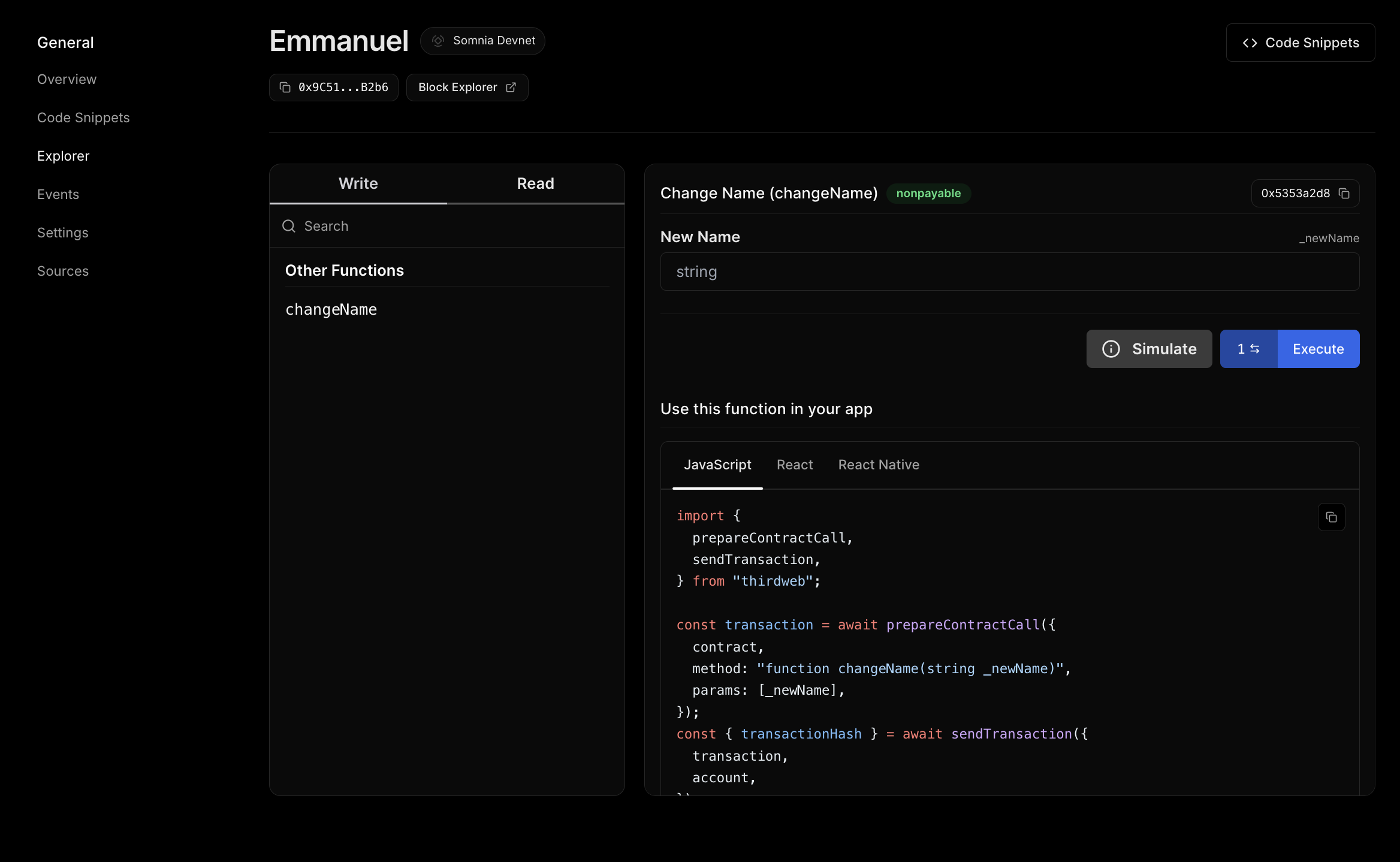
Player Bet Choice Result Payout Time
{truncateHash(flip.player)} {formatEther(flip.betAmount)} STT {flip.choice} {flip.result} {flip.payout !== '0' ? `+${formatEther(flip.payout)}` : '0' } STT {formatTime(flip.blockTimestamp)}
{/* Previous button */} {/* Current page indicator */} Page {page + 1} {/* Next button */}
); } ```
## Build the Live Feed Component Now let's build the Live Feed component that automatically refreshes to show new flips. ### Set Up the Component In the `components` directory create a `LiveFeed.tsx` file and update the imports. ``` 'use client'; import { useQuery } from '@apollo/client'; import { GET_RECENT_FLIPS } from '@/lib/queries'; ``` ### Create Utility Functions ``` const truncateHash = (hash: string) => { return `${hash.slice(0, 6)}...${hash.slice(-4)}`; }; const formatEther = (wei: string) => { return (parseFloat(wei) / 1e18).toFixed(4); }; ``` ### Component Function with Auto-Refresh ``` export default function LiveFeed() { // Execute query with automatic polling const { loading, error, data } = useQuery(GET_RECENT_FLIPS, { variables: { first: 10 // Get 10 most recent flips }, pollInterval: 5000, // Refresh every 5 seconds (5000ms) }); ``` The `pollInterval` automatically re-executes the query every 5 seconds. New flips appear without user interaction with Apollo Client handling the refresh logic. You can set to 0 or remove to disable auto-refresh ### Handle Query States ``` // Same loading/error handling as AllFlips if (loading) { return
Loading...
; } if (error) { return
Error: {error.message}
; } if (!data?.flipResults?.length) { return
No recent flips
; } ``` ### Complete Live Feed Component
LiveFeed.tsx ``` 'use client'; import { useQuery } from '@apollo/client'; import { GET_RECENT_FLIPS } from '@/lib/queries'; const truncateHash = (hash: string) => `${hash.slice(0, 6)}...${hash.slice(-4)}`; const formatEther = (wei: string) => (parseFloat(wei) / 1e18).toFixed(4); export default function LiveFeed() { const { loading, error, data } = useQuery(GET_RECENT_FLIPS, { variables: { first: 10 }, pollInterval: 5000, }); if (loading) return
Loading...
; if (error) return
Error: {error.message}
; if (!data?.flipResults?.length) return
No recent flips
; return (
{data.flipResults.map((flip: any) => { const won = flip.payout !== '0'; return (
{truncateHash(flip.player)} bet {formatEther(flip.betAmount)} STT
{flip.choice} → {flip.result}
{won ? `Won ${formatEther(flip.payout)} STT` : 'Lost'}
); })}

Auto-refreshing every 5 seconds

); } ```
The key differences from the AllFlips page are that there is no pagination (shows most recent only), and it auto-refreshes with pollInterval, with a visual emphasis on win/loss status. ## Update the Main Page.tsx
page.tsx ``` 'use client'; import { useState } from 'react'; import AllFlips from '@/components/AllFlips'; import LiveFeed from '@/components/LiveFeed'; export default function Home() { const [activeTab, setActiveTab] = useState('allFlips'); return (

SomFlip

{/* Tab Navigation */}
{/* Conditional Rendering Based on Active Tab */} {activeTab === 'allFlips' ? : }
); } ```
## Run Your Application ``` npm run dev ``` Visit `http://localhost:3000` to see your UI in action.
--- # Building Subgraph UIs (NextJS/Fetch) Section: Developer guide URL: /developer/building-dapps/data-indexing-and-querying/building-subgraph-uis-nextjs-fetch [Subgraphs](https://somnia.chain.love) allow developers to efficiently query Somnia blockchain data using GraphQL, making it easy to index and retrieve real-time blockchain activity. In this tutorial, you’ll learn how to: * Fetch blockchain data from a Subgraph API * Fix CORS errors using a NextJS API route * Display token transfers in a real-time UI By the end of this guide, you'll have a fully functional UI that fetches and displays token transfers from Somnia’s Subgraph API. ## Prerequisites * Basic knowledge of React & Next.js. * A deployed Subgraph API on Somnia ([or use an existing one](https://somnia.chain.love/graph)). * Account on [https://somnia.chain.love](https://somnia.chain.love) see [guide](./protofire-subgraph). ## Create a NextJS Project Start by creating a new Next.js app. ```bash npx create-next-app@latest somnia-subgraph-ui cd somnia-subgraph-ui ``` Then, install required dependencies. ```bash npm install thirdweb react-query graphql ``` ## Define the Subgraph API in Environment Variables Create a .env.local file in the root folder. ``` NEXT_PUBLIC_SUBGRAPH_URL=https://proxy.somnia.chain.love/subgraphs/name/somnia-testnet/test-mytoken NEXT_PUBLIC_SUBGRAPH_CLIENT_ID=YOUR_CLIENT_ID ``` > **Note** > > 💡 Note: Restart your development server after modifying .env.local: ```bash npm run dev ``` ## Create a NextJS API Route for the Subgraph Since the Somnia Subgraph API has CORS restrictions, we’ll use a NextJS API route to act as a proxy. Inside the app directory create the folder paths **`api/proxy`** and add a file **`route.ts`** Update the **`route.ts`** file with the following code: ```typescript import { NextResponse } from "next/server"; const SUBGRAPH_URL = process.env.NEXT_PUBLIC_SUBGRAPH_URL as string; const CLIENT_ID = process.env.NEXT_PUBLIC_SUBGRAPH_CLIENT_ID as string; export async function POST(req: Request) { try { const body = await req.json(); const response = await fetch(SUBGRAPH_URL, { method: "POST", headers: { "Content-Type": "application/json", "Client-ID": CLIENT_ID, // ✅ Pass the Subgraph Client ID }, body: JSON.stringify(body), }); const data = await response.json(); return NextResponse.json(data); } catch (error) { console.error("Proxy Error:", error); return NextResponse.json({ error: "Failed to fetch from Subgraph" }, { status: 500 }); } } ``` This code allows your frontend to make requests without triggering CORS errors. ## Fetch and Display Token Transfers in the UI Now that we have the API set up, let’s build a React component that: * Sends the GraphQL query using fetch() * Stores the fetched data using useState() * Displays the token transfers in a simple UI To fetch the latest 10 token transfers, we’ll use this GraphQL query: ```graphql { transfers(first: 10, orderBy: blockTimestamp, orderDirection: desc) { id from to value blockTimestamp transactionHash } } ``` This code fetches the last 10 transfers (first: 10) and orders them by timestamp (latest first). It retrieves wallet addresses (from, to) and the amount transferred (value) and includes the transaction hash (used to generate an explorer link). ## Fetch and Display Data in a React Component Now, let’s integrate the query into our NextJS frontend. Create a folder **`components`** and add a file **`TokenTransfer.ts`** We use **`useState()`** to store transfer data and **`useEffect()`** to fetch it when the component loads. ```typescript "use client"; import { useEffect, useState } from "react"; export default function TokenTransfers() { // Store transfers in state const [transfers, setTransfers] = useState([]); // Track loading state const [loading, setLoading] = useState(true); Next, we fetch the token transfer data when the component loads. useEffect(() => { async function fetchTransfers() { setLoading(true); // Show loading state const query = ` { transfers(first: 10, orderBy: blockTimestamp, orderDirection: desc) { id from to value blockTimestamp transactionHash } } `; const response = await fetch("/api/proxy", { method: "POST", headers: { "Content-Type": "application/json" }, body: JSON.stringify({ query }), }); const { data } = await response.json(); setTransfers(data.transfers || []); // Store results in state setLoading(false); // Hide loading state } fetchTransfers(); }, []); ``` Once data is fetched, we render it inside the UI. ```typescript return (

Latest Token Transfers

{loading ? (

Loading transfers...

) : (
    {transfers.map((transfer) => (
  • From: {transfer.from}

    To: {transfer.to}

    Value: {parseFloat(transfer.value) / 1e18} STT

    TX:{" "} View Transaction

  • ))}
)}
); } ``` The UI shows a loading message while data is being fetched. When data is ready, it displays the latest 10 token transfers. It formats transaction values (value / 1e18) to show the correct STT amount and provides a link to view each transaction on Somnia Explorer. ## Add the Component to the NextJS Page Update the page.tsx file: ```typescript "use client"; import TokenTransfers from "../components/TokenTransfers"; export default function Home() { return (

Welcome to MyToken Dashboard

); } ``` Restart the development server: ``` npm run dev ```
Now your NextJS UI dynamically fetches and displays token transfers from Somnia’s Subgraph! 🔥
--- # Data Indexing and Querying Section: Developer guide URL: /developer/building-dapps/data-indexing-and-querying Subgraphs allow your dApp to efficiently index and query onchain data from the Somnia Network. Whether you're building dashboards, tracking events, or querying user actions, Subgraphs provide a scalable way to make your smart contract data accessible and searchable. In this section, you’ll learn: * [How to index Somnia with **Envio HyperIndex** and query it with GraphQL](./indexing-somnia-with-envio) * [How to create and deploy subgraphs on Somnia using **ORMI**](./ormi-subgraph) * [How to build with **Protofire’s subgraph infrastructure**](./protofire-subgraph) * [Frontend integrations for building responsive UIs from your subgraph data](./building-subgraph-uis-nextjs-fetch) > Subgraphs are essential for any developer building real-time dApps, analytics dashboards, or event-driven logic on Somnia. --- # Indexing Somnia with Envio Section: Developer guide URL: /developer/building-dapps/data-indexing-and-querying/indexing-somnia-with-envio [Envio HyperIndex](https://docs.envio.dev/docs/HyperIndex/overview) is a multichain indexing framework that turns smart contract events into a GraphQL API. You describe what to index in a config file, write the indexing logic in TypeScript, and HyperIndex fetches the data through [HyperSync](https://docs.envio.dev/docs/HyperSync/overview), Envio's high-performance data source. [Somnia Mainnet](https://envio.dev/chains/somnia) and Somnia Testnet are both [supported by HyperSync](https://docs.envio.dev/docs/HyperIndex/supported-networks), so there is no RPC endpoint to set up. This tutorial indexes every `Transfer` event of [USDC.e on Somnia Mainnet](https://explorer.somnia.network/address/0x28BEc7E30E6faee657a03e19Bf1128AaD7632A00), runs the indexer on your machine and queries the data with GraphQL. The last section shows how to move an existing subgraph to HyperIndex. Using a coding agent? Copy the [agent prompt](#build-it-with-an-ai-agent) and let it do the steps for you. ## Create the Indexer You need Node.js 22.15 or newer, pnpm, and Docker running. Run the following command to scaffold a new indexer from the ERC20 template. Replace `YOUR_ENVIO_API_TOKEN` with your Envio API token, which you can create for free at [envio.dev/app/api-tokens](https://envio.dev/app/api-tokens). ```bash pnpx envio init template -t erc20 -n somnia-indexer -l typescript -d ./somnia-indexer --api-token "YOUR_ENVIO_API_TOKEN" cd somnia-indexer ``` This creates the project in the `somnia-indexer` folder, installs its dependencies and saves your token in `.env`. The template indexes a token on Ethereum, so the next steps point it at Somnia. Remove the template's example handler and test. ```bash rm src/handlers/ERC20.ts src/indexer.test.ts ``` ## Configure the Indexer for Somnia Replace the contents of `config.yaml` with the following. ```yaml # yaml-language-server: $schema=./node_modules/envio/evm.schema.json name: somnia-indexer description: USDC.e transfers on Somnia field_selection: transaction_fields: - hash contracts: - name: USDCe events: - event: "Transfer(address indexed from, address indexed to, uint256 value)" chains: - id: 5031 # Somnia Mainnet start_block: 430000000 contracts: - name: USDCe address: "0x28BEc7E30E6faee657a03e19Bf1128AaD7632A00" ``` * `id: 5031` points the indexer at Somnia Mainnet. HyperIndex uses the Somnia HyperSync endpoint automatically. * `start_block` is the block the indexer starts from. `430000000` is a recent block, so the first sync finishes quickly. To index USDC.e's full history, set it to `83645688`, the block of the first USDC.e transfer on Somnia. A full sync takes longer. * `field_selection` adds the transaction hash to every event, which the schema below stores. To index your own contract, change the `name`, the event signatures and the `address`. ## Define the Schema Replace the contents of `schema.graphql` with the following. ```graphql type Transfer { id: ID! from: Bytes! to: Bytes! value: BigInt! blockNumber: BigInt! blockTimestamp: BigInt! transactionHash: Bytes! } ``` ## Write the Event Handler Create `src/handlers/USDCe.ts` with the following code. HyperIndex loads every file in `src/handlers` automatically. ```typescript import { indexer } from "envio"; indexer.onEvent( { contract: "USDCe", event: "Transfer" }, async ({ event, context }) => { context.Transfer.set({ id: `${event.transaction.hash}-${event.logIndex}`, from: event.params.from, to: event.params.to, value: event.params.value, blockNumber: BigInt(event.block.number), blockTimestamp: BigInt(event.block.timestamp), transactionHash: event.transaction.hash, }); }, ); ``` Every `Transfer` event emitted by the USDC.e contract runs this handler, which saves one `Transfer` row. ## Run the Indexer Generate the types for your config and schema, then start the indexer. ```bash pnpm codegen pnpm dev ``` `pnpm dev` starts Postgres and Hasura in Docker and begins indexing. The terminal shows the sync progress. You can query the data as soon as the first events are indexed, and once the indexer reaches the latest block it follows new Somnia blocks in real time.
The indexer syncing Somnia Mainnet and reaching the latest block

The indexer backfilling USDC.e transfers on Somnia Mainnet and reaching the latest block in seconds.

Open the Hasura console at [http://localhost:8080](http://localhost:8080) and log in with the admin secret `testing`. Your GraphQL endpoint is `http://localhost:8080/v1/graphql`. To stop the indexer, press `Ctrl+C`. To also remove the local Docker containers and data, run `pnpm envio stop`. ## Query the Data Run these queries in the **API** tab of the Hasura console, or send them to `http://localhost:8080/v1/graphql` from your app. ### Fetch Latest Transfers ```graphql query { Transfer(limit: 10, order_by: { blockNumber: desc }) { id from to value blockTimestamp transactionHash } } ``` ### Get Transfers by Address Addresses are stored in checksum format, so `_ilike` is the easiest way to match any letter case. ```graphql query { Transfer( where: { from: { _ilike: "0xYourWalletAddress" } } limit: 10 order_by: { blockNumber: desc } ) { from to value transactionHash } } ``` ### Get Large Transfers `value` is stored in the token's smallest unit. USDC.e has 6 decimals, so `1000000000` is 1,000 USDC.e. ```graphql query { Transfer( where: { value: { _gt: "1000000000" } } limit: 10 order_by: { blockNumber: desc } ) { from to value transactionHash } } ``` ### Check Indexing Progress ```graphql query { _meta { chainId progressBlock sourceBlock eventsProcessed isReady } } ``` `isReady` turns `true` once the indexer has caught up with the latest Somnia block. ### Query From Your App ```bash curl -s -X POST http://localhost:8080/v1/graphql \ -H "Content-Type: application/json" \ -d '{"query":"{ Transfer(limit: 3, order_by: { blockNumber: desc }) { from to value transactionHash } }"}' ``` ## Index Somnia Testnet To index a contract on Somnia Testnet, replace the `chains` section of `config.yaml` with the following. Set `address` to your testnet contract and `start_block` to the block it was deployed in. ```yaml chains: - id: 50312 # Somnia Testnet hypersync_config: url: https://50312.hypersync.xyz start_block: 0 # replace with your contract's deployment block contracts: - name: USDCe address: "0xYourTestnetContractAddress" ``` HyperIndex finds the Mainnet endpoint on its own, but for Testnet you set the HyperSync URL yourself with `hypersync_config`. If your contract emits a different event, update the event signature in `contracts` and the handler to match. After changing `config.yaml`, run `pnpm codegen` and restart with `pnpm dev -r`, which clears the data from the previous run. ## Track Balances and Volume The [Somnia Token Analytics](https://github.com/enviodev/somnia-token-analytics) indexer builds on this tutorial. It tracks balances, holder counts, total supply and daily volume for WSOMI, USDC.e, USDT, WETH, WBTC and USDso. Its handlers load an entity, update it and save it again as each event arrives. This is how it keeps a running volume per token per day. ```typescript async function addDailyVolume(context: Ctx, tokenId: string, value: bigint, timestamp: number) { const day = Math.floor(timestamp / SECONDS_PER_DAY); const id = `${tokenId}-${day}`; const existing = await context.DailyVolume.get(id); context.DailyVolume.set({ id, token_id: tokenId, dayStartTimestamp: day * SECONDS_PER_DAY, transferCount: (existing?.transferCount ?? 0) + 1, volume: (existing?.volume ?? 0n) + value, }); } ``` Once it has synced, one query returns the top holders of any token. ```graphql query { AccountBalance( where: { token: { symbol: { _eq: "WSOMI" } } } order_by: { balance: desc } limit: 10 ) { account balance } } ``` Balances need every transfer, so this indexer starts at each token's deployment block and the first sync takes longer than this tutorial's. ## Deploy the Indexer When your indexer works locally, push it to GitHub and deploy it on [Envio Cloud](https://docs.envio.dev/docs/HyperIndex/hosted-service). Envio Cloud runs it for you and gives you a production GraphQL endpoint, with a free plan for development. Follow the [deployment guide](https://docs.envio.dev/docs/HyperIndex/hosted-service-deployment) for the steps. You can also [self-host](https://docs.envio.dev/docs/HyperIndex/self-hosting) the indexer on your own infrastructure. ## Build It With an AI Agent The prompt below hands this tutorial to a coding agent such as Claude Code or Cursor. Give the agent the current Envio docs first, so it works from the latest syntax instead of what it remembers. ```bash claude mcp add --transport http envio-docs https://docs.envio.dev/mcp ``` Agents with shell access can use `envio tools search-docs` instead. Both are covered on the [MCP server page](https://docs.envio.dev/docs/HyperIndex/mcp-server).
Show the full prompt ```text Build me an Envio HyperIndex indexer for a contract on Somnia. The contract is: The network is: The events to index are: (Optional) My existing subgraph is in: . If set, convert it instead. Before writing any code, read the current Envio docs rather than working from memory. If you have the envio-docs MCP server, use docs_search and docs_fetch. Otherwise run `envio tools search-docs ` and `envio tools fetch-docs `. Read the quickstart prerequisites, configuration file, event handlers and testing pages first. For a subgraph, also read the migration guide. 1. Check the prerequisites from the docs are installed and Docker is running. An Envio API token must be set as ENVIO_API_TOKEN. After scaffolding, check the "engines" field in package.json for the exact Node.js version needed. 2. Scaffold a project. Block explorer import does not cover Somnia, so start from the ERC20 template and replace its files: pnpx envio init template -t erc20 -n -l typescript \ -d ./ --api-token "$ENVIO_API_TOKEN" Delete src/handlers/ERC20.ts and src/indexer.test.ts, and replace config.yaml and schema.graphql in full (the template indexes other chains). 3. Write config.yaml. HyperIndex builds the ABI from the event signatures, so no ABI file is needed. - Take the event signatures, including parameter names, from the contract's ABI in my project (for example Hardhat's artifacts/ or Foundry's out/ folder). If there is no ABI in the project, ask me for it. - Somnia Mainnet is chain ID 5031. HyperIndex finds its HyperSync endpoint on its own. - Somnia Testnet is chain ID 50312. Set hypersync_config.url to https://50312.hypersync.xyz, it is not found automatically. - Use the contract's deployment block as start_block. Find it with eth_getCode only: binary search from block 0 to the latest block for the first block where eth_getCode returns code. Use the Somnia RPC https://api.infra.mainnet.somnia.network for Mainnet or https://api.infra.testnet.somnia.network for Testnet. 4. Write schema.graphql and the handlers in src/handlers. If you track balances or supply, handle every event that changes them. For example, a wrapped token's Deposit and Withdrawal events do not emit a Transfer. Check your indexed total supply against totalSupply() on the Somnia RPC. 5. Run `pnpm codegen`, then add a test for one real event (the testing docs show how to find one) and make `pnpm test` pass. A test on a real block can need a longer timeout than the template's default. 6. Run `pnpm dev` and query a few rows. A busy contract's full history can take a long time to sync. Report progress from the _meta query rather than waiting for isReady: true. For a quick first run, use a recent start_block, then set it back to the deployment block and restart with `pnpm dev -r`. Report back: - the events you indexed and the entities you created - the start block you used and how you confirmed it - how many events the indexer processed, with one example row - anything that did not match these instructions Give the real numbers you got. ```
## Migrate an Existing Subgraph If you already have a subgraph on Somnia, you can move it to HyperIndex in one of two ways. ### Option 1. Run Your Subgraph As It Is (Preview) The [Envio Subgraph Engine](https://docs.envio.dev/docs/HyperIndex/migration-guide#run-your-subgraph-as-it-is-preview) runs an unmodified subgraph on HyperIndex. It reads your `subgraph.yaml`, schema and AssemblyScript mappings as they are, and works with `network: somnia` and `network: somnia-testnet`. From your subgraph folder, install its dependencies, add your Envio API token and start it. ```bash cd mytoken npm install export ENVIO_API_TOKEN="YOUR_ENVIO_API_TOKEN" pnpx envio@subgraph dev ``` The data is served from the same local Hasura endpoint, `http://localhost:8080/v1/graphql`. `Bytes` fields come back in Postgres hex format, with a `\x` prefix instead of `0x`. The Subgraph Engine is a preview. If your mappings make contract calls (for example `MyToken.bind(...)`), also set `ENVIO_SUBGRAPH_RPC` to a Somnia RPC endpoint that serves archive state. Features it does not support yet, such as call handlers and grafting, are named when it starts. ### Option 2. Convert Your Subgraph to HyperIndex Converting your subgraph gives you TypeScript handlers, multichain indexing and the rest of HyperIndex's features. The indexer you built above is a converted ERC20 subgraph. Here is how each file maps across, using a `MyToken` subgraph as the example. | Subgraph | HyperIndex | | --- | --- | | `subgraph.yaml` | `config.yaml` | | `schema.graphql` | `schema.graphql`, almost unchanged | | `src/mytoken.ts` (AssemblyScript) | `src/handlers/*.ts` (TypeScript) | | `graph codegen && graph build` | `pnpm codegen` | | `graph deploy` | `pnpm dev` locally, or a push to Envio Cloud | #### 1. Convert `subgraph.yaml` to `config.yaml` Copy the network, contract address, start block and event signatures across. In `config.yaml`, event signatures include the parameter names, and the network is the chain ID. `subgraph.yaml` ```yaml dataSources: - kind: ethereum name: MyToken network: somnia source: address: "0x28BEc7E30E6faee657a03e19Bf1128AaD7632A00" abi: MyToken startBlock: 83645688 mapping: kind: ethereum/events apiVersion: 0.0.9 language: wasm/assemblyscript entities: - Transfer abis: - name: MyToken file: ./abis/MyToken.json eventHandlers: - event: Transfer(indexed address,indexed address,uint256) handler: handleTransfer file: ./src/mytoken.ts ``` `config.yaml` ```yaml # yaml-language-server: $schema=./node_modules/envio/evm.schema.json name: mytoken field_selection: transaction_fields: - hash contracts: - name: MyToken events: - event: "Transfer(address indexed from, address indexed to, uint256 value)" chains: - id: 5031 # network: somnia start_block: 83645688 contracts: - name: MyToken address: "0x28BEc7E30E6faee657a03e19Bf1128AaD7632A00" ``` Use `id: 50312` for a subgraph on `somnia-testnet`. HyperIndex generates the ABI from the event signatures, so you do not need the ABI file. #### 2. Copy the Schema Copy `schema.graphql` across, remove the `@entity` directive and change any `id: Bytes!` to `id: ID!`. ```graphql # Subgraph type Transfer @entity(immutable: true) { id: Bytes! ... } # HyperIndex type Transfer { id: ID! ... } ``` #### 3. Convert the Handlers AssemblyScript is close to TypeScript, so most of the logic copies across. The main changes are as follows. * Register handlers with `indexer.onEvent(...)` instead of exported functions. * Replace `entity.save()` with `context.Entity.set({...})`. * Load entities with `await context.Entity.get(id)` instead of `Entity.load(id)`. Subgraph handler ```typescript export function handleTransfer(event: TransferEvent): void { let entity = new Transfer( event.transaction.hash.concatI32(event.logIndex.toI32()) ) entity.from = event.params.from entity.to = event.params.to entity.value = event.params.value entity.blockNumber = event.block.number entity.blockTimestamp = event.block.timestamp entity.transactionHash = event.transaction.hash entity.save() } ``` HyperIndex handler ```typescript import { indexer } from "envio"; indexer.onEvent( { contract: "MyToken", event: "Transfer" }, async ({ event, context }) => { context.Transfer.set({ id: `${event.transaction.hash}-${event.logIndex}`, from: event.params.from, to: event.params.to, value: event.params.value, blockNumber: BigInt(event.block.number), blockTimestamp: BigInt(event.block.timestamp), transactionHash: event.transaction.hash, }); }, ); ``` #### 4. Update Your Queries HyperIndex serves a standard Hasura GraphQL API. You query an entity by its schema name (`Transfer` instead of `transfers`), `first` becomes `limit`, and `orderBy` with `orderDirection` becomes `order_by`. ```graphql # Subgraph { transfers(first: 10, orderBy: blockTimestamp, orderDirection: desc) { id from to value } } # HyperIndex { Transfer(limit: 10, order_by: { blockTimestamp: desc }) { id from to value } } ``` The [query conversion guide](https://docs.envio.dev/docs/HyperIndex/query-conversion) covers filters and the other differences. For larger subgraphs, see the full [migration guide](https://docs.envio.dev/docs/HyperIndex/migration-guide), [migrating with AI](https://docs.envio.dev/docs/HyperIndex/migrate-with-ai), and the [Indexer Migration Validator](https://github.com/enviodev/indexer-migration-validator) to compare your subgraph and HyperIndex results. ## Example Repositories * [somnia-indexer-example](https://github.com/enviodev/somnia-indexer-example) is the complete indexer from this tutorial. * [somnia-token-analytics](https://github.com/enviodev/somnia-token-analytics) tracks balances, holders, supply and daily volume for Somnia's main tokens. ## Conclusion You have indexed USDC.e transfers on Somnia with Envio HyperIndex and queried them with GraphQL. Some next steps to try. * Index more events or contracts by adding them to `config.yaml`. * Index Somnia Mainnet and Testnet in the same indexer by listing both chains. * Connect your GraphQL endpoint to a frontend, as in the [Building Subgraph UIs](/developer/building-dapps/data-indexing-and-querying/building-subgraph-uis-nextjs-fetch) tutorials. For more information, visit the [Envio docs](https://docs.envio.dev/docs/HyperIndex/overview) or ask in the [Envio Discord](https://discord.gg/envio). --- # Listening to Blockchain Events (WebSocket) Section: Developer guide URL: /developer/building-dapps/data-indexing-and-querying/listening-to-blockchain-events-websocket This guide teaches developers how to create WebSocket connections to listen for smart contract events on the Somnia network in real-time. We'll use a simple Greeting contract as an example to demonstrate the core concepts. ## Resources | Somnia Mainnet WebSocket | [wss://api.infra.mainnet.somnia.network/ws](wss://api.infra.mainnet.somnia.network/ws) | | ------------------------ | -------------------------------------------------------------------------------------- | | Somnia Testnet WebSocket | [wss://api.infra.testnet.somnia.network/ws](wss://api.infra.testnet.somnia.network/ws) | For the underlying subscription and log-filtering RPC methods, see the [JSON-RPC API Reference](../../json-rpc-api). ## Example Script
websocket-listener.js ```javascript // const { ethers } = require("ethers"); import { ethers } from "ethers"; // Configuration const wsUrl = "wss://dream-rpc.somnia.network/ws"; const contractAddress = "0xADA7b2953E7d670092644d37b6a39BAE3237beD7"; // Replace with your contract address // Contract ABI const abi = [ { anonymous: false, inputs: [ { indexed: true, internalType: "string", name: "oldGreeting", type: "string" }, { indexed: true, internalType: "string", name: "newGreeting", type: "string" }, ], name: "GreetingSet", type: "event", }, { inputs: [], name: "getGreeting", outputs: [{ internalType: "string", name: "", type: "string" }], stateMutability: "view", type: "function", }, ]; async function listen() { // Create WebSocket provider and contract const provider = new ethers.WebSocketProvider(wsUrl); await provider._waitUntilReady(); const contract = new ethers.Contract(contractAddress, abi, provider); console.log("Listening for events...\n"); // Event filter const filter = { address: contractAddress, topics: [ethers.id("GreetingSet(string,string)")], }; // Listen for events provider.on(filter, async (log) => { try { const greeting = await contract.getGreeting(); console.log(`New greeting: "${greeting}"`); } catch (error) { console.error("Error:", error.message); } }); // Keep connection alive setInterval(async () => { try { await provider.getBlockNumber(); } catch (error) { console.error("Connection error"); } }, 30000); // Handle shutdown process.on("SIGINT", () => { provider.destroy(); process.exit(0); }); } // Start listening listen().catch(console.error); ```
## Prerequisites * Node.js 20+ * Basic understanding of JavaScript * A deployed smart contract on Somnia network ## What are WebSockets? WebSockets are a communication protocol that provides bidirectional communication channels over a single TCP connection. Unlike traditional HTTP requests, WebSockets maintain a persistent connection between the client and server. ### **How WebSockets Work** WebSockets begin with a connection establishment phase where the client initiates a WebSocket handshake through an HTTP upgrade request. Once established, the connection stays open as a persistent channel between client and server. This enables bidirectional communication where both client and server can send messages at any time without waiting for requests. The protocol maintains low latency since there's no need to establish new connections for each message exchange. This design is highly efficient with minimal protocol overhead compared to traditional HTTP polling approaches. **WebSocket Connection Lifecycle** ```bash Client Server | | |----Connection Request-->| |<---Connection Accept----| | | |<===Open Connection====> | | | |----Send Message-------->| |<---Receive Message------| |<---Push Notification----| |----Send Message-------->| | | |<===Open Connection====> | | | |----Close Connection---->| ``` ### WebSocket vs HTTP Polling #### **HTTP Polling Approach** ```javascript // Inefficient: Constantly asking "Any updates?" setInterval(async () => { const response = await fetch('https://api.example.com/events'); const data = await response.json(); if (data.hasNewEvents) { console.log('New event:', data.events); } }, 5000); // Check every 5 seconds ``` The problem with polling is that Polling wastes bandwidth by constantly checking for updates even when none exist, leading to unnecessary network traffic. This approach introduces delays of up to the polling interval (5 seconds in our example), meaning users might wait several seconds to see new events that have already occurred. Additionally, the server must process these unnecessary requests repeatedly, increasing computational load and infrastructure costs. For blockchain applications, this translates to higher costs for RPC providers who often charge based on the number of requests made. #### **WebSocket Approach** ```javascript // Efficient: Server pushes updates immediately const ws = new WebSocket('wss://api.example.com/events'); ws.on('message', (data) => { console.log('New event:', data); // Instant notification }); ``` WebSockets provide real-time updates measured in milliseconds rather than seconds, ensuring users receive notifications instantly when events occur. This eliminates wasted requests since the server only sends data when there are actual updates, significantly reducing bandwidth usage. The reduced request frequency leads to lower server load and better resource utilization. For users, this translates to a superior experience with immediate feedback, while developers benefit from reduced infrastructure costs. ### Blockchain Events and WebSockets Smart contracts emit events when important state changes occur. These events are included in transaction receipts and stored in blockchain logs. The event flow begins when a user calls a Smart Contract function through a Transaction. During execution, the contract updates its Internal State and emits Events containing relevant data about the changes. These Transactions and their associated Events are then included in a new block by Validators. Once the Block is finalized, Nodes across the network broadcast it to their peers. WebSocket connections instantly notify connected clients about these new events, enabling real-time reactions to Blockchain state changes. ### **Example Use Cases for WebSocket Event Listening** | DeFi Applications |
  • Monitor price updates on DEX swaps
| | ------------------- | ---------------------------------------------------- | | NFT Marketplaces |
  • Live bidding updates in auctions
| | Gaming DApps |
  • Real-time game state updates
| | DAOs and Governance |
  • Live voting updates
| | Supply Chain |
  • Product status updates
| ### Indexed Parameters in Events When you mark an event parameter as `indexed` in Solidity, it becomes part of the event's topics rather than the data section. This enables efficient filtering but changes how you access the data. Non-Indexed String (accessible directly): ```solidity event MessageSent(string message); // Can read 'message' directly from logs ``` Indexed String (hashed for filtering): ```solidity event MessageSent(string indexed message); // 'message' is hashed, cannot read directly ``` **Why Use Indexed Parameters?** `Indexed` parameters enable efficient filtering by allowing nodes to quickly find specific events without scanning through all logs in a block. They provide gas optimization since topics are more gas-efficient for filtering operations compared to parsing event data. Additionally, nodes can index and search these parameters significantly faster, improving overall query performance when applications need to find specific events based on parameter values. **The Trade-off** For strings and bytes, indexing means: * Can filter events by this parameter efficiently * Cannot retrieve the actual value from the event log * Must query contract state to get the current value This is why, in our example, when we receive a `GreetingSet` event with indexed string parameters, we call contract.getGreeting() to retrieve the actual greeting text. > The pattern for listening to blockchain events via WebSocket follows these principles: > > > > The process begins by establishing a connection to the blockchain node's WebSocket endpoint, ensuring a persistent communication channel. Once connected, you create a filter that defines which events from which contracts to monitor, allowing precise event targeting. Next, you set up listener functions that register callbacks to execute when specific events occur. When events are received, your handler functions process the event data according to your application's needs. Throughout the connection lifetime, you must maintain the connection with periodic activity to prevent timeouts. Finally, when your application terminates, ensure a clean shutdown by properly closing all connections and removing event listeners. ## Code Breakdown ### Connect to Somnia WebSocket ```javascript const wsUrl = 'wss://api.infra.testnet.somnia.network/ws'; //change url for Mainnet const provider = new ethers.WebSocketProvider(wsUrl); await provider._waitUntilReady(); ``` The WebSocket URL for Somnia mainnet is [wss://api.infra.mainnet.somnia.network/ws](wss://api.infra.mainnet.somnia.network/ws). This creates a persistent connection to the network. #### Create Contract Instance ```javascript const contract = new ethers.Contract(contractAddress, abi, provider); ``` You need: * `Contract address`: The deployed address on Somnia. * `ABI`: At minimum, include the events you want to listen for. * `Provider`: The WebSocket connection. ### Define Event Filter ```javascript const filter = { address: contractAddress, topics: [ethers.id("GreetingSet(string,string)")] }; ``` The filter specifies: * Which contract to monitor * Which event signature to listen for ### Set Up Event Listener ```javascript provider.on(filter, async (log) => { // Handle the event const greeting = await contract.getGreeting(); console.log(`New greeting: "${greeting}"`); }); ``` When an event is detected: 1. The callback receives the log data 2. Query the contract for the current state 3. Process/display the data as needed ### Maintain Connection ```javascript setInterval(async () => { await provider.getBlockNumber(); }, 30000); ``` This is because WebSocket connections can timeout. Send periodic requests to keep the connection alive. ### Update the ABI Include only the events and functions you need: ```javascript const abi = [ // Your event definition { "anonymous": false, "inputs": [ // Your event parameters ], "name": "YourEventName", "type": "event" }, // Any read functions you need { "inputs": [], "name": "yourReadFunction", "outputs": [/* outputs */], "stateMutability": "view", "type": "function" } ]; ``` ### Update the Event Filter Change the event signature to match your event: ```javascript const filter = { address: contractAddress, topics: [ethers.id("YourEventName(type1,type2)")] }; ``` ### Handle Event Data Process the event based on your needs: ```javascript provider.on(filter, async (log) => { // For non-indexed parameters, you can parse the log const parsedLog = contract.interface.parseLog(log); // For indexed strings, query the contract state const currentState = await contract.yourReadFunction(); // Process your data console.log('Event detected:', currentState); }); ``` ## Common Patterns ### Multiple Events Listen for multiple events from the same contract: ```javascript // Listen for Event1 provider.on({ address: contractAddress, topics: [ethers.id("Event1(...)")] }, handleEvent1); // Listen for Event2 provider.on({ address: contractAddress, topics: [ethers.id("Event2(...)")] }, handleEvent2); ``` ### Error Recovery Add reconnection logic for production applications: ```javascript async function connectWithRetry() { let retries = 0; while (retries < 5) { try { await listen(); break; } catch (error) { console.log(`Retry ${++retries}/5...`); await new Promise(r => setTimeout(r, 5000)); } } } ``` ### Event History Get recent events on startup: ```javascript // Get last 100 blocks of events const currentBlock = await provider.getBlockNumber(); const events = await contract.queryFilter('YourEventName', currentBlock - 100, currentBlock); events.forEach(event => { console.log('Historical event:', event); }); ``` ## Test Your WebSocket Connection 1. Deploy your Smart Contract to Somnia network. 2. Run the listener in one terminal: ```bash node websocket-listener.js ``` 3. Trigger events from another script or dApp 4. Observe real-time updates in your listener ### Conclusion WebSocket connections provide real-time event monitoring for smart contracts on Somnia. This guide demonstrated: 1. Connecting to Somnia's WebSocket endpoint 2. Listening for specific contract events 3. Handling indexed parameters correctly 4. Maintaining stable connections 5. Adapting the pattern for any smart contract With this foundation, you can build responsive dApps that react instantly to blockchain events without polling.
--- # Ormi Subgraph Section: Developer guide URL: /developer/building-dapps/data-indexing-and-querying/ormi-subgraph The Graph is a decentralized indexing protocol that allows developers to query blockchain data using GraphQL. Instead of parsing complex raw logs and events directly from smart contracts, developers can build subgraphs that transform onchain activity into structured, queryable datasets. This tutorial demonstrates how to deploy a subgraph on the Somnia Testnet using [Ormi](https://ormilabs.com), a powerful gateway that simplifies subgraph deployment through a hosted Graph Node and IPFS infrastructure. [https://www.youtube.com/watch?v=yYKbvJAEX80](https://www.youtube.com/watch?v=yYKbvJAEX80) ## Prerequisites * GraphQL is installed and set up on your local machine. * A verified smart contract address deployed on Somnia. * An Ormi account and Private Key. ## Install Graph CLI globally ```bash npm install -g @graphprotocol/graph-cli ``` ## Initialize Your Subgraph The Graph services rely on the existence of a deployed Smart Contract with onchain activity. The subgraph will be created based on indexing the events emitted from the Smart Contract. To set up a subgraph service for an example contract called **`MyToken`** run the following command to scaffold a new subgraph project: ```bash graph init --contract-name MyToken --from-contract 0xYourTokenAddress --network somnia-testnet mytoken ``` **`mytoken`** is the folder that contains the subgraph files. Replace `0xYourTokenAddress` with your actual deployed Smart Contract address on Somnia. This command will generate the following files: * `subgraph.yaml`Defines the data sources and events to index * `schema.graphql` Structure of your data * `src/mytoken.ts`TypeScript logic to handle events ## Define the Subgraph Schema For the example`MyToken` Contract, which is an ERC20 Token, Edit `schema.graphql` to index all the Transfer events emitted from the Smart Contract. ```typescript type Transfer @entity(immutable: true) { id: Bytes! from: Bytes! to: Bytes! value: BigInt! blockNumber: BigInt! blockTimestamp: BigInt! transactionHash: Bytes! } ``` ## Build the Subgraph After customizing your schema and mapping logic, build the subgraph by running the command: ``` graph codegen && graph build ``` This will generate the necessary `artifacts` for deployment. ## Deploy Using Ormi Open the Somnia Ormi website [https://subgraph.somnia.network/](https://subgraph.somnia.network/) and create an account.
On the left navigation menu, click the "key" icon to access your `privateKey.`
Deploy your subgraph to Ormi’s hosted infrastructure with the following command: ```bash graph deploy mytoken --node https://api.subgraph.somnia.network/deploy --ipfs https://api.subgraph.somnia.network/ipfs --deploy-key yourORMIPrivateKey ``` Replace yourPrivateKey with your Somnia Ormi account private key. Once deployed, Ormi will return a GraphQL endpoint where you can begin querying your subgraph. Return to the dashboard to find your list of deployed subgraphs.
Open the deployed subgraph in the explorer to interact with it:
## Conclusion You have successfully deployed a subgraph to index events emitted from your Smart Contract. To challenge yourself even further, you can extend your build: * Expand your schema and mapping logic to cover more events. * Connect your subgraph to a frontend UI or analytics dashboard.
For more information, visit the Ormi [docs](https://docs.ormilabs.com/dedicated-env/somnia/subgraphs/overview). --- # Protofire Subgraph Section: Developer guide URL: /developer/building-dapps/data-indexing-and-querying/protofire-subgraph The blockchain is an ever-growing database of transactions and Smart Contract events. Developers use subgraphs, an indexing solution provided by the Graph protocol, to retrieve and analyze this data efficiently. A graph in this context represents the structure of blockchain data, including token transfers, contract events, and user interactions. A subgraph is a customized indexing service that listens to blockchain transactions and structures them in a way that can be easily queried using GraphQL. [https://www.youtube.com/watch?v=Dbk7KHSyt_I](https://www.youtube.com/watch?v=Dbk7KHSyt_I) ## Prerequisites * This guide is not an introduction to Solidity Programming; you are expected to understand Basic Solidity Programming. * GraphQL is installed and set up on your local machine. ```bash npm install -g @graphprotocol/graph-cli ``` ## Deploy a Simple ERC20 Token on Somnia We will deploy a basic ERC20 token on the Somnia network using Hardhat. Ensure you have Hardhat, OpenZeppelin, and dotenv installed: ```bash npm install --save-dev hardhat @nomicfoundation/hardhat-ignition-ethers @openzeppelin/contracts dotenv ethers ``` ## Create an ERC20 Token Contract Create a new Solidity file: `contracts/MyToken.sol` and update it ```solidity // SPDX-License-Identifier: MIT pragma solidity ^0.8.25; import "@openzeppelin/contracts/token/ERC20/ERC20.sol"; contract MyToken is ERC20 { constructor(uint256 initialSupply) ERC20("MyToken", "MTK") { _mint(msg.sender, initialSupply * 10**decimals()); } function mint(address to, uint256 amount) external { _mint(to, amount); } function burn(uint256 amount) external { _burn(msg.sender, amount); } } ``` ## Create a Deployment Script Create a new file in `ignition/modules/MyTokenModule.ts` ```typescript import { buildModule } from "@nomicfoundation/hardhat-ignition/modules"; export default buildModule("MyTokenModule", (m) => { const initialSupply = m.getParameter("initialSupply", 1000000n * 10n ** 18n); const myToken = m.contract("MyToken", [initialSupply]); return { myToken }; }); ``` ## Deploy the Smart Contract Open the hardhat.config.js file and update the network information by adding Somnia Network to the list of networks. Copy your Wallet Address Private Key from MetaMask, and add it to the accounts section. Ensure there are enough STT Token in the Wallet Address to pay for Gas. You can get some from the Somnia Faucet.
```javascript module.exports = { // ... networks: { somniaTestnet: { url: "https://dream-rpc.somnia.network", accounts: ["0xPRIVATE_KEY"], // put dev menomonic or PK here, }, }, // ... }; ``` Open a new terminal and deploy the smart contract to the Somnia Network. Run the command: ```bash npx hardhat ignition deploy ./ignition/modules/MyTokenModule.ts --network somniaTestnet ``` This will deploy the ERC20 contract to the Somnia network and return the deployed contract address. ## Simulate On-Chain Activity Once deployed, we will create a script to generate multiple transactions on the blockchain. Create a new file `scripts/interact.js`
interact.js ```javascript require("dotenv").config(); const { ethers } = require("hardhat"); async function main() { // Connect to Somnia RPC const provider = new ethers.JsonRpcProvider(process.env.SOMNIA_RPC_URL); // Load wallets from .env const deployer = new ethers.Wallet(process.env.PRIVATE_KEY_1, provider); const user1 = new ethers.Wallet(process.env.PRIVATE_KEY_2, provider); const user2 = new ethers.Wallet(process.env.PRIVATE_KEY_3, provider); const user3 = new ethers.Wallet(process.env.PRIVATE_KEY_4, provider); const user4 = new ethers.Wallet(process.env.PRIVATE_KEY_5, provider); const contractAddress = "0xBF9516ADc5263d277E2505d4e141F7159B103d33"; // Replace with your deployed contract address const abi = [ "function transfer(address to, uint256 amount) external returns (bool)", "function mint(address to, uint256 amount) external", "function burn(uint256 amount) external", ]; // Attach to the deployed ERC20 contract const token = new ethers.Contract(contractAddress, abi, provider); console.log("🏁 Starting Token Transactions Simulation on Somnia..."); // Simulate Transfers const transfers = [ { from: deployer, to: user1.address, amount: "1000" }, { from: deployer, to: user2.address, amount: "1000" }, { from: user1, to: user2.address, amount: "50" }, { from: user2, to: user3.address, amount: "30" }, { from: user3, to: user4.address, amount: "10" }, { from: user4, to: deployer.address, amount: "5" }, { from: deployer, to: user2.address, amount: "100" }, { from: user1, to: user3.address, amount: "70" }, { from: user2, to: user4.address, amount: "40" }, ]; for (const tx of transfers) { const { from, to, amount } = tx; const txResponse = await token.connect(from).transfer(to, ethers.parseUnits(amount, 18)); await txResponse.wait(); console.log(`✅ ${from.address} sent ${amount} MTK to ${to}`); } // Simulate Minting const mintAmount1 = ethers.parseUnits("500", 18); const mintTx1 = await token.connect(deployer).mint(user1.address, mintAmount1); await mintTx1.wait(); console.log(`✅ Minted ${ethers.formatUnits(mintAmount1, 18)} MTK to User1!`); const mintAmount2 = ethers.parseUnits("300", 18); const mintTx2 = await token.connect(deployer).mint(user2.address, mintAmount2); await mintTx2.wait(); console.log(`✅ Minted ${ethers.formatUnits(mintAmount2, 18)} MTK to User2!`); // Simulate Burning const burnAmount1 = ethers.parseUnits("50", 18); const burnTx1 = await token.connect(user1).burn(burnAmount1); await burnTx1.wait(); console.log(`🔥 User1 burned ${ethers.formatUnits(burnAmount1, 18)} MTK!`); const burnAmount2 = ethers.parseUnits("100", 18); const burnTx2 = await token.connect(user2).burn(burnAmount2); await burnTx2.wait(); console.log(`🔥 User2 burned ${ethers.formatUnits(burnAmount2, 18)} MTK!`); console.log("🏁 Simulation Complete on Somnia!"); } main() .then(() => process.exit(0)) .catch((error) => { console.error(error); process.exit(1); }); ```
Create an `.env` file to hold sensitive informations such as the private keys ```properties SOMNIA_RPC_URL=https://dream-rpc.somnia.network PRIVATE_KEY_1=0x... PRIVATE_KEY_2=0x... PRIVATE_KEY_3=0x... PRIVATE_KEY_4=0x... PRIVATE_KEY_5=0x... ``` #### Run the Script ```bash node scripts/interact.js ``` This will generate several on-chain transactions for our subgraph to index. ## Deploy a Subgraph on Somnia Go to [https://somnia.chain.love/](https://somnia.chain.love/) and connect your Wallet.
First, you need to create a private key for deploying subgraphs. To do so, please go to [Somnia Protofire Service](https://somnia.chain.love) and create an Account. You are now able to create subgraphs. Click the create button and enter the required details.
After initialising the subgraph on [https://somnia.chain.love/](https://somnia.chain.love/) the next step is to create and deploy the subgraph via the terminal. ## Initialize the Subgraph ```bash graph init --contract-name MyToken --from-contract 0xYourTokenAddress --network somnia-testnet mytoken ```
Then, update networks.json to use Somnia’s RPC ```bash { "somnia-testnet": { "network": "Somnia Testnet", "rpc": "https://dream-rpc.somnia.network", "startBlock": 12345678 } } ``` ## Define the Subgraph Schema 📁 Edit schema.graphql ```bash type Transfer @entity(immutable: true) { id: Bytes! from: Bytes! to: Bytes! value: BigInt! blockNumber: BigInt! blockTimestamp: BigInt! transactionHash: Bytes! } ``` ## Build the Subgraph ```bash graph codegen graph build ``` ## Deploy the Subgraph ```bash graph deploy --node https://proxy.somnia.chain.love/graph/somnia-testnet --version-label 0.0.1 somnia-testnet/test-mytoken --access-token=your_token_from_somnia_chain_love ```
## Query the Subgraph Once your subgraph is deployed and indexing blockchain data on Somnia, you can retrieve information using GraphQL queries. These queries allow you to efficiently access structured data such as token transfers, approvals, and contract interactions without having to scan the blockchain manually. Developers can query indexed blockchain data in real time using the Graph Explorer or a GraphQL client. This enables DApps, analytics dashboards, and automated systems to interact more efficiently with blockchain events. This section demonstrates how to write and execute GraphQL queries to fetch blockchain data indexed by the subgraph. Go to [https://somnia.chain.love/graph/17](https://somnia.chain.love/graph/17) ### Fetch Latest Transfers ```json { transfers(first: 10, orderBy: blockTimestamp, orderDirection: desc) { id from to value blockTimestamp transactionHash } } ``` ### Get Transfers by Address ```json { transfers(where: { from: "0xUserWalletAddress" }) { id from to value } } ``` ### Get Transfers in a Time Range ``` { transfers(where: { blockTimestamp_gte: "1700000000", blockTimestamp_lte: "1710000000" }) { id from to value } } ``` ## Conclusion This tutorial provides a complete pipeline for indexing blockchain data on Somnia using The Graph! 🔥
--- # Using Data APIs (Ormi) Section: Developer guide URL: /developer/building-dapps/data-indexing-and-querying/using-data-apis-ormi The Somnia mission is to enable the building of mass-consumer real-time applications. As a Developer, you need to understand how to interact with onchain data to build UIs. This guide will teach you how to build a Token Balance dApp that fetches and displays ERC20 token balances from the Somnia Network using Next.js and the Ormi Data APIs. ## Prerequisites To complete this guide, you will need: * Basic understanding of React and TypeScript * An Ormi API key. Get one at[ ](https://ormi.xyz/)[https://subgraph.somnia.network/dashboard/api](https://subgraph.somnia.network/dashboard/api). [https://www.youtube.com/watch?v=6fuKQilbh2c](https://www.youtube.com/watch?v=6fuKQilbh2c) ## What is Ormi Data API? [Ormi](https://docs.ormilabs.com/dedicated-env/somnia/data-apis/overview) provides a unified crypto data infrastructure for live and historical blockchain data. The Data APIs allow developers to query blockchain data without running their own nodes, making it easy to build data-rich applications on the Somnia Network. #### API Base URL The Ormi Data API for Somnia Network uses the following base URL: ``` https://api.subgraph.somnia.network/public_api/data_api ``` #### API Endpoints The API follows a RESTful structure. For fetching ERC20 token balances, the endpoint structure is: ``` /somnia/v1/address/{walletAddress}/balance/erc20 ``` Where: * `somnia` - The network identifier * `v1` - API version * `{walletAddress}` - The wallet address you want to query * `balance/erc20` - Specifies that you want ERC-20 token balances #### Authentication The Ormi API requires authentication using a Bearer token. Every request must include an Authorization header: ``` Authorization: Bearer YOUR_API_KEY ``` **Important**: Never expose your API key in client-side code. Always make API calls from a server-side route to keep your key secure. #### Example API Request Here's an example of how to make a direct API call using curl: ```bash curl -X GET "https://api.subgraph.somnia.network/public_api/data_api/somnia/v1/address/0xYOUR_WALLET_ADDRESS/balance/erc20" \ -H "Authorization: Bearer YOUR_API_KEY" \ -H "Content-Type: application/json" \ -H "Accept: application/json" ``` ## Set up the Project Create a new Next.js application with TypeScript and Tailwind CSS: ```bash npx create-next-app@latest somnia-balance-demo --typescript --tailwind --app cd somnia-balance-demo ``` ## Create the Type Definitions First, we need to define TypeScript interfaces for the API response. Update `app/page.tsx`: ```typescript 'use client' import { useState, FormEvent } from 'react' // Type definitions for the API response interface TokenBalance { balance: string contract: { address: string decimals: number erc_type: string logoUri: string | null name: string symbol: string } raw_balance: string } interface BalanceResponse { erc20TokenBalances: TokenBalance[] resultCount: number } ``` ## Build the User Interface Now, let's create the main component with an input field and button. Update your `app/page.tsx`: ```typescript export default function Home() { const [walletAddress, setWalletAddress] = useState('') const [loading, setLoading] = useState(false) const [data, setData] = useState(null) const [error, setError] = useState('') return (

Somnia Network Balance Demo

setWalletAddress(e.target.value)} placeholder="Enter wallet address (0x...)" className="flex-1 px-4 py-2 border border-gray-300 rounded-md focus:outline-none focus:ring-2 focus:ring-blue-500" />
) } ``` ## Create a `.env` file The `.env` is for keeping secrets such as the Ormi API KEY. Add the API KEY: ```bash PRIVATE_KEY=YOUR_API_KEY_HERE ``` ## Create the API Route To avoid CORS issues and keep your API key secure, we'll create an API route. Create a directory and a new file `app/api/balance/route.ts`: ```typescript import { NextRequest, NextResponse } from 'next/server' export async function GET(request: NextRequest) { try { const searchParams = request.nextUrl.searchParams; const walletAddress = searchParams.get('address'); if (!walletAddress) { return NextResponse.json( { error: 'Wallet address is required' }, { status: 400 } ) } const apiKey = process.env.PRIVATE_KEY const baseUrl = 'https://api.subgraph.somnia.network/public_api/data_api' const response = await fetch( `${baseUrl}/somnia/v1/address/${walletAddress}/balance/erc20`, { headers: { 'Authorization': `Bearer ${apiKey}`, 'Content-Type': 'application/json', 'Accept': 'application/json', }, } ) const data = await response.json() if (!response.ok) { return NextResponse.json( { error: 'Failed to fetch data from Ormi API', details: data }, { status: response.status } ) } return NextResponse.json(data) } catch (error) { console.error('API Error:', error) return NextResponse.json( { error: 'Internal server error' }, { status: 500 } ) } } ``` Important: Replace `YOUR_API_KEY_HERE` with your actual Ormi API key. ## Implement the Fetch Function Add the fetch function to handle form submission. Update your `app/page.tsx`: ```typescript const fetchBalance = async (e: FormEvent) => { e.preventDefault() if (!walletAddress) { setError('Please enter a wallet address') return } setLoading(true) setError('') setData(null) try { const response = await fetch(`/api/balance?address=${walletAddress}`, { headers: { 'Content-Type': 'application/json', }, body: JSON.stringify({ walletAddress }), }) const result = await response.json() if (!response.ok) { throw new Error(result.error || 'Failed to fetch balance') } setData(result) } catch (err) { setError(err instanceof Error ? err.message : 'An error occurred') } finally { setLoading(false) } } ``` Don't forget to add the onSubmit handler to your form: ```typescript
``` ## Display the Results Add error handling and a table to display the token balances. Add this code after your form in `app/page.tsx`: ```typescript {error && (

{error}

)} {data && data.erc20TokenBalances.length > 0 && (

Token Balances ({data.resultCount} tokens)

{data.erc20TokenBalances.map((token, index) => ( ))}
Name Symbol Balance Contract Address
{token.contract.name || 'Unknown'} {token.contract.symbol || '-'} {parseFloat(token.balance).toLocaleString()} {token.contract.address.slice(0, 6)}...{token.contract.address.slice(-4)}
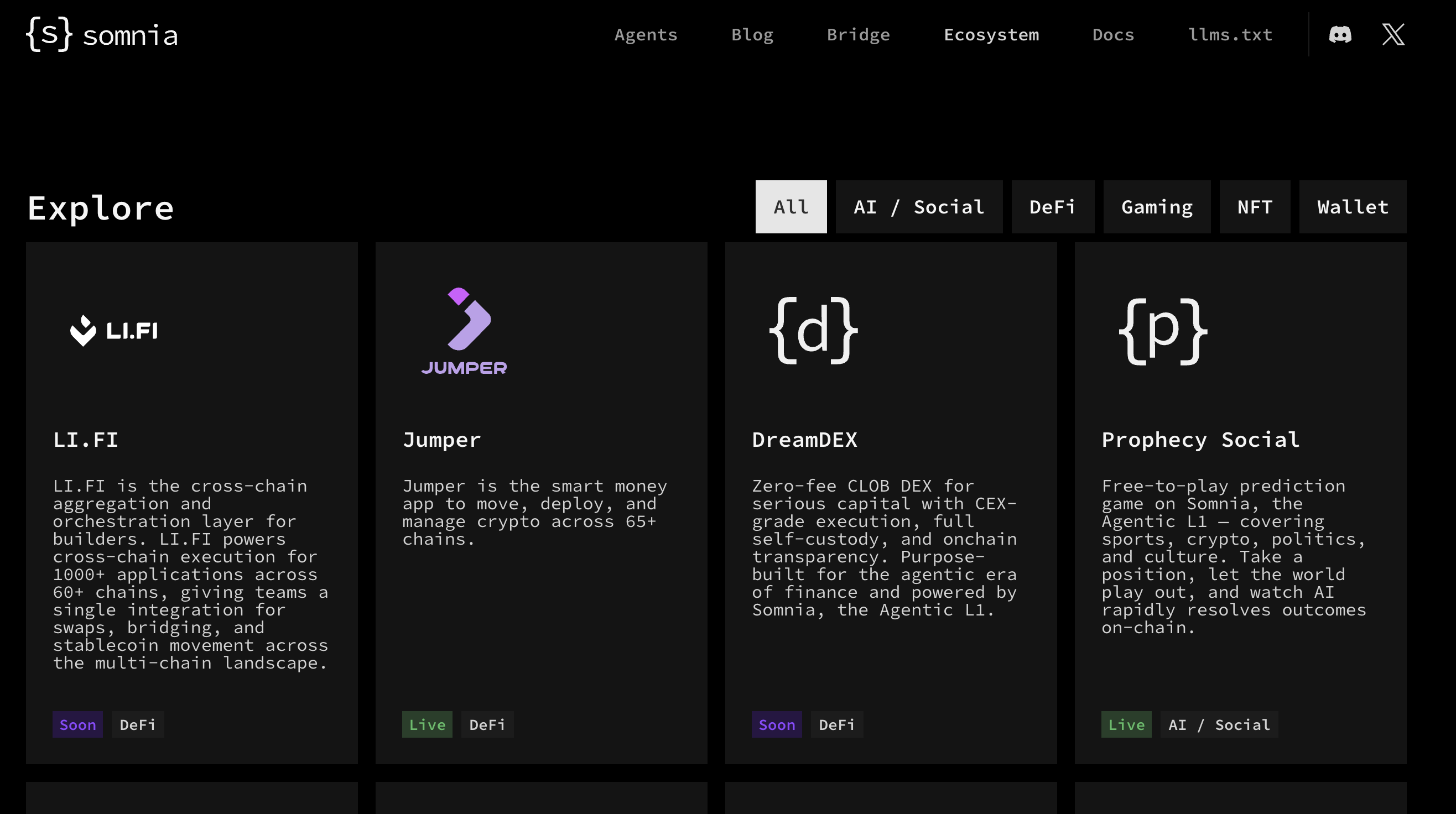
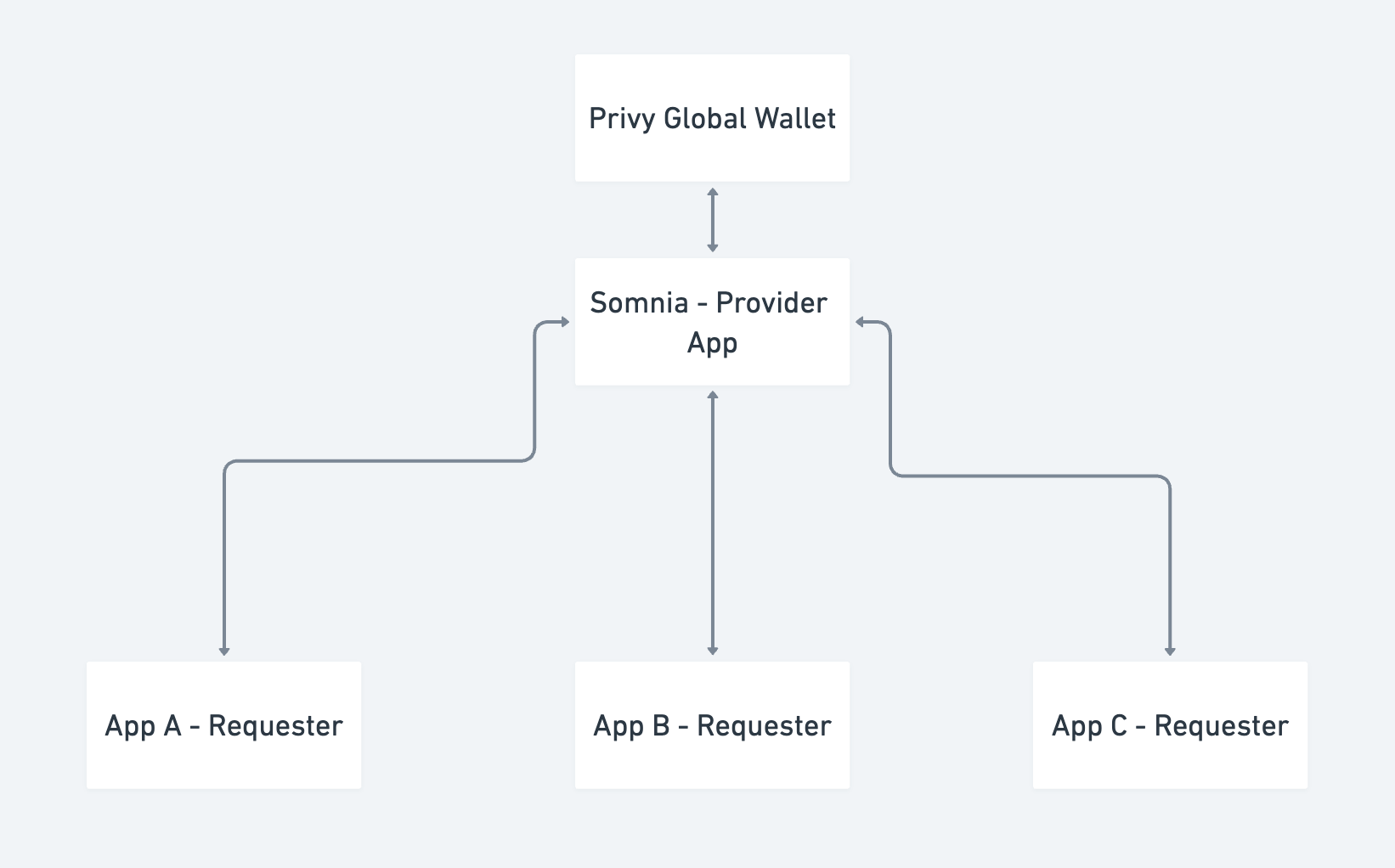
)} {data && data.erc20TokenBalances.length === 0 && (

No ERC-20 tokens found for this address

)} ``` ### Test Your dApp Start the development server: ```bash npm run dev ``` Open[ http://localhost:3000](http://localhost:3000/) in your browser. Enter a wallet address that has tokens on Somnia Network. Example test address: `0xC4890Bc98273424a18626772F266C35bf57FA56A` Look at the browser for the response and the displayed token balances. You can click on any contract address to view it in the Global testnet explorer. ## Complete Code
page.tsx ```typescript 'use client'; import { useState, FormEvent } from 'react'; // Type definitions for the API response interface TokenBalance { balance: string; contract: { address: string; decimals: number; erc_type: string; logoUri: string | null; name: string; symbol: string; }; raw_balance: string; } interface BalanceResponse { erc20TokenBalances: TokenBalance[]; resultCount: number; } export default function Home() { const [walletAddress, setWalletAddress] = useState(''); const [loading, setLoading] = useState(false); const [data, setData] = useState(null); const [error, setError] = useState(''); const fetchBalance = async (e: FormEvent) => { e.preventDefault(); if (!walletAddress) { setError('Please enter a wallet address'); return; } setLoading(true); setError(''); setData(null); try { const response = await fetch(`/api/balance?address=${walletAddress}`, { headers: { 'Content-Type': 'application/json', }, body: JSON.stringify({ walletAddress }), }); const result = await response.json(); if (!response.ok) { throw new Error(result.error || 'Failed to fetch balance'); } setData(result); } catch (err) { setError(err instanceof Error ? err.message : 'An error occurred'); } finally { setLoading(false); } }; return (

Somnia Network Balance Demo

setWalletAddress(e.target.value)} placeholder='Enter wallet address (0x...)' className='flex-1 px-4 py-2 border border-gray-300 rounded-md focus:outline-none focus:ring-2 focus:ring-blue-500 text-gray-500' />
{error && (

{error}

)} {data && data.erc20TokenBalances.length > 0 && (

Token Balances ({data.resultCount} tokens)

{data.erc20TokenBalances.map((token, index) => ( ))}
Name Symbol Balance Contract Address
{token.contract.name || 'Unknown'} {token.contract.symbol || '-'} {parseFloat(token.balance).toLocaleString()} {token.contract.address.slice(0, 6)}... {token.contract.address.slice(-4)}
)} {data && data.erc20TokenBalances.length === 0 && (

No ERC-20 tokens found for this address

)}
); } ```
route.ts ```typescript import { NextRequest, NextResponse } from 'next/server'; export async function GET(request: NextRequest) { try { const searchParams = request.nextUrl.searchParams; const walletAddress = searchParams.get('address'); if (!walletAddress) { return NextResponse.json( { error: 'Wallet address is required' }, { status: 400 } ); } const apiKey = process.env.PRIVATE_KEY; const baseUrl = 'https://api.subgraph.somnia.network/public_api/data_api'; const response = await fetch( `${baseUrl}/somnia/v1/address/${walletAddress}/balance/erc20`, { headers: { Authorization: `Bearer ${apiKey}`, 'Content-Type': 'application/json', Accept: 'application/json', }, } ); const data = await response.json(); if (!response.ok) { return NextResponse.json( { error: 'Failed to fetch data from Ormi API', details: data }, { status: response.status } ); } return NextResponse.json(data); } catch (error) { console.error('API Error:', error); return NextResponse.json( { error: 'Internal server error' }, { status: 500 } ); } } ```
## Congratulations You have built your first API enabled dApp on the Somnia Network! Now that you have a working Token Balance dApp, you can extend it by using other Ormi API [endpoints](https://subgraphs.somnia.network/). --- # Cross-chain Swaps and Bridging Section: Developer guide URL: /developer/building-dapps/cross-chain-swaps-and-bridging Most users don't start their journey on Somnia, their assets live on Ethereum, Arbitrum, Base, Solana, and dozens of other chains. To grow your dApp, you need a smooth way to move that liquidity **into, out of, and across** the Somnia ecosystem. There are two ways to bring assets across, depending on who is doing the work: * **For end users (no code):** Somnia's official bridge partners, [**Relay**](https://relay.link/bridge) and [**Stargate Finance**](https://stargate.finance/), let anyone bridge assets through their own interfaces. If you just need users to move funds and don't want to build any UI, point them to the [Bridging Info](../../get-started/bridging-info) guide. * **For developers (this section):** embed swaps and bridging **directly inside your dApp** with the [**LI.FI**](https://li.fi/) **SDK**, so users never have to leave your app. *** ## Why LI.FI for in-app bridging LI.FI is the routing and execution layer for cross-chain liquidity. A single integration aggregates dozens of bridges and DEX aggregators across 50+ chains **(including Somnia's official partners Relay and Stargate)** normalises token standards, picks the optimal route, and monitors execution for you. In other words, integrating LI.FI doesn't replace Relay or Stargate, it routes _through_ them (and many others) and chooses the best option per transfer. A live USDC transfer from Arbitrum to Somnia, for example, is currently routed via Stargate under the hood. LI.FI is **infrastructure.** It does the routing and execution, while _you_ own the user experience. (The same way [Jumper Exchange](https://jumper.exchange/) is LI.FI's own front-end, your dApp becomes its own bridge/swap interface.) You'll learn how to: * [Add cross-chain and same-chain swaps directly inside your Somnia dApp with the **LI.FI SDK**](./integrating-the-li.fi-sdk) * Let users **bridge assets to and from Somnia** in your own UI * Request **routes and quotes**, execute them, and **track transaction status** in-app * Query supported **chains, tokens, bridges, and exchanges** programmatically *** ## Choosing an integration path LI.FI offers several integration surfaces. This section focuses on the **SDK**, which gives you full programmatic control over the route lifecycle. | Path | Best for | Effort | | --------------------------------------------------------------------------------------- | ---------------------------------------------------------------------- | ------ | | **SDK** (`@lifi/sdk`) | Custom swap/bridge flows where you build the UI and control every step | Medium | | Widget (`@lifi/widget`) | Dropping a ready-made, themeable swap/bridge UI into a React app | Low | | REST API (`li.quest/v1`) | Backend services, bots, and AI agents that construct requests directly | Medium | | Bridge UIs ([Relay](https://relay.link/bridge) / [Stargate](https://stargate.finance/)) | End users moving funds manually — no integration needed | None | > Whichever path you choose, LI.FI's official documentation is the source of truth for the latest implementation details: [https://docs.li.fi](https://docs.li.fi/). > **Note** > > **Somnia at a glance** — when configuring LI.FI for Somnia, use Chain ID **`5031`**, native currency **SOMI** (18 decimals), RPC `https://api.infra.mainnet.somnia.network/`. Always confirm live route and token support with the LI.FI API before going to production (see the SDK guide). --- # Integrating the LI.FI SDK Section: Developer guide URL: /developer/building-dapps/cross-chain-swaps-and-bridging/integrating-the-li.fi-sdk The [**LI.FI**](https://li.fi/) **SDK** lets you add cross-chain and same-chain swaps and bridging directly inside your Somnia dApp. Instead of redirecting users to an external bridge, you request a route, execute it, and track its status. All from your own interface. Under the hood, LI.FI aggregates dozens of bridges and DEX aggregators across 50+ chains, normalises token standards, and picks the optimal route. Your dApp only talks to one SDK. In this guide, you'll learn how to: * Install and configure the LI.FI SDK for Somnia * Request a quote to **bridge assets into Somnia** * Execute the route and **track its status** in your app * Query supported **chains, tokens, and tools** to keep your UI accurate > **Note** > > The LI.FI SDK is a JavaScript/TypeScript toolkit that runs in both front-end and back-end environments. This guide shows the front-end (browser wallet) flow. For the full API surface and the latest details, always refer to the official docs: [https://docs.li.fi/sdk/overview](https://docs.li.fi/sdk/overview). ## Prerequisites Before you start, ensure you have: * A working JavaScript/TypeScript dApp (React or Next.js recommended). This guide assumes familiarity with both. * Wallet connection already set up. If not, see [Wallet Integration and Auth](../wallet-integration-and-auth). * [Node.js](https://nodejs.org/) 18+ and a package manager (npm, pnpm, or yarn). * The Somnia network details on hand: | Property | Value | | --------------- | ------------------------------------------- | | Chain ID | `5031` | | Native currency | SOMI (18 decimals) | | RPC URL | `https://api.infra.mainnet.somnia.network/` | | Explorer | `https://explorer.somnia.network` | ## Step 1: Install the SDK The SDK uses [Viem](https://viem.sh/) under the hood, so install it alongside. ```bash npm install @lifi/sdk viem ``` > **Note** > > This guide was written and verified against `@lifi/sdk` v3.16.x and `viem` v2.x. API surfaces evolve — if a signature differs in your version, the [official SDK docs](https://docs.li.fi/sdk/overview) are the source of truth. ## Step 2: Configure the SDK Call `createConfig` once when your app boots. The `integrator` string identifies your app to LI.FI (and is used for fee monetisation later). Because Somnia may not ship in Viem's default chain list, define it explicitly with `defineChain` so the SDK's wallet provider can switch to it. `lib/lifi.ts` ```typescript import { createConfig, EVM, ChainId } from '@lifi/sdk'; import { createWalletClient, custom, defineChain } from 'viem'; import { mainnet, arbitrum, optimism, base } from 'viem/chains'; import { switchChain } from 'viem/actions'; // Somnia may be newer than the ChainId enum in your installed SDK version, // so cast the numeric id where the SDK's TypeScript types expect a ChainId. const SOMNIA = 5031 as ChainId; // Define Somnia Mainnet for Viem export const somnia = defineChain({ id: 5031, name: 'Somnia', nativeCurrency: { name: 'Somnia', symbol: 'SOMI', decimals: 18 }, rpcUrls: { default: { http: ['https://api.infra.mainnet.somnia.network/'] }, }, blockExplorers: { default: { name: 'Somnia Explorer', url: 'https://explorer.somnia.network' }, }, }); // Chains your dApp will let users move assets between const chains = [mainnet, arbitrum, optimism, base, somnia]; // A Viem wallet client backed by the user's injected wallet (e.g. MetaMask) const walletClient = createWalletClient({ chain: mainnet, transport: custom(window.ethereum!), }); createConfig({ integrator: 'YourSomniaDApp', // required; max 23 chars (letters, numbers, . - _) rpcUrls: { [SOMNIA]: ['https://api.infra.mainnet.somnia.network/'], // let the SDK use Somnia's RPC }, providers: [ EVM({ getWalletClient: async () => walletClient, switchChain: async (chainId) => { await switchChain(walletClient, { id: chainId }); return walletClient; }, }), ], }); ``` > **Tip** > > The SDK automatically fetches chain, bridge, and token metadata from LI.FI at runtime — you don't have to hard-code bridge addresses. The `defineChain` block is only needed so the wallet can **switch networks** during execution, and `rpcUrls` lets the SDK use your preferred Somnia endpoint. For production, pass an authenticated RPC URL rather than a public one. > **Warning** > > **TypeScript note:** the SDK's types use a `ChainId` enum for parameters like `rpcUrls` keys and `getTokens({ chains })`. If your installed SDK version predates Somnia's addition to that enum, the raw number `5031` will fail to type-check — cast it with `5031 as ChainId` (shown above). The runtime value is unaffected; this is purely a type-level workaround. `getQuote`'s `fromChain` / `toChain` accept a plain `number` and need no cast. ## Step 3: Request a quote A **quote** is a single, ready-to-execute route with the optimal pricing LI.FI could find. The example below bridges **USDC on Arbitrum → USDC.e on Somnia** (routed via Stargate at the time of writing). Amounts are always passed as strings in the token's **smallest unit** (USDC has 6 decimals, so `10` USDC = `"10000000"`). A chain's native token is represented by the zero address. `Bridge USDC (Arbitrum) → USDC.e (Somnia)` ```typescript import { getQuote } from '@lifi/sdk'; const quote = await getQuote({ fromChain: 42161, // Arbitrum toChain: 5031, // Somnia fromToken: '0xaf88d065e77c8cC2239327C5EDb3A432268e5831', // USDC on Arbitrum toToken: '0x28BEc7E30E6faee657a03e19Bf1128AaD7632A00', // USDC.e (bridged USDC) on Somnia fromAmount: '10000000', // 10 USDC (6 decimals) fromAddress: userWalletAddress, // the connected wallet }); console.log(quote.estimate.toAmount); // estimated USDC.e received (6 decimals) ``` ### Tokens routable to Somnia These are the tokens LI.FI can currently route to Somnia (Chain ID `5031`): | Symbol | Address | Decimals | Notes | | ------ | -------------------------------------------- | -------- | ----------------------- | | SOMI | `0x0000000000000000000000000000000000000000` | 18 | Native gas token | | WSOMI | `0x046EDe9564A72571df6F5e44d0405360c0f4dCab` | 18 | Wrapped SOMI | | USDC.e | `0x28BEc7E30E6faee657a03e19Bf1128AaD7632A00` | 6 | Bridged USDC (Stargate) | | USDT | `0x67B302E35Aef5EEE8c32D934F5856869EF428330` | 6 | Bridged USDT (Stargate) | | WETH | `0x936Ab8C674bcb567CD5dEB85D8A216494704E9D8` | 18 | Wrapped ETH | > **Warning** > > This list reflects LI.FI's coverage at the time of writing and grows over time. Always fetch the current set with `getTokens` at runtime rather than hard-coding it (see [Step 6](./integrating-the-li.fi-sdk#step-6-keep-your-ui-in-sync)). ## Step 4: Execute the route A quote must first be converted to a **route** with `convertQuoteToRoute`, then passed to `executeRoute`. The SDK handles token approvals, network switching, and signing through the wallet provider you configured in Step 2. Use `updateRouteHook` to react to progress in your UI. ```typescript import { convertQuoteToRoute, executeRoute } from '@lifi/sdk'; // A quote cannot be executed directly — convert it to a route first const route = convertQuoteToRoute(quote); const executedRoute = await executeRoute(route, { updateRouteHook: (updatedRoute) => { // Called whenever the route changes during execution — drive your progress UI from here updatedRoute.steps.forEach((step, i) => { step.execution?.process.forEach((process) => { console.log(`Step ${i + 1}:`, process.type, process.status); if (process.txHash) console.log(' tx hash:', process.txHash); }); }); }, }); ``` > **Note** > > `executeRoute` also accepts other hooks such as `acceptExchangeRateUpdateHook` (confirm a changed rate before continuing) and `switchChainHook`. See the official [Execute Routes](https://docs.li.fi/sdk/execute-routes) guide for the full list. ## Step 5: Handle the outcome Status updates arrive through the `updateRouteHook` from Step 4, read each step's `execution.status` and `execution.process` to drive your UI. Cross-chain transfers don't always end in an exact 1:1 result, so handle the final states explicitly: | Final state | Meaning | What to show the user | | ----------- | -------------------------------------------------------------- | ------------------------------------------- | | Completed | Success, exact destination token received | "Funds arrived on Somnia" | | Partial | Success, but a different token was received (still full value) | "Completed, received an alternate token" | | Refunded | The transfer failed and funds were returned | "Refunded on the source chain" | | Failed | Execution failed | Prompt the user to retry or contact support | > **Note** > > A **same-chain** swap is atomic: it either fully succeeds or reverts. A **cross-chain** transfer can have the bridge succeed while the destination step fails, in that case the bridged asset is refunded on the destination chain. To resume tracking an interrupted transfer (for example, after a page reload), the SDK can pick up an in-progress route again. See the official [Execute Routes](https://docs.li.fi/sdk/execute-routes) guide. For server-side or out-of-band status checks, query the REST [status endpoint](https://docs.li.fi/api-reference/check-the-status-of-a-cross-chain-transfer) directly. ## Step 6: Keep your UI in sync Use the SDK's query helpers to populate dropdowns and **verify that Somnia routes and tokens are live** before showing them to users. ```typescript import { ChainId, ChainType, getChains, getTokens, getTools } from '@lifi/sdk'; // Confirm Somnia (5031) is currently supported const chains = await getChains({ chainTypes: [ChainType.EVM] }); const somniaSupported = chains.some((c) => c.id === 5031); // Tokens available on Somnia — getTokens returns a map keyed by chain ID // (cast 5031 to ChainId if your SDK version predates Somnia in the enum) const { tokens } = await getTokens({ chains: [5031 as ChainId] }); const somniaTokens = tokens[5031] ?? []; // Available bridges and exchanges const { bridges, exchanges } = await getTools(); ``` > **Warning** > > Somnia support on LI.FI is live and expanding. Treat `getChains` and `getTokens` as the source of truth at runtime rather than hard-coding lists, new tokens and bridges are added regularly. ## Monetization (optional) Integrators can charge a fee on transactions routed through their app. Configure a fee when requesting a route and withdraw collected fees via LI.FI's Partner Portal. See the official guide for the current setup: [https://docs.li.fi/sdk/monetize-sdk](https://docs.li.fi/sdk/monetize-sdk). ## Troubleshooting * **No route found:** Try a different token pair or a larger amount. Very small amounts may not cover bridge/gas costs. * **Slippage / minimum-received error:** Increase the `slippage` parameter (default `0.005` = 0.5%) when requesting the quote. * **Rate limited (`429`):** Without an API key you're limited to 200 requests / 2 hours. [Request a key](https://li.fi/) for production and back off with retries. * **Insufficient balance:** Ensure the user holds enough of the source token **plus** native gas on the source chain. * **Network switch fails:** Confirm Somnia (`5031`) is added to the user's wallet. See [Connect Your Wallet to Mainnet](../../get-started/connect-your-wallet-to-mainnet). ## Need Help? * LI.FI SDK docs (source of truth): [https://docs.li.fi/sdk/overview](https://docs.li.fi/sdk/overview) * Somnia Discord: [https://discord.gg/somnia](https://discord.gg/somnia) * Somnia Developer Telegram: [https://t.me/+s\_oRMnGpOyQ3ODQ0](https://t.me/+s_oRMnGpOyQ3ODQ0) ## Disclaimers * LI.FI is a third-party provider. Always integrate from the official packages (`@lifi/sdk`) and verify chain/token data against the live API. * Bridging and swapping involve smart-contract and market risk. Test thoroughly on a small amount before enabling production flows. --- # Gasless Transactions with Thirdw Section: Developer guide URL: /developer/building-dapps/account-abstraction/gasless-transactions-with-thirdw This tutorial demonstrates how to build a gasless NFT minting application on Somnia using Thirdweb's Account Abstraction infrastructure. Users can mint NFTs without holding STT tokens by using **Smart Accounts** with **sponsored transactions**. ## Prerequisites * Basic knowledge of React and Next.js * A Thirdweb account and API key * A deployed ERC721 NFT Smart Contract on Somnia ### What You'll Build A web application where users can: * Connect using email or social accounts (via in-app wallets) * Mint NFTs without paying gas fees * View their NFT balance * Experience seamless Web3 interactions ## Create a Next.js Project ```bash npx create-next-app@latest somnia-gasless-nft --typescript --tailwind --app cd somnia-gasless-nft ``` ## Install Thirdweb SDK ```bash npm install thirdweb ``` ## Set Up Environment Variables Create a .env.local file in your project root: ```bash NEXT_PUBLIC_THIRDWEB_CLIENT_ID=your_client_id_here ``` Get your Client ID from the[ Thirdweb Dashboard](https://thirdweb.com/dashboard/settings). ## Deploy a Simple NFT Contract If you haven't already, deploy this simple ERC721 contract on Somnia.
SimpleNFT.sol ```solidity // SPDX-License-Identifier: MIT pragma solidity ^0.8.20; import "@openzeppelin/contracts/token/ERC721/ERC721.sol"; contract SimpleNFT is ERC721 { uint256 private _tokenIdCounter; constructor() ERC721("SimpleNFT", "SNFT") {} function mint(address to) public { uint256 tokenId = _tokenIdCounter; _tokenIdCounter++; _safeMint(to, tokenId); } function totalSupply() public view returns (uint256) { return _tokenIdCounter; } } ```
## Create Constants Configuration Now we need to set up our configuration file that will handle all the blockchain connections and smart account setup. This file will: * Initialize the Thirdweb client with your API key * Set up both traditional wallet and in-app wallet options * Define the smart account infrastructure Create a new folder called constants in your project root, then create `constants/index.ts.`
constants ```typescript import { createThirdwebClient, getContract } from 'thirdweb'; import { SmartWalletOptions, inAppWallet } from 'thirdweb/wallets'; import { somniaTestnet } from 'thirdweb/chains'; // Validate environment variables const clientId = process.env.NEXT_PUBLIC_THIRDWEB_CLIENT_ID; if (!clientId) { throw new Error('No client ID provided'); } // Initialize Thirdweb client export const client = createThirdwebClient({ clientId: clientId, }); // Use Somnia testnet export const chain = somniaTestnet; // Your deployed NFT contract address export const nftContractAddress = '0x...'; // UPDATE with your contract address // Get contract instance export const nftContract = getContract({ address: nftContractAddress, chain, client, }); // Account Abstraction configuration for standard wallet connection export const accountAbstraction: SmartWalletOptions = { chain, sponsorGas: true, // Enable gasless transactions }; // Smart Account infrastructure addresses const FACTORY_ADDRESS = '0x4be0ddfebca9a5a4a617dee4dece99e7c862dceb'; // Thirdweb Account Factory // In-app wallet configuration with smart accounts export const wallets = [ inAppWallet({ smartAccount: { chain: somniaTestnet, sponsorGas: true, factoryAddress: FACTORY_ADDRESS, }, }), ]; ```
## Create the Main Minting Page This is the main component where users will interact with your NFT minting application. We'll break this into three parts: imports and setup, the component logic, and the UI rendering. ### Imports and Component Setup First, let's set up our imports and initialize the component. Create `app/page.tsx`.
page.tsx ```typescript 'use client'; import { useState } from 'react'; import { balanceOf, totalSupply } from 'thirdweb/extensions/erc721'; import { ConnectButton, TransactionButton, useActiveAccount, useReadContract, } from 'thirdweb/react'; import { prepareContractCall } from 'thirdweb'; import { accountAbstraction, client, nftContract, wallets, } from '../constants'; import Link from 'next/link'; ```
These imports provide: * `ERC721 Extensions`: Functions to read NFT data (balance and total supply) * `React Components`: Pre-built UI components for wallet connection and transactions * `Hooks`: To access the connected account and read blockchain data * All our constants from the previous step ### Component Logic and Data Fetching Now let's add the component logic that handles wallet connections and reads blockchain data:
page.tsx ```typescript export default function Home() { // Get the currently connected account (either smart account or regular wallet) const account = useActiveAccount(); // State for showing transaction progress const [txStatus, setTxStatus] = useState(''); // Read the total number of NFTs minted from the contract const { data: totalMinted } = useReadContract(totalSupply, { contract: nftContract, }); // Read how many NFTs the connected user owns const { data: userBalance } = useReadContract(balanceOf, { contract: nftContract, owner: account?.address!, queryOptions: { enabled: !!account }, // Only fetch when account is connected }); ```
* `useActiveAccount()`: Gets the connected wallet/smart account * `useState`: Manages transaction status messages * `useReadContract`: Automatically fetches and updates blockchain data The queries will re-fetch automatically when accounts change or transactions complete ## User Interface Now let's build the complete UI that users will interact with
page.tsx ```typescript 'use client'; import { useState } from 'react'; import { balanceOf, totalSupply } from 'thirdweb/extensions/erc721'; import { ConnectButton, TransactionButton, useActiveAccount, useReadContract, } from 'thirdweb/react'; import { prepareContractCall } from 'thirdweb'; import { accountAbstraction, client, nftContract, wallets, } from '../../constants'; import Link from 'next/link'; const GaslessHome: React.FC = () => { const account = useActiveAccount(); const [txStatus, setTxStatus] = useState(''); // Get total supply const { data: totalMinted } = useReadContract(totalSupply, { contract: nftContract, }); // Get user's balance const { data: userBalance } = useReadContract(balanceOf, { contract: nftContract, owner: account?.address!, queryOptions: { enabled: !!account }, }); return (
{/* Main Title */}

Gasless NFT Minting on Somnia

{/* Wallet Connection Button */} {/* NFT Display and Minting Section */}
{/* Stats Card */}

{totalMinted?.toString() || '0'}

Total NFTs Minted

{/* NFT Visual Representation */}

NFT

SimpleNFT on Somnia

{/* Conditional Rendering: Connected vs Not Connected */} {account ? (
{/* User Stats */}

You own{' '} {userBalance?.toString() || '0'} {' '} NFTs

Wallet: {account.address.slice(0, 6)}...{account.address.slice(-4)}

{/* Transaction Status */} {txStatus && (

{txStatus}

)} {/* Mint Button */} prepareContractCall({ contract: nftContract, method: 'function mint(address to)', params: [account.address], }) } onError={(error) => { console.error('Transaction error:', error); setTxStatus(''); // User-friendly error messages let errorMessage = 'Transaction failed'; if (error.message?.includes('insufficient funds')) { errorMessage = 'Insufficient funds for gas'; } else if (error.message?.includes('rejected')) { errorMessage = 'Transaction rejected by user'; } else if (error.message?.includes('500')) { errorMessage = 'Service temporarily unavailable'; } alert(`Error: ${errorMessage}`); }} onTransactionSent={(result) => { console.log('Transaction sent:', result.transactionHash); setTxStatus('Transaction submitted! Waiting for confirmation...'); }} onTransactionConfirmed={async (receipt) => { console.log('Transaction confirmed:', receipt); setTxStatus(''); alert('NFT minted successfully!'); }} className='px-8 py-4 bg-gradient-to-r from-purple-600 to-blue-600 hover:from-purple-700 hover:to-blue-700 rounded-lg font-semibold transition-all transform hover:scale-105 shadow-lg' > Mint NFT (Gasless)
) : ( {/* Not Connected State */}

Connect your wallet to mint NFTs without gas fees!

)}
{/* Navigation - Removed since this is now the home page */}
); }; ```
### Understanding the UI Components `ConnectButton`: This component handles both connection methods: * `In-App Wallets`: Users can sign in with email, Google, Apple, etc. * `Traditional Wallets`: Users can connect MetaMask, WalletConnect, etc. Both methods automatically create smart accounts for gasless transactions `TransactionButton`: This component prepares and sends the transaction automatically. Handling all wallet interactions and confirmations, and provides callbacks for different transaction states. It also shows loading states automatically Error Handling: The component provides user-friendly error messages instead of technical blockchain errors, improving the user experience. ## Update the Layout The layout file wraps your entire application and is where we set up the Thirdweb provider. This provider is essential as it: * Manages wallet connections across your app * Handles blockchain interactions * Provides React hooks for reading blockchain data * Manages transaction states Update `app/layout.tsx`:
layout.tsx ```typescript import type { Metadata } from "next"; import { Inter } from "next/font/google"; import "./globals.css"; import { ThirdwebProvider } from "thirdweb/react"; const inter = Inter({ subsets: ["latin"] }); export const metadata: Metadata = { title: "Gasless NFT Minting on Somnia", description: "Mint NFTs without gas fees using Account Abstraction", }; export default function RootLayout({ children, }: { children: React.ReactNode; }) { return (
{children}
); } ```
## Conclusion You've successfully built a gasless NFT minting application on Somnia! This implementation leverages Thirdweb's Account Abstraction to provide a seamless Web3 experience where users can interact with blockchain without holding native tokens. For more advanced features and updates on Somnia support, check: * [Thirdweb Account Abstraction Guide](https://portal.thirdweb.com/connect/account-abstraction) ### Resources * [Live Demo](https://nextjs-thirdweb-somnia.vercel.app/) --- # Account Abstraction Section: Developer guide URL: /developer/building-dapps/account-abstraction Account Abstraction (AA) revolutionizes how users interact with blockchain applications by making wallets **smarter, simpler, and more programmable**. In this section, you’ll explore how to implement **Smart Contract Accounts (SCAs)** on Somnia using modern tooling like **Thirdweb** and **Privy**, and learn how to enable **gasless transactions** and **session keys** for better UX. You’ll learn how to: * Create and manage smart contract wallets * Implement user operations via ERC-4337-style flows * Enable sponsored and gasless transactions * Simplify onboarding through smart wallets and relayers > Account Abstraction bridges the gap between Web2 simplicity and Web3 ownership — empowering developers to build dApps users actually love to use. --- # Smart Wallet App with Thirdweb Section: Developer guide URL: /developer/building-dapps/account-abstraction/smart-wallet-app-with-thirdweb The Somnia mission is to enable the development of mass-consumer real-time applications. The Somnia Network allows developers to build a unique experience by implementing Smart Contract Wallets with gasless transactions via Account Abstraction (ERC-4337). In this tutorial, we'll use the [Thirdweb React SDK](https://portal.thirdweb.com/react/v5) to: * Connect Smart Wallets (Account Abstraction) * Read Wallet Balance * Send STT Tokens ## Pre-requisites Before we start, ensure you have: * Basic knowledge of React * A [Thirdweb](https://thirdweb.com/) account & Client ID * Node.js & npm installed ## Install Dependencies Run the following command to set up your project: ```bash npx create-next-app@latest somnia-thirdweb cd somnia-thirdweb npm install thirdweb ethers viem dotenv ``` This installs: `thirdweb` → The Thirdweb React SDK. `ethers` → To interact with blockchain transactions. `dotenv` → To securely store API keys. ## Create the Thirdweb Client The Thirdweb client allows the app to communicate with the blockchain. Create a **`client.ts`** file and add: ``` import { createThirdwebClient } from "thirdweb"; export const client = createThirdwebClient({ clientId: process.env.NEXT_PUBLIC_THIRDWEB_CLIENT_ID as string, // Replace with your actual Client ID }); ``` > **Note** > > Get your Client ID: Register at thirdweb.com/dashboard. 💡 ## Add Environment Variables Store API keys in a .env.local file: ``` NEXT_PUBLIC_THIRDWEB_CLIENT_ID=your-client-id-here NEXT_PUBLIC_SOMNIA_RPC_URL=https://dream-rpc.somnia.network/ ``` Restart Next.js after modifying .env.local ## Build the Account Abstraction App To ensure Thirdweb Components are available throughout the app, wrap the children's components inside ThirdwebProvider. Modify **`layout.ts`**: ```typescript import { ThirdwebProvider } from 'thirdweb/react'; {children} ``` ## Create & Connect Smart Contract Wallet The **`useActiveAccount`** hook allows us to detect the connected Smart Wallet Account. We use **`ConnectButton`** to handle authentication and connection to the blockchain. ```typescript import { useActiveAccount } from "thirdweb/react"; const smartAccount = useActiveAccount(); ``` This button will connect the user's Smart Contract Wallet and authenticate the user with Thirdweb. After connection, it will also display the wallet address.

click Connect

Connected Wallet

To show the connected address, we add the following UI component: ```typescript {smartAccount ? (

Connected as: {smartAccount.address}

{message &&

{message}

}
) : (

Please connect your wallet.

)} ``` ## Token Transfer The **`useSendTransaction`** hook is used to send STT tokens to another address. The function **`sendTokens`** will check that the Smart Account is connected and then send 0.01 STT tokens to a recipient address. First, copy your Smart Wallet Address and request for Tokens on Discord in the **dev-chat,** you can also Transfer some from your EOA. Log transaction success or failure messages to the console. ``` import { useSendTransaction } from "thirdweb/react"; import { ethers } from "ethers"; const { mutate: sendTransaction, isPending } = useSendTransaction(); const sendTokens = async () => { if (!smartAccount) { setMessage("No smart account connected."); return; } console.log("Sending 0.01 STT from:", smartAccount.address); sendTransaction( { to: "0xb6e4fa6ff2873480590c68D9Aa991e5BB14Dbf03", value: ethers.parseUnits("0.01", 18), chain: somniaTestnet, client, }, { onSuccess: (receipt) => { console.log("Transaction Success:", receipt); setMessage(`Sent 0.01 STT! TX: ${receipt.transactionHash}`); }, onError: (error) => { console.error("Transaction Failed:", error); setMessage("Transaction failed! Check console."); }, } ); }; ``` ## Button Integration The button UI provides a clear interaction for sending STT tokens. The button shows a loading state (Sending...) when the transaction is pending and displays a success or failure message once the transaction is complete. ```typescript const [message, setMessage] = useState(''); {message &&

{message}

} ```
Complete Code ```typescript 'use client'; import { useState } from 'react'; import { ConnectButton, useActiveAccount, useSendTransaction, } from 'thirdweb/react'; import { ethers } from 'ethers'; import { client } from './client'; import { somniaTestnet } from 'viem/chain'; export default function Home() { const [message, setMessage] = useState(''); const smartAccount = useActiveAccount(); // Get connected account const { mutate: sendTransaction, isPending } = useSendTransaction(); const sendTokens = async () => { if (!smartAccount) { setMessage('No smart account connected.'); return; } console.log('🚀 Sending 0.01 STT from:', smartAccount.address); sendTransaction( { to: '0xb6e4fa6ff2873480590c68D9Aa991e5BB14Dbf03', // Replace value: ethers.parseUnits('0.01', 18), chain: somniaTestnet, client, }, { onSuccess: (receipt) => { console.log('Transaction Success:', receipt); setMessage(`Sent 0.01 STT! TX: ${receipt.transactionHash}`); }, onError: (error) => { console.error('Transaction Failed:', error); setMessage('Transaction failed! Check console.'); }, } ); }; return (
{smartAccount ? (

Connected as: {smartAccount.address}

{message &&

{message}

}
) : (

Please connect your wallet.

)}
); } ```
The full implementation includes wallet connection, balance retrieval, and token transfer.

Smart Contract Wallet

## Conclusion Congratulations! 🎉 You have successfully connected a smart contract wallet using Thirdweb. Read wallet balances and Transferred STT tokens on Somnia Testnet. You can explore additional features such as gasless transactions, NFT integration, and DeFi applications.
--- # Somnia CLI Section: Somnia CLI URL: /build/cli Description: The somnia command line: spot, binary and perp order books, SomniaLend, oracle prices, the Explorer and the indexer's history, from your terminal, a script or an agent. Install it with npx, read without an account, and sign with a key from your system keychain. **Somnia Markets from your terminal.** `somnia` is the command line for Somnia Markets: the spot, binary (YES/NO) and perp order books, SomniaLend, oracle prices, the Explorer and the markets indexer's history. Every read works without an account. Every write signs with a key from the environment or your system keychain, never from a flag. At a terminal it prints text you can read; in a pipe, a script or an agent's shell it prints JSON. ## Install The CLI needs [Node.js](https://nodejs.org) 22 or newer, and says so on an older one. Run it once with `npx`, with nothing to install: ```sh npx @somnia-chain/cli --help ``` Or install it to get a `somnia` command on your path: ```sh npm install -g @somnia-chain/cli somnia --version ``` The package is one self-contained file with no runtime dependencies. The only optional one, [`@napi-rs/keyring`](https://www.npmjs.com/package/@napi-rs/keyring), stores keys in your system keychain. If your platform has no prebuilt binary for it, `somnia keys` and `SOMNIA_SIGNER=keychain:` are unavailable, and everything else still works: sign with `SOMNIA_PRIVATE_KEY` or `SOMNIA_SESSION_SEED` instead, or build unsigned transactions with `SOMNIA_SIGNER=build:
`. To update, run the same install command again. The examples below assume `somnia` is on your path; with `npx`, put `npx @somnia-chain/cli` in its place. ## Read without an account Reads need no key and no configuration, and go to mainnet unless you pick testnet: ```sh # The latest oracle price for BTC somnia prices feed BTC # Spot pools, then one pool's order book somnia catalog markets --type SPOT somnia spot book --pool 0x... # BTC binary markets trading now, soonest expiry first somnia binary markets --asset BTC --limit 5 # Perp markets, which are on testnet only somnia perp markets --network testnet # One wallet across every market: balances, orders, positions and what it can claim somnia wallet 0x... # What does this address, hash, block or id name, and which commands read it? somnia lookup 0x... # Is the indexer keeping up with the chain? somnia health sync # Follow every oracle update for ETH until you stop it somnia watch price ETH ``` ``` BTC/USDC · oracle feed · mainnet Spot 80,741.675 Mark 80,727.515 (-0.018% vs spot) Updated 20:00:17 (1s ago) · block 449,768,411 ``` ## Send your first transaction on testnet Try writes on the Global testnet first. Create a key in your system keychain, point the CLI at it and check the account: ```sh somnia keys generate testnet export SOMNIA_SIGNER=keychain:testnet somnia signer show --network testnet ``` The account needs STT for gas: request some from the [testnet faucet](/blockchain/faucet). Then mint test collateral and place an order on a binary market: ```sh # 10,000 tUSDC, the testnet binary collateral, to the signer somnia binary faucet --network testnet # Pick a binary market trading now on testnet (needs jq) MARKET=$(somnia binary markets --network testnet --limit 1 | jq -r '.[0].id') # Buy 10 YES at 0.55 somnia binary place --market $MARKET --side buy-yes --price 0.55 --quantity 10 --network testnet ``` A write approves the token it spends when the allowance is short, waits for the receipt and prints the transaction's hash, status and block, with its Explorer link at a terminal. Before it sends, it checks that the account can pay the gas: each transaction reserves its gas limit at 60 gwei, 0.6 STT at the default 10,000,000 gas. Perp margin is USDso, which has no testnet faucet. Sell STT for USDso on the SOMI/USDso spot pool, check what it brought with `somnia wallet $ADDRESS --network testnet`, then deposit at most that with `somnia perp deposit --amount 15 --network testnet`. `somnia perp --help` walks through it. ## What you can do | Command | What it does | | --- | --- | | `spot` | Spot order books: pools, orders and vaults; place, amend and cancel orders, and stop orders | | `binary` | Binary (YES/NO) markets: find markets, read books, positions and PnL; trade, mint and redeem | | `perp` | Perpetual futures (testnet only): cross-margin accounts, orders, stops, funding and liquidations | | `wallet` | One account across every market: balances, orders, positions and claimable payouts | | `lending` | SomniaLend (Aave v3): reserves and accounts; supply, withdraw, borrow and repay | | `tokens` | ERC-20, ERC-6909 and native SOMI balances, allowances and metadata | | `catalog` | Markets and pools of every kind: listings, counts, bindings and fees | | `prices` | Oracle prices: latest feeds, ticks, candles and feed health | | `watch` | Live data as it happens: blocks, logs, markets, order flow, prices, balances and positions | | `fills` | The executed-trade tape of every market | | `candles` | A pool's OHLCV candles | | `venues` | Operators and venues on MarketsCore, and the builder fees routed through their markets | | `activity` | The venue's indexed timeline, per market, transaction or block | | `fees` | Protocol, builder and settlement fee history | | `health` | Indexer lag behind the chain, and an overall venue grade | | `system` | Deployed contract wiring, the endpoints in use, and transaction summaries | | `explorer` | Explorer lookups: address, transaction, block, token, logs and search | | `lookup` | Say what an address, hash, block, id or text names, and how to read it | | `signer` | The account writes sign as, and plain SOMI or ERC-20 transfers from it | | `keys` | Signing keys in the system keychain | | `tx` | Sign and send transactions built elsewhere | | `read` | An RPC endpoint's chain id and latest block: a connectivity check | | `feedback` | Tell the Somnia team what is wrong, missing or confusing | | `telemetry` | Anonymous usage telemetry: off until you opt in | | `mcp` | The [Somnia MCP server](/build/mcp) for AI agents | `--help` on any command lists its flags, what each one means and working examples. It is written to be enough on its own, for people and coding agents alike: ```sh somnia --help somnia perp --help somnia perp place --help ``` ## Networks | Flag | Network | | --- | --- | | `--network mainnet` (default) | Global mainnet, chain `5031` | | `--network testnet` | Global testnet, chain `50312` | `SOMNIA_NETWORK` sets the default for a whole shell. `--rpc-url`, `--indexer-url`, `--oracle-url` and `--explorer-url` point a command at other endpoints than the preset's. Perp markets and `binary faucet` are on testnet only. The [Regional Subchains](/blockchain/networks) have no preset yet. ## Units and output Amounts and prices are in token units: `--price 81500`, `--quantity 0.001`, `--amount 100`. The command reads the token's decimals, and order commands refuse a price or size off the market's tick and lot, naming the nearest valid values. `--raw` takes raw on-chain integers instead (1.5 of a 6-decimal token is `1500000`). Flags typed `uint` (ids, bps, blocks) are always raw integers. Times are unix seconds unless a flag says otherwise. At a terminal, a command prints tables and labelled fields: amounts in token units, prices at the market's precision and times on your clock. Anywhere else (a pipe, a file, an agent's shell) it prints JSON on stdout, with big integers as decimal strings so nothing loses precision. Addresses are checksummed and an order's side is a `side` string (`buy`, `sell`, `buy-yes` and so on). | Want | Use | | --- | --- | | JSON at a terminal | `--json`, or `SOMNIA_FORMAT=json` for the whole shell | | Text when piped, for example into `less` | `--format text`, or `SOMNIA_FORMAT=text` | | No color | `--no-color`, or `NO_COLOR=1` | ```sh somnia binary markets --asset BTC --limit 5 | jq -r '.[].question' ``` `watch` commands run until you stop them. At a terminal each prints a timestamped line per update; anywhere else it prints one compact JSON object per line. A failure prints one `error: ` line to stderr and exits with status 1, so scripts and CI can check the exit code. ## Signing The signer always comes from the environment, never from a flag, so keys stay out of process lists. Don't type a private key into an interactive shell, which can save it in its history: keep keys in the system keychain with `somnia keys`, or inject `SOMNIA_PRIVATE_KEY` from a secret manager in CI and on servers. | Variable | Signs with | | --- | --- | | `SOMNIA_PRIVATE_KEY=0x<64 hex>` | A local key. The default source | | `SOMNIA_SIGNER=keychain[:]` | A key stored with `somnia keys` (the name defaults to `default`) | | `SOMNIA_SIGNER=build:
` | Nothing: prints the unsigned transactions from `
` instead | | `SOMNIA_SESSION_SEED=0x<64 hex>` | A session account the node signs for | | `SOMNIA_SMART_ACCOUNT=
` | Acts as this [smart account](/blockchain/smart-accounts), owned by the key, which pays the gas | `somnia signer show` prints the account in use and its SOMI balance. ### Keys in the system keychain `somnia keys` keeps keys in the macOS Keychain, Windows Credential Manager or the Secret Service on Linux, so they never sit in a dotfile. It can `generate`, `import`, `list` and `remove` them. ```sh somnia keys generate trading SOMNIA_SIGNER=keychain:trading somnia signer show ``` ### In CI and on servers Where there is no keychain, such as a CI runner or a headless server, set `SOMNIA_PRIVATE_KEY` from a secret. Prompts never appear outside a terminal, and JSON output and exit codes make each step easy to check. ### Offline signing Build a transaction on one machine, sign it where the key lives and broadcast it from anywhere: ```sh SOMNIA_SIGNER=build:$ADDRESS somnia spot cancel --pool $POOL --order-id 42 > built.json somnia tx sign < built.json > signed.json somnia tx submit < signed.json ``` ## Use it with AI agents Agents can run the CLI from a shell, where it prints JSON, or connect to it as an MCP server with `somnia mcp`. See [Somnia MCP server](/build/mcp) for setup. ## Feedback Found a bug, or something missing or confusing? Tell the team from the terminal: ```sh somnia feedback "perp place should say which tick sizes are valid" --context "placing a BTC order on testnet" ``` It sends your message with the CLI version, Node and OS and, if a command failed in the last 24 hours, that command's name and error, never its flag values. Keys, signers and the environment are never sent. `--message-only` sends your words alone, `--email` gives the team somewhere to reply, and the command prints the reference your feedback is filed under. ## Usage telemetry Telemetry is off unless you turn it on. The first time you run a command at a terminal, `somnia` asks once whether to share anonymous usage data. The default answer is no, and the question never appears in a pipe, in CI or under `somnia mcp`. With it on, each command sends one event: the command's name, the names of its flags (never their values), the network, whether it worked and the kind of error, how long it took, the CLI version, OS, CPU architecture and Node, whether it ran in CI, and when. It never sends keys, addresses, amounts, hashes, arguments or error messages. The team uses it to see which commands people use and where they get stuck. ```sh somnia telemetry status # what is on, and exactly what is shared somnia telemetry enable somnia telemetry disable ``` `DO_NOT_TRACK=1` always turns it off, and `SOMNIA_TELEMETRY=1` or `0` overrides the saved choice. An agent should ask its user before running `somnia telemetry enable`, and say what would be shared. ## Shell completions ```sh mkdir -p ~/.zsh/completions somnia --completions zsh > ~/.zsh/completions/_somnia # in ~/.zshrc, before compinit: fpath=(~/.zsh/completions $fpath) somnia --completions bash >> ~/.bashrc ``` `fish`, `powershell` and `sh` work too. --- # Somnia MCP server Section: Somnia MCP server URL: /build/mcp Description: somnia mcp serves Somnia Markets to AI agents over the Model Context Protocol: read tools for markets, books, positions, prices and the Explorer, and a guide to every Somnia CLI command. It never signs or sends a transaction. **Somnia Markets as tools for your agent.** The Somnia MCP server ships inside the [Somnia CLI](/build/cli) as `somnia mcp`. It speaks the Model Context Protocol over stdio, so Claude Code, Codex, Cursor and any other MCP client can read markets, order books, positions, prices and the Explorer, and find the right CLI command for anything else. The server never signs or sends anything. Every transaction goes through the CLI, under a signer you choose, so nothing touches funds without the key you set up. ## Set it up The server needs [Node.js](https://nodejs.org) 22 or newer. Your MCP client starts it, so there is nothing to run yourself. **Claude Code:** ```sh claude mcp add somnia -- npx -y @somnia-chain/cli mcp ``` **Codex:** ```sh codex mcp add somnia -- npx -y @somnia-chain/cli mcp ``` **Cursor, Claude Desktop and other clients** that take a JSON config (in Cursor, `.cursor/mcp.json` in your project or `~/.cursor/mcp.json`): ```json { "mcpServers": { "somnia": { "command": "npx", "args": ["-y", "@somnia-chain/cli", "mcp"] } } } ``` If you installed the CLI with `npm install -g @somnia-chain/cli`, use `somnia mcp` as the command instead of `npx`: ```sh claude mcp add somnia -- somnia mcp ``` The read tools go to mainnet unless a call names a network. To make testnet the default, add `--network testnet` after `mcp`, or set `SOMNIA_NETWORK=testnet` in the server's environment. `--rpc-url`, `--indexer-url`, `--oracle-url` and `--explorer-url` point the tools at other endpoints than the preset's. ## What your agent can do Each read tool runs the matching CLI command and returns its JSON along with the command line, so the agent learns the CLI as it goes. | Tool | What it reads | | --- | --- | | `markets` | Markets of every kind, newest first | | `spot_book` | A spot pool's resting book, and its tick and lot grid | | `spot_portfolio` | A wallet's spot open orders, pending stop orders and recent trades | | `binary_markets` | Binary markets trading now, past or all, with filters | | `binary_market` | One binary market: its indexed row, live state, ids and payout | | `binary_positions` | An account's open binary positions, with cost basis, mark and PnL | | `perp_markets` | Perp markets, and whether each is tradeable | | `perp_account` | A cross-margin account's collateral, equity, margin and positions | | `token_balance` | An account's balance of an ERC-20, or of an ERC-6909 id | | `price` | An asset's oracle feed, and its latest spot and mark price | | `fills` | An account's fills as maker or taker, newest first | | `venue_health` | A grade for the venue (ok, degraded or down) from the indexer, chain and price feed | | `explorer_address` | An address on the [Explorer](/blockchain/explorer): balance, contract or account, creator, token | | `explorer_transaction` | A transaction: status, block, sender, recipient, value, fee and token transfers | | `explorer_block` | A block by number or hash | | `explorer_token` | A token: name, symbol, type, decimals, supply and holders | | `explorer_logs` | Event logs of a transaction or a contract | | `explorer_search` | Search for an address, transaction, block, token or contract | Three more tools cover everything else: - **`somnia_find`** finds the CLI command for a task described in plain words, such as "place a spot order" or "perp funding history". - **`somnia_help`** shows any command's `--help`: what it does and prints, its flags and examples. - **`somnia_feedback`** tells the Somnia team about a problem with the CLI or these tools, as `somnia feedback` does. Pass `messageOnly: true` to send the agent's words alone. ## Transactions The CLI has about 190 commands, including every transaction: orders, cancels, deposits, transfers and lending. For those, the server points the agent to the CLI, which the agent runs from a shell. The CLI signs with the account your environment selects, such as a key in your system keychain, and prints JSON with the transaction's hash, status and block. See [Signing](/build/cli#signing) for every way to give it a key. To review before anything is sent, export the build signer in the shell you start the agent from, so the CLI commands the agent runs inherit it, and keep any key out of that shell. Put your account's address in place of `
`: ```sh unset SOMNIA_PRIVATE_KEY SOMNIA_SESSION_SEED export SOMNIA_SIGNER=build:
``` Setting it only in the MCP server's config doesn't reach the agent's shell. The agent's write commands then print unsigned transactions, which you sign with `somnia tx sign` in a separate shell that has your key (for example `SOMNIA_SIGNER=keychain:`), then send with `somnia tx submit`. See [Offline signing](/build/cli#offline-signing). Try writes on the Global testnet first, with STT from the [testnet faucet](/blockchain/faucet). ## Telemetry The CLI's usage telemetry is off until the user opts in, and `somnia mcp` never asks. An agent should not turn it on by itself: it asks its user once, says what is shared, and runs `somnia telemetry enable` only on a clear yes. See [Usage telemetry](/build/cli#usage-telemetry). ## Docs for agents To give an agent the docs as well, point it at [llms.txt](https://new.docs.somnia.network/llms.txt), or [llms-full.txt](https://new.docs.somnia.network/llms-full.txt) for every page in one file. The Explorer's [llms.txt](https://new.explorer.somnia.network/llms.txt) lists its pages and APIs, which need no key. --- # Venue Kit Section: Venue Kit URL: /build/venue-kit Description: Coming soon: everything you need to ship a venue, as a thin layer over the Somnia CLI and MCP server. Until it ships, build a venue on the Markets SDK. > [!NOTE] > **Coming soon.** The Venue Kit isn't built yet. This page describes what's planned. The [Somnia CLI](/build/cli) and [MCP server](/build/mcp) it builds on are live, and `somnia venues` already lists operators, venues and their builder fees. To build a venue now, use the [Markets SDK](/markets/somnia-markets) and test on the Global testnet first. Everything you need to ship a venue, as a thin layer over the Somnia CLI and MCP server: a front-end template, the venue commands and an agent skill that lets a coding agent do it with you. ## Today: the Markets SDK What a venue needs already exists onchain, behind the Markets SDK: - **Register as an operator.** `OperatorAdmin.registerOperator` makes your address an operator in MarketsCore, with a default fee recipient. - **Create a venue.** `OperatorAdmin.createVenue` registers a venue under your operator, with one market type fixed at creation and its first fee and policy. - **Set its fee.** On event (binary) markets, each venue has its own fee parameters and fee recipient; a market keeps the fee it was created with. On spot markets, a venue can earn a builder fee on the orders it routes, when they carry its builder attribution, the trader has approved it as a builder, and the pool's fee cap allows it. - **Choose who creates markets.** A venue's policy, set when it's created, opens market creation to everyone or gates it. - **Watch it.** Every venue and operator, and what they've traded, is on the [Venues page](https://new.explorer.somnia.network/venues) in Somnia Explorer. ## What's in the kit ### Venue template An open-source trading front end with order books, charts, positions and wallet connection, ready for your brand. ### Venue commands Somnia CLI commands that will create the venue, list markets, set fees and attach liquidity, from testnet to mainnet. ### Agent skill The same steps exposed as MCP tools, so Claude Code, Cursor or any agent can scaffold and configure a venue with you. ## How it will work 1. Install the Somnia CLI and sign in. 2. Scaffold a venue from the Venue Kit template. 3. Register it on testnet, choose its markets and set your fee. 4. Attach shared liquidity and launch on mainnet. A coding agent will be able to do the same steps through the Somnia MCP server. --- # Prediction Markets Section: Prediction Markets URL: /prediction-markets Description: Prediction markets on Somnia: venues for trading the outcome of real-world events, settled by the Somnia Oracle in USDso. Prophecy Pulse is the first, coming soon. A prediction market trades the outcome of a question: a YES contract pays out if the answer is yes and a NO contract if it is no, so a contract's price reads as a probability. What a winning contract pays, the venue's settlement fee and what a voided market pays are in [binary event contracts](/markets/event-contracts). On Somnia they run on the same onchain order books as every other market, as [binary event contracts](/markets/event-contracts) resolved by the [Somnia Oracle](/data/somnia-oracle) and settled in [USDso](/settlement/usdso). | Product | Status | What it is | | --- | --- | --- | | [Prophecy Pulse](/prediction-markets/prophecy-pulse) | Coming soon | Prediction markets on Somnia | To build a prediction venue today, use the [Markets SDK](/markets/somnia-markets) with binary markets: see [Somnia Venues](/markets/venues). --- # Prophecy Pulse Section: Prophecy Pulse URL: /prediction-markets/prophecy-pulse Description: Coming soon: prediction markets on Somnia. > [!NOTE] > **Coming soon.** Prophecy Pulse isn't live yet. Details to come. Prophecy Pulse is prediction markets on Somnia. Its markets will be [binary event contracts](/markets/event-contracts) on the shared onchain order books, resolved by the [Somnia Oracle](/data/somnia-oracle) and settled in [USDso](/settlement/usdso). Follow progress on the [Prophecy Pulse page](https://new.explorer.somnia.network/prophecy-pulse) in the Somnia Explorer.